What's inside
- Key Takeaways
- Quick Picks
- How We Chose These Picks
- Which of the Six Earns Its Place at This Budget?
- Is an OLED Screen Worth Choosing at This Tier?
- RTX 5060 or RTX 4070: Which Should You Actually Buy?
- Do You Need a 16-Inch Laptop, or Is Smaller Smarter?
- How Do You Dock One of These Into a Proper Desk Setup?
- What Mistakes Do Buyers Make When Stepping Up to This Tier?
- Final Recommendation
- How Does Each Machine Behave Across a Whole Evening of Play?
- What Changes When You Also Work, Study or Create on the Machine?
- How Do These Machines Handle an External Display and Peripherals?
- Which Buyer Profiles Match Which of These Six?
- What Should You Check in the First Fortnight of Ownership?
- How Will This Tier Age Compared With Cheaper Laptops?
- Settings Wisdom Specific to This Tier
- The Honest Case for and Against Each Badge
- Noise, Heat and the People Around You
- Storage Speed and the Feel of a Fast Machine
- What If You Are Upgrading From a Much Older Laptop?
- A Word on Timing Your Purchase in This Tier
- Keyboards, Trackpads and the Small Hours
- Resale, Hand-Me-Downs and the Long Game
- How Much Does the Processor Matter Here, Honestly?
- What a Grown-Up Setup Around These Laptops Looks Like
- The One-Paragraph Version for the Impatient
- Before the Box Arrives: Preparing the Space
- And If Two of Them Are the Same Price This Week?
- Frequently Asked Questions
- Related Guides
As an Amazon Associate I earn from qualifying purchases. This post may contain affiliate links at no extra cost to you.
widgetverdict.com is reader-supported. When you buy through links on our site, we may earn an affiliate commission.
Twelve hundred dollars is the most interesting amount of money in gaming laptops, because it sits exactly where manufacturers stop apologising. Shoppers researching the best 1200 dollar laptops gaming lines can offer will find OLED screens appearing, RTX 5060 graphics becoming normal rather than miraculous, and one wily RTX 4070 configuration that skipped a generation of pricing. The extra two hundred over the cheaper tier does not buy a different hobby; it buys polish — brighter panels, quieter cooling, faster storage, lids that feel machined rather than moulded.
The six machines below divide that polish differently. Lenovo spends it on an OLED display that makes every other screen in the room look tired. ASUS spends it twice in opposite directions: the Strix on spectacle and cooling, the TUF on durability. MSI spends it on yesterday’s stronger GPU. Dell’s Alienware spends it on brand and refinement, while HP declines to spend it at all and hands the change back to you.
As ever at this level, configurations drift between listings, so treat the model name as a starting point and the specification table as the truth. Verified picks link to Amazon, where you can check price on Amazon and confirm the panel, memory and storage of the exact unit on sale.
Key Takeaways
- The Legion 5a’s OLED screen is the single most noticeable upgrade in this tier — colour and contrast, not frame rates, are what the extra money buys best.
- MSI’s RTX 4070 Katana proves generation is not destiny: in traditional rasterised games it trades blows with newer RTX 5060 machines.
- Cooling quality separates this tier from cheaper laptops more than silicon does; sustained performance is the real luxury.
- Sixteen-inch models dominate this band, so check desk depth and bag size before falling for a bigger panel.
- The Victus is the value anchor: its saving buys peripherals that cheaper-tier buyers postpone for a year.
Quick Picks
| Pick | Badge | Why it earns a place |
|---|---|---|
| Lenovo Legion 5a RTX 5060 15.3 OLED | OLED standout | Lenovo’s 15.3-inch OLED and RTX 5060 make this the connoisseur’s choice of the tier. |
| ASUS ROG Strix G16 RTX 5060 | Esports-grade screen and cooling | ROG spends the budget on panel speed, cooling muscle and unapologetic style. |
| MSI Katana A15 RTX 4070 | Last-gen GPU, serious pace | MSI’s RTX 4070 configuration trades newness for raw raster power. |
| ASUS TUF Gaming A15 RTX 4060 | Durable mid-tier workhorse | The TUF formula matures nicely with an RTX 4060 and reinforced shell. |
| Alienware 16 Aurora RTX 5060 | Premium brand, calmer design | Alienware’s Aurora redesign brings the badge within reach of this budget. |
| HP Victus 15 RTX 4050 Intel | The saver of the six | HP undercuts the field and leaves money for a monitor, headset or extra storage. |
How We Chose These Picks
Eligibility meant belonging to the twelve-hundred class by specification and positioning, not by a coupon code. We then ranked on what the extra money visibly improves: display quality first, because it is the one upgrade owners perceive every minute; sustained GPU performance second, measured by cooling design and power delivery rather than launch-day sprints; and chassis quality third, since this tier is where plastic fantastic gives way to machines that feel deliberately made.
The RTX 4070 Katana forced an honest debate. Newer architectures bring frame generation and efficiency; older flagships bring memory bandwidth and raw pace. We included it because real buyers cross-shop exactly this dilemma, and because in the games most people actually play, its performance remains formidable. Its presence also disciplines the RTX 5060 machines: they must justify themselves with screens, cooling and features, not merely with a newer badge.
Ownership details completed the picture — keyboard feel, port layout for desk docking, fan behaviour in quiet rooms, and the maturity of each brand’s control software. At twelve hundred dollars, buyers are entitled to machines that feel considered, and two similarly specified laptops can differ enormously in that consideration.

Lenovo Legion 5a RTX 5060 15.3 OLED — OLED standout
Some upgrades announce themselves in benchmarks; this one announces itself the moment the desktop appears. The Legion 5a’s 15.3-inch OLED panel delivers the deep blacks and saturated colour that LCD gaming panels gesture at, and games with night scenes, neon or firelight look categorically richer on it. The slightly unusual screen size is a gift in disguise — big enough to immerse, small enough that the chassis stays genuinely portable.
Behind the glass, an RTX 5060 and a Ryzen AI processor form a balanced, efficient pairing. Legion’s cooling keeps the GPU fed without the acoustic drama of louder rivals, and the keyboard continues Lenovo’s run of class-leading laptop boards. The aluminium-leaning build feels like money spent on substance: tight seams, a confident hinge, minimal flex where your palms rest.
OLED ownership asks two small disciplines: vary your static content occasionally and let the screen sleep when you walk away, habits the panel’s own software encourages. In exchange you get the display that owners of every other machine in this guide will envy at a LAN table. For players who value how games look as much as how they run, this is the tier’s defining laptop.
Key specifications
- Graphics: RTX 5060
- Processor class: AMD Ryzen AI processor
- Display: 15.3-inch OLED display with OLED panel with fast response in typical listings
- Memory: 16GB or more of memory depending on listing
- Storage: 512GB SSD or larger depending on listing
- Chassis: a slim metal-leaning chassis with strong cooling for its size
Strengths
- OLED contrast transforms dark and neon-lit games
- Efficient, balanced RTX 5060 performance
- Build and keyboard feel genuinely premium
Trade-offs
- OLED needs basic care habits around static images
- 15.3-inch size splits the difference rather than maximising space
- Battery drains faster when the panel is driven bright
Best for: players who care about image quality and want a portable machine that feels special daily
Not suited for: players who leave static dashboards on screen all day, or who want the largest possible display

ASUS ROG Strix G16 RTX 5060 — Esports-grade screen and cooling
The Strix G16 is the extrovert of the tier: a 16-inch high-refresh panel, a light bar glowing along the front edge, and cooling hardware sized like it expects to be pushed. ASUS’s Nebula-class display is the competitive player’s argument — fast response, high refresh, and brightness that holds up in lit rooms — while the RTX 5060 inside gets the power and airflow to sustain its best behaviour through a full evening of ranked matches.
Inside, the machine feels engineered rather than assembled. The vapour-chamber-adjacent cooling design, the per-key lighting, the generous port spread for a docked battlestation — each detail targets the player who treats the laptop as the centre of a setup. The cost is presence: this is not a laptop that blends into a boardroom, and its fans at full tilt make no attempt to hide the work being done.
Choose the Strix if your gaming is social, competitive and desk-centred, and if you enjoy a machine with theatre in it. It is the pick most likely to be upgraded around — monitor later, peripherals sooner — because it already feels like the heart of something.
Key specifications
- Graphics: RTX 5060
- Processor class: Intel Core Ultra or Core i7 class processor
- Display: 16-inch display with high-refresh Nebula-class panel in typical listings
- Memory: 16GB, the standard fit at this level
- Storage: 1TB SSD, frequently the listed fit
- Chassis: a bold ROG shell with a light bar and big vents
Strengths
- Fast, bright 16-inch panel built for competitive play
- Cooling sustains peak GPU behaviour
- Rich ports and lighting for a full desk setup
Trade-offs
- Styling is unapologetically gamer-forward
- Fans are forthright under full load
- Heavier than the Legion for daily carrying
Best for: competitive and social players building a desk battlestation around their laptop
Not suited for: professionals who need one discreet machine for client-facing work

MSI Katana A15 RTX 4070 — Last-gen GPU, serious pace
MSI’s Katana A15 makes the contrarian’s case with a straight face: last generation’s RTX 4070, a proven Ryzen processor, and a chassis that declines to spend your money on jewellery. In game after game of traditional rendering, the 4070’s wider memory bus and higher tier positioning let this machine trade blows with the newer RTX 5060 picks, and in some titles it simply walks away from them. Buyers who measure laptops in frame rates per pound spent should start here.
The compromises are equally plain. The shell is functional plastic, the screen is competent rather than delightful, and you forgo the newest frame-generation refinements that the 5060 machines enjoy. MSI’s software is serviceable, the keyboard is fine, the speakers are forgettable — the budget went to the GPU, and the GPU sends its regards every time a demanding scene loads.
This is the connoisseur’s value pick: unfashionable, unembarrassed, and quick where it counts. If your catalogue is today’s games rather than tomorrow’s feature lists, the Katana’s arithmetic is very hard to beat.
Key specifications
- Graphics: RTX 4070
- Processor class: AMD Ryzen processor
- Display: 15.6-inch panel with a high refresh rate as typically sold
- Memory: 16GB DDR5 as typically sold
- Storage: 1TB SSD as commonly sold
- Chassis: a straightforward shell that spends its budget on the graphics chip
Strengths
- RTX 4070 pace embarrasses newer badges in many games
- Budget concentrated on graphics performance
- Straightforward, upgrade-friendly internals
Trade-offs
- Plastic shell and ordinary screen
- Misses the newest frame-generation refinements
- Speakers and webcam are basic
Best for: frame-rate-first buyers who happily trade cosmetics for graphics power
Not suited for: buyers who prize screen quality or the latest AI features above raw pace

ASUS TUF Gaming A15 RTX 4060 — Durable mid-tier workhorse
The TUF A15 with RTX 4060 is what the budget TUF wants to be when it grows up. The 4060 is the sweet-spot GPU of its generation — efficient, well supported, and strong at 1080p and credible at 1440p on an external screen — and ASUS wraps it in the reinforced chassis that defines the line. Students and mobile workers get a machine that tolerates the commute and still plays everything current at satisfying settings.
Maturity is the theme. Drivers are stable, the cooling design is a known quantity with headroom to spare, and the keyboard deck stays composed in long sessions. The styling remains angular and military-inspired, which owners either enjoy or ignore, and the battery is sized for lectures rather than expeditions. Nothing here surprises, and that predictability is itself a feature for buyers burned by exotic designs before.
Shortlist the TUF if your laptop must earn its keep in two worlds — carried daily, played nightly — and you want the GPU tier that defined value in its generation. It is the guide’s insurance policy against both fragility and obsolescence.
Key specifications
- Graphics: RTX 4060
- Processor class: AMD Ryzen processor
- Display: 15.6-inch high-refresh screen in most listings
- Memory: 16GB in most retail listings
- Storage: 512GB SSD, the usual fit here
- Chassis: a reinforced chassis with military-standard durability claims
Strengths
- RTX 4060 remains a strong, efficient all-rounder
- Reinforced chassis suits daily travel
- Cooling headroom keeps long sessions stable
Trade-offs
- Angular styling divides opinion
- Battery life is adequate rather than generous
- Screen is good, not class-leading
Best for: students and commuters wanting durability with a stronger GPU than budget tier offers
Not suited for: buyers seeking the absolute newest architecture or an OLED display

Alienware 16 Aurora RTX 5060 — Premium brand, calmer design
Alienware’s 16 Aurora is the badge made attainable, and its redesign is the story: the UFO curves and glowing rings of old have given way to a rounded, almost minimalist shell that would not embarrass a design studio. Underneath, the RTX 5060 configuration delivers modern performance with Alienware’s typically thorough cooling, and the 16-inch panel gives games and work alike room to breathe.
Ownership brings the brand’s ecosystem — polished control software, distinctive lighting customisation, and support infrastructure that treats gaming machines as first-class citizens. The trade-offs are the familiar Alienware ones: it is not the lightest 16-incher, the configuration ladder tempts you upward, and purists may mourn the wilder styling of previous generations. What you are buying is refinement and identity in equal measure.
Pick the Aurora if the machine is partly a pleasure object — something you will enjoy seeing on your desk every day — and you want that pleasure from a brand that has defined gaming laptops for decades.
Key specifications
- Graphics: RTX 5060
- Processor class: Intel Core processor
- Display: 16-inch display with high-refresh panel in typical listings
- Memory: 16GB fitted as standard
- Storage: 1TB SSD in most listings
- Chassis: a rounded, understated redesign of the Alienware look
Strengths
- Redesigned shell looks grown-up and distinctive
- Thorough cooling and polished software
- Brand support and ecosystem depth
Trade-offs
- Not the lightest in the group
- Configuration options tempt budgets upward
- Understated design may disappoint fans of the old drama
Best for: buyers who want a premium-feeling machine and brand experience at this tier
Not suited for: weight-sensitive travellers or bargain hunters maximising silicon per pound

HP Victus 15 RTX 4050 Intel — The saver of the six
Every tier needs a reality check, and the Intel Victus is this one’s. Its RTX 4050 is a generation and a half behind the leaders, its panel is a fast-but-ordinary 144Hz-class unit, and its shell pursues discretion to the point of anonymity. And yet it belongs here, because the money it hands back buys the things that transform a setup: a proper external monitor, a headset that does your teammates justice, a second SSD, or simply a healthier bank balance.
Judged as a laptop rather than a discount, it remains likeable. The Intel processor keeps desktop work snappy, the cooling is conservatively tuned and correspondingly civilised, and HP’s restraint with preinstalled software is welcome. In 1080p play it handles the mainstream catalogue happily, asking for settings diplomacy only in the heaviest releases — the same diplomacy, truthfully, that the RTX 4060 TUF occasionally practices.
Buy the Victus if your total budget must cover the whole hobby, not just the computer. A slightly humbler GPU surrounded by good peripherals beats a flagship GPU paired with misery, and this HP is the enabler of that wiser shopping.
Key specifications
- Graphics: RTX 4050
- Processor class: Intel Core processor
- Display: 15.6-inch panel in the 144Hz class as typically sold
- Memory: 16GB DDR5 at the usual spec
- Storage: 512GB SSD as typically sold
- Chassis: a clean shell with a centred hinge and muted branding
Strengths
- Leaves meaningful money for monitor and peripherals
- Civilised cooling and discreet design
- Snappy Intel performance for everyday work
Trade-offs
- RTX 4050 trails the field in demanding games
- Ordinary panel beside OLED and Nebula rivals
- Anonymous styling will not excite anyone
Best for: buyers budgeting for a complete setup including screen and headset
Not suited for: players who want maximum in-laptop performance from this tier
Which of the Six Earns Its Place at This Budget?
Graphics badges cluster tightly here, so the deciding column is the last one — the trait each machine actually trades on. Screens, cooling and intent separate these laptops more honestly than silicon does.
| Model | Graphics | Screen | Standout point |
|---|---|---|---|
| Lenovo Legion 5a RTX 5060 15.3 OLED | RTX 5060 | 15.3-inch OLED display | OLED panel and portability |
| ASUS ROG Strix G16 RTX 5060 | RTX 5060 | 16-inch display | Panel speed and cooling muscle |
| MSI Katana A15 RTX 4070 | RTX 4070 | 15.6-inch display | RTX 4070 raw pace |
| ASUS TUF Gaming A15 RTX 4060 | RTX 4060 | 15.6-inch display | Durability with a sweet-spot GPU |
| Alienware 16 Aurora RTX 5060 | RTX 5060 | 16-inch display | Premium design and ecosystem |
| HP Victus 15 RTX 4050 Intel | RTX 4050 | 15.6-inch display | Money left for peripherals |
Is an OLED Screen Worth Choosing at This Tier?
For most players, yes — with eyes open. The Legion’s OLED delivers contrast that makes horror games genuinely darker, racing games at dusk genuinely prettier, and films a pleasure rather than a compromise. Response times are effectively instant, so motion clarity rivals panels with far higher refresh figures. The cautions are real but manageable: static elements left blazing for months can age a panel unevenly, and full-brightness HDR drains batteries quickly. Owners who vary content and use the built-in panel care features report no drama, and the visual dividend is paid every single day.
If your usage is a fixed dashboard, a single strategy map for eight hours daily, or a trading screen, an LCD pick like the Strix is the calmer long-term companion. Match the panel technology to your habits, not to the showroom.
RTX 5060 or RTX 4070: Which Should You Actually Buy?
Raw rendering favours the 4070 more often than the badge order suggests; features favour the 5060. The newer card brings the latest frame generation, better efficiency and a longer runway of driver attention. The older card brings a wider memory interface and tier-above muscle that shows in texture-heavy games at higher settings.
Decide by catalogue. Players of competitive and current AAA titles who expect to use frame generation should lean 5060. Players of slightly older, modded or simulation titles that devour memory bandwidth should lean 4070. Both answers are respectable; pretending the question does not exist is the only error.
Do You Need a 16-Inch Laptop, or Is Smaller Smarter?
Sixteen inches has become this tier’s default because the taller aspect ratio transforms productivity and the chassis gives cooling room to work. The Legion’s 15.3-inch compromise keeps most of that benefit in a bag-friendlier frame. If the laptop travels daily, the smaller machine’s kindness compounds; if it travels between rooms, the bigger panels earn their sprawl. Measure your desk before ordering — a 16-inch laptop plus a mouse needs more depth than many student desks provide.
How Do You Dock One of These Into a Proper Desk Setup?
Begin with the display cable. Connect the external monitor to the port wired for the strongest signal your model offers, set the external panel as primary for gaming, and confirm the refresh rate actually selected in Windows matches the monitor’s capability — the number of setups quietly running at 60Hz would fill a stadium. A USB-C hub or the laptop’s own ports can then gather keyboard, mouse, headset and Ethernet into a two-cable arrival ritual.
Positioning matters more than accessories. Raise the laptop on a stand if it serves as a second screen, keep its intakes clear of the desk’s back edge, and let the charger live permanently at the desk so the battery is not cycled pointlessly by short unplugged stints. Finish by saving your game profiles in the manufacturer’s app, so the machine shifts personality between work quiet and evening performance without a settings safari.
What Mistakes Do Buyers Make When Stepping Up to This Tier?
The signature error is paying for the tier and then configuring like the tier below: accepting a dim panel or a small SSD because the headline GPU looked right. At twelve hundred, the screen and storage are precisely what the money is for. Inspect them as jealously as the graphics card.
Second comes brand autopilot — buying the badge from a decade-old reputation without noticing that this year’s Legion screen or this year’s Aurora redesign changed the argument. Third is neglecting the unglamorous arithmetic of size: a 16-inch laptop that does not fit the bag you own is a daily tax, not a purchase.
Finally, do not let the RTX 4070-versus-5060 debate consume the whole decision. Either GPU will delight you; the wrong screen size will annoy you for years.
Final Recommendation
For most buyers, the Legion 5a is the tier’s answer: the OLED screen is a daily joy, the RTX 5060 is thoroughly modern, and the chassis travels without complaint. Competitive players building a battlestation should take the Strix G16 and its panel-and-cooling focus. Frame-rate economists should take the Katana and its RTX 4070 without a backward glance. The TUF serves daily carriers, the Aurora serves those who buy with their eyes as well as their benchmarks, and the Victus serves anyone whose budget must stretch across an entire setup.
Twelve hundred dollars spent with your priorities in that order — screen, sustained performance, size, then badge — buys a laptop that feels like a reward rather than a compromise.
How Does Each Machine Behave Across a Whole Evening of Play?
Give the Legion 5a a dusk-to-midnight session and its virtues layer up. The OLED makes the opening hour’s night driving look expensive; by hour three, when lesser panels have begun to feel like peering through gauze, its contrast still separates shadow detail cleanly. The cooling stays in its composed register, the keyboard remains a pleasure during chat-heavy lulls, and the only fatigue in the room belongs to the player. It is the machine here most likely to make you lower the lights and lean in.
The Strix G16 treats an evening like an event. Lighting washes the desk, the fans spin up with intent, and competitive matches benefit from a panel that never smears a fast pan. Across a long session its cooling advantage compounds: where throttling machines fade, the Strix holds its line, which is why tournament-minded players forgive its volume. It asks for a dedicated space and rewards that space with ceremony.
A Katana evening is quieter theatre. The screen will not win compliments and the shell will not be photographed, yet the RTX 4070 keeps delivering the frames that make a demanding game feel effortless, and owners tend to develop a smug affection for the machine’s priorities. It is the laptop equivalent of a car with a big engine and steel wheels, and its fans’ honest noise is part of the honesty.
The TUF A15’s evening is defined by absence — absence of heat anxiety, of creaks when you shift it one-handed, of worry when the cat crosses the desk. Its RTX 4060 delivers the tier’s most predictable experience, game after game, and predictability across a whole evening is a luxury that benchmark charts undervalue.
Alienware’s Aurora brings a lounge atmosphere: the redesigned shell glows softly rather than shouting, the software orchestrates lighting and performance modes with unusual polish, and the machine feels curated. Performance matches the RTX 5060 field, but the memory owners keep is of the ritual — opening it still feels like an occasion in month six.
The Victus, predictably, is the evening’s pragmatist. It plays the same games at slightly humbler settings, spends the session being ignored, and leaves its owner free to enjoy the monitor and headset its price made possible. Judged by the whole desk rather than the single box, its evenings can look better than machines costing far more.
What Changes When You Also Work, Study or Create on the Machine?
Dual-purpose life is where this tier quietly outclasses cheaper laptops. The Legion’s OLED and colour accuracy flatter photo editing and video timelines; the Strix’s panel speed is wasted on spreadsheets but its keyboard and ports are not; the Aurora’s calmer design passes in client meetings where the Strix would need explaining. The Katana’s screen is the weakest for colour-critical work, a fair price for its GPU, while the TUF’s durability suits fieldwork and the Victus disappears into any office.
Processors across the six are all strong enough that everyday work feels instant; differences appear in sustained rendering or compiling, where the HX-class and higher-wattage configurations pull ahead. Memory at sixteen gigabytes covers study, office and moderate creative loads, and the models with accessible slots forgive a later upgrade when a course or job demands more.
Battery behaviour splits the group for campus and café life. The Legion and TUF sip most politely at light loads; the Strix and Katana treat the battery as a convenience for moving between rooms. None games well unplugged, and planning your day around sockets remains the honest strategy for all six.
How Do These Machines Handle an External Display and Peripherals?
Every pick here can anchor a desk, but their enthusiasm varies. The Strix and Aurora are designed for it — generous ports, software that remembers profiles, cooling that does not care that the lid is closed. The Legion’s single-cable potential and tidy size make it the minimalist’s dock candidate. The Katana and TUF cover the fundamentals without flourish, and the Victus happily drives the monitor its savings bought.
Resolution guidance is consistent: 1440p external panels suit the RTX 5060, 4070 and 4060 machines for most games, while 1080p high-refresh panels remain the sweet spot for competitive play on any of them. A 4K television is a fine destination for slower, cinematic titles with upscaling doing the heavy lifting, especially on the 4070.
Do not overlook audio. Laptop speakers range from the Aurora’s respectable pair to the Katana’s afterthoughts, and a modest headset improves competitive awareness more than any setting in this guide. Budget for one if your pick’s saving allows — the Victus strategy, again, in miniature.
Which Buyer Profiles Match Which of These Six?
The image-led player — the one who screenshots sunsets in open-world games and watches films on the same screen — belongs with the Legion 5a. Its OLED is not a luxury garnish on that life; it is the main course, and the RTX 5060 ensures the beauty is not a slideshow. Add the portability to carry it between home and a partner’s flat, and the profile locks in.
The ranked grinder belongs with the Strix. Their priorities are refresh, response and cooling that never fades in a fifth map, and they will happily trade boardroom manners for a light bar. The Strix also suits the tinkerer who enjoys tuning profiles and lighting scenes, because ASUS’s software gives that personality plenty to play with.
The performance economist belongs with the Katana. This buyer reads memory-bus specifications for fun, distrusts launch-year pricing, and would rather be fast than fashionable. They will defend the RTX 4070 choice in forums with charts, and the charts will often agree with them.
The student-athlete of laptops — carried at dawn, played on at dusk, expected to survive four years of both — belongs with the TUF. Its buyer values the absence of drama: stable drivers, a chassis that shrugs at knocks, a GPU tier with years of optimisation behind it. The Aurora’s buyer, by contrast, is purchasing a small daily ceremony and a brand relationship; that is a legitimate want, and this machine serves it with unusual grace at the price.
The whole-setup buyer belongs with the Victus. Their spreadsheet has lines for a monitor, a chair, a headset and a game library, and the laptop is one line among many. The HP’s discipline keeps the total honest, and its inoffensive competence means it is never the weakest part of the resulting setup for long.
What Should You Check in the First Fortnight of Ownership?
Fortnight one is for surfacing the faults that hide from unboxing videos. Run your most demanding game for an hour and listen for fan behaviour that changes character — rattles and grinding are exchange-now faults, not quirks. Inspect the panel against dark and white screens for dead pixels or, on the Legion, uneven tint at low brightness. Test every port with something real, because a dead USB socket discovered in month three is a warranty errand instead of a simple swap.
Calibrate your expectations with a settings session. Find the configuration in your favourite title that holds your target frame rate at the ninety-minute mark, not the nine-minute mark, and save it. Machines in this tier reward owners who set them up once, properly, and then leave them alone to be enjoyed.
Register warranties, photograph the serial label, and keep the box until the return window closes. These rituals take twenty minutes and convert any early misfortune from a saga into an errand.
How Will This Tier Age Compared With Cheaper Laptops?
Gracefully, and mostly because of the screens and cooling rather than the silicon. A brighter, better panel stays pleasant long after frame rates become a negotiation, and cooling headroom means these machines degrade less in dusty real homes. The RTX 5060 models gain longevity from current feature support; the 4070 from raw muscle; the 4060 TUF from the sheer size of its optimisation ecosystem. The Victus will ask for settings compromises earliest, which its owner prepaid for in peripherals.
Expect the first upgrade itch around storage, not performance. Libraries grow, captures accumulate, and the models with a spare slot answer that itch for the price of a pizza night. Plan for it in year two and the machine’s second half feels as fresh as its first.
Settings Wisdom Specific to This Tier
Owners here occupy a pleasant middle country: powerful enough for high settings at 1080p almost everywhere, not so powerful that settings can be ignored entirely. The efficient frontier is consistent across the six — textures and view distance high, ray tracing selective, upscaling at quality, and frame caps matched to the panel rather than to ambition. On the Legion’s OLED, HDR where a game offers it is worth enabling and calibrating, because the panel can actually show what the setting promises.
Competitive players should treat the Strix’s panel as the instrument it is: latency modes on, background recording off, and per-game profiles saved so a story game’s beauty settings never leak into a ranked match. The Katana’s owners should lean on raw rendering and skip the newest frame-generation envy — their card’s strength is honest frames, honestly rendered.
Thermals respond to kindness at this tier more than at any other. A stand, a clean vent, a room that is not a sauna — each returns measurable clock speed, because these cooling systems are good enough to convert small advantages into sustained performance rather than merely surviving.
The Honest Case for and Against Each Badge
Lenovo’s case is coherence: screen, silicon, keyboard and size all point the same direction, and the Legion is the machine with the fewest apologies in this guide. Its counter-case is OLED care and a size that fully satisfies neither the ultraportable nor the big-screen camp.
ASUS argues twice. The Strix says gaming laptops should be gaming laptops, loudly and well cooled; the TUF says they should be tools first. Both arguments are coherent, and your personality, more than any benchmark, should arbitrate between them.
MSI’s Katana argues that specifications outrank storytelling, and at this price the argument has teeth. Dell’s Aurora argues that how a machine makes you feel is a specification too, and its redesign is the most successful attempt here to prove it. HP’s Victus argues for the whole desk over the single device — the spreadsheet’s revenge on the spec sheet, and frequently the wisest money in the room.
Noise, Heat and the People Around You
Twelve hundred dollars buys cooling good enough to start caring about acoustics rather than survival. The Legion and the Aurora keep their composure best in shared spaces, their fan curves rising smoothly rather than surging. The TUF is a close third, its larger vents working at lower urgency. The Strix and Katana are unembarrassed performers — effective, and audible about it — while the Victus stays civilised by the simple expedient of asking less of its GPU.
Practical diplomacy helps any of them. A headset for late sessions, a stand for airflow, and a performance profile chosen for the room rather than the benchmark will keep a household harmonious. Players in studios and shared flats should weight the Legion’s calm heavily; it is the machine least likely to become a topic of conversation with the people on the other side of the wall.
Heat on the keyboard deck follows the same ordering. Rear and side exhausts keep palms comfortable on the Legion, Strix and Aurora; the Katana warms its centre modestly under full load; none of the six becomes unpleasant, which itself marks the distance travelled from cheaper tiers.
Storage Speed and the Feel of a Fast Machine
An under-discussed reason this tier feels premium is storage behaviour. Larger, faster SSDs in several of these configurations shorten everything: game installs, level loads, patching, the morning boot. The difference between a budget drive and a good one is measured in dozens of small waits removed per day, and it colours an owner’s impression of quality more than an extra few frames in a benchmark scene.
When comparing listings, treat a 1TB configuration as a genuine feature rather than a luxury line item. Game sizes continue their climb, and the owner who starts with room to spare postpones the delete-or-download dilemma that haunts 512GB machines by a year or more. If forced to choose between a storage upgrade and a cosmetic one at checkout, choose storage every time.
What If You Are Upgrading From a Much Older Laptop?
Arriving from a machine of five or more years old, every laptop in this guide will feel absurdly fast, and the temptation is to buy the first one whose listing loads. Resist for one evening. The differences that will matter across your next five years are the screen you will stare at, the size your bag must swallow, and the cooling you will listen to — in that order — because the performance gap between your old machine and any of these six dwarfs the gaps among the six themselves.
Your old habits may also need updating. Modern laptops expect to game plugged in, update their own drivers, and be carried by the base rather than the screen. SSDs dislike being filled to the brim, and OLED panels dislike static desktops. None of this is burdensome; it is simply the new etiquette, and a single evening of setup — refresh rates set, profiles saved, accounts migrated — buys years of frictionless evenings.
Finally, budget a little of the total for the transition itself: a sleeve that fits the new size, perhaps a stand, the headset your old machine’s fan noise made pointless to buy. The twelve-hundred tier rewards being treated as an ecosystem purchase, which is, in the end, the Victus’s whole philosophy extended to its pricier siblings.
A Word on Timing Your Purchase in This Tier
This band churns quickly as new GPU generations land, and last generation’s machines — the Katana is the standing example — often become the smartest buys precisely when fashion moves on. Buying the outgoing architecture at a mature price is not settling; it is arbitrage, provided the screen and chassis still meet your standards. Conversely, the newest models justify their launch pricing with panels like the Legion’s OLED, which no discount on older stock can replicate.
The practical rule: decide whether your priority is a feature that only the new generation offers or performance that the old generation discounts. Buy accordingly, buy once, and then stop reading listings — the surest way to enjoy a twelve-hundred-dollar laptop is to let it be the last one you think about for several years.
Keyboards, Trackpads and the Small Hours
It is 1 a.m., the game is paused, and you are typing a message, editing a loadout in a spreadsheet, or finishing the essay the game postponed. This is where the tier’s keyboards separate. Lenovo’s board in the Legion has the deepest, calmest key feel; ASUS’s decks in the Strix and TUF are close, with the Strix adding per-key lighting that genuinely helps in dark rooms; the Aurora’s board is precise and quiet; MSI and HP provide serviceable boards that nobody will write poems about and nobody will curse, either.
Trackpads follow a similar spread, with the Legion and Aurora offering the smoothest glass surfaces. All six yield instantly to a gaming mouse for play, but the pad matters for the couch, the train table and the meeting, and the premium pair’s advantage is felt in exactly those unglamorous moments.
Webcams and microphones are adequate across the group for classes, calls and casual streaming; creators will add a dedicated microphone regardless of laptop, and should budget accordingly rather than hunting for a mythical great laptop mic in this class.
Resale, Hand-Me-Downs and the Long Game
Machines from this tier have a second life that cheaper laptops often do not: they remain credible gaming devices years later, which makes them excellent hand-me-downs to younger siblings or easy sales to the next careful buyer. Recognisable lines — Legion, ROG, Alienware, TUF — carry names that second-hand shoppers search for deliberately, and a complete, clean example with its original charger moves quickly.
Protect that future cheaply. A keyboard cover in the first months, a sleeve for travel, and keeping the box in a cupboard preserve both condition and value. When upgrade day eventually comes, the machine that was bought for its screen and cooling will be the machine someone else is delighted to inherit — the final dividend of spending the twelve hundred well.
How Much Does the Processor Matter Here, Honestly?
Less than the marketing suggests, more than the cynics admit. Every processor in these six is strong enough that games are limited by the graphics card in the overwhelming majority of scenes. Where the CPU earns its keep is at the edges: high-refresh competitive play, where frame rates climb into territory the processor must feed; simulation and strategy titles whose late games become arithmetic contests; and the background load of modern life — voice chat, streaming, a dozen tabs — that shares the machine with your game.
The HX-class chip in some configurations and the efficient Ryzen AI parts in others represent two philosophies: maximum plugged-in muscle versus graceful efficiency. Desk-bound players should take the muscle; travellers, the grace. Everyone else can safely let the GPU, screen and price decide, secure that no processor in this guide will embarrass its graphics card.
One practical note: processor names in listings are a thicket of suffixes. The letters after the model number matter — they signal power class and efficiency intent — and a minute spent decoding them on the manufacturer’s site is worth more than an hour of forum folklore.
What a Grown-Up Setup Around These Laptops Looks Like
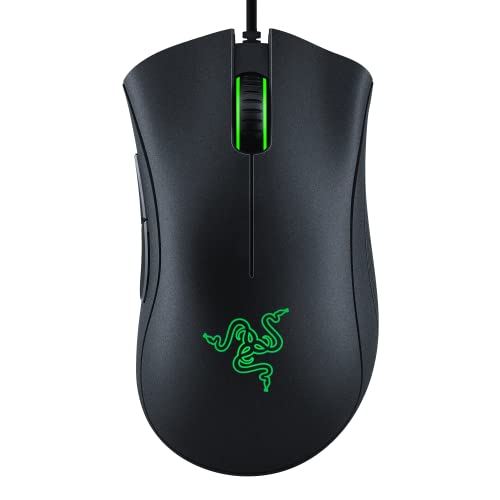
Owners in this tier tend to build outward in a predictable order, and the order itself is good advice. First comes the mouse, because it is cheap and transformative. Then a headset, for the same reason. Then — once the laptop has proven itself — the external monitor, which turns the machine into a battlestation at home and keeps its own excellent panel for travel. A stand and a hub follow, and suddenly the twelve-hundred-dollar laptop is the heart of a setup that feels worth twice the total.
The Victus buyer simply starts this journey earlier, with the monitor arriving in the same season as the laptop. The Legion buyer may never buy the monitor at all, because the OLED already satisfies. Both paths are coherent; what matters is that the laptop’s strengths decide the accessories, rather than a generic checklist deciding for you.
Resist only the premature upgrade — replacing parts of a new machine before living with it. Live with the keyboard for a month before ordering a mechanical one; live with the speakers before the soundbar. This tier’s machines are more complete than their owners initially credit, and the money saved on unnecessary additions is the money that funds the next game library sale.
The One-Paragraph Version for the Impatient
If this entire guide had to collapse into a single breath, it would say: buy the Legion 5a for its screen unless you are a competitive player, in which case buy the Strix; buy the Katana if frame rates are your religion, the TUF if your laptop commutes, the Aurora if you buy with your heart as well as your head, and the Victus if the budget must furnish a whole desk. Every one of those sentences is defensible, none of them is a compromise, and the differences among them are the pleasant kind of problem — choosing between goods, not avoiding bads.
That, more than any specification, is what twelve hundred dollars buys in this generation: a tier with no wrong answers, only personalities. Match the personality to your own and the machine will feel less like a purchase and more like a decision you got right.
Before the Box Arrives: Preparing the Space
A little theatre of preparation improves the first week. Clear the desk corner the machine will own, confirm the socket situation — these bricks are large and dislike loose multi-plugs — and decide where the charger will live permanently. Download nothing, install nothing yet; simply make room, physically and in your schedule, for one unhurried setup evening.
When the laptop arrives, that evening should hold three rituals: the full update cycle with its restarts, the display checks against dark and bright test images, and a first long session in your most demanding game while the return window is at its widest. Owners who front-load those rituals report a particular calm afterwards — the machine is known, verified, theirs — and it is the right emotional note on which to begin several years of evenings together.
And If Two of Them Are the Same Price This Week?
It happens constantly in this band, and it is a gift rather than a dilemma. When a Legion and a Strix sit at identical money, the tiebreakers are your room and your catalogue: the Legion for mixed life and visual pleasure, the Strix for competitive focus and a permanent desk. When the Katana undercuts both by a whisker, its RTX 4070 becomes the loudest voice in the room for pure players. Price equality simply moves the decision from the wallet to the mirror — which machine is the one your actual evenings describe?
Frequently Asked Questions
Is the step from the thousand-dollar tier really noticeable?
Daily, yes. The frame rates overlap, but screens brighten and gain contrast, cooling grows quieter under the same load, storage doubles on several models, and the machines simply feel better made. It is a quality-of-life tier jump more than a performance one.
Will the RTX 4070 Katana age worse than the RTX 5060 models?
In feature support, slightly; in raw pace, not for a long while. Its memory bandwidth keeps texture-heavy games happy, while the 5060 machines gain in titles that adopt the newest frame generation. Expect both to remain enjoyable for years, via slightly different strengths.
Does OLED burn-in make the Legion a risky purchase?
Modern OLED laptops include pixel-refresh and shifting safeguards, and varied gaming content is low-risk usage. The risky pattern is a single static image at maximum brightness for many hours daily — if that is your life, choose the Strix instead.
Can these laptops drive a 1440p monitor?
The RTX 5060, 4070 and 4060 machines can, enjoyably in most games with upscaling available. Competitive titles will fly; the heaviest cinematic games may prefer 1080p rendering upscaled to the panel.
Which pick is best for a student?
The TUF A15 if the laptop travels to lectures daily, the Legion 5a if it mostly lives in the dorm and doubles as the entertainment screen. Both pair durability or efficiency with performance that will outlast a degree.
Related Guides
If this tier whetted your appetite, the neighbouring guides below widen the lens — downwards to the value tier, outwards to bigger screens, and deeper into OLED territory. best gaming laptops around a thousand dollars best 16-inch gaming laptops for desk setups best OLED gaming laptops worth considering.
A final encouragement for anyone hesitating between this tier and the cheaper one below it: the difference is not indulgence. Screens, cooling and storage are the parts of a laptop you touch every day, and they are exactly what the extra money improves here. Players who stretch to this band rarely report regret; players who economise against their own priorities, and then stare at a dim panel for four years, report it constantly.
Whichever name ends up on your receipt, keep the first month curious: try the game you assumed would struggle, revisit an old favourite at settings it never previously enjoyed, and notice how often the machine simply disappears into the experience. That disappearance is the product. Everything in this guide — the panels, the cooling, the silicon — exists to purchase it.
One more practical mercy: every machine in this guide is good enough that a coin-flip between your final two candidates is not a failure of research. It is evidence that the tier is healthy, and that your evenings are safe either way.
Trust the checklist, then trust yourself — in that order, once — and place the order.
Choose the screen you will love looking at, in the size your life actually accommodates, and this tier will repay you every evening — that is what the extra money is really for.