Our Top Picks
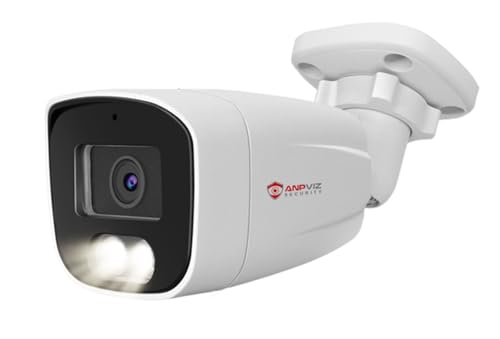
 Amcrest 5MP IP PoE AI Camera w/ 49ft5MP Bullet Camera7.59 x 2.77 x 2.61 inches1.7 poundsCheck on Amazon


What's inside
- Why the bullet shape suits outdoor work
- Reading sensor and resolution claims properly
- Fixed lenses, varifocal lenses and honest field of view
- Power over Ethernet and the realities of cabling
- Weather sealing, housings and surviving real winters
- Night vision, infrared and spotlights after dark
- Compression, bandwidth and not strangling your network
- Detection that distinguishes people from weather
- Storage choices: recorder, memory card and cloud
- Positioning, height and aiming the camera well
- Living with the system: apps, playback and upkeep
- Check prices on Amazon
- Buying mistakes that keep repeating
As an Amazon Associate I earn from qualifying purchases. This post may contain affiliate links at no extra cost to you.
A bullet camera is the shape most people picture when they imagine outdoor surveillance, and that familiarity is not an accident. The long cylindrical body exists because it solves several practical problems at once. It gives the lens a deep hood against rain and low sun, it leaves room inside the housing for larger infrared emitters than a compact dome can carry, and it points unambiguously in one direction, so anyone walking toward a property can see at a glance which approach is covered. That visible direction matters more than specification sheets usually admit. A camera that merely records an incident has some value after the fact, but a camera that changes behaviour beforehand, because a delivery driver or a stranger at the gate can plainly see it, prevents the incident from happening at all.
Support for this guide comes through affiliate links: some links on this page are affiliate links, and if you buy through one of them the retailer may pay this site a commission, an arrangement that costs you nothing extra and never decides which camera classes get recommended or criticised below.
Choosing well, though, means looking past the silhouette. Two bullet cameras can look nearly identical in a product photograph and behave completely differently once mounted above a driveway in February rain. One will hold a readable image of a face at the gate; the other will smear that same face into a pale blur the moment the person starts moving. The difference rarely comes down to a single headline number. It comes from how the sensor, the lens, the infrared lighting and the compression settings work together, and from whether the person installing the camera understood the distance between the wall and the thing actually worth watching. This guide takes those decisions in the order they should be made, starting with the housing itself and ending with the placement mistakes that undermine otherwise capable hardware.
Why the bullet shape suits outdoor work
A housing built around weather and glare
The extended body of a bullet camera works like a short tunnel for the lens. Rain that would bead directly across the glass of a flatter design instead strikes the rim of the hood first, and the recessed front element stays clearer for longer during a storm. The same overhang cuts glare when the sun sits low in the morning or evening, which happens to be exactly when many properties see their most important traffic: people leaving for work, children heading to school, couriers arriving with the first deliveries of the day. Manufacturers often add a sliding sunshield that can be pulled forward for south facing walls or pushed back where the camera sits under a deep soffit, and that small adjustment is worth making deliberately rather than leaving wherever it sat in the box.
Size brings a second advantage that is easy to overlook. A longer housing dissipates heat more readily than a cramped one, and image sensors dislike heat because thermal noise rises with temperature, quietly degrading the night image long before anything fails outright. The larger body also accommodates a proper cable gland at the rear and, on better designs, a junction base that swallows the connection between the camera pigtail and the outdoor network cable. That connection is the most vulnerable point in the whole installation. Keep it inside a sealed base and it will survive for years; leave it dangling in a plastic bag taped to a wall, a depressingly common shortcut, and corrosion will find the copper within a couple of winters no matter how highly the camera itself is rated.
Visibility as part of the security effect
There is a long running argument about whether cameras should be conspicuous or discreet, and for most homes and small businesses the conspicuous answer is the honest one. A bullet camera announces itself. Its shape reads as surveillance equipment from thirty metres away, unlike a dome whose tinted bubble could be pointing anywhere. That clarity cuts both ways, of course. An intruder who can see where the camera points can also reason about where it does not point, which is why a single obvious camera guarding a front door should usually be paired with coverage of the side path or rear garden that a determined person would try instead. Security professionals call this avoiding the displacement problem: hardening one entrance simply moves an attempt to the weakest remaining one.
Discreet designs still have their place indoors, in shops where a heavy surveillance presence would unsettle customers, or in workplaces where staff relations matter. Outdoors, though, deterrence is usually worth more than concealment, because the overwhelming majority of opportunistic theft is exactly that, opportunistic. Someone testing door handles along a street at night is making quick calculations about effort and risk. A clearly visible camera, perhaps reinforced by a small sign noting that recording takes place, shifts that calculation at almost no ongoing cost. Readers planning a whole property layout rather than a single viewpoint will find a broader comparison in our roundup of best 10 security ip cameras, which sets bullet models alongside domes and turrets and explains where each shape earns its keep.
Reading sensor and resolution claims properly
Megapixels describe area, not clarity at distance
Resolution figures dominate camera marketing because they are simple to print on a box, yet a megapixel count on its own tells you surprisingly little about whether a face or a number plate will be readable. What matters is how many pixels land on the subject itself, and that depends on distance and lens angle as much as on the sensor. An eight megapixel camera spreading its image across a very wide view of a garden may place fewer pixels on a person at the far fence than a four megapixel camera with a narrower lens aimed down a driveway. Installers sometimes talk in terms of pixels per metre at the target, and even a rough mental version of that calculation will save buyers from the classic disappointment of upgrading resolution and gaining nothing where it counts.
As a working picture, imagine two neighbouring houses with identical cameras above their garages. The first looks across a short forecourt, perhaps six metres deep, and its wide image captures callers in generous detail. The second looks along a forty metre access lane, and at the gate the same camera renders a person as a small figure whose clothing is clear but whose face is not. Nothing is faulty in the second setup; the geometry is simply unforgiving. The remedy is rarely a bigger sensor alone. It is a longer focal length aimed at the gate, possibly accepting a narrower view of the lane itself, or a second camera placed nearer the point of interest. Resolution should therefore be chosen after you have paced out the distances involved, not before.
Sensor size and low light behaviour
Beneath the megapixel figure sits a quieter specification that shapes night performance: the physical size of the sensor and the size of its individual photosites. Squeezing more pixels onto a small sensor makes each pixel smaller, and smaller pixels gather less light, so a high resolution camera on a tiny sensor can look superb at noon and ragged at dusk. A moderately specified camera built around a larger sensor often produces the calmer, cleaner image after dark, with less of the speckled noise that triggers false motion alerts and eats recording space. Published sensitivity figures, usually expressed in lux, offer a rough comparison between models, although differing measurement methods mean they should guide rather than settle a decision.
Aperture interacts with sensor size in the same story. A lens rated at a low f number passes more light, letting the camera keep its shutter speed up and its electronic gain down, both of which preserve detail. When gain climbs, the image brightens but noise climbs with it, and fine detail such as facial features dissolves into shimmer. This is why two cameras with identical resolution can produce such different midnight footage. One is genuinely collecting more light through a larger sensor and a faster lens; the other is amplifying a weak signal and hoping compression will hide the cost. Buyer feedback repeatedly reflects this gap, with praise clustering around cameras described as clear at night rather than merely bright, a distinction worth holding onto while reading any review.
Wide dynamic range where light is uneven
Many real viewpoints contain brutal contrasts. A camera under a porch roof looks out into full sunlight; a warehouse shutter opens onto a bright yard from a dim interior; a gate camera faces headlights at night. Wide dynamic range exists for these scenes. In its genuine hardware form it captures the scene at more than one exposure and blends the results, preserving detail in the shadows without washing the bright areas to white. Software labelled similarly may only brighten dark regions of a single exposure, which helps less and can look artificial. If your intended viewpoint includes a shaded entrance opening onto a sunlit street, treat proper dynamic range as a requirement rather than a luxury, and be sceptical of cameras that bury the feature in vague language about image enhancement.
Fixed lenses, varifocal lenses and honest field of view
What focal length does to a scene
Lens choice is where a camera installation succeeds or fails, because the lens decides what the sensor gets to work with. Short focal lengths, the kind commonly fitted as standard, take in a broad sweep of a garden, a shopfront or a yard. That breadth feels reassuring on a live view, since almost nothing escapes the frame, but breadth is bought with detail. Everything in the scene is rendered smaller, and identification at any distance suffers. Longer focal lengths narrow the view and magnify the region that remains, which suits gates, lanes, till points viewed from a back office, and the far end of a car park. Neither is better in the abstract. The right lens is the one that puts adequate detail on the place where something you care about might actually happen.
Manufacturers quote field of view in degrees, and the horizontal figure is the useful one for most comparisons. A very wide specification sounds impressive until you translate it into a real wall and a real path. Picture a camera watching a side return between two houses, barely two metres wide. A wide lens there wastes much of its image on brickwork either side, while a narrower lens would devote nearly the whole frame to anyone squeezing down that passage. Conversely, mounting a narrow lens above a broad front garden leaves the corners unwatched, and callers quickly learn, often innocently, that parcels left at the edge of the porch never appear on camera at all. Sketching the cone of view on a rough plan of the property, even in pencil, prevents both errors cheaply.
The case for a fixed lens
A fixed lens cannot be adjusted after installation, and that limitation is also its strength. There is nothing to drift, nothing for vibration to nudge out of focus, and one less motor drawing power and adding cost. For the many viewpoints where the geometry is known in advance, a front door, a driveway of standard length, a stockroom aisle, a fixed lens chosen correctly at purchase will perform faithfully for years. Fixed models also tend to be smaller and cheaper within any given sensor class, which matters when a property needs four or five cameras and the budget has to stretch across recorders, cable and mounting hardware as well. Simplicity compounds across a system in ways that a single camera comparison never shows.
The risk with fixed lenses is buying before measuring. Because the angle cannot be corrected later, a guess made from a product page becomes a permanent feature of the installation. A sensible routine is to hold a phone camera at the intended mounting point, take a photograph at a roughly equivalent framing, and study what actually appears at the edges. If the gate sits half out of frame in that test shot, it will sit half out of frame in the finished system too. Where a property owner is covering several similar viewpoints, buying one camera first, installing it, and reviewing a full day and night of footage before ordering the rest is slower but far cheaper than replacing three wrongly specified units.
Varifocal and motorised zoom flexibility
Varifocal lenses answer the uncertainty problem directly. Their focal length can be adjusted, either by hand during installation on simpler designs or by a motor controlled from the recorder or app on more advanced ones. That adjustability lets an installer frame a shot precisely: tightening on a gate until the latch fills a satisfying portion of the image, or widening just enough to include a second door that a fixed lens would have clipped. Motorised versions add the convenience of refocusing automatically after zooming, and they forgive imperfect planning, because the framing can be refined from a ladder free desk once the camera is already on the wall. For a first installation at an unfamiliar site, that forgiveness is often worth the price difference.
There are trade offs to weigh honestly. Varifocal mechanisms add size, cost and another component that can fail, and the convenience tempts people into using zoom as a substitute for placing the camera well. Zooming from a badly positioned camera still leaves you with the wrong angle, the wrong height and the same blind area behind the pillar. It is also worth distinguishing optical adjustment, which genuinely reframes the scene on the full sensor, from digital zoom, which merely enlarges part of the image and invents no new detail. Digital zoom has its uses when reviewing recordings, but it should never be counted as a lens feature when comparing cameras side by side on a shop page.
Power over Ethernet and the realities of cabling
One cable carrying power and pictures
Power over Ethernet, universally shortened to PoE, is the defining convenience of modern wired camera systems. A single network cable delivers both the data connection and the electrical power the camera needs, which removes the hunt for a socket near every mounting point and eliminates the tangle of separate power supplies that older analogue systems demanded. The camera draws a modest amount of power negotiated with the switch or injector feeding it, and standards based equipment from different manufacturers generally interoperates without drama. For anyone planning more than one camera, a switch with enough PoE ports and a total power budget comfortably above the combined draw of the cameras, including their infrared at night, is the foundation everything else rests on.
Night is the detail in that calculation people miss. A camera that sips power during the day draws noticeably more once its infrared emitters switch on, and a switch sized exactly to the daytime figures can begin dropping cameras at dusk in a pattern that looks, maddeningly, like random faults. Leaving headroom of roughly a third above the stated combined consumption is cheap insurance. Similar prudence applies to cable. Outdoor runs should use cable rated for exterior exposure, with ultraviolet resistant jacketing where it crosses sunlit walls, and solid copper conductors rather than copper clad aluminium, which runs hotter under PoE load, resists corrosion less well and has a habit of causing intermittent faults that are miserable to trace months later.
Distance limits and planning runs
Ethernet cabling carries a well known practical limit of around one hundred metres per run, and camera planning should respect it rather than test it. Most homes and small commercial sites fit comfortably inside that distance, but long barns, gated yards and multi building properties can exceed it quickly once the route wanders around corners and up walls instead of following the straight line on a map. Solutions exist, including intermediate switches, fibre links between buildings and purpose built extenders, yet each adds cost and a potential failure point. Drawing the cable routes on the same sketch used for fields of view usually reveals the problem early, while rerouting a recorder location or adding one switch in an outbuilding is still a cheap decision.
Physical installation quality decides whether those runs survive. Cable clipped loosely along a fence will flex in the wind until a conductor fatigues; cable buried without conduit invites a garden fork through it during some future landscaping. Drip loops where a cable enters a building stop rainwater tracking along the jacket into the wall or the camera base. Surge protection deserves a thought on exposed runs too, particularly for cameras mounted high on metal poles, because a nearby lightning strike can induce enough energy in a long cable to destroy the camera and the switch port behind it. None of this is glamorous, and none of it appears in resolution charts, but experienced installers will tell you that most call outs trace back to cabling and connections, not to the cameras themselves. Shoppers comparing complete wired kits against separate components may also want to read our guide to best 1080p outdoor security cameras, which discusses how outdoor ratings and cable provisions differ across price tiers.
Weather sealing, housings and surviving real winters
What IP66 and IP67 actually promise
The two digit ingress code printed on outdoor cameras is one of the few marketing numbers with a precise test behind it. The first digit concerns solid particles and, at the level relevant here, means the housing is dust tight. The second concerns water. A rating ending in six means the enclosure withstands powerful water jets from any direction, the kind of assault delivered by driving rain and by someone cleaning a wall with a hose. A rating ending in seven goes further, covering temporary immersion in shallow water for a limited period. For a camera mounted on a wall, jet resistance is arguably the more relevant test, because wall mounted equipment is never legitimately submerged; immersion ratings matter more for cameras fitted low near ground level, in yards that flood, or in washdown environments such as food premises and vehicle cleaning bays.
Neither rating should be read as permission to install carelessly. The tests are performed on new equipment, correctly assembled, with its cable entries sealed as the manufacturer intended. A camera whose rear gland was left loose during a hurried installation has no meaningful rating at all, whatever the box claimed. Condensation is the other quiet enemy the headline rating does not capture. Warm moist air sealed inside a housing during a humid afternoon will condense on the inside of the lens as the temperature falls overnight, fogging the image from within. Better designs include breathable membranes or desiccant provision to manage this, and buyer reports of fogging that clears by mid morning are a classic sign of a housing that manages moisture poorly. Mounting under a soffit, where direct rain rarely reaches, remains the simplest protection of all.
Materials, mounts and vandal resistance
Housing materials divide along price lines. Polycarbonate bodies are light, cheap and adequate for sheltered positions well out of reach, while metal housings, usually aluminium, shrug off knocks, resist deliberate attack better and conduct heat away from the electronics more effectively. Where a camera must sit within arm’s reach, above a low doorway or along a public footpath, a separate impact rating becomes relevant, expressing how much force the enclosure can survive. Even then, the mount matters as much as the shell. A sturdy camera on a flimsy bracket will wobble in high wind, and a wobbling camera generates motion alerts all night while blurring the very frames that matter. Through wall fixings into masonry, rather than short screws into render or cladding, separate a solid installation from a hopeful one.
Temperature ranges deserve a glance for anyone living where winters bite or summers scorch. Published operating ranges tell you whether the camera is expected to start reliably on a frozen morning; some models include small internal heaters for exactly that purpose, drawing extra power that must be remembered in the PoE budget discussed earlier. In hot climates the reverse problem dominates, with sun baked housings on dark walls reaching temperatures that shorten electronic life. A pale housing colour, a shaded mounting position and the natural airflow around a bullet body all help. These are unglamorous considerations, but a camera is a five to ten year purchase, and longevity is mostly decided by how kindly its environment treats it.
Night vision, infrared and spotlights after dark
Infrared range and why quoted distances flatter
Almost every outdoor bullet camera carries infrared emitters around its lens, flooding the scene with light the sensor can see but people largely cannot. Manufacturers quote an illumination distance, and that figure should be read as the range at which something large and reflective might be detected, not the range at which a face becomes identifiable. Identification distance is commonly a third or less of the headline number. A camera claiming thirty metres of night vision may deliver genuinely useful detail at eight to ten metres, which is perfectly respectable for a driveway, provided the buyer planned around the honest figure rather than the printed one. Over specifying the camera for the distance, or shortening the distance by siting the camera nearer the gate, both work; believing the box is the only approach that reliably disappoints.
Infrared behaviour has subtleties beyond range. Better cameras modulate their emitter output according to how close the subject is, a feature often called smart infrared, so that a person walking up to the camera does not blow out into a featureless white shape at the moment they come nearest. Without it, close range footage at night can be worse than footage from further away, which is a cruel outcome for a doorstep camera whose whole purpose is capturing people close up. Reflective surfaces complicate matters further. Number plates, road signs and pale clothing bounce infrared back enthusiastically, and the camera’s exposure system, trying to tame those hot spots, may darken everything else in the frame. Angling the camera so that its main subject is not dominated by a reflective wall or a parked car’s plate often improves night footage more than any setting buried in a menu.
Spotlights and colour images at night
A newer school of bullet camera adds a white light spotlight alongside or instead of infrared, trading invisibility for colour. Colour night images carry information infrared can never provide: the colour of a jacket, of a car, of a van that witnesses later describe. The light also acts as a deterrent in itself, switching on when motion is detected and signalling to anyone approaching that they have been noticed. Against those advantages stand real considerations. A spotlight disturbs neighbours if aimed carelessly, attracts insects on summer nights just as any outdoor light does, and may breach the spirit of local lighting expectations in quiet residential areas. Many owners settle on a hybrid pattern, infrared for routine recording with the spotlight reserved as a response to a detected person, which captures colour evidence of the event that matters while leaving the street dark the rest of the night.
Spiders deserve an honourable mention in any honest discussion of night vision, because they are the most persistent saboteurs of outdoor cameras. An infrared array is a warm, sheltered hunting platform, and a web built across the lens fills the night image with glowing strands while triggering endless motion alerts as it sways. No specification prevents this. Regular gentle cleaning, positioning away from eaves corners where webs anchor easily, and in some cases a separate infrared illuminator mounted a short distance from the camera, so insects gather at the light rather than the lens, are the practical answers. Planning night coverage also means checking the view after dark at least once following installation, since daytime alignment frequently reveals surprises once the emitters take over: a hedge that was invisible at noon may reflect infrared so strongly that half the frame washes out at midnight. Those comparing simpler camera setups for smaller homes may find the discussion in best 1080p security cameras helpful, because it covers how modest resolution systems balance night performance against cost.
Compression, bandwidth and not strangling your network
H.264, H.265 and what the savings really mean
Video compression decides how much network capacity and storage a camera consumes, and the generational step from H.264 to H.265 is the most consequential shift in recent camera design. In broad terms, H.265 delivers a picture of comparable quality at roughly half the bitrate of its predecessor, by analysing the scene more intelligently and spending its budget on the parts that change. Halving the bitrate halves the storage a day of recording occupies and halves the load on the network carrying several cameras at once. On a four camera system recording continuously, that difference is measured in weeks of extra retention on the same drive, which is why H.265 support across both cameras and recorder should be treated as close to essential in a new purchase.
Enhanced variants offered by individual manufacturers push the savings further by dropping the bitrate aggressively when a scene is static, then restoring quality the moment something moves. An empty corridor at three in the morning genuinely needs very little data to describe it. These smart codecs work well in practice, though they introduce a compatibility question: recordings made with a proprietary variant may only play back correctly within the same manufacturer’s software. For most owners that is an acceptable bargain, but anyone who expects to hand footage to police or insurers should confirm that clips can be exported in a standard format that plays anywhere. Compatibility also matters at the recorder. An older recorder that cannot decode H.265 will either reject newer cameras or force them back into H.264 mode, quietly wiping out the savings the purchase was meant to deliver.
Bitrate, frame rate and the settings nobody checks
Beyond the codec itself sit three settings that owners rarely touch and frequently should. Bitrate caps how much data the camera may use each second; set it too low and busy scenes, rain, foliage in wind, break into visible blocks exactly when detail matters. Frame rate governs smoothness, and while the maximum figure looks attractive, fifteen frames per second is entirely adequate for surveillance of people walking, with higher rates mainly helping fast vehicles or sports. Resolution, frame rate and bitrate trade against one another inside a fixed storage budget, so the grown up question is never which single number is largest, but which combination preserves recognisable detail at your distance for the number of days you want to keep. A camera recording a quiet garden can afford lavish settings; one watching a busy street will exhaust the same drive in a fraction of the time.
Multiple streams are the quiet feature that makes daily use pleasant. A camera typically produces a high quality main stream for recording and a lighter sub stream for viewing on a phone over mobile data. When that sub stream is configured sensibly, checking a camera from a train or a holiday hotel is instant and smooth. When it is not, live view stutters and owners stop checking, which defeats much of the point of a connected system. Variable bitrate control, which lets the camera spend more during action and less during stillness, generally serves home users better than a fixed allocation, because real scenes are bursty by nature. The exception is a congested network shared with heavy other traffic, where a predictable capped load can be the politer citizen.
Detection that distinguishes people from weather
From pixel motion to person detection
Traditional motion detection watches for pixels changing between frames, and outdoors almost everything changes pixels: rain, snow, headlight sweeps, tree shadows sliding across a drive, a neighbour’s cat on its nightly patrol. Systems relying on that alone train their owners to ignore alerts within a week, and an ignored alert system is worse than none because it creates an illusion of cover. Modern cameras now analyse shapes on the device itself, classifying what moved as a person, a vehicle or neither, and alerting only for the categories the owner selected. The improvement in daily life is dramatic. Instead of forty notifications about a storm, the phone stays silent until someone actually walks up the path, which means that when it does buzz, the owner looks.
On device analysis also changes what happens during network outages, because classification does not depend on a distant server being reachable. More advanced rules build on the same foundation. Line crossing detection watches a virtual tripwire, ideal for a gate or a boundary that should never be crossed at night. Intrusion zones flag presence inside a drawn area, such as a fuel store or a bicycle shed corner, while ignoring the public pavement beyond it. Loitering rules notice someone remaining in a zone beyond a set duration, a surprisingly useful distinction for shop doorways and school entrances. None of these rules is magic, and all of them need tuning to the individual scene, but they transform a camera from a passive recorder into something closer to an attentive guard with narrow, clearly written instructions.
Reducing false alarms without blinding the system
The craft of detection setup lies in reducing nuisance alerts without quietly disabling the protection you bought. Sensitivity is the bluntest tool: too high and every moth becomes an intruder, too low and a person in dark clothing crossing quickly may not register at all. Detection zones refine matters more intelligently, excluding the road, the swaying hedge and the washing line from consideration while keeping the path and the doors fully covered. Schedule based arming adds another layer, since many households want generous alerting overnight and during working hours but silence while the family is moving around the garden on a Sunday afternoon. Spending twenty unhurried minutes walking the property with a phone in hand, deliberately triggering the camera from different angles and speeds, teaches more about a system’s real behaviour than any menu description.
Human shaped detection has honest limits worth understanding. A person in heavy rain gear, seen from directly above, or carrying a large box that breaks up their outline can occasionally be misclassified, and vehicles crawling at walking pace sometimes confuse simpler algorithms. For that reason, detection should govern alerts rather than recording itself wherever storage allows. Record everything, or at least record generously around events, and let the smart rules decide what deserves a notification. That way a classification mistake costs you a missed buzz, not missing evidence. Owners of wireless cameras face the same detection questions with battery consequences attached, a topic explored further in our guide to best 1080p wireless security cameras, where wake up behaviour and alert accuracy interact with power saving.
Storage choices: recorder, memory card and cloud
The network video recorder as system hub
For wired bullet cameras, the natural home for footage is a network video recorder, a dedicated box that receives every camera’s stream, writes it to surveillance rated hard drives and presents it through one interface. The arrangement has deep practical virtues. Recording continues whether or not the household internet connection is alive, the footage stays physically in the building, and there are no subscription fees quietly compounding year after year. Recorders are sized by channel count, and buying one size above your current camera count is among the wisest small decisions in system planning, because the second phase of almost every installation, the camera added after the first incident reveals a blind spot, is a matter of when rather than if.
Drive choice inside the recorder matters more than newcomers expect. Surveillance rated drives are built for continuous writing, day and night, year round, a duty cycle that ordinary desktop drives tolerate poorly. Capacity planning follows from the codec discussion earlier: add up the bitrates of your cameras, multiply out across the retention period you want, and then add headroom, because real bitrates in busy scenes exceed the tidy averages. Two weeks of retention is a common household target, long enough to cover a holiday and the slow discovery that something went missing from the garage days ago. Businesses may face insurance or policy expectations that stretch that period considerably, which pushes the arithmetic toward larger drives or more restrained recording settings on the least important viewpoints.
Edge storage and cloud services in their place
Many bullet cameras accept a memory card, recording at the edge even if the recorder fails or the cable is cut. As a backup layer this is genuinely valuable, and for a single camera guarding a remote outbuilding it can serve as the primary store, accepting the risk that a thief who steals the camera steals the evidence with it. Cards in this role live a hard life of constant rewriting, so high endurance variants designed for dash cameras and surveillance are the correct purchase, not whatever spare card is rattling in a drawer. Owners should also format cards in the camera and check periodically that recording is actually happening, since a silently failed card is a common discovery made at the worst possible moment, just after an incident everyone assumed was captured.
Cloud storage reverses the trade offs. Footage leaves the building, so it survives fire and theft of the recorder, and reviewing it from anywhere is effortless. In exchange come subscriptions, dependence on upload bandwidth that many rural connections cannot spare for several cameras at once, and legitimate questions about where recordings of your family and visitors reside and who can access them. A hybrid pattern suits many households: continuous recording to the local recorder, with event clips mirrored to the cloud for the cameras covering entrances. That arrangement keeps the bulk of footage at home while ensuring that the most important thirty seconds of any serious incident exist somewhere beyond the reach of the incident itself. Whichever pattern you choose, test the export process before you need it. Downloading a clip, playing it on an ordinary computer and confirming the timestamp is legible should be a routine drill, not a first attempt made under stress.
Positioning, height and aiming the camera well
Height is a compromise, not a maximum
New installers instinctively mount cameras as high as possible, imagining that elevation equals coverage. Elevation does widen the view and protects the camera from casual tampering, but it exacts a price: faces tilt away from a high lens, and a cap brim or hood hides exactly the features the recording exists to capture. A camera at roughly two and a half to three metres, angled down moderately, usually produces the most identifiable images of people approaching a door, close enough to their sightline that they naturally glance toward it. Cameras intended to observe a wide area rather than identify individuals, a yard overview or a car park, can sit higher and do their different job well. The mistake is asking one camera at one height to do both jobs and accepting mediocrity at each.
Angle interacts with infrared and sunlight too. A steep downward angle shortens the effective night range because the infrared pool lands close to the wall, while a shallow angle reaches further but invites glare from the ground and makes the camera more vulnerable to being approached unseen from below. Corners are prized mounting positions because a camera tucked where two walls meet gains protection from the building itself and commands two approaches at once. Where a viewpoint includes both a near door and a far gate, accept that the composition favours one, and let it favour the door, since the person who reaches the door is the person you most need to identify clearly.
Neighbours, law and good manners
A camera on your wall records a slice of the world beyond your boundary, and handling that responsibly is part of owning one. Many jurisdictions regulate domestic recording, commonly expecting that coverage of neighbours’ gardens and windows be minimised, that audio recording, which the law often treats more strictly than silent video, be disabled unless clearly justified, and that anyone running cameras for a business register and display notices appropriately. Privacy masking features exist precisely for this, blanking out a neighbour’s patio or the pavement beyond the gate from both live view and recordings. Using them is not merely defensive legal hygiene; it preserves relationships. A short conversation with the neighbours before installation, explaining what the camera sees and what it deliberately does not, prevents the slow resentment that an unexplained lens pointed near a boundary reliably creates.
Audio deserves a separate word because bullet cameras commonly include microphones and marketing presents the feature as pure gain. Hearing a conversation at your gate can add context to an incident, yet continuous audio captures far more private material than video does, including speech from inside neighbouring homes through open windows in summer. Many owners sensibly leave audio off entirely, or enable it only on a camera covering a commercial entrance where expectations differ. Two way talk, where fitted, is most useful at a door or gate for speaking to couriers and callers, and its value there is real, provided the speaker’s modest volume is understood: it is a doorstep intercom, not a public address system, and wind noise will compete with it outdoors.
Living with the system: apps, playback and upkeep
Remote viewing that people actually use
The finest recording setup in the world earns little if checking it feels like a chore. Most owners interact with their cameras through a phone application, and the quality of that software shapes daily satisfaction more than any lens statistic. A good application opens quickly, shows every camera in a tidy grid, scrubs through a timeline without long pauses and lets an event clip be saved to the phone in a couple of taps. A poor one buries playback behind menus, loses its login weekly and delivers alerts minutes after the caller has already left the doorstep. Because applications are tied to camera ecosystems, this is a genuine buying consideration, not an afterthought. Reading recent owner feedback about the software, especially comments written months after purchase rather than on installation day, reveals which platforms are maintained with care and which are quietly neglected.
Playback design matters most at the exact moment of need. When a neighbour reports that something happened near your fence at about nine the previous evening, you want to jump to that hour, watch at increased speed until movement appears, then slow down and examine it frame by frame. Timeline interfaces that colour event periods differently from empty recording make that search take seconds. Systems that force you to download an hour of footage before viewing any of it turn the same task into an ordeal, and owners of such systems quietly stop reviewing borderline events at all. If several people in a household need access, check how accounts and permissions work: a partner, a house sitter and an adult child do not all need the ability to delete recordings or change detection settings, and sensible systems let the owner grant viewing rights without handing over the keys to everything.
Maintenance is small, regular and unglamorous
Outdoor cameras ask for little upkeep, but the little they ask for is not optional. A lens wiped gently with a microfibre cloth a few times a year, more often near a busy road where traffic film accumulates, preserves the clarity the whole purchase was about. Checking the view after any storm confirms that wind has not nudged a mount and that no new branch has grown into the frame during spring. Firmware updates, applied when the manufacturer releases them, close security flaws and occasionally improve detection behaviour, yet they should be installed at a calm moment when someone is home, never remotely on the eve of a holiday when a failed update would leave the property unwatched. Recorders benefit from the same attention: confirm the displayed recording history actually stretches back as far as your retention calculation promised, because a failing drive often announces itself first as quietly shrinking history.
It also pays to rehearse the bad day. Once a year, pick a recent event, export the clip, play it on a different device, and check that the timestamp, the image and any number plate you might rely on are genuinely legible. Owners who perform this small drill discover problems, a clock drifting out of sync, a sub stream recorded where the main stream was intended, while those problems are still free to fix. Households change too. A new car on the drive, a taller hedge, a child now cycling home alone at dusk: each alters what the cameras should watch and how alerts should behave. Treating the system as something reviewed alongside the property itself, rather than as a box fitted and forgotten, keeps it matched to the life it was bought to protect.
Check prices on Amazon
Live listings for the shortlist in this guide are pulled from Amazon below, so prices and availability are always current at the moment you look.


Buying mistakes that keep repeating
Pursuing numbers instead of scenes
The recurring errors in camera buying share a pattern: each substitutes an easy comparison for the harder work of describing the actual scene. Choosing by megapixels alone ignores lens and distance. Choosing by infrared distance alone ignores how identification range shrinks in practice. Choosing the cheapest camera in a resolution class often means accepting a smaller sensor, a plastic mount and firmware that will stop receiving updates years earlier, a false economy on a device expected to guard a building for a decade. Another classic error is mixing components without checking compatibility, pairing cameras and recorders from different ecosystems and discovering that the smart detection features, the very reason for the purchase, only function when both ends share a manufacturer or a genuinely complete implementation of common standards.
Underbuying the supporting equipment is equally common. A superb camera fed by copper clad aluminium cable through an undersized switch, writing to a recorder with a bargain drive, is a superb camera waiting for its support act to fail. Budget honestly for the whole chain: mounts, junction boxes, cable, switch capacity, storage and, where the work is beyond your comfort, professional installation, which often costs less than the accumulated price of correcting a self installed system’s mistakes. Finally, remember the network the system joins. Cameras should sit behind sensible passwords that replace every default, with firmware kept current, because a camera is a small computer on your network and deserves the same hygiene as any other. An owner who attends to scenes first, supports the camera properly and keeps its software maintained will end up, almost without exception, with footage that answers questions on the one night when answers truly matter, which is the entire point of putting a camera on the wall in the first place.


