Our Top Picks


What's inside
- What a tracking watch for seniors is designed to do
- How positioning works: satellites, towers and Wi-Fi
- Geofencing and alert behaviour
- The SOS button and two-way calling
- Battery life, charging and the realism gap
- Ease of use for older hands, eyes and habits
- How these differ from ordinary smartwatches
- Water resistance, durability and daily hazards
- Coverage, subscriptions and total cost of ownership
- Privacy, dignity and family agreements
- Setting up for success in the first two weeks
- Choosing between representative model types
- Health-adjacent features and their limits
- What happens during a real wandering episode
- Troubleshooting the problems families actually meet
- Questions families ask before buying
- Travel, visitors and changing routines
- When a tracking watch is not the right answer
- A calm checklist for the decision weekend
- Reading reviews and manufacturer claims critically
- The caregiver application, examined closely
- Final perspective for families deciding now
- A note on siblings, distance and shared responsibility
- Check prices on Amazon
- Seasonal adjustments through the year
As an Amazon Associate I earn from qualifying purchases. This post may contain affiliate links at no extra cost to you.
This guide is reader-supported in a straightforward way: qualifying purchases made through links here may return a commission to the editors, funding continued coverage of senior safety technology at no additional cost to the buyer.
What a tracking watch for seniors is designed to do
A GPS tracking watch for seniors is a wrist-worn safety device whose primary job is location awareness and emergency communication for an older adult, rather than entertainment, productivity, or athletic measurement. Its core hardware combines a satellite positioning receiver, a cellular modem with its own SIM or embedded equivalent, a speaker and microphone for voice calls, a prominent emergency button, and a battery sized for days rather than hours. A companion application on a family member’s phone displays the wearer’s position on a map, receives alerts, and manages the settings the wearer never needs to touch.
The typical wearer is an older adult who still walks to shops, tends a garden, visits neighbours, or travels short routes independently, but whose family wants a safety net for disorientation, a fall outdoors, or a medical episode away from home. Memory conditions, including early-stage dementia, form one major use case, because a person who becomes confused mid-walk may be unable to state an address yet perfectly able to press a single button or simply be located passively. Post-surgical recovery, cardiac history, and rural living far from neighbours form other common scenarios described in manufacturer literature.
Unlike a pendant alarm that works only inside the home, a cellular tracking watch functions wherever mobile coverage exists, extending protection to the street, the park, and the supermarket. Unlike a phone, it stays strapped to the wrist, cannot be left on a kitchen table, and presents one large target for a distressed hand instead of a lock screen, a passcode, and a grid of icons. That combination of constant presence and radical simplicity defines the category and explains why families choose it even when the senior already owns a capable handset.
How positioning works: satellites, towers and Wi-Fi
Position fixes come from three cooperating sources. The Global Positioning System, and often additional satellite constellations such as GLONASS or Galileo on newer chipsets, delivers the most accurate outdoor fixes, commonly within about 5 to 10 metres under open sky according to chipset documentation. Accuracy degrades near tall buildings, under dense tree cover, and indoors, where satellite signals weaken or reflect off structures, a phenomenon engineers call multipath error.
When satellite reception fails, the watch falls back on LBS, meaning location based on cellular tower signals, estimating position from the serving cell and neighbouring cells. Tower-based fixes can be off by several hundred metres in rural areas where cells are sparse, though they tighten considerably in cities with dense networks. Wi-Fi positioning occupies the middle ground: the watch scans nearby network identifiers and compares them against databases, producing useful indoor and urban fixes without the power cost of a continuous satellite search.
Well-designed senior trackers blend all three sources automatically and report the method used alongside each fix in the family application, so a caregiver can judge whether a map pin deserves trust or patience. Location update intervals are configurable, commonly ranging from every minute during active tracking to every ten or thirty minutes in standby reporting, and that interval is the single largest lever on battery life. A family that sets one-minute updates around the clock should expect dramatically shorter runtime than a family content with periodic check-ins plus on-demand location requests.
Historical route playback is a standard companion feature: the application stores the day’s fixes and draws the path taken, letting a family confirm that a familiar walk happened as expected or reconstruct where a wandering episode began. Retention periods for that history vary by service, from a few days to several months, and privacy-conscious families should read the provider’s data policy to learn where location records are stored, how long they persist, and who can request them.
Geofencing and alert behaviour
A geofence is a virtual boundary drawn around a meaningful place, most often the home, and sometimes a relative’s house, a day centre, or a regular walking loop. When the watch crosses the boundary outward or inward, the system notifies designated contacts. Configuration usually involves setting a centre point and a radius, with sensible minimum radii around 100 to 200 metres to avoid false alarms caused by ordinary satellite drift while the wearer sits at home near the boundary edge.
False alerts deserve honest discussion. Satellite positions wander slightly even for a stationary device, a behaviour called drift, and a fence drawn too tightly will announce departures that never happened, training the family to ignore notifications. Good systems apply dwell logic, requiring the watch to remain outside the boundary for a set period or across consecutive fixes before alerting. Families should calibrate the fence during the first week, reviewing alert history and widening the radius until notifications correspond to real movements.
Beyond fences, alert types typically include low-battery warnings at thresholds such as 20 percent and 10 percent remaining, removal alerts on models with a wrist-detection or strap sensor, and power-off notifications that tell the family the device has shut down rather than merely lost signal. Each alert type can usually be routed to several contacts in sequence, so a daughter at work, a son nearby, and a neighbour with a spare key might all receive the same event through the application, by text message, or by automated voice call depending on the service design.
Some services add scheduled check-in prompts, where the watch gently asks the wearer to confirm wellbeing at set times and escalates only if no response arrives. That pattern respects independence, because the senior is not tracked as a suspect but invited as a participant, and many families report that this framing decides whether the device is worn willingly or quietly abandoned in a drawer.
The SOS button and two-way calling
The emergency button is the heart of the device. Ergonomics matter enormously: the button should be large, tactile, distinguishable by touch from any other control, and resistant to accidental activation in a pocket or during sleep. Many designs require a press-and-hold of roughly three seconds to trigger an alert, balancing accessibility against false alarms, and provide vibration or audible confirmation so the wearer knows help has been summoned without needing to read a screen.
Once triggered, typical systems dial a sequence of pre-registered numbers, cycling through contacts until a human answers, while simultaneously sending location data to the application. Two-way voice through the watch speaker lets the senior describe the problem, hear reassurance, and guide a responder, all without holding anything to the ear. Speaker volume and microphone sensitivity are therefore critical specifications for this audience; hearing loss is common among older adults, and a speaker that suffices for a teenager may fail a wearer with high-frequency hearing decline. Manufacturer data sheets that quote speaker output or describe hearing-aid compatibility deserve extra weight in a shortlist.
Whitelisting shapes daily communication. Most senior trackers accept calls only from approved numbers stored by the family, which blocks scam callers and telemarketers from reaching a vulnerable wearer, a meaningful protection given how heavily fraud operations target older adults by phone. Outgoing calls from the watch are similarly restricted to the registered contact list, often presented as large photo icons or a short name list, so the wearer can reach a daughter or a neighbour with one or two touches.
Some models and services route SOS events to a professional monitoring centre staffed around the clock, whose operators can conference in family contacts or dispatch local emergency services with the transmitted location. Others are family-only systems with no centre involved. Neither model is automatically better: monitoring centres add a subscription and a stranger’s voice, but they answer at 3 a.m. when family phones are silenced; family-only systems keep everything private and simple, but they depend on someone noticing an alert promptly. The right choice turns on the household’s sleep habits, work patterns, and the senior’s medical risk profile.
Battery life, charging and the realism gap
Battery claims in this category require translation. A manufacturer may quote standby figures measured with infrequent location reporting, minimal calling, and strong signal conditions, while a family’s real configuration, with frequent updates and a fringe coverage area where the modem works harder, can halve the achieved runtime. Realistic expectations for many current models fall between roughly two and five days of typical use, with standby-only scenarios stretching longer and intensive tracking days ending sooner. The honest comparison metric is runtime under a stated update interval, and brands that publish figures at several intervals make a family’s planning far easier.
Charging design matters as much as capacity. Magnetic pogo-pin cables that snap into alignment suit arthritic hands better than tiny plugs requiring precise orientation, and a charging cradle that holds the watch upright doubles as a bedside clock stand, encouraging a nightly routine. Contact charging also avoids open ports, supporting the water resistance discussed later. Families should establish a fixed charging ritual, perhaps during an evening television hour or a morning wash, because a tracker charging unpredictably is a tracker that will eventually be forgotten on the charger during the very walk it exists to protect.
Low-battery behaviour should be graceful. Better devices warn the family application well before shutdown, remind the wearer with a gentle tone or vibration, and preserve a reserve for a final location transmission and an emergency call rather than spending the last energy on routine reporting. When evaluating a model, look for documentation of that reserve behaviour; its absence suggests the engineering team treated battery depletion as an afterthought, which in a safety product is a serious omission.
Signal environment quietly governs runtime. A watch in a basement flat or a steel-framed building repeatedly searches for satellites and towers, burning energy on failed fixes, while the same watch in a suburban house with strong coverage sips power. Families in weak-signal homes sometimes solve this by relying more on Wi-Fi positioning indoors and reserving satellite fixes for outdoor movement, a configuration option worth confirming in the companion application before purchase.
Ease of use for older hands, eyes and habits
Interface design for this audience follows rules that mainstream gadgets routinely violate. Type must be large, contrast must be high, and each screen should present one decision rather than a menu tree. Touch targets should accommodate tremor, which means generous spacing and forgiving tap detection, and critical functions should never hide behind swipe gestures that a first-time touchscreen user cannot discover. Physical buttons earn their place here: a real side button for SOS and another for answering calls can be operated by touch memory, with gloves, or with limited vision.
Screen technology involves trade-offs. Bright colour displays read beautifully indoors but wash out in direct sunlight unless brightness is high, which costs battery; reflective or high-contrast monochrome panels stay legible outdoors and sip power but look austere. For a safety device, legibility in the garden at noon outranks beauty on the sofa, and families should weight outdoor readability accordingly. Automatic brightness adjustment helps, provided the sensor logic is conservative and does not dim the display aggressively to save power.
Weight and strap comfort decide whether the device survives the first month. A bulky case that catches on sleeves or presses on a thin wrist will be removed, and a removed tracker protects nobody. Silicone straps with many adjustment holes fit the widest range of wrists, tolerate washing, and avoid the pinching that metal clasps can inflict on fragile skin. Some families choose bright strap colours deliberately, making the watch easy to spot across a room and giving the wearer a cheerful object rather than a medical-looking appliance, a small dignity-preserving detail that product photographs rarely capture.
Setup should fall on the family, not the senior. In a well-designed system, the adult child installs the application, pairs the watch by scanning a code, enters contacts, draws the home geofence, and hands over a device that simply works. The senior’s learning burden reduces to three actions: wear it, charge it with help if needed, and press the big button if something goes wrong. Any model that requires the wearer to manage accounts, passwords, or software updates has misunderstood its user, and that misunderstanding will surface at the worst possible moment.
How these differ from ordinary smartwatches
A mainstream smartwatch is a phone companion built around notifications, applications, fitness metrics, and style, with location sharing as one feature among hundreds. A senior tracking watch inverts those priorities: location and emergency calling are the product, and everything else is either supporting infrastructure or omitted entirely. The distinction shows in battery life, where the tracker measures runtime in days of standby rather than hours of screen use, and in connectivity, where the tracker carries its own cellular identity instead of depending on a nearby phone.
Complexity is the second dividing line. Mainstream platforms invite customisation through watch faces, downloadable applications, and layered settings, which delights confident users and overwhelms many older ones. Senior trackers lock the experience down: no application store, no social notifications, no payment prompts, and a contact list controlled by family. That restriction is a feature in this context, because every removed capability is a removed failure mode and a removed opportunity for confusion or exploitation.
Readers comparing categories may find it useful to browse best gps smartwatches for the sport-oriented interpretation of satellite tracking, and best android smartwatches that make phone calls for wrist calling in a general-purpose design. Placing those beside a dedicated senior tracker clarifies how differently engineers allocate battery, screen, and button resources when the design brief changes from performance or communication breadth to dependable rescue.
Fall detection illustrates the philosophical gap. Some senior trackers include accelerometer-based fall detection that alerts contacts when a hard impact is followed by immobility, while mainstream devices offer the feature as part of a health suite. Sensitivity tuning is delicate: overly eager detection cries wolf when the watch is dropped on a table, while conservative tuning misses the slow slump that characterises many real falls in older adults. Families should treat fall detection as a helpful supplement, never as a guarantee, and should favour the manual SOS habit in every training conversation with the wearer.
Water resistance, durability and daily hazards
Ratings in this category commonly reach IP67 or IP68, indicating dust sealing and immersion tolerance under standardised test conditions, or an ATM figure borrowed from watchmaking. For the senior use case, the practical questions are simpler: can the watch survive hand-washing, a rain shower during a walk, and being worn in the bath or shower where many falls occur? Manufacturer guidance on shower wear varies, because soap, shampoo, and hot water stress seals differently from the clean cold water of laboratory tests, so the manual’s specific wording matters more than the headline rating.
Screen protection deserves a question as well. Falls onto tile or pavement are foreseeable events for this product, and a recessed bezel or a slightly raised case lip can spare the display the direct impact that cracks an exposed flat screen. Replaceable screen protectors, where offered, are cheap insurance, and families should fit one at setup rather than after the first accident.
Strap durability and skin health intersect. A strap worn continuously traps moisture against the skin, so breathable materials, regular cleaning with mild soap, and a daily few minutes of air exposure during charging keep the wrist healthy. Nickel sensitivity in buckle hardware affects a minority of wearers; hypoallergenic buckle options or fully polymer closures solve the problem where it appears. These mundane details rarely headline a product page, yet they determine whether a device remains comfortable through a full year of daily wear.
Coverage, subscriptions and total cost of ownership
A cellular tracker needs a service plan, and the pricing model shapes the real cost far more than the hardware discount on the box. Some brands bundle the SIM and sell a monthly or annual service subscription covering data, the application, and sometimes the monitoring centre; others expect the family to supply a SIM from a local carrier. Before purchase, confirm which mobile networks the device’s modem supports, including the relevant LTE bands for your region, because a tracker built for another continent’s bands may connect poorly or not at all at home.
Coverage maps deserve sceptical reading. A carrier’s map describes outdoor signal predictions, not guaranteed reception inside a particular house, and the senior’s own home is the most important location of all. Families should verify signal strength at the home address with a phone on the same network, and should ask about roaming arrangements if the senior travels to relatives in other regions. A tracker that loses its network during a family visit loses its purpose precisely when routines are disrupted and risk rises.
Subscription terms hide practical traps. Check whether the plan auto-renews, whether the application remains functional for basic location viewing if a subscription lapses, and whether historical data can be exported before cancellation. Devices tied entirely to a proprietary service become paperweights if the provider exits the market, a risk that argues for established providers or for hardware that can accept a standard SIM as a fallback. Our research for this guide prioritised manufacturer documentation about bands, plan structure, and data handling over promotional claims.
Total cost accounting should include the plan across at least two years, replacement straps and chargers, and any monitoring-centre fee, compared against alternatives such as a simple phone with location sharing. The tracker usually still justifies itself on wearability and simplicity grounds, but the family should reach that conclusion with full numbers in view rather than discover the recurring charges after the gift has been given and the routine established.
Privacy, dignity and family agreements
Continuous location sharing inside a family is a negotiation, not a default. The healthiest arrangements begin with an explicit conversation: who can see the location, at what times, for what purposes, and what happens if the wearer wants a private afternoon. Many applications allow scheduled privacy windows or a wearer-controlled pause, and agreeing those boundaries in advance prevents the resentment that builds when an adult parent feels surveilled by their own children.
Consent capacity adds sensitivity where dementia is involved. Early involvement of the senior in the decision, while they can fully participate, produces arrangements that later feel legitimate to everyone, including siblings who were not part of the original purchase. Documenting the agreement informally, even in a family message thread, helps when circumstances change and settings need revisiting.
Data security is the provider’s side of the bargain. Location history reveals home addresses, routines, medical visits, and places of worship, making it sensitive in the extreme. Families should favour providers that describe encryption in transit, offer two-factor authentication for the caregiver account, and state a clear deletion policy. A caregiver account protected only by a weak reused password is the softest target in the whole system, and strengthening it costs five minutes at setup.
Framing language matters to adoption. Presenting the watch as a way to keep walking independently for longer, rather than as a response to an incident or a decline, aligns the device with the senior’s own goals. Many families report success by emphasising the two-way calling convenience, calling grandchildren from the garden, with the safety features riding along as quiet background rather than as the headline of the gift.
Setting up for success in the first two weeks
The first fortnight decides whether the tracker becomes a habit or a grievance. Begin with a fitting session: adjust the strap snugly enough that the watch does not slide, but loosely enough to avoid pressure marks, and confirm the wearer can fasten it unaided. Then run a practice SOS drill at the kitchen table, letting the senior press the button, hear the confirmation, speak to the family member who answers, and learn that a test is welcomed rather than treated as a false alarm to apologise for.
Calibrate the geofence during this period using real outings. Walk the usual route together, review the recorded path in the application, and adjust the home radius and update interval based on evidence rather than defaults. Check the recorded positions against known landmarks to build an intuitive sense of the device’s accuracy in your specific streets, among your specific buildings, since neighbourhood-level performance varies more than any specification sheet admits.
Build the charging ritual into an existing routine rather than inventing a new one. A charger placed beside the kettle, the television remote, or the bedside lamp anchors the habit to a location visited daily at a predictable hour. Some families set a recurring low-battery review each Sunday, glancing at the week’s battery graph in the application to confirm the ritual is holding and to catch a degrading battery months before it becomes a failure.
Involve the wider circle early. Register the neighbours, nearby relatives, and regular carers as contacts in the correct priority order, and tell them what an alert looks like and what response is expected, whether that is a phone call to the senior, a knock on the door, or a call to emergency services with the shared location. An alert that reaches an unprepared contact wastes the seconds the system was built to save.
Choosing between representative model types
| Model type | Positioning emphasis | Calling design | Best suited household |
|---|---|---|---|
| Button-led basic tracker | Satellite plus tower fallback | SOS sequence, whitelist only | Wearer wants almost no screen interaction |
| Touchscreen senior tracker | Satellite, tower and Wi-Fi blend | Photo contacts, two-way voice | Wearer comfortable tapping large icons |
| Monitored-service tracker | Blended, centre receives fixes | SOS routed to staffed centre | Family cannot guarantee alert response |
| Activity-aware tracker | Blended with step counting | SOS plus scheduled check-ins | Family values routine confirmation |
The categories above describe design philosophies rather than specific products, and individual models blur the boundaries, but the exercise of placing a household in one row clarifies which specifications deserve scrutiny. A button-led household should interrogate button size and press-and-hold timing; a monitored-service household should interrogate centre hours, languages spoken, and dispatch procedures in the senior’s locality.
Screen size interacts with the choice as well. A touchscreen model with photo contacts can delight a socially connected wearer who enjoys calling family from the wrist, while the same screen can frustrate a wearer with advanced tremor who triggers unintended touches. Matching the interface to the person’s actual motor abilities, observed during ordinary tasks like using a television remote, predicts satisfaction better than any feature checklist.
Readers balancing cost across categories can consult best affordable smartwatches for a sense of how general-purpose pricing behaves, while remembering that a senior tracker’s subscription and service design, not its hardware, usually dominate its lifetime cost.
Health-adjacent features and their limits
Some senior trackers add step counting, heart-rate sampling, or sleep summaries borrowed from fitness devices. These features can motivate gentle activity and can show a family that a wearer’s routine is proceeding normally, but they are wellness indicators, not medical measurements. Optical heart-rate sensors on the wrist struggle with loose fits, cold skin, and certain skin tones and tattoos, and no consumer tracker diagnoses cardiac events. Families should enjoy the trend data while keeping genuine medical monitoring in the hands of prescribed devices and clinicians.
Medication reminders appear on some models as timed alerts with simple acknowledgement. Used well, they support a routine the senior already follows; used carelessly, they can duplicate pill-organiser systems and create confusion about which prompt governs. Coordinate any reminder feature with the existing routine and with the pharmacist’s guidance, and disable duplicates rather than layering competing prompts on a person who values clarity.
Step goals deserve gentle handling. A tracker that celebrates a daily walk reinforces a healthy habit, while one that scolds a wearer for a quiet day after illness undermines trust in the device. Most applications allow targets to be softened or hidden, and families should configure encouragement toward celebration rather than compliance, keeping the emotional tone of the device aligned with companionship instead of supervision.
What happens during a real wandering episode
Walking through a realistic scenario shows how the features combine. Imagine a wearer with mild memory impairment leaves for a familiar morning walk, misses a turning, and continues into an unfamiliar neighbourhood. The geofence records a normal departure, so no alarm sounds yet; the family’s first signal might be a scheduled check-in left unanswered or a glance at the application when the walk runs long. Opening the live view, the family sees blended positioning updating every minute, with satellite fixes keeping the pin within a street’s width.
The family calls the watch. The wearer answers with one press, sounds flustered, and describes a blue door and a bakery that the family recognises from the map position. Reassurance flows both ways: the wearer sits on a bench as agreed in family practice, while a nearby relative drives to the pin. Total elapsed time from concern to reunion can be under half an hour, compared with the alternative of waiting, worrying, and eventually involving police without a starting location. Afterward, the route history shows exactly where the wrong turn happened, informing a calm conversation about route choices rather than a frightening lecture about freedom.
Contrast the same morning without the device, or with the device left charging at home, and the value of the charging ritual and the strap comfort becomes concrete. Technology succeeds here not through any single specification but through the chain of small reliabilities: worn, charged, connected, answered. Every recommendation in this guide ultimately serves one link in that chain.
Troubleshooting the problems families actually meet
The most frequent complaint is inaccurate indoor positioning, where the pin sits a street away from the house. This usually reflects tower-based fallback indoors, and the remedies are enabling Wi-Fi positioning, confirming the home Wi-Fi network is broadcasting, and widening the geofence so the wandering pin stays inside it. Judging a tracker by its indoor pin alone misreads the technology; outdoor satellite performance is the metric that matters during an actual emergency away from home.
Missed alerts form the second complaint cluster. Causes include the caregiver application being silenced by a phone’s do-not-disturb schedule, an expired subscription pausing notifications, or alert routing that stops at the first contact instead of cascading. A monthly test, placed in the family calendar alongside the practice SOS drill, catches each of these failure modes while the stakes are low. Treat the test as maintenance, like checking a smoke alarm, and log it so siblings can see the system is being tended.
Short battery life complaints usually trace back to configuration rather than defect: one-minute updates left on permanently, a home in a weak-signal pocket forcing constant searching, or a battery aged beyond its prime. Reviewing the application’s battery graph, relaxing the standby interval, and discussing replacement options with the manufacturer resolve most cases. A sudden change in runtime, rather than a gradual one, warrants more suspicion and a support conversation, since it can signal a failing cell or a software fault after an update.
Reluctance from the wearer is a human problem with human solutions. Let the senior choose the strap colour, involve them in selecting which relatives appear as photo contacts, and respect agreed privacy windows scrupulously so trust accumulates. If wearing still fails, a family conversation with the senior’s physician or a community nurse sometimes reframes the device as a tool for staying independent at home longer, which is, in the end, exactly what it is.
Questions families ask before buying
Will the watch work without the senior owning a phone?
Yes, that independence is the point of the category. The watch carries its own cellular connection, and the smartphone application lives on the caregiver’s phone. The senior needs no handset, no account, and no password for daily use.
How accurate is accurate enough?
For finding a person outdoors, satellite fixes within roughly 5 to 10 metres let a responder see the wearer once they reach the pin, which is the practical threshold. Tower-only fixes are adequate for knowing the neighbourhood but not the street corner, which is why blended positioning and live updating during an incident matter more than any single headline accuracy figure.
Can the wearer call ordinary numbers?
Generally no, and deliberately so. Outgoing calls are limited to the family-approved list, which prevents confusion, runaway bills, and exploitation by strangers who might otherwise talk a vulnerable person through dialling. If a household genuinely needs open dialling, that requirement points toward a simplified phone instead, a different product with different risks.
What if there is no mobile coverage on a favourite walk?
No cellular tracker can report from a true dead zone, though satellite fixes can still be recorded and transmitted when coverage returns on some models. Families should map the regular routes against the carrier’s coverage honestly, consider a different network’s plan where permitted, and agree a check-in habit for out-of-coverage excursions, such as a call before leaving and an expected return time noted at home.
Does fall detection replace the SOS button?
No. Automatic detection misses slow collapses and can misread harmless impacts, while a conscious wearer pressing a button provides certainty and opens a voice channel immediately. Teach the button as the primary response and treat detection as a secondary net for incidents where the wearer cannot press anything at all.
Endurance comparisons with mainstream devices can mislead, yet families curious about the broader landscape may look at best battery life smartwatches to appreciate how unusual multi-day safety standby is beside ordinary wrist gadgets.
Travel, visitors and changing routines
Travel disrupts every assumption a tracking system makes. A senior visiting grandchildren in another city leaves the home geofence legitimately for days, walks unfamiliar streets, and sleeps in a house where the charger placement and Wi-Fi environment differ. Families should prepare a travel mode in advance: add the hosts’ address as a temporary safe zone, register the hosts as contacts, confirm the plan’s roaming behaviour for the destination, and pack the charging cable in hand luggage alongside essential medication rather than in a checked suitcase that might arrive late.
Time zone changes can shift scheduled check-in prompts and quiet hours, so review those settings on arrival rather than discovering at midnight that a wellbeing prompt fired during a family dinner. International travel raises harder questions about band compatibility and subscription roaming, and for a short trip the honest answer may be a local arrangement, such as closer accompaniment, rather than expecting the home device to perform identically abroad. Discussing this openly before departure avoids a false sense of security built on a device silently out of its element.
Visitors at home create a gentler version of the same disruption. A house full of grandchildren changes routines, doors open more often, and a wearer who normally walks alone may wander off mid-conversation to show a neighbour something. Temporary adjustments, such as tightening the location update interval during a busy weekend and relaxing it afterward, let the system flex with family life instead of generating resentment through constant alerts about harmless activity.
When a tracking watch is not the right answer
Honest guidance includes the boundaries of the category. A senior who never leaves home alone may be better served by a home-based alarm with wall buttons and a pendant, which avoids subscriptions for cellular coverage that will never be used. A senior who is confident with technology and already carries a phone everywhere may achieve the same safety outcome through the phone’s built-in location sharing and emergency features, configured carefully by family, without another device to charge.
Advanced dementia can outgrow what a watch can solve. A wearer who removes any wrist device within minutes, or who becomes distressed by unfamiliar objects on the body, may need alternative arrangements such as a tracker carried in a familiar coat pocket or, more importantly, supervision structures that do not depend on a gadget at all. Occupational therapists and dementia support organisations advise on such transitions daily, and their guidance should outweigh any product enthusiasm, including the enthusiasm in this guide.
Physical factors can also rule the format out. Severe skin fragility, certain wrist injuries, or a medical device fitted at the wrist may make continuous wear inadvisable, and a clinician’s view should settle the question. The goal is always the person’s safety and comfort; the watch is merely one instrument toward that goal, and an instrument that causes distress or injury has failed regardless of its specification sheet.
A calm checklist for the decision weekend
- Confirm satellite, tower and Wi-Fi positioning are all supported, and that the application labels which method produced each fix.
- Measure the SOS button with your own thumb, check the press-and-hold timing, and listen to the confirmation signal.
- Read the battery figures at the update interval your family actually intends to use, not the standby headline.
- Verify supported network bands and coverage at the senior’s home address and regular walking routes.
- Price two full years of service, including any monitoring fee, replacement straps, and a spare charging cable.
- Agree the privacy arrangement in conversation with the wearer before the device is activated.
- Plan the practice drill, the geofence calibration walk, and the monthly alert test before the box is opened.
That checklist converts an anxious purchase, often made quickly after a frightening incident, into a considered family project with defined roles. One person researches and orders, another configures, the wearer chooses colours and contacts, and everyone attends the first practice drill. Shared ownership of the setup process predicts shared confidence later, when an alert arrives and each person already knows their part.
Budget a little patience for the adjustment period. A wearer may need a week to stop noticing the strap, a family may need two calibration rounds to silence fence chatter, and the first genuine alert may still feel startling even when the response goes perfectly. These are normal frictions of adopting any safety routine, comparable to the first weeks of a new smoke alarm or a stair rail, and they fade as the routine becomes unremarkable background in a safer daily life.
Reading reviews and manufacturer claims critically
Families shopping under time pressure encounter confident claims from every direction, and a few verification habits separate dependable information from decoration. Positioning accuracy should be stated with a method and a condition, such as satellite fix under open sky, rather than as a bare number; a claim without conditions is marketing, not engineering. Battery figures deserve the same treatment: look for the update interval, the call minutes, and the signal assumptions attached to any runtime promise, and discount figures that omit them.
Review language can mislead in subtler ways. A reviewer who praises a senior tracker for its application library or its music controls has evaluated the wrong product, because those virtues belong to mainstream devices and may signal the compromises this category deliberately avoids. Conversely, criticism that a tracker lacks downloadable faces or third-party integrations should be read as confirmation that the design stayed focused, not as a deficiency. Judge every opinion against the safety brief: location reliability, emergency communication, wearability, and simplicity.
Certification and standards references offer firmer ground. Ingress ratings follow the IEC 60529 framework, cellular modules carry regional type approvals, and satellite performance claims can be compared against chipset manufacturers’ published sensitivity figures. A brand willing to name its chipset, its modem bands, and its test standards invites verification, and that willingness correlates with the engineering seriousness a safety product demands.
The caregiver application, examined closely
Since the family lives in the application while the senior lives with the watch, the software deserves scrutiny equal to the hardware. Map behaviour should be decisive: the current position loads immediately on opening, the timestamp and method of the latest fix are visible without digging, and requesting a fresh location takes one obvious action. Historical playback should be scrubbable by time, with gaps shown honestly where no fix existed, rather than smoothed into a fictional continuous path.
Contact management should support several caregivers with individual accounts, because shared logins destroy accountability and break when a password changes. Role distinctions help in larger families: one administrator who edits settings, plus viewers who receive alerts and can call the watch, mirrors how households actually divide labour. Notification controls should be granular per alert type, since a sibling who wants SOS events but not routine fence crossings will mute an all-or-nothing application entirely, defeating its purpose.
Accessibility applies to caregivers too, many of whom are themselves in their sixties or seventies caring for a parent in their nineties. Large type options, clear alert wording that states who, where, and when in the first line, and an audible alarm distinct from ordinary phone notifications all serve the older caregiver. When evaluating a system, hand the application to the least technical intended caregiver and watch them find the current location unaided; that small exercise predicts real-world performance better than any feature list.
Final perspective for families deciding now
Strip away the specifications and the decision reduces to a promise a family makes to itself: that independence and safety can coexist a while longer, that a walk to the shops need not become a negotiation, and that help, if ever needed, will arrive with a location attached rather than a search attached. A well-chosen tracking watch keeps that promise quietly, through blended positioning that respects physics, a button that respects panic, a battery routine that respects habit, and settings that respect the wearer’s dignity.
Choose the model whose documentation answered your hardest questions without evasion, whose button your parent’s thumb can find blindfolded, and whose alerts your family’s least technical member can interpret at three in the morning. Then set it up together, practise once with laughter at the kitchen table, calibrate it on a real walk, and let it recede into the background where safety equipment belongs. The best outcome this technology offers is gloriously uneventful: ordinary mornings, unremarkable afternoons, and a small device on a beloved wrist that almost never needs to prove itself, yet stands ready, charged and listening, on the one day when a wrong turning, a dizzy spell, or a quiet fall turns a familiar street into a place where being found quickly changes everything.
A note on siblings, distance and shared responsibility
Many purchases are driven by one adult child who lives nearest the senior, while siblings farther away participate unevenly, and the technology can either ease or inflame that familiar tension. A shared application gives distant siblings genuine visibility and a real role: they can take overnight alert duty, make the friendly check-in calls, and arrive at family discussions with the same facts as the local sibling. Agreeing that rota explicitly, rather than letting alerts default to whoever installed the application, distributes the emotional labour that safety monitoring creates.
Disagreements about thresholds are normal. One sibling may want a tight geofence and frequent updates; another may see that as hovering. The wearer’s own preference should arbitrate, recorded while everyone is calm, and revisited after the first month of real alert data replaces speculation. Families that treat the settings as a living agreement, reviewed quarterly alongside other care arrangements, report far less friction than families that configure once in a crisis and then argue about the consequences for years.
Cost sharing follows the same logic. Splitting the subscription among siblings is trivial arithmetic but meaningful symbolism, converting the device from one child’s anxious purchase into a collective commitment. Put the arrangement in writing in the family thread, including who owns the administrator account and what happens to the service if that person travels or changes phones, so continuity never depends on one person’s handset surviving.
Finally, remember the human network beyond family. A trusted neighbour holding a spare key, a regular home-care visitor, and the senior’s physician each strengthen the system in ways no specification can. Tell the neighbour the watch exists and what an alert might ask of them, note the device in the medical file so clinicians understand the patient’s safety context, and keep an up-to-date contact card in the senior’s wallet naming the same people the watch would call. When the eventual difficult day arrives, those preparations, layered quietly beneath the technology, are what turn a located person into a helped person, swiftly, gently, and with familiar faces at the end of the journey home.
Check prices on Amazon
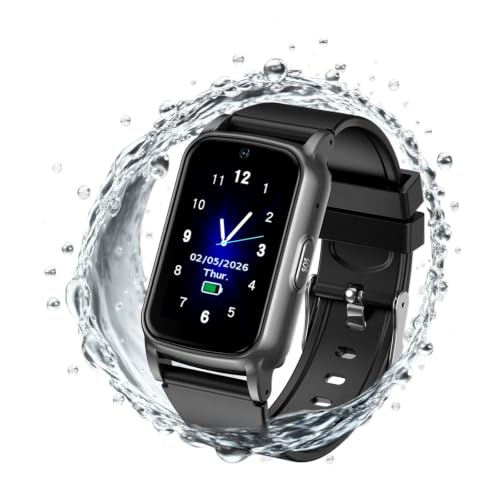
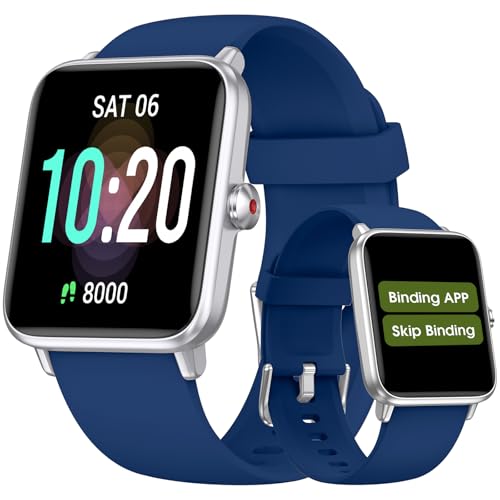
Live listings for the shortlist in this guide are pulled from Amazon below, so prices and availability are always current at the moment you look.




Seasonal adjustments through the year
Safety routines drift with the seasons, and a brief review at each change of season keeps the system honest. Winter shortens daylight and cools batteries, and lithium cells deliver slightly less capacity in cold weather, so a marginal charging routine that survived summer may falter in January; thick coats also change how a watch sits and whether a wearer can reach the button through layers, which argues for practising one drill while dressed for outdoors. Summer brings garden hours, longer evening walks, and travel to relatives, all of which argue for checking the geofence radius and the roaming behaviour before the season rather than during it.
Seasonal clothing changes strap fit as well, since wrists swell modestly in heat and slim in cold, and a strap adjusted in one season can pinch or slide in another. A thirty-second fit check during the seasonal review prevents the slow discomfort that otherwise accumulates unnoticed until the wearer quietly stops putting the watch on after breakfast. That quiet abandonment, discovered weeks later, is the most common failure mode in the entire category, and it is almost always preventable with these small, scheduled acts of attention.
Close each review by confirming three things aloud with the wearer: the button still feels findable, the charging place still suits the household rhythm, and the list of people the watch can call still matches the people the wearer would actually want to hear. Technology ages, families change, and a system reviewed with kindness four times a year will still be working, worn, and trusted when a season arrives in which it is suddenly, gratefully needed.
Keep a short printed card beside the charger recording the administrator’s name, the service provider’s support number, the date of the last practice drill, and the date of the next planned review. Paper sounds old-fashioned beside satellite technology, yet during a stressful evening the card answers questions faster than any menu, and it survives dead phones, changed passwords, and visiting relatives who were never given application access but who can still read, decide, and act.
Review that card whenever a contact changes a phone number, because a single stale entry in the calling sequence can add silent minutes to an emergency that the whole system exists to shorten.
Small diligence, repeated calmly, is what safety actually looks like.