What's inside
- Key Takeaways
- Quick Picks
- How Did We Choose These 60fps Picks?
- Which 60fps Webcam Fits Your Kind of Motion? The Six Picks
- How Do the Six Compare on Motion?
- Why Does 60fps Change How You Come Across?
- How Do You Set Up a 60fps Webcam Properly?
- What Mistakes Do 60fps Buyers Keep Making?
- Which 60fps Camera Matches Which Kind of Mover?
- How Did 60fps Become the Streamer’s Line in the Sand?
- Does 60fps Make Long Calls Less Tiring to Watch?
- Final Recommendation
- What Does 60fps Ask of Your Computer and Connection?
- Why Does 60fps Matter Beyond Streaming?
- What Goes Wrong With 60fps Setups, and How Do You Fix It?
- How Should You Read Any Webcam Listing After This One?
- What Does the Second Month With a 60fps Camera Teach?
- How Does 60fps Behave Across a Whole Working Week?
- Should You Buy One Camera for Both Meetings and Streaming?
- Frequently Asked Questions
- Related Guides
As an Amazon Associate I earn from qualifying purchases. This post may contain affiliate links at no extra cost to you.
widgetverdict.com is reader-supported. When you buy through links on our site, we may earn an affiliate commission.
Where to buy: all six cameras below are sold on Amazon, and the quick picks table links each name to the verified listing we checked, so you can confirm the exact frame-rate mode you are paying for before any money moves.
Frame rate is the specification that marketing buries and audiences feel. The best 60fps webcams exist because human beings read motion before they read detail: a hand that sweeps smoothly, a head that turns without judder, a demonstrator’s fingers that stay fingers instead of becoming a smear. Double the frames and a call stops looking like a sequence of photographs of a person and starts looking like a person. But this corner of the market is also where spec sheets play their slipperiest trick, pairing the biggest resolution with the biggest frame rate as if they happened together, when in camera after camera they are alternatives. This guide reads every mode as a pair — this resolution at that frame rate — and it starts with the market’s most famous example.
So, plainly, before any pick is praised: the Logitech C922x, included below for its genuine 60fps mode, delivers that 60fps at 720p. Its Full HD mode is 1080p at 30fps. Both figures come straight from its listing, and any guide that lets “1080p” and “60fps” sit side by side in its description without that qualification is selling you a camera that does not exist. The other five picks each offer a true 1080p60 path — Elgato’s Facecam as its native craft, Razer’s Kiyo V2 X pairing 1440p with 60fps, EMEET’s C950 and S600 both listing 1080P at 60FPS beneath their 4K badges, and Logitech’s MX Brio listing 1080p at 60 FPS alongside its 4K. Six cameras, six different bargains between pixels and motion; the sections below price each bargain honestly.
Key Takeaways
- Read frame rate and resolution as pairs: the C922x does 720p at 60fps, while its 1080p mode runs at 30fps.
- The Facecam is the purist’s 1080p60: uncompressed video, a Sony sensor and manual control — but no microphone.
- Razer’s Kiyo V2 X is the only pick whose headline pairing is 1440p at a full 60fps.
- EMEET’s C950 and S600 both hide a proper 1080p60 mode under their 4K branding, with PDAF autofocus.
- The MX Brio gives Logitech loyalists a genuine 1080p 60 FPS mode inside a 4K flagship body.
- Sixty frames matter most when something in frame moves: hands, products, sign language, children, pets, presenters.
Quick Picks
| Pick | Badge | Why it earns its place |
|---|---|---|
| Elgato Facecam | The purist | Uncompressed 1080p60 from a Sony sensor, with DSLR-style controls for locked, stable pictures. |
| Razer Kiyo V2 X Webcam | The sharp mover | 1440p at 60 FPS with AI-powered auto-framing and a built-in microphone. |
| EMEET C950 4K Webcam | The focus athlete | PDAF autofocus, a physical privacy cover and 1080P at 60FPS beneath the 4K badge. |
| EMEET S600 4K Webcam | The streaming all-rounder | A Sony 1/2.55-inch sensor, PDAF focus, 1080P at 60FPS and two noise-reduction microphones. |
| Logitech C922x Pro Webcam | The honest veteran | 720p at 60fps for smooth motion, or 1080p at 30fps — a real trade, stated on its own listing. |
| Logitech MX Brio 4K Webcam | The flagship glide | Ultra HD 4K plus a listed 1080p 60 FPS mode and Show Mode, in Logitech’s most polished body. |
How Did We Choose These 60fps Picks?
The first filter was arithmetic honesty. A camera qualified for this guide only if its own listing states a 60fps mode we could point to, and we record the resolution that mode runs at wherever the two are mentioned together. That single rule reshapes the market: it admits the C922x as a 720p60 camera rather than pretending it is something finer, and it surfaces the EMEET pair, whose 1080p60 modes sit quietly in listings headlined by 4K. Buyers who learn to read listings this way — modes as pairs, never as separate boasts — become immune to the category’s favourite ambiguity.
Beyond the numbers, we weighted what 60fps is for. Motion clarity depends on more than frame count: shutter behaviour, compression and focus speed all decide whether doubled frames become doubled smoothness or merely doubled data. The Facecam’s uncompressed pipeline and the EMEETs’ PDAF autofocus address those hidden variables directly, while the Kiyo V2 X and MX Brio rely on mature processing from brands that ship streaming gear at scale. We also considered the buyer’s existing desk — a 60fps camera feeding a platform that transmits at 30 is a recording and streaming purchase, not a meeting one — and the picks below are frank about which audience each serves.
Finally, we kept one deliberately unfashionable seat at the table. The C922x is old, its 60fps mode is its lower resolution, and it still earns its place, because for thousands of streamers broadcasting at 720p it remains a rational, proven tool whose behaviour under pressure is known to the last quirk. A guide to 60fps that excluded it would be tidier and less true.
Which 60fps Webcam Fits Your Kind of Motion? The Six Picks

Elgato Facecam — The purist
The Facecam treats 60fps not as a mode but as a worldview. Its listing describes a premium Full HD webcam with HDR and a Sony sensor, delivering uncompressed 1080p60 video under DSLR-style controls, with digital PTZ for framing. Uncompressed is the engineering decision everything else follows from: where rival cameras squeeze their signal before your computer sees it, smearing exactly the motion you bought 60fps to preserve, the Facecam hands over a rich, heavy stream and trusts your machine to cope. Gesture, laughter, a product spun in your fingers — the movement arrives as movement, not as a suggestion of movement reconstructed by an algorithm.
The manual controls complete the philosophy. A streamer lights a scene deliberately and then wants exposure, white balance and focus to stay where they were put; automatic cameras, however clever, keep renegotiating. The Facecam lets you end the negotiation. Its digital pan, tilt and zoom reframe within the sensor’s view without moving parts or motor noise, and the whole instrument assumes a user who regards a camera as something to be set, like a microphone’s gain, rather than something to be hoped in. In return it demands the two famous tributes: a separate microphone, because it has none at all, and a computer with the headroom its uncompressed appetite requires.
Judge it, then, as professional equipment rather than as a webcam with missing features. For the creator whose output is recorded or streamed at 1080p60 — the resolution-and-rate pairing its listing actually promises — it is the most serious tool in this guide. For the meeting worker who wants smoothness without homework, it is the wrong kind of serious, and the EMEET and Razer picks below deliver their 60fps with the training wheels left on, which for most desks is exactly right.
- Capture format (per listing): uncompressed 1080p60, Full HD with HDR
- Sensor (per listing): Sony sensor
- Control style: DSLR-style manual controls, digital PTZ
- Audio: no built-in microphone
Strengths
- Uncompressed signal preserves the motion 60fps exists to capture.
- Locked exposure and focus end mid-stream picture drift.
- Sony sensor keeps low-light footage disciplined.
Trade-offs
- A separate microphone is compulsory, not optional.
- No resolution above 1080p at any frame rate.
- Assumes a capable PC and a user willing to tune.
Best for: streamers and recording creators broadcasting at 1080p60 from a lit, permanent setup.
Not suited for: meeting-only desks, where its control would go untouched and its missing microphone must be bought separately.
Razer Kiyo V2 X Webcam — The sharp mover
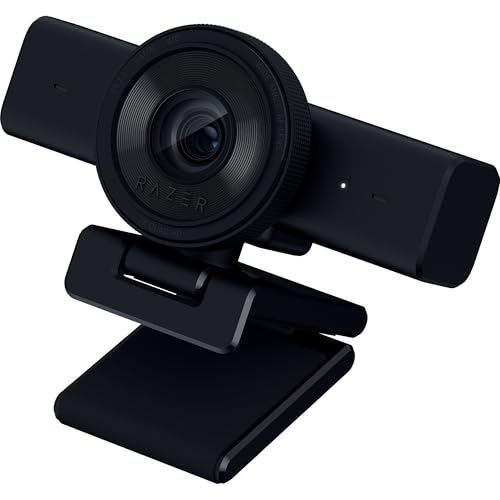
Razer’s answer to the resolution-versus-rate dilemma is to decline it at the level everyone actually uses: the Kiyo V2 X’s listing leads with 1440p at 60 FPS, a pairing that gives streamers visibly more detail than 1080p while keeping motion at full fluidity. That middle resolution is a considered choice rather than a compromise — 1440p downscales beautifully to the 1080p most platforms transmit, crops with room to spare, and asks less of your connection than 4K while asking nothing of your audience’s patience. Add AI-powered auto-framing and a built-in microphone, and the V2 X presents itself as the self-managing streamer camera: sharp, smooth and unwilling to be operated.
The auto-framing suits the way streamers actually behave, which is expansively. Lean toward chat, reach for a controller, hold a product to the lens — the frame adjusts its crop to keep the subject composed, sparing the fixed-camera shuffle that makes energetic presenters look trapped. Unlike the Facecam’s manual regime, everything here is automatic by design, and the microphone’s presence means the camera works as a complete streaming starter the day it is clipped on. Razer’s gaming heritage shows in the priorities: motion first, latency respected, features pointed at people who perform to an audience rather than attend meetings with one.
The questions to ask are about ceiling and taste. There is no 4K mode, so creators recording for large-screen playback should look at the MX Brio or the EMEETs; and auto-framing, however well tuned, remains an algorithmic opinion about your composition that some presenters will want to override or disable. But as a single purchase that pairs genuine sharpness with genuine smoothness and asks nothing of its owner, the Kiyo V2 X occupies its niche with unusual precision — it is the pick for the streamer who wants to perform, not to engineer.
- Headline mode (per listing): 1440p at 60 FPS
- Framing: AI-powered auto-framing
- Audio: built-in microphone
- Intended roles (per listing): streaming and meetings
Strengths
- 1440p60 pairing beats 1080p detail without 4K’s demands.
- Auto-framing follows energetic presenters intelligently.
- Built-in microphone makes it a complete starter streaming camera.
Trade-offs
- No 4K mode for large-screen recording ambitions.
- Automatic framing is an opinion some presenters will fight.
- Meeting workers pay for motion their platforms may not transmit.
Best for: streamers and creators who move while they talk and want zero manual operation.
Not suited for: 4K archivists recording for big screens — the MX Brio and S600 serve that shelf.
EMEET C950 4K Webcam — The focus athlete
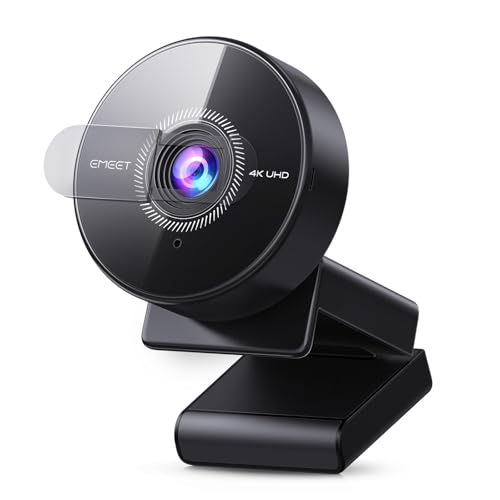
The C950’s listing tells a story in its ordering: a 4K webcam for PC with PDAF autofocus, a microphone, a physical privacy cover, and — the line this guide exists to honour — 1080P at 60FPS, delivered over USB 2.0 plug and play. PDAF, phase-detection autofocus, is the technology that made phone cameras feel instant, and in a webcam it attacks the oldest embarrassment in the category: the visible hunt, where the picture swells and softens while the camera thinks. A C950 locks and holds with a decisiveness that conventional webcam autofocus rarely achieves, and for presenters who move toward and away from the lens — showing an object close, then sitting back — that decisiveness is the difference between a demonstration and a distraction.
The privacy cover deserves its sentence, because EMEET includes physically what several famous rivals leave as an accessory: a shutter that closes the eye. Combined with the 60fps mode, the package reads as a camera designed by people who use meeting software daily and stream occasionally, rather than the reverse. Its 4K mode serves the still, detailed end of life — recordings, stills-like presentations, cropping headroom — while the 1080p60 mode serves motion, and the listing’s honesty in printing both lets the buyer choose per occasion rather than per purchase.
Concessions live in the details. USB 2.0 signals a design tuned for compatibility and efficiency rather than maximal bandwidth, and the brand lacks the decades-deep software ecosystem that Logitech owners take for granted. Buyers should also note what the C950 is not: it has no AI framing theatre and no manual-control priesthood. It is a fast-focusing, privacy-respecting, genuinely dual-mode camera at the sensible end of the market, and for the large population of users whose complaint about their current webcam is specifically “it won’t focus,” it may be the most precisely aimed pick in this guide.
- Modes stated on the listing: 4K; 1080P at 60FPS
- Focus (per listing): PDAF autofocus
- Privacy: physical privacy cover
- Connection (per listing): USB 2.0 plug and play
Strengths
- PDAF focus locks quickly and ends the visible autofocus hunt.
- Physical privacy cover included as standard.
- True 1080p60 mode beneath an honestly stated 4K badge.
Trade-offs
- Smaller software ecosystem than Logitech’s.
- No AI framing or gesture features.
- USB 2.0 design prioritises compatibility over headroom.
Best for: presenters who move toward the lens and anyone whose current camera will not sit still and focus.
Not suited for: manual-control purists, who should take the Facecam’s regime instead.

EMEET S600 4K Webcam — The streaming all-rounder
If the C950 is EMEET’s focus athlete, the S600 is its decathlete. The listing stacks a serious sensor — a Sony 1/2.55-inch unit — with PDAF autofocus, 1080P at 60FPS, two noise-reduction microphones and a built-in privacy arrangement, all aimed squarely at streaming. The sensor size is the foundation: in the small-sensor world of webcams, a 1/2.55-inch Sony chip gathers light generously, and light is what 60fps consumes, because doubling the frame rate halves the time each frame has to drink from the room. Many cameras can claim 1080p60 in a bright studio and produce noisy mush at dusk; the S600’s hardware is specified as if its designers knew that dusk is when streaming happens.
The twin noise-reduction microphones extend the same realism to sound. Streamers perform in untreated rooms with mechanical keyboards, PC fans and households attached, and a microphone arrangement that suppresses the room while keeping the voice is worth more to an audience than any resolution. Combined with PDAF’s quick lock, the S600’s behaviour in motion is composed: you can move, gesture and demonstrate while focus and exposure keep their nerve. Its 4K mode, like the C950’s, is the still-life option — detail for recordings and crops — while 1080p60 is the performance mode, and the camera is honest about serving both masters at different moments.
Set against its sibling, the choice is about emphasis. The C950 foregrounds focus speed and the cover; the S600 adds sensor ambition and the stronger microphone story, at the natural cost of sitting higher in EMEET’s range. Set against the Razer, it trades auto-framing for focus and audio depth. There is no wrong answer among the three, only a correct diagnosis of your own bottleneck — and buyers whose bottleneck is a dim room and a noisy house will find the S600’s specification reads like it was written from their complaint.
- Stated modes, per the listing: 4K; 1080P at 60FPS
- Sensor (per listing): Sony 1/2.55-inch sensor
- Focus (per listing): PDAF autofocus
- Audio: 2 noise-reduction microphones
Strengths
- Large Sony sensor feeds 60fps the light it needs.
- PDAF focus plus noise-reduction mics cover motion and sound together.
- Dual-mode honesty: 4K for detail, 1080p60 for performance.
Trade-offs
- Sits above its C950 sibling in the range’s pricing logic.
- No AI auto-framing for presenters who roam widely.
- Streaming-first tuning is wasted on static meeting use.
Best for: streamers in real, dim, noisy rooms who need motion, focus and voice handled together.
Not suited for: still-sitting meeting users, whose platforms will rarely transmit the motion they are buying.

Logitech C922x Pro Webcam — The honest veteran
This section exists to say one thing with total clarity, because the internet has spent years saying it fuzzily: the C922x is a 60fps camera at 720p and a 30fps camera at 1080p. Logitech’s own listing states it in a single breath — Full HD 1080p/30fps or 720p/60fps video, with HD light correction — and this guide repeats it in the quick picks, the comparison table and here, because buyers deserve the pairing stated wherever the camera is praised. What the C922x is not is a 1080p60 webcam, and it should never be bought as one.
What it is, judged on its actual terms, remains considerable. When it launched, 720p60 was the streamer’s sweet spot: platforms transmitted modest resolutions, audiences prized fluid motion, and the C922x’s smooth mode plus the C920 family’s light correction and reliability made it a default choice for a generation of broadcasters whose setups it still anchors. Its behaviour is known territory — every streaming suite has a profile for it, every quirk has a forum answer, and its picture at either mode is the familiar, forgiving Logitech rendering that flatters faces in ordinary rooms. For a streamer broadcasting at 720p today, or a buyer who values a proven tool over a spec-sheet victory, the veteran’s case is intact.
The case collapses only when the requirement is specific: full HD at sixty frames. Then the honest answer is that this camera cannot do it, no setting unlocks it, and the buyer’s money belongs with the Facecam, the Kiyo V2 X, the EMEETs or the MX Brio. We include the C922x in a 60fps guide because its 60fps is real — at 720p — and because excluding the market’s most famous frame-rate misunderstanding from a guide about frame rates would be an editorial failure. Buy it with open eyes for what it does, and it will not disappoint you; buy it for what its reputation implies, and it will.
- The listing’s own pairing: Full HD 1080p/30fps or 720p/60fps
- Exposure help: HD light correction
- Position in range: the C920 family’s streaming-oriented sibling
- Compatibility note (per listing): works with Microsoft Teams and major platforms
Strengths
- Genuine 720p60 mode with a decade of streamer-proven behaviour.
- HD light correction flatters ordinary rooms.
- Every streaming suite knows this camera intimately.
Trade-offs
- 1080p is 30fps only — no full-HD 60fps exists here.
- Design and sensor are of an older generation.
- Reputation invites exactly the misreading this section warns against.
Best for: streamers broadcasting at 720p who value proven behaviour over paper specifications.
Not suited for: anyone whose requirement is 1080p at 60fps — choose any other pick in this guide.

Logitech MX Brio 4K Webcam — The flagship glide
The MX Brio earns its place in a frame-rate guide on a single listed line — 1080p 60 FPS — delivered inside the most polished body Logitech makes: an Ultra HD 4K webcam for streaming and collaboration with Show Mode for desk presentation. That combination matters because it resolves the flagship buyer’s dilemma. Shoot the week in 4K when detail is the point; drop to 1080p60 when the point is motion — a product demonstration, an animated explanation, a stream — and the same camera covers both without a personality change. Where the C922x forces its trade on you at purchase, the MX Brio lets you renegotiate it per session, which is what flagship money is supposed to buy.
The surrounding craft supports the modes. Exposure judgement is the most assured in this guide, skin rendering aims at flattery rather than evidence, and the microphones keep a voice forward when its owner turns toward a second screen or a whiteboard. Show Mode, the tilting desk view, is a frame-rate beneficiary too: a hand sketching at 60fps reads as a hand, where at 30 it reads as a sequence of positions. For executives who present and consultants who demonstrate, the MX Brio’s smoothness is not a gaming luxury; it is the texture of competence their clients see.
The reservations are the flagship reservations. The price tier buys capability that a meetings-only week will not touch, and owners who never open the companion software leave part of the purchase in the box. It is also, deliberately, a fixed camera: its intelligence is in image quality and mode flexibility rather than in following you around the room. Buyers whose motion is bodily — pacing, teaching at a board — should weigh the Kiyo V2 X’s auto-framing. Buyers whose motion happens in front of a seated camera will find the MX Brio the most complete instrument here.
- Capture modes (per listing): Ultra HD 4K; 1080p 60 FPS
- Signature feature: Show Mode for desk presentation
- Intended roles (per listing): streaming and collaboration
- Position in range: Logitech’s flagship webcam
Strengths
- True 1080p60 inside a 4K flagship — the trade is yours per session.
- Most assured exposure and skin rendering in this guide.
- Show Mode makes desk demonstrations fluid at 60fps.
Trade-offs
- Flagship tier pricing for capability meetings may never use.
- Fixed camera — no tracking of a moving presenter.
- Full value requires time in the companion software.
Best for: executives, consultants and premium streamers who alternate between detail work and motion.
Not suited for: roaming presenters, who need the Razer’s framing more than this polish.
How Do the Six Compare on Motion?
| Pick | 60fps mode (per listing) | Other mode | Defining strength |
|---|---|---|---|
| Elgato Facecam | 1080p60, uncompressed | — | Manual control, Sony sensor |
| Razer Kiyo V2 X | 1440p at 60 FPS | — | AI auto-framing, built-in mic |
| EMEET C950 | 1080P at 60FPS | 4K | PDAF focus, privacy cover |
| EMEET S600 | 1080P at 60FPS | 4K | Sony sensor, twin NR mics |
| Logitech C922x | 720p at 60fps | 1080p at 30fps | Proven streamer behaviour |
| Logitech MX Brio | 1080p at 60 FPS | Ultra HD 4K | Show Mode, flagship polish |
Why Does 60fps Change How You Come Across?
Because viewers judge aliveness from motion cues they never consciously register. At 30fps, a quick smile arrives as two expressions with a gap between them; a nod becomes a small teleport. At 60fps those micro-movements render continuously, and the person on screen reads as present rather than reported. The effect is strongest exactly where communication is most physical: sign language interpretation, where handshape and movement are the language itself; teaching that involves demonstration; sales calls where a product is turned in the hand; family calls where a toddler will not, under any circumstances, hold still for the frame rate. Buyers in those categories are not chasing a specification. They are repairing a channel that 30fps was quietly narrowing.
There is a cost ledger, and honesty requires opening it. Sixty frames per second doubles the light appetite in effect, because each frame has half the time to gather photons, which is why the S600’s larger sensor and the Facecam’s Sony chip matter and why a dim room punishes 60fps modes first. It doubles data, taxing connections and encoders. And many meeting platforms will transmit your beautiful 60fps at 30 regardless, reserving the benefit for your recordings, your streams and your local preview. None of that argues against buying it; it argues for buying it with the right expectation — 60fps is a creator and communicator feature first, and a meeting feature only where the platform honours it.
How Do You Set Up a 60fps Webcam Properly?
Select the mode deliberately, because most cameras and apps default to a resolution-first setting and will happily run your 60fps camera at 1080p30 forever. In your streaming or recording software, choose the resolution-and-rate pair as a pair — 1080p60, 1440p60 or 720p60 as your pick dictates — and confirm the actual captured rate in the software’s statistics rather than trusting the menu. Then feed the mode light: add the lamp before you blame the sensor, because at 60fps a dim room shows noise that 30fps was politely hiding. If your camera offers shutter or exposure controls, as the Facecam does, favour a faster, cleaner exposure over a brighter, smeared one; motion clarity is the entire purchase.
One more setup habit separates smooth owners from frustrated ones: update your expectations per application, because the same camera will be treated differently by each program you own. Your streaming suite may take the full paired mode gratefully while your meeting app silently selects a safer default, and your recording app may want the camera’s output format chosen explicitly before it stops downscaling. Spend ten minutes per application on the day the camera arrives, note which mode each one actually captured — the statistics view never lies — and save a preset wherever the software allows it. That single afternoon of bookkeeping is the difference between owning a 60fps camera and merely possessing one.
Finally, match the chain. A 60fps camera feeding a platform capped at 30 is a recording setup, so record locally when the motion matters; a 60fps camera on a struggling laptop may force the encoder to drop frames unevenly, which looks worse than an honest 30, so watch a test recording at full size before the session that counts. The test-recording habit, thirty seconds long, is the cheapest professional ritual in this entire category.
What Mistakes Do 60fps Buyers Keep Making?
The defining mistake is the one this guide opened with: reading “1080p” and “60fps” from different corners of a box and assembling a camera that was never offered. The C922x is the famous case, but the habit endangers every purchase in the category — always find the sentence that states the pair. The second mistake is buying 60fps for meetings alone, then discovering the platform transmits 30; the motion you paid for exists only in your preview window. The third is starving the mode of light and concluding that 60fps “looks noisy,” when the room, not the rate, is the author of the noise. The fourth is ignoring focus: at 60fps a hunting autofocus hunts twice as visibly, which is why the PDAF picks earn their emphasis.
A fifth mistake is forgetting the microphone while chasing the picture — the Facecam’s empty microphone socket has surprised buyers who skimmed. And a sixth is assuming the highest mode is the best mode for every occasion: a still, detailed document presentation is better served by a 4K 30fps mode than by 1080p60, and the dual-mode picks in this guide are built to be switched, not parked.
Which 60fps Camera Matches Which Kind of Mover?
The performing streamer, lit and seated, belongs to the Facecam if they already own a microphone and to the Kiyo V2 X if they want the camera to handle framing while they handle an audience. The demonstrating professional — the tutor with a whiteboard, the reviewer with a product, the consultant with a sketchbook — belongs to the MX Brio for seated polish or the C950 for focus speed when objects keep approaching the lens. The streamer in an ordinary, dim, noisy room belongs to the S600, whose sensor and microphones were specified for exactly that unglamorous reality. The broadcaster at 720p with a setup that already works belongs, unfashionably and correctly, to the C922x. Motion is not one need; it is at least four, and this guide’s six cameras divide among them with very little overlap once the diagnosis is honest.
How Did 60fps Become the Streamer’s Line in the Sand?
Broadcast television lived at interlaced rates that approximated thirty full pictures a second, and early webcams inherited the habit without examining it. Gaming culture broke the habit first: players who had felt the difference between thirty and sixty frames in their games refused to accept the lower rate in their own image, and streaming platforms — courting exactly those players — built ingest pipelines that honoured 60fps years before meeting software considered it. The camera market followed the audience. Logitech’s C922x was the transitional fossil of that shift, a mainstream camera tentatively offering sixty frames at the resolution its sensor could manage, which is why its 720p60 pairing looks quaint now and why it mattered then: it proved ordinary buyers would choose motion when offered it honestly.
The current generation, the other five picks here, is what the completed shift looks like: sixty frames at 1080p treated as a baseline feature for creator cameras, at 1440p as Razer’s differentiator, and folded into 4K flagships as a mode rather than a headline. The next contest in this category is already visible — autofocus fast enough to deserve the frame rate, sensors large enough to feed it in bad light — and both are represented in this guide by the PDAF EMEETs and the Sony-sensored Facecam and S600. Buyers who understand the history shop differently: they know 60fps was never a gimmick that arrived, but a standard that spread, and they buy the camera whose whole design — focus, sensor, compression — was built after the spread, unless, like the C922x’s loyalists, they have a specific reason to keep the fossil running.
Does 60fps Make Long Calls Less Tiring to Watch?
There is a modest, real effect worth naming without inflating. Watching juddering motion asks the visual system to interpolate — to guess where a moving face or hand is between the frames it is shown — and over a long day of calls that quiet guesswork is one thread in the larger fabric of video fatigue. Smooth 60fps sources, even when a platform downsamples them for transmission, tend to produce steadier tiles than native 30fps sources, because the downsampled frames are chosen from a richer sequence. Nobody should buy a camera as a wellness intervention, and this guide will not sell one as such; but presenters whose audiences watch them for hours — trainers, lecturers, support specialists on video queues — are doing those audiences a measurable courtesy when their motion arrives intact, and several picks here, the S600 with its forgiving sensor and microphones above all, seem designed by people who understood that the audience’s comfort is a feature too.
The same logic explains why the still-sitter gains least. A motionless speaker at 30fps and the same speaker at 60fps are nearly the same information; the frames differ in the small movements of speech, and while those do add life, they do not add meaning. Spend accordingly: the technology’s gift is movement, and it gives that gift only to people and purposes that move.
Final Recommendation
Choose the pairing, not the numbers: Facecam for uncompressed purity, Razer for 1440p60 with a camera operator built in, the EMEET pair for PDAF focus at sensible money, the MX Brio for a flagship that renegotiates its trade per session, and the C922x for 720p60 with a clear conscience. And let this guide’s last word be the warning it opened with, because it is the most useful sentence in it: a camera’s frame rate belongs to a resolution, never to the whole camera — so buy the pair you actually read, and your motion will arrive the way you made it.
What Does 60fps Ask of Your Computer and Connection?
Doubling the frame rate doubles several invisible budgets. The encoder — whether in your streaming software or your meeting app — must compress twice as many frames, and on an older laptop that work competes with everything else the machine is doing; the symptom is not a clean drop to 30fps but uneven frame delivery, where motion stutters in bursts that look worse than an honest lower rate. The Facecam’s uncompressed pipeline shifts even more of the burden onto the computer by design, which is why its buyers tend to run deliberate streaming machines. Before blaming any camera in this guide for rough motion, record locally with nothing else running and watch the file: if the recording is smooth, the camera is innocent and the chain — encoder load, USB contention, network — is where the frames went missing.
USB contention is the sleeper variable. A camera, an audio interface, an external drive and a capture device sharing one hub can collectively exceed what the hub delivers cleanly, and the camera’s stream is usually the first casualty. Plug a 60fps camera directly into the machine while you diagnose, and give it a hub port of its own in the final setup. Network upload matters for live streaming rather than recording: a 1080p60 stream wants a comfortable margin above its bitrate, and a connection that was adequate for 30fps may spend its evenings buffering at 60. None of these requirements is exotic, but together they explain why two owners of the same camera report different experiences — the camera is the only part of their systems that matches.
Why Does 60fps Matter Beyond Streaming?
The most important 60fps audience never appears in marketing. Sign language users depend on handshape transitions and facial grammar that 30fps measurably blurs; for Deaf professionals and interpreters, a 60fps camera is not a luxury specification but an accessibility instrument, and the picks with strong low-light behaviour matter doubly because interpreters work in ordinary rooms, not studios. Remote physiotherapy, music tuition and dance instruction share the dependency: a piano teacher reading a student’s fingering, a clinician watching a joint move through its range, a coach correcting a golf swing’s practice repetitions indoors — all of them are reading motion as information, and all of them lose information at 30fps that no resolution can restore, because the missing frames are not smaller pictures of the movement. They are the movement, absent.
Family life makes the same argument in a softer voice. Grandparents on a 30fps call receive a slideshow of a grandchild; at 60fps they receive the grandchild. Product reviewers, craft tutors and tabletop demonstrators live in between — their hands are their vocabulary. When this guide recommends 60fps, it is recommending it to readers whose communication is physical in one of these ways, and it is equally ready to tell the static meeting worker that their money is better spent on light and audio. Frame rate is a tool with a constituency, not a virtue with a halo.
What Goes Wrong With 60fps Setups, and How Do You Fix It?
The classic failure is the camera that claims 60 in the menu and delivers 30 in the file. Causes, in order of frequency: the app defaulted to a resolution-first mode and never actually selected the paired 60fps setting; the platform or recording software capped the capture; the machine’s encoder dropped every second frame under load; or the room was dark enough that the camera lengthened its exposure and quietly surrendered the frame rate to save the picture. The diagnostic is always the same — a local recording, watched with the software’s frame counter visible, in a lit room, with the paired mode explicitly chosen. Work through that sequence and the impostor setting identifies itself.
The second failure is motion that is smooth but soft, usually because the camera is compressing hard to fit a constrained USB or encoder budget, or because a well-meaning “beautification” or low-light mode is smearing detail to hide noise. Turning off processing flourishes, feeding the camera light and, on the Facecam, trusting the uncompressed pipeline, restores the crispness the frame rate promised. The third failure is audio drifting away from the picture in long recordings, a chain problem rather than a camera problem, solved in the recording software’s sync settings and by keeping the computer’s load steady. Owners who run the thirty-second test recording before important sessions catch all three failures while they are still cheap.
How Should You Read Any Webcam Listing After This One?
This guide’s six listings, read closely, teach a transferable skill. First, hunt for the sentence that pairs a resolution with a rate — “1080p/30fps or 720p/60fps” in the C922x’s case, “1080P@60FPS” in the EMEETs’, “1440p 60 FPS” in Razer’s, “1080p 60 FPS” in the MX Brio’s, “1080p60” in the Facecam’s. That sentence is the contract; everything else on the page is commentary. If a listing offers only unpaired numbers scattered through its bullet points, treat the highest pairing as unproven until the manufacturer states it, because the history of this category — the C922x’s decade of being mis-sold by implication — shows how reliably unpaired numbers assemble themselves in a buyer’s imagination into a product that was never manufactured.
Second, notice what each brand chose to headline, because the headline is a confession of audience. Elgato headlines control and compression, Razer headlines the pairing itself, EMEET headlines focus technology, Logitech’s flagship headlines resolution and lets the 60fps ride in the second clause. None of those choices is dishonest; all of them tell you which complaint the camera was built to answer. Third, inventory the absences: the microphone the Facecam never mentions because it does not have one, the 4K mode the Razer never claims, the cover one EMEET lists and another brand leaves to accessories. In webcam listings, the missing line is information, and learning to read absences is worth more than any single purchase this page could steer you toward — it will still be working for you in five years, long after these six models are replaced.
What Does the Second Month With a 60fps Camera Teach?
Owners report a consistent arc. The first week is spectacle: waving at your own preview, comparing modes, showing the household. By the second month the spectacle has been forgotten and something quieter has replaced it — your recordings look calmer, your demonstrations read clearly, and you have stopped performing the small, stiff economy of movement that 30fps unconsciously taught you, the presenter’s habit of moving slowly so the camera could keep up. That recovered naturalness is the real return on the purchase, and it is why owners rarely go back: once your gestures are yours again, a 30fps picture feels like being interpreted by a slow translator. The owners who do feel buyer’s remorse are almost never the movers; they are the still-sitters who bought motion for meetings that transmitted at 30 anyway, which is why this guide keeps asking its one diagnostic question — does anything in your frame actually move? — before it lets you spend.
How Does 60fps Behave Across a Whole Working Week?
Monday’s standup is where the honest 60fps owner first confronts the platform ceiling: the team sees 30fps, you see a glorious preview, and the camera’s value that morning is precisely zero beyond morale. Tuesday’s recorded tutorial is the opposite — every gesture lands, the playback looks like the lesson felt, and the purchase justifies itself in one file. Wednesday’s client demonstration sits between: the shared screen carries your slides while your camera tile carries your hands, and clients read fluency as confidence even through a compressed tile, because downscaled 60fps sources still move more cleanly than native 30fps ones in most pipelines. Thursday’s streamed evening session is the mode’s home ground. Friday’s family call is where the Kiyo’s framing or the MX Brio’s polish earns its keep in a currency that is not professional at all.
The pattern across the week is the buying rule in disguise: 60fps pays in proportion to how much of your camera life is recorded, streamed or demonstrated rather than merely attended. A calendar audited honestly — count the hours in each mode before you shop — predicts satisfaction better than any benchmark. Buyers whose weeks are eighty percent attended meetings should route their budget to the 1080p guide’s virtues: light behaviour, microphones, mounts. Buyers whose weeks hold even a few hours of performed, recorded or demonstrated work will feel 60fps working every one of those hours, and for them the premium is not a luxury tax but a tool cost, as ordinary and as justified as a decent chair.
Should You Buy One Camera for Both Meetings and Streaming?
The dual-mode picks in this guide exist because the answer, for most desks, is yes — with a workflow attached. A C950, S600 or MX Brio can sit in its meeting posture all week, then switch to its 1080p60 mode when the stream or the recording starts; the switch is a setting, not a second purchase. The discipline is remembering that the two lives want different things: meetings forgive automatic everything, while recordings reward a locked, lit, deliberate setup, and owners who build a saved preset for each life stop re-litigating settings before every session. The Facecam inverts the arrangement — it is a streaming instrument that tolerates meetings — and the C922x is a streaming veteran that meetings tolerate in return.
The honest exception is the desk where both lives are heavy and simultaneous: the professional who streams daily and meets daily, with no patience for mode-switching, is the rare buyer genuinely served by two cameras — a Facecam-class instrument for the performance desk and a simple 1080p camera for the meeting screen. Everyone else should buy the one camera whose modes cover their week, learn its two postures, and spend the difference on the light and the microphone that both postures share. Versatility in this category is real, but it is a property of modes and habits, not of any single specification — which is, in the end, the lesson the C922x’s listing has been trying to teach the market all along: read the pairs, know your week, and the camera chooses itself.
One closing practicality: whatever you choose, keep the box and the receipt until you have recorded one real session in your real room and watched it at full size. Frame rate is the easiest specification to verify and the hardest to judge from a preview tile, and the buyer who checks a recording in week one never joins the ranks of owners who discovered in month three that their celebrated 60fps had been a menu setting away the whole time. The cameras above all honour their pairings; the last step of the purchase is simply letting them prove it.
Frequently Asked Questions
Is the Logitech C922x a 1080p60 webcam?
No. Its listing states Full HD 1080p at 30fps or 720p at 60fps. The 60fps mode is real but runs at 720p; buyers who need 1080p at 60fps should choose the Facecam, Kiyo V2 X, either EMEET or the MX Brio.
Will my meeting app actually show my 60fps?
Often not — many platforms cap transmitted video at 30fps. The full benefit of a 60fps camera appears in local recordings, streams to platforms that accept it, and your own preview. Buy it for those uses and treat any meeting improvement as a bonus.
Why does 60fps look noisy in my room?
Each frame has half the time to gather light, so dim rooms show noise sooner at 60fps. Add front light before changing cameras; larger-sensor picks like the S600 and Facecam tolerate low light best in this guide.
PDAF or regular autofocus — does it matter at 60fps?
Yes. Focus hunting is more visible when motion is smooth, because the rest of the picture is stable. PDAF, fitted to the C950 and S600, locks faster and hunts less than conventional contrast-based systems.
Is 1440p60 better than 1080p60?
For detail and cropping room, yes; the Kiyo V2 X’s pairing downscales cleanly to 1080p for platforms and looks sharper in recordings. For pure compatibility and lighter processing loads, 1080p60 remains the easier mode to run.
Can I use a 60fps webcam for ordinary meetings?
Certainly — every pick here also works as a normal meeting camera, and several offer lower modes for that life. You simply may not see the frame-rate benefit inside platforms that transmit at 30fps.
Do I need a powerful PC to run 1080p60?
A reasonably modern laptop handles a compressed 1080p60 feed without complaint; the strain appears when you also encode a stream, run a game or drive several USB devices at once. The Facecam’s uncompressed signal is the most demanding input here, and its buyers should treat a capable machine as part of the system they are purchasing.
Is 720p60 ever the right choice today?
Yes, in the specific world the C922x was built for: streaming to platforms and audiences where 720p is the transmitted reality, on connections where a lighter stream is a stabler stream. Fluid 720p looks better in motion than juddering higher resolutions, which is why the veteran’s mode survives. It is the wrong choice only when bought by mistake as 1080p60.
What is the cheapest way to find out whether 60fps matters to me?
Record the same thirty-second demonstration twice on your current camera — once still, once moving as you naturally would — and watch both at full size. If the moving version’s smear bothers you, you are the 60fps constituency and this guide’s picks will feel like a repair. If you shrug, spend the money on light and audio instead, and revisit frame rate when your work changes.
Related Guides
Round out the picture: Best Affordable Webcams covers the value end of the desk, Best Streaming 4K Webcams chases maximum detail, and Best Webcams for Video Conferencing Conference Room scales up from one desk to a whole room of people.


