What's inside
- Key Takeaways
- Quick Picks
- How We Chose These Picks
- How Do the Six Termite-Inspection Cameras Compare on Stated Figures?
- What Thermal Signs Can Termite Activity Actually Produce?
- How Does a Thermal Screening Fit Into a Real Inspection?
- Why Can a Clear Thermal Scan Never Clear a Property?
- Which Other Tools Complete a Termite Inspection?
- How Should Findings Be Recorded So They Survive Scrutiny?
- Which Rooms and Junctions Deserve the Slowest Passes?
- Seasonal Notes for Property Screening
- Common Mistakes
- Final Recommendation
- Frequently Asked Questions
- Related Guides
As an Amazon Associate I earn from qualifying purchases. This post may contain affiliate links at no extra cost to you.
widgetverdict.com is reader-supported. When you buy through links on our site, we may earn an affiliate commission.
Start with the fact this entire guide is organised around: a thermal camera cannot see termites. No camera in this list — and no thermal camera at any price — images the insects themselves inside timber. The best thermal imaging cameras for termite inspections earn that description indirectly, by revealing the surface temperature anomalies that termite activity sometimes causes and always needs as a starting point: moisture held in mud shelter tubes and damaged galleries, hollowed timber that warms and cools at a different rate from sound wood, and the damp conditions that attract colonies in the first place. An anomaly is a reason to investigate further with other tools. It is never, by itself, proof that termites are present — and a clean scan is never proof that they are absent.
That framing is not legal caution pasted onto a product guide; it is the physics of the instrument, and it decides which cameras serve inspection work well. Because the signals are indirect and often faint — a subtly cooler patch where moisture sits in a wall, a slightly different thermal rhythm in a hollowed stud — the qualities that matter are sensitivity to small differences, enough resolution to map a suspect area’s shape, a visible-light companion image to locate the anomaly in the real room, and recording tools that let an inspector document a finding for the report that follows. The six cameras below were chosen and are judged against exactly those qualities, on the evidence of their listing titles alone.
They are also judged against the inspection’s workflow. A termite inspection moves through a property in a fixed order — subfloor or basement, wet rooms, external walls, roof void where accessible — scanning structural timbers and moisture-prone junctions, then stopping wherever the picture deviates. Findings get probed, tapped, moisture-metered and photographed by other means; the thermal camera’s role ends at flagging where those slower tools should be spent. Inspectors, pest professionals and diligent homeowners will each read the six picks below through that workflow, and the reviews keep returning to it: flagging well is the whole job, and any claim beyond flagging is one this guide refuses to make for any device.
Key Takeaways
- Thermal cameras do not detect termites; they detect surface temperature anomalies — moisture, voids, activity-warmed areas — that justify closer inspection by other means.
- A clear scan never proves a property termite-free, and an anomaly never proves infestation; both outcomes are starting points for probing, tapping and moisture measurement.
- Dual-lens models dominate this set — TOPDON TC005, HSFTOOLS F2VW, HP96, AccuMEMS TT27D — because a 2MP visible image pins a thermal anomaly to its exact physical location.
- The HSFTOOLS F2VW states the set’s clearest sensing figure: 256×192 native IR behind a 640×480 super-resolution image, with intelligent scene detection.
- The Elitech is the sensitivity pick, stating under 40mK thermal sensitivity with a 256×192 sensor — the figures faint moisture signatures depend on.
- Scene-detection features appear on the F2VW, HP96 and TT27D; treat them as aids to interpretation, never as termite identification — no scene mode can name an insect from a temperature pattern.
Quick Picks
| Pick | Badge | Why it earns its place |
|---|---|---|
| TOPDON TC005 Dual-Lens Thermal Imaging Camera | Documented-inspection pick | A dual-lens camera with a 2MP visible camera, 512 x 384 TISR imaging, PC analysis and 64GB storage for inspection records. |
| HSFTOOLS F2VW Thermal Camera | Clearest sensing story | States 256×192 native IR behind its 640×480 super-resolution image, with a 2MP visual camera, 3.2-inch screen and a case included. |
| HP96 Thermal Imaging Camera | Touchscreen scene pick | A 3.5-inch touch screen dual-camera imager with intelligent scene detection, 25 Hz video recording and a stated 96 x 96 native sensor. |
| AccuMEMS TT27D Dual-Lens WiFi Thermal Camera | Connected compact pick | A compact dual-lens camera with a 3.5-inch touch screen, 2MP visual camera, AI scene detection and Wi-Fi transfer for same-day reporting. |
| FOXWELL RT280 Thermal Camera | Laser-equipped all-rounder | Adds a laser and LED lights to a 320×240-class dual-mode imager with photo and video, temperature alarms and PC analysis. |
| Elitech Thermal Camera 256×192 IR | Sensitivity-led pick | Pairs a true 256×192 IR sensor with stated sensitivity under 40mK and 25Hz imaging — the figures faint moisture signatures depend on. |
How We Chose These Picks
Selection for this brief began with the anomaly types an inspector actually hunts. Moisture signatures come first, because termites need moisture and their workings hold it: mud tubes, carton nests and damaged, damp timber all tend to read cooler through evaporation or warmer where activity and decay generate slight heat, and either deviation from the surrounding pattern deserves a stop. Void signatures come second: hollowed timber has less mass, so it tracks room temperature changes faster than sound sections, and a stud that warms suspiciously quickly as a room heats may be a shell rather than a solid member. The six picks were chosen for the sensing clarity, locating aids and documentation features those two hunts reward.
The evidence rule was applied without exception: only title-stated figures count. Native sensor resolutions are quoted where printed — the F2VW’s 256×192, the HP96’s 96 x 96, the Elitech’s 256×192 — and processed figures are labelled as the titles label them. Sensitivity appears once as a formal figure, the Elitech’s under 40mK. Scene-detection claims are reported as features, with their meaning bounded carefully: software that highlights likely moisture or structural scene types is a prompt to look closer, not a diagnosis, and this guide describes it in those terms wherever it appears.
A professional boundary closes the selection logic. Licensed pest inspectors work to standards that pair thermal screening with sounding, probing and moisture measurement, and in many jurisdictions a formal termite report carries legal weight that no camera confers. Homeowners scanning their own property gain a genuinely useful early-warning layer from these devices. Neither group gains anything from overstating what the layer shows, and the strongest recommendation this guide can make for any pick is that it flags anomalies clearly, locates them precisely and documents them honestly.
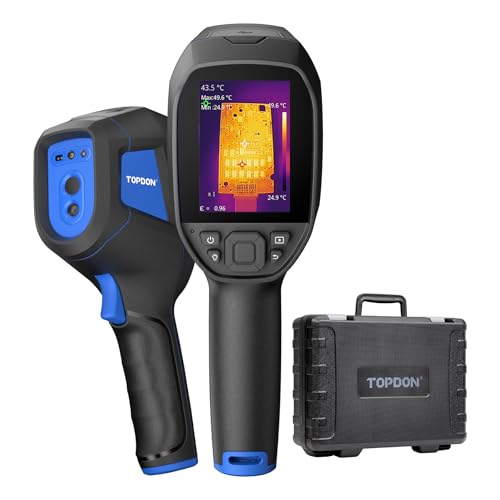
TOPDON TC005 Dual-Lens Thermal Imaging Camera — Documented-inspection pick
The TC005 suits the documentary end of inspection work. Its dual-lens design pairs the thermal picture with a 2MP visual-light camera, and in termite work that pairing is close to essential: an anomaly floating in a thermal gradient is hard to brief from, while the same anomaly pinned to a visible photograph — the skirting section left of the bathroom door, the third joist from the hatch — becomes an instruction another person can act on. PC analysis and 64GB of storage, both stated in the title, support the report habit: a property’s worth of scans, organised and reviewable at a desk, with an 8-hour runtime covering a full inspection day.
The thermal figure is quoted as 512 x 384 TISR, a processed display number with no native sensor resolution printed beside it. For this brief that omission deserves direct emphasis, because anomaly work lives on small differences: the number of true measurement points behind the picture shapes how confidently a faint moisture patch can be separated from background variation. The TC005’s picture will look detailed; how much sensing detail underlies a subtle signature is a question its title leaves to TOPDON’s documentation, and a professional buyer should settle it there before relying on the camera for fine work.
Within those bounds, the TC005’s proposition is coherent: locate anomalies with visible context, store them generously, analyse them on a PC. Its stated range, -4°F to 1022°F, is irrelevant surplus for inspection work, as all these ranges are. Inspectors whose deliverable is a documented file — and whose method pairs every thermal flag with probing and moisture readings — will find the workflow support here genuinely matched to the job.
- Displayed resolution: 512 x 384 TISR, per the listing title
- Native IR resolution: Not stated in the listing title — verify with the manufacturer documentation
- Visible camera: 2MP visual light camera, per the listing title
- Storage: 64GB, per the listing title
- Runtime: 8h, per the listing title
- Analysis: PC analysis stated in the title
Strengths
- 2MP visible camera pins anomalies to exact physical locations
- 64GB storage and PC analysis suit report-based inspection
- Dual-lens context reduces briefing errors on follow-up work
Trade-offs
- Native sensor resolution is not stated in the title
- No sensitivity figure is published for faint moisture signatures
- TISR display figure may flatter the sensing behind subtle anomalies
Best for: inspectors building a documented property file, where every flagged anomaly must be locatable and reviewable later.
Not suited for: fine anomaly work judged from the listing alone; the sensing figures that govern it are not published in this title.

HSFTOOLS F2VW Thermal Camera — Clearest sensing story
The F2VW tells the most complete sensing story in this set: 256×192 native infrared, stated plainly, beneath a 640×480 super-resolution display figure. For anomaly hunting, 256×192 of genuine measurement is a workable grid — enough points across a wall section to give a moisture patch a shape, enough across a stud bay to compare one member’s thermal behaviour against its neighbours. The super-resolution layer then renders that data at 640×480 for the screen, which helps the eye without pretending the data grew. An inspector can therefore predict this camera’s field behaviour from its title more confidently than any rival here.
The supporting kit matches inspection realities. A 2MP visual camera provides the locating twin image; a 3.2-inch screen is large enough to study a suspect patch without immediately retreating to a PC; 16GB of storage holds a property’s scan set; and a case is included, which matters for a tool that travels between properties in a vehicle rather than living on a shelf. Intelligent scene detection is stated in the title — software that flags scene types it recognises. In this guide’s terms, that means the camera may draw your eye to areas resembling moisture or structural patterns. It does not mean the camera can identify termites, damage or even moisture with certainty, and any inspector who lets a scene label substitute for a moisture meter has misunderstood the tool.
If the set has a default recommendation for serious inspection screening, it is this one — not because its numbers are the largest, but because its key number is honest and adequate, and because its locating and carrying provisions fit the working day. The remaining questions a professional should ask — sensitivity figures, calibration support — live in HSFTOOLS’ documentation, as they do for every pick here.
- Native IR resolution: 256×192, per the listing title
- Displayed resolution: 640×480 Super Resolution, per the listing title
- Visible camera: 2MP visual camera, per the listing title
- Screen: 3.2-inch, per the listing title
- Storage: 16 GB, per the listing title
- Scene feature: Intelligent scene detection stated in the title
Strengths
- Native 256×192 sensor stated openly — the set’s clearest sensing claim
- 2MP visible twin image for locating anomalies precisely
- Case included for a tool that travels between properties
Trade-offs
- Scene detection aids attention but cannot identify termites or damage
- No sensitivity figure is published in the title
- Super-resolution display still caps out at the sensor’s real data
Best for: working inspectors who want a predictable sensing grid plus the locating aids a property round requires.
Not suited for: anyone seeking a device that confirms infestation; no camera here can, and this one’s scene feature must not be read that way.
HP96 Thermal Imaging Camera — Touchscreen scene pick
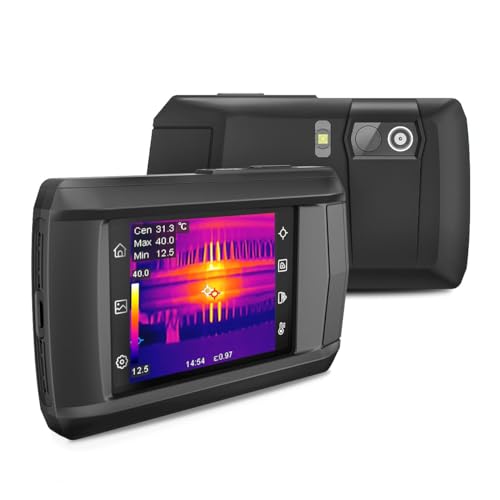
The HP96 is the set’s interface-forward option: a 3.5-inch touch screen, a visual camera alongside the thermal one, intelligent scene detection and 25 Hz video recording, all stated in its title. Touch control has real value mid-inspection, when one hand holds the camera in a roof void or under a floor and the other is occupied with a torch or a hatch. Video recording adds a capability stills cannot offer for this brief: capturing how a suspect area’s temperature evolves over a minute or two, since voided timber’s faster thermal response to changing conditions is a dynamic signature that a single frame only hints at.
The honesty ledger, though, must record the sensor: 96 x 96 native infrared, stated in the title, beneath a 240 x 240 Super Resolution display figure. That is the smallest measurement grid in this set by a wide margin — 9,216 measurement points against the F2VW’s 49,152. Broad moisture areas will still register, and at close range over small areas the grid can still be serviceable, but subtle or small-scale anomalies risk falling between measurement points entirely. The stated range, -4°F to 662°F, is narrower than rivals’ and still vastly more than inspection work needs.
Position the HP96 accordingly: a convenient, touch-driven screening camera for close-range, large-signature work — damp walls, wet-area checks, obvious void behaviour in accessible timbers — in the hands of an owner who understands its grid is coarse. As a professional’s primary anomaly hunter it asks too much trust of too few measurements. Its title deserves credit for printing the small number where buyers can see it; the guide’s duty is to make sure they do.
- Native IR resolution: 96 x 96, per the listing title
- Displayed resolution: 240 x 240 Super Resolution, per the listing title
- Screen: 3.5-inch touch screen, per the listing title
- Recording: 25 Hz video recording stated in the title
- Scene feature: Intelligent scene detection stated in the title
- Temperature range: -4°F to 662°F, per the listing title
Strengths
- Touch screen suits one-handed work in voids and under floors
- Video recording captures how a suspect area’s temperature evolves
- Native sensor figure is printed honestly in the title
Trade-offs
- 96 x 96 grid is the coarsest sensing in this set by far
- Small anomalies can fall between measurement points
- Narrower stated range than rivals, though still ample for buildings
Best for: close-range screening of broad moisture signatures by an owner who values handling and video over sensing density.
Not suited for: primary professional anomaly hunting; 9,216 measurement points leave too little evidence behind faint signatures.

AccuMEMS TT27D Dual-Lens WiFi Thermal Camera — Connected compact pick
The TT27D is built around speed of turnaround. Dual lenses pair the thermal view with a 2MP visual camera; a 3.5-inch touch screen handles control; Wi-Fi transfer moves findings to a phone or office machine without a cable ceremony at the end of a long inspection. For an inspector writing up the same day — or a homeowner who wants a suspect patch in front of a pest professional within the hour — that connected compactness is a real workflow advantage. The title describes the thermal figure as 640×480 UIRA-IR Resolution, a proprietary label, and prints no separate native sensor number beside it, so the sensing grid behind the headline is a documentation question, as with several picks here.
AI scene detection is the feature requiring the firmest framing in this entire guide. Software that labels a scene is pattern-matching against temperature distributions; it can usefully say ‘this region resembles the moisture patterns I was trained on.’ It cannot say ‘termites,’ because termites are not a temperature pattern — moisture, voids, sun loading, plumbing and a dozen other causes draw overlapping pictures. Used as an attention aid, scene detection may shorten a scan. Used as an identification, it manufactures confidence the physics does not support, and this guide flags it in those terms for every model that carries it.
A carrying case is stated in the title — the listing spells it ‘Carring Case’ — which suits the travel-between-properties reality. The 25Hz refresh keeps the live picture smooth. What remains unstated is the native resolution and any sensitivity figure, and for anomaly work those are not footnotes. The TT27D is therefore best recommended for its workflow: compact, connected, quick to report — with its sensing credentials to be confirmed from AccuMEMS documentation before it anchors a professional’s method.
- Displayed resolution: 640×480 UIRA-IR Resolution, per the listing title
- Native IR resolution: Not stated in the listing title — verify with the manufacturer documentation
- Visible camera: 2MP visual camera, per the listing title
- Screen: 3.5-inch touch screen, per the listing title
- Connectivity: Wi-Fi transfer and 25Hz stated in the title
- Scene feature: AI scene detection stated in the title
Strengths
- Wi-Fi transfer supports same-day reporting of findings
- Dual-lens pairing locates anomalies in visible context
- Compact touch-screen format with a case included
Trade-offs
- Native sensor resolution hides behind a proprietary label
- AI scene detection cannot identify termites and must not be read as doing so
- No sensitivity figure is published in the title
Best for: inspectors and owners who prioritise fast, well-located, shareable documentation of flagged areas.
Not suited for: method statements that need a published native sensor figure; this title offers a branded resolution label instead.

FOXWELL RT280 Thermal Camera — Laser-equipped all-rounder
The RT280 brings two locating tools the inspection brief particularly values: a laser, to put a physical dot on the exact spot a thermal anomaly occupies, and LED lights, to illuminate the dark voids, subfloors and cupboards where termite signs concentrate. Add photo and video capture plus PC analysis, and the camera covers the full flag-locate-document chain in one body. Its thermal figures are quoted as a 320×240 2.8-inch LCD with 240×180 TISR imaging — read, as elsewhere, as a display-class figure and a processed thermal figure, with no native sensor resolution separated in the title.
Temperature alarms give the RT280 a threshold mode for systematic passes: sweep a wall of studs with an alarm set, and deviations announce themselves while the inspector’s eyes manage the route. The stated range, -4°F to 1022°F, is the set’s standard surplus. For termite work specifically, the laser deserves emphasis: an anomaly that cannot be pointed at cannot be probed accurately, and the distance between ‘somewhere in this wall’ and ‘this exact patch of skirting’ is the distance between a vague report and a useful one. The LED lights serve the same precision in dark spaces, letting the visible context be photographed rather than imagined.
The open questions are the recurring ones — native sensing and sensitivity are unpublished in the title — so the RT280’s case rests on its toolset rather than its sensor story. For an inspector whose method already pairs thermal flags with meters and probes, and whose bottleneck is locating and documenting flags efficiently in dark buildings, that toolset is well chosen. Confirm the sensor figures in FOXWELL’s documentation before making it a primary instrument.
- Displayed resolution: 240×180 TISR, per the listing title
- Native IR resolution: Not stated in the listing title — verify with the manufacturer documentation
- Screen: 320×240 2.8-inch LCD, per the listing title
- Locating aids: Laser and LED lights stated in the title
- Capture: Photo and video with PC analysis stated in the title
- Temperature range: -4°F to 1022°F, per the listing title
Strengths
- Laser marking converts a screen anomaly into a probe target
- LED lights serve the dark spaces where signs concentrate
- Photo, video and PC analysis complete the documentation chain
Trade-offs
- Native sensor and sensitivity figures are absent from the title
- 2.8-inch screen is mid-sized for studying faint patches
- TISR figure describes the processed image, not the sensing grid
Best for: dark-building inspections — subfloors, voids, cupboards — where locating and lighting the flagged spot is half the work.
Not suited for: sensor-led comparisons; the title’s published strengths are tools, not sensing figures.

Elitech Thermal Camera 256×192 IR — Sensitivity-led pick
The Elitech’s title reads like it was written for this brief: a 256×192 infrared resolution stated without a processed figure in front of it, and a thermal sensitivity of under 40mK stated outright. Sensitivity is the specification that governs whether a faint moisture signature — a degree’s fraction of evaporative cooling spread across a wall — resolves as a readable shape or drowns in sensor noise. For termite inspection screening, where the entire evidence base is faint and indirect, that makes the Elitech’s published figures the most relevant in the set, shared only with the F2VW’s honest sensor statement and exceeding it by adding the sensitivity number.
The supporting figures are workmanlike: 25Hz smooth imaging for walking passes along walls and joist runs, and a stated range of -4°F to 752°F that covers building work completely. The title aims the camera at HVAC inspection, which should not deter inspection buyers — the sensing qualities transfer directly, and HVAC work is itself largely a hunt for small temperature differences behaving unexpectedly. What the title does not offer is a visible-light companion camera, so locating an anomaly precisely means the older discipline: note the position against fixed features, photograph the area separately, mark if necessary. Inspectors raised on dual-lens convenience will feel that absence.
Weigh the Elitech as the sensing-first option. If your inspection method trusts its flags to decide where probing time is spent, the quality of the flag matters more than the convenience around it, and this title publishes the two figures that decide flag quality. If your bottleneck is documentation and handover, the dual-lens picks serve better. The guide’s overall judgement is that for termite screening specifically — faint signals, serious consequences for both false alarms and misses — sensing honesty should win, and the Elitech is where it is most completely on display.
- Native IR resolution: 256×192, per the listing title
- Thermal sensitivity: Under 40mK, per the listing title
- Refresh rate: 25Hz, per the listing title
- Temperature range: -4°F to 752°F, per the listing title
- Visible camera: Not stated in the listing title — verify with the manufacturer documentation
- Stated field: HVAC inspection, per the listing title
Strengths
- Publishes both native resolution and sub-40mK sensitivity
- 25Hz imaging keeps wall and joist passes smooth
- Sensing figures match exactly what faint anomaly work requires
Trade-offs
- No visible-light camera is stated for locating twins
- No scene-detection or laser aids are mentioned
- Title positions it for HVAC rather than inspection work
Best for: screening where flag quality decides everything — faint moisture and void signatures that probing time will be spent on.
Not suited for: one-device documentation workflows; no visible camera is stated to pin anomalies to their physical place.
How Do the Six Termite-Inspection Cameras Compare on Stated Figures?
| Pick | Headline figure from the listing title | Refresh / runtime note from the title | Temperature span from the title |
|---|---|---|---|
| TOPDON TC005 Dual-Lens Thermal Imaging Camera | 512 x 384 TISR · 2MP visible camera | 8h runtime · 64GB · PC analysis | -4°F to 1022°F |
| HSFTOOLS F2VW Thermal Camera | 256×192 IR · 640×480 Super Resolution | 3.2″ screen · 16 GB · case | Not stated in the listing title |
| HP96 Thermal Imaging Camera | 96 x 96 IR · 240 x 240 Super Resolution | 25 Hz video · touch screen | -4°F to 662°F |
| AccuMEMS TT27D Dual-Lens WiFi Thermal Camera | 640×480 UIRA-IR · 2MP visible camera | 25Hz · Wi-Fi · touch screen | Not stated in the listing title |
| FOXWELL RT280 Thermal Camera | 240×180 TISR · laser + LED lights | Photo & video · PC analysis | -4°F to 1022°F |
| Elitech Thermal Camera 256×192 IR | 256×192 IR · sensitivity <40mK | 25Hz smooth imaging | -4°F to 752°F |
Read this table as an honesty map. Two picks publish their native sensor figures with nothing to hide behind — the F2VW and the Elitech, both at 256×192-class sensing, with the Elitech adding the set’s only sensitivity figure. One publishes a candidly small sensor, the HP96 at 96 x 96. Three present processed or proprietary headline figures — TISR, UIRA-IR — with the native grid left to documentation. For a brief where the evidence is indirect to begin with, the cameras whose evidence about themselves is most direct deserve the shortest path to your shortlist, and the table is arranged to make that judgement easy.
What Thermal Signs Can Termite Activity Actually Produce?
Moisture is the most reliable signature, because termite life is moisture management. Subterranean colonies maintain humid galleries; mud shelter tubes are built from moistened soil and frass; damaged timber in a wall often sits damper than the sound timber around it, fed by the same plumbing leaks and condensation that attracted the colony. On a thermal image, damp material typically reads cooler than dry surroundings while moisture evaporates, and a cool patch shaped like a patch — following a wall section, a floor area, a band along a skirting — is a legitimate flag. It is also, emphatically, a flag shared with leaking pipes, rising damp, condensation and spill history, which is why the flag starts an investigation rather than concluding one.
Voids are the second signature. A stud or bearer hollowed into a shell has less thermal mass than its solid neighbours, so it responds faster when the room warms or cools — heating switching on in the morning, sun reaching a wall. Comparing symmetric members under changing conditions can reveal one that behaves unlike its twins. This is skilled, patient work: the differences are small, the timing matters, and a single static frame may show nothing at all. Video-capable cameras in this set, and re-scans at different times of day, serve this signature better than any single snapshot.
The third signature is the colony’s own warmth, and it should be mentioned mainly to be discounted. A large, active nest mass can hold a measurably different temperature from its surroundings, and experienced inspectors occasionally find such a signal. But it is the least reliable of the three — dependent on colony size, season and position — and building a method on it invites both misses and false confidence. The professional method stays with moisture and voids, verified by meter and probe, with the camera as the wide-area finder that tells those slower tools where to go.
How Does a Thermal Screening Fit Into a Real Inspection?
It fits at the front, as the wide pass. The inspector walks the property’s risk map — wet rooms, external walls, subfloor or basement timbers, the roof void’s accessible members — scanning for the deviations described above and logging each with its visible twin image and a note. Nothing is opened, drilled or disturbed at this stage. The thermal pass typically takes a fraction of the inspection’s time and produces a shortlist of areas that earn the slower tools: the moisture meter’s pins, the sounding tap of a knuckle or tool handle along a beam, the probe or borescope where a hollow sound justifies it.
The shortlist discipline is where the camera pays for itself. Without it, probing time spreads evenly and thinly across a whole property, and the one hollow bearer in the far corner gets the same thirty seconds as every sound one. With it, attention concentrates where evidence points. Just as important is the negative discipline: areas the camera flags that meters and probes clear should be recorded as cleared, because a documented non-finding protects everyone — owner, inspector, buyer — when questions arise later. The storage and PC-analysis features on several picks here exist to serve exactly that record.
Homeowners running their own screening should borrow the same structure at a smaller scale: scan the wet rooms and external walls on a few occasions across a season, note anything that deviates, and bring the pictures — with their visible twins — to a licensed inspector rather than attempting destructive investigation. A homeowner’s thermal flag, honestly documented, can focus a professional visit productively. A homeowner’s thermal verdict, in either direction, should not be relied on by anyone, including the homeowner.
Why Can a Clear Thermal Scan Never Clear a Property?
Because the camera’s silence has too many innocent explanations. A young colony may not yet have altered moisture or timber enough to sign its presence. An established colony in thick, dense hardwood may sit behind enough sound material that the surface never betrays it. A dry-season inspection may find the moisture signatures evaporated to invisibility. Scanning conditions — a mild day, a uniformly heated house — compress every contrast the method depends on. Each of these is a route by which active termites produce a clean thermal picture, and together they are conclusive: the absence of anomalies is the absence of evidence, not evidence of absence.
The mirror error is equally important. Most anomalies are not termites. Plumbing weeps, shower seals fail, gutters overflow into wall cavities, condensation forms on cold bridges, rodents nest, carpenter ants excavate, and plain water staining mimics half the signatures in this guide. An inspector who treats every cool patch as a colony will frighten clients and waste their money; an inspector who treats the camera as a termite detector at all has misunderstood the assignment. The instrument finds thermal stories. Determining which story is being told is the inspector’s craft, practised with other tools.
This is why the honest marketing in this category matters, and why this guide insists on its framing at every stage. A camera sold as ‘detecting termites’ promises something physics does not deliver, and the buyer who believes the promise may skip the professional inspection that would have caught the real colony quietly eating a bearer two rooms away. The cameras here are good tools. The termite inspection is a method. Keeping those two sentences separate is the most valuable thing this guide can do for a property owner.
Which Other Tools Complete a Termite Inspection?
The moisture meter is the thermal camera’s inseparable partner: the camera suggests where moisture may be, the meter measures whether it is, in the material, at a number that can be recorded and compared against thresholds. Sounding is the oldest tool and still indispensable — a systematic tap along accessible timbers, listening for the papery hollowness that separates a shell from a solid member, costs nothing and covers ground no camera setting can. The probe and the borescope follow where sounding and moisture agree that something is wrong, converting suspicion into direct evidence at the cost of a small, repairable intrusion.
Movement and activity detectors exist in the professional kit as well, along with the simplest instrument of all: a bright torch and a trained eye, reading mud tubes, frass, blistered paint and discarded wings in the places termites have always announced themselves to people who knew where to look. Thermal imaging did not replace that literacy; it added a wide-area sense in front of it. Inspectors who were good before thermal cameras use them to become faster and more systematic. The camera cannot substitute for the literacy in an untrained hand.
For the homeowner, the practical kit is shorter: the camera for seasonal screening, a moisture meter for checking flagged spots, and a standing relationship with a licensed inspector for everything beyond screening. That division of labour respects both the tools and the stakes. A house’s structural timbers are not the place to discover the limits of a single instrument, however honestly its figures are published — and the figures published by the better picks in this set are honest enough to deserve a method equally honest around them.
How Should Findings Be Recorded So They Survive Scrutiny?
Every flag deserves four pieces of information, captured at the moment of finding: the thermal image, its visible-light twin from the same position, a written location precise enough for a stranger to find the spot unaided, and the conditions — date, weather, heating state — under which the scan was made. The dual-lens picks in this set automate the first two; the discipline of the last two belongs to the inspector. A flag recorded this way can be re-examined months later, by another professional, in a dispute or a resale, and still mean exactly what it meant on the day. A flag recorded as a lone thermal thumbnail means whatever the viewer guesses, which is to say nothing defensible.
Language in the record must match what the instrument actually did. Write ‘thermal anomaly consistent with moisture, 40cm section of skirting, bathroom west wall — moisture meter reading elevated, probing recommended’ rather than any sentence containing the word termite as a finding. The first sentence survives scrutiny by insurers, buyers and courts; the second collapses the moment anyone asks how a temperature pattern identified an insect. Inspectors who have worked this field for years are recognisable by exactly this verbal discipline, and it costs them nothing but honesty.
Cleared flags belong in the record too. An anomaly investigated by meter and probe and found innocent — a plumbing weep since repaired, a condensation bridge — should be filed as cleared, with its evidence, rather than deleted. The cleared file is what separates a screening history from a highlights reel, and it protects the inspector who cleared correctly as much as the one who caught correctly. Storage-rich picks like the TC005 exist for this completeness; use the space for the whole story, not only the alarming chapters.
Which Rooms and Junctions Deserve the Slowest Passes?
Wet rooms first, always, and within them the junctions where water has a history: the shower’s wall-floor corner, the bath’s rim line, the laundry’s waste outlet, the kitchen’s sink cabinet and the wall behind it. Termites recruit where moisture persists, and moisture persists at junctions and failures rather than in open fields of wall. Scan these places at the closest range your camera handles well, because the signatures are small — a cool creep along a seal line, a damp bloom behind a cabinet — and small signatures are the ones a coarse grid or a hurried pass dissolves into the background.
External walls at ground level come next, especially where soil, paving or garden beds touch the building and where plumbing enters. The soil-line junction is the colony’s front door in subterranean species, and its interior face deserves the same slow treatment as the wet rooms: skirting lines, the bottom plate’s shadow, any section where the wall’s thermal behaviour changes character along its length. A change of character — one bay reading unlike its identical neighbours — is the void and moisture story told in a single frame, and it is found by comparison, which is why the pass must include the neighbours.
Roof voids and subfloors close the round, scanned for pattern rather than detail: long parallel timbers compared against each other, the zones beneath bathrooms and kitchens read with the wet rooms’ findings in mind, any member whose thermal rhythm disagrees with its twins marked for sounding. These are the spaces where the camera’s wide pass earns its keep most plainly, because the alternative — tapping every member in a full subfloor — is hours of work that the scan reduces to the three bearers that actually sounded different on screen. Prioritisation, once again, is the product; the camera is merely how it is manufactured.
Seasonal Notes for Property Screening
Scan across seasons, not once. Moisture signatures breathe with the year: a wall that reads neutral in a dry summer may show its damp story plainly after winter rain, and colonies’ moisture management changes with the weather outside. A homeowner screening programme built on three or four sessions a year — after the wettest month, in the driest, and at the transitions — builds a baseline of what the property normally looks like, and baselines are what make a new anomaly recognisable as new. One-off scans, however thorough, lack that comparative power entirely.
Wet rooms deserve a fixed ritual. Bathrooms, laundries and kitchen plumbing walls concentrate the moisture termites seek and the leaks that mimic them, so give them the same slow pass, from the same positions, every session. Photograph the same frames each time. A shower wall’s thermal portrait should become as familiar as its tiles; the session where its cool patch has crept six inches beyond last season’s boundary is the session that earns the camera’s cost, because creep is information no single visit can provide.
Do not forget the ground itself. External scans of slab edges, stumps, retaining walls and the soil-line junctions where shelter tubes begin can flag the approach routes before interior signs develop, especially in the hour after sunset when sun-warmed surfaces settle at different rates. Garden timbers, sleepers and fence posts in contact with soil belong on the same round — they are the landscape’s termite habitat, and their condition calibrates how much pressure the house itself is under.
Keep the record boring and complete. Date, weather, rooms scanned, anomalies noted, anomalies cleared by meter or by a professional, actions taken. Termite management is a years-long property discipline, and the file is its memory. When a property is sold, a clean, dated, honestly-worded screening history — flags investigated, professionals engaged — is worth more to everyone than any verbal assurance, and it is a by-product the cameras in this set, with their storage and transfer features, make easy to produce.
Subfloor spaces repay slowness more than any other part of the round. Bearers and joists run in long parallel lines, which makes comparison easy — one member behaving differently from its identical neighbours is the void signature in its purest form — but only if the scan moves slowly enough for each member to register as itself rather than as part of a blur. Crawl the scan, not just the space, and let symmetric timbers testify against each other.
Treat garden and boundary timbers as the property’s early-warning line. Sleepers, retaining edges, stumps and posts in soil contact show pressure from the surrounding colony population long before the house does, and a screening round that includes them reads the threat level rather than only the damage. Their condition, honestly noted each season, tells an owner whether vigilance should be routine or urgent this year.
Photograph mud tubes and workings with the visible camera even when the thermal picture is unremarkable. Not every sign is thermal: a shelter tube in a cool, stable subfloor may match its surroundings in temperature while being unmistakable to the eye and the twin image. The inspection that trusts only one sense misses what the other sense was offering, and the dual-lens design of most picks here is an invitation to keep both senses working on every round.
After heavy rain, walk the round again within a day or two. Water finds the paths that matter — the failed seal, the cracked mortar, the overflow route into the wall — and while those paths are still wet they write their signatures at maximum strength. The post-rain round is the highest-yield screening a homeowner can schedule, because it catches moisture in the act rather than inferring it from stains months later, and moisture in the act is the closest thing this method has to a confession.
Common Mistakes
Announcing termites from a thermal picture alone
A cool patch is a question, not an answer. The inspector or owner who declares infestation from a screen has skipped every step that separates screening from diagnosis — moisture measurement, sounding, probing — and risks treatment bills, alarm and liability built on a picture that a leaking shower seal could have painted just as well. Say what the camera actually found: an anomaly, at a location, of a size, warranting investigation. Language discipline is professional discipline in this field.
Treating a clean scan as an all-clear
Colonies can be young, deep in dense timber, or dry-season quiet, and each produces a blameless thermal picture. A property pronounced termite-free on camera evidence alone has been given a assurance no instrument here can issue. Formal clearance belongs to licensed inspection using the full method; a camera’s clean pass means only that no anomalies were found under those conditions on that day, and reports should say exactly that.
Letting scene-detection labels do the identifying
Scene and AI detection features flag patterns resembling moisture or structural scenes. They do not and cannot identify termites, whose presence is not a temperature pattern. An inspector who writes up a scene label as a finding has automated the exact error this brief exists to prevent. Use the labels to order your attention; then do the inspection yourself, with the meter and the probe, and let those results carry the report.
Scanning once, in mild conditions, and filing the matter closed
Thermal contrast depends on temperature differences and moisture states, both of which swing with season and weather. A single mild-day scan samples the property at its least expressive moment. Screening that will inform decisions — purchases, treatments, warranties — should be repeated across conditions, and any single-session result should be labelled with the conditions it was gathered under, so its limits travel with it.
Final Recommendation
Two picks lead this set on the quality that matters most here — the trustworthiness of the flag. The HSFTOOLS F2VW pairs an honestly stated 256×192 sensor with the locating aids inspection rounds need, and the Elitech matches that sensor class while adding the set’s only published sensitivity figure, under 40mK. Around them, the TC005 builds the best documentary file, the RT280 locates and lights dark-space findings best, the TT27D reports fastest, and the HP96 offers touch-driven convenience behind a candidly coarse sensor that buyers must weigh with open eyes.
Hold the founding fact as the last word, because it is the one that protects your property: these cameras find the thermal traces that termite activity sometimes leaves — moisture, voids, disturbance — and they find nothing else. Used as the wide first pass of an honest method, with meters, sounding and licensed expertise behind them, they make inspections faster, earlier and better aimed. Used as oracles, they will eventually fail a house that trusted them. Choose the camera whose stated figures you can rely on, and then refuse to ask it for more than physics allows.
Schedule the next screening before you put the camera away. Termite risk is managed in seasons and years, not in single afternoons, and a date already chosen — after the rains, at the season’s turn — is what separates a property with a screening history from a property with a memory of one anxious afternoon and a camera in a drawer.
That rhythm — scan, verify, record, repeat — is the whole profession in miniature, and it is available to any careful owner willing to keep the camera in its place.
Frequently Asked Questions
Can a thermal camera detect termites directly?
No. Termites inside timber do not present a thermal image of themselves. What a camera can show are surface temperature anomalies associated with conditions around activity — moisture held in galleries and shelter tubes, hollowed timber responding differently to temperature change. Those anomalies justify investigation with moisture meters, sounding and probing. They are never, alone, evidence of termites.
If my scan shows nothing, is my house safe?
A scan showing nothing means no anomalies were visible under those conditions. Young colonies, colonies deep in dense hardwood, and dry-season conditions can all produce a clean picture over active termites. Formal assurance requires a licensed inspection using the full range of methods. Treat your clean scan as one reassuring data point, not a clearance.
What should I do when a scan flags a cool patch?
Record it with its visible-light twin image and exact location, then check the spot with a moisture meter if you have one. Whether or not the meter agrees, a persistent or growing anomaly in a structural or wet area deserves a licensed pest inspector’s visit, where sounding and probing can establish what the patch actually is. Do not treat, drill or open the area on thermal evidence alone.
Does AI scene detection identify termite damage?
No. Scene detection recognises temperature patterns resembling categories such as moisture scenes and directs attention to them. Termites are not a temperature pattern, and damage shares its signatures with leaks, condensation and other causes. Use scene labels to prioritise your own inspection steps, and let meters, sounding and probing produce the actual findings.
When is the best time to scan for termite-related signs?
Conditions that maximise contrast help: when indoor and outdoor temperatures differ substantially, and after wet periods when moisture signatures are active. Repeating scans across seasons builds the baseline that makes new anomalies recognisable. A single scan in mild, dry conditions is the least informative version of the exercise.
Which specification matters most for this kind of work?
Trustworthy sensing of small differences: a genuinely stated native resolution, and a published sensitivity figure where available. In this set the F2VW states its 256×192 sensor plainly and the Elitech adds sensitivity under 40mK. Processed headline figures describe the displayed picture, not the measurements behind a faint anomaly, so they should carry less weight in your decision.
Related Guides
The neighbouring guides cover three adjacent shelves of the catalogue. thermal video cameras compared thermal cameras paired with monoculars printers that handle printable discs
Related guides
- Best 1080 Webcams: Six Full HD Cameras Judged on Light, Focus and Voice
- Best 16 MP Camera Phones: Why the Number Stopped Mattering
- Best Thermal Imaging Cameras Hunting: Six Handheld Thermal Monoculars for Night Observation
- Best Mirrorless Cameras for Bird Photography: Crop Reach, Fast Bursts and the Lens Question Answered First


