What's inside
- Key Takeaways
- Quick Picks
- How We Chose These Picks
- How Do the Six Thermal Video Options Compare on Stated Figures?
- What Does Video Show That a Still Thermal Image Cannot?
- How Should You Film a Thermal Walk-Through That Others Can Use?
- Phone Attachment or Self-Contained Handheld: Which Bargain Fits Your Work?
- What Should You Check Before Trusting a Thermal Video Specification?
- How Long Should Thermal Footage Be Kept, and in What Order?
- What Makes Thermal Footage Persuasive to Someone Who Was Not There?
- Working Habits for Thermal Videographers
- Common Mistakes
- Final Recommendation
- Frequently Asked Questions
- Related Guides
As an Amazon Associate I earn from qualifying purchases. This post may contain affiliate links at no extra cost to you.
widgetverdict.com is reader-supported. When you buy through links on our site, we may earn an affiliate commission.
A still thermal photograph freezes a moment; a thermal video shows a process. The radiator warming unevenly over two minutes, the draught pulsing at a door seal each time the wind gusts, the suspect electrical fitting whose temperature climbs under load and falls when the load is removed — these are stories told in time, and the best thermal video cameras are the ones that let you record them. This guide compares six thermal imagers with a video dimension, and it begins by splitting them into the two families the set actually contains, because they record in fundamentally different ways and suit fundamentally different owners.
Four picks are phone-attached cameras: the FLIR ONE Pro for USB-C iPhones, the Thermal Master P1, the AMPBANK M192 and the RISION Magic, all USB-C devices that borrow the phone’s screen, storage, processing and apps. For these, video recording is inherent to the arrangement — the phone is a video machine, and the thermal module feeds it. Two picks are self-contained handhelds carried over from this cluster’s other guides: the TOPDON TS004 Pro monocular and the TOPDON TC005 handheld camera. For handhelds, recording must be claimed device by device, and this guide claims it only where the listing title supports it — a discipline that matters, because assuming a handheld records video when its title never says so is exactly how buyers end up disappointed in the field.
The comparison axes follow from that split. For the phone family: stated resolution, temperature span, accuracy figures and refresh rate, plus the practical reality that your phone’s battery and storage become the system’s battery and storage. For the handhelds: what the titles actually promise — wireless connection support on the monocular, PC analysis and storage on the TC005 — and the different work each is shaped for. Across both families, the honesty rule of this cluster applies in full: title-stated figures only, processed resolution labels reported in their makers’ words, and silences labelled rather than filled.
Our Top Picks
 AMPBANK M192 Thermal Camera for USB-C iPhone Android384 x 384 Super Resolution0.1 poundsCheck on Amazon
Key Takeaways
- Four picks are USB-C phone attachments that record video through the phone’s own apps and storage; two are self-contained TOPDON handhelds with different, title-specific capabilities.
- The FLIR ONE Pro states the phone family’s clearest figures: 480×360 super resolution over a 160×120 native IR sensor, for iPhone 15 and newer with USB-C.
- The AMPBANK M192 quotes the phone family’s largest stated resolution, 384 x 384, with 25Hz imaging and a ±2% accuracy figure.
- Temperature spans in the phone family run to 1112°F on the Thermal Master P1 and RISION Magic — far beyond inspection needs, but stated and comparable.
- For the handhelds, recording claims are made only where titles support them: the TC005 states PC analysis and 64GB storage, while the TS004 Pro’s title states wireless connection support.
- Video’s real value is temporal: warm-up curves, pulsing draughts and load-dependent heating are patterns a still image cannot show.
Quick Picks
| Pick | Badge | Why it earns its place |
|---|---|---|
| FLIR ONE Pro Thermal Camera for iOS (USB-C) | Phone-family reference pick | The established phone-attachment name, stating 480×360 super resolution over a 160×120 native IR sensor for USB-C iPhones. |
| Thermal Master P1 USB-C Thermal Camera | Cross-platform value pick | A USB-C attachment for iOS and Android quoting 320×240 resolution, a -4°F to 1112°F span and ±3.6℉ accuracy. |
| AMPBANK M192 USB-C Thermal Camera | High-resolution phone pick | Quotes 384 x 384 resolution with 25Hz imaging, ±2% accuracy and PC analysis for USB-C iPhone and Android. |
| RISION Magic Thermal Camera USB-C | Live-tracking phone pick | A 320×240 QuadIR attachment with hot/cold spot tracking and live temperature readout for USB-C iOS, Android and Windows. |
| TOPDON TS004 Pro Thermal Monocular | Field handheld pick | The 384 x 288 IR handheld monocular with 50Hz refresh, 11-hour battery, IP67 sealing and wireless connection support. |
| TOPDON TC005 Dual-Lens Thermal Imaging Camera | Handheld documentation pick | A self-contained dual-lens handheld with a 2MP visual camera, PC analysis and 64GB storage for recorded inspection projects. |
How We Chose These Picks
The set was assembled to represent how thermal video is actually bought in this class. Most buyers meet thermal video through a phone attachment, because the phone they already own supplies the expensive parts — display, recorder, editor, sharing — and the attachment supplies only the sensing. That economics explains the four-to-two split and the order of presentation: phone family first, in ascending order of stated ambition, then the two handhelds for buyers whose work forbids depending on a phone — field observation in weather, long inspection days, gloves, rain, sites where a phone must stay in a pocket for other duties.
Evidence discipline required particular care with the word video itself. For phone attachments, the titles describe thermal imaging cameras for phones; the video pathway runs through the phone and its app ecosystem, and the guide describes it in those terms rather than inventing device-level recording specifications such as frame dimensions the titles never state. For the handhelds, the guide goes no further than each title: the TC005’s PC analysis and 64GB storage are stated, the TS004 Pro’s wireless support is stated, and no frame rates, clip formats or recording durations are attributed to either beyond what refresh-rate figures legitimately describe — the live picture’s smoothness, which is a property of viewing as much as of recording.
Accuracy figures, where titles publish them, receive emphasis in this guide because video work is often comparative over time: a fitting warming by stages, a pipe run cooling along its length. The P1 and RISION both state ±3.6℉; the M192 states ±2%. Those numbers do not make any device a calibrated instrument, but they let a buyer judge which listings are willing to be measured — the same honesty test this cluster applies to resolution labels, and one the phone family passes more completely than most.
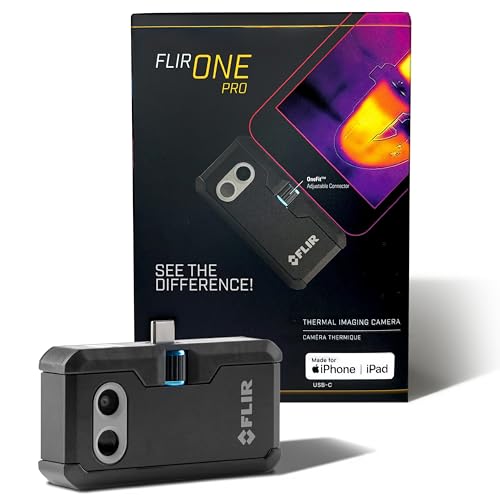
FLIR ONE Pro Thermal Camera for iOS (USB-C) — Phone-family reference pick
The FLIR ONE Pro opens the phone family because its title models the disclosure the whole category should practise: the super-resolution figure, 480×360, is printed with the native sensor figure, 160×120, right beside it in the same line. A buyer knows exactly what is sensed and what is presented. For video, that honesty has a practical meaning — the recorded picture will look like a 480×360 image, while the thermal detail available for interpretation is the 160×120 grid’s, and anyone reviewing your footage later deserves to understand it in those terms.
The device is specified for iOS smartphones — iPhone 15 and newer with USB-C, per the title — which bounds its audience precisely. Owners of those phones gain a thermal video system whose screen, storage and sharing are the phone’s own: clips live in the phone’s library, travel by message, and can be annotated and reviewed on a large, familiar display. Owners of Android phones should pass to the cross-platform picks below rather than assume compatibility the title does not claim. That plainly stated boundary is a virtue of the listing, not a defect.
Within its boundary, the Pro’s proposition is maturity: a known sensing figure, a known presentation figure, and the deepest app ecosystem in this class — stated here as the general shape of the FLIR offering rather than as a specification. For inspection video diaries, building walk-throughs and equipment checks where the audience will watch the footage on phones and laptops, the FLIR’s combination of honest figures and phone-native workflow makes it the reference against which the newer, larger-claiming attachments should be measured.
- Native IR resolution: 160×120, per the listing title
- Displayed resolution: 480×360 Super Resolution, per the listing title
- Compatibility: iOS smartphones — iPhone 15 and newer with USB-C, per the title
- Temperature range: Not stated in the listing title — verify with the manufacturer documentation
- Accuracy: Not stated in the listing title — verify with the manufacturer documentation
- Recording path: Through the phone and its apps, per the device’s phone-attachment design
Strengths
- Native and super-resolution figures printed together, honestly
- Phone-native recording, storage and sharing workflow
- Clear compatibility boundary stated in the title itself
Trade-offs
- iOS-only as titled — no Android claim is made
- Range and accuracy figures are absent from the title
- Recorded detail remains capped by the 160×120 sensor
Best for: USB-C iPhone owners who want a thermal video diary with honestly stated sensing figures and a phone-native workflow.
Not suited for: Android households; the title claims iOS compatibility only, and no cross-platform promise should be assumed.

Thermal Master P1 USB-C Thermal Camera — Cross-platform value pick
The P1’s title is the phone family’s most complete single sentence: platform breadth — USB-C iOS and Android — a 320×240 resolution figure, the widest temperature span in this guide at -4°F to 1112°F, and a published accuracy of ±3.6℉. Each element does work for a video buyer. Cross-platform support means one attachment can serve a household’s mixed phones and survive a phone change in either direction. The accuracy figure gives recorded comparisons a stated basis. The span, while far beyond domestic need, confirms the sensor’s headroom for automotive and workshop subjects the title itself names: home, HVAC, electrical and auto inspections.
The resolution figure requires the cluster’s standard reading: 320×240 is quoted without the words native or super attached, and no second figure accompanies it. A buyer should therefore treat its precise nature — sensing grid or presented image — as a question for Thermal Master’s documentation, and weigh the P1 on the figures that are unambiguous: platform, span, accuracy. That caution aside, the package is coherent for video work, because the phone supplies everything the title does not mention — the screen quality, the clip storage, the editing and sending — and the attachment’s job is to feed it a usable thermal stream.
For owners whose thermal video will be a working record — a boiler’s warm-up, a car’s cooling-system behaviour, a rental property’s heating quirks filmed for a landlord — the P1’s combination of breadth and published accuracy makes it the pragmatic centre of the phone family. It lacks the FLIR’s dual-figure transparency, but it answers with compatibility the FLIR does not claim and an accuracy figure the FLIR’s title does not print.
- Resolution: 320×240, per the listing title — native or presented figure not distinguished in the title
- Compatibility: USB-C iOS and Android, per the listing title
- Temperature range: -4°F to 1112°F, per the listing title
- Accuracy: ±3.6℉, per the listing title
- Stated uses: Home, HVAC, electrical and auto inspections, per the title
- Colour: P1 Grey, per the listing title
Strengths
- Serves both iOS and Android USB-C phones
- Accuracy figure published for comparative video work
- Widest stated temperature span in this guide
Trade-offs
- Resolution figure’s nature is not distinguished in the title
- No refresh rate is stated in the title
- Depends entirely on the phone for screen, storage and power
Best for: mixed-phone households filming thermal behaviour across home, vehicle and workshop subjects.
Not suited for: buyers who require the native sensor figure in the listing itself; this title does not separate it.
AMPBANK M192 USB-C Thermal Camera — High-resolution phone pick
The M192 makes the phone family’s boldest resolution claim — 384 x 384 — and supports it with two figures video buyers should welcome: a 25Hz imaging rate, which keeps moving scenes and walking pans coherent on the recording, and a ±2% accuracy statement, expressed as a percentage where rivals use degrees. The title also names PC analysis, extending the workflow beyond the phone: footage and stills can be reviewed on a computer, which suits inspection reporting and any video whose audience is a client rather than a family chat.
The resolution claim needs the same careful reading as every headline in this cluster. The title does not label 384 x 384 as native or processed, and no second figure accompanies it, so its nature belongs to AMPBANK’s documentation. What can be said from the title is that the presented system — attachment plus phone — is specified around that figure, with a refresh rate fast enough to make video a first-class use rather than an afterthought. Buyers comparing the M192 against the FLIR should note the trade precisely: a larger, less-explained resolution claim against a smaller, fully-explained one, with the M192 adding PC analysis the FLIR’s title does not mention.
The stated application list is the family’s broadest — home, HVAC, electrical, auto and leak inspection — and leak work is where thermal video quietly excels: a slow leak’s cool signature spreading in near-real time, filmed, is more persuasive evidence than any still. For owners who expect their thermal footage to be examined rather than glanced at, the M192’s stated combination of resolution, refresh and analysis is the phone family’s most examination-oriented package.
- Resolution: 384 x 384, per the listing title — native or presented figure not distinguished in the title
- Refresh rate: 25Hz, per the listing title
- Accuracy: ±2%, per the listing title
- Compatibility: USB-C iPhone and Android, per the listing title
- Analysis: PC analysis stated in the title
- Stated uses: Home, HVAC, electrical, auto and leak inspection, per the title
Strengths
- Largest stated resolution in the phone family
- 25Hz rate keeps recorded pans and moving scenes coherent
- PC analysis extends review beyond the phone screen
Trade-offs
- Resolution figure’s nature is not distinguished in the title
- Accuracy is expressed as a percentage, complicating direct comparison
- No temperature range is printed in the title
Best for: footage that will be examined — leak behaviour, inspection evidence, client-facing thermal video.
Not suited for: specification purists who want the sensing grid separated from the display figure in the listing itself.

RISION Magic Thermal Camera USB-C — Live-tracking phone pick
RISION’s Magic leads with the working features rather than the headline: hot and cold spot tracking with a live temperature readout, wrapped around a 320×240 figure labelled QuadIR — the maker’s own processing vocabulary, reported here as printed. Spot tracking is a genuinely video-shaped feature. As the camera moves through a scene, the tracked hottest and coldest points update continuously, so a filmed walk-through narrates itself: here is where the cold enters, here is the fitting that runs hot, with the numbers riding along on the recording rather than added in an edit afterwards.
Platform breadth is the Magic’s second distinction: USB-C iOS, Android and Windows are all named in the title, the widest compatibility in this guide. A Windows pathway matters for inspection workflows that live on laptops — site work reviewed at a desk machine, footage filed with project documents — and it frees the attachment from the phone entirely for those sessions. The stated span matches the P1’s -4°F to 1112°F, the accuracy matches its ±3.6℉, and the 25Hz rate matches the M192’s motion handling, which makes the Magic, on title evidence, the phone family’s most completely specified all-rounder after the question of its resolution label.
That question stands: QuadIR describes processing, and no native sensor figure accompanies the 320×240 in the title. Buyers should ask RISION’s documentation what the sensor measures. What the title does establish — tracking, live readout, triple-platform support, full span and accuracy figures — is a feature set aimed at people who film thermal behaviour as a working record, and for that purpose the Magic’s stated kit is the most purpose-built in the phone family.
- Resolution: 320×240 QuadIR, per the listing title
- Tracking: Hot/cold spot tracking with live temperature readout, per the title
- Compatibility: USB-C iOS, Android and Windows, per the listing title
- Temperature range: -4°F to 1112°F, per the listing title
- Accuracy: ±3.6℉, per the listing title
- Refresh rate: 25Hz, per the listing title
Strengths
- Hot/cold tracking narrates a recorded walk-through automatically
- Widest platform support in the set, including Windows
- Full span, accuracy and refresh figures all published
Trade-offs
- QuadIR is a processing label; no native figure is printed beside it
- No PC-analysis feature is named, despite Windows support
- Phone or laptop remains the screen, battery and storage
Best for: filmed walk-throughs where tracked hot and cold points, with live readings, should appear in the footage itself.
Not suited for: buyers who rank a published native sensor figure above workflow features; this title publishes the processed figure only.

TOPDON TS004 Pro Thermal Monocular — Field handheld pick
The TS004 Pro enters this guide from the hunting cluster, and its presence asks a fair question: what is a field monocular doing among video cameras? The honest answer, bounded by its title, is that it is the set’s self-contained field instrument — a 384 x 288 infrared sensor presented at 512 x 384 TISR, refreshing at 50Hz, sealed to IP67, running 11 hours — with wireless connection support stated for moving material off the device. Its title does not use the word recording, and this guide does not upgrade wireless support into a recording specification. Buyers for whom guaranteed onboard video is the whole brief should confirm the function in TOPDON’s documentation before purchase; buyers whose brief is a rugged live thermal picture in weather, with a stated path for sharing what the device captures, are reading the right listing.
The 50Hz refresh deserves its place in a video-context guide regardless: it is double the phone family’s stated 25Hz, and it defines how motion looks through this instrument — a panned hedgerow, a moving animal, a walked boundary all stay coherent in a way slower devices cannot match. In the field, the live picture is the product; a monocular is an observing instrument first, and its video-adjacent virtues are smoothness, stamina and sealing rather than editing pathways.
Judge the TS004 Pro, then, as the guide’s field outlier: the pick for thermal viewing and documentation in conditions that exclude phones — rain, cold, gloves, long nights — on the strength of figures its title fully supports. It does not compete with the phone family on sharing convenience, and it should not be bought on an assumed recording specification its title never states. Within its actual, stated competence, it is the most capable sensing package in this entire set.
- Native IR resolution: 384 x 288, per the listing title
- Displayed resolution: 512 x 384 TISR, per the listing title
- Refresh rate: 50Hz, per the listing title
- Battery life: 11 hours, per the listing title
- Sealing: IP67, per the listing title
- Connectivity: Wireless connection supported, per the listing title
Strengths
- Highest stated native sensor figure in this guide
- 50Hz refresh renders field motion with unusual smoothness
- IP67 sealing and 11-hour battery suit phone-free field work
Trade-offs
- Title does not state a video recording function — confirm in documentation if essential
- Monocular form is an observing instrument, not a tripod video camera
- Sharing runs through wireless transfer rather than a phone library
Best for: field observation in weather, where a sealed, long-running, high-refresh thermal picture matters more than editing convenience.
Not suited for: buyers whose brief is guaranteed onboard video recording; the title states wireless support, not recording.
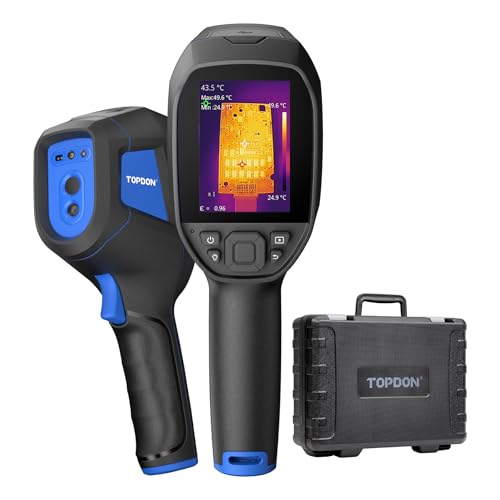
TOPDON TC005 Dual-Lens Thermal Imaging Camera — Handheld documentation pick
The TC005 closes the set as the handheld for documented projects. Its title states PC analysis and 64GB of storage — the infrastructure of a device expected to accumulate material and hand it to a computer — alongside a dual-lens design with a 2MP visual light camera and an 8-hour runtime. In the home and termite clusters this guide valued the TC005 as a record-keeper; in a video context the same virtues apply with the same boundary: the title supports a documentation workflow in full, while the specific word recording belongs to TOPDON’s documentation rather than to anything printed in the listing, and this guide will not put it there.
The dual-lens arrangement matters for footage-adjacent work in a way pure thermal devices cannot match: the visible twin anchors every thermal observation to its physical place, so a sequence captured around a boiler, a consumer unit or a problem wall can be reviewed later without a memory test. The thermal figure is 512 x 384 TISR — a processed display number with no native figure printed beside it — and the stated range is -4°F to 1022°F. As throughout this cluster, interpret the picture’s detail as presentation, and the device’s temperatures as its measurements.
For a buyer whose thermal work is a project archive — a renovation documented stage by stage, a property portfolio surveyed into files — the TC005’s stated storage and analysis provisions make it the handheld that behaves most like the phone family’s workflow while remaining a self-contained instrument. It asks no phone, fears no site without signal, and keeps its material on the device until a PC is ready for it. That independence, on the title’s evidence, is its defining strength.
- Displayed resolution: 512 x 384 TISR, per the listing title
- Native IR resolution: Not stated in the listing title — verify with the manufacturer documentation
- Visible camera: 2MP visual light camera, per the listing title
- Storage: 64GB, per the listing title
- Runtime: 8h, per the listing title
- Analysis: PC analysis stated in the title
Strengths
- 64GB storage and PC analysis build a project archive on-device
- Visible-light twin anchors thermal material to real places
- Fully self-contained — no phone required at any stage
Trade-offs
- Native sensor figure is not printed beside the TISR number
- Recording specifics are not stated in the title
- 8-hour runtime is the set’s shortest handheld claim
Best for: project documentation — renovations and property surveys — archived on the device and analysed on a PC.
Not suited for: instant phone-style sharing; the workflow here is device-to-PC, deliberate and file-based.
How Do the Six Thermal Video Options Compare on Stated Figures?
| Pick | Headline figure from the listing title | Refresh / runtime note from the title | Temperature span from the title |
|---|---|---|---|
| FLIR ONE Pro Thermal Camera for iOS (USB-C) | 160×120 IR · 480×360 Super Resolution | Via phone apps · USB-C iOS | Not stated in the listing title |
| Thermal Master P1 USB-C Thermal Camera | 320×240 · iOS/Android USB-C | Via phone · accuracy ±3.6℉ | -4°F to 1112°F |
| AMPBANK M192 USB-C Thermal Camera | 384 x 384 · 25Hz | Via phone + PC analysis · ±2% | Not stated in the listing title |
| RISION Magic Thermal Camera USB-C | 320×240 QuadIR · spot tracking | 25Hz · iOS/Android/Windows | -4°F to 1112°F |
| TOPDON TS004 Pro Thermal Monocular | 384 x 288 IR · 512 x 384 TISR | 50Hz · 11h · IP67 · wireless | Not stated in the listing title |
| TOPDON TC005 Dual-Lens Thermal Imaging Camera | 512 x 384 TISR · 2MP visible camera | 64GB · PC analysis · 8h runtime | -4°F to 1022°F |
The table’s honest lesson is structural. The phone family’s figures describe a sensing module plus your phone’s entire recording apparatus; the handhelds’ figures describe self-contained instruments whose titles emphasise analysis, storage and connection rather than recording specifications. Comparing a phone attachment’s resolution against a monocular’s sensor across that divide is legitimate only if the different bargains stay visible: convenience, sharing and editing on one side; independence, sealing and field stamina on the other. Choose the bargain first, then the figures within it.
What Does Video Show That a Still Thermal Image Cannot?
Change, and change is where thermal truth often lives. A still shows a radiator’s cold bottom corner; a two-minute video shows whether that corner warms slowly as flow improves after bleeding, or never warms at all — the difference between a maintenance note and a replacement conversation. A still shows a warm electrical fitting; a video under changing load shows whether its temperature tracks the load, as a healthy connection’s warmth does, or climbs independently, as a failing one’s may. Processes have signatures that single frames flatten into ambiguity, and the habit of filming warm-ups, cool-downs and load changes is the fastest way to deepen a thermal owner’s diagnostic skill.
Draughts are video’s other home ground. Air leakage pulses with wind and pressure: a door seal that looks innocent in a still may breathe visibly across a thirty-second clip on a gusty evening, cold plumes arriving in rhythm with the weather outside. Filming seals, vents and loft hatches on windy nights — and keeping the clips — converts a subjective ‘this room feels draughty’ into evidence a landlord, builder or partner can watch. The phone family in this set exists largely for this kind of work: short, shareable, dated clips that travel to whoever needs convincing.
Video also disciplines the observer. Knowing a clip will be reviewed slows the pan, steadies the hand and encourages narration — speaking the room, the fitting, the conditions into the recording as it happens. Reviewed later, your own footage teaches you what your eye missed live: the second warm spot at the frame’s edge, the gradient you walked past. Inspectors who film their passes routinely describe the review as a second inspection, and it is the cheapest one they perform.
How Should You Film a Thermal Walk-Through That Others Can Use?
Begin with context the footage cannot supply itself: say the property, the room, the date and the conditions aloud at the start, or film a visible-light establishing shot first where your device offers a visible camera. Thermal footage is notoriously placeless — one gradient looks like every other — and thirty seconds of orientation saves every future viewer a guessing game. The dual-lens picks and the phone attachments, with their visible imagery and phone filing, hold a natural advantage here; single-lens handheld footage needs the spoken discipline even more.
Move at survey speed, not walking speed. A thermal pan should crawl: pause at each wall, fitting and junction long enough for the picture to settle and for a viewer’s eye to read it. Announce transitions — ‘moving to the window wall’ — because a cut in thermal footage is disorienting in a way ordinary video is not. Where your device tracks hot and cold spots, as the RISION does by title, let the tracked readouts dwell on screen at each finding; where it does not, hold position and state the reading aloud if your workflow allows notes afterwards.
Close the loop immediately. Review the clip before leaving the property, while a missing angle can still be re-filmed, and file it with a name that contains the place and date rather than a device-generated string. Thermal video’s value compounds in archives — this winter against last winter, before the repair against after — and archives are built from naming discipline, not from storage capacity. The TC005’s 64GB and the phone family’s libraries both hold plenty; what they cannot supply retrospectively is your organisation.
Phone Attachment or Self-Contained Handheld: Which Bargain Fits Your Work?
The phone family’s bargain is leverage: a superb screen, a mature recording and editing stack, instant sharing and cloud backup, all already paid for, in exchange for total dependence on the phone. Its costs appear in the field — the phone’s battery becomes the system’s battery, its storage fills with footage, its notifications interrupt inspections, and a dropped phone is a more expensive accident than a dropped instrument. For indoor, domestic and light professional work, where sessions are short and conditions kind, the leverage usually wins, which is why four of this set’s six picks are attachments.
The handheld bargain is independence. A sealed monocular with an 11-hour battery works in rain, cold and gloves that defeat touchscreens; a self-contained camera with 64GB of storage works on sites where the phone must stay clean, charged for communication, or simply elsewhere. Its costs are convenience-shaped: smaller screens, slower sharing, footage that moves by transfer rather than by message. Field observation, long inspection days and multi-property work repay independence exactly as domestic work repays leverage.
Many serious users end up owning one of each, and this set is structured to make that pairing legible: a phone attachment for the house and the workshop, a handheld for the field and the foul weather. If only one is possible, choose by your worst conditions rather than your average ones — the session that matters most is the one where the wrong bargain fails completely, not the ten sessions where either would have done.
What Should You Check Before Trusting a Thermal Video Specification?
First, which resolution is being quoted. This guide’s recurring question matters doubly for video, because footage gets reviewed, paused and zoomed. The FLIR prints its native 160×120 beside its 480×360 super-resolution figure; the P1, M192 and RISION print single figures under various labels — plain, unlabelled and QuadIR respectively — whose nature belongs to their documentation. A buyer filming evidence should settle that question before purchase, because a recording’s interpretive value is set by the sensing behind it, and no playback software can restore detail the sensor never captured.
Second, whether recording is actually claimed. In this set, the phone attachments record through the phone as a matter of architecture, while the two handhelds’ titles claim analysis, storage and wireless support — related provisions that are not synonyms for recording. The general rule travels beyond this guide: find the word, or the unambiguous feature, in the maker’s own specification before assuming a device films. Assumptions about recording are the single most common disappointment in this category, and they are entirely avoidable at the reading stage.
Third, the unglamorous supports: refresh rate for motion coherence — 25Hz across the phone family as titled, 50Hz on the monocular — accuracy figures for comparative work, and the storage pathway your footage will actually take. A specification sheet is a promise about a workflow, and the checks that matter are the ones that test the workflow you personally intend to run, in the order you will run it, under the conditions your worst session will impose.
How Long Should Thermal Footage Be Kept, and in What Order?
Keep footage by the question it answers, not by the date alone. A clip of a heating system misbehaving is worth keeping until the system is replaced; a clip of a wall’s draught pattern is worth keeping until the sealing is verified and one winter has passed; a clip of a vehicle cooling normally is worth keeping exactly as long as you own the vehicle, as its baseline. Thermal archives earn their storage when they function as comparisons — before against after, faulty against healthy, this winter against last — and comparisons need baselines kept deliberately rather than footage kept accidentally.
Name at three levels: property or machine, place or component, date. ‘House — bathroom wall — 2026-01′ survives every software migration and every memory failure; a device string of numbers survives neither. The phone family files into libraries that reward this discipline with search; the handhelds’ footage, moved to a PC as the TC005’s analysis pathway intends, rewards it with folders that a client, a buyer or your future self can navigate without a guide. Ten seconds of naming at capture pays for itself every time the archive is searched, because a findable clip is the only kind that can be compared.
Prune with the same honesty you film with. Footage of resolved questions, duplicated angles and tests of known subjects can go once their comparison value is spent, and an archive pruned to its meaningful clips gets reviewed, while an archive swollen with everything gets ignored. The review habit is where thermal video pays its dividend; protect the habit by keeping the archive small enough to remain a pleasure rather than a chore.
What Makes Thermal Footage Persuasive to Someone Who Was Not There?
Context, comparison and calm. Context, because a viewer who knows the room, the fitting, the weather and the load can reason about the picture, while a viewer dropped into an anonymous gradient can only react to it. Comparison, because a single clip asserts while a pair argues: the faulty radiator beside its healthy twin, the fitting under load beside itself at rest, the wall before the repair beside the wall after it. Calm, because footage shot at survey speed, held at each finding, invites the viewer’s own judgement to form — and a conclusion a viewer reaches themselves persuades in a way no narration can force.
Numbers belong on screen or in the narration wherever the device allows. A tracked cold spot with its live readout, as the RISION provides, or a spoken temperature at each hold point, converts impressions into checkable statements. Viewers who must act on footage — a landlord approving a repair, a client accepting a diagnosis, a partner agreeing to a purchase — act on statements, and the discipline of producing statements rather than vibes is what separates inspection video from thermal tourism. The cameras here supply the readouts; the operator supplies the habit of letting them dwell.
Finally, keep the raw clip. Edited highlights are presentations; the raw footage is evidence, and the difference matters the first time a finding is questioned. Storage is the cheapest part of this entire technology — the phone family’s libraries and the TC005’s 64GB both testify to that — so there is no economy in deleting originals. File the raw beside the edit, named identically, and let anyone who doubts the presentation audit the source. Persuasion that welcomes audit is the only kind worth building a practice on.
Working Habits for Thermal Videographers
Film the warm-up, not just the warmed. Heating systems, motors, bearings and electrical fittings all tell their diagnostic stories in the first minutes after switch-on, when healthy components rise together and faulty ones lag, overshoot or localise. A standing habit of starting a recording before a system starts — boiler, oven, vehicle, pump — builds a library of normal warm-up curves for your own equipment, and a library of normal is what makes the abnormal recognisable on the day it appears. Thirty seconds of patience at switch-on is the highest-value footage most owners ever capture.
Keep clips short and named rather than long and lost. A three-minute continuous walk-through feels efficient and reviews terribly; six thirty-second clips, one per room or fitting, review in the order of the questions people actually ask. The phone family’s editing tools and the handhelds’ file systems both reward the short-clip discipline equally. Future you, searching for the bathroom wall footage from two winters ago, is the audience your filing habits should serve — and future you has no patience for scrubbing through an hour of unnamed gradient.
Narrate numbers your device does not overlay. Where a camera lacks spot tracking, your voice becomes the overlay: name the fitting, state the reading, note the load or the weather. Reviewers forgive shaky footage and forgive dull footage; they cannot use footage whose subject is unknown. This habit matters most for the handhelds in this set, whose material moves to a PC for analysis — the narration recorded at the scene is often the difference between an archive and a pile of mysterious clips.
Respect what thermal footage shows about other people. A thermal camera records heat signatures through darkness and across distances, and footage gathered around homes, land and livestock carries a privacy weight ordinary video does not always signal. Film your own property and equipment freely; film neighbours, tenants and passers-by with the consent and care you would want applied to your own household, and store inspection footage of other people’s properties with the professionalism its sensitivity deserves.
Build a baseline library for your own equipment while everything is healthy: the boiler’s warm-up, the car’s cool-down, the consumer unit under the evening’s ordinary load, each radiator’s gradient an hour into a heating cycle. Baselines feel like footage of nothing, and they are the most valuable clips you will own, because every future fault announces itself as a departure from them. Shoot them in the first month, name them plainly, and never delete them in a tidy-up.
Film repairs, not just faults. The sealed window frame losing its cold plume, the bled radiator evening out, the lagged pipe disappearing from the floor’s signature — after-footage closes the evidentiary loop and, kept with its before-twin, becomes the most persuasive document in any later conversation with a landlord, a warranty desk or a buyer. Repairs filmed are repairs proven; repairs merely remembered are repairs disputed.
Mind the phone’s other jobs during long sessions. A phone running a thermal attachment is a phone not lasting the day on calls, messages and navigation, and a session that strands its owner phoneless trades one problem for another. For planned long filming, dedicate the power budget in advance — or move the session to a self-contained handheld, whose battery answers only to the camera. Workflow realism, again, is a specification.
Let subjects cool between takes when filming machinery. A component filmed repeatedly in quick succession carries the previous run’s heat into the next clip, and comparisons built on heat-soaked footage mislead everyone who reviews them. Patience between takes is part of measurement hygiene, as real as holding the camera steady — and far more often forgotten.
Date your footage out loud when the device cannot stamp it. A spoken ‘third of December, kitchen wall, heating on since five’ at a clip’s head takes two seconds and rescues the footage from the anonymity that claims most thermal archives. Where a visible-light twin exists, film the room’s ordinary view first for the same reason. Future reviewers — including future you, in a hurry, in an argument about whether a repair worked — will be grateful in direct proportion to how unnecessary it felt at the time.
Share footage in its original form when a decision depends on it. Messaging apps compress, crop and strip the context that makes thermal video interpretable, and a landlord or engineer squinting at a compressed gradient is being asked to judge evidence that has already been degraded. Send the original file by a method that preserves it, and let the compressed copy serve only as the notification that the real footage exists.
Common Mistakes
Assuming every thermal camera records video
In this very set, the two handhelds’ titles claim analysis, storage and wireless support — not the word recording. Buyers who assume the function discover its absence on the first job that needed it. Read for the explicit claim, in the maker’s own words, and confirm in documentation where a title is ambiguous. The phone attachments record by architecture; everything else must be verified device by device.
Judging a phone attachment by its headline resolution alone
A single unlabelled figure — 320×240, 384 x 384, a branded QuadIR — does not say whether it describes sensing or presentation, and the difference decides what your footage can prove. The FLIR’s dual-figure title shows the honest format. Where a title gives one number, ask the documentation which kind it is before letting it outrank a smaller, fully-explained figure.
Panning at walking speed and calling it a survey
Fast pans smear gradients, skip junctions and produce footage nobody can interpret, however high the refresh rate. Survey speed is a crawl with pauses — at each wall, fitting and seal — long enough for the picture and the viewer to settle. A shorter, slower clip outperforms a long fast one in every review that matters, and re-filming a missed angle costs more time than the pauses ever did.
Filming without context, then losing the footage’s meaning
Thermal clips are placeless by nature: unnamed, unnarrated footage from a device-generated filename becomes unidentifiable within a month. Speak or film the context at capture, rename on the same day, and file by property and date. The most common way thermal video loses its value is not technical failure but archival neglect — footage that exists and cannot be found, or found and cannot be placed.
Final Recommendation
Within the phone family, the choice is a matter of which honesty you value most: the FLIR ONE Pro’s fully separated figures, the P1’s cross-platform breadth with published accuracy, the M192’s examination-oriented resolution and PC analysis, or the RISION Magic’s tracking narration and triple-platform reach. Around them, the TS004 Pro serves phone-free field observation on the strength of the set’s best sensor and fastest refresh, and the TC005 archives projects on-device with a visible-light twin for every thermal frame. All six earn their places — provided each is bought for what its title actually promises.
Whatever you choose, let the first footage you shoot be of something you already understand — a heating system warming from cold, a kettle, a car cooling after a run — watched back the same evening. Thermal video teaches quickly when the subject’s story is known, and the owner who has learned to read change over time owns a diagnostic sense that no still photograph, at any resolution, can give them.
Keep the habit modest and regular: one short, named, narrated clip whenever a system behaves oddly, filed the same day, reviewed the same week. Thermal video rewards that rhythm out of all proportion to its effort, because the archive it builds quietly becomes the memory your equipment never had — the record of what normal looked like, kept safe against the day abnormal arrives and everyone wishes the comparison existed.
Choose, too, for the sessions you will actually run: the attachment that lives on your phone will film more real life than the technically finer device that needs a charged battery, a cable and a plan. Thermal video is a habit wearing a specification sheet, and the habit wins every argument the sheet starts — in the workshop, at the boiler, in the rain at the fence line, wherever warmth is doing something worth watching twice.
Film first, judge second, delete last — the order matters, because the clip that looks like nothing tonight is sometimes the baseline that settles next winter’s argument, and it can only settle it if it still exists, named and findable, when the argument starts.
Start tonight, with whatever subject is nearest and warmest, and let the first clip be imperfect — the archive’s value was never in its polish, only in its existence.
Begin there tonight.
Frequently Asked Questions
Do all six cameras here record video?
The four phone attachments record through the phone’s own camera ecosystem as a matter of design. The two TOPDON handhelds’ titles state related provisions — PC analysis and 64GB storage on the TC005, wireless connection support on the TS004 Pro — without using the word recording, so buyers who need guaranteed onboard video should confirm that function in TOPDON’s documentation before purchase. This guide claims only what titles state.
What resolution will my thermal videos actually have?
The picture you watch is the displayed figure — up to 480×360 on the FLIR, 384 x 384 as quoted for the M192 — while the thermal detail within it is set by the sensor, which the FLIR states as 160×120 native. Where a title prints a single unlabelled figure, treat its nature as a documentation question. For interpretation, the sensor figure is the one that matters.
Which pick suits filming a suspected leak?
Leak work rewards examination: the M192 names leak inspection in its title and adds PC analysis for review, while the RISION’s hot/cold tracking helps narrate a spreading cool signature on camera. Film slowly, include a visible-light context shot where possible, and remember a thermal video shows a temperature pattern consistent with a leak — confirmation still belongs to moisture measurement and inspection.
Is 25Hz enough for smooth thermal video?
For inspection walk-throughs and process filming, yes — 25Hz, stated across this set’s phone family and several handhelds in the wider cluster, keeps pans and gradual changes coherent. Faster motion — field observation of moving animals — benefits from the TS004 Pro’s stated 50Hz. Match the rate to the fastest subject you genuinely film, not the fastest you can imagine.
Can I use a phone attachment without draining my phone?
The phone supplies screen, processing and storage, so its battery is the system’s battery; the titles here do not state the attachments’ own power arrangements. For long sessions, plan power as part of the kit — a power bank for phone-based work — and consider a self-contained handheld, such as the TC005 with its stated 8-hour runtime, when phone independence matters.
Why include a hunting monocular in a video guide?
Because buyers cross-shop it, and its title’s actual claims needed stating plainly in a video context: the set’s highest native sensor figure, its fastest refresh at 50Hz, IP67 sealing and wireless support — a field observation package whose recording function, if required, must be confirmed in documentation. Including it with its boundaries labelled serves buyers better than omitting the device they were about to assume things about.
Related Guides
Companion guides look at thermal cameras paired with monoculars, at the disc-printing cluster that follows, and at printers for DVD work. thermal cameras paired with monoculars printers that handle printable discs printers for DVD projects
Related guides
- Best Thermal Imaging Cameras Hunting: Six Handheld Thermal Monoculars for Night Observation
- Best Mirrorless Cameras for Bird Photography: Crop Reach, Fast Bursts and the Lens Question Answered First
- Best 4K Cameras Travel Shooters Actually Carry
- Best 1080 Webcams: Six Full HD Cameras Judged on Light, Focus and Voice


