What's inside
- Key Takeaways
- Quick Picks
- How Did We Judge These Cameras as Video Tools?
- Which Video Specifications Actually Decide Your Footage?
- How Important Is Stabilisation for Mirrorless Video?
- The Six Best 4K Mirrorless Video Cameras, Reviewed
- How Do the Six Video Cameras Compare?
- How Should You Build a Video Rig Around These Cameras?
- What Mistakes Do Buyers Make Choosing a Video Camera?
- How Do You Get Cleaner 4K From Any of These Cameras?
- What Do Log Profiles and 10-Bit Colour Mean for Your Edit?
- Which Lenses Should a Video Shooter Prioritise?
- How Do You Manage Heat on Long Recording Days?
- How Does Low-Light Video Separate These Cameras?
- How Do These Cameras Handle Audio, the Other Half of Video?
- What About Slow Motion and High Frame Rates?
- Which Camera Works Best as a Second Angle or B-Camera?
- How Should You Test a Video Camera in the First Week?
- How Do Media, Storage and Battery Demands Scale With These Cameras?
- How Well Do These Cameras Handle Vertical and Short-Form Video?
- Final Recommendation
- Frequently Asked Questions
- Related Guides
As an Amazon Associate I earn from qualifying purchases. This post may contain affiliate links at no extra cost to you.
widgetverdict.com is reader-supported. When you buy through links on our site, we may earn an affiliate commission.
Almost every modern mirrorless camera advertises 4K video, and almost none of the advertisements mention the details that decide whether that 4K is usable: whether it is cropped, whether it overheats twenty minutes into an interview, whether the log profile grades gracefully, and whether the stabilisation holds a walking shot together. The best 4k mirrorless video cameras are the ones that answer those unglamorous questions well. This guide ranks six of them — from Sony’s little ZV-E10, built for creators at a desk, to Nikon’s Z6 III with its internal RAW ambitions — by the criteria that matter when video is the priority rather than a bonus feature: recording limits and heat, frame-rate options up to 4K120, log and 10-bit colour, in-body stabilisation, autofocus that tracks a subject without hunting, and the audio and monitoring tools around the sensor.
Where to buy: the six picks link to checked Amazon listings, several of them body-only, so read the listing carefully to see whether a lens is included before comparing totals. Kit lenses change the value equation considerably for the ZV-E10 in particular. Prices move with promotions, so confirm the live figure on the listing when you are ready to order.
Key Takeaways
- The Panasonic LUMIX S5IIX is the most complete video tool here for solo creators: phase-detect autofocus, strong stabilisation, open-gate recording and serious codec options in a full-frame body.
- Sony’s a6700 delivers the most video per gram — 4K120, excellent autofocus and a compact APS-C body that travels anywhere.
- The Nikon Z6 III is the pick for maximum image quality headroom, with internal RAW video and a partially stacked sensor that reads out fast.
- The Fujifilm X-T5 trades pure video convenience for the best stills-video hybrid experience and beloved colour science.
- Panasonic’s G9II proves Micro Four Thirds still matters for video: superb stabilisation and long recording in a smaller system.
- The ZV-E10 remains the sensible starting point for desk-based creators, provided you accept its 4K30 ceiling and rolling shutter.
Quick Picks
| Pick | Badge | Why it earns its place |
|---|---|---|
| Panasonic LUMIX S5IIX | Best overall for video | The most complete creator feature set: codecs, stabilisation, open gate and no-fuss long recording. |
| Nikon Z6 III | Best image quality headroom | Internal RAW, 6K capture and a fast partially stacked sensor for serious grading. |
| Sony a6700 | Best compact video camera | 4K120 and class-leading autofocus in an APS-C body that fits a jacket-pocket rig. |
| Panasonic LUMIX G9II | Best stabilisation value | Micro Four Thirds lenses keep the whole rig small while the stabilisation stays superb. |
| Fujifilm X-T5 | Best hybrid for stills shooters | A 40MP stills flagship that also records strong 6.2K and 4K video with film simulations. |
| Sony ZV-E10 with 16-50mm Lens | Best starter for creators | Desk-friendly vlogging features and a kit lens that gets a new creator filming today. |
How Did We Judge These Cameras as Video Tools?
We scored video first and stills second, which inverts the usual camera review. The primary questions were thermal and practical: can the camera record a full interview, a wedding ceremony or a long tutorial take without a heat warning ending the shot? Does its headline 4K mode carry a crop that changes your lens choices? Is the 10-bit log footage genuinely gradeable, or a marketing line? Autofocus was judged on video behaviour specifically — smooth, confident subject tracking with face and eye detection that does not pulse or hunt when a presenter moves at a desk.
Stabilisation was weighted heavily because most buyers of these cameras shoot handheld at least some of the time, and the difference between the best and worst systems here is the difference between usable walking footage and a gimbal purchase. We also considered the working creator’s ecosystem: microphone and headphone sockets, tally lamps, flip screens that clear a microphone on the hot shoe, timecode and streaming support, and the depth of each system’s lens range at prices a working creator can justify. Stills ability counted — several of these are superb hybrid cameras — but only after the video questions were answered.
Which Video Specifications Actually Decide Your Footage?
Frame rates first. 4K30 is the baseline for polished online video and every camera here manages it well. 4K60 matters for creators who slow motion down — sports, product B-roll, wedding details — and it is where crops and heat limits start appearing, so check each pick’s notes rather than assuming the headline applies in every mode. 4K120, offered by the a6700 and approached by the Z6 III’s high-speed modes, is specialist slow-motion territory: glorious for action B-roll, irrelevant for a talking-head channel.
Bit depth and codecs decide how far you can push colour in the edit. Eight-bit footage looks fine straight from the camera and breaks apart when graded hard; 10-bit log, available across the serious picks here, holds skies, skin tones and shadow detail through a real colour grade. Internal RAW — the Z6 III’s party trick, with the S5IIX offering RAW output over HDMI — is the deep end: enormous files, maximum flexibility, and a workflow commitment that should be chosen deliberately rather than by default. Oversampling is the quiet quality factor: cameras that read a 6K or 7K sensor area and downsample to 4K, as several here do, produce visibly cleaner, more detailed 4K than cameras reading a cropped or line-skipped area.
Rolling shutter deserves its sentence because it is the flaw beginners discover first: fast pans and moving subjects lean and wobble on slow-readout sensors. The Z6 III’s partially stacked sensor reads fastest here, the G9II and a6700 are respectable, and the ZV-E10’s pronounced rolling shutter is the honest price of its low cost — manageable with slower pans, unforgiving of whip movements. Finally, recording limits: a camera that stops at thirty minutes, or overheats before it, restructures how you shoot long-form content, so the thermal notes in each review below are written from the perspective of someone recording real events, not clips.
How Important Is Stabilisation for Mirrorless Video?
Important enough that it can delete a line from your budget. The best in-body systems here — Panasonic’s, in both the S5IIX and G9II, is the benchmark — smooth walking shots, handheld interviews and gentle pans to a degree that once required a gimbal, especially paired with a stabilised lens. Sony’s system in the a6700 is effective for static handheld work and benefits from its Catalyst software stabilisation in post for clips shot in its active mode. Fujifilm’s X-T5 carries a strong 7-stop-rated system that serves hybrid shooters well, and Nikon’s Z6 III stabilisation is capable, with its smaller sensor-area modes behaving differently from full-frame capture.
The honest framing is that in-body stabilisation replaces a gimbal for deliberate, gentle movement — talking while walking slowly, handheld product shots, documentary observation. It does not replace one for running, stairs or energetic movement, and it can introduce its own wobble at wide focal lengths on some systems. Video-first buyers should also know that stabilisation and cropping interact: several cameras crop slightly in their strongest stabilisation modes, which nudges lens choice wider. Judge the picks below by the movement your channel actually films, not by the movement in a manufacturer’s demonstration reel.
The Six Best 4K Mirrorless Video Cameras, Reviewed
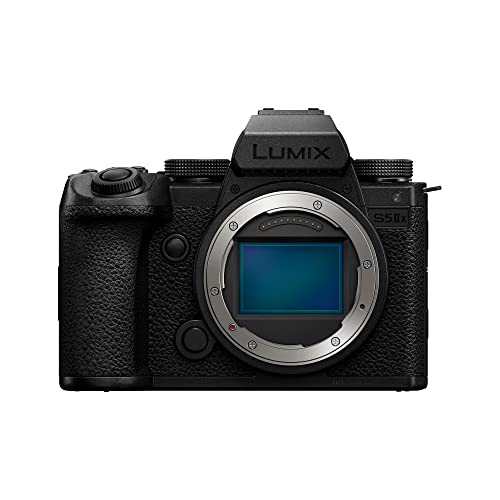
Panasonic LUMIX S5IIX — Best Overall for Video
The S5IIX is what happens when a manufacturer designs a camera by interviewing working videographers. Start with the unglamorous essentials it gets right: a full-frame sensor with phase-detect autofocus — the upgrade that finally removed the old objection to Panasonic for video — cooling that permits long recording sessions without the anxiety that shadows rivals, and a codec menu that reads like a professional wish list, including high-bitrate internal options and RAW output over HDMI for those who want it. Its open-gate mode records the full 3:2 sensor area, letting a creator reframe vertical and horizontal edits from one take, a feature that has quietly become essential for anyone publishing to multiple platforms.
Stabilisation is the other headline: Panasonic’s in-body system, especially combined with a stabilised L-mount lens, produces handheld footage that regularly surprises people who assumed a gimbal was mandatory. The body supports proper audio working — microphone and headphone sockets, four-channel recording with the appropriate accessory — and the X variant’s all-black, understated design with its illuminated buttons suits event work where the camera should not draw the room’s eye. Autofocus tracking for people is confident and sticky, and the camera’s video-first menus and tally lamp show a system designed by people who shoot.
Its compromises are ecosystem and emphasis. The L-mount lens range is good and growing, with affordable options, but it lacks the sheer secondhand depth of Sony’s E-mount. Continuous autofocus, while transformed from earlier Panasonic generations, still sits a half-step behind Sony’s best in chaotic scenes. And stills photographers get a fine but not class-leading 24MP camera. For the video-first buyer this guide addresses, those are the right compromises, and the S5IIX is the camera we would buy with our own production money.
- Sensor: 24.2MP full-frame
- Video: 6K open gate, 4K60 10-bit, RAW over HDMI
- Autofocus: phase-detect hybrid system
- Stabilisation: in-body, among the best for video
- Audio: mic and headphone sockets, 4-channel capable
Strengths
- Open-gate recording for multi-platform reframing
- Cooling supports long, uninterrupted sessions
- Professional codec and audio options
Trade-offs
- L-mount lens range smaller than Sony’s
- Autofocus half a step behind the best
- Stills resolution modest for the price tier
Best for: solo creators, wedding and event videographers wanting one dependable full-frame tool.
Not suited for: stills-first shooters or buyers invested in another lens mount.

Nikon Z6 III — Best Image Quality Headroom
The Z6 III is the connoisseur’s choice in this six: a 24.5MP partially stacked full-frame sensor that reads out fast enough to tame rolling shutter, and a video specification that reaches where others stop — internal RAW recording, 6K capture, and high-frame-rate options that make it the most flexible grading camera here. Footage from its oversampled modes is dense and clean, and the ability to record RAW internally, without an external recorder, removes a whole layer of rigging from serious productions.
Nikon’s supporting cast is strong. The electronic viewfinder is exceptionally bright, which matters when focusing and exposing outdoors; the in-body stabilisation is rated highly and behaves well for handheld work; and the Z-mount lens range now includes excellent video-friendly zooms and fast primes, with Nikon’s own glass holding a reputation for optical consistency. Autofocus subject detection covers people, animals and vehicles with a tenacity that earlier Nikon generations were criticised for lacking. For the hybrid shooter, the stills side is a genuinely fast, capable camera rather than a video camera’s side hobby.
The costs are literal and practical. It is the most expensive body in this guide, RAW files are enormous enough to restructure your storage and backup budget, and exploiting its best modes asks for fast, costly media. Heat management in its highest modes also deserves respect on long summer shoots. Buyers who will actually grade RAW or deliver demanding client work will find it worth every compromise; talking-head creators will not touch most of what they paid for.
- Sensor: 24.5MP partially stacked full-frame
- Video: 6K, internal RAW, 4K high frame rates
- Viewfinder: exceptionally bright EVF
- Stabilisation: in-body system
- Mount: Nikon Z, deep native lens range
Strengths
- Internal RAW without an external recorder
- Fast readout minimises rolling shutter
- Superb viewfinder for outdoor shooting
Trade-offs
- Highest body price in this roundup
- RAW workflow demands serious storage
- Top modes need fast, costly cards
Best for: videographers who grade seriously and want maximum footage flexibility.
Not suited for: beginners or anyone shooting straight-to-upload content.
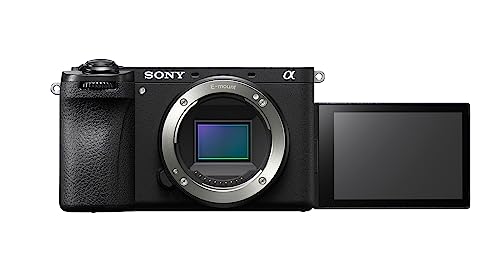
Sony a6700 — Best Compact Video Camera
The a6700 compresses an astonishing amount of video capability into an APS-C body you can carry all day without thinking about it. Its 26MP sensor records 4K at up to 120 frames per second for genuine slow motion, oversampled 4K60 from a 6K readout, and 10-bit colour with Sony’s S-Log3 for creators who grade. Autofocus is the headline act: Sony’s AI-assisted subject recognition locks onto eyes — human, animal, bird, even vehicles — with a confidence that lets a solo creator trust the camera and perform instead of monitoring focus.
Size is its strategy. Paired with Sony’s compact APS-C primes or the small standard zooms, the a6700 builds a rig that fits in a sling bag, mounts on a small gimbal without complaint, and draws no attention filming in public. The vari-angle touchscreen suits vlogging and low or high angles, the microphone and headphone sockets are present, and Sony’s enormous E-mount catalogue — native and third-party — means the lens you want exists at the price you hoped. Battery life from the larger Z-series battery is a genuine strength for a body this small.
Thermal honesty is required: the compact body can heat-limit in long 4K60 or 4K120 sessions, particularly in warm rooms, so event shooters recording hour-long ceremonies should test their exact use case or look to the S5IIX. The single card slot and small grip also mark it as a creator tool rather than a dual-slot professional body. Within its brief — the most video capability per gram on the market — nothing else here touches it.
- Sensor: 26MP APS-C
- Video: 4K120, 4K60 oversampled, 10-bit S-Log3
- Autofocus: AI subject recognition, excellent eye AF
- Body: compact rangefinder-style, vari-angle screen
- Battery: large Z-series cell, strong endurance
Strengths
- 4K120 slow motion in a travel-size body
- Autofocus you can trust while performing
- Huge lens catalogue at every price
Trade-offs
- Heat can limit long high-frame-rate recording
- Single card slot only
- Small grip with larger lenses
Best for: travelling creators, vloggers and solo shooters prioritising size and autofocus.
Not suited for: long uninterrupted event recording in hot venues.

Panasonic LUMIX G9II — Best Stabilisation Value
The G9II makes the case that Micro Four Thirds remains a video system to reckon with. Its 25.2MP sensor delivers detailed 4K, high-frame-rate options and open-gate recording, but the real story is the combination of Panasonic’s phase-detect autofocus — new to this line — with stabilisation that borders on the uncanny. Handheld walking shots, run-and-gun documentary work and travel footage come back smooth in a way that makes viewers assume a gimbal was involved, and the smaller sensor means the lenses are smaller too: a full G9II kit can weigh half what a full-frame equivalent does.
That size advantage compounds. Micro Four Thirds lenses are plentiful, mature and comparatively affordable, including fast primes that would cost far more for full-frame. The body itself is a serious photographer’s camera as well — weather-sealed, with a proper grip, dual card slots and stills features inherited from Panasonic’s flagship thinking — so hybrid shooters lose nothing by choosing it. Recording endurance and thermal behaviour are strong, suiting the long-form shooter.
The trade-offs are the format’s physics. In low light, the smaller sensor gathers less light, and high-ISO footage is noisier than the full-frame picks here; depth of field is deeper at equivalent settings, so the creamy background blur of full-frame needs faster lenses to approach. For daylight, travel and documentary creators those are acceptable prices for the size and stabilisation; for candlelit wedding receptions, look up the list.
- Sensor: 25.2MP Micro Four Thirds
- Video: 4K high frame rates, open gate
- Autofocus: phase-detect hybrid
- Stabilisation: class-leading in-body system
- Build: weather-sealed, dual card slots
Strengths
- Stabilisation that rivals a gimbal for walking shots
- Small, affordable lens ecosystem
- Strong recording endurance for long form
Trade-offs
- Low-light footage trails full-frame rivals
- Less background blur at equivalent settings
- Smaller sensor caps ultimate image quality
Best for: travel and documentary creators who shoot handheld and value a light kit.
Not suited for: low-light event specialists needing clean high-ISO footage.

Fujifilm X-T5 — Best Hybrid for Stills Shooters
The X-T5 enters a video guide by a different door: it is the camera for the photographer whose video work is growing, and who refuses to give up a proper stills camera to get it. Its 40MP APS-C sensor is the resolution leader here, the in-body stabilisation is rated to 7 stops, and the video specification is far from token — 6.2K capture, detailed 4K, 10-bit colour and Fujifilm’s F-Log profiles for grading. Then there are the film simulations: colour modes, including the beloved nostalgic profiles, that let a creator bake a distinctive look into footage with minimal editing, a genuine workflow advantage for fast-turnaround content.
The shooting experience is the differentiator. Physical dials for shutter speed, ISO and exposure compensation make the X-T5 the camera photographers reach for instinctively, and the three-way tilting screen — rather than a fully articulating one — signals its stills-first design while still serving video at waist level and on a tripod. Fujifilm’s lens range for X-mount is optically excellent and characterful, and the whole system has a coherence that rewards commitment.
Video specialists should note the friction honestly. The tilting screen is awkward for front-facing vlogging, autofocus — though much improved — does not match Sony’s subject-tracking serenity for video, and the highest video modes carry thermal and crop considerations that dedicated video bodies handle more gracefully. As a hybrid that shoots beautiful stills and very good video, it is unmatched here; as a pure video tool, the S5IIX and a6700 are more single-minded.
- Sensor: 40MP APS-C
- Video: 6.2K, 4K 10-bit, F-Log profiles
- Stabilisation: in-body, up to 7 stops
- Controls: physical dials, three-way tilt screen
- Colour: film simulations usable for video
Strengths
- Best stills capability in this video guide
- Film simulations speed up colour workflow
- High-resolution sensor, detailed 4K
Trade-offs
- Tilt screen awkward for self-filming
- Video autofocus behind Sony and Panasonic
- High modes need thermal awareness
Best for: photographers growing a video practice without abandoning stills craft.
Not suited for: front-facing vloggers needing a flip screen daily.

Sony ZV-E10 with 16-50mm Lens — Best Starter for Creators
The ZV-E10 is the camera that starts channels. Sold here with its 16-50mm power-zoom kit lens, it removes every excuse between a new creator and their first upload: the lens covers desk vlogging to walk-and-talk framing, the vari-angle screen flips for self-monitoring, and Sony built the body’s features around a presenter — a product-showcase mode that shifts focus to a held-up item, a background-defocus button, and a directional microphone capsule with a windscreen in the box. Autofocus for faces and eyes is dependable, which at this price is the feature that matters most.
Its video ceiling is 4K30, recorded from a 6K oversample that makes that 4K genuinely sharp, and for the enormous majority of online content — tutorials, reviews, commentary, vlogs — 4K30 with good light and clean audio is indistinguishable in practice from far more expensive footage. The body is small enough to live on a desk tripod permanently, streams as a webcam, and draws from the same E-mount lens ocean as the a6700 when its owner outgrows the kit zoom.
Now the honest ledger. There is no in-body stabilisation, so walking shots rely on the lens’s optical stabilisation and a noticeable electronic crop. Rolling shutter is pronounced — pan slowly. There is no headphone socket for audio monitoring, no viewfinder, and long 4K sessions in warm rooms can end early. Every one of those flaws is the visible price of the camera’s accessibility, and for its intended owner they are the right flaws to accept.
- Sensor: 24.2MP APS-C
- Video: 4K30 oversampled from 6K
- Lens included: 16-50mm power zoom kit
- Creator features: product showcase, flip screen
- Stabilisation: lens-based and electronic only
Strengths
- Kit lens means filming starts immediately
- Creator-focused features genuinely useful
- Gateway into the vast E-mount system
Trade-offs
- No in-body stabilisation for walking shots
- Pronounced rolling shutter on fast pans
- No headphone socket or viewfinder
Best for: new creators filming at a desk or on a tripod on a starter budget.
Not suited for: handheld walk-and-talk filming or 4K60 slow motion.
How Do the Six Video Cameras Compare?
| Camera | Sensor | Headline video | Stabilisation | Best role |
|---|---|---|---|---|
| LUMIX S5IIX | Full-frame 24.2MP | 6K open gate, 4K60 | Excellent | All-round video workhorse |
| Nikon Z6 III | Full-frame 24.5MP | 6K, internal RAW | Very good | Maximum grading headroom |
| Sony a6700 | APS-C 26MP | 4K120, 4K60 | Good | Compact travel creator |
| LUMIX G9II | MFT 25.2MP | 4K, open gate | Class-leading | Handheld documentary |
| Fujifilm X-T5 | APS-C 40MP | 6.2K, 4K | Very good | Stills-led hybrid |
| Sony ZV-E10 | APS-C 24.2MP | 4K30 | Lens/electronic | Starter creator desk camera |
How Should You Build a Video Rig Around These Cameras?
Buy in the order that footage notices. Audio comes first: viewers forgive soft footage and abandon bad sound, so a decent shotgun or wireless microphone matters more than any lens upgrade, and it is why the headphone socket on the serious picks here is a professional feature rather than a luxury — you cannot fix audio you never monitored. Light comes second for anyone filming indoors or presenting to camera; a single soft key light transforms a ZV-E10’s footage further than a camera upgrade would. Support comes third: a tripod you enjoy using, and only then a gimbal, which many creators buy first and use least once their camera’s stabilisation proves itself.
Power and media are the unglamorous backbone. Long-form shooters should budget for dummy batteries or USB-C power delivery where the body supports it, spare cards in pairs, and a card reader that does not bottleneck the evening’s ingest. Set the rig up once, photograph it, and keep a checklist in the camera bag: charged batteries, formatted cards, microphone batteries, lens cloth. The creators whose footage looks professional are rarely the ones with the most expensive camera in this guide — they are the ones whose supporting kit never gives them a reason to stop mid-take.
What Mistakes Do Buyers Make Choosing a Video Camera?
The headline-spec mistake leads the list: buying the camera with the biggest number — 8K, 120p, RAW — without asking whether their computer, storage and editing habits can support it, or whether their content uses it at all. A talking-head channel shot on an S5IIX in standard 4K will look better than the same channel shot badly on a Z6 III in RAW. The second mistake is ignoring heat and recording limits until the first wedding, interview or graduation ceremony runs into them; long-form shooters must buy for endurance, not for spec-sheet peaks.
Third, buyers forget the lens budget. A body-only bargain paired with no lens, or with a slow kit zoom that strangles low-light work, is a false economy — leave real money for at least one fast prime or a constant-aperture zoom. Fourth, they overlook audio monitoring and buy a camera without a headphone socket for work where audio is the product. And finally, they choose a mount casually, forgetting that lenses outlive bodies: the system you enter with the ZV-E10 or G9II is likely the system you will still be buying glass for in a decade.
How Do You Get Cleaner 4K From Any of These Cameras?
Technique outperforms tier. Lock your shutter to roughly double the frame rate for natural motion, expose for the highlights and let shadows fall where they may, and light faces rather than raising ISO to compensate for a dark room. Shoot log only if you will actually grade; a well-exposed standard profile beats a flat log file uploaded ungraded, a mistake visible on a thousand channels. Use manual white balance for consistency between clips, because auto white balance drifting mid-take is one of the most amateur tells in online video.
In the edit, stabilise sparingly, sharpen gently if at all — oversampled 4K from these sensors needs neither — and export at a generous bitrate so the platform’s compression has something to work with. None of this costs money, and applied to the humblest camera here it produces footage that casual viewers cannot distinguish from the most expensive pick. The camera sets the ceiling; these habits decide how close you get to it.
What Do Log Profiles and 10-Bit Colour Mean for Your Edit?
Log footage looks wrong on the camera screen — flat, grey, washed out — and that wrongness is the point. A log profile records the sensor’s dynamic range in a compressed form that preserves detail in bright skies and dark shadows simultaneously, handing the contrast and colour decisions to you in the edit rather than baking the camera’s choices into the file. Sony calls its version S-Log3, Panasonic V-Log, Fujifilm F-Log, Nikon N-Log, and each behaves similarly in principle while differing in exposure habits: log generally wants to be exposed slightly brighter than instinct suggests, because its shadow detail is where noise hides.
Bit depth is what makes log practical. In 8-bit recording, the smooth gradient of a sky is described in relatively few steps, and stretching that gradient during grading tears it into visible bands. Ten-bit recording describes the same gradient with vastly more steps, so skies stay smooth and skin tones survive being pushed warmer or cooler. This is why the serious picks in this guide record 10-bit internally, and why a creator planning to grade should treat 10-bit as a requirement rather than a luxury. The ZV-E10, notably, records 8-bit — one more reason its footage is best shot close to final in-camera, using its picture profiles lightly.
The workflow bargain should be entered knowingly. Log adds a grading step to every video: applying a conversion LUT, adjusting exposure and contrast, and checking skin tones, multiplied by every clip. Creators publishing daily often land on a hybrid discipline — log for hero content and controlled shoots, a pleasing standard profile for quick turnaround pieces — and several cameras here support loading custom looks or baking a LUT into monitoring so what you see while filming resembles the finished grade. Choose per project, not per identity; the profile is a tool, not a badge of seriousness.
Which Lenses Should a Video Shooter Prioritise?
Video asks different things of a lens than stills do. Focus breathing — the image subtly zooming as focus changes — is invisible in photographs and distracting in footage, so lenses designed or corrected for video hold an advantage that spec sheets for stills never mention. Parfocal behaviour in zooms, smooth aperture transitions and quiet focus motors matter for the same reason: a lens that audibly hunts or clicks its aperture during a take prints those sounds and steps into the recording. All the systems here offer video-conscious lenses, and Sony’s and Panasonic’s recent ranges address breathing compensation directly in-camera for supported glass.
For a first video lens, the constant-aperture standard zoom is the workhorse — it covers interviews, B-roll and events without swapping, and holding its aperture across the zoom range keeps exposure consistent mid-shot. Add a fast prime at your most-used focal length for low light and separation, and you own the two-lens kit that films most professional online content. Wider matters more than longer for solo creators, who film themselves at arm’s length and in small rooms; the APS-C and Micro Four Thirds picks translate focal lengths differently, so think in terms of the field of view you need — a lens that frames you and your desk comfortably — rather than a number carried over from another system.
Stabilised lenses deserve a specific mention for the ZV-E10 owner, whose body lacks in-body stabilisation: there, optical stabilisation in the lens is the whole system, and choosing stabilised glass is not optional for handheld work. For the other five bodies, lens and body stabilisation cooperate, with the strongest results in Panasonic’s system when both are working together. Rent or borrow before committing where you can; a lens’s video manners reveal themselves in one afternoon of real filming more honestly than in any review, including this one.
How Do You Manage Heat on Long Recording Days?
Heat is the tax small cameras pay for dense sensors and fast processors, and professional behaviour means planning for it rather than being surprised by it. The variables are mostly in your control: ambient temperature, direct sunlight on the body, the recording mode’s data rate, whether the screen is flipped out (which genuinely helps dissipation on several models here), and whether the camera gets rest between takes or runs ceremony into speeches into evening coverage without pause. The S5IIX’s active cooling approach and the G9II’s endurance exist precisely because Panasonic courts long-form shooters; the a6700 and X-T5, smaller and sealed tighter, ask for more management in their highest modes.
Practical countermeasures are unglamorous and effective. Raise the camera’s temperature threshold where the menu allows it — several of these bodies ship with a conservative setting intended for hand-holding comfort rather than tripod recording. Shade the body outdoors, open the battery door when on a tripod if your rig allows airflow, keep a second body or a small action camera as the emergency wide shot for ceremonies, and rehearse the actual duration: record your exact mode at home for the length of your longest real take, in a warm room, before the day it matters. Ten minutes of rehearsal converts heat from a catastrophe into a known quantity with a plan attached.
It is equally important to keep the risk in proportion. A creator filming eight-minute segments at a desk will never meet a thermal limit on any camera in this guide, and should not let heat anxiety push them into a larger body they will enjoy less. Heat is a long-form, high-mode, warm-room problem — if that sentence describes your work, weight it heavily and choose the Panasonic pair or manage the Sonys carefully; if it does not, buy on autofocus, lenses and handling instead.
How Does Low-Light Video Separate These Cameras?
Sensor size writes the first draft of low-light performance, and the full-frame S5IIX and Z6 III hold the advantage: their footage at high ISO stays cleaner, with shadow detail that survives grading and noise that looks like grain rather than static. Both also offer dual-gain or dual-native-ISO behaviour in their log modes, giving a second clean sensitivity step that experienced shooters plan around for evening events. For wedding receptions, concerts and candlelit venues, that advantage is the difference between footage you deliver proudly and footage you apologise for.
The APS-C pair narrow the gap with technique and glass. The a6700 with a fast prime at a wide aperture gathers light the kit zoom cannot, and its noise at moderately high ISO grades away gracefully in 10-bit; the X-T5’s detailed sensor rewards good light more than darkness, but its film simulations can make evening footage look intentionally moody rather than accidentally noisy. The G9II works hardest in the dark — its smaller sensor asks for the fastest lenses and the most deliberate lighting — yet for travel and documentary work where a small additional light is acceptable, it remains entirely viable.
The practical rule is to buy for your darkest regular venue, not your brightest. If your filming life is studios, desks and daylight, every camera here is clean. If it is reception halls and evening street work, the full-frame pair justify their cost in a single season, and no editing plugin fully repays choosing otherwise.
How Do These Cameras Handle Audio, the Other Half of Video?
Every camera here records scratch audio from built-in microphones suitable for syncing and emergencies, and none of them should be your primary sound on anything you care about. The dividing lines are the inputs and the monitoring. All six provide a microphone input; the professional distinction is the headphone socket, present on the S5IIX, Z6 III, a6700, G9II and X-T5, and absent on the ZV-E10 — meaning five of these cameras let you hear a failing microphone, a buzzing cable or a rustling lavalier during the take, and one asks you to discover it in the edit. For interview and event work, that single socket can be worth more than a frame-rate tier.
Beyond sockets, the systems diverge in ambition. The S5IIX supports four-channel recording with Panasonic’s XLR accessory, turning it into a small cinema rig that takes professional microphones directly. Sony’s digital audio interface on its hot shoe passes clean digital sound from compatible Sony microphones with no cable at all — a small luxury that solo creators filming daily come to love on both the a6700 and, in analogue form, the ZV-E10’s included directional capsule. Nikon’s and Fujifilm’s provisions are conventional and competent: good preamps by mirrorless standards, manual level control, and wind-cut options.
Whichever body you choose, the discipline is identical: set levels manually so peaks sit safely below clipping, record a minute of room tone, wear the headphones even when it feels fussy, and keep a backup recorder running on any take that cannot be repeated. Cameras differ; audio professionalism is a habit, and the footage that sounds expensive was usually made by the person who checked.
What About Slow Motion and High Frame Rates?
High frame rates are the specification most often bought and least often understood, so here is the working version. Recording at 60 frames per second and playing back at 30 halves the speed of motion while staying smooth — the standard slow motion for B-roll, product shots and emotional beats. At 120 frames per second, played at 30 or 24, motion quarters: water, fabric, athletes and machinery acquire that floating, deliberate quality, at the cost of light (each frame gets a fraction of the exposure time), file size and, on several cameras here, a sensor crop or reduced bit depth. The a6700’s 4K120 is the headline implementation in this guide; the Z6 III reaches high speeds with its partially stacked sensor keeping rolling shutter composed; the Panasonics offer strong high-frame-rate menus, with the G9II a particular favourite of action shooters in its format.
Two practical warnings accompany the glamour. First, artificial lighting flickers at high frame rates in many venues — a slow-motion shot under cheap LED panels can pulse unusably, so test in the actual location. Second, slow motion is a seasoning: a video cut entirely from it loses the contrast that makes it beautiful, and audio must be designed separately since slowed footage carries no usable sync sound. Buy the capability if your subjects move — sport, dance, craft processes, water, animals — and spend the money on stabilisation and lenses instead if they sit still and talk.
Which Camera Works Best as a Second Angle or B-Camera?
Many buyers of this guide are not starting from zero — they own a main camera and need a second angle for interviews, a locked-off wide for events, or a smaller body for travel days. Matching within a system pays compound interest: shared lenses, shared batteries in some cases, and colour science that cuts together without a grading fight. A Sony shooter pairs the a6700 beside a full-frame A-camera and gains a compact body whose S-Log3 cuts cleanly against it; the ZV-E10 is the budget version of the same logic, ideal as the static wide or the desk camera while the main body roams.
Cross-system B-cameras make sense when the second role is genuinely different. The G9II beside a full-frame main camera gives you the stabilised handheld specialist and a deep, affordable telephoto reach for events; the X-T5 beside a video-first body restores a joyful stills camera to the kit while covering ceremonies respectably. The discipline is colour management: shoot both cameras in their flattest sensible profiles, white-balance from the same grey card under the same light, and the edit becomes matching rather than rescue work. A B-camera chosen this way earns its bag space every shoot; one bought as a vague bargain becomes the camera that stays home.
How Should You Test a Video Camera in the First Week?
Run the tests that map to your real work while returns are still simple. Record your longest typical take in your highest intended mode, in your warmest filming room, and note whether heat warnings appear. Film a person walking toward and away from the camera at your usual lens and watch the footage critically for focus pulsing. Shoot a white wall and a blue sky in your chosen profile and grade them: banding, noise and colour behaviour announce themselves immediately to anyone who looks. Record your voice through your actual microphone at your actual distance, and listen on headphones rather than laptop speakers.
Then do the ergonomic audit no specification covers. Build the rig you will really carry, walk with it for twenty minutes, and notice what your hands report. Change a battery and a card in a hurry, in low light, as an event would demand. Set the camera up for streaming and for a vertical clip if those are in your future. A camera that passes your week of honest tests will serve for years; one that irritates you in week one will irritate you in year three, at a moment when exchange is no longer an option.
How Do Media, Storage and Battery Demands Scale With These Cameras?
Video devours storage at rates that surprise stills photographers, and the hungrier modes in this guide devour it spectacularly. Standard 4K on any of these bodies fills cards at a pace that turns a shoot day into hundreds of gigabytes; the Z6 III’s RAW files multiply that again, and the a6700’s 4K120 is not far behind. Budget honestly for the whole chain: fast cards in rotation — the top modes on several picks demand CFexpress or fast V90 media — a reader that keeps up, working drives for the edit, and a backup copy that exists before the cards are formatted. The camera’s price is the entry fee; the media ecosystem is the subscription.
Batteries follow the same logic. Mirrorless video drains cells far faster than stills shooting, and a long day needs a rotation of spares or a power solution — USB-C power delivery keeps several of these bodies running from a power bank, and dummy batteries suit studio and streaming rigs. Learn your body’s appetite in the first week, write the number of batteries a full day requires on the inside of your bag lid, and never let a ceremony depend on a cell you have not counted. None of this is glamorous, and all of it is the difference between a creator and a person who owns a camera.
How Well Do These Cameras Handle Vertical and Short-Form Video?
Short-form platforms have quietly become a primary destination rather than an afterthought, and the cameras here serve that world with varying grace. The open-gate modes on the S5IIX and G9II are the elegant solution — one horizontal shoot yields a vertical crop with resolution to spare — and both Panasonics add frame markers so you can compose with the vertical extraction in mind. The a6700 is a strong short-form tool by agility: it is the camera most likely to be with you when a moment happens, its autofocus flatters quick presenter clips, and vertical shooting with the screen flipped is painless. The ZV-E10 was designed in the vertical era and handles the format willingly at its price.
The Z6 III and X-T5 serve short-form best from a tripod-and-intention workflow: superb image quality, deliberate framing guides, and footage that rewards a planned vertical composition rather than a panicked crop. Whichever body you use, the working habits transfer: enable the aspect markers your camera offers, keep the subject nearer the centre than a horizontal instinct suggests, record a few seconds longer than the clip needs for handles, and remember that vertical audiences watch on phones in daylight — bright, clean, well-lit footage beats moody footage in that feed every time. The camera matters less here than the discipline, which is good news for owners of every pick in this guide.
Final Recommendation
For most video-first buyers, the LUMIX S5IIX is the recommendation: it is the camera here with the fewest conditions attached — no heat anxiety, no autofocus apologies, no codec ceilings — and it simply records professional footage all day. Choose the a6700 when size and autofocus lead your brief, the Z6 III when grading headroom is the point of the purchase, the G9II when your filming is handheld and mobile, the X-T5 when stills remain your first language, and the ZV-E10 when you are starting a channel and need to be filming this week. Buy the camera whose strengths match the footage you actually shoot, and it will disappear into your process — which is the highest praise a video camera can earn. If you remain torn between two finalists, decide by the lens system and the longest take you regularly record: those two facts will still be shaping your work long after the smaller differences between these excellent bodies have faded from memory. Renting the finalist for one real shoot, where that is possible, settles more arguments in a weekend than another month of comparison charts ever will.
Frequently Asked Questions
Is 4K60 worth it over 4K30 for online video?
Only if you use what it offers: smooth slow motion at half speed, or the crisp motion of gaming and sports content. For talking heads, tutorials and most vlogging, 4K30 is the delivery format and 4K60 merely doubles file sizes. Buy 4K60 capability when your content’s style calls for it — B-roll-heavy channels benefit most — rather than as a future-proofing reflex.
Do I need a full-frame camera for good 4K video?
No. Full-frame helps in low light and with shallow depth of field, and the S5IIX and Z6 III exploit both. But the a6700’s APS-C footage and the G9II’s Micro Four Thirds footage are superb in decent light, and lighting plus audio will separate your videos from the crowd far more than sensor size will. Choose the format by your light and your lens budget, not by hierarchy.
What does “open gate” recording actually give me?
It records the sensor’s full height rather than a 16:9 slice, capturing extra image above and below your frame. In the edit you can extract a horizontal video, a vertical cut for short-form platforms and a square version from the same take without re-shooting. For creators publishing everywhere at once, as the S5IIX and G9II allow, it is one of the most practical features of the last few years.
How much should I budget for lenses alongside the body?
Plan on at least one lens beyond any kit zoom: a fast prime in your main filming focal length transforms low-light quality and background separation more than any body upgrade. As a rough discipline, a video kit where the first lens costs a third to a half of the body is balanced; a flagship body with only a slow kit lens is not.
Can these cameras stream and work as webcams?
Yes — all six support USB streaming or clean HDMI output for capture devices, though resolution and frame-rate limits over USB vary by model. For regular streaming, the creator-focused Sonys and the S5IIX are particularly well provisioned, and a dummy battery or USB power is the accessory that turns a camera into an all-day streaming fixture.
Which of these is best for wedding videography?
The S5IIX, for its combination of dual-purpose reliability: long recording without thermal drama, strong low-light full-frame footage, dependable autofocus and stabilisation for handheld ceremony work. The Z6 III is the choice if a second shooter and a grading-heavy workflow are part of the package. Whichever you choose, dual-slot recording and a second body matter more at a wedding than any single specification.
Should I buy a cinema camera instead of a mirrorless hybrid?
Only when your work has outgrown what these bodies do: dedicated cinema cameras add internal ND filters, professional timecode and audio ecosystems, and cooling designed for all-day set work, at the cost of size, price and stills ability. Most creators are better served by a hybrid from this guide plus the rigging described above, and the honest signal to step up is when you can name the specific production problem — ND in changing light, multi-camera timecode — that a cinema body solves for you weekly.
How long will a camera like these stay relevant for video?
Longer than marketing suggests. A body recording clean oversampled 4K in 10-bit with good autofocus — which describes most of this guide — will produce competitive online video for many years, because delivery platforms and audience screens evolve more slowly than camera spec sheets. Lenses and lighting hold value even longer. Buy the pick that fits your current work rather than chasing the next announcement cycle, and expect the camera to be retired by your ambitions changing, not by its footage dating.
Related Guides
Continue with our guide to the best lenses for mirrorless video work, compare audio options in best microphones for mirrorless cameras, or read how to set up a mirrorless camera for filming.


