Our Top Picks
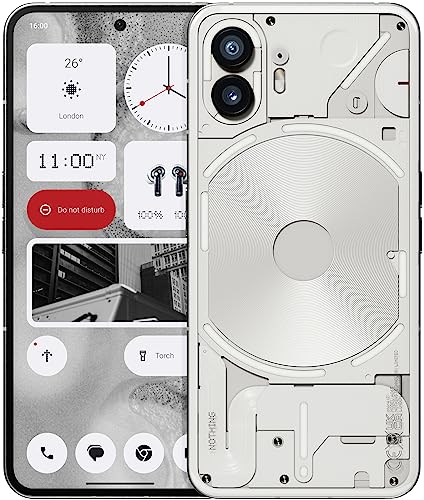
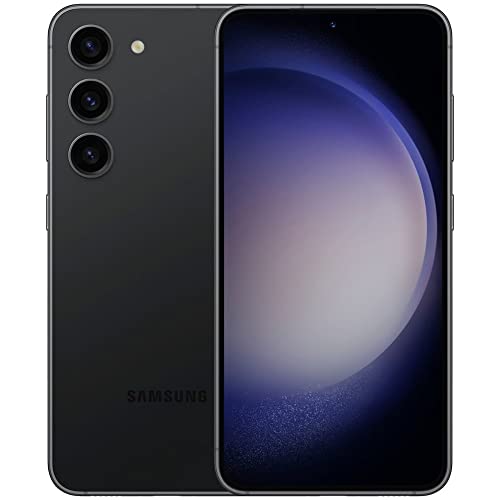
 Rogue R67S Unlocked 4G LTE Smartphone for T-Mobile6.78 x 3.13 x 0.39 inches0.5 poundsCheck on Amazon



What's inside
- Defining the middle: what counts as midsize
- Displays in the 6.1 to 6.4 inch band
- One-handed use, grip, and everyday carry
- Battery, charging, and endurance expectations
- Cameras, performance, and the hardware inside
- Connectivity, software, and long-term ownership
- Midsize versus compact and large alternatives
- Shortlisting and checking a candidate in person
- Who this size quietly serves best
- Comfort is a specification too
- Endurance, cameras, and ageing gracefully
- A shortlisting routine that actually works
- Check prices on Amazon
- One last thought on buying for the long term
As an Amazon Associate I earn from qualifying purchases. This post may contain affiliate links at no extra cost to you.
Choosing an Android phone by size used to be simple, because models clustered tightly around a few familiar dimensions. Today’s catalogue stretches from tiny specials to folding giants, and the middle of that range, displays of roughly 6.1 to 6.4 inches, quietly serves the largest number of people well. This guide compares that band using manufacturer specification sheets, published dimensions and weights, and recurring themes in owner reports, so the reasoning stays grounded in numbers any reader can verify.
Some links on this page are affiliate links, which means a commission may be earned if a reader buys through them, helping to fund the site without changing the price paid. The comparisons below follow the specifications regardless of that arrangement, and readers should always confirm dimensions and band support on the exact regional variant they intend to buy.
The promise of the middle band is balance: enough screen for reading, photography, and video, in a body that still answers a message safely with one hand on a crowded platform. It is not the right answer for everyone, and the sections on alternatives say so plainly. Readers surveying the whole market can also browse best 10 android phones before narrowing to this size class, and those with a strict budget will find best affordable android phones under 200 useful alongside the sizing advice here.
Defining the middle: what counts as midsize
Size labels are marketing, but millimetres are not, so this guide anchors the category in display diagonal, body width, height, and weight ranges that can be checked on any specification sheet.
A midsize Android handset in this guide means a display measuring roughly six point one to six point four inches diagonally, a band that keeps one-handed reach plausible while preserving comfortable reading and video. That diagonal range usually pairs with a body width near seventy to seventy-three millimetres, and width, more than diagonal, decides whether a thumb can cross the screen without shifting grip. Height in this class commonly lands between one hundred forty-five and one hundred fifty-six millimetres, which keeps the top edge reachable with a small shuffle rather than a full second hand. Weight clusters around one hundred sixty to one hundred ninety grams for many models in the band, a range that balances a substantial battery against fatigue during long reading sessions.
Compact phones below six inches sacrifice display area and often battery volume, while large models above six point seven inches trade pocket comfort and one-handed safety for immersion. Manufacturers quote diagonal measurements across rounded corners, so the viewable area is slightly smaller than the headline figure, a footnote worth remembering when comparing two near-identical listings. Aspect ratios near nineteen point five to nine or twenty to nine stretch a midsize panel taller than older sixteen to nine screens, helping lists and articles while letterboxing some video content. Resolution in this class is frequently Full HD Plus, which at six point three inches yields pixel density high enough that individual pixels stay invisible at normal reading distance.
Higher refresh rates, commonly ninety or one hundred twenty hertz, make scrolling through long documents feel smoother, although the benefit depends on the application rendering at that pace. Panel technology divides between OLED screens with deep blacks and LCD screens that can be bright and colour-accurate, and specification sheets state which technology a given model carries. Brightness figures quoted in nits describe peak output under specific conditions, so outdoor readability also depends on reflectivity, polariser quality, and how aggressively automatic brightness responds to sunlight. A flatter display edge suits many midsize buyers because palm rejection behaves predictably and screen protectors fit simply, while strongly curved edges can invite accidental touches during one-handed use.
Grip is shaped by frame material and finish, since polished metal rails look elegant but can feel slippery, whereas matte finishes and textured backs reduce the need for a bulky case. Button placement matters at this size, because a power key that doubles as a fingerprint reader on the right edge falls naturally under the thumb of a right-handed holder. In-display fingerprint readers free the back panel and work with the phone face-up on a desk, though their speed and accuracy vary by sensor type stated in the specifications. Face unlock offers a secondary convenience, yet specification sheets rarely promise the secure hardware depth sensing found in a few flagship lines, so fingerprint remains the primary biometric for most buyers. A closely related size comparison appears at best 6 inch android phones for readers checking neighbouring dimensions.
Battery capacity in midsize bodies often sits between four thousand and five thousand milliamp-hours, constrained by the same volume that makes the phone comfortable to hold for hours. Endurance therefore depends heavily on chipset efficiency and display behaviour, which is why two models with similar capacity figures can deliver noticeably different owner-reported screen time. Charging speeds are published in watts by each maker, and midsize models span a wide range, from modest rates that suit overnight charging to rapid systems that refill substantially during breakfast. Wireless charging appears less consistently in this band than among flagships, so buyers who rely on pads at work should confirm its presence explicitly rather than assuming a glass back implies it.
Camera systems in midsize handsets typically pair a main sensor with an ultrawide companion, while telephoto hardware remains rarer, reflecting cost and the internal space a periscope or extra lens consumes. Optical image stabilisation on the main camera helps handheld low-light photography, and its presence or absence is stated plainly in camera specification tables for each candidate model. Front cameras in punch-hole cutouts preserve display area, and their placement at the left or centre subtly affects video call framing and the symmetry some owners care about. Processor tiers in this segment range from efficient mid-range chipsets to previous-generation flagship silicon, and published core counts, process nodes, and GPU models let buyers compare without guesswork.
Checking the details: defining the middle
- Memory configurations commonly offer several combinations of RAM and storage, and the midsize band includes models with expandable storage alongside sealed designs, so the slot should be checked per model.
- Software update commitments now differ sharply between brands, with published promises ranging from two to seven years of security patches, making the support window a genuine specification in its own right.
Display protection glass generations are listed by makers, and newer generations claim improved drop survival, although a case and protector remain the cheapest insurance for a phone carried daily. Water and dust resistance certifications such as IP67 or IP68 appear on some midsize models and not others, and the certification describes controlled test conditions rather than permission for deliberate submersion.
Displays in the 6.1 to 6.4 inch band
Panels in this range share enough traits to compare cleanly, and the differences that remain, from refresh behaviour to brightness, are the ones worth paying attention to.
Speaker arrangements vary from a single bottom-firing unit to stereo pairs using the earpiece, a difference owners notice immediately when watching video without headphones on a train or in a kitchen. The three point five millimetre headphone socket survives on selected midsize models, so wired audio listeners should treat its presence as a checklist item rather than a nostalgic assumption. USB-C is universal in this class, yet wired transfer speeds and video output support differ, because some models add DisplayPort output while others limit the port to charging and basic data. NFC for contactless payment is common but not guaranteed in every region variant, and the regional specification sheet, not the global announcement, decides whether a particular unit carries it.
Dual SIM support, eSIM support, or a hybrid arrangement changes travel flexibility, and midsize phones include all three approaches, so the tray description deserves a careful read before purchase. Five G band support differs by market, and a model imported from another region may miss local bands, which is why band lists should be matched against the buyer’s carrier before ordering. Wi-Fi generations and Bluetooth versions are printed in connectivity tables, and newer standards mainly help on matching home routers, improving throughput and efficiency in crowded apartment buildings. Haptics quality is hard to capture in numbers, yet owner reports consistently distinguish crisp linear motors from loose buzzing units, influencing how premium a midsize phone feels during typing.
Case availability follows popularity, so widely sold midsize models enjoy broad accessory choice, while niche imports may leave buyers waiting weeks for a correctly fitting protective cover. Screen size interacts with keyboard comfort, because a six point three inch display gives thumbs room to separate, reducing typos compared with very narrow compact phones for many writers. Reading applications benefit from the extra line length over compact models, while the phone still fits a coat pocket, a balance commuters cite often when explaining why they settled in this band. Gaming at this size favours titles needing reach across virtual controls, since thumbs cover less of the action than on a small screen and the device stays cooler to hold than many large slabs.
Video calls feel natural because the front camera distance and display size approximate a face at arm’s length, without the arm fatigue a heavier large handset causes during a long family call. Photography handling improves when the shutter button area and grip stay within one hand, letting the other hand hold a child, a railing, or a coffee while a quick picture is taken. For cycling and running, midsize phones fit more armbands and jersey pockets than large models, and their moderate weight bounces less, which athletes mention repeatedly in owner discussions. Elderly users often prefer this band because text can be enlarged usefully without the device becoming unwieldy, and reachability features in Android pull the top of the interface downward on demand. A closely related size comparison appears at best 146mm android phones for readers checking neighbouring dimensions.
Android reachability gestures, one-handed modes, and resizable keyboards all assume a starting size, and they work best precisely in this middle band where a small shrink makes everything reachable. Split-screen multitasking is usable but cosy at six point two inches, suitable for a video above notes, whereas serious side-by-side document work still belongs on larger screens or tablets. Foldable phones complicate the category, yet their closed outer displays often sit in this same size band, which is why many owners describe using them as midsize phones most of the day. Price positioning in this band spans budget to near-flagship, so the size itself says nothing about cost, and buyers should compare chipset, camera, and update promises independently of dimensions.
Retail naming can mislead, because a model marketed as compact by one brand may measure larger than a standard model from another, making millimetre dimensions the only trustworthy comparison. Measuring an existing phone and comparing those figures with a candidate specification sheet is the most reliable sizing method, far better than judging from photographs beside unfamiliar objects. Store display units help when available, and holding a phone for several minutes, typing a paragraph, and pocketing it reveals more than a glance at its bright demonstration screen. Buyers downsizing from a large handset usually adapt within a week, reporting that pockets, car mounts, and one-handed messaging improve more than the lost display area hurts their routines.
Checking the details: displays in the 6.1 to 6.4 inch band
- Buyers upsizing from a compact handset notice battery endurance first, because the larger midsize body quietly houses a bigger cell even when the specification difference looked modest on paper.
- A balanced shortlist in this band should include at least one model prioritising battery, one prioritising camera hardware, and one prioritising software longevity, so trade-offs become visible side by side.
Chipset efficiency graphs published by manufacturers use their own workloads, so independent reviews and owner reports of real screen time provide the necessary second perspective before deciding. Thermal behaviour matters during navigation and camera use, and midsize bodies have less surface to shed heat than large phones, making efficient silicon especially valuable in warm climates.
One-handed use, grip, and everyday carry
A phone is held far longer than it is admired, so ergonomics, button placement, and pocket behaviour deserve the same scrutiny as any electronic specification.
Storage speed standards such as UFS versions affect application loading and photo saving bursts, and the version is printed in detailed specifications even when marketing pages omit it entirely. RAM quantity influences how many applications stay resident, and owners who switch between maps, music, and messaging notice reloading behaviour more than any synthetic benchmark score difference. Display colour modes let owners choose vivid or natural rendering, and a midsize OLED with a good natural mode suits photo editing on the move better than an oversaturated default profile. Always-on display features sip power differently across models, and published implementations vary from full panels to small clocks, so endurance claims should be read alongside that feature setting.
Adaptive refresh technology lowers the rate for static reading and raises it for scrolling, stretching battery life in exactly the reading-heavy usage that midsize phones are often bought for. Peak brightness headlines should be read with the fine print, because some figures apply to a tiny window of the screen during HDR playback rather than the full panel in sunlight. Screen uniformity and tint shift at angles appear in detailed reviews, and those qualities separate panels that share identical resolution and refresh figures on the specification sheet. Camera processing style is a brand signature, with some makers favouring contrast and others lifting shadows, and sample galleries published by reviewers show the tendency better than sensor megapixels alone.
Megapixel counts describe the sensor maximum, while default output often bins pixels to a lower resolution for sensitivity, a detail explained in camera sections of most manufacturer pages. Ultrawide field of view figures, quoted in degrees, tell buyers how much more of a room or landscape fits, and distortion correction quality decides whether straight lines near edges stay believable. Video stabilisation modes crop the frame to varying degrees, so a model can offer several combinations of resolution, frame rate, and stabilisation, listed in its official video specification table. Slow-motion and high-frame-rate modes are fun extras, yet everyday buyers gain more from reliable autofocus and consistent exposure, qualities owner reports praise or criticise after months of family photography.
Selfie camera autofocus remains uncommon, and fixed-focus front cameras rely on depth of field, which is adequate at arm’s length but less forgiving for close group photographs at gatherings. Microphone count and placement influence call clarity in wind, and some models publish noise reduction features that frequent outdoor callers value more than an extra rear lens module. Emergency satellite features remain limited to certain regions and models, so hikers should verify availability for their exact variant rather than assuming a headline announcement covers every market. Repairability is improving in parts of this segment, with some makers publishing spare part prices and guides, a practical consideration for a phone expected to serve four or more years.
Battery replacement cost and availability decide whether a midsize phone ages gracefully, because capacity fade after several hundred cycles is normal chemistry rather than a defect of a particular brand. Trade-in values favour popular models, so choosing a widely sold midsize handset can quietly reduce the eventual cost of its replacement even before any promotional offers are considered. Environmental statements from manufacturers now list recycled materials and packaging reductions, and buyers who value those efforts can compare the published figures across their shortlist directly. Accessibility features such as hearing aid compatibility certifications are published for many models, and those certifications matter enormously to the buyers who need them while remaining invisible in most marketing.
Stylus support is rare in this band outside dedicated lines, so note-takers should confirm compatibility explicitly, since a capacitive pen is a poor substitute for a proper active stylus system. Desktop modes that turn a phone into a simple computer interface appear on selected models, and midsize screens work well as trackpads in that arrangement while an external monitor shows content. Gaming modes that limit notifications and stabilise frame rates are software features listed by makers, and they cost nothing in size or weight, making them easy wins in this segment. Parental controls and digital wellbeing tools are standard Android features, yet their placement and depth vary by skin, which parents comparing family phones should explore in the settings documentation.
Checking the details: one-handed use, grip, and everyday carry
- Work profile support lets one midsize phone carry personal and employer applications separately, and the moderate size suits professionals who must carry the device all day in a pocket.
- For delivery and field workers, glove mode display settings and high brightness matter more than camera flair, and those settings appear in display sections of the manual for each model.
A midsize phone paired with a tablet covers most mobile needs elegantly, the phone handling communication and photography while the larger screen handles documents, media, and split-screen work at home. That pairing logic explains why many owners no longer chase the largest handset, because the second device at home absorbs the tasks that once justified an oversized phone screen.
Battery, charging, and endurance expectations
Body volume sets the ceiling for battery size, and efficiency decides how close a model gets to that ceiling in real owner-reported use.
Longevity also favours balance, since a phone that is comfortable to hold is a phone less likely to be dropped, and drop survival quietly dominates real-world durability statistics in owner accounts. Grip cases add millimetres, so a model at the slim end of the band may still feel midsize after protection, while a thick model in a rugged case can feel like a large phone in practice. Buyers should therefore compare dimensions with a typical case in mind, especially width, because two or three added millimetres decide whether a favourite car mount still closes around the device. Wireless charger alignment is easier on midsize bodies for many owners, since the coil sits closer to the centre of typical pads and the phone overhangs less during overnight charging.
Magazine and book reading in bed is kinder to wrists at this weight, and the difference between one hundred seventy and two hundred thirty grams becomes obvious after twenty minutes of holding. Children borrowing a parent phone manage midsize devices more safely with two small hands, another household observation that rarely appears in specifications yet shapes many family purchase decisions. Public transport use rewards the band strongly, because a secure one-handed grip leaves the other hand for a rail, and the screen remains large enough for news, messages, and timetables at a glance. In short, the middle band persists because it asks the fewest compromises of the widest range of people, and the specification checks in this guide simply make those compromises explicit before purchase.
Checking the details: battery, charging, and endurance expectations
Cameras, performance, and the hardware inside
Midsize bodies host serious hardware, and comparing published camera and processor specifications shows where each maker spent its internal space and budget.
Checking the details: cameras, performance, and the hardware inside
Connectivity, software, and long-term ownership
Radios, update promises, and repairability decide how gracefully a handset ages, and those factors are printed in documents many buyers skip.
Checking the details: connectivity, software, and long-term ownership
Midsize versus compact and large alternatives
The clearest way to value the middle band is to place it between its neighbours and name exactly what is gained and surrendered on each side.
Checking the details: midsize versus compact and large alternatives
Shortlisting and checking a candidate in person
The closing sections turn the comparison into a routine: read the right figures, ignore the misleading ones, and verify comfort with the phone in hand.
Checking the details: shortlisting and checking a candidate in person
Who this size quietly serves best
Commuters form the natural constituency of this size band, because a phone used hundreds of times a day in motion rewards secure grip and moderate weight more than cinematic screen area. Parents answering messages while holding a toddler likewise value a handset that can be operated safely with the free hand, without a juggling act over hard kitchen floors. Delivery riders checking addresses at kerbsides need brightness, one-handed reach, and a device that returns to a pocket quickly, a combination the middle band delivers without drama.
Healthcare workers moving between wards prefer a phone that disappears into a uniform pocket yet still shows charts legibly, and midsize models are repeatedly chosen for exactly that balance. Teachers supervising crowded corridors use their phones in fragments of seconds, glancing at timetables and messages, and a manageable size makes those micro-interactions safer and faster. For older relatives, this band allows text large enough to read comfortably while the phone remains light enough to hold during a long call with grandchildren abroad.
Teenagers often resist midsize phones until they carry one for a week, after which many report that gaming and messaging feel easier than on the oversized handset they originally wanted. That pattern appears in owner discussions regularly: the middle size is rarely loved at first sight in a shop, but it is frequently loved after a month of ordinary life. Shop displays exaggerate large screens because bright looping videos flatter them, while the costs of size only appear later, in pockets, on trains, and at the end of tiring days.
A fair in-person check therefore includes sitting down with the phone in a pocket, standing to remove it, typing a real message, and taking a photograph of something at arm length. Retail staff rarely object to such checks, and a few minutes of honest handling reveal more about width and weight than an afternoon of reading comparison articles online. Cyclists mounting phones on handlebars find midsize devices fit more mounts securely, and their moderate weight vibrates less over rough surfaces than heavier large models on the same bracket.
Runners using phone armbands face strict size limits, and many popular armbands list maximum dimensions that quietly exclude the largest handsets while welcoming this entire band. Hikers carrying phones in chest pockets appreciate moderate dimensions when bending and scrambling, because an oversized slab presses uncomfortably and risks slipping during awkward movements. Photographers using phones as field monitors for cameras value a bright midsize screen that clamps into standard holders, many of which were designed before phones grew to current extremes.
Musicians reading chord charts on stage stands find this band large enough for lyrics at a distance while small enough to sit securely in holders built for earlier generations. Public speakers using a phone as a discreet timer and notes device on a lectern benefit from legible text without a glowing slab that distracts an audience in a darkened hall. Students carrying phones alongside laptops and chargers in crowded bags notice every gram by the end of a campus day, and midsize weight keeps the total load sensible.
Office workers who dock a phone beside a monitor use it for authentication prompts and messages, tasks where screen size barely matters but a compact desk footprint genuinely does. Gamers who play in short sessions on public transport often prefer this band because thumbs reach across the display and the phone stays comfortable during the walk home afterwards. Strategy and puzzle titles suit the size especially well, since they demand reading small interface text that compact phones squeeze and large phones make needlessly distant for thumbs.
Action titles remain playable, though competitive players may still choose larger screens, an honest exception that shows the band is a balance rather than a universal answer. Video editors trimming clips for social platforms find the timeline workable at this size, especially with a stylus-free pinch workflow, while long-form editing still belongs on a tablet or computer. Writers drafting on phones during commutes get a keyboard wide enough for accuracy without the thumb-stretching gaps of very wide devices, and error rates visibly drop for many two-thumb typists.
One-thumb typists benefit even more, because the far keys stay reachable, and several keyboard applications offer a dedicated one-handed layout that shrinks an already manageable board further. Reading news in bed, the phone hovers above a pillow for twenty minutes, and owners consistently describe midsize weight as the difference between finishing an article and abandoning it with an aching wrist. E-book applications shine here because page width approximates a paperback column, which reading research has long associated with comfortable line lengths and fewer regressions while scanning text.
Comic readers may still prefer larger panels for full-page art, yet panel-by-panel guided modes make midsize screens perfectly serviceable for most graphic novels during travel. Manga readers in particular praise guided view on this band, since each panel fills the display at a size close to the printed page the artwork was designed for. Boarding passes, loyalty cards, and payment codes all present cleanly at this size, and screen brightness matters more at a scanner gate than any extra centimetre of display.
At supermarket self-checkouts, a midsize phone is easier to keep in one hand while the other handles bags, a mundane scene repeated weekly that quietly justifies the category. Gardeners photographing plants for identification apps hold phones over soil beds with one hand, and a secure grip prevents the muddy drop that larger, heavier devices invite. Cooks following recipes with floury hands need a phone that can be propped, glanced at, and occasionally nudged with a knuckle, all easier when the device is neither tiny nor sprawling.
Parents filming a school play from a seat need arms that do not block neighbours, and a lighter midsize phone held steadily for ten minutes serves everyone in the row better. Grandparents receiving that film later watch it on the same size of screen, pinch-zooming faces with gestures that remain manageable because the device itself never overwhelms their hands. These scenes share a theme: the phone is a tool inside a larger activity, and midsize dimensions keep it subordinate to the activity instead of demanding both hands and full attention.
Comfort is a specification too
Understanding why diagonals mislead helps buyers shop accurately: a taller, narrower screen can post a large diagonal while offering less usable width than a shorter, broader display. Comparing width in millimetres cuts through that illusion instantly, because width governs both grip and the size of text columns in portrait orientation, where phones spend most of their lives. Height matters second, affecting how far a thumb must travel to reach status icons and how the phone balances when its top half is tapped during one-handed scrolling.
Weight distribution matters as much as total weight, since a top-heavy camera housing can make a nominally light phone feel precarious, while even mass distribution feels secure and calm. Reviewers who weigh devices and comment on balance provide a service specification sheets cannot, and owner reports after a month reveal whether early impressions of comfort survived daily use. A phone that feels fine for five minutes in a shop can fatigue a hand during a forty-minute video call, so comfort judgements should imagine duration, not just first contact.
Case choice resets these calculations: a rugged case can add several millimetres of width and dozens of grams, pushing a borderline handset into a different comfort category entirely. Buyers loyal to rugged cases should therefore start at the smaller, lighter end of the band, while buyers who use slim cases or none can enjoy its upper reaches comfortably. Glass backs enable wireless charging but usually demand a case for grip, whereas textured polymer backs can be used bare, effectively making the same phone smaller in real life.
That practical difference rarely appears in marketing, yet it decides whether the published dimensions describe the object actually carried or merely the object inside its protective shell. Button feel is another underreported comfort factor: a recessed, positive power key can be found blindly in a pocket, while flush buttons invite screen-waking fumbles and missed photographs. Volume keys placed opposite the power button cause accidental squeezes in some grips, and owners with smaller hands notice this layout flaw far sooner than specification readers would predict.
Screenshot shortcuts that require pressing both sides simultaneously are genuinely awkward on wider phones, one more small way that moderate width improves daily interactions nobody advertises. The position of the fingerprint reader interacts with grip too, because an in-display sensor placed low suits a thumb that naturally rests near the base of a midsize handset. Side-mounted readers suit users who unlock while lifting the phone from a table, since the finger lands on the rail during the lift rather than after the device is raised.
Face unlock speed varies with lighting, and owners who unlock phones in dark bedrooms value a fingerprint option that works without illuminating their face at midnight. Haptic feedback quality shapes perceived solidity: a tight, short vibration makes typing feel precise, while a loose buzz makes even an expensive handset feel hollow and unfinished. Manufacturers rarely publish motor specifications prominently, so this quality must be judged in person or through detailed reviews that specifically describe typing and alert sensations.
Speaker placement affects grip as well, because a bottom speaker is easily muffled by the palm during landscape video, and owners learn to cup their hand in ways that grow tiring. Dual speakers that include the earpiece reduce that problem, and the improvement is obvious within seconds of watching a clip, making it a feature worth prioritising for media-heavy users. Headphone listeners using adapters should check where the port sits, because a cable exiting beside the little finger changes how the phone rests during a commute with wired earphones.
Left-handed users face small asymmetries everywhere, from camera placement to button sides, and handling a phone with the dominant hand in a shop reveals issues invisible in photographs. Accessibility settings can compensate for some asymmetries, including moving key controls lower on the screen, and Android one-handed mode temporarily shrinks the interface toward either bottom corner. That software shrink works best when the physical starting point is already moderate, because a small interface floating on a huge, heavy slab still leaves the hardware problem unsolved.
Reachability therefore has two halves: software that brings content down, and hardware light enough that repositioning the phone in the hand never feels risky over hard floors. Drop anxiety is a real ownership cost, and people who fear dropping a phone use it less freely, photograph less spontaneously, and spend more on cases and insurance than calmer owners. Midsize phones reduce that anxiety measurably in owner accounts, not by being indestructible, but by being holdable, which prevents the fumbles that cause most drops in the first place.
When drops do happen, moderate size helps again, because cases for popular midsize models are plentiful, well-fitted, and available locally on the day of the accident rather than by post. Screen replacement costs for common midsize models also tend to be lower than for exotic large flagships, partly because parts volumes are higher and repair shops know the models well. Independent repairers often stock displays for best-selling midsize handsets, shortening repair times from weeks to days, a practical advantage that matters when the phone is also a work tool.
Insurance premiums follow repair costs, so the size band can quietly save money across years of ownership even when the purchase prices of two compared models look similar. Resale listings tell the same story from the other side: mainstream midsize models sell quickly because the pool of buyers comfortable with their dimensions is the largest of any category. A seller upgrading after three years benefits from that liquidity, while owners of extreme sizes, very small or very large, wait longer for the narrower audience that shares their preference.
None of this makes midsize glamorous, but ownership is mostly logistics, and the band wins on logistics repeatedly: fit, weight, parts, cases, mounts, resale, and repair all lean its way.
Endurance, cameras, and ageing gracefully
Battery expectations deserve calibration: a midsize phone that comfortably ends a heavy day with a fifth of its charge remaining is performing well, whatever larger devices with bigger cells achieve. Owners who demand two full days should look at efficiency figures and published capacities together, because a frugal chipset in this band can outlast a wasteful one in a larger body. Screen brightness is the largest variable under user control, and outdoor workers who run panels near maximum will see endurance fall on any model, regardless of its capacity headline.
Refresh rate settings offer a genuine trade: fixing the display at its standard rate extends standby-to-evening endurance noticeably for readers, while gamers may happily spend that charge on smoothness. Adaptive battery features in Android learn routines over weeks, so endurance judgements made on day two often improve by week three, a pattern owners frequently report after initial disappointment. Charging habits influence longevity more than size does, and keeping a phone between moderate charge levels during desk days is easier when fast top-ups make short sessions worthwhile.
Heat during charging shortens battery life over years, so a model that charges quickly but stays cool, or that offers a slower overnight mode, treats its owner better across a long contract. Some midsize models include battery health information in settings, letting owners watch capacity fade honestly rather than guessing from shorter days and blaming software updates reflexively. When capacity finally fades, replacement cost decides whether the phone continues, and models with published, reasonably priced battery service enjoy second lives with relatives or as backup devices.
Performance longevity follows a similar arc: mid-range chipsets of recent generations handle messaging, photography, navigation, and media for years, because those workloads stopped being demanding long ago. The workloads that still punish hardware are sustained gaming, high-resolution video editing, and heavy multitasking with floating windows, and buyers in those groups should weight processor tiers accordingly. For everyone else, storage speed and memory quantity age more noticeably than raw processing power, because applications grow heavier and photo libraries swell while message threads remain light.
Choosing the higher storage tier at purchase is often the wisest upgrade in this band, since it postpones the miserable afternoon of deleting applications to photograph a family event. Expandable storage, where offered, changes that calculation entirely, letting a modest internal tier serve for years while media accumulates on a card that can move to the next handset. Buyers should check whether a model treats a card as portable storage only or allows application storage too, because the distinction decides how much pressure the card actually relieves.
Software skins differ in storage overhead as well, with some occupying noticeably more of the internal capacity out of the box, a figure detailed reviews usually report precisely. Update policy interacts with storage, because years of system updates consume space gradually, and a phone promised long support deserves the headroom to actually receive it comfortably. Security support length is now a headline specification for several brands in this band, and comparing those promises is as rational as comparing camera sensors used to be.
A phone receiving patches for many years can be handed to a teenager safely later, extending its useful life and delaying both expense and electronic waste for the household. Camera quality in this band has reached a point where differences are matters of taste: colour rendering, night processing style, and how gracefully highlights roll off in contrasty scenes. Published sensor sizes and apertures predict low-light potential better than megapixel counts, and a larger sensor with modest resolution often pleases owners more than a tiny sensor boasting huge numbers.
Ultrawide cameras vary wildly in quality within the band, from genuinely useful lenses to soft afterthoughts, so sample images at the edges of frames deserve scrutiny before a holiday purchase. Macro capability sometimes arrives through the ultrawide lens and sometimes through a dedicated low-resolution camera, and the former arrangement almost always produces results owners prefer to share. Front camera quality matters to anyone who video-calls family weekly, and specifications for focus and field of view predict that experience better than resolution alone ever will.
Video microphones and wind handling decide whether outdoor clips are watchable, and reviewers who publish unprocessed clips provide evidence that specification tables simply cannot express. Stabilisation quality shows in walking footage, where the best midsize models now produce clips that grandparents can watch without motion discomfort, a genuine quality-of-life improvement. None of these camera traits depend on the phone being midsize, yet the band hosts them all, which is the point: choosing comfort no longer means accepting a compromised camera.
That was not always true, and buyers whose assumptions formed five years ago may still believe smaller bodies mean weaker hardware, an outdated belief worth discarding before shortlisting. Display quality tells the same story, with excellent OLED panels, high refresh rates, and strong brightness now routine in bodies that fit ordinary pockets and ordinary hands. Water resistance has likewise migrated into the band, so a phone that survives a rainstorm or a spilled drink is available without stepping up to the largest, heaviest flagships.
Taken together, the modern midsize phone is not a lesser flagship but a differently balanced one, trading screen acreage for handling while keeping the features most owners use daily. Recognising that reframes the purchase: the question stops being what a buyer gives up by choosing midsize, and becomes what they gain in comfort for the same capability.
A shortlisting routine that actually works
A practical shortlisting routine starts with three measurements from a current phone: its width, its weight, and the diagonal its owner already knows, written down before any marketing is read. Candidates within a few millimetres and grams of a comfortable current phone deserve priority, while anything dramatically larger should be treated as a lifestyle change, not an upgrade detail. Next, list the three tasks the phone performs most, because a band this broad contains models tuned for photography, endurance, gaming, and software longevity in different proportions.
Match those tasks to published specifications in order: battery capacity and chipset efficiency for endurance, sensor size and stabilisation for photography, cooling and processor tier for gaming. Then check the unglamorous page of the specification sheet: update promise, water resistance certification, storage options, SIM arrangement, and the bands supported in the buyer’s own country. Regional variants deserve a final verification on the manufacturer site for the exact model number, because memory, bands, and even SIM trays can differ between markets sharing one product name.
Accessories owned already, from car mounts to wireless chargers to a favourite case style, should be checked against the new dimensions before money moves, not discovered afterwards. If a mount almost fits, a midsize candidate at the smaller end of the band often preserves it, saving money and waste while keeping a familiar dashboard routine intact. In the shop, type a paragraph, take three photographs, browse a long article, and pocket the phone while sitting, because those four actions rehearse ninety percent of real ownership.
Ask about return windows, since comfort judgements sometimes need a weekend of real life, and a fair returns policy is part of what a buyer is paying a good retailer for. At home, migrate during a calm evening, set up the one-handed features immediately, and resist judging the size until the hand has relearned its habits over several days. Most owners report that a new size feels strange for forty-eight hours regardless of direction, so early impressions should be noted but not obeyed until the adjustment period passes.
After a month, the honest verdict arrives in small moments: a message answered on a platform edge, a photograph taken one-handed, a pocket that never snags, a wrist that never aches. Those moments are the real review of a midsize phone, and they explain why this unglamorous band quietly outsells the extremes that dominate advertising and launch-day conversation. Compact phones will always suit minimalists who prize invisibility over screen comfort, and large phones will always suit media devotees and split-screen workers, and both groups should follow their needs honestly.
Foldables add a third path for buyers wanting a tablet in a pocket, at prices and weights that currently place them outside the simple balance this guide describes. Tablets at home have already absorbed the biggest-screen tasks for many households, which is precisely why their phones are free to return to a size governed by hands rather than by content. That ecosystem thinking is the mature way to buy: choose each device for the hours it will actually serve, instead of demanding one device win every scenario at once.
A midsize phone chosen this way stops being a compromise entirely, because compromise implies reluctance, and there is nothing reluctant about matching a tool to the hand that holds it. Measure honestly, compare the published figures that predict daily comfort, verify the regional details, handle the device like an owner rather than an audience, and the middle band will reward the method.
Check prices on Amazon
Live listings for the shortlist in this guide are pulled from Amazon below, so prices and availability are always current at the moment you look.


One last thought on buying for the long term
One more consideration is how this band ages in the hand as owners themselves change: eyesight, grip strength, and habits shift over a long ownership, and moderate dimensions adapt gracefully to all three. A phone bought at forty may be used at forty-five with reading glasses and different priorities, and a balanced size accommodates that evolution better than an extreme chosen for a single season of taste. Handing the phone down extends the argument, because a device sized for the broad middle of human hands suits a teenager, a parent, and a grandparent in succession without awkwardness at any step.
Sustainability arguments often focus on materials, yet longevity through hand-me-down suitability is a quieter environmental win, and midsize dimensions maximise the pool of willing next owners in any family. Employers issuing phones at scale reach the same conclusion for the same reason, standardising on this band because it minimises complaints across a workforce of varied hands, roles, and eyesight. Fleet buyers also value the accessory ecosystem, since one case model, one mount, and one screen protector size can serve an entire department when the handset dimensions stay mainstream.
Schools issuing devices to staff report similar satisfaction, and their purchasing notes read like a summary of this guide: bright enough, light enough, tough enough, and large enough, in that order. The order matters, because it reflects lived priority rather than showroom priority, and lived priority is the only kind that survives contact with a school term or a working year. So the middle band endures not because buyers lack imagination, but because they have experience, and experience keeps returning to the size that asks the least and delivers nearly everything.
Choose the phone your hand would pick after a long day, not the one your eyes pick under bright shop lights, and for most people that honest choice will keep landing in this same balanced middle.