Our Top Picks


What's inside
- Why LGA 1155 Still Deserves Attention in 2026
- The Socket Itself: 1,155 Pins and Two Processor Generations
- Meet the Processors These Boards Exist to Serve
- Chipset Guide: Z77, Z68, H77 and B75 Explained
- Form Factors: ATX, Micro-ATX and Mini-ITX
- Board Spotlights: Models Worth Hunting Down
- Memory: Living Well With DDR3
- Expansion, Storage and Connectivity
- Power Delivery and Overclocking Realism
- BIOS Compatibility: The Rule That Decides Everything
- Inspecting a Used Board Like a Technician
- Power Supplies, Cases and the Supporting Cast
- Retro Gaming and Homelab Roles
- Common Faults and How to Read Them
- Audio, Networking and the Details Spec Sheets Bury
- Choosing by Use Case
- Operating Systems and Driver Reality in 2026
- Keeping a Vintage Board Alive
- Board Revisions, Regional Variants and Other Fine Print
- A Short Word on Memory Tuning
- When to Walk Away
- The Environmental Case for Keeping Boards in Service
- Verdict: Buy the Chipset, Judge the Condition
- Check prices on Amazon
- Affiliate Disclosure
As an Amazon Associate I earn from qualifying purchases. This post may contain affiliate links at no extra cost to you.
Why LGA 1155 Still Deserves Attention in 2026
Few desktop platforms have aged as gracefully as Intel LGA 1155. Launched in January 2011 alongside the Sandy Bridge processor family and extended a year later by Ivy Bridge, this socket hosted everything from humble Celeron chips for office terminals to the Core i7-3770K, a quad-core flagship that still handles everyday computing, light content creation and older games without drama. Because millions of boards were sold into homes, schools and businesses, the second-hand market in 2026 remains deep, varied and genuinely useful for anyone assembling a retro gaming rig, a low-power home server or a spare workstation from parts already on the shelf.
Choosing among these boards demands a different mindset from shopping for a current platform. Nobody manufactures mainstream LGA 1155 models anymore, so every purchase is effectively a judgement about condition, capacitor health, firmware revision and seller honesty. A board that looks identical in photographs can differ enormously in remaining service life. Our research for this guide therefore weighs documented specifications against the practical realities of fourteen-year-old hardware: swollen electrolytic capacitors, worn socket pins, tired chipset fans on a few early designs, and BIOS versions that may or may not recognise a later Ivy Bridge processor.
The reward for careful selection is considerable. A well-kept Z77 board paired with a Core i7-3770K and sixteen gigabytes of DDR3 memory forms a machine that boots quickly from a SATA solid-state drive, drives two monitors, runs a home media library and plays a vast catalogue of games released before 2018 at respectable settings. Total build cost stays modest because DDR3 memory, coolers and power supplies for this era remain plentiful. The platform also supports virtualisation extensions on most Core i5 and i7 models, which makes it surprisingly capable as a small hypervisor host for containers, firewalls and network services.
This guide explains how the four main chipsets differ, which processors each board generation accepts, what the voltage regulator circuits tell you about overclocking headroom, and how to inspect a used listing photograph like a technician rather than a gambler. We compared specifications across manufacturer archives, chipset datasheets and community-maintained compatibility lists, then organised the findings around the decisions a buyer actually faces: chipset first, form factor second, condition always.
The Socket Itself: 1,155 Pins and Two Processor Generations
LGA 1155, also labelled Socket H2, places the contact pins in the motherboard socket and flat gold pads on the processor underside. That arrangement matters for used purchases because bent socket pins are the single most common fatal defect in listings described as untested. A healthy socket shows a perfectly uniform grid when photographed at an angle; even two or three displaced pins can disable a memory channel or a PCIe lane group. Sellers who photograph the socket with the protective cover removed and lighting from the side deserve more confidence than those who hide it.
Sandy Bridge processors, the 2000-series Core models plus matching Pentium and Celeron variants, arrived first and work in every LGA 1155 board ever made. Ivy Bridge, the 3000-series generation built on a 22-nanometre process, brought PCI Express 3.0 support, native USB 3.0 through the newer chipsets, lower idle power and roughly five to ten percent better performance per clock. Whether an older 6-series board accepts an Ivy Bridge chip depends entirely on firmware, a dependency explored later in this guide.
Physical compatibility hides one famous trap. LGA 1155 and the later LGA 1150 socket look nearly identical, yet their pin counts, notch positions and electrical layouts differ, so processors cannot cross between them. A Core i7-4770K will never run in these boards, and a Core i7-3770K will never drop into a Haswell-era socket. Anyone mixing parts from two dismantled systems should read the laser-etched model on the integrated heat spreader before applying any mounting pressure.
Thermal design power for mainstream chips on this platform ranges from 35 watts for T-suffixed energy-saving models up to 95 watts for the original Sandy Bridge K-series flagships, with Ivy Bridge flagships settling at 77 watts. Almost any tower cooler from the period handles those loads easily, and mounting holes around the socket share spacing with LGA 1156, which broadens the pool of compatible second-hand coolers considerably.
Meet the Processors These Boards Exist to Serve
The Core i5-2500K remains the folk hero of Sandy Bridge. Four cores at 3.3 gigahertz with a 3.7 gigahertz turbo ceiling, an unlocked multiplier and famously generous overclocking tolerance made it the default enthusiast choice for half a decade. Many examples sustain 4.4 to 4.6 gigahertz on air cooling with a competent Z-series board, a transformation that keeps the chip relevant for older game engines far longer than its launch date suggests.
At the top of the stack, the Core i7-2600K added Hyper-Threading, two extra megabytes of level-three cache and slightly higher clocks, while the later Core i7-3770K refined the formula with the 22-nanometre die, a 3.5 gigahertz base clock and support for DDR3-1600 memory out of the box. For a retro build intended to last, the 3770K is usually the sensible ceiling: it draws less power than its predecessor, exposes PCIe 3.0 lanes for graphics cards, and pairs naturally with Z77 firmware that was written for it from day one.
Below the flagships sits a deep bench of useful parts. The Core i5-3570K mirrors the 3770K minus Hyper-Threading. The locked Core i5-3470 and i5-3550 power countless refurbished office machines and make excellent homelab nodes. Xeon E3-1200 and E3-1200 v2 processors deserve special mention: models such as the E3-1230 v2 deliver i7-class thread counts without integrated graphics, often sell for less than their Core-branded equivalents, and run happily in many consumer boards, although Xeon support is a per-model firmware question that must be verified against the vendor CPU list rather than assumed.
Integrated graphics vary by generation and matter for server or troubleshooting duty. Sandy Bridge chips carry HD Graphics 2000 or the faster HD 3000 in K-series and mobile-derived parts, while Ivy Bridge upgrades to HD 2500 or HD 4000. The HD 4000 in a 3770K drives a desktop, decodes high-definition video and provides a priceless diagnostic fallback when a discrete card fails, which is one reason boards with display outputs retain value even for builders who plan to install a dedicated GPU immediately.
Chipset Guide: Z77, Z68, H77 and B75 Explained
Z77: The Complete Ivy Bridge Flagship
Intel Z77 launched in April 2012 as the flagship 7-series chipset, and it remains the easiest recommendation for most buyers. It supports multiplier overclocking for unlocked processors, splits the main PCIe 3.0 connection into either a single x16 link or dual x8 links for multi-GPU arrangements, and integrates four USB 3.0 ports natively rather than relying on add-on controllers. Six SATA ports appear on nearly every implementation, two of them rated at six gigabits per second and four at three gigabits per second, alongside Intel Smart Response caching that lets a small solid-state drive accelerate a large mechanical disk.
Because Z77 boards were designed with Ivy Bridge in mind, firmware surprises are rare: a 3770K drops in and boots without preparatory updates. Boards from this generation also tend to carry better voltage regulator cooling, debug displays and onboard power buttons, since they targeted enthusiasts directly. Anyone comparing eras can see how the formula evolved by reading our roundup of best 12th gen motherboards, where the modern descendants of these design choices appear in far more elaborate form.
Z68: The Sandy Bridge Original
Z68 arrived in May 2011 to correct an awkward split in the first 6-series lineup, merging the overclocking ability of P67 with the integrated graphics outputs that P67 lacked. It introduced Smart Response caching a year before Z77 and remains a fine foundation for a 2500K or 2600K build. Its limitations reflect its birthday: graphics lanes follow the PCIe 2.0 standard when a Sandy Bridge chip is installed, USB 3.0 comes from third-party controllers whose drivers can be temperamental on current operating systems, and Ivy Bridge support hinges on the manufacturer having published a suitable BIOS update.
That firmware caveat deserves emphasis. Several big-name Z68 models received excellent Ivy Bridge BIOS support, while some budget variants stopped at Sandy Bridge revisions. A listing that pairs a Z68 board with a 3770K and demonstrates a boot screen is worth more than a nominally cheaper board sold bare, because the buyer inherits proof that the update was applied before the previous owner lost interest or the board lost its processor.
H77: Sensible, Locked and Underrated
H77 keeps most of the Z77 storage and connectivity recipe, including native USB 3.0 and the same SATA arrangement, but removes multiplier overclocking and the ability to split the primary graphics slot into dual x8 links. For a locked processor such as a Core i5-3470 or a Xeon E3-1230 v2, nothing of practical value is lost. H77 boards frequently lived in quieter, cleaner office environments than their gaming-oriented siblings, so their average used condition is often better, an advantage that can outweigh a spec-sheet deficit.
B75: The Business Baseline
B75 trims the platform to essentials: one SATA port running at the faster six-gigabit speed, five more at the slower rate, a single native USB 3.0 quartet reduced on many boards to two ports, and no Smart Response caching. What it retains is stability, tiny power draw and huge installed numbers from corporate desktops. As the heart of a file server, a router-adjacent services box or a grandparent-grade web browsing machine, a healthy B75 board with a low-power i3 or i5 is entirely adequate, and its modest expectations make disappointment unlikely.
The Rest of the Family
Buyers will also encounter H61, H67, P67 and Q77 boards. H61 is the true entry point, with no native USB 3.0, only two memory slots on most designs and PCIe 2.0 graphics regardless of processor; it suits a basic Celeron or Pentium build and little more. H67 offers display outputs and more storage but no CPU overclocking. P67 overclocks yet cannot use integrated graphics at all, which complicates troubleshooting. Q77 targets managed business fleets with vPro support and makes a quietly excellent homelab foundation when its firmware is current. Comparing these older tiers against current entry boards in our guide to best 100 dollar motherboards shows how much connectivity has improved, yet also how durable a simple four-slot DDR3 design can be.
Form Factors: ATX, Micro-ATX and Mini-ITX
Full ATX boards dominate the Z77 and Z68 landscape and reward builders with room to work: four memory slots, six or seven expansion slots, spaced-out fan headers and voltage regulator heatsinks that actually have surface area. In a mid-tower case, an ATX board simplifies cable routing and leaves space between a large graphics card and any capture card, sound card or network adapter below it. For a first retro build, this is the least frustrating format by a wide margin.
Micro-ATX trims two expansion slots and sometimes a pair of SATA ports while keeping four DIMM slots on better models. Many H77 and B75 boards use this size, and several strong Z77 micro-ATX designs exist for compact cases. The compromise appears when a thick two-and-a-half-slot graphics card covers the only remaining PCIe x1 slot, so builders planning add-in cards should map slot positions against card thickness before committing.
Mini-ITX LGA 1155 boards are the scarce gems of the platform. Models built around Z77 and H77 chipsets pack two DIMM slots, a single PCIe x16 slot and, on premium examples, onboard Wi-Fi and strong power delivery into a 170-millimetre square. They anchor small-form-factor retro systems and living-room media PCs beautifully, but rarity keeps their used prices firm, and their two-slot memory ceiling caps capacity at sixteen gigabytes with eight-gigabyte DDR3 modules. Cooling around the socket is tight, so low-profile coolers or compact liquid loops suit them best; our notes on best cpu coolers under 35 cover several inexpensive air coolers whose height clears typical ITX enclosures.
Board Spotlights: Models Worth Hunting Down
ASRock Z77 Extreme4
Few boards from this era earned a following like the Z77 Extreme4. It combines an eight-plus-four phase power design with Digi Power control, two PCIe 3.0 x16 slots that operate at x8 each when both are populated, four SATA ports at six gigabits per second split between the chipset and an additional controller, and a Dr. Debug seven-segment display that speaks in codes when a build refuses to start. Memory support reaches 2800 megahertz in overclocked profiles according to the original specification sheet, well beyond the DDR3-1600 baseline. In used listings, check the area around the CPU socket for heat discolouration and confirm both memory channel pairs work, since this model was popular with miners of an earlier cryptocurrency wave and some examples lived hard lives.
ASUS P8Z77-V Series
The P8Z77-V line spans several trims, from the standard board through the Pro and Deluxe variants, all sharing the TPU and EPU management processors, a well-regarded UEFI interface and Fan Xpert 2 control that still feels modern. The Deluxe adds dual-band Wi-Fi, Bluetooth and an extra network controller. ASUS published clear CPU support lists and kept BIOS downloads organised, which lowers the research burden for buyers in 2026. One caution applies across the range: the small chipset and VRM heatsinks use push-pin mounts that loosen with age, so a board whose heatsink wobbles should be re-seated with fresh thermal material before sustained loads.
Gigabyte GA-Z77X-UD3H
Gigabyte built the UD3H around its Ultra Durable 4 philosophy, with two ounces of copper in the PCB layers, glass fabric to resist humidity and dual BIOS chips that rescue the board from a failed update. Onboard voltage measurement points, a power button and a clear-CMOS button on the rear panel reveal its enthusiast intent. The mSATA slot near the centre is a period curiosity that can still host a small caching drive. Buyers should verify the second BIOS engages correctly, because that recovery feature is a meaningful part of the value proposition for hardware this old.
MSI Z77A-GD65
The GD65 brought military-class component branding, a DrMOS-based power stage and an OC Genie button that applies a conservative automatic overclock for owners who prefer not to tune manually. Its voltage checkpoints and debug display match the Gigabyte and ASRock rivals, and its UEFI, called Click BIOS II, was among the first to feel genuinely responsive with a mouse. The board earned a reputation for memory compatibility with tall DDR3 kits, though builders should still leave clearance between the first DIMM slot and large tower coolers.
ASUS P8Z68-V Pro and Gigabyte GA-Z68X-UD3H
These two represent the Z68 generation at its best. The ASUS board pairs Intel gigabit networking with Bluetooth 3.0, a twelve-plus-four phase power design and Lucid Virtu switching between integrated and discrete graphics. The Gigabyte alternative counters with dual BIOS, a strong VRM heatsink assembly and an mSATA connector that arrived early for its class. Either makes a satisfying home for a 2500K. The decisive question is firmware: confirm the installed BIOS revision recognises Ivy Bridge if a 3000-series chip is planned, or budget for borrowing a Sandy Bridge processor to perform the update first.
Compact Picks: Z77E-ITX and P8Z77-I Deluxe
ASRock’s Z77E-ITX squeezes a six-phase power design, an mSATA slot, onboard Wi-Fi and a full PCIe 3.0 x16 slot onto the tiny footprint, while the ASUS P8Z77-I Deluxe answers with a vertical daughterboard that lifts its eight-plus-two phase circuitry above the crowded surface. Both demand careful cooler selection because socket surroundings are dense with capacitors and chokes. For a small retro console-style PC under a television, either board plus a 3570K and a short graphics card forms a combination that modern mini PCs still struggle to match for game compatibility.
Workhorse Choices on H77 and B75
On the locked chipsets, look for boards such as the Gigabyte GA-H77-DS3H, the ASRock H77 Pro4 and the MSI B75A-G43. Their virtues are unglamorous: four DIMM slots on the H77 pair, honest gigabit networking, enough SATA ports for a boot drive plus a mirrored storage pair, and layouts that fit any case. These were rarely overclocked, rarely mined on and rarely stressed, so a clean example often has more life left than a glamorous flagship that spent years at elevated voltage.
Memory: Living Well With DDR3
Every LGA 1155 board uses DDR3 memory, and the platform’s official ceiling is 32 gigabytes across four slots using eight-gigabyte unbuffered modules. Sandy Bridge controllers officially support DDR3-1333, Ivy Bridge raises that to DDR3-1600, and Z-series chipsets unlock far higher speeds through memory multipliers and XMP profiles. In practice, a sixteen-gigabyte kit formed from two eight-gigabyte sticks at 1600 megahertz with nine-nine-nine-twenty-four timings covers gaming, browsing and homelab duties comfortably, leaving two slots free on ATX boards for a later doubling.
Compatibility pitfalls are specific and avoidable. High-density modules built around four-gigabit memory chips are the norm this platform expects; some very late, bargain DDR3 sticks assembled from sixteen-chip layouts confuse older controllers, so matching the module organisation in the vendor memory list prevents grief. Registered server memory does not work in these boards at all, despite sharing the same physical slot count, and ECC unbuffered support depends on the processor and board combination, with Xeon E3 pairings on workstation-flavoured models being the reliable route.
Voltage discipline matters for longevity. Standard DDR3 runs at 1.5 volts, low-voltage DDR3L at 1.35 volts operates happily in most Ivy Bridge systems, and pushing memory toward 1.65 volts for extreme frequencies was common in period overclocking. For a machine expected to serve for years, staying at or below 1.5 volts with sensible frequencies protects the processor’s integrated memory controller, which cannot be replaced separately from the chip itself.
Expansion, Storage and Connectivity
Graphics connectivity is where the two processor generations diverge most visibly. An Ivy Bridge chip in a 7-series board yields PCIe 3.0 signalling, doubling per-lane bandwidth compared with the 2.0 standard that Sandy Bridge provides. Real graphics cards from the period rarely saturate even a 2.0 x16 link, so this difference should not drive a purchase by itself, but it becomes relevant when a modern card is installed in x8 mode alongside another device, or when a fast NVMe adapter card enters the picture.
Storage expectations need honest framing. No LGA 1155 board offers an M.2 slot, because the format had not yet reached consumer desktops. The native ceiling is the six-gigabit SATA standard, which still lets a good solid-state drive deliver snappy boot times and application launches; our comparison of best 5600x motherboards shows the modern baseline these veterans are measured against. Determined builders can add an NVMe drive through a PCIe adapter in a spare x4-or-wider slot, and many boards will use it happily as a data volume. Booting from such an adapter usually requires modified firmware containing an NVMe driver module, an enthusiast project that should be attempted only with a recovery plan and a backed-up BIOS image.
RAID support through Intel Rapid Storage Technology covers levels 0, 1, 5 and 10 on Z77, Z68 and H77, while B75 omits the feature set in most implementations. For a homelab file server, chipset RAID 1 for a pair of mechanical drives plus a separate SATA boot SSD remains a pragmatic layout that avoids exotic controllers entirely. Just remember that chipset RAID arrays are not portable to unrelated platforms, so an external backup matters more than the redundancy itself.
Rear-panel connectivity tells the story of 2012. Expect combinations of USB 2.0 and 3.0 ports, a PS/2 connector lingering for keyboard enthusiasts, optical S/PDIF audio output on better boards, eSATA on some models, and display outputs that may include VGA alongside DVI, HDMI and DisplayPort. A board intended to run from integrated graphics should be chosen for its port mix: HDMI plus DVI covers most dual-monitor desks of the era, while DisplayPort appears mainly on higher trims and workstation models.
Networking is uniformly wired gigabit Ethernet on anything above the cheapest tier, with controllers from Intel, Realtek, Atheros or Broadcom depending on brand. Intel controllers enjoy the broadest driver support across Windows and Linux distributions, a detail that homelab builders running hypervisors should weigh seriously. Wireless, where present, arrives as a bundled mini-PCIe card or a proprietary module on premium trims, typically limited to Wi-Fi N speeds that feel slow today; a modern USB or PCIe adapter solves that cleanly.
Power Delivery and Overclocking Realism
The voltage regulator module decides how far an unlocked processor can be pushed and how gracefully the board ages while doing it. Marketing phase counts from this era require sceptical reading, because some designs doubled control signals rather than fitting true independent phases. More trustworthy signs include DrMOS or integrated power stages on premium models, substantial finned heatsinks bolted rather than pinned over the MOSFETs, and an eight-pin EPS connector rather than a four-pin one on boards meant for serious overclocking.
Realistic expectations keep vintage hardware alive. A 2500K at 4.5 gigahertz with roughly 1.30 to 1.35 volts under load was the classic daily setting, while a 3770K generally prefers 4.3 to 4.5 gigahertz because its smaller die concentrates heat and its thermal interface material under the heat spreader is paste rather than solder. Pursuing benchmark records with 1.45 volts through a fourteen-year-old regulator circuit trades the board’s remaining lifespan for numbers that modern entry-level chips exceed at stock settings, so restraint is the wiser form of enthusiasm here.
Locked chipsets still permit limited flexibility. On H77 and B75, the processor’s turbo multipliers can sometimes be raised by up to four bins on partially unlocked behaviour documented for certain Core models, and base-clock adjustment exists in a narrow range around 100 megahertz, though moving it also moves PCIe and storage clocks and invites instability. Builders who know they want to overclock should simply start with a Z-series board and avoid negotiating with these limits.
Cooling the regulator area matters as much as cooling the processor. Tower coolers that blow across the socket region, or cases with a top exhaust fan near the VRM heatsink, extend component life measurably. Mini-ITX boards benefit from a small dedicated fan aimed at the power stages when an unlocked chip is tuned, because their compact heatsinks saturate quickly inside warm enclosures.
BIOS Compatibility: The Rule That Decides Everything
Firmware is the invisible gatekeeper of this platform. A 6-series board manufactured before Ivy Bridge existed shipped with a BIOS that cannot initialise a 3000-series processor, and the update that fixes it must be applied while a Sandy Bridge chip is installed, because the board will not boot to the updater with an unsupported CPU fitted. This single fact explains many listings where a board and processor are sold together after a failed upgrade attempt.
Before buying any 6-series board for an Ivy Bridge build, find the manufacturer’s CPU support page for the exact model and revision, note the BIOS version listed beside the intended processor, and ask the seller which version is installed. Boards with dual BIOS chips forgive mistakes; boards with a socketed BIOS chip forgive even more, since a replacement can be programmed externally. Soldered single-chip designs demand the most care and the most conservative update procedure: stable power, minimal hardware attached and no interruptions.
Two further firmware wrinkles deserve attention. Intel Management Engine versions changed alongside the Ivy Bridge updates, and a mismatched ME firmware can cause odd behaviour ranging from missing turbo states to fans running at full speed. Also, very early BIOS revisions lack support for graphics cards with UEFI-only firmware, which can leave a modern GPU build at a black screen until legacy compatibility support is enabled or the BIOS is updated. Keeping a period-correct spare graphics card or relying on integrated graphics during setup avoids that particular dead end.
Inspecting a Used Board Like a Technician
Condition grading separates a bargain from e-waste. Begin with the socket photograph: insist on a clear, angled shot with the cover removed, and reject any listing where the socket is hidden, blurred or described with phrases that dodge the question. Next, scan the board surface for capacitor tops that bulge, lean or show crusty residue at their vents. Quality boards from ASUS, Gigabyte, MSI and ASRock largely used solid polymer capacitors around the CPU area, which age far better than liquid electrolytic types, but the cheaper capacitors scattered near audio and USB sections still deserve a look.
Ask about the CMOS battery. A CR2032 cell costs almost nothing, yet a dead one explains settings that reset at every power cut, and replacing it during the build is simply good hygiene. Check the I/O shield situation as well: a missing shield is cosmetic for some builders and a deal-breaker for others, but discovering its absence after delivery is always irritating. Original boxes, driver discs and manuals add little functional value, though their presence often signals a careful previous owner.
Burn marks, warped areas near the 24-pin connector and corrosion along the bottom edge reveal storage in damp garages or service in smoky rooms. A board that smells of cigarette smoke will share that perfume with your office for months. Prefer sellers who demonstrate a POST screen or a BIOS photo with the board running, and treat the phrase sold as untested as a price signal rather than a mystery prize: sometimes it hides a gem, more often it hides a socket with bent pins or a board that died during a thunderstorm.
Once a board arrives, build it outside the case first. Fit the processor, one memory stick in the slot the manual designates for single-module use, integrated graphics if available and a known-good power supply. Confirm it reaches the BIOS screen, check that reported memory capacity matches, then add components in stages. This breadboarding ritual catches bent pins, dead channels and shorted USB ports while returning the board is still simple, and it protects your other components from a faulty board’s surprises.
Power Supplies, Cases and the Supporting Cast
These boards predate the strict low-power standby states that caused famous compatibility headaches with some Haswell-era power supplies, so almost any quality ATX supply from the last fifteen years will run them. What matters is honest wattage, a functioning eight-pin or four-pin CPU connector and rails that have not drifted with age. A retired brand-name 450-to-550-watt unit suits a single-graphics-card build; bargain no-name supplies of unknown provenance are false economy beside components you cannot replace new.
Case choice is refreshingly unconstrained. ATX and micro-ATX boards fit the vast majority of enclosures ever sold, standoff patterns are standard, and the only recurring snag is front-panel USB 3.0: older cases lack the 19-pin internal header cable, leaving board headers unused or requiring an adapter to feed the front ports at USB 2.0 speeds. Builders hunting for a period-correct sleeper aesthetic will find that many beige and early-2000s cases accept these boards with nothing more than a modern power supply and patience.
Retro Gaming and Homelab Roles
As a retro gaming foundation, LGA 1155 hits a sweet spot of capability and convenience. It runs Windows 7 through Windows 10 comfortably, Linux distributions without argument, and pairs naturally with graphics cards such as the GeForce GTX 970, GTX 1060 or Radeon RX 580 that defined mid-2010s gaming. Games from that period were designed around four strong threads, exactly what a 3770K provides, and the platform’s mature drivers sidestep the compatibility archaeology that older sockets demand.
For homelab duty, the calculus centres on idle power and reliability. A locked i5 or a Xeon E3 on an H77 or Q77 board, with spinning disks set to sleep, can idle low enough to run around the clock without heating a room or inflating a power bill noticeably. Services such as network-attached storage, media streaming, home automation hubs, DNS filtering and small virtual machines all fit within four cores and sixteen to thirty-two gigabytes of memory. The absence of IPMI remote management on consumer boards is the main operational gap, solved in many homes by a smart plug for power cycling and Wake-on-LAN for graceful starts.
One more role deserves mention: the sacrificial test bench. Technicians and hobbyists keep an LGA 1155 board precisely because its components are inexpensive, its behaviour is well documented and its loss would not sting. Testing suspect DDR3, ageing graphics cards or questionable power supplies on a platform whose replacement cost is trivial is simply prudent workshop practice.
Common Faults and How to Read Them
A board that powers on but shows no display with a supported processor usually points to memory training failure, bent socket pins or a BIOS too old for the chip. Rotating single memory sticks through slots, in the order the manual specifies, isolates channel faults quickly. Repeating boot loops after a firmware update suggest the Management Engine mismatch described earlier and are often cured by reflashing the complete BIOS image rather than a partial update. USB ports that drop devices intermittently can indicate a tired third-party controller on 6-series boards, where a small PCIe USB card restores sanity for little money.
Audio crackle, network dropouts under load and SATA drives vanishing after sleep are the platform’s other familiar gremlins. Each has mundane causes more often than fatal ones: dried thermal material under a chipset heatsink, a driver carried over from a previous Windows installation, or a SATA cable whose latch has loosened after a decade. Methodical substitution, one variable at a time, remains the fastest diagnostic instrument ever devised, and it costs nothing.
Audio, Networking and the Details Spec Sheets Bury
Onboard audio across this generation comes mostly from Realtek codecs, with the ALC892 and ALC898 dominating mid-range and premium boards respectively, while a few flagships experimented with Creative or higher-grade analogue stages. Through typical desktop speakers or mid-tier headphones, the differences between these codecs are subtle; grounding quality, driver support and physical separation from electrically noisy components matter more. A board with a history of audio popping often suffers from a failing capacitor in the audio section or a front-panel cable routed across a power lead, both fixable, neither worth paying a premium to inherit.
Wireless bundles deserve a sceptical eye. The Wi-Fi cards shipped with Deluxe-class boards in 2012 speak protocols that modern routers tolerate rather than celebrate, and their tiny external antennas are frequently missing from used packages. Treat onboard wireless of this vintage as a convenience for light browsing, and plan on a current PCIe or USB adapter for anything bandwidth-sensitive. Bluetooth from the same era, usually version 3.0 or 4.0, still pairs keyboards, mice and headsets without fuss.
Fan control separates pleasant builds from annoying ones. Better boards from ASUS and Gigabyte offered granular control in the BIOS and through Windows utilities, including the ability to stop fans entirely below a temperature threshold on some models. Cheaper boards may offer only crude voltage or PWM modes on the CPU header and fixed speeds elsewhere. In a bedroom media PC, that difference decides whether the machine disappears into the background or drones through every quiet film scene, so builders sensitive to noise should read the manual’s fan section before buying, not after.
Choosing by Use Case
The Retro Gaming Build
Start with a Z77 ATX board whose socket photographs are clean, add a Core i7-3770K or i5-3570K, sixteen gigabytes of DDR3-1600 in two sticks, a SATA solid-state drive of generous capacity and a graphics card from the GTX 10-series or RX 500-series. This combination respects the era while smoothing its rough edges: load times shrink, frame pacing steadies, and the whole machine stays within the thermal envelope of a single tower cooler and two case fans. Leave the voltage settings alone for the first month; a stock 3770K surprises most returning builders, and stability earned cheaply beats a fragile overclock.
The Quiet Homelab Server
Here the recipe inverts. Choose an H77 or Q77 micro-ATX board, a locked Core i5-3470 or Xeon E3-1230 v2, and as much memory as the workload wants, ideally thirty-two gigabytes for virtual machines. Disable unused controllers in the BIOS to trim idle draw, set hard drives to spin down after twenty idle minutes, and let the integrated graphics handle console duties so no discrete card sips power around the clock. The result is a server that can host a media library, a photo archive, a password vault and a handful of containers while remaining inaudible from the next room.
The Family Desktop Revival
Many households own a forgotten tower whose only crimes are a mechanical hard drive and a decade of accumulated software. A B75 or H77 board already inside such a machine rarely needs replacement; the transformative upgrades are a SATA solid-state drive, a memory lift to eight or sixteen gigabytes and a fresh operating system installation. When the original board has genuinely failed, a like-for-like B75 replacement keeps every other component in service and returns the machine to homework, video calls and photo management duty for a fraction of a new computer’s cost and electronic waste.
The Budget Workstation for Older Software
Plenty of professional tools from the early 2010s, from CAD packages to audio production suites with dongle licensing, run best on period hardware with period drivers. A Z68 or Z77 board with a 2600K or 3770K, thirty-two gigabytes of memory and a workstation graphics card of the same vintage recreates that environment faithfully, including legacy PCI slots on select models for interface cards that never received PCIe successors. For studios keeping a beloved but orphaned workflow alive, that fidelity is worth more than raw speed.
Operating Systems and Driver Reality in 2026
Windows 10 installs on this platform without heroics, and most chipset, network and audio drivers arrive through the operating system itself, although the newest feature updates no longer court hardware this old. Windows 11 officially excludes these processors, so builders determined to run it accept unsupported workarounds and the uncertainty that accompanies them; the honest recommendation for a dependable machine is Windows 10 where its support window fits the plan, or a current Linux distribution, which treats Sandy Bridge and Ivy Bridge hardware with complete indifference to its age. Mainstream Linux kernels still carry full support for the graphics, storage and network controllers involved, and lightweight desktop environments make a 2500K feel startlingly brisk.
One driver family deserves specific caution: the third-party USB 3.0 controllers from NEC, Renesas, Etron and ASMedia found on 6-series boards. Their drivers range from solid to abandoned depending on the chip, and a board whose rear USB 3.0 ports misbehave under a modern operating system is not necessarily faulty. The chipset-native ports on 7-series boards avoid this entire category of doubt, which is a quiet argument for Z77, H77 or B75 silicon in a machine meant to simply work.
Keeping a Vintage Board Alive
Longevity work begins with cleaning. Dust mats on VRM heatsinks and inside the socket area trap heat and moisture; a soft brush and short bursts of compressed air, with fans held still, restore thermal headroom safely. Replace the processor’s thermal compound during the build, since the original application has long since dried into a grey wafer, and consider fresh thermal pads or paste under chipset and regulator heatsinks when temperatures look suspicious. These small rituals routinely return several degrees of margin and silence fans that had crept upward in speed.
Storage firmware and board firmware both reward a final, careful update at build time, followed by a policy of leaving well enough alone. Record the BIOS version, a photograph of your tuned settings and the locations of any replaced capacitors in a note stored with the machine. Future troubleshooting, whether by you or by the next owner, becomes dramatically easier with that paper trail, and boards sold onward with honest documentation command the respect, and the prices, that anonymous listings never achieve.
Finally, respect the platform’s limits with grace. It will not host the latest graphics flagship at full song, edit eight-thousand-line timelines in real time or pretend to be a modern workstation. What it offers instead is a rare combination in computing: complete documentation, parts in every corner of the second-hand market, performance that still maps to real tasks and a community that has already solved every problem you are likely to meet. Buying into LGA 1155 in 2026 is not nostalgia for its own sake; it is a practical decision that happens to come with a little history attached.
Board Revisions, Regional Variants and Other Fine Print
Popular models often exist in several hardware revisions, printed on a corner of the PCB as a small revision code, and the differences are not always cosmetic. A later revision may swap a network controller, revise the regulator layout or ship with a newer base BIOS that accepts Ivy Bridge processors without intervention. When a seller’s photograph shows the revision marking, match it against the support page for that exact revision, because CPU and memory lists occasionally diverge between versions of the same named board. This diligence takes two minutes and prevents the most avoidable disappointment in vintage hardware buying: receiving a board that is almost, but not quite, the one the research described.
Regional variants add another wrinkle. Some boards sold into specific markets carry different wireless modules, bundled software or bundled accessories, and a handful of models share a name across both a standard and a reduced-cost edition with fewer phases or ports. The silkscreened model name on the board itself, not the box art in a listing, is the authority. Ask for a photograph of that silkscreen when a deal looks unusually generous, and compare the port layout in the photograph against the manufacturer’s product page image by eye.
A Short Word on Memory Tuning
Because Z-series chipsets expose the full memory multiplier range, owners of unlocked boards often discover that DDR3 frequency responds well to patience. Moving from 1600 to 1866 or 2133 megahertz with slightly relaxed timings benefits integrated graphics noticeably and trims a few percent from memory-sensitive workloads, while discrete-graphics gaming gains remain modest. Each frequency step deserves a stability check with several passes of a memory diagnostic before the machine returns to daily duty, since errors that appear only under sustained load corrupt files silently. Builders who value their data over their benchmark screenshots will treat 1866 megahertz at standard voltage as the sweet spot and stop there.
Populating all four slots changes the electrical picture. Two sticks are easier for the controller to drive at high frequency than four, so a board that refuses to train memory at an advertised speed with every slot filled is behaving normally rather than failing. Dropping one frequency step or adding a small amount of system agent voltage usually restores harmony, and the capacity gained from four sticks matters far more in real use than the final multiplier surrendered to reach it.
When to Walk Away
Some listings should simply be declined, however tempting the headline price. A socket with visibly displaced pins and no demonstration of the board running is a project for someone with a microscope, a steady hand and low expectations, not a foundation for a needed machine. Boards photographed with bulging capacitors near the memory slots, scorch marks by the CPU power connector, or a chipset heatsink missing entirely are telling their story plainly. Equally, a seller who refuses to provide a socket photograph or becomes evasive about which processor the board last ran is offering information by omission. The market for these boards is deep enough that patience is always rewarded; another Z77, in better health and with better manners, is rarely more than a few days of searching away.
The Environmental Case for Keeping Boards in Service
Every LGA 1155 board returned to duty is a slab of fibreglass, copper and solder that stays out of the waste stream a little longer, and the performance it offers covers a genuinely large share of what households and small offices ask computers to do. Extending the life of existing hardware avoids the manufacturing footprint of a replacement machine, and the platform’s modest power draw means the ongoing energy cost of that choice stays small. None of this requires romanticising old equipment or pretending it suits every workload; it simply recognises that the greenest computer is usually the one that already exists, fitted with a solid-state drive, healthy fans and an owner who understands its strengths. Buyers who document their builds, keep spare CMOS batteries in a drawer and pass boards onward with honest notes about condition are participating in a quiet, practical culture of reuse that this socket, more than most, has come to represent.
Verdict: Buy the Chipset, Judge the Condition
The sensible buying order for LGA 1155 in 2026 starts with a Z77 board in verified working condition for any unlocked processor, falls back to a well-kept Z68 when its firmware is proven current, and treats H77 or B75 plus a locked i5 or Xeon E3 as the value champion for servers and family machines. Mini-ITX examples command a premium worth paying only when the small build is the entire point. In every case, photographs of the socket, evidence of a successful boot and a seller who answers specific questions outweigh a small price difference.
Handled with that discipline, this fourteen-year-old platform still delivers honest computing: four capable cores, generous memory capacity, mature firmware and a software ecosystem that never argues. It will not embarrass modern systems at their own games, yet for retro libraries, home services and budget desktops assembled from the second-hand stream, LGA 1155 remains the socket that refuses to become irrelevant.
One last practical habit ties the whole purchase together: keep a small spares kit for the platform. A tube of thermal compound, two CMOS batteries, a handful of SATA cables with locking latches, a spare case fan and a printed copy of the board manual’s front-panel pin diagram will resolve most future interruptions in minutes rather than days. These boards reward owners who treat maintenance as routine instead of emergency, and a machine assembled with that attitude can reasonably be expected to serve until its next owner writes a guide of their own.
Check prices on Amazon
Live listings for the shortlist in this guide are pulled from Amazon below, so prices and availability are always current at the moment you look.


ASUS P8Z77-V LX LGA 1155 Intel Z77 HDMI SATA 6Gb/s USB 3.0 ATX Intel Motherboard


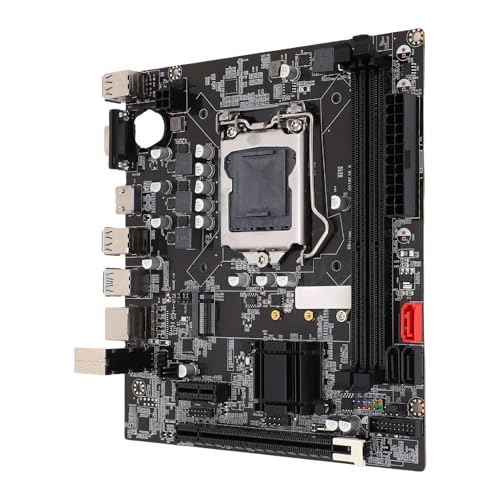
ASUS DDR3 2200 Intel LGA 1155 Motherboards P8H61-I R2.0
Affiliate Disclosure
Before you order a single capacitor-topped relic from a marketplace listing, a word about how this site keeps its lights on: some outbound links in our guides are affiliate links, which means WidgetVerdict may earn a small commission when a reader buys through them, at no additional cost to that reader. That income funds the research time behind guides like this one, and it never changes which boards we recommend, because a fourteen-year-old socket leaves no room for favouritism. Prices, availability and condition of used hardware change constantly, so verify every detail on the seller’s page before paying, and favour listings with clear socket photographs and a fair returns policy.
When the last DDR3 stick clicks home and an old Z77 finally wakes a 3770K for its second career, that small resurrection is the whole reason this platform still matters.