What's inside
- Key Takeaways
- Quick Picks
- How Did We Choose These 3D Printer Motherboards?
- Why Do Stepper Drivers Decide How a Board Feels?
- Marlin or Klipper — Which Firmware Path Should Shape Your Choice?
- Our Six Picks in Detail
- How Do the Six Compare Side by Side?
- How Do You Swap a Printer Motherboard Without Regretting It?
- What Mistakes Ruin Board Upgrades?
- What Do the Specification Lines on a Printer Board Actually Mean?
- How Should Screens, Probes and Accessories Influence the Choice?
- When Is a Board Swap the Wrong Upgrade?
- How Do You Live With a Board After the Swap — Tuning, Care and Troubleshooting?
- Which Board Fits Which Printer — A Model-by-Model Walkthrough?
- What About Power Supplies, Wiring and the Unglamorous Hardware Around the Board?
- Final Recommendation
- Frequently Asked Questions
- Related Guides
As an Amazon Associate I earn from qualifying purchases. This post may contain affiliate links at no extra cost to you.
widgetverdict.com is reader-supported. When you buy through links on our site, we may earn an affiliate commission.
Where to buy: five of the six boards below carry verified Amazon links — four BIGTREETECH SKR boards spanning drop-in Ender upgrades to an eight-driver Klipper flagship, plus the compact SKR Pico — while the official Creality silent board is covered as a prose-only pick, so you can compare the whole upgrade landscape in one place.
A 3D printer is a motion machine wearing a heater’s clothing, and the motherboard is where every part of that identity is decided: how quietly the steppers sing, how precisely the heaters hold temperature, whether the machine can run modern firmware or is frozen in the year it shipped. That is why the best 3d printer motherboards have become the most consequential upgrade in hobby printing. A printer with a good frame and a tired board is a loud, limited machine; fit a modern controller with silent Trinamic drivers and current firmware, and the same hardware becomes quieter, safer and smarter in a single afternoon’s work.
This guide is written for the owners the upgrade market actually serves. The largest group runs a Creality Ender-3 or one of its many relatives and wants the noise gone and the firmware current without rewiring the machine — two picks serve them directly, one from BIGTREETECH and one from Creality itself. A second group is building or rebuilding a custom machine, a Voron or a heavily modified bedslinger, and needs processor headroom, driver sockets and Klipper support. A third group is rescuing an older printer whose original board has failed or whose drivers sound like a dot-matrix printer at a concert. All six picks are control boards in the classic sense — mainboards that take over motion, heating and interface duties — and the sections below explain the vocabulary before asking you to choose.
Key Takeaways
- Silent TMC drivers, especially the TMC2209, are the single biggest quality-of-life upgrade a board swap delivers.
- Drop-in boards shaped for the Ender-3 family preserve your wiring and mounting; universal boards demand more setup and reward it.
- Klipper changes the equation: a fast 32-bit board plus a Raspberry Pi or similar host outperforms any standalone firmware setup.
- Socketed or EZ drivers let you choose and replace drivers; soldered drivers simplify wiring but fix your configuration.
- Firmware support is the real specification — Marlin and Klipper community support decides how much help exists when you get stuck.
- Thermal runaway protection and proper MOSFET capacity are safety features, not options, on any board you install.
Quick Picks
| Pick | Badge | Why it earns its place |
|---|---|---|
| BIGTREETECH SKR Mini E3 V3.0 | The Ender drop-in | Silent TMC2209 drivers on a board shaped and wired for the Ender-3 family, the classic first upgrade. |
| BIGTREETECH SKR V1.4 | The flexible workhorse | Plug-in driver sockets and broad printer compatibility for custom and rescued machines. |
| BIGTREETECH Octopus Pro | The Klipper flagship | Eight driver sockets and a fast processor for multi-extruder and high-performance builds. |
| BIGTREETECH SKR Pico | The compact specialist | RP2040 power in a tiny footprint made for Voron V0-class machines and tight electronics bays. |
| BIGTREETECH SKR 3 EZ | The modern EZ platform | Fast H7-class processing with plug-in EZ drivers for builders who hate soldering and tiny jumpers. |
| Creality Silent Mainboard 4.2.7 | The official quiet board | Creality’s own silent replacement for its machines, the lowest-effort path to a quieter stock printer. |
How Did We Choose These 3D Printer Motherboards?
We filtered the field on the four things that decide whether a board swap ends in a better printer or in a forum post at midnight. First, driver quality: every pick either integrates Trinamic silent drivers or accepts them in sockets, because stepper noise is the complaint that starts most upgrade journeys and the TMC family’s StealthChop operation is the cure. Second, firmware vitality: each board had to run current Marlin, current Klipper, or both, with an active community producing configurations for real printers — a board abandoned by its firmware ecosystem is a paperweight with headers. Third, safety and electrical honesty: adequate MOSFETs for heated beds, proper fuse protection and firmware thermal runaway support were treated as entry requirements, not features.
Fourth, we spread the six across the genuine shapes of demand rather than listing six near-identical universal boards. Two picks are shaped for the Ender ecosystem that dominates installed printers. One is the socketed generalist for custom builds and rescues. Two serve the Klipper performance world at different scales — the Octopus Pro for machines with many axes and extruders, the Pico for the smallest serious builds. The sixth is the manufacturer’s own answer, included because for a stock Creality machine under a cautious owner, the official board’s zero-drama installation is a legitimate virtue that third-party boards cannot copy. Prices move constantly in this market and are deliberately absent; the differences that matter here are architectural and permanent.
Why Do Stepper Drivers Decide How a Board Feels?
Ask owners what changed after a board swap and few begin with print quality; they begin with sound. Early printer boards drove stepper motors with Allegro A4988 drivers that chop current crudely, and the result is the famous whine and chirp that makes a printer unwelcome in a living space. Trinamic drivers changed the physics of the experience. The TMC2209, integrated on the SKR Mini E3 and available for every socketed board in this guide, uses StealthChop voltage chopping at low speeds to run motors almost silently, switches to SpreadCycle for torque when the machine moves fast, reports stall information that enables sensorless homing, and communicates over UART so firmware can tune current digitally instead of with a screwdriver and a multimeter.
The consequences reach beyond quiet. Digital current control means the board sets motor current in firmware, repeatably, per axis — no potentiometer guesswork, no overheating drivers cooking themselves slowly, no underpowered extruder skipping on a cold morning. Sensorless homing deletes mechanical endstop switches on supported setups, simplifying wiring and removing a failure point. Drivers with good thermal design and honest heatsinking also run cooler, which matters in enclosed electronics bays where the board shares air with a power supply. When you read the pick sections below, notice how much of each board’s character is really its drivers’ character; the processor gets the headlines, but the drivers are the colleagues you will actually hear — or, happily, not hear.
Integrated versus socketed drivers is the fork in this road. Integrated boards like the Mini E3 solder TMC2209s to the PCB: fewer connections to fail, no driver shopping, a smaller and cheaper board — and if one driver dies, the board is finished. Socketed boards like the SKR V1.4 and Octopus Pro take plug-in driver modules: you choose the driver per axis, replace a failed module in minutes, and can mix types, but you own the jumpers, the orientation mistakes and the slightly larger wiring job. Neither answer is wrong; they suit different owners, and this guide keeps both philosophies represented for exactly that reason.
Marlin or Klipper — Which Firmware Path Should Shape Your Choice?
Marlin is the firmware most printers ship with and the one every board here can run: it lives entirely on the board’s processor, works with the printer’s own screen, and asks nothing else of your desk. Its modern 2.x versions support the TMC drivers, linear advance for sharper corners and the full safety suite, and for a single printer used as an appliance, Marlin on a 32-bit board remains a complete and satisfying answer. The drop-in picks in this guide are at their best in this world — flash the prebuilt firmware for your printer model, and the machine wakes up quieter and current.
Klipper rearranges the labour: a host computer — classically a Raspberry Pi, increasingly a dedicated pad or an old laptop — does the motion mathematics, and the board becomes a fast, obedient peripheral. The rewards are real: input shaping that cancels ringing vibrations and lets you print faster without ghosting, pressure advance tuned live, a web interface for control and monitoring, and configuration by editing a text file rather than recompiling firmware. The costs are real too: another computer to house and maintain, a setup weekend measured in documentation, and a system whose failure modes involve networking as well as wiring. Boards with fast processors and generous connectivity — the Octopus Pro above all — are built to shine as Klipper peripherals, while the Pico was designed from the first sketch for a Klipper heart in a tiny machine.
The honest advice is to choose your firmware before your board, because the board rankings shuffle completely between the two worlds. A Marlin owner wants a screen-friendly board with integrated drivers and prebuilt firmware for their exact printer. A Klipper builder wants processor headroom, driver sockets and CAN or USB connectivity, and barely cares whether the board has a screen connector at all. Both owners appear in the picks below, labelled plainly, so you can read only your own future.
Our Six Picks in Detail
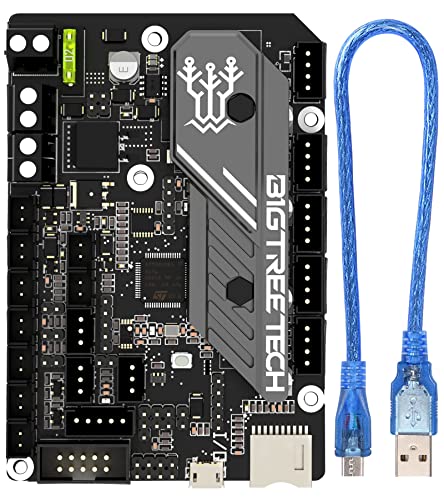
BIGTREETECH SKR Mini E3 V3.0 — The Ender drop-in
The Mini E3 exists because the Ender-3’s original board was the weakest part of a famously good-value printer, and BIGTREETECH designed this board as its direct heir: same mounting holes, same connector positions, same footprint in the electronics case, so the swap is a screwdriver job rather than a rewiring project. Onto that familiar shape the V3.0 solders four TMC2209 drivers, ending the Ender’s whine at a stroke, and adds the details that separate a thoughtful revision from a minimal one — a dedicated interface for a BLTouch-style probe, dual Z-axis output for the dual-motor conversions owners love, improved heatsinking over the drivers, and a 32-bit processor with enough memory for a fully featured Marlin build. Prebuilt firmware for the Ender-3, Ender-3 Pro, Ender-3 V2 and CR-10 families circulates officially, which keeps the software half of the swap nearly as drop-in as the hardware.
Ownership reports follow a pattern: the first evening is spent marvelling at silence — the printer becomes a machine you can run in the next room, then in the same room, then overnight. The second discovery is thermal: the board’s drivers run cool enough that the little electronics-case fan stops being a worry. The limits are the integrated design’s own. Four soldered drivers mean four axes’ worth of machine, forever; a fifth axis for a second extruder is not in this board’s future, and a dead driver retires the board. The screen story also deserves a sentence — Ender-3 V2 owners with the knob-less colour display need the right firmware branch for that screen, a known and documented path, but one to check before the old board comes out. For the printer it was designed for, this remains the upgrade against which all others justify themselves.
- Form factor: drop-in for Ender-3 family electronics cases
- Drivers: four integrated TMC2209, UART controlled
- Processor: 32-bit ARM with generous firmware memory
- Firmware: Marlin with official prebuilt builds; Klipper capable
- Extras: probe port, dual Z output, improved driver cooling
Strengths
- True drop-in installation preserving stock wiring and case
- Silent TMC2209 operation transforms the Ender’s noise profile
- Official prebuilt firmware removes the compiling barrier
Trade-offs
- Soldered drivers cannot be replaced or expanded
- Four axes only — no path to dual extrusion
- V2 screen support requires choosing the correct firmware build
Best for: Ender-3 family owners wanting quiet and current firmware in one afternoon. Not suited for: builders planning multi-extruder or five-axis machines.

BIGTREETECH SKR V1.4 — The flexible workhorse
Where the Mini E3 is a tailored suit, the SKR V1.4 is a workbench: a full-size universal board with five plug-in driver sockets, an LPC1768 32-bit processor and a connector layout designed to serve printers that BIGTREETECH has never seen. This is the board for the rescued Anycubic with a dead mainboard, the home-built Cartesian assembled from extrusions and intent, the ageing machine whose proprietary board costs more than the printer is worth. You choose the drivers — TMC2209s for quiet axes, a beefier driver for a hungry extruder — set them with jumpers and firmware, and the board accommodates decisions that integrated boards make for you permanently.
The V1.4’s longevity in the market is itself a specification: years of Marlin configurations, wiring photographs and forum threads exist for this exact PCB, which means the problem you meet at 11 p.m. has almost certainly been met, photographed and solved by someone at 11 p.m. before you. It supports displays from simple character screens to BIGTREETECH’s touchscreens, runs Marlin as its native tongue, and can serve Klipper as well. The honest costs are the generalist’s costs. Nothing about it is drop-in; expect to crimp, to measure, to read the pinout diagram with the board in hand. Driver sockets invite the classic beginner error of inserting a module backwards, which the board does not forgive. Buy it as a platform, not an appliance, and it will serve several printers across its life — boards like this migrate from machine to machine as owners upgrade, which is the highest compliment a controller can earn.
- Form factor: full-size universal mainboard
- Drivers: five plug-in sockets, driver choice per axis
- Processor: LPC1768 32-bit ARM
- Firmware: Marlin native; Klipper supported
- Displays: wide support including touchscreens
Strengths
- Socketed drivers allow choice, mixing and easy replacement
- Enormous community documentation for common printers
- Universal layout rescues machines with dead proprietary boards
Trade-offs
- No drop-in convenience — wiring and configuration are on you
- Backwards driver insertion can damage board and module
- Older processor has less headroom than the newest boards here
Best for: custom builds, rescues and tinkerers who value replaceable drivers. Not suited for: owners wanting a same-afternoon, wiring-free Ender upgrade.
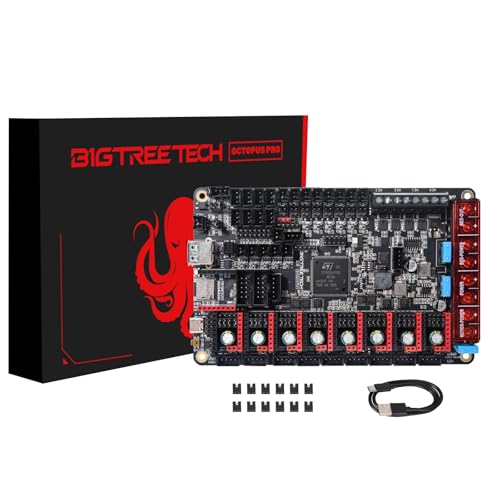
BIGTREETECH Octopus Pro — The Klipper flagship
The Octopus Pro is the board you buy when the printer has stopped being an appliance and become a project with ambitions: eight driver sockets for machines with multiple Z motors, dual extruders or tool-changing dreams, a fast STM32 H7-class processor that treats Klipper’s demands with indifference, high-voltage driver support for builders chasing speed with 48-volt motion systems, and connectivity that includes CAN bus for toolhead boards that replace a loom of wires with four. It is, deliberately, more board than most printers need, sold to the minority whose printers genuinely need it — Voron builds with quad gantry levelling, IDEX machines, and high-speed custom rigs where the controller must never be the bottleneck.
What ownership teaches is respect for planning. The Octopus rewards a builder who maps every socket, fan and thermistor before powering on, and its documentation assumes that reader. In return it offers the rarest commodity in hobby printing: headroom you stop thinking about. Input shaping at aggressive speeds, pressure advance, multiple independently driven Z axes aligning a gantry automatically — the board absorbs features as firmware invents them. Its Pro specification also brings sturdier power handling and driver voltage flexibility that matter in enclosures and high-temperature builds. The caveats are proportionate to the power: this is a poor first board, an absurd Ender upgrade, and a purchase whose cost only makes sense against a machine of comparable ambition. Judged in its intended habitat, though, it is the reference Klipper mainboard, and its presence in a build signals that the builder has stopped compromising in the electronics bay.
- Form factor: large universal mainboard
- Drivers: eight plug-in sockets, high-voltage driver support
- Processor: fast STM32 H7-class ARM
- Firmware: Klipper-first; Marlin supported
- Connectivity: CAN bus, USB, extensive fan and heater outputs
Strengths
- Eight axes of capacity for multi-extruder and multi-Z builds
- Processor headroom that will not age out of Klipper features
- CAN toolhead support simplifies high-end wiring looms
Trade-offs
- Far more board than a stock single-extruder printer can use
- Documentation assumes an experienced builder
- Large footprint needs a spacious electronics bay
Best for: Voron-class and multi-extruder Klipper builds with real ambition. Not suited for: first-time upgraders or stock Ender-style machines.
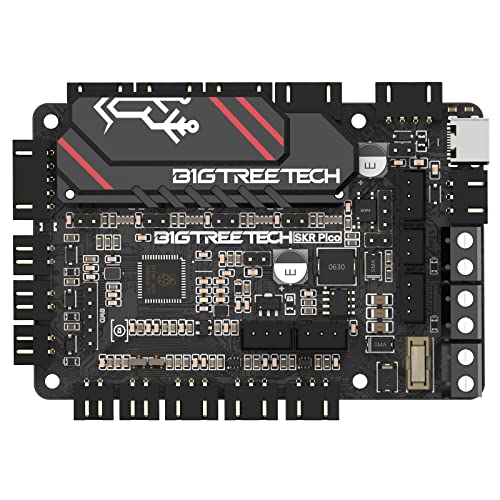
BIGTREETECH SKR Pico — The compact specialist
The Pico answers a packaging problem: the Voron V0 and its tiny relatives hide their electronics in a space that laughs at full-size boards, yet their owners want the same silent drivers and Klipper fluency as the big machines. BIGTREETECH built the board around Raspberry Pi’s RP2040 chip — the same silicon as the Pico microcontroller it is named for — integrated four TMC2209 drivers, and arranged the connectors along a slim footprint designed to disappear into a V0’s base. It runs Klipper as its native language, communicating with the host over USB or UART, and it can even share life with a Raspberry Pi mounted in the same cramped bay it was designed around.
Small boards invite suspicion about thermals, and the Pico’s answer is honesty about its envelope: it is built for the stepper currents of compact machines, with heatsinking appropriate to that duty, and it thrives in V0s, small deltas and portable builds whose motors are modest. Ask it to drive a large printer’s hungry axes in a hot enclosure and you are outside the design brief — the Octopus exists for that world. Within its brief, the Pico is a delight of integration: sensorless homing support, probe inputs and fan control all present, nothing wasted, nothing missing that a small Klipper machine actually uses. Builders of tiny printers used to choose between a big board mounted awkwardly and a weak board mounted neatly; the Pico ended that compromise, and the smallest machines in the hobby are quieter for it.
- Form factor: slim compact board for small printers
- Drivers: four integrated TMC2209
- Processor: RP2040 (Raspberry Pi silicon)
- Firmware: Klipper native; Marlin possible
- Fit: Voron V0-class and other tight electronics bays
Strengths
- Tiny footprint designed for Voron V0-style builds
- Integrated silent drivers keep small machines quiet
- Klipper-first design with simple host connection
Trade-offs
- Current capacity sized for compact machines, not large ones
- Four axes only, soldered in place
- Less connector room for elaborate accessory plans
Best for: Voron V0 and small-format Klipper builds. Not suited for: large printers or high-current motion systems.

BIGTREETECH SKR 3 EZ — The modern EZ platform
The SKR 3 EZ is BIGTREETECH’s argument that the socketed board grew up. Its five driver positions accept EZ drivers — modules designed with proper keying and sturdier connection than the classic plug-in sticks, answering the old platform’s two embarrassments: drivers inserted backwards and drivers working loose. Above them sits a fast STM32 H723 processor, giving the board Klipper headroom comparable to the flagship class while keeping a five-axis layout sized for real-world single and dual-extruder machines. High driver voltage support, CAN connectivity for toolhead boards and modern fan and heater outputs complete a specification that reads like the Octopus’s discipline applied to the printer most builders actually own.
The ownership experience is defined by what does not go wrong. EZ drivers seat positively, configuration is a firmware conversation rather than a jumper hunt, and the processor shrugs at input shaping and the other arithmetic that makes older boards feel busy. It suits the builder graduating from a drop-in board — someone who has learned what they want from drivers and screens, is building or heavily modifying a machine, and wants a platform that will not need replacing when the next firmware idea arrives. The premium over the V1.4 is real, and so is what it buys; the comparison is between a board designed when 32-bit itself was the novelty and one designed after Klipper rewrote expectations. If your build is a keeper, this is the five-axis board to keep it on.
- Form factor: full-size universal mainboard
- Drivers: five EZ sockets, keyed plug-in modules
- Processor: STM32 H723 high-speed ARM
- Firmware: Klipper and Marlin
- Connectivity: CAN bus, high-voltage driver support
Strengths
- EZ driver system fixes the classic socketed-board failure modes
- H7-class processor gives flagship-grade Klipper headroom
- Modern connectivity including CAN toolhead support
Trade-offs
- Costs more than the older socketed generation
- EZ drivers are a specific ecosystem to buy into
- Still a builder’s board — no drop-in shortcuts
Best for: serious custom builds and heavy modifications meant to last. Not suited for: budget rescues where the V1.4’s price is the point.
Creality Silent Mainboard 4.2.7 — The official quiet board
Creality’s own silent board is the conservative answer to the Ender noise problem, and conservatism has genuine merits here. The 4.2.7 replaces the stock 4.2.2 board in Creality’s own machines with TMC-series silent drivers in the same layout, installed with the same connectors, running Creality’s own firmware builds downloaded by printer model. No third-party firmware branches, no community configuration files, no wondering whether a connector moved: the swap is the closest thing in this guide to changing a part rather than modifying a machine, and for owners whose printer is a tool rather than a hobby, that is not a small thing.
The limits are the manufacturer’s priorities made visible. The drivers are soldered and the configuration is what Creality ships; features the community takes for granted — linear advance tuned your way, custom menus, the long tail of Marlin options — arrive on Creality’s schedule or not at all, and Klipper, while possible on the hardware, is not the path this board’s documentation paves. You are also buying inside one ecosystem: the board serves Creality’s machines and their clones, full stop. We include it without a purchase link, as a prose-only pick, because its role in the decision matters more than its listing — it is the benchmark of effort. If the SKR Mini E3’s modest extra setup is acceptable, it returns more features and more firmware freedom for the same afternoon’s work. If it is not, the 4.2.7 quiets the printer with the least possible drama, and there are households where that is exactly the right trade.
- Form factor: official replacement for Creality 4.2.x machines
- Drivers: integrated silent TMC-series
- Processor: 32-bit
- Firmware: Creality official builds by printer model
- Installation: same connectors and layout as the stock board
Strengths
- Lowest-effort silent upgrade for a stock Creality machine
- Official firmware support with model-specific downloads
- Installation mirrors the original board exactly
Trade-offs
- Feature set limited to what Creality chooses to enable
- Soldered drivers and a single-ecosystem fit
- Less community configuration help than the SKR boards enjoy
Best for: stock Creality owners who want quiet without modification culture. Not suited for: tinkerers who will immediately want features it withholds.
How Do the Six Compare Side by Side?
| Pick | Drivers | Best firmware path | Natural habitat |
|---|---|---|---|
| SKR Mini E3 V3.0 | 4 × TMC2209 soldered | Marlin prebuilt, Klipper capable | Ender-3 family |
| SKR V1.4 | 5 sockets, your choice | Marlin, Klipper | Custom builds and rescues |
| Octopus Pro | 8 sockets, high voltage | Klipper | Voron-class, multi-extruder |
| SKR Pico | 4 × TMC2209 soldered | Klipper | Voron V0, compact builds |
| SKR 3 EZ | 5 EZ sockets | Klipper, Marlin | Serious five-axis builds |
| Creality 4.2.7 | Silent, soldered | Creality official Marlin | Stock Creality machines |
The table’s lesson is that “best” in this category is a matching exercise. Axes count, driver philosophy and firmware path divide the six cleanly, and the right answer is the row whose habitat column names your printer. Everything else — processor generation, connector garnish — is commentary on those three decisions.
How Do You Swap a Printer Motherboard Without Regretting It?
Preparation decides this job before the screwdriver appears. Photograph every connector on the old board from two angles, then label each wire with tape as you unplug it — future-you, holding a wire at midnight, will be grateful in direct proportion to present-you’s diligence. Confirm the new board’s voltage matches your machine’s power supply, since the 12-volt and 24-volt worlds both exist and boards are not sentimental about the difference. Download the firmware for your exact printer model before the swap, not after, and read its release notes for screen and probe requirements specific to your machine’s variant.
The physical swap is methodical rather than difficult. Power off, unplug, and let the power supply’s capacitors settle before touching anything. Move one connector at a time where layouts match, and where they do not — the universal boards — work from the pinout diagram with the board in hand, double-checking stepper driver orientation before any power is applied, because a reversed driver module is the one mistake in this whole procedure that costs money. Set driver jumpers or mode pins per the manual for UART control where your drivers support it. Before closing the case, power up with the printer empty and test in order: fans, temperatures reading plausibly at room temperature, each axis moving the right direction by small amounts, endstops reporting, heaters warming under observation. Only then heat fully, home confidently and run a first calibration print with your hand near the power switch.
After the swap, the firmware deserves the same care as the wiring. Run PID tuning for hotend and bed so the new board’s control loop matches your heaters, calibrate steps per millimetre if anything in the drivetrain changed, and store settings deliberately — on Marlin that means saving to EEPROM and noting what you changed; on Klipper it means keeping your configuration file backed up like the document it is. A board swap is also the moment to enable and verify thermal runaway protection rather than assuming it: command a temperature, watch it hold, and know the firmware is watching with you.
What Mistakes Ruin Board Upgrades?
The expensive mistake is powering a board with a driver module reversed or a connector forced onto the wrong pins; it takes one second and retires hardware. The tedious mistake is skipping the photographs and labels, converting a two-hour swap into a weekend of continuity testing. The subtle mistake is firmware mismatch — flashing a build for the wrong printer variant or screen type, then diagnosing the resulting black display as a dead board. The dangerous mistake, rarer but real, is defeating or neglecting thermal protection: any board or firmware configuration that cannot detect a heater running away has no place in a home, and every pick in this guide supports proper protection when configured as documented.
Two quieter errors deserve mention. Owners chase silence into an enclosed, unventilated electronics bay and cook their new drivers slowly — silent drivers still make heat, and the Mini E3’s improved heatsinking or a case fan is part of the system, not decoration. And buyers purchase capacity theatre: an eight-socket flagship for a printer with four axes and no plans, spending the difference that a probe, better part cooling or filament would have turned into visibly better prints. Buy the board your machine’s next two years require, not the board that wins a specification argument.
What Do the Specification Lines on a Printer Board Actually Mean?
Board listings read like incantations, so here is the translation owners actually need. The processor’s bit width and clock decide firmware features and Klipper comfort: 32-bit chips run modern Marlin with every option enabled and serve Klipper without strain, while the older 8-bit boards still found in stock printers force feature triage — enabling an auto-level probe might mean disabling something else to fit the firmware in memory. Flash and RAM figures in a listing are really asking one question: will tomorrow’s firmware still fit? The boards in this guide answer comfortably, which is a large part of why they are in it.
Heater and fan outputs deserve more attention than they get. The heated bed is the largest electrical load in the machine, and the board’s bed MOSFET and terminal quality decide whether that load is carried gracefully for years; bargain boards with undersized terminals are the ones in the cautionary photographs. Fan outputs divide into always-on and controllable, and controllable ones matter more than they sound — a board that can silence the hotend fan between prints and spin part cooling precisely during them changes the machine’s manners. Endstop and probe inputs look interchangeable on a diagram and are not: a dedicated probe port with the right voltage handling, like the Mini E3’s, is the difference between an afternoon’s tidy install and a forum thread about fried inputs. Thermistor inputs, similarly, carry quiet importance for anyone dreaming of high-temperature printing, since some boards accept the PT100 and thermocouple amplifiers that exotic hotends require and others simply do not.
Connectivity lines predict your future weekends. A board with CAN support can grow a toolhead board later, deleting the thick cable loom that wears and snags on moving gantries. USB-C versus older connectors is partly convenience and partly data reliability for Klipper hosts. Even the humble SD card slot has a firmware personality: boards that flash firmware from the card forgive a lot of beginner uncertainty, because recovery from a bad flash is a file copy rather than a bootloader ceremony. Read a listing with these translations in mind and the six picks sort themselves by your machine’s ambitions faster than any benchmark could.
How Should Screens, Probes and Accessories Influence the Choice?
A board rarely swaps alone; it arrives in a machine with a screen it must charm, a probe it must read and fans it must feed. Screens are the most visible compatibility question. The character displays of the original Ender generation are supported nearly everywhere, the colour knob screen of the Ender-3 V2 is the documented special case, and BIGTREETECH’s own touchscreen family pairs most happily with its boards’ serial connections. If your heart is set on a particular touchscreen’s interface, choose the board after the screen, not before — the pairing is a small ecosystem decision, and the V1.4, SKR 3 EZ and Octopus all maintain the connections those screens expect.
Probes are the second companion. Auto bed levelling probes — the BLTouch pattern and its inductive and eddy-current descendants — need a dedicated port or a correctly configured endstop input, plus firmware that knows they exist. Every pick here accommodates a probe, but the drop-in boards make it a menu item while the universal boards make it a wiring decision; owners planning the probe in the same month as the board should weight that difference honestly. Part-cooling and hotend fans, LED lighting, filament runout sensors and power-loss recovery modules each claim a pin, and pins are finite — the Octopus’s abundance is precisely the luxury of never counting. Before choosing, list every accessory your machine has or will plausibly gain within a year, and check the candidate board’s pin map against the list. It is the least glamorous step in this entire guide and the one that prevents the most returns.
There is also the matter of the second Z motor, the upgrade Ender owners adopt to stop gantry sag. Boards answer it three ways: a dedicated second Z output, as the Mini E3 provides by sharing its driver intelligently; an entirely separate driver socket, the socketed boards’ cleaner answer, which on Klipper enables automatic gantry alignment; or a splitter cable, the budget answer that works until it doesn’t. If dual Z is in your machine’s future, the distinction belongs in your buying decision now, because retrofitting around the wrong answer costs more than choosing correctly would have.
When Is a Board Swap the Wrong Upgrade?
Honesty requires a section arguing against this entire guide’s premise, because some printers do not need a board — they need something else first. If your prints suffer from ringing and dimensional wobble on a mechanically loose machine, belts, wheels and frame stiffness will repay money sooner than electronics; a silent board on a rattling frame yields a quiet machine that still prints poorly. If your complaint is adhesion and warping, the bed surface, enclosure and temperatures are the levers, and no processor speed changes polymer behaviour. If your printer is a closed-ecosystem model whose board, screen and firmware are a sealed unit, a swap may be technically possible and practically miserable, and the correct upgrade is a different printer.
The swap earns its money under specific diagnoses: the machine is mechanically sound but loud; the stock board’s firmware is frozen in an old Marlin with safety features you cannot verify; the original board has failed and its proprietary replacement is overpriced; or you are deliberately building toward Klipper and need a peripheral worthy of the host. Notice that three of those four are about the board as infrastructure rather than as a print-quality potion. Owners who buy with that understanding are the ones writing the satisfied reviews a year later, because their expectations were aimed at what a controller actually controls — noise, features, safety, expandability — and the prints improved as a dividend of the firmware those things unlocked, not as a promise the box made.
One more timing consideration: board swaps pair naturally with other open-case work. If the machine will be apart for a probe install, new fans or a direct-drive conversion, doing the board in the same session halves the total disassembly and lets you configure firmware once for the finished machine. Sequenced upgrades are satisfying; simultaneous upgrades are efficient. Choose per your patience, but photograph the wiring either way.
How Do You Live With a Board After the Swap — Tuning, Care and Troubleshooting?
The first week with a new board sets habits that decide whether it stays a delight. Keep a settings journal, on paper or in a notes file: driver currents, PID values, steps per millimetre, probe offsets, and the date of every change. Firmware makes experimentation cheap, and cheap experimentation without notes becomes archaeology within a month. Back up the configuration in a second location — Klipper’s printer.cfg especially, since that single file is your machine’s entire personality, and losing it to a failed SD card means reconstructing weeks of tuning from memory. Marlin owners should export or record EEPROM values for the same reason.
Troubleshooting follows a hierarchy that experienced owners internalise. Most post-swap mysteries are connectors: a thermistor plug seated on one pin reads as an implausible temperature, a stepper plug half-home moves an axis intermittently, a fan wire reversed spins silently backwards. Reseat before you reflash. The second tier is firmware configuration — direction flags, endstop logic, steps per millimetre — and the discipline there is to change one value at a time and test, because three simultaneous corrections create a machine whose faults no longer point anywhere. The third tier, genuinely failed hardware, is rarer than the first two combined, and boards from this guide carry the community documentation that lets you prove which tier you are in before spending anything.
Care is mostly thermal respect. Keep the electronics bay’s airflow path clear, confirm the case fan actually runs when the drivers work, and once a season, with power off, look at the board: dust felted over heatsinks, a terminal screw relaxing, a wire chafing where the case edge meets it. Five minutes, twice a year, is the entire maintenance contract of a modern printer board — a trivial rent for a component that quietly orchestrates every print you will ever run on the machine.
Which Board Fits Which Printer — A Model-by-Model Walkthrough?
General advice sharpens when it meets specific machines, so here is the list walked printer by printer. The original Ender-3 and Ender-3 Pro, still the most numerous printers on earth, take the Mini E3 V3.0 as their natural heir — the swap reuses the case, the screen and every wire, and the prebuilt firmware exists precisely for them. The Ender-3 V2 follows the same path with its screen-specific firmware branch noted in the pick section, and its owners gain the most dramatic noise reduction of any group here, because the V2’s stock board was not among the quiet ones. CR-10 owners, whose machines share Creality’s electronics heritage in a larger frame, are served by the same drop-in logic, with attention paid to their machines’ individual wiring variations across production years.
Owners of older Anycubic, Tevo and other Marlin-era machines whose boards have failed or fossilised should look to the SKR V1.4: their printers were built in the universal-board era’s spirit, connectors are standard, and the V1.4’s documentation mountain includes their machines’ ancestors. Voron builders split by size in the way the picks predict — V0 builders to the Pico, whose dimensions were drawn around their printer, and V2 and Trident builders to the Octopus Pro, whose eight sockets their quad-gantry and multi-motor designs genuinely consume, with the SKR 3 EZ as the five-socket alternative for single-extruder Switchwire-class builds. The heavily modified bedslinger — the Ender that has grown a direct-drive extruder, a second Z motor, a probe and ambitions — sits at the crossroads: the Mini E3 still fits and still serves, but the owner who knows a Klipper host and further axes are coming should hear the SKR 3 EZ calling, because migrating once is cheaper than migrating twice.
And the stock Creality owner who prints happily, mods reluctantly and simply wants the machine quieter before a baby, a flatmate or a home office enters the story — that owner’s board is the 4.2.7, chosen not from ignorance of the alternatives but from a correct assessment of their own appetite. Guides fail when they rank products; they succeed when they route people. Route yourself by the machine on your desk and the owner in your chair, and this category’s famously confusing shelf becomes six clear doors.
What About Power Supplies, Wiring and the Unglamorous Hardware Around the Board?
A board is only as trustworthy as the wires feeding it, and upgrade day is the right day to audit them. Check the power supply’s output under the machine’s rating and look at its terminals: discoloured insulation or a loose screw on the main power leads is a finding, not a detail, and it should be corrected before the new board inherits the problem. On many budget printers the bed and hotend wires arrive tinned where they enter screw terminals; owners’ groups have documented for years that ferrules crimped onto those ends make a safer, more durable connection, and a board swap — when those terminals are open anyway — is the natural moment to fit them. Keep wire runs away from moving axes, restore every cable tie you cut, and route the electronics bay so the board’s heatsinks sit in the case fan’s airflow rather than behind a loom.
Grounding and strain relief complete the audit. The frame, the power supply case and the board’s mounting should share the machine’s intended earth path; a board mounted on printed plastic standoffs in a metal case deserves a moment’s thought about whether the original design earthed through its screws. Wires that flex — the bed’s power leads above all — should flex in a gentle loop with their connectors unstressed, because a bed cable fatigues by the thousand-cycle, and its failure announces itself mid-print. None of this is advanced engineering. It is the difference between an upgrade that merely works on Sunday and one that is still working, unconsidered, on a Sunday three years later — which is, in the end, the only verdict a motherboard is asked to earn.
Final Recommendation
Match the board to the printer and the owner, in that order. Ender-3 family owners should take the SKR Mini E3 V3.0 and enjoy the quietest afternoon upgrade in the hobby, unless official-only support matters more, in which case Creality’s 4.2.7 is the honest alternative. Builders and rescuers should start from the SKR V1.4’s proven flexibility, stepping up to the SKR 3 EZ when the machine is a keeper that deserves modern drivers and processing. Klipper performance builds divide by scale: the Octopus Pro for machines with axes to spare, the Pico for the little ones that hide their electronics. Whichever board lands in your printer, photograph the wiring, respect the driver orientation, and tune the heaters afterwards — the board provides the capability, but those habits provide the happy ending.
Frequently Asked Questions
Will a silent board improve my print quality?
Indirectly. Silent drivers do not change the machine’s mechanics, but digital current control, smoother low-speed motion and access to modern firmware features like linear advance can clean up ringing and surface artefacts. The dramatic, guaranteed change is noise; quality gains arrive through the firmware the board unlocks.
Can I run Klipper on a drop-in Ender board?
Yes — the SKR Mini E3 V3.0 works as a Klipper peripheral with a host computer attached. Many owners start with its Marlin prebuilt firmware and migrate later, which is a sensible order: enjoy the quiet now, adopt the host computer when you want input shaping and the web interface.
What does sensorless homing actually replace?
It lets TMC drivers detect when a moving axis reaches its end by sensing the motor’s stall, deleting the mechanical switch and its wiring on that axis. It needs correct sensitivity tuning per machine, and many owners keep a physical switch on Z for probe-free setups. Treat it as an option the drivers offer, not an obligation.
How do I know if my printer is 12V or 24V?
Read the power supply’s label, or check the rating printed on the heated bed and hotend heater cartridge. Most modern Creality machines are 24V; many older designs are 12V. The board, fans and heaters must all agree with the supply, and this check belongs before purchase, not during installation.
Is a board swap reversible if I change my mind?
Entirely, if you kept the old board and your photographs. Nothing in a careful swap modifies the printer permanently, which is another argument for labelling wires rather than cutting them. Owners routinely keep the stock board as a spare — cheap insurance for a machine you depend on. Reversal is also a diagnostic: if a fault follows you back to the old board, the problem was never the electronics, and you have saved yourself a return. Keep the old board in an antistatic bag, labelled with the printer’s name and the date it came out, and it becomes part of the machine’s history rather than clutter in a drawer.
Do I need a new screen with a new board?
Usually not. The boards here support the common stock displays, though some pairings — the Ender-3 V2’s colour screen is the famous case — need the matching firmware build. Check your exact screen against the board’s documentation before ordering, and budget for a touchscreen only if you actually want one.
What is the difference between TMC2208 and TMC2209 drivers?
The 2209 is the newer part: it handles higher current, adds StallGuard stall detection that enables sensorless homing, and runs a touch cooler for the same work. The 2208 remains a perfectly silent driver in its own right. Boards in this guide favour the 2209 where integrated, and socketed boards let you choose the newer part yourself.
Can one board run two printers?
No — a mainboard orchestrates one machine’s motion and heaters in real time, and even the Octopus Pro’s eight sockets serve a single printer with many axes. Klipper hosts are the shareable layer: one Raspberry Pi-class host can supervise several printers, each with its own board, which is how small print farms organise themselves.
Related Guides
Keep building with our guides to the best motherboards for gaming PCs, the best 6 GPU motherboards and the best PC cases under a hundred dollars.


