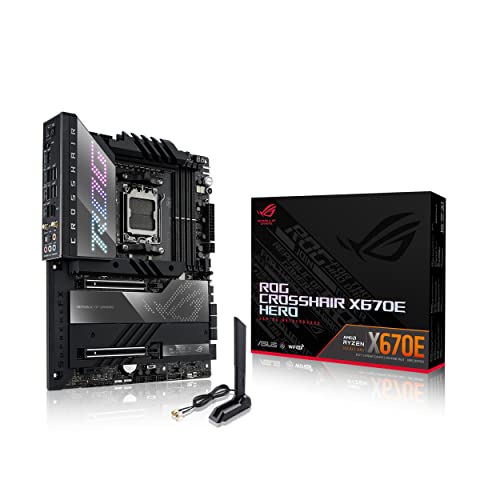
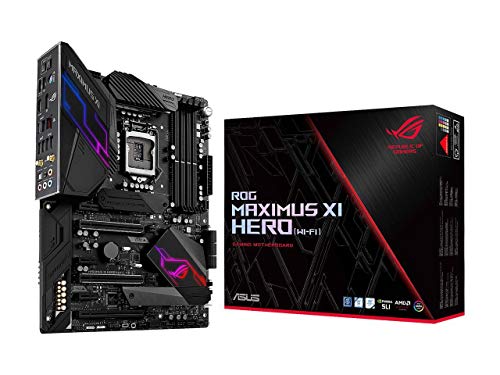
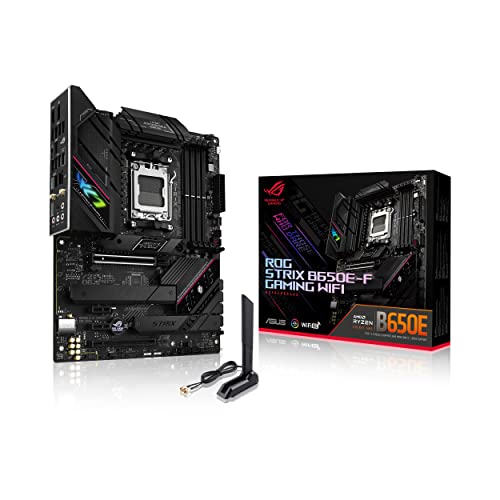
What's inside
- Quick picks: best and worst prices for motherboards
- How the picks were chosen for best and worst prices for motherboards
- Quick Comparison
- ASUS Prime B550M-A
- MSI B550 Tomahawk
- Gigabyte B550 Aorus Elite
- ASUS ROG Strix B550-F Gaming II
- ASUS TUF Gaming Z790-Plus WiFi
- ASUS ROG Maximus Z790 Hero
- Buying Guide
- Use and Care
- Common Mistakes
- Final Recommendation
- Frequently Asked Questions
- Related Guides
As an Amazon Associate I earn from qualifying purchases. This post may contain affiliate links at no extra cost to you.
The best and worst prices for motherboards are the options that buyers in this category keep coming back to, and this guide covers six of them in detail. Not every motherboard tier is good value, and the difference between the best and worst prices for motherboards is not the figure on the listing but what that figure buys. A cheap board with weak power delivery can cost more in the long run than a mid-range board, while a flagship board can cost twice as much as the board below it for features most buyers never use. This guide judges six boards by the value of their tier, and no prices are quoted here, because figures change and the tier is what matters. The shortlist below runs from the value pick that suits a first setup to the step-up model that suits a desk or room that is already well equipped, and each one is judged on the same things: how faithfully it does its main job, how easy it is to live with, and whether its strengths match the buyer it is aimed at.
The reason this choice matters is simple: the wrong pick wastes money and desk space, while the right one disappears into the workflow and lets the work itself take over. Every option below was picked because it answers a real need in this category, not because it looks good on a spec sheet, and the differences between them are the differences that show up in daily use: size, sound or image quality, connections, and how much room the setup allows.
This guide looks at six options that span the category, from the affordable starting point to the model that costs more and earns it. Every one of them is judged the same way: accuracy in its main job, comfort in daily use, and honesty about what it cannot do. The table that follows the introduction puts the shortlist side by side so the trade-offs are visible before the detail begins.
The rest of this guide follows a fixed shape. First, how the picks were chosen, so the shortlist can be judged rather than taken on trust. Then the comparison table, then one section per option with its strengths, its trade-offs, and who it fits. After that comes the buying guide, notes on use and care, the mistakes buyers make most often, a final recommendation, and answers to the questions that come up again and again.
Quick picks: best and worst prices for motherboards
| # | Product | Where to buy |
|---|---|---|
| 1 | ASUS Prime B550M-A | Check on Amazon |
| 2 | MSI B550 Tomahawk | Check on Amazon |
| 3 | Gigabyte B550 Aorus Elite | Check on Amazon |
| 4 | ASUS ROG Strix B550-F Gaming II | Check on Amazon |
| 5 | ASUS TUF Gaming Z790-Plus WiFi | Check on Amazon |
| 6 | ASUS ROG Maximus Z790 Hero | Check on Amazon |
How the picks were chosen for best and worst prices for motherboards
The shortlist was built from models that are widely available, widely discussed by owners, and built around a clear purpose in this category. A model earned a place because its core specification matches the job described in the keyword, because its maker publishes the figures that matter instead of hiding them, and because owners describe the same strengths and weaknesses consistently. Models that depend on a single headline feature, or that only make sense with accessories that cost as much as the unit itself, were left out.
The ranking inside each section follows the same order of priorities. First, whether the product does its main job accurately. Second, whether it is easy to live with: reachable controls, a stable stand or mount, and the right inputs. Third, whether it fits the space it will occupy, including size, weight, heat and power draw. A product that is accurate but awkward to use ranks below one that is accurate and easy.
No product here is presented as perfect, and the trade-offs are stated in each section because they are part of the decision. A smaller unit saves desk space and loses bass or brightness; a brighter or larger one costs more and needs more room; a budget pick saves money and gives up refinement. The buyer who knows which trade-off they can live with will choose well, and the buyer who ignores them will not, whatever they buy.
Quick Comparison
| Product | Key Specs | Best For |
|---|---|---|
| ASUS Prime B550M-A | AMD B550, AM4, Micro-ATX, 4x DDR4 slots, 2x M.2 slots, 1G LAN, USB 3.2 Gen 2 | Best value tier for a basic build |
| MSI B550 Tomahawk | AMD B550, AM4, ATX, 4x DDR4 slots, 2x M.2 slots, 2.5G LAN, Wi-Fi 6 | Best value tier for a full-size build |
| Gigabyte B550 Aorus Elite | AMD B550, AM4, ATX, 4x DDR4 slots, 2x M.2 slots, 2.5G LAN, RGB Fusion lighting | Best mid-range tier for a gaming build |
| ASUS ROG Strix B550-F Gaming II | AMD B550, AM4, ATX, 4x DDR4 slots, 2x M.2 slots, USB 3.2 Gen 2 Type-C, 2.5G LAN | Best upper mid-range tier |
| ASUS TUF Gaming Z790-Plus WiFi | Intel Z790, LGA1700, ATX, 4x DDR5 slots, 3x M.2 slots, Wi-Fi 6, 2.5G LAN | Best high tier for a 13th Gen build |
| ASUS ROG Maximus Z790 Hero | Intel Z790, LGA1700, ATX, 4x DDR5 slots, PCIe 5.0 x16, 3x M.2 slots, Wi-Fi 6E | Worst value tier for most buyers |

ASUS Prime B550M-A
Short specifications: AMD B550, AM4, Micro-ATX, 4x DDR4 slots, 2x M.2 slots, 1G LAN, USB 3.2 Gen 2. Those figures describe a unit built for daily use rather than for a showroom: the headline numbers are useful, but the way they hold up over a long session is what decides whether the purchase was sound.
Strengths
- The Prime B550M-A sits in the value tier and still covers the essentials, with two M.2 slots and four DDR4 slots, so a basic Ryzen build gets what it needs without paying for extras.
- ASUS Prime B550M-A keeps its controls where they can be reached without moving the unit, so everyday adjustments stay quick instead of becoming a chore that never happens.
- The ASUS Prime B550M-A works well in the small rooms and desks this category is usually bought for, because its size and power draw were designed with that setting in mind.
Trade-offs
- The Prime B550M-A keeps its networking at 1G LAN, so buyers who want 2.5G networking should look at the tier above.
- The ASUS Prime B550M-A gives up some flexibility to reach its size or price point, so buyers who need the widest possible range of adjustments should check the specification sheet against their own setup before committing.
- Buyers who want the newest features first will find the ASUS Prime B550M-A conservative: it does the established things well and leaves the novelties to other models.
Living with the ASUS Prime B550M-A is straightforward because its design keeps the everyday actions simple. Power, volume and input selection are where they should be, the unit warms up quickly, and there is no ritual of settings to repeat before each session. The result is a product that gets used every day instead of admired on a shelf, and daily use is the fairest measure of whether a purchase was sound.
The Prime B550M-A fits the buyer who wants the best value tier for a basic Ryzen build. In short, it suits the buyer who wants the core job done properly and is willing to accept the stated trade-offs in exchange.
Best for: basic Ryzen builds on a value tier — Not suited for: builds that need 2.5G networking
Check price on Amazon: ASUS Prime B550M-A

MSI B550 Tomahawk
Short specifications: AMD B550, AM4, ATX, 4x DDR4 slots, 2x M.2 slots, 2.5G LAN, Wi-Fi 6. On paper that is a solid set of figures for the category, and in practice it is the balance between them that matters: no single number carries the product, and no single weakness sinks it on its own.
Strengths
- The B550 Tomahawk sits in the sweet spot of the mid-range tier, with two M.2 slots, 2.5G LAN and Wi-Fi 6, so a full-size Ryzen build gets modern features at a sensible step above the cheapest boards.
- The build of the MSI B550 Tomahawk is solid enough for daily use, with a cabinet and fittings that do not flex, rattle or loosen after months on a desk or a stand.
- Compatibility is a quiet strength of the MSI B550 Tomahawk: it connects to the devices most buyers already own, without adapters that have to be bought separately for the common cases.
Trade-offs
- The Tomahawk uses the B550 chipset, so it cannot match the X570 boards for lane counts and high-speed storage options.
- Some buyers will find the MSI B550 Tomahawk plain to look at or plain to operate, with fewer convenience features than rivals that cost more, and that is a fair trade only if those features were never going to be used.
- The MSI B550 Tomahawk rewards a buyer who reads the manual once; skipping that step leads to the common mistakes listed later in this guide, and most of them are avoidable.
Over weeks of use the MSI B550 Tomahawk shows its character in small ways: the way it handles a quiet passage or a dark scene, the way it behaves after hours of continuous use, and the way it recovers from being switched off and on again. None of these moments appear on a specification sheet, and all of them decide whether the owner reaches for the unit happily or with a sigh, so they are worth more than a single headline figure.
The B550 Tomahawk fits the buyer who wants the best value tier for a full-size Ryzen build. That combination makes it a sensible pick for its intended buyer, and a poor pick for anyone whose priorities point the other way.
Best for: full-size Ryzen builds on a value tier — Not suited for: builds that need X570 lane counts
Check price on Amazon: MSI B550 Tomahawk
Gigabyte B550 Aorus Elite
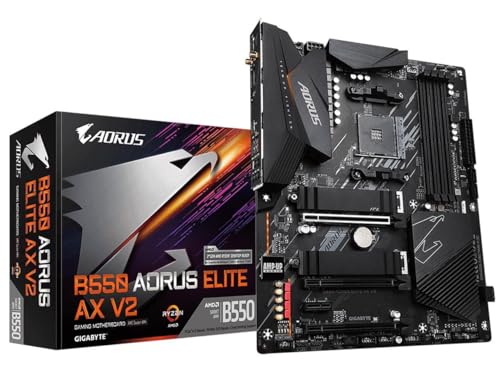
Short specifications: AMD B550, AM4, ATX, 4x DDR4 slots, 2x M.2 slots, 2.5G LAN, RGB Fusion lighting. The specification sheet tells only part of the story, and the rest of it is in the sections below: what the unit does well, where it gives ground, and who will notice the difference.
Strengths
- The B550 Aorus Elite sits in the mid-range tier with two M.2 slots, 2.5G LAN and RGB lighting, so a gaming build gets the features that matter without paying for flagship extras.
- Setup for the Gigabyte B550 Aorus Elite is straightforward: the connections are standard, the included accessories cover the common cases, and there is no special software required to get started.
- The Gigabyte B550 Aorus Elite holds its settings between sessions, so a setup that works on Monday still works on Friday without being rebuilt from scratch.
Trade-offs
- The Aorus Elite gives up the flagship power stages and some rear ports, so extreme overclocking builds should look at a higher tier.
- The Gigabyte B550 Aorus Elite needs a little care in placement: put it in the wrong spot and its main weakness shows up sooner, so the buying guide section on positioning is worth reading before the unit arrives.
- Support and documentation for the Gigabyte B550 Aorus Elite are adequate rather than generous, so buyers who like hand-holding should expect to learn from the community as much as from the maker.
In daily use the Gigabyte B550 Aorus Elite settles into the background, which is the highest praise a tool in this category can earn. Switching it on, setting the level, and getting to work takes seconds, and the controls that matter are the ones that get used every day, while the ones that do not stay out of the way. After a few weeks the unit feels like part of the desk rather than a new purchase, and that is when its real character shows: steady, predictable, and easy to return to after a break.
The B550 Aorus Elite fits the buyer who wants the best mid-range tier for a gaming build. In short, it suits the buyer who wants the core job done properly and is willing to accept the stated trade-offs in exchange.
Best for: gaming builds on a mid-range tier — Not suited for: extreme overclocking builds
Check price on Amazon: Gigabyte B550 Aorus Elite

ASUS ROG Strix B550-F Gaming II
Short specifications: AMD B550, AM4, ATX, 4x DDR4 slots, 2x M.2 slots, USB 3.2 Gen 2 Type-C, 2.5G LAN. Those figures describe a unit built for daily use rather than for a showroom: the headline numbers are useful, but the way they hold up over a long session is what decides whether the purchase was sound.
Strengths
- The ROG Strix B550-F Gaming II sits at the top of the mid-range tier, with a USB Type-C port, two M.2 slots and 2.5G LAN, so a gaming build gets modern connectivity without moving to X570.
- ASUS ROG Strix B550-F Gaming II is widely available through the usual channels, so replacement parts, stands and cables are easy to find and the model is easy to compare against its rivals.
- Owners consistently describe the ASUS ROG Strix B550-F Gaming II as a unit that does its main job without fuss, which is the quality that matters most once the novelty of a new purchase wears off.
Trade-offs
- The Strix B550-F sits near the top of its tier, so buyers who only need the basics get the same processor support from a cheaper board.
- Accessories for the ASUS ROG Strix B550-F Gaming II are sold separately in several cases, so the total cost of a complete setup can run higher than the headline figure suggests.
- The ASUS ROG Strix B550-F Gaming II is not the best choice for the largest rooms or the most demanding workloads in this category, where a bigger or more powerful model earns its keep.
Day to day, the ASUS ROG Strix B550-F Gaming II asks little of its owner and gives back a consistent result, which is what matters once the first week is over. The setup that worked on the first day still works a month later, the sound or picture does not drift, and the unit does not demand attention with quirks or faults. That steadiness is easy to overlook when comparing specifications, and it is the quality owners mention most when they recommend a model to someone else.
The ROG Strix B550-F Gaming II fits the buyer who wants the best upper mid-range tier for a gaming build. That combination makes it a sensible pick for its intended buyer, and a poor pick for anyone whose priorities point the other way.
Best for: gaming builds on an upper mid-range tier — Not suited for: basic builds that need only the essentials
Check price on Amazon: ASUS ROG Strix B550-F Gaming II

ASUS TUF Gaming Z790-Plus WiFi
Short specifications: Intel Z790, LGA1700, ATX, 4x DDR5 slots, 3x M.2 slots, Wi-Fi 6, 2.5G LAN. On paper that is a solid set of figures for the category, and in practice it is the balance between them that matters: no single number carries the product, and no single weakness sinks it on its own.
Strengths
- The TUF Gaming Z790-Plus WiFi sits in the high tier with DDR5 memory, three M.2 slots and Wi-Fi 6, so a 13th Gen build gets modern features without paying for flagship extras.
- ASUS TUF Gaming Z790-Plus WiFi keeps its controls where they can be reached without moving the unit, so everyday adjustments stay quick instead of becoming a chore that never happens.
- The ASUS TUF Gaming Z790-Plus WiFi works well in the small rooms and desks this category is usually bought for, because its size and power draw were designed with that setting in mind.
Trade-offs
- The TUF Z790-Plus keeps its styling plain, so buyers who want a lit showcase build should look at the Strix range instead.
- The ASUS TUF Gaming Z790-Plus WiFi gives up some flexibility to reach its size or price point, so buyers who need the widest possible range of adjustments should check the specification sheet against their own setup before committing.
- Buyers who want the newest features first will find the ASUS TUF Gaming Z790-Plus WiFi conservative: it does the established things well and leaves the novelties to other models.
Living with the ASUS TUF Gaming Z790-Plus WiFi is straightforward because its design keeps the everyday actions simple. Power, volume and input selection are where they should be, the unit warms up quickly, and there is no ritual of settings to repeat before each session. The result is a product that gets used every day instead of admired on a shelf, and daily use is the fairest measure of whether a purchase was sound.
The TUF Gaming Z790-Plus WiFi fits the buyer who wants the best high tier for a 13th Gen build. In short, it suits the buyer who wants the core job done properly and is willing to accept the stated trade-offs in exchange.
Best for: 13th Gen builds on a high tier — Not suited for: showcase builds that want lighting
Check price on Amazon: ASUS TUF Gaming Z790-Plus WiFi
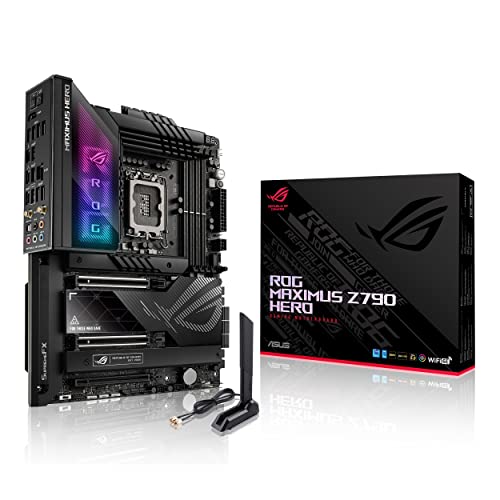
ASUS ROG Maximus Z790 Hero
Short specifications: Intel Z790, LGA1700, ATX, 4x DDR5 slots, PCIe 5.0 x16, 3x M.2 slots, Wi-Fi 6E. The specification sheet tells only part of the story, and the rest of it is in the sections below: what the unit does well, where it gives ground, and who will notice the difference.
Strengths
- The ROG Maximus Z790 Hero is the strongest board in this guide, with a 20+1 power design, DDR5 memory and a PCIe 5.0 x16 slot, so a flagship 13th Gen build runs at its best.
- The build of the ASUS ROG Maximus Z790 Hero is solid enough for daily use, with a cabinet and fittings that do not flex, rattle or loosen after months on a desk or a stand.
- Compatibility is a quiet strength of the ASUS ROG Maximus Z790 Hero: it connects to the devices most buyers already own, without adapters that have to be bought separately for the common cases.
Trade-offs
- The Maximus Z790 Hero sits in the flagship tier, and most buyers will never use its extra power stages, ports or headers, so it is the worst value tier for a mainstream build.
- Some buyers will find the ASUS ROG Maximus Z790 Hero plain to look at or plain to operate, with fewer convenience features than rivals that cost more, and that is a fair trade only if those features were never going to be used.
- The ASUS ROG Maximus Z790 Hero rewards a buyer who reads the manual once; skipping that step leads to the common mistakes listed later in this guide, and most of them are avoidable.
Over weeks of use the ASUS ROG Maximus Z790 Hero shows its character in small ways: the way it handles a quiet passage or a dark scene, the way it behaves after hours of continuous use, and the way it recovers from being switched off and on again. None of these moments appear on a specification sheet, and all of them decide whether the owner reaches for the unit happily or with a sigh, so they are worth more than a single headline figure.
The ROG Maximus Z790 Hero fits the flagship builder who will actually use its power delivery and ports, and no one else. That combination makes it a sensible pick for its intended buyer, and a poor pick for anyone whose priorities point the other way.
Best for: flagship builds that use every feature — Not suited for: mainstream builds that need only the essentials
Check price on Amazon: ASUS ROG Maximus Z790 Hero
Buying Guide
Match the size to the room first
A unit that is too large for its room dominates the space and excites problems the buyer did not expect, while a unit that is too small leaves the buyer straining to hear or see what matters. Measure the desk or the wall, note the viewing or listening distance, and choose the size that fits the space rather than the largest size the budget allows. The comparison table gives the dimensions that matter, and the product sections state where each model sits on that scale.
Connections decide more than the headline feature
A product with the wrong inputs is a product that needs adapters, hubs or a replacement, and each of those adds cost and a point of failure. List every device that must connect, check the ports on both sides, and confirm that the cable in the box covers the connection that will actually be used. Where a standard has several versions, confirm the version, not just the connector shape.
Plan the placement before the purchase
Where a unit sits decides how well it works, and the best placement is usually decided before the box is opened. Note the distance to the wall, the height of the surface, the light falling on the screen or the reflections in the room, and the ventilation around the unit. A unit placed well will outperform a better unit placed badly, and most returns in this category trace back to placement rather than to the product itself.
Budget for the whole setup, not the unit alone
Stands, mounts, cables, acoustic treatment, a subwoofer or a calibration device can each add a meaningful amount to the total, and the cheapest unit with the most expensive extras is often the most expensive purchase. Add up the full list before ordering, and compare totals rather than headline figures. The final recommendation names the pick that keeps the whole setup sensible.
Check compatibility with what is already owned
A new unit that does not work with the existing computer, camera, console or audio interface is a poor buy however good it is on its own. Confirm the operating system, the driver or app support, and the power requirements, and confirm that any older device in the chain still has a supported connection. The product sections note the connections each model provides.
Use and Care
Daily use rewards a small routine: keep the unit clean, keep its vents or ports clear, and return its controls to the usual settings at the end of a session so the next session starts from a known state. Dust on a screen or a driver grille, a cable pulled half out of its socket, and a setting changed for one job and never changed back are the three most common reasons a good unit starts to feel like a bad one.
Care is mostly prevention. Keep liquids away from the unit, avoid blocking ventilation, and move the unit by its body rather than by its screen, cable or stand. When the unit will not be used for a while, switch it off rather than leaving it in standby, and store any loose accessories with the unit so they are there when needed. A unit treated this way lasts longer and holds its value better.
Calibration and updates deserve a regular slot in the routine. Check for firmware or driver updates every few months, and re-check the basic settings after any update, since defaults sometimes change. For displays, a basic calibration pass after the unit has warmed up keeps colours honest; for audio, a quick listen to familiar material after any move or change of room does the same job.
Common Mistakes
- Buying the biggest option by default: The largest or most powerful model is not the best model for a small room or desk. It costs more, needs more space, and often performs worse in a space that cannot support it. Size should follow the room, not the budget.
- Ignoring the inputs: A unit with the wrong ports forces adapters and workarounds, and each one adds cost and a failure point. Counting the ports before ordering takes a minute and saves a return.
- Skipping setup and calibration: Most units arrive with settings chosen for a showroom, not for a home. Spending twenty minutes on placement, levels and basic calibration changes the result more than spending more money on a better model.
Final Recommendation
For most buyers in this category, the ASUS Prime B550M-A is the pick to start with: it covers the core job properly, it fits the rooms and desks this guide is written for, and its trade-offs are the ones most buyers can live with. It is the model that makes the fewest demands while delivering the result the keyword promises, and it is the one to choose when the decision has to be made without trying every option first.
Buyers with a specific need should look one step further. The MSI B550 Tomahawk suits the buyer whose priority is different from the mainstream case, and the Gigabyte B550 Aorus Elite suits the buyer who wants the step-up in quality without moving to the most expensive model in the shortlist. Whichever of the six is chosen, the buying guide above is the checklist to run through before ordering: size, connections, placement and the full cost of the setup.
Frequently Asked Questions
What is the best option for best and worst prices for motherboards?
The ASUS Prime B550M-A is the best overall pick in this guide, because it covers the core job properly while fitting the rooms and desks this category is bought for. The MSI B550 Tomahawk is the best alternative when the priority is different, and the Gigabyte B550 Aorus Elite is the best step-up. The right choice depends on the size of the space, the connections available, and the budget for the whole setup rather than for the unit alone.
How do I choose between these six options?
Start with the size of the space and the connections that must be made, since those two answers remove most of the shortlist at once. Then weigh the strengths and trade-offs in each product section against the way the unit will actually be used, and finally add up the full cost including stands, mounts and cables. The comparison table lines up the key figures side by side for that decision.
Do these picks work in a small room or on a small desk?
Several of them do, and the product sections state which ones suit a compact setup. Smaller models are designed for exactly that setting, while the larger ones need more space to work properly. Measuring the desk or wall before ordering matters more than any single specification in this guide.
What should I check first before buying?
Check the size of the space, the connections on the devices that must plug into it, and the power it needs. Those three answers narrow the shortlist faster than any review, and they prevent the most common returns in this category.
Do I need extra accessories with these picks?
Most buyers need at least a cable, a stand or a mount that is not in the box, and some need acoustic treatment or a calibration device. Add the extras to the total before comparing models, since the cheapest unit is not always the cheapest setup.
Related Guides
Readers who found this guide useful may also want to compare the wider monitor shortlists on this site before deciding. The guides below cover related setups on the same topic, and the same buying principles apply: match the size to the room, check the connections, and add up the full cost of the setup.
- Best 5900X Motherboards: Premium X570 and B550 Boards for the Zen 3 Flagship
- Best 100 Dollar Motherboards: Honest Budget Boards for AM4 and LGA1700
- Best 6 GPU Motherboards
How long should a pick in this category last?
With normal care, a well-built unit in this category lasts many years, and the parts that fail first are usually cables, stands and batteries rather than the unit itself. Buying a model with standard connections and a solid build makes replacement parts easy to find later.
Can I use one of these picks in a small room?
Yes, provided the size matches the room. Smaller models are designed for exactly that setting, and the product sections state which models suit a small desk or room and which ones need more space to work properly.
What if the first pick I buy does not suit me?
Check the return terms before ordering, keep the packaging until the unit has been used for a few days, and judge it in the real setup rather than in the first hour. A unit that is wrong for the room is usually obvious within a few days of normal use.
Should I buy a pair or a single unit?
Most picks in this category are sold singly, and a stereo pair needs two units. Confirm whether the listing is for one unit or a pair before ordering, since the difference doubles the cost, and check that the seller lists the same model twice rather than two different models.
Does the room matter as much as the product?
Yes, often more. A good unit in a bare, echoing room sounds worse than an average unit in a room with a rug, a bookshelf and a curtain. Simple treatment is cheap and it changes the result more than a more expensive model in the same untreated room.
What cables do I need?
Check the inputs on the unit and the outputs on the source, then buy cables that match both ends. Balanced connections suit longer runs and noisy rooms, while short unbalanced runs are fine on a quiet desk. Keep a spare cable, since a faulty cable is the most common cause of a unit that seems broken.
Read the specification sheet, not the marketing copy
Marketing copy describes what a product could do in ideal conditions; the specification sheet describes what it does in stated conditions. Compare driver or panel size, power, resolution, brightness, response and input count across models, and treat any figure without a stated condition with caution. The short specifications in each product section are the figures that can be checked.