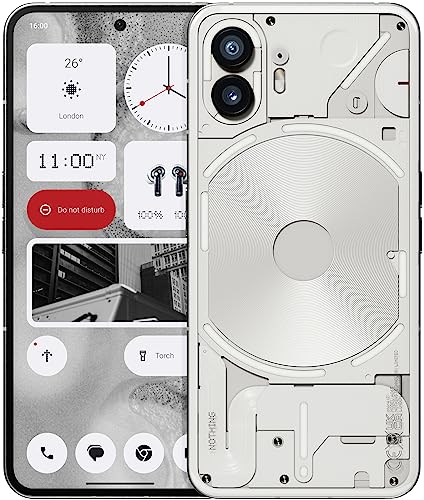
Our Top Picks
 Rogue R67S Unlocked 4G LTE Smartphone for T-Mobile6.78 x 3.13 x 0.39 inches0.5 poundsCheck on Amazon


What's inside
- What strong Wi-Fi actually means on a phone
- The generations, translated
- Three bands, three personalities
- Antennas: the invisible hardware that decides range
- Roaming inside your own home
- Wi-Fi calling: the feature that rescues poor mobile signal
- Testing speed and stability like a sceptic
- The router’s half of the bargain
- Security and privacy on wireless networks
- Special situations worth planning for
- Buying checklist and specification traps
- Troubleshooting the usual mysteries
- Living with a well connected phone
- A final way to decide
- Check prices on Amazon
- Two households, two different right answers
As an Amazon Associate I earn from qualifying purchases. This post may contain affiliate links at no extra cost to you.
A phone can have a brilliant camera, a fast processor and a screen that makes films glow, and still feel broken in the one place it spends most of its life: your own home. The video call freezes when you carry it into the kitchen. A large download that flew in the hallway crawls beside the sofa. A game that was smooth at the desk stutters in bed, not because the internet service failed, but because the last few metres between router and handset were handled badly. Choosing an Android phone for strong Wi-Fi is really about those last few metres, repeated hundreds of times a day, in rooms with walls, doors, neighbours and interference that no laboratory test fully captures.
Strong Wi-Fi on a phone is not a single specification. It is a chain: the generation of the standard the handset supports, the bands it can use, the number and placement of its antennas, the quality of its radio firmware, how eagerly it roams between access points, and how honestly its software reports a weak link instead of clinging to it. Break any link in that chain and the experience sags, even if the box proudly displays the newest logo. Strengthen all of them and the phone feels calm everywhere in the house, which is a more valuable quality than a headline speed measured standing next to the router.
This guide treats Wi-Fi as the main event rather than a line in a connectivity list. It explains the generations in plain language, untangles the three bands, looks inside the phone at antenna design, follows the signal around a real home, and then turns to roaming, Wi-Fi calling, security, and the practical tests you can run in a shop, during a returns window, or in the first evening at home before you commit to keeping the handset.
One housekeeping note before the detail, in the interest of openness: if you follow a link from this page and later buy something, this site may receive a small commission from the seller, at no extra cost on your side. That income keeps guides like this one free to read, and it is mentioned here, near the top, so the relationship between reader, writer and seller stays clear from the start rather than buried at the foot of the page.
What strong Wi-Fi actually means on a phone
Speed is only the visible third of the story
Most marketing stops at peak speed, a number achieved in ideal conditions with the phone close to a compatible router, no competing traffic, and a wide, clean channel. Real homes offer none of those gifts for long. What you notice day to day is a blend of three things: throughput when conditions are good, stability when conditions are poor, and latency, the small delay before data starts moving that makes calls feel conversational or laggy and games feel responsive or spongy. A handset that holds a modest but steady connection through two walls will serve you better than one that posts spectacular numbers in the hallway and collapses in the bedroom.
Stability shows itself in unglamorous moments. A video stream that quietly lowers its quality for five seconds and recovers is coping well. One that spins, drops to audio only, or ejects you from the call is not, even if a speed test an hour earlier looked heroic. Likewise, a phone that reconnects instantly when you walk back into coverage after the garden, the lift or the garage feels well sorted, while one that needs its Wi-Fi toggled by hand each time quickly becomes irritating, however fast it is when it finally agrees to work.
The chain from router to app
It helps to picture the path your data travels. The router or access point transmits, the signal crosses the room and weakens through air, furniture and masonry, the phone antennas receive it, the radio chipset decodes it, the operating system decides whether to keep that connection or look for a better one, and only then does the app see its data. A weakness anywhere along that path masquerades as a weakness everywhere. That is why this guide keeps returning to a diagnostic habit: change one element at a time, note what improves, and resist blaming the phone for a router placed inside a metal cabinet, or blaming the router for a handset whose antennas are smothered by a hand or a case.
Phones also transmit, not just receive, and their transmit power is modest compared with a mains powered router. Many home problems are actually uplink problems: the phone can hear the router shouting from downstairs but can only whisper back, so requests, call audio and photo uploads falter while downloads look healthy. A well designed handset balances this relationship with sensitive receivers and efficient antennas, squeezing useful range out of a whisper, and you feel that balance as a connection that works in both directions at the edge of coverage rather than one that merely displays bars.
The generations, translated
Wi-Fi 6 and what it genuinely improved
Wi-Fi 6, known in engineering documents by a longer technical name, was less about raising the ceiling for one device and more about sharing airtime fairly among many. Homes now hold dozens of connected objects, and the standard introduced smarter scheduling so a phone is not stuck queueing behind a camera, a television and a child’s tablet all shouting at once. It also brought better behaviour in crowded apartment blocks, where neighbouring networks overlap, and more efficient use of the signal that lets phones doze between transmissions and save battery.
For a buyer, a Wi-Fi 6 phone paired with a Wi-Fi 6 router is a solid, mature combination that covers most households comfortably. The gains appear as consistency at busy hours rather than fireworks in a solo test. If your home has many occupants streaming and calling at once, this generation already solves much of the congestion that older equipment handled badly, and it does so without demanding that every other device in the house be replaced at the same time.
Wi-Fi 6E and the gift of a quieter band
Wi-Fi 6E takes the same toolkit and opens an additional stretch of spectrum, the 6 GHz band, alongside the familiar lower bands. Think of it as a new motorway built beside two older roads: not inherently faster per lane, but far emptier, at least for now. Phones that support it, connected to a router that offers it, can enjoy clean channels with little interference from neighbours, which is especially valuable in flats and dense streets where the older bands are a permanent traffic jam.
The catch is range. Higher frequency signals fade faster through walls, so that quiet band shines most in the same room as the router or one room away, and fades as a whole home solution unless you have several access points. Availability also varies by country, because regulators released the spectrum at different times and under different rules, so a handset variant sold in one market may have the band enabled while the same nameplate elsewhere does not. Checking the exact regional model, a theme this guide returns to, matters more for this feature than for almost any other.
Wi-Fi 7 and the case for, and against, chasing it
Wi-Fi 7 pushes further: wider channels, denser modulation for devices close to the router, and the ability for a phone to use more than one band at once so a weak link can be propped up by a stronger one. In a well equipped home with a matching router, the result can be very low latency and headroom that shrugs off several simultaneous heavy uses. For cloud gaming, large local file transfers and busy smart homes, those are real advantages rather than brochure decoration.
Yet the honest buying advice is measured. A Wi-Fi 7 badge on the phone alone does little if the router predates it, the broadband coming into the house is modest, and your rooms are spread through thick walls that punish the higher bands. Many households will feel a bigger difference from placing one extra access point well than from upgrading a handset generation. Choose the newest standard when the rest of your network is ready for it or when you keep phones for many years and want the headroom, not as a talisman that fixes a badly placed router by magic.
Three bands, three personalities
The long reach of the lowest band
The 2.4 GHz band is the veteran. Its signals travel furthest and bend most forgivingly around and through obstacles, which is why a phone at the bottom of the garden can still exchange messages on it when every other band has given up. Its drawbacks are crowding and modest capacity: neighbours use it, older gadgets use it, and household appliances leak noise into it, so speeds vary and latency wanders. As a lifeline for light tasks at range, though, nothing else in the house quite replaces it.
Judge a phone partly by how gracefully it uses this band when it must. Some handsets treat falling back to it as defeat and hunt restlessly for a higher band they cannot hold, producing a flickering connection. Better behaviour is to settle, keep messaging, calling and browsing alive at sensible quality, and step back up only when the better signal is genuinely sustainable. That judgement, written in firmware rather than printed on a box, separates phones that feel wise about Wi-Fi from phones that merely chase numbers.
The workhorse middle band
The 5 GHz band carries most serious home traffic for good reason. It offers far more room than the lowest band, supports the speeds modern broadband and local streaming demand, and in most streets is less congested, though flats with a router in every unit are narrowing that advantage. Its range sits in the middle too: comfortable across a typical floor of a house, challenged by several masonry walls or a floor slab of reinforced concrete.
Channel choice inside this band matters more than most owners realise. Some channels require the router to listen for radar and vacate if it hears any, which can cause a brief dropout that looks like a phone fault. Others are crowded because every neighbour’s router picked the same default. A phone cannot fix channel planning, but a good one reports its link clearly in diagnostic apps, roams cleanly when the router reorganises channels, and reconnects without drama after such a move. When you test a new handset, watch how it behaves through a router restart on this band; calm recovery is a quiet mark of quality.
The quiet high band and its short stride
At 6 GHz, the newest band, the air is spacious and the channels are wide, so a phone in line of sight of the router can move startling amounts of data with low delay. The same physics that allow that capacity shorten its stride: energy is absorbed by walls, doors and even the human body more readily, so performance falls away room by room faster than the other bands. In a studio flat or an open plan living space it can feel like the future arriving early. Across a rambling house with one router, it is a sprinter asked to run a marathon.
Placement therefore decides whether this band earns its keep. Put the access point where you actually sit with the phone for heavy work, the desk, the sofa, the gaming chair, rather than in a hallway chosen for tidiness. Some households solve this elegantly with a wired access point in the main living room, letting the high band serve the busy room while the middle band covers the rest. A phone that supports the band gives you that option; a phone without it closes the door, which is worth weighing if you are renovating or rewiring anyway.
Antennas: the invisible hardware that decides range
How many streams, and why the small print matters
Specification sheets sometimes describe a phone’s Wi-Fi in terms of spatial streams, essentially parallel conversations the radio can hold at once. More streams can raise speed near the router, but they also demand more antennas and more power, so many phones settle on a configuration that balances both. Do not fixate on this number in isolation. A handset with fewer streams and excellent antennas will outperform, at the distances that matter, a rival with a grander paper specification and antennas tucked where your palm lives.
What deserves more attention is whether the maker publishes anything at all about Wi-Fi beyond the generation logo. Brands that discuss antenna placement, band support by region, and roaming standards are usually the ones whose engineers were allowed to care. Silence is not proof of weakness, but detailed, checkable claims give you something to verify during a returns window, and verification, as this guide keeps insisting, is the buyer’s best friend in a category where showroom conditions flatter every device equally.
Hands, cases and the human body as an obstacle
Hold a phone and you wrap its antennas in a warm, watery obstacle that absorbs radio energy remarkably well. Designers know this and spread antennas around the frame so that at least one path stays clear in portrait, in landscape, and during a call. Still, grip matters: a hand cupped tightly over the top edge during a landscape game can cost real performance on some models, a phenomenon owners once dramatised with nicknames but which is really just physics collecting its fee.
Cases add their own effects. Plain polymer and leather are usually nearly transparent to the signal. Thick metal plates, magnetic mounting discs and wallet folds stuffed with cards are not, and a case bought for a car mount can quietly halve your range at home. If a new phone disappoints, test it naked for an evening before condemning it. That single experiment, repeated throughout this guide in different forms, has rescued more handsets from unfair returns than any software tweak, and it costs nothing but a little care with an unprotected screen.
Materials, frames and where the radio lives
Metal frames look and feel superb, but a continuous metal shell would cage the radio, so designers break the frame with small insulating lines that turn sections of it into antennas themselves. Glass and modern composites let signals pass more freely, at the price of fragility owners weigh for other reasons. None of these choices is automatically superior for Wi-Fi; execution is everything. Two phones with the same frame material can behave very differently at the far end of a house because one team tuned its antennas for that frame and the other treated them as an afterthought.
Heat plays a supporting role too. Sustained transfers during a long backup or a hotspot session warm the radio and the processor, and some phones quietly throttle speeds to protect themselves. If your routine involves moving large files or tethering a laptop for hours, look for owner reports about sustained performance rather than burst tests, and give any phone airflow rather than leaving it face down on a bed while it works. A handset that stays composed under a long load is showing you engineering depth no single specification can convey.
Roaming inside your own home
Why the phone, not the router, makes the final decision
In homes with a mesh system or several access points sharing one network name, a common frustration sounds like this: the phone clings to the distant living room node while standing beside the bedroom one, crawling along on a threadbare signal. The reason surprises many people. The network can suggest, nudge and in some systems actively encourage a move, but the handset itself makes the final decision about when to let go and reattach. Phones differ enormously in how brave that decision is.
A cautious phone values not dropping a call above all and holds on too long. An eager phone hops at the first hint of something better and can bounce between nodes, briefly pausing traffic each time. The best behaviour sits between: it watches the current link deteriorate, scans in the background without disturbing what you are doing, and moves once, decisively, when the alternative is clearly stronger. You cannot read this temperament from a box. You learn it by walking your home on a call during the returns window, which is why that walk appears in the testing section below as a non negotiable ritual.
Standards that help the handover
Several optional standards exist to make roaming smoother: one lets devices share information about neighbouring access points so the phone scans less blindly, another speeds up the security handshake when reattaching, and a third lets the network steer a client toward a better node or band. When phone, router and mesh system all speak the same combination, handovers can shrink to a blink that a voice call survives without a stutter. When support is mismatched, the same move can take seconds and feel like a small outage.
Buyers with a mesh home should therefore check roaming support as a set, not as isolated logos. Read the mesh maker’s notes about client compatibility, the phone maker’s connectivity page, and owner forums for your exact pairing, because these features are sometimes present in hardware but disabled by regional firmware. Households that also keep older handsets in service, perhaps as spares or for children, will notice those devices roaming worst of all, a reminder that the network is only as graceful as its least graceful regular client.
One network name, or several?
A single shared network name for all bands and nodes is the modern default and usually the right choice, letting the phone and network negotiate the best link without your intervention. Splitting bands into separately named networks gives manual control, useful for troubleshooting or for pinning a fixed device to a particular band, but it burdens the phone’s owner with decisions the radio often makes better, and a handset left on a manually chosen high band will suffer at range rather than fall back gracefully.
A sensible compromise during testing is to start unified, observe, and split only to diagnose a specific problem. If one room misbehaves, temporarily separating bands tells you whether the phone was choosing badly or the signal simply was not there. Readers comparing handsets for a household where several people work from home may also find it useful to look at how a phone behaves alongside other demanding devices, a situation touched on in best 2 sim smartphones where juggling two mobile lines adds another layer of radio decision making to a device that is already negotiating hard at home.
Wi-Fi calling: the feature that rescues poor mobile signal
How calling over Wi-Fi changes the map indoors
Wi-Fi calling routes ordinary voice calls through your broadband instead of the mobile network, using your normal number and dialler. In a house where mobile signal dies in the back rooms, in a basement flat, or inside a modern building wrapped in foil backed insulation, it can be the difference between taking calls anywhere and performing a familiar pilgrimage to one window where a single bar survives. A phone with strong Wi-Fi therefore gains twice: better data, and a voice service that inherits that strength.
Quality depends on more than signal bars. Call audio is small in data terms but impatient; it needs steady, low delay delivery rather than bulk speed. A congested network, a router struggling with dozens of devices, or a phone clinging to a distant access point will produce robotic voices and talk over delays even while a speed test elsewhere in the house looks fine. This is why the stability themes of this guide matter so much for callers: the handset that roams promptly and holds a clean link is the handset whose calls sound like calls.
Handover, preferences and the settings that matter
Most phones let you prefer calling over Wi-Fi or over the mobile network, and the right choice depends on which is more trustworthy in your building. Preferring Wi-Fi at home and letting the phone fall back outdoors suits most people. Watch what happens when you walk out mid call: some combinations hand the conversation to the mobile network seamlessly, others drop it at the front door, and knowing which behaviour your phone and carrier deliver is better learned on a test call to a patient friend than during a call that matters.
Emergency calling deserves a specific mention. Services route location information differently over Wi-Fi, and phones ask you to register an address for this purpose. Keep that address current when you move house. Also remember that a power cut or broadband outage takes Wi-Fi calling with it, so a household that relies on it entirely should keep some alternative in mind, whether that is a mobile signal that works in one room or simply the awareness that the limitation exists before it surprises anyone.
Travel, hotels and calling home
Abroad, Wi-Fi calling can behave in ways that vary by carrier: some treat a call made over hotel Wi-Fi as if it were made at home, others restrict the service to the home country, and some block it on networks that interfere with the secure tunnel it builds. Hotel networks with sign in pages add another wrinkle, because the phone must complete that sign in before the calling service can register. None of this is the phone’s fault, but a handset that joins awkward public networks gracefully, remembers them sensibly and reconnects without fuss will make the whole arrangement feel far more reliable on the road.
Testing speed and stability like a sceptic
A method that reveals the truth room by room
Forget the single test beside the router; it flatters every phone ever made. Instead, choose four or five places that represent your real life: the desk, the sofa, the bed, the kitchen, and the furthest awkward corner where calls go to die. At each place, at a similar time of day, run the same test a few times and write the results down, including not just download speed but upload and the latency figure many test tools show. Patterns emerge quickly from even rough notes, and patterns, not single numbers, are what you are buying.
Repeat the circuit while doing something representative. Stream a high quality video and walk slowly between rooms, watching for quality drops and pauses at handover points. Join a video call and do the same walk, asking the other person to note when your voice thins or freezes. Transfer a large file from a computer on the same network to separate your broadband’s limits from your local network’s limits. A phone that shines in the synthetic test but stumbles in these lived tests has told you something important, and the returns window is exactly when to listen.
Reading the numbers without being ruled by them
Latency deserves more respect than it gets. For browsing, calls and games, a low, steady delay matters more than a towering download figure, and a connection whose delay spikes wildly under load, a condition testers call bufferbloat when the network queues data badly, will feel worse than a slower but calmer one. Some test tools now report delay during the test itself, which is far more revealing than an idle ping measured while nothing else is happening.
Upload results tell their own story about antenna quality and transmit ability, as discussed earlier. If downloads hold up at range but uploads collapse, the phone is hearing the router better than it can answer, and video callers will meet the consequences as frozen outgoing pictures. Comparing two candidate phones side by side in the same spot, minutes apart, is the fairest test of all, because the router, the neighbours and the weather stay constant while only the handset changes.
Free tools and the phone’s own diagnostics
Most phones hide useful information in plain sight. The Wi-Fi settings page often shows the link speed of the current connection, the band in use, and signal strength in technical units if you tap into details. Third party analyser apps can draw your network’s signal as you walk, list neighbouring networks and their channels, and log how the connection behaves over an hour. Used for an evening, these tools turn vague impressions, the back room feels bad, into evidence you can act on, whether the action is moving a router, adding an access point, or concluding that this particular handset’s radio is simply not for your house.
Keep records when troubleshooting with support, too. Dates, times, rooms, and what other devices were doing turn a complaint into a case that a maker or carrier can engage with. Owners who also use their phone as a hub for other gadgets, from projectors discussed in best android projectors with bluetooth to speakers and televisions, will find such notes especially valuable, because local streaming between devices exposes weak links that internet tests, which leave the house and return, can sometimes mask.
The router’s half of the bargain
Placement beats purchase, most of the time
Before blaming any phone, audit the router’s life. Is it on the floor, behind a television, inside a cupboard, beside a fish tank, all classic acts of self sabotage? Raising it to shelf height, centring it in the home rather than in the corner where the line enters, and keeping it clear of large metal objects routinely transforms every device in the house at zero cost. Antennas on routers that have them generally work best upright, with some variation worth trying if your model allows it, and firmware updates, unglamorous as they are, fix real radio bugs.
Age matters as well. A router from several generations ago may support none of the features your new phone offers, may handle a modern crowd of devices poorly, and may no longer receive security fixes. Upgrading the router or adding a proper mesh system often improves five old devices more than replacing one phone improves itself. The wisest spending in home Wi-Fi is frequently invisible, sitting on a shelf blinking, rather than glowing in your hand.
When mesh helps, and when it merely multiplies
Mesh systems solve a genuine problem in larger or awkwardly shaped homes by placing several coordinated nodes where the signal is needed. Their weakness is the link between nodes themselves: a node placed where the signal is already poor can only redistribute poverty, and wireless links between nodes consume some of the capacity they create. Wiring nodes together where possible, even with a single long cable run, transforms their performance, and placing nodes halfway between the main router and the dead zone, rather than inside the dead zone, is the placement rule most often learned the hard way.
Phone choice interacts with mesh more than with a single router, because roaming behaviour is exercised constantly. A handset known for sticky, reluctant roaming can make a good mesh feel broken, while a decisive roamer makes a modest mesh feel polished. If you are choosing both in the same year, prioritise getting the infrastructure right first, then pick a phone whose roaming reputation suits it, testing the pairing during the returns window while change is still cheap.
Security and privacy on wireless networks
Standards at home, caution abroad
At home, use the strongest security mode your router and devices all support, keep its password unique, and let the router update itself. Modern phones support current standards and will warn you, sometimes quietly in the network details, when a network uses an older, weaker mode. Heed those warnings on networks you control, and treat them as a prompt to update settings rather than as nagging to dismiss.
On public networks, in cafes, stations and hotels, assume other users can see more of the environment than you would like and behave accordingly. Phones now randomise their hardware address on such networks by default, which limits tracking between visits, and most sensitive traffic from reputable apps is encrypted end to end regardless. For anything especially sensitive, your mobile connection or a trustworthy virtual private network adds a layer of calm. A phone that manages these transitions cleanly, warning about captive sign in pages and reconnecting securely, earns trust in ways a specification sheet never lists.
Forgetting, sharing and household hygiene
Phones accumulate saved networks over years: old flats, former workplaces, a holiday cottage from three summers ago. Periodically clearing that list reduces odd connection attempts and small privacy leaks, since a phone probing for remembered networks announces where it has been. Sharing your home network with guests deserves a moment’s thought too; many routers offer a guest network that keeps visitors’ devices away from your computers and storage, and a phone that joins guests to that network by sharing a code, rather than your main password, is practising good household hygiene on your behalf.
Special situations worth planning for
Thick walls, old houses and garden rooms
Some buildings are simply radio hostile: stone walls a foot thick, foil lined plasterboard, metal framed extensions, and floors poured around steel mesh. In such homes no phone, however gifted, defeats physics, and the honest solution is more wired access points, powerline links where wiring suits, or accepting that the lowest band is the workhorse and optimising for it. Judge candidate phones in these houses by their behaviour on that band at range, not by their high band heroics in the hall, and be suspicious of any advice that ignores the building itself.
Garden offices and converted garages deserve special planning because they sit beyond the house’s insulation and often beyond its wiring. A phone that must work there all day benefits from an access point in the outbuilding fed by a buried or overhead cable, and from Wi-Fi calling to bypass the mobile dead zone such buildings often create. Testing a handset from that desk, on a call, at the hour when neighbours also come home and light up their networks, is the only audition that counts for this increasingly common way of working.
Gamers, streamers and households that do everything at once
Competitive gaming punishes latency spikes that other uses forgive. A phone on Wi-Fi can game well when the signal is strong, the channel is clean and the router prioritises traffic sensibly, but it will always be more vulnerable to a housemate’s cloud backup than a wired console across the room. Players should test at their usual hour, in their usual seat, and look at the spread of results rather than the best one, because consistency across an evening is the statistic their ranking actually feels.
For streamers and creators uploading from a phone, upload stability and heat under sustained transfer move to the centre of the decision, alongside how the handset behaves when a cloud backup, a video upload and a video call coincide. Households juggling all of this at once may find the bottleneck is the broadband plan or the router’s processor rather than any phone, which is liberating news: it means a sensibly chosen mid range handset with a well regarded radio can serve as happily as a flagship, provided its bands and roaming suit the house.
Hotspot duty and sharing the connection onward
Many owners ask their phone to become the router: for a laptop on a train, a tablet in a car, or a whole household during a broadband outage. Hotspot work stresses the Wi-Fi radio in the opposite direction, transmitting steadily and managing clients, and it drains battery and generates heat in proportion. Phones differ in which bands they offer for hotspot duty and how gracefully they handle several clients, so anyone who tethers regularly should test that exact job, with their actual laptop, before committing.
Charging while tethering creates its own small ecosystem of heat and cable management, and commuters who live this life will appreciate the thinking in best auto chargers for android phones about keeping a handset fed on the road without cooking it. A phone whose Wi-Fi stays stable while it charges and shares its connection is showing the same radio maturity this guide has praised throughout, applied in a less familiar direction.
Buying checklist and specification traps
Reading a connectivity section with a cold eye
When a listing’s connectivity section runs to several detailed lines, bands, standards, roaming features, calling support, it is usually a good sign. When it says only that Wi-Fi is present, dig further on the maker’s own site, and if the truth stays elusive, treat that as information in itself. Confirm the generation, confirm which bands are enabled for your region’s model code, and confirm Wi-Fi calling support with your specific carrier, because carrier certification, not hardware alone, decides whether that feature appears in your settings.
Beware of imported bargains whose headline price omits these checks. A variant built for another market may lack your region’s high band, may never be certified for calling on your carrier, and may aggregate mobile bands differently too, a cousin of the problem explored in best 4g android phones where regional radio differences decide real world usefulness far from any showroom. Savings evaporate quickly when the phone feels unreliable in the rooms where you live most of your life.
Questions to ask, and tests to insist on
Ask the seller, in writing where possible, three questions: does this exact model code support the newest band available in this country, is Wi-Fi calling certified on my carrier, and what is the returns process if the signal at home disappoints? Then, during the returns window, run the room by room circuit, the walking call, the case on and case off comparison, and an evening of ordinary use at the busiest hour. Keep notes. A phone that passes your house, not a reviewer’s studio, has earned its place.
Also check the unglamorous settings on day one: that the phone is not set to avoid poor connections in a way that drops you onto mobile data silently, that it reconnects after the router’s overnight restart if your router does one, and that software updates for the handset are current, since radio fixes frequently ride inside them. Small acts of setup, done once, prevent the slow accumulation of mysteries that makes owners distrust a fundamentally sound device.
Troubleshooting the usual mysteries
Connected, but nothing loads
Few messages irritate like the one announcing a connection without internet. Causes range from a router that has lost its upstream link, to a sign in page waiting unfinished, to a date and time error breaking secure connections. Work outward in order: check another device on the same network, open a browser to see if a sign in page appears, restart the router if the whole house is affected, and forget and rejoin the network on the phone if only it suffers. Each step halves the suspect list, and most cases surrender to one of them.
Fast in the morning, slow at night
Evening slowdowns usually implicate congestion rather than illness: neighbours streaming, your own household’s devices waking up, or a router scheduling channel changes at dusk. A channel scan with an analyser app at the bad hour, compared with one in the morning, makes the invisible visible. Moving the router to a cleaner channel, enabling its automatic selection, or adding an access point on the quiet band for the busiest room addresses the cause rather than the symptom, and a phone that reports its band and channel clearly helps you prove which remedy worked.
Drops that follow you from room to room
If a phone drops in the same doorway every day, suspect the handover, not fate. Note which access point it leaves and which it joins, whether the drop survives with the case removed, and whether a sibling’s phone crosses the same threshold cleanly. That comparison isolates handset temperament from house layout more decisively than any amount of solitary fiddling, and it gives a support team, or a returns desk, something concrete to act upon.
Living with a well connected phone
The habits that keep it that way
Good Wi-Fi quietly decays if nobody tends it. Router firmware ages, neighbours install new networks, furniture migrates into signal paths, and a phone update occasionally resets a preference you set a year ago. A light seasonal ritual prevents most of this: restart the router, check for its updates, walk the house once with an analyser app, clear the phone’s list of forgotten networks, and confirm that Wi-Fi calling still shows its reassuring icon in the room where mobile signal is weakest. Ten minutes, twice a year, preserves the calm you worked to create.
Households change too. A new baby monitor, a lodger with a gaming rig, a converted loft that becomes an office, each redraws the map of demand. Treat those moments as prompts to retest rather than as mysteries when something stutters. The phone you chose well, with the right bands, honest antennas and sensible roaming, adapts to redrawn maps better than most, because its strengths are general rather than tuned to one lucky room on one quiet afternoon.
When to upgrade the phone, and when to leave it alone
Replace a phone for Wi-Fi reasons when its limitations are structural: a missing band your network now offers throughout the house, roaming so sticky that mesh life is miserable, calling support your carrier will never certify for that variant, or a radio fault that repair cannot economically cure. Do not replace it because a newer logo exists, because a friend’s speed test impressed you in their house, or because one bad week traced back, on honest inspection, to a router quietly dying in a cupboard.
That discipline saves money and, not incidentally, saves perfectly good hardware from premature retirement. The best connected households are rarely the ones with the newest everything; they are the ones where someone understood the chain from router to app, fixed the weakest link in order, and then left a working system alone to do its invisible work while life happened on top of it.
A final way to decide
Shortlist phones whose bands match your region and your router’s present or planned generation. Favour makers who document their radios honestly and carriers who certify the calling features you need. Then let your own house be the judge: the walking call, the far room test, the busy evening, the case removed and replaced. Numbers from elsewhere can narrow the field, but only your walls, your neighbours and your routines can crown the winner, because Wi-Fi is always, in the end, a local phenomenon measured in the rooms where you actually live.
Choose that winner, set it up carefully on the first evening, write down what you changed so a future mystery has a paper trail, and then enjoy the peculiar luxury of not thinking about your connection at all, which is the truest sign that every part of the chain, from the shelf where the router sits to the antennas hidden in the frame in your hand, is doing its job exactly as it should. May your next phone be the one that makes the furthest corner of your home feel, for the first time, like the centre of the network rather than its forgotten edge.
Check prices on Amazon
Live listings for the shortlist in this guide are pulled from Amazon below, so prices and availability are always current at the moment you look.


Two households, two different right answers
The flat where the quiet band wins
Consider a couple in a city flat, surrounded by forty neighbouring networks, working either side of a living room table. Their enemy is not distance; the router is six steps away. Their enemy is contention, the invisible queue of everyone else’s traffic pressing on the same older bands. For them, a phone that can use the quiet high band changes the texture of the working day: calls stop clipping when the building comes home, large files from the office arrive without the evening sag, and the middle band remains free for the television and the older tablet that cannot speak the new language. Their ideal handset is chosen for band support and low latency, tested at the table at six in the evening, and judged a success precisely because nothing dramatic happens anymore.
The farmhouse where range is everything
Now consider a family in a stone farmhouse, where the router’s signal must negotiate walls built before radio existed. Their enemy is attenuation, and no high band heroics will save a phone at the kitchen table if the access point lives in the study. Their right answer looks different: wired access points in two wings, a handset praised for sensitive reception on the lower bands, Wi-Fi calling carrying voice where the mobile network has never reached, and roaming tuned so a walk from study to kitchen does not amputate a call. Tested honestly, from the actual chairs where life happens, a modest phone in this system outperforms a flagship in a thoughtless one, which is the whole argument of this guide compressed into one address.
Your household will sit somewhere between those poles, perhaps closer to one in winter when doors close and everyone streams, and closer to the other in summer when the garden becomes another room. Naming your pole honestly, then buying and testing for it, is the shortest path through a market determined to sell everyone the same answer. When the furthest chair, the busiest hour and the longest call all pass without comment, you will know the choice was right, and the signal that carries your days will have become what it always should have been: unremarkable, dependable, and entirely yours.
A note on patience with new networks
One last practical counsel: give a new phone and a new router a few days of ordinary life before delivering a verdict. Routers settle on channels, phones learn which access point serves which room at which hour, and your own habits adjust to where the strong seats in the house turn out to be. First evenings exaggerate both triumph and disaster, because testing is deliberate and life is not. The connection you should judge is the one that carries an unremarkable Tuesday, with its calls, its homework, its streamed match and its late backup all overlapping, and a handset that carries that Tuesday without asking for your attention has passed the only examination that was ever really set. Keep the notes from that week somewhere safe, because when a housemate one day asks why the network feels so much better than it used to, you will be able to point to decisions rather than luck, and that, for a technology most people only notice when it fails, is a quietly satisfying place to end.
And if you remember nothing else from these pages, remember the order of operations that experienced network owners swear by: place the router well, test the phone in your own rooms, fix one weakness at a time, and write down what worked, because a calm wireless home is never an accident but the visible result of small, deliberate choices stacked patiently one upon another until the whole house simply works.
FAQ
One network name, or several?
Related guides
- Best Affordable Android Phones: Value Measured Across Four Years
- Best 3rd Party Android Phones: Six Challenger Picks Beyond Samsung and Google
- Best 6 Inch Android Phones: Six Compacts Compared by Grip, Camera and Support
- Best Ad On Mic for Android Phones: Six Add-On Microphones That Transform Phone Audio