Our Top Picks




What's inside
- How to Choose a Rear Seat Entertainment Monitor
- 1. 13.3 Inch Car TV Headrest Monitor With 4K Android System and 4G Plus 64G
- 2. Bsldtor 10.1 Inch Android 12 Headrest TV Monitor, Pair of Two Screens
- 3. 10.8 Inch Android Headrest Monitor With 5G WiFi and 2G Plus 32G, Pair of Two
- 4. NOAUKA 10.1 Inch 4K Android 13 Headrest Monitor With HDMI, USB and SD Card
- 5. WONNIE 16 Inch Headrest Monitor Pair, Large Screen Android Tablets for Wide Rows
- 6. WONNIE 12 Inch Dual Car DVD Players With Rechargeable Battery
- 7. 14 Inch IPS Touchscreen Headrest Monitor With Android 13 and Dual Band WiFi
- Quick Comparison of the Seven Options
- Installation and Safety Notes Worth Reading Before the First Trip
- Frequently Asked Questions
- Preparing a Content Library Before a Long Trip
- Disclosure
- Check prices on Amazon
- Conclusion
As an Amazon Associate I earn from qualifying purchases. This post may contain affiliate links at no extra cost to you.
A long drive feels very different from the back seat. From the front, you have the road, the mirrors, and a clear view ahead. From the back, especially for a child in a booster seat or a teenager on a family trip, the hours can stretch out with little to look at except the back of the front seats. A rear seat entertainment monitor changes that space completely. Mounted on a headrest, it puts video, mirrored phone content, or a familiar movie collection right where rear passengers can see it, without anyone holding a tablet at an awkward angle for three hours.
The category looks simple at first glance, and then it quickly splits into several different kinds of product. Some screens in this guide are full Android tablets built for a car headrest, with WiFi, touch controls, and storage listed in their titles. Some are sold as a single screen, and others are sold as a pair, so two rear passengers can watch together or separately.
This guide compares seven rear seat entertainment options that cover that range on purpose. There are compact 10.1 inch screens, mid size 10.8, 12, 13.3, and 14 inch screens, and a large 16 inch pair for wider vehicles. There are single screens for one rear passenger, pairs for siblings, and a DVD set for disc based viewing. For each one, we describe only what its listing title states about size, system, connections, and format, plus general truths about how headrest monitors work in any car.
How to Choose a Rear Seat Entertainment Monitor
Start With Screen Size and the Space You Actually Have
Screen size in this guide runs from 10.1 inches to 16 inches, measured diagonally. A 10.1 inch screen suits a smaller car, a single child seat setup, or a rear bench where two screens sit side by side without crowding the space between headrests. A 13.3 or 14 inch screen gives a noticeably larger picture and suits a larger sedan, an SUV, or a minivan where rear passengers sit a little farther from the headrest.
Android Screens, Signal Only Screens, and DVD Players Are Different Things
The most important distinction is what the screen can do on its own. An Android headrest monitor is self contained. With WiFi connected, for example through a phone hotspot or home WiFi while parked, it can run its own apps and play stored or streamed content without another device feeding it. The Android models here list different versions, memory and storage figures, and touch screens, so they are best understood as tablets shaped and mounted for car use. If passengers want to open an app on the screen itself, this is the type to choose.
A signal only monitor displays what another device sends it, commonly through HDMI. That can be flexible if you already carry the source, and frustrating if you expected the screen to work alone. Most listings here combine both ideas, with Android on board plus HDMI and USB, but read each title carefully for what is built in. The DVD option works differently again.
Single Screen or a Pair
Several listings here are pairs, and we flag each one clearly. The Bsldtor 10.1 inch listing is two screens, the 10.8 inch listing is two, the WONNIE 16 inch listing is two large screens, and the WONNIE 12 inch DVD listing is a dual set. The others are single screens. A pair suits two regular rear passengers, siblings with different tastes, or a row you want covered in one purchase with matching hardware.
Mounting on Headrest Posts
Headrest monitors generally attach to the two metal posts that hold a front seat headrest in place, so measure before you buy. Lift or check your front headrests, measure the distance between the posts, and note the post diameter and how much exposed post a bracket can grip. Cars and headrests vary, and some headrests are integrated into the seat or do not lift on posts at all, which can rule out this mounting style entirely.
Power in the Car
Most headrest monitors draw power from the vehicle, commonly through a 12 volt outlet or a USB connection, depending on the model and its supplied cables. Plan the route when you plan the mounting. Which outlet will the screen use, is it shared, and does it stay live only when the vehicle is running? A screen that loses power when the engine stops at a fuel station is a minor annoyance for adults and a major drama for a child mid film. The DVD set here is the exception, because its title states a rechargeable battery, so it can be charged before a trip and used without occupying an outlet, as long as you remember to recharge it afterwards. Families who run several devices at once often find that planning the whole car together makes trips calmer, so readers researching a front facing companion for night driving can start with best dash cameras with night vision while they compare rear seat screens for the passengers behind them.
Mirroring, WiFi, and Connections
Wireless mirror link and phone mirroring appear across most titles here. In general terms, mirroring lets a phone share its display to the larger headrest screen, so content chosen on a familiar device appears where rear passengers can see it. AirPlay and Miracast are named in one title, and wireless mirroring is named in several others. How smoothly it works depends on the phone, the screen, and the connection on the day, so treat it as a convenient path rather than the only path.
Wired connections still matter. HDMI inputs, named in every Android title here, let you connect a source directly and avoid wireless pairing. USB connections can play media from a stick or drive on models that support it, and an SD card slot, named in two titles, offers another simple way to carry a prepared library for a trip with no signal. Prepare content before you leave, check that it plays while parked at home, and the rear seat will take care of itself.
Sound and the Driver
A film playing out loud in the back becomes cabin sound for everyone, including the driver, who needs to hear traffic, navigation prompts, and front seat conversation. Headphones for rear passengers are therefore one of the most valuable accessories in this category, especially for children on long trips. Several titles list Bluetooth, which in general terms can be relevant to wireless audio, but check the specific listing for how that model handles audio before assuming a particular headphone setup will pair.
1. 13.3 Inch Car TV Headrest Monitor With 4K Android System and 4G Plus 64G
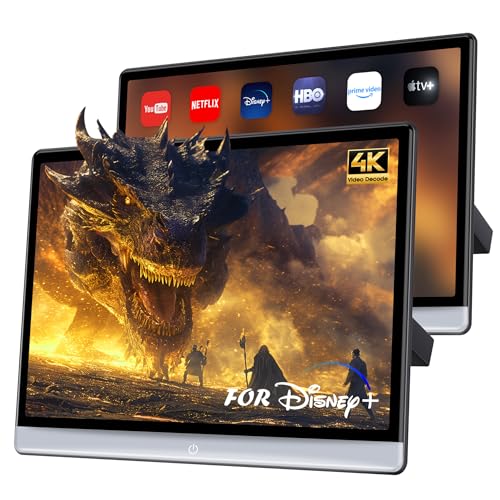
This 13.3 inch listing is presented as a car TV headrest monitor for the back seat and as a portable rear entertainment system built around an Android tablet format. Its title lists a touch screen, phone wireless mirror link, WiFi, HDMI, USB, and a video player, along with a memory and storage figure written as 4G plus 64G.
The 13.3 inch size sits in a sweet spot for many vehicles. It is clearly larger than the 10.1 inch options, so films and mirrored video feel spacious from the rear seat, but it is not as imposing as a 16 inch screen in a smaller cabin.
The combination in the title is worth reading as a whole. Android on board means the screen is not dependent on another device to be useful. WiFi gives it a path to connected content when a hotspot or home network is available. Wireless mirror link gives it a second path, from a phone. HDMI and USB give it wired paths as well. That layering is practical on real trips, where the best source changes. At home on the drive, WiFi is easy.
Who is this for? A family with one main rear passenger, or siblings content to share, who want a larger than basic screen, the most on board storage stated in this group, and several ways to get content onto the screen. Who should look elsewhere? A buyer who definitely wants two screens in one purchase should start with the pair listings, and a buyer in a very compact car should measure carefully and compare the 10.1 and 10.8 inch options first, because a 13.3 inch screen needs a headrest and a row that can carry it comfortably.
2. Bsldtor 10.1 Inch Android 12 Headrest TV Monitor, Pair of Two Screens
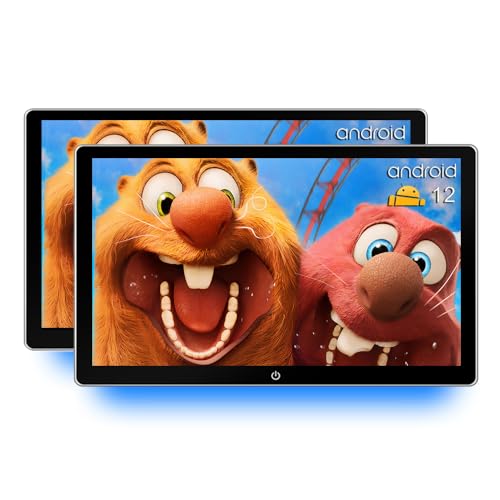
The Bsldtor listing needs its format stated plainly first, because it changes the value of everything else in the title. This is a package of two screens, a 2 piece set of 10.1 inch headrest monitors. Its title lists Android 12, WiFi, a touch screen, Bluetooth, and USB and HDMI in. So instead of covering one headrest, this purchase covers two, with matching screens for both sides of the rear row. For siblings, for twins, or for any two passengers who travel together most of the time, that matching pair format is the main reason to choose this listing.
At 10.1 inches each, these are the joint smallest screens in this guide, and that is a strength in the right car. Two smaller screens fit more easily in a compact or mid size car, sit more proportionately on smaller headrests, and are a comfortable viewing size for younger children sitting close to the screen in a child seat. A pair of very large screens can crowd a small rear row and overwhelm the space.
Android 12 with WiFi and touch controls means each screen is a self contained unit in general terms, not merely a passive display. Bluetooth is listed in the title, and USB and HDMI in are listed as wired connections, so passengers have more than one route for content and accessories, subject to the details of the specific listing. For parents, the practical appeal is routine.
Who is this for? Households with two regular rear passengers in a smaller or mid size vehicle, who want a matched pair, Android on board, and a screen size proportionate to younger passengers and tighter headrests. Who should look elsewhere? A buyer with a large vehicle and older passengers who want a bigger picture for films should compare the larger pairs and singles in this guide, including the 16 inch pair and the 14 inch single screen, before deciding that 10.1 inches is enough for their row.
3. 10.8 Inch Android Headrest Monitor With 5G WiFi and 2G Plus 32G, Pair of Two
Like the Bsldtor above, this 10.8 inch listing is a pair. Its title states 2 pieces, so the purchase covers two headrests with two screens. The title lists an Android car TV headrest monitor format, phone wireless mirroring, 5G WiFi, HDMI, USB, a sync touchscreen description, and a memory and storage figure written as 2G plus 32G. That makes it a direct alternative to the other compact pair in this guide, with a slightly larger screen on each side and a stated storage figure to hold a prepared library on the device.
The difference between 10.1 and 10.8 inches is modest on paper and noticeable in person, especially for text, menus, and shared viewing of a busier scene. It is still firmly in the compact class, so the same advantages apply. Two of these should fit a wide range of family cars without dominating the headrests, and the size suits children and teenagers in a normal second row seating position.
Who is this for? Two passenger households who want a compact pair with a little more screen than the smallest size, on board storage stated in the title, mirroring, and both WiFi and wired connections. Who should look elsewhere? A single passenger household is paying for a second screen it may rarely use, and should compare the single 13.3 and 14 inch options, which put the whole budget into one larger screen instead.
4. NOAUKA 10.1 Inch 4K Android 13 Headrest Monitor With HDMI, USB and SD Card
The NOAUKA listing is a single 10.1 inch headrest monitor whose title lists a 4K description, Android 13, phone wireless mirror link, a touch screen, HDMI input, USB and SD card support, WiFi, and a figure written as 2 plus 32G. In this guide it is the compact single screen with the newest Android version named in a title alongside an SD card slot, and that combination gives it a distinct role. It is the tidy, one seat solution for a car where only one rear position needs a screen, with several content paths packed into a small format.
Android 13 is the highest Android version number stated in any title here, which will appeal to buyers who prefer the most recent system version on offer in this comparison when they read listings side by side. We base that observation only on the version numbers printed in the titles themselves.
At 10.1 inches, this is also one of the easiest sizes to live with. It suits a smaller car, a single child seat setup, or a teenager in a compact rear row, and it is less likely to crowd a headrest or block the view between the front seats than the larger singles in this guide. A family that also keeps an eye on front seat tech on long trips will often plan the whole car together on a budget, and a sensible companion read for the front of the car is best affordable dash cameras alongside the rear seat choices in this guide.
Who is this for? A one screen household that wants a compact size, Android 13 as listed, and the widest mix of simple media options in a small unit, including an SD card. Who should look elsewhere? Anyone who needs two screens should go straight to the pair listings, and anyone whose passengers sit farther back in a large vehicle may find a 13.3 or 14 inch picture more satisfying for films.
5. WONNIE 16 Inch Headrest Monitor Pair, Large Screen Android Tablets for Wide Rows
The WONNIE 16 inch listing is, first and most importantly, a pair of two large screens. Its title describes a 16 inch car TV headrest monitor in a 4K Android tablet format, with phone wireless mirror link, a touch screen, and WiFi, Bluetooth, HDMI, and USB among its listed features. Two 16 inch screens is the largest total viewing area in this guide by a wide margin, and it is aimed at vehicles and passengers who can actually use that scale.
Scale brings responsibilities as well as benefits, so measure before you fall for the idea. A 16 inch screen on a small headrest in a compact car can look and feel out of proportion, crowd the space between seats, and sit uncomfortably close to a young child in a high child seat. On the right headrest in the right vehicle, the same screen gives a genuinely television like picture from the rear seat, which changes how a long film feels on a night drive or a holiday run.
Who is this for? Owners of large vehicles with two regular rear passengers who want the biggest picture in this guide on both sides of the row, with Android, mirroring, and wired connections on board. Who should look elsewhere? Almost anyone with a compact or mid size car, a small child sitting close to the headrest, or a tight rear row should choose one of the compact pairs or mid size singles instead, and will likely be happier for it on every trip, not just the first one.
6. WONNIE 12 Inch Dual Car DVD Players With Rechargeable Battery
This WONNIE listing is the different one in the guide, and its difference is its strength. It is a dual DVD player set for a car headrest, with two 12 inch players, mounting brackets listed in the title, support described as all regions, and USB and sync TV features listed as well. Its title states that the pair can play the same movie or two different movies, and that it has a five hour rechargeable battery. There is no Android system here and no need for one.
For the right family, that job is still a very good one. Many households own DVDs that children watch repeatedly, films bought over years, box sets from relatives, and discs picked up cheaply that have become firm favourites. A DVD set uses that library exactly as it is, with no converting, no accounts, no downloads, and no connection needed on the road. The same or different movies point is central to life with siblings. On one trip they watch together, sharing the same story at the same moment.
The rechargeable battery, stated at five hours in the title, changes the daily routine compared with the car powered Android screens. You can charge the players at home, start a film in a car park or on a drive before setting off, and run a long trip without tying up a car outlet for the screens.
Who is this for? Families with a real DVD collection, families who travel where connectivity is unreliable, and anyone who values a simple disc in and play routine for two rear passengers, with battery power reducing cable and outlet pressure. Who should look elsewhere? A household with no discs and a fully streaming library should choose an Android screen, where its existing services and downloads are the library, rather than starting a disc collection now to feed a player.
7. 14 Inch IPS Touchscreen Headrest Monitor With Android 13 and Dual Band WiFi
The final listing is a single 14 inch screen whose title is the most detailed in this guide. It lists a 14 inch IPS touchscreen, Android 13.0, wireless mirroring, dual band WiFi and Bluetooth, AirPlay and Miracast by name, HDMI, USB, and SD ports, a fit described as suitable for 98 percent of vehicles in the title wording, car and home dual use, and OTA update support. Read as a whole, that title positions this screen as the flexible all rounder among the singles.
The dual use point deserves a moment, because it changes how often the screen earns its place. A headrest monitor that is only ever used in the car may sit idle for weeks between long trips in some households. A screen described for car and home dual use can come indoors and serve as an extra display at home between journeys, which suits a family that wants one screen to work harder across the year.
At 14 inches with an IPS touchscreen panel as described, this is a strong single screen for a larger sedan, an SUV, or a minivan, and for older children, teenagers, or adult rear passengers who will appreciate the extra picture size over a 10.1 inch unit. The fit figure in the title is encouraging, but it does not replace measuring your own headrest posts. No percentage in any listing can tell you whether your specific seat has accessible posts, enough exposed post for a bracket, or a headrest shape that sits well with a large screen. Measure first, then let the title figure reassure you that the design aims at broad compatibility. Families who run several devices at once on a long trip often find that planning charging in advance makes the whole row calmer, and readers comparing power accessories alongside a screen purchase will find a useful starting point in best car chargers for keeping passenger devices topped up on the same trip.
Who is this for? A one screen household with a mid to large vehicle that wants Android 13 as listed, named AirPlay and Miracast mirroring, an SD port alongside HDMI and USB, and the option of using the screen at home as well as in the car. Who should look elsewhere? A buyer who needs two screens now should pick a pair, and a buyer with a very small car should start with the compact options and only move up to 14 inches after careful measuring.
Quick Comparison of the Seven Options
With seven listings covering three different ideas, a short side by side recap helps the choice settle. Use this section to narrow the field to one or two candidates, then go back and read those product sections again in full before you decide.
- Largest single screen storage figure in a title: the 13.3 inch monitor, listed as 4G plus 64G, in a single screen with WiFi, mirroring, HDMI, and USB.
- Compact pair with Android 12 named: the Bsldtor 10.1 inch set of two, with WiFi, touch, Bluetooth, and USB and HDMI in.
- Compact pair with a slightly larger screen: the 10.8 inch set of two, listed as 2G plus 32G, with 5G WiFi, mirroring, HDMI, and USB, and a sync touchscreen description.
- Compact single with Android 13 and an SD card: the NOAUKA 10.1 inch monitor, with mirroring, HDMI, USB, and WiFi, listed as 2 plus 32G.
- Largest pair: the WONNIE 16 inch set of two Android tablet format screens, with mirroring, WiFi, Bluetooth, HDMI, and USB.
- Disc based pair with battery: the WONNIE 12 inch dual DVD players, same or two different movies, five hour rechargeable battery as listed, mounting brackets, and USB and sync TV listed.
- Flexible large single: the 14 inch IPS touchscreen with Android 13.0, dual band WiFi, AirPlay and Miracast named, HDMI, USB, and SD ports, and car and home dual use as listed.
Installation and Safety Notes Worth Reading Before the First Trip
Fitting Day Checks
Set aside unhurried time for the first fitting, parked, with the rear doors open and the passengers who will use the screen available to sit in their normal places. Measure the headrest post distance before you open any packaging, then fit the bracket as the maker directs for that model, check that the headrest itself still locks and sits securely, and adjust the screen angle from the passenger eye line rather than from outside the car.
Then run a full dress rehearsal while still parked. Connect the power, connect WiFi or a hotspot if you plan to use it, mirror a phone if you plan to mirror, play media from USB or a card or a disc depending on your model, and pair or plug in the headphones your passengers will actually use.
Safety Habits for Every Trip
A headrest screen should be secure enough that it does not shift under braking or on rough surfaces, so recheck the mount after the first few trips and as part of a regular car tidy. Never let fitting, adjusting, or troubleshooting become a driving task. If something needs attention, it waits for a safe stop.
Also think about what happens when the trip ends. A screen left playing to no one drains attention from unloading safely, and a valuable looking display left prominently in a parked car is worth considering in your normal parking habits, just as you would with any other in car electronics. Families planning a screen alongside other in car essentials for a long trip, including keeping the vehicle itself ready to start after days parked at a destination, may also want to look at best car battery chargers and jump starters as part of the same trip preparation.
Frequently Asked Questions
Will a Headrest Monitor Fit My Car?
It depends on your headrests more than on your car badge. If your front seats have headrests that lift on two metal posts, most headrest monitors are designed around that pattern, and one title in this guide even describes its fit in very broad terms. Measure the distance between the posts, the post thickness, and the exposed length, and check for integrated headrests that do not lift at all. If your seats have no accessible posts, look for a different mounting approach altogether rather than forcing a bracket onto a seat it was not made for.
Do I Need WiFi in the Car to Use an Android Headrest Screen?
No, not for everything. WiFi is needed for connected and streamed content, and for updates where a model supports them, but downloaded content stored on the device, media on USB or an SD card where supported, a wired HDMI source, and mirroring from a phone can all play a part without a live car connection, depending on the model. The most reliable long trip routine is a prepared library downloaded or loaded at home, with WiFi or a hotspot treated as a bonus rather than the foundation of the whole plan.
Is One Large Screen Better Than Two Smaller Screens?
For one passenger, usually yes, a larger single screen gives that passenger the best picture. For two passengers, two smaller screens usually win, because each person gets a correct viewing position, a personal choice of content where the setup allows it, and no leaning into the middle of the car to see. Count your regular rear passengers first, then choose the format. Occasional extra passengers do not justify buying a pair if a single screen covers the person who is in the back on almost every trip.
Why Would Anyone Choose a DVD Player Set Now?
Because the library decides the player. A household with shelves of loved DVDs, especially childrens films watched on repeat, gets instant value from a dual DVD set with no accounts, no downloads, and no connection worries, plus the stated option of the same or two different movies and a rechargeable battery in the title of the set in this guide. A household with no discs gets no such value, and should buy for the streaming and downloaded library it actually has.
How Do Rear Passengers Listen Without Disturbing the Driver?
Plan headphones from the start. Check how your chosen model handles audio, whether Bluetooth is listed in its title, and what wired options the full listing describes, then try the exact headphones at home on fitting day. Agree a simple rule that films are a rear seat sound only, navigation and conversation stay clear in the front, and the driver never has to compete with a soundtrack to hear the road.
Can a Headrest Screen Be Used Outside the Car?
One listing in this guide, the 14 inch model, states car and home dual use in its title, so for that screen, yes, that flexibility is part of its stated appeal. For the other listings, do not assume home use is intended just because a screen can be unclipped from a bracket. Check the power arrangements and the full listing for that model, and treat car use as the default unless home use is clearly described.
Preparing a Content Library Before a Long Trip
The most reliable rear seat setup is prepared at home, not invented on the road. A few days before a long journey, sit down with the passengers who will be watching and agree a short list of films, episodes, and programmes that everyone is happy to see, plus a personal choice or two for each person where the format allows separate viewing. Agreement at home, in a calm moment, prevents the familiar first hour argument in the car, when every suggestion is rejected and the driver is asked to mediate a film choice from the front seat. Write the list down, load it in that order, and treat anything beyond the list as a bonus rather than a plan.
Then load and check everything in the format your screen actually uses. If you rely on downloads stored on an Android screen, download them fully at home and open each one briefly to confirm it plays from the start and has sound. If you rely on a USB stick or an SD card where your model supports it, copy the files, put the stick or card in the screen while parked, and play a minute of each film. If you rely on discs with the DVD set, check each disc for scratches, put them in a case that travels well, and keep them in the order you plan to watch them. If you plan to mirror from a phone, mirror that phone to that screen once at home, so pairing on the day is a repeat of something that already worked rather than a first attempt in a service station car park.
Think about the shape of the journey as well as the library itself. Very young children often do better with shorter episodes they already know than with one long unfamiliar film, because familiar stories hold attention without needing explanation from an adult in the front. Older children and teenagers can settle into a full film, but even they benefit from a break in viewing for food, fresh air, and a look out of the window at the places the family is travelling through. Plan natural stopping points into the viewing plan, keep a simple non screen option in the back for the gaps, such as a book, a puzzle, or music through headphones, and the screen becomes the highlight of the trip rather than a source of restlessness when it is switched off.
Finally, pack the small things that decide whether the plan survives contact with a real journey. Bring the correct power cable for your screen and keep it with the screen, not loose in a boot bag. Bring the headphones each passenger will use, checked and, where they need charging, charged the night before. Bring a cloth for fingerprints, because touch screens in the back of a family car collect them quickly, and a small bag for discs, sticks, or cards so the library stays together. Put a note of any pairing steps or settings you worked out at home somewhere the front passenger can reach while parked. None of this is glamorous, and all of it is the difference between a rear seat system that works quietly for years and one that causes a fresh problem on every trip.
Disclosure
This page may earn a commission through the Amazon Associates programme when readers buy through links on the page, at no extra cost to the reader. That relationship does not decide which products appear here. The seven products in this guide were selected and described from our research into manufacturer information and retailer listings, including the listing titles for size, system, connections, and format, and general information about how headrest monitors are mounted and powered.
Check prices on Amazon
Live listings for the shortlist in this guide are pulled from Amazon below, so prices and availability are always current at the moment you look.

Conclusion
The best rear seat entertainment monitor is the one that matches your passengers, your vehicle, and your existing library, in that order. If you carry one passenger in a larger vehicle and want generous on board storage as listed, start with the 13.3 inch single screen. If you carry two passengers in a smaller car, start with the two compact pairs, the Bsldtor 10.1 inch Android 12 set and the 10.8 inch set with the slightly larger screen on each side.
Whichever direction you choose, do the unglamorous work first. Measure the headrest posts, decide the power route, prepare the content library at home, sort headphones for the rear passengers, and run the whole setup once while parked. A rear seat screen bought that way stops being a gadget and becomes part of how your family travels, quietly turning the longest part of the journey into the easiest part for everyone in the car.