What's inside
- Key Takeaways
- Quick Picks
- How We Chose These Picks
- How Does FSR Actually Work at 4K, and Which Mode Should You Use?
- What Settings Should an AMD 4K Player Actually Use?
- RDNA 3 or RDNA 4: What Actually Changed Between the Generations?
- How Should You Pair an AMD Card With a 4K Display?
- What Should You Know About Power and Heat on the Big AMD Cards?
- How Do You Buy the Prose-Only Veterans Safely?
- Can AMD Cards Handle Streaming, Recording, and Creation at 4K?
- What Should Linux and Handheld-PC Owners Know About These Cards?
- Which Games Show AMD’s 4K Strengths and Weaknesses Most Clearly?
- How Does the Rest of the System Affect AMD 4K Performance?
- What Is the Upgrade Logic Between These Six Cards?
- How Do You Set Up an AMD Card for 4K in the First Evening?
- What About Noise and Coil Whine at 4K Loads?
- Does HDR on AMD at 4K Need Anything Special?
- RX 9070 XT or RX 7900 XTX: The Head-to-Head Most Buyers Actually Face
- How Well Do These Cards Hold Their Value?
- What Does a Complete AMD 4K Setup Cost in Attention, If Not Money?
- What Should You Know About Warranty and Support Across These Picks?
- A Note on Multi-Monitor and VR Sidelines
- Common Mistakes
- Final Recommendation
- Frequently Asked Questions
- Related Guides
As an Amazon Associate I earn from qualifying purchases. This post may contain affiliate links at no extra cost to you.
widgetverdict.com is reader-supported. When you buy through links on our site, we may earn an affiliate commission.
Shoppers searching for the best 4k graphics cards amd builders can buy in 2026 are really asking two questions at once: can AMD hardware genuinely game at 3840×2160, and does choosing the red team mean surrendering the upscaling polish that makes 4K practical? The answers, in order, are yes — with the right tier and honest settings — and increasingly no. This guide ranks six AMD cards for 4K duty: the current RX 9070 XT flagship and two RX 9060 XT 16GB models with verified listings, plus three previous-generation cards — the RX 7900 XTX, RX 7900 XT, and RX 7800 XT — covered in prose because their listings could not be matched confidently enough to link.
Three of these cards carry Amazon links, and for those, check price on Amazon on the listing itself, because previous-generation AMD stock and current models alike swing with availability. For the three prose-only veterans, the buying route runs through remaining retail stock, authorised resellers, and the used market, and each review below explains how to shop that route safely. Do not let the link difference mislead you about merit: the strongest 4K card in this entire guide may be the unlinked 7900 XTX, and the ranking explains why it still sits behind the linked flagship in our ordering.
One definition before the shortlist, because 4K gaming needs it. At this resolution, upscaling is not a fallback for weak cards; it is the intended operating mode for almost every GPU sold, including flagships from both brands. A card earns a 4K recommendation here by delivering smooth, high-quality play at 3840×2160 output using FSR in its quality modes, with native rendering reserved for lighter titles and older catalogues. Judged by that honest standard, AMD’s current and recent hardware has more to offer than its reputation suggests.
Key Takeaways
- The RX 9070 XT is AMD’s most complete 4K card: RDNA 4 ray tracing, the much-improved current FSR, and 16GB of memory in a card we can link with confidence.
- The RX 7900 XTX remains the raw rasterisation king of this list and a superb used or remaining-stock buy, but its listings were too inconsistent to link responsibly.
- Memory is AMD’s quiet advantage at 4K — 16GB to 24GB across these picks, against a market where rivals still sell less at similar tiers.
- The RX 9060 XT 16GB cards reach 4K through upscaling in lighter and medium titles; they are entry points to the resolution, not max-settings machines.
- Ray tracing is where AMD’s gap persists: improved in RDNA 4, still behind the competition in the heaviest path-traced scenes.
Quick Picks
| Pick | Badge | Why it earns a place |
|---|---|---|
| GIGABYTE Radeon RX 9070 XT Gaming OC 16GB | Current AMD 4K flagship | RDNA 4 pace, modern FSR, and strong ray tracing for an AMD card, in a linked listing. |
| XFX Swift Radeon RX 9060 XT 16GB | Cool-running 4K entry point | Big-cooler composure and 16GB for upscaled 4K in lighter and medium titles. |
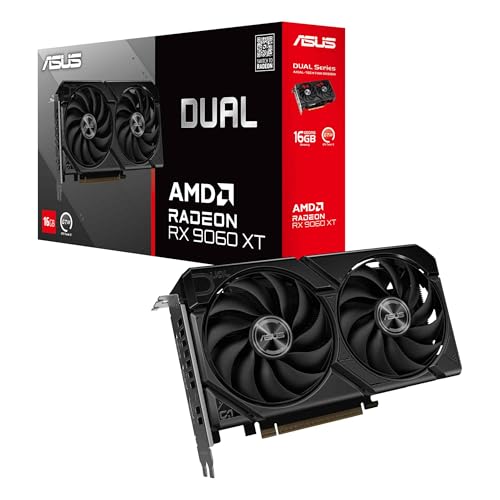
| ASUS Dual Radeon RX 9060 XT 16GB | Compact 4K entry point | The same 16GB RDNA 4 formula in a dual-fan body for smaller cases. |
| AMD Radeon RX 7900 XTX | Raw-power veteran | 24GB and flagship RDNA 3 rasterisation; prose-only because listings could not be verified cleanly. |
| AMD Radeon RX 7900 XT | The XTX’s close sibling | 20GB and near-flagship pace for remaining-stock and used hunters. |
| AMD Radeon RX 7800 XT | Value route to upscaled 4K | 16GB and honest 1440p strength that stretches to 4K in lighter titles. |
How We Chose These Picks
Eligibility required a plausible 4K story, defined as smooth play at 3840×2160 output in a meaningful share of the current catalogue with FSR quality upscaling, plus memory enough that 4K texture sets do not immediately suffocate the card. That bar admitted the current RDNA 4 pair of tiers and the three strongest RDNA 3 cards, and excluded smaller RDNA 3 models whose 4K claims dissolve on contact with a modern release. We also required the card to be realistically purchasable in 2026 — new, remaining stock, or a healthy used market — because a guide to unobtainable hardware helps nobody.
Ordering within the six follows a deliberate logic. The linked RX 9070 XT leads because it is the card a buyer today can order new with the most complete 4K feature set AMD offers. The 7900 XTX, for all its raw power, is a previous-generation card whose purchase requires the stock-and-used hunting its review describes, so it is ranked as the connoisseur’s alternative rather than the default. The 9060 XT pair close the linked group as the resolution’s entry points, and the two remaining veterans fill the value routes between.
Verification split the list exactly as the introduction states. The 9070 XT and both 9060 XT models matched listings in our verified pool through the site’s product data on 2026-11-25. The 7900 XTX, 7900 XT, and 7800 XT did not — their marketplace listings mix board partners, refurbished units, and outright mislabels too freely — so they are recommended in prose, with sourcing guidance in each review, and no invented identifiers anywhere.

GIGABYTE Radeon RX 9070 XT Gaming OC 16GB — Current AMD 4K flagship
RDNA 4 was the generation where AMD stopped apologising at 4K, and the RX 9070 XT is the proof. Its rasterised pace at 3840×2160 handles the current catalogue at high settings with FSR quality mode engaged, its ray-tracing hardware took the largest generational step in AMD’s history, and the current FSR upscaling — now machine-learning based on this generation — produces a 4K image that survives scrutiny on a large television. GIGABYTE’s Gaming OC wraps the chip in a substantial triple-fan cooler with a factory overclock, and the whole package is the first AMD card in years that a 4K buyer can choose without a paragraph of caveats leading the review.
The experience in demanding titles runs like this: native rendering for the lighter half of your library, FSR quality for the heavy half, frame generation available where games support it, and ray tracing that can be enabled as a feature rather than a dare. Sixteen gigabytes of memory holds 4K texture sets without the stutter that defines under-provisioned cards at this resolution. Streaming and recording ride on AMD’s mature media engine with AV1 support.
Remaining caveats are comparative rather than absolute. The very heaviest path-traced showcases still run better on the rival flagship tier, and FSR’s game support, while broad, trails DLSS’s library in a few notable titles. Power draw and physical size demand a proper tower and a healthy supply — check the listing’s figures against your build. As the current, linkable, warrantied flagship of AMD’s 4K line, though, this is the card this guide sends most readers to buy.
- Memory: 16GB GDDR6
- Cooler: GIGABYTE Gaming OC triple-fan design — measure case clearance
- Features: current-generation FSR upscaling and frame generation, RDNA 4 ray tracing, AV1 encode
- Power: dual 8-pin class on this model — confirm on the listing
- Role: the default new-purchase AMD card for a 4K display
Strengths
- Most complete AMD 4K feature set ever shipped in one card.
- Ray tracing finally respectable at this resolution.
- 16GB and modern FSR make high settings at 4K a routine experience.
Trade-offs
- Path-traced showcases still favour the rival flagship tier.
- Large cooler and power draw exclude compact builds.
- FSR library support, while broad, is not universal.
Best for: a 4K monitor or TV owner who wants AMD’s best current card, new and warrantied.
Not suited for: small-form-factor builders or path-tracing completists.

XFX Swift Radeon RX 9060 XT 16GB — Cool-running 4K entry point
Recommending a mid-tier card for 4K requires precision about what it does there, so here it is. The RX 9060 XT 16GB plays esports, indies, and the last several years of major releases at 4K output with FSR doing the heavy lifting, and it plays them smoothly. It does not play this year’s most demanding titles at 4K high settings, and no honest review should let you believe otherwise. What it offers is a genuine seat at the 4K table — the resolution’s clarity for the lighter two-thirds of a typical library — at the tier where budgets actually live.
XFX’s Swift cooler is the reason this version leads its sibling below. 4K workloads hold a GPU at sustained load, and the Swift’s larger heatsink and fan array keep clocks steadier and noise lower across those long sessions than compact coolers manage. In a tower case, that composure is worth more than the shelf space it costs. The 16GB capacity, again, is the specification that makes the 4K conversation possible at all on this tier; the 8GB variant of this GPU is a 1440p card and should be bought as one.
Buy the Swift if your library leans light-to-medium, your display is already 4K, and your settings expectations are adult. Buy it also as a deliberate stepping stone: it will serve a 1440p monitor superbly if the 4K experiment disappoints, which makes it the lowest-risk route into the resolution in this entire guide.
- Memory: 16GB GDDR6
- Cooler: XFX Swift large-format design for sustained loads
- Features: FSR upscaling, RDNA 4 efficiency, AV1 media support
- Power: confirm connector and recommended supply on the listing
- Role: upscaled 4K for lighter and medium catalogues, elite 1440p as a fallback
Strengths
- Sustained 4K upscaled play without thermal drama.
- 16GB keeps 4K textures from becoming a stutter source.
- Superb 1440p card if you step the display down.
Trade-offs
- Newest blockbusters at 4K exceed its honest reach.
- Size demands a real tower case.
- Ray tracing at 4K is a light-touch affair on this tier.
Best for: a 4K display owner with a lighter library who values cool, quiet running.
Not suited for: players whose week is led by the newest maximum-settings releases.
ASUS Dual Radeon RX 9060 XT 16GB — Compact 4K entry point
ASUS’s Dual version of the 9060 XT 16GB answers the same 4K-entry question as the XFX for a different room: the small case. Its dual-fan, shorter body fits compact towers and small-form-factor builds where the Swift simply cannot go, while delivering the same silicon, the same 16GB, and the same FSR-driven route to 4K output in lighter and medium titles. If your PC lives in a small enclosure and your television is 4K, this is the card that lets the two meet.
Expect the compact tax in its usual currency. Under sustained 4K loads the smaller cooler runs its fans harder than the Swift’s, so the soundtrack of a long session is more present, and in a poorly ventilated small case the card will manage its temperatures by trimming clocks sooner. Neither behaviour is a defect; both are the physics you accepted when the case was chosen. Keep the little case’s vents clean and its intake path clear, and the Dual holds its performance honourably.
The same buying discipline applies as with its sibling: the listing must say 16GB, because the 8GB namesake belongs to a different resolution conversation. With that confirmed, the Dual is the small-case AMD buyer’s 4K starting point — and, exactly like the Swift, a first-rate 1440p card in reserve if your display plans change.
- Memory: 16GB GDDR6
- Cooler: ASUS Dual dual-fan compact design
- Features: FSR upscaling, AV1 media support
- Power: single 8-pin class — confirm on the listing
- Role: 4K entry for compact cases, with elite 1440p in reserve
Strengths
- Fits the small cases the Swift cannot enter.
- Full 16GB keeps the 4K brief honest.
- Same silicon and features as its larger sibling.
Trade-offs
- Smaller cooler is more audible under sustained 4K load.
- Thermal headroom depends on the small case’s airflow.
- Same tier ceiling: newest titles at 4K are out of reach.
Best for: a small-form-factor owner whose screen is 4K and whose library runs light to medium.
Not suited for: tower owners, who should take the cooler headroom of the Swift instead.
AMD Radeon RX 7900 XTX — Raw-power veteran
On raw rasterised pace at 4K, the RX 7900 XTX still outruns everything else in this guide, the current flagship included. RDNA 3’s range-topper pairs that pace with 24GB of memory — a figure nothing else here approaches — and for players whose libraries are traditional-rendering showcases, it remains a formidable 4K instrument: high settings, native rendering across much of the catalogue, and memory headroom that will not be the reason a future title stutters. It is covered in prose because its marketplace presence has become a thicket of partner variants, refurbished units, and optimistic mislabelling that we could not link responsibly; shop it through authorised resellers or reputable used channels, verify the exact partner model, and insist on evidence of condition.
Its generational compromises are the mirror of its strengths. FSR on RDNA 3 tops out at the pre-machine-learning generation of the technology, so its upscaled image, while good, is not the current flagship’s equal. Ray tracing sits a generation behind as well — serviceable in moderate implementations, clearly outclassed in the heavy ones. Power draw is flagship-class and then some, demanding a strong supply and a case that can move air.
Who should hunt one? The rasterisation purist with a 4K high-refresh monitor, the buyer who finds remaining stock at a fair figure, and the used-market shopper patient enough to verify before paying. In those hands the XTX is not a compromise at all — it is arguably the most card in this guide. It simply asks more shopping effort than a linked listing, and this guide’s job is to say so plainly.
- Memory: 24GB GDDR6 — the largest capacity in this guide
- Architecture: RDNA 3 flagship, traditional-rendering pace above the 9070 XT
- Features: FSR (pre-ML generation), AV1 encode, DisplayPort 2.1 on reference-class designs
- Power: flagship-class draw — a strong supply is mandatory
- Role: maximum rasterised 4K for stock-and-used hunters
Strengths
- Fastest traditional-rendering 4K performance in this list.
- 24GB of memory will not be a bottleneck for years.
- Excellent value when remaining stock or used units price fairly.
Trade-offs
- Older FSR generation and ray tracing trail the RDNA 4 flagship.
- High power draw demands supply and airflow to match.
- Buying requires variant and condition verification — no verified link here.
Best for: a rasterisation-first 4K player willing to shop carefully for remaining stock or a clean used unit.
Not suited for: shoppers set on a one-click, warrantied, current-generation purchase.
AMD Radeon RX 7900 XT — The XTX’s close sibling
The RX 7900 XT spent its launch window in its bigger sibling’s shadow, which time has converted into its chief virtue: it is frequently the better value of the pair on the remaining-stock and used markets. With 20GB of memory and rasterised pace a modest step behind the XTX, it delivers the same style of 4K experience — native rendering across much of the catalogue, high settings, memory to spare — for buyers whose hunting turns one of these up at the right figure. Like the XTX, it is discussed here without a link, because its listings carry the same partner-and-refurb tangle; apply the same verification discipline.
Generational notes repeat with a smaller signature. Its FSR is the pre-ML generation, its ray tracing is RDNA 3 class, and its power appetite is substantial if a touch lighter than the flagship’s. None of that diminishes the central fact: at 4K, this card’s combination of pace and 20GB remains more future-proof than most of what the market currently sells new at its tier.
Choose between the siblings by opportunity rather than doctrine. If an XTX and an XT stand at similar money, take the XTX. If the XT is meaningfully cheaper — as it often is, precisely because the flagship’s name draws the crowd — take the XT and spend the difference on the monitor arm, the SSD, or the games themselves. That is not settling; that is shopping.
- Memory: 20GB GDDR6
- Architecture: RDNA 3, near-flagship rasterised pace
- Features: FSR (pre-ML generation), AV1 encode
- Power: substantial — confirm supply headroom before hunting
- Role: value-flagship 4K for careful stock and used buyers
Strengths
- Near-XTX experience, frequently at friendlier money.
- 20GB of memory outlasts most current new cards.
- Native 4K across much of the catalogue.
Trade-offs
- Same older FSR and ray-tracing generation as the XTX.
- Still a large, power-hungry card for older cases.
- No verified link — sourcing effort is part of the deal.
Best for: a patient 4K buyer who lets market pricing, not model hierarchy, pick between the two RDNA 3 flagships.
Not suited for: anyone unwilling to verify a used or remaining-stock purchase carefully.
AMD Radeon RX 7800 XT — Value route to upscaled 4K
The RX 7800 XT built its reputation as a 1440p champion, and it closes this guide as the budget-conscious route into 4K for exactly the reasons that reputation suggests. Its 16GB of memory — generous when it launched, still generous now — lets 4K texture sets load without drama, and its rasterised pace carries lighter and older titles to 4K natively while FSR lifts the medium-weight catalogue to the resolution at playable, often handsome quality. It appears in prose because, like its bigger RDNA 3 siblings, its current listings could not be verified cleanly enough to link.
Set the boundary honestly: this year’s demanding releases at 4K are beyond it at anything like high settings, and its ray tracing is the modest RDNA 3 variety. Owners should think of 4K on this card as a bonus mode for the lighter shelves of the library, with 1440p as its home resolution where it remains genuinely excellent. Bought at the soft prices its age now commands — new-old stock or a verified used unit — that is a fair and useful machine.
The 7800 XT also makes the guide’s quietest argument: memory generosity ages better than launch-day pace. Cards that were faster on release charts but carried less memory have already fallen behind it in real 4K usability. If your budget is fixed and your display is 4K, a verified 7800 XT serves you longer than a newer, smaller-memory alternative at the same money.
- Memory: 16GB GDDR6
- Architecture: RDNA 3, elite 1440p pace that stretches upward
- Features: FSR (pre-ML generation), AV1 encode
- Power: mid-range draw, friendly to existing supplies
- Role: budget route to 4K for lighter libraries; 1440p excellence in reserve
Strengths
- 16GB at veteran pricing is a longevity bargain.
- Genuinely strong at 1440p if the 4K plan changes.
- Modest power needs suit older systems.
Trade-offs
- Current demanding titles at 4K exceed it.
- Ray tracing is the weakest in this guide alongside its generation.
- Listings need verification — no link provided here.
Best for: a budget-fixed buyer with a 4K screen and a back-catalogue-heavy library.
Not suited for: players expecting new-release 4K performance at high settings.
How Does FSR Actually Work at 4K, and Which Mode Should You Use?
FSR renders the game at a lower internal resolution and reconstructs the 4K frame from that data, using temporal information — and, on the current RDNA 4 generation, machine learning — to recover detail. At 4K output, the quality mode renders internally around 1440p, which is why this guide’s 4K and 1440p conversations keep intertwining: a quality-mode 4K image starts from a resolution many players game at natively, and the reconstruction to 2160p is correspondingly convincing, especially in motion and at television distances.
Choose quality mode first, always. Drop to balanced only when a specific title still misses your frame-rate target, and treat performance mode at 4K as a last resort for the heaviest scenes, where its softer image remains preferable to a stuttering native render. Frame generation, where supported, layers on top once the base frame rate is healthy. The discipline is identical across all six picks; only the starting pace differs.
What Settings Should an AMD 4K Player Actually Use?
Begin at high rather than ultra — at 4K, the visible distance between those presets is small and the performance distance is not — and let texture quality stay high, because these cards’ memory is their birthright and textures are where 4K shows. Shadows and volumetrics are the first dials to lower in a struggling title. Ray tracing deserves a per-game decision: reflections alone often deliver most of the visual gain for a fraction of the full suite’s cost, a compromise RDNA 4 handles gracefully and RDNA 3 tolerates in lighter games.
Cap frame rates at your display’s maximum and let FreeSync smooth the variance below it. A 4K panel at 60Hz wants a steady 60; a high-refresh 4K panel wants the cap set a few frames under its ceiling. Consistency reads as smoothness more than peaks do, on every card in this list.
RDNA 3 or RDNA 4: What Actually Changed Between the Generations?
Understanding this guide’s split personality — three cards from each generation — requires knowing what AMD actually improved. Rasterised efficiency advanced modestly; a 9070 XT does not humiliate a 7900 XT in traditional rendering, and the XTX keeps the outright crown. The leaps came in the two technologies that define modern 4K: ray tracing, where RDNA 4’s redesigned hardware closes much of the distance to the competition, and upscaling, where the move to machine-learning FSR transformed image quality from acceptable to genuinely comparable with the best in the industry.
That distribution of progress explains the recommendations. A buyer whose library is rasterised and who finds a 7900 XTX fairly priced loses remarkably little by choosing the older flagship. A buyer whose library leans on ray-traced releases, or who simply wants the current feature set with a warranty, belongs on RDNA 4. Neither is the wrong generation; they are different distributions of strength, and this guide’s ordering follows purchase practicality — new, linked, warrantied — rather than a single benchmark ladder.
Efficiency deserves its sentence too: RDNA 4 extracts its performance at more moderate power than the RDNA 3 flagships demand, which shows up in quieter cooling and kinder electricity bills across years of 4K sessions. In a warm room or a modest case, that difference can matter as much as any frame-rate chart.
How Should You Pair an AMD Card With a 4K Display?
FreeSync is AMD’s native variable-refresh technology, and its premium tiers on 4K panels synchronise down to low frame rates with compensation that keeps sub-60 moments smooth — valuable at a resolution where even strong cards dip. Most modern 4K monitors and many televisions support FreeSync over HDMI or DisplayPort with these cards, and enabling it in both the display’s menu and AMD’s software is a two-minute job that transforms how the demanding titles feel. Skipping it leaves the card’s hardest work unsmoothed, which is the most common reason a capable AMD 4K setup feels rougher than its frame rates suggest.
Panel choice interacts with tier. A 4K 60Hz television forgives the 9060 XT pair everything, because its ceiling matches their honest output. A 4K high-refresh monitor exposes the tiers properly: the 7900 XTX and 9070 XT feed it meaningfully, the 7900 XT follows closely, and the entry cards visit high refresh only in esports. Buy the display and card as a system with matched ambitions, and neither will embarrass the other.
HDMI 2.1-class connectivity matters for televisions in particular, since it carries 4K high-refresh with variable refresh over one cable. The RDNA 3 flagships were early and enthusiastic adopters of modern display outputs, one more quiet way the veterans keep their relevance.
What Should You Know About Power and Heat on the Big AMD Cards?
The RDNA 3 flagships are honest about their appetites: they convert substantial electricity into their rasterised pace, and a case housing one needs intake and exhaust that actually move, plus a supply with the wattage and the connector quality to feed sustained loads. Transient spikes — brief, sharp power excursions — were a documented character of that generation, and a quality modern supply absorbs them by design; a bargain unit announces them as shutdowns. The 9070 XT moderates the demand considerably, and the 9060 XT pair are modest enough for ordinary gaming PCs.
Thermally, partner coolers decide your experience more than the silicon does. The GIGABYTE Gaming OC on our flagship pick and the XFX Swift both carry the mass to run their chips quietly; reference-style and compact designs work harder for the same clocks. At 4K’s sustained loads, check temperatures in your longest session during the first week and set fan curves for the room the PC actually lives in. A card that throttles in August was not mis-sold; it was under-ventilated in June and nobody checked.
How Do You Buy the Prose-Only Veterans Safely?
Treat the purchase as verification, not shopping. Identify the exact partner model and its specifications from the manufacturer’s page, then match the unit in front of you — photographs of the actual card, its label, its memory configuration — against that reference. Buy through channels with returns that survive the card’s arrival: authorised resellers for remaining stock, established refurbishers with stated warranties, and used marketplaces whose buyer protection covers a card that turns out to be a mislabelled sibling.
On arrival, test like a sceptic. Confirm the reported memory and model in the driver panel, run a demanding 4K workload for half an hour while watching temperatures and listening for fan distress, and play the title you bought it for. Ex-mining cards are not automatically ruined — many were undervolted and well cooled — but a seller’s story is not evidence; the half-hour test is. Cards that pass it have years of service in them, which is why these veterans remain worth the effort their purchase requires.
Price discipline completes the method. Know the linked alternatives’ current figures before hunting, and let a veteran’s price justify its warranty-less life against the 9070 XT’s new-in-box certainty. When the gap is small, take the certainty. When a 7900 XTX undercuts it meaningfully, take the flagship and the 24GB, and enjoy the connoisseur’s bargain.
Can AMD Cards Handle Streaming, Recording, and Creation at 4K?
AMD’s media engine has matured into a genuine asset. AV1 encoding on both generations here produces clean streams and recordings at 4K with modest performance cost, and the platforms’ growing AV1 support means AMD streamers no longer accept a quality handicap for choosing the red team. Recording gameplay locally at 4K for editing is comfortable on the flagship tiers, and the veterans’ large memory pools double as timeline headroom for 4K video projects in the major editors, where AMD acceleration support is now routine.
Creation caveats are specific rather than sweeping. A few professional applications still optimise first for the rival’s compute ecosystem, and a buyer whose living depends on one should check that application’s current GPU guidance before choosing any card in this guide. For the mainstream creator — editing, streaming, recording, streaming assets — AMD’s showing here is complete, and the 7900 XTX’s 24GB remains a quietly excellent editing specification that its gaming reputation overshadows.
What Should Linux and Handheld-PC Owners Know About These Cards?
AMD’s open driver stack gives these cards a second citizenship that matters to a growing minority. On Linux, Radeon hardware runs on the well-maintained open-source drivers that ship with the kernel, and 4K gaming through the usual compatibility layers is a first-class experience on RDNA 3 and RDNA 4 alike — one reason Linux-leaning builders disproportionately choose from lists like this one. The veterans’ maturity in that stack is complete; the 9070 XT’s support arrived promptly with its generation.
The same architecture family powers the current wave of gaming handhelds and living-room PCs, which means AMD’s upscaling work benefits from an ecosystem pushing in one direction. None of that changes a Windows buyer’s ranking, but for the dual-boot household or the Linux-curious, it is a real and durable advantage that belongs in the ledger beside frame rates.
Which Games Show AMD’s 4K Strengths and Weaknesses Most Clearly?
Traditional-rendering showcases with heavy texture loads are AMD’s home turf at 4K: open-world titles with vast draw distances lean on rasterised pace and memory, and there the 7900 XTX’s 24GB and the 9070 XT’s efficiency produce the kind of untroubled high-settings experience that marketing screenshots promise. Racing and sports titles, with their clean geometry and high frame targets, flatter every card in this list and make even the 9060 XT pair look like 4K naturals on a television.
Path-traced releases draw the map’s other border. Where a game rebuilds its lighting entirely from rays, the rival flagship tier’s dedicated maturity shows, and AMD owners should reach for the settings compromises this guide describes — selective ray tracing, FSR quality, frame generation — which still yield a handsome, playable result on the 9070 XT. Knowing your library’s position on that map is the whole art of choosing within this list: the rasterisation-heavy player can shop the veterans freely, while the ray-tracing devotee should concentrate on RDNA 4 and calibrate expectations even there.
How Does the Rest of the System Affect AMD 4K Performance?
At 4K the GPU is usually the bottleneck — that is the resolution’s gift to system balance — but two supporting actors still matter. Memory bandwidth in the host system feeds asset streaming in open-world titles, and a slow or single-stick memory configuration can sand the edges off a flagship’s performance in exactly the games that showcase it. Storage speed matters the same way: 4K texture sets are large, and titles that stream them from a hard drive will hitch on any card here, the 24GB veteran included.
Resizable BAR, which AMD calls Smart Access Memory in its own platform pairings, should be enabled for these cards as a matter of course; it is a free, if modest, contribution. Beyond those checks, a modern six-core processor and 16GB or more of system memory let every pick in this guide be the limiting factor it was bought to be — which, at 4K, is exactly where the limit belongs.
What Is the Upgrade Logic Between These Six Cards?
Think of the list as two ladders sharing rungs. The new-purchase ladder runs 9060 XT to 9070 XT: a clean doubling of capability for buyers who want warranties and links. The opportunity ladder runs 7800 XT to 7900 XT to 7900 XTX, climbed by watching stock and used pricing rather than by announcement dates. Owners cross between ladders when a veteran’s price falls below a new card’s tier, which happens often enough that patient shoppers should check both before every purchase.
Sideways moves waste money in both directions. A 7800 XT owner gains little from a 9060 XT; a 7900 XT owner gains features, not transformation, from a 9070 XT. The honest upgrades are the full-tier jumps and the memory cliffs — and at 4K, the next great cliff for most owners will be a display or a flagship, not another mid-tier card. Buy the rung your library needs, then leave the ladder alone until a game you love cannot climb it.
How Do You Set Up an AMD Card for 4K in the First Evening?
AMD’s Adrenalin software is the control room, and a deliberate first pass through it pays for itself. After installing the current driver, confirm the display is running at its native 3840×2160 and full refresh, enable FreeSync if the panel offers it, and check that Resizable BAR reports active. Then set a global frame-rate cap a few frames below the panel’s ceiling — Adrenalin’s frame-rate target control or the per-game limiter both serve — because a capped, even output feels smoother at 4K than an uncapped card surging against its thermal limits.
Per-game profiles come next. For each major title, set FSR to quality as the default posture and save the profile, so the game launches correctly every time instead of renegotiating its settings menu. Enable frame generation per title rather than globally, since its benefit depends on a healthy base frame rate that not every game provides. Finish with the metrics overlay switched on for the first week: watching temperature, utilisation, and frame time teaches you your own system’s normal, and every future troubleshooting conversation becomes shorter for it.
One habit separates contented AMD owners from frustrated ones: update drivers on your schedule, promptly for a major game’s launch and otherwise when a release promises something you need. The cadence of improvement in FSR support makes staying reasonably current worthwhile, while day-one installing of every optional build is a hobby, not a requirement.
What About Noise and Coil Whine at 4K Loads?
Sustained 4K rendering is the loudest work a gaming PC does, and AMD’s bigger cards are no exception. Fan noise follows cooler mass: the triple-fan GIGABYTE and the large XFX run their loads with composure, compact and reference-style designs speak up sooner, and the veterans’ flagships move flagship quantities of air. None of it is abnormal, and a fan curve set for your room — slightly warmer card, noticeably quieter evening — is a trade most owners should make without guilt.
Coil whine, the high-pitched electrical note some cards produce under particular loads, deserves its honest paragraph. It varies unit to unit rather than model to model, appears most often at very high frame rates in menus, and is a cosmetic flaw rather than a failing card. Frame-rate caps tame its favourite conditions, which is one more reason the capped setup above is this guide’s default advice. A unit whose whine penetrates a closed case and a headset is a legitimate return conversation with the seller; a faint note audible only in a silent room at a menu screen is the ordinary cost of high-performance electronics.
Does HDR on AMD at 4K Need Anything Special?
AMD’s cards drive HDR output without ceremony, and FreeSync Premium Pro panels pair with them to manage tone mapping in supported titles. The practical guidance mirrors the hardware truth: HDR’s quality lives in the display, so a genuinely bright, locally dimmed or OLED 4K panel turns these cards’ HDR into the most visible upgrade in the whole setup, while a dim badge-engineered panel makes the same signal look tired. Enable HDR in Windows for the games and films that use it, calibrate with the operating system’s HDR tool once, and leave SDR content in its native mode if your panel’s desktop handling disappoints. The cards will not be the weak link in that chain.
RX 9070 XT or RX 7900 XTX: The Head-to-Head Most Buyers Actually Face
Strip the list to its real contest and it is this: the new flagship with the modern feature set, or the old flagship with the bigger numbers. On pace in traditional rendering, the XTX wins, and its 24GB against 16GB is not close. On ray tracing, current FSR quality, efficiency, noise, warranty, and the simple ability to click a verified listing and be done, the 9070 XT wins every round. The decision therefore belongs to your library and your temperament, not to a benchmark table.
Choose the 9070 XT if your games use ray tracing, if you value the upscaling generation you will live with for years, or if shopping itself is a cost you would rather not pay. Choose the XTX if your catalogue is rasterised, your case and supply can feed it, and finding one at a fair, verified price sounds like sport rather than chore. Both owners will game at 4K happily for years; they will simply tell different stories about how the card arrived.
How Well Do These Cards Hold Their Value?
AMD’s memory generosity has a resale consequence owners appreciate later: cards with capacity to spare stay useful longer, and useful cards hold value. The 7900 pair’s slow depreciation is this principle already at work, and the 16GB RDNA 4 cards are positioned to repeat it. Flagship buyers rarely recover their premium in any brand, but the mid-list picks here — a 9060 XT 16GB, a well-bought 7800 XT — tend to return a satisfying share of their cost when the next upgrade calls, because the second-hand market has learned to price memory as carefully as this guide does.
Keep the box, the accessories, and the purchase records, and clean the card before photographing it for sale. The used market that this guide sends you into as a buyer rewards exactly the sellers it teaches you to be.
What Does a Complete AMD 4K Setup Cost in Attention, If Not Money?
Every 4K system charges a small ongoing tax that has nothing to do with its purchase price: settings literacy. The owners who thrive with these cards learn their three or four favourite titles’ preferences, keep FSR modes straight, and know which dial to reach for when a new release runs heavy. That literacy is cheaper than the alternative — buying a tier above your needs to avoid ever opening a settings menu — and it compounds, because the habits transfer to every future card. AMD’s current software makes the learning gentle, with per-game profiles that remember what you taught them. Budget an evening for it with any pick in this guide, and the following years run themselves.
What Should You Know About Warranty and Support Across These Picks?
The linked cards carry their partners’ warranties — GIGABYTE behind the flagship, XFX and ASUS behind the 9060 XT pair — and those warranties are part of what the new-purchase premium buys. Register the card when it arrives, keep the invoice somewhere findable, and note the support channel for your region before you need it; a fan failure in year two is a routine errand for the organised and a small crisis for everyone else. Partner support quality varies by territory more than by brand mythology, so local reputation is the figure worth researching.
The veterans invert the arrangement: their savings arrive precisely because the warranty has thinned or vanished, replaced by the seller’s return window and your own testing discipline from the sourcing section above. That trade is fair when priced fairly. It becomes a trap only when a used card is priced as if it still carried new-card protection — at which point the linked 9070 XT, with its full term ahead of it, is the better purchase at similar money. Compare total propositions, not headline prices, and this category’s two ladders stay honest.
A Note on Multi-Monitor and VR Sidelines
Two side duties deserve brief, honest notes. Multi-monitor 4K desks — a main gaming panel flanked by secondary displays — run comfortably on the flagship tiers here, with the veterans’ generous display outputs and memory making them particularly composed triple-screen citizens for work hours. Gaming across multiple 4K panels simultaneously is beyond every card in this guide and should not be part of any purchase justification. Virtual reality sits between: most current headsets render below 4K-per-eye demands that the 9070 XT and 7900 pair handle well, while the entry cards serve lighter VR libraries. If VR is a primary use rather than a sideline, weight the flagship end of the list and check your headset maker’s current AMD guidance, which improves with each driver cycle. Racing and flight simulation in VR are the sweet spot for the big-memory veterans in particular, because their cockpits are texture-dense, their frame-rate demands are steady rather than spiky, and their players tend to keep hardware for many years — exactly the ownership pattern that 20 and 24 gigabytes of memory rewards most generously over time. Flight simmers should also note that those same veterans drive triple-monitor cockpit arrangements at moderate resolutions with a composure that smaller-memory cards, new or old, struggle to sustain across long virtual flights. None of this makes a sideline into a headline recommendation — it simply completes the honest picture of where these six cards earn their keep beyond the single 4K screen that brought you to this guide in the first place, and it is worth weighing if your desk, like most real desks, asks its graphics card to be several things across a single ordinary week of work, play, films, and everything in between that a modern household asks of the one good computer it owns.
Common Mistakes
Judging AMD at 4K by native-render benchmarks alone is the analytical mistake this guide most wants to retire. Upscaling is the operating mode the entire industry designs for at this resolution; a card’s FSR performance is its 4K performance, and dismissing it as trickery while accepting the same technique from the other brand is not rigour. The second mistake is buying the 8GB 9060 XT for a 4K screen because the model name matches this guide’s 16GB recommendations. It does not match; the memory is the recommendation.
Used-market haste is the third trap, and it applies to all three prose-only veterans: partner model, memory size, and condition must be verified from the actual unit, not the listing’s headline, and a price that seems to repeal the market usually conceals a mining past or a mislabelled sibling. Finally, do not pair a flagship-class card with an elderly power supply on optimism. The 7900 cards especially will find the limit of a tired supply at the worst possible moment.
Final Recommendation
Buy new, and the GIGABYTE RX 9070 XT is the answer: AMD’s most complete 4K card, with the current FSR, respectable ray tracing, and a verified listing behind it. Shop the veterans, and the choice turns on opportunity — the 7900 XTX for maximum rasterised power and memory, the 7900 XT when its price undercuts its sibling meaningfully, the 7800 XT when the budget is fixed and the library is kind. Enter 4K on a budget with eyes open, and the 9060 XT 16GB pair — XFX Swift for towers, ASUS Dual for small cases — deliver the resolution honestly for lighter libraries. AMD’s 4K story in 2026 is not the consolation prize it once was; matched to the right tier and the right expectations, it is a first-choice story with better memory figures than the alternative.
Frequently Asked Questions
Can AMD cards really handle 4K gaming?
Yes, at the tiers ranked here and with the industry’s standard method: native rendering for lighter titles, quality-mode FSR for heavy ones. The RX 9070 XT and the 7900 pair do this at high settings; the 9060 XT and 7800 XT do it for lighter and medium libraries.
Is FSR as good as DLSS now?
The current machine-learning FSR on RDNA 4 has narrowed the gap to the point where most players, in motion at 4K, will not reliably tell them apart. DLSS retains broader support in some libraries and a small image-stability edge; FSR’s openness and AMD’s memory generosity answer back.
Why are the 7900 cards not linked?
Their current listings mix board partners, refurbished stock, and mislabels too freely for us to attach a link we trust. They are recommended on merit, with sourcing discipline — authorised resellers, reputable used channels, verification of the exact unit — as part of the recommendation.
How much power supply does a 7900 XTX system need?
Flagship-class headroom: consult the specific partner card’s recommendation, expect a quality supply in the upper range of mainstream wattage, and do not attempt it on an ageing budget unit. The 9070 XT and smaller picks ask meaningfully less.
Is 16GB enough for 4K, or should I hold out for the 7900 cards’ 20–24GB?
Sixteen gigabytes serves 4K well today and for the foreseeable cycle, particularly with upscaling in the loop. The veterans’ extra capacity is a genuine longevity bonus and a fair reason to choose them when prices align — but it is a bonus, not a requirement.
Should I wait for the next AMD generation instead?
Waiting is rational only when a launch is genuinely imminent and your current card still serves your library. Otherwise the cycle never ends, and the cards in this guide — particularly the memory-rich veterans at soft prices and the complete RDNA 4 flagship — deliver 4K now, which is when your games are waiting to be played. Buy for the catalogue you own, not the announcement calendar.
Do these cards work for 4K video playback and streaming films?
Effortlessly, and with hardware to spare. Every pick decodes modern video formats in hardware, drives 4K HDR displays for film, and sips power while doing it compared with gaming loads. A system built around any of them doubles as the household’s best streaming source, with none of the codec gaps that strand smart-TV platforms.
Related Guides
For the broader 4K picture, read the best graphics cards for a 4K monitor across both brands, our best 1440p 144Hz graphics cards for the resolution most of these cards also serve superbly, and the best 4K-capable gaming laptops guide if the 4K setup needs to travel.