What's inside
- Where to Buy These Dolby Vision TVs
- Key Takeaways
- Quick Picks
- How the Picks Were Chosen
- Comparison Table
- How Do You Choose a Dolby Vision TV?
- What Dolby Vision Actually Changes on Screen
- Dolby Vision Gaming: The Format’s Second Front
- Setting Up a Dolby Vision Television Properly
- The HDR10 Base Underneath Every Badge
- Sizes and Rooms for Dynamic Metadata
- Common Mistakes
- FAQ
- Final Recommendation
As an Amazon Associate I earn from qualifying purchases. This post may contain affiliate links at no extra cost to you.
[SITE_DOMAIN] is reader-supported. When you buy through links on our site, we may earn an affiliate commission at no extra cost to you. Prices and availability change; check the Amazon listing for the current details.
Where to Buy These Dolby Vision TVs
All six sets carry a live Amazon listing; each line below names the model exactly as its review heading does, because format support changes between model years sharing a series name.
- Hisense E6SR 43 Roku — Hisense E6SR 43 Roku on Amazon
- Hisense E6SR 55 Roku — Hisense E6SR 55 Roku on Amazon
- LG OLED evo C6 65 — LG OLED evo C6 65 on Amazon
- Toshiba M450 43 Fire TV — Toshiba M450 43 Fire TV on Amazon
- TCL 43in F7D QLED Fire TV — TCL 43in F7D QLED Fire TV on Amazon
- Sony 43 Inch BRAVIA 3 II LED 4K HDR Smart Google TV with Gemini — Sony 43 Inch BRAVIA 3 II on Amazon
Read the format line of each listing as carefully as the size line: this guide exists because Dolby Vision support is a per-model fact, not a brand assumption, and one pick below is included with its title’s silence on the format recorded in plain sight.
Dynamic metadata is the difference between a television guessing and a television being told, and the best 4k tvs with hdr and dolby vision are the sets whose listings state that they accept the instruction. Dolby Vision masters content with scene-by-scene — sometimes frame-by-frame — brightness and colour guidance layered over the HDR10 base every 4K set understands. A television that supports it maps each scene as the mastering engineer intended; a television that does not falls back to the static base layer and its own tone mapping. The gap is not compatibility — everything plays everywhere — but fidelity, and it widens exactly where HDR matters most: the night scene followed by the noon scene, the candlelit interior cut against a snowfield.
The six picks map how far down the market that fidelity now reaches. Three are 43-inch sets, the size class where Dolby Vision was once a flagship rumour: a Hisense E6SR on Roku whose title recites the format alongside a full gaming list, a TCL F7D on Fire TV pairing Dolby Vision with HDR10+ in one title, and a Sony BRAVIA 3 II whose Google TV listing adds a stated 120Hz refresh and four HDMI 2.1 ports. A 55-inch E6SR scales the Hisense formula to the family mainstream. The LG OLED evo C6 at 65 inches is the summit — OLED, a stated VRR figure of 165Hz, Dolby Vision and Atmos together. And the Toshiba M450 stands in the guide as the honest control case: a QLED Fire TV whose title does not state Dolby Vision, included because its listing represents the many sets shoppers assume carry the format, with the spec box recording the silence and the review explaining how to verify before buying.
The discipline throughout is that a format belongs to a pick only where its title or platform states it. Where the title speaks — Dolby Vision named on five of the six — the reviews build on it confidently. Where it does not, the guide says so and treats verification as part of the purchase, because the single most common disappointment in this category is a set bought on an assumed badge. Voice and platform threads run alongside: Roku, Fire TV and Google TV divide the field, and several titles state their assistant routes — Alexa and Google Assistant compatibility on the Hisenses, Alexa+ on the TCL’s remote, Gemini on the Sony — a landscape the dedicated roundup of alexa-Compatible TVs maps in full for voice-first households.
One more framing note before the picks. Dolby Vision support answers the question of what the television can accept; the panel decides what it can show. An OLED like the C6 renders dynamic metadata with per-pixel precision, while the LED and QLED sets render it within their backlights’ abilities — still visibly better than static mapping, especially in shadow detail, but differently. The reviews therefore discuss format and panel together, because buying the badge without the backlight, or the backlight without the badge, each spends only half the money wisely.
Key Takeaways
- Five of the six titles state Dolby Vision outright; the Toshiba M450’s title does not, and its review treats that silence as required reading rather than a footnote.
- The LG C6 pairs Dolby Vision and Atmos with OLED and a stated VRR 165Hz — the fullest specification in the guide.
- The Hisense E6SR twins bring the format to Roku at 43 and 55 inches, with Game Mode Plus, VRR and ALLM all named in their titles.
- The TCL F7D is the dual-ecosystem pick: Dolby Vision and HDR10+ stated together at 43 inches on Fire TV.
- The Sony BRAVIA 3 II adds a stated 120Hz refresh and four HDMI 2.1 ports to its Dolby Vision and Atmos pairing.
- Panel still matters: dynamic metadata renders through OLED, QLED and LED backlights differently, and the reviews weigh both halves.
Quick Picks
| Pick | Badge | Why it is here |
|---|---|---|
| Hisense E6SR 43 Roku | Dolby Vision gaming at 43 inches | Hi-QLED Roku set with Dolby Vision, Game Mode Plus, VRR, ALLM and DTS Virtual:X stated. |
| Hisense E6SR 55 Roku | The format at family size | The same stated Dolby Vision and gaming list scaled to 55 inches on Roku. |
| LG OLED evo C6 65 | The OLED summit | Dolby Vision and Atmos, VRR 165Hz, Brightness Booster and Filmmaker Mode on an evo OLED. |
| Toshiba M450 43 Fire TV | The verification lesson | QLED Fire TV whose title does not state Dolby Vision — verify before buying for the format. |
| TCL 43in F7D QLED Fire TV | Both dynamic ecosystems | Dolby Vision and Atmos with HDR10+ stated together, plus Auto Game Mode, at 43 inches. |
| Sony 43 Inch BRAVIA 3 II | The connected Sony compact | Dolby Vision and Atmos, 120Hz, four HDMI 2.1 ports and PS5 features on Google TV with Gemini. |
How the Picks Were Chosen
The entry requirement was the format conversation itself. Picks were chosen to represent the ways Dolby Vision actually reaches buyers in 2026: stated in the title on mainstream Roku and Fire TV sets, paired with its HDR10+ rival on the TCL, enthroned on the LG OLED flagship of the group, and — in the Toshiba’s case — conspicuously unstated on a set whose QLED Fire TV description leads many shoppers to assume it. That last inclusion is deliberate. A guide that only lists sets with the badge in bold teaches nothing about the market’s real trap, which is assumption; the M450’s review is the guide’s worked example of reading a title for what it does not say.
Beyond format, the field was balanced by size and platform: three 43-inch sets for the compact rooms where this format used to be unavailable, one 55-inch mainstream set, one 65-inch OLED summit, and the three major platforms each represented at least twice. Gaming evidence was weighed where titles state it — the Hisenses’ Game Mode Plus, VRR and ALLM, the LG’s VRR 165Hz, the Sony’s HDMI 2.1 count and PS5 features — because Dolby Vision gaming is a growing use and the titles that name their gaming features deserve the credit in print. Audio follows the same rule: Atmos is claimed for the LG, TCL and Sony whose titles state it, DTS Virtual:X for the Hisenses whose titles state that instead. Nothing in the reviews is inherited from a sibling model or a previous year; each claim traces to the title above it.
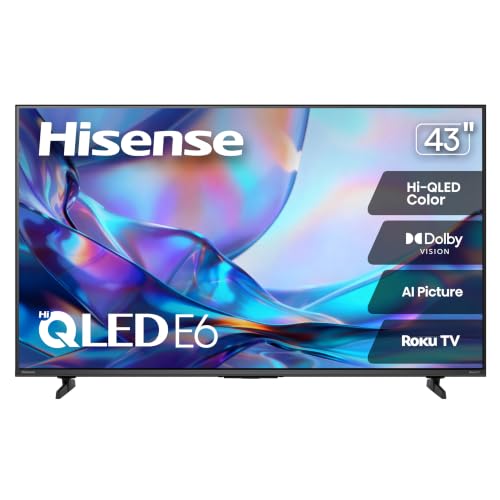
Hisense E6SR 43 Roku — Dolby Vision Gaming at 43 Inches
Badge: Dolby Vision gaming at 43 inches
- Size and panel: 43-inch class Hi-QLED, 4K UHD (43E6SR, 2026 model)
- HDR: Dolby Vision stated
- Gaming: Game Mode Plus, VRR and ALLM, all stated
- Audio: DTS Virtual:X stated
- Casting and voice: Apple AirPlay; compatible with Alexa and Google Assistant
- Platform: Smart Roku TV
The E6SR 43 carries the most explicit compact listing in this guide. Its title states Dolby Vision first among its features, then proceeds through Game Mode Plus, VRR and ALLM — the gaming trio that console owners otherwise hunt through specification PDFs — before adding DTS Virtual:X audio, Apple AirPlay and compatibility with both Alexa and Google Assistant, all on a Hi-QLED Roku set at 43 inches. Each of those phrases earns its place. Dolby Vision gives the compact class the dynamic format itself. Game Mode Plus is Hisense’s low-latency gaming mode; VRR synchronises the panel to a console’s varying frame output; ALLM lets the set detect a console and switch itself into game mode without a menu visit. Together they describe a television designed for a desk-adjacent or bedroom gaming setup where the console is not an afterthought but the main tenant.
Roku is the platform, with the neutrality that implies: every major service on equal footing, a simple home grid, and AirPlay for the Apple devices in the house. The dual assistant compatibility is worth pausing on — the title states compatibility with Alexa and with Google Assistant, which means the set can be reached by voice from either ecosystem’s speakers and routines, a flexibility the household with mixed smart-home hardware will use weekly. DTS Virtual:X, rather than Atmos, is the stated audio processing: a virtualisation approach aimed at widening the sound of the set’s own speakers, appropriate to a 43-inch room where a soundbar may never arrive.
Picture expectations at this size are served by the Hi-QLED colour system and the format support working together: quantum-dot colour gives Dolby Vision’s per-scene instructions a wide palette, and at bedroom distances the dynamic mapping shows in exactly the content that fills these rooms — streamed series at night, console games after dark. The E6SR 43’s case is completeness at a size that usually forces compromise, and its title is the receipt.
Strengths
- Dolby Vision, Game Mode Plus, VRR and ALLM are all stated in one compact listing.
- Compatibility with both Alexa and Google Assistant is stated, suiting mixed smart-home households.
- Apple AirPlay and Roku’s neutral interface cover casting and streaming breadth at 43 inches.
Trade-offs
- Audio processing is DTS Virtual:X rather than the Dolby Atmos stated by larger picks here.
- The title states no native refresh figure, so players comparing panel rates must consult the documentation.
- At 43 inches it serves a bedroom or desk room rather than a main living room.
Best for: a bedroom gaming setup seeking Dolby Vision with VRR and ALLM stated in the listing at 43 inches.
Not suited for: a main living room seeking a screen above 55 inches, which this compact set is not.
Console owners can confirm the gaming features for the 43E6SR on its page and Check price on Amazon there.

Hisense E6SR 55 Roku — The Format at Family Size
Badge: The format at family size
- Size and panel: 55-inch class Hi-QLED, 4K UHD (55E6SR, 2026 model)
- HDR: Dolby Vision stated
- Gaming: Game Mode Plus, VRR and ALLM, all stated
- Audio: DTS Virtual:X stated
- Casting and voice: Apple AirPlay; compatible with Alexa and Google Assistant
- Platform: Smart Roku TV
The 55-inch E6SR is the same argument at the size family rooms actually buy, and the scaling matters more than the identical title suggests. At 43 inches, Dolby Vision’s scene-by-scene mapping is a refinement viewed up close; at 55 inches, across a living room, it becomes the picture’s structure — the difference between a night scene that reads as layered darkness and one that reads as grey. The title carries over in full: Dolby Vision, Game Mode Plus, VRR, ALLM, DTS Virtual:X, AirPlay, and compatibility with Alexa and Google Assistant, on the Hi-QLED panel with Roku driving. A household choosing between the two E6SR sizes is therefore choosing purely on room geometry, not on features, which is exactly how a size decision should be isolated.
The family-room context elevates different lines of the title. AirPlay matters when the room is the house’s gathering point and guests cast photographs and clips. Dual assistant compatibility matters when the television is the room’s most-used screen and both ecosystems’ speakers live within earshot. Game Mode Plus with VRR and ALLM matters when the family console migrates to the big screen for weekends. And Roku’s interface matters most of all at this size, because the main television is operated by every member of the household, including the ones with no patience for a learning curve; Roku’s grid remains the interface least likely to generate support requests from visiting relatives.
Against the guide’s other 55-inch-class alternatives the E6SR’s distinction is its platform and its stated gaming list at a Roku address. It does not claim the LG’s OLED panel or VRR ceiling, and its audio is virtualised DTS rather than Atmos — trade-offs its review records plainly. What it offers is the format, the gaming trio and the friendliest interface, assembled at the mainstream size without a flagship’s commitments, and for a great many living rooms that is the correct centre of the market.
Strengths
- The full stated list — Dolby Vision, Game Mode Plus, VRR, ALLM — scales intact to the family size.
- Roku’s interface suits a main television operated by the whole household.
- AirPlay plus dual assistant compatibility covers the casting and voice routes of a shared room.
Trade-offs
- No OLED panel or stated refresh ceiling to rival the LG C6’s specification.
- DTS Virtual:X stands in for the Atmos decoding larger picks here state.
- The title states no dimming specification, leaving backlight details to the documentation.
Best for: a family living room seeking Dolby Vision and a stated gaming list on Roku at 55 inches.
Not suited for: a dedicated cinema room seeking an OLED panel, which this LED-class set does not claim.
Families can compare the 55E6SR’s dimensions with the 43-inch twin on its page and Check price on Amazon from there.

LG OLED evo C6 65 — The OLED Summit
Badge: The OLED summit
- Size and panel: 65-inch class OLED evo AI (65C6, 2026 model)
- Picture: Brightness Booster, Perfect Black and Perfect Color, as titled
- Processor: a11 AI Processor Gen3
- HDR and audio: Dolby Vision and Atmos, both stated
- Gaming: VRR 165Hz stated
- Film mode: Filmmaker Mode stated
The C6 is the guide’s summit, and its title is written like one. Brightness Booster leads — LG’s name for the evo panel’s enhanced light output — followed by Perfect Black and Perfect Color, the a11 AI Processor Gen3, a stated VRR figure of 165Hz, Dolby Vision and Atmos together, and Filmmaker Mode. Begin with the panel: OLED’s per-pixel light control is the ideal executor for Dolby Vision’s per-scene instructions, because the set can honour a metadata command about a single bright window in a dark room literally, pixel by pixel, without a backlight zone compromising the darkness around it. Dynamic metadata reaches its fullest expression on the panel technology that can render its finest gradations, and that meeting of format and hardware is the C6’s core claim.
The VRR 165Hz figure deserves its own sentence, because it is the highest gaming number stated anywhere in this guide and it appears on the film-leaning flagship rather than a gaming spin-off. A variable refresh ceiling at that level serves high-end PC play directly and gives console gaming generous headroom, all on the same screen that presents Filmmaker Mode for the evening’s film. That dual citizenship — reference film presentation and serious gaming bandwidth in one panel — is what flagship money is supposed to buy, and LG’s title states both halves rather than implying either. The a11 AI Processor Gen3 is the current generation of LG’s picture processing, driving upscaling and the AI-labelled refinements.
Ownership of the summit carries the usual flagship terms: it is the considered purchase of the six, its 65 inches demand the room discussed in the sound-focused companion guide to 65-Inch TVs With Good Sound, and OLED care habits apply. In return the C6 offers the guide’s most complete convergence — the format stated, the audio format stated, the film mode stated, the gaming ceiling stated, all on the panel that renders dynamic metadata best. Readers whose evenings split between cinema and high-end play will not find a shorter shortlist than this single set.
Strengths
- OLED per-pixel control renders Dolby Vision’s scene-by-scene metadata with unmatched precision.
- VRR 165Hz is the highest gaming figure stated in this guide, on the flagship film set itself.
- Dolby Atmos and Filmmaker Mode complete a title that states every major credential.
Trade-offs
- Flagship positioning makes it the most considered purchase among the six.
- At 65 inches it requires the wall and seating distance the compact picks do not.
- OLED care habits — varied content, built-in maintenance cycles — apply as with any OLED.
Best for: a cinema and gaming room seeking Dolby Vision on OLED with a stated VRR 165Hz ceiling at 65 inches.
Not suited for: a small secondary room seeking a compact set, which this flagship is not.
Flagship readers can study the 65C6’s full specification on its listing and Check price on Amazon when the summit case convinces.
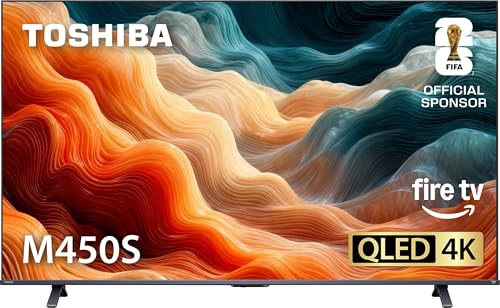
Toshiba M450 43 Fire TV — The Verification Lesson
Badge: The verification lesson
- Size and panel: 43-inch class QLED, 4K UHD, M450 series
- Platform: Smart Fire TV
- Remote: Voice Remote with Alexa included
- Dolby Vision: Not stated in the listing title – verify with the manufacturer documentation
- HDR format detail: Not stated in the listing title – verify with the manufacturer documentation
- Gaming features: Not stated in the listing title – verify with the manufacturer documentation
This review begins with the most important sentence in the guide: the Toshiba M450’s listing title does not state Dolby Vision. The title describes a 43-inch class M450 series QLED 4K UHD Smart Fire TV with a Voice Remote with Alexa and cable-free live TV streaming — and says nothing about HDR formats at all. Toshiba’s platform and wider product line are associated with Dolby formats in the market’s general understanding, and the M450 may well carry support that its retail title simply does not print; this guide neither confirms nor denies what the title omits. What it does is place the set in this roundup as the worked example of the category’s central trap, because a shopper browsing quickly, seeing QLED and Fire TV in a Dolby Vision guide, could buy on an assumption the listing never made. The manufacturer documentation for the exact model is where the format question must be closed, and the spec box above records that in the guide’s standard words.
Judged on what its title does state, the M450 is a coherent compact set. QLED colour at 43 inches gives it a wider palette than plain LED rivals, Fire TV supplies the Amazon-centred interface with its live TV streaming emphasis, and the Voice Remote with Alexa puts speech search in hand. For a bedroom or small living room whose viewing is streaming-led and whose format loyalties are flexible, those stated qualities assemble a sensible television, and its presence in this guide at this position is a service rather than a slight: it is the set that teaches the reading habit the other five reviews reward.
The practical protocol for the M450 — and for any set whose title is silent on a format a household cares about — is three steps. First, find the exact model code on the listing. Second, open the manufacturer’s specification for that code and read the HDR line directly. Third, if the format matters and the specification is ambiguous, treat the ambiguity as a no and choose a set whose title states the format, several of which share this guide. A household that follows those steps will never be disappointed by an assumed badge, on this set or any other.
Strengths
- QLED colour at 43 inches on the Fire TV platform, both stated in the title.
- Voice Remote with Alexa is included and named, covering speech search out of the box.
- Its title’s clarity about platform and panel makes the set easy to place once formats are verified.
Trade-offs
- Dolby Vision is not stated in the listing title, so format-led buyers must verify before purchase.
- No gaming or audio format features are stated in the title either.
- Fire TV’s interface centres Amazon’s catalogue, which not every household prefers.
Best for: a streaming-led small room seeking QLED colour on Fire TV, with format needs already verified in the documentation.
Not suited for: a Dolby Vision library seeking the format stated in the listing title itself.
Careful readers can follow the M450’s documentation links from its page and Check price on Amazon once the format question is closed.
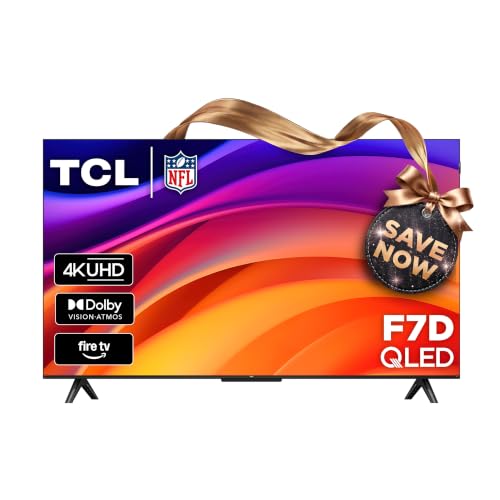
TCL 43in F7D QLED Fire TV — Both Dynamic Ecosystems
Badge: Both dynamic ecosystems
- Size and panel: 43-inch QLED, 4K UHD HDR (43F7D, 2026)
- HDR: Dolby Vision and HDR10+, both stated
- Audio: Dolby Atmos and DTS, both stated
- Motion: Motion Rate 240 with MEMC, as titled
- Gaming: Auto Game Mode stated
- Platform: Smart Fire TV with Voice Remote with Alexa+
The F7D answers the format question with both hands. Its title states Dolby Vision and Atmos, then adds HDR10+ — the rival dynamic ecosystem — in the same breath, making this 43-inch Fire TV the guide’s dual-format compact. The practical value is library-proofing: a household whose services and discs are mastered across both dynamic formats never has to check which badge a given title carries, because the set accepts the scene-by-scene instructions either way and falls back to the HDR10 base for everything else. At 43 inches, in the rooms where second televisions and desk setups live, that completeness used to be unavailable at any reasonable position in a range; the F7D’s title announces that it no longer is.
The supporting lines are equally deliberate. Dolby Atmos and DTS are both named for audio, covering the two decoding families a compact set will meet. Motion Rate 240 with MEMC is TCL’s motion label — reported here as the manufacturer’s own figure, a composite of panel and processing rather than a native refresh rate — and Auto Game Mode gives console sessions an automatic low-latency switch, the ALLM-style convenience under TCL’s naming. The Voice Remote with Alexa+ puts Amazon’s current assistant generation in the hand, on Fire TV’s platform. QLED colour supplies the wide palette both dynamic formats exploit.
Against its 43-inch rivals in this guide, the F7D’s identity is format diplomacy: the Hisense E6SR counters with Roku and the fuller stated gaming list, the Sony below with Google TV, 120Hz and the port count, and the TCL with the dual dynamic badges and Fire TV. A household already invested in Amazon’s ecosystem, with a library split across Dolby Vision and HDR10+ mastering, will find this the most precisely aimed compact set in the guide — and its title, unusually, proves the aim in a single line.
Strengths
- Dolby Vision and HDR10+ are stated together — both dynamic ecosystems on one compact set.
- Dolby Atmos and DTS are both named, covering the audio formats a small room will meet.
- Auto Game Mode and the Alexa+ voice remote round out a title with no obvious omission.
Trade-offs
- Motion Rate 240 is a manufacturer label, not a stated native refresh figure.
- The gaming list is thinner than the Hisense E6SR’s stated VRR and ALLM pairing.
- Fire TV centres Amazon’s content rows, a matter of household taste.
Best for: a mixed-format library seeking Dolby Vision and HDR10+ both stated at 43 inches on Fire TV.
Not suited for: a gaming-first desk seeking VRR stated in the title, which this listing does not print.
Format diplomats can read the 43F7D’s full badge list on its page and Check price on Amazon there.

Sony 43 Inch BRAVIA 3 II — The Connected Sony Compact
Badge: The connected Sony compact
- Size and panel: 43-inch LED, 4K HDR, BRAVIA 3 II (K-43XR30M2)
- Processor: XR Processor with AI Technology
- HDR and audio: Dolby Vision and Atmos, both stated
- Refresh: 120Hz refresh rate stated
- Ports and gaming: 4x HDMI 2.1, PS5 features, as titled
- Platform: Smart Google TV with Gemini; 4K movie credits included
Sony’s compact entry reads like a flagship that shrank. The BRAVIA 3 II’s title states Dolby Vision and Atmos, a 120Hz refresh rate, four HDMI 2.1 ports and PlayStation 5 features, all driven by the XR Processor with AI Technology on Google TV with Gemini — at 43 inches. Each figure matters at this size. The stated 120Hz gives the set a true high-refresh panel for the desk-and-console setups where 43-inch televisions increasingly live, a claim its compact rivals here do not print. Four HDMI 2.1 ports is a console household’s entire infrastructure in one line: two current consoles, a PC and a soundbar over eARC can coexist without a switcher, a generosity of ports that larger sets in this guide do not state. The PS5 features continue Sony’s console relationship, and the XR Processor brings the company’s picture philosophy — gradation, motion handling, colour restraint — down to the compact class.
Google TV with Gemini is the platform layer: Google’s aggregation interface with its current AI assistant generation named in the title, plus the 4K movie credits the listing includes, a starter library for the format the set is built to show. Dolby Vision and Atmos together mean the compact Sony accepts the full dynamic pairing for the streamed films that will fill its evenings, and the LED panel renders them with Sony’s processing discipline even without OLED’s per-pixel control.
The BRAVIA 3 II’s position is the connected compact: the set for a desk, a gaming nook or a small room where the television is also the monitor-class hub of several devices. Its rivals here each lead on one axis — the Hisense on stated gaming modes and Roku, the TCL on dual formats — while the Sony leads on the combination of stated refresh, stated ports and the Dolby pairing under one badge. Buyers counting HDMI cables before they count inches will understand its appeal immediately.
Strengths
- A stated 120Hz refresh rate and four HDMI 2.1 ports give it the strongest connectivity list at 43 inches here.
- Dolby Vision and Atmos are both stated, with the XR Processor and PS5 features behind them.
- Google TV with Gemini and included 4K movie credits start the set’s library on day one.
Trade-offs
- The panel is LED, so dynamic metadata renders without OLED’s per-pixel precision.
- HDR10+ is not named in the title; the dynamic route stated here is Dolby Vision.
- Sony’s processing-led positioning carries a premium over the size class’s simpler sets.
Best for: a desk or gaming nook seeking Dolby Vision with a stated 120Hz panel and four HDMI 2.1 ports at 43 inches.
Not suited for: a large living room seeking a screen above 55 inches, which this compact hub is not.
Multi-device households can count the K-43XR30M2’s ports on its listing and Check price on Amazon from there.
Comparison Table
| Model | Size | Dolby Vision in title | Other format stated | Platform |
|---|---|---|---|---|
| Hisense E6SR 43 Roku | 43-inch | Yes | DTS Virtual:X audio | Roku |
| Hisense E6SR 55 Roku | 55-inch | Yes | DTS Virtual:X audio | Roku |
| LG OLED evo C6 65 | 65-inch | Yes | Dolby Atmos | LG smart platform |
| Toshiba M450 43 Fire TV | 43-inch | Not stated in the listing title | None stated | Fire TV |
| TCL 43in F7D QLED Fire TV | 43-inch | Yes | HDR10+, Dolby Atmos | Fire TV |
| Sony 43 Inch BRAVIA 3 II | 43-inch | Yes | Dolby Atmos, 120Hz | Google TV |
The table is the guide in miniature: five titles that print the format, one that does not, and a spread of panels and platforms behind the badge. Read the Toshiba row as the standing instruction for every television purchase — the absence of a claim in a title is information, and the documentation is where absences get resolved.
Two patterns in the table reward a second look. The first is how completely the 43-inch class has absorbed the format: four of the six rows sit at the compact size, three of them stating Dolby Vision, which would have been an implausible sentence about this size class only a few model years ago. The second is the company the format keeps — where Dolby Vision is stated, a considered second feature usually stands beside it, whether that is a gaming list, a refresh figure, a port count or an audio format, suggesting that the makers treat the badge as part of a specification philosophy rather than a sticker. Shoppers can exploit the pattern in reverse: a title that states the format carefully tends to state its other claims carefully too, and a title silent on the format deserves the slower reading the Toshiba review demonstrates.
How Do You Choose a Dolby Vision TV?
Start by confirming the format is genuinely in the household’s future: inventory the main streaming services’ tiers and the disc shelf, and note how much of the week’s viewing actually arrives mastered in Dolby Vision. For a household whose flagship service tier and film library lean on it, the format is a first-order feature and the five stating sets here are the shortlist. For a broadcast-and-casual household, it is a nice inheritance rather than a reason to buy, and panel and platform should lead instead.
Next, pair the badge with a panel that can express it. OLED renders dynamic metadata most precisely; QLED and good LED sets render it with their backlights’ limits, still visibly ahead of static mapping in shadowed scenes. Then check the second format: a library split across ecosystems argues for the TCL’s dual statement, while a Dolby-only library can ignore HDR10+ entirely. Weigh the gaming lines if a console lives in the room — stated VRR, ALLM and refresh figures are printed on the Hisenses, LG and Sony here — and finish with the platform, the daily interface, choosing among Roku’s neutrality, Fire TV’s Amazon centre and Google TV’s aggregation by household habit rather than by specification envy. Readers pairing the television with wireless audio later will also find the compact-class companion on 43-Inch TVs With Bluetooth a useful cross-reference, since several of these 43-inch rooms are the same rooms that ask about headphone pairing.
Close the decision the way the Toshiba review teaches: with verification. Whatever the final candidate, open its listing once more and read the title as a contract, line by line, confirming that each feature the purchase depends on — the format, the refresh, the ports, the assistant — is printed there or in the manufacturer’s specification for that exact model code. The five stating sets in this guide make that reading easy, and the habit protects every future purchase as well, because model years turn over and yesterday’s specification is not evidence about today’s box. A buyer who finishes with the contract read is a buyer whose television arrives already understood, and the first evening’s viewing becomes a confirmation rather than an investigation.
What Dolby Vision Actually Changes on Screen
The format’s promise is best understood through two scenes. In the first, a character crosses a lamplit street at night: static metadata maps the whole film to one brightness plan, and the television must choose between preserving the lamp’s glow and preserving the shadow detail in the doorway — something is sacrificed. Dolby Vision’s per-scene instructions tell the set this scene’s own peak and floor, so the lamp glows and the doorway keeps its detail in the same frame. In the second scene, noon snow under a hard sun, the instructions reverse: highlights roll off gradually instead of clipping to white, and the snow keeps texture. Multiply those two mercies by every scene change in a film and the format’s value compounds — not as spectacle, but as the absence of small wrongnesses. The effect is largest on panels with the contrast range to obey fine instructions, which is why the LG OLED leads this guide, and it remains worthwhile on the QLED and LED sets, whose tone mapping gains the same guidance within their backlights’ reach.
Colour deserves its own sentence in this account, because the format meters colour volume alongside brightness. Saturated hues at high luminance — a neon sign, a sunset gradient, a stadium shirt in floodlights — are where lesser pipelines desaturate toward pastel, and the per-scene guidance holds those hues at their mastered intensity within the panel’s gamut. Quantum-dot colour systems, present on the Hisense, TCL and Toshiba listings here in their various namings, exist to widen exactly that gamut, which is why the format and the colour technology so often arrive in the same titles: each gives the other more to work with, and the viewer sees the product of the pair rather than either specification alone.
Dolby Vision Gaming: The Format’s Second Front
Games were the last content class to adopt HDR and may become the one that exploits it hardest, because a game’s engine renders its world in real time and can hand the television exact knowledge of every light source in the scene. Dolby Vision gaming extends the format’s scene-by-scene logic to that rendered world, and the listings here show the hardware conversation happening around it: the Hisense pair state Game Mode Plus with VRR and ALLM, the LG states a VRR ceiling of 165Hz, and the Sony states its 120Hz panel and quartet of HDMI 2.1 ports. Each element solves a distinct problem. VRR ends the judder that occurs when a game’s frame rate wanders below the panel’s fixed refresh, by letting the panel follow the console instead. ALLM and Auto Game Mode remove the menu ritual, switching the set into its low-latency path when a console wakes. High native refresh gives competitive play its ceiling. A household shopping for a console-first room should read these gaming lines with the same care as the format line, because the two together describe the actual gaming picture: dynamic metadata, delivered without tearing, at the latency the genre demands. The reviews above keep each set’s gaming claims tied to its own title, and the pattern that emerges — the format and the gaming features arriving in the same listings — reflects a market that has stopped treating the television as a passive display for the console and started treating the pair as one system.
Setting Up a Dolby Vision Television Properly
A format-capable set can still be misconfigured into ordinary pictures, and the setup half-hour is where the purchase is either honoured or wasted. Begin with the source: confirm the streaming subscription tier actually sends the dynamic format, since services gate their best masters behind their premium levels, and confirm the player or console is set to output it. Continue with the connection: high-speed HDMI cables on the ports the manufacturer designates for full bandwidth, with the Sony’s four stated HDMI 2.1 ports making that choice unusually forgiving here. Then the picture mode: choose the set’s Dolby Vision picture preset as the listing’s platform presents it, and resist the vivid or showroom modes that oversaturate the very colour the format is metering. Film households should note where Filmmaker Mode applies — stated on the LG — for the SDR and base-HDR film library. Room light completes the setup: dynamic metadata assumes a viewing environment closer to the mastering room than to a sunlit kitchen, and the dimming of one lamp does more for the format’s shadow scenes than any menu slider. Finally, update the set’s firmware during the first week and let its panel maintenance run on schedule; format support itself evolves through those updates, and a set kept current is a set whose badges remain true across its life.
Audio setup mirrors the same care. Where a title states Atmos — the LG, TCL and Sony here — a soundbar or receiver that accepts the format over eARC lets the television pass the full object mix rather than a downmix, and the television’s audio output settings should be set to pass through rather than convert. Where the title states a virtualisation system instead, as the Hisenses do with DTS Virtual:X, the honest expectation is a widened presentation from the set’s own speakers, well matched to the rooms those sets serve. Either way, the principle is the guide’s principle applied to sound: read what the listing states, configure to exactly that, and let no assumption substitute for a specification.
One last setup habit separates satisfied owners from puzzled ones: test the format with a known title. Choose a film or episode the household knows is mastered in Dolby Vision, play it in the evening room at viewing light, and confirm the set’s own on-screen banner names the format as it engages. That thirty-second check validates the whole chain — subscription tier, source setting, cable, port and picture mode — at once, and it converts the badge from a line in a listing into a witnessed fact about the room. Every later film then plays under a verified setup rather than a hopeful one.
The HDR10 Base Underneath Every Badge
It is worth pausing on the layer all six sets share, because Dolby Vision is an addition to HDR10, not a replacement for it. Every Dolby Vision master carries the HDR10 base inside it, every HDR10+ master does the same, and the television’s format support decides which layer it reads. This architecture has two consequences buyers should hold onto. The first is reassurance: no purchase in this guide can be stranded by content, since the base layer guarantees a proper HDR picture from every source, and the years of HDR10-only mastering remain fully honoured by all six sets. The second is proportion: the dynamic layer improves the scenes where static mapping compromises — the mixed-light interiors, the dusk exteriors, the snowfields — while a great deal of content, mastered brightly and evenly, shows little difference between layers. A household should therefore buy Dolby Vision for the films and series that exploit it, which are disproportionately the prestige productions most worth watching well, and should not expect it to transform the evening news. Judged that way, the format is neither the revolution of its marketing nor the gimmick of its detractors; it is a fidelity increment applied exactly where fidelity is hardest, and this guide’s five stating sets offer it at every size and platform the market provides.
Sizes and Rooms for Dynamic Metadata
The format’s visibility scales with the room in predictable ways. At 43 inches, in the bedroom and desk rooms the Hisense, TCL, Toshiba and Sony here serve, viewing distances are short and lights are often fully out — conditions that flatter dynamic metadata disproportionately, because the eye is close enough to read shadow gradation and the room adds no competing glare. A compact Dolby Vision set in a dark bedroom is not a compromise purchase; it is the format in one of its best environments. At 55 inches the E6SR’s family-room scale asks more of ambient control: a lamp reflected in the screen costs more shadow detail than any format can restore, and the household that dims for films will collect the format’s full value while the household that watches under ceiling lights will collect perhaps half of it — still worthwhile, honestly reported. At 65 inches on the LG’s OLED, the format meets the panel and room scale it was mastered for, and the remaining variable is purely the seating: close enough for the picture to fill the view, far enough for the panel to cohere. None of these rooms requires renovation — curtains, one lamp moved, a seating shuffle — but the format rewards the small efforts in direct proportion, and buyers should count a modest room adjustment as part of the installation of any set in this guide.
Common Mistakes
The first mistake is the one the Toshiba review exists to prevent: assuming a format from a brand, a series name or a retailer’s category page rather than reading the exact model’s title and specification. The second is buying the badge on a panel that cannot express it while passing over a better-backlit set — format and backlight multiply, and half the product is not the whole. The third is ignoring the source tier: a streaming subscription that sends only the HDR10 base layer makes a Dolby Vision set’s advantage theoretical until the tier changes, so check the services as carefully as the sets. The fourth is forgetting the audio half of the pairing; Atmos is stated on three of these six titles and absent from others, and a household building toward a soundbar should know which decoding the television already speaks. The fifth is treating all Dolby Vision as identical across sizes: at 43 inches the format refines, at 65 inches on OLED it transforms, and expectations should scale with the room.
FAQ
Does every 4K TV support Dolby Vision?
No. HDR10 is the universal base; Dolby Vision is a licensed, per-model capability. Five of the six titles in this guide state it, and the sixth — the Toshiba M450 — does not state it in its title, which is why verification against the manufacturer documentation is this guide’s standing advice.
What happens when a Dolby Vision title plays on a set without support?
It plays in the HDR10 base layer that every Dolby Vision master carries. Nothing breaks; the scene-by-scene guidance is simply unused, and the television’s own tone mapping does the work. The difference is fidelity, not compatibility.
Which pick states the strongest gaming support alongside Dolby Vision?
By stated figures, the LG C6: VRR 165Hz printed in its title on an OLED panel. The Hisense E6SR pair state the broadest gaming list — Game Mode Plus, VRR and ALLM — and the Sony BRAVIA 3 II states 120Hz with four HDMI 2.1 ports and PS5 features.
Is HDR10+ a substitute for Dolby Vision?
It is the parallel dynamic format from the rival ecosystem, and the TCL F7D states both. A household should match formats to its library’s mastering rather than treating one as a replacement for the other; where a title is mastered in only one, only that one can be used.
Do these sets state Dolby Atmos as well?
Three titles do: the LG C6, the TCL F7D and the Sony BRAVIA 3 II. The Hisense pair state DTS Virtual:X instead, and the Toshiba’s title states no audio format. The reviews keep the two formats distinct rather than treating them as interchangeable.
Why include a set whose title does not state the format?
Because shoppers meet such sets constantly, usually mid-shortlist and usually under an assumption. The Toshiba M450’s review demonstrates the verification habit — read the title, check the documentation for the exact model, and let stated sets carry the format-led vote — on a real listing rather than in the abstract.
Does Dolby Vision require special cables or players?
It requires a chain that passes the format end to end: a source that outputs it, an HDMI connection of adequate bandwidth, and the set itself. Modern consoles, streaming boxes and disc players in this class handle it routinely; the setup section above walks the chain in order, and the Sony’s stated HDMI 2.1 ports show the connection side taken seriously at the television end.
Can a soundbar change which TV belongs on the shortlist?
It can refine it. A household planning an Atmos soundbar should value the sets whose titles state Atmos — the LG, TCL and Sony here — because the television’s decoding and passthrough become part of the audio chain. A household listening through the set’s own speakers should instead weigh the stated virtualisation systems, such as the Hisense pair’s DTS Virtual:X, at face value.
Final Recommendation
The field resolves by room and by library. The LG C6 is the complete statement: Dolby Vision rendered by OLED, Atmos, Filmmaker Mode and a gaming ceiling that embarrasses dedicated gaming sets. The Hisense E6SR twins are the format’s democratic route, carrying the badge and a full gaming list onto Roku at the two sizes most homes buy, while the TCL F7D is the diplomat, stating both dynamic ecosystems at 43 inches for libraries that refuse to choose. The Sony BRAVIA 3 II is the connected compact, pairing the format with the stated refresh and port count a multi-device room consumes. And the Toshiba M450 earns its place as the guide’s conscience: verify the badge before the money, on this set and every set. Buy the format where it is stated, pair it with the panel your room deserves, and the first night scene that holds its shadows while the streetlamp burns will explain the whole purchase better than any specification could. That is the entire argument of dynamic metadata, delivered in one shot of one film, in your own room, on an ordinary evening.