Our Top Picks
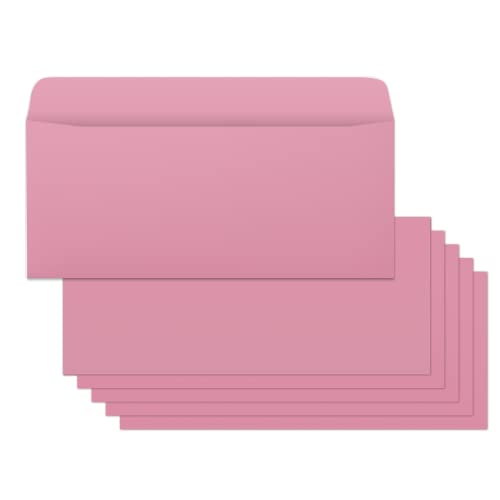
 Red #10 Envelopes 4.125" x 9.5" 24lb Bond#10 Letter Size Envelope9 x 8 x 0 inches1.05 poundsCheck on Amazon


What's inside
- Why campaign printing stresses a printer differently
- Monochrome laser, colour laser, and the honest case for each
- Speed in pages per minute, and what the number hides
- Duty cycle and recommended monthly volume explained
- Paper trays, capacity, and the rhythm of reloading
- Envelopes: feeding, formatting, and avoiding the crumpled corner
- Automatic two sided printing and the real paper saving
- Address labels, label stock, and the discipline of alignment
- Text sharpness and the look of a formal letter
- Toner, page yield, and cost per page without the guesswork
- Connectivity and sharing in a small office
- Managing personal data while a campaign is printing
- Paper choice for letters that must feel right
- The campaign workflow, from list to sealed envelope
- Reliability, jams, and keeping a run moving
- Choosing by campaign size: three honest profiles
- Placement, noise, heat, and living with the machine
- Check prices on Amazon
- A pre purchase checklist for mail campaign printers
As an Amazon Associate I earn from qualifying purchases. This post may contain affiliate links at no extra cost to you.
Printing letters for other people carries a different weight than printing for yourself. As an Amazon Associate we earn from qualifying purchases. That arrangement helps keep detailed buying guidance available without a paywall, and it changes nothing about the criteria below, which rest entirely on published specifications, paper handling design, and the practical demands of producing formal correspondence in volume.
A mail campaign looks simple from a distance. A list of names, a letter written once, envelopes, stamps or a mailing permit, and a stack of finished pieces ready for collection. Up close, the work is a chain of small mechanical decisions repeated hundreds or thousands of times, and the printer sits at the centre of that chain. If it feeds reliably, prints crisp text at a steady pace, and accepts envelopes without drama, the whole campaign feels organised. If it jams every twentieth sheet, skews addresses, or pauses to cool down halfway through a run, the same campaign becomes an afternoon of clearing trays and reprinting spoiled pages.
This guide approaches printer choice through the campaign itself rather than through a generic office checklist. Speed matters, but only alongside monthly duty cycle, recommended volume, tray capacity, envelope path, duplex hardware, toner yield, and the quality of small printed type. A formal letter also asks something subtler of a machine: letterheads must look composed, signatures and footers must stay sharp, and page after page must match the first one closely enough that recipients never sense which copy came last.
Why campaign printing stresses a printer differently
Ordinary office printing arrives in bursts. Someone prints a boarding pass, another person prints a twelve page report, and the machine rests between jobs while people read, meet, and answer messages. Campaign printing removes those rests. The queue holds one long job or a sequence of personalised jobs, the output tray fills repeatedly, and the operator returns again and again to reload paper, clear finished stacks, and feed envelopes. Heat, roller wear, and toner consumption accumulate in a single session rather than spreading across a week.
That pattern explains why headline speed alone misleads buyers. A compact machine can sprint through a short document impressively, yet its small tray, modest duty cycle, and low recommended monthly volume reveal a design intended for lighter rhythms. Campaign work rewards stamina more than sprinting. Look for a chassis built around a larger paper supply, a straight and accessible paper path, replaceable rollers or at least clear access panels, and an output bin that holds a meaningful stack before pages begin sliding onto the floor.
Personalisation adds another layer of strain. A merged campaign rarely prints five hundred identical pages in one uninterrupted file. More often it prints five hundred two page letters, each addressed to a different household, sometimes with a changed paragraph, donation history, account reference, or local event detail. The printer receives many small jobs back to back, pauses briefly between them, and must keep registration consistent so the address block lands in the same place on every sheet, especially when that address needs to show through a window envelope.
Monochrome laser, colour laser, and the honest case for each
For most letter campaigns, a monochrome laser printer remains the sensible default. It prints black text with the density and edge definition formal correspondence expects, it runs quickly, and it carries a single toner cartridge whose yield is easy to understand and easy to stock. Letters, statements, renewal notices, invoices, appeal letters, and membership updates usually gain nothing from colour except a logo, and many organisations print those letterheads in advance or keep colour confined to a separate insert.
A single cartridge also simplifies campaign logistics. The operator keeps one spare on the shelf, watches one supply gauge, and faces one replacement decision when pages begin to lighten. High yield monochrome cartridges commonly stretch across an entire medium sized campaign and into the next one, which reduces interruptions and lowers the conceptual cost per page because the fixed price of the cartridge spreads across more sheets. Drum arrangements vary, with some designs combining drum and toner and others separating them, and that distinction affects long term running patterns more than first impressions suggest.
Colour laser printing earns its place when the letter itself carries colour that does persuasive or informational work. A charity appeal might reproduce a photograph, a school might print colour coded forms, a retailer might include a colour offer panel, and a professional firm might insist that its letterhead branding appear exactly as designed. In those cases a colour laser keeps everything in one pass and one machine, avoiding the alignment and collation headaches of printing text and colour elements on separate devices and marrying the stacks afterwards.
Colour brings trade offs that deserve clear eyed attention. Four cartridges replace one, colour pages consume toner from several supplies at once, and print speeds quoted for colour work often run lower than monochrome figures for the same machine. Calibration also matters more, because a letterhead stripe that drifts toward purple or a logo that loses its intended warmth undermines the professional impression the colour was meant to create. Buyers who need colour only occasionally sometimes choose a strong monochrome machine for letters and keep colour work on a separate, slower device used for inserts and proofs.
Ink based machines occupy a narrower role in this category. Modern business ink systems can produce handsome text and respectable speeds, yet laser printing still holds advantages for campaign letters in toner stability, resistance to smudging when envelopes get damp in transit, and the dry, immediately stackable output that lets operators fold and insert pages without waiting or worrying about offset onto the facing sheet. For formal mail that may sit in a post box through rain, that dry finish carries real practical value.
Matching engine type to letter content
Read your own letter before reading any specification sheet. If the page is ninety percent black text with a simple masthead, monochrome laser serves it fully. If colour appears in a logo only, consider whether preprinted letterhead plus monochrome printing delivers the same impression with simpler logistics. If colour photographs, charts, or highlighted panels form part of the message itself, a colour laser becomes the honest choice, and its higher running complexity should be accepted as the price of that content rather than treated as a surprise after purchase.
Speed in pages per minute, and what the number hides
Pages per minute, usually shortened to ppm, is the figure every listing leads with and the figure buyers should trust least in isolation. Manufacturers measure speed under standardised conditions using simple pages, a warmed machine, and settings chosen to flatter the result. A dense letter with a logo, footer, and personalised data will not always match that laboratory pace, although plain text letters come closer to the quoted figure than photo heavy documents ever do. Treat ppm as a class indicator rather than a promise about your exact Tuesday afternoon run.
First page out time matters more than many campaign operators expect. Between merged jobs, after pauses for reloading, and whenever the machine wakes from sleep, the delay before the first sheet appears adds up across hundreds of small jobs. A printer that wakes quickly and delivers its opening page in a handful of seconds keeps a personalised campaign flowing, while a slow waking machine introduces a stutter that no headline ppm figure reveals. Specification sheets list this timing separately, and it deserves a line in any comparison table you build.
Duplex speed deserves its own scrutiny because it often diverges sharply from single sided pace. Some machines print the second side almost as briskly as the first, flipping the sheet through a short internal path engineered for the purpose. Others slow dramatically, pause to let ink or toner settle conceptually, or route paper through a long loop that invites curl. Anyone planning two sided letters should compare duplex ppm specifically, and readers comparing dedicated models can start with the options gathered under best automatic duplex printers before narrowing by tray size and duty cycle.
Sustained speed is the third, least advertised measure. During a long run, some printers slow themselves to manage fuser temperature, protect internal components, or maintain print quality as the engine warms. That behaviour is responsible engineering, yet it changes campaign timing. A machine rated modestly but holding its pace for an hour can finish a large mailing sooner than a faster rated machine that throttles after fifteen minutes. Workgroup class hardware generally sustains pace better, which is another reason duty cycle and speed should be read together rather than separately.
Plan campaign timing with conservative arithmetic. Take the quoted speed, reduce it by a realistic margin for pauses, reloading, envelope batches, and the occasional misfeed, then calculate how long your largest plausible mailing occupies the machine. If that answer consumes an entire working day for a single campaign, the printer is too small for your ambitions even if its other specifications look adequate, because one urgent reprint or one additional mailing will collide with the schedule and create pressure to cut corners on checking.
Duty cycle and recommended monthly volume explained
Monthly duty cycle is the maximum number of pages a manufacturer says a printer can produce in a month without courting premature wear. It is a ceiling, not a target, and treating it as a target is among the most common buying errors in this category. A machine with a duty cycle of fifty thousand pages is not promising that fifty thousand pages every month will feel comfortable, economical, or reliable over years of service. It is marking the outer boundary of occasional peaks.
Recommended monthly volume, sometimes called recommended monthly page volume, is the figure that actually guides buying. That range describes the workload the design handles gracefully month after month, balancing wear, component life, and running cost. For campaign work, place your typical month comfortably inside that range and your heaviest month below its upper portion. A printer loafing slightly below its ideal range costs little, while a printer pushed beyond it repays the savings with jams, worn rollers, and shortened service life.
Calculate your real volume before shopping, using campaign arithmetic rather than guesses. Multiply letters per campaign by pages per letter, add envelopes or address labels printed on the same machine, add proofs, reprints, and the inevitable spoiled sheets, then multiply by campaigns per month. Many small organisations discover their true figure is double the number they first imagined, because the main run is only part of the load. Test batches, corrected pages, and follow up mailings all pass through the same rollers.
Headroom also protects quality. Rollers that feed the ten thousandth page of a hard month grip less certainly than fresh rollers, pickup begins to vary, and slight skew creeps into pages that must align with window envelopes. A printer working well inside its recommended range maintains feeding accuracy longer between services. For mail, where a few millimetres of drift can hide a postcode or expose a confidential line through a window, that feeding steadiness is not a luxury but a functional requirement of the job.
Reading specification sheets without being misled
Manufacturers present duty cycle prominently because the number looks impressive, and recommended volume less prominently because it looks modest. Reverse that emphasis when you compare models. Write the recommended range at the top of your notes, place duty cycle beneath it as a peak allowance, and treat any model whose recommended ceiling sits below your normal month as disqualified regardless of its speed or price positioning. That single discipline eliminates most unsuitable machines before feature comparisons begin.
Paper trays, capacity, and the rhythm of reloading
Tray capacity shapes the lived experience of a campaign more than almost any other specification. A two hundred and fifty sheet tray empties quickly when a letter runs to two pages and the mailing counts four hundred households. The operator reloads again and again, each reload a chance to fan paper poorly, load a stack slightly crooked, or forget to adjust guides after switching stock. A five hundred sheet tray, or a base tray plus an optional second tray, stretches those intervals and lets the operator spend attention on output quality instead of constant feeding.
Optional trays deserve consideration at purchase time rather than as an afterthought. Many workgroup printers accept one or more additional cassettes, raising total capacity past a thousand sheets and allowing different stocks to live in different trays. Letterhead can occupy tray one, plain paper tray two, and the multipurpose feeder can handle envelopes or labels, all without swapping stacks mid campaign. That separation prevents the classic error of printing two hundred letters on the last of the expensive letterhead because nobody noticed the tray contents changed.
The multipurpose or bypass feeder plays a special role in mail work. It typically holds a modest stack, feeds single sheets straight, and accepts stock the main cassette handles poorly, including envelopes, labels, heavier paper, and odd sizes. Judge it by how flat its path runs and how its guides adjust, because this feeder will likely handle every envelope batch you print. A bypass tray that feels like an afterthought, flimsy and shallow, predicts frustration precisely where campaigns are most delicate.
Output capacity matters as much as input. A small output bin forces frequent clearing, and a carelessly cleared stack invites disorder when letters must stay in list order for matching with personalised envelopes. Look for an output area that holds at least a typical batch segment, supports the full page without curling edges over a lip, and keeps printed faces visible enough for quick inspection. Some machines offer output options or mailbox style accessories, though for most small offices a generous standard bin and a tidy operator routine suffice.
Envelopes: feeding, formatting, and avoiding the crumpled corner
Envelope printing separates campaign capable printers from general office machines more decisively than any speed test. Envelopes are thick at their seams, uneven in profile, sensitive to heat, and unforgiving of a curved paper path. A printer that bends stock sharply around small rollers can crease flaps, wrinkle corners, or melt certain window films and adhesives under fuser heat. Manufacturers that support envelopes properly specify compatible sizes, a recommended feed tray, flap orientation, and a maximum stack height, and those instructions should be followed literally rather than treated as cautious suggestions.
The common business envelope sizes cover most campaigns, including the standard long envelope used for folded letter pages and the smaller sizes used for reply mail. Check that your chosen printer lists your exact envelope size rather than assuming closeness is enough, because guides, sensors, and driver settings all key to named sizes. Reply envelopes included inside a mailing add a second size to support, and printing those in house requires the same compatibility check as the outer envelope, not an assumption that smaller automatically means easier.
Flap position and orientation cause more failed batches than any other envelope variable. Depending on design, a printer may want flaps open or closed, facing up or down, leading or trailing into the feed. The driver or front panel usually illustrates the expected arrangement, and a short sacrificial run through cheap envelopes should precede any batch on good stock. Mark one envelope clearly, print on it, and confirm which edge emerges first and which face carries the print, then write that arrangement on a card kept beside the machine for the next operator.
Heat deserves explicit respect. Laser fusers run hot enough to soften some envelope adhesives, seal flaps shut inside the machine, or distort window material. Envelope manufacturers sell laser compatible stock specifically constructed for that heat, with adhesives and windows chosen to survive the pass. Buying ordinary envelopes and hoping is a false economy that ends with a jam requiring careful extraction and a batch of ruined stock. Store envelopes flat, dry, and away from radiators, because curled or damp envelopes feed poorly before heat even enters the discussion.
Address placement must respect postal guidance and simple readability. Keep clear zones free of logos or rules where postal services expect emptiness, place the recipient address in a consistent position with adequate margins, and avoid printing so close to an edge that slight feed variation clips a character. For window envelopes the discipline tightens further: the address block must sit fully inside the window across the whole run, with nothing confidential visible at any natural shift of the folded letter inside its enclosure.
When to print envelopes and when to print labels instead
Direct envelope printing looks cleanest and avoids label edges entirely, which suits formal mailings where presentation carries weight. Labels, however, forgive more printer limitations, allow address printing on the same plain paper engine settings used for letters, and can be produced in large batches on a machine whose envelope path disappoints. The choice often follows campaign tone: a law firm or charity writing to long standing supporters may favour printed envelopes, while a community group sending practical notices may find labels perfectly acceptable and far less stressful.
Automatic two sided printing and the real paper saving
Automatic duplex printing turns a sheet over inside the machine and prints its second side without operator help. For letters that naturally run to two pages, duplex output halves paper consumption for that content, reduces envelope bulk, and produces a document that reads like a considered letter rather than a bundle of loose leaves. A three page letter becomes a duplex sheet plus a single sided sheet, and a four page letter becomes two sheets that fold neatly and insert smoothly.
The saving is real but should be described precisely. Paper use falls for the pages actually printed on both sides, while envelopes, inserts, and single page letters see no change. Toner use stays broadly the same because the same words are printed either way. Postage may improve when reduced bulk drops a mailing into a lighter or thinner category, yet that depends on postal rules and total piece weight, so claim the paper saving confidently and treat any postage benefit as a welcome possibility to verify with your postal provider rather than a guaranteed outcome.
Not every letter suits two sided presentation. Some formal conventions still favour single sided pages, particularly for legal correspondence, signed originals, and letters expected to be photocopied or scanned by the recipient. A duplex page can shadow through on thin paper, confusing scanners and cheapening the feel of an important document. Paper weight therefore interacts with duplex choice: a slightly heavier sheet preserves opacity and dignity on both sides, while the lightest economy stock often betrays the reverse side under bright light.
Hardware quality decides whether duplex printing feels effortless or fragile. A well designed duplexer flips sheets quietly, maintains alignment between front and back, and rarely jams even across a long run. Buyers who expect heavy duplex use should look beyond a checkbox feature and compare duplex speed, supported paper weights for two sided work, and margin behaviour, since some machines impose a larger minimum margin on the second side. Shoppers focused on this feature can compare candidates among best 2 sided printers and then check each finalist against the envelope and tray requirements elsewhere in this guide.
Driver settings need attention before a campaign, not during it. Duplex printing can bind along the long edge or the short edge, and the wrong choice produces letters whose second page appears upside down. For portrait letters the long edge setting is normally correct, but every operator should print one complete letter, fold it, read it, and confirm the orientation physically before releasing a batch. Saving that confirmed configuration as a named preset prevents a future helper from rediscovering the setting by ruining forty sheets.
Address labels, label stock, and the discipline of alignment
Label printing looks easy until a sheet shifts by two millimetres and every address on the page lands across a boundary. Labels demand a straight paper path, a driver template that matches the exact sheet layout, and stock that tolerates fuser heat without its adhesive softening and oozing onto rollers. Choose labels explicitly rated for laser use, feed them through the bypass tray where the manufacturer recommends it, and never pass a partially used label sheet through again, because a lifted label inside the machine creates a jam of unusual stubbornness.
Template accuracy begins in software. The label layout in your word processor or mailing tool must match the sheet in the tray by product layout, rows, columns, label dimensions, and gaps, not merely by a similar sounding name. Print the first sheet of every batch onto plain paper, hold it behind a label sheet against the light, and check that every address sits centred within its label outline. That ten second ritual saves entire sheets of labels and prevents the creeping misalignment that often worsens toward the bottom of a page as small errors accumulate.
Address data quality matters as much as printer mechanics. Long names, multi line addresses, and international entries can overflow a small label, shrinking into illegibility or spilling onto the next label in poorly configured merges. Sort a proof list by address length, inspect the longest entries deliberately, and choose a label size that accommodates your real data rather than your average data. A slightly larger label with comfortable white space reads better, sticks better, and looks more deliberate than a cramped label crowded to its edges.
Label stock storage affects feeding more than buyers expect. Sheets stored loose, curled, or in a warm room develop waviness that rollers grip unevenly, and adhesive ages even in a drawer. Keep label packs sealed until needed, store them flat under light weight, and bring cold stock to room temperature before printing so condensation never reaches the fuser area. Fan a stack gently before loading, align it against the guides without forcing, and respect the modest stack heights the bypass tray specifies for thicker media.
Text sharpness and the look of a formal letter
A formal letter persuades partly through its typography. Crisp stems, clean counters, even density, and smooth curves signal care before a single sentence is read, while fuzzy edges, grey patches, or visibly jagged small type suggest haste. Laser printers earn their reputation here because toner fuses into a sharp, dark image with well defined edges at the resolutions these machines offer, commonly expressed in dots per inch. Higher resolution figures can refine fine lines and small fonts, although beyond a certain point paper quality and toner behaviour influence the visible result more than another increment in the headline number.
Resolution modes deserve a practical reading. Many printers offer a standard mode, an enhanced or image refinement mode, and an economy mode that deliberately lays down less toner. Economy settings belong on internal drafts, never on campaign letters, because the saving comes directly from the darkness and completeness of the printed page. For outgoing mail, select the quality mode recommended for text, disable any toner saving option buried in the driver, and confirm that a proof page shows solid blacks in headings and comfortable density in body type without blooming or thickened letterforms.
Paper changes perceived sharpness as surely as resolution does. A smooth, bright laser paper presents toner cleanly and reflects light evenly, so edges look precise and text reads effortlessly. Rough or absorbent stock softens edges, dulls density, and can feather fine strokes, particularly on lightweight sheets. Letterhead paper should therefore be chosen for laser compatibility and surface quality together, and a campaign proof should always run on the actual stock, never on whatever plain paper happens to be loaded, because the difference can be startling enough to change purchasing decisions.
Small elements reveal quality first. Footers carrying addresses and registration numbers, footnotes, page numbers, and the fine print of terms often sit at sizes where weak printing becomes obvious. Check those elements on a proof under ordinary room light and at reading distance, not under a magnifier hunting for flaws nobody will see. Also inspect a signature block, a scanned signature if your organisation uses one, and any fine rule lines in the letterhead, since thin horizontal lines expose banding and uneven density more ruthlessly than paragraphs do.
Consistency across the page matters alongside absolute sharpness. A letter whose top prints darkly and whose bottom fades, or whose left margin carries a faint vertical streak, looks neglected even if its average quality is acceptable. Streaks, repeating marks, and background shading point to cartridge, drum, or roller conditions that should be resolved before a campaign rather than explained away. Print a full page of even text as a diagnostic, note where defects fall, and consult the maintenance guidance for your model before committing a mailing to a machine showing symptoms.
Toner, page yield, and cost per page without the guesswork
Running cost for campaign letters can be understood clearly without quoting any particular product price, because the structure of the calculation stays stable even as prices move. Divide the cost of a cartridge by the number of pages it realistically yields, and the result is the toner cost per page. Add paper cost per sheet, account for duplex savings where relevant, and allow a modest share for drum, maintenance, and eventual roller replacement where those parts are sold separately. That framework lets buyers compare machines honestly using current prices they check themselves at purchase time.
Quoted yields rest on a standard test page with modest coverage, so a real letter may produce somewhat fewer or somewhat more pages than the rating suggests. A short letter with generous margins might beat the rating, while a dense page with a shaded header panel will fall short of it. High yield cartridges almost always improve the per page picture compared with standard yield versions for the same machine, because manufacturing and packaging costs spread across more toner, and they also reduce how often a campaign stops for a swap.
Cartridge architecture shapes long term economics. In designs where the drum is built into each cartridge, every replacement refreshes the imaging surface, which supports consistent quality and simplifies diagnosis, at the cost of replacing a drum that might have lasted longer. In designs with a separate drum, toner replacements become simpler and often cheaper per page, while the drum becomes a periodic replacement item whose cost must be scheduled rather than discovered mid campaign. Neither approach is automatically superior; the honest comparison includes both parts across a realistic page total.
Colour machines multiply this analysis by four. A colour letter consumes black toner plus varying amounts of cyan, magenta, and yellow, and a single depleted colour cartridge can halt printing even when the letter needs only a trace of that colour. Some drivers offer a monochrome only mode that prints black using black toner alone, which protects a deadline when a colour supply runs low, but buyers should confirm that behaviour in advance. Readers whose campaigns genuinely need colour on every page will find focused comparisons under best color laser printers home office useful alongside the duty cycle checks described earlier.
Stock management prevents the most avoidable campaign failure: running dry. Keep at least one sealed spare cartridge for the main letter printer, rotate stock so the oldest spare is used first, and record the date and page count at each replacement in a simple log kept near the machine. That log turns yield from a brochure figure into your own measured reality within two or three cartridges, after which ordering points become obvious and emergency purchases become rare. Store cartridges flat, sealed, and away from heat and direct light until the hour they are needed.
Coverage, drafts, and hidden pages in the budget
Campaign budgets often forget the pages that never reach an envelope. Proofs for sign off, test merges for the first ten records, alignment sheets for labels, reprints after an address correction, and the sample copy retained for the file all consume toner and paper. Allow a sensible percentage above the headline mailing count when estimating cartridge needs, and keep draft work on economy settings or a separate older machine where possible, so the main printer’s supplies and rollers serve the output that recipients actually see.
Connectivity and sharing in a small office
A campaign printer rarely belongs to one desk. Several people prepare lists, draft letters, approve proofs, and release batches, so network connectivity turns the machine into shared infrastructure rather than a peripheral tied to a single computer. Wired Ethernet remains the most dependable option for a fixed office printer, offering stable addressing, consistent discovery, and performance unaffected by walls or neighbouring wireless traffic. Place the printer on the wired network where possible, give it a reserved address, and record that address on the machine’s information label for whoever maintains it later.
Wireless connectivity suits offices where running a cable is impractical, and modern wireless implementations handle ordinary campaign queues perfectly well when the signal is strong and stable. The risks are environmental rather than theoretical: a printer at the edge of coverage can drop off the network between jobs, stall a queue, and present symptoms that look like software faults. If wireless is the chosen path, position the printer where signal strength is healthy, confirm it reconnects gracefully after sleep and after a router restart, and keep the wireless network name and security mode stable to avoid orphaning the device during an office change.
Mobile and cloud printing features may help or hinder depending on governance. A manager approving a proof from a phone is convenient, yet campaign letters often contain personal data, and every additional printing pathway is another route by which sensitive documents can be released to the wrong tray or retained in a queue. Small offices should enable the pathways they genuinely use, protect administrative settings with a password, and disable services nobody can explain. Convenience that bypasses the office’s own data habits is not a feature but a liability wearing a friendly name.
All in one machines add scanning and copying beside the printer, which can help a mail room digitise replies, copy signed letters for files, and handle returned mail records without a second device. Those additions also add a scanner lid, a document feeder, and more software to the same footprint and budget. If your office regularly processes reply slips and returned envelopes, the combined design earns serious consideration, and the range of combined machines gathered at best aio laser printers offers a starting point for comparing feeder capacity and scan quality alongside print specifications.
Managing personal data while a campaign is printing
A mail merge turns a printer into a processor of personal information. Names, addresses, account references, donation histories, and sometimes sensitive circumstances pass through a queue, sit briefly in memory or on a workstation, and emerge as paper that must be handled correctly until it is sealed. Choose a printer and a workflow that respect that reality. Position the machine where output is not visible to casual visitors, collect batches promptly, and never leave personalised letters sitting in an output tray overnight in a shared room.
Secure print or hold functions, where offered, release a job only when someone stands at the machine and enters a code or presents a credential. For the most sensitive mailings that feature is worth real money, because it closes the gap between sending a job and collecting it. For ordinary campaigns a disciplined routine may suffice, but the routine should be written down: who releases the job, who collects it, where spoiled pages go, and how misprints containing personal data are destroyed rather than dropped into ordinary recycling.
Network security settings on the printer itself are often neglected because the device feels like furniture. Change default administrative credentials, keep firmware updated through the manufacturer’s channels, and review enabled network services occasionally. A printer stores job data, holds an address on your network, and sometimes retains copies of scanned documents, so treating it with the same basic hygiene as any other office computer is proportionate rather than paranoid, especially in offices handling financial, medical, educational, or charitable correspondence.
Paper choice for letters that must feel right
Recipients judge a letter partly by touch before they read a word. A sheet with adequate weight and a smooth, matte surface feels deliberate in the hand, folds cleanly, and presents printed text without glare. Very light paper feels insubstantial, creases untidily, and can reveal printing from the reverse side, while very heavy paper may exceed the printer’s specified range, feed reluctantly, resist folding, and push an envelope into a different postal category. The manufacturer’s supported weight range is therefore a creative boundary as well as a technical one, and the sweet spot for formal letters usually sits comfortably inside it rather than at either extreme.
Brightness and shade influence tone more subtly. A bright white sheet makes text contrast strong and colours clean, suiting modern firms and public notices. A softer white or gentle cream can suit traditional correspondence, charitable appeals, and brands built around warmth, provided the shade is consistent across the whole batch. Mixing paper lots mid campaign can produce a visible shift that recipients notice when pages sit together, so buy enough of one lot for the campaign plus proofs and reprints, and record the product details in the campaign file for an identical reorder next time.
Letterhead deserves separate thought because it carries preprinted elements into the laser process. Stock printed by another method must tolerate fuser heat without its inks softening, offsetting, or changing colour, and suppliers can usually confirm laser compatibility explicitly. Order letterhead with that confirmation in writing, keep it flat and dry, and load it in the orientation your printer requires for correct second pass printing, checking one sheet before a batch. A reversed stack printing letters upside down over a crest is an old office story precisely because it remains easy to repeat.
The campaign workflow, from list to sealed envelope
A reliable printer cannot rescue a disordered workflow, and a good workflow makes an ordinary printer look excellent. Begin with the list: deduplicate records, standardise address formatting, flag incomplete entries, and separate records needing manual attention from those ready to merge. Print a small first segment, perhaps the opening dozen letters, and inspect every page completely before releasing the remainder. That early inspection catches template errors, wrong dates, broken personalisation fields, and tray mistakes while the cost of correction is still a handful of sheets.
Batch size is a workflow decision with mechanical consequences. Printing an entire large campaign as one job risks losing order or repeating hundreds of pages after an interruption, while printing in modest batches aligned with envelope stuffing stages keeps work manageable and verifiable. Number the batches, keep each batch’s output together with a cover note recording its list segment, and reconcile counts at every stage: letters printed, letters folded, envelopes sealed, and pieces handed over. When counts disagree, stop and find the discrepancy while it is still small enough to locate by hand.
Folding and inserting impose their own accuracy demands. A letter folded for a window envelope must present its address block in the window after folding, not before, so the proof that matters is a folded letter inside a real envelope held up to the light. Check that no text hides under a fold in an awkward place, that duplex pages read in order after folding, and that inserts sit behind the letter rather than in front of the address. If a folding machine or inserter joins the workflow, its settings become part of the print specification, because paper weight and sheet count per envelope affect both devices.
Timing the stages prevents the printer becoming a bottleneck or a flood. Letters printed far faster than volunteers can stuff will pile up, risking disorder and exposure of personal data, while letters printed too slowly leave stuffers idle and stretch the campaign across days. Match batch release to the pace of the slowest downstream stage, and let the printer work in comfortable intervals rather than in one heroic continuous run. That rhythm also gives the machine natural pauses, keeps output trays manageable, and creates regular moments to inspect quality before drift becomes a batch wide problem.
Proofing rituals that catch expensive mistakes
Every campaign needs a proof reader who did not write the letter. Fresh eyes catch the wrong year, the old phone number, the misspelled place, and the personalisation field that prints a placeholder instead of a name. The proof should be read on paper, in the envelope, under ordinary light, because screen proofing misses paper behaviour, fold positions, and the actual darkness of the print. Sign off that physical proof, keep it with the campaign records, and only then release production batches.
Reliability, jams, and keeping a run moving
Jam resistance begins with paper handling design and continues with operator habits. Load paper neatly, adjust guides to touch the stack without squeezing it, fan stock that has sat in a humid room, and never mix partial stacks of different products in one tray. Keep the paper path clean according to the manufacturer’s schedule, remove dust with the recommended method, and replace pickup rollers when feeding begins to slip rather than compensating with ever more careful loading rituals that consume operator time and patience.
When a jam happens mid campaign, the recovery procedure matters. Note the last correctly printed record before removing anything, because the queue may or may not reprint the interrupted pages automatically depending on settings and where the failure occurred. Clear the jam by following the access route the manufacturer designed, pulling paper in the direction of travel where instructed and checking every sensor area for torn fragments. After clearing, print a short test, confirm the count, and resume from a known record so no household receives two letters while another receives none.
Choosing by campaign size: three honest profiles
A small, occasional campaign has a recognisable shape: a few hundred letters a few times a year, printed by one person who also prepares the list and seals the envelopes. For that profile a compact monochrome laser with automatic duplex, a two hundred and fifty sheet tray plus a competent bypass feeder, and a recommended monthly volume comfortably above the campaign month is usually sufficient. Envelope support and text quality should outrank raw speed here, because the run is short enough that feeding reliability and presentation decide satisfaction.
A regular monthly campaign changes the balance. Thousands of pages arrive on a schedule, several people share the machine, and the printer also handles ordinary office work between mailings. This profile calls for workgroup territory: higher recommended volume, a larger standard tray or an added cassette, faster sustained speed, wired networking, and high yield cartridges as the normal purchase. At this scale the cost per page framework and the spare cartridge routine stop being refinements and become the operating system of the mailing programme.
A peak driven campaign, where most volume lands in a few intense periods, needs a decision about ownership versus help. If peaks are extreme and rare, printing the base load in house and using an outside mailing service for the largest surge can be more sensible than buying a machine that idles for eleven months. If peaks are frequent enough to justify capacity, size the printer for the peak weeks with the headroom logic already described, and accept that it will feel generously specified during quiet months. Either answer can be right; the wrong answer is buying for the average month and improvising desperately during the busiest one.
Placement, noise, heat, and living with the machine
Where a printer sits affects how well it works. It needs a level, sturdy surface that does not flex when trays slide, clearance for its vents and for paper emerging and being loaded, and proximity to the people who feed and collect its output. Placing it across a building from the mail preparation area guarantees that batches travel through corridors, get set down, get mixed, and occasionally get lost, while placing it in a cramped cupboard invites overheating and makes jam clearance an act of contortion.
Noise matters during long runs in shared rooms. Laser printers are quiet while idle and noticeably busy while printing, with fans, rollers, and duplex mechanisms contributing a rhythmic mechanical sound that some people tolerate easily and others find wearing across an hour. If the machine will share space with phone work or client meetings, check its published noise figures, consider a location behind a door that can close during production runs, and schedule the largest batches for times when the room’s other work is least sensitive to interruption.
Check prices on Amazon
Live listings for the shortlist in this guide are pulled from Amazon below, so prices and availability are always current at the moment you look.


A pre purchase checklist for mail campaign printers
Start the checklist with workload: your typical monthly pages, your heaviest month, pages per letter, and whether envelopes or labels will share the machine. Then confirm recommended monthly volume, duty cycle ceiling, standard and maximum tray capacity, bypass feeder design, supported envelope sizes, supported paper weights, and whether duplex printing is automatic rather than manual. Record each answer from the manufacturer’s own specification for the exact model variant, because similar names within a range can conceal different trays, speeds, and duplex arrangements.
Continue with supplies: standard and high yield cartridge availability, whether the drum is combined or separate, the rated yields, and whether a monochrome only mode exists on a colour model. Add connectivity requirements, security or hold functions if your mail is sensitive, noise and size constraints for the intended location, and the availability of spare parts and service in your area. Finish by pricing the whole configuration you actually need, including any extra tray, a starter stock of correct envelopes and labels, and the first spare cartridge, because that complete figure is the honest one to compare between finalists.
Before committing, run a realistic trial wherever a dealer, a return window, or an existing identical machine in another office makes one possible. Print your actual letter on your actual paper, duplex it, fold it, insert it, print its envelope, and inspect the result as a recipient would. Feed a modest stack of envelopes rather than a single one, because feeding behaviour reveals itself across repetitions. A machine that handles your genuine materials gracefully in a trial will almost certainly serve your campaigns well, while a machine that struggles in miniature will not improve at scale.
Finally, plan the first week of ownership as part of the purchase. Install current drivers, save presets for letter, duplex letter, envelope, and label work, print and file a reference set showing correct orientation for every stock, and write the short operator summary described earlier. Run the first real campaign in modest batches with extra inspection, and record what the machine consumed and how long each stage took. Those notes become the baseline that makes every later campaign easier to schedule, easier to supply, and easier to hand to a colleague without anxiety.
Chosen with that care, a printer stops being office furniture and becomes the quiet centre of a mailing operation people trust, turning lists and letters into sealed, sharp, correctly addressed envelopes at a pace the calendar can rely on, campaign after campaign, without drama at the tray or doubt at the window.