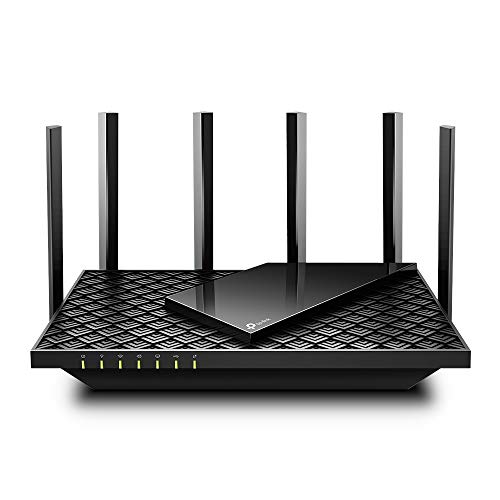
Our Top Picks
 TP-Link AC1900 Smart WiFi Router Dual Band RouterWi-Fi 5 AC19009.57 x 6.32 x 1.28 inches0.91 poundsCheck on Amazon


What's inside
- Why client density defines gym networking
- Reading a datasheet without being misled
- What Wi-Fi 6, 6E, and 7 actually change under load
- Airtime fairness and the slow-client problem
- One powerful router or several access points
- Separating traffic with VLANs
- Captive portals and the member experience
- Planning coverage around steel, mirrors, and people
- Security settings that suit a public venue
- Choosing by gym format
- Internet service, uplinks, and realistic expectations
- Installation day and the first week
- Maintenance across seasons
- Questions members and managers actually ask
- Bringing the decision together
- Interference sources hiding inside the building
- Roaming, thresholds, and the walk between zones
- Capacity for classes, streaming, and events
- Check prices on Amazon
- A short checklist before any order is placed
As an Amazon Associate I earn from qualifying purchases. This post may contain affiliate links at no extra cost to you.
A gym asks more from wireless networking than almost any other small commercial space of similar size. Phones stay in hands between sets, tablets run coaching platforms at the front desk, televisions stream classes above the cardio row, and wearable devices sync quietly in locker rooms. During the busiest hour, fifty to one hundred fifty devices may compete for airtime inside a single open floor, surrounded by steel racks, mirrored walls, and rows of machines built largely from metal. A router chosen only for headline speed will disappoint in that environment, because headline speed describes one link under quiet conditions rather than dozens of simultaneous conversations sharing three bands.
Transparency about how this guide earns money belongs right up front, before any recommendation shapes a shortlist. As an Amazon Associate we earn from qualifying purchases. That single arrangement funds the research behind pages like this one, and it changes nothing about the criteria applied below: every threshold, caution, and comparison here traces back to published specifications, manufacturer datasheets, support documentation, and the underlying wireless standards, so readers can verify each claim against the same sources.
The practical question is not which box carries the largest number on its packaging. The practical question is which architecture keeps latency low when a spin class ends and forty phones reconnect at once, which design separates member traffic from payment terminals, and which mounting plan survives a floor full of reflective equipment. This guide works through those questions in order, starting with client density, moving through Wi-Fi 6, 6E, and 7 features that genuinely matter under load, and ending with layout, security, and maintenance decisions that determine whether a network still feels calm six months after installation.
Why client density defines gym networking
Published specifications show that most consumer routers are engineered around a household pattern: perhaps twenty devices, only a handful active at any moment, spread across separate rooms. A fitness floor inverts that pattern completely. Members cluster within sight of one another, nearly everyone carries a phone, many add a watch or earbuds, and streaming music keeps those connections continuously busy rather than idle. Density, not raw floor area, becomes the limiting resource, because every additional active client divides the same finite airtime on each channel.
Consider a mid-sized facility at six in the evening. Trainers log sessions on tablets, the front desk runs check-in software, a point-of-sale terminal processes smoothie orders, wall displays loop programming, and members stream video while resting between sets. None of those tasks individually demands enormous bandwidth. Together, they create constant contention: small packets, frequent reconnections, and background synchronisation all competing for transmission opportunities. A network that benchmarks beautifully with one laptop can stutter badly under this kind of distributed, bursty load.
Manufacturers sometimes publish a recommended client count, and that figure deserves careful reading. The datasheet lists a maximum associated clients per radio for some business models, which is a ceiling on connections, not a promise that every one of those devices can stream simultaneously. A separate figure, where provided, describes clients per access point under typical throughput assumptions. Buyers should treat the smaller, workload-based number as the planning guide and the larger association limit as an outer boundary that real traffic will rarely approach comfortably.
Roaming behaviour adds another layer. Members move constantly: from entrance to changing rooms, across the free-weights area, into studios, and back to the entrance again. Each movement may trigger a handoff between access points, and poorly tuned handoffs produce the familiar complaint that signal bars look strong while apps freeze. Standards-based fast transition, sensible transmit power balance, and overlapping cells designed for handoff rather than maximum reach all matter more in this setting than another increment of advertised megabits.
Reading a datasheet without being misled
The combined speed class printed on retail packaging adds the theoretical maximum of every band together, a sum no single device can ever use. A phone connects to one band at a time, so the per-band figures buried in the specification table tell the useful story. Look for the stated rate on 5 GHz and, where present, on 6 GHz, along with the stream configuration behind each number. Two spatial streams remain typical for phones, which means a router advertising enormous totals through four-stream or wider configurations delivers much of that capacity only to a minority of clients.
Channel width explains much of the gap between laboratory numbers and floor performance. Wi-Fi 6 supports channels up to 160 MHz wide on 5 GHz, and Wi-Fi 6E extends similar widths into the cleaner 6 GHz band, while Wi-Fi 7 introduces 320 MHz channels where regulations allow. Wider channels raise peak throughput for a nearby client, yet they also consume more spectrum and become harder to reuse across several access points in one building. In a dense gym, narrower 40 MHz or 80 MHz channels, repeated cleanly across multiple radios, frequently serve the crowd better than one very wide channel blasting from a corner.
Antenna and radio details matter as well. The specification sheet should state how many radios the hardware contains, whether a dedicated radio handles backhaul or scanning, and what transmit power each band supports in your regulatory region. External antennas with documented gain patterns help in some single-router rooms, while ceiling access points rely on integrated antennas shaped for downward coverage. Either way, published radio data gives a firmer basis for comparison than lifestyle photography of a device beside a sofa.
Firmware and management features appear near the end of most datasheets, and they deserve equal attention. Note whether the platform supports centralised configuration of several access points, whether settings can be applied as a group, and whether the vendor documents a minimum receive sensitivity figure. Sensitivity determines how well an access point hears a phone transmitting at low power from across the floor, and gyms are full of exactly those weak, distant transmissions. Download speed is only half of every exchange; the return path from a handset in a locker room decides whether check-in codes load and music keeps playing.
What Wi-Fi 6, 6E, and 7 actually change under load
OFDMA and the end of one-at-a-time transmission
Orthogonal frequency-division multiple access, universally shortened to OFDMA, is the Wi-Fi 6 feature most relevant to crowded floors. Earlier generations served one client per transmission opportunity in most real exchanges, so a slow or distant device could occupy the channel while faster devices waited. OFDMA divides a channel into smaller resource units and schedules several clients within a single transmission window. Gym traffic, dominated by short messages, application keep-alives, and streaming control data, matches that design closely, which is why the benefit shows up as steadier responsiveness rather than a dramatic change in a single speed measurement.
The datasheet lists OFDMA support per band, and buyers should confirm it applies on both uplink and downlink where the vendor distinguishes them. Early implementations occasionally emphasised downlink scheduling, while busy gyms generate substantial uplink traffic: photos, workout logs, video calls from personal training sessions, and cloud backups that phones trigger when they join a trusted network. Balanced support in both directions keeps those uploads from becoming the hidden bottleneck behind complaints about an otherwise fast connection.
MU-MIMO, honestly appraised
Multi-user multiple input, multiple output technology allows an access point with several antennas to exchange data with multiple clients during the same interval, using spatial separation. Wi-Fi 6 expanded this capability to the uplink direction, and Wi-Fi 7 raises the stream counts further on flagship hardware. The real-world gain depends on clients being physically separated enough for spatial streams to stay distinct, a condition an open gym floor often satisfies better than a compartmented house. Even so, published specifications show MU-MIMO group sizes are limited, commonly to a handful of devices per group, so the feature helps at the margins of a busy hour rather than multiplying capacity outright.
Beamforming complements it by shaping transmitted energy toward the intended client instead of radiating uniformly. Specification tables list beamforming as explicit, implicit, or both, and modern clients overwhelmingly rely on the implicit form. In a room lined with mirrors and steel, reflected paths complicate that shaping, which is another reason placement and moderate power usually outperform exotic antenna claims. Treat beamforming as standard equipment on any serious candidate, not as a headline reason to choose one model over another.
The 6 GHz band and Wi-Fi 7 refinements
Wi-Fi 6E opened the 6 GHz band, adding a wide stretch of spectrum with no legacy devices slowing exchanges and, in many regions, more non-overlapping wide channels than 5 GHz offers. For gyms, that cleanliness suits high-throughput islands: a studio streaming instructor video, a content corner where members download classes, or backhaul links between access points. The trade-off is reach. Higher frequencies attenuate faster through walls and bodies, so 6 GHz cells are naturally smaller, suiting deliberate, zoned designs rather than whole-building coverage from one device.
Wi-Fi 7 builds on that foundation with multi-link operation, which lets a compatible client maintain links across bands simultaneously, plus more efficient handling of interference through techniques such as preamble puncturing. Manufacturer documentation describes these as resilience features as much as speed features: when one band encounters interference, traffic can continue over another link. Client support remains uneven, since many phones and wearables in a typical gym still speak Wi-Fi 5 or 6, so a Wi-Fi 7 purchase today is chiefly an investment in the access layer staying relevant as member devices turn over during the next several years.
Airtime fairness and the slow-client problem
Every wireless network contains an unfairness built into its physics. A client far from the access point, or an older device using a slower modulation, needs more airtime to move the same amount of data as a new phone standing nearby. Without corrective scheduling, a few struggling connections in the locker room can consume a disproportionate share of the channel and drag down responsiveness for everyone on that radio. Airtime fairness features address this by allocating transmission time more evenly, so distance costs the distant client some throughput instead of taxing the entire floor.
Vendors implement fairness under different names, and support pages describe the behaviour with varying precision. Look for explicit mention of airtime-based scheduling in the manual rather than a generic quality-of-service badge. Some platforms also let administrators set a minimum signal threshold below which clients are encouraged, or required, to move to a closer access point. Configured gently, that threshold prevents a phone clinging to the entrance radio from the far end of the building. Configured aggressively, it can disconnect wearables and older handsets entirely, so documentation quality around these controls is itself a selection criterion.
Band steering works alongside fairness. Dual-band and tri-band systems can nudge capable clients toward 5 GHz or 6 GHz, reserving the crowded 2.4 GHz band for devices that genuinely need its reach or only support that band: some gym equipment consoles, older tablets, and inexpensive sensors fall into that category. Good steering is persistent without being stubborn. It should remember that a particular client performs poorly on a band and stop forcing the issue, a nuance described in better support documentation and worth checking before purchase.
Readers comparing whole-home style systems for smaller studios will find overlapping ideas in best mesh wifi 6 routers, although the planning logic there assumes household walls and family-sized client counts rather than a commercial peak hour.
One powerful router or several access points
The architectural decision shapes everything downstream. A single high-end router suits a compact studio: one open room, modest membership, a reception counter near the router location, and perhaps thirty simultaneous devices at the busiest moment. Beyond that scale, physics defeats any single box. One radio cluster cannot be close to everyone, cannot reuse channels against itself, and creates a single point of failure whose reboot silences the whole business. Larger gyms consistently do better with a modest router handling routing and security, feeding several ceiling access points distributed across the floor.
Multiple access points divide the crowd. Each radio serves the clients near it, channels repeat at a distance with lower interference, and total capacity grows with each added cell. Centralised management keeps the fleet coherent: one configuration for network names, security, and steering policy, pushed to every unit, with a dashboard showing which access point serves which area. Manufacturer literature for business lines describes controller options ranging from software on a local machine to a hardware appliance or cloud dashboard, and the right choice depends on whether the gym has any on-site technical help.
Dedicated hardware built for this pattern is surveyed in best access point routers, where the emphasis falls on radios designed for ceiling deployment, controller ecosystems, and per-radio client handling rather than gaming styling or decorative antennas.
Power over Ethernet simplifies the ceiling
Power over Ethernet, shortened to PoE, carries electricity over the same cable that carries data, and it transforms access point placement. Without PoE, every ceiling position also needs a nearby mains socket, which usually means an electrician and a compromise location. With a PoE switch in the equipment cabinet, an installer can put each access point exactly where the coverage plan wants it, reboot it remotely by toggling the switch port, and keep the whole fleet on one battery backup unit so wireless survives brief power interruptions.
The specification details to verify are concrete. Access points list their PoE class and maximum consumption, commonly under standards 802.3af or the higher-power 802.3at. Switches publish a total PoE budget across all ports, and the arithmetic must cover every connected device with headroom: sum the maximum draw of each access point, camera, and phone on the switch, then keep the total comfortably below the budget. Wi-Fi 7 access points with several radios can draw noticeably more than earlier generations, so a switch that sufficed for a Wi-Fi 5 installation may need replacement during an upgrade even though its data ports still work.
Wired backhaul versus mesh links
Backhaul is the path between an access point and the rest of the network. A cable provides the full, predictable version: dedicated capacity in both directions, no shared airtime, and latency that stays flat under load. A wireless mesh link borrows capacity from the same spectrum members use, and each wireless hop can cut the throughput available beyond that hop while adding delay. In a building where ceiling cable runs are feasible, wiring each access point is the single most reliable performance decision available, worth more than stepping up a model tier.
Mesh still has legitimate gym uses. A temporary class space, a leased annex where drilling is forbidden, or a seasonal outdoor training area may justify a wireless hop, especially on tri-band hardware that reserves one radio for the inter-access-point link. Tri-band designs are compared in best 3 band routers, and that reserved-radio logic is precisely what a short mesh hop needs. Treat mesh as the exception that solves an access problem, though, and wire everything the building reasonably allows.
Separating traffic with VLANs
A gym runs at least three distinct trust levels on one physical network. Payment terminals and the membership database demand the strictest isolation. Staff devices and trainer tablets occupy a middle tier, needing printers, local systems, and reliable internet. Member and guest devices need internet access and nothing else internal whatsoever. Virtual LANs, or VLANs, enforce those boundaries logically: each group receives its own network segment, address range, and firewall rules, even though traffic shares the same switches and access points.
Implementation follows a repeatable pattern. The router defines a VLAN and subnet for each group, the managed switch carries those VLANs as tagged traffic to each access point, and every access point broadcasts the relevant network names bound to their segments. A member phone joining the guest network receives an address in that segment, and the firewall denies its attempts to reach the terminal segment while allowing ordinary internet traffic. Vendor setup guides walk through this sequence for their own interfaces, and the presence of clear, current documentation for VLAN tagging is a practical reason to favour one ecosystem over another.
Client isolation adds a second lock on the guest segment. With isolation enabled, two phones on the same guest network cannot see or contact each other, which blocks casual snooping and limits the spread of any compromised handset. The manual should state whether isolation applies within a single access point only or across the whole system, because members spread across several radios otherwise remain reachable to one another through the wired path. Full-system isolation is the correct target for a public-facing network.
Management traffic deserves its own protected corner as well. Access point administration interfaces, switch dashboards, and any network-attached storage should sit on a segment reachable only from staff devices, with unique credentials and, where the platform supports it, multi-factor sign-in for the controller. A gym does not need enterprise ceremony, but it does need the configuration of its network to be harder to reach than the guest Wi-Fi password written on the reception whiteboard.
Captive portals and the member experience
A captive portal is the sign-in page guests see before full access begins: terms acceptance, a branded welcome, sometimes an email field or a code from reception. For gyms, the portal does real work. It presents the usage terms that protect the business, rotates guest credentials without printing new cards, and can expire sessions so yesterday’s day-pass devices do not linger indefinitely. Portal features vary widely, so the support documentation should confirm session duration controls, bandwidth limits per guest, and whether the portal page can be hosted locally rather than depending on an external service.
Restraint keeps a portal friendly. Members joining several times a week should not face a multi-step form at every visit, so look for remembered-device options that honour a returning handset for a defined window while still showing terms on first connection. Bandwidth shaping per guest, set generously enough for music and ordinary video, prevents one member downloading a large game update from crowding out the class studio. These controls appear in the administrative guide under guest policy or hotspot settings, and their absence on a consumer router is one of the clearest signals that a product targets homes rather than premises open to the public.
Legal and privacy expectations also attach to guest access. The portal terms should state plainly what connection data the business logs and how long it keeps those logs, and the router configuration should match that statement. Some platforms log only session metadata; others can record visited domains, which most gyms neither need nor want to store. Choosing the minimal logging posture reduces both risk and administrative burden, and it aligns the network with the simple promise members expect: connectivity in exchange for nothing more than accepting house rules.
Planning coverage around steel, mirrors, and people
Coverage planning begins with the floor plan, not with a product box. Mark the zones where connectivity genuinely matters: entrance and reception, the main training floor, studios, consultation rooms, offices, and changing areas. Note construction materials honestly. Drywall attenuates modestly, concrete and blockwork considerably, and mirrored walls with metallic backing behave like partial shields. Rows of treadmills, ellipticals, and resistance machines add a dense forest of steel at exactly the height where phones are carried, scattering and absorbing signal in ways an empty-room survey never reveals.
Human bodies absorb wireless energy too, especially on 5 GHz and 6 GHz, so a room measured empty at midday behaves differently when filled with sixty people at a class change. Experienced installers therefore plan for the occupied state: access points placed a little closer together than empty-room readings suggest, with transmit power turned down so cells stay small and handovers happen cleanly. Overlapping coverage at moderate power outperforms a few loud radios, because a phone decides when to roam largely by comparing alternatives, and it can only choose a better cell that it can actually hear.
A simple capacity calculation keeps the plan grounded. Estimate peak simultaneous devices per zone, then divide by a conservative per-radio working figure drawn from the vendor’s workload guidance rather than the association ceiling. A studio hosting a streamed class with forty members may need its own access point even though it sits twenty metres from the main floor unit, because the load is concentrated and simultaneous. Conversely, a small office corridor may share a neighbouring cell without complaint. Counting people per zone, not just square metres, is the habit that separates gym designs from office designs.
Ceiling mounting and antenna orientation
Ceiling placement suits gyms for physical and electrical reasons. Height clears the tallest equipment, reduces tampering, spreads the antenna pattern across the floor below, and keeps cables safely inside the ceiling void. Most ceiling access points use integrated antennas whose published radiation patterns assume that orientation, broad and downward like a lampshade. Mounting such a unit vertically on a wall, a common shortcut, tilts that pattern and can leave half the intended zone in a weak rear lobe. The installation manual’s mounting diagrams are worth following literally here.
Exceptions exist. A high industrial ceiling in a warehouse-style facility may put the access point so far above members that signal arrives weak despite clear sight lines; wall mounting at moderate height, or pendant mounting that lowers the unit, can serve better. Studios with mirrored walls on every side sometimes benefit from a position offset toward a corner rather than dead centre, reducing direct reflections. These are judgement calls made from the specific room, and they reinforce why a site visit with the floor plan precedes any purchase decision.
Channel planning in a crowded spectrum
Neighbouring businesses share the same airwaves. A gym between a café and a phone shop inherits their networks as background interference, most heavily on 2.4 GHz where only three channels avoid overlap. A channel plan assigns each of the gym’s radios a channel chosen to minimise overlap with its own other radios first and with neighbours second. On 5 GHz, automatic selection usually handles this competently, but the administrative interface should still show a channel utilisation graph so an administrator can see when a particular channel has become persistently busy and intervene manually.
Dynamic frequency selection channels on 5 GHz offer extra clean spectrum, with a condition: the radio must vacate the channel if it detects radar, and it must observe a waiting period before using it. In most gym locations radar events are rare, and the extra channels help spacing. Near airports or weather installations they may not be. Support documentation lists which channels a model treats as dynamic frequency selection spectrum in each region, and checking that list prevents surprise gaps in a plan drawn on paper.
For the wired core behind all this wireless planning, throughput ceilings occasionally matter: a multi-gig internet service or fast local transfers between a media server and studio displays can justify the class of hardware covered in best 10g routers, though most gyms will saturate their wireless long before a gigabit uplink becomes the constraint.
Security settings that suit a public venue
The staff and operations networks should use WPA3 where client support allows, with a transitional mode during migration so older gym equipment can still connect while modern devices gain the stronger handshake. The guest network can run WPA2 or an enhanced open configuration depending on the portal design, but it must never share credentials or a segment with operations. Password rotation for staff networks belongs on the same calendar as other business routines, and the controller should make that change in one action across every access point.
Automatic firmware updates deserve a deliberate decision rather than a default shrug. Business platforms typically offer scheduled update windows, which suit a gym perfectly: apply updates at three in the morning, receive a report before opening, and keep a known-good configuration backup taken beforehand. The vendor’s release notes and support lifecycle page state how long a model continues receiving security fixes, and that horizon matters for hardware expected to sit on a ceiling untouched for years. A cheaper unit abandoned by its maker after eighteen months is rarely cheaper across its working life.
Disable features the venue does not use. Wi-Fi Protected Setup has a long history of weaknesses and no place on a commercial network. Universal plug and play should be off at the router, remote administration from the internet should be off unless it runs through the vendor’s authenticated cloud service with multi-factor protection, and unused legacy data rates can be disabled on the guest network to reclaim airtime, provided older member devices are not locked out in the process. Each of these toggles appears in the manual; a platform that hides them entirely is telling you it was not designed for premises like yours.
Choosing by gym format
Boutique studios and personal training spaces
A single-room studio with a small reception area lives comfortably on one capable Wi-Fi 6 or 6E router placed high and central, configured with a separate guest network and client isolation. Peak counts stay low, the trainer’s tablet and the booking system share the staff segment, and a simple per-guest bandwidth limit keeps streamed playlists smooth. The main risks are placement laziness, leaving the router inside a metal storage cabinet, and credential sharing, letting the staff password drift into member circulation. Both are process problems rather than hardware problems, and both are free to fix.
Mid-sized membership gyms
The classic membership gym, several thousand square feet with distinct zones and a genuine evening peak, is access point territory: a router plus two to four ceiling units, a PoE switch, VLAN separation, and a portal for guests. This is also the scale where central management pays for itself immediately, because walking a ladder between units to adjust settings one by one guarantees the fleet drifts out of alignment. Budget holders should price the whole system, switch and cabling included, rather than comparing a stack of access points against a single premium router and wondering why the totals differ.
Large clubs and multi-floor facilities
Big clubs add floors, pools, and sometimes leased tenant spaces such as physiotherapy rooms, each with distinct needs. Controller-based systems earn their complexity here: dozens of radios, per-zone policies, and reporting that shows utilisation trends across weeks, which informs decisions about class scheduling and future expansion. Redundancy enters the conversation too, from a spare configured access point on a shelf to dual internet connections with automatic failover at the router, so a line fault during peak trading becomes an inconvenience rather than a closure of the front desk.
Internet service, uplinks, and realistic expectations
No router can deliver more internet than the line feeding it. A gym should size its service for the peak pattern: dozens of music streams, several video streams, cloud-based booking and payment systems, and background updates, all at once. Individually modest, those flows aggregate into a sustained evening load where upload capacity matters more than brochures suggest, because video calls, content uploads from trainers, and off-site backups all push upstream. A symmetrical service, where available, suits this profile better than a heavily asymmetric one with a thin upload channel.
Inside the building, the uplink from switch to router should match the aggregate wireless ambition. A single gigabit link feeding four busy access points can become the ceiling everyone shares, which is why many current switches and routers offer 2.5 gigabit ports for exactly this junction. The datasheet lists port speeds per model, and matching them across the chain, router, switch, and access point ethernet interfaces, prevents a quiet bottleneck at the cheapest link. Cabling category matters as well: existing runs should be verified as at least Category 5e for gigabit and in good condition for multi-gig speeds over shorter distances.
Quality of service at the router protects the business flows when the line does saturate. Payment transactions and check-in lookups are tiny but urgent; a large cloud backup is bulky but patient. Sensible prioritisation, configured once from the vendor’s traffic management guide, ensures the urgent traffic passes first while bulk transfers use whatever capacity remains. This is not about favouring one member over another on the wireless side; it is about keeping the till and the door system responsive during the same minutes when everyone else is streaming.
Installation day and the first week
A methodical installation follows the plan rather than improvising around it. Cable runs and ceiling mounts come first, access points are labelled by zone before they go up, and the controller configuration is built and reviewed while everything is still reachable on a desk. Only then does the fleet go live, ideally outside peak hours, with the old network name retired cleanly instead of lingering as a competing signal from forgotten hardware in a cupboard. Each zone gets a walk-through with a phone afterwards, checking signal and basic responsiveness at the farthest machine, the deepest locker corner, and the studio’s instructor position.
The first week reveals what paper planning missed. Controller logs show which access points run hot, which clients roam reluctantly, and which channels attract interference at particular times, perhaps when the café next door fills for lunch. Small adjustments follow: a power level trimmed here, a minimum signal threshold softened there, a channel pinned manually where automatic selection keeps flapping between two poor options. Document every change in a simple log with dates and reasons, because the administrator troubleshooting a complaint in eight months will otherwise be guessing which settings are deliberate and which are accidents.
Staff need a short, written playbook for common moments. If the guest network misbehaves, the playbook says which single device to restart and in what order, and which problems should be escalated rather than improvised around. It also states where the current passwords live, who may share the staff credentials, and how day guests are given access. Networks in small businesses rarely fail through exotic faults; they fail through forgotten passwords, unplugged switches, and well-meaning resets that erase careful configuration. A laminated page near the router prevents more outages than any premium feature.
Maintenance across seasons
Gym demand is seasonal. January brings a surge of new members and new devices, summer empties some facilities and fills others with holiday visitors, and class timetables shift the geography of demand across the year. A quarterly glance at controller statistics keeps the design honest: which zones gained clients, which access points approach their comfortable workload, and whether firmware across the fleet is current. Catching a slow drift toward overload in the statistics is far cheaper than reacting to complaints during the busiest week of the year.
Physical maintenance is modest but real. Ceiling access points collect dust, their indicator lights should be checked during other ceiling work, and the equipment cabinet needs its ventilation kept clear of stored stock and cleaning supplies. The battery backup unit protecting the switch and router has a finite battery life, typically a few years, and its self-report should be reviewed before it fails silently. Configuration backups belong in two places, one of them off the premises, refreshed after every significant change rather than on an optimistic schedule.
Replacement planning follows the support lifecycle. When a vendor announces an end of security support for the installed model, the calendar for replacement starts, even if the hardware still performs. Standards also move: the client mix in five years will speak newer Wi-Fi than today’s fleet, and a staggered refresh, replacing the busiest zone’s access point first and cascading its unit to a quieter corner, spreads cost while keeping the highest-demand areas current. This rolling approach suits independent gyms far better than a forklift replacement every several years.
Questions members and managers actually ask
Why does the signal look strong while the connection feels slow?
Signal strength describes one direction of one link: how loudly a phone hears an access point. It says nothing about how many other devices share that radio, how well the access point hears the phone’s quieter reply, or whether the internet line behind the system is saturated. Congestion, weak uplink, and backhaul limits all produce the strong-bars, slow-service complaint, which is why this guide keeps returning to capacity, placement, and wired foundations rather than judging a network by the icon on a handset.
Can one premium router cover a whole gym if it is powerful enough?
Transmit power is regulated, and reputable manufacturers build close to the permitted limits already, so a premium model rarely shouts dramatically louder than a mid-range one. Its advantages lie in more radios, faster processing, better scheduling, and richer management, all valuable, none of which relocate the radio closer to the far end of the building. Once a space has distinct zones, metal-heavy equipment rows, and a three-figure peak client count, distributed access points win on geometry alone.
Should the guest network have a password at all?
An open network with a well-built captive portal is a legitimate design, and it removes password-sharing friction entirely. A password-protected guest network adds a thin layer of casual access control and lets the portal step be skipped. Either can work; the non-negotiables are isolation from operations, isolation between guests, and terms presented clearly. What should never happen is the staff network becoming the de facto guest network because its password is easier to hand out.
How often should access points be replaced?
Replace on support horizons and demand, not on marketing cycles. A Wi-Fi 6 access point with current security support and comfortable utilisation statistics has no urgent reason to leave the ceiling. When member devices shift decisively to a newer standard, when a zone’s client count outgrows the radio’s workload guidance, or when security updates end, that zone’s hardware moves to the front of the queue. The datasheet and the vendor’s lifecycle notices, read together, give a defensible answer for any specific model.
Bringing the decision together
A sound gym network rests on unglamorous foundations: enough radios for the crowd, wired connections feeding them, power delivered over the same cables, traffic separated by trust level, and settings documented well enough for the next administrator to understand. Wi-Fi generation matters, and OFDMA, sensible band steering, and airtime fairness genuinely improve the peak hour, but they amplify a good layout rather than rescuing a poor one. Start from the floor plan and the six o’clock crowd, let those two facts choose the architecture, and the product decision narrows itself to a handful of honest candidates whose datasheets confirm the capacities your plan requires.
Budget conversations go better in that order as well. Cabling, a PoE switch, and installation time rarely appear in advertisements, yet they decide whether the visible hardware can do its job. A slightly humbler access point on a proper wired, powered, well-placed mount will serve members better than a flagship unit improvising from a shelf behind the protein display. Keep the guest experience simple, keep the payment systems walled away, keep the configuration backed up, and the network becomes the kind of infrastructure nobody mentions, which in a gym is the highest compliment available: members remember the class, the coaching, and the music, while the wireless simply keeps time underneath it all like a steady beat counted out beneath a room full of moving people.
Interference sources hiding inside the building
Not every rival signal comes from a neighbouring shop. Gyms generate their own interference in surprising places. Wireless speaker systems for studios, some cordless microphone receivers, older video senders feeding televisions, and even poorly shielded lighting drivers can raise the noise floor on particular channels. Bluetooth beacons and member wearables crowd the 2.4 GHz band with short, frequent transmissions. None of this makes a facility unworkable, but it explains why a channel that looked empty during a quiet morning survey may behave badly during an evening class when the studio audio, the instructor microphone, and sixty phones all wake up together.
The controller’s spectrum and utilisation views help separate these causes. A channel showing high utilisation with few connected clients suggests a non-network neighbour occupying airtime, while high utilisation with many clients is ordinary success. Some business platforms include a dedicated scanning radio that reports interferers by type, and the manual describes how those reports are classified. Even without that feature, methodical observation works: note the times, zones, and activities that coincide with slowdowns, then compare them against class schedules and equipment use before changing hardware that may be innocent.
Microwave ovens in a juice bar deserve their familiar mention, because their leakage sits squarely in the 2.4 GHz band and follows a predictable lunchtime pattern. The remedy is rarely exotic: steer important devices toward 5 GHz, keep the staff tablet for orders off the band the oven disturbs, and position the nearest access point so the kitchen corner is not its only responsibility. Small, informed adjustments like these accumulate into the difference between a network that feels fragile and one that absorbs daily quirks without drama.
Roaming, thresholds, and the walk between zones
Roaming decisions belong to the client device, not the network, a fact that surprises many buyers. A phone weighs signal strength, error rates, and its own internal rules before leaving one access point for another, and some devices cling stubbornly to a weakening connection. Networks can encourage better choices through the 802.11k, 802.11v, and 802.11r family of standards: neighbour reports that tell a handset which access points exist nearby, guidance suggesting a specific move, and fast transition that shortens the security handshake during the switch. Vendor documentation lists support for each letter separately, and mixed fleets behave best when all three are enabled consistently across every access point.
Consistency is the operative word. If one access point offers fast transition and its neighbour does not, a roaming phone may experience the worst of both designs. The same applies to security modes, network names, and VLAN assignments, which is another argument for controller management over hand-configured units. A single template applied everywhere removes an entire category of faults where one corner of the building quietly differs from the rest, faults that present as bizarre, localised complaints and consume hours because the configuration error hides in a device nobody suspected.
Minimum signal thresholds, often labelled with terms such as roaming sensitivity or minimum RSSI, should be tuned conservatively and one zone at a time. The support guide usually recommends a starting range and warns against abrupt enforcement. Lower the threshold gradually across several days, watch the controller for clients being pushed without a better cell to receive them, and keep notes. A member whose vintage handset gets disconnected in the stretching area will not describe the experience as an optimisation, and the goal remains a network that feels invisible, not one that enforces theoretical elegance.
Capacity for classes, streaming, and events
Live-streamed and hybrid classes changed the traffic profile of many gyms. An instructor may broadcast to remote members while thirty people in the room follow the same session on a large display, and that pattern concentrates upload demand in one zone for an hour at a time. The access point serving the studio needs wired backhaul, a clean channel, and enough upstream internet capacity reserved by policy so the broadcast does not compete with every phone backup on the premises. Where the platform supports it, a dedicated network name for the studio, mapped to its own VLAN with priority treatment, keeps production traffic separate from the general member flow without new hardware.
Open days, charity workouts, and competitions create the opposite pattern: a building-wide surge, guest check-ins at unusual volume, spectators uploading video, and temporary equipment such as timing systems appearing for a weekend. A network designed with headroom and a documented guest policy absorbs these days gracefully. Practical preparations include raising guest session limits temporarily, confirming the portal can handle a burst of simultaneous sign-ins, and checking that the internet service has no fair-use cliff the event might cross. Afterwards, the controller statistics from the event become planning data for the next one, showing exactly where the ceiling came closest.
Music deserves a final word in this section, because it is the application members notice first when anything falters. Streaming audio itself is light, but the control path matters: a staff tablet selecting playlists must stay connected to the speaker system, which may sit on yet another small network segment. Document which segment the audio equipment uses, keep its devices on the band with the cleanest local conditions rather than the fastest theoretical one, and resist moving it during unrelated changes. Protecting the music is protecting the atmosphere of the room, and it is usually a matter of stability rather than speed.
Check prices on Amazon
Live listings for the shortlist in this guide are pulled from Amazon below, so prices and availability are always current at the moment you look.
A short checklist before any order is placed
Before committing to hardware, walk the building once more with a written list. Confirm the peak simultaneous device estimate for each zone, the VLAN groups the business truly needs, the portal behaviour members will experience, and the exact ceiling positions where cable and power can realistically reach. Check the datasheet of every shortlisted model against that list line by line: per-band rates, OFDMA direction, client workload guidance, PoE class, port speeds, controller options, and the published end of security support. Where a figure cannot be found in vendor documentation, treat its absence as information rather than filling the gap with a retail listing’s enthusiasm.
Then price the unglamorous remainder honestly: the switch with sufficient PoE budget, cabling and mounting labour, a battery backup sized for the cabinet, and a spare unit if the facility cannot tolerate a zone going dark. Compare complete systems against complete systems, keep the configuration plan and floor map together in one folder, and schedule installation away from the busiest trading days. A gym that follows that sequence rarely needs to revisit the decision for years, because the choices were anchored to its own rooms, crowds, and routines instead of to a headline number; when the doors open on the coldest January morning and the floor fills before sunrise, the network simply greets the crowd the way good lighting does, present everywhere and noticed by no one.
One last habit separates facilities that stay satisfied from those that drift into recurring complaints: keep a single page that records the network’s intended design in plain language. Write down why each access point sits where it sits, which segment the payment terminals occupy, who holds administrator credentials, and when passwords and firmware were last reviewed. Tape a copy inside the equipment cabinet and keep another with the business records. Staff change, installers move on, and memories fade, but a page like that preserves the reasoning behind every setting; years later, whoever opens that cabinet will find not a mystery box of blinking lights but a map drawn by the people who understood this particular building, its steel, its mirrors, and its morning rush.
Keep that page alive with a dated two-line note after every change, and the system stays legible to whoever inherits it, like chalk marks on a training board that still tell the next coach exactly how the session was meant to run.