Key takeaways
- Managed home routers explained: controllers, wired access points, VLANs, roaming and gateway performance, sized for real houses and flats today.
What's inside
- What the word managed actually means
- Where the controller lives, and what still works when things go down
- The wired backbone decides more than the radios do
- Segmentation: VLANs and separate networks that earn their keep
- Roaming, honestly: what 802.11k, v and r can and cannot do
- Gateway performance when the features are actually switched on
- Ports and uplinks: where faster-than-gigabit actually matters
- Money, subscriptions and the shape of lock-in
- When a managed system is the wrong purchase
- Three houses, sized properly
- Channels, width and the neighbours you cannot choose
- Check prices on Amazon
- Keeping the system healthy after the satisfying first week
As an Amazon Associate I earn from qualifying purchases. This post may contain affiliate links at no extra cost to you.
Quietly, in a cupboard or on a rack shelf, is where a managed network does its best work, and this guide explains how that kind of system is put together and judged. As an Amazon Associate we earn from qualifying purchases. Everything that follows rests on published specifications, standards documents and manufacturer documentation rather than on any promise made in a product listing, because the gap between a headline radio figure and a working house-wide network is where most buying mistakes happen.
What the word managed actually means
A standalone router is one box making its own decisions. It routes traffic between your home and the internet, hands out addresses, broadcasts one or more wireless networks, and answers to an app or a web page that lives inside that same box. If you later add a second access point from a different brand, the two devices may cooperate after a fashion, but neither one truly knows what the other is doing. Settings live in two places. A change to the wireless password has to be repeated. When a phone clings to a distant signal, neither device has the full picture needed to nudge it somewhere better.
A managed system starts from the opposite assumption. One piece of software, the controller, holds the configuration for the whole network: the gateway that faces the internet, any switches in between, and every access point on the ceiling or wall. You define a wireless network once and the controller pushes that definition to each access point. You change a firewall rule once and it applies at the gateway rather than being approximated in several places. The devices themselves become comparatively interchangeable. An access point in this model is mostly a radio with a job description handed down to it, and if it fails you can swap in another, adopt it into the system, and watch it pick up the same settings within minutes.
That central record is what makes the rest of this guide possible. Segmentation, coordinated roaming, per-device traffic statistics and consistent firmware updates all depend on something knowing the shape of the entire network. The controller also keeps logs in one place, so when a camera drops offline at three in the morning you can see whether it lost its wireless association, its address lease, or its route out through the gateway, instead of guessing across three separate admin pages.
None of this requires enterprise ambitions. The practical difference shows up in an ordinary house the moment a second access point appears, a work laptop needs separation from a box of chatty smart plugs, or a teenager’s game console and a parent’s video call start competing for the same strained uplink. Management is not a feature bolted onto a router. It is a way of organising several pieces of hardware so they behave like one network, and the buying question is whether your home has reached the size and complexity where that organisation repays its cost in money and attention.
It helps to separate three roles that marketing often blurs together. The gateway is the traffic cop at the boundary: it performs network address translation, runs the firewall, and usually serves addresses through DHCP. The switch is the quiet distributor inside the house, moving frames between wired devices and feeding power to access points on the same cables that carry their data. The access point is purely a radio bridge between wireless clients and the wired network. In an all-in-one router those three jobs share one enclosure and one processor, which is exactly why they strain together when the house gets busy. Separating them lets each be sized, placed and replaced on its own merits.
Where the controller lives, and what still works when things go down
Controllers come in four broad forms, and the form matters most on the worst day of the network’s life, not the best. The first is a dedicated hardware appliance: a small always-on box whose only job is to run the management software. It sips power, survives reboots gracefully, and keeps the network’s configuration independent of any particular computer in the house. The second is software you install yourself on a home server, a NAS or a small spare machine. That route costs nothing in hardware if the machine already runs around the clock, but the network’s brain now shares fate with whatever else that machine does, including your own experiments with it on a Sunday afternoon.
The third form embeds the controller in the gateway itself. This is tidy: one box fewer, one power supply fewer, and the system can be administered from the device that is most certainly switched on. The trade-off is coupling. Replacing the gateway means migrating the controller, and a gateway working hard at routing and inspection has less spare capacity for the management interface and its historical statistics. The fourth form hosts the controller in the vendor’s cloud. Nothing runs locally at all; your devices check in with remote servers, receive their configuration from there, and are administered through a website.
Each form answers two failure questions differently, and honest answers matter more than feature lists. Question one: if your internet connection drops, can you still administer and change your own network? With a local controller, in any of its three forms, the answer is yes. The wireless networks keep broadcasting, the firewall keeps its rules, and you can log in from inside the house to investigate. With a purely cloud-hosted controller, local traffic usually keeps flowing on the last received configuration, but making changes, adopting new hardware, and sometimes even logging in to look can be impossible until the connection returns. Question two: if the vendor’s cloud service has an outage, or the vendor one day retires the product line, what remains? Local controllers keep working because they never needed the cloud to begin with. Cloud-dependent systems have, in documented cases across the industry, lost remote management during provider outages while the underlying networks kept passing traffic, which is reassuring for connectivity and frustrating for control.
There is a middle pattern worth recognising: a local controller with optional cloud access layered on top for remote viewing. That arrangement keeps authority inside the house and treats the cloud as a window rather than a foundation. If you shortlist systems, ask which pattern each one follows, and be suspicious of answers that use the word cloud for both halves of the sentence. Also ask how configuration is backed up and restored. A controller that can export its full state to a file you keep turns a hardware failure into an inconvenience. One that cannot turns it into a rebuild, SSID by SSID and rule by rule.
Update behaviour belongs in the same conversation. Managed systems typically let the controller stage firmware for every device and apply it on a schedule you choose. That is a genuine quality-of-life advantage over logging into five boxes individually, and it is also a responsibility: a controller set to update everything automatically at the moment new firmware appears will eventually have a bad night. Sensible practice is to let the controller notify, wait a few days for early reports, and update the least important access point first.
The wired backbone decides more than the radios do
Shoppers compare wireless standards because those numbers are printed largest, yet in managed systems the radios are usually the least of the problem. What decides whether a house feels fast everywhere is where the access points sit and how their traffic gets back to the switch. An access point is a translator between radio and Ethernet. Everything it hears must leave by its cable. If that cable does not exist and the access point instead repeats traffic wirelessly to another access point, every hop consumes airtime twice and adds contention, which is why the strongest recommendation in this entire guide is unglamorous: run cable.
Ethernet backhaul changes the character of a system. Each access point gets the full capacity of its wired link, wireless airtime is spent only on the final hop to the client, and placement can be chosen for coverage rather than for a clear wireless path back to the router. Where cable is genuinely impossible, a dedicated wireless backhaul radio is the next best arrangement, and shared-band repeating is the last resort. Buyers weighing a managed system against simpler gear should read our comparison of best access point routers with this in mind, because the category only makes sense when the wiring question has an answer.
Placement follows physics, not floor-plan symmetry. Radio signals are absorbed by masonry, foil-backed insulation, bathroom tile on cement board, large mirrors and metal appliances, and they pass comparatively easily through timber stud walls and ordinary plasterboard. A ceiling-mounted access point near the centre of a floor usually outperforms a more powerful unit tucked in a corner cupboard, because its signal radiates downward and outward with fewer obstructions and because clients below it are rarely more than one room away. Height helps. An access point at ceiling level clears furniture, people and shelving that would otherwise sit in the first and most important part of its path.
The three common form factors exist for a reason. Ceiling units are the default for good coverage and suit hallways and the middle of open-plan spaces. Wall-plate units, often combined with a small switch and pass-through ports, suit rooms where a network outlet already exists at desk height: a study, a hotel-style guest room, a garden office. Desktop or shelf units are the pragmatic choice in rented homes where drilling is unwelcome, accepting slightly less ideal radiation patterns in exchange for actually being installed. What matters is not the shape but honesty about the environment: an access point rated for a dry interior will not thank you for a life in a steamy bathroom, and outdoor areas need enclosures and temperature ranges chosen for the weather they will actually meet.
Power over Ethernet is the other half of the backbone story. PoE sends direct-current power along the same cable as data, so an access point needs no socket nearby and can sit exactly where coverage wants it. Three standards cover nearly everything a home will meet. The original 802.3af supplies up to 15.4 watts at the switch port, of which about 12.95 watts is guaranteed at the device after cable losses. The 802.3at standard, often called PoE+, raises that to 30 watts at the port and 25.5 watts at the device. The newer 802.3bt pushes further, to 60 or even 90 watts depending on type, which matters for pan-tilt cameras, larger multi-radio access points and a few power-hungry oddities, but is rarely needed for ordinary home radios.
Work the arithmetic before choosing a switch, because the figure that matters is the total PoE budget, not the per-port maximum. A typical Wi-Fi 6 ceiling access point draws somewhere between 11 and 18 watts in real operation, with its specified maximum a little above its everyday draw. Take a three-access-point house and budget honestly at the specification maximum, say 18 watts each: that is 54 watts. Add a fourth unit in a garden office and the total reaches 72 watts. Now add two PoE cameras at 7 watts each and a PoE-powered small switch in a media cabinet at 20 watts, and the same house wants roughly 106 watts of delivered power. A compact switch advertising a 65-watt PoE budget, which sounded generous in the listing, is now the ceiling on your whole design. An eight-port switch with a budget in the 120 to 150 watt range covers that house with headroom for the access point you will inevitably add later. Headroom is not waste here; switches running near their power limit run hot, and a port that cannot honour a device’s power request produces the maddening fault of hardware that reboots only when its radios work hardest, which is to say at the busiest moment of the evening.
Also check how a switch behaves when its budget is exceeded: better models shed power by port priority you assign, so the hallway camera loses power before the main access point does. Put core devices on the highest priorities while you are configuring, not after the first mysterious outage. Cable quality plays a small but real part too. Long runs of poor cable waste power as heat and can drop a device from its negotiated class; for new runs, standard Cat6 is the sensible default for both gigabit and multi-gigabit service with PoE.
Segmentation: VLANs and separate networks that earn their keep
A flat network treats every device as equally trusted, which was a reasonable simplification when a home held a printer and two laptops. The modern house holds doorbells, televisions, voice assistants, light switches, a robot vacuum with a map of your rooms, and laptops carrying your employer’s data. Those devices do not deserve equal trust, and they do not need to talk to each other. Segmentation is the managed system’s answer: divide the network into virtual LANs, give each its own wireless name where appropriate, and write a short list of rules about what may pass between them.
A VLAN is a boundary drawn in configuration rather than in cable. Devices on different VLANs cannot reach each other unless the gateway explicitly routes and permits the traffic, even though their packets share the same switches and access points. Each access point can broadcast several SSIDs and tag each one onto a different VLAN, so a single ceiling radio can serve the household network, the guest network and the IoT network simultaneously, with the switch port carrying all three as tagged traffic back to the gateway.
Three segments cover most homes well. The main segment holds phones, computers and the NAS: devices you own, update and trust. The IoT segment holds gadgets whose software you do not control and cannot audit. The guest segment holds other people’s devices, which should reach the internet and nothing else at all. A fourth segment for work machines is worth adding when an employer’s security policy enters the house, since it lets a work laptop sit behind rules that keep it away from both the gadgets and the family file store, which many employers quietly prefer and some explicitly require.
Firewall rules between segments read plainly once translated. IoT devices may start conversations with the internet, because a smart plug needs its cloud service, but nothing on the internet or in the house may start a conversation with them beyond what replies require. The main segment may start conversations into the IoT segment, because your phone needs to reach the printer and the television, but IoT devices may not start conversations back. Guests may reach the internet and the printer, perhaps, and nothing else. That small set of asymmetric rules captures the entire philosophy: permission flows from trusted to untrusted for starting conversations, and replies are allowed so things actually work.
Two practical traps deserve warning. The first is discovery. Many beloved conveniences, casting to a television, finding a printer, controlling a speaker, rely on multicast announcements that deliberately do not cross VLAN boundaries. Managed gateways offer an mDNS reflector or repeater to carry just those announcements between chosen segments. Enable it narrowly, between main and IoT, and expect a short evening of checking that the television reappears in the casting list. The second trap is over-segmentation. A VLAN per gadget category feels rigorous and becomes a maintenance burden within a month; every exception needs a rule, and every rule is a future puzzle. Three or four segments, documented in a note you keep with the controller backup, will still be understandable a year later.
Client isolation is a related switch worth knowing: within a guest SSID, isolation prevents guest devices from seeing even each other. On the IoT network, partial isolation can stop a compromised gadget from scanning its neighbours, though some devices that legitimately coordinate, pairs of speakers and their controllers, will object. Turn these on one network at a time and live with the result for a few days before extending the experiment.
Roaming, honestly: what 802.11k, v and r can and cannot do
Roaming is the feature buyers imagine most vividly and understand least, because the decisive fact is unglamorous: the client device chooses when to roam. Your phone or laptop continuously judges the signal it has, weighs its own thresholds, and decides whether to leave a weakening access point for a stronger one. The network can advise, encourage and make transitions quick, but it cannot order a stubborn client to move, and some clients are very stubborn indeed, holding a distant access point down to a whisper of signal because their designers prized stability over agility.
The three standards usually listed together each handle a different part of that conversation. 802.11k lets an access point hand the client a neighbour report: a short list of nearby access points and their channels, so the client does not have to scan every channel to find candidates. That shortens the search. 802.11v adds transition management, through which the network can actively suggest a specific better access point and, in stronger configurations, insist with a deadline. Well-behaved clients take the hint; others acknowledge politely and stay where they are. 802.11r, fast transition, attacks a different delay: the re-authentication handshake when a client joins a new access point on a secured network. By pre-establishing key material across the system, it can shrink that handshake from hundreds of milliseconds to tens, which is the difference between a voice call glitching and a voice call surviving a walk down the hall.
Each carries a compatibility footnote. A minority of older or simpler devices, some IoT radios especially, mishandle fast transition and may fail to connect at all on a network where it is enforced. The standard remedy is to enable 802.11r on the main network, where phones and laptops are modern, and leave it off the IoT SSID. Similarly, transition suggestions help most clients and confuse a few. Managed controllers expose these toggles per SSID precisely because one global answer does not exist.
Minimum RSSI is the blunter instrument in the same drawer. Set a floor, commonly somewhere around minus 70 to minus 75 dBm depending on the environment, and an access point will refuse or drop clients whose signal falls below it, effectively pushing them to look elsewhere. Used gently it cures the sticky-client problem at the edges of a house. Used aggressively it creates dead spots with paperwork: a device in a genuinely weak location gets evicted and has nowhere better to go. Tune it after placement is right, never instead of placement being right. Readers comparing simpler whole-home systems should keep this hierarchy in mind when reading about best mesh wifi 6 routers, because mesh kits automate some of these nudges while hiding the dials.
Band steering is the sibling feature: when a dual-band client appears, the system initially answers it on the faster 5 GHz band and may stay quiet on 2.4 GHz to encourage the better choice. The trade-off is range and stubbornness. Some distant or older devices connect more happily when allowed to choose for themselves, and a few setup routines for smart devices fail outright when the phone setting them up is steered away from the band the gadget can hear. A separate 2.4 GHz-only SSID for IoT sidesteps most of that friction and remains a defensible, boring solution. Meanwhile the newer 6 GHz band, where available, rewards clients that support it with clean spectrum, but its shorter reach means it complements rather than replaces careful 5 GHz placement.
Transmit power deserves a final mention, because the instinct to run every access point at maximum is backwards in multi-AP homes. Overlapping cells at full power encourage clients to stay put and raise the noise floor for everyone. Turning power down, especially on 2.4 GHz, so that each access point’s comfortable territory ends near the next one’s beginning, produces calmer roaming and cleaner airtime than any steering feature. Managed systems earn their money here: one screen shows every radio’s power, channel and client count, and a quiet half hour of adjustment after installation pays rent for years.
Gateway performance when the features are actually switched on
Gateway datasheets quote routing throughput measured under kind conditions: large packets, no inspection, nothing else asked of the processor. Real households ask for more. Intrusion detection and prevention systems inspect traffic patterns for known attack signatures, and that inspection costs cycles on every packet. A gateway that routes at multi-gigabit speed with inspection off may manage only a few hundred megabits per second with it fully on, and neither figure is a lie; they are answers to different questions. Before choosing, find the manufacturer’s stated throughput with IDS and IPS enabled, and treat the absence of that figure as information in itself.
For most homes the sensible reading is this: if your internet connection is faster than the inspected throughput of the gateway you are eyeing, you must choose between full line speed and full inspection, or buy a gateway with headroom. On slower connections the question never arises. Inspection also matters most at the boundary it can actually see; a great deal of modern traffic is encrypted end to end, which limits what signature inspection can inspect, so its value is real but not magical.
Bufferbloat is the other gateway topic with daily consequences. When a connection is saturated, ordinary queueing lets packets wait in oversized buffers, and latency balloons: the video call freezes not because bandwidth ran out but because its packets are standing in line behind a cloud backup. Smart queue management fixes this by policing the queue. The fq_codel algorithm, and CAKE which builds on similar ideas with extra fairness and per-host isolation, keep queues short and share capacity gracefully, at the cost of a small slice of peak throughput and some processor load. Enabling SQM on the gateway, with the rate limits set a little below your measured line speed, is the single change most likely to make a busy house feel responsive. Its cost in headline speed is typically a few percent. Its benefit during a game download colliding with two video calls is the difference between complaint and silence.
Two internet connections raise their own vocabulary. Failover keeps a second connection idle, or lightly used, and moves everything to it when the primary fails: simple, predictable, and aimed at households where an outage during work hours is a genuine problem. Load balancing spreads sessions across both connections all the time, gaining capacity but inviting quirks, since a bank may see your traffic arrive from two addresses and some services dislike that. For homes, failover with a modest cellular backup is usually the honest fit; load balancing belongs to people who enjoy being their own network operations centre. Either way, the gateway, not the access points, does this work, and dual-WAN behaviour is a gateway-selection criterion.
WireGuard, the modern VPN protocol, sets similar expectations. A gateway with hardware acceleration or a strong processor can push WireGuard traffic at several hundred megabits per second or better, enough for remote access to home files and for routing a travelling laptop’s traffic back through the house. Older or weaker gateways may manage only a fraction of that, which is fine for administration and frustrating for bulk transfer. Decide what the VPN is for before weighing the number. Remote access to a document and a camera feed asks little; pretending the house is a data centre asks a great deal.
Ports and uplinks: where faster-than-gigabit actually matters
For a decade, gigabit Ethernet was so far ahead of home internet connections that port speeds were a non-question. Three things changed that: NAS boxes that can genuinely fill more than a gigabit, internet connections sold above a gigabit, and access points whose combined radio capacity exceeds one wired gigabit. A modern Wi-Fi 6 or 6E access point serving several busy clients can offer more than its gigabit uplink can carry, so its ceiling becomes the cable, not the radios. That is the honest case for 2.5-gigabit ports: on access point uplinks, on the NAS connection, and on the link between gateway and switch when several fast paths converge there.
The 10-gigabit tier has a narrower home role, and our deeper look at best 10g routers reaches the same conclusion from the router side: it matters between a switch and a heavily used NAS or workstation, and on the backbone of a large system, and almost nowhere else yet. Paying for 10G on every port buys heat and noise. Paying for it on the two or three links that aggregate everyone else’s traffic buys headroom that lasts.
The physical form of a fast port matters practically. RJ45 copper ports accept ordinary cables and are the default for 2.5G. At 10G, copper works over Cat6 for moderate distances and Cat6a for the full hundred metres, but the transceivers and ports run warm and draw several watts each. SFP+ cages take interchangeable modules: fibre modules for long or electrically noisy runs, which sip power and stay cool, or copper modules that convert the cage to RJ45 at the cost of that same heat concentrated in a small stick. Inside a single rack, direct-attach copper cables are the cheap, cool answer for linking switch to gateway or NAS over a metre or two. Choosing SFP+ on core gear and copper at the edges is the pattern most home racks settle into, because it keeps options open without paying the copper tax on every link.
Link aggregation tempts buyers with arithmetic that rarely survives contact with reality. Bonding two gigabit links gives one device redundancy and gives many devices a combined two gigabits of shared capacity, but a single file transfer still travels over one member link and runs at one gigabit. Protocols negotiate per-flow, not per-packet. Aggregation is a reasonable tool for a NAS serving several people at once and a poor reason to buy a switch for a single fast workstation, which should simply get a faster port. Managed switches expose the hashing and member status clearly, which at least makes the limitation visible rather than mysterious.
One more port question hides in gateway listings: how many ports are truly routed at full speed, and how many hang off an internal switch that shares one uplink to the processor? For simple homes it makes no difference. For a house where the NAS, the main switch and a workstation all plug into the gateway, it decides whether local traffic stays local and fast or queues through a bottleneck nobody mentioned. The specifications and block diagrams, unglamorous reading, answer it directly.
Money, subscriptions and the shape of lock-in
Managed ecosystems differ less in radio quality than in how they charge you over the years, and the differences compound. At one end sits the buy-it-once model: hardware carries the cost, the controller software is included, firmware updates arrive for the product’s supported life, and advanced features are not rented back to you. At the other end sits per-device licensing, familiar from enterprise networking, where each access point or switch needs an active licence to remain managed at all, sometimes to remain functional in its managed mode, and the dashboard goes dark when the subscription lapses. Between them lie hybrid tiers: a free core with paid extras such as advanced inspection, longer data retention, multi-site tools or premium support.
The questions to ask of any system are concrete. If you stop paying, precisely what stops working: remote access only, or local management too? Do the devices keep their last configuration and keep passing traffic? Can you export your configuration in a form anything else could read, or is your network’s documentation effectively rented? How long does the vendor commit to firmware and security updates for this hardware generation, and is that commitment written down? None of these require suspicion of any particular company. They are the same questions a business would ask, scaled to a hallway cupboard.
Lock-in also has a physical layer. Access points from one ecosystem generally cannot be adopted by another’s controller, so changing your mind later means replacing radios, not just software. Switches and gateways are somewhat more portable, since standard protocols carry traffic between brands happily, but you lose the single-pane management that justified the system. The pragmatic defence is to buy into an ecosystem deliberately, at the architecture level: check that its gateway, switch and radio ranges each contain a model you would actually choose, that its controller model suits your feelings about cloud dependence, and that its charging model is one you can describe in a sentence without wincing. Readers whose real problem is distance rather than control may find that best long range routers solves it with far less commitment, and that is a legitimate outcome of the comparison.
Running costs beyond licences are modest but real. A gateway, a PoE switch and three access points together draw perhaps 40 to 70 watts continuously, which over a year is a noticeable but not alarming slice of a household electricity bill, and fanless models trade some of that for silence. Factor in a small battery backup for the core stack if outages are common: keeping the gateway and one access point alive through a short cut preserves both internet access and the ability to see what the house is doing, and managed controllers report the graceful behaviour that makes this worthwhile.
When a managed system is the wrong purchase
Honesty requires a section arguing against the entire category. In a small flat where one decent router reaches every room, a managed system adds cost, cabling temptation and administrative surface while solving no problem the flat actually has. The money is better spent on the internet connection itself or on nothing at all. Likewise, a household whose networking needs end at streaming, browsing and the occasional video call will be served for years by a single modern router placed sensibly, and the hours a managed system asks for in setup and occasional care will feel like a hobby imposed rather than chosen.
Mesh kits occupy the sensible middle. A good kit gives a multi-room home coordinated nodes, automatic backhaul management and an app simple enough for anyone in the house to restart. What it withholds is depth: VLAN design is limited or absent, firewall rules are coarse, per-client insight is thin, and the controller is usually the vendor’s cloud whether you like that or not. For many houses that trade is correct. The managed route justifies itself when at least two of these are true: the house is wired or can be wired, untrusted gadgets are numerous, someone works with data an employer cares about, coverage spans awkward construction or outbuildings, or a resident genuinely enjoys understanding the network. One condition alone rarely carries the cost.
Renters face a specific version of the calculation. Ceiling mounts and fresh cable runs may be forbidden, but a gateway, a small switch and two desktop access points on existing outlets can still form a managed system that moves house in a box. The discipline is to buy nothing that only makes sense permanently installed, and to keep the controller’s backup file somewhere that is not the house.
Three houses, sized properly
Start with a small two-bedroom flat, seventy square metres, one floor, modern plasterboard walls, a gigabit fibre connection and a household of two people working hybrid schedules. The managed answer here is deliberately small: a compact gateway with SQM for the video calls, one ceiling or high-shelf Wi-Fi 6 access point near the flat’s centre, and no switch at all if the gateway’s ports cover the television and a small NAS, or a tiny five-port PoE model if they do not. Two SSIDs suffice, main and IoT, with guests folded into a client-isolated corner of the IoT rules or a third SSID if visitors are frequent. PoE demand is one access point at under 20 watts. Anything larger is decoration, and the budget saved buys the battery backup that keeps calls alive through a flicker.
The second house is the classic test: two storeys, brick internal walls downstairs, a detached garden office twenty metres from the back door, three teenagers’ worth of devices and a parent whose work video calls are non-negotiable. Run cable twice here, once to a ceiling access point on each floor and once, in a buried or externally rated run, to the garden office, where a wall-plate access point with spare ports serves a desk properly. The gateway needs honest SQM and inspected throughput above the line speed; the switch needs eight to sixteen ports and a PoE budget around 120 watts to cover three access points, two cameras watching the garden path, and the office unit. Three segments, main, IoT and guest, with the office machine allowed into main and a work SSID added if an employer asks. Set 802.11k and v everywhere, r on the main network only, minimum RSSI conservatively, and 2.4 GHz power turned down so the floors stop shouting over each other. This is the house the category was invented for, and it will feel unremarkable, which is the highest praise a network earns.
The third property is a large multi-storey house, thick walls, a basement plant room, six cameras, a rack-mounted NAS used for editing video, and a fibre line faster than a gigabit. Here the design grows a spine: a gateway with 2.5G or 10G on its LAN side and inspected throughput to match the line, a core switch with SFP+ uplinks, the NAS on 10G fibre or direct-attach, and access points, five or six of them, on 2.5G uplinks where their client load justifies it and gigabit where it does not. PoE budgeting becomes a spreadsheet exercise, likely landing between 150 and 250 watts across two switches, with camera ports on lower shed priority than access points. VLANs separate cameras entirely, reachable only from the main segment and their recorder, never from the internet directly. Dual-WAN failover to a cellular backup protects the security system and the work that happens in the house. A controller on its own small appliance, backed up after every change, keeps the whole estate comprehensible to the one person who will inevitably be called when something blinks red.
Across all three, notice what did not change: cable before radios, power budgets counted in watts, segments counted on one hand, and features switched on only where a named problem required them. The hardware tiers differ by an order of magnitude. The reasoning does not differ at all, and a buyer who internalises the reasoning can walk into any ecosystem’s catalogue and size a system without believing a single headline.
Channels, width and the neighbours you cannot choose
Every access point you install shares the air with every network around it, and managed systems make that sharing visible. A controller’s spectrum view, even a simple list of neighbouring networks per radio, turns channel planning from superstition into a short, evidence-based chore. On 2.4 GHz there are, in practice, only three non-overlapping channels worth using in most regions: 1, 6 and 11. Neighbouring access points in your own house should sit on different members of that trio, at 20 MHz channel width, because wider channels on this band mostly widen your exposure to everyone else’s traffic. The band’s virtues are reach and compatibility, not speed, and treating it as the network’s slow lane for distant and simple devices keeps expectations honest.
The 5 GHz band is where capacity lives. It offers many more channels, including ranges that require the radio to vacate the channel if it detects certain radar systems. Those radar rules explain a behaviour that otherwise looks like a fault: an access point that briefly goes quiet and reappears on a different channel may be obeying the law rather than failing. Channel width here is a genuine judgement call. An 80 MHz channel in a detached house with clean spectrum can be glorious. The same width in a dense block of flats grabs four channels at once and invites contention from every neighbour doing the same, so 40 MHz often delivers steadier real performance. Managed controllers let you set width per access point, which is the right granularity: wide in the quiet end of the house, narrower facing the crowded street.
Automatic channel selection sounds like the end of this chore and is better understood as its beginning. Controllers typically evaluate conditions when a radio restarts or on a nightly schedule, which means the plan reflects the air at three in the morning rather than during the evening peak when every neighbour is streaming. Let the automatic system choose a starting point during installation, live with it for a week, then look at the per-radio retry and utilisation figures the controller collects and adjust the one or two radios that are visibly suffering. That loop, observe then adjust narrowly, is the working method behind most stable home systems, and it is only possible because the controller keeps history a standalone router discards.
Client count per radio deserves the same calm attention. A single access point can associate with far more devices than it can serve well, and a house full of idle gadgets inflates association counts without causing harm. What strains a radio is simultaneous active demand, especially from clients at the edge of coverage whose low data rates consume disproportionate airtime for every byte they move. One distant client crawling along at the slowest rate can tax a radio more than six nearby clients moving quickly. This is the deeper reason placement and power tuning matter: bringing clients closer, in radio terms, raises the rate at which everyone speaks, and airtime, not the number on the box, is the currency being spent.
Check prices on Amazon
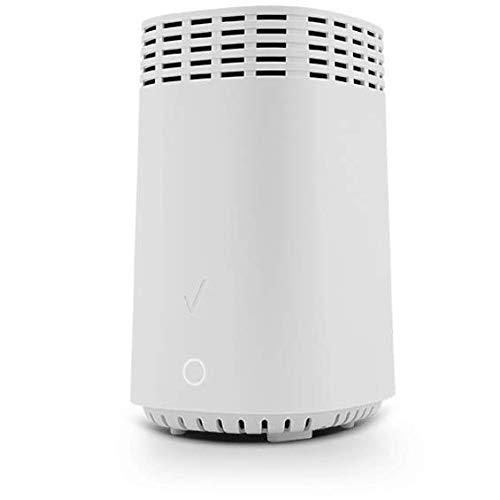
Live listings for the shortlist in this guide are pulled from Amazon below, so prices and availability are always current at the moment you look.
Keeping the system healthy after the satisfying first week
Installation day ends with everything working, which is precisely when the habits that keep it working should be set. Give infrastructure fixed identities: the controller should know each access point and switch by a name that describes its place, hallway ceiling or office wall, rather than a serial number, because future you, reading an alert at midnight, deserves geography instead of codes. Reserve addresses for the NAS, the printer and anything other devices point at, so a renewed lease never quietly moves a service. Write the segment plan, the admin recovery method and the location of the controller backup into one short document stored away from the network itself.
Security hygiene for a managed system is mostly unglamorous discipline. The controller’s admin account needs a unique password and, where supported, a second factor, because that account is now the keys to the whole house rather than to one box. Administration from the internet should be off unless you have a specific reason and a VPN in front of it; remote access through the vendor’s relay, where offered, is the safer convenience. Guest and IoT segments protect the household from its gadgets, but the gateway’s own firmware is the wall that protects everything, so its updates take priority over feature curiosity. When a system offers automatic updates, a reasonable compromise is automatic security fixes for the gateway and manual, scheduled updates for access points, applied one at a time with a day between them.
Monitoring should be set to the level you will actually read. Controllers can chart everything, and the three views that earn regular attention are client counts and throughput per access point, which reveal a radio quietly serving a whole floor after its neighbour died; the list of top talkers, which is how a camera stuck uploading or a backup job with no sense of proportion announces itself; and the event log around any time something felt wrong. Alerts are worth configuring for a short list of events only: gateway offline, access point offline, internet failover engaged. An alert for every roaming client trains you to ignore alerts, which is worse than none.
Troubleshooting inside a managed system follows a pleasantly short decision tree, because the controller narrows the search. If one device misbehaves, look at its connection history: which access point it joined, at what signal, on which segment, and whether its address and permissions match its group. If everything on one access point misbehaves, suspect the radio, its cable or its power class before suspecting configuration that has not changed. If a whole segment fails while others thrive, the fault lives in rules or addressing for that segment. If everything fails at once, walk to the gateway and the switch and look at the lights, because centralisation means the centre is where total failures live. That ordering, from the specific to the central, resolves most home incidents within minutes and is itself an argument for the managed approach: the system can describe itself well enough to be repaired by the person who lives with it.
Finally, plan for the system’s old age from the day it arrives. Keep the exported configuration after every meaningful change, labelled with a date. Note which cable runs to which room while the memory is fresh, ideally on the switch ports themselves within the controller’s port labels. When a component eventually fails or an ecosystem’s support window closes, that small archive converts a replacement from an excavation into an afternoon’s swap, and it is the difference between a network that belongs to the household and one the household merely rents from its own past confusion.
One last habit separates calm systems from fragile ones: change a single thing at a time, and let a full ordinary day pass before judging it. A new channel plan, a stricter roaming floor, a freshly written firewall rule and a firmware update applied in the same evening create a puzzle with four suspects when the television starts buffering. Applied separately, each change either proves itself quietly or identifies itself as the culprit while the memory of what changed is still fresh. The controller’s configuration history makes this discipline easier, because most systems record what changed and when, and the better ones let you roll back to the previous state without rebuilding it from notes. Households that adopt this rhythm find that their network’s story becomes boring in the best possible way: long stretches of silence in the log, punctuated by small, understood adjustments rather than dramatic rescues.
Visitors, incidentally, are a useful audit of all of this. A guest who can join the guest network from a printed code, reach the internet immediately, and never see the household’s storage or printers has just confirmed that your segmentation, captive instructions and address ranges work for a device you do not control, which is a stricter examination than any of your own familiar hardware will ever give the system.
Choose the controller’s home carefully, size the wiring and power before the radios, keep the segments few and the rules readable, and a managed network stops being a project and becomes what it should have been all along: the quiet plumbing of the house, noticed only on the rare evening it asks for help.

