What's inside
- Key Takeaways
- Quick Picks
- How Did We Judge Devices That Deliberately Do So Little?
- Why Does the Modem’s Single Port Deserve So Much Attention?
- The Six Bare Modems, One by One
- Why Do Separates Households Swear by an Architecture With More Boxes?
- How Do You Choose the Router That Stands Behind a Bare Modem?
- When a Bare Modem Misbehaves, Where Does the Fault Actually Live?
- How Long Should a Bare Modem Serve, and What Ends Its Service?
- Is Multi-Gig Cable Service Worth Building Around Yet?
- What Should You Verify in the Ten Minutes Before Ordering?
- How Does Owning the Modem Change Your Relationship With the Provider?
- What Does a Bare Modem Mean for a Household That Works From Home?
- How Should You Read a Bare Modem’s Listing Title?
- What Happens to a Bare Modem When the Household Moves?
- What Does the Modem’s Indicator Light Actually Tell You?
- Pure Modems, Nothing But the Modem: The Six Compared
- How Do You Activate a Bare Modem and Bring a Network Up From Zero?
- What Mistakes Do Bare-Modem Buyers Keep Making?
- Final Recommendation
- Frequently Asked Questions
- Related Guides
As an Amazon Associate I earn from qualifying purchases. This post may contain affiliate links at no extra cost to you.
widgetverdict.com is reader-supported. When you buy through links on our site, we may earn an affiliate commission.
Where to buy: standalone cable modems are stocked by Amazon and every electronics retailer of consequence, and the six below link to the listings whose titles we verified. The one errand that precedes purchase: find the exact model on your cable provider’s approved list for your tier, because a modem that cannot be activated is not a modem — it is a small, warm ornament.
The best cable modems without routers are defined by an absence, and this guide treats that absence as the entire point. None of the six devices below contains Wi-Fi. None routes, meshes, or offers your household a network name. Each is a pure DOCSIS modem: it negotiates with the cable plant, hands the internet to exactly one Ethernet conversation, and leaves every other decision — router, mesh, access points, parental controls — to equipment you choose separately. Five are DOCSIS 3.1 units built for gigabit-class and multi-gig plans; the sixth, NETGEAR’s CM500, is a DOCSIS 3.0 modem for plans up to 400 Mbps, included for the large population whose tiers never ask for more.
Buyers arrive at this shelf from two directions. Some are escaping a combination unit — tired of replacing a healthy modem whenever Wi-Fi fashion turns. Others are building a network properly from the start and want the modem to be infrastructure: bought once, approved for years, invisible. Both are served by the same discipline — match the modem to the tier and the provider list, then spend your real deliberation on the router behind it, which is where your network’s character will actually live.
Key Takeaways
- Every pick is modem only: no Wi-Fi, no routing, no mesh — a separate router is required with all six, without exception.
- Five picks are DOCSIS 3.1 (SB8200, S33, CM2500, MB8611, CODA56); the CM500 is DOCSIS 3.0 for plans up to 400 Mbps.
- Port design is the quiet divider: the S33 and MB8611 carry a 2.5 Gbps-class port for above-gigabit service, the SB8200 and CM2500 use paired gigabit ports, the CODA56 is deliberately single-port.
- The Hitron CODA56 states its purity in its title: modem ONLY, not fiber, no WiFi, no voice, no router.
- Provider lists govern everything: Xfinity, Cox and Spectrum recur across the listings, but your tier on your provider’s list is the confirmation that counts.
- The router behind the modem is a separate purchase and a separate decision — budget and plan for both halves.
Quick Picks
| Pick | Badge | Why it is here |
|---|---|---|
| ARRIS SURFboard SB8200 Cable Modem | DOCSIS 3.1 reference point | Up to 1 Gbps plans, two 1 GbE ports delivering up to 2 Gbps wired aggregate; the genre’s benchmark bare modem. |
| ARRIS Surfboard S33 DOCSIS 3.1 Multi-Gig Cable Modem | Multi-gig step up | Up to 2.5 Gbps with one 2.5 GbE and one 1 GbE port, for gigabit plans with headroom. |
| NETGEAR Nighthawk DOCSIS 3.1 Cable Modem CM2500, 2 Gbps, Modem | Nighthawk multi-gig | 2 Gbps class, modem only, two gigabit ports, guided setup and Xfinity/Spectrum/Cox compatibility. |
| Motorola MB8611 DOCSIS 3.1 Multi-Gig Cable Modem | 2.5 Gbps port pick | Approved for Xfinity, Cox Gigablast and Spectrum, with a 2.5 Gbps port and 2500 Mbps maximum internet speeds. |
| Hitron CODA56 DOCSIS 3.1 Cable Modem ONLY (NOT Fiber) | Purist’s single port | 2.5 Gbps class, single Ethernet port, no WiFi, no voice, no router — the absence as a specification. |
| NETGEAR Cable Modem DOCSIS 3.0 (CM500) Compatible with Major | DOCSIS 3.0 value | For plans up to 400 Mbps with major providers including Xfinity and Cox — the modest-tier modem. |
How Did We Judge Devices That Deliberately Do So Little?
On the few things a pure modem can do well or badly. First, the standard and the tier: DOCSIS 3.1 against the plan you hold, with the CM500’s 3.0 brief judged against the slower tiers it honestly serves. Second, the port: the single Ethernet conversation is the modem’s whole interface with your network, so its speed class — gigabit, paired gigabit, or 2.5 Gbps — decides whether above-gigabit service can ever reach your router intact. Third, the approvals: which providers the listing names, and how a buyer verifies them. Everything else a modem might brag about is, by this category’s definition, somebody else’s product — and picks that smuggled routing or Wi-Fi into the brief were excluded, because a modem with a router inside is a combination wearing this guide’s title as a costume.
The comparison that matters is therefore not modem against modem in a vacuum, but modem against the plan and the router it will feed. A household pairing a gigabit tier with a Wi-Fi 6 mesh needs a different row of this table than a household on a 400 Mbps tier feeding a single trusty router. Readers still deciding between this architecture and a combination will find the gateway-shaped alternative in Best AC Cable Modem Routers, and the generational modem story in Best DOCSIS 3.1 Routers; this page assumes the separates decision is made and spends itself on which bare modem deserves the shelf.
Why Does the Modem’s Single Port Deserve So Much Attention?
Because it is the narrowest point in your entire network. Everything your household downloads crosses that one Ethernet link between modem and router; if the link is gigabit-class and your plan grows beyond a gigabit, the excess speed exists on the street, on your bill and nowhere else. That is the whole meaning of the port census in this guide. The SB8200’s two 1 GbE ports are presented by its listing as delivering up to 2 Gbps wired aggregate — an arrangement whose benefit depends on router support for combining them, a documentation question worth asking before relying on it. The S33’s pairing of one 2.5 GbE with one 1 GbE port, and the MB8611’s 2.5 Gbps port, take the simpler road: one fast lane, wide enough for the multi-gig tiers outright.
The CODA56’s single port deserves the opposite reading: not a deficiency but a philosophy, one Ethernet conversation at 2.5 Gbps class and no second socket to misunderstand. Most households use exactly one modem port forever — the router’s — and Hitron simply declines to sell them a spare. Judge your own future honestly: a household that might wire a second device directly, or exploit a dual-port arrangement, should buy the ports now; a household certain of its single-router shape loses nothing to the purist design and gains a box with no ambiguous sockets at all.
The Six Bare Modems, One by One
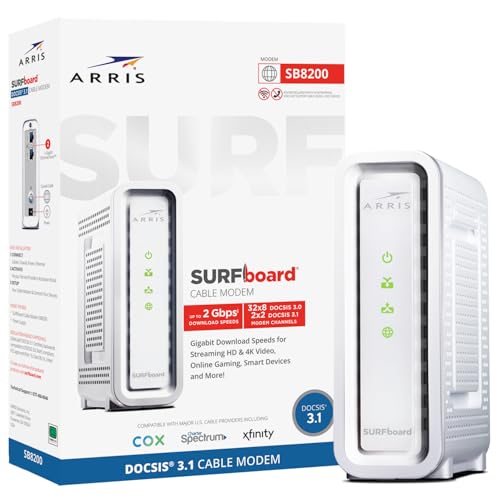
ARRIS SURFboard SB8200 Cable Modem — DOCSIS 3.1 reference point
The SB8200 is the modem this category is measured against: a DOCSIS 3.1 Surfboard for plans up to 1 Gbps, with two 1 GbE ports that its listing credits with up to 2 Gbps wired aggregate, compatibility with Xfinity, Cox and Spectrum, and the explicit reminder that it is modem only — a router is required. Its long tenure at the top of the bare-modem shelf is not nostalgia; it is the accumulation of activations. Providers know it, support staff know it, and a household buying it is buying the most-trodden path in customer-owned cable modems.
Its one subtlety is that port pair. A single router plugged into one port uses the modem at gigabit class, which matches its stated plan class exactly; the aggregate figure belongs to arrangements — routers that can bond or use both ports — that a buyer should verify in their router’s documentation rather than assume. Read the SB8200 as the gigabit tier’s modem: precisely sized for the most common fast plan in the country, from the maker whose name is practically the category, with a second port whose value depends on homework. Households already above the gigabit line should take the S33 or MB8611 instead and leave this benchmark to the tier it serves.
- Type: cable modem ONLY — router required, no Wi-Fi
- Standard: DOCSIS 3.1
- Plan class: up to 1 Gbps plans, as listed
- Ports: two 1 GbE, up to 2 Gbps wired aggregate as listed
- Compatibility: Xfinity, Cox, Spectrum named in the listing
Strengths
- The reference design of the category, with the widest activation experience.
- DOCSIS 3.1 sized exactly to the gigabit tier most households hold.
- Dual ports offer an aggregate path for routers that can use them.
Trade-offs
- Above-gigabit plans belong to the 2.5 Gbps-port models instead.
- The aggregate figure depends on router-side support — verify before relying.
- No Wi-Fi or routing of any kind, by design and without apology.
Best for: a gigabit-tier household wanting the most proven bare modem behind its own router.
Not suited for: an above-gigabit subscriber expecting a single gigabit port to pass the whole plan.

ARRIS Surfboard S33 DOCSIS 3.1 Multi-Gig Cable Modem — Multi-gig step up
The S33 is ARRIS’s answer to the tier above: a DOCSIS 3.1 multi-gig modem rated up to 2.5 Gbps, carrying one 2.5 GbE port and one 1 GbE port, pitched in its listing at Xfinity, Cox and Spectrum gigabit plans, and repeating the category’s catechism — modem only, Wi-Fi router required. The fast port is the product. Paired with a router whose WAN port matches it, the S33 passes above-gigabit service into the home intact, which is the entire reason multi-gig tiers exist as retail products.
Buyers on ordinary gigabit plans should think carefully before paying the multi-gig premium, and then many should pay it anyway — not for today’s speed, which the SB8200 serves, but for the tier drift that providers apply to accounts over the years. A modem is the longest-lived device in the network; buying its port for the plan you expect in three years is the experienced household’s arithmetic. The second, slower port is a useful citizen in the meantime — a wired test point, a secondary feed — without pretending to be the main road. In short: the S33 is the SB8200’s logic extended one tier upward, from the same Surfboard stable.
- Type: cable modem ONLY — Wi-Fi router required
- Standard: DOCSIS 3.1, multi-gig
- Speed class: up to 2.5 Gbps, as listed
- Ports: one 2.5 GbE plus one 1 GbE
- Compatibility: Xfinity, Cox, Spectrum gigabit plans named in the listing
Strengths
- A true 2.5 Gbps port passes above-gigabit tiers to the router intact.
- DOCSIS 3.1 headroom sized for the modem’s long service life.
- The second gigabit port remains useful for testing and secondary feeds.
Trade-offs
- Its premium is wasted if the plan and the router both stay gigabit-class.
- Needs a router with a multi-gig WAN port to show its purpose.
- Still no Wi-Fi, no routing — the separates discipline applies in full.
Best for: an above-gigabit household, or a gigabit household buying its modem for the tier it expects next.
Not suited for: a settled mid-tier subscriber paying multi-gig prices for a port nothing will feed.

NETGEAR Nighthawk DOCSIS 3.1 Cable Modem CM2500, 2 Gbps, Modem — Nighthawk multi-gig
The CM2500 brings the Nighthawk name to the bare-modem shelf: DOCSIS 3.1 at a 2 Gbps class, modem only stated in its title, multi-gig positioning, two gigabit ports, guided setup and free expert help, and compatibility with Xfinity, Spectrum and Cox. NETGEAR’s proposition is the ecosystem one — a household already running a Nighthawk router gains a modem from the same house, with setup guidance shaped for the pairing — plus the support language that this brand prints where others print nothing.
Read its port arrangement with the same care as the SB8200’s: two gigabit ports and a 2 Gbps class describe an aggregate-shaped design, so the buyer planning to pass a full above-gigabit tier through one cable should compare the S33’s and MB8611’s single fast ports and ask NETGEAR’s documentation how the CM2500’s class is realised. None of that diminishes the pick for its natural audience — the gigabit-class household that values the brand’s guidance and sees the 2 Gbps figure as headroom rather than as a single-lane promise. In a category of near-identical black boxes, ecosystem and support are legitimate grounds to choose, provided the port arithmetic has been done first.
- Type: cable modem ONLY, as stated in the listing
- Standard: DOCSIS 3.1
- Speed class: 2 Gbps, multi-gig positioning as listed
- Ports: 2x gigabit ports
- Support: guided set up and free expert help as listed
Strengths
- Nighthawk ecosystem pairing for NETGEAR router households.
- 2 Gbps class headroom over the gigabit tier.
- Guided setup and named expert help ease activation day.
Trade-offs
- Its class arrives via two gigabit ports — single-lane multi-gig belongs to rivals.
- Brand comfort should follow, not precede, the port arithmetic.
- Modem only: the router budget remains entirely separate.
Best for: a NETGEAR household on a gigabit-class plan wanting its modem from the same stable, with guidance.
Not suited for: an above-gigabit subscriber needing one 2.5 Gbps lane end to end.
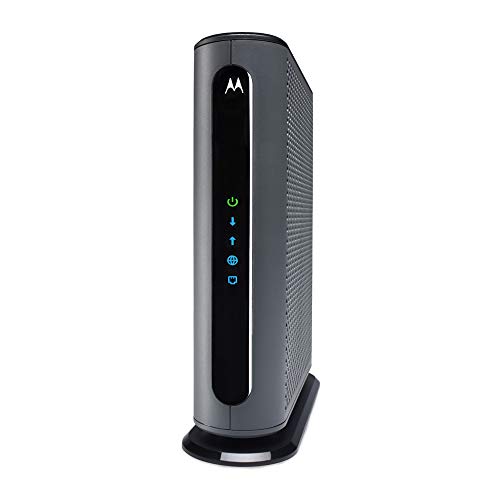
Motorola MB8611 DOCSIS 3.1 Multi-Gig Cable Modem — 2.5 Gbps port pick
The MB8611 is Motorola’s multi-gig statement: a DOCSIS 3.1 modem with a 2.5 Gbps port, a stated 2500 Mbps maximum internet speed, approvals naming Comcast Xfinity, Cox Gigablast and Spectrum, and the brand’s customary pairing language — it pairs with any Wi-Fi router. The Cox Gigablast name in its title is a small tell of the modem’s intended tier: this is hardware aimed at the providers’ fastest residential products, from the maker whose cable-modem lineage runs deepest in the industry.
Its discipline mirrors the S33’s: the fast port earns its premium only behind a router that can accept it, on a tier that can feed it. Within that discipline the MB8611 is arguably the cleanest multi-gig proposition in the guide — one fast lane, approvals that name the flagship tiers, no ambiguity about what the box is. Motorola households graduating from the brand’s combinations will find the philosophy familiar: the modem as infrastructure, bought once, beneath whatever router the household’s life requires next. Spectrum households comparing across categories may also want Best Cable Modem Routers That Work with Spectrum for the combination-shaped alternative.
- Type: cable modem only — pairs with any Wi-Fi router
- Standard: DOCSIS 3.1, multi-gig
- Port: 2.5 Gbps port, as listed
- Speed class: 2500 Mbps maximum internet speeds, as listed
- Approvals: Comcast Xfinity, Cox Gigablast, Spectrum named in the listing
Strengths
- A single true 2.5 Gbps lane for the fastest residential tiers.
- Approvals name flagship services, including Cox Gigablast.
- Motorola’s modem lineage behind the category’s longest-lived purchase.
Trade-offs
- Demands a multi-gig router WAN port to justify itself.
- Multi-gig premium is dormant capacity on gigabit-and-under plans.
- One job only — every other network function is another device.
Best for: a fastest-tier household pairing a multi-gig router with a modem built for the same class.
Not suited for: a mid-tier home buying a 2.5 Gbps port as decoration for a gigabit router.

Hitron CODA56 DOCSIS 3.1 Cable Modem ONLY (NOT Fiber) — Purist’s single port
The CODA56’s title is the most honest sentence in this guide, and it is worth reading as literature: cable modem ONLY, not fiber, 2.5 Gbps class, NO WiFi, NO voice, NO router, single Ethernet port, Xfinity/Spectrum/Cox compatible, requires separate WiFi router. Hitron — a maker whose modems usually reach homes inside provider programmes — has printed every misunderstanding a buyer could possibly bring to the product and answered each one in advance. What remains, once the negations are honoured, is a clean DOCSIS 3.1 modem with a multi-gig-class single port and nothing else to discuss, which is precisely its charm.
The single port is the decision. A household with one router — which is to say, nearly every household — gives up nothing; a household imagining a second direct-wired device or a dual-port arrangement should buy a different row of the table. The “not fiber” clause deserves its emphasis too, because fibre households do shop this shelf by mistake: the CODA56 speaks DOCSIS to a cable plant, and no adapter diplomacy changes that. Buy it as the purist’s modem — the fastest-growing tier’s speed class with the category’s clearest conscience — and its title will have told you the truth more completely than most reviews manage.
- Type: cable modem ONLY — no WiFi, no voice, no router, per the listing
- Standard: DOCSIS 3.1; NOT for fiber service
- Speed class: 2.5 Gbps, as listed
- Ports: single Ethernet port
- Compatibility: Xfinity, Spectrum, Cox named in the listing
Strengths
- The clearest specification-by-negation in the category — nothing to misread.
- 2.5 Gbps class in a deliberately single-port design.
- Hitron’s provider-programme engineering in a retail box.
Trade-offs
- One port, forever — no second direct feed, no aggregate tricks.
- Cable only: fibre households must not buy it, as its title insists.
- No voice support for bundled phone services.
Best for: a single-router household on a fast cable tier wanting the purest modem specification available.
Not suited for: a fibre subscriber, or a household needing a second Ethernet feed from the modem itself.
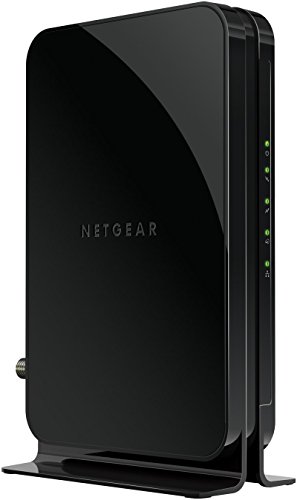
NETGEAR Cable Modem DOCSIS 3.0 (CM500) Compatible with Major — DOCSIS 3.0 value
The CM500 is the guide’s elder and its value anchor: a DOCSIS 3.0 modem compatible with major cable providers including Xfinity and Cox, for plans up to 400 Mbps. That ceiling defines its household precisely — the enormous population on modest tiers, in smaller homes, whose internet arrives well within 3.0’s competence and whose router already exists. For them, the DOCSIS 3.1 premium buys capacity their subscription cannot use, and the CM500’s simplicity is not a compromise but a correct match between tool and task.
Two disciplines guard the purchase. First, provider lists retire 3.0 models progressively, so the CM500’s presence on your provider’s current list for your tier must be verified on the day — not assumed from its long career. Second, the upgrade question: a household with a credible gigabit future should skip this pick and buy into 3.1 once, because modems are bought for years and the price of the second purchase dwarfs the saving on the first. A household settled on its tier faces neither concern and can take the CM500 as what it is — the category’s honest floor, from a maker whose modem line spans the whole guide’s range.
- Type: cable modem only — router required
- Standard: DOCSIS 3.0
- Plan class: plans up to 400 Mbps, as listed
- Compatibility: major cable providers including Xfinity and Cox, per the listing
- Positioning: value pick for modest tiers
Strengths
- Correctly sized for the modest tiers a large share of households hold.
- The simplest activation story in the guide, from a major maker.
- Frees budget for the router, where the household will feel it.
Trade-offs
- DOCSIS 3.0 cannot serve gigabit-class tiers, now or later.
- 3.0 models retire from provider lists first — verify on the day.
- No headroom for the household whose tier is about to climb.
Best for: a settled household on a plan at or below 400 Mbps with a router it already trusts.
Not suited for: a gigabit-aspiring subscriber buying a modem the upgrade will immediately orphan.
Why Do Separates Households Swear by an Architecture With More Boxes?
Because the two halves of a home network live on different clocks, and the separates architecture is the only one that respects both. The modem’s clock is set by the cable industry: DOCSIS generations turn slowly, provider approval lists change gradually, and a modem bought well can serve across several changes of everything else. The router’s clock is set by the household: Wi-Fi generations, new homes, new jobs, new devices, new appetites. A combination welds those clocks together and forces the household to replace a healthy modem whenever the router’s clock strikes — or to keep an outdated router because the modem inside the box is still fine. Separates owners pay for their freedom in shelf space and one extra power brick, and most of them, having lived both ways, consider it the cheapest rent in networking.
There is a second, quieter freedom: placement. The modem can live at the coax drop in the cupboard where it belongs, while the router — the device whose position actually governs the household’s evenings — migrates on an Ethernet run to the centre of the home. Combination households spend years negotiating with that geometry; separates households solve it with a cable. Add the diagnostic clarity — when the network fails, a wired laptop at the modem divides the world into “the street” and “my equipment” in one test — and the architecture’s devotees stop sounding eccentric. They sound like people who have troubleshot both arrangements at midnight and chosen the one that lets them go back to bed.
How Do You Choose the Router That Stands Behind a Bare Modem?
Start at the WAN port, because that is where the modem’s whole investment is either honoured or stranded. A multi-gig modem — the S33, MB8611 or CODA56 — deserves a router whose WAN accepts 2.5 Gbps; pairing it with a gigabit WAN is not a crime, but it is a decision to leave the modem’s defining feature in its box, and it should be made knowingly rather than discovered at the first speed test. A gigabit-class modem like the SB8200 asks less: any competent modern router’s WAN will do, and the household’s deliberation can move immediately to the questions that actually shape daily life — coverage architecture, wireless generation, the controls and software philosophy the family will live with.
Then match ambition to floor plan with the standing rule of this batch of guides: distribution before class. A mesh system behind a bare modem is the large home’s natural architecture, and the modem neither knows nor cares which system it feeds — one of the separates doctrine’s genuine pleasures. The gaming household buys its router by latency culture; the family buys by parental controls; the home office buys by traffic management and support. The modem’s indifference to all of it is the point: it will feed whichever router this year’s household requires, and the next one, and the one after that, which is why the modem decision in this guide is deliberately boring. Boring, at the bottom of a network, is a compliment.
When a Bare Modem Misbehaves, Where Does the Fault Actually Live?
The separates architecture pays its diagnostic dividend here. A dead network divides in one step: connect a laptop directly to the modem. If the laptop surfs, the modem and the street are innocent and the router owns the fault. If it does not, the router is excused and the investigation moves to the modem, the coax and the provider — in that order. Check the coax seating and simplify the splitter chain, because every splitter between the street and the modem spends signal and aged splitters spend more. Check the modem’s temperature and its power supply; a substituted brick of the wrong rating produces faults with a real talent for impersonating dying hardware. Reboot with patience — down, a full minute, up, then several minutes in which the lights will look wrong before they look right.
Only after those steps has the household earned the provider call, and it should arrive armed: the model, its MAC address, the times of the failures, and the result of the direct-laptop test. That dossier moves the call past the script written for combination owners and into the hands of someone who can see the line’s numbers. Keep a dated note of the episode with the modem’s paperwork; intermittent faults are solved by pattern, and pattern is written down or it does not exist. The modem itself, across this whole ritual, asks for almost nothing — which is, in the end, the behaviour this category was bought for.
How Long Should a Bare Modem Serve, and What Ends Its Service?
Longer than anything else in the network, ended by policy more often than by failure. The hardware is fanless and solid-state; its realistic enemies are a tired power supply, a provider’s revised approval list, and the household’s own tier climbing past its class. DOCSIS 3.1 picks bought today sit on the current side of all three risks — the standard is the providers’ present, not their past — which is why this guide expects the five 3.1 modems to serve across two or three router generations. The CM500’s horizon is shorter by design: 3.0 models retire from lists first, and its buyer accepts that horizon in exchange for its price posture, on a tier that makes the exchange rational.
Plan the modem’s life the way you would plan a roof’s: inspect occasionally, expect no drama, replace on evidence rather than on fashion. The evidence to watch is not the modem’s age but its context — a provider notice about your model, a tier upgrade the modem cannot serve, a pattern of resyncs that a clean coax run does not cure. Households that replace bare modems on that evidence routinely get the long service the category promises; households that replace them on anxiety get the same networks at twice the hardware cost. The modem’s job is to be forgotten, and a forgotten modem that is still approved, still cool and still locking cleanly at year six is not a problem awaiting a purchase. It is the purchase, still working.
Is Multi-Gig Cable Service Worth Building Around Yet?
For the household that can buy it and works it hard, yes; for the household buying a story, not yet. Multi-gig tiers reward a specific profile: several heavy users under one roof, large transfers as a daily habit, a home office whose uploads and downloads are professional equipment rather than pastime. That household feels the difference between a gigabit lane and a 2.5 Gbps lane in the texture of its afternoons. The household of streamers and browsers, by contrast, will not — its evenings are governed by Wi-Fi placement and the neighbourhood node, and its money works harder in the router and the access points than in the modem’s port.
The subtle position — and the one this guide quietly recommends to the undecided — is asymmetry: buy the modem’s port ahead of the tier, because modems live long and ports cannot be upgraded, but buy the tier itself only when the household’s habits ask for it, because tiers can be changed with a phone call. An S33 or MB8611 idling at gigabit speed is not wasted money; it is a door left open. A multi-gig subscription feeding a household that never opens the door is the reverse. Distinguish the durable purchase from the monthly one, be generous with the first and sceptical of the second, and the multi-gig question answers itself in your own ledger’s language.
What Should You Verify in the Ten Minutes Before Ordering?
Four checks, none optional. The tier: read the plan on your bill and place it against the modem’s stated class — the CM500’s 400 Mbps ceiling, the SB8200’s gigabit plans, the 2.5 Gbps class of the multi-gig three. The list: find the exact model name on your provider’s current approved-device page for that tier, because approval is per-model and per-tier and both halves matter. The router: confirm the household owns, or is ordering, a router whose WAN port matches the modem’s promise — the check whose neglect strands more multi-gig speed than any other in this category. The shelf: confirm the coax run and the power socket where the modem will live, with air around it, because a modem cooked in a cabinet fails in ways that imitate far more expensive faults.
Households that perform those four checks almost never return a modem. The returns in this category trace to the skipped check with remarkable fidelity — the unlisted model, the mismatched tier, the absent router, the gigabit WAN behind a 2.5 Gbps port — and every one of them was knowable in the ten minutes before the order. This is the least exciting paragraph in the guide and the one most likely to be worth money to its reader, which is a fair description of most wisdom in networking.
How Does Owning the Modem Change Your Relationship With the Provider?
It draws a bright line at your wall, and both parties behave better with it drawn. Inside the line, the equipment is yours: your modem, your router, your settings, your replacement schedule. Outside it, the signal is theirs: the plant, the node, the levels arriving at your home. Support conversations become shorter because the boundary is testable — the direct-laptop check at the modem proves which side of the wall a fault lives on, and neither party can gesture vaguely at the other’s territory. The rental arrangement blurs exactly this, which is why gateway support calls so often end in a swapped box and an unsolved problem.
The obligations that come with the line are modest and this guide has named them throughout: keep the modem approved for your tier, keep its environment sane, keep its label photographed and its paperwork filed. In exchange, the household exits the rental economy permanently and gains a network whose every component was chosen. Providers, for their part, are generally content with the arrangement — an approved customer modem is one less device for their warehouses and their trucks. It is among the rare transactions in consumer technology where both sides’ incentives point the same way, and the only party that loses is the monthly line on the bill, whose departure nobody mourns.
What Does a Bare Modem Mean for a Household That Works From Home?
It means the professional half of the house gets to choose its own tools. The remote worker’s requirements — traffic management for calls, a router whose software they trust, perhaps a failover arrangement for the outage hour — live entirely on the router side of the wall, and the separates architecture lets that side be bought, configured and replaced on the work’s schedule rather than the cable standard’s. The modem’s contribution to the professional household is negative space: it never reboots for a firmware fashion, never changes its settings in the night, never surprises a Monday. Infrastructure that does not surprise professionals is worth more than its specification sheet suggests.
The working household should still perform the category’s rituals with extra care, because its tolerance for activation-day chaos is lower: activate on a quiet day, prove the modem with a laptop before the router joins, keep the old arrangement restorable for the first week, and rehearse the outage plan — hotspot, phone, the café of last resort — before it is needed in anger. None of that is modem-specific wisdom; it is the professional version of the same discipline this guide recommends to everyone, with the stakes filled in. The modem will do its silent decade either way. The household’s job is to make sure everything behind it deserves the silence.
How Should You Read a Bare Modem’s Listing Title?
Slowly, and in a fixed order, because these titles are compressed contracts. The standard comes first — DOCSIS 3.1 or 3.0 — and it bounds everything the device can be activated on. The speed or plan class follows: up to 1 Gbps plans, 2.5 Gbps, 2500 Mbps maximum, plans up to 400 Mbps — the figure to set against your bill. The ports come next, and they deserve the closest reading of all, because “two ports” can mean a spare socket, an aggregate arrangement or a fast lane plus a slow one, and the listings here contain all three meanings. The compatibility names follow — Xfinity, Cox, Spectrum, Gigablast — which are claims to verify on the provider’s own list. And finally, in the honest listings, the negations: modem only, no Wi-Fi, router required — the words that protect the buyer who reads them and indict the one who skips them.
Practise the reading on this guide’s six titles and their personalities separate cleanly. ARRIS states class and ports with an engineer’s economy. NETGEAR adds its service language — guided setup, expert help — because its buyer is buying the house as much as the box. Motorola names the flagship tier it courts. Hitron writes the negations in capitals, having clearly met the public. A buyer who can perform this reading on any listing, including models no guide has covered, owns the only skill this category really requires; a buyer who reads only the largest number owns a modem chosen by typography, which is how a 2.5 Gbps modem ends up behind a gigabit router in a 400 Mbps home.
What Happens to a Bare Modem When the Household Moves?
It packs into a shoebox and resumes work at the next address, provided the new home is cable territory and the model stands on that provider’s list for the household’s tier — the same ten-minute verification, performed from the new kitchen table. Its settings burden is zero, because it holds none of the household’s: the network’s name, passwords and preferences all live in the router, which travels with its memory intact. A separates household can therefore rebuild its exact network in a new house in under an hour, modem at the new drop, router at the new centre, every device finding its familiar name waiting. Combination households rebuild too, but renters of gateways rebuild from a stranger’s defaults each time.
Out of cable territory, the modem’s story pauses rather than ends: it is a small, durable, provider-agnostic-within-DOCSIS object that serves relatives on cable streets and holds its value in the drawer against a possible return. Nothing else in the moving van can say as much. Keep its power supply taped to its body, its label photographed in the household records, and its box if storage allows — the three courtesies that every future activation, support call and handover will silently thank you for.
What Does the Modem’s Indicator Light Actually Tell You?
More than owners usually ask of it. A bare modem’s small row of lights narrates its whole biography: power, downstream, upstream, and the online light that means the conversation with the cable plant is established and the account is honoured. In health, the narration is boring — everything lit, nothing blinking its grievances. In sickness, the pattern localises the fault with surprising honesty: a downstream light still hunting means the modem cannot find the plant, which is coax, splitters or street; an online light absent while the channels sit locked points at provisioning and the account; everything lit while nothing flows sends you onward to the router with the modem’s innocence established. Learning your own unit’s healthy pattern — photograph it on a good day — converts midnight guesswork into a thirty-second reading.
The deeper habit is to glance rather than stare. A modem that occasionally resyncs in a storm is a citizen of a physical network doing physical things; a modem that resyncs every evening at the busy hour is reporting a pattern, and patterns deserve the dated notebook this guide keeps prescribing. None of the six picks here will ask more of its owner than that literacy. It is a small return on attention, paid in faults correctly addressed the first time — to the coax, to the provider, to the router — instead of to whichever box happened to be blamed by the loudest person in the room.
Pure Modems, Nothing But the Modem: The Six Compared
| Pick | Standard | Speed or plan class | Ports | Wi-Fi |
|---|---|---|---|---|
| ARRIS SB8200 | DOCSIS 3.1 | Up to 1 Gbps plans | Two 1 GbE — up to 2 Gbps aggregate | None |
| ARRIS S33 | DOCSIS 3.1 | Up to 2.5 Gbps | One 2.5 GbE + one 1 GbE | None |
| NETGEAR CM2500 | DOCSIS 3.1 | 2 Gbps class | 2x gigabit | None |
| Motorola MB8611 | DOCSIS 3.1 | 2500 Mbps maximum | 2.5 Gbps port | None |
| Hitron CODA56 | DOCSIS 3.1 | 2.5 Gbps class | Single Ethernet | None — stated in its title |
| NETGEAR CM500 | DOCSIS 3.0 | Plans up to 400 Mbps | Standard single feed | None |
The rightmost column is the guide in miniature: six nones, unanimous. What varies is everything to its left — the standard that decides which tiers can be activated, the speed class that decides headroom, and the port design that decides whether above-gigabit service reaches the router whole or in pieces. Choose the row whose standard matches your tier’s present and near future, whose port matches your router’s WAN, and stop there; the rest of your network’s personality will be decided by the router, exactly as this architecture intends.
How Do You Activate a Bare Modem and Bring a Network Up From Zero?
Sequence is everything, because two devices must now succeed in order. Connect the modem to the coax and power it first, alone, and give it its unhurried minutes to lock channels and pull its configuration. Activate it with the provider — the MAC address from its label, the exact model, your account — and prove the activation with a single wired laptop before any router enters the story; a modem that serves one laptop has done its whole job, and every later fault belongs to a different suspect. Then power the modem down, connect the router’s WAN port to the modem’s port, power the modem up, let it settle, and power the router up after it — the order matters, because the router should meet a live internet feed when it introduces itself.
Only now does the household’s network get built: Wi-Fi name and passphrase, admin credentials changed, devices moved across room by room. Keep the provider’s old equipment, if any, until the new arrangement has survived several ordinary evenings, then return it with a receipt and watch the rental line leave the bill. The separates household performs one extra ritual the combination household skips — writing down which device does what, with both labels photographed — because in two years, when something blinks wrong at midnight, that note is the difference between a diagnosis and a guessing game.
What Mistakes Do Bare-Modem Buyers Keep Making?
Expecting Wi-Fi leads, even here — someone, every week, opens a CODA56 and looks for a network name its title explicitly denies. Second: buying the modem’s port without checking the router’s WAN, so a 2.5 Gbps modem feeds a gigabit socket and the multi-gig tier evaporates at the last metre. Third: skipping the provider list because the model is famous; fame is not activation, and 3.0 models retire first. Fourth: activating the router before proving the modem, then troubleshooting two devices as if they were one fault. Fifth: returning the old gateway on day one, before the new pair has survived an ordinary week.
Final Recommendation
Match the standard to the tier, the port to the router, and the purchase to the household’s honest timeline. The gigabit mainstream should take the SB8200 and stop deliberating. Above-gigabit households divide by temperament: the S33’s fast-plus-spare ports, the MB8611’s single committed lane with flagship approvals, the CODA56’s purist single socket, or the CM2500 where the Nighthawk ecosystem already governs the router shelf. The settled modest-tier household takes the CM500 and spends its savings where they will be felt — on the router. A bare modem is the least exciting purchase in networking and the one most likely to still be in service, unconsidered and unbothered, when everything behind it has been replaced twice; buy the row that lets yours be forgotten the longest.
Frequently Asked Questions
Do I really need a separate router with every pick here?
Yes — without exception, and by design. These are modems only: they convert cable service into one Ethernet feed and provide no Wi-Fi, no network name, no device management. The CODA56’s title says “Requires Separate WiFi Router” outright, and the same is true of all six. A household with no router should budget for one alongside the modem, or shop the combination guides instead.
What is the practical difference between the SB8200’s two ports and the S33’s fast port?
Architecture. The SB8200 offers two gigabit ports its listing credits with up to 2 Gbps wired aggregate — a figure realised only with router-side support for using both. The S33 offers one 2.5 GbE port that carries above-gigabit speed down a single cable to any router with a matching WAN port. For a single-router household on a multi-gig tier, the single fast lane is the simpler and more certain path.
Will a DOCSIS 3.1 modem improve my current mid-tier plan?
It will not raise the plan — your tier is your tier — but it buys activation security and headroom: 3.1 models sit on the current side of provider lists, and the modem stops being the ceiling when the tier climbs. Households settled permanently on a modest tier can rationally choose the CM500 instead; households with any upgrade in view should treat 3.1 as the price of not buying twice.
Can one of these modems feed two routers or a whole wired house directly?
Not in the way the question hopes. A modem hands public service to one routing device; the house’s many devices belong behind that router, which manages addresses and safety. Dual-port models exist for aggregate arrangements and secondary feeds in specific documented setups, not as a licence to skip the router. Wire the home from the router outward, and let the modem keep its single, well-defined job.
Is the CM500 a false economy if I might upgrade my tier next year?
If the upgrade is genuinely likely, yes. The CM500’s virtue is exact sizing for plans up to 400 Mbps; a gigabit upgrade orphans it completely, and a DOCSIS 3.1 pick bought today would have crossed the same years without a second purchase. Honest forecasting is the whole game with modems — they live long enough that “might upgrade” deserves to be treated as a plan, not a possibility.
Should I keep my old combination unit as a backup after switching to separates?
For the first season, keeping it costs a drawer and buys a diagnostic: if the new arrangement ever fails completely, the old combination — if it remains on the provider’s approved list — can be reactivated to prove whether the street or your new equipment owns the fault. After that season, pass it on or recycle it responsibly, credentials wiped. A backup whose approval has quietly lapsed is not a backup at all, which is why the drawer arrangement has an expiry date and the household’s notebook should carry it.
Does a bare modem need firmware updates from me?
No — cable modem firmware is managed by the provider over the network, under the certification that put the model on the approved list. Your maintenance is physical and administrative: air around the unit, the correct power supply, a clean coax run, and paperwork in order. The router behind it is yours to update; the modem’s software life is one more thing this architecture quietly removes from the household’s chore list.
What is the single most common reason a new bare modem will not activate?
A mismatch the paperwork would have caught: the model is approved for the provider but not for the caller’s tier, or the MAC address was read with two characters transposed from a label photographed at arm’s length in a dark cupboard. Both are ten-second errors with hour-long consequences, which is why this guide’s rituals — photograph the label in daylight, read the tier off the bill, find the model on the list in that order — are written like superstition and function like engineering.
What should I write down on the day the modem is activated?
Five facts, in the household’s records: the model, the MAC address, the activation date, the tier it was approved for, and the provider contact that handled it. Those five lines are the modem’s entire biography, and they will be asked for — by support, by a future buyer of the house’s network, by yourself in four years — precisely when memory has moved on to other things.
Is a bare modem a good gift for a less technical household?
Only with the router conversation attached. Given alone, it is half a network in a box; given as a pair — modem plus a router you help set up on the day — it is one of the most durable gifts in technology, ending a rental and disappearing into a decade of silence.
Related Guides
- Best Cable Modem Routers That Work with Spectrum
- Best AC Cable Modem Routers
- Best DOCSIS 3.1 Routers


