Our Top Picks


What's inside
- What Android Auto actually asks of a phone
- Wired versus wireless: the honest trade-offs
- The socket problem: data ports, charge-only ports and hubs
- Heat and battery: the long-journey enemies
- Phone features that genuinely matter for drivers
- Troubleshooting disconnections like a methodical adult
- Everyday life with the system: making it feel effortless
- Choosing for your driving pattern, not someone else’s
- Rental cars, borrowed cars and travelling with your pairing
- Looking ahead: how this pairing will change
- Navigation behaviour when the signal fades
- Music, podcasts and messages without distraction
- Two phones, dual SIMs and the work-life tangle
- Keeping an older phone useful, and knowing when to replace it
- Security and privacy on a shared display
- Worked examples: three drivers, three different right answers
- What to do in the first week with a new phone and car pairing
- Check prices on Amazon
- Seasonal checks that keep a good pairing good
As an Amazon Associate I earn from qualifying purchases. This post may contain affiliate links at no extra cost to you.
Our guides include affiliate links; if you buy through one, a small commission may come back to us and help keep the site running, while your price stays exactly the same. Android Auto promises a calm bargain: leave the phone in your pocket or on its mount, and let the car display handle navigation, calls, messages and music with controls designed for a moving vehicle. When the pairing works, the system disappears into the drive. When it does not, few technologies are more irritating, because failures tend to appear at motorway junctions, in city traffic, or halfway through a family holiday with the navigation frozen and the audio gone. Choosing a phone that works well with Android Auto is therefore not mainly about whether the feature is listed on a spec sheet — almost every modern Android handset lists it — but about how reliably that phone sustains the connection, hour after hour, in a hot cabin, on patchy networks, with a battery that also has to get you through the day at the other end.
This guide explains the whole relationship between handset and head unit: the operating system requirements underneath the feature, the real differences between wired and wireless connections, why the specific socket you plug into matters as much as the cable, how heat and power draw quietly sabotage long journeys, and how to diagnose disconnections methodically instead of randomly swapping parts in a lay-by. It closes with a checklist for matching a phone to your driving life, whether that means a short urban commute with daily wireless hops or regular cross-country runs where navigation, streaming and charging all happen at once for six hours straight.
What Android Auto actually asks of a phone
Android Auto is not a single app doing a simple job. The phone runs the navigation, the voice assistant, the music services and the messaging, renders the interface, and streams that interface to the car display while simultaneously maintaining a data connection, a location fix and often a Bluetooth link for calls. The car contributes the screen, the speakers, the microphone and the physical controls. That division explains most compatibility stories: the phone is doing nearly all of the computing, so its processor headroom, its thermal behaviour and its software version matter far more than the badge on the dashboard. A car from several model years ago can feel modern with a capable recent phone, and a brand-new car can feel flaky with an ageing handset that struggles to feed it.
Google sets a baseline for the platform, and that baseline has risen over time as features were added. As a working rule, phones need a reasonably recent release of the Android operating system, an up-to-date copy of the Android Auto app itself, and current Google Play services underneath both. Wireless projection, where the phone connects without a cable, demands more: a handset with the right Wi-Fi hardware and software support, which in practice means most mainstream phones from the last several generations qualify, while older or very basic models may be limited to a wired link even in a car that supports wireless for other phones. Because requirements evolve, the sensible habit before buying any handset for this purpose is to check its software version on day one, update it fully, and confirm that the Android Auto app updates automatically rather than sitting frozen at whatever shipped in the box.
Software versions, updates and why they decide compatibility
Two phones with identical hardware can behave differently in the same car purely because one is three system updates behind. Car makers test against the platform as it exists at a moment in time, Google adjusts the platform continuously, and phone makers roll those adjustments out on their own schedules. A handset with a strong update record — several years of system upgrades and regular security patches — is a safer long-term partner for a car you will keep far longer than the phone itself. When a connection problem appears out of nowhere after months of calm, a recent update on either side is statistically the first suspect, and the first remedy is usually another update rather than new hardware. Before a long trip, update everything a few days early, test the pairing on a short drive, and then freeze your setup: the night before a holiday departure is the wrong moment for a major system upgrade.
Regional and carrier variations add a quiet complication. A handset variant sold for one market may carry different radio firmware or a slightly different software build from its namesake elsewhere, and grey-import phones occasionally lack services their domestic equivalents take for granted. If you buy an imported model, verify Android Auto on your actual car before the return window closes, with your cable, on a drive long enough for heat to build. Ten minutes in a car park proves almost nothing about this system.
Wired versus wireless: the honest trade-offs
A wired connection is the older, simpler and still more dependable arrangement. Plug in, and the phone projects to the display while charging from the same lead. The link is a direct data path with generous bandwidth, minimal latency and almost nothing to negotiate. Its weaknesses are physical: a cable to route, a socket to wear, and a phone tethered to wherever the lead reaches. A wireless connection removes the ritual entirely — get in, start the car, and the interface appears — which for short, frequent journeys is a genuine quality-of-life leap. The costs are a heavier battery drain, more heat, a connection that must be negotiated afresh each trip through a combination of Bluetooth discovery and a direct Wi-Fi link, and more variables when something refuses to connect at the school gate in the rain.
Many drivers settle on a hybrid life: wireless for the daily hop, wired for the long haul. That pattern plays to both strengths, because the journeys where wireless convenience shines are exactly the short ones where its battery cost is trivial, and the journeys where its battery and heat costs bite are exactly the long ones where plugging in is no hardship. If your car offers only a wired connection, aftermarket wireless adapters exist that sit permanently in the car socket and present a wireless face to the phone; they can work well, but they add one more device to the chain, one more firmware to keep current, and one more suspect when troubleshooting. Readers whose cars predate built-in support entirely will find background on the broader handset landscape in our overview of best 5g phones android, which covers the current generation of phones most likely to be paired with newer head units.
What the car must offer, and checking before you buy
The vehicle side has its own requirements that no phone can overcome. The head unit must explicitly support Android Auto, support for a rival phone platform does not imply it, and support can vary by trim level and model year within the same car range. On used cars, verify the feature in the actual vehicle with your own phone rather than trusting a listing description, because a software option that was never activated or a replaced head unit can quietly remove it. Check also where the connection socket lives: some cars place the data-capable socket in the centre console, others hide it under the armrest or behind a flap near the gear selector, and a phone that must live in an awkward spot argues for wireless or a longer, well-routed cable.
The socket problem: data ports, charge-only ports and hubs
Few Android Auto mysteries cause more wasted money than the socket problem. Many cars provide several USB sockets, and they are not equal. Typically only one or two are wired for data to the head unit; the rest exist purely to charge devices for passengers. A phone plugged into a charge-only socket will charge happily and project nothing, which looks exactly like a compatibility failure while being nothing of the sort. Car makers usually mark the data socket with a small icon — a phone symbol, a trident-like USB mark, or the platform name — and the handbook lists which socket serves the infotainment system. The first diagnostic step with any new pairing is therefore embarrassingly simple: try the other socket.
Hubs and splitters complicate the picture further. A USB hub inserted between phone and car may pass charge while mangling or blocking the data handshake the head unit expects, and some cars reject the connection outright when anything intervenes. Keep the path direct: phone, one good cable, car data socket, nothing in between. The same caution applies to magnetic adapters and right-angle dongles added for convenience; each extra connector is an extra place for a marginal contact to develop, and marginal contacts are the natural enemy of a system that must hold a data link for hours over bumpy roads. If you use a wireless adapter dongle, it should occupy the data socket permanently and be treated as part of the car, not swapped between vehicles casually.
Cable quality: the cheapest component that breaks everything
If the socket is the most overlooked cause of failure, the cable is the most common one. A cable for Android Auto must carry data reliably, not merely charge, and the market is full of leads that do the second while being hopeless at the first: ultra-thin giveaway cables, elderly leads with fatigued connectors, very long cables whose data integrity fades with length, and novelty leads built for looks. Symptoms of a marginal cable are maddeningly intermittent — the system connects, works for twenty minutes, drops on a roundabout, reconnects, drops again when the phone shifts in its tray. Vibration and connector movement are the triggers, which is why the fault hides during a stationary test in the driveway.
Choose a short, well-made cable from a reputable maker, ideally under a metre for a console run, with sturdy connectors that seat with a positive click and no wobble. The cable that arrived in the phone’s box is a sensible first choice precisely because its maker intended it for data as well as charging. Replace suspect cables rather than nursing them, keep a known-good spare in the glovebox, and when troubleshooting, change the cable before you change anything else — it is the fastest test and, empirically, the one most likely to end the investigation. A braided jacket survives console life better than a glossy one, and a cable with a slight stiffness holds its routed shape instead of slithering into the footwell. For keeping the cabin powered on the move more broadly, our guide to best car chargers explains how dedicated chargers differ from the car’s built-in sockets.
Heat and battery: the long-journey enemies
Run navigation with the screen logic active, stream music over a mobile network, maintain a wireless projection link, and charge the battery at the same time, and you have assembled nearly every heat source a phone possesses into one task. In a sunlit cabin, on a dashboard-adjacent mount, the handset can grow hot enough to protect itself: charging slows or stops, the display dims, performance throttles, and in the worst case Android Auto disconnects or the phone warns that it must cool down. Drivers often misread this sequence as a software bug, when it is physics. The phone is not failing; it is shedding a load it cannot thermally sustain.
Managing heat is mostly placement and expectation. Keep the phone out of direct sun — a console cubby or a shaded pocket beats a windscreen mount on a summer afternoon for a wireless setup — and let cabin air reach it; a vent-adjacent mount turns the air conditioning into an ally. Remove a thick insulated case on very long, hot drives if the phone repeatedly warms. On the battery side, understand that wireless Android Auto on a long trip will consume charge steadily even while the phone sits untouched, so arriving with a depleted handset after a five-hour drive is normal unless the phone was also charging. A quality wired connection solves drain and heat from charging inefficiency at once, which is why so many high-mileage drivers quietly return to the cable for distance work. If you rely on separate charging hardware for passengers and backup power, our roundup of best car battery chargers and jump starters covers the heavier end of roadside electrical kit.
Charging speed while projecting
Not all charging during projection is equal. A car’s built-in data socket often delivers modest power, enough to hold a phone steady or add charge slowly while it projects, but not enough to refill a low battery quickly at the same time. A separate high-output charger in the accessory socket, feeding the phone through a second cable, cannot be combined with a wired projection on most phones, since the phone has one socket of its own. Wireless users have more flexibility: project wirelessly, charge from a strong dedicated charger or a wireless charging pad if the car provides one, and the two jobs proceed in parallel. Watch the heat, though — wireless charging is itself a heat source, and stacking it on top of wireless projection in a hot cabin is the combination most likely to trigger thermal slowdowns. Sometimes the fastest overall strategy on a summer motorway run is wired projection, modest socket charging, and a phone kept in the shade.
Phone features that genuinely matter for drivers
Beyond basic compatibility, several handset qualities separate a pleasant Android Auto companion from a frustrating one. Network performance leads the list: navigation rerouting, traffic data, voice searches and streaming all depend on the mobile connection, and a phone with strong reception and current-generation network support holds those services together on rural routes where a weaker radio gives up. Our comparison of best 4g and 5g unlocked phones is useful background if you are choosing a handset you can also move between carriers for better coverage on your regular routes. Processor headroom matters next, not for bragging rights but because the phone is multitasking hard; a handset that already feels stretched in daily use will stutter when projection, navigation and a call coincide. Memory follows the same logic — enough of it keeps your apps resident so that switching from navigation to a podcast does not trigger a reload.
Battery capacity and efficiency decide whether wireless use is practical for your pattern of driving. A large battery with an efficient processor can shrug off a day of short wireless hops; a small battery in a power-hungry handset may need a top-up by mid-afternoon. Screen quality, interestingly, matters less than in almost any other phone purchase, because the car display does the visual work — a point worth remembering if you are allocating a budget. Spend instead on storage if you download maps and music for offline use, which you should: downloaded map regions and playlists are the insurance policy that keeps navigation and entertainment alive through tunnels, mountains and coverage gaps where streaming simply ends.
Voice control, microphones and call quality through the car
The hands-free promise depends on a chain of microphones and speakers that mostly belong to the car, yet the phone still influences the result. Voice assistant requests are captured by the car’s microphone, processed with help from the phone and its connection, and answered through the car speakers. A slow phone or a struggling data link makes the assistant feel dim even in a car with excellent audio hardware. Test voice control during your evaluation drive: ask for a destination, dictate a short reply, and request a specific song, all at motorway noise levels. If the system repeatedly misunderstands or lags, experiment with microphone placement issues in the car and with the phone’s assistant settings before blaming either side. Clear call quality also depends on the Bluetooth link for telephony, which runs alongside the projection connection; keeping Bluetooth firmware and the phone’s system software current prevents a surprising share of echo and dropout complaints.
Troubleshooting disconnections like a methodical adult
Random troubleshooting — deleting everything, reinstalling in a panic, buying three cables at once — destroys the information you need. Methodical troubleshooting changes one variable at a time and writes down what happened. Begin by characterising the fault precisely. Does the system never connect, connect and then drop at random intervals, drop at the same location, drop when a particular action occurs such as a call arriving, or work until the phone grows warm? Each pattern points somewhere different. Never connecting suggests compatibility, socket or cable basics. Dropping at one location suggests network-related behaviour or a specific interference source. Dropping when warm suggests the thermal story already described. Dropping when the phone moves suggests a connector or cable contact.
A diagnostic sequence that respects your time
- Restart both sides properly: switch the car fully off, open a door so the head unit sleeps, and restart the phone rather than merely toggling its radios.
- Confirm you are using the car’s data socket, with nothing between the phone and that socket except one cable.
- Substitute a known-good, short data cable, ideally the lead supplied with the phone, and test on a drive of at least half an hour.
- Update the phone system, the Android Auto app and the car head unit firmware if the maker provides an update route.
- Remove the vehicle from the phone’s saved connections and the phone from the car’s saved devices, then pair again from a clean slate.
- Check the phone’s battery settings so the system is not putting Android Auto or your navigation app to sleep in the background.
- Test with mobile data and Wi-Fi behaviours observed: note whether drops coincide with the phone joining a known network, such as arriving home.
- Try a second phone in the same car, or your phone in a second car, to divide the world into phone-side and car-side faults.
That last cross-test is the most informative single step in the whole list, and the one people skip because it requires borrowing a handset or asking a friend to sit in the car for ten minutes. Do it early. If your phone misbehaves in two cars, stop adjusting the car. If every phone misbehaves in your car, stop resetting your phone. Half of all long troubleshooting sagas are simply effort spent on the innocent side of the partnership.
Settings that quietly sabotage the connection
Several phone settings cause recurring grief. Aggressive battery optimisation can suspend the background work Android Auto depends on, particularly on handsets whose makers add their own power management on top of the standard system; exempting Android Auto and your navigation and music apps from optimisation is a standard, safe adjustment. Virtual private network apps occasionally interfere with the local wireless link that wireless projection uses, so test with the VPN off if wireless connections fail while wired ones succeed. A phone that automatically joins the home Wi-Fi as you pull into the drive can drop the car’s wireless session at the exact moment you arrive, which is harmless but alarming if you mistake it for a fault. Permissions deserve a glance too: the app needs access to the microphone, notifications, location and nearby devices to do its whole job, and a permission denied during a hurried first setup can surface weeks later as one mysteriously missing feature.
On the car side, check the head unit’s own device list for stale entries — cars accumulate the phones of previous owners, hire fleets and test drives — and clear them, since some units behave oddly near their stored-device limits. Confirm the car’s clock and date are correct, a trivial detail that occasionally undermines certificate checks in connected services. If the head unit offers a factory reset of its connectivity settings, treat that as a late step, after cables and cross-tests, and note your radio presets first.
Everyday life with the system: making it feel effortless
Once the connection is dependable, small habits make the system feel designed around you. Arrange the app order on the car display so navigation, your main audio source and calls sit within easy reach, and hide the apps you never use while driving to keep the interface calm. Set up the assistant routines you actually need — starting navigation to a saved place, resuming a playlist, announcing messages — and practise the exact phrases at home rather than inventing them in traffic. Download offline maps for your home region and for any holiday destination before departure, plus a core set of playlists or podcasts, so a coverage gap becomes a non-event. Teach passengers the ground rule that the driver does not handle the handset; if something needs typing, the car parks first or a passenger does it on their own device.
Multiple drivers sharing one car benefit from deliberate pairing hygiene. Name each phone clearly in the car’s device list, agree which handset takes priority when both are present, and know how to switch the active connection from the head unit menu, because the car will otherwise choose according to its own logic at the least convenient moment. Families with a newer handset in the household often find that designating that phone as the default driving phone, regardless of whose pocket it usually lives in, reduces friction on shared journeys. Readers comparing handsets with an eye on the newest radio standards will find plenty of models built around current network features in this season’s line-ups.
Mounts, storage and keeping the handset out of harm’s way
Where the phone physically lives during a drive affects both safety and reliability. A loose phone sliding around a footwell strains its cable, invites disconnections and becomes a hazard under braking. A stable home — a console tray, a cupholder insert, a quality mount used within local rules about windscreen obstruction — keeps connectors unstressed and the device reachable when parked. Vent mounts are popular and double as cooling, but in winter they bathe the phone in hot air from the heater, which can warm a hard-working handset more than a summer dashboard would; relocate the mount or close that vent on long winter drives if your phone shows temperature warnings. Whatever you choose, route the cable so it cannot tangle with controls or be trapped in the seat runners, and leave a little slack so the connector is never supporting the phone’s weight.
Choosing for your driving pattern, not someone else’s
The commuter making six short trips a day lives in a different Android Auto world from the sales representative covering three counties, and both differ from the family that only makes long runs on holidays. For the commuter, wireless convenience dominates: the phone should connect quickly and automatically, every time, with minimal negotiation, and battery cost per hop is small enough to ignore. Prioritise a handset with a reputation for fast, consistent wireless pairing and a car routine that needs no daily thought. For the high-mileage driver, endurance dominates: thermal behaviour, efficient processing, strong rural reception and painless wired operation matter more than shaving seconds off the initial connection. For the holiday family, reliability under novelty dominates: unfamiliar networks, roaming in some regions, a car loaded with passengers streaming on their own devices, and navigation that must simply work in places where a wrong turn costs an hour.
Budget decisions follow the same logic as elsewhere in this guide. Because the car display does the visual work, a mid-range phone with current software, a capable processor and a generous battery often serves Android Auto better than an older premium model with a fading update future or a worn battery. Conversely, a discounted recent flagship can be the sweet spot, bringing strong radios, fast storage and years of updates. Judge candidates by software support length, battery health and radio quality first, camera glamour last — this is the one phone purchase where the camera genuinely can sit at the bottom of your list, unless the same handset is also your holiday camera, in which case balance both roles honestly.
A buying checklist for drivers
- Confirm the handset runs a current Android release and has a published update commitment measured in years, not months.
- Verify wireless projection support explicitly if your car offers it, rather than assuming it from the phone’s age or tier.
- Test the exact handset, or the same model, in your exact car on a drive of at least thirty minutes before the return window closes.
- Check battery capacity and efficiency reviews with wireless projection in mind if most of your trips are short hops.
- Choose storage that leaves room for downloaded maps, music and podcasts alongside your photos and apps.
- Buy one short, reputable data cable for the car and one spare, and keep them with the vehicle permanently.
- Confirm the phone’s network bands suit your carrier and your regular routes, especially on imported or unlocked models.
- Ask how the handset handles heat: sustained navigation reviews reveal more than benchmark scores ever will.
Rental cars, borrowed cars and travelling with your pairing
Your hard-won home setup will be tested by travel. Rental cars vary wildly: some greet you with instant wireless pairing, others hide their data socket in a glovebox, and a few carry head units whose software predates features your phone expects. Carry your known-good cable on every trip; it converts most rental situations into a wired certainty within a minute. When pairing with a rental, use a guest-like discipline: pair, drive, and then delete your phone from the car’s device list before returning it, removing your contacts and message access from a stranger’s dashboard. The same courtesy applies in reverse when you sell your own car — clear every paired phone from the head unit as carefully as you would clear the glovebox.
On long tours, treat the phone-car partnership as part of the vehicle check. Each morning, glance at charge level, cable seating and offline map coverage for the day’s route. If a connection fault develops far from home, run the short version of the diagnostic sequence — restart both sides, swap to the spare cable, confirm the data socket — before searching for deeper causes in a hotel car park. Most road faults are still the cable, the socket or the heat, in that order, and all three can be addressed with what fits in a door pocket.
Accessibility, older drivers and shared family cars
Android Auto’s large type, voice-first design and simplified screens make it one of the more accessible pieces of in-car technology, provided the setup is done patiently. For an older driver, invest the setup time once: pair the phone, set the home and favourite destinations, choose the audio sources, enable message announcements, and practise the two or three voice commands that cover most journeys. A phone with a reliable automatic connection is worth far more to this driver than a theoretically faster one that needs coaxing, because confidence is the real feature. Keep the wired option ready as a fallback they can manage without menus, label the correct socket and cable with a small piece of tape if eyesight makes the icons hard to read, and write the three-step connection routine on a card kept in the car. Technology that respects its user’s confidence gets used; technology that embarrasses them gets abandoned, whatever its specification promised.
Looking ahead: how this pairing will change
The direction of travel is toward deeper integration: cars exposing more of their own data to the phone interface, phones taking over more of the dashboard, and wireless becoming the default assumption rather than the premium option. Each step raises the value of the unglamorous qualities this guide has emphasised — update longevity, radio quality, thermal discipline — because a phone bought today will be asked to cooperate with cars and software that do not exist yet. Buying a handset with years of software support is therefore not an abstract virtue; it is the closest thing available to future-proofing a system whose other half is a vehicle you will own for a decade. Keep the car side current too where the maker allows it, and revisit your pairing after any major update on either side with a short test drive rather than discovering a change on the morning of a long one.
Navigation behaviour when the signal fades
Every driver eventually meets the stretch where the network thins: a valley road, a tunnel complex, a rural county where the map on the head unit keeps moving thanks to satellite positioning while the data-driven extras quietly fall away. A well-chosen phone handles that transition gracefully. Its positioning hardware holds an accurate fix in urban canyons and under tree cover, its navigation app has the relevant region downloaded, and its radio clings to a weak signal longer before surrendering. When comparing handsets, positioning quality rarely appears in headlines, yet for drivers it outranks many celebrated features. Phones that support multiple satellite constellations and dual-frequency positioning resolve city junctions more confidently, calling the turn at the correct street rather than one block early, which is precisely where drivers actually lose faith in a system.
Prepare for dead zones rather than hoping to avoid them. Download map regions along the whole route, not only around the destination, because the unfamiliar middle section is where guidance matters most. Save the destination address somewhere readable offline, such as a note the passenger can open, so a total connection failure still leaves you with a target. If navigation does lose its data feed, keep following the downloaded route calmly; live traffic and rerouting return when coverage does, and the system will reconcile itself without any action from the driver beyond patience.
Music, podcasts and messages without distraction
Entertainment is half the system’s daily workload, and phone behaviour shapes it more than the car does. Streaming apps that are properly integrated show browsable queues and artwork on the head unit and respond to steering wheel controls; services running in a neglected, battery-restricted state may pause whenever the screen sleeps or forget their place in a long podcast between trips. Exempt your main audio apps from aggressive battery management alongside Android Auto itself, and download episodes and playlists for regular routes so a patchy signal never interrupts a story at its climax. Audio quality differences between phones largely vanish through a car system, since the car’s amplifier and speakers dominate the chain, but connection stability does not vanish: a phone that stutters its wireless link will stutter the music with it.
Messaging deserves a deliberate policy rather than default enthusiasm. The system can read incoming messages aloud and let you dictate replies, which is genuinely useful for a short coordination note and genuinely distracting when a group chat ignites. Most drivers do best with announcements limited to direct conversations, group threads muted during driving hours, and a personal rule that anything complicated waits for a parked car. Set those boundaries in the phone’s driving or focus modes, which can activate automatically when the car connection begins, silencing everything except navigation, calls from chosen contacts and your audio. A phone that supports rich, automatic focus modes is quietly one of the best Android Auto phones, because it protects your attention without asking you to remember settings at every departure.
Two phones, dual SIMs and the work-life tangle
Many drivers carry complexity the brochures ignore: a work handset and a personal one, or a single phone holding two lines. Android Auto projects one phone at a time, so decide which identity the car should see. A dual-SIM handset can receive calls on both lines while projecting, though data for navigation and streaming will flow through whichever line is set as the data default, and that choice deserves thought if one plan has patchier rural coverage or tighter limits. Test incoming calls on the secondary line during a parked trial, because behaviour varies between handsets and surprises belong in the driveway, not the fast lane.
For two-phone households and company-car drivers, the cleanest pattern is a designated car phone per vehicle, paired first and set as the default, with the second phone paired but manually selected when needed. Work profiles add another wrinkle: a phone managed by an employer may restrict which apps appear on the car display or block messaging projection entirely. If your work handset behaves oddly in the car while a personal phone works perfectly in the same vehicle, a management policy is a likelier explanation than a fault, and your IT department, not a new cable, holds the answer.
Keeping an older phone useful, and knowing when to replace it
Not every driver needs a new handset for the car. An older phone with a healthy battery, current-enough software and a wired connection can serve commuting duty for years, especially if a factory reset and a fresh setup strip away accumulated clutter. Dedicate such a phone honestly: remove heavy apps it no longer needs, keep its storage comfortably empty so updates install without drama, and let it specialise. Some families keep a semi-retired handset as a permanent car phone for a second vehicle, which works until software support ends; after that point the connection may linger, but security and compatibility both erode, and the arrangement should be treated as borrowed time.
Replacement becomes the sensible answer when several symptoms gather: the battery can no longer survive your typical wireless day, system updates have ended, the handset warms quickly under navigation load, or its connector has grown loose enough that every cable wobbles. A worn phone socket is an underrated cause of wired disconnections, and no cable can compensate for a port whose retaining springs have relaxed after years of plugs. Inspect the socket under a bright light for lint as well — a compacted felt of pocket fluff at the bottom of the port prevents plugs seating fully and mimics exactly the intermittent faults blamed on cables. A wooden toothpick, used gently with the phone off, has rescued more car connections than any software setting in this guide.
Security and privacy on a shared display
A projected phone puts personal content on a screen that passengers, valets and mechanics can see. Notification previews, recent destinations and contact names all surface in the car context, and a thoughtful setup trims what appears. Limit which apps may show notifications through the car interface, consider hiding message content while keeping announcements, and review the recent places stored in your navigation app before lending the vehicle. When you park in public, the phone leaving with you ends the session, but a wireless adapter left in a car socket can let a previously paired phone reconnect when it comes within range, which is convenient at home and worth remembering elsewhere.
Software hygiene protects the partnership as much as privacy. Keep the phone’s lock screen secure, because the car connection can expose call and message functions while the handset sits unlocked in a tray. Install system and app updates from official channels only, and be wary of unofficial modified versions of car-related apps, which can break projection, void support and introduce risks entirely out of proportion to their promised extras. The standard, updated, slightly boring software stack is, for a system you depend on at seventy miles an hour, a feature rather than a failure of imagination.
Worked examples: three drivers, three different right answers
Consider a nurse commuting twenty minutes each way through a city, parking in a different multi-storey each shift. Her journeys are short, frequent and rushed, so the winning qualities are instant wireless pairing, a battery that barely notices each hop, and a focus mode that silences the phone the moment the car connects. A compact recent handset with strong software support suits her better than a large flagship, and her money is best spent on a reliable wireless experience rather than a celebrated camera she rarely opens. Her failure mode to avoid is a phone that negotiates its wireless link slowly, because thirty extra seconds of waiting, six times a day, becomes the defining memory of the system.
Now consider a regional engineer covering long rural distances, navigating to sites with patchy addresses, taking calls between visits, and ending days in towns chosen that morning. His priorities invert completely: rural reception, downloaded maps, thermal stamina, a battery that finishes the day, and a wired routine so dependable it never enters his thoughts. A larger handset with an efficient processor, generous storage for offline regions and a reputation for strong radios serves him best, and he keeps two cables, a vent mount for cooling and a habit of updating software only on rest days. His failure mode to avoid is heat, because his phone works harder, for longer, in warmer conditions than almost any other driver’s.
Finally, consider a family sharing one car between two parents, a grandparent on school runs, and a teenager learning to drive. Their right answer is social as much as technical: clear device naming, an agreed default phone, voice routines set up once and written down, and a handset choice favouring automatic connection and simple behaviour over clever features nobody else in the household understands. Their failure mode to avoid is confusion — three phones competing to connect, settings changed by one driver and discovered by another at a rainy junction. For them, the best phone is the one the whole family can operate without a manual, and the best setup is the one documented on a card in the glovebox.
What to do in the first week with a new phone and car pairing
Treat the first week as a commissioning period rather than a verdict. On day one, update everything, pair carefully, grant permissions thoughtfully, and take a short familiar drive. On day two, test the voice commands you will actually use and set the app layout while parked. Midweek, deliberately drive a route with a known coverage gap and confirm the downloaded maps carry you through it. Towards the weekend, make one longer run that builds real heat, watching whether charging keeps pace and whether the connection holds over broken road surfaces. Note anything odd with its circumstances — time, place, temperature, what just happened — because that note is gold if a pattern later needs diagnosing.
By the end of that week you should know your partnership’s character: how quickly it connects, where the phone prefers to live, which cable seats most confidently, and how the battery finishes a typical day. Adjust the small things then — mount position, cable routing, focus mode rules, offline regions — while the setup is new and habits are still plastic. Drivers who invest that single week rarely think about the system again, which is the highest compliment any car technology can earn. Drivers who skip it tend to meet each small quirk separately, in traffic, over months.
A glovebox card worth writing
- The correct socket for the car connection, described by its location and symbol.
- The three steps to reconnect if the system ever fails to appear: restart, reseat the cable, reselect the phone.
- Which phone is the default for this car, and how to switch to the other paired handset.
- Where the spare cable lives, and a reminder that the long novelty cable in the boot is for charging only.
- The date of the last successful long test drive, so future faults can be compared against a known-good moment.
Check prices on Amazon
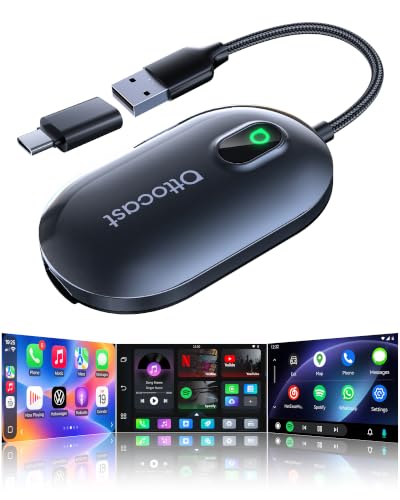
Live listings for the shortlist in this guide are pulled from Amazon below, so prices and availability are always current at the moment you look.


Seasonal checks that keep a good pairing good
Partnerships drift, and a five-minute seasonal routine catches the drift early. At the start of summer, confirm the phone’s warm-weather behaviour on a longer drive, check that the mount still shades the handset, and clear the car socket and phone port of the dust that open windows invite. At the start of winter, revisit the vent mount if heated air now pours over the phone, test the connection with gloves in mind — voice commands and steering controls earn their keep when fingers are numb — and confirm the spare cable has not migrated to another vehicle during the year. Twice a year, glance at storage: downloaded maps refresh, podcast backlogs swell, and a phone creeping toward full will eventually stumble over an update at an inconvenient moment.
Use those same seasonal moments to prune the pairing list, remove phones nobody owns anymore, and re-run one honest test drive after any major system update that arrived during the season. Software changes are the weather of this ecosystem; you cannot prevent them, but you can absolutely refuse to be surprised by them on the morning of a holiday. A pairing that is checked calmly, on your schedule, almost never chooses a motorway junction to reveal its news.
There is a quieter benefit to this rhythm: it keeps every driver in the household familiar with the routine. The person who rarely drives still knows where the cable lives and which socket matters, because the knowledge is refreshed as a household habit rather than relearned in a crisis. Dependable technology in a family car is a shared skill, not one person’s private expertise, and the glovebox card plus a seasonal check is all it takes to keep it shared.
Before you buy anything, borrow patience from your future self and run the simplest evaluation of all: write down the three journeys you make most often, in your own words, with their lengths, their lighting, their coverage quirks and their passengers. Read every candidate phone against those three journeys and no others. A handset that serves your actual Tuesday, your actual school run and your actual holiday route is the right handset, even if a different model wins a comparison chart built around somebody else’s life. Reviewers, including this guide, can explain the machinery and name the traps, but only your diary can rank the priorities — and rankings, in the end, are what buying well actually consists of.
Keep that written ranking somewhere you will find it at purchase time, perhaps as a note on the phone you carry today, and let it travel with you into the shop or the checkout page. Sales conversations, seasonal promotions and a salesperson’s enthusiasm all push toward whatever is being promoted that week, and none of those forces knows about your rural detour, your shaded console cubby or your grandparent’s school run. The note restores your own evidence to the centre of the decision, where it belonged all along, and it takes ninety seconds to write while the journeys are fresh in your mind.
None of this requires perfection from either device. It requires a partnership without a weak link: a current phone, a data socket used correctly, a cable that deserves trust, a battery and thermal plan for long days, and a driver who troubleshoots in order instead of in circles. Get those five things right and the technology recedes to where it belongs, leaving only the road, the directions spoken at the right moment, and the music playing as the miles unwind beneath you toward a destination you have not yet seen.
Related guides
- Best Affordable Android Phones: Value Measured Across Four Years
- Best 3rd Party Android Phones: Six Challenger Picks Beyond Samsung and Google
- Best 6 Inch Android Phones: Six Compacts Compared by Grip, Camera and Support
- Best Ad On Mic for Android Phones: Six Add-On Microphones That Transform Phone Audio