What's inside
- Where to Buy
- Key Takeaways
- Quick Picks
- How We Chose These Picks
- Comparison Table: The Six as Creator Machines
- How to Choose Among These Six for Creating
- Does a Creator Need a Discrete Graphics Card?
- How Much Storage Does a Year of Creating Actually Fill?
- Which Screen Should a Colour-Critical Creator Trust?
- Can a Gaming Laptop Really Be a Creator’s Main Machine?
- What Does a Creator’s Desk Add to Any of These Laptops?
- How Should a Creator Choose Between 14 Inches and 16?
- How Do Short-Form and Long-Form Creators Need Different Machines?
- What Should a Creator’s First Week With a New Machine Include?
- Common Mistakes When Buying a Content Creator Laptop
- Final Recommendation
- Frequently Asked Questions
- Related Guides
As an Amazon Associate I earn from qualifying purchases. This post may contain affiliate links at no extra cost to you.
[SITE_DOMAIN] is reader-supported. When you buy through links on our site, we may earn an affiliate commission.
Where to Buy
Creator laptops are sold in dense thickets of near-identical configurations, so each Amazon page below earns a slow read. Lenovo’s Yoga Pro 9i should be confirmed in the build that pairs its RTX 5060 with 32GB and the 3.2K Tandem OLED. ASUS’s ProArt PX13 convertible is the listing to check for the Ryzen AI Max+ 395 alongside 64GB and a 2TB drive. HP’s Spectre x360 16 asks for its 16GB and 1TB combination to be told apart from its neighbours. Apple’s MacBook Pro 14 with M4 Pro needs its 24GB and 512GB tier verified exactly as reviewed here. The ASUS ROG Zephyrus G14 page should show the RTX 5080 build with 32GB and 2TB in Platinum White. ASUS’s ProArt P16 in its HIDevolution build closes the set; match its RTX 5070, 64GB and 2TB lines one by one.
Finding the best content creator laptops means refusing the category’s favourite simplification, which is that creation is one job. It is at least four: filming and photographing, where the machine is an ingest station and a first screen; editing, where timelines, effects and exports divide the hardware among processor, graphics and memory; designing and illustrating, where the screen is the conscience of the work; and publishing, where the same machine becomes the office that uploads, writes, schedules and answers. A creator laptop is bought for all four jobs at once, usually by one person performing all of them, and the six machines here divide the labour differently — creator flagships from Lenovo and ASUS, a big convertible from HP, Apple’s MacBook Pro 14, a compact gaming-derived ASUS, and a memory-rich ProArt P16.
The titles in this shortlist are unusually informative, and this guide holds itself to them strictly: processors with core counts where printed, graphics named from RTX 5060 to RTX 5080, memory from 16GB to 64GB, storage from 512GB to 2TB, and screens that are the real story of the category — Tandem OLED at 3.2K, OLED at 3K, WQXGA IPS, Liquid Retina XDR, OLED at 3K in a 14-inch body, and a 4K OLED touch flagship. No benchmark figures, export-time promises or colour-accuracy percentages appear anywhere below, because no title supplies them; where a screen’s brightness is printed — the Yoga’s stated 1000 nits — it is used, and where a figure is absent it is flagged rather than filled.
Notice what the category has quietly become: almost every serious creator machine now pairs a discrete or deeply integrated graphics arrangement with an OLED-class screen and at least 32GB of memory at the top of its range, because the work demanded it. The differences that remain are differences of emphasis — portability against screen size, stated memory against stated graphics, the convertible’s postures against the clamshell’s focus — and emphasis, for a working creator, is destiny. The reviews below therefore spend less time ranking and more time matching, because the right question is never which of these is best, but which of them is built around the proportions of your particular output.
Key Takeaways
- The ProArt P16 carries the largest memory figure here, 64GB of LPDDR5X, with an RTX 5070 and a 4K OLED touch screen.
- The Zephyrus G14 states the strongest graphics name, an RTX 5080, in a 14-inch body with 32GB and a 2TB SSD.
- The Yoga Pro 9i’s 3.2K Tandem OLED at a stated 1000 nits is the screen for colour-critical judging.
- The ProArt PX13 puts 64GB and a MicroSD reader into a 13.3-inch convertible built for drawing and ingest.
- The MacBook Pro 14 with M4 Pro states a 12-core CPU and a 16-core GPU with 24GB of unified memory.
Quick Picks
| Pick | Badge | Why it is here |
|---|---|---|
| Lenovo Yoga Pro 9i | The Colour Judge | RTX 5060 graphics beneath a 3.2K Tandem OLED stated at 1000 nits. |
| ASUS ProArt PX13 | The Pocket Studio | 64GB, a 16-core AI processor and a card reader in a folding 13.3-inch body. |
| HP Spectre x360 16 | The Big Presenter | A 16-inch WQXGA touchscreen, a 9MP IR camera and convertible postures. |
| Apple MacBook Pro 14 M4 Pro | The Compact Pro | A 16-core GPU and 24GB of unified memory behind a Liquid Retina XDR screen. |
| ASUS ROG Zephyrus G14 | The Portable Powerhouse | RTX 5080 graphics, 32GB and 2TB in a 14-inch 3K OLED body. |
| ASUS ProArt P16 RTX 5070 | The Memory Flagship | 64GB of LPDDR5X and an RTX 5070 under a 4K OLED touch panel. |
How We Chose These Picks
Creation was divided into its loads before any machine was admitted. Ingest comes first and is the most neglected: footage and photographs arriving on cards and drives, libraries importing, proxies generating — work that leans on storage size, on stated card readers where titles offer them, and on ports. Editing comes second and is the most contested: timelines drawing on the processor, effects and exports leaning on the graphics, the whole project resident in memory, with the screen asked to tell the truth about colour and light throughout. Design and illustration form the third load, where touch, posture and panel quality stop being luxuries. Publishing closes the circuit: uploads, captions, correspondence, the business of being a creator, where cameras, keyboards and sheer reliability carry the day.
Graphics were read by name and by role. The Zephyrus G14’s RTX 5080 is the strongest card printed here; the ProArt P16’s RTX 5070 and the Yoga’s RTX 5060 follow in class; the Spectre’s title names no discrete card and the PX13’s names none either, while the MacBook describes its 16-core GPU inside Apple’s unified architecture. No title states a graphics memory figure in this shortlist — a genuine gap for export-heavy planning, recorded in every spec box in the locked wording and referred to the manufacturers’ documentation, because creators deserve to know which number they still need. Memory tiers split the field cleanly: 64GB on the two ProArt machines, 32GB on the Yoga and the Zephyrus, 24GB unified on the MacBook, 16GB on the Spectre — each treated as a statement about how many applications and how large a project the machine expects to hold at once.
Storage followed the footage. A creator’s drive fills with originals, and originals are sacred: 2TB, carried by the PX13, the Zephyrus and the ProArt P16, is the tier where a season of work lives locally; the terabyte Yoga and Spectre assume an archiving rhythm; the MacBook’s 512GB assumes the archive lives elsewhere from the start, which its review states plainly. Screens, finally, were treated as the category’s conscience: five of these six panels are OLED or XDR class, and the guide weighs their stated resolutions and the one stated brightness figure as primary evidence, because a creator’s audience will ultimately see only what the creator’s screen allowed them to approve.

Lenovo Yoga Pro 9i — The Colour Judge
Every creator has a moment where the work is approved or condemned, and for visual creators that moment happens on a screen. The Yoga Pro 9i is built for it. Lenovo’s title describes a 16-inch Aura Edition laptop with an Intel Ultra 9 285H of 16 cores, 32GB of memory, a 1TB SSD, NVIDIA GeForce RTX 5060 graphics, Windows 11 Pro and a 3.2K Tandem OLED display at 120Hz with a stated 1000 nits. That panel — tandem OLED construction, the highest resolution class in this guide, and a brightness figure printed where competitors stay silent — is the finest judging instrument here by the evidence titles provide. Colour decisions, exposure calls and final grades made on it are made on the best available information.
The supporting specification is balanced rather than maximal. The RTX 5060 is a genuine discrete card for timeline effects and exports, a class below the 5080 and 5070 picks and entirely proportioned to the editing of most independent creators. Thirty-two gigabytes holds the editor, the graphics application and the browser of assets together without the closing rituals. The terabyte is the figure a footage-heavy creator should plan around: current projects local, last season archived externally, as a rhythm rather than an emergency. The Ultra 9’s printed 16 cores keep the interactive work — scrubbing, trimming, compositing previews — at the speed of intention.
- Processor: Intel Ultra 9 285H, 16-core as stated in the title
- Graphics: NVIDIA GeForce RTX 5060
- Memory: 32GB
- Storage: 1TB SSD
- Display: 16-inch 3.2K Tandem OLED, 120Hz, 1000 nits as stated
- Operating system: Windows 11 Pro
- Graphics memory figure: Not stated in the listing title — verify with the manufacturer documentation
Strengths
- The Tandem OLED at a stated 1000 nits is the guide’s premier colour-judging surface.
- A 16-core processor and a discrete RTX 5060 keep editing fluid and exports credible.
- 32GB of memory holds the creator’s whole application stack open at once.
Trade-offs
- 1TB fills with originals quickly; an archiving rhythm is part of the purchase.
- The RTX 5060 sits a class below the flagship cards for the heaviest effects work.
- No card reader is stated, so ingest arrangements come from Lenovo’s port list.
Best for: a visual creator — video, photography, design — whose approvals happen on the laptop screen and whose projects are of professional but managed scale.
Not suited for: a creator who keeps entire seasons of footage on the internal drive — the 1TB figure is the stated boundary of that habit.
The Yoga understands something the specification race forgets: audiences never see your processor. They see the frame you approved, in the colours you chose, at the exposure you signed off. A machine that spends its budget on the surface where those decisions happen is not indulging the creator; it is investing in the only part of the pipeline the audience ever meets.

ASUS ProArt PX13 — The Pocket Studio
The PX13 is the creator machine for the creator who moves. Its title describes a 13.3-inch 2-in-1 with a 3K OLED touch screen, a Ryzen AI Max+ 395 described as a 16-core AMD AI CPU with a 126 TOPS figure, 64GB of memory, a 2TB drive, a backlit keyboard, a MicroSD reader, WiFi 7, Bluetooth 5.4, a webcam and Windows 11 Pro, under Copilot+ creator positioning. Two figures make it unique in this guide. The first is 64GB of memory in a 13.3-inch convertible — the generous tier in the smallest body, enough for editing, design and research stacks to coexist without rationing. The second is the MicroSD reader, a humble line that working photographers and videographers will read as fluency: cards from the camera go straight into the machine, on a train, at a venue, without the adapter that is always in the other bag.
The folding OLED touch screen serves the drawing and annotating half of creation — thumbnails, storyboards, retouching gestures, client markups — in a way no clamshell here can imitate. The honest boundary is graphics: the title names no discrete card, and export-heavy creators should settle the PX13’s graphics arrangement in ASUS’s documentation before assigning it a timeline of 4K deliverables; the spec box records the silence. What is stated is more than enough for the machine’s intended centre of gravity: ingest, organise, draw, edit moderately, publish — the daily circuit of a travelling creator, performed by the only pick that fits in a small bag with room for the camera that feeds it.
- Processor: Ryzen AI Max+ 395, 16-core as stated, with a 126 TOPS figure printed
- Memory: 64GB
- Storage: 2TB
- Display: 13.3-inch 3K OLED touch, 2-in-1 convertible
- Card reader: MicroSD, as named in the title
- Wireless: WiFi 7 and Bluetooth 5.4
- Discrete graphics card: Not stated in the listing title — verify with the manufacturer documentation
Strengths
- 64GB of memory in a 13.3-inch convertible is unmatched in this guide.
- A built-in MicroSD reader makes card ingest a one-gesture habit anywhere.
- The folding 3K OLED touch screen serves drawing, boards and markup natively.
Trade-offs
- No discrete graphics card is stated, so heavy export work needs upstream verification.
- A 13.3-inch screen crowds a full editing interface during long desk sessions.
- MicroSD suits stills and smaller cards; high-volume video ingest may want more.
Best for: a travelling creator — photographer, illustrator, documentarian — who ingests, draws, edits and publishes from one small bag.
Not suited for: a studio editor whose days are long timelines on a big interface — the 13.3-inch panel is the physical limit of that ambition.
There is a creative life this machine seems drawn from life itself: the creator whose studio is a route — weddings, journeys, assignments — and whose competitive advantage is turning work around where it was made. The PX13’s figures all lean toward that life, and leaning consistently is what good tools do.

HP Spectre x360 16 — The Big Presenter
Creators increasingly sell in person — to clients, sponsors, galleries and brands — and the Spectre x360 16 is the pick built for the room where that happens. HP’s title describes a 16-inch WQXGA IPS touchscreen at 120Hz in a 2-in-1 body, with a 16-core Intel Evo Ultra 7 155H, 16GB of LPDDR5, a 1TB SSD, Thunderbolt 4, Wi-Fi 6E, a backlit keyboard, a fingerprint reader, a 9MP IR camera and Windows 11 Pro. Sixteen inches of WQXGA is the largest canvas here, and the convertible hinge turns it toward an audience, folds it flat for a markup session, or props it for a video call where the 9MP IR camera — the strongest conferencing figure in this guide — does quiet reputational work.
The trade-offs are stated in its own title for anyone reading carefully. Sixteen gigabytes is the lightest memory tier in this company, sufficient for editing of ordinary scale and for the presenting life, a clear step below the 32GB and 64GB machines for creators who keep an editor, a design application and a research browser in permanent session. No discrete graphics card is named, so timeline effects and exports ride on the integrated arrangement — adequate for a great deal of published work, and a boundary the effects-heavy editor should weigh against the RTX picks. What the Spectre returns is presence: the machine a client remembers, in the size a portfolio deserves, with the ports — Thunderbolt 4, stated — to dock into the studio when the road ends.
- Processor: Intel Ultra 7 155H, 16-core, Evo platform as stated
- Memory: 16GB LPDDR5
- Storage: 1TB SSD
- Display: 16-inch WQXGA IPS touchscreen, 120Hz, 2-in-1
- Ports named in the title: Thunderbolt 4
- Camera: 9MP IR; security: fingerprint reader
- Discrete graphics card: Not stated in the listing title — verify with the manufacturer documentation
Strengths
- The 16-inch convertible canvas presents portfolios at full, persuasive size.
- A stated 9MP IR camera leads this guide for client and sponsor calls.
- Thunderbolt 4 and a terabyte give the home studio a clean docked base.
Trade-offs
- 16GB is the lightest memory tier here for application-heavy editing stacks.
- No discrete card is stated, bounding effects-heavy timeline work.
- Wi-Fi 6E trails the Wi-Fi 7 named across the other titles.
Best for: a creator whose work is presented, pitched and reviewed in person as much as it is published online.
Not suited for: an effects-heavy editor who keeps several creative applications resident — the 16GB figure and the unstated graphics are the twin limits.
The Spectre’s case rests on a truth about the creator economy that pure specification misses: the work is judged twice, once in the making and once in the showing, and the second judgement pays for the first. A machine designed for the showing — big, bright, foldable, with a camera that flatters the professional on the call — is not a lesser creator tool. It is the other half of one.

Apple MacBook Pro 14 M4 Pro — The Compact Pro
The MacBook Pro 14 with M4 Pro is the professional’s compact: a machine whose title states its architecture with unusual completeness. Apple describes a 12-core CPU and a 16-core GPU built for Apple Intelligence, a 14.2-inch Liquid Retina XDR display, 24GB of unified memory and 512GB of SSD storage, in Space Black. For creators inside Apple’s ecosystem — which is to say a large share of the profession — this is the reference configuration: a genuine editing machine in a 14-inch body, with the XDR screen serving as the colour conscience and the unified memory letting processor and graphics share one pool for timelines and effects.
Twenty-four gigabytes is the figure to read carefully. It sits between the Spectre’s 16GB and the 32GB Windows tier, and on Apple’s unified architecture it serves editing stacks that would ration a lesser pool; creators whose projects are very large, or who keep several heavy applications in permanent session, should compare it honestly against the 32GB and 64GB picks rather than assuming the badge settles the question. Storage is the tightest figure in the guide at 512GB, and it is only honest to frame it as the configuration’s clear premise: originals live on external or network storage, the internal drive holds the active project, and the creator who accepts that premise gains the most portable full-strength machine here. Port counts are not stated in the title, so the ingest and dock arrangement goes to Apple’s documentation, as the spec box notes.
- Chip named in the title: M4 Pro, 12-core CPU, 16-core GPU
- Memory: 24GB unified
- Storage: 512GB SSD
- Display: 14.2-inch Liquid Retina XDR
- Finish: Space Black
- Graphics memory as a separate figure: Not stated in the listing title — verify with the manufacturer documentation
- Port counts: Not stated in the listing title — verify with the manufacturer documentation
Strengths
- A 16-core GPU and unified memory give a 14-inch machine full editing stature.
- The Liquid Retina XDR screen judges colour and contrast at reference level.
- Apple’s creator ecosystem — software, colour pipeline, peripherals — is home ground.
Trade-offs
- 512GB is the smallest storage here; originals must live externally by design.
- 24GB sits below the 32GB and 64GB tiers for the largest resident stacks.
- Windows-standardised studios face the platform decision in full.
Best for: a creator on Apple’s platform who wants full professional editing capacity in the most portable full-strength body here.
Not suited for: a creator who keeps a season of originals on the internal drive — the 512GB figure, printed plainly, forbids that habit.
The Pro’s deeper appeal is continuity. Creators build muscle memory in their tools — shortcuts, colour habits, export presets — and a platform that carries those habits forward across projects is worth more than any single generation’s figures. This configuration is the current, compact expression of that continuity, sized for the creator whose studio is wherever the work is.
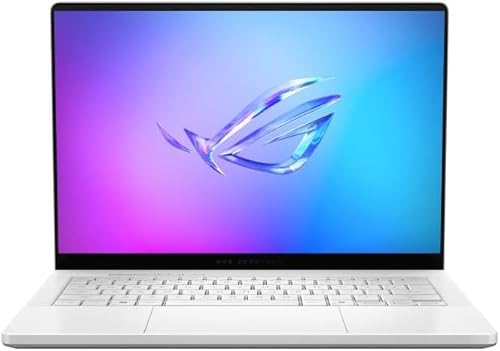
ASUS ROG Zephyrus G14 — The Portable Powerhouse
The Zephyrus G14 makes the strongest graphics claim in this guide and makes it in the second-smallest body. ASUS’s title describes a 14-inch 3K OLED gaming laptop at 120Hz in Copilot+ PC form, with an AMD Ryzen AI 9 HX 370, RTX 5080 graphics, 32GB of memory, a 2TB SSD and a Platinum White finish. Read with a creator’s eyes rather than a player’s, that is an export engine with a colour screen attached: the RTX 5080 for effects and rendering-adjacent work, 32GB for the resident stack, 2TB for the season’s originals, and a 3K OLED for judging it all — in a 14-inch machine that travels like a notebook rather than a workstation.
Gaming lineage brings two honest caveats. The first is presentational: ROG styling speaks a language some client rooms read as play rather than profession, a judgement each creator must make about their own audience. The second is documentary: the title states no graphics memory figure and no port list, so the export planner and the dock builder both owe ASUS’s documentation a visit, and the spec box records both silences. Neither caveat touches the central fact, which is that creators have adopted this class of machine wholesale because the work — timelines, effects, 3D, AI-assisted tools, the 13 TOPS-class figures its sibling titles print — rewards exactly the hardware games reward. The G14 is that adoption in its most portable serious form.
- Processor: AMD Ryzen AI 9 HX 370
- Graphics: RTX 5080
- Memory: 32GB
- Storage: 2TB SSD
- Display: 14-inch 3K OLED, 120Hz
- Form: Copilot+ PC, Platinum White
- Graphics memory figure: Not stated in the listing title — verify with the manufacturer documentation
Strengths
- RTX 5080 graphics are the strongest named card in this guide, in a 14-inch body.
- 2TB of storage holds a season of originals without the eviction routine.
- The 3K OLED screen judges colour at creator standard while travelling.
Trade-offs
- Gaming styling may not suit conservative client environments.
- Graphics memory and ports are unstated, so two verifications precede a committed plan.
- A 14-inch interface crowds the largest multi-application editing layouts.
Best for: a creator whose work is effects- and export-heavy and whose studio moves — the strongest card here in a body that genuinely travels.
Not suited for: a creator whose practice is presenting to conservative clients in person — the ROG identity, not the hardware, is the friction to weigh.
Consider the creator this machine liberates: the one who used to choose between the powerful desk and the portable notebook, scheduling real work around the desk’s location. The G14’s configuration collapses that schedule. The timeline opens at full strength in a rented studio, a collaborator’s flat, a hotel room before a shoot — and creative work, which has always happened where life happens, stops apologising for its address.
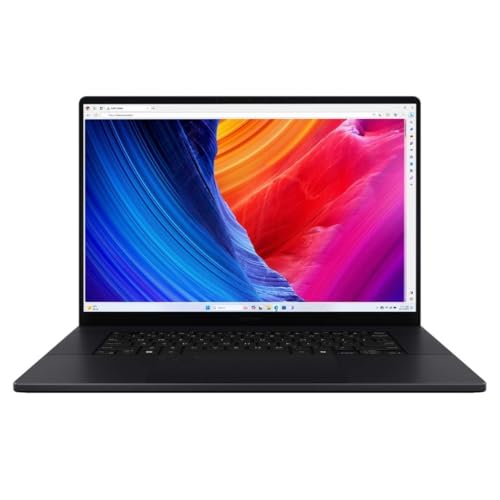
ASUS ProArt P16 RTX 5070 — The Memory Flagship
The ProArt P16 in this RTX 5070 configuration is the guide’s argument that memory is the creator specification nobody films unboxings about. The HIDevolution listing describes a 2025 ProArt P16 in black with a 16-inch 4K OLED touch display, a Ryzen AI 9 HX 370 at a stated 2.0 GHz, an RTX 5070, 64GB of LPDDR5X memory, a 2TB PCIe SSD and Windows 11 Pro. Sixty-four gigabytes is double the mainstream tier, and its value is cumulative rather than dramatic: the editor open beside the design application beside the audio tool beside the browser of assets, the large project that never asks anything to close, the export that runs while the next piece is already being cut. Creators rarely notice memory on a good day; they notice its absence on every bad one, and this configuration is built to abolish the bad ones.
The RTX 5070 sits a class above the Yoga’s 5060 and a class below the G14’s 5080 — the balanced creator card, matched here to the deepest memory and a 4K OLED touch panel that serves drawing, grading and presenting from one surface. Two terabytes holds the working archive. As with its 5090 sibling elsewhere in this series, this is a HIDevolution configured build, and its specification is exactly the one printed in this title — a point the buyer should honour by matching the listing line by line, since the ProArt P16 name covers several configurations. The card’s graphics memory is unstated, recorded in the spec box as always, and a creator planning around that pool should take the figure from ASUS’s documentation.
- Processor: Ryzen AI 9 HX 370, 2.0 GHz as stated in the title
- Graphics: RTX 5070
- Memory: 64GB LPDDR5X
- Storage: 2TB PCIe SSD
- Display: 16-inch 4K OLED touch
- Operating system: Windows 11 Pro
- Graphics memory figure: Not stated in the listing title — verify with the manufacturer documentation
Strengths
- 64GB of LPDDR5X keeps an entire multi-application creator stack permanently resident.
- The 4K OLED touch panel serves grading, drawing and presenting from one surface.
- An RTX 5070 and 2TB complete a configuration with no obvious first bottleneck.
Trade-offs
- The card’s graphics memory is unstated, so export planning needs ASUS’s figure.
- As a configured HIDevolution build, its title must be matched exactly when ordering.
- Its capacity is wasted on creators whose work is single-application and light.
Best for: a multi-discipline creator — video, design, audio, publishing — who runs everything at once and wants memory to stop being a consideration.
Not suited for: a single-application creator with modest projects, for whom the 64GB tier is capacity purchased and never once visited.
The P16 closes the shortlist as its most complete Windows creator statement: not the strongest card, not the smallest body, but the deepest bench, arranged under the finest large touch screen in the guide. Creators building a one-machine studio for the next several years of output will find this configuration the hardest to outgrow, which is the most durable compliment a working tool can earn.
Comparison Table: The Six as Creator Machines
| Pick | Graphics (as listed) | Memory | Storage | Screen | Creator character |
|---|---|---|---|---|---|
| Yoga Pro 9i | RTX 5060 | 32GB | 1TB SSD | 16-inch 3.2K Tandem OLED 120Hz | Colour judging |
| ProArt PX13 | Not stated in the listing title | 64GB | 2TB | 13.3-inch 3K OLED touch | Ingest and drawing on the move |
| Spectre x360 16 | Not stated in the listing title | 16GB LPDDR5 | 1TB SSD | 16-inch WQXGA touch 120Hz | Presenting and pitching |
| MacBook Pro 14 M4 Pro | 16-core GPU | 24GB unified | 512GB SSD | 14.2-inch Liquid Retina XDR | Compact professional standard |
| Zephyrus G14 | RTX 5080 | 32GB | 2TB SSD | 14-inch 3K OLED 120Hz | Portable export power |
| ProArt P16 RTX 5070 | RTX 5070 | 64GB LPDDR5X | 2TB PCIe SSD | 16-inch 4K OLED touch | Deep-stack studio |
Read the graphics column with the honesty this guide has practised throughout: three cards are named with their classes, one GPU is described in Apple’s core terms, and two titles name no discrete card at all — while not one title in the six states a graphics memory figure. A creator planning effects work around a graphics pool must complete that picture from the manufacturers’ pages. What the table does prove is the shape of the field: memory from 16GB to 64GB, storage from half a terabyte to two, and screens of a quality that would have been a professional monitor’s boast not long ago, now built into every serious creator laptop.
How to Choose Among These Six for Creating
Begin with your dominant output, because each pick is a bet on a different one. Video-first creators should weight graphics and storage: the Zephyrus G14 for export strength in a travelling body, the ProArt P16 for the deepest all-round studio, the Yoga where the grade is judged on the machine itself. Photography-first creators should weight ingest and screen: the PX13’s card reader and folding OLED for the field, the Yoga’s Tandem OLED for the edit, the MacBook for the ecosystem most photographic pipelines already inhabit. Designers and illustrators should weight touch and posture — the two convertibles and the P16’s touch flagship — while presenters and client-facing creators should take the Spectre’s big folding canvas and its camera seriously as business equipment.
Memory follows the stack, not the project. Count the applications your real working hour holds open simultaneously — editor, design tool, audio, browser, communication — and buy the tier that holds them without negotiation: 16GB for the disciplined single-application creator, 32GB for the standard professional stack, 64GB for the creator who is genuinely several departments at once. Storage follows the originals: footage careers are measured in terabytes per year, and the honest choice is between the 2TB machines’ local depth and an external archiving discipline adopted on day one, not improvised on the day the drive fills mid-shoot.
Platform, finally, is the decision beneath the decisions. A creator’s plug-ins, presets, colour habits and collaborators form an ecosystem with real switching costs, and the MacBook Pro’s case is unanswerable inside Apple’s world and irrelevant outside it. Windows creators have five candidates and the harder, happier task of choosing among emphases. Either way, the purchase should end in the same ritual this guide has modelled: the chosen listing opened, its title read as the contract it is, its silences noted and resolved in the manufacturer’s documentation before the work depends on them.
Does a Creator Need a Discrete Graphics Card?
For much published work, the truthful answer runs: not strictly, and the shortlist’s structure admits it by including two machines whose titles name no discrete card. Social video, photography, design and writing-centred creation run capably on the integrated arrangements and Apple’s unified GPU described here. The card earns its place as the work grows teeth — effects-heavy timelines, 3D elements, AI-assisted tools, long exports that tax the afternoon — and the three RTX picks exist for that growth. What a buyer should not do is purchase a flagship card as a badge of seriousness while starving the memory and storage the daily work actually consumes; the ProArt P16’s configuration, card in balance with 64GB and 2TB, is the standing example of the proportions done right.
How Much Storage Does a Year of Creating Actually Fill?
More than the project files suggest, because creators keep originals, and originals are the one thing that cannot be re-downloaded from the client’s memory. A video creator’s season of footage, a photographer’s year of raw files, a designer’s archive of layered work — each is measured in terabytes by any honest accounting, and each grows in one direction. That is why this guide treats 2TB as the local-depth tier, the terabyte as a rhythm of archiving, and the MacBook’s 512GB as a deliberate external-storage premise rather than a flaw. The mistake is not choosing any of these; it is choosing one while imagining another’s habits. Audit last year’s drives before this year’s purchase, and let the audit, not optimism, size the machine.
Which Screen Should a Colour-Critical Creator Trust?
By the evidence the titles provide, the Yoga Pro 9i’s 3.2K Tandem OLED — with the guide’s only stated brightness figure, 1000 nits — and the two 4K-class OLED and XDR panels on the ProArt P16 and the MacBook Pro form the top tier of judging surfaces here. Resolution and panel class are what titles can prove; the finer colour questions belong to the manufacturers’ full specifications and to calibration, which no listing title settles and this guide does not pretend to. The practical advice is layered: choose from the top screen tier for the work itself, calibrate whatever you choose, and approve final deliverables on the best surface you own — which, for the creators these machines serve, will usually be the laptop itself. That is precisely why the screens carry so much of these configurations’ budgets, and rightly.
Can a Gaming Laptop Really Be a Creator’s Main Machine?
The Zephyrus G14’s presence here answers with its title: an RTX 5080, 32GB of memory, 2TB of storage and a 3K OLED screen are creator specifications by any functional reading, whatever family the machine was marketed under. The genuine caveats are the ones its review states — gaming styling in rooms that judge it, and a title silent on graphics memory and ports, both resolvable in ASUS’s documentation. Creators adopted gaming hardware because their workloads converged with games’ demands years ago; the remaining question is purely presentational, and it belongs to each creator’s audience rather than to any guide.
What Does a Creator’s Desk Add to Any of These Laptops?
A calibrated external monitor for the largest work, where the stated connections allow it; fast external storage that makes the archiving rhythm effortless rather than aspirational; a card reader where the machine lacks one — the PX13’s built-in MicroSD being the exception that proves the need; and a backup routine that treats originals as the irreplaceable assets they are. The laptop is the centre of a creator’s studio, but the studio is the system, and the wisest creator budgets are spread across both. Notably, several of these titles stay silent on ports, so the desk should be planned from the manufacturers’ documentation for the exact build — a five-minute verification that decides whether arrival at the desk is one cable or a small ceremony.
How Should a Creator Choose Between 14 Inches and 16?
By where the judging happens. Sixteen-inch machines — the Yoga, the Spectre, the ProArt P16 — give timelines room, split screens dignity and clients a canvas; they are desks that can be carried. Fourteen-inch machines — the MacBook Pro, the Zephyrus G14 — give the same classes of hardware a travelling life, at the cost of interface crowding that an external monitor at home base erases. The PX13 stands apart as the field instrument. None of these is a compromise in itself; each is a bet on the proportion of life spent at the desk versus on the road, and creators, who know their calendars better than any guide, should place that bet with their diaries open.
How Do Short-Form and Long-Form Creators Need Different Machines?
Short-form creation is a volume business conducted at speed: many pieces, quick turnarounds, modest individual projects, a premium on ingest, templates and a machine that is simply always ready. That rhythm flatters the portable picks — the PX13’s card reader and folding screen, the MacBook’s compact readiness, the G14’s power in a bag — because the bottleneck is the creator’s hours, not any single render. Long-form creation inverts the arithmetic: fewer pieces, enormous projects, exports that run like weather, archives that grow by the terabyte. That rhythm flatters depth — the ProArt P16’s 64GB and 2TB, the Yoga’s judging screen for the grade that will be lived with for years — because the bottleneck is the project’s scale, and the machine must hold all of it at once.
Most creators live somewhere along that spectrum and drift along it as their audience grows, which is why this guide keeps recommending headroom in the resource your format consumes fastest. The short-form creator outgrows storage of patience before storage of bytes; the long-form creator outgrows memory and drive space in the middle of the work that matters most. Buy for the format you are growing into, verify its figures in the listing, and the machine will still be serving when the channel, the practice or the studio has changed shape around it.
What Should a Creator’s First Week With a New Machine Include?
A deliberate rehearsal of the whole pipeline, before a client depends on it. Ingest a real shoot through the actual path — card, reader, dock — and time it by feel. Open the largest current project and work in it for an hour, watching where the machine hesitates: the timeline, the memory, the drive. Run a representative export and note what it asks of the afternoon. Approve a finished piece on the built-in screen and then on the best external display available, and learn the difference between the two while the stakes are low. Set the backup routine running and confirm it ran. Each of these small tests maps to a figure in the titles above — storage, memory, graphics, screen — and together they convert a purchase into a known tool, which is the state a creator’s livelihood deserves from its central instrument.
That week is also when the unstated figures should be finally settled: the graphics memory from the manufacturer’s page, the port arrangement for the desk, the reader or adapter the ingest path needs. A creator who closes those questions in week one owns a machine with no surprises left in it; a creator who defers them will meet them later, at deadline prices. The guides in this series repeat the verification ritual because it works, and because the listings themselves — read carefully, silences and all — contain nearly everything a buyer needs to begin it.
Common Mistakes When Buying a Content Creator Laptop
A common error is buying the graphics card as a totem — the strongest name in the range — while leaving memory at the tier where the creator’s actual stack suffocates, so the machine exports beautifully the projects it cannot comfortably hold open. The comparison table’s memory column, running from 16GB to 64GB, is the corrective: the stack you run daily, not the export you run weekly, should size the machine. The mirror error is a memory-rich machine whose screen quietly misrepresents the work, discovered when a client sees the piece on an honest display.
Storage denial is the third error, and the most universal among creators: the drive sized for the current project, the originals evicted mid-season, the archive living on whichever external disk was nearest. A fourth is ignoring the ingest half of the workflow — discovering after purchase that the card reader, the port, the dock arrangement was assumed rather than stated, in a category where several titles are silent on exactly those points. And a fifth is treating a configured build’s name as its specification: the ProArt P16 exists in several configurations across this series alone, and the title, not the badge, is the machine you are buying.
Final Recommendation
For the complete one-machine Windows studio, take the ProArt P16 with RTX 5070: 64GB of memory, 2TB of storage and a 4K OLED touch screen arranged so no part of a creator’s week is the neglected one. For colour judging above all, take the Yoga Pro 9i and its Tandem OLED. For export power that travels, the Zephyrus G14; for the field creator who draws and ingests, the PX13; for Apple’s ecosystem in compact professional form, the MacBook Pro 14; and for the creator whose work is pitched in person, the Spectre x360 16’s big folding canvas.
End as this series always ends, with the verification that costs a minute: open the chosen listing and read its title against the review — graphics, memory, storage, screen — resolving each silence in the manufacturer’s documentation before the first client project depends on it. Creation is the business of making things that did not exist yesterday; the machine that serves it should be chosen with the same care the work itself receives, and then it should disappear into years of output, which is where every laptop in this guide is ultimately headed.
Frequently Asked Questions
Is 32GB of memory enough for video editing?
For the standard professional stack — an editor with a design application and a browser alongside — yes; the Yoga and the Zephyrus are built on it deliberately. Creators running several heavy applications permanently, or working with very large projects, are the 64GB ProArt machines’ natural audience.
Why does no spec box here state graphics memory?
Because no listing title in this shortlist prints it, and this guide works only from verified title data. The figure matters for effects and export planning, so each spec box flags the gap in the locked wording and refers you to the manufacturer’s documentation for the exact configuration.
Can the PX13 handle a creator’s full workflow?
Its stated figures — 64GB, 2TB, a 16-core processor, a MicroSD reader and a folding OLED touch screen — cover ingest, organisation, drawing, moderate editing and publishing handsomely. Heavy export work is the duty to verify, since its title names no discrete graphics card.
Is the MacBook Pro’s 512GB storage a problem?
Only for a creator who expects originals to live internally. Read as a premise — active project inside, archive on external or network storage — it is the configuration’s clear design, and thousands of professionals work exactly that way. Buy it knowingly and it never surprises you.
Which pick is best for a creator who also streams and presents?
The Spectre x360 16, for its 9MP IR camera, big folding canvas and stated Thunderbolt 4 — with the caveat that its 16GB memory suits a presenting creator’s stack better than an effects editor’s. Streamers with heavy editing stacks should weigh the ProArt P16 and present from its 4K screen instead.
Gaming laptop or creator laptop for the same money?
Compare titles, not families. The Zephyrus G14’s printed figures are creator figures; the ProArt machines’ are equally so, with deeper memory. The honest differences are styling, stated ports and readers, and support habits — all visible in the listings — rather than any difference in the work the hardware can do.
Should a creator buy for the work they have or the work they want?
For the work they can describe. Ambition is a fine guide to tier — the creator landing larger clients should buy the memory and storage those clients’ projects will demand — but a poor guide to specifics, because undescribed work cannot be sized. The discipline this guide recommends is to name the next real step: the first series, the first commercial client, the first collaborator, and to buy the configuration whose stated figures serve that step with room to spare. Machines bought for imaginary empires tend to be wrong in expensive directions; machines bought for the next honest step tend to be carried, gratefully, into the step after.
What is the most overlooked line in all six of these titles?
Arguably the PX13’s MicroSD reader — the smallest specification in the entire shortlist and the one that will be used most often by the photographers it serves. Creator buying is drawn to the large numbers, but daily friction lives in the small ones: the reader that is present, the keyboard that lights, the camera that flatters, the port that was stated rather than assumed. Read the whole title, including its humble lines, because the humble lines are the ones your routine will touch every day.
How long should a creator expect one of these to remain the main machine?
Through several years of output, if the tiers were chosen with the growth margin this guide keeps recommending. Creation compounds: audiences grow, projects thicken, the archive deepens, and a machine sized exactly for this season’s work becomes next season’s negotiation. The configurations with the longest natural horizons here are the deep ones — 64GB of memory, 2TB of storage, a card or GPU with class to spare — because all of their ceilings rise together. A creator buying the lighter tiers should do so as a deliberate, shorter-horizon decision, priced in that spirit, rather than discovering the horizon mid-commission.
A final word on buying the machine before the audience arrives?
Every established creator once bought equipment for an audience that existed mainly in hope, and the honest version of that gamble is visible throughout this guide: buy capacity in the resources your format consumes — memory for the stack, storage for the originals, screen for the judgement — and let the audience grow into a machine that was ready for it. What hope should never buy is a badge, a colour or a claim no title states. The six listings here, read carefully, contain everything needed to make the hopeful version of the purchase a rational one.
And the simplest test of all before ordering?
Describe your busiest real week in one paragraph — the shoots, the edits, the exports, the calls, the places — and read the chosen machine’s title against that paragraph, line by line. If every demand in the paragraph meets a stated figure in the title, or a silence you have already resolved in the manufacturer’s documentation, the purchase is sound. If a demand meets only a hope, resolve the hope first. Creators are professional noticers; the listing deserves the same attention as the work.
One more distinction: the creator as a business of one?
Most readers of this guide are not departments; they are a person, a channel or a practice, and a laptop that must be editor, office, accounts desk and presentation suite in a single body. That is why the complete configurations here — memory for the stack, storage for the archive, a screen for the judgement, a camera for the client — keep outranking single spectacular figures. A business of one cannot hand a bottleneck to another department. It can only buy a machine without one, which is the standard the ProArt P16 sets and the standard against which the remaining five picks should be weighed.
The closing check, stated once more for the busiest readers?
Title, figures, silences, documentation — in that order, for the exact build in the basket. It takes minutes, it has saved more creators more money than any recommendation in this guide, and it is the difference between buying a specification and buying a name.
And for the creator reading this on the machine being replaced?
Notice what it just did well and where it hesitated, because that lived evidence — gathered across every project it ever carried — is the most honest specification of all, and it points directly at the tier, the screen or the drive the next machine must improve.
Related Guides
Creation touches the neighbouring benches covered here: our 3D animation laptop guide, where these same classes of hardware are pushed into full production, the authors and writers laptop guide, for the quieter half of a creator’s output, and our SketchUp laptop roundup, where screens and graphics are judged by modelling instead of media.
Related guides
- Best 3.0 Qualcomm Quick Chargers: QC 3.0 Adapters That Still Earn Their Outlet
- Best Time Machine Compatible Hard Drives: Mac-Ready and Reformatted Picks
- Best 3D Mechanical Engineering Laptops: Certified Workstations for CAD and Simulation
- Best Tattoo Printers: Thermal Stencil Machines for Clean, Lasting Transfers


