What's inside
- Key Takeaways
- Quick Picks
- How Did We Judge a Feature That Depends on Your Devices?
- How Does MU-MIMO Differ From OFDMA, and Why Do Newer Routers Carry Both?
- What Do Stream Counts and Antenna Numbers Really Tell You?
- How Can You Tell Whether Your Household Will Actually Feel MU-MIMO?
- What Happens to MU-MIMO When Guests and Legacy Devices Join the Network?
- Six MU-MIMO Routers, Examined One at a Time
- Comparing the Six on the Feature That Named This Guide
- How Should You Arrange Bands and Devices to Feed the Feature?
- Which Buying Mistakes Follow MU-MIMO Shoppers Home?
- Where Does MU-MIMO Go From Here?
- Final Recommendation
- Frequently Asked Questions
- Related Guides
As an Amazon Associate I earn from qualifying purchases. This post may contain affiliate links at no extra cost to you.
widgetverdict.com is reader-supported. When you buy through links on our site, we may earn an affiliate commission.
Where to buy: you will find all six routers at Amazon; follow any pick’s name to its listing and read the title closely, because in this category the difference between a claim and a silence is the whole story.
MU-MIMO is the most misunderstood phrase in router marketing, so let us define it before spending anyone’s money. A conventional router talks to one device at a time, switching between them so quickly that the queue feels simultaneous. MU-MIMO — multi-user, multiple input, multiple output — lets a router hold genuine parallel conversations with several devices in the same instant, using separate spatial streams. The best MU-MIMO WiFi routers turn that parallelism into calmer evenings: the video call stops stuttering when the teenager’s console starts a download, not because the internet got faster, but because the router stopped making everyone take turns so rigidly.
Two honest caveats frame everything below. First, MU-MIMO is a conversation, and conversations need two willing speakers — client devices must support it too, and older gadgets simply queue as they always did. Second, in most home implementations the parallel trick works on the downlink, router to device; the uplink from your devices is usually still sequential. Neither caveat makes the feature useless. They make it a feature to buy in context: a household of many modern devices gains the most, a household of two gains the least.
The six picks here span the feature’s whole history. Two AC1900 listings carry MU-MIMO from the Wi-Fi 5 era, when it was a flagship extra. A tri-band AC4000 machine pairs it with link aggregation and a VPN server. Two AX3000 Wi-Fi 6 routers combine it with OFDMA, its natural partner. And one Wi-Fi 6 pick — the Cudy WR1500 — is included precisely because its listing title does not claim MU-MIMO at all; we flag that openly rather than let the category’s title do the claiming for it.
Key Takeaways
- MU-MIMO parallelises downloads to several devices at once; it does not raise any single device’s top speed.
- Client support decides the benefit — phones, laptops and consoles of recent vintage generally speak MU-MIMO, older gadgets do not.
- Wi-Fi 6 pairs MU-MIMO with OFDMA, which handles the small-packet traffic MU-MIMO is worst at; the AX50 and AX55 Pro carry both.
- Stream counts and band counts set the ceiling: the tri-band Archer C4000 has the most airtime to divide among devices.
- One pick, the Cudy WR1500, makes no MU-MIMO claim in its listing title — treat it as unconfirmed there and check Cudy’s documentation.
Quick Picks
| Pick | Badge | Why it earns its place |
|---|---|---|
| TP-Link Archer A8 (AC1900 listing) | Wi-Fi 5 MU-MIMO original | AC1900 dual-band with MU-MIMO and gigabit ports, the straightforward way to add parallel service to a modest home. |
| TP-Link Archer A8 AC1900 MU-MIMO Router | Second AC1900 listing | A near-twin listing whose title adds beamforming and parental controls — read the naming note in its section before ordering. |
| TP-Link Archer AX50 | Wi-Fi 6 with HomeCare | AX3000 with OFDMA beside MU-MIMO, plus TP-Link’s HomeCare suite for security and parental controls. |
| TP-Link Archer AX55 Pro | Multi-gig MU-MIMO pick | Two 2.5Gbps ports and WPA3 lift the AX3000 platform into faster-plan territory without leaving MU-MIMO behind. |
| TP-Link Archer C4000 | Tri-band stream bank | AC4000 across three bands with a 1.8GHz processor, VPN server and link aggregation — the most airtime here to share. |
| Cudy WR1500 | Honesty-check pick | AX1500 Wi-Fi 6 with WPA3 and a 60-device rating whose title stays silent on MU-MIMO; included with that silence labelled. |
Before the judging, one piece of vocabulary hygiene, because this category’s shelf talk depends on confusing it. MU-MIMO is sometimes advertised as if it multiplied a network’s total speed by the number of devices served. It does not; the total airtime is conserved, and what changes is its distribution in time. Think of a checkout with several tills opening at once: the shop serves the same goods, the queue simply stops being a single line. Every claim in this guide is written in that arithmetic, and any listing that implies the other kind should be read with the suspicion it has earned.
How Did We Judge a Feature That Depends on Your Devices?
Ranking MU-MIMO routers is partly ranking ecosystems of one: the feature’s value scales with how many MU-MIMO-capable clients a household owns, which we cannot know. So we ranked what the router controls. Airtime first — tri-band designs and higher wireless classes simply have more parallel capacity to distribute. Then the supporting cast: OFDMA alongside MU-MIMO, because the two divide labour (OFDMA slices one transmission among small devices, MU-MIMO runs full streams to several), beamforming to keep those streams aimed, and processor headroom to manage the scheduling without becoming the bottleneck.
We also ranked candour. Every pick except one states MU-MIMO in its listing title, in so many words, where a buyer can verify the claim on the box’s terms. The exception is handled the way this site handles every silence: the Cudy WR1500 is presented for its genuine merits — Wi-Fi 6, WPA3, a 60-device rating, five operating modes — with its MU-MIMO status recorded as unstated in the title and referred to the manufacturer’s documentation. A roundup about a feature owes readers that distinction more than it owes them a tidy table.
We also considered what this feature is worth as a line item, because several of these routers are separated by little else. In the current market MU-MIMO itself is close to free — it arrives with the platform — so paying more should buy the things that let it breathe: a higher wireless class, a second or third band, a stronger processor, multi-gig ports for the aggregate flow. Where two picks differ mainly in the size of the badge, this guide has said so; where they differ in capacity, the sections name the capacity. That is the whole economics of the category, and it is simpler than the shelf talk suggests.
Finally, wired reality-checks: all six picks are gigabit-or-better routers underneath the wireless story, so none of them strands a wired device while optimising the air. The AX55 Pro goes further with multi-gig ports, which matters when the household’s bottleneck is the plan rather than the parlour.
How Does MU-MIMO Differ From OFDMA, and Why Do Newer Routers Carry Both?
Picture a delivery depot. MU-MIMO adds more vans: several full loads leave at once, each bound for a different house. OFDMA subdivides one van: a single trip carries small parcels for many houses on the same street. Wi-Fi 6 routers like the AX50 and AX55 Pro run both systems because household traffic is both kinds of freight — a 4K stream is a full vanload, while a smart bulb’s status update or a voice packet is a parcel that should never wait for a van of its own.
The distinction explains buying patterns. A home heavy on simultaneous big flows — two streams, a download, a video call — leans on MU-MIMO and benefits from the tri-band C4000’s extra airtime. A home heavy on many tiny devices — sensors, plugs, speakers, switches — leans on OFDMA and is better served by either Wi-Fi 6 pick than by any Wi-Fi 5 machine here, however strong its MU-MIMO. Most real homes are both, increasingly, which is why the feature pairing rather than either feature alone marks the current generation.
A worked example makes the division of labour concrete. Imagine the router at 8 p.m. serving a laptop downloading a game, a television streaming a film, a phone on a video call, and thirty small devices murmuring. The game and the film are vanloads: MU-MIMO dispatches them in parallel streams. The call is a stream of small, urgent parcels: OFDMA packs it efficiently alongside others rather than chartering a van per syllable. The thirty murmurings are parcel traffic pure and simple. A Wi-Fi 5 router from this list runs the vans well and the parcels the old way; a Wi-Fi 6 router runs both systems at once, which is why the generation, not the badge, is the upgrade.
One more mechanism deserves a sentence because listings blur it: beamforming, named by several picks here, aims a signal toward a device rather than broadcasting in a sphere. It is not parallelism, but it strengthens the individual streams MU-MIMO then runs in parallel. The three ideas compose; marketing that treats them as synonyms is selling you fog.
What Do Stream Counts and Antenna Numbers Really Tell You?
Listings in this category trade in a currency of streams, and the exchange rate is rarely posted. A router described as 4×4 owns four spatial streams on a band; a 2×2 owns two. MU-MIMO divides those streams among devices, so the stream count is the true ceiling on parallelism — a 2×2 router can run two full conversations at once, a 4×4 four, always assuming the clients bring streams of their own to the exchange. Most phones and many laptops are 2×2 devices, which quietly caps what any single one of them can receive regardless of the router’s wealth. The household arithmetic is what matters: streams are a shared purse, and the census from the next section is how you count the hands reaching into it.
Antennas are the visible proxy for streams and just as often a distraction. External antennas can help placement and orientation; internal ones keep a box living-room presentable; neither count, by itself, certifies the stream map underneath. The listings in this roundup are unusually restrained about antenna theatre, which this guide counts in their favour. What a buyer should extract from a specification is the stream configuration per band — the figure that decides how the parallel groups form — and where a title declines to state it, as several here do, the manufacturer’s specification page holds the number that matters more than any photograph of the hardware.
There is one more number to treat with suspicion: the wireless class itself. AC1900 and AX3000 sum every band’s theoretical maximum into a single figure no device will ever see, and MU-MIMO does not change that arithmetic — it changes how the real, smaller figures are shared. A reader who internalises that distinction is immune to most of this category’s marketing, and can read the six spec boxes below with the calm of someone the numbers cannot stampede.
How Can You Tell Whether Your Household Will Actually Feel MU-MIMO?
Run a census before you run a checkout. List the devices that are busy during your peak hour — not the total in the house, the simultaneous ones. For each recent phone, laptop, tablet, console and streaming box, MU-MIMO support is the norm; for smart plugs, older printers and ageing tablets, assume it is absent. If your peak-hour census shows four or more capable devices contending — typically two streams plus a call plus background downloads — MU-MIMO earns its keep and the effect is palpable: fewer freezes, less of the mysterious evening slowdown that speed tests at noon never reproduce.
Do not skip the wired half of the census. Every device you move onto a cable — the television, the desktop, the console that lives beside the router — leaves the parallel groups entirely, which sounds like losing the feature and is actually the purest way to benefit from it: the remaining wireless devices divide a quieter sky. The routers here all carry gigabit-or-better ports precisely so the census has somewhere to send its heavyweights. A household that wires its three busiest fixed devices and lets MU-MIMO govern the rest has, in effect, optimised the feature by shrinking its job to the size where it shines.
Then set the router up to let the feature breathe. Keep capable devices on the 5GHz band, where the stream counts live, and let the 2.4GHz band carry the distant and the dim. Enable band steering if the router offers it, or use one network name and let devices sort themselves. Place the router centrally — spatial streams depend on distinguishable signal paths, and a router entombed in a corner cabinet flattens the very geometry MU-MIMO exploits. Finally, update firmware before judging results; scheduling behaviour is exactly the kind of thing firmware revisions quietly improve.
What Happens to MU-MIMO When Guests and Legacy Devices Join the Network?
A real household network is a mixed parliament, and MU-MIMO’s behaviour inside it is more interesting than the brochure version. Capable devices form the parallel groups the router schedules together; legacy devices are served in the traditional rotation, in the same airtime, without breaking anything. The system degrades gracefully rather than categorically — which is precisely why the benefit is so hard to attribute. There is no moment when MU-MIMO switches on. There is only a network that, device by upgraded device, spends less of its evening making modern hardware wait behind a wireless printer from another decade.
Guests complicate the census in a way worth planning for. A house full of visiting phones — most of them recent, most of them capable — temporarily raises the capable share and the contention at once, which is exactly the scenario where parallel service proves itself during a family gathering. The guest network several of these picks provide adds a second benefit: visitors’ devices contend in their own segment, and the household’s working devices keep the main network’s scheduling to themselves. Security guides recommend guest networks for isolation; this category recommends them for traffic manners as well.
There is also a fairness question hiding in the scheduling, and routers answer it differently. When streams are scarce, does the router favour the device with the strongest signal, the oldest request, or the traffic that suffers most from waiting? Platform firmware makes those calls invisibly, a thousand times a second, and the household experiences the answer as a feeling — this network feels fair, that one feels like it plays favourites. It is one more reason the mature platforms in this list hold their value: their scheduling judgements have been refined across more evenings in more houses than a new entrant can simulate.
The legacy tail deserves a strategy rather than resentment. Devices that cannot speak MU-MIMO are usually the ones that barely speak at all — sensors, plugs, the printer — and on Wi-Fi 6 routers OFDMA absorbs much of their cost by batching their tiny transmissions efficiently. The genuinely expensive legacy device is the busy old one: a ageing tablet streaming video at yesterday’s rates occupies airtime like a slow lorry on a fast road. When the census in the earlier section identifies one of those, replacing it can improve the whole network more than replacing the router — a sentence no router advertisement will ever print.
Six MU-MIMO Routers, Examined One at a Time

TP-Link Archer A8 (AC1900 listing) — Wi-Fi 5 MU-MIMO Original
This listing is the feature in its first mainstream form: an AC1900 dual-band router whose title puts MU-MIMO in the headline, backed by gigabit ports and guest Wi-Fi. In the Wi-Fi 5 generation, MU-MIMO was how a router proved it took busy households seriously, and the A8’s proposition remains coherent today — a home with a handful of modern devices, all contending at 7 p.m., served in parallel instead of in strict rotation, without paying for a wireless class the house cannot fill.
Guest Wi-Fi earns its mention for a reason beyond hospitality: a separate guest network is also where a household can park visitors’ devices and the occasional untrusted gadget, keeping the main network’s population — the one MU-MIMO is scheduling — to devices you actually know. The gigabit wired side means the television and desktop never enter the wireless queue at all, which is the oldest and best form of traffic management.
The generation gap is the caveat, and it is structural. Wi-Fi 5 MU-MIMO operates on the 5GHz band only and without OFDMA beside it, so the many-small-devices pattern of a modern smart home is handled the old way. The listing title also names no parental controls or VPN, features its near-twin below does claim — an odd split between two similar listings that we note rather than resolve, because only the manufacturers’ documentation can settle which box carries what. As an inexpensive route into parallel service for a small, modern-device household, the A8 listing still makes its case.
- Wireless: AC1900 dual-band Wi-Fi 5 with MU-MIMO in the headline
- Ports: gigabit Ethernet
- Extras: guest Wi-Fi supported
- OFDMA: not part of this Wi-Fi 5 platform
- Parental controls: not mentioned in this listing’s title
- VPN roles: not mentioned in this listing’s title — consult TP-Link’s documentation
There is a demographic quietly built for this listing: the household whose device fleet turned over recently — new phones, a current laptop, a modern console — but whose floor plan stayed small. That fleet speaks MU-MIMO fluently and contends in a small space, which is the feature’s home turf. The A8’s AC1900 class stops being a compromise in that flat and becomes the correct amount of router, with the guest network handling the visitors who arrive carrying the contention with them.
Strengths
- MU-MIMO as a headline feature at an entry tier of the category.
- Guest networking keeps unknown devices out of the main queue.
- Gigabit ports remove the biggest devices from wireless contention.
Trade-offs
- Wi-Fi 5 parallelism covers the 5GHz band alone.
- No OFDMA for the many-small-packets pattern of smart homes.
- Feature silences in the title force a documentation check.
Best for: a small household of recent devices that wants parallel service without a wireless-class splurge. Not suited for: a smart home with dozens of chatty low-power devices, whose traffic pattern belongs to the Wi-Fi 6 picks.
TP-Link Archer A8 AC1900 MU-MIMO Router — Second AC1900 Listing
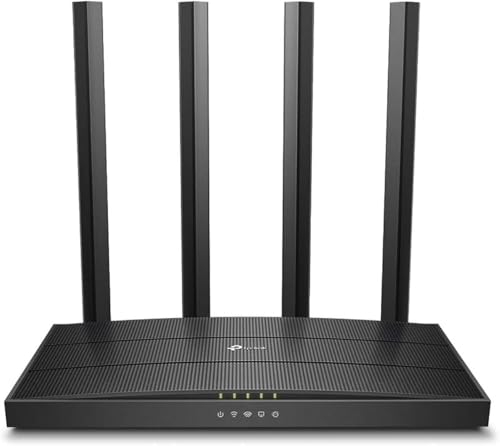
Two listings in one roundup can share a shelf name, and intellectual honesty requires addressing that head-on. This second AC1900 listing’s title describes a wireless MU-MIMO Wi-Fi router, dual-band gigabit, with beamforming and parental controls — and then closes with a different model designation in parentheses, Archer C80. Retail listings drift; names get reused across regions and revisions. Our practice is to print the pool’s name for the pick, flag the discrepancy in plain sight, and tell you to match the ASIN at checkout rather than the badge. The router underneath the naming fog is a close sibling of the pick above, with beamforming and parental controls stated where the other listing is silent.
Those two stated extras matter differently. Beamforming strengthens each individual stream by aiming it, which compounds with MU-MIMO’s parallelism — parallel conversations, each spoken more clearly. Parental controls move the listing toward family duty: schedules and filtering at the router cover every device in the house, including the ones with no usable controls of their own. The title’s typo-ridden charm aside, the feature set it claims is the more complete of the two AC1900 listings.
Everything said about the Wi-Fi 5 generation above applies here unchanged: 5GHz-only MU-MIMO, no OFDMA, gigabit wired service. The choice between the two A8 listings should be made on the listing details themselves — which extras are claimed, which seller stands behind it — with the ASIN as the anchor. If the naming collision makes you uneasy, that instinct is healthy, and the Wi-Fi 6 picks below exist in a tidier world.
- Wireless: AC1900 dual-band Wi-Fi 5, MU-MIMO stated in the title
- Signal: beamforming named in the listing title
- Controls: parental controls named in the listing title
- Ports: gigabit Ethernet
- Naming: the listing title closes with a different model designation — match the ASIN when ordering
- OFDMA: absent from this Wi-Fi 5 platform
Buyers comparing the two AC1900 listings side by side should treat the exercise as a lesson in retail literacy. Photographs, badges and even model names are negotiable in marketplace listings; the ASIN is not, and neither is the seller’s returns policy. Order the listing whose claimed extras — here, beamforming and parental controls — you can verify on the delivered unit’s box and interface, and let the naming fog be the seller’s problem rather than yours.
Strengths
- Beamforming and MU-MIMO together strengthen parallel streams.
- Parental controls are claimed outright in this listing’s title.
- The same gigabit wired foundation as its sibling listing.
Trade-offs
- Listing naming is inconsistent, demanding care at checkout.
- Wi-Fi 5 limits parallelism to one band, without OFDMA.
- QoS branding in the title is abbreviated and unexplained.
Best for: a family that wants the AC1900 tier with beamforming and parental controls explicitly claimed. The mismatch matters here: the title itself prints Archer C80 in parentheses, so a household set on one exact model name should pause before ordering.

TP-Link Archer AX50 — Wi-Fi 6 With HomeCare
The AX50 is where this category grows up. AX3000 Wi-Fi 6 brings OFDMA to sit beside MU-MIMO, so the router can run parallel full streams to the big devices while slicing single transmissions among the small ones — the two patterns of a real household, handled by the two mechanisms designed for them. For a reader choosing one router to exemplify why the newer generation matters to this specific feature, this is the pick to study.
HomeCare is the differentiator TP-Link built around the platform: a suite bundling security protection and parental controls into the router, named in the listing title. In a MU-MIMO household the suite’s value is administrative rather than radio-related — one place to set the children’s device schedules, one dashboard watching everything the parallel streams are serving. Alexa compatibility rounds out a listing aimed at mainstream family duty, with gigabit ports underneath for the wired anchors.
The AX50’s limits are about ceilings rather than flaws. Gigabit is the wired ceiling, so plans beyond a gigabit need the AX55 Pro’s ports instead. The listing claims no VPN server role — the C4000 below and routers in other categories carry that flag — and no mesh system is named, so expansion-minded buyers should verify the current documentation before assuming a node path. Within the gigabit Wi-Fi 6 brief, though, the AX50 pairs the feature this guide is about with its natural partner and a family-friendly suite, which is a complete sentence of a product.
- Wireless: AX3000 dual-band Wi-Fi 6 with OFDMA and MU-MIMO
- Ports: gigabit Ethernet
- Suite: HomeCare security and parental controls, per the listing title
- Extras: works with Alexa
- VPN server: not claimed in the listing title
- Mesh system: not named in the listing title — TP-Link’s documentation holds the current answer
HomeCare’s presence also changes the AX50’s audience in a way worth spelling out: it suits the household where one person administers the network for everyone else, including people who will never open a settings page. Parental controls set at the router reach the games console and the borrowed tablet equally, which no per-device arrangement manages as completely. The administrator’s convenience is a feature too, and this pick is built around it.
Strengths
- OFDMA and MU-MIMO together cover both household traffic patterns.
- HomeCare centralises security and family controls in the router.
- AX3000 airtime gives the parallelism real room to operate.
Trade-offs
- Gigabit ports cap internet plans sold above that line.
- No VPN server role is promised for remote workers.
- Mesh expansion needs confirming rather than assuming.
Best for: a family household of many modern devices on a gigabit-or-slower plan. Not suited for: a faster-than-gigabit plan, which needs the multi-gig ports of the AX55 Pro instead.

TP-Link Archer AX55 Pro — Multi-Gig MU-MIMO Pick
Take the AX3000 Wi-Fi 6 platform, keep OFDMA and MU-MIMO, then fix the two ceilings its sibling lives under: that is the AX55 Pro’s entire design brief, executed visibly in its title. Two 2.5Gbps ports replace the gigabit pair, so a faster-than-gigabit plan arrives whole and a wired NAS or PC can run at multi-gig locally. WPA3 is named outright, USB 3.0 appears for shared storage, and the listing calls it a VPN router — a phrase the AX50’s title never uses.
For the MU-MIMO question specifically, the Pro’s contribution is context: parallelism on the wireless side is wasted if the wired side chokes the aggregate flow, and in multi-gig households that choke point is real. A house pulling a 1.4-gigabit plan while three wireless devices stream in parallel needs the WAN and the scheduler upgraded together, and this is the only pick in the roundup that upgrades both in one box. Alexa compatibility and the familiar TP-Link administration keep the mainstream manners intact.
Proportion is the only argument against it. A household on a 300-megabit plan with no multi-gig devices owns ports it cannot feed, and the AX50 delivers the same wireless behaviour for that life. The Pro also remains dual-band — the tri-band C4000 still holds more total airtime for extremely device-dense rooms, albeit on the older standard. Buy the Pro when the plan or the local hardware justifies its ports; it is the future-facing pick of the six, priced in attention if not in this guide’s currency-free terms.
- Wireless: AX3000 dual-band Wi-Fi 6 with OFDMA and MU-MIMO
- Ports: two 2.5Gbps ports, USB 3.0
- Security: WPA3 named in the listing title
- VPN: described as a VPN router in the listing title
- Extras: compatible with Alexa
- Bands: dual-band — no third band for backhaul or overflow
The Pro’s USB port invites one specific, sensible job in a MU-MIMO household: a shared drive for the files everyone reaches for, sitting on the router where the wired and wireless populations meet. It will not replace a NAS for anyone who knows what a NAS is, but for the household archive of documents and photographs it removes a small daily friction. Features like this rarely headline a purchase; they accumulate into the feeling that a router was well chosen.
Strengths
- Multi-gig ports remove the wired ceiling the AX50 lives under.
- WPA3 and VPN positioning are stated, not implied.
- The full Wi-Fi 6 pairing of OFDMA with MU-MIMO is present.
Trade-offs
- Dual-band airtime is less than the tri-band C4000 offers.
- Multi-gig ports are idle on sub-gigabit plans.
- USB storage is a convenience, not a NAS replacement.
Best for: a household on a faster-than-gigabit plan, or with a multi-gig NAS, that still wants modern parallel wireless. Not suited for: a slow-plan household paying for port speed nothing in the home can use.
TP-Link Archer C4000 — Tri-Band Stream Bank
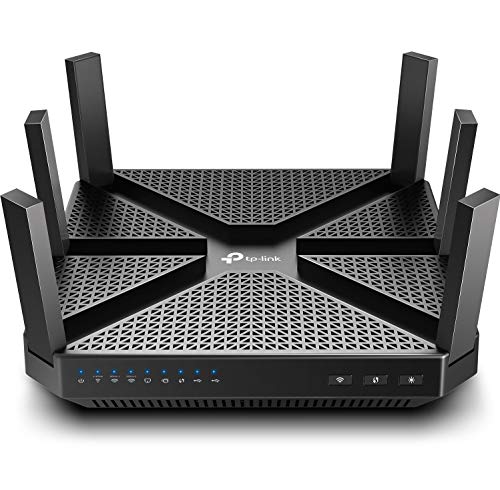
The C4000 answers the MU-MIMO question with sheer inventory. AC4000 spread across three bands — one 2.4GHz, two 5GHz — means the router holds a whole extra 5GHz network in reserve, and devices can be sorted across two parallel highways instead of queuing on one. A 1.8GHz processor, the strongest clock stated in this roundup, runs the scheduling. For a device-dense house on the Wi-Fi 5 generation, this is the maximum-airtime answer, and its MU-MIMO implementation has the most room to demonstrate itself.
The supporting feature list reads like a small-office brief: a VPN server for reaching home from away, parental controls, beamforming, Rangeboost for reach, Alexa support — and link aggregation, the wired party trick of bonding two gigabit ports into one fatter pipe to a capable NAS or switch. Link aggregation is the sleeper feature of this entire roundup: it lets a wired server feed multiple wireless clients at combined speeds no single gigabit port could supply, which is MU-MIMO’s philosophy expressed in cable.
Age is the honest counterweight. This is Wi-Fi 5: no OFDMA, so the swarm of small smart-home packets is scheduled the older way, and no Wi-Fi 6 client efficiencies apply. The listing title also carries a parenthetical second name, Archer A20, the same retail-naming drift noted earlier — match the ASIN. A buyer choosing between this and the AX50 is choosing between more airtime on an older standard and smarter airtime on a newer one; for a house of many big simultaneous flows, the C4000’s inventory can still win that argument.
- Wireless: AC4000 tri-band Wi-Fi 5 with MU-MIMO
- Processor: 1.8GHz CPU, per the listing title
- Ports: gigabit, with link aggregation for bonded connections
- VPN: VPN server named in the listing title
- Signal: beamforming and Rangeboost
- Naming: the title also carries a second model designation — the ASIN is the reliable identifier
Link aggregation deserves one more practical note, because it is widely misunderstood as a way to make one device faster. It does not double a single computer’s speed; it doubles the pipe between the router and a capable server, so that several clients pulling at once each get served without queueing behind one gigabit doorway. In a house where the NAS feeds two televisions and a workstation simultaneously, that is the difference between an architecture and a bottleneck with good marketing.
Strengths
- Three bands give parallel service the most airtime here.
- Link aggregation fattens the wired path to a capable NAS.
- A VPN server and the strongest stated processor complete the brief.
Trade-offs
- Wi-Fi 5 scheduling lacks OFDMA’s small-packet finesse.
- Dual naming in the title requires ASIN-level care.
- Tri-band capacity is surplus in a two-device household.
Best for: a device-dense house with several simultaneous big flows and a NAS that can use link aggregation. Not suited for: a smart home whose traffic is mostly tiny packets, better served by Wi-Fi 6 scheduling.

Cudy WR1500 — The Honesty-Check Pick
Now the pick this roundup owes its credibility to. The Cudy WR1500’s listing title describes an AX1500 Wi-Fi 6 router with WPA3, gigabit ports, beamforming, coverage of 1,100 square feet, up to 60 devices, five operating modes, Cudy Mesh support and app plus cloud control. Read it again and notice what is absent: the title never says MU-MIMO. A lazier guide would let the category heading make the claim on the product’s behalf. This one will not — the spec box below records the feature as unstated in the listing title and directs you to Cudy’s own documentation, which is where the question can actually be settled.
Judged on what its title does claim, the WR1500 is a tidy piece of work. Wi-Fi 6 at AX1500 with a 60-device rating speaks to the smart-home pattern — many devices, modest individual appetites — and WPA3 is named outright, which several bigger listings here leave implicit. Five-in-one operating modes and Cudy Mesh support give the unit the same second-career flexibility praised elsewhere in this batch of guides, and cloud plus app control suits owners who administer the network from elsewhere.
So why include it in a MU-MIMO roundup at all? Because readers will meet this router while shopping this exact category, and meeting it here — with the gap labelled — serves them better than meeting it under a retailer’s unchecked headline. If Cudy’s documentation confirms the feature, the WR1500 becomes a strong small-home contender on its other merits. If it does not, the five picks above all state their claim in writing. Either way, you now know the question to ask, which is the most useful thing a guide can hand you.
- Wireless: AX1500 dual-band Wi-Fi 6, 1201 + 300 Mbps split
- MU-MIMO: the listing title does not mention it — settle the question in Cudy’s official documentation before relying on it
- Security: WPA3 stated in the listing title
- Ports: four gigabit Ethernet ports
- Coverage: 1,100 square feet, up to 60 devices
- Modes: five-in-one operating modes, Cudy Mesh support, app and cloud control
The WR1500’s five operating modes deserve a fairer hearing than the headline debate gives them. A unit that can serve as a router today, a mesh node tomorrow and an access point in a third home is a unit whose purchase price is amortised across several networks, and Cudy’s app and cloud control travel with it through each role. If the documentation confirms the feature this category is named for, the little Cudy becomes arguably the roundup’s value story; the guide simply refuses to write that sentence before its evidence arrives.
Strengths
- WPA3 is claimed outright, as is the 60-device rating.
- Five operating modes and mesh support keep the unit useful for years.
- App and cloud control suit remotely administered homes.
Trade-offs
- The headline feature of this category is unconfirmed by its title.
- AX1500 is the smallest Wi-Fi 6 class in this roundup.
- Coverage is sized for flats and small houses only.
Best for: a small, device-dense home that values WPA3 and modes, and whose owner will verify the MU-MIMO question in the documentation. MU-MIMO is the one headline feature this AX1500 title leaves out — WPA3, 1,100 sq. ft. and 60 devices are printed, that guarantee is not.
Comparing the Six on the Feature That Named This Guide
| Pick | Standard | MU-MIMO in listing title | OFDMA alongside |
|---|---|---|---|
| TP-Link Archer A8 (AC1900 listing) | Wi-Fi 5 AC1900 | Yes, headline | No |
| TP-Link Archer A8 AC1900 MU-MIMO Router | Wi-Fi 5 AC1900 | Yes | No |
| TP-Link Archer AX50 | Wi-Fi 6 AX3000 | Yes | Yes |
| TP-Link Archer AX55 Pro | Wi-Fi 6 AX3000 | Yes | Yes |
| TP-Link Archer C4000 | Wi-Fi 5 AC4000 tri-band | Yes | No |
| Cudy WR1500 | Wi-Fi 6 AX1500 | Not stated in the title | Not stated in the title |
One row of that table deserves a second look from value hunters: the two AC1900 listings. Wi-Fi 5’s version of the feature is narrower — one band, downlink-focused — but it is not theatre, and in a small home of modern devices it delivers the core experience this category promises at the category’s floor. The listings’ quirks, the silent extras in one and the naming drift in the other, are the price of shopping that floor. Buyers comfortable reading listings forensically will find the floor solid; buyers who are not should pay the Wi-Fi 6 toll and enjoy the tidier world above it.
The table compresses the whole argument of this guide into four columns. If your household’s pain is many big flows at once, read down the standard and airtime columns and land on the C4000 or the AX3000 pair. If your pain is the modern swarm of small devices, the OFDMA column is the one that matters, and it points at Wi-Fi 6. And if a listing cannot say its feature out loud, the last row shows how this site handles it — present, labelled, and referred to the only authority that can confirm it.
How Should You Arrange Bands and Devices to Feed the Feature?
MU-MIMO feeds on the right devices being on the right band, and a few deliberate arrangements help it eat. Start with the band plan: the 5GHz band is where the streams live, so the capable, busy devices — laptops, phones, consoles, streaming boxes — belong there, while the 2.4GHz band takes the distant, the slow and the dim-witted Internet-of-things population. Most of these routers will steer devices automatically under a single network name; if yours offers per-band names instead, the discipline of assigning devices yourself is worth one evening of setup.
Then consider the geometry. Spatial streams are separated by the different paths signals take through a room, so a router in the open, at working height, gives the mathematics something to work with, while a router behind a metal cabinet flattens every path into the same muffled corridor. Central placement is advice repeated in every guide on this site because physics does not negotiate: the feature this entire roundup is about is, at bottom, applied geometry, and it performs in proportion to the space you give it.
Finally, revisit the arrangement when the household changes. A new console, a home office appearing in the spare room, a teenager’s streaming career — each reshuffles which devices deserve the good band and the parallel groups. MU-MIMO is not a setting you enable once; it is a property of a population, and populations move. The owners who feel the feature working are the ones who occasionally re-run the census and rebalance the bands to match the house they currently live in.
Which Buying Mistakes Follow MU-MIMO Shoppers Home?
The first is expecting a faster speed test. MU-MIMO changes how a router behaves under contention, not what a lone laptop measures at midnight; buyers who test it the wrong way conclude the feature is fiction. Test at peak hour, with the house doing its worst, and compare how the call and the stream behave. The second mistake is forgetting the clients: a router cannot parallelise a conversation with a printer from 2014, so a house of legacy gadgets gains little until the gadgets turn over.
A sixth mistake deserves its own paragraph because it is specific to this feature: assuming MU-MIMO is a setting that can be switched off by accident and blaming the router when the evening sours. On most of these platforms the mechanism is simply part of how the radio works, always on, invisible in the menus. What owners can switch — bands, steering, channel widths — shapes the conditions the mechanism works under. Troubleshooting the conditions, placement first and band assignments second, resolves nearly every complaint that arrives wearing the feature’s name.
Third, shoppers buy stream counts as if they were device counts, imagining a router serves dozens in parallel when the parallel group is a handful at a time — still valuable, but not the brochure’s implication. Fourth, they bury the router in a corner or cabinet, flattening the spatial separation the streams depend on. Fifth, they never revisit firmware, leaving scheduling improvements uninstalled. MU-MIMO is a real mechanism with real conditions; respecting the conditions is most of owning it.
Where Does MU-MIMO Go From Here?
The feature’s trajectory is worth a short forecast, because it changes what “enough” means today. Each wireless generation has widened the parallel idea: Wi-Fi 5 introduced it on one band and one direction, Wi-Fi 6 extended it and paired it with OFDMA, and the newest standards push stream counts and coordination further, including better handling of the uplink direction that home implementations historically neglected. The practical consequence for a buyer now is not to wait — the gains arrive gradually and the routers above are current where it counts — but to understand that MU-MIMO has become infrastructure rather than a feature: a thing platforms are expected to do competently, like NAT or DHCP.
That normalisation reframes the purchase. The question is no longer whether a router has MU-MIMO — five of these six say so in their titles, and the sixth’s silence is treated as an open file rather than a scandal — but how much airtime, processing and band structure stand behind the claim in your price tier. A feature everyone has is a feature no one should pay a premium for in isolation; pay instead for the capacity that lets it operate, which is the ranking logic this guide has applied from its first section.
One sentence of shopping advice survives every section above: match the router’s parallel capacity to your household’s parallel habits, verify the claim in the title with your own eyes, and let the one open file in this roundup stay open until its maker’s documentation closes it.
Final Recommendation
For the majority of busy households, the Archer AX50 is the balanced answer: MU-MIMO with OFDMA beside it, a family suite around it, and gigabit ports beneath it. Step up to the AX55 Pro when your plan or your NAS outgrows gigabit, and sideways to the C4000 when your house runs many big simultaneous flows on a device fleet that predates Wi-Fi 6. The two AC1900 listings remain sensible, inexpensive ways to add parallel service to a small modern household — with the naming care their sections describe — and the Cudy WR1500 is a good small-home router whose file stays open on this guide’s central question until its documentation closes it. Parallel service, honestly labelled: that is all this category ever owed you.
And a final calibration for the undecided: if your census came out at two or three capable devices and a quiet evening pattern, buy the modest pick and spend the difference on the wired runs that help every feature at once. If it came out at six devices and a traffic jam, buy the capacity. MU-MIMO rewards honesty about the household more than it rewards spending, which is the most useful thing a guide about it can say.
Frequently Asked Questions
How many devices can a MU-MIMO router serve in parallel at once?
Fewer than the brochure implies and enough to matter. The parallel group is bounded by the router’s stream count on that band — commonly two to four simultaneous full streams — while the router’s total client list can run to dozens, served across time. The benefit is not that everyone talks at once; it is that the queue of talkers drains several at a time, so each waits a fraction as long. In a busy household that fractional wait, removed a thousand times an evening, is the entire effect.
Does MU-MIMO make a single device faster?
No. A lone device gets the same top speed with or without it. MU-MIMO’s benefit appears when several capable devices are active together: the router serves them in parallel instead of in rapid rotation, so each waits less. Judge it by how your network feels at the busiest hour, not by a solo benchmark.
Do all my devices need to support MU-MIMO?
No — the router serves capable devices in parallel and legacy devices the traditional way, side by side. The benefit grows with the share of capable devices in your peak-hour mix. Recent phones, laptops, tablets and consoles generally qualify; older peripherals and smart gadgets often do not.
Is MU-MIMO the same as having more antennas?
They are related but distinct. Antennas provide the spatial streams; MU-MIMO is the scheduling that assigns those streams to different devices simultaneously rather than all to one. A router can have many antennas and use them for a single client, which is the older SU-MIMO behaviour.
Why do the Wi-Fi 6 picks emphasise OFDMA as well?
Because the two mechanisms split the work. MU-MIMO runs parallel full streams to a few devices; OFDMA slices one transmission among many small ones. A household with both patterns — streams and calls beside sensors and plugs — needs both, which is why the AX50 and AX55 Pro present the complete current pairing.
How should I treat a router whose listing does not mention MU-MIMO?
As unconfirmed, exactly as this guide treats the Cudy WR1500. Absence from a title is not proof of absence from the product — titles are finite — but the burden of proof sits with the manufacturer’s documentation, not with your optimism. Check the official specification before letting the feature influence your decision.
Does MU-MIMO help with a mesh network or only a single router?
Both, in different places. Within each mesh node’s coverage, MU-MIMO governs how that node serves its local devices in parallel, so the feature matters node by node. The links between nodes are a separate conversation, usually handled on a dedicated band in tri-band systems like the C4000’s architecture applied to mesh. A busy household benefits from both layers being competent.
If this guide leaves you with one habit, let it be the census. Every networking disappointment in this category traces back to a mismatch between the household a router imagined and the household it met — too many devices, too few, the wrong bands, the wrong generation. Count your peak-hour population honestly, wire its heavyweights, and the feature at the centre of this roundup stops being a badge on a box and becomes what it was designed to be: an evening in which nobody’s stream waits for anybody else’s.
Related Guides
Parallel wireless is one layer of a well-run network; these guides cover the neighbouring layers: the best small business network routers roundup shows scheduling and VPN hardware in working premises, the best wired routers guide removes wireless from the equation entirely, and our best WPA 3 routers collection handles the security standard several of these picks rely on.
Related guides
- Best 3.0 Qualcomm Quick Chargers: QC 3.0 Adapters That Still Earn Their Outlet
- Best Time Machine Compatible Hard Drives: Mac-Ready and Reformatted Picks
- Best 3D Mechanical Engineering Laptops: Certified Workstations for CAD and Simulation
- Best Portable Photo Printers: 4×6 Prints From Phones, Bags and Kitchen Counters


