What's inside
- Key Takeaways
- Quick Picks
- How We Chose These Picks
- Comparison: The Six Picks Side by Side
- How should a second screen be arranged on a desk?
- When does portrait orientation beat landscape for a second screen?
- What should you check before a portable external monitor travels?
- Why is a second screen a tool for thinking, not just for seeing?
- How should a second screen behave from morning to midnight?
- How do you maintain a second screen that lives on desks?
- Which staging errors make two screens feel worse than one?
- How do the six picks divide by desk type?
- What does a two-screen desk need besides the screen?
- Which pairs of picks frame the real choices?
- How does a second screen change collaboration at one desk?
- Which accessories complete a portable external setup?
- How does the external screen behave across three signature rooms?
- What should a buyer know about sharing and lending a second screen?
- What should you do when two screens feel worse than one?
- Is a portable external monitor a good gift?
- How should a second screen be introduced to a sceptical household?
- What is the verdict when the desk itself is the product?
- One more scene: the first day back after a holiday?
- Who Should Skip This Class Altogether?
- What should a second-screen buyer confirm at the very end?
- Final Recommendation
- Frequently Asked Questions
- In which rooms does a second screen become part of the household?
- Related Guides
As an Amazon Associate I earn from qualifying purchases. This post may contain affiliate links at no extra cost to you.
widgetverdict.com is reader-supported. When you buy through links on our site, we may earn an affiliate commission.
Finding the best portable external monitors worth carrying means looking past the glossy product photographs and into the titles themselves, because the honest facts of this class are printed there for shoppers prepared to linger over specifications rather than photographs alone.
A sibling guide in this series covers portable computer monitors as a general class. This one narrows the lens deliberately: a portable external monitor judged as a second screen, the extra rectangle that lives beside your laptop and holds everything your main display has no room for. The questions change with that angle — less about the panel in isolation, more about the desk it joins.
So the judging here runs through furniture and habits. How does the screen stand, and at what height? Can it flip to portrait for documents and chat columns? Does it mount to an arm when it comes home? What protects it in the bag, and how much does the whole arrangement weigh when the bag goes over a shoulder for a mile?
The six picks are mostly 15.6-inch 1080p IPS-class panels, with two larger outliers at 18.5 and 17.3 inches for people whose second screen is really a second workstation. Across that sameness of specification, the stands, covers and mounts are where these products genuinely differ, and this guide spends its words there on purpose.
The six below were picked to furnish six different desks, from the borrowed meeting table to the semi-permanent home station, and the order follows how completely each one solves the second-screen life rather than how loudly it advertises its panel.
Key Takeaways
- Judge a second screen by its stand first: cover-stands, kickstands and VESA mounts produce very different desks.
- The VisionOwl 18.5-inch pick is the desk anchor, with a built-in kickstand, speakers and VESA mounting.
- The generic 17.3-inch pick is the size bargain, a large ultra-slim panel with a kickstand.
- InnoView and ForHelp both bundle smart or protective covers, the classic travel-first arrangement.
- The Anyuse title advertises a full viewing angle IPS panel at 1080p and 60Hz — a work brief, honestly stated.
- Portrait work is the second screen’s secret talent; pick a stand that makes the flip easy and you will use it daily.
Quick Picks
| Pick | Badge | Why it is here |
|---|---|---|
| InnoView Portable Monitor 15.6″ | Desk Borrower | A second external monitor by its own title, with speaker, protective case and the widest host list here. |
| ForHelp Portable Monitor 15.6″ | Zero Frame | An ultra-thin, zero-frame IPS second screen with a premium smart cover for tidy desks. |
| VisionOwl Portable Monitor for Laptop | 18.5 Inch Anchor | The big desk presence: 18.5 inches of IPS with kickstand, speakers and VESA mounting. |
| Anyuse Portable Monitor 15.6″ | Honest Work Spec | A plainly stated work screen: full viewing angle IPS, 1080p at 60Hz, ultra-slim second monitor. |
| VILVA Portable Monitor 15.6″ | Cover And Speakers | The compact bundle: FHD IPS with cover and speakers included for an easy first second screen. |
| Portable Monitor 17.3″ (generic) | Large And Slim | A 17.3-inch ultra-slim widescreen with a kickstand, sold unbranded as a large second screen. |
How We Chose These Picks
Furniture was the first and heaviest criterion, in open defiance of how these products are usually reviewed. A second screen’s stand decides its height, its angle, its footprint and its dignity on a borrowed desk, so kickstands, folding covers and VESA patterns were graded before a single panel figure was discussed.
The second criterion was social range: could the screen serve a call at noon, a document at two, and a film at eight without renegotiating its setup? Speakers, host breadth and viewing angles all fed that judgement, because an external monitor in a real home is a shared appliance, not a private instrument.
Travel honesty closed the list. Weight, protection and the ability to stand without its home arm were checked for every pick, since an external monitor that cannot leave its desk has merely reinvented the desktop monitor at a smaller size and a higher price.

InnoView Portable Monitor 15.6″ — Desk Borrower
InnoView uses the exact phrase this guide is built around — second external monitor — and the product matches the job description. It is a screen designed to be borrowed by every device in the building: laptop at nine, desktop at noon, a phone or console in the evening, each connecting through the universal HDMI and USB-C pairing.
As a desk citizen, its virtues are social. The built-in speaker means the window you drag onto it keeps its sound, so a tutorial or a call recording playing on the second screen does not fall silent or hijack the laptop’s audio. The protective case then returns it to the bag without ceremony when the desk must be cleared.
The cover-as-stand arrangement is the compromise to accept knowingly. It props the panel at friendly angles on flat desks and does nothing for height, so pair it with a laptop riser or a stack of reference books if the second screen becomes a daily fixture rather than a weekly visitor.
InnoView’s screen will thrive in the flat-share and the small office, the environments where one good display circulates like a library book. Its case keeps it lendable, its speaker keeps it self-explanatory, and its return to the shelf each night keeps the peace. Shared equipment needs exactly this temperament: capable, obvious and impossible to set up wrongly.
- Panel: 15.6-inch FHD 1080p, per title
- Role: second external monitor, per title
- Audio: built-in speaker, per title
- Carry: protective case, per title
- Connections: HDMI and USB-C, per title
Strengths
- Title-built for the second-screen role
- Speaker keeps dragged windows audible
- Protective case suits desks that must clear
Trade-offs
- Cover stand offers no height adjustment
- No VESA mount is claimed in the title
- Kickstand-free design needs flat surfaces
Best for: flexible desks where the second screen appears and disappears through the week.
Not suited for: fixed ergonomic stations that need the panel raised and mounted.

ForHelp Portable Monitor 15.6″ — Zero Frame
ForHelp sells tidiness. Zero frame and ultra-thin are the title’s leading adjectives, and they describe a screen that visually disappears beside a modern laptop — minimal bezel, minimal depth, minimal argument with the desk’s existing order. For side-by-side work, thin bezels also narrow the dead gap your eyes cross between panels.
The premium smart cover continues the theme: protection that folds into the stand, keeping the accessory count at zero. A second screen earns its place by being effortless, and a product that needs no separate stand, case or speakers to begin working understands that assignment deeply.
Gaming display wording appears in the title without a refresh figure, so read this pick as a work-first screen that will happily show games rather than as a speed specialist. Buyers chasing stated high refresh rates have a dedicated guide in this series; buyers chasing a clean, light second panel for documents and browsing have found their candidate here.
ForHelp’s zero-frame panel suits the aesthetically awake buyer — the one whose desk photographs well and works better. That is not vanity; a workspace that pleases its owner gets maintained, and a second screen that visually merges with the laptop invites the daily use that justifies its existence. Beauty, in peripherals, is a usage feature.
- Panel: 15.6-inch 1080p IPS, per title
- Design: ultra-thin, zero frame, per title
- Role: second external monitor, per title
- Carry: premium smart cover, per title
- Connections: USB-C and HDMI, per title
Strengths
- Zero-frame design pairs neatly beside laptops
- Premium smart cover doubles as the stand
- Ultra-thin body keeps the bag flat
Trade-offs
- No refresh rate is stated in the title
- No speakers are claimed in the title
- No VESA mount is claimed in the title
Best for: tidy-desk workers who want a second panel that visually disappears.
Not suited for: gamers shopping for a stated high-refresh specification.

VisionOwl Portable Monitor for Laptop — 18.5 Inch Anchor
At 18.5 inches, this VisionOwl stops pretending to be a laptop accessory and presents itself as a small desktop monitor that happens to travel. The extra area changes what a second screen can hold: a full document beside its reference, a meeting grid where faces are faces, a timeline you can read without leaning in.
Its furniture is the most complete in this guide. A built-in kickstand handles the road, VESA mounting handles the home desk, and speakers are built in, so the panel can anchor a semi-permanent station all week and still fold into a (large) bag when the station must move. That dual citizenship is the real product being sold.
The discipline is luggage. An 18.5-inch panel demands a bag that swallows it and a desk that welcomes it, and on a small café table it will crowd the laptop it serves. Measure both before ordering; the buyers who thrive with this pick are those whose travel is by car or between two known desks.
VisionOwl’s 18.5-inch anchor will be chosen by the two-desk professional who is tired of asymmetry: a generous screen at the office, a generous screen at home, the same panel travelling between them on Fridays. It converts the second screen from an accessory into infrastructure, and infrastructure is judged on reliability and presence, both of which this pick has in surplus.
- Panel: 18.5-inch IPS, per title
- Stand: built-in kickstand, per title
- Audio: speakers built in, per title
- Mounting: VESA mountable, per title
- Connections: USB-C and HDMI, per title
Strengths
- Largest workspace in this guide
- Kickstand and VESA cover road and desk
- Speakers built in for calls and media
Trade-offs
- Size strains bags and small tables
- Resolution is not stated in the title
- Heaviest style of pick in this set
Best for: two-desk workers who want one generous second screen for both stations.
Not suited for: light travellers moving on foot between cafés.
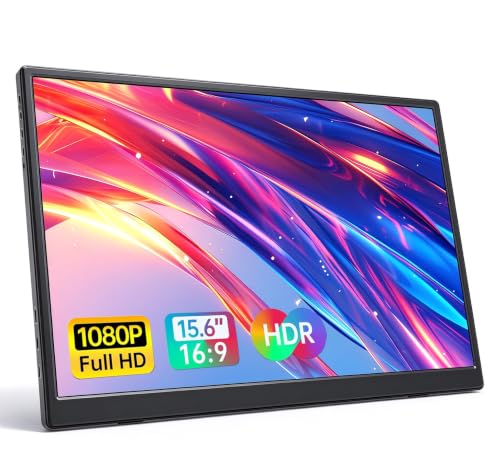
Anyuse Portable Monitor 15.6″ — Honest Work Spec
Anyuse writes the most workmanlike title in this guide, and there is real virtue in it. Full viewing angle IPS, 1080p, 60Hz, ultra-slim, second external monitor: every phrase describes the daily experience of an office screen, and none of them promises a thrill the product must then apologise for.
Full viewing angle deserves translation, because it is the IPS promise in plain words. A second screen is rarely viewed perfectly square-on; it sits angled beside the laptop, glanced at from the side, shared with a colleague leaning in. A panel that holds its colours and contrast at those angles is doing the second screen’s core job properly.
Sixty hertz and full HD define the honest boundary. Documents, mail, dashboards, browsing and video all live comfortably inside it, and the host list — PC, Mac, phone and the major consoles — says the screen expects to be useful everywhere rather than supreme somewhere. As a shared household or small-office spare, that temperament is exactly right.
Anyuse’s workmanlike screen is the spare that every household office eventually wishes it owned — the panel that appears when a laptop screen fails, when a guest needs a desk, when a child’s project outgrows a tablet. Its plain specification is the point: it will be borrowed for a decade of unrelated tasks and be adequate for all of them.
- Panel: 15.6-inch IPS, full viewing angle, per title
- Resolution: 1080p FHD, per title
- Refresh: 60Hz, per title
- Design: ultra-slim, per title
- Connections: USB-C and HDMI, per title
Strengths
- Viewing-angle honesty suits angled desk use
- Ultra-slim body travels without fuss
- Broad host list for shared duty
Trade-offs
- 60Hz caps any gaming ambitions
- No stand, case or speaker is named
- No VESA mount is claimed in the title
Best for: households and small offices needing one dependable spare screen.
No stand, case or speaker is named in its title, so a complete-in-the-box bundle is not what this panel sells.

VILVA Portable Monitor 15.6″ — Cover And Speakers
VILVA compresses its whole pitch into one efficient phrase — cover plus speakers — and that pairing is the first-second-screen bundle in miniature. The cover protects the panel and props it; the speakers give dragged windows a voice; the FHD IPS panel and the standard port pair handle everything else without discussion.
The host list runs from PC and Mac through phone to Xbox, Switch and PS4, which positions the screen as a household utility rather than a professional instrument. It will spend weekdays extending a laptop and weekends extending a console, and a product that expects that double life should be judged on how gracefully it switches, which the universal connections support.
Nothing in the title reaches for a record, and the pick is stronger for admitting it. Buyers graduating from one screen to two do not need a flagship; they need a panel that arrives complete, connects to everything they own, and teaches them the two-screen habit. The VILVA is built to be that teacher.
VILVA’s bundled screen is the starter home of second monitors: everything included, nothing to research, a habit formed within a week. Many owners will later upgrade to stands and mounts, but they will upgrade as educated buyers because this unpretentious teacher showed them which features their own days actually demand.
- Panel: 15.6-inch FHD IPS, per title
- Connections: USB-C and HDMI, per title
- Audio: speakers included, per title
- Carry: cover included, per title
- Hosts: PC, Mac, phone, Xbox, Switch, PS4, per title
Strengths
- Cover and speakers both in the box
- Universal USB-C and HDMI pairing
- Host list spans work and consoles
Trade-offs
- No stand mechanism beyond the cover
- No VESA mount is claimed in the title
- No refresh or gamut figures are stated
Best for: first-time second-screen buyers taking the complete bundle at once.
Not suited for: mounted-desk builders who need VESA from day one.

Portable Monitor 17.3″ (generic) — Large And Slim
This pick arrives without a brand name in its title, and the guide keeps that honesty visible rather than inventing one. What the title does offer is a clear physical proposition: 17.3 inches of widescreen, an ultra-slim body, a kickstand, and the standard USB-C and HDMI pairing, aimed at laptop, PC and phone owners who want size first.
A kickstand on a panel this large is a meaningful inclusion. Big portable screens wobble on folding covers; a built-in stand gives the 17.3-inch span a firm footing on desks and kitchen counters, where a screen this size will mostly live despite its portable label.
Unbranded purchases shift the diligence onto the buyer. Read the listing’s full specification rather than the title alone, confirm the resolution the title leaves unstated, and weigh the seller’s returns terms as part of the product. In exchange for that homework, large-screen value is the reward — this is the size-first route into a genuinely roomy second display.
The unbranded 17.3-inch pick is the handyman’s option: maximum glass, minimal ceremony, diligence left to the buyer. In a workshop, a studio or a trading desk where size is utility and brands are overhead, it will earn its place quickly — provided its owner did the listing homework its title politely declines to do.
- Panel: 17.3-inch widescreen, per title
- Stand: kickstand, per title
- Design: ultra-slim, per title
- Connections: USB-C and HDMI, per title
- Role: external second screen for laptop, PC, phone, per title
Strengths
- 17.3-inch canvas at an unbranded value position
- Kickstand gives the big panel firm footing
- Ultra-slim body despite the large span
Trade-offs
- Resolution is not stated in the title
- No brand accountability behind the listing
- No speakers or cover are claimed
Best for: size-first buyers willing to verify the full listing specification themselves.
Behind this listing stands no named brand, so warranty support rests on the seller’s returns terms alone.
Comparison: The Six Picks Side by Side
| Pick | Badge | Defining fact from its title |
|---|---|---|
| InnoView Portable Monitor 15.6″ | Desk Borrower | Panel: 15.6-inch FHD 1080p, per title; Role: second external monitor, per title |
| ForHelp Portable Monitor 15.6″ | Zero Frame | Panel: 15.6-inch 1080p IPS, per title; Design: ultra-thin, zero frame, per title |
| VisionOwl Portable Monitor for Laptop | 18.5 Inch Anchor | Panel: 18.5-inch IPS, per title; Stand: built-in kickstand, per title |
| Anyuse Portable Monitor 15.6″ | Honest Work Spec | Panel: 15.6-inch IPS, full viewing angle, per title; Resolution: 1080p FHD, per title |
| VILVA Portable Monitor 15.6″ | Cover And Speakers | Panel: 15.6-inch FHD IPS, per title; Connections: USB-C and HDMI, per title |
| Portable Monitor 17.3″ (generic) | Large And Slim | Panel: 17.3-inch widescreen, per title; Stand: kickstand, per title |
Across the table, the six divide by furniture philosophy: borrowable, invisible, anchored, dependable, bundled and enormous. The panels could almost be swapped between them without comment, which is precisely the lesson — in the second-screen market you are buying a way of standing, and the picture comes free with it.
How should a second screen be arranged on a desk?
Angle it, do not square it. A second monitor placed flat beside the laptop forces your neck to commute; turned inward by twenty or thirty degrees, it meets your glance the way a book meets a reader. The two panels should form a shallow arc with you at its centre, close enough that windows cross the gap without a head journey.
Decide each screen’s job and keep the jobs stable. Reference material, chat and mail belong on the external panel; the document under your hands belongs on the laptop. Stability is the productivity secret — a second screen you must reorganise every morning is furniture, while one with fixed roles becomes memory.
Height-match where you can. If the laptop rides a stand, the portable panel should climb too, on its case, a riser or a small shelf, until the two top edges roughly align. Dragging a window across a cliff edge between mismatched heights is a tiny friction paid a hundred times a day.
When does portrait orientation beat landscape for a second screen?
Whenever the content is taller than it is wide, which is more often than habit admits. Documents, articles, chat columns, code files, ticket queues and social feeds all pour vertically, and a portrait panel shows half again as much of each without scrolling. The flip takes seconds on a kickstand or a rotating mount and pays back all day.
Portrait also rescues small desks. A vertical panel claims a narrow footprint, slipping into the gap between a laptop and a wall where a landscape screen would never fit. Several travellers in this guide’s audience work in exactly such gaps — galley kitchens, bunk desks, the ends of dining tables.
Keep landscape for the communal moments: video, shared spreadsheets, anything a second person must read. The mature second-screen habit is not portrait or landscape but fluency — choosing per task, the way you choose which window sits where.
What should you check before a portable external monitor travels?
The protection, first. A cover or case is named in several titles here because the panel face is glass-adjacent and bags are hostile; if your pick ships without one, the sleeve is part of the purchase, not an accessory to consider later. Check also that the stand you rely on at home is the stand that travels — a VESA arm stays behind, so the panel needs its own road furniture.
The cable kit, second. Pack the USB-C lead supplied for video, an HDMI lead for strange rooms, and the power answer your setup assumes. A second screen that cannot connect in the destination room is the purest dead weight in travel technology.
The weight, honestly, third. Add panel, cover, cables and any stand together and weigh the bundle against your walking distance. The 18.5 and 17.3-inch picks transform desks and punish shoulders; the 15.6-inch class exists because most travellers, most days, choose the lighter rectangle and never regret it.
Why is a second screen a tool for thinking, not just for seeing?
The second screen is a cognitive tool before it is a display. Working memory is small and precious; every window banished to the external panel is a fact the brain no longer has to hold, and the productivity literature of the multi-monitor era keeps rediscovering that offloading. This guide’s furniture obsession follows from it: a screen that is awkward to arrange will be arranged rarely, and its cognitive gift will go unclaimed.
There is also an economics of attention in the arrangement. The laptop screen, nearer and brighter in the mind, should hold the task; the external panel should hold the context. Buyers who reverse the two spend their days glancing at reference and returning to a blank page, and no panel specification can rescue a staging error of that kind.
Portable externals add one more variable the desktop era never faced: the arrangement must be rebuilt in every new room. That is why this guide grades setup speed and stand independence alongside picture, because a cognitive tool that takes ten minutes to deploy will be deployed only on days that feel important, and most days do not announce their importance in advance.
How should a second screen behave from morning to midnight?
The second-screen day starts with arrangement, and arrangement is destiny. The external panel takes its angle, the laptop takes its stand, and the windows migrate to their assigned territories like staff to desks. Owners who invest five minutes in this geography on Monday harvest it silently until Friday.
Calls reshape the arrangement at midday: the external screen becomes the room, holding faces at a size where expressions survive, while the laptop keeps the agenda and the notes. It is a small staging decision that changes how present a remote worker feels, and it costs nothing but the habit of dragging one window.
Document hours are the portrait argument’s finest scene. A report rotated upright on the external panel, the draft open on the laptop, and the scrolling simply stops for whole paragraphs at a time. Workers who try the flip for a week rarely return to reading everything sideways through a landscape world.
The shared afternoon — a colleague at your desk, a partner reviewing a budget, a child showing homework — is where viewing angles and speakers stop being specifications. The screen that can be turned, tilted and heard without ceremony becomes the household’s or the team’s natural meeting point.
Evenings demote the external monitor to entertainment duty, and it should accept the demotion gracefully: a film beside a chat window, a match beside the messages, the second rectangle serving leisure with the same obedience it served labour. Tools that cross that boundary daily are the ones that never gather dust.
The day closes with the external screen dark and the desk restored, and the owner’s verdict is written in a single fact: whether tomorrow’s setup will be rebuilt eagerly or endured. The picks in this guide were chosen to be rebuilt eagerly, because a second screen that is a pleasure to arrange is a second screen that gets used.
How do you maintain a second screen that lives on desks?
An external monitor’s stand is its skeleton, and skeletons want respect: adjust with two hands, never lean the laptop against the panel, and let folding covers fold along their creases rather than inventing new ones. Most ‘screen failures’ brought to sellers are furniture failures that reached the glass.
Dust is the desk screen’s weather. A weekly pass with a dry cloth keeps vents and surfaces honest, and a screen that lives on a desk rather than in a bag should also be lifted occasionally so the crumbs of working life can be evicted from beneath its stand.
Cable strain is the slow injury of semi-permanent setups. Leave a gentle loop behind the panel, never a taut line to the laptop, because a cable pulled straight for six months will eventually choose a meeting to fail in. Slack is the cheapest insurance in the entire setup.
If the screen travels between two desks, give it a travelling ritual: same sleeve, same pocket for the lead, same check at each arrival. Equipment that moves often does not wear out from motion but from improvisation, and a ritual is improvisation’s cure.
Which staging errors make two screens feel worse than one?
Second-screen buyers make staging mistakes: they purchase a rectangle and neglect the production it must perform in — the angles, heights, roles and rituals that decide whether two displays feel like one workspace or like an argument. The errors below are directorial, not technical.
- Judging a second screen by panel specification alone and ignoring the stand, which decides whether the desk works.
- Placing the external panel square and distant, then concluding that two screens feel awkward.
- Buying the largest panel for a walking commute and leaving it home within a month, defeated by its own span.
- Forgetting that a VESA arm stays at home, and travelling with a panel that has no stand of its own.
- Skipping the cover to save a little money, then paying for the panel twice after one bag accident.
The encouraging thread through those errors is that staging can be relearned in an afternoon. Rearrange the angle, assign the roles, raise the panel, pack the cover — and a screen that felt like a disappointment becomes the colleague you cannot work without, without a single new purchase being made.
How do the six picks divide by desk type?
The borrowed desk — meeting rooms, hot-desks, relatives’ tables — belongs to the InnoView and the VILVA, the bundled picks that arrive with protection and sound and ask the room for nothing but a surface. Their owners set up fastest and apologise least, which in borrowed spaces is the whole definition of good manners and good equipment alike.
The permanent desk belongs to the VisionOwl 18.5, mounted or standing as the station’s anchor, with the laptop reduced to a visiting computer. Buyers building one serious workspace that occasionally relocates should start here and let every other pick argue against its presence, because presence, once experienced daily, is hard to surrender.
The small desk belongs to the ForHelp and the Anyuse, the slim 15.6-inch citizens that leave room for notebooks, cups and elbows. Their virtue is footprint discipline: a second screen that costs the desk nothing it cannot spare, in flats and carrels where every centimetre already has a job.
The improvised desk — counters, shelves, workshop benches — belongs to whichever pick stands most independently, and that contest is between the VisionOwl’s kickstand and the big unbranded panel’s. Strange surfaces punish folding covers, so buyers whose desks are improvised should let the stand, and only the stand, cast the deciding vote.
What does a two-screen desk need besides the screen?
It needs a decision about the laptop’s own posture. A laptop flat on the desk beside a raised external panel creates a two-storey skyline that the neck must commute between; a laptop on a simple stand levels the two screens into one landscape. The external monitor purchase is therefore secretly a laptop-stand purchase for most buyers, and budgeting them together prevents the commonest ergonomic disappointment in this category.
It needs cable slack arranged like plumbing: gentle curves, no tension, nothing crossing the keyboard’s territory. A second screen’s cables cross the desk’s busiest border, and ten minutes spent routing them once — behind, beneath, alongside — is repaid every time a notebook slides or a cup relocates without incident.
It needs a window convention the whole household or team can predict: reference on the external, work on the laptop, calls on whichever faces the camera best. Conventions sound bureaucratic until the first time a partner borrows the desk and finds everything where the convention promised, at which point they reveal themselves as hospitality.
Which pairs of picks frame the real choices?
InnoView against ForHelp is completeness against tidiness: the speaker-and-case bundle against the zero-frame silhouette. Desks that host calls and media should take the InnoView’s voice; desks that host documents and photographs should take the ForHelp’s disappearing act. The panels will not settle it — the room’s daily sounds will.
VisionOwl against the unbranded 17.3 is the branded-giant against the anonymous one, and the argument is really about diligence. The VisionOwl states its furniture and mounts in the open; the generic pick asks its buyer to verify everything personally. Buyers who enjoy the homework save the difference; buyers who do not should pay for the printing.
Anyuse against VILVA is the spare against the starter: one bought to be borrowed for anything, the other bought to begin a habit with everything included. Households equipping a first second screen should take the VILVA’s bundle; households equipping a second second screen already know their habits and can take the Anyuse’s plain competence.
How does a second screen change collaboration at one desk?
It turns showing into placing. Instead of crowding behind a laptop or surrendering it entirely, the owner drags the relevant window onto the external panel and turns the panel — or the conversation — toward the guest. That small choreography preserves the owner’s seat, keyboard and dignity, and it happens a dozen times a week in real working homes.
It makes review sessions honest. A document read together at full size, without zooming gymnastics or shoulder-surfing, gets better comments and fewer misunderstandings; the external screen is, in this sense, a meeting room that fits on a desk and requires no booking, no projector and no apology for either.
It also teaches restraint. A second screen invites the owner to perform their entire desktop for every visitor, and the mature habit is curation: the shared window moves, the private windows stay home. The technology enables the performance; the owner’s judgement, as ever, decides whether it should happen.
Which accessories complete a portable external setup?
The laptop stand is the first accessory and the one most often forgotten, because the external screen’s height problem is usually the laptop’s lowness in disguise. A simple riser that levels the two panels transforms the arrangement from a compromise into a workstation, and it should be budgeted beside the screen rather than discovered after a month of neck arithmetic.
A VESA arm belongs to the home station only, and buying it is a commitment to one desk’s geography. Owners of the mountable picks should install it once, route its cables permanently, and let the portable panel’s travel life be served by its own stand or cover — the arm is the home port, not a travelling companion, and confusing the two roles strands screens at the worst moments.
A travelling sleeve sized to the panel with its cover fitted is the third essential for the picks that circulate. Measure with the cover on, because the protected object is the travelling object, and a sleeve bought to the bare panel’s dimensions will spend its life either unzipped or unpurchased. Small disciplines of this kind are the entire difference between a kit and a pile.
Everything beyond stand, arm and sleeve should justify itself against the desk’s actual population of objects. The second-screen desk is already a negotiated territory; accessories that do not serve height, mounting or protection are immigrants without papers, and the tidy owner deports them early.
How does the external screen behave across three signature rooms?
In the study it is the reference librarian: quiet, permanent, holding the bibliography, the inbox and the calendar in a steady arrangement that the laptop’s screen is free to forget. Study owners should mount or raise it once and then protect the arrangement fiercely, because a reference screen that moves is a reference that must be re-found daily.
In the kitchen it is the household’s second window: recipes at reading height, a call with family while hands are busy, the homework help that lets a parent cook and supervise simultaneously. Kitchen service rewards speakers, wide viewing angles and covers that wipe clean, and it is the room where the bundled, friendly picks quietly out-serve the specialists.
In the spare bedroom it is the guest office and the guest cinema in one flat object, appearing when a visitor needs to work and vanishing into a drawer when they leave. Homes that host often should value exactly this vanishing act, which no desktop monitor can perform at any price, and which justifies the portable external’s existence in a single gesture.
What should a buyer know about sharing and lending a second screen?
A lent screen needs a lent ritual: the cable coiled with it, the stand’s trick demonstrated once, the one-sentence instruction — it plugs into the side, it just works — spoken aloud. Screens that circulate with their rituals attached come back; screens lent as bare glass come back with stories, and the difference is thirty seconds of theatre at handover.
Households should agree the screen’s home: the shelf, hook or drawer where it lives when nobody is using it. Shared equipment without an address becomes lost equipment with a waiting period, and the address costs nothing but a decision. The picks with cases make the best citizens here, because the case is a visible, ownable object rather than a fragile surface.
Finally, lend generously but record mentally who has it. The second screen’s social life is its glory — homework, interviews, film nights, a neighbour’s presentation — and a small generosity ledger keeps the glory from becoming a grievance when two borrowers want the same Friday.
What should you do when two screens feel worse than one?
Interrogate the staging before the hardware. Mismatched heights, a panel squared instead of angled, windows assigned no stable homes — these produce the vague misery that owners misdiagnose as a bad purchase. Raise the lower screen, turn the external one toward your chair, give each window a permanent territory, and live with the arrangement for three full days before judging it.
Then interrogate the light. A second screen doubles the desk’s reflective surfaces, and a panel that mirrors a window will tire its owner in ways they attribute to size or resolution. Move the light, angle the panel, or choose the anti-glare habits this guide keeps recommending, and the same hardware becomes a different colleague.
Only after staging and light should the panel itself be suspected — and even then, the suspicion should be specific: too large for the desk, too dim for the room, a stand unsuited to the surface. Specific suspicions have remedies, often cheap ones; the vague conclusion that two screens ‘are not for me’ is usually a staging error that hardened into an identity.
Is a portable external monitor a good gift?
For anyone whose work visibly overflows one screen — the student, the bookkeeper, the family administrator — it is a gift that reorganises a life, and givers should choose the bundled, forgiving picks whose setup a non-enthusiast can complete alone. The VILVA and InnoView profiles exist for exactly this generosity: everything included, nothing to research, gratitude within the hour.
Attend the first arrangement if you can. Twenty minutes spent levelling the panels and assigning the windows will repay itself every day the recipient sits down, and it transforms the gift from an object into an installed improvement — the difference between giving someone a piano and giving them a tuned one.
Avoid the giant picks as surprises. The 18.5-inch panel is a commitment of desk and bag that its owner should choose personally, however magnificent it looks in a listing. Gifts in this category should err toward the size that fits every life, reserving the magnificent outliers for buyers choosing their own furniture.
How should a second screen be introduced to a sceptical household?
Begin with their problem, not your purchase: the partner’s video call squeezed into a laptop corner, the teenager’s homework scattered across eleven windows, the family budget reviewed at a size that starts arguments. Place the screen where it solves the loudest of those first, and let the household discover the tool as a relief rather than as an imposition.
Teach the one ritual that matters — where it lives, how it connects, which windows belong on it — and then leave it alone. Scepticism about shared technology is usually fear of being made to feel incompetent in one’s own kitchen, and a screen that a sceptic can operate unaided by the second evening has won the only vote that counts.
Let the film night happen early. A second screen that has carried one beloved movie together stops being office equipment in the household’s imagination and becomes furniture with a glow, and furniture is defended, dusted and given a permanent address, while equipment is merely tolerated until it is returned.
Expect the arrangement to migrate. The desk you planned will lose to the table the household actually uses, and the wise owner follows the migration instead of fighting it, because a second screen’s value is measured in the rooms where life happens, not in the room the listing photographed.
After a month, ask the sceptics what they would change, and change it visibly: the angle, the shelf, the window convention. Shared tools become shared property through exactly these small acts of responsiveness, and the screen that belongs to everyone gets cared for by everyone, which no warranty can match.
The end state to aim for is unremarkable: a screen that is simply there, at its address, doing its quiet work for whoever sits down. Unremarkable is the highest praise a household technology can earn, and the picks in this guide were chosen for their ability to earn it.
What is the verdict when the desk itself is the product?
A portable external monitor is really a way of carrying a desk inside a bag: the same arrangement, the same territories, the same working posture, unfolded in rooms that have never seen your office. Judged that way, the six picks are six portable desks of different sizes and tempers, and the buyer’s task is interior design performed in advance — choosing the desk their days deserve before the days arrive.
That framing explains every obsession in this guide. Stands are legs; covers are the desk’s folded form; VESA mounts are the option to bolt the travelling desk into a permanent one. Panels, by contrast, are merely the desktop’s surface, and surfaces — as any carpenter will confirm — are the part of a desk that matters least once the structure is sound and the height is right.
It also explains the category’s emotional economics. People defend these screens the way they defend a favourite chair, because the screen has held their working posture in a dozen rooms and asked almost nothing in return. A purchase that becomes posture becomes personal, and personal equipment is kept, cared for and carried for years.
Buy, therefore, as a designer of your own days: measure the surfaces, assign the roles, protect the panel, and let the rectangle itself be the last decision rather than the first. The desk you carry will repay the thought every time it unfolds, in every room, for as long as you keep unfolding it.
And when the sceptic at the next desk asks whether a second screen is worth it, the owner’s answer will not mention a single specification. It will be the gesture — the panel turned, the window placed, the work suddenly roomy — because that gesture, repeated daily, is the entire argument this guide has been making in words.
One more scene: the first day back after a holiday?
The second screen’s quietest triumph is the return to work: the arrangement rebuilt in two minutes, every window back in its territory, the holiday’s chaos nowhere in sight. Owners underestimate this homecoming when they buy, and overestimate almost everything else; a screen that restores a working day by gesture alone has justified its shelf space for another year.
Who Should Skip This Class Altogether?
A fixed desktop monitor serving your only desk, plus travel that never involves working, removes every reason this class exists. These screens belong to desks that change — rooms, cities, households — and one bought for a static life spends that life as an expensive way to avoid buying a proper desktop panel.
What should a second-screen buyer confirm at the very end?
- Choose the stand for your most common surface and posture, and confirm it in the title before anything else.
- Decide the panel’s desk job — reference, calls, documents — and check that its size and orientation options suit that job.
- If the screen will mount at home, confirm VESA in the title; if it will travel, confirm it can stand without the arm.
- Add up panel, cover and cables as one travelling weight, and weigh it against your longest walk.
- Include speakers in the decision if windows you move to the second screen carry sound you actually need.
- For the unbranded pick, read the full listing specification and the seller’s returns terms as part of the product itself.
Final Recommendation
Pick the stand before the screen, give each display a stable job, and let the second panel become the quiet colleague that holds your reference world while your hands work — that arrangement, more than any specification, is what this category is really selling.
Buy the stand first and the panel second, arrange the desk like a stage, and the second screen will change how your work feels within a week.
Frequently Asked Questions
How is this guide different from the general portable monitors guide?
Angle, not inventory. The general guide judges portable monitors as a class; this one judges them purely as second screens — stands, height, portrait use, VESA mounting and travel weight. Some strong picks appear in both, evaluated here on desk behaviour rather than on headline specification.
Can a portable external monitor replace a desktop monitor?
For many desks, yes, especially the VESA-mountable picks like the VisionOwl 18.5-inch, which can live on an arm all week and travel when needed. A dedicated desktop panel still wins on size and permanence, but the portable external earns its keep by refusing to be only one thing.
Do I need speakers in a second screen?
Only if windows you drag there make noise — calls, tutorials, media. The InnoView, VisionOwl and VILVA picks include speakers for exactly that reason. If the second screen holds silent documents and chat, your laptop’s audio is enough and speakers are weight without a mission.
What size second screen matches a 15-inch laptop?
A 15.6-inch panel aligns most naturally, with heights close enough that windows cross comfortably. The larger 17.3 and 18.5-inch picks deliberately break the match in favour of presence; choose them when the second screen is the main event, not the companion.
Will these screens work in portrait for reading?
The panels themselves display whatever orientation the operating system sets; the question is the stand. Kickstands and VESA mounts make portrait practical, while folding covers vary. If reading and documents dominate your second-screen life, choose furniture that flips gracefully.
In which rooms does a second screen become part of the household?
In a university library carrel, desk space is rationed to the centimetre and silence is the local law. A slim portable screen doubles a student’s workspace without doubling their footprint, sources on one side and the essay on the other. Students weighing best portable external monitors should measure the carrel before the panel, because the best screen for a small desk is the largest one that still leaves room for the books.
In a photographer’s field tent, the portable screen is the review station: shots checked at a size that reveals focus, clients shown selects without crowding a camera’s rear display. The best portable external monitors picks with the strongest colour claims earn their keep here, and the lesson generalises — a screen bought for one demanding viewer will satisfy every casual one who borrows it afterwards.
From a rental car’s passenger seat, on the long drive between sites, the portable screen turns a colleague’s laptop into a two-display review session for the proposal due that evening. It is an unglamorous, decisive scene for best portable external monitors: the screen that sets up on a seat, holds its angle over bumps and asks nothing of the car’s systems is the one that gets carried on the next trip too.
During a farmhouse office week — thick walls, one good table, weather for a screensaver — the portable screen holds the reference world while the laptop faces the room, and the working day acquires a rural calm that no specification promised. The best portable external monitors traveller who works from borrowed houses knows this scene well: the screen is the office, the farmhouse is merely its kindest-ever landlord.
Related Guides
For the wider second-screen and naming questions, this series continues: start with the USB 3 portable laptop monitors naming guide, continue to our guide to affordable 4K projectors, and finish with our guide to affordable laser projectors.



[…] one-cable story continues in the neighbouring guides of this series: start with portable external monitors for second-screen desks, continue to the USB 3 portable laptop monitors naming guide, and finish with our guide to […]