What's inside
- Key Takeaways
- Quick Picks
- How We Chose These Picks
- Side-by-Side Comparison
- Can Your PC Actually Feed 240Hz?
- OLED or IPS at 240Hz: Which Panel Philosophy Fits You?
- How Do You Configure a 240Hz Monitor Correctly?
- What About Consoles at 240Hz?
- What Should You Check During the First Week With a 240Hz Panel?
- Which Games Benefit Most From 240Hz?
- How Long Does a 240Hz Monitor Stay Relevant?
- Should a 240Hz Monitor Be Your Only Screen?
- Common Mistakes
- Final Recommendation
- Frequently Asked Questions
- Related Guides
As an Amazon Associate I earn from qualifying purchases. This post may contain affiliate links at no extra cost to you.
widgetverdict.com is reader-supported. When you buy through links on our site, we may earn an affiliate commission.
The best gaming monitors 240hz share one number and almost nothing else. This guide gathers six screens that all redraw 240 times per second, then spreads them across three resolutions, two panel technologies and sizes from 27 inches to a 49-inch curved giant — because 240Hz is a beginning of a conversation, not the end of one. A 240Hz Full HD panel feeds an esports rig easily and shows motion with total clarity; a 240Hz QHD OLED demands a flagship card and repays it with contrast; a 240Hz 4K OLED sits at the summit of both appetite and image. Choosing among them is choosing what your hardware, your games and your eyes actually value.
Every pick below is linked, so open the listing, confirm the exact model code, and check the price before ordering. That confirmation step matters doubly in this category, because manufacturers sell near-identical monitors at 144Hz, 165Hz and 240Hz under names differing by two letters. The reviews use only specifications printed in each listing title — refresh, response, resolution, sync tier, HDR certification, ports, stand — and where a title omits a figure, the review says so rather than borrowing one.
One truth before the table: a 240Hz monitor displays the frames it is given. If your system renders a game at 110 frames per second, this entire category performs like a very nice 110Hz experience, and the honest purchase might be a cheaper panel plus a better graphics card. The sections after the picks include a frank hardware audit for exactly that reason. Readers whose rigs already live above 200 frames in their main titles, however, will find that these six screens convert that power into something visible — smoother tracking, finer motion steps, and a crosshair that feels connected to the hand.
Panel technology splits the six into two philosophies. Four picks use IPS LCD, the mature route: no burn-in considerations, strong brightness behaviour, and response claims of 1ms. Two picks — plus the 49-inch Samsung — use OLED or QD-OLED, claiming 0.03ms response and per-pixel contrast that LCD cannot imitate, at the cost of the care habits OLED ownership involves. Neither philosophy wins outright; the guide maps each pick to the player it serves, from the ranked-grind desk to the cinematic racing cockpit, and it returns to the choice in a dedicated section because the decision outlives any single specification.
Key Takeaways
- All six picks refresh at 240Hz; resolution is the real fork — Full HD for easy feeding by ordinary cards, QHD for balance between sharpness and speed, 4K and DQHD for flagship rigs.
- The LG 27GX704A-B brings OLED to 27-inch QHD at 240Hz with a 0.03ms response claim, a glossy finish for controlled light, and DisplayHDR TrueBlack400 certification for dark scenes.
- Two LG Full HD models make 240Hz reachable for mid-range cards without exotic settings compromises; the newer 27G440A-B adds HDMI 2.1 and a full-motion stand to that proven formula.
- Samsung’s 49-inch Odyssey G93SC is the immersion outlier: QD-OLED, DQHD, 240Hz with a 0.03ms response claim, and a desk footprint in a class entirely of its own.
- Every pick carries premium-tier adaptive sync from at least one camp; the OLEDs and the 27GR83Q-B cover both NVIDIA and AMD ecosystems, so a future graphics-card brand swap does not strand the monitor or its owner.
- Stand quality varies quietly: three picks list tilt, height, swivel and pivot, while the big Samsung lists only an adjustable stand and two LG models omit swivel from their printed specification.
Quick Picks
| Pick | Badge | Why it earns a place |
|---|---|---|
| LG 27GR83Q-B UltraGear | QHD IPS benchmark | 240Hz at 2560×1440 on IPS, DisplayHDR 400, HDMI 2.1, a spatial-audio headphone output and premium sync from both camps. |
| LG 27GX704A-B UltraGear OLED | OLED speed at 27 inches | Glossy OLED QHD at 240Hz and 0.03ms, TrueBlack400, premium sync from both camps, with a full four-way stand included. |
| LG 27G440A-B UltraGear | Full HD, full stand | 1080p 240Hz IPS with HDMI 2.1 and tilt, height, swivel and pivot adjustment for correct, sustainable posture. |
| LG 27GP750-B UltraGear | The established FHD route | 240Hz FHD IPS with thin bezels, dual sync support and a tilt, height and pivot stand for multi-panel desks. |
| Samsung Odyssey G93SC 49 | Super-wide OLED immersion | QD-OLED DQHD at 240Hz and 0.03ms, curved, for cockpit-style play that reorganises the whole room around it. |
| LG 32GX870A-B UltraGear OLED | 4K OLED summit | 32-inch 4K OLED at 240Hz and 0.03ms with TrueBlack400, HDMI 2.1 and a full four-way stand as standard. |
How We Chose These Picks
Verification came first: each monitor’s listing title was read as the contract, and the reviews quote only what those titles state. That is why the Samsung’s stand is described as “adjustable” without invented axes, and why HDR claims appear exactly where a certification is printed — DisplayHDR 400 on one LG, TrueBlack400 on the OLEDs, and no HDR language at all attached to the Full HD pair, whose listings do not raise the subject.
Resolution coverage was the structural decision. A 240Hz guide that listed only QHD panels would abandon the largest group of competitive players, whose games and cards live at Full HD; a guide of only Full HD panels would ignore the players whose flagship rigs can drive far more. The six therefore form a ladder: two FHD, two QHD, one 4K, one DQHD super-wide, each rung honest about the hardware it expects.
Sync support was checked per pick rather than assumed for the category. The premium tiers matter because low-framerate compensation keeps motion composed when a demanding scene drags delivery below the ideal, and dual-camp support — printed on the 27GR83Q-B and both 27-inch and 32-inch OLEDs in various forms — means a future GPU brand swap does not orphan the monitor. In a component likely to outlive two graphics cards, that insurance has real value.
Ergonomics were scored from the listings, not from habit. Four-way stands appear on the 27GX704A-B, the 27G440A-B and the 32GX870A-B; the 27GR83Q-B and 27GP750-B omit swivel from their printed lists; the Samsung promises adjustability in general terms. Those differences are recorded inside each review because a 240Hz panel mounted at the wrong height wastes its speed on a player whose posture fights the desk.
Finally, the guide resisted filling its six slots with one brand’s ladder alone. LG’s depth at 240Hz is genuine — four of the six picks wear its badge because LG publishes complete 240Hz specifications across every resolution tier — but Samsung’s QD-OLED super-wide represents a genuinely different answer to the same refresh rate, and excluding it would have made the guide narrower than the market it describes.

LG 27GR83Q-B UltraGear — QHD IPS benchmark
Ask a room of competitive players to name the specification they would standardise, and most land here: 27 inches, 2560×1440, IPS, 240Hz, 1ms. The 27GR83Q-B is that consensus built by LG, and its completeness is the story. DisplayHDR 400 gives HDR a certified floor; G-Sync and AMD FreeSync Premium cover both graphics ecosystems; HDMI 2.1 joins DisplayPort so current consoles can drive it properly; a 4-pole headphone output with DTS Headphone:X support feeds positional audio from the screen itself. Nothing on the list is a garnish — each item answers a question a serious player actually asks.
The QHD resolution is doing quiet strategic work. At 240 frames per second, 1440p asks a graphics card for roughly 884 million pixels per second of output — a flagship workload, but a reachable one in esports titles with tuned settings, and a far kinder one than 4K at the same rate. Players get the sharpness that makes distant targets legible and the text clarity that keeps the same screen civilised for work, without the pixel tax that turns 240Hz into a brochure figure.
Stand adjustment covers tilt, height and pivot; swivel is the absentee, a small gap most players solve by rotating the whole monitor on its base. The absence of OLED contrast is the larger concession, knowingly made: this panel will display a static desktop, a stream overlay or a strategy interface for years without any burn-in conversation, and its IPS behaviour in bright rooms is thoroughly understood. It is the professional’s pick in the literal sense — the screen chosen when reliability across every scenario outranks spectacle in the best one.
Longevity argues for it too. Because its demands sit one tier below the OLED flagships, the 27GR83Q-B stays matched to high-end-but-not-flagship cards across several upgrade cycles, and its dual sync support survives a brand defection in either direction. Buyers who replace GPUs more often than monitors should read that as the headline: this is the 240Hz panel least likely to be stranded by a future rig.
The headphone output deserves more than its bullet. A 4-pole jack carrying DTS Headphone:X processing means a wired headset plugs into the monitor — within arm’s reach — and receives spatial processing without extra software licences, while the PC case sits under the desk or across the room. For players who swap between speakers and headset across an evening, that convenience compounds daily, and it is the kind of detail spec-sheet comparisons flatten into invisibility. It will not decide a purchase alone, but between two otherwise equal finalists, it is exactly the sort of lived difference that survives after the refresh-rate excitement settles.
- Size and resolution: 27-inch QHD, 2560×1440
- Panel: IPS
- Refresh and response: 240Hz, 1ms
- HDR: DisplayHDR 400
- Sync: G-Sync, AMD FreeSync Premium
- Inputs: HDMI 2.1, DisplayPort
- Audio: 4-pole headphone out, DTS Headphone:X (GP:X)
- Stand: tilt, height, pivot
Strengths
- The complete competitive specification with no category left unaddressed.
- HDMI 2.1 makes it a genuine console-and-PC shared screen.
- QHD at 240Hz is demanding yet achievable for strong current cards.
Trade-offs
- IPS contrast cannot approach the OLED picks in dark scenes.
- Swivel is missing from the stand’s printed adjustment list.
- No USB-C input for laptop-driven desks.
Best for: competitive players set on the standard-setting QHD 240Hz specification and a screen that also handles consoles and work.
Not suited for: players chasing OLED blacks, or desks organised around a USB-C laptop dock.

LG 27GX704A-B UltraGear OLED — OLED speed at 27 inches
The 27GX704A-B takes the benchmark above and swaps its heart. In place of IPS sits a glossy OLED panel at the same 2560×1440 and the same 240Hz, but with a 0.03ms response claim — a figure roughly thirty times faster than the 1ms class claims around it — and DisplayHDR TrueBlack400 certifying what OLED does natively: true black, pixel by pixel. AMD FreeSync Premium Pro and NVIDIA G-SYNC both appear, so the premium sync tier of either camp drives it, and HDMI 2.1 plus DisplayPort feed it.
Glossy is a deliberate word in its title. A glossy OLED surface deepens perceived contrast and colour saturation in controlled light, at the cost of reflecting the room back at you in bright ones. For the evening gaming station — dim room, centred chair — it is the right finish, and the picture it produces in dark game scenes is the most arresting in this guide at this size. Night maps stop being grey; they become black with light inside them, and motion across that black carries the 0.03ms clarity that makes fast pans readable instead of smeared.
The stand, notably, is the fullest among the 27-inch picks: tilt, height, swivel and pivot all listed, so the flagship panel does not ask you to buy an arm to sit correctly. Ownership considerations are the familiar OLED ones — varied content is the panel’s friend, and a decade of identical static desktops is not the life it was built for — plus the glossy finish’s demand for a room whose lighting you control. Within those terms, it is the connoisseur’s 27-inch answer.
Its rivalry with the 27GR83Q-B is the cleanest decision in this guide, because the two share size, resolution and rate. Choose the IPS model for indifference — to lighting, to static content, to which years the screen spends doing what. Choose this OLED for intensity — for the sessions where the picture itself is the point of the evening. Neither choice is a mistake; they are temperaments with model numbers.
There is a calibration-of-expectations point about brightness behaviour that OLED shoppers should absorb early. Per-pixel emissive panels manage their output differently from backlit LCDs, particularly across full-screen bright scenes, and players migrating from a bright IPS may initially read the OLED as moodier. In exchange, its dark scenes gain the depth this review keeps returning to. Most owners recalibrate within a week and thereafter find LCD blacks grey by comparison — but the first-week check matters, and this guide’s later section on early ownership tests applies to this panel most of all.
- Size and resolution: 27-inch QHD, 2560×1440
- Panel: glossy OLED
- Refresh and response: 240Hz, 0.03ms
- HDR: DisplayHDR TrueBlack400
- Sync: AMD FreeSync Premium Pro, NVIDIA G-SYNC
- Inputs: HDMI 2.1, DisplayPort
- Stand: tilt, height, swivel, pivot
Strengths
- 0.03ms response and true blacks produce the clearest fast motion here.
- Full four-way stand matches the flagship panel’s ambition.
- Premium sync from both GPU camps, at their top tiers.
Trade-offs
- Glossy finish reflects bright rooms back at the player.
- OLED ownership rewards varied content over static desktops.
- It asks flagship money’s worth of discipline from its environment.
Best for: evening gaming stations in controlled light, where dark-scene contrast and motion clarity are the entire point.
Not suited for: bright multi-purpose rooms, or screens that will display one static interface for years.
LG 27G440A-B UltraGear — Full HD, full stand
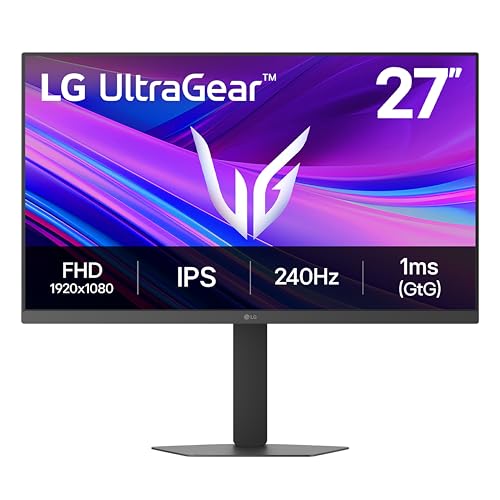
Full HD is not a compromise at 240Hz; it is a strategy. At 1920×1080, a strong mid-range graphics card can genuinely deliver 240 frames per second in competitive titles, which means the 27G440A-B’s headline rate is one its buyers will actually see — something the 4K flagship below cannot promise most rigs. Its IPS panel keeps viewing angles honest, the 1ms response claim matches the category, and G-SYNC Compatible plus FreeSync Premium keep delivery composed when a busy scene drags the rate around.
Two details lift it above the budget-240Hz stereotype. HDMI 2.1 appears on an FHD panel, giving current consoles a full-bandwidth path and future-proofing the input shelf. And the stand adjusts through tilt, height, swivel and pivot — the complete ergonomic set, shared with the OLED flagship and absent from several pricier picks. Players are tall, short, slouching and upright by turns; a full-motion stand is how a monitor respects that, and finding one at this rung of the ladder is genuinely uncommon.
The concessions are the honest ones for 1080p at 27 inches. Pixel density is the lowest in this guide, so text carries softer edges and desktop workspace is the smallest here — this is a gaming instrument first, and workers who read all day should climb to QHD. Its listing also makes no HDR claim, so HDR content plays without the certification-backed tone the QHD picks offer. Buy it as a speed tool and it is superb; buy it as an all-purpose screen and its resolution will eventually argue back.
For the player whose season is ranked ladders in two or three titles, though, the argument ends early. Those games are built to run fast at 1080p, the panel shows every frame the card produces, and the money not spent on resolution can fund the GPU that produces more frames — the virtuous circle of FHD 240Hz. It is the most self-aware pick in the guide.
Team-house and shared-PC players should note how forgiving this specification is of mixed hardware. Because 1080p at high frame rates is achievable across a wide band of cards, the G440A performs equitably on the household’s second rig as well as its first — the monitor stops being the bottleneck in either seat. Tournament players who practise on varied machines value that consistency: the screen’s behaviour travels with them even when the PC underneath changes, and muscle memory built at home survives the venue.
- Size and resolution: 27-inch Full HD, 1920×1080
- Panel: IPS
- Refresh and response: 240Hz, 1ms
- Sync: G-SYNC Compatible, FreeSync Premium
- Inputs: HDMI 2.1, DisplayPort
- Stand: tilt, height, swivel, pivot
- Finish: black
- HDR: not stated in listing title
Strengths
- 240Hz that mid-range and strong cards can genuinely feed at 1080p.
- Full four-way stand, rare at this tier of the ladder.
- HDMI 2.1 keeps consoles and future sources fully connected.
Trade-offs
- Lowest pixel density in the guide; text and workspace suffer.
- No HDR certification is claimed in its listing.
- Serious desktop work will eventually push you toward QHD.
Best for: ranked-focused players whose titles and cards live at 1080p, with a 240Hz panel their hardware can fully feed.
Not suited for: all-day document work, or players whose library is cinematic rather than competitive.
LG 27GP750-B UltraGear — The established FHD route
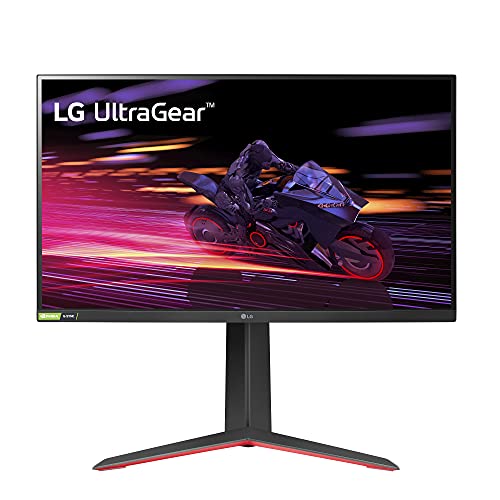
The 27GP750-B is the veteran of the Full HD pair: an IPS 240Hz panel with a 1ms response claim, NVIDIA G-SYNC Compatible and AMD FreeSync Premium support, and a thin-bezel design that keeps the frame visually quiet. Where the 27G440A-B is the newer formula, this model is the established one — the specification that proved 240Hz at 1080p was a mainstream idea rather than a niche experiment, still coherent in every particular that matters to a competitive desk.
Its stand adjusts for tilt, height and pivot, covering the ergonomic essentials while omitting the swivel its newer sibling includes. Thin bezels earn their mention for multi-monitor players: two or three of these panels tile into a wide command layout with minimal frame interruption, a setup racing and flight players on a budget genuinely use. A single panel, of course, remains the normal case, and there the bezel simply disappears from attention the way good frames should.
Comparing the two FHD LGs directly is the buyer’s real task. The 27G440A-B publishes HDMI 2.1 and the fourth stand axis; this model’s listing names neither an HDMI version nor swivel, and its HDR position is likewise unstated. What it offers instead is the settled, widely-owned formula — a panel whose behaviour across years of desks is a known quantity. Readers who value the newest input standard should climb to the G440A; readers who value the proven model will find nothing here that time has embarrassed.
Like its sibling, it thrives on honesty about purpose. Feed it competitive titles from a capable card and it returns the full 240Hz experience at the lowest hardware cost in this guide. Ask it to be a cinema or a reading screen and the 1080p density at 27 inches becomes the conversation. The pick knows its job, and its review asks only that the buyer know it too.
Support and familiarity form this model’s quiet second argument. A long-selling UltraGear accumulates owner knowledge — menu quirks documented, settings threads written, replacement cables identified — and that commons of experience shortens every troubleshooting evening across the panel’s life. Newer models eventually build the same commons, but buyers who prize being able to find an answer at midnight, written by someone with the identical screen, are buying something real when they choose the established name.
- Size and resolution: 27-inch FHD, 1920×1080
- Panel: IPS
- Refresh and response: 240Hz, 1ms
- Sync: NVIDIA G-SYNC Compatible, AMD FreeSync Premium
- Design: thin bezel
- Stand: tilt, height, pivot
- HDMI version: not stated in listing title
- HDR: not stated in listing title
Strengths
- Proven 240Hz FHD formula with both sync ecosystems supported.
- Thin bezels suit multi-panel layouts and clean single desks.
- Height and pivot adjustment cover the posture essentials.
Trade-offs
- No swivel in the printed stand specification.
- HDMI version goes unstated, unlike its newer sibling’s 2.1.
- 1080p density at 27 inches limits desktop and reading comfort.
Best for: competitive players who prefer an established, widely-owned model and may tile two panels later.
Not suited for: console players who need a stated HDMI 2.1 input, or anyone whose desk day is mostly text.

Samsung Odyssey G93SC 49 — Super-wide OLED immersion
Every guide needs one pick that changes the subject, and here it is a 49-inch curved QD-OLED running DQHD at 240Hz with a 0.03ms response claim. The G93SC treats refresh rate as one ingredient in an immersion recipe whose main component is sheer width: a super-ultrawide canvas that wraps a cockpit, a racetrack or an open world around a centred player. G-Sync Compatible and FreeSync Premium Pro handle sync duties at the premium tier, and the stand is described by Samsung simply as adjustable.
QD-OLED’s character differs subtly from the LG OLEDs here: Samsung’s variant is known for vivid colour alongside its per-pixel blacks, and on a panel this wide the effect is environmental — the game stops being a window and becomes the room’s dominant light source. The 0.03ms response keeps that enormous image honest in motion; a slow panel at this size would smear across your whole peripheral field, and this one does not.
The commitments are proportional to the spectacle. DQHD resolution loads a graphics card in the 4K class while asking it for 240 frames — a demand only flagship hardware in suitable titles meets, with sync smoothing everything below. The desk must be deep and strong, the seating centred, and the room’s other furniture negotiates around it. This is not a monitor you add to a setup; it is a setup you build around a monitor.
Practicalities of ownership scale with it: the box is furniture-sized, the unboxing is a two-person job, and wall or arm mounting requires hardware rated for its weight and leverage. None of this is hidden cost so much as the format’s physics, and cockpit builders plan around it the way they plan pedal placement. Readers whose enthusiasm survives those sentences are exactly the audience Samsung built it for.
Judged as that build’s centrepiece, it has no rival in this guide — the 34-inch ultrawides in our companion roundup are its smaller cousins, not its competitors.
Judged as a general recommendation, it is deliberately the opposite: a specialist instrument for simulation and immersion-first players who have already decided that width is their luxury of choice. The review’s job is to make sure that decision is informed, and on the evidence of its specification, the informed will not be disappointed.
Sound and secondary uses follow from the format rather than the listing: a panel this wide becomes the room’s screen for films that fill it and for split-screen workdays when the games close, and owners commonly report the cockpit purchase quietly becoming the household’s most impressive display for everything. That versatility softens the commitment’s edge — provided the desk and the GPU were bought with open eyes, as this review insists. It does not soften the moving day. Measure doorways as faithfully as desks.
- Size and resolution: 49-inch, DQHD
- Panel: QD-OLED, curved
- Refresh and response: 240Hz, 0.03ms
- Sync: G-Sync Compatible, FreeSync Premium Pro
- Stand: adjustable, per listing
- Model code: LS49CG932SNXZA
- Desk demand: deep, sturdy, centred seating
Strengths
- Immersion at a scale nothing else in this guide attempts.
- QD-OLED blacks and colour with 0.03ms motion integrity.
- Premium Pro sync tier keeps sub-240 frame rates composed.
Trade-offs
- GPU demand rivals 4K at 240Hz — flagship territory only.
- Stand adjustment is stated only in general terms.
- Its footprint reorganises the room around it.
Best for: simulation and immersion-first players building a dedicated wide cockpit with flagship hardware.
Not suited for: ordinary desks, mid-range cards, or anyone who shares the screen for work.
LG 32GX870A-B UltraGear OLED — 4K OLED summit
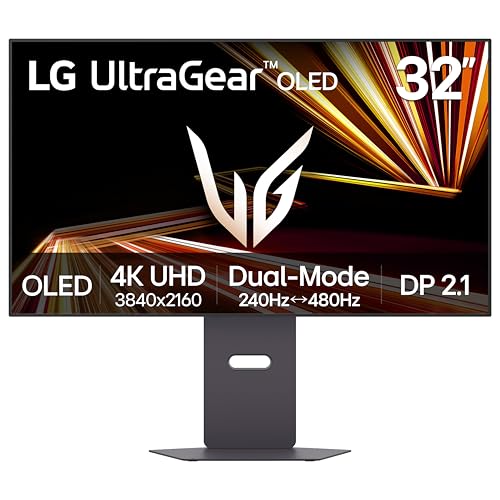
The 32GX870A-B is where this guide’s ladder ends: a 32-inch OLED at 3840×2160, refreshing at 240Hz with a 0.03ms response claim, DisplayHDR TrueBlack400, AMD FreeSync Premium Pro and NVIDIA G-SYNC, HDMI 2.1 and DisplayPort, and a stand adjusting through tilt, height, swivel and pivot. Each element is the top of its column. Together they describe the current ceiling of the gaming monitor as a product class — the screen a flagship rig is built to justify.
4K changes the texture of play in ways refresh alone cannot. Fine detail — distant signage, foliage, the weave of a racing suit — resolves instead of shimmering, and at 32 inches the density keeps text and interfaces crisp for the hours the same screen spends as a workstation. The OLED panel then hands that detail true blacks and instant transitions, so a 4K night scene holds both the finest detail and the deepest shadow in this guide simultaneously.
The bill arrives at the graphics card. 4K at 240 frames per second is roughly 2 billion pixels per second, a workload that only the strongest current hardware sustains in favourable titles and that sync must smooth everywhere else. Buyers should therefore read this pick as a two-part purchase: the monitor now, and the GPU tier that honours it, whether already owned or firmly planned. Bought that way, it is a half-decade screen — the component the rest of the rig upgrades toward.
Its stand completeness matters more at 32 inches than at 27, because a larger panel at the wrong height taxes the neck across a bigger visual field; LG’s inclusion of all four adjustments is the correct flagship behaviour. For the player whose desk is also a statement — the build photographed, the battlestation complete — this is the monitor that finishes the sentence.
Creators should glance at this panel too, even in a gaming guide. A 4K OLED that refreshes at 240Hz is also a formidable editing screen for high-frame-rate footage and a colour-rich canvas for design work between sessions, and its size gives timelines room that 27 inches cannot. The same OLED care habits apply, but the dual-use dividend is genuine: few single purchases serve a streaming desk’s play and production halves as completely as this one proposes to.
- Size and resolution: 32-inch 4K UHD, 3840×2160
- Panel: OLED
- Refresh and response: 240Hz, 0.03ms
- HDR: Display HDR TrueBlack400
- Sync: AMD FreeSync Premium Pro, NVIDIA G-SYNC
- Inputs: HDMI 2.1, DisplayPort
- Stand: tilt, height, swivel, pivot
Strengths
- 4K detail and OLED contrast at 240Hz is the category’s summit specification.
- Full four-way stand, correct for a panel of this size and price class.
- Dual premium sync keeps its demanding resolution composed below peak rates.
Trade-offs
- Only flagship graphics hardware feeds it as intended.
- OLED care habits apply to a screen many will also work on.
- Its talents are wasted on 1080p-era rigs and casual libraries.
Best for: flagship rigs and battlestation builds where the display is the crown component, planned to serve across GPU generations.
Not suited for: mid-range systems, or buyers who would rather spread the budget across the whole setup.
Side-by-Side Comparison
| Pick | Size / Resolution | Panel | Response | HDR | Stand |
|---|---|---|---|---|---|
| LG 27GR83Q-B | 27-inch QHD | IPS | 1ms | DisplayHDR 400 | Tilt, height, pivot |
| LG 27GX704A-B | 27-inch QHD | Glossy OLED | 0.03ms | TrueBlack400 | Tilt, height, swivel, pivot |
| LG 27G440A-B | 27-inch FHD | IPS | 1ms | Not stated in title | Tilt, height, swivel, pivot |
| LG 27GP750-B | 27-inch FHD | IPS | 1ms | Not stated in title | Tilt, height, pivot |
| Samsung Odyssey G93SC | 49-inch DQHD | QD-OLED curved | 0.03ms | Not stated in title | Adjustable |
| LG 32GX870A-B | 32-inch 4K UHD | OLED | 0.03ms | TrueBlack400 | Tilt, height, swivel, pivot |
Can Your PC Actually Feed 240Hz?
Do the audit honestly, in your own games, before spending. Load your main title, set the resolution you are shopping for, and watch a frame counter through a busy scene rather than a quiet menu. Sustained figures above 200 mean the QHD and FHD picks will show you their worth immediately. Figures between 120 and 180 argue for the FHD pair, where the same card renders far more frames, or for patience — a GPU upgrade first, a 240Hz panel second. Figures below 100 mean this entire category waits; a 240Hz screen behind them is a promise your hardware cannot yet keep.
Do not forget the CPU’s vote in this audit. At very high frame rates, especially at Full HD, the processor becomes the ceiling in many engines — a strong card paired with an ageing CPU can stall below 200 frames no matter what the settings say. If your audit shows the GPU underutilised while frames plateau, the honest upgrade order may be platform first, panel second, and the FHD picks will wait patiently at the end of that road with their value intact.
Remember the multipliers. Moving from FHD to QHD multiplies pixel work by about 1.8; QHD to 4K by 2.25; and the Samsung’s DQHD sits near 4K’s demand.
Refresh multiplies again on top. A card that is heroic at 1080p/240 can be merely adequate at 1440p/240 and outmatched at 2160p/240, which is why this guide’s ladder exists: every rung is the right answer for some real machine, and the wrong answer for the machine one rung down.
OLED or IPS at 240Hz: Which Panel Philosophy Fits You?
OLED’s case is sensory: true blacks, instant transitions, and motion that stays legible at speed. Its costs are behavioural — varied content, controlled light for the glossy 27-inch model, and acceptance that a static-interface decade is not its intended life. IPS answers with indifference: it tolerates bright rooms, static desktops and long workdays without asking anything, and its 1ms class claims, while slower on paper than 0.03ms, remain thoroughly competitive in human hands.
Decide by describing your screen’s week. If most hours are evening games in a dim room, OLED’s virtues are the ones you will actually perceive nightly. If the panel splits its life between a bright office day and gaming after dark, IPS’s indifference compounds quietly in your favour. The guide deliberately offers both philosophies at QHD — the 27GR83Q-B and the 27GX704A-B — because that is the resolution where the choice is genuinely contested.
Budget honesty belongs in this section too. The OLED premium buys picture qualities that are visible every session but irrelevant to competitive outcomes; no player’s rank changes because their blacks deepened. Spend it when the picture is the hobby’s reward, and decline it without regret when frames, peripherals or the card itself would use the money more consequentially. A 240Hz IPS with a better GPU behind it beats a starved OLED in every match and most evenings.
How Do You Configure a 240Hz Monitor Correctly?
Begin at the cable and the port: graphics card output, the lead supplied in the box, DisplayPort or HDMI 2.1 where the pick provides it. Then open the operating system’s display settings and set 240Hz explicitly — panels frequently default lower — and confirm the choice stuck by reopening the panel. In the GPU control panel, enable the adaptive sync your pick supports, and in each game, disable any frame-rate cap below 240 and match the in-game resolution to the panel’s native figure.
Colour and brightness deserve a pass as well, because gaming presets often ship with saturation pushed for showroom effect. Set the panel to its standard or sRGB-style mode for a week before judging its picture; eyes calibrated by a week of honest colour rarely return to the candy setting voluntarily. On the HDR-certified picks, enable HDR in the operating system only for HDR content sessions, since desktop-wide HDR can wash out ordinary windows on many panels — a per-session habit that takes seconds and preserves both experiences.
Response-time settings deserve one careful minute.
Most gaming panels offer overdrive levels; the middle setting usually delivers the claimed behaviour without the inverse ghosting the extreme setting can introduce. Test on a fast pan in your main title and keep the level that leaves edges clean rather than haloed. Finally, set the stand before the session, not during it: screen top near eye level, slight upward tilt, and the panel centred on your chair — 240Hz rewards a stable viewpoint because your eyes track motion across a fixed field.
What About Consoles at 240Hz?
Consoles reframe the category. Current machines target lower maximum frame rates than a flagship PC, so a 240Hz panel behind a console spends its life below its ceiling — yet the picks with HDMI 2.1 still serve console players well, because that input standard carries the consoles’ high-refresh modes at QHD without compromise, and the panels’ sync and response behaviour improves whatever rate arrives. The 27GR83Q-B is the natural console-and-PC shared screen here, with the headphone output as a living-room courtesy.
Sound is the console desk’s forgotten half, and this category mostly leaves it to you. Only the 27GR83Q-B’s listing addresses audio directly, through its headphone output; the other picks assume external speakers or a headset chain of your own. Console players setting up in a living space should budget that audio path alongside the panel, because a silent 240Hz picture is a strangely common first-evening surprise for monitor newcomers arriving from televisions.
The buying logic inverts for console-first desks: choose the panel for the PC you may build or the picture you prefer, not for a console frame rate the hardware does not pursue.
A console-only player gains more from size, contrast and sound than from the last hundred hertz, which is why the OLED picks — particularly the glossy 27-inch for a dim media room — can justify themselves to console owners on picture alone, with 240Hz held in reserve for a future PC.
What Should You Check During the First Week With a 240Hz Panel?
Verify the whole chain while returns are painless. Confirm the operating system reports 240Hz at the native resolution, run your main title with a frame counter visible, and watch a fast pan for the inverse-ghosting halos that betray an over-aggressive overdrive setting; dial the response control down a level if they appear. On the OLED picks, set the panel’s care features and a short screen-off timer now, before static habits form, and view a dark scene in your real room lighting to confirm the finish suits the space — glossy glass in particular votes early.
Ergonomics get their week-one audit too. Play your longest typical session and note where your neck and eyes stand at the end; small height and tilt corrections in week one prevent the slow posture creep that players misattribute to the chair. Finally, test the second input if you bought dual-source capability — a console through HDMI 2.1, a laptop through the spare port — because the day you need it is not the day to discover a cable standard mismatch.
Which Games Benefit Most From 240Hz?
Fast, continuous-motion titles cash the cheque first: tactical and arena shooters where targets strafe, racing games where the world streams past, and sports titles where a ball changes hands in a blink. In these genres the benefit is mechanical — finer motion steps mean earlier information, and earlier information converts to decisions. Players feel it as connection rather than spectacle: the crosshair stops trailing the intention, the car stops arriving at the apex as a surprise.
Slow and turn-based genres gain least, and honesty requires saying so inside a 240Hz guide. A grand-strategy map at 240Hz is a smoother map, not a better one, and cinematic adventures capped at lower frame rates by their engines will never consult the panel’s ceiling. Mixed libraries should therefore be judged by their fastest regular title: if a competitive game anchors your week, the category serves you; if your shelf is entirely deliberate and story-paced, a colour-led or resolution-led screen elsewhere in our monitor guides may serve the same money better.
There is a middle territory worth naming — fast single-player games. Character-action titles, racers against AI and high-speed platformers do not need 240Hz the way a ranked ladder does, but they wear it beautifully, and their engines often scale to high frame rates more willingly than open-world flagships. Players whose libraries live there should aim at the QHD pair, where the rate and the resolution flatter those games together.
How Long Does a 240Hz Monitor Stay Relevant?
Monitors age more slowly than the machines feeding them, and 240Hz panels age slowest of all in this market, because the refresh figure has headroom the industry is still growing into. A panel bought today for a card that feeds it at 180 will be fed at its full rate by the next card, and at QHD or FHD it remains a sensible flagship-adjacent screen across several upgrade cycles. The components that date a monitor are its inputs and its resolution fashion — both addressed in this guide by favouring HDMI 2.1 where printed and resolutions with durable game support.
Resale and hand-me-down value follows the same logic. A 240Hz QHD panel remains a desirable second screen or a younger sibling’s upgrade years after mid-tier panels become e-waste candidates, because its specifications stay legible to future buyers. Households that rotate hardware through several desks extract that value routinely; single-desk buyers should still count it, since a monitor that can be demoted gracefully to a second station rarely needs replacing outright.
The practical consequence is a buying order worth reversing.
Players often upgrade the GPU first and the screen last, then wonder why the new card feels undramatic. A 240Hz panel installed first makes every subsequent upgrade visible, because the display stops being the ceiling. If your budget forces sequencing, the screen-then-card order usually delivers more perceived improvement per step — provided the current card clears roughly 144 frames in your main titles, below which the FHD picks remain the honest bridge.
Should a 240Hz Monitor Be Your Only Screen?
For most gaming desks, yes, and the QHD picks make the strongest case: their density handles documents respectably, their stands support working posture, and their speed is a bonus that never asks the workday for anything. The exceptions live at the ladder’s ends. The FHD pair’s softness in text makes them second-screen material for anyone who reads for a living, and the Samsung’s width turns ordinary office software into a window-management hobby. Readers in those camps should either pick from the middle rungs or plan a modest companion panel for prose.
Dual-screen thinkers should also weigh the single-screen alternative honestly: one 32-inch 4K OLED can hold a game and a document in genuine comfort, where a 27-inch 240Hz plus an ageing side panel holds them in compromise. Neither arrangement is wrong, but the choice should be made by the week’s real window layout rather than by the assumption that more screens always means more productivity.
Common Mistakes
Shopping by refresh rate alone. Six monitors here share 240Hz and differ in almost everything else. Resolution, panel type and size decide whether that rate is reachable, visible and comfortable — choose the combination, not the number.
Leaving the operating system at a default rate. A 240Hz panel set to 60Hz or 144Hz in display settings is the most common own-goal in this category. Verify the active rate after setup and after any driver update, which can quietly reset it.
Feeding the panel from the motherboard. Integrated graphics outputs often cap refresh and bypass your discrete card entirely. The cable belongs in the graphics card’s DisplayPort or HDMI socket — a ten-second check that rescues the entire purchase.
Ignoring the room for a glossy OLED. The 27GX704A-B’s glossy finish is glorious in controlled light and reflective in a bright one. If your gaming room has a window behind your chair, the IPS benchmark or a repositioned desk is the honest answer.
Enabling the fastest overdrive and forgetting it. Maximum response settings can trade smearing for bright halos around moving edges. The middle setting is where most of these panels behave best; judge with a fast pan in your own game rather than trusting the menu’s superlatives.
Skipping the field-of-view and cap settings in games. Some titles ship with frame-rate caps or console-era defaults that quietly limit delivery below 240. Audit each game’s display menu once, or the panel’s speed stays theoretical in exactly the titles you bought it for.
Buying 4K 240Hz as a single-item upgrade. The 32GX870A-B assumes a flagship ecosystem. Purchased alone for a mid-range rig, it spends its life underfed; purchased as the crown of a planned build, it anchors years of upgrades.
Final Recommendation
Let your frame counter choose the rung. Full HD players with competitive libraries should take the 27G440A-B for its complete stand and HDMI 2.1, or the 27GP750-B for the proven formula. QHD players split by philosophy: the 27GR83Q-B for the benchmark IPS specification, the 27GX704A-B for OLED intensity in a controlled room. Flagship builders have two summits — the 32GX870A-B for 4K detail, the Samsung G93SC for super-wide immersion — and should choose by whether their games reward sharpness or width.
Confirm the model code, check price on Amazon, set the rate on day one, and the number on the box becomes the number on your desk — 240 honest redraws a second, each one earned by hardware that can feed it.
Forced to name one default for the broadest group of readers, we name the 27GR83Q-B: it is the specification the category converged on, complete in every column, and survivable by every ecosystem change a rig can undergo. The specialists around it are better for their specialists — that is what makes them specialists — but the benchmark is the benchmark for a reason.
Frequently Asked Questions
Is 240Hz visibly different from 144Hz?
Yes, in fast motion: tracking a moving target and panning across a scene both render in finer steps, and players returning to 144Hz notice the coarseness. The difference is smaller than the leap from 60Hz to 144Hz, and it only appears when your system actually delivers frames in that range. Sensitivity varies between players — some feel the step immediately, others need a side-by-side — but almost nobody who has competed at 240Hz volunteers to go back, which is its own kind of measurement.
Do I need HDMI 2.1 for 240Hz?
On PC, DisplayPort is the standard route and every pick here provides it as standard. Keep the cable that ships in the box for the primary connection — certified leads of the right standard remove an entire class of mysterious rate caps that bargain cables introduce — and treat any aftermarket cable with suspicion until the display settings confirm the full rate through it. HDMI 2.1 matters for current consoles and for desks that prefer HDMI cabling; it is printed on the 27GR83Q-B, the 27GX704A-B, the 27G440A-B and the 32GX870A-B, and unstated on the 27GP750-B’s listing.
Can a 240Hz monitor hurt my work use?
Only through resolution, not refresh: high refresh makes scrolling and window motion smoother at a desk, and many office workers find the reduced judder genuinely easier on the eyes across a long day of documents. The FHD pair’s lower pixel density is the real work compromise, while the QHD and 4K picks are entirely civilised office screens when the games close and the spreadsheets open.
What response time should I believe, 1ms or 0.03ms?
Treat both as class markers measured under vendor conditions. The OLEDs’ 0.03ms reflects genuinely faster pixel transitions than the IPS models’ 1ms class, and the difference is visible in fast pans — but neither figure is a laboratory constant you can carry across brands as exact truth. The practical test is your own: a fast, even pan in a familiar game should read as clean motion without smear or halo, and any of these six panels, correctly configured, passes it.
Is a curved 49-inch screen practical for competitive play?
For immersion-led competition — racing leagues, flight events, simulation championships — yes, and its 240Hz with 0.03ms response keeps the width honest at speed. For desk-based shooters, most players prefer the 27-inch picks, where the whole field sits inside a single glance and the seating geometry is simpler. The Samsung is a specialist even within this specialist category.
Will these monitors work with both NVIDIA and AMD cards?
Largely yes. Every pick lists FreeSync support in some tier, and the 27GR83Q-B, both OLED LGs and the Samsung also list G-Sync or G-SYNC support. Check the specific pairing in each review if your next GPU purchase may switch camps or generations.
Related Guides
When the same desk must serve colour-critical work, our shortlist of the best 32-inch 4K photo editing monitors shows the other end of the 4K trade — calibration and coverage ahead of refresh. Laptop-driven readers should instead consult the honestly-split guide to the best 27-inch monitors with Thunderbolt, where the connection itself is the subject. And for play that travels, the best portable monitors with HDMI trade this guide’s speed for a screen that folds into a laptop bag and still accepts a console feed. Read together, the three companions cover the questions this guide deliberately leaves open — colour, cabling and portability — each with the same listing-verified discipline applied to its own six picks and its own honest limits.
Related guides
- Best Gaming Keyboard: Six Boards From Rapid-Trigger Esports Picks to Macro Flagships
- Best Time Machine Compatible Hard Drives: Mac-Ready and Reformatted Picks
- Best 3.0 Qualcomm Quick Chargers: QC 3.0 Adapters That Still Earn Their Outlet
- Best 3D Mechanical Engineering Laptops: Certified Workstations for CAD and Simulation


