What's inside
- Key Takeaways
- Quick Picks
- How We Chose These Picks
- How Do the Six Cards Compare at the Same 64GB?
- Which Classes Matter for Phones, and Which for Cameras?
- Why Do Small Cards Get Lost, Corrupted, and Counterfeited More?
- What Mistakes Do 64GB Buyers Repeat Most Often?
- How Long Does 64GB Actually Last Inside Each Kind of Device?
- What Changes When a Card Moves Between Devices Every Week?
- When Is the Right Answer a Bigger Card Instead of a Faster One?
- How Should a Household Keep Track of a Drawer Full of Small Cards?
- What Should Be Checked on the Day a New 64GB Card Arrives?
- Why Does the Adapter Deserve More Respect Than It Gets?
- Final Recommendation
- Frequently Asked Questions
- Related Guides
As an Amazon Associate I earn from qualifying purchases. This post may contain affiliate links at no extra cost to you.
widgetverdict.com is reader-supported. When you buy through links on our site, we may earn an affiliate commission.
Sixty-four gigabytes has become the size that small devices actually live on. It is large enough for a phone’s overflow, a drone’s afternoon, an action camera’s day, and a handheld console’s library of modest games, yet small enough that cards at this capacity are bought casually, in pairs, and as gifts — which is exactly why the search for the best micro 64 gb sd cards deserves more rigour than it usually gets. The six cards below span the full character range of the size: a performance flagship from SanDisk, Samsung’s current EVO Plus, two Kingstons at opposite ends of the speed ladder, an endurance card for cameras that never rest, and an older Samsung generation whose presence in this guide is a lesson in reading listings carefully.
That last pick needs its explanation up front. Two cards in this guide are called Samsung EVO Plus 64GB. They are not the same product. The current card’s listing states transfer speeds up to 160MB/s and a cluster of modern classes; the older card’s listing states 80MB/s and belongs to an earlier generation of the same name. Retail listings for long-lived card families accumulate generations like sediment, and a buyer who orders by name alone may receive either era’s specification depending on which listing they landed on. This guide treats them as the two distinct products they are, compares them directly, and shows the model codes that separate them, because that single skill — distinguishing generations inside one product name — will save more buyers more money than any recommendation here.
Speed claims at this size follow the same grammar as everywhere else in the card market. Figures are published maximums, stated as “up to” in most of these listings, describing best-case transfers rather than guaranteed behaviour. The classes underneath — V30 where video matters, A1 or A2 where apps matter — certify the floors. A 64GB card also lives a different life from a camera’s big SD card: it is swapped between phone, reader, console, and camera, handled more, and lost more often. Durability of habit matters as much as durability of flash, and the guide’s later sections cover the handling routines that keep small cards alive.
The picks are ordered from performance downward, which at this capacity is also roughly the order of the questions buyers ask: the fastest card first, then the balanced mainstream, then value, then the specialist endurance option, and finally the older generation that anchors the budget end and teaches the guide’s central caution. By the end, the choice should feel less like a ranking and more like a matching exercise between a device, a workload, and a card whose listing you have actually read.
Key Takeaways
- Kingston’s Canvas Go! Plus states the highest read figure here, up to 200MB/s, with V30 and A2 classes for action cameras and phones alike.
- SanDisk’s Extreme 64GB publishes both maximums — up to 170MB/s read and up to 80MB/s write — with V30 and A2 for drones and action cameras.
- Samsung’s current EVO Plus states up to 160MB/s with U3, V10, and A3 classes as listed; note its video class is V10, not V30.
- The older EVO Plus generation states 80MB/s — half the current card’s figure — under the same product name, separated by model code.
- SanDisk’s High Endurance 64GB is the pick for dash cams and monitoring, trading headline speed for continuous-recording design.
- Kingston’s Canvas Select Plus, up to 100MB/s with A1, is the straightforward value card for phones, tablets, and consoles.
Quick Picks
| Pick | Badge | Why it is here |
|---|---|---|
| SanDisk Extreme microSD 64GB | Performance first | Up to 170MB/s read and 80MB/s write published, with V30 and A2 for action cameras and drones. |
| Samsung EVO Plus microSD 64GB | The current Samsung | Up to 160MB/s stated with U3 and A3 classes across phones, consoles, and cameras. |
| Kingston Canvas Select Plus 64GB | Everyday value | Up to 100MB/s with A1 and an adapter, the uncomplicated card for general expansion. |
| Kingston Canvas Go! Plus 64GB | Fastest stated read | Up to 200MB/s with V30 and A2, Kingston’s performance tier at this capacity. |
| SanDisk High Endurance microSD 64GB | The endurance pick | Built and labelled for dash cams and home monitoring, with the V30 class stack. |
| Samsung EVO Plus microSD 64GB (older generation) | The earlier EVO Plus | An 80MB/s card from the name’s previous generation, included to be recognised, not confused. |
How We Chose These Picks
Every pick had to be a genuine 64GB microSD card with a listing that states its speed evidence in some checkable form: a published transfer figure, a meaningful class stack, or both. Within that gate, the set was assembled to represent the distinct jobs this capacity performs — performance capture, mainstream phone and console expansion, budget expansion, action-camera speed, and continuous-recording endurance — because a guide that ranked six near-identical mainstream cards would fail the reader whose actual need is one of the specialist jobs. The two Samsung generations were included as a pair on purpose, with the older card clearly labelled, since the confusion between them is a live shopping hazard rather than a theoretical one.
Classes were transcribed exactly as listed, including the details that complicate tidy comparisons. Samsung’s current EVO Plus listing states V10 alongside U3, an unusual pairing that this guide reports without rounding up to the V30 a casual reader might assume. Kingston’s two cards state A1 and A2 respectively, a difference that matters to phone users and not at all to dash cams. SanDisk’s endurance card publishes no transfer figures in its title, and it is presented on its classes and purpose. The method throughout is the one this site applies to every card guide: the listing is the specification, and anything the listing does not say is treated as unknown rather than filled in from a sibling, a predecessor, or a rival.

SanDisk Extreme microSD 64GB — Performance first
SanDisk’s Extreme line is the performance branch of its microSD family, and the 64GB card’s listing reads like a specification for motion: up to 170MB/s read speeds and up to 80MB/s write speeds, UHS-I bus, V30 with 5K and 4K UHD designations, U3 and C10 classes, an A2 application rating, an included adapter, and an explicit brief for action cams, drones, and Android devices. Both transfer maximums are published, which immediately separates it from most of this guide. The write figure, read properly as a best case, still signals where the engineering effort went: this card is meant to be written to hard by devices that generate data quickly and outdoors, where a stalled recording is a lost moment rather than a retake.
The A2 rating deserves its sentence, because it is the class phone users feel without knowing its name. Application ratings certify random read and write performance, the small, scattered operations that decide whether apps and games stored on a card launch crisply or stutter. A2 is the higher of the two common tiers, and its presence alongside V30 makes this the most broadly certified card in the guide: sequential muscle for cameras, random-access competence for phones. A buyer with one card to move between a drone and a handset is precisely the buyer this combination serves, and 64GB is the size at which that itinerant life is most common.
Its limits are the honest ones of its tier. Sixty-four gigabytes fills quickly at 5K and 4K bitrates, so the action camera owner who records entire days will treat this as a per-session card and rotate several. The published maximums assume cooperative hardware, and in an ageing phone or a basic reader the card will behave more modestly. None of that dents its position here: at this capacity, for capture-first work, its listing makes the strongest complete case. Check the listing before ordering and check price on Amazon in the same visit, because the Extreme line’s street position against Kingston’s Go! Plus shifts often enough that yesterday’s comparison is stale.
- Format: microSDXC with adapter, UHS-I
- Capacity: 64GB
- Read speed: up to 170MB/s stated in listing
- Write speed: up to 80MB/s stated in listing
- Speed classes stated: V30, U3, C10, A2
- Stated purpose: action cams, drones, Android
Strengths
- Both transfer maximums published, with the fullest class stack in this guide.
- A2 rating covers phone and app duty alongside camera work.
- 5K and 4K designations match the action devices it is aimed at.
Trade-offs
- 64GB is a session-sized capacity at the bitrates its target devices record.
- Maximums need capable hosts; older phones will not reveal them.
- Performance pricing buys little for a card destined for a tablet’s media shelf.
Best for: action cameras, drones, and phones that share one hard-working card.
Not suited for: a set-and-forget expansion card in a tablet used for reading and video.

Samsung EVO Plus microSD 64GB — The current Samsung
This is the EVO Plus of the present generation, model code MB-MC64SA/AM, and its listing states up to 160MB/s transfers on the UHS-I bus with C10, U3, V10, and A3 classes as printed, sold with an SD adapter for upgrading storage in phones, tablets, gaming consoles, DSLR cameras, and PCs. Two details in that sentence reward attention. The first is A3, the newest application class to appear in this guide, signalling Samsung’s emphasis on the phone-and-console life this card will mostly lead. The second is V10: despite the U3 marking, the video class stated is V10, certifying a 10MB/s sustained floor rather than V30’s thirty. Buyers recording high-bitrate 4K should notice that and choose accordingly; buyers expanding a phone or a console will never encounter the distinction.
Positioned honestly, this is the mainstream card of the guide’s upper half: fast stated transfers for the offloads and app loads of daily device life, from a maker that manufactures its own flash, at the capacity that suits a phone’s photo overflow or a console’s second shelf of games. The breadth of devices named in the listing is not filler; EVO Plus cards genuinely do live itinerant lives across exactly that list, and the included adapter is the small accessory that makes the itinerary practical, letting the same card be read by laptops and cameras that expect the full-size format.
The comparison with its older namesake is handled in that card’s own section below, but one point belongs here: if you order an EVO Plus 64GB, the model code is the product. Confirm MB-MC64SA/AM on the listing and on arrival, and you have the card described in this section, with its up-to-160MB/s figure. If the code differs, you have a different generation, whatever the headline name says. That thirty-second check is the difference between buying this card and buying its ancestor at a modern expectation, and it is the single most useful habit this guide can teach a Samsung buyer.
- Format: microSDXC with SD adapter, UHS-I
- Capacity: 64GB
- Transfer speed: up to 160MB/s stated in listing
- Speed classes stated: C10, U3, V10, A3
- Model code stated: MB-MC64SA/AM
- Stated purpose: phones, tablets, gaming consoles, DSLR cameras, PCs
Strengths
- Strong stated transfer figure for daily phone, console, and offload work.
- A3 application class suits app and game storage on modern devices.
- Adapter included for the full-size slots in cameras and readers.
Trade-offs
- Video class as listed is V10, below the V30 that high-bitrate 4K modes specify.
- Shares its name with a slower older generation; model code must be checked.
- No separate write maximum is published in the listing.
Best for: phones, tablets, and handheld consoles needing fast, capacious-feeling expansion.
Not suited for: action cameras whose 4K modes call for V30-certified media.

Kingston Canvas Select Plus 64GB — Everyday value
Kingston’s Canvas Select Plus is the card this guide recommends without qualifiers to the largest number of people. Its listing states up to 100MB/s transfers, an A1 application rating, Class 10 on the UHS-I bus, and an included adapter. Nothing in that specification reaches for a record, and that is the point: this is the expansion card for the phone that needs room for photos, the tablet that carries a media library, the console that holds a rotation of games, the spare that lives in a drawer against the day a device arrives with too little storage. At those jobs, the difference between 100MB/s and the guide’s higher figures is measured in seconds across a month, while the difference in price position, which you should verify on the listing, is felt immediately.
A1 is the right application tier for this role. It certifies a baseline of random-access performance that keeps apps and games stored on the card behaving respectably, and for the mixed media-and-apps life of a general expansion card it is honestly sufficient; the A2 cards above it earn their premium in heavier app use and in capture work, not in holding a photo library. Class 10, meanwhile, is the legacy floor, adequate for Full HD recording and the casual video most general devices shoot. The card’s honesty about its tier is a virtue: a buyer reading this listing knows exactly which jobs are being promised, and they are the jobs most 64GB cards actually perform.
Longevity in this role is about handling more than flash. A general card gets swapped, pocketed, and lent; it lives in adapters and drawers. Buy it from a reputable listing, since this tier is where counterfeits concentrate, verify its capacity once on arrival by filling it, and then let it be unremarkable for years. The Select Plus has been a default recommendation in its class for a long time precisely because it sustains that unremarkable service. Not every pick in a guide needs a superlative; some earn their place by being the card nobody ever has to think about again.
- Format: microSDXC with adapter, UHS-I
- Capacity: 64GB
- Transfer speed: up to 100MB/s stated in listing
- Speed classes stated: A1, Class 10
- Model family stated: Canvas Select Plus (SDCS2/64GB)
- Stated purpose: general microSD storage expansion
Strengths
- The straightforward value specification for phones, tablets, and consoles.
- A1 certification covers everyday app and game storage honestly.
- Adapter included, suiting the itinerant life of a general-purpose card.
Trade-offs
- Stated transfer figure is the guide’s joint-lowest alongside the older Samsung.
- No V30 class, so demanding 4K capture is outside its brief.
- This tier attracts counterfeits; seller choice matters more than usual.
Best for: general expansion duty in phones, tablets, consoles, and spare drawers.
Not suited for: drones and action cameras recording high-bitrate video.

Kingston Canvas Go! Plus 64GB — Fastest stated read
Kingston’s performance answer at this size states the highest read figure in the guide: the Canvas Go! Plus 64GB lists up to 200MB/s, with Class 10, UHS-I, U3, V30, and A2 markings. That combination — the guide’s top stated read figure, a genuine V30 video floor, and the higher application tier — makes it the closest rival to SanDisk’s Extreme, and the comparison between them is instructive. SanDisk publishes a write maximum of up to 80MB/s alongside its up-to-170MB/s read; Kingston publishes the larger read figure and no write maximum in its listing, resting the in-camera case on the V30 certification both cards share. Neither listing permits a declared winner in sustained behaviour, and any source claiming one from these titles is guessing.
Where the Go! Plus presses its case is the desk and the device together. An up-to-200MB/s read figure targets the transfer of a full card’s worth of action footage, and A2 targets the phone life that the same card may lead between adventures. Kingston built this line for the go-anywhere pattern its name describes: action cameras, drones, and phones in rotation. At 64GB it is sized for sessions rather than archives, and owners who shoot long will, as with the Extreme, run it in multiples. The card’s youth relative to the Select Plus also matters; this is a current-generation design, and its listing’s confidence shows in the figures it volunteers.
Ecosystem loyalty and evidence style, not raw speed, are what finally separate this card from the Extreme in practice. A buyer who values a published write maximum has it from SanDisk; a buyer who values the highest stated read figure has it from Kingston; a buyer with a drawer of one brand’s adapters and apps may simply continue. What neither buyer should do is pay the performance tier’s premium for a card destined for a tablet’s book library, where the Select Plus below in price position does the same job invisibly. Match the tier to the work, and both of these cards reward the match.
- Format: microSD, UHS-I
- Capacity: 64GB
- Read speed: up to 200MB/s stated in listing
- Write speed: not stated in listing title; V30 certifies the sustained floor
- Speed classes stated: Class 10, U3, V30, A2
- Model family stated: Canvas Go! Plus (SDCG4/64GB)
Strengths
- Highest stated read figure in this guide, aimed at fast offloads.
- V30 and A2 together cover action capture and app storage in one card.
- A current-generation design from Kingston’s performance line.
Trade-offs
- No write maximum is published, so burst expectations rest on V30.
- Session-sized capacity at the bitrates of its target devices.
- Premium tier is wasted on static media storage duty.
Best for: action and drone shooters who offload full cards under time pressure.
Not suited for: a console’s static game shelf, where its speed is never exercised.

SanDisk High Endurance microSD 64GB — The endurance pick
One card in this guide is not trying to be fast or capacious in spirit, because its job is different: the High Endurance 64GB is SanDisk’s continuous-recording card at this size, a microSDXC with adapter for dash cams and home monitoring systems, carrying C10, U3, and V30 classes and a 4K UHD designation, and publishing no transfer maximums in its listing at all. That silence, which would be a gap in a performance card, is coherent here. Endurance cards are bought on rated lifespan under constant overwriting, a specification expressed in the product documentation rather than in headline speeds, and on classes that clear the camera’s modest stream with headroom to spare, which the V30 stack does comfortably.
Why 64GB, when the endurance guide on this site recommends larger sizes for retention? Because not every camera records continuously. A dash cam in a car driven an hour a day accumulates footage slowly, and a motion-triggered home camera in a quiet house may take weeks to fill 64GB. For those patterns this card delivers the endurance design at the capacity the loop actually needs, and its V30 headroom means the card works far below its certified ceiling, a gentle life that suits longevity. Owners should still read the endurance and warranty terms on the product page, since this listing’s title states no recording-hours figure, and should format the card in the camera and check the first days of footage before trusting the installation.
Set against the other picks, this card clarifies the guide’s structure: it is the only one whose value increases with how little you interact with it. The performance cards reward fast readers and active workflows; this one rewards being forgotten in a device for years. Buying it for a phone would waste its design, and buying any other card in this guide for a dash cam would waste the camera’s footage the first time an ordinary card tired of overwriting. Specialisation is the whole story at 64GB, and this is the specialisation that protects evidence.
- Format: microSDXC with adapter
- Capacity: 64GB
- Speed classes stated: C10, U3, V30
- Video designation stated: 4K UHD
- Stated purpose: dash cam and home monitoring systems
- Transfer figures: not stated in listing title
Strengths
- Purpose-built for continuous overwriting, the workload ordinary cards fail under.
- V30 headroom keeps surveillance streams far below the certified ceiling.
- Right-sized for low-hour dash cams and motion-triggered home cameras.
Trade-offs
- No recording-hours figure in the listing title; terms need a product-page read.
- Continuous 24-hour cameras will loop this capacity quickly.
- Its design virtues are invisible in phone or console duty.
Best for: lightly used dash cams and quiet motion-triggered home cameras.
Not suited for: a phone’s app storage, where endurance design buys nothing.
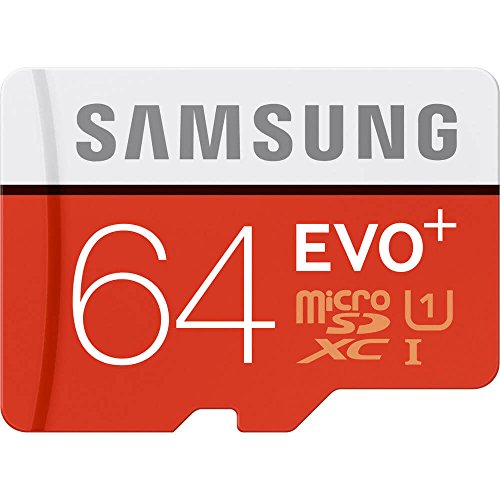
Samsung EVO Plus microSD 64GB (older generation) — The earlier EVO Plus
Now meet the ancestor. This listing, model code MB-MC64DA/AM, sells a Samsung 64GB EVO Plus Class 10 microSDXC with adapter at 80MB/s. That figure is half the current generation’s stated up-to-160MB/s, and the listing’s spareness — a speed, a class, a capacity — belongs to its era. The card itself is not a scam or a defective; in its day it was a mainstream card from a major maker, and for undemanding duty it can still function. Its inclusion here is about recognition. EVO Plus is a name Samsung has carried across generations, and listings for the older card persist alongside the current one, so a buyer searching the name encounters both, sometimes at similar prices, with the slower card’s listing relying on the name’s modern reputation.
The differences that matter are concrete. Stated transfer speed: 80MB/s against up to 160MB/s. Model code: MB-MC64DA/AM against MB-MC64SA/AM — a two-letter divergence that is the most reliable separator, since names and packaging art evolve gradually while codes change cleanly between generations. Classes: the older listing states Class 10 and little else, where the current card lists U3, V10, and A3. A buyer who checks the code gets the generation they intended; a buyer who checks only the name is gambling with someone else’s old stock. This pattern repeats across the entire card market, in every brand in this guide, which is why the lesson is taught here at full length rather than in a footnote.
Is there any buyer for whom this older card is the right purchase? A narrow one: the buyer equipping a low-demand device — an older tablet, a music player, a camera trap checked monthly — who finds this listing at a genuinely low price from a reputable seller and confirms the code with open eyes. Even then, the current Select Plus and EVO Plus listings usually make the older card’s case evaporate, because mainstream card pricing compresses generations together. Treat this pick primarily as a field guide entry: know it on sight, read its code, and let it sharpen the check you perform on every card listing from now on, Samsung or otherwise.
- Format: microSDXC with adapter
- Capacity: 64GB
- Transfer speed: 80MB/s stated in listing
- Speed class stated: Class 10
- Model code stated: MB-MC64DA/AM (older generation)
- Generation note: predecessor of the current EVO Plus, MB-MC64SA/AM
Strengths
- A genuine Samsung card that remains serviceable for low-demand devices.
- Its listing is a clear, teachable example of generational difference.
- Adapter included, as with its modern namesake.
Trade-offs
- Stated speed is half the current generation’s figure under the same name.
- Class information is minimal by modern listing standards.
- Frequently priced close to the current card, which erases its only argument.
Best for: a low-demand legacy device bought with the model code confirmed.
Not suited for: a purchase made in the belief that this is the current EVO Plus.
How Do the Six Cards Compare at the Same 64GB?
| Card | Stated speed | Classes stated | Character |
|---|---|---|---|
| SanDisk Extreme 64GB | Up to 170MB/s read, 80MB/s write | V30, U3, C10, A2 | Capture performance |
| Samsung EVO Plus 64GB (current) | Up to 160MB/s | C10, U3, V10, A3 | Mainstream devices |
| Kingston Canvas Select Plus 64GB | Up to 100MB/s | A1, Class 10 | Everyday value |
| Kingston Canvas Go! Plus 64GB | Up to 200MB/s read | Class 10, U3, V30, A2 | Fast offloads |
| SanDisk High Endurance 64GB | Not stated in listing | C10, U3, V30 | Continuous recording |
| Samsung EVO Plus 64GB (older) | 80MB/s | Class 10 | Previous generation |
One capacity, six different products: that is the table’s lesson. The stated speeds span from 80MB/s to up to 200MB/s, the video classes from unstated to V30, the application classes from none to A3, and one card publishes no speed at all because its specification lives elsewhere. A ranking by the speed column alone would crown the Go! Plus and dismiss the endurance card, and both judgements would be wrong for most buyers, because the columns that decide satisfaction are the ones matching the card to the device: V30 for the action camera, A-classes for the phone, endurance design for the dash cam, and the model code for anyone buying a Samsung name.
The generational row deserves the last word in this comparison. Every brand in the table revises its cards while keeping their names, so the table itself is a snapshot of listings at the time of writing, not a permanent property of the names in it. The durable skill is the reading method: find the stated figure, find the classes, find the model code, and compare those — never the name, never the colour of the card, never a figure remembered from a review of a different year’s product. Buyers who internalise that method can walk into any future version of this table and read it correctly on their own.
Which Classes Matter for Phones, and Which for Cameras?
The two device families consult different parts of the packet. Cameras care about sequential behaviour: the video class certifies the sustained write floor a recording stream needs, and the published write maximum hints at burst absorption. Phones and consoles care about random behaviour: the application class, A1, A2, or the A3 stated on Samsung’s current card, certifies the small scattered reads and writes that decide whether an app stored on the card opens promptly and whether a game loads its assets without hitching. A card can be strong in one family of measures and ordinary in the other, which is why the Extreme and Go! Plus, carrying both V30 and A2, are the guide’s genuine all-rounders, and why a card with a huge read figure and no application rating can still disappoint inside a phone.
There is a device-side caveat that honest guides must include: the host limits the benefit. Older phones cap card performance at levels where the difference between A1 and A2 evaporates, and some devices format and manage cards in ways that blunt any card’s advantages. Before paying for the top application tier, confirm your device supports microSD expansion at the performance level you are buying, and whether it allows apps themselves, or only media, to live on the card. Those two settings, buried in the device’s documentation, decide more of the lived experience than any figure in this guide, and they cost nothing to check.
Why Do Small Cards Get Lost, Corrupted, and Counterfeited More?
Size is the microSD format’s blessing and its operational curse. A card the size of a fingernail is easy to carry and correspondingly easy to drop into a car’s footwell, a hotel carpet, or the gap beside a desk, and handling is where most small-card losses occur. The defences are procedural: a hard case that lives in one place, a rule that a card out of a device goes directly into that case, and adapters used as handling frames whenever a card is at a desk, since an adapted card is a visible object and a bare microSD is a rumour. Corruption follows handling too — cards removed mid-write, pockets full of lint and static, readers that connect loosely — and the in-device format plus safe-eject habits from this site’s other card guides apply here with extra force.
Counterfeiting concentrates at this capacity for economic reasons: 64GB is the volume seller, its buyers are the least specialist, and its genuine price is low enough that fakes hide in the noise of discounts. The verification is the same one this site repeats everywhere because it works: fill the card completely on a computer and confirm the data reads back, before any real content is entrusted to it. A fake that reports 64GB while holding a fraction will fail that test within the hour, in time for a return, instead of failing months later over a holiday’s photographs. Ten minutes of suspicion at arrival is the cheapest insurance in this entire category.
What Mistakes Do 64GB Buyers Repeat Most Often?
Buying by name across generations is the first, and this guide has built an entire pick around it. The second is paying for camera specifications to serve a phone, or phone specifications to serve a camera: V90 dreams in a tablet, A-ratings scrutinised for a dash cam. The third is treating 64GB as a permanent archive. At this size a card is a working space, not a vault; photos and footage should migrate to real storage on a rhythm, with the card as transport rather than destination. Owners who let a phone’s only copy of two years of photographs live on a fingernail of flash are one lost card from a lesson nobody should have to learn personally.
The fourth mistake is subtler: assuming the card is the bottleneck whenever a device feels slow. Ageing phones, nearly full internal storage, and background processes all masquerade as card problems, and a premium card installed to cure them changes nothing. Diagnose before upgrading — move the existing card’s contents to internal storage temporarily, or test the device with a known card — and let evidence assign the blame. Money spent on the actual constraint is satisfying; money spent decorating a misdiagnosis is how good cards end up in drawers, blamed for a device’s old age.
How Long Does 64GB Actually Last Inside Each Kind of Device?
Capacity questions become concrete when they are asked device by device. In a phone used as overflow storage, 64GB is measured in months: photographs accumulate at a few megabytes each, messaging media piles up quietly, and downloaded video arrives in gigabyte handfuls, so the card absorbs a season or more of ordinary life before its owner thinks about it again. In a handheld console the measure is titles: a shelf of small and mid-sized games fits comfortably, while a handful of very large titles can consume the card between two shopping decisions, which is why console owners so often graduate to larger sizes while phone owners stay content at this one. The same physical card, three different senses of the word enough.
Capture devices run the clock fastest. An action camera at high resolution consumes its 64GB in hours of footage, and a drone’s card is best understood per flight rather than per day, with a card per battery becoming the working rhythm of serious operators. A dash cam on the endurance pick loops its 64GB across days or weeks depending on driving hours and trigger settings. None of these figures can be stated exactly without your device’s settings, and this guide will not invent precision it does not have, but the ordering is stable: consoles and phones sip, cameras drink, and continuous recorders drink steadily forever. Buy the size for the thirst of the device it will actually live in, and if one card must serve two devices with different thirsts, size it for the thirstier one.
What Changes When a Card Moves Between Devices Every Week?
Itinerant cards live harder lives than resident ones, and the wear is mostly mechanical and procedural rather than electronic. Every swap is a chance to drop, misplace, or contaminate the contacts; every host change is a chance for a file-system misunderstanding, especially where one device writes proprietary structures another device then tries to interpret. The working rules are simple and worth stating plainly. Let one device own the card’s format: format it in the device that records the most critical material, and treat other devices as readers where possible. Eject properly everywhere, since a card removed during a background write can corrupt in ways that surface later and elsewhere, making the true culprit hard to identify. And keep the adapter paired with the card, because the full-size frame is both a handling aid and a labelling surface.
There is also a performance side to itinerancy. A card that spends weekdays in a phone and weekends in a drone is being asked for both random-access manners and sequential muscle, which is the precise profile of the guide’s all-rounders, the Extreme and the Go! Plus with their paired V30 and A2 certifications. Resident cards can be specialists; itinerant cards must be generalists, and paying the generalist premium is rational exactly when the card’s life is genuinely shared. Buyers who recognise their card as an itinerant should also buy its case and its spare with the same seriousness, because a card that travels is a card whose absence, on the one morning it is needed, is a small logistical crisis entirely of the owner’s making.
When Is the Right Answer a Bigger Card Instead of a Faster One?
Every card guide on this site eventually reaches the buyer whose real problem is not speed at all. The signs are consistent: the card fills before the session ends, the device warns about storage during the moments that matter, and the owner’s workflow has quietly reorganised itself around deletion. No figure in this guide fixes any of that. A 64GB card, however fast, holds 64GB, and a buyer rationing space needs capacity, which the neighbouring sizes provide at gentler prices per gigabyte than the performance tiers at this size. The honest sequence is to ask first whether the card holds enough, then whether it records reliably, and only then how fast it moves. Buyers who run the sequence in that order rarely waste money, because each question eliminates a different kind of wrong purchase.
The reverse error exists too, and it is common among console owners in particular: buying enormous capacity to solve a speed irritation, then discovering that load times are governed by the device and the card’s random behaviour rather than by its size. The two axes are independent, and this guide’s table separates them deliberately. Sixty-four gigabytes remains the sweet spot its title claims for the devices that sip rather than drink, and within it, the six picks cover the realistic spread of needs. Stepping outside the size should be a considered decision about thirst, not a reflex triggered by a number on a packet or a bigger number on a shelf edge.
How Should a Household Keep Track of a Drawer Full of Small Cards?
Most households accumulate these cards the way they accumulate cables: one per device generation, a few spares, a couple of unknown origin in a drawer. The accumulation becomes a problem only when a card is needed and none can be trusted, because nobody knows which are genuine, which are formatted for what, or which hold the only copy of something. A one-time audit solves it in under an hour. Gather every card, fill-test the doubtful ones, label each survivor with its capacity and year using a fine marker on the card or its adapter, and record the inventory in a single note: card, capacity, assigned device, status. Cards that fail the test or cannot be identified leave the house’s working stock entirely; a doubtful card kept “just in case” will be grabbed in a hurry one day and will teach its lesson then.
Assignment is the second half of the system. A card with a named device lives in that device or in the labelled case beside it, and borrowing follows a visible rule, such as the adapter left in the device’s slot as a placeholder, so an absent card announces itself. Photographs and footage migrate to the household’s real storage on a fixed rhythm, weekly or monthly, with the audit note updated as cards change roles. None of this requires buying anything in this guide; it requires treating fingernail-sized storage with the same mild respect as any other household tool. The households that do this stop losing cards and stop losing data, and they also stop buying replacements for cards they already owned, which quietly makes the audit the best-value hour in this entire topic.
What Should Be Checked on the Day a New 64GB Card Arrives?
Four checks, in order, convert a purchase into a trusted tool. First, the identity check: compare the delivered card’s model code and markings against the listing you ordered from, which is the check that catches the generational substitution this guide warns about, while a return is still trivial. Second, the capacity check: fill the card fully and verify the contents read back, the counterfeit test that no visual inspection can replace. Third, the device check: format the card in the device it will serve and record or store a realistic sample — a video at your highest setting, a burst of photographs, a game installed and launched — confirming the card and host understand each other. Fourth, the speed sanity check: time one real transfer of real files through your actual reader, and note the figure without drama; it will rarely match the packet’s maximum, and its purpose is a baseline for the future, so that a card which slows dramatically in a year’s time is noticed against evidence rather than vibes.
Write the date on the adapter while those checks are fresh. A card whose age is known can be retired sensibly; a card of unknown age gets trusted past its life by default, because nothing about its appearance announces decline. This small commissioning ritual applies to every pick in the guide equally, from the flagship Extreme to the humble Select Plus, and it is the closest thing the category has to a guarantee the buyer can issue to themselves.
Why Does the Adapter Deserve More Respect Than It Gets?
Nearly every pick in this guide includes a full-size SD adapter, and nearly every owner treats it as packaging. That undersells a genuinely useful component. The adapter is what lets the same card be read by laptops without microSD slots, by cameras during a pinch, and by the desktop readers used for the verification tests this guide keeps recommending. It is also the card’s handling frame and labelling surface, the difference between a visible object and a loose rumour at the bottom of a bag. Adapters do fail occasionally — a bent contact or a cracked shell can mimic a card fault convincingly — so when a trusted card suddenly misbehaves in one reader, trying a second adapter belongs early in the diagnosis, before the card itself is condemned. Keep the adapter with its card, keep a spare adapter in the desk, and the smallest storage format in the house becomes considerably less fragile in practice than it looks on paper.
One more adapter habit is worth adopting: when a card is in active service inside a device, store its adapter in the card case rather than in a drawer. The pairing sounds trivial until the evening a card must move from a phone into a laptop that has only a full-size slot, and the adapter is in another room, another bag, or another city. Small logistics decide whether good equipment gets used as intended, and the adapter, humble as it is, sits at the centre of this format’s logistics. Treat it as part of the product, because the makers who include it in nearly every box in this guide clearly intend exactly that, and their intention is based on longer experience of lost evenings than any individual buyer accumulates in a lifetime of swapping tiny cards between impatient devices.
The same logic extends to the case itself. A rigid case with labelled slots, kept in one drawer and returned there by household law, ends the archaeology that precedes most card purchases: the suspicion that a suitable card already exists somewhere in the home, unfindable. Buyers who can see their whole stock at a glance buy duplicates rarely, lend cards knowingly, and notice a missing card while its trail is still warm. It is unglamorous infrastructure, and like most unglamorous infrastructure, it quietly outperforms every clever alternative that depends on memory, luck, or the hope that a fingernail-sized object will simply turn up when it is wanted most.
If the case lives in a camera bag rather than a drawer, the same law applies with the location changed: one home, always the same home, so that a hand reaching in darkness finds order instead of archaeology. Travellers learn this fastest, because a card mislaid in a hotel room is gone in a way a card mislaid at home is not, and the lesson, once paid for, tends to stay learned for the rest of a person’s travelling life, and to spread, by example, to everyone who shares their bags, their car, or their desk, until an entire household handles small storage with a care that looks, from outside, like a personality trait rather than a system, which is, in the end, exactly what a good system is supposed to become with time and repetition: invisible when it works, and missed only on the rare occasions when it is abandoned, usually in a hurry, at an airport, in the rain, with a flight boarding and a card full of the journey home.
Final Recommendation
Match the card to the device and the decision makes itself. Action cameras and drones belong with the SanDisk Extreme or the Kingston Canvas Go! Plus, choosing between a published write maximum and the highest stated read figure. Phones, tablets, and consoles belong with Samsung’s current EVO Plus — model code checked — or, where the budget leads, Kingston’s Canvas Select Plus. Dash cams and quiet home cameras belong with the High Endurance 64GB, full stop. And the older EVO Plus belongs in your visual memory as the listing to recognise and pass by, unless a legacy device and a confirmed code make its narrow case. Whichever card arrives, fill-test it once, format it in its device, and give it a case to live in; at 64GB, those habits are worth more than the differences between the top three cards in this guide.
Frequently Asked Questions
Are the two Samsung EVO Plus 64GB cards really different products?
Yes. They are different generations sold under one name. The current card, model MB-MC64SA/AM, states up to 160MB/s with U3, V10, and A3 classes listed. The older card, model MB-MC64DA/AM, states 80MB/s and Class 10. Check the model code on the listing and on the delivered card to be certain which generation you have.
Is 64GB enough for a phone in 2026?
As expansion, for most owners, yes: it meaningfully extends photo, video, and download storage and holds a working library of apps or games where the device allows them on the card. As a device’s only storage it would be tight, but that is not the role these cards play. Owners who shoot large amounts of high-resolution video should consider whether their next step is a larger card rather than a faster one.
Which card here suits a handheld gaming console?
Samsung’s current EVO Plus and Kingston’s Select Plus are the natural fits, with the EVO Plus offering the higher stated transfer figure and A3 class, and the Select Plus the value position with A1. Games are read-heavy and forgiving of modest write performance, so capacity and honest pricing matter more than capture specifications in this role.
Why does the endurance card publish no speed figures?
Because its specification is lifespan under continuous overwriting, which its listing expresses through purpose and classes rather than transfer maximums. Its V30 stack clears surveillance streams with headroom. The endurance and warranty terms on its product page carry the numbers that matter for its job, and reading them is part of buying the category correctly.
Does an A2 card make an old phone feel faster?
Only within limits the phone itself sets. The A classes certify the card’s random-access behaviour, but the host’s card interface and software cap what reaches the user. On a modern phone that supports apps on the card, A2 is a genuine improvement over A1 for stored apps; on an ageing device, expect tidier media handling rather than a transformation.
How can a fake 64GB card be spotted on arrival?
Fill it. Copy data to the card until it reports full, then read the data back and verify it, or use a capacity-verification tool that automates the same test. Counterfeits report a false capacity and fail once writing passes their real, smaller capacity. Do the test before real content touches the card, while a return is still simple.
Related Guides
Capacity neighbours put this size in context: the 200GB micro SD cards guide tells the honest story of a discontinued size and its 256GB successors, while camera-first buyers should read the micro SD cards for mirrorless cameras guide on sustained writing. And because the devices these cards feed need homes too, our affordable ASUS laptops roundup covers the budget machines that so often end up reading them.


