What's inside
- Key Takeaways
- Quick Picks
- How We Chose the Best Affordable Dash Cameras
- Comparison
- What do loop recording and parking mode actually do?
- How many channels does your driving actually need?
- What kills dash cams, and how do these picks resist it?
- How should you install one without making a mess of the car?
- What should you do in the ten minutes after an incident?
- Which pick fits which driver?
- How long will an affordable dash cam actually last?
- Common Mistakes
- Final Recommendation
- Frequently Asked Questions
- Related Guides
As an Amazon Associate I earn from qualifying purchases. This post may contain affiliate links at no extra cost to you.
widgetverdict.com is reader-supported. When you buy through links on our site, we may earn an affiliate commission.
Where to buy: Every pick below is sold through Amazon, where you can check price on Amazon and confirm what the box includes — a memory card, a hardwire kit, a rear camera — because dash cam bundles differ more than their headlines suggest.
“Affordable” is doing honest work in this search, so let us define it before spending anyone’s money: the best affordable dash cameras are the ones that cost little enough to buy without a committee meeting, yet record well enough that the footage would actually settle an argument. That second clause is where cheap dash cams traditionally fail — a sensor that turns a number plate into watercolor at the exact moment it matters, a battery that swells in a hot windscreen’s second summer, a loop recording setting that silently stopped looping months ago. The six picks below were chosen to clear that bar at the accessible end of the market: current sensors, supercapacitors instead of batteries where the design allows, honest loop recording, and parking modes described the way their makers describe them — as features with requirements, not magic.
A note on scope before the picks. This guide describes what these cameras record and how their features behave; it does not offer legal advice, and questions about fault, liability, or the rules for using footage where you live belong to professionals and local sources, not to a buying guide. What a dash cam can do — and what these six do well — is keep a faithful, timestamped record of the road. Everything below is in service of that record: resolution where it helps, restraint where it does not, and the unglamorous details of cards, cables, and heat that decide whether the record exists when it is needed.
The field divides by channel and by shape. Two picks are compact front-only cameras that disappear behind a mirror. Two are front-and-rear systems for drivers who want the tailgater documented too. One watches three directions at once for rideshare and family duty. And one replaces the rear-view mirror itself with a screen. All six sit in the affordable band of their respective shapes, and each review names the shape’s tax as plainly as its benefit. Read them with your own pattern in the foreground — the roads, the passengers, the nights the car spends parked — because in this category the driver’s pattern, not the league table, is what separates the right camera from the merely good one.
Key Takeaways
- Affordable stops being a bargain when the footage cannot be read: sensor quality and real-world plate legibility, not headline resolution, set the floor in this guide.
- Supercapacitors outlast batteries in hot windscreens, and most picks here use them — the battery-equipped designs are flagged where they appear.
- Loop recording is universal in this guide; parking mode is not — it needs a hardwire kit or a battery pack on most models, and the reviews state which.
- Channels are the real price ladder: front-only, front-and-rear, and three-channel systems answer different questions at different costs.
- The memory card is part of the camera: high-endurance cards, formatted on a schedule, are the difference between a witness and a rumor.
- Several picks include a card or GPS in the box; comparing bundle contents is worth more than comparing sticker numbers.
- Maintenance is a calendar, not a repair: a monthly playback check, a seasonal mount check, and a yearly fresh card keep an affordable camera testifying for years.
Quick Picks
| Pick | Badge | Why it earns its place |
|---|---|---|
| VIOFO A119 Mini 2 | Best affordable front camera | A STARVIS 2 sensor, 2K recording, voice control, and a supercapacitor in a body that hides behind the mirror. |
| REDTIGER 4K Dash Cam (F7N Touch) | Best affordable front-and-rear bundle | 4K front and rear cameras, a touchscreen, GPS, and a 128GB card in the box. |
| VIOFO A229 Pro | Best image quality in the band | Dual STARVIS 2 sensors recording 4K front and 2K rear for drivers who read plates for a living. |
| Vantrue N4S | Best three-channel coverage | Front, cabin, and rear cameras with STARVIS 2 night vision across all three. |
| Garmin Dash Cam Mini 3 | Smallest footprint | A key-sized 1080p camera with Garmin’s app polish and voice control, for drivers who hate visible tech. |
| WOLFBOX G840S | Best mirror-style system | A 12-inch mirror display with 4K front and rear cameras, GPS, and a card included. |
How We Chose the Best Affordable Dash Cameras
Affordable dash cams live or die on evidence quality, so the first test was the sensor generation. Current STARVIS 2-class sensors dominate this guide because their low-light and highlight handling is what separates a readable plate at dusk from a smear, and the affordable band has genuinely absorbed that technology in the last product cycle — the picks below are not last decade’s leftovers at a discount. Second came power design: a dash cam bakes on a windscreen, and lithium batteries are the known weak point, so supercapacitor designs were favored and any exception interrogated. Third, the recording discipline: loop recording that provably overwrites the oldest files, an emergency lock that protects the incident clip from that loop, and a G-sensor whose sensitivity can be tamed before it locks a file for every pothole.
Parking mode claims were read the way their makers write them, which is the standard this guide keeps: buffered recording, motion and impact detection, and low-power states are described per model, always with the requirement attached — a hardwire kit that watches the car’s battery voltage, or an external battery pack — because a parking mode without its power supply is a brochure feature. Bundle contents were inventoried pick by pick: included cards, included rear cameras, included GPS. Finally, the ownership details: app quality for pulling a clip at a roadside, voice control for locking a file without reaching, and screen or screenless design, which is a preference this guide treats as legitimate in both directions.
What was excluded matters too. No-name cameras with invented resolution claims, designs with a record of heat failures, and any model whose “4K” dissolved into interpolation on inspection were set aside regardless of price. Affordable is a band with a floor, and the floor is a faithful record. That standard also explains the guide’s silence about the very cheapest shelf of the category, where cameras sell for the price of a tank of fuel. Some of those units record adequately on a good day; none that we would stake a recommendation on combines the sensor generation, the power design, and the support record these six share — and a dash cam is the one product whose failure is discovered at the worst possible moment, which makes it the worst product in the car to buy on price alone.

VIOFO A119 Mini 2 — Best affordable front camera
The A119 Mini 2 is what the affordable front camera grew up to be. It records in 2K at up to 60 frames per second from a Sony STARVIS 2 sensor — the current generation whose low-light and glare handling is the real story of this price band — in a body small enough to vanish behind a rear-view mirror. Voice control lets the driver lock a clip, toggle Wi-Fi, or start and stop recording without a hand leaving the wheel’s neighborhood, and the 5GHz Wi-Fi moves clips to the phone at a pace that does not test roadside patience. GPS is built in, logging speed and location into the record for drivers who want the full account. A supercapacitor, not a battery, rides out the windscreen’s summers.
Parking mode is offered in the maker’s buffered form: with the optional hardwire kit fitted, the camera watches while parked and saves the seconds before a detected impact or motion event along with the event itself, so the record includes the approach rather than starting at the bang. That hardwire requirement is stated plainly by VIOFO and repeated here, because it is the difference between the feature existing and the feature being advertised. Loop recording is standard and configurable, and the G-sensor locks incident files out of the loop’s reach.
Who should skip it? Drivers who need the rear covered — this is a front-only camera, and its excellence does not extend backward — and drivers who want a screen to compose the aim, since the Mini 2 is screenless by design and aims through the app. For the single-camera buyer, though, this is the guide’s default answer: the most current sensor in the band, the right power design, and a maker whose firmware support for its cameras is a matter of record.
The Mini 2 also rewards a word about frame rate, because its 60fps mode is the rare specification that survives contact with reality. At speed, a higher frame rate buys sharper individual frames — the plate on the car crossing at a junction is a single frame’s problem, and 60fps doubles the chances that one of those frames caught it cleanly. Owners who drive mostly in town at walking pace will never notice; owners whose commute is a fast arterial get the feature’s full value without paying the flagship tax. It is the kind of specification this guide exists to translate: not a number to admire, but a condition to match against your own roads.
- Recording: 2K up to 60fps, STARVIS 2 sensor, HDR night mode
- Channels: front only
- Power: supercapacitor; parking mode via optional hardwire kit
- Extras: voice control, 5GHz Wi-Fi, built-in GPS
- Display: none — app-based setup and review
Strengths
- Current-generation sensor at an affordable-band price.
- Buffered parking mode captures the seconds before an event.
- Tiny, screenless body disappears behind the mirror.
Trade-offs
- Front coverage only — the rear needs another solution.
- Parking mode requires the hardwire kit purchase and fitting.
- No screen for drivers who prefer composing on-device.
Best for: solo drivers wanting the strongest single front record. Not suited for: rear coverage or screen-first setup preferences.
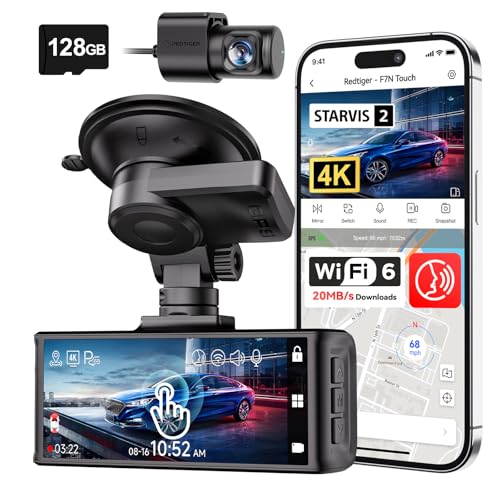
REDTIGER 4K Dash Cam (F7N Touch) — Best affordable front-and-rear bundle
REDTIGER’s F7N Touch makes the bundle its argument: a 4K front camera on a STARVIS 2 sensor, a rear camera in the box, a touchscreen for setup and playback, GPS, voice control, and a 128GB memory card included — the line items that other brands meter out as accessories, gathered at the affordable band’s address. For the buyer who wants front-and-rear coverage working tonight without a second order for the card everyone forgets, that completeness is the product. The touchscreen deserves its mention: dash cam setup through a phone app is fine until it is not, and an on-device screen that shows the rear camera’s aim during install saves the two-person phone-relay that rear installs usually require.
Recording behavior follows the category’s sound pattern: loop recording across both channels, a G-sensor that locks the incident file, and a parking mode that the maker describes in motion/impact terms and that, as with its peers, asks for a hardwire kit to watch the parked car without flattening its battery — the kit monitors voltage and cuts the camera off before the car is stranded, which is the only responsible way to offer the feature. Night performance benefits from the sensor generation and wide dynamic range; plates at dusk are this camera’s home fixture.
The honest cautions are about polish rather than capability. The app experience trails the Garmin and VIOFO ecosystems, the touchscreen’s convenience is bought with a larger dash presence than the screenless picks, and a bundle this complete at this band asks the buyer to value the maker’s firmware support over the product’s life. None of that overturns the arithmetic for its buyer: two channels, a card, GPS, and a screen, recording tonight. In the affordable band, completeness is a feature, and this is its fullest expression.
There is a second-order benefit to the complete box that only appears at the roadside: everything matches. The included card is the capacity and speed the maker validated, the rear camera is the one the firmware expects, and the first support conversation, if it ever happens, starts from a known configuration. Owners who assemble a system from three brands’ accessories own a small integration project forever. REDTIGER’s buyer skips that project, and for the household whose technical ambition is a working camera rather than a hobby, the skipped project is worth real money that never appears in the price comparison.
- Recording: 4K front (STARVIS 2), rear camera included
- Channels: front + rear
- Power: supercapacitor design; parking mode via hardwire kit
- Extras: touchscreen, GPS, voice control, 128GB card included
- Display: on-device touchscreen
Strengths
- The most complete box in the guide — card and rear camera included.
- Touchscreen makes install and playback self-contained.
- 4K front detail with two-channel loop recording.
Trade-offs
- App polish trails the guide’s premium ecosystems.
- Larger dash presence than screenless rivals.
- Parking mode needs the hardwire kit, as usual.
Best for: buyers wanting two channels working in one purchase. Not suited for: minimalists or app-first power users.
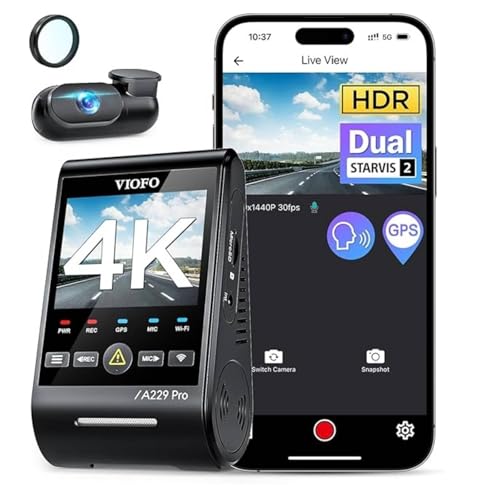
VIOFO A229 Pro — Best image quality in the band
The A229 Pro sits at the affordable band’s ceiling and spends the difference entirely on evidence. Both channels carry STARVIS 2 sensors — 4K in front, 2K behind — a pairing no other pick here matches, and the result is the guide’s most readable footage in the conditions that generate disputes: dusk commutes, rain-slick arterials, the unlit road where a plate must be read from a single pass. HDR on both channels handles the tunnel-exit glare that whites out lesser cameras. Voice control, 5GHz Wi-Fi, and GPS are present, as is the buffered parking mode from the A119 review — the maker describes it as recording the seconds before and after a triggered event while parked, powered through the optional hardwire kit with its voltage protection.
Why does a two-channel flagship belong in an affordable guide? Because the band is defined by the record’s usefulness, and for a defined set of drivers — the high-mileage commuter, the parent of a new driver, anyone whose work is driving — the rear channel at 2K rather than an afterthought resolution is the difference between a record and a rumor about what happened behind. The A229 Pro is also the pick that ages best here: storage support is generous, the firmware is maintained, and the supercapacitor design suits the decade-long windscreen life its buyers intend.
Its taxes are size and the install: two cameras, a cable run to the rear glass, and a body with a screen that wants a deliberate placement rather than hiding entirely. Drivers who will never run the rear cable should buy the A119 Mini 2 and bank the difference. Drivers who will run it get the strongest record this guide can recommend without leaving the affordable band’s neighborhood — the pick for readers who read the word “affordable” as “no wasted money” rather than “least money.”
One ownership pattern recurs among A229 Pro buyers and is worth passing on: they review their footage. The combination of a good screen, fast Wi-Fi, and genuinely watchable night footage turns the monthly check from a chore into a habit, and a reviewed camera is a working camera — the card healthy, the aim true, the timestamp right. Lesser footage quietly trains owners never to look, and unlooked-at cameras fail silently. In that sense the flagship’s extra clarity is not vanity; it is the maintenance mechanism, and it may be the most practical argument in this entire guide for spending at the band’s ceiling.
- Recording: 4K front + 2K rear, dual STARVIS 2, HDR both channels
- Channels: front + rear
- Power: supercapacitor; buffered parking mode via hardwire kit
- Extras: voice control, 5GHz Wi-Fi, GPS
- Display: on-device screen for setup and review
Strengths
- Best plate legibility front and rear in the guide.
- Both channels get the current sensor generation.
- Built and supported for long service.
Trade-offs
- Top of the band; the rear cable run is a real install.
- Larger body than the screenless picks.
- Over-specified for low-mileage second cars.
Best for: high-mileage drivers and evidence-first buyers. Not suited for: minimal installs or single-channel needs.

Vantrue N4S — Best three-channel coverage
Three channels change the question a dash cam answers. Front and rear cameras testify about the road; the N4S’s third camera testifies about the cabin — and for rideshare drivers, taxi work, parents of teenagers, and anyone whose disputes begin inside the car, that third witness is the product. All three channels carry STARVIS 2-class night capability in Vantrue’s implementation, recording 2.7K in front with the cabin and rear at matching clarity, and the maker’s PlatePix technology is aimed at the plate-legibility problem specifically. A 2-inch screen, Wi-Fi, GPS, and voice-friendly controls round out a package that supports memory cards up to a very generous ceiling for long shifts.
Parking mode here is described by the maker as a 24/7 offering in its low-power and motion-detection forms, again through a hardwire connection that protects the car battery — the standing requirement this guide repeats for every pick, because the parked watch is only as honest as its power supply. Loop recording spans all three channels, and the incident lock protects the synchronized set, so the story stays together across angles. For the rideshare driver, that synchronized trio — road, cabin, rear — is a professional tool, and its presence at this band is recent enough to be worth remarking.
The costs are the obvious ones: three cameras to mount and cable, a cabin camera whose presence should be considered thoughtfully — passengers deserve the awareness that a camera is running, and local rules about recording people vary and are the owner’s homework, not this guide’s legal advice — and a total draw and storage appetite beyond the single-channel picks. For the driver whose work is other people’s journeys, those costs are the job. For the solo commuter, they are ballast, and the front-only picks above exist for them.
The N4S also makes an argument about evidence that transcends its market: a single camera shows an event, but synchronized angles show a story, and stories are what settle disputes that footage alone leaves open. The cabin view that proves the driver’s hands and attention, paired with the road view that proves the light and the lane, is a record greater than the sum of its channels. Professional drivers understand this instinctively, which is why three-channel adoption runs ahead in the trades that carry passengers. The rest of the market will follow at its own pace, and this guide flags the N4S as the affordable shape of that future.
- Recording: 2.7K front with cabin and rear channels, STARVIS 2 night vision
- Channels: front + cabin + rear (three)
- Power: parking modes via hardwire kit
- Extras: GPS, Wi-Fi, 2-inch screen, very large card support
- Focus: PlatePix plate-legibility processing
Strengths
- The only three-witness record in the guide.
- Night capability across all three channels.
- Storage headroom suits full working shifts.
Trade-offs
- Most cabling and the largest total install.
- Cabin recording carries courtesy and rules homework.
- More camera than a solo commuter can use.
Best for: rideshare, taxi, and family drivers needing cabin coverage. Not suited for: solo drivers or minimal installs.
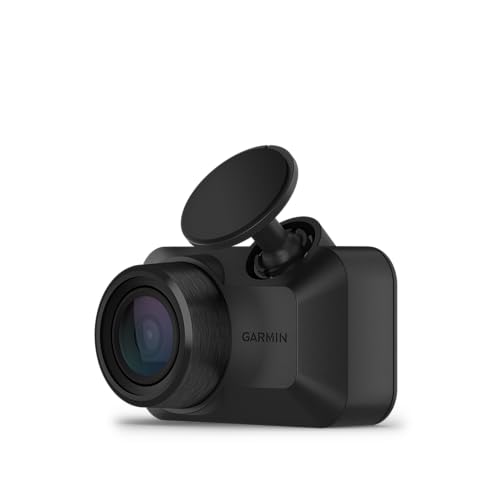
Garmin Dash Cam Mini 3 — Smallest footprint
The Mini 3 is the dash cam for drivers who do not want to see a dash cam. It is key-sized, screenless, records 1080p through a 140-degree lens, and mounts behind the mirror so completely that passengers regularly fail to notice it. Voice control handles the one interaction that matters while driving — saving a clip — and Garmin’s Drive app and vault ecosystem give it the most polished phone experience in this guide, with automatic incident detection and clip saving in the maker’s established pattern. Where the VIOFO picks argue from sensor specifications, the Garmin argues from disappearance: the best camera is the one that never becomes a dashboard grievance, never gets removed in irritation, and is therefore always there.
The honest trade is resolution. At 1080p, the Mini 3 records the family’s baseline rather than the band’s new heights, and plate reading at distance or in poor light is a step behind the STARVIS 2 picks — a fact Garmin’s own range acknowledges by selling sharper cameras above it. For the driver whose need is the faithful account of an incident — who was where, which light was green, how the maneuver unfolded — 1080p at this polish suffices, and the camera’s invisibility buys compliance that sharper, larger units lose. Parking surveillance in Garmin’s design language leans on its parking guard cable accessory; as ever in this guide, the parked watch requires its power arrangement, and buyers should price it with the camera.
Choose the Mini 3 when the car’s interior is a design object, when the driver is technology-reluctant, or when a second car needs a camera that will simply be left alone. It is also the natural graduation present and the natural fleet camera — the unit a family buys three of — because its entire ownership demand is a memory card and an occasional glance at the app.
Garmin’s presence in this guide carries one more lesson for the category: software is a safety feature. The roadside moment — shaken, in traffic, needing the clip saved and shareable — is where apps earn their existence, and Garmin’s flow from incident alert to saved clip to phone is the benchmark the other makers are quietly chasing. Buyers cross-shopping on specifications alone will underrate the Mini 3; buyers who have ever stood on a verge trying to find a file in a stranger’s menu system will not. Both are rational, and the guide’s job is to make sure the second buyer’s knowledge is available to the first before the purchase, not after the incident.
- Recording: 1080p HD, 140° field of view
- Channels: front only
- Power: compact design; parking guard via accessory cable
- Extras: voice control, Garmin Drive app, automatic incident saving
- Display: none — the smallest body in the guide
Strengths
- Virtually invisible install behind the mirror.
- The most polished app experience here.
- Zero-fuss ownership suits reluctant users.
Trade-offs
- 1080p trails the band’s plate legibility leaders.
- Front coverage only.
- Some connected features live in Garmin’s ecosystem tiers.
Best for: discreet installs, second cars, and tech-reluctant drivers. Not suited for: plate-critical or rear-coverage needs.

WOLFBOX G840S — Best mirror-style system
The G840S answers a different complaint: not “the camera is too visible” but “the car has no screen worth using.” It straps over the existing rear-view mirror and replaces its face with a 12-inch display, fed by a 4K front camera and a rear camera whose view doubles as a reversing display — two products in one housing, which is why this design owns a durable niche among drivers of older cars, trucks, and vans whose factory mirrors show little and whose dashboards predate screens. GPS is included, a 32GB card is in the box, and the wide mirror view makes the rear camera genuinely useful as a driving aid rather than only as a witness.
As a recorder it follows the sound pattern: loop recording on both channels, G-sensor incident locking, and a parking monitoring mode that, following the guide’s standing rule, requires the hardwire arrangement to watch a parked car responsibly. The rear camera’s double duty deserves emphasis — mounted at the plate or inside the rear glass, it gives long vehicles a reversing view their mirrors cannot, and the mirror screen shows it at a size the backup-camera guide’s small monitors cannot match. Drivers of vans and pickups with canopies, for whom the standard mirror is already decorative, lose nothing and gain a camera system.
The taxes are fit and taste. A mirror unit adds bulk and a strap-on presence that some interiors wear better than others; the screen’s brightness must fight daylight through the windscreen, and at night its glow is a dashboard decision the driver should rehearse before committing. Cars with mirror-mounted controls, sensors, or unusually shaped mirrors need a compatibility thought first. Where the fit works, though, this is the most transformative pick in the guide — the one that changes what the driver sees every day, not only what the record shows afterward.
That daily-use quality cuts both ways in the guide’s accounting, and fairly: a mirror screen the driver loves gets its footage reviewed, its aim checked, its card maintained, because the device is part of the driving rather than a black box above it. The G840S’s owners are, by the logic of the A229 review, more likely to discover a failing card in week one than month six. Any feature that pulls a safety device into daily attention is pulling in the right direction, and the mirror design — whatever its fit compromises — pulls harder than any pick in this guide.
- Recording: 4K front + rear camera, loop recording both channels
- Channels: front + rear
- Power: parking monitoring via hardwire arrangement
- Extras: GPS, 32GB card included, rear view doubles as reversing display
- Display: 12-inch mirror screen
Strengths
- A reversing display and a dash cam in one fit.
- Huge rear view suits vans, trucks, and canopies.
- Card and GPS included in the box.
Trade-offs
- Mirror fit and bulk will not suit every car.
- Screen brightness fights daylight; night glow is noticeable.
- Strap-on install is less clean than a dedicated mount.
Best for: older cars, vans, and trucks wanting a screen and a system at once. Not suited for: design-sensitive interiors or mirror-control-heavy cars.
Comparison
| Camera | Channels | Front resolution | Power design | Standout |
|---|---|---|---|---|
| VIOFO A119 Mini 2 | Front | 2K 60fps | Supercapacitor | Sensor quality per size |
| REDTIGER F7N Touch | Front + rear | 4K | Supercapacitor | Card and rear cam included |
| VIOFO A229 Pro | Front + rear | 4K | Supercapacitor | 2K rear channel |
| Vantrue N4S | Front + cabin + rear | 2.7K | Hardwire parking modes | Three-witness record |
| Garmin Mini 3 | Front | 1080p | Compact, accessory parking cable | Invisibility and app polish |
| WOLFBOX G840S | Front + rear | 4K | Hardwire parking monitoring | 12-inch mirror display |
What do loop recording and parking mode actually do?
Loop recording is the dash cam’s housekeeping: the camera records in short segments, and when the card fills, the oldest unlocked segments are overwritten, so the camera never stops for a full card and the most recent hours are always on record. The owner’s duties inside that system are two: fit a high-endurance card built for constant rewriting, and know that the emergency lock — by G-sensor impact or by the driver’s voice or button — is what exempts a clip from the loop’s appetite. A locked incident file survives; an unlocked one is eventually recycled, which is why pulling a needed clip promptly is a habit this guide recommends in the same tone as every other maintenance here.
Parking mode is the camera’s night watch, and it comes in honest varieties the makers describe: buffered recording, which keeps the seconds before a trigger so the saved clip includes the approach; motion or impact detection, which records events while the car is off; and low-power states that sip current while listening for a bump. All of them share the requirement this guide has repeated deliberately: a hardwire kit that draws from the car’s battery with a voltage cutoff, or an external battery pack, because a camera watching a parked car is spending the car’s energy and must know when to stop. Described at the level the manufacturers themselves describe them, these are useful, bounded features — not surveillance magic, and not a reason to skip the power homework. One practical calibration closes the topic: test the parking mode in your own driveway for a week before relying on it elsewhere. Learn its trigger manners on your street — what wakes it, what it files, what it costs the battery across a weekend — and the feature becomes a known quantity with known limits, which is the most any honest feature in this guide ever claims to be.
How many channels does your driving actually need?
Count the directions your disputes come from. The solo commuter on ordinary roads is served completely by a strong front camera; most incidents that matter to that driver happen ahead, and the A119 Mini 2’s record is the guide’s best value in evidence per dollar. The driver who has been rear-ended, or who parks where others maneuver, needs the rear channel, and the step from the REDTIGER’s bundle to the A229 Pro’s sharper rear is a judgment about how much the behind-story matters. The professional driver — rideshare, delivery with passengers, instruction — is the three-channel buyer, because their record must include the cabin to be complete. Channels bought beyond the dispute pattern are not wasted exactly, but they are ballast: cable, cost, and storage spent on testimony nobody will call.
There is also a staging strategy worth naming: buy the front camera properly now, in a design whose ecosystem offers a rear addition or a bigger sibling later, rather than buying a mediocre two-channel kit today. The record’s quality compounds; a household that starts with the A119 and graduates to the A229 has spent wisely twice, while the household that starts with a weak bundle owns a weak record and a sunk cost. Affordable, in this category, is a direction of travel as much as a price. The staging logic has one more beneficiary worth naming: the new driver. A household putting a first camera in a teenager’s car buys evidence and coaching in a single device, and the affordable band is what makes that purchase a reflex rather than a debate — start with the strong front camera, review the near-misses together, and let the record teach what lectures cannot.
What kills dash cams, and how do these picks resist it?
Heat is the executioner. A windscreen in summer sun is one of the harshest consumer-electronics environments sold into, and it kills in a known order: batteries swell and fail first, which is why the supercapacitor designs dominate this guide; cheap memory cards corrupt under the combined assault of heat and constant rewriting, which is why high-endurance cards are specified like a component rather than an accessory; and adhesives surrender, which is why mount quality and a cable with slack for the drop are install details that matter. The picks here resist by design — capacitors over batteries, name-brand sensor and build quality, mounts that hold — and the owner’s half is shade where possible, a card replaced on a schedule rather than on a failure, and a monthly glance at the recording indicator to confirm the witness is awake.
The second killer is neglect of a quieter kind: the camera that recorded faithfully for a year and was never once checked, whose G-sensor had locked so many pothole files that the card’s usable loop had shrunk to an hour. A five-minute monthly ritual — format the card in the camera, confirm the timestamp, watch ten seconds of footage, glance at the mount — is the entire maintenance doctrine of this category, and it is priced into none of the boxes. Do it, and an affordable camera delivers a premium outcome: a record that exists. That sentence is the guide’s thesis in miniature — the difference between the affordable cameras that testify and the ones that merely rode along has never been the sensor generation alone, but the small, scheduled attentions that keep any of them honest.
How should you install one without making a mess of the car?
The clean install follows the glass. Mount the camera high and central, behind the mirror where the wipers sweep, with the lens clear of the frit band’s dots at the glass edge. Run the power cable up into the headliner’s edge, across to the A-pillar — routed behind the trim and, critically, behind the curtain airbag rather than across its deployment path, a detail the car’s manual and common sense both insist on — then down the door seal to the fuse box or accessory socket. A hardwire kit belongs at the fuse box with the correct tap and the voltage cutoff set as directed; a socket-powered install keeps the cable clipped and the plug’s wobble in mind. The rear camera’s cable runs along the headliner or under the sill trims, and the patient installer tests the whole system’s picture before a single trim clip is pressed home.
Two finishing habits separate the installs that last: leave a small service loop of cable at the camera so the mount can be adjusted or the unit swapped without re-running the car, and photograph the fuse tap and cable route before closing up, because the person troubleshooting in year three — probably you — will bless the person who documented year one. None of this requires a professional, and all of it repays the hour it takes every day the camera rides in a car that looks unmodified.
What should you do in the ten minutes after an incident?
The camera has done its part; the record’s survival is now a human process, and it is worth rehearsing before it is needed. First, protect the clip: say the voice command or press the lock, because the loop’s appetite is patient and the drive home is long. Second, when safely stopped, pull the clip to your phone through the app — a copy outside the card is a copy the card’s fate cannot touch. Third, note the unrecorded facts while they are fresh: weather, direction, the sequence in your own words, because the camera testifies about the visible and your note covers the rest. This guide offers no legal advice about what follows; it observes only that drivers who complete those three steps hand whoever does advise them a complete, timestamped, unrecycled record, which is the entire purpose the camera was bought for.
There is a quieter version of the same discipline for the near-miss — the clip you lock for the lesson rather than the claim. Drivers who review their own near-misses monthly become measurably harder to surprise, and several picks here make that review painless enough to actually happen. A dash cam’s second career as a driving coach is unadvertised and real, and it may return more value across a decade than the one incident everyone buys it for.
Which pick fits which driver?
Start from the commute, not the catalog. The ordinary solo driver — one car, mixed roads, a record wanted and a dashboard left alone — is the A119 Mini 2’s exact portrait, and buying beyond it buys features that driver will not use. The family-car driver, whose vehicle carries children and gets parked in public, steps up to two channels: the REDTIGER when the budget must close in one box, the A229 Pro when the mileage is high and the record is a long-term asset. The professional — rideshare, instruction, delivery with passengers — is the N4S’s constituency, and for them the cabin channel is not an upgrade but the point. The second car, the reluctant relative, the runabout: the Garmin Mini 3, fitted in minutes and forgotten in the best sense. And the older vehicle with the useless mirror and no screen: the WOLFBOX, which fixes two problems with one strap.
The mismatches are as instructive. A three-channel system in a solo commuter’s car is a cable farm testifying to an empty cabin. A screenless mini in the hands of a driver who will never open an app is a witness nobody can interview. A mirror unit in a design-pure interior is a daily irritation that ends in removal. Every pick in this guide is the right answer to one driver’s pattern and the wrong answer to another’s, which is why the reviews keep returning to the pattern — hours driven, passengers carried, where the car sleeps — rather than to the league table.
How long will an affordable dash cam actually last?
Set expectations by component rather than by box. The camera body on a supercapacitor design — most of this guide — is a five-year-and-beyond device in ordinary climates, with the mount’s adhesive and the cable’s connectors aging faster than the electronics. The memory card is a consumable on a one-to-two-year rhythm under daily rewriting, and treating it as such converts the category’s commonest sudden death into a scheduled errand. Screens, where fitted, age gracefully; batteries, where fitted instead of capacitors, are the two-to-three-year item the buyer should price in advance. Firmware support is the intangible with a date on it: the makers in this guide have track records of updating cameras for years, and that support is part of what the affordable band’s floor is buying.
The owner’s calendar, assembled from this guide’s scattered advice, fits on an index card: monthly, ten seconds of playback and a card format; seasonally, a mount and cable check and a lens clean; yearly, a fresh high-endurance card and a settings review. A camera maintained on that card will outlive the car it was fitted to often enough that the second mount kit becomes a standard accessory — and a record-keeper that transfers loyalties that well has repaid its affordable price many times over before it ever testifies.
Common Mistakes
Buying resolution instead of a sensor. A current sensor at 2K outperforms a bargain “4K” claim in the dusk conditions where records are made; the sensor generation is the specification that matters. Fitting a bargain memory card. The card is a wear item under constant rewriting — buy high-endurance, replace on a schedule, format in the camera. Expecting parking mode from the box alone. The parked watch needs its hardwire kit or battery pack and its voltage protection; without them the feature is a menu entry, not a service. Never checking the footage. A monthly ten-second playback proves the witness is awake; cameras discovered dead after an incident failed months earlier. Mounting in the wiper’s blind arc or the airbag’s path. Place the camera behind the mirror, within the swept glass, clear of deployment zones — the manual’s diagram exists for a reason. Leaving the protective film and default settings forever. Peel the lens film, set the timestamp, tame the G-sensor before it locks a file for every speed bump. Hiding the camera from yourself. An install so discreet the owner forgets the device entirely is a Garmin advertisement and a maintenance failure in the same photograph — the monthly glance needs a camera its owner remembers owning.
Final Recommendation
For most drivers, the answer is the VIOFO A119 Mini 2: the current sensor, the right power design, the invisible install, at the band’s friendliest commitment. Add the rear story and the choice splits by appetite — the REDTIGER F7N Touch for the complete box tonight, the VIOFO A229 Pro for the sharpest two-channel record in the band. Let the Vantrue N4S serve the drivers whose work happens inside the car as much as outside it, the Garmin Mini 3 those who value disappearance over detail, and the WOLFBOX G840S the vehicles that need a screen as much as a witness. Every pick here loops honestly, locks its incidents, and describes its parking mode the way its maker does — with the power requirement attached. Fit the high-endurance card, run the monthly check, and an affordable camera stops being a compromise and becomes what it should have been all along: a faithful record, bought once, trusted daily.
Buy for the driver you actually are — your roads, your passengers, your car’s nights — and let the league table go. The commuter, the parent, the professional, and the reluctant relative are all in this guide under their own names, and each was given the camera that pattern earns rather than the camera a ranking imposed. That is the whole method of the affordable band: not the least money spent, but no money wasted, on a witness that will be awake, powered, and recording on the one ordinary Tuesday when it is finally needed. Fit it this weekend, check it monthly, drive as if it matters, and let the road make its own arguments from then on.
Frequently Asked Questions
Is a 4K dash cam worth it over 2K or 1080p?
At the front, 4K buys plate legibility at longer distances and in worse light, and the picks here deliver it from genuine current sensors. At 2K, the A119 Mini 2 covers most drivers’ real needs; at 1080p, the Garmin trades detail for invisibility knowingly. Judge by the sensor and the sample footage at dusk, not the headline alone. There is also a channel dimension to the question: a 4K front paired with a weak rear can be a worse system than a balanced 2K pair, which is why the A229 Pro’s matched sensors earn their mention wherever this guide compares — the record is a chain, and it testifies at the strength of its weakest channel.
Will a dash cam drain my car battery while parked?
Parking mode draws power by design, which is why the hardwire kits include a voltage cutoff that stops the camera before the battery is endangered, and why battery packs exist for drivers who want the watch without touching the car’s system. Fitted as the makers direct, the parked watch and the morning start coexist; improvised wiring is where batteries die. Cars that sit for weeks — the airport car, the second vehicle — deserve the external battery pack or a parking mode left off entirely, because even a protected draw is a draw, and the honest feature is the one whose limits the owner has read before the holiday, not after the return.
How big a memory card should I buy?
Enough for your pattern: a front-only camera on a commute lives happily on a mid-size high-endurance card, while three-channel and high-mileage use wants the generous end of each camera’s supported range. Think in hours rather than gigabytes: how far back should the loop reach before it overwrites — a day of driving, a week, a whole trip? Size the card so the loop’s horizon sits beyond your honest answer, because the clip you need is, by the iron law of these devices, always near the horizon. Whatever the size, buy the high-endurance type — the rewriting duty, not the capacity, is what kills ordinary cards.
Do I need GPS in a dash cam?
GPS stamps the record with speed and location, which strengthens it as an account of events and costs little where included — several picks here bundle it. Drivers should know the stamp cuts both ways: the same log that proves your position can prove your pace, and the record is at its most credible precisely because it does not edit itself for its owner. Buy GPS for completeness, and drive like it is fitted — which, owners report, is one of its quieter benefits. It is not the first feature to buy, but between two otherwise equal cameras it is a genuine tiebreaker, and drivers of work vehicles usually consider it part of the record.
Can I move a dash cam between cars?
The screenless front cameras travel easiest — a second mount and cable make the Mini 2 or Mini 3 a two-car citizen. Multi-channel and mirror systems are effectively permanent fits once cabled. Households with two cars often buy two affordable front cameras rather than one elaborate system and a daily moving ritual. The same logic governs the upgrade path: a camera that has served one car faithfully graduates to the second car when its owner upgrades the main vehicle, which is one more reason the band’s floor matters — a faithful record-keeper never really leaves the fleet, it just changes windscreens.
Does a dash cam record sound, and should it?
Most record in-cabin audio by default and all here can mute it. Audio can add context — a horn, an indicator, a spoken plate number — and it also records your passengers and your singing. Know the setting, tell your passengers, and check the expectations that apply where you drive; the choice is the owner’s, and this guide’s only firm advice is to make it deliberately. Rideshare drivers in particular should treat the cabin microphone with the same deliberateness as the cabin camera: a visible notice and a known setting are the professional standard, and the N4S’s buyers should build both into their routine from the first shift.
Related Guides
Round out the vehicle’s cameras with our trail and game camera picks for the wild end of the driveway, the 17-inch business laptops for the driver’s other screen, and our camera-phone guide for the device already in your pocket.


