What's inside
- Key Takeaways
- Quick Picks
- How Did We Build an Honest Curved Shortlist?
- What Does a Curve Actually Do at 24 Inches?
- 1500R or 1800R: Does the Radius Number Matter?
- Curved VA or Flat IPS: How Should You Decide?
- What Should You Test in the First Week With a Curved Screen?
- Which of the Best 23 Inch Curved Monitors Are Worth Buying?
- How Do the Six Compare Side by Side?
- How Should You Position and Configure a Small Curved Monitor?
- How Do Curved Screens Handle Work, Film and Games Across One Week?
- What Should You Budget Around a Small Curved Monitor?
- How Does Room Lighting Change a Curved Screen’s Verdict?
- How Do You Maintain a Curved Screen’s Picture Over the Years?
- How Do You Decide Between the Two Curve Radii in Practice?
- A Last Word on Trusting Your Own Eyes
- What Mistakes Do Curved-Monitor Buyers Make?
- Final Recommendation
- Frequently Asked Questions
- Related Guides
As an Amazon Associate I earn from qualifying purchases. This post may contain affiliate links at no extra cost to you.
widgetverdict.com is reader-supported. When you buy through links on our site, we may earn an affiliate commission.
Where to buy: each linked screen below is a verified listing whose true size we state in plain numbers — 23.5 or 24 inches viewable — because no honest guide to this keyword can pretend those are 23.0-inch panels.
The best 23 inch curved monitors require a small act of honesty before any shopping begins: there is effectively no current 23.0-inch curved panel on the market. What exists — and what this guide compares — is the neighbouring class buyers actually mean: 23.5-inch and 24-inch curved screens, close enough in cabinet size to serve the same desks, and we name the true size of every pick in its review rather than letting the keyword round it down.
Within that honest class, the choices are appealing. A gentle curve at this size does not swallow you like an ultrawide; it simply keeps the screen’s edges at a more even distance from your eyes, trims reflections at the corners, and gives games and films a mild sense of wrap. Most models use VA panels, whose deep contrast suits evening rooms, and the current crop spans simple 75Hz-class office-friendly screens to a 180Hz gaming model.
Six picks follow: five verified listings you can buy through the links, and one prose-only model included because shoppers will meet it in searches and deserve a straight assessment. If your heart was set on exactly 23.0 inches, the 23.5-inch Samsung in this list is the closest real object to that wish.
A word for the two audiences who find this category confusing. If you arrived from ultrawide guides, calibrate down: nothing here wraps your peripheral vision, and that restraint is the point — these are ordinary desks’ screens with better manners. If you arrived from flat-monitor guides wondering whether the curve is a gimmick, the honest answer is that at this size it is a comfort feature with a contrast bonus attached, and like most comfort features it is easier to appreciate across a working week than in a showroom minute.
One boundary before the reviews: if your desk regularly hosts two viewers, or your work is precision drafting, stop here and take the flat guide instead — this category will not serve you, and no pick below is an exception. Everyone else, read on with your room’s lighting and your evening habits in mind, because those, more than any specification, separate these six.
Key Takeaways
- No true 23.0-inch curved panel is currently sold; the real class is 23.5 to 24 inches viewable, and this guide labels each pick honestly.
- At this size the curve is gentle and ergonomic rather than cinematic — expect comfort, not a cockpit.
- VA panels dominate the class, bringing strong contrast and some dark-motion smearing as a package deal.
- Curved screens are solo instruments: off-angle viewing for a second person is noticeably worse than flat IPS.
- Gaming speed now reaches 180Hz in this size, while the calmest picks suit work and video.
- Check the curve radius: 1500R wraps more noticeably than 1800R at the same size.
Quick Picks
| Pick | Badge | Why it earns its place |
|---|---|---|
| Samsung CF396 23.5-Inch Curved | Closest to true 23 inches | Samsung’s 23.5-inch curved screen is the nearest real answer to the keyword, with FreeSync and an ultra-slim design. |
| Samsung S36GD 24-Inch Curved | Best for work and play balance | Samsung’s 24-inch Essential curved screen pairs a 1800R curve with 100Hz and Game Mode for a calmer all-round brief. |
| Sceptre Curved 24-Inch Gaming | Value curved all-rounder | Sceptre’s 24-inch curved gaming screen offers a 1500R wrap, high sRGB coverage, two HDMI ports and built-in speakers. |
| AOC C24G42E | Fastest curved pick | AOC’s 24-inch curved VA gaming screen runs at 180Hz with modern DisplayPort and HDMI, the speed leader of this list. |
| SANSUI 24-Inch Curved 160Hz | Budget speed with a curve | A 1500R curved VA screen at 160Hz with FreeSync and strong contrast, priced for value-first gaming corners. |
| HP X24c | Prose-only gaming alternative | HP’s 23.6-inch curved gaming monitor, covered without a link because it sits outside our verified pool for this guide. |
How Did We Build an Honest Curved Shortlist?
The first decision was the size policy stated in the introduction. Rather than pad the list with flat screens or pretend measurements, we admitted every curved model in the 23.5-to-24-inch band, labelled each with its true viewable size, and excluded anything larger. A buyer whose desk fits a nominal 23-inch monitor will fit these cabinets; a buyer who needs an exact measurement should measure the cabinet width in the listing, not the marketing diagonal.
Panel and curve came next. We favoured VA panels with published contrast in the class-typical range and curves between 1500R and 1800R, the radii that read as gentle at this diagonal. Models with extreme claims, unverifiable listings or flat panels wearing curved language in their titles were dropped. One older model we could not verify through the guide’s pool is included in prose only, without a link.
Finally we spread the list across uses, because curved at this size is bought for different evenings: the worker who wants a kinder screen for documents, the film fan chasing contrast, and the player who wants speed with atmosphere. A list of six near-identical gaming screens would have been easier to write and far less useful.
What Does a Curve Actually Do at 24 Inches?
Geometry first. On a flat screen, the corners sit farther from your eyes than the centre, so your focus and your peripheral perception both work slightly harder, and colours at the edges are viewed at a shallower angle. A gentle curve evens those distances out. At 23.5 or 24 inches the effect is modest — nobody mistakes it for an ultrawide embrace — but over a long session it registers as a small, persistent comfort, particularly with brightness uniformity across the panel.
The curve also changes how a room interacts with the screen. Corner reflections from windows and lamps bend away more readily, while a light directly behind you can pool in the curve’s centre. Placement still matters, just differently. What the curve does not do at this size is add workspace or immersion of the dramatic kind; anyone promising that is selling the radius, not the reality.
There is one genuine occupational caveat. Work that depends on perfectly straight lines — CAD drafting, some architectural and print-layout tasks — can feel subtly wrong on a curved panel, because horizontal rules bow very slightly. Most users stop noticing within days; drafters often do not. That single consideration decides the category for a minority of buyers, and it should be faced before purchase rather than after.
1500R or 1800R: Does the Radius Number Matter?
The R number describes the radius of the circle the curve is cut from, in millimetres, so a smaller number means a tighter wrap. At this screen size, 1800R is the gentle standard found on office-leaning models like Samsung’s, while 1500R — used by the Sceptre and SANSUI picks here — bends a little more assertively and suits gaming and film, where the wrap is part of the pleasure.
In practice the difference is a preference you can feel but should not agonise over. Both radii keep text perfectly legible and both look near-flat from a step back. Choose the tighter curve if the screen is mainly for play and viewing; choose the gentler one if the screen splits its life with documents and you want the geometry to disappear. Either way, sit centred: a curved screen viewed off-axis gives up its advantages quickly.
Curved VA or Flat IPS: How Should You Decide?
Strip the category to its trade and the decision becomes simple. The curved screens in this list use VA panels, which deliver roughly triple the native contrast of IPS: blacks that stay black in a dim room, film scenes with genuine depth, and dark game environments you can read by their shadows. In exchange, VA gives up some motion clarity in dark transitions and most of its picture quality when viewed from the side. Flat IPS — the technology in our companion 23.8-inch guide — reverses every term of that bargain.
So decide by room and by company. A solo desk in a room that darkens in the evening, used for films, story games and ordinary work, is VA curve territory, and owners there rarely go back. A bright shared desk, a screen a partner watches across, or work that lives at wide angles belongs to flat IPS. Neither technology is the future of the other; they are two honest answers to two different rooms.
There is a middle observation worth making: text workers split almost evenly. Some find the curve’s even focus distance restful across long reading days; others never stop seeing the geometry. That split is personal enough that the standard advice applies with unusual force — buy from a seller whose returns policy lets your own eyes arbitrate.
What Should You Test in the First Week With a Curved Screen?
Test the geometry with your real work, not with test patterns alone. Open the spreadsheet, the document and the code editor you actually live in, sit in your real chair at your real distance, and work normally for several days. Most owners’ awareness of the curve fades inside that week; if yours sharpens instead, believe it and exchange the screen while the window is open — the flat equivalent of every pick here exists and is a fine monitor.
Test the panel’s dark behaviour with the darkest content you own. VA screens vary in backlight uniformity, and a cloudy patch that is invisible in a bright office announces itself in a night scene. Check on a dark screen in a dim room, at the brightness you will actually use, rather than at showroom levels that hide or exaggerate the issue.
Test the curve’s social cost too, if the screen will ever be shared: have your usual second viewer sit where they will sit and watch something together. If the picture holds up for both chairs, the category’s main compromise does not apply to your room, and you can enjoy the contrast with a clear conscience.
Which of the Best 23 Inch Curved Monitors Are Worth Buying?
Sizes below are the true viewable diagonals from the verified listings — read them as part of each pick’s identity, not as fine print.
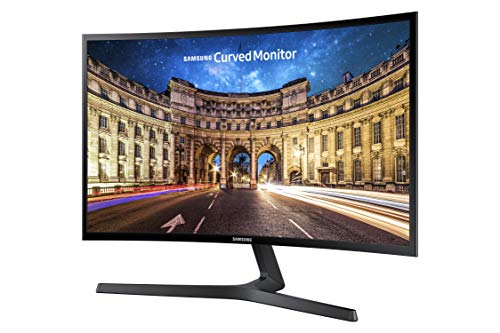
Samsung CF396 23.5-Inch Curved — Closest to true 23 inches
If the search that brought you here meant its 23 inches literally, this is your screen: at 23.5 inches viewable, the CF396 is the closest curved panel to that figure anyone sells, from the company that popularised curved monitors in the first place. The curve is gentle, the cabinet is slim enough to disappear on a small desk, and the VA panel’s contrast gives films and evening browsing a depth that flat budget IPS screens do not match.
Samsung tuned this model for mixed living rather than specialisation. FreeSync keeps casual gaming smooth, the response behaviour is adequate for everything except serious competitive play, and the wide viewing spec within the curve’s sweet spot makes it a friendly screen for one viewer at a desk or a small kitchen counter. It lacks height adjustment and modern high refresh, and its port selection is of its generation, so confirm your cables. As the honest centre of this category — the curved screen for people who simply want a curved screen — it remains easy to recommend.
The CF396’s longevity in Samsung’s catalogue is itself a review: models that disappoint do not survive this long in a competitive line. Its ownership pleasures are small and cumulative — the way the slim cabinet keeps a tiny desk looking intentional, the way evening light stops fighting the corners of the screen, the way a film’s dark scenes hold their depth at arm’s length. Buyers sometimes worry that an everyday refresh rate dates it; in practice, for the mixed browsing, work and video life it is bought for, the panel’s character matters daily and the refresh ceiling matters rarely.
The CF396 also suits a role its marketing never mentions: the kitchen-counter and workshop screen. Its size, slimness and forgiving picture make it a natural for recipe videos, tutorials and reference material in rooms where a television is too much and a tablet too little. Not every pick in a gaming-adjacent category can say its second life is this domestic, and the versatility explains much of its long catalogue life.
The CF396’s verdict is that it remains the category’s front door: the closest size to the keyword, the gentlest introduction to curved viewing, and a Samsung panel whose character suits the mixed life most small desks lead. Newcomers to curved screens should start their comparison here and demand that rivals justify moving them.
One last CF396 note: it is the pick to gift, to inherit and to start with — the category’s most forgiving first curved screen, from the brand that has made more of them than anyone.
- True size: 23.5-inch viewable curved VA
- Resolution: 1920 x 1080
- Response: 4ms class
- Sync: AMD FreeSync
- Design: ultra-slim bezel and cabinet
Strengths
- True 23.5-inch size, the closest to the keyword that exists
- VA contrast suits films and evening use
- Slim design fits genuinely small desks
Trade-offs
- Refresh is everyday-class, not gaming-class
- Tilt-focused stand
- Port selection reflects its generation
Best for: buyers who want a compact curved screen for mixed work, browsing and video, as close to 23 inches as the market allows.
Not suited for: competitive gamers, or anyone needing height adjustment and the newest ports.

Samsung S36GD 24-Inch Curved — Best for work and play balance
The S36GD is the curved screen for people whose monitor must behave at work before it is allowed to play. Its 1800R curve is the gentle kind that colleagues stop noticing by Wednesday, the 100Hz refresh is a meaningful smoothness step above the 60Hz office standard, and Samsung’s eye-comfort engineering — flicker care and blue-light management — is among the most credible in the business. During the day it reads as a sensible Essential-series office monitor that happens to be curved.
After hours, Game Mode and that 100Hz ceiling make casual gaming feel properly fluid, a class above the CF396’s everyday pace, though dedicated players should still look at the 160Hz and 180Hz picks below. The inclusion of a VGA port alongside HDMI tells you the target desk: mixed-age office hardware, docks and older PCs. If your setup spans generations of equipment and your tastes span spreadsheets and story games, this is the balanced curved choice.
The S36GD rewards the buyer who reads its brief correctly: it is an office monitor that moonlights, not a gaming monitor that compromises. Its 100Hz smoothness flatters the working day itself — scrolling documents, dragging windows, the small motions of a desktop — before any game is launched, and its eye-comfort tuning is calibrated for the eight-hour case rather than the two-hour one. Owners who came for the curve often report the refresh as the feature they would not surrender. That ordering of surprises is the signature of a well-judged all-rounder.
Office buyers comparing the two Samsungs should decide by afternoon, not by specification. If your screen’s hardest hours are documents under bright light, the S36GD’s eye-comfort system and 100Hz desktop smoothness are worth more than the CF396’s size purity. If its hardest hours are films in a dark room, the smaller screen’s charm closes the gap. Both are right; the diary decides.
The S36GD is the curved screen for grown-up desks: it treats the working day as the main event and the evening as a pleasure it also handles well. Its 100Hz and eye-comfort systems are the features a year of ownership will thank, long after the curve has become simply the shape of your monitor.
One last S36GD note: its VGA port, mocked by minimalists, is the reason it can serve the oldest machine in the house as gracefully as the newest — a versatility few modern screens bother to keep.
- True size: 24-inch viewable curved, 1800R
- Resolution: 1920 x 1080
- Refresh rate: 100Hz
- Features: Game Mode, advanced eye comfort modes
- Ports: HDMI and D-sub (VGA)
Strengths
- 100Hz smoothness with a work-friendly gentle curve
- Credible eye-comfort features for long days
- Handles older and newer sources in one cabinet
Trade-offs
- VGA-era port mix will not suit minimalists
- Not fast enough for serious competitive play
- Stand remains tilt-class
Best for: home-office users who want one curved screen that works all day and plays respectably at night.
Not suited for: esports-leaning players, or buyers who want DisplayPort and USB-C only.

Sceptre Curved 24-Inch Gaming — Value curved all-rounder
Sceptre has built a loyal following by putting the panel first and the badge last, and this curved 24-inch model is the formula at its most likeable. The 1500R curve is the more involving of the common radii, the colour coverage is generous for the class, and the practical touches — two HDMI ports for a PC and a console, built-in speakers for a spare-room setup, VESA mounting for arm users — show a company that understands exactly how these screens get used.
In daily life it is a cheerful all-rounder: games look rich on the VA panel, films gain contrast, and documents are perfectly serviceable once you settle into the curve. The expected value-brand caveats apply — the stand is basic, the speakers are convenience-grade, and you should inspect your unit early for panel uniformity — but none of them undermines the central proposition. For a second room, a student desk or a first curved screen, this is the pick that makes the category feel affordable without feeling cheap.
A month with the Sceptre clarifies its design intelligence: the features it includes are the ones a spare-room setup actually touches — the second HDMI when a console arrives, the speakers when a laptop’s own are too thin, the VESA mount when a cheap arm transforms the desk — and the features it omits are the ones that desk never misses. Its curve, tighter than the Samsungs’, gives films and racing games a sense of occasion out of proportion to the screen’s size and cost. It is the pick most likely to be described by its owner as better than expected.
The Sceptre’s speakers deserve their precise due: they are good enough that a spare-room setup can skip external audio entirely for calls, casual video and console play at modest volume, and not good enough for music or film at cinematic levels. Budget buyers should count that honestly — it removes a purchase for most rooms, which in this class is equivalent to a specification upgrade everywhere else.
The Sceptre’s verdict is completeness on a budget: curve, colour, ports and speakers in one cabinet, aimed squarely at the rooms that cannot sprawl. It asks for an early inspection and a modest stand as its only tolls, and in return it furnishes a small setup more fully than screens with prouder badges and emptier boxes.
One last Sceptre note: in a room where every object must earn its footprint, a screen that is also the speakers and also the console hub is not a compromise — it is the architecture.
- True size: 24-inch viewable curved, 1500R class
- Resolution: 1920 x 1080
- Colour: up to 98% sRGB class coverage
- Ports: two HDMI, VGA; built-in speakers
- Mounting: VESA wall-mount compatible
Strengths
- Tighter 1500R curve adds real involvement
- Two HDMI ports plus speakers suit console corners
- Strong colour coverage for its class
Trade-offs
- Basic stand and convenience-grade speakers
- Check your unit early for uniformity
- Support network is leaner than Samsung’s
Best for: students and spare-room setups wanting curved gaming and video without a premium badge.
Not suited for: buyers who prioritise ergonomic stands or flagship support.
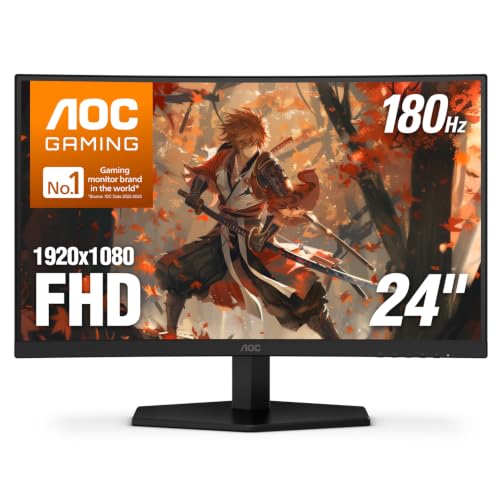
AOC C24G42E — Fastest curved pick
Speed and curve rarely meet at this size, which makes the C24G42E the enthusiast’s pick of the six. Its VA panel runs at 180Hz — proper competitive territory — while keeping the contrast and gentle wrap that drew you to a curved guide in the first place. Fast-paced games feel fluid, single-player titles keep their atmosphere, and the modern port selection means a gaming PC and a current console both connect the way they should.
AOC’s gaming software and menus are sensibly laid out, and the HDR checkbox should be treated as compatibility rather than spectacle, as with every screen in this class. The standing VA caution about dark-transition smearing applies in the fastest scenes, and the curve makes this a one-viewer screen. But if your shortlist began with the word curved and your games demand real pace, this is the model that refuses to make you choose between the two.
The C24G42E asks for, and rewards, a deliberate setup hour. Its adaptive sync range, overdrive behaviour and per-input settings repay configuration: set the PC input to its fastest sensible overdrive, store a calmer profile for film, and position the screen so your seat is the curve’s centre. Owners who do that hour report a screen that feels a class above its price in motion. Owners who skip it still get a fast, rich panel — but the difference between the two experiences is the clearest illustration in this list of configuration as a feature.
AOC’s gaming menus hide one feature competitive players should find on day one: the per-input picture profiles. Set the PC input for speed and the console input for richness, and the screen stops asking you to re-tune it at every device swap. It is the kind of detail that separates gaming lines designed by players from gaming lines designed by marketers, and this model is firmly in the first camp.
The AOC is where this category stops apologising for speed. It is a gaming monitor first that happens to be curved, rather than a curved monitor that tolerates games, and players who want both sensations at full strength have exactly one address on this list. Configure it once, sit in its centre, and enjoy the combination.
One last AOC note: it is the pick for the player who has read this whole guide waiting for permission to want speed and curve together. Permission granted; this is the one built for exactly that reader.
- True size: 24-inch viewable curved VA
- Resolution: 1920 x 1080
- Refresh rate: 180Hz
- Ports: DisplayPort 1.4, HDMI 2.0
- Sync: adaptive sync support; VESA mounting
Strengths
- 180Hz in a curved VA panel is a rare combination
- Modern ports for PC and console alike
- Contrast keeps atmospheric games looking rich
Trade-offs
- Some smearing in the fastest dark scenes
- HDR is nominal at this level
- Solo viewing only, by design
Best for: gamers who want curved immersion without giving up high-refresh play.
Not suited for: shared viewing, or players who cannot tolerate any VA motion artefacts.

SANSUI 24-Inch Curved 160Hz — Budget speed with a curve
The SANSUI curved screen makes the same argument here that it makes in flat gaming guides: the panel is the product, and the panel is good. A tight 1500R curve, VA contrast in the 3000:1 class and 160Hz with FreeSync is a specification that would not embarrass screens carrying far prouder badges, and in play it delivers — smooth, punchy and involving, with HDR support that is best treated as a bonus rather than a headline.
The economies live where they always live with this brand: a basic stand, menus that favour function over elegance, and the standing advice to inspect any value panel promptly on arrival. Set against the AOC above, you give up a little refresh and a little polish; set against the Sceptre, you gain substantial speed. For a buyer whose budget is fixed and whose priority is the picture in motion, that is the right exchange, and it earns this screen its place as the value-speed pick of the curved class.
The SANSUI’s curve deserves specific praise: at 1500R it is the tightest wrap here, and paired with the VA contrast it produces the most cinematic small-screen experience in the list — night driving games and space films gain a depth that flat value screens cannot imitate. Its 160Hz pace means that atmosphere never costs you responsiveness in faster titles. The ownership contract remains the brand’s usual one — inspect early, set overdrive conservatively, accept a plain stand — but judged purely on what reaches your eyes per unit of money, this is the curved class’s sharpest bargain.
The SANSUI and the AOC will be cross-shopped by every speed-seeking reader, so the deciding question deserves stating plainly: is the last increment of refresh and polish worth the difference on the day you buy? For a player whose PC sustains the highest rates, yes. For everyone else, the SANSUI’s curve, contrast and 160Hz deliver the experience entire, and the saving funds the arm this category keeps recommending.
The SANSUI verdict is that the curved experience’s entry price has fallen to where curiosity costs little. Its curve is the tightest here, its pace is real, and its risks are the manageable, inspectable kind. For a first curved screen bought with open eyes, it is difficult to argue with the arithmetic.
One last SANSUI note: bought carefully and inspected early, it is the screen that makes friends ask what it cost and guess wrong in the flattering direction — the value pick’s oldest and best party trick.
- True size: 24-inch viewable curved VA, 1500R
- Resolution: 1920 x 1080
- Refresh rate: 160Hz
- Contrast: 3000:1 class
- Ports: HDMI 2.0, DisplayPort 1.4; VESA support
Strengths
- 160Hz and a tight curve at a value position
- Strong VA contrast for games and films
- FreeSync and modern ports included
Trade-offs
- Basic stand and menu finish
- Inspect the panel early, as with any value brand
- Brand support is thinner than AOC or Samsung
Best for: budget-conscious players who refuse to choose between curve and speed.
Not suited for: buyers who want flagship ergonomics, polish or support.
HP X24c — Prose-only gaming alternative
The X24c earns a prose-only mention because it is, on paper, one of the closest matches to this guide’s keyword ever sold: a genuine 23.6-inch curved gaming panel with a 144Hz-class refresh and FreeSync, from a major brand. Readers hunting this category will find it in searches and marketplace listings, and its specification explains the interest — it is precisely the screen the keyword describes.
Why no link? We could not verify a current listing for it through the pool this guide is built on, and an unverified link would break the rule every other pick here follows. Treat the X24c as a used-market or old-stock opportunity: if you find one from a seller you trust, check the panel carefully for the usual VA issues, confirm the stand and cables are complete, and compare its total cost against the verified Sceptre and SANSUI above before paying a scarcity premium for a discontinued size.
The X24c’s story carries a lesson for the whole category: specifications that match a keyword perfectly do not guarantee a product you can actually buy well. Its afterlife on marketplaces means condition varies from ex-office pristine to hard-used, and the difference is worth real money, so inspection discipline — panel uniformity, stand completeness, cable inclusion, dead pixels — is the price of admission. Readers who enjoy that hunt may land the most on-brief screen in this guide. Readers who do not should take the hint the market is giving and choose a current, warranted pick from the five above.
Should you find an X24c at a fair price, one test matters above the rest: a grey uniformity screen in a dim room, because ex-gaming panels live hard lives and backlight wear shows there first. Pass that, confirm the refresh over your own cable, and you own the most literally on-brief screen in this entire guide — a small triumph for the patient.
The X24c’s verdict is a shrug with a smile: the perfect on-paper answer to this keyword, available only to those willing to shop second-hand with their eyes open. It earns its prose-only place as a signpost — proof the size existed, and a standing instruction to verify before believing, which is this guide’s whole method in miniature.
One last X24c note: if you buy one used, photograph its test screens before paying. The images are your evidence, your calibration baseline and your resale documentation in one — the hunter’s receipt.
- True size: 23.6-inch viewable curved VA
- Resolution: 1920 x 1080
- Refresh: 144Hz class gaming specification
- Sync: FreeSync class support
- Availability: varies by region and seller
Strengths
- A true 23.6-inch curved gaming panel
- 144Hz-class specification from a major brand
- Interesting value on the used market when sound
Trade-offs
- No verified link in this guide
- Availability and warranty are uncertain
- Scarcity pricing can erase its value
Best for: confident second-hand shoppers who can inspect before they commit.
Not suited for: anyone who wants a new screen with a full warranty and a simple returns path.
How Do the Six Compare Side by Side?
| Pick | Panel and size | Refresh | Stand and mounting | Best use |
|---|---|---|---|---|
| Samsung CF396 | 23.5-inch VA curved | Everyday class | 1800R class | Closest to 23 inches, mixed use |
| Samsung S36GD | 24-inch VA curved | 100Hz | 1800R | Work-first curved balance |
| Sceptre Curved 24 | 24-inch VA curved | Gaming class | 1500R | Value all-rounder |
| AOC C24G42E | 24-inch VA curved | 180Hz | Curved gaming radius | Fastest curved play |
| SANSUI 24 Curved | 24-inch VA curved | 160Hz | 1500R | Budget speed |
| HP X24c (prose-only) | 23.6-inch VA curved | 144Hz class | Curved gaming radius | Used-market opportunity |
Lay the true sizes side by side and the category’s secret is plain: a single inch of marketing separates the smallest and largest cabinets here, and every one of them fits the desk this keyword imagines. Choose by refresh, radius and role — the diagonal has already made its small contribution.
The radius column deserves its moment. The 1500R screens wrap a touch more and suit play; the 1800R Samsungs behave more like flat screens with better manners and suit work. Neither is a defect; they are two answers to what a curve is for.
How Should You Position and Configure a Small Curved Monitor?
Centre yourself. A curved screen’s geometry assumes a viewer on its axis, so align your chair, keyboard and the panel’s centre line before touching a single setting; a curved screen used off-centre gives up its uniformity advantage and adds a lopsided feel that owners often blame on the panel. Distance wants to be a comfortable arm’s length, close enough for the wrap to register.
Then calibrate expectations in the menus. Set the refresh rate explicitly in your operating system, enable FreeSync or adaptive sync if you game, and choose the middle overdrive setting on gaming models to avoid halos. For work, enable the eye-comfort or reading preset and set brightness to match the room rather than the showroom — curved VA panels are contrast-rich, and an over-bright screen in a dim room is the fastest route to tired eyes.
Finally, give the geometry a week. Straight lines will look faintly bowed for the first days if you arrive from a flat screen, then the sensation fades for most people. If your work is drafting or layout and it has not faded by the end of that week, believe your eyes and exchange the screen for a flat one while the returns window is open.
How Do Curved Screens Handle Work, Film and Games Across One Week?
Work is where sceptics expect the curve to fail, and where it most quietly succeeds. Spreadsheets, documents and browsing all sit comfortably on these gentle radii after the first days, and the VA panels’ contrast makes text on dark interfaces particularly restful in evening light. The exception remains the line-critical professions named earlier; for the general office population, a week is enough to stop seeing the curve and start seeing only the screen.
Film is the curve’s home fixture. The wrap, the contrast and the intimate size combine into the most cinematic experience a desk offers, especially in a darkened room with the screen at its intended distance. Letterboxed films lose their grey bars to the VA blacks, and the picture gains the depth that flat budget panels flatten away. Solo viewers in small rooms are, without exaggeration, this format’s ideal audience.
Games split by pick, as the reviews detail: the everyday models serve casual and slow-paced libraries beautifully, while the AOC and SANSUI bring genuine competitive pace to the curved experience. Across all three lives, the pattern is the same — the curve contributes most where the room is darkest and the viewer is centred, and least where the screen is shared or the work is geometric.
What Should You Budget Around a Small Curved Monitor?
The screen is most of the spend, but three companions deserve line items. A VESA arm, first, because curved geometry rewards exact positioning more than flat screens do, and an arm guarantees the centred seat the panel assumes. A bias light for evening use, second, because it deepens the VA contrast you paid for while easing the eye strain of a bright screen in a dark room. And a cable of the right standard and length, third, because the gaming picks’ refresh rates are only real over the connection that carries them.
Against those additions, credit the savings the format brings: no separate speakers are strictly necessary for casual use on the Sceptre, no larger desk is required, and no second screen is needed to make films feel like an event. Curved at this size is one of the few upgrades whose surrounding costs fall as often as they rise.
Buy the arm with the screen if you can. Owners who postpone it tend to live with a compromised position for months, judging the curve by a geometry it never asked for — the single most avoidable disappointment in this category.
How Does Room Lighting Change a Curved Screen’s Verdict?
Curved VA panels are creatures of their rooms to a degree flat IPS screens are not, and the same monitor can be a revelation in one space and a disappointment in another purely on lighting. The ideal curved room is controllable: a dimmable main light, no window directly behind the viewer’s chair, and perhaps a bias light behind the panel for evening sessions. In that room the contrast blooms, reflections stay tame, and the curve’s geometry works exactly as designed.
The difficult room is the bright, many-windowed one, especially with light sources behind the seating position. A curve gathers reflections differently from a flat panel — where a flat screen throws a window’s glare to one side, the curve can hold a softened version of it across a wider area at certain angles. Matte coatings, which every pick here wears, blunt the effect considerably, but a buyer in a glass-walled room should weight the flat alternative seriously, or plan the desk’s orientation around the light rather than hoping the panel defeats it.
Orientation is the free fix, and it belongs in every curved buyer’s first hour: turn the desk, not the settings. Placing the screen so windows sit to its side rather than behind the viewer transforms most glare complaints, and the curve then does its quiet work unopposed. Screens get blamed for rooms with remarkable consistency in this category; a tape measure and a chair swivel prevent most of it.
Judge your own room at its worst hour before ordering — noon glare or evening lamplight, whichever your usage meets — and choose the pick whose character suits that hour. The S36GD’s eye-comfort system forgives bright rooms best; the tight-curve gaming pair rewards dark ones most. The category has a screen for each; it asks only that you know which room is yours.
How Do You Maintain a Curved Screen’s Picture Over the Years?
Curved panels ask for two small habits. The first is positional fidelity: the geometry assumes its viewer, so a chair that drifts or a screen nudged off-axis by cleaning slowly taxes the picture. A VESA arm with a firm lock, or simply a marked position on the desk, keeps the sweet spot where you left it. The second habit is brightness honesty — VA contrast tempts owners to run evening brightness high for the drama, and the eye strain that follows gets blamed on the curve. Match the room, and the panel’s drama survives at civilised levels.
Cleaning deserves a sentence because curves collect their owners’ mistakes: a dry microfibre cloth, no sprays directly on the panel, no pressure at the edges where the bend makes the surface least forgiving. Business as usual for modern screens, with a little extra gentleness at the borders.
Finally, revisit your settings seasonally. Rooms change with the year — summer light reaches desks that winter never touched — and a curved screen’s one vulnerability is a new reflection geometry. Five minutes with the brightness and a swivel of the chair each spring keeps the picture you bought, which is the entire maintenance programme this format asks of anyone.
How Do You Decide Between the Two Curve Radii in Practice?
Stand in your own room and answer a simpler question first: how many hours a day will this screen spend showing games and films, and how many showing documents? The ratio, honestly estimated, chooses the radius more reliably than any showroom comparison. Play-dominant desks take the 1500R picks and enjoy the wrap; work-dominant desks take the 1800R Samsungs and enjoy the discretion; the genuinely divided desk should follow its evenings, because that is when the curve is felt.
Distance refines the answer. The tighter curve rewards the closer seat that small desks impose, gathering the edges into the same focal plane as the centre. The gentler curve forgives the variable distances of shared and standing desks. Measure your actual eye-to-screen distance once — most people have never done it — and the radius debate usually settles itself.
If the decision still ties, choose by the second viewer rule: any regular second viewer pushes you toward the gentler curve or out of the category entirely, while the committed solo desk can indulge the tighter wrap without apology. Geometry is personal at this size, and the guide’s last word on it is that your room outranks our table.
A Last Word on Trusting Your Own Eyes
Curved screens divide opinion more honestly than almost any other product in this series, and the division is not between the informed and the misled — it is between eyes, rooms and habits that genuinely differ. This guide has given you the category’s geometry, its trade-offs and its six best current answers, but the verdict it trusts most is the one your own first week delivers.
Buy from a seller who respects that week, sit centred, work and play as you normally do, and let the screen make its case in the only courtroom that matters. Most juries, in our experience, vote to keep it — and the ones that do not have lost nothing but a little time.
What Mistakes Do Curved-Monitor Buyers Make?
Believing the keyword’s size is the first mistake, and this guide has laboured it deliberately: a buyer who unboxes a 24-inch screen expecting a true 23.0-inch panel may feel misled by an inch that was never really on offer. Measure your space in centimetres of cabinet width, and the whole class becomes honest.
Expecting ultrawide drama is the second. At 24 inches a curve is a comfort feature, not a spectacle. Buyers who want the wrap to transform their games should be shopping larger diagonals; buyers who want a kinder, richer small screen are in exactly the right place.
Third, curved VA screens get bought for shared desks and family viewing, where their off-angle dimming and distortion disappoint daily. If two people watch together regularly, a flat IPS screen is the kind choice, and no specification in this list changes that.
Finally, do not judge the curve in the first hour, and do not judge it from the side. Sit centred, work and play normally for several days, and let the geometry settle. Most owners who return curved screens decided in an afternoon; most who keep them decided in a week.
Final Recommendation
If you came here for the closest thing to a 23-inch curved monitor that money can currently buy, the Samsung CF396 is the literal answer, and a good one. If your desk works for a living, the S36GD’s gentler curve and 100Hz pace make the stronger daily case.
Players divide by budget and seriousness: the AOC C24G42E for speed with atmosphere, the SANSUI for most of that experience at a value position, and the Sceptre as the friendly all-rounder between them. Whichever you choose, you are buying the curve for comfort and contrast — and at this size, judged on those terms, it earns its place on the desk.
End where the category begins: with the admission that an inch of marketing hid a genuinely useful class of screens. The 23.5 and 24-inch curved panels above are not approximations of some better product elsewhere; they are the right size, with the right contrast, for the small and dim and personal desks that most viewing actually happens on. Buy the one your room describes, and the keyword’s small dishonesty will have led you, honestly, home.
Frequently Asked Questions
Does a 23-inch curved monitor actually exist?
Not as a current, mainstream product. The living class is 23.5-inch and 24-inch curved panels, which is why this guide labels every pick with its true viewable size. The 23.5-inch Samsung CF396 is the closest real match to the keyword.
Is a curved screen good for office work?
For general office work, yes — the gentle curve is comfortable over long sessions and the VA contrast is easy on the eyes in dim rooms. The exception is precision line work such as CAD, where the slight bow of straight rules bothers some professionals.
Which curve radius should I choose, 1500R or 1800R?
Choose 1800R for a work-leaning screen that behaves almost flat, and 1500R for gaming and film, where the extra wrap is part of the appeal. At this size both are gentle, so the decision is about role rather than right and wrong.
Are curved monitors bad for sharing or watching together?
They are noticeably worse off-axis than flat IPS screens: brightness and geometry fall away for a viewer at the side. For a solo desk they are excellent; for a screen two people watch nightly, flat is the better buy.
Can these curved screens handle gaming properly?
The gaming models here, up to 180Hz with adaptive sync, handle it very properly indeed. The everyday models are for casual play. Match the refresh rate to your library the same way you would with any flat gaming screen.
Will text look distorted on a curved monitor?
Spreadsheets and documents look normal to most users after a short adjustment, because the curve is shallow at this size. If you are sensitive to geometry, buy from a seller with a fair returns policy and judge across a full working week, not a first impression.
Do curved monitors cause eye strain?
For most users the opposite is reported: the even viewing distance across the panel reduces the small refocusing effort a flat screen asks for. Eye strain is driven far more by brightness mismatched to the room, tiny text and long unbroken sessions than by a gentle curve in either direction.
Can I wall-mount or arm-mount a curved screen?
Yes — the linked picks here support VESA mounting, and an arm is often the best upgrade for a curved screen because it guarantees the centred, correct-distance position the geometry assumes. Check the VESA pattern in the listing and your arm’s rated weight capacity before ordering.
Related Guides
Flat-curious readers and curve converts alike will find the neighbouring guides useful: Best 23.8 monitors for real desks Best 23.6 inch gaming monitors for tight setups Best 23 inch monitors in the mid-budget range.


