What's inside
- Key Takeaways
- Quick Picks
- How Did We Choose These Two-Camera Systems?
- FHSS or WiFi: Which Link Suits Your House?
- What Does Split-Screen Audio Actually Do at Night?
- What Changes When the Two Rooms Hold Twins?
- How Should You Read Range and Battery Claims?
- How Should You Arrange Two Cameras and One Screen?
- Which Features Turn Out to Matter Least?
- The Picks in Detail
- How Do the Six Systems Compare Side by Side?
- How Do You Set Up a Two-Camera System on the First Evening?
- What Mistakes Do Two-Camera Buyers Keep Making?
- Final Recommendation
- Frequently Asked Questions
- Related Guides
As an Amazon Associate I earn from qualifying purchases. This post may contain affiliate links at no extra cost to you.
widgetverdict.com is reader-supported. When you buy through links on our site, we may earn an affiliate commission.
Where to buy: all six systems below are current Amazon listings with the second camera included in the box or sold as a matched pair, so check the listing title carefully before ordering — a single-camera version of the same model often sits one click away.
Shopping for the best 2 camera video monitors usually starts with a floor plan. One camera watches the nursery, the second covers the toddler room, the play corner or the bassinet that migrates between rooms, and the parent unit has to show both feeds without turning bedtime checks into a menu-diving exercise. That is a different purchase from a single-camera monitor with a spare lens on a wishlist: a true two-camera system pairs both cameras to one screen out of the box, handles the split view properly and keeps audio from two rooms intelligible.
The six systems here split along one honest fault line. Four are closed, no-WiFi designs that talk to their own screen over a private radio link and never touch your home network. One, the Momcozy BM04, is a WiFi system with a phone app alongside its dedicated screen. One, the Infant Optics DXR-8 PRO SS, is the enthusiast option built around interchangeable lenses and simultaneous audio from both cameras. Screen size runs from a pocketable 3.2 inches to a full 5 inches, claimed battery life from an overnight stretch to well past a full day, and every model offers infrared night vision because a nursery camera that goes blind at lights-out is furniture, not a monitor.
Key Takeaways
- Two cameras paired to one screen from the box is the defining feature; check that both cameras are included, not merely supported.
- No-WiFi FHSS systems keep the feed inside the house on a private link, while the one WiFi pick adds phone viewing from anywhere.
- Split-screen viewing is only half the story — how a system handles audio from two rooms matters just as much at 3 a.m.
- Bigger screens are easier to read at a glance but drain batteries faster; maker battery claims assume the gentlest settings.
- Pan and tilt range decides whether one camera can follow a climbing toddler or stays fixed on the crib.
- None of these products is a medical device; they show pictures and sound, and that is the whole of the job.
Quick Picks
| Pick | Badge | Why it earns its place |
|---|---|---|
| HelloBaby HB6550 | The balanced default | A 5-inch screen, two pan-tilt cameras and a private no-WiFi link cover the classic two-room brief without drama. |
| Infant Optics DXR-8 PRO SS | The enthusiast system | Simultaneous dual audio and swappable lenses make it the most configurable two-camera setup here. |
| iFamily Split Screen Monitor | The straightforward split view | A 4.3-inch screen that simply shows both rooms side by side, with remote pan and tilt on each camera. |
| Momcozy BM04 | The app-connected option | WiFi, a phone app and a 1080p split-screen parent unit for parents who also want to check in from elsewhere. |
| GoodBaby Split Screen Monitor | The battery marathoner | A maker-rated 30-hour battery and a 5-inch no-WiFi screen aimed at homes where the charger is never nearby. |
| HelloBaby 3.2-inch Two-Camera | The compact carry-around | A smaller, lighter parent unit with two cameras for flats, travel and grandparents’ houses. |
How Did We Choose These Two-Camera Systems?
Every pick had to satisfy the literal brief first: two cameras in the system, one parent screen, and a split or alternating view that a tired adult can operate one-handed in the dark. Models that merely accept a second camera sold separately were only admitted where the two-camera bundle is the standard listing, because the keyword promises a pair. We then weighed the things that separate a good two-room setup from a frustrating one — how audio behaves when both rooms are live, whether each camera pans far enough to matter, how the screen handles brightness at night, and how honestly the maker states range and battery figures.
Night vision got its own pass, because it is the mode these cameras spend half their lives in and the mode listings describe most vaguely. What separates the better systems is not whether infrared exists — it always does — but how evenly the picture is lit: cheap infrared floods the centre of the frame and leaves the corners black, so a child who rolls to the edge of the crib effectively leaves the picture. Even illumination, a sensor that does not hunt noisily between day and night modes at dusk, and an infrared glow too faint to interest a curious toddler were the traits we weighted, and they are part of why the larger, established systems cluster at the top of this list.
We also kept the technology honest. A closed FHSS link and a WiFi app system solve different problems, so the guide carries both and labels them plainly rather than pretending one approach wins everywhere. Manufacturer range figures are quoted as the makers state them — open-field numbers that shrink through walls — and battery claims are treated as best-case figures under light use, because that is how every brand in this category measures them.
FHSS or WiFi: Which Link Suits Your House?
A no-WiFi monitor is really a dedicated radio appliance. The cameras and screen find each other on a frequency-hopping link, the pairing is fixed at the factory or with a button press, and nothing about the feed travels over the internet. The appeal is partly privacy and partly sheer reliability: the system works during a broadband outage, ignores router passwords, and cannot be knocked offline by a firmware update to something else in the house. The cost of that simplicity is distance — you watch on the supplied screen, in the house, within the link’s range, and that is the entire feature set.
There is also a middle behaviour worth knowing: several closed-link households add a cheap audio-only monitor as a backup for garden distance, where the video link fades but plain audio still carries. It is an unfashionable solution that works, and it underlines the real hierarchy of needs — hearing a child matters first, seeing them second, and seeing them in high definition a distant third.
A WiFi system such as the Momcozy BM04 inverts the trade. The cameras join your home network, a phone app shows the feed from the garden, the office or another country, and the included parent unit still works locally for the bedside table. In exchange you inherit network chores: a stable 2.4GHz signal in the nursery, an account password worth protecting, and the reality that a congested router can stutter a feed. Neither camp is the responsible choice in the abstract. Houses with thick walls and patchy coverage often get a calmer life from the closed link; parents who travel for work usually want the app and accept the upkeep.
What Does Split-Screen Audio Actually Do at Night?
Picture is the easy half of a two-camera system. Both feeds on one screen is a solved problem, and every pick here does it. Audio is where the designs diverge, and it decides what you hear when one child coughs and the other starts crying in the same minute. Simpler systems play sound from whichever camera you selected, or alternate between rooms on a timed scan, which means a quiet room can hold the microphone while the noisy one waits its turn. The Infant Optics DXR-8 PRO SS was built specifically to escape that compromise: its simultaneous dual audio carries sound from both cameras at once, so neither room is ever muted by the other’s turn.
Most households manage fine with scan or selected audio, because the screen still shows both rooms and a parent glances before acting. The arrangement struggles in a specific, common layout — twins in separate rooms, or a newborn and a light-sleeping toddler — where both audio channels carry information you genuinely need in the same moment. If that is your floor plan, weight the DXR-8 PRO SS heavily. If your second camera watches a play area that is silent after bedtime, save the complexity and let any of the scan-based systems do the night shift.
What Changes When the Two Rooms Hold Twins?
Twins rearrange the priorities in this guide more than any other household detail. Two babies on the same schedule means both feeds are primary — there is no quiet playroom camera to check occasionally — and the split view stops being a convenience and becomes the main screen you live on. It also means both rooms produce important audio at overlapping times, often the same times, which is the precise scenario simultaneous dual audio was built for. Twin parents should weight screen size and audio design above almost everything else here, and treat battery stamina as a secondary comfort rather than a headline.
The camera side simplifies, at least. Two cribs in two rooms (or two cribs in one room watched by two cameras, a layout some twin families prefer for a closer view of each baby) need fixed, careful framing rather than constant panning, so the remote-movement features that sell toddler systems matter less in the first year. What matters is that both cameras’ night vision is evenly matched, because a split screen with one bright feed and one murky feed draws the eye to the wrong room all night. Every system in this guide pairs identical cameras, which quietly solves that.
One practical note from twin households: label discipline pays double. When both feeds show similar cribs and similar babies, the on-screen room names are how a half-awake parent knows which cry to answer first. Set the names up properly on day one, keep the cameras’ positions consistent, and resist swapping cameras between rooms during the fog of the early months.
How Should You Read Range and Battery Claims?
Every maker in this category measures range the same flattering way: outdoors, line of sight, nothing between camera and screen but air. Quoted figures in the high hundreds of feet shrink fast indoors — each wall takes a cut, brick and concrete take bigger cuts, and a kitchen full of metal appliances can shadow a whole corner of a house. The honest way to use a range figure is comparatively, not literally: a system rated well above another probably does reach further through the same walls, but neither number promises your floor plan. This is why the setup walk-through matters more than the specification — your house grades the link, not the box.
Battery claims follow the same pattern. The headline hours assume the screen asleep most of the time in sound-activated mode, brightness modest, and the radio idling between checks. Run a 5-inch split view continuously at full brightness and any system here will drain in a fraction of its rated span. That is not deception so much as physics, but it means the right question is not “how long is the battery” — it is “how does this household watch”. Screen-asleep households can trust the big numbers roughly; screen-always-on households should shop as if every battery were a third of its claim and value the GoodBaby’s head start accordingly.
How Should You Arrange Two Cameras and One Screen?
Placement decides picture quality more than sensor size does. Mount or stand each camera high in a corner of its room, angled down so the frame takes in the sleep space and the floor beside it; a camera at mattress height sees a dramatic close-up of one rail and nothing else. Keep the lens out of a child’s eventual reach and route the power cable so it never dangles within grabbing distance of a crib — every maker in this guide states the same cable-distance guidance, and it is the one setup rule worth treating as absolute. Test the view in daylight and again after dark, because a camera that frames the crib beautifully at noon may spend the night staring into the glare of a night-light.
The screen’s home matters too. Most households settle on a two-base pattern: the parent unit charges beside the bed overnight, then travels to wherever the adults spend the evening. Choosing that daytime spot in advance — somewhere with a socket, out of cooking steam and toddler reach — prevents the slow drift to a kitchen worktop graveyard of cables. If your house has a known dead corner for radio, a hallway or landing socket often makes a better charging base than a far bedroom, keeping the unit within easy link range of both cameras while it tops up.
Finally, rehearse the handover. If a partner, grandparent or sitter will use the system, walk them through three actions before the first solo shift: switching the audible room, waking the screen, and turning the volume down without turning it off. Two-camera systems fail socially more often than electronically — the technology works, but the relief operator cannot find the toddler’s feed at midnight. Five minutes of rehearsal is the whole fix.
Which Features Turn Out to Matter Least?
Experience with this category demotes a few brochure favourites. Lullaby playback from the camera sounds tender in a listing and gets used twice in most houses, because a familiar voice through two-way talk does the same job better. Built-in temperature readouts describe the air beside the camera, which is often the warmest or coolest corner of the room, and parents quickly learn to treat them as a rough hint rather than a measurement. Feeding timers, photo capture and novelty alerts built into some parent units similarly fade: the phone in your pocket already does all of it, and the monitor’s irreplaceable jobs remain picture, sound and staying connected.
The features that climb in importance after a month of ownership are duller. A kickstand or a sensible charging dock decides whether the screen lives upright where you can see it. Buttons that work by feel decide whether midnight adjustments disturb anyone. A camera that re-pairs itself after an outage decides whether you trust the system on the nights you are most tired. None of these headline a product page, which is exactly why this guide keeps returning to them — two-camera systems are bought on specifications and kept, or returned, on behaviour.
The Picks in Detail
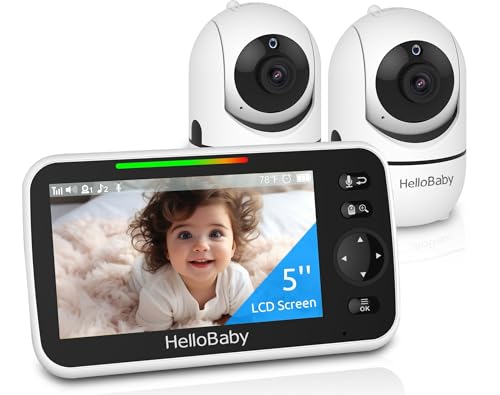
HelloBaby HB6550 — The balanced default
The HB6550 is the system most two-room households are picturing when they start this search: a 5-inch parent screen, two cameras that pan, tilt and zoom from the handset, and a private link that never asks for a WiFi password. HelloBaby sells this configuration to a very large installed base, and the design reflects that — big physical buttons, a menu shallow enough to navigate half-asleep, and a split view that treats both rooms as equals rather than burying the second camera in a submenu.
The cameras’ remote movement is the practical heart of the package. A crib camera mostly stares at one mattress, but the second camera in a toddler room earns its keep by following the action from bed to book corner, and doing that from the sofa beats creeping in to adjust a lens by hand. Two-way talk lets you answer a wakeful child without opening the door, night vision switches on automatically as the room darkens, and the screen’s sound-activated mode wakes the display when a room gets loud while letting it sleep — and save battery — through quiet stretches.
One more filter did quiet work in the background: support and longevity. A two-camera system is a three-device product, and a failed camera or a tired battery in year two should not orphan the whole setup. Brands with an established replacement-camera and accessory trail scored ahead of newer names selling a sealed bundle with no visible afterlife, because the cheapest monitor is the one you do not have to replace whole when a single part gives up.
Range and endurance claims follow category custom: the maker quotes long open-field range, which in a real house means comfortable coverage through a few walls rather than a number to hold anyone to. Treat the HB6550 as the reference design of this roundup — the one the others must beat on a specific axis, be it audio, battery or price of entry, rather than the winner of every axis at once.
Living with the HB6550 day to day is mostly a story of small frictions being absent. The screen wakes quickly from its sound-activated sleep, the split view returns to the layout you left rather than resetting to a single camera, and the physical volume and brightness controls mean a 3 a.m. adjustment never becomes a torch-lit menu expedition. The cameras pair back up automatically after a power cut, which matters more than it sounds: a system that needs re-pairing after every outage quickly trains its owners to stop trusting it, and trust is the entire product here.
- Screen: 5-inch colour display on the parent unit
- Cameras: two, with remote pan, tilt and digital zoom
- Link: closed no-WiFi FHSS connection to the parent unit only
- Night vision: automatic infrared on both cameras
- Extras: two-way talk, sound-activated screen wake, room temperature readout
Strengths
- Both cameras included and paired, so the system works as a pair from the first evening
- Large screen makes the split view genuinely readable from across a room
- Button-led controls stay usable when you are holding a baby in the other arm
Trade-offs
- Battery life is unremarkable next to the GoodBaby below; heavy split-screen use shortens it further
- Audio follows the selected or scanned camera rather than playing both rooms at once
- The temperature readout reflects the camera’s corner of the room, not the crib itself
Best for: parents with a nursery and a second room to watch who want the standard, proven layout with no app accounts and no network setup.
Not suited for: households where both rooms must be heard simultaneously all night, or anyone who needs to view the feed from outside the home.
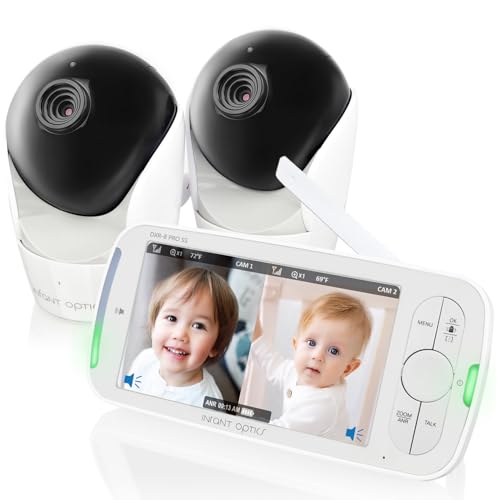
Infant Optics DXR-8 PRO SS — The enthusiast system
Infant Optics built its reputation on the DXR-8 line’s interchangeable lenses, and the PRO SS variant adds the feature this category usually lacks: split-screen viewing with simultaneous dual audio, so both cameras can be heard at the same time instead of taking turns. For twin parents, or anyone running a nursery and a toddler room whose noises both matter, that single specification rearranges the whole shortlist. The 5-inch display is a high-definition panel by the standards of this category, and the picture holds up when the split view shrinks each feed.
The lens system is the other half of the appeal. The cameras accept swappable optics — a standard lens for a whole-room view, a zoom lens for a crib across the room, a wide angle for a play space — so the same hardware adapts as children move from crib to bed to floor play. That flexibility suits a system bought once and expected to serve for years, through room changes that would strand a fixed-lens camera pointing at the wrong thing. Active noise reduction on the audio side trims the hiss and hum that cheaper monitors pass through all night.
Understand what you are buying into: this is the most involved system here, with lens choices to make and a price of entry that reflects its enthusiast positioning within the category. The closed link offers no phone viewing, deliberately. Buyers who want a monitor to behave like serious optical equipment — configured once, then trusted — are exactly its audience; buyers who want the cheapest path to two pictures should keep scrolling.
One ownership detail deserves emphasis because listings underplay it: the lens you choose changes what the split screen shows more than any setting does. A wide lens in a small nursery shows wall, crib and door in one feed; the standard lens from the same mounting point crops the story to the crib alone. Owners who buy the DXR-8 PRO SS for a first child and keep it for a second often end up owning two lens types and swapping them as rooms change purpose, which is precisely the lifecycle Infant Optics designed for — the cameras stay, the optics adapt.
- Screen: 5-inch HD parent display with split-screen mode
- Cameras: two, accepting interchangeable optical lenses
- Audio: simultaneous dual audio from both cameras, with active noise reduction
- Link: closed no-WiFi connection, no app or account
- Extras: remote pan and tilt, two-way talk, infrared night vision
Strengths
- The only pick here that lets you hear both rooms at the same time
- Lens swapping future-proofs the cameras as rooms and children change
- Audio processing keeps the overnight background hiss unusually low
Trade-offs
- Enthusiast positioning means enthusiast cost within this category
- No phone app, by design — viewing stops at the parent unit
- Getting the most from it means choosing lenses deliberately, not just unboxing
Best for: parents of twins or close siblings in separate rooms who need both audio channels live, and anyone planning to keep one system for years.
Not suited for: budget-led buyers, app-first parents, and anyone who wants the simplest possible unbox-and-done setup.

iFamily Split Screen Monitor — The straightforward split view
The iFamily system takes the brief at face value: a 4.3-inch screen, two cameras, both pictures side by side, and as little ceremony as possible between the box and the first night. That directness is its charm. Where larger systems layer modes and menus, this one behaves like an appliance — power on, see both rooms, use the remote pan and tilt to aim each camera, and let the sound-activated display handle the overnight shift.
The 4.3-inch screen is the honest compromise in the design. It is big enough that a split view stays legible at arm’s length on a bedside table, yet the parent unit remains light and pocketable in a way the 5-inch models are not. Picture detail on either feed is perfectly adequate for the actual questions a monitor answers — asleep or awake, in the bed or out of it, dummy in or dummy out — and the infrared night vision keeps those answers coming after lights-out.
Where the iFamily asks for compromise is depth of features. Audio follows the selected camera or a scan pattern rather than playing both rooms together, the battery is sized for evenings and nights rather than full days away from the charger, and there is no app tier waiting to be unlocked. None of that dents its core competence. As a second system for a grandparent’s house, or a first system for a flat where both rooms sit close together, its plain competence is the point.
The iFamily’s controls deserve a word because they explain who this system suits. Adjustments live in a shallow, icon-led menu that a grandparent can be talked through over the phone in one call, and the everyday actions — switching the audible camera, panning a lens, dimming the screen — sit on obvious buttons rather than nested screens. In a category that sometimes mistakes features for quality, there is real value in a monitor a relief caregiver can operate at midnight without a tutorial, and that usability is a deliberate part of this design rather than an accident of its simplicity.
- Screen: 4.3-inch colour display with side-by-side split view
- Cameras: two, each with remote pan, tilt and zoom
- Link: closed no-WiFi connection between cameras and parent unit
- Night vision: automatic infrared on both cameras
- Extras: two-way talk, sound-activated display, long-range maker rating for larger homes
Strengths
- Does the core two-room job with the least setup friction in this guide
- Mid-size screen balances split-view legibility against portability
- Cameras move remotely, which many simpler twin packs omit
Trade-offs
- Smaller display rewards keeping the parent unit nearby rather than across a room
- Audio is selected or scanned, never simultaneous from both rooms
- Battery is a night-shift battery, not a full-day one
Best for: flats, smaller homes and grandparents’ houses where two rooms need watching and simplicity outranks configurability.
Not suited for: large houses testing the limits of indoor range, or parents who specifically need dual simultaneous audio.

Momcozy BM04 — The app-connected option
The BM04 is the one system in this roundup that lives two lives. At home it behaves like a conventional two-camera monitor, with a 5-inch parent unit showing a split view of both 1080p cameras. Away from home it becomes a phone product: the cameras sit on your WiFi, the Momcozy app carries the feeds, and a parent at work or a grandparent in another city can look in without anyone handing them a screen. That dual nature is either the whole reason to buy it or a list of complications you never asked for, depending on your household.
The camera specification is a step up the ladder — 1080p sensors where most closed-link rivals run lower resolutions — and the app wrapping includes the usual smart-monitor furniture: motion and sound alerts pushed to the phone, recorded clips, and sharing controls for additional viewers. Used thoughtfully, the alerts are genuinely handy during the day, flagging a waking napper before the crying starts. Used carelessly they become one more notification stream competing for a tired parent’s attention, so the sensitivity settings deserve ten minutes of honest tuning on day one.
Two responsibilities come with the WiFi territory. The cameras need a solid 2.4GHz signal in the rooms they watch, which can mean thinking about router placement in a way the FHSS systems never demand. And an account-based product asks for account hygiene — a proper password, updates applied. Parents comfortable with that trade get the most flexible system here; parents who flinched reading this paragraph have four closed-link alternatives above and below.
The BM04 also changes who counts as a monitor user. Because the app carries the feed, a partner on a night shift can check the nursery during a break, and the parent at home still has the dedicated screen — neither displaces the other. Families use that split in ways the box never mentions: the screen lives in the bedroom, the app covers the garden office, and a grandparent with app access gets a standing invitation rather than a stream of sent clips. If your household would actually use those arrangements weekly, the BM04 stops looking like the complicated option and starts looking like the honest one.
- Screen: 5-inch parent unit with 1080p split-screen view, plus phone app
- Cameras: two WiFi cameras with 1080p sensors
- Link: home WiFi for app viewing; local parent unit for in-home use
- Night vision: infrared on both cameras
- Extras: motion and sound alerts to the phone, two-way talk, shareable app access
Strengths
- Only pick that keeps working as a monitor when you are out of the house
- Sharper camera sensors than the closed-link field
- Dedicated screen included, so bedside viewing never depends on your phone battery
Trade-offs
- Needs dependable WiFi coverage in both watched rooms
- App alerts need tuning or they nag; account upkeep is part of ownership
- A broadband or router failure takes the remote view with it
Best for: parents who travel, work away, or want grandparents to check in remotely, and who are relaxed about running one more connected device.
Not suited for: homes with unreliable WiFi, and anyone whose priority is a feed that never touches a network.
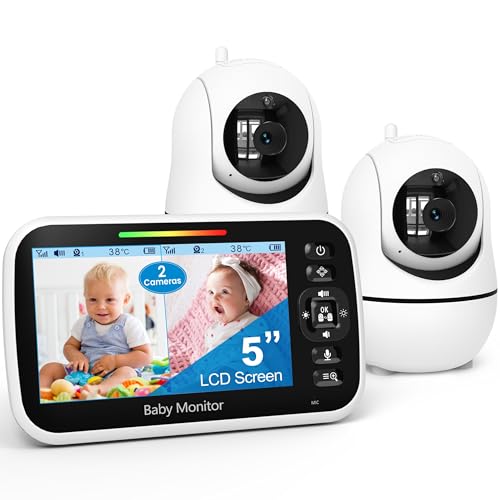
GoodBaby Split Screen Monitor — The battery marathoner
GoodBaby’s pitch fits on one line: a 5-inch split-screen parent unit, two cameras, no WiFi — and a battery the maker rates at 30 hours. That endurance figure is a best-case number under gentle settings, as all such figures are, but even discounted heavily it changes how the monitor lives in a house. The screen can spend the day on a kitchen counter, the evening in the living room and the night on a bedside table without the low-battery chirp becoming part of the bedtime routine, and it can travel for a weekend without its charger earning suitcase space.
The rest of the system is sensibly conventional, which is a compliment in this category. Both cameras pan and tilt remotely, the split view keeps the two rooms side by side, two-way talk works from the parent unit, and infrared night vision handles the dark hours. A sound-activated mode stretches the battery further by sleeping the display through quiet stretches and waking it when a room makes noise — the setting most owners will live in, and the one under which that headline endurance gets closest to real.
Choose the GoodBaby with clear eyes about what it optimises. It spends its engineering budget on stamina and screen size rather than on simultaneous audio, interchangeable lenses or an app. For a house where the parent unit roams far from sockets — older homes with few outlets, sprawling single-storey layouts, caravans and holiday lets — that is exactly the right budget to spend. In a compact flat where the screen never leaves one room, the stamina is surplus and a rival’s audio or optics may serve better.
Stamina also changes behaviour in a way specifications cannot capture. Owners of short-battery monitors develop charger habits — the screen lives where the socket is, and viewing happens on the system’s terms. A screen that comfortably lasts from breakfast to bedtime gets carried like a phone instead: to the desk during naps, the sofa in the evening, the kitchen during the early-morning feed. The GoodBaby’s real product is that freedom of placement, and the 30-hour rating is simply how the freedom is measured. Houses that already keep the screen in one room will feel the benefit least; roaming households feel it daily.
- Screen: 5-inch colour display with split-screen view
- Cameras: two, with remote pan and tilt
- Link: closed no-WiFi connection, no app or account required
- Battery: maker-rated up to 30 hours under light, sound-activated use
- Extras: two-way talk, infrared night vision, sound-activated display mode
Strengths
- Standout battery claim in a category where most screens beg for the charger nightly
- Full-size screen keeps both halves of the split view easy to read
- Sound-activated mode is well matched to how the battery figure is achieved
Trade-offs
- Headline endurance assumes the gentlest settings; constant full-brightness viewing cuts it hard
- No simultaneous dual audio and no phone viewing
- Fewer enthusiast adjustments than the Infant Optics system
Best for: homes where the parent unit roams room to room all day, travel-heavy families, and anyone tired of nightly charging rituals.
Not suited for: parents who need both rooms audible at once, or app access from outside the house.

HelloBaby Two-Camera 3.2-inch — The compact carry-around
Not every two-camera system needs to anchor a bedside table. This smaller HelloBaby pairs two cameras with a 3.2-inch parent unit that slips into a dressing-gown pocket, rides along to the kitchen, and packs for a weekend away without the ceremony of the big screens. For a flat, a small house, or a second system kept at a grandparent’s home, that portability is not a stripped-down compromise — it is the feature the whole product is organised around.
The cameras themselves do not skimp on the movements that matter. Both pan and tilt remotely, so the toddler-room camera can sweep from bed to toy corner while the nursery camera holds on the crib, and infrared night vision covers both rooms after dark. Two-way talk is on board for the quick reassurance that settles a stirring child, and the closed no-WiFi link means the system works in a holiday cottage with no router password to beg for — plug the cameras in, switch on, watch.
Set expectations by the screen. A 3.2-inch split view answers the essential questions — awake or asleep, settled or standing — but it will not reward leaning back across a room to study detail, and parents who know they want to watch breathing-level subtleties should take a 5-inch model instead. Battery life likewise matches the smaller frame: sized for evenings and nights rather than days. Within its brief, though, this is the most honest product in the guide — two cameras, one pocketable screen, nothing pretending to be more.
There is a second, less obvious audience for the little HelloBaby: parents whose main system is a WiFi app monitor and who keep discovering its gaps. Cottages with no broadband, grandparents’ houses, a power cut that takes the router down — the compact closed-link system covers all of them without accounts or signal. Bought as that insurance policy, its small screen stops being a compromise, because it is never the screen you study; it is the screen that works when the clever one cannot. Many families end up owning exactly this pairing, one smart system and one simple one.
- Screen: 3.2-inch colour display with split view
- Cameras: two, with remote pan and tilt
- Link: closed no-WiFi connection, works anywhere with mains power
- Night vision: infrared on both cameras
- Extras: two-way talk, compact pocketable parent unit
Strengths
- The most portable two-camera system here, screen and all
- Full remote camera movement despite the small parent unit
- Sets up anywhere, which makes it a natural travel and second-home system
Trade-offs
- Small split view demands the screen stay within arm’s reach
- Battery sized for nights, not days
- Fewer refinements than the larger HelloBaby above
Best for: small homes, travelling families and second systems for relatives’ houses where two rooms still need covering.
Not suited for: parents who want a large, detailed picture or all-day battery from one charge.
How Do the Six Systems Compare Side by Side?
| System | Screen | Link | Audio from two rooms | Defining strength |
|---|---|---|---|---|
| HelloBaby HB6550 | 5-inch | No-WiFi FHSS | Selected or scanned | Balanced all-round specification |
| Infant Optics DXR-8 PRO SS | 5-inch HD | No-WiFi | Simultaneous dual audio | Swappable lenses and true dual audio |
| iFamily Split Screen | 4.3-inch | No-WiFi | Selected or scanned | Simplest split-view operation |
| Momcozy BM04 | 5-inch plus app | WiFi | Via app and screen | Remote viewing from anywhere |
| GoodBaby Split Screen | 5-inch | No-WiFi | Selected or scanned | Maker-rated 30-hour battery |
| HelloBaby 3.2-inch | 3.2-inch | No-WiFi | Selected or scanned | Pocketable parent unit |
The table also quietly exposes the category’s shape: five closed-link systems and one WiFi system is roughly the balance of the real market for two-camera bundles, because most buyers of a dedicated screen are deliberately opting out of apps. If your household is the exception, the table still serves you — the Momcozy row is the one to study, and its rivals become the comparison points for what the app costs in simplicity.
Read the audio column before the screen column. Screen sizes are easy to compare in a shop and mostly come down to how far the unit sits from your eyes, while the audio behaviour is fixed in the design and shapes every night you own the system. The link column is the other permanent decision: it cannot be changed later by an accessory, so choose the camp that matches your house first and the model second.
How Do You Set Up a Two-Camera System on the First Evening?
Work in daylight, in order. Charge the parent unit fully before anything else, because a screen that dies mid-setup muddies every later judgement about range. Power each camera in the room it will watch, confirm it has paired — every system here pairs its included cameras automatically or with one button sequence — and label the feeds on screen while you still remember which is which; “Nursery” and “Toddler” beat Camera 1 and Camera 2 at 3 a.m. Then walk the parent unit through the house to its overnight and evening positions, watching both feeds for break-up, before you commit to mounting anything.
Aim second, fix third. Use the remote pan and tilt, or a temporary perch on a shelf, to frame each shot, then check the night view after dark with the room lights off — infrared reflections from a nearby wall or a glossy cot rail can wash a picture out in ways daylight never reveals. Set the sound-activation threshold so ordinary house noise does not wake the screen but a child’s cry does, and run one deliberate test: have another adult talk at normal volume in the far room while you watch from the bedside spot. Only when picture, sound and range all pass from the real positions should the cameras be fixed in place and the cables dressed away.
What Mistakes Do Two-Camera Buyers Keep Making?
The classic error is buying a single-camera system whose box says a second camera is supported, then discovering the extra camera costs nearly as much as the bundle would have. If the brief is two rooms, buy the two-camera box. A second, quieter mistake is mounting both cameras before testing the link from the parent unit’s overnight position; walls, mirrors and kitchen appliances all eat range, and five minutes of walking the house with the screen saves a return. Camera placement causes the third error — a lens aimed at a crib from directly above shows the top of a head, not a face, so angle cameras from a corner at a gentle downward tilt.
Placement of the parent unit causes a subtler failure: leaving it permanently on a charger in a far corner because that is where the spare socket lives. The screen then spends its life at the edge of its range, breaking up nightly, and the system gets blamed for a geography problem. Charge it where you sleep, or accept a shorter-ranged life knowingly. And one purchasing error deserves its own sentence — ordering the two-camera bundle of a system whose extra cameras, mounts or replacement parts are nowhere to be found a year later orphans a three-device product when any one device fails.
Two expectation mistakes round out the list. Maker range and battery figures describe open fields and gentle settings, so a system that reaches the far bedroom and lasts the night has met its real specification whatever the box boasted. And a video monitor is a viewing aid, not a supervision substitute or a health device: it shows you a picture and plays you sound, and safe-sleep decisions stay with the adults in the house, exactly as they did before cameras existed.
Final Recommendation
Whichever system you choose, judge it on the third night, not the first. The first night is novelty; by the third, you know whether the screen wakes when it should, whether the far camera holds its link from your bed, and whether the controls make sense to hands that are mostly asleep. Every pick here should pass that test in a suitable house — the differences that remain are the honest ones of audio design, link type and stamina described above.
Start from the floor plan, not the feature list. If both rooms must be heard at once, the Infant Optics DXR-8 PRO SS is the only system here designed around that need, and its lenses give it the longest useful life. If checking in from outside the house matters, the Momcozy BM04 is the natural pick and the only one that can do it. Everyone else is choosing among good closed-link systems: the HelloBaby HB6550 as the balanced default, the GoodBaby where battery stamina rules the day, the iFamily where simplicity does, and the little 3.2-inch HelloBaby where the screen needs to travel. For a two-room home that simply wants both children on one screen tonight, the HB6550 is where we would put our own money first — it asks the least of its owners while covering the whole brief.
Frequently Asked Questions
Do I need a two-camera system if both children share one room?
Sometimes, yes — the deciding factor is distance, not walls. One wide camera can cover two cribs in a small nursery perfectly well, and a single-camera system is the cheaper, simpler buy. Two cameras earn their place in a shared room when the cribs sit far apart or the room is large enough that one lens must choose between a close view of one child and a distant view of both. If you are squinting at a single feed to tell which twin is stirring, that is the two-camera case making itself.
Can I add a third or fourth camera later?
Most systems in this category accept additional cameras up to a maker-set limit, but the two-camera bundles here are the tested configuration. If a third room is a firm plan rather than a someday thought, confirm the exact model’s camera ceiling on its listing before ordering, and expect the split view to rotate rather than show every room at once as numbers climb.
Do no-WiFi monitors work through walls?
Yes, within limits every owner learns empirically. The radio link passes through ordinary interior walls with range to spare in most houses, and loses strength through brick, concrete, foil-backed insulation and large metal appliances. The quoted range on any box is an open-field figure; judge a system by whether it holds a clean picture from your furthest bedroom to your bedside table.
What does sound-activated mode actually save?
Battery, light and attention, in that order. It lets the screen sleep while both rooms are quiet and wakes it when noise crosses a threshold you set. The picture is what drains a parent unit fastest, so the mode stretches battery life considerably and also keeps a glowing screen out of a dark bedroom until there is something worth seeing. Most owners end up living in this mode permanently.
Is a WiFi baby monitor less private than a closed-link one?
The architectures differ rather than one being careless. A closed link never leaves the house and needs no account, which is the smallest possible exposure. A WiFi system encrypts its feed but does travel over your network and a cloud service, so its privacy rests on your password discipline and the maker’s update record. Choose the architecture whose trade-offs you understand and accept.
Can two separate households share one system?
Not gracefully. The parent unit is the system’s only screen on closed-link models, so a set split between two houses becomes two half-systems. Families who regularly cover two homes are better served by a dedicated compact system in the second house — the 3.2-inch HelloBaby in this guide exists almost exactly for that role — while the WiFi Momcozy can at least share its app view with a relative elsewhere, though its cameras still live in one home.
Where should the second camera point in a toddler room?
Aim it to cover the bed and the door in one frame, from a high corner, angled down. Toddlers leave beds and head for doors; a camera fixed tightly on the pillow misses the journey, which is the part you opened the monitor to see. Remote pan and tilt then handles the exceptions — the book corner, the toy shelf — without a trip into the room.
Related Guides
Planning the rest of the nursery tech shelf? The same shortlist discipline runs through our guides to the best 200 dollar studio monitors for the desk that doubles as a listening corner, the best 21:9 gaming monitors for the household’s play screen, and the best 2.1 HDMI monitors for a console-ready display in the room that doubles as both.
Related guides
- Best Time Machine Compatible Hard Drives: Mac-Ready and Reformatted Picks
- Best 3.0 Qualcomm Quick Chargers: QC 3.0 Adapters That Still Earn Their Outlet
- Best 3D Mechanical Engineering Laptops: Certified Workstations for CAD and Simulation
- Best Tattoo Printers: Thermal Stencil Machines for Clean, Lasting Transfers


