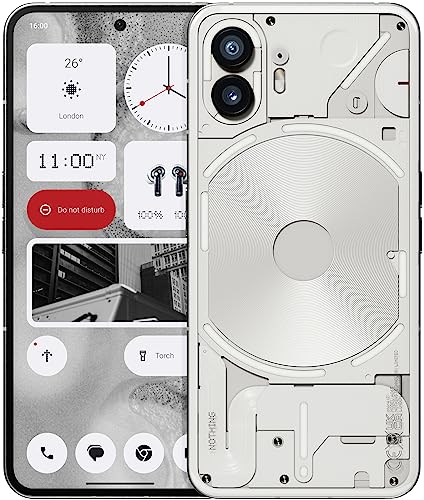
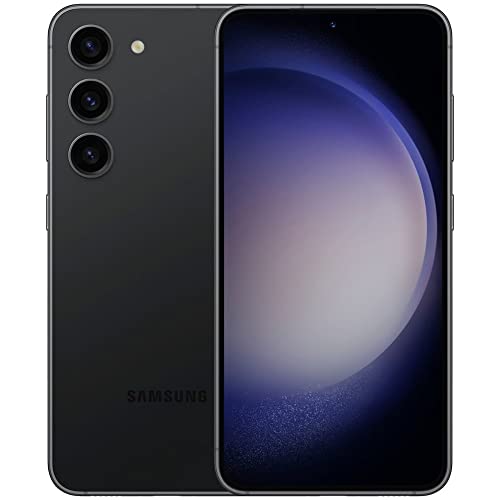
Our Top Picks
 Rogue R67S Unlocked 4G LTE Smartphone for T-Mobile6.78 x 3.13 x 0.39 inches0.5 poundsCheck on Amazon


What's inside
- What near field communication actually is
- How to check whether a handset has the radio
- Tap payments, set up properly
- Antennas, cases and the geography of a phone’s back
- Beyond money: pairing, tags and small automations
- Access, transit and credentials
- Imported, regional and second hand traps
- Privacy and security, kept in proportion
- When taps fail: troubleshooting in order
- Buying a phone with this feature in mind
- Everyday life with a tap ready handset
- Myths and misunderstandings
- Accessibility and confidence for every user
- Frequently asked questions, answered plainly
- Setting up a household that taps happily
- Tags in depth: writing, placing and maintaining them
- Children, guests and shared spaces
- A brief history and an eye on what comes next
- Keeping the feature healthy over years of ownership
- Check prices on Amazon
- One more check before any journey
As an Amazon Associate I earn from qualifying purchases. This post may contain affiliate links at no extra cost to you.
There is a small moment of modern magic at a bakery counter when the phone in your hand, held a breath away from a glowing terminal, settles the bill before the cashier has finished packing your loaf. No card leaves a wallet, no code gets typed, no queue sighs behind you. Behind that gesture sits a short range radio technology called near field communication, and whether a handset carries it has quietly become one of the most consequential yes or no questions in Android shopping.
The radio does far more than payments. It pairs headphones with a tap, reads little programmable tags stuck beside a front door or a workshop bench, carries access credentials in some offices and hotels, and waves a traveller through transit gates in a growing list of cities. Yet it is also a feature that can vanish without warning: regional variants of the same phone may omit it, imported stock may arrive without it, and a thick metal case can smother it even when the hardware is present and willing.
This guide walks through the whole subject in the order a buyer meets it. First, what the technology actually is and what it is not. Then how to check a phone in a shop, a settings menu or a specification sheet. After that come payments, antenna position, tags, access uses, security habits, troubleshooting for the dreaded silent tap, and the particular traps surrounding second hand and grey market handsets that look identical to fully equipped versions.
A brief word about funding, stated plainly at the outset: when readers choose to buy something after following links from this page, the site may earn a commission on that purchase, while the price on your receipt remains exactly what it would have been anyway. That is the whole arrangement, and it does not soften anything said below about models or markets where this feature goes missing.
What near field communication actually is
A conversation held across a few centimetres
Near field communication is a radio link designed to work across a very short gap, typically a few centimetres, and that limitation is deliberate rather than disappointing. The closeness makes interactions intentional: you tap, therefore you mean it. Two devices, or a device and a passive tag, exchange a small amount of data quickly, then part. A tag needs no battery because it borrows a sip of energy from the phone’s field while the exchange happens, which is why a sticker thinner than a postage stamp can hold a web address, a Wi-Fi invitation or a simple instruction for years.
The technology descends from earlier contactless card systems used in transport and banking, and it shares their language. That heritage explains why a phone can impersonate a payment card so convincingly that a terminal cannot tell the difference, and why the same radio can read the sort of tags embedded in posters, exhibits and equipment labels. Standards maintained by an industry forum define the dialects, so a handset from one maker and a reader from another can usually understand each other without introductions.
What it is not: bluetooth, wireless charging and other neighbours
Confusion thrives among wireless neighbours. Bluetooth covers a room and stays connected; this radio covers a fingertip’s length and finishes in a blink, so the two complement rather than replace each other, often working as a handshake pair where a tap introduces two devices and Bluetooth then carries the conversation. Wireless charging also uses close range electromagnetic fields, but it moves power rather than information, and a phone can easily have either feature without the other. Mobile data and Wi-Fi are irrelevant to a tap itself, which is why payments can succeed in a basement shop with no signal, although the wallet app may want a connection later to tidy its records.
Understanding those boundaries prevents two classic disappointments. The first is expecting a tap feature to stream music or move photograph albums; it will not, and was never meant to. The second is assuming that because a phone charges wirelessly or pairs with earbuds, the payment radio must be inside. It might be, but the only reliable evidence is a specification, a settings entry or a successful test, themes this guide returns to repeatedly, including when comparing handsets through roundups like best alternative android phones where near identical listings hide exactly this sort of difference.
How to check whether a handset has the radio
Digging through settings with intent
On a phone you can touch, the settings app is the fastest witness. Open it and search for the three letters directly; most makers expose a dedicated entry, often grouped with connection or sharing preferences, complete with a toggle and sometimes a sub menu for choosing which wallet handles payments by default. A quick settings tile may also exist when you swipe down from the top of the screen, and its presence is encouraging, although the absence of a tile proves nothing because tiles can be edited away.
If the search finds nothing, wander into the connected devices or wireless section manually and read slowly. A small minority of models bury the switch under a menu labelled with the maker’s own marketing name for sharing features. Still nothing? That silence is meaningful. Unlike some features that hide until a peripheral appears, this radio is either listed or, in the overwhelming majority of cases, simply not fitted to that unit.
Specification sheets and the model code discipline
For a phone still in its box or on a website, the maker’s own specification page is the authority, and the connectivity section is where the truth lives. Retail listings compress, copy and occasionally invent, so cross check any claim against the manufacturer and against the exact model code, not merely the friendly product name. That code, printed on the box and shown in the about screen, distinguishes regional variants that share a name, a design and even a launch event while differing in this one radio.
A physical test beats paper whenever money is serious. Bring a known tag, a pair of headphones that support tap pairing, or simply attempt a small payment where the seller permits demonstrations. Second hand purchases deserve particular care: ask the seller to show the settings entry on camera or in person, because a photograph of the phone’s back, however glossy, reveals nothing about the antenna and chip hidden beneath it.
Software can hide it, updates can change the picture
Occasionally the hardware is present but the software keeps it quiet. A work profile, a region setting or a carrier build can conceal the toggle, and a system update has been known to move the menu or reset the default wallet, producing a morning of failed taps that looks like hardware death. Before concluding a phone lacks the feature, update it, restart it, search settings once more, and check the maker’s support pages for your precise build. Only after that calm sequence should the missing radio verdict be accepted.
Tap payments, set up properly
Choosing a wallet and adding a card
Payment begins inside a wallet application, which stores a tokenised stand in for your bank card rather than the card number itself. Add the card by photographing it or typing details, complete the bank’s verification, which may involve a message, a call or the bank’s own app, and then set that wallet as the phone’s default payment service in the tap settings. Multiple wallets can coexist, a bank’s app beside a platform wallet, but only the chosen default answers when the phone meets a terminal, so decide deliberately instead of letting installation order decide for you.
Unlock behaviour is part of the setup. Many configurations allow small purchases with merely a woken screen, while larger ones demand a fingerprint, face or code, rules shaped by your bank and region. Learn your own pattern during a quiet purchase, not during a rushed one with a queue forming. Also add a second card if you have one; a declined primary card at a foreign ticket gate is a miserable place to discover that a backup would have taken ninety seconds to arrange at home.
The tap itself, done well
Technique is embarrassingly simple and still widely fumbled. Wake the phone, hold the back of it flat against the terminal’s contactless symbol, keep it still for a full second or two, and wait for the confirmation tick or beep before pulling away. Waving, hovering at a distance or tapping repeatedly like a woodpecker all reduce the chance that the two antennas couple properly. If the terminal asks for a card instead, it may not support phone payments at all, or its contactless function may be switched off, neither of which is your handset’s fault.
Receipts and records live in the wallet, which lists recent taps with merchant names and times. Reconcile them occasionally, as you would a bank statement, because the same vigilance that catches a billing error also proves the system is behaving. Travellers should note that transit systems in some cities charge a grouped total later in the day, so an unfamiliar small entry may simply be the morning’s journeys arriving home to roost.
Antennas, cases and the geography of a phone’s back
Finding the sweet spot
The antenna forms a loop somewhere under the rear panel, and its address varies by model. On many handsets it circles the camera cluster near the top; on others it sits in the middle of the back; a few place it lower, surprising owners who have spent weeks tapping a terminal with the wrong end of their phone. Makers occasionally publish a diagram, and a wallet app may animate the correct position, but the empirical method is charmingly direct: during a calm payment, note where contact happened, then aim for that neighbourhood every time.
Tags teach the same geography at home. Slide a tag slowly across the back until the phone responds, and you have mapped your own device more reliably than any forum post about a different variant. Mark nothing permanently, just remember. This small knowledge transforms the feature from a lottery into a habit, and it explains why one member of a household swears their phone is faulty while another, tapping two centimetres lower, has never seen a failure.
When covers, mounts and wallets interfere
Materials matter because the field must pass through whatever lies between phone and reader. Ordinary plastic, silicone and leather cases are usually transparent to it. Metal plates, magnetic mounts and thick folio wallets stuffed with other cards are not. A magnetic car mount plate glued to a case can block or detune the antenna, and a wallet case holding several bank cards invites confusion, because the terminal may meet a physical card and the phone in the same instant and decline the argument.
If taps grow unreliable after fitting a new case, remove the case and test again before blaming software. That single experiment, repeated throughout this guide in different costumes, separates physical interference from digital trouble more decisively than an hour of menu archaeology. Ring holders and grips positioned over the antenna can cause similar mischief; move them toward an edge and the radio often forgives you immediately.
Beyond money: pairing, tags and small automations
The courteous handshake for accessories
Many headphones, speakers and cameras offer tap pairing. Touch the phone to the marked spot on the accessory and the two introduce themselves, negotiate a Bluetooth connection and spare you the ritual of scanning lists of nearly identical device names in a crowded room. Printers use the same courtesy to hand over network details. It is a modest trick, yet after a month of using it, digging through pairing menus feels like being asked to churn your own butter.
Compatibility logos help, but real life is untidy: an accessory may pair by tap with one phone generation and ignore another, or require its companion app installed before the handshake means anything. Keep the app, test at home, and remember the feature is a shortcut, not a guarantee. Owners juggling several accessories alongside dual line handsets, a combination explored in best 2 sim smartphones, will appreciate how much confusion a ten second tap can prevent when three similar speakers live in one house.
Programmable tags around home and work
Blank tags, bought as stickers, cards or key fobs, can be written with a free utility app and then placed wherever a small automation earns its keep. A tag on the hallway table can silence the phone and set an alarm. One on the washing machine can start a timer. A tag in a guest room can offer visitors the Wi-Fi network without spelling a password across the landing, and a tag inside a toolbox can open the manual for the machine that toolbox serves.
Write tags thoughtfully. Some can be locked permanently, which protects a public tag from mischief but also prevents your own change of mind, so leave home tags rewritable. Test each one after placing it, because metal surfaces underneath can weaken the response and some finishes interfere more than expected. Label tags in plain language for other household members, since an unlabelled sticker that adjusts someone’s phone without explanation is a prank, not a convenience.
Access, transit and credentials
Doors the phone can open, and doors it cannot
Some employers, gyms, hotels and residential buildings issue credentials that a phone can carry, letting the same tap that bought coffee unlock a lobby or a bicycle store. Where this works it feels seamless, but deployment is patchy because access systems span decades of technology and not every reader speaks a dialect the phone can answer. Organisations usually enrol a device deliberately, verifying identity first, rather than letting any handset clone a badge by proximity, and that enrolment step is a security feature to welcome, not bureaucracy to resent.
Keep the physical credential during any transition. Systems fail, phones break, batteries die at gates, and a card in a bag converts each of those dramas into a shrug. Ask the issuing organisation what happens when a phone is replaced, because transferring a credential may require a fresh enrolment rather than a simple sign in, and discovering that on a Monday morning outside a locked office is nobody’s preferred start to a week.
Transit gates and city cards
Transit may be the feature’s happiest hunting ground. In cities whose gates accept contactless payment directly, a visitor can ride within minutes of landing, no ticket machine tutorial required. Other systems load a virtual version of the local travel card into the wallet, with concessions and season passes attached. A few phones offer a power reserve trick that keeps transit taps alive for a while after the battery gives up, a mercy worth checking for your model before relying on it at midnight.
Rules differ by city in ways that reward a minute of reading: whether the screen must be awake, whether verification is needed at the gate, whether the same device must be used to tap in and out so fares calculate correctly. Use one device for a whole journey, resist lending the tap to a companion halfway through, and keep a separate payment method for children or guests so the fare logic stays clean.
Imported, regional and second hand traps
Why some markets receive a different phone
Makers trim features for many reasons: local payment habits, cost targets for a particular market, certification timing, or a carrier’s request. The result is that a model celebrated in reviews for its contactless abilities may be sold elsewhere, under the same name and in the same colours, without the radio at all. Shoppers who import for a keener deal or an unusual storage variant are therefore gambling precisely on the feature this guide is about, often without realising a gamble exists.
Protect yourself with the model code discipline described earlier, plus questions asked in writing to the seller, so a wrong answer leaves a record. Prefer sellers who state the feature’s presence explicitly in the listing for that exact variant, and treat a copied specification table, pasted from a global launch article, as decoration rather than evidence. Shoppers weighing such purchases against locally sold budget options, like those gathered in best affordable unlocked android phones, should count a guaranteed radio and a straightforward return among the local option’s genuine advantages.
Software regions and wallet availability
A subtler trap awaits even when hardware is present: wallet services vary by country, and a phone built for one region may resist adding cards from another, or may offer a different default wallet entirely. Changing region settings sometimes helps, sometimes conflicts with other services, and occasionally a maker’s support documents state plainly that payment features follow the market the device was built for. Research your exact combination of handset origin and bank before importing, because a radio that can only read tags, while still useful, is not the payment tool the buyer imagined.
Second hand phones add ordinary risks on top: a previous owner’s accounts not fully removed, a wallet still holding their cards, or a device enrolled in an employer’s access system. Factory reset the handset in the seller’s presence where possible, add your own card before completing the purchase if the situation allows, and confirm the settings entry exists with your own eyes. Trust, in this market, should be built out of demonstrations.
Privacy and security, kept in proportion
Why short range is itself a safeguard
The same few centimetres that make a tap feel fiddly in a thick case also make casual interception hard. An attacker must come uncomfortably close, with equipment, at the moment of a transaction, and modern wallets answer with a token rather than the card number, plus a verification step for larger amounts. The realistic risks sit elsewhere: a lost unlocked phone, a card added by someone who briefly held the device, or a malicious tag that tries to open a dubious page. Each has a calm countermeasure.
Guard the lock screen as the vault door it now is, with a strong code and biometrics where available. Review which cards and credentials the wallet holds, remove any you no longer recognise or need, and set tags to open links only after confirmation if your reader app offers that choice. Public tags in the wild deserve a glance at where they lead before any sign in or download; curiosity is healthy, credulity is optional.
The lost phone routine
Rehearse loss before it happens. Know how to sign in from another device to locate, lock and, if necessary, erase the handset, and know that suspending payment cards through the wallet provider or the bank is a separate step worth doing promptly. Because credentials may include building access, inform whoever issued them as well. A written note at home listing these steps, kept with other household emergency information, turns a panicked evening into a checklist.
Replacement brings its own checklist in reverse: add cards afresh, since tokens do not simply float to a new phone; re enrol access credentials; move or rewrite personal tags if the old device was their only key; and test a small payment before the first journey that depends on it. An hour of methodical setup restores the whole invisible infrastructure a modern handset quietly carries.
When taps fail: troubleshooting in order
The two minute checks
Start with the embarrassingly basic. Is the feature switched on, after an update may have reset it? Is the screen awake, and unlocked if your wallet demands it for this amount? Is the right wallet set as default, especially after installing a banking app that promoted itself? Is the case new, the mount plate recent, or a bank card lurking in a folio cover between phone and reader? Remove the phone from its case, hold its known sweet spot flat and still against the symbol, and count to two before conceding defeat.
Then vary one thing at a time. Try a different terminal to learn whether the first was faulty, a different card inside the wallet to learn whether the bank is declining, and a tag or a friend’s reader to learn whether the radio itself responds. Each experiment divides the world of possible causes in half, and three experiments usually corner the culprit. Restarting the phone sits early in this sequence too, because payment services that have run for weeks occasionally tangle themselves in ways no menu will confess.
Deeper causes and honest dead ends
If the radio reads nothing at all, anywhere, suspect hardware: a previous repair may have disturbed the antenna, which sometimes lives in a rear panel or frame that a third party replacement reproduces imperfectly. A phone that has been opened for a battery or screen deserves this suspicion first. Warranty channels and reputable repairers can test the coil and connections; software rituals cannot mend a broken loop.
Wallet specific failures carry their own clues. A card that will not add may be a bank not yet supporting that wallet, a region mismatch on an imported handset, or verification details that no longer match the bank’s records. Read the exact wording of refusals rather than tapping through them, search the bank’s support pages for your phone model, and keep screenshots of error messages if support becomes involved. Precision, once again, is the difference between a five minute fix and a week of circular correspondence.
Buying a phone with this feature in mind
Treating the radio as a requirement, not a bonus
Decide early whether contactless ability is a nice extra or a hard requirement, because that decision reorganises a shortlist. If payments, transit or access will rely on the phone weekly, strike any model whose variant in your country lacks the radio, however attractive its camera or screen may be, and resist the siren argument that a future update might add hardware. It cannot. Software can reveal, refine or occasionally restore a feature, but it cannot solder in an antenna the factory left out.
With requirement models identified, compare the softer qualities: how quickly the wallet opens, whether verification uses a fingerprint reader placed where your hand naturally rests, whether the maker documents the antenna position, and whether the handset supports the power reserve transit trick if your city can use it. Read owner reports from your own country rather than launch coverage from another continent, since wallet partnerships and variant choices are local stories told in local details.
The supporting cast: cases, chargers and travel kit
Budget a thought for what surrounds the phone. Choose a case without metal over the back, test any magnetic mount before a long drive, and keep the handset’s battery healthy enough that payment duty never competes with a dying phone at a station gate. Frequent travellers assembling a compact charging kit may find the discussion in best 3 0 qualcomm quick chargers useful, because a handset that wakes quickly from a short top up is a handset whose tap features are actually available when the day runs late and the last train will not wait.
Also consider a household’s other readers and tags when choosing. A family that already owns tap pairing speakers, a door lock with phone credentials or a car that accepts a handset as a key should verify each against the candidate model, ideally in a shop or during a returns window at home. Compatibility lists age quickly; a ten minute live test remains evergreen.
Everyday life with a tap ready handset
Small routines that quietly change
The feature’s charm accumulates in minor moments. A parent holding a toddler pays for milk one handed. A cyclist buys a bottle of water without excavating a card from a jersey pocket. A student taps into the library, borrows a book at a self service desk and pairs borrowed headphones in the time a kettle boils. None of these scenes will feature in a keynote presentation, yet together they explain why owners who lose the feature, through a careless replacement purchase, feel its absence out of all proportion to its size.
Households develop shared rituals too. A tag by the door reminds the last person leaving to start the dishwasher timer and lock up. A tag on a medicine cabinet opens a shared list. A grandparent’s phone, set up patiently with large text and a single wallet card, turns shopping into a single gesture instead of a fumbling search through a purse at the till, and that dignity is worth more than the seconds saved.
Workplaces, stalls and community groups
Small businesses and community organisations use the same radio in reverse, accepting contactless payments through the phone itself where local services allow, turning a handset into a till for market stalls, charity collections and sports club fees. Even where that is unavailable, tags streamline stock checks, equipment loans and venue instructions: tap a tag on a projector trolley and the setup guide appears; tap one on a first aid kit and its contents list opens. The technology rewards organisations that think in small, specific problems rather than grand digital strategies.
Volunteers and new staff benefit because a tap is easier to teach than a menu tree. A laminated card saying hold your phone here, beside a reader that beeps reassuringly, onboards people faster than any training session, and the low cost of blank tags means experiments can fail cheaply until a group finds the placements and automations that genuinely help.
Myths and misunderstandings
Strangers cannot empty your accounts by brushing past
The most durable scare story imagines a thief harvesting money from pockets with a hidden reader in a crowd. Real systems blunt this in several ways: the tiny range demands near contact, the wallet answers with tokens and limits, unusual activity triggers bank controls, and a payment usually requires the phone to be awake, often unlocked. Vigilance is still sensible, as with any payment method, and transaction alerts are worth switching on, but the everyday evidence is that lost cards and phishing messages cause far more harm than theatrical pocket skimming.
A second myth claims the radio drains the battery noticeably. Its listening appetite is tiny compared with a screen, a mobile signal hunting in a rural area or a navigation app, and the toggle exists for those who prefer it off between uses anyway. A third myth insists every Android phone has it these days. The existence of this guide, and of the disappointed buyers who write to forums each month, demonstrates otherwise, particularly among the very cheapest models and the regional variants discussed earlier.
More range would not be an improvement
Newcomers sometimes wish the connection reached across a room, misunderstanding the design. Range is the security model and the user interface in one: proximity proves intention. A payment system that worked from a pocket across a shop would be a liability, and a tag that triggered from the next room would automate chaos. When a task genuinely needs distance, the tap’s proper role is introduction, handing over to Bluetooth or a network for the long conversation, a partnership described at the start of this guide and still the pattern most accessories follow.
Accessibility and confidence for every user
When a tap is easier than a card
For people with limited dexterity, vision or memory, a well arranged phone can be kinder than a wallet full of similar feeling cards. One gesture replaces finding the right rectangle, orienting its chip and remembering a number at a machine. Voice assistants can announce confirmations, large text can label the wallet clearly, and a tag at home can trigger routines without navigating small icons. Set these aids up with the person, at their pace, and practise in a quiet shop before a busy station becomes the classroom.
Confidence also matters for older relatives who fear new payment methods, sometimes after alarming headlines. A patient demonstration, a small first purchase, transaction alerts arriving instantly and the knowledge that a physical card still works alongside the phone usually convert suspicion into preference within a fortnight. Never remove the card from their wallet as part of the lesson; the phone should arrive as an additional option, not a confiscation of the familiar.
Design details that help or hinder
Some handsets make the feature friendlier than others. A wallet that opens from the lock screen or a power button shortcut, a fingerprint reader on the side where a holding hand already rests, a clear haptic buzz when a tap succeeds, and an antenna position documented in the manual all reduce friction for everyone, not only for users with specific needs. When comparing finalists, perform the payment gesture in the shop with each one, in the case you intend to use, and let that lived second outweigh a page of abstract specifications.
Frequently asked questions, answered plainly
Does the phone need a signal or data to pay
Usually not at the moment of the tap. The wallet keeps a limited supply of tokens ready for offline use, which is why payments succeed in tunnels and rural shops, although after many offline purchases the wallet will want a brief connection to refresh itself. Add cards and complete bank verification while comfortably connected at home, and keep the wallet app updated during ordinary charging time so no update ambushes you at a checkout.
Can a tag harm a phone
A standards compliant tag can only offer data: a link, a network invitation, a chunk of text or an instruction an app may act on. Sensible reader settings ask before opening pages or joining networks, which turns a mischievous tag into a mere annoyance. Avoid scanning tags that promise improbable prizes, treat a tag found stuck over a legitimate one at a payment point with suspicion, and remember that a tag cannot install anything by itself; it can only knock, and the phone decides whether to open the door.
Why did a payment work yesterday and fail today
Work backwards through what changed. A new case, a system update, a banking app installation that seized the default role, a card that expired or was replaced by the bank, a terminal whose contactless reader quietly failed, even a mount plate added to a car dashboard that morning. Change one variable back, test, and keep a note of the culprit, because payment failures have a habit of recurring at the least convenient repetition of the same circumstances.
Is it worth paying more solely for this radio
That depends on the life it will serve. A commuter in a contactless city, a parent whose hands are rarely free, a worker whose building supports phone credentials, or a traveller tired of foreign ticket machines will recover the difference in calm within weeks. A home based user whose card lives beside a kettle and whose town’s shops barely accept contactless may reasonably prioritise screen or battery instead. Honest guides should say so, and this one just did.
Setting up a household that taps happily
A weekend project with lasting returns
Choose one calm weekend morning to put a household’s phones in order. Confirm each handset actually has the radio, using the settings search taught earlier. Add cards, set defaults, find each phone’s sweet spot with a tag, test one small purchase per person, and place a couple of genuinely useful tags where routines begin: by the door, beside the kettle, on the laundry basket. Write down, on paper kept somewhere sensible, which wallet each phone uses and what to do if one is lost.
Resist automating everything at once. Two tags that earn their place teach more than twelve novelties competing for attention, and each success builds the confidence to add another later. Review the arrangement after a month: which tags get tapped daily, which wallet default caused confusion, which case interfered at the supermarket. Adjust, prune and keep the system small enough that a guest or grandparent can understand it without a manual.
Tags in depth: writing, placing and maintaining them
Choosing a tag for the job
Blank tags come as stickers, rigid cards, key fobs and tiny discs meant to hide under a surface, and they differ in memory and durability rather than in personality. A simple link or instruction needs very little memory, while a digital business card with full contact details wants more. Outdoor placements deserve weather resistant housings, laundry related tags should tolerate warmth and damp, and stickers destined for metal need a special construction with a spacer layer, because ordinary tags placed directly on metal often fall silent.
Buy a small mixed pack first and experiment before committing to a bulk order in one format. Write a tag, place it, live with it for a week, and learn whether the location or the idea itself was flawed. Keep a few blanks in a drawer for the uses nobody predicts: a new appliance whose instructions should live on its side, a borrowed suitcase that needs a return address, a plant sitter who deserves watering guidance at the exact pot rather than in a forgotten message thread.
Writing with the reader in mind
A tag meant only for you can be terse, but a tag others will meet deserves manners. Use plain language in whatever you name the action, prefer links to stable pages rather than temporary ones, and avoid storing anything sensitive, because anyone with a phone can read an unlocked tag pressed against it. Passwords belong in proper password managers, never on a sticker. For Wi-Fi sharing, use the built in network invitation format so guests join with a confirmation instead of copying characters, and rotate the guest network occasionally as you would any shared key.
Lock a tag only when permanence is truly the point, such as a museum style label you control or a safety instruction that should not be rewritten by passers by. Even then, photograph or note its contents first, because a locked tag that points to a page which later moves becomes a small monument to a broken promise. Rewritable tags forgive changing circumstances, and most household circumstances change.
Children, guests and shared spaces
Safe introductions for younger users
Families often meet this technology through a child’s first phone, and the sensible pattern is gradual. Begin with tags and pairing, which carry no spending power, then consider a supervised wallet arrangement if the provider and the child’s age allow it in your country, with alerts landing on a parent’s device as well. Practise the lost phone routine together before it is needed, in the same spirit as a fire drill: boring in rehearsal, priceless in the event.
Schools, clubs and libraries that accept phone credentials or run tag based systems should publish their rules in ordinary language, including what data a tap records and who can see it. Parents are right to ask, and institutions that answer clearly earn trust that no glossy leaflet can buy. Where a system is optional, keep the card or code alternative alive so no child is excluded by a family’s choice of handset.
Guests, lodgers and the etiquette of shared tags
A home full of helpful tags can bewilder a guest if every surface whispers instructions. Introduce the two or three that matter, the network invitation in the guest room, the tag that summons the house manual, perhaps the one by the door with departure reminders, and let the rest be discovered or ignored. In shared houses, agree which tags are communal infrastructure and who may rewrite them; an automation changed silently by one housemate becomes a mystery the others must debug at midnight.
Workplaces face the same etiquette at larger scale. Label official tags with the organisation’s name, date them, and review them when pages move or procedures change, because a tag that opens a retired policy is worse than no tag at all. Assign ownership the way you would for a noticeboard, and the system stays trustworthy instead of decaying into digital graffiti.
A brief history and an eye on what comes next
From transit cards to the phone in every pocket
Contactless cards began conquering transit systems around the turn of the century, teaching millions of travellers the tap gesture years before phones joined in. Early handsets experimented with the radio in limited pilots, often tied to a single bank or city, and the feature spent years as a curiosity before wallet platforms, standardised terminals and contactless bank cards converged into an ecosystem where a phone tap simply worked almost anywhere a card tap did. That convergence, not any single invention, is the real story: readers became common, banks became willing, and phone makers could finally assume the other side of the conversation existed.
The lesson for buyers is to value ecosystems over announcements. A handset whose wallet supports your bank, whose transit agency has a virtual card and whose access systems enrol phones is worth more than a technically identical device in a region where none of those partners showed up. When a maker promises future services, ask which partners have signed and when, and let shipping features outweigh roadmaps every time.
Where the technology is heading
Phones are steadily absorbing more credentials: car keys shared with a partner for the weekend, hotel rooms that open on arrival without a front desk queue, event tickets that transfer to a friend with a tap, identity documents in jurisdictions building careful digital versions. Each addition raises the stakes for the buying checks in this guide, because a missing radio will exclude a handset from each new service in turn, and for the security habits too, since a phone that opens a car deserves an excellent lock screen.
Expect the tap to remain deliberately short range even as its jobs multiply. Designers have had decades to lengthen it and have consistently chosen not to, for the reasons of intention and safety already explored. The interesting progress is happening in what the phone presents after the tap: richer tickets, clearer receipts, credentials that work through a fading battery, and wallets that explain a refusal in human language instead of a red cross and a shrug.
Keeping the feature healthy over years of ownership
Updates, repairs and replacements
Treat system updates as maintenance for this radio as much as for security. Wallet services evolve, transit partners change their requirements and antenna quirks get fixed quietly in release notes nobody reads. After any major update, make one small payment within a day or two, while a surprise can still be investigated calmly. After a repair involving the back panel, screen or battery, test a tag and a payment before leaving the shop, because the antenna’s home in many designs is exactly the territory a repair disturbs.
When replacing the phone, remember that almost nothing about this feature migrates automatically. Cards must be added again, access credentials re enrolled, transit cards transferred through the wallet’s own procedure, which sometimes must happen on the old device before it is wiped. Sequence a replacement properly: set up the new handset completely, prove its taps in the real world, and only then reset the old one for sale or trade in, checking that its wallet stands empty as a final courtesy to yourself.
Teaching the next owner, and the next generation
Phones passed down within a family carry habits with them. Show the new owner where the antenna lives on that particular model, which wallet is default and how to switch the feature off, rather than assuming they will excavate this guide’s lessons alone. A five minute demonstration prevents the slow conclusion, common among inherited handset users, that the feature is broken when it was merely unfamiliar.
That small teaching instinct, multiplied across households, is how a once exotic radio became an ordinary expectation. People learned the gesture from each other at counters and gates, one calm tap at a time.
Check prices on Amazon
Live listings for the shortlist in this guide are pulled from Amazon below, so prices and availability are always current at the moment you look.


One more check before any journey
Travel concentrates every lesson in this guide into a single departure morning, so give the feature a rehearsal before any trip that will depend on it. Make a small payment the day before, confirm the wallet shows it correctly, check that a second card waits in reserve, and note whether your destination’s transit system wants the phone awake, unlocked or enrolled in a local scheme. Pack the physical card anyway, in a different bag from the phone, because redundancy separated in space is the oldest and cheapest form of travel insurance ever devised.
While away, keep the habits that work at home. Tap with the known sweet spot, wait for confirmation, glance at the wallet each evening to reconcile the day, and be wary of helpful strangers offering to fix a gate problem by handling your handset. If a tap fails abroad, the troubleshooting order does not change with the scenery: wake the phone, check the default wallet, remove the case, try another terminal, fall back to the card without embarrassment. A calm traveller with a backup looks experienced; a flustered one performing rituals over a reader looks like entertainment for the queue.
On returning, review what the journey taught you. Perhaps a tag in the suitcase linking to your packing list earned a permanent place, or the transit card on the phone proved smoother than the paper ticket a companion wrestled with. Write those lessons into the household note from the weekend project, and the next departure starts from knowledge instead of hope.
There is also a quiet pleasure in mastering a feature completely, the way earlier generations mastered setting a video recorder or programming a car’s clock. Knowing where your antenna hides, which wallet answers a terminal, how to write a tag and what to do when a gate refuses you converts a spec sheet abbreviation into a personal skill. Skills of that size rarely make headlines, yet they are the ones daily life is actually built from, repeated at counters and doorways until they disappear into habit and leave only the convenience behind.
Keep this guide’s central bargain in mind when the next upgrade tempts you: a dazzling screen is easy to admire in a shop, while a missing radio is easy to overlook there and impossible to forgive at a barrier six months later. Ask the unglamorous question early, demand the model code in writing, and let the answer steer the shortlist before colours, cameras and launch offers begin their louder persuasion.
A phone with this little radio will not transform a life in a single afternoon, and any guide promising otherwise is selling something. What it does, steadily and almost invisibly, is remove friction from payments, pairings, doors and journeys until one day you notice that queues feel shorter and pockets feel lighter. Check the radio, learn the antenna spot, keep a backup card handy, and every confident tap will feel like a small everyday ritual perfected just for your routine.