What's inside
- Where to Buy
- Key Takeaways
- Quick Picks
- How We Chose These Picks
- Comparison Table
- How to Choose a Pigment Ink Printer
- Why Does Pigment Ink Last Longer Than Dye?
- Which Papers Bring Out the Best in Pigment Ink?
- How Should Pigment Prints Be Stored and Framed?
- Common Mistakes When Buying a Pigment Ink Printer
- Final Recommendation
- Frequently Asked Questions
- Related Guides
As an Amazon Associate I earn from qualifying purchases. This post may contain affiliate links at no extra cost to you.
[SITE_DOMAIN] is reader-supported. When you buy through links on our site, we may earn an affiliate commission.
Where to Buy
All six listings below are live on Amazon, and each linked name opens the exact configuration whose title anchors its review. Canon opens the set twice: the Canon imagePROGRAF PRO-310, a thirteen-inch machine whose title spells out its nine-colour pigment ink system, and the Canon imagePROGRAF PRO-1100, its seventeen-inch professional sibling. Epson answers with three SureColor models — the Epson SureColor P700 at thirteen inches with UltraChrome PRO10 ink, the Epson SureColor P900 at seventeen inches with a 4.3-inch touchscreen, and the older Epson SureColor P800, another seventeen-inch machine carrying the briefest title here. The set closes with the Epson EcoTank Photo ET-8550, a refillable-tank all-in-one that this guide includes with an honest label: its black is pigment, its colours are dye, and it is not an all-pigment printer.
Pigment ink earns its reputation one decade at a time. Where dye ink dissolves colour into the paper’s coating, pigment ink parks solid colour particles on the surface, and that physical difference is why pigment prints resist water, shrug off handling and hold their tones in portfolios, archives and gallery frames long after a dye print has begun to drift. Photographers selling prints, illustrators shipping originals-as-prints and offices archiving documents that must stay legible all shop for the best pigment ink printers for the same underlying reason: the page has to outlast the moment. This guide gathers five true pigment machines and one hybrid, and keeps the distinction between them in plain sight throughout.
The five true pigment printers split by width before anything else. Thirteen-inch machines — Canon’s PRO-310 and Epson’s P700 — print the size most portfolios, camera clubs and home studios actually use, and they fit on desks that a seventeen-inch machine would colonise. The seventeen-inch trio — Canon’s PRO-1100 and Epson’s P900 and P800 — serve photographers whose work is judged large: exhibition prints, client centrepieces, competition entries. Width is destiny in this category, because a printer cannot stretch, and buying the smaller width to save money is a saving regretted at the first big commission.
Ink counting is the second dividing line, and the titles state it unevenly. Canon’s PRO-310 declares nine pigment colours outright. Epson’s P700 names its UltraChrome PRO10 ink set and a ten-channel printhead. The PRO-1100, P900 and P800 titles, by contrast, publish no ink inventory at all — a silence this guide handles by marking the relevant specification lines as unstated and pointing to manufacturer documentation, rather than dressing up general knowledge as listing evidence. What can be said plainly, from the brief these machines were verified under, is that all five are pigment-ink printers; the hybrid ET-8550 is the exception, and its review explains the exception in full.
Running costs in this class behave differently from office printing. Pigment cartridges for professional photo machines are priced as professional consumables, and a seventeen-inch print at full coverage is a serious quantity of ink on an expensive sheet. The ET-8550’s bottles disrupt that arithmetic entirely, which is precisely why it tempts photographers — and precisely why its dye colours must be weighed honestly against the archival brief before it wins the argument. The reviews that follow keep both halves of that sentence attached to each other.
Key Takeaways
- Five picks — Canon’s PRO-310 and PRO-1100, Epson’s P700, P900 and P800 — are true pigment-ink photo printers; the EcoTank Photo ET-8550 is a hybrid with pigment black and dye colours.
- Width divides the pigment field: the PRO-310 and P700 print at thirteen inches, while the PRO-1100, P900 and P800 reach seventeen inches.
- Only the PRO-310’s title states its ink colours outright — nine pigment colours; the P700 names UltraChrome PRO10 ink and a ten-channel printhead.
- The PRO-1100, P900 and P800 titles publish no ink inventory, so their specification lists mark that line as unstated rather than guessed.
- The ET-8550 trades archival purity for bottle-fed running costs and adds scanning and copying that the five dedicated photo printers do not offer.
- Pigment’s case rests on longevity, water resistance and stable tones for prints that will be sold, framed or archived.
Quick Picks
| Pick | Badge | Why it earns a place |
|---|---|---|
| Canon imagePROGRAF PRO-310 | Thirteen-inch pigment benchmark | Nine pigment colours stated in the title, a 3-inch colour LCD and wireless connection in Canon’s professional line. |
| Canon imagePROGRAF PRO-1100 | Seventeen-inch Canon flagship | A seventeen-inch professional wireless photo printer for exhibition-scale work. |
| Epson SureColor P700 | Thirteen-inch Epson counterpart | UltraChrome PRO10 ink delivered through a ten-channel MicroPiezo AMC printhead, with wireless connectivity. |
| Epson SureColor P900 | Seventeen-inch touchscreen model | Seventeen-inch picture printing with a 4.3-inch touchscreen and wireless connection. |
| Epson SureColor P800 | Established seventeen-inch veteran | A long-serving seventeen-inch colour inkjet from the SureColor line with a minimal, unadorned listing. |
| Epson EcoTank Photo ET-8550 | Hybrid tank alternative | Six-colour cartridge-free printing up to thirteen by nineteen inches, with scanning and copying — pigment black, dye colours. |
How We Chose These Picks
The admission test for this guide was ink chemistry before brand, width or price. A machine had to be a pigment-ink printer to anchor the list, which produced the Canon and Epson professional photo lines that dominate serious pigment printing at desktop widths. The single deliberate exception is the EcoTank Photo ET-8550, admitted as the hybrid alternative and labelled as such everywhere it appears, because a guide that quietly passed a pigment-black, dye-colour machine off as all-pigment would fail its readers on the exact fact they came to check.
Width balance came next: two thirteen-inch machines and three seventeen-inch machines give both desk sizes a genuine contest, with Canon and Epson represented at each width so the comparison stays about engineering rather than about which brand happened to show up. The P800 holds its place as the veteran option — an older seventeen-inch SureColor whose continued listing serves buyers valuing an established platform over the newest screen.
Evidence discipline governs every specification list below. Figures and features are quoted only where a title states them: the PRO-310’s nine colours and 3-inch LCD, the P700’s ink name and printhead channels, the P900’s touchscreen measurement, the ET-8550’s speed and print ceiling. Where a title withholds the detail — most often the ink inventory of the larger Canons and Epsons — the list says so in the standard wording and the prose discusses the machine’s pigment identity at the level the verification supports, no further.

Canon imagePROGRAF PRO-310 — Thirteen-inch pigment benchmark
The PRO-310 is the most self-describing printer in this guide. Its title gives the width — thirteen inches — the class — professional wireless inkjet photo printer — the control surface — a 3-inch colour LCD — and, rarest of all, the ink inventory: nine-colour pigment ink. A photographer comparing archival machines can start real work from that title alone, because the nine pigment colours are the machine’s entire reason to exist. Nine channels let a pigment system hold smooth gradients, neutral greys and deep shadow detail that four-colour office ink sets smear into approximation, and they do it with particles that sit on the paper surface and stay where they landed.
The imagePROGRAF name places the machine in Canon’s professional graphics line rather than its home PIXMA range, and the black finish and LCD suggest the intended habitat: a studio desk where the printer is operated standing up, media swapped by hand, proofs pulled and judged under a lamp. Wireless connection keeps the computer where the editing happens rather than tethered to the printer’s side. Thirteen inches, it should be said plainly, is the working width for a large share of serious amateur and semi-professional output — portfolio pages, club competition prints, framed pieces for a hallway wall — and a machine built exactly to that width wastes no desk on capacity its owner never invokes.
Ownership economics follow the professional pattern. Pigment cartridges in nine colours are replaced individually as each runs dry, and on a healthy printing rhythm the colours deplete unevenly — the greys and blacks working hardest in monochrome-leaning portfolios, the vivid colours in landscape work. Budget for the full set eventually, not for the one cartridge that happens to blink first. The counterweight is output value: a pigment print at thirteen inches, on proper photo paper, is a sellable, frameable object, and the cost conversation changes when the page leaving the printer carries a price tag of its own.
- Print width: 13 inches, as its title states
- Ink system: 9-colour pigment ink stated
- Display: 3-inch colour LCD stated
- Connectivity: Wireless stated
- Print speed: Not stated in the listing title — verify with the manufacturer documentation
Strengths
- Nine pigment colours support archival prints with refined tonal steps.
- The listing states its ink system outright — no documentation hunt required.
- A colour LCD suits walk-up media handling in a studio.
Trade-offs
- Thirteen-inch width caps print size below exhibition scale.
- Nine separate cartridges make a full ink replacement a planned expense.
- Photo-only focus leaves office document work to another machine.
Best for: a photographer printing archival thirteen-inch work for portfolios and sale. Not suited for: seventeen-inch exhibition printing.
Once the thirteen-inch format is settled, Amazon’s PRO-310 listing answers the two remaining questions — the price, and which ink cartridges ship in the box.
Monochrome workers should linger on this machine a moment longer. Black-and-white printing is where multi-channel pigment sets earn their quiet fame, because neutral greys built from several black and grey inks avoid the colour casts that haunt monochrome prints from simpler sets when the viewing light changes. A portrait printed for a frame will be seen under daylight, lamplight and gallery spots across its life; pigment neutrals that stay neutral under all three are not a luxury but the difference between a print that convinces and one that apologises. The PRO-310’s nine-colour inventory is aimed squarely at that problem.
Handling discipline completes the picture. Pigment prints emerge dry to the touch yet benefit from a rest before stacking or framing, letting the surface settle fully; a day on a clean shelf is the traditional patience. Keep finished prints out of direct sun during that rest, store them interleaved once dry, and the archival qualities the ink promises have a fair chance to be tested by decades rather than by the first summer.

Canon imagePROGRAF PRO-1100 — Seventeen-inch Canon flagship
Canon’s PRO-1100 stretches the imagePROGRAF formula to seventeen inches, and its title keeps the description spare: a seventeen-inch professional wireless inkjet photo printer. That restraint means the listing publishes no ink count, no screen measurement and no speed, and the specification list below marks the ink inventory as unstated accordingly. Within the verification behind this guide, the machine stands as one of the five true pigment printers in the set — the seventeen-inch Canon for photographers whose work is finished large or not finished at all.
Seventeen inches changes the commercial geometry of a photography practice. At that width a printer produces the centrepiece sizes clients hang above furniture and galleries hang at eye level, without cropping the composition into a smaller compromise. Wireless connection matters more at this size, not less: the machine is big enough to claim its own station in the studio, while the editing computer stays at the desk where the chair is comfortable. Professional positioning in the title is Canon’s signal that this is a tool for sold work, and buyers should hold it to that standard when they judge its running costs.
What should a prospective owner verify before ordering? The documentation questions are the ink inventory in full, the media handling for thick fine-art papers, and the borderless printing widths — each a fact Canon publishes in its own specification material and none of them a fact this guide will invent from the listing’s silence. That homework is not a criticism of the machine; it is the normal due diligence of buying a professional tool whose marketplace title was written for brevity. Do it, and the PRO-1100’s case rests on its width, its line and its pigment identity, which is the ground Canon intends it to be judged on.
- Print width: 17 inches, as its title states
- Class: Professional wireless inkjet photo printer, as titled
- Ink inventory: Not stated in the listing title — verify with the manufacturer documentation
- Display and print speed: Not stated in the listing title — verify with the manufacturer documentation
Strengths
- Seventeen-inch width reaches exhibition and client centrepiece sizes.
- imagePROGRAF professional lineage aimed at sold photographic work.
- Wireless operation lets the large machine live at its own station.
Trade-offs
- The listing withholds ink and display details, so homework precedes purchase.
- Seventeen-inch media and pigment ink make every proof a considered expense.
- The footprint demands a dedicated surface, not a desk corner.
Best for: a professional photographer printing seventeen-inch work for clients and galleries. Not suited for: a small desk with thirteen-inch output needs.
Professionals ready for the wider Canon will want Canon’s specification page open beside Amazon’s PRO-1100 price, so the omitted ink inventory gets confirmed in the same sitting.
Working large teaches a rhythm that smaller printing never demands. Files get inspected at full size before printing, because a seventeen-inch sheet forgives nothing: the slightly soft eye, the dust spot in the sky, the horizon a degree off level all announce themselves at this scale. Photographers who adopt the PRO-1100’s width usually find their editing sharpens in response — the printer becomes a strict teacher whose lessons arrive on expensive paper, which concentrates the mind wonderfully on the cheap lessons available earlier, on screen, at full zoom.
Studio logistics deserve a sentence of their own. Seventeen-inch media arrives in boxes that need flat storage, finished prints need a portfolio or plan chest rather than a drawer, and the printer itself needs clearance behind for the paper paths large media use. Measure the room the way you would for a piece of furniture, because that is what a seventeen-inch professional printer is.
Epson SureColor P700 — Thirteen-inch Epson counterpart
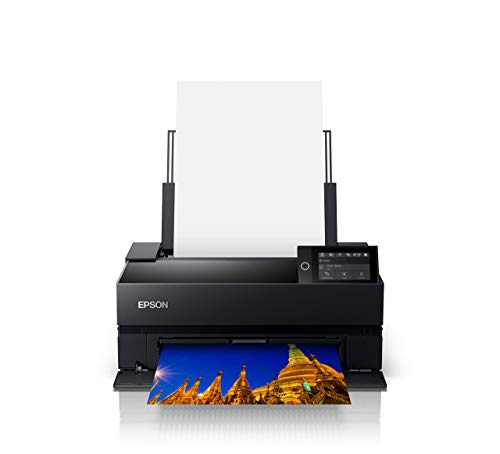
Epson’s SureColor P700 is the thirteen-inch answer to Canon’s PRO-310, and its title argues in engineering vocabulary: UltraChrome PRO10 ink, wireless connectivity, and a ten-channel MicroPiezo AMC printhead for digital photo printing. The ink name carries the pigment story — UltraChrome is Epson’s professional pigment family, and the PRO10 designation signals a ten-ink system behind that ten-channel head. A printhead with a channel per ink lays each colour through its own path, which is how professional machines hold the fine gradations that separate a photographic print from a colourful poster.
The SureColor badge is Epson’s professional printing line, worn by machines in studios and labs rather than in home offices, and the P700’s thirteen-inch width targets the same portfolio-and-club territory as its Canon rival. Choosing between the two thirteen-inch pigment machines is the classic Epson-versus-Canon decision, and it is best made on the evidence of prints: the same test image through both systems, judged under the light your work will live in. Titles cannot settle that argument, and this guide will not pretend a specification list can. What the titles do establish is parity of intent — both machines exist to make archival photographic prints at this width, full stop.
Running the P700 means living with professional ink economics at thirteen inches: individual cartridges, uneven depletion following your subject matter, and per-print costs that make proofing discipline a financial virtue. Print the small test strip before the full sheet when a new paper enters the studio. Learn each paper’s character with the machine’s media settings rather than by instinct. The MicroPiezo head rewards that care with consistency across a long session — the tenth print matching the first is the unglamorous quality professionals actually pay for.
- Print width: 13 inches, as its title states
- Ink system: UltraChrome PRO10 ink named in the title
- Printhead: 10-channel MicroPiezo AMC printhead stated
- Connectivity: Wireless connectivity stated
- Display: Not stated in the listing title — verify with the manufacturer documentation
Strengths
- A channel-per-ink printhead supports fine photographic gradation.
- UltraChrome PRO10 places it in Epson’s professional pigment family.
- Thirteen-inch format fits studio desks and portfolio workflows.
Trade-offs
- Exhibition-scale work needs the seventeen-inch machines instead.
- Professional ink pricing applies to every cartridge change.
- The title leaves the control display unspecified.
Best for: a studio photographer committed to Epson’s pigment ecosystem at thirteen inches. Not suited for: oversize gallery printing.
Studios leaning Epson should line the P700’s Amazon price up against a full cartridge set on the same visit — the complete ink commitment, visible at once.
Paper choice is where the P700’s owners spend their happiest money. A professional pigment machine is really a paper-playing instrument: matte fine-art stock drinks the ink into a soft, painterly surface, baryta-style papers hold a traditional darkroom gloss, and canvas turns a landscape into wall furniture. Each paper wants its own media setting and its own expectations, and the ten-channel head has the subtlety to make those differences visible rather than theoretical. Budget for a sampler pack of papers in the first month; the education it provides is cheaper than any course.
One caution belongs to all pigment machines but lands here: glossy differential and bronzing, the sheen irregularities visible at raking angles on some glossy papers, are properties of pigment sitting on a surface. Matte and fine-art papers sidestep them entirely, which is one reason so much serious pigment work lives on matte stock. Judge your test prints at the angle and light of their final hanging place, not under the studio’s most flattering lamp.
Epson SureColor P900 — Seventeen-inch touchscreen model
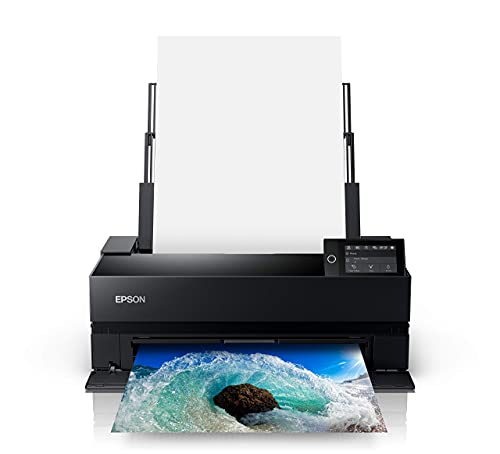
The P900 takes Epson’s SureColor pigment line to seventeen inches and gives it the clearest control surface in this guide: a 4.3-inch touchscreen, stated in the title alongside wireless connectivity for picture printing. That screen size is not decoration. On a wide professional machine, the display is where media types get confirmed, ink levels get interrogated and maintenance routines get launched, and a legible touchscreen at arm’s length beats a laptop dialogue across the room every time a new paper enters the feed. Photographers who swap media often — matte for portraits, gloss for product work, fine-art stock for the portfolio — feel that convenience weekly.
Like its Canon counterpart at this width, the P900’s title publishes no ink inventory, and its specification list marks that line with the standard unstated wording. The machine’s place in this guide rests on its verified identity as one of the set’s true pigment printers in Epson’s professional SureColor line; the detailed ink inventory belongs to Epson’s documentation, where a careful buyer confirms it before committing. Seventeen inches plus pigment is the exhibition formula, and the P900 is Epson’s current expression of it for the desktop studio.
Ownership at this width has a particular texture worth describing. The printer stops being an accessory and becomes the studio’s centre of gravity: paper is ordered by the box for it, the portfolio is sized by it, client conversations about finished dimensions start from its ceiling. That centrality is the argument for the touchscreen and the wireless link alike — a machine this important should be operable from where you stand and reachable from where you sit. It is also the argument for measuring your space twice, because a seventeen-inch SureColor rearranges the furniture around it, not the other way round.
- Print width: 17 inches, as its title states
- Display: 4.3-inch touchscreen stated
- Connectivity: Wireless connectivity stated
- Ink inventory: Not stated in the listing title — verify with the manufacturer documentation
- Class: SureColor professional line, per the product name
Strengths
- The largest stated touchscreen in this set simplifies media swaps.
- Seventeen-inch pigment output covers exhibition and client work.
- Wireless connection suits a machine stationed apart from the editing desk.
Trade-offs
- Ink details require confirmation in Epson’s documentation.
- Wide media storage and handling become a studio system of their own.
- Professional running costs apply at the largest sheet size here.
Best for: a photographer printing seventeen-inch pigment work with frequent media changes. Not suited for: a compact home office desk.
Frequent paper-swappers will find the P900 on Amazon, its touchscreen workflow described on the listing next to the price.
Colour management is the P900 owner’s rite of passage. A pigment printer at this level expects a calibrated monitor and paper profiles matched to each stock; without them, the finest ink set in the world produces expensive approximations. The encouraging news is that the discipline is front-loaded — profile the papers you actually use, soft-proof before committing a big sheet, and the machine settles into a predictability that makes clients think you are gifted. The touchscreen helps here too, confirming at the machine that the media setting in the driver and the paper in the feed agree, which is where most wide-print disappointments are actually born.
Finished seventeen-inch pigment prints deserve a storage plan before the first one dries: flat, interleaved, out of sunlight, in a portfolio sized for them. Prints stored rolled acquire a memory for curl that framing only partly forgives. Buyers stepping up from thirteen inches consistently report that the storage, not the printer, was the upgrade they underestimated.
Epson SureColor P800 — Established seventeen-inch veteran
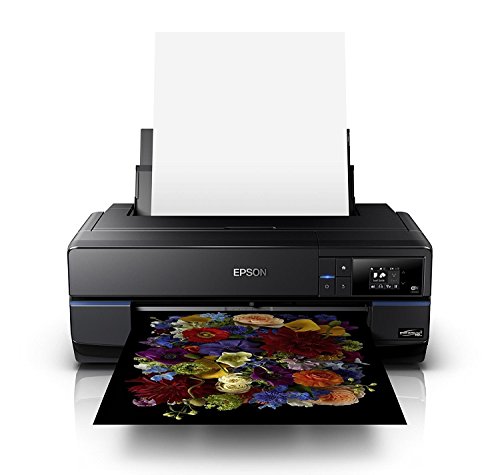
The P800’s title is six words of information — Epson SureColor P800, seventeen-inch, inkjet, colour printer — and a long silence everywhere else. No ink inventory, no connectivity claim, no display. Yet the machine holds a genuine place in this set: it is the established seventeen-inch SureColor, a platform with years of studio service behind it, verified for this guide as one of the five true pigment printers. For some buyers, that maturity is the feature. A machine whose behaviour is documented by a decade of owners, whose media handling is a known quantity in every forum and studio, carries a predictability that a freshly launched model cannot offer at any specification.
Buying the veteran requires a particular kind of diligence. Because the listing title states so little, the pre-purchase checklist lives almost entirely in Epson’s documentation and in the listing’s own detail sections: confirm the ink set it ships with, the connectivity fitted to this unit, and the media paths for the thick papers you intend to run. None of that is unusual for professional equipment — it is how cameras and lenses at this level are bought too — but it does mean the P800 rewards the methodical buyer and punishes the hurried one more than any other pick here.
Who, then, is it for? The photographer who already speaks Epson — who owns the papers, knows the media settings by heart and has a portfolio workflow built around a seventeen-inch SureColor — finds in the P800 a continuation rather than a learning curve. Studios replacing a worn machine of the same lineage can keep their profiles, their paper stock and their habits. Newcomers to wide pigment printing, by contrast, get clearer paperwork from the P900 and clearer ink statements from the Canon pair, and should weigh whether the veteran’s maturity outweighs its listing’s silence in their particular case.
- Print width: 17 inches, as its title states
- Print type: Inkjet colour printer, as titled
- Class: SureColor professional line, per the product name
- Ink inventory and connectivity: Not stated in the listing title — verify with the manufacturer documentation
Strengths
- A mature seventeen-inch platform with years of documented studio use.
- SureColor lineage keeps paper profiles and habits transferable.
- Seventeen-inch pigment output for established wide-format workflows.
Trade-offs
- The listing states almost nothing, shifting verification onto the buyer.
- An older platform may trail newer models in screen and connectivity fittings.
- Newcomers face a steeper research path than with the P900.
Best for: an experienced Epson studio replacing or matching an established seventeen-inch workflow. Not suited for: a first-time wide-format buyer wanting specifications in the listing.
Studios loyal to the SureColor lineage can check price on Amazon for the P800, treating Epson’s documentation as the specification source of record for this purchase.
There is a sustainability footnote to the veteran’s case that deserves honest mention. Keeping a mature platform in service — or buying the mature platform while it remains listed — extends the working life of a design whose manufacturing footprint is already spent, and professional printers are precisely the category where longevity is an environmental virtue. A pigment machine that runs for a decade spreads its embodied cost across thousands of prints. The P800’s long listing life is, in that light, part of its specification, even if no title could ever print it.
Practically, veteran ownership means stocking ink with a longer view: cartridges for an established platform are a known market, neither scarce nor discounted into oblivion, and a studio can hold a sensible reserve without fearing a sudden discontinuation announcement. That boring reliability is, for working photographers, a form of luxury.

Epson EcoTank Photo ET-8550 — Hybrid tank alternative
Now the exception, labelled as promised. The ET-8550 is a six-colour, cartridge-free, wide-format all-in-one: print, scan and copy, up to sixteen pages per minute, printing up to thirteen by nineteen inches, aimed by Epson at creators and home studios. Its ink system is a hybrid — pigment black alongside dye colours — and that single fact governs its place in this guide. It is not an all-pigment printer, and no sentence here will call it one. What it offers instead is the most disruptive running-cost story in photo printing: bottled ink, filled into tanks, at a per-page cost that makes prolific printing feel free.
For many creators, that trade is rationally attractive. The pigment black still anchors text and monochrome-leaning work with a durable, water-resistant black. The dye colours deliver the vivid gamut that social-era photography prizes, on glossy papers especially, where dye systems have always sparkled. Scanning and copying join the package — none of the five dedicated pigment machines offers either — turning the ET-8550 into a complete home-studio hub for a creator whose prints live in frames at home, in portfolios that travel, and online, rather than in archives or gallery sales where multi-decade stability is the contract.
The honest boundary is longevity and water. Dye colours, as a class, fade sooner under light than pigment and run when wetted; a print sold as archival, hung in bright sun or destined for an archive box should come from one of the five true pigment machines above. A creator printing their own walls, their club’s exhibition on a budget, or a torrent of drafts and gifts may reasonably decide those limits do not bind them — but the decision should be made with the hybrid label in view, which is why this guide insists on printing it in every summary of the machine.
- Ink system: 6-colour cartridge-free tank — pigment black with dye colours
- Maximum print size: Up to 13 x 19 in., as its title states
- Print speed: Up to 16 ppm stated
- Functions: Print, scan and copy stated
- Positioning: Creators and home studios, per the title
Strengths
- Bottled tank ink makes heavy photo printing startlingly cheap per page.
- Scanning and copying arrive in the same wide-format box.
- Pigment black keeps text and monochrome work durable.
Trade-offs
- Dye colours are not archival pigment — light and water expose the difference.
- Sold-as-archival work belongs on the true pigment machines.
- Tank care and regular use are required to keep the system healthy.
Best for: a prolific home-studio creator printing wide colour work weekly. Not suited for: gallery prints sold with archival promises.
The bottle arithmetic is seductive, so approach the ET-8550’s Amazon price with the hybrid label fixed firmly in mind: pigment black, dye colours.
The ET-8550 also quietly solves the proofing problem that haunts pigment owners. When a page costs pennies, you proof at full size, pin the proof up for a day, and let your eyes find the flaws that screens hide. Pigment purists sometimes keep a tank machine for exactly this draft work and reserve the pigment printer for final output — a two-machine ecology this guide can endorse without blurring any labels. If the budget stretches to only one box, the choice between them is the choice between cheap abundance and archival certainty, and only your prints’ destinations can settle it.
Maintenance follows tank rules: print regularly, glance at the tank windows during the weekly tidy, refill deliberately with the correct colour bottle seated properly. Creators who keep that rhythm report the machine disappearing into the studio’s furniture — always ready, rarely discussed — which is the highest praise a hybrid can earn in company this specialised.
Comparison Table
| Pick | Width | Ink position | Standout trait |
|---|---|---|---|
| Canon imagePROGRAF PRO-310 | 13 in. | 9-colour pigment stated | 3-inch colour LCD |
| Canon imagePROGRAF PRO-1100 | 17 in. | Pigment — inventory in documentation | Professional wireless flagship |
| Epson SureColor P700 | 13 in. | UltraChrome PRO10 pigment family | 10-channel MicroPiezo AMC head |
| Epson SureColor P900 | 17 in. | Pigment — inventory in documentation | 4.3-inch touchscreen |
| Epson SureColor P800 | 17 in. | Pigment — inventory in documentation | Established SureColor platform |
| Epson EcoTank Photo ET-8550 | 13 x 19 in. | Hybrid: pigment black, dye colours | Tank ink with scan and copy |
How to Choose a Pigment Ink Printer
Decide the destination of your prints before you decide anything else. Work destined for sale with longevity promises, for archives, or for bright walls belongs on pigment — which keeps five of these six machines in play and politely excuses the hybrid. Work destined for your own walls, club nights and prolific drafting can entertain the ET-8550’s economics with a clear conscience. The destination test is brutal but clarifying, and it should be applied before brand loyalty gets a vote.
Width comes second, and it is a one-way door. Thirteen inches serves portfolios and most framed home work; seventeen inches serves exhibitions and clients. Nobody in the history of this category has regretted owning the wider machine’s ceiling and used it rarely — they regret the opposite, monthly, at the moment a composition demands the size the printer cannot reach. If your ambitions are genuinely undecided, the width question deserves the money more than any other line in the budget.
Brand comes third, and by then it is nearly a lifestyle choice: Canon’s imagePROGRAF line against Epson’s SureColor line, each with devoted studios and paper ecosystems. Print the same demanding image — deep shadows, a neutral grey ramp, one saturated red — on both systems if a local dealer or studio friend allows it. The titles in this guide can certify pigment identity and width; only paper can certify which rendering your eyes prefer.
Why Does Pigment Ink Last Longer Than Dye?
The short answer is architecture. Dye ink is colour dissolved in liquid, soaking into a paper’s receptive coating; the colour molecules sit exposed to light and air within that coating, and ultraviolet energy breaks them down molecule by molecule. Pigment ink is colour as solid particles, suspended rather than dissolved, resting largely on the paper’s surface. Larger, sturdier particles resist that molecular weathering far longer, and because they sit on the surface rather than soaking in, a splash of water cannot easily dissolve and carry them away.
The trade-offs of that architecture explain the rest of this guide. Surface-sitting particles produce the sheen irregularities on glossy papers that matte stocks avoid, and they demand sophisticated coatings and multi-channel ink sets to render smooth gradients — hence nine and ten-colour systems where office printers make do with four. Longevity is never free; pigment simply charges for it in engineering rather than in fading.
Longevity figures, when makers publish them, come from accelerated ageing tests under specified display conditions, and they vary enormously with the paper paired to the ink. Treat any such figure as a comparison between systems on the same paper, not as a promise about a print on a sunny wall. The practical rule survives all the caveats: for a print that must look right in twenty years, pigment on a quality acid-free paper, framed away from direct sun, is the combination with the evidence behind it.
Proofing discipline deserves its own meditation, because pigment printing punishes the casual and rewards the ritualised. Work in a fixed order: calibrate the monitor on a schedule, soft-proof with the exact paper profile, inspect shadow detail and the neutral ramp at full size, then print a narrow test strip of the most demanding passage — the dark corner, the skin tones — before committing the whole sheet. Studios that adopt the strip habit cut their spoiled-sheet rate dramatically, and on seventeen-inch fine-art paper, spoiled sheets are the budget line that separates a profitable practice from a hobby with invoices.
Colour consistency across a portfolio is the second ritual. Prints destined to hang together or sit in one portfolio case must match under the same light, which means printing the set in one session, on one paper batch, with one profile, rather than across a month of evenings. Pigment systems reward that discipline with the stability professionals actually buy them for: the tenth print in the session is the first print’s twin. Photographers selling editions should take the point further still — an edition printed in a single campaign, numbered and stored together, carries a coherence that collectors can see even when they cannot name it.
Studios shopping in person should bring that same test file on a stick and ask for it by name. Any dealer serious about professional printing expects the request, and the two prints side by side — same file, same paper family, rival machines — will teach you more in five minutes than a month of specification tables. Photographers who cannot arrange that comparison can approximate it with manufacturer sample prints, judged, as always, under the light their own walls provide.
Which Papers Bring Out the Best in Pigment Ink?
Matte fine-art papers are pigment’s home turf. Their coatings accept the particles evenly, the absence of gloss kills sheen irregularities, and the resulting surface — soft, deep, slightly painterly — flatters landscapes, portraits and monochrome alike. Heavyweight cotton-rag stocks add a tactile seriousness that clients notice in the hand before their eyes reach the image. Every pigment owner should own one trusted matte paper and know its media setting by heart.
Baryta and semi-gloss papers serve work that wants a traditional darkroom character: deeper blacks, a gentle sheen, the feeling of a fibre-based print from a tray. Pigment on these stocks can show bronzing at raking angles, so judge proofs under the light the print will hang in. Canvas and specialty media extend the range further — gallery wraps, greeting cards, book pages — each with its own profile and its own appetite for ink.
Whatever the paper, consistency beats variety during the learning months. One paper, profiled and understood, teaches you what your printer actually does; six papers in rotation teach you only confusion. Expand the library once the reference paper’s behaviour is in your bones, and keep a labelled sample of each paper’s best print as the studio’s growing memory.
How Should Pigment Prints Be Stored and Framed?
Give fresh prints a rest before anything touches their surface — a day flat on a clean shelf is the traditional courtesy — then interleave them with acid-free sheets for storage. Portfolios and plan chests beat drawers and boxes, because flat and unhurried is the condition pigment prints prefer. Keep the storage dark and dry; light is the enemy the ink was engineered to resist, not an opponent to taunt.
Framing multiplies longevity when it is done with archival intent: acid-free mount board, a mat keeping the print off the glazing, and ultraviolet-filtering acrylic or glass for anything hung in daylight. A pigment print behind ordinary glass in a sunny room is a thoroughbred in the rain — capable, but unkindly used. Rotate displayed prints if your walls catch strong sun, and let the portfolio hold the masters while the frames hold the rotation.
Documents deserve a sentence too, since pigment’s archival case extends beyond photography. Certificates, contracts and records printed with pigment black on decent paper resist the water accident and the fading decade alike. An office archiving paper that must be legible in twenty years is buying the same physics the photographer buys, at a fraction of the romance.
There is also the question of who else will operate the machine. A pigment printer in a shared studio or a family home meets users with wildly different care levels, and the models here divide subtly on that axis. Touchscreen-guided machines talk a novice through a media change; driver-driven machines assume the person printing is the person who profiled the paper. If your studio includes assistants, students or family members who will inevitably press the buttons, weight the interface honestly in your decision — a mis-set media type wastes more pigment in a month than any cartridge price difference in this guide.
Finally, think about the second year, not the first month. Pigment printers settle into a studio’s life: a paper library accumulates, profiles multiply, a reference print for each stock goes into a folder. The machine you choose becomes the centre of that system, and switching ecosystems later means relearning all of it. That is the deepest argument for choosing slowly between Canon and Epson at either width — you are not buying a printer so much as adopting the platform your next decade of prints will be made on.
Common Mistakes When Buying a Pigment Ink Printer
Confusing hybrid with all-pigment is the error this category invites most warmly, because tank marketing rarely volunteers the dye half of the story. Read the ink description to the end. A pigment black beside dye colours is a fine system with real virtues, but it is not the archival instrument the word pigment promises on its own, and prints sold on that promise would betray it.
Buying width by optimism rather than by destination runs second. A seventeen-inch machine purchased for someday exhibitions, in a studio whose actual output is thirteen-inch portfolio pages, spends its life as expensive furniture with an appetite for wide media. The reverse error — the thirteen-inch machine straining at a practice that went seventeen within a year — is equally real. Let the prints you have actually made in the last twelve months, measured with a ruler, cast the deciding vote.
Neglecting the paper budget completes the trio. Pigment machines reveal paper quality mercilessly, and owners who feed a professional printer bargain stock get bargain results and blame the ink. Allocate for proper papers from the start, learn one thoroughly, and the printer you bought is the printer you will experience.
One more destination deserves naming before the verdicts harden: the printed book. Photographers increasingly finish projects as bound volumes — a portfolio book for a gallery visit, a family archive, a self-published monograph in a short run. Book work stresses a pigment printer differently from wall work. Pages are handled, turned, read under mixed light at close range, and compared side by side across a spread, so consistency and surface durability outrank sheer gamut. Pigment on a matte book paper answers that brief beautifully, and the thirteen-inch machines here are sized almost perfectly for it: a thirteen-inch sheet trims and folds into a substantial page. If a book sits anywhere in your plans, proof a full dummy volume on your intended paper before the edition begins; the printer that handles the dummy gracefully is the printer the project wants.
Insurance and records sound dreary beside talk of gallery walls, yet professionals insure their output whether they call it that or not. Keep a digital master of every sold print, note the paper and profile on the back of the studio’s reference copy, and file the printer’s purchase documents with the same care as a camera body’s. When a client returns in five years asking for a matching reprint, that file of dull notes is what lets the new print sit beside the old one without embarrassment. Pigment’s longevity is a property of the ink; a practice’s longevity is a property of its paperwork.
Final Recommendation
At thirteen inches, choose between Canon’s PRO-310 — the guide’s clearest ink statement, nine pigment colours in the title — and Epson’s P700, with its named UltraChrome PRO10 set and ten-channel head; print a test image both ways if you possibly can. At seventeen inches, the PRO-1100 and the touchscreen-equipped P900 contest the flagship ground, while the P800 serves the Epson veteran content with a proven platform. The ET-8550 stands apart, honestly labelled: pigment black, dye colours, unbeatable running costs for the creator whose prints live outside archives. Buy the chemistry your prints’ destinations demand, at the width your past year’s work proves, and pigment will repay you in decades.
Keep one unglamorous habit from the first week: a dated log beside the printer. Paper loaded, profile used, cartridges changed, cleaning cycles run — four lines per job, thirty seconds of writing. Within a season the log becomes the studio’s memory, answering questions memory alone fumbles: which paper batch bronzed, which cartridge faded early, which profile the client favourite was printed under. Professionals in every craft keep such logs because the work outlasts recall. A pigment printer, bought for decades of output, deserves the same courtesy from its first print onward.
A last word on expectations for newcomers stepping up from a home inkjet. The first pigment print off a thirteen or seventeen-inch machine, on the right paper, is a small shock — depth in the shadows, restraint in the highlights, a surface that feels like an object rather than an output. Everything after that first print is the discipline of repeating it on demand. The machines in this guide are all capable of that first print; the reviews have tried to show, honestly and from their own listings, which of them fits the room, the width and the working habits that will let you repeat it for years.
Frequently Asked Questions
Are pigment inks waterproof?
Pigment prints are highly water-resistant once dry, because the colour sits on the paper surface as solid particles rather than dissolved dye. Resistance is not absolute immersion-proofing — paper itself still suffers in water — but a splash that would ruin a dye print typically leaves a pigment print readable and intact.
Can pigment printers print good glossy photos?
Yes, with an asterisk. Modern pigment sets handle gloss papers well, though sheen irregularities can appear at raking angles on some stocks. Many photographers choose matte or baryta papers for pigment work precisely because those surfaces sidestep the issue and suit the ink’s character.
Is the EcoTank ET-8550 a pigment printer?
Partly, and the distinction matters. Its black ink is pigment; its colour inks are dye. It is a hybrid system with excellent running costs, and this guide recommends it for prolific home-studio printing — not for work sold or stored as archival pigment output.
How many ink colours does a pigment printer need?
More than an office printer, because photographic gradients and neutral greys demand them. The PRO-310 states nine pigment colours in its title and the P700 names a ten-ink UltraChrome PRO10 system; extra channels typically serve grey balance and gamut edges rather than brighter colour alone.
Do pigment prints need special framing?
They reward it rather than need it. Acid-free mounting, a mat spacing the print from the glazing, and ultraviolet-filtering glass for sunlit walls let pigment’s engineered longevity actually arrive. The ink starts the marathon; the frame decides whether it finishes.
Related Guides
Pigment printing sits inside a wider wide-format conversation. Photographers focused on the sheet itself should read our roundup of photo printers for 11×17 output. Offices balancing photographic ambitions against team throughput can compare workgroup printers for shared desks. Departments standardising on laser for documents will find their machines among workgroup multifunction laser printers.


