What's inside
- Where to Buy
- Key Takeaways
- Quick Picks
- How the picks were chosen
- The six machines in detail
- Comparison table
- How do you choose between a coding-first and a gaming-first laptop?
- Setting up a dual-use development and gaming desk
- Keeping a dual-use laptop fast across years of service
- Matching the machine to your stack, language by language
- Common mistakes
- Frequently asked questions
- Final recommendation
As an Amazon Associate I earn from qualifying purchases. This post may contain affiliate links at no extra cost to you.
[SITE_DOMAIN] is reader-supported. When you buy through links on our site, we may earn an affiliate commission at no extra cost to you. Prices and availability change; check the Amazon listing for the current details.
Where to Buy
ASUS ROG Strix G16 – Check price on Amazon
Lenovo Legion Pro 7i Gen 10 RTX 5080 – Check price on Amazon
ASUS ROG Zephyrus G16 RTX 5070 – Check price on Amazon
Razer Blade 16 RTX 5070 Ti – Check price on Amazon
Acer Nitro V RTX 5050 16in – Check price on Amazon
MSI Raider A16 HX RTX 5080 – Check price on Amazon
Finding the best laptops for programmers and gamers means refusing the usual compromise narrative, because a machine that compiles your project at four in the afternoon and runs your favourite game at nine in the evening is not two laptops fighting in one chassis. It is one set of priorities, correctly ordered: a processor with genuine multi-core stamina, a discrete graphics card, enough memory for an IDE and its entourage, fast storage, and a screen that flatters both code and play. This guide works through six machines that meet that brief at very different tiers, from a student-friendly Acer to a pair of RTX 5080 flagships.
The dual-use life imposes specific stresses that neither pure gaming reviews nor pure workstation reviews capture. Development work is bursty and parallel: indexing, compiling, testing, and serving all spike the processor at once, then idle while you think. Gaming is sustained and graphical: the GPU runs hot and hard for hours. A laptop that excels at one pattern can stumble at the other, so each review below examines both rhythms, along with the unglamorous details, keyboard comfort, fan behaviour, and storage headroom, that decide whether a machine stays loved in month twelve.
Readers whose work leans further toward machine learning should also browse our guide to laptops for AI Programming, where GPU memory and cooling for local model work take centre stage. The six machines here are instead tuned for the mainstream of software development: web stacks, compiled languages, game development in popular engines, mobile toolchains, and the ordinary miracle of a fast local build.
Key Takeaways
- Two RTX 5080 flagships, the Legion Pro 7i and MSI Raider A16 HX, set the performance ceiling, with the Raider doubling storage to 2TB
- The ROG Strix G16 is the balanced centre: HX processor, RTX 5060, and a 165Hz screen at a mainstream tier
- Thin-machine shoppers split between the Zephyrus G16 for portability and the Blade 16 for premium finish and Thunderbolt 5
- Memory is the dividing line of the set: 32GB machines shrug off container fleets, while the 8GB Nitro V asks for discipline
- Every pick carries a discrete NVIDIA GPU and a high-refresh display, so none of the six treats gaming as an afterthought
Quick Picks
| Pick | Processor | Graphics | Memory | Storage | Display |
|---|---|---|---|---|---|
| ASUS ROG Strix G16 | Intel Core i7-14650HX | RTX 5060 | 16GB DDR5 | 1TB Gen 4 SSD | 16″ FHD+ 165Hz |
| Lenovo Legion Pro 7i Gen 10 | Intel Core Ultra 9 275HX | RTX 5080 | 32GB RAM | 1TB Gen 5 SSD | 16″ WQXGA OLED 240Hz |
| ASUS ROG Zephyrus G16 | Intel Core Ultra 9 285H | RTX 5070 | 16GB LPDDR5X | 1TB PCIe 4.0 SSD | 16″ 2.5K OLED 240Hz |
| Razer Blade 16 | Intel Ultra 9 386H | RTX 5070 Ti | 32GB DDR5 | 1TB SSD | 16″ QHD+ OLED 240Hz |
| Acer Nitro V 16 | Intel Core 5 210H | RTX 5050 | 8GB DDR5 | 512GB Gen 4 SSD | 16″ WUXGA IPS 165Hz |
| MSI Raider A16 HX | AMD Ryzen 9-8940HX | RTX 5080 | 32GB DDR5 | 2TB NVMe SSD | 16″ QHD+ 240Hz |
How the picks were chosen
Selection began with a simple filter: every machine had to be defensible in a code review and in a game lobby on the same day. That eliminated thin ultrabooks with integrated graphics, however lovely, and desktop replacements whose processors were generations behind, however cheap. What remained was scored on processor class, GPU tier, memory, storage, display, and the practicalities of living with the machine, with specifications taken strictly from each listing title rather than from marketing pages.
Processor class mattered most for the working half of the brief. HX-series chips from Intel and AMD anchor the flagships because development’s parallel bursts reward cores and sustained power, while the H-series parts in the thinner machines trade a slice of that ceiling for portability. Memory was judged against a realistic stack: an IDE with language servers, a browser, a container runtime, and communication tools. By that yardstick 32GB is comfortable, 16GB is workable, and 8GB is a starting point with an upgrade conversation attached.
For the gaming half, GPU tier was matched against each machine’s own display rather than judged in isolation. An RTX 5050 feeding a 165Hz FHD-class panel is a coherent pairing; the same card would be wasted on a 240Hz QHD+ screen, just as an RTX 5080 earns its keep precisely because the Legion and Raider give it pixels worth pushing. Readers comparing adjacent needs may also find our coverage of laptops for Photogrammetry useful, since mesh processing stresses many of the same subsystems.
Displays were weighed as working tools first and gaming surfaces second. Every panel here refreshes at 165Hz or faster, which flatters scrolling code as much as it flatters play, and the 16:10 aspect ratios across the set restore vertical space that widescreen entertainment formats stole from programmers years ago. OLED earned its prominence in the final six on merit, contrast and response that serve text and games alike, while the two IPS machines were retained because brightness, cost, and freedom from burn-in worry still matter to classrooms and bright offices.
The six machines in detail

ASUS ROG Strix G16 – the balanced dual-use starting point
Balanced pick for mixed coding and play
- Processor: Intel Core i7 Processor 14650HX
- Graphics: NVIDIA GeForce RTX 5060
- Memory: 16GB DDR5
- Storage: 1TB Gen 4 SSD
- Display: 16 inch FHD+ 16:10, 165Hz, 3ms
- Operating system: Windows 11 Home
- Wireless: Wi-Fi 7
The Strix G16 sits at the sensible centre of this roundup, and that centrality is exactly why it opens the list. A Core i7-14650HX brings the kind of multi-core throughput that shortens Gradle builds, trims Docker image rebuilds, and keeps a large TypeScript monorepo responsive while the editor, a browser full of documentation tabs, and a chat client all compete for attention. None of that work needs a flagship chip; it needs sustained clocks and enough threads, and the HX silicon here is built for precisely that sustained, plugged-in style of labour.
Gaming after hours is handled by the RTX 5060, a card that pairs comfortably with the 165Hz FHD+ panel. Competitive shooters will hold high frame rates at this resolution without drama, and story-driven titles run well with sensible settings rather than everything pushed to the ceiling. The 16:10 aspect ratio quietly helps during the day, too, because the extra vertical pixels show more lines of code before scrolling, which matters more across an eight-hour session than most specification sheets admit.
Sixteen gigabytes of DDR5 is the honest compromise in this configuration. It covers a typical developer stack comfortably, yet a heavy virtual-machine habit or several containerised services running beside an IDE will press against the ceiling sooner than the 32GB machines further down this page. Storage is less of a concern: the 1TB Gen 4 drive leaves room for a game library alongside SDKs, emulators, and local datasets without constant housekeeping.
Thermals shape the lived experience of any HX laptop, and the Strix chassis gives its fans physical room to work. Expect audible cooling under a full compile or a demanding game, which is normal for this class and worth planning around if your workspace is a shared room. On a desk with headphones nearby, it fades into background; in a quiet library corner, it announces itself.
Connectivity and daily practicality round out the case. Wi-Fi 7 future-proofs the wireless side for newer routers, the keyboard travel suits long typing stretches, and the overall footprint remains luggable between home desk and office without feeling like a punishment. It is not the lightest machine here, nor the fastest, but it asks the fewest compromises of someone whose day genuinely splits between shipping code and playing games.
Daily driving the Strix reveals its priorities in small ways. The chassis stays composed when lifted one-handed from a desk, the hinge opens without drama, and the port layout keeps a mouse dongle, an external drive, and a monitor cable from staging a turf war along one edge. None of these details appears in a benchmark chart, yet together they decide whether a laptop feels like a tool you reach for or an obstacle you negotiate with every morning.
There is also a sensible upgrade story implied by the configuration. A machine shipping with 16GB and a single large drive invites its owner to grow into heavier work gradually, and the mainstream tier means accessories, docks, and replacement chargers are easy to source. For a first serious dual-use purchase, that ecosystem of the ordinary is worth as much as any single specification.
Strengths
- Core i7-14650HX delivers strong sustained multi-core pace for builds and containers
- RTX 5060 and 165Hz panel form a well-matched pairing at FHD+ resolution
- 1TB Gen 4 SSD leaves genuine headroom for games beside toolchains
Trade-offs
- 16GB of memory can feel tight with several virtual machines running together
- Fan noise under full load rules out silent-room work at peak demand
- Windows 11 Home lacks some management features of the Pro edition
Best for: a developer seeking one desk machine that compiles briskly all day and still holds high frame rates at night on its 165Hz screen
Not suited for: a household seeking silent operation during evening play, since the cooling system speaks up plainly under sustained load
For a first look at current availability on the Strix configuration above, Check price on Amazon on the listing page.

Lenovo Legion Pro 7i Gen 10 – the no-compromise flagship
Flagship pick for maximum headroom
- Processor: Intel Core Ultra 9 275HX, 24 cores
- Graphics: NVIDIA GeForce RTX 5080
- Memory: 32GB RAM
- Storage: 1TB Gen 5 NVMe SSD
- Display: 16 inch WQXGA OLED, 500 nits, 240Hz
- Operating system: Windows 11 Pro
- Wireless: Not stated in the listing title – verify with the manufacturer documentation
Everything about the Legion Pro 7i Gen 10 is scaled for people who resent waiting. The Core Ultra 9 275HX spreads work across 24 cores, so a full clean build, a test suite, and a local database can churn simultaneously while the editor stays responsive. Where the Strix above asks you to sequence heavy jobs politely, this Lenovo simply absorbs them, and that difference compounds across a working week of incremental builds and container rebuilds.
The RTX 5080 is the other half of the proposition. At the WQXGA resolution of its OLED panel it has the muscle for high-refresh play in demanding titles, and its compute throughput also accelerates GPU-bound development chores such as shader compilation, local inference experiments, and video encoding for tutorial or stream content. Paired with 240Hz, the screen rewards fast-paced games, while the 500-nit OLED brightness and deep contrast make code themes and design previews look exceptionally crisp.
Memory and storage remove the two most common ceilings. Thirty-two gigabytes of RAM holds an IDE, a browser fleet, a container stack, and a game launcher without the swap file becoming a second job, and the Gen 5 NVMe drive moves project files and game installs at a pace that makes large asset copies feel trivial. Windows 11 Pro adds the management and virtualisation features that professional developers tend to reach for eventually.
The trade for all this capacity is presence. This is a large, assertive machine that treats portability as an occasional event rather than a daily habit, and its power appetite means the charger travels with it. Battery life under real development load should be treated as a bridge between outlets, not a workday, which is the honest physics of flagship HX hardware in a 16-inch frame.
Choose this Legion when the workload itself justifies it: huge codebases, heavy emulation, GPU-accelerated pipelines, or a single machine expected to serve as workstation and gaming rig for years. Its headroom is not decorative. Every subsystem is specified a step beyond the mainstream, and for the programmer-gamer who keeps machines a long time, that margin is what keeps the laptop feeling current deep into its life.
Sustained performance is where the Legion separates itself from machines that merely benchmark well. Short tests flatter almost everything; the Pro 7i is built for the fortieth minute of a rendering job or the third hour of a gaming session, when lesser cooling systems have quietly surrendered their clocks. Developers who run local inference experiments or long integration suites will feel that stamina as fewer surprises and steadier completion times across the day.
The OLED panel deserves a second mention for creative side projects. Game development, interface design, and video editing for a channel or portfolio all benefit from its contrast and colour reach, and the 240Hz refresh that serves shooters also makes timeline scrubbing and animation review feel unusually fluid. It is a screen that flatters every workload this machine will ever meet.
Strengths
- Core Ultra 9 275HX with 24 cores swallows parallel builds and test suites
- RTX 5080 drives the 240Hz WQXGA OLED panel with room to spare
- Gen 5 storage and 32GB of memory erase the usual bottlenecks
Trade-offs
- Size and weight make daily commuting a chore rather than a routine
- Battery endurance under load suits hops between desks, not full days unplugged
- Flagship specification carries a flagship tier positioning to match
Best for: a senior engineer seeking a single flagship that treats clean builds, container stacks, and 240Hz OLED play as ordinary weekday events
Not suited for: a commuter seeking all-day unplugged coding, because this hardware spends its battery quickly when the cores and GPU work hard
Anyone speccing a long-term workstation replacement can Check price on Amazon to confirm the current Legion configuration.

ASUS ROG Zephyrus G16 – power that travels
Portable pick for hybrid schedules
- Processor: Intel Core Ultra 9 285H
- Graphics: NVIDIA GeForce RTX 5070
- Memory: 16GB LPDDR5X RAM
- Storage: 1TB PCIe 4.0 SSD
- Display: 16 inch 2.5K OLED, 240Hz
- Operating system: Not stated in the listing title – verify with the manufacturer documentation
- Wireless: Wi-Fi 7
The Zephyrus G16 answers a different question from the two machines above: what happens when the programmer-gamer actually moves? Hybrid schedules, client sites, and co-working days punish bulky hardware, and this ASUS is built around a slimmer brief, described in its own listing as bag-ready. The Ultra 9 285H trades some of the HX chips’ brute multi-core ceiling for efficiency and a thinner chassis, yet it still chews through everyday compilation, code indexing, and test runs without making you schedule your day around them.
Its 2.5K OLED panel at 240Hz is arguably the sweetest screen in this roundup for mixed use. Text renders with the contrast and clarity that long reading sessions reward, colour work for interface design looks trustworthy, and games gain both resolution and refresh headroom from the RTX 5070. That GPU sits a tier above the Strix card, so high settings at this panel’s native resolution are realistic rather than aspirational in most current titles.
The constraint to plan around is memory. Sixteen gigabytes of LPDDR5X is fast and efficient, but it is also the fixed ceiling of this configuration, and developers who live inside multiple virtual machines or heavy container fleets will feel it. For the more common stack of editor, browser, one container set, and communication tools, it remains comfortable, and the 1TB PCIe 4.0 drive keeps projects and a rotating game library close at hand.
Thermally, a slim chassis works harder to move the same heat, so expect the fans to be present during long builds or gaming sessions, though the Ultra H processor’s efficiency helps during lighter work. The machine’s real charm is the transition: close the lid after a stand-up, drop it in a bag, and reopen it at a desk across town without the shoulder ache that accompanies the flagship class.
Wi-Fi 7 keeps it current for newer office and home networks. Taken as a whole, the Zephyrus is the recommendation for the developer whose gaming happens wherever the laptop lands that evening, and who values a beautiful screen and a portable frame over the last increment of multi-core throughput.
Travel exposes the Zephyrus virtues that a desk-bound review would miss. It slips into a bag beside notebooks rather than displacing them, its charger is a smaller burden than the bricks accompanying the flagships, and it wakes quickly for the fragmented work pattern of trains, waiting rooms, and client lobbies. A developer whose billable hours happen in other people’s offices will extract value from those traits every single week.
The OLED screen also changes how long sessions feel. Eye strain accumulates differently on a high-contrast panel with clean text rendering, and the 2.5K resolution gives side-by-side editor panes genuine room, reducing the window shuffling that fragments concentration. Portability bought at the price of constant squinting would be no bargain; here the display refuses that trade.
Strengths
- Slim, bag-ready design suits hybrid work without surrendering gaming ability
- 2.5K OLED 240Hz display excels for text, design review, and play alike
- RTX 5070 offers a clear step up for gaming at native resolution
Trade-offs
- 16GB LPDDR5X memory ceiling constrains heavy virtualisation habits
- Thin chassis cooling is audible during long compiles and gaming
- Ultra H processor trails HX chips on the largest parallel builds
Best for: a hybrid developer seeking a portable 16-inch machine whose OLED screen flatters code by day and games by night
Not suited for: a virtualisation enthusiast seeking room for many simultaneous virtual machines, given the fixed 16GB memory ceiling here
If portability tops your shortlist, Check price on Amazon for the Zephyrus listing and its present configuration.

Razer Blade 16 – the premium thin flagship
Premium pick for build quality first
- Processor: Intel Ultra 9 386H
- Graphics: NVIDIA GeForce RTX 5070 Ti
- Memory: 32GB DDR5
- Storage: 1TB SSD
- Display: 16 inch QHD+ OLED, 240Hz, 0.2ms
- Operating system: Windows 11
- Wireless: Wi-Fi 7, Thunderbolt 5
Razer’s Blade 16 sells an experience as much as a specification sheet: a thin, dense, meticulously finished chassis that happens to contain an Ultra 9 386H and an RTX 5070 Ti. For the programmer who spends ten hours a day touching a keyboard and staring at a screen, that physical quality is not vanity. The QHD+ OLED panel answers in 0.2ms, refreshes at 240Hz, and makes both syntax highlighting and fast games look liquid, while the unibody construction shrugs off the daily bag commute that flexes lesser lids.
Performance lands between the Zephyrus and the Legion in spirit. The 5070 Ti outguns the plain 5070 for gaming and GPU-accelerated work, 32GB of DDR5 removes the memory anxiety that shadows 16GB configurations, and the 1TB drive is adequate if not generous for a combined project and game library. Thunderbolt 5 is a genuine forward-looking inclusion, opening bandwidth for fast docks, external storage, and high-resolution multi-monitor desk setups from a single cable.
Development life on the Blade is defined by polish: a keyboard suited to long sessions, a large precise trackpad for couch code review, and Wi-Fi 7 for modern networks. The slim profile does impose thermal discipline, so sustained all-core builds will warm the deck and spin the fans, and like every thin gaming laptop it performs its best work plugged in at a desk.
The honest hesitation is tier. Razer positions the Blade at a premium, and the specification, while excellent, can be matched on paper by less expensive rivals in this very roundup. What the extra outlay buys is the thinnest route to this performance class and a machine that feels engineered rather than assembled. For some buyers that tactile difference is the entire point; for others it is money better spent on the Legion’s raw ceiling.
Consider the Blade the connoisseur’s dual-use laptop: a developer who travels, presents to clients, and games in hotel rooms will appreciate how completely it disappears into a professional setting until the OLED lights up. It never shouts about being a gaming machine, and for many programmers that discretion is a feature worth paying for.
Ownership of a Blade is partly about what never goes wrong. The trackpad tracks, the hinges stay true, the keyboard backlight is even, and the machine presents itself in a boardroom without a single glowing dragon announcing your hobby to the client. Razer has refined this formula across many generations, and the maturity shows in the absence of quirks that owners of brasher machines learn to tolerate.
Thunderbolt 5 deserves forward-looking respect. Today’s docks barely tax it, but the bandwidth headroom means this laptop will drive tomorrow’s high-resolution, high-refresh desk setups and fast external storage without becoming the bottleneck. For a premium purchase expected to serve four or five years, that kind of quiet future-proofing is precisely what the money is for.
Strengths
- Thin premium chassis carries flagship parts without the gaming-laptop bulk
- RTX 5070 Ti and 32GB DDR5 form a potent, balanced pairing
- Thunderbolt 5 and a 240Hz OLED panel future-proof desk and display setups
Trade-offs
- Premium tier positioning for performance rivals match on paper
- Slim frame warms noticeably during sustained all-core compilation
- 1TB of storage fills quickly with large game installs alongside projects
Best for: a travelling consultant seeking a discreet thin machine that codes all day in client offices and games at 240Hz after hours
Not suited for: a value-focused builder seeking the lowest cost per frame, since the premium here buys finish and thinness as much as speed
To weigh that finish against the current asking terms, Check price on Amazon on the Blade 16 listing.

Acer Nitro V 16 – the entry point that still plays
Entry pick for first dual-use laptops
- Processor: Intel Core 5 Processor 210H
- Graphics: NVIDIA GeForce RTX 5050 Laptop GPU
- Memory: 8GB DDR5
- Storage: 512GB Gen 4 SSD
- Display: 16 inch WUXGA IPS, 165Hz
- Operating system: Not stated in the listing title – verify with the manufacturer documentation
- Wireless: Wi-Fi 6
Every roundup needs an honest floor, and the Nitro V is it: a machine for the student or early-career developer whose budget is real and whose ambitions are still growing. The Core 5 210H handles coursework, first jobs, web development stacks, and lighter compiled languages without complaint, and the RTX 5050 keeps popular games genuinely enjoyable on the 165Hz WUXGA IPS panel, especially the esports titles this class of machine most often runs.
Candour about the specification matters more here than anywhere else in the article. Eight gigabytes of DDR5 is the minimum viable amount for modern development, not a comfortable one: an IDE, a browser, and a local server will coexist, but discipline about open tabs and background applications becomes part of the workflow, and a memory upgrade belongs in the medium-term plan. The 512GB Gen 4 SSD similarly asks for curation, rotating larger games rather than hoarding them.
Within those limits, the Nitro makes smart choices. The 16-inch 16:10 screen gives coding room that smaller budget laptops deny you, the backlit keyboard supports late-night work, and Wi-Fi 6 remains perfectly serviceable on current networks. The IPS panel lacks the contrast drama of the OLEDs above, yet it is bright, fast, and entirely fit for purpose at this tier.
Think of this Acer as the apprenticeship machine. It teaches real workflows on real tools, plays the games a student actually plays with friends, and costs its owner far less anxiety when carried across a campus. Its ceiling will arrive, likely around the time its owner starts running heavier container stacks or chasing high settings in new releases, and by then the upgrade path to a Strix or Zephyrus class machine will be clear and earned.
What it never does is pretend to be something else. Judged against its own tier rather than the flagships sharing this page, the Nitro V is a coherent, likeable starting point for the dual-use life, and for plenty of readers the correct first step is the affordable one taken now rather than the perfect one postponed indefinitely.
Set expectations correctly and the Nitro surprises. A web development stack with an editor, a local server, and a browser runs happily, coursework compiles at student scale without drama, and indie games plus esports titles, the realistic student library, play smoothly on its fast panel. The machine only disappoints when measured against work it never claimed to do, which is an unfair test for any entry-tier laptop.
It also teaches good habits cheaply. Owners learn to close what they are not using, to curate storage, and to understand what memory actually does, lessons that make them sharper buyers when they eventually spec a flagship. As a first rung on the dual-use ladder, the Nitro’s limitations are almost educational, and its price tier means a spilled coffee is a bad day rather than a financial event.
Strengths
- Lowest tier in this roundup still pairs a discrete RTX GPU with a 165Hz screen
- 16-inch 16:10 display gives beginners proper room to code
- Backlit keyboard and WUXGA resolution suit coursework and first jobs
Trade-offs
- 8GB of memory demands discipline and belongs on the upgrade list
- 512GB storage requires rotating larger game installs
- Core 5 processor trails the field on heavy parallel compilation
Best for: a student seeking a first laptop that handles coursework, a starter development stack, and esports play on one modest budget
Not suited for: a professional seeking to run container fleets and an IDE together all day, given the 8GB memory fitted here
Starting out rather than speccing up? Check price on Amazon to see the Nitro V in its current configuration.
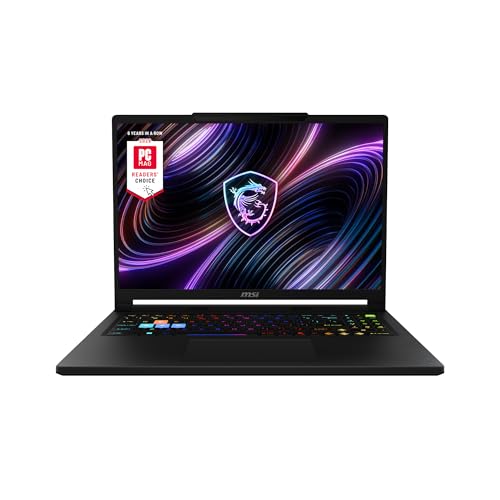
MSI Raider A16 HX – AMD muscle with a 2TB drive
Storage-rich pick for large libraries
- Processor: AMD Ryzen 9-8940HX
- Graphics: NVIDIA GeForce RTX 5080
- Memory: 32GB DDR5
- Storage: 2TB NVMe SSD
- Display: 16 inch QHD+ 240Hz
- Operating system: Windows 11 Home
- Wireless: Wi-Fi 7, USB Type-C noted in listing
MSI’s Raider A16 HX closes the roundup with the largest storage allocation and an AMD heart. The Ryzen 9-8940HX is a desktop-class mobile processor with the core count and cache to shorten serious compile queues, and it pairs here with an RTX 5080, 32GB of DDR5, and a 2TB NVMe drive. That last figure deserves emphasis: dual-use owners are storage omnivores, juggling SDKs, container images, recorded gameplay, and a game library where single installs routinely sprawl, so doubling the typical drive removes a whole category of weekly friction.
The 16-inch QHD+ panel at 240Hz matches the Legion’s ambitions, giving the 5080 a high-resolution, high-refresh canvas for evening play, while the resolution also pays during the day when two editor panes and a terminal share the screen. Windows 11 Home is the one specification that steps down from the Legion’s Pro edition, which matters mainly to those needing its management extras.
AMD’s HX platform brings its own character: formidable multi-threaded pace for builds, rendering, and compression, with power draw to match when fully unleashed. Like the Legion, this is a desk-anchored machine whose charger is a constant companion, and its cooling system will make itself heard during the long renders and shader compilations it was built to shorten.
Against the Legion Pro, the Raider’s argument is capacity per tier: the same GPU class, the same memory figure, double the storage, and an AMD processor that some development stacks and buyers simply prefer. Against the thinner machines, it trades portability for a workstation’s appetite. The choice between the two 5080 flagships here is genuinely about platform preference and storage, not about one being a compromise of the other.
For the programmer-gamer with a sprawling local footprint, perhaps maintaining several game installs for testing, streaming, or modding alongside work projects, the Raider is the roundup’s most forgiving home. It asks you to delete almost nothing, wait for almost nothing, and carry it only when the destination justifies the trip.
The Raider’s 2TB drive changes behaviour in a way smaller drives cannot. You stop deleting games to install updates, stop archiving projects you are still proud of, and stop treating container images as contraband. That freedom sounds minor until you have lived with a nearly full drive during a deadline week, at which point storage headroom reveals itself as a genuine productivity feature rather than a specification-sheet luxury.
AMD’s platform also brings a loyal ecosystem of tuning tools and a processor character many enthusiasts actively prefer for multi-threaded work. Buyers already invested in that ecosystem, or simply persuaded by the core-heavy design, will find the Raider the most natural flagship here, while the Legion counters with its Pro operating system and its own formidable cooling reputation.
Strengths
- 2TB NVMe drive doubles the storage of every rival in this roundup
- Ryzen 9-8940HX and RTX 5080 deliver flagship compile and gaming pace
- 32GB DDR5 and a 240Hz QHD+ panel complete a no-ceiling specification
Trade-offs
- Windows 11 Home rather than the Pro edition fitted to the Legion
- Desk-anchored size and power appetite limit genuine portability
- Cooling noise under sustained load is part of the flagship bargain
Best for: a developer seeking flagship AMD performance with storage generous enough for game libraries, container images, and recorded footage together
Not suited for: a daily traveller seeking a light bag companion, since this Raider is built to live on a desk between outings
With the full six compared, Check price on Amazon if the Raider storage advantage settles your shortlist.
Comparison table
| Model | Processor | Graphics | Memory | Storage | Display |
|---|---|---|---|---|---|
| ASUS ROG Strix G16 | Intel Core i7-14650HX | RTX 5060 | 16GB DDR5 | 1TB Gen 4 SSD | 16″ FHD+ 165Hz |
| Lenovo Legion Pro 7i Gen 10 | Intel Core Ultra 9 275HX | RTX 5080 | 32GB RAM | 1TB Gen 5 SSD | 16″ WQXGA OLED 240Hz |
| ASUS ROG Zephyrus G16 | Intel Core Ultra 9 285H | RTX 5070 | 16GB LPDDR5X | 1TB PCIe 4.0 SSD | 16″ 2.5K OLED 240Hz |
| Razer Blade 16 | Intel Ultra 9 386H | RTX 5070 Ti | 32GB DDR5 | 1TB SSD | 16″ QHD+ OLED 240Hz |
| Acer Nitro V 16 | Intel Core 5 210H | RTX 5050 | 8GB DDR5 | 512GB Gen 4 SSD | 16″ WUXGA IPS 165Hz |
| MSI Raider A16 HX | AMD Ryzen 9-8940HX | RTX 5080 | 32GB DDR5 | 2TB NVMe SSD | 16″ QHD+ 240Hz |
How do you choose between a coding-first and a gaming-first laptop?
Start by timing your own pain. If your working day loses minutes to compilation, indexing, or test suites, weight the processor and memory; if your evenings lose frames in the titles you actually play, weight the GPU and screen. Most dual-use owners discover their bottleneck is the working half, because a game at slightly reduced settings remains fun, while a slow build at a deadline is simply a slow build. That is why this roundup’s centre of gravity sits with HX processors and 32GB configurations wherever the tier allows.
Memory deserves a decision, not a default. Count your heaviest simultaneous stack honestly: developers running Kubernetes locally, multiple virtual machines, or large monorepo language servers should treat 32GB as the floor, while web developers working in one container set can live well on 16GB. Storage follows a similar honesty test. Game installs have grown enormous, and a 512GB drive shared with toolchains becomes a juggling act; 1TB is the comfortable dual-use minimum, and the Raider’s 2TB is a luxury that quickly feels like a necessity.
Finally, decide where the machine will live. A desk-anchored flagship like the Legion or Raider delivers its power without apology but travels reluctantly, whereas the Zephyrus and Blade exist for people whose office changes daily. Screen choice follows location: OLED panels reward dim rooms and design work, while the Nitro’s IPS is unbothered by bright classrooms. If your shortlist includes smaller touch machines for lighter duties, our roundup of i5 Touchscreen Laptops covers that adjacent category.
Setting up a dual-use development and gaming desk
A dual-use machine earns its keep at a well-planned desk. Connect through a capable dock where the laptop supports it, drive an external monitor for the second screen that code review quietly demands, and keep the internal display for terminals, documentation, or chat. Mechanical keyboards and a proper mouse serve both halves of the day, and a laptop stand that lifts the rear of the chassis improves airflow during the long gaming sessions and full builds that generate the most heat.
Software hygiene matters as much as hardware. Separate browser profiles for work and leisure keep memory honest, container runtimes should be stopped rather than left idling through a gaming session, and game launchers deserve the same discipline as IDEs: one ecosystem open at a time. Storage partitioning is unfashionable but effective, giving projects and games their own territories so a sprawling install never crowds out a work deadline.
Power settings complete the picture. Development bursts and gaming both belong on the performance profile while plugged in, and switching to a quieter, efficiency-minded profile for writing, reading, and meetings preserves both battery and sanity. Owners who calibrate these three habits, desk layout, software discipline, and power profiles, consistently report that a single machine stops feeling like a compromise and starts feeling like an advantage.
Monitor choice deserves a sentence of its own. A single large external display suits most dual-use desks better than a thicket of small ones, because code, documentation, and a game window each get honest room without bezels slicing through editor panes. Keep the laptop screen in service rather than closing the lid: it is the natural home for terminals, build output, and chat, and an open lid also helps several of these chassis breathe the way their designers intended during heavy sessions.
Backup discipline belongs in the desk conversation too, unglamorous as it sounds. A dual-use machine concentrates your livelihood and your leisure in one basket, so an external drive or network backup that runs without being remembered is cheap insurance for both. The flagships’ fast ports make large backups painless, and owners who automate the habit stop thinking about it entirely, which is exactly the relationship one wants with insurance.
Keeping a dual-use laptop fast across years of service
Longevity on a dual-use machine is mostly housekeeping. Dust is the silent tax on every cooling system in this roundup, so a twice-yearly blast of compressed air through the vents preserves the thermal headroom that both compile queues and gaming sessions depend on. Battery care follows: machines that live plugged in benefit from charge-limit settings where offered, sparing the cells the wear of sitting permanently full.
On the software side, resist the slow accretion of background services. Every auto-starting updater, sync client, and launcher competes with language servers for memory, and the 16GB machines in particular repay a quarterly audit of what runs at sign-in. Keep drivers current through the manufacturer’s own tooling, since GPU updates routinely improve both game performance and the stability of GPU-accelerated development tools.
Storage discipline closes the loop. Archive finished projects off the internal drive, prune container images that no longer correspond to live work, and leave a healthy margin of free space so the SSD maintains its speed under write load. A dual-use laptop treated this way ages gracefully, and the flagships here have enough specification headroom to remain genuinely enjoyable across a long service life.
One further test separates the shortlist quickly: the two-machine question. Ask whether this laptop replaces a desktop or complements one. Replacements must carry the flagship brief, memory, storage, and GPU all at once, because there is no second machine to absorb overflow work. Complements can specialise, which is where the Zephyrus and Blade shine: a desktop at home handles the heaviest builds and longest gaming sessions, while the laptop covers mobility, meetings, and perfectly respectable play on the road. Naming which role you are buying for, before comparing a single benchmark, is the cheapest clarity in this entire purchase.
Firmware and BIOS updates are the forgotten half of that maintenance rhythm. Manufacturers quietly improve fan curves, power management, and stability through them, and dual-use machines, which stress every subsystem, benefit more than most. Check quarterly, apply at a calm moment rather than mid-deadline, and the machine you own in year three may behave measurably better than the one you unboxed.
Finally, protect the resale or hand-me-down value that flagships retain. Keep the original charger, avoid keyboard-cover imprints on OLED screens by not storing the machine under pressure, and wipe and reset it properly when it eventually passes to a sibling, a child, or a sale listing. A well-kept Legion or Blade remains a genuinely desirable machine long after its first owner’s needs have moved on.
Warranty and support thinking rounds out the choice. Machines that earn a living deserve support arrangements that treat downtime as expensive, and business-flavoured channels, next-day parts, and accidental-damage cover all belong in the flagship conversation even though they never appear in a frame-rate chart. Students, conversely, often gain more from a campus-repairable mainstream model and a cheap external drive for backups than from premium support contracts they will never invoke.
Matching the machine to your stack, language by language
Different development stacks lean on different parts of these machines, and a few minutes spent mapping your own stack to the six configurations will prevent an expensive mismatch. Web developers working in JavaScript and TypeScript live in the editor, the browser, and a thicket of language servers and watchers; for them single-core responsiveness and memory headroom dominate, which is why the 32GB flagships feel so calm under a monorepo and why even the Strix, with its strong HX processor, handles the stack gracefully at 16GB provided container ambitions stay modest. The GPU, for this crowd, is almost purely an evening asset, and any of the six cards will serve their gaming well at the fitted panel’s resolution.
Compiled-language developers, those working in Rust, Go, C++, or large Java and .NET codebases, should weight the processor table above everything else on this page. Their builds parallelise beautifully, and the 24-core Ultra 9 in the Legion or the Ryzen 9 in the Raider can compress a coffee break’s worth of compilation into a sip. Game developers split the difference: engine editors such as Unreal and Unity stress the GPU during the working day itself, shader compilation hammers every core, and asset libraries devour storage, a combination that points squarely at the two RTX 5080 machines, with the Raider’s 2TB drive earning special affection from anyone who has watched an engine project folder grow teeth.
Mobile developers add emulation to the equation. Android emulators and iOS-adjacent toolchains are memory-hungry guests that never learned manners, and running two device images beside an IDE is precisely the scenario where 16GB configurations begin to swap and stutter. If emulators are your daily bread, treat the Blade, Legion, or Raider as your realistic shortlist. Data-leaning developers, finally, should think in terms of local datasets and notebook kernels: storage speed and memory again, with the GPU becoming relevant only when the work drifts toward the machine-learning territory covered in the AI programming guide linked earlier in this article.
None of this mapping requires exotic knowledge, only honesty about a typical Tuesday. List the applications open at your busiest moment, note which of them you wait for, and buy against that wait. The flagships forgive almost any answer, the midrange machines reward a correct one, and even the little Nitro serves a student stack faithfully when its owner understands that its ceiling sits where coursework ends and professional container fleets begin.
Students deserve a specific word inside this mapping, because their stack changes every semester. A first year of Python and web fundamentals asks almost nothing of hardware; a third year of operating systems, databases, and a machine-learning elective asks considerably more. Buying one rung above the current need, the Strix rather than the Nitro for a committed computer-science student, often proves cheaper than replacing an outgrown machine mid-degree, provided the budget can stretch without pain elsewhere.
Professionals working inside corporate environments should also weigh the operating system column more heavily than enthusiasts do. Windows 11 Pro, fitted to the Legion in this set, eases domain joining, device management, and certain virtualisation arrangements that employers quietly assume. Freelancers answer to no such assumption and can treat the Home editions elsewhere here as no penalty at all, which is one more reason the honest shortlist differs from reader to reader.
There is a psychological dividend to the dual-use done well that specification tables never capture. One bag, one charger routine, one set of files exactly where you left them, and no low-grade guilt about a neglected desktop gathering dust or a work laptop that cannot join friends in a game. The six machines here were chosen to deliver that dividend at six different budgets, and the right one is simply the one whose ceiling sits comfortably above your busiest ordinary week.
A last practical ritual before ordering: measure your current machine’s storage and memory at its busiest, using the built-in monitors, and write the two numbers down. Buyers routinely discover their real memory appetite is half what they feared, or double what they assumed, and that single observation redirects the shortlist more reliably than any review, including this one. Pair it with a honest count of the games installed and the projects in flight, and the choice among these six usually resolves itself into one obvious name, with a second kept as the alternative if a listing changes before you order.
Noise etiquette deserves one honest paragraph of its own, because it decides where these machines may work. Flagships under full load are audible across a room; that is physics, not failure, and it confines their hardest work to home offices, studios, and desks where headphones or distance absorb the sound. Libraries, silent trains, and shared bedrooms reward the thinner machines’ gentler profiles during light work, and no dual-use buyer should discover their laptop’s voice for the first time in a quiet carriage.
Keep the receipt, the serial number, and a photograph of both somewhere that is not the laptop itself; warranty conversations move faster when those details survive the machine they describe.
Common mistakes
- Judging a laptop by its GPU alone and pairing an RTX 5080 budget with an 8GB memory configuration that throttles every real workflow
- Assuming a gaming laptop cannot do serious development, when HX processors in this class outrun many desktop chips of recent generations
- Filling a 512GB drive with games first and discovering that SDKs, emulators, and container images have nowhere left to live
- Ignoring fan behaviour and buying a flagship for a silent shared office where its cooling will announce every compile
- Treating battery life figures from light-use tests as promises about development workloads, which draw far more power
Ambient details matter on the road as well: the Zephyrus and Blade sip power politely during writing and browsing, so a café hour without an outlet is a working hour rather than a countdown. That efficiency, invisible in flagship comparisons, is a real component of why the thinner machines hold their value for hybrid workers long after the spec-sheet excitement fades.
Frequently asked questions
Can one laptop genuinely serve both programming and gaming?
Yes, provided the specification is ordered correctly: a multi-core HX or strong H processor, a discrete GPU matched to the display, at least 16GB of memory, and 1TB of storage. The six machines here all meet that pattern at their tiers, which is why none of them feels like a gaming laptop tolerating code or a workstation tolerating games.
Is 16GB of memory enough for development and gaming together?
For a mainstream stack of an IDE, browser, and one container set, 16GB remains workable, and it describes the Strix and Zephyrus in this roundup. Developers running several virtual machines or large local clusters should step up to the 32GB configurations, since memory pressure, once it arrives, slows everything at once rather than one task at a time.
Should I pick an HX processor or a thinner H-series machine?
Choose HX silicon, as in the Legion, Raider, and Strix, when the laptop lives on a desk and build speed is the priority. Choose an H-series thin machine, like the Zephyrus or Blade, when the laptop travels daily and you accept a lower multi-core ceiling in exchange for a bag-friendly frame.
Do I need an OLED display for programming?
No, but it is a pleasure: OLED contrast makes text crisp and syntax themes distinct during long sessions, and four of the six machines here offer it. The IPS panels on the Strix-class and Nitro machines remain entirely capable, particularly in bright rooms where OLED brightness limits can show.
Final recommendation
If your budget reaches only one rung, make it the Strix G16: it is the roundup’s centre of gravity, pairing an HX processor and a 165Hz screen in a machine that neither half of your life will resent. Above it, the Legion Pro 7i and MSI Raider divide the flagship honours between Windows 11 Pro polish and 2TB of storage, while the Zephyrus and Blade serve travellers at two altitudes of finish. The Nitro V, finally, proves the dual-use idea scales down to a student’s first machine without collapsing into uselessness.
Whichever rung you choose, buy for the bottleneck you actually have, keep the cooling clean and the storage honest, and the same laptop that ships your sprint on Friday will carry your squad on Saturday without missing a beat.


