What's inside
- Where to Buy
- Key Takeaways
- Quick Picks
- How the picks were chosen
- The six machines in detail
- Comparison table
- Should you choose a touchscreen clamshell or a 2-in-1 convertible?
- Getting the most from a touchscreen in everyday work
- Memory, explained for buyers who do not follow specifications
- Common mistakes
- Frequently asked questions
- Final recommendation
As an Amazon Associate I earn from qualifying purchases. This post may contain affiliate links at no extra cost to you.
[SITE_DOMAIN] is reader-supported. When you buy through links on our site, we may earn an affiliate commission at no extra cost to you. Prices and availability change; check the Amazon listing for the current details.
Where to Buy
Dell DC15250 32GB Touch – Check price on Amazon
HP Pavilion 15.6 Touch – Check price on Amazon
Dell 15.6in FHD Touch i5 – Check price on Amazon
Dell Inspiron 15 3530 Touch – Check price on Amazon
HP Pavilion x360 14 – Check price on Amazon
Dell Inspiron 14 7440 2-in-1 – Check price on Amazon
The best i5 touchscreen laptops occupy the most honest corner of the laptop market: midrange Intel processors, screens you can reach out and scroll, and specifications aimed at the work most people actually do, which is documents, browsers, classes, calls, and media rather than rendering farms. This roundup gathers six of them, four 15.6-inch clamshells and two 14-inch convertibles, and sorts them by the two decisions that genuinely separate them: how much memory they carry, and whether they fold.
A framing note on touch itself, because expectations here are often miscalibrated. On machines of this class, a touchscreen is a convenience layer: scrolling long pages, zooming images, tapping through slides, and annotating in the convertible models. It is not a drawing tablet replacement and not a reason to abandon the keyboard, and the machines below are reviewed in that spirit, as laptops first with a useful extra sense.
The cast divides cleanly. Dell fields the memory champion in the 32GB DC15250, an 8GB entry twin, and the configurable Inspiron 3530; HP fields the balanced Pavilion clamshell; and the two 2-in-1s, HP Pavilion x360 and Dell Inspiron 7440, argue for posture over screen size. Every machine carries an Intel Core i5-class processor and a touchscreen, as the category promises; everything else is negotiation.
Key Takeaways
- Memory is the category real dividing line: 32GB at the top, 16GB in the comfortable middle, 8GB at the disciplined floor
- Four picks are clamshells and two, the Pavilion x360 and Inspiron 7440, are 2-in-1 convertibles with tablet modes
- Five of six carry the Core i5-1334U; the x360 i5-1235U is a generation older in exchange for its hinge
- Every pick carries a 512GB SSD in its headline configuration, making storage the set one uniform comfort
- Touch here is a convenience for scrolling, zooming, and annotating, judged as a laptop feature rather than a tablet promise
Quick Picks
| Pick | Processor | Graphics | Memory | Storage | Display |
|---|---|---|---|---|---|
| Dell DC15250 | Intel Core i5-1334U | Intel UHD Graphics | 32GB RAM | 512GB SSD | 15.6″ FHD Touch |
| HP Pavilion 15.6 Touch | Intel Core i5-1334U | Not stated in title | 16GB RAM | 512GB SSD | 15.6″ FHD Touch |
| Dell 15.6 FHD Touch | Intel Core i5-1334U | Not stated in title | 8GB RAM | 512GB PCIe SSD | 15.6″ FHD Touch |
| Dell Inspiron 15 3530 | Intel Core i5-1334U | Not stated in title | 8GB / 16GB / 32GB options | 256GB / 512GB / 1TB options | 15.6″ FHD Touch |
| HP Pavilion x360 14 | Intel Core i5-1235U | Intel Iris Xe | 8GB RAM | 512GB PCIe SSD | 14″ FHD Touch 2-in-1 |
| Dell Inspiron 14 7440 | Intel Core i5-1334U | Not stated in title | 16GB DDR5 | 512GB SSD | 14″ FHD+ Touch 2-in-1 |
How the picks were chosen
Selection required three things of every candidate: an Intel Core i5-class processor, a touchscreen fitted as standard, and a specification coherent enough that no single figure embarrassed the rest. That screen removed desktop-replacement oddities and bargain machines whose touch panels disguised ancient internals, leaving the six honest midrangers reviewed here.
Assessment then weighted memory above processor micro-differences, because the five 1334U machines are effectively tied on speed for this work, while their memory allocations, 8GB, 16GB, and 32GB, produce visibly different daily experiences. Form factor was weighted second: clamshell stability and screen size against convertible postures and portability. Graphics were treated as a class constant, integrated across the set, with the x360 Iris Xe noted as the strongest of them.
Practicalities completed the picture: webcam quality for the call-heavy era, keyboard backlighting, card readers, and the support ecosystems of Dell and HP, which dominate this tier for good reason. Readers furnishing a whole household or small office may also consult our hP ProBook Laptops guide, where the business tier above this category begins.
The six machines in detail

Dell DC15250 – 32GB in a 15.6-inch touch clamshell
Memory-rich clamshell pick
- Processor: Intel Core i5-1334U
- Graphics: Intel UHD Graphics
- Memory: 32GB RAM
- Storage: 512GB SSD
- Display: 15.6 inch FHD touchscreen
- Operating system: Windows 11
- Connectivity: Wi-Fi 6, HDMI, USB-C, SD card reader
The Dell DC15250 leads this roundup on a single, decisive figure: 32GB of RAM in a category where 8GB and 16GB are the usual offerings. That memory transforms the daily experience of a midrange touchscreen laptop, because the modern knowledge-work stack, a browser with dozens of tabs, a documents suite, a video call, a chat client, and a cloud drive syncing underneath, is a memory workload long before it is a processor workload. On this Dell, that stack simply fits, and the machine stops being a negotiation.
The Core i5-1334U is the honest midrange engine of the set, a ten-core efficiency-minded processor that handles office work, study, light photo editing, and media without drama. It will not be confused with a workstation chip, and it does not need to be: the buyers of this machine measure it in opened applications and finished assignments, not in render queues. Intel UHD Graphics confines gaming to light and older titles, which is the category standing bargain and should be accepted knowingly.
The 15.6-inch FHD touchscreen is the format classic form: a clamshell that opens on a desk, invites a finger for scrolling, zooming, and the occasional annotation, and closes into a bag without convertible theatrics. Touch on a machine like this is a convenience layer rather than a way of life, and it is priced and built accordingly, which many owners honestly prefer.
Storage at 512GB is the class standard, adequate for documents, coursework, and a media library, with cloud storage absorbing the overflow. The SD card reader is a small, telling inclusion, serving photographers, students moving files from cameras, and anyone whose peripherals predate the cloud. HDMI and USB-C cover classroom projectors and modern docks between them.
The listing positions the machine for business, home office, and students simultaneously, and the specification supports the claim: Wi-Fi 6 for current networks, Windows 11 in its standard edition, and a chassis from Dell high-volume lines, which means chargers, parts, and familiarity are easy to come by.
Battery expectations should be set by the class rather than by hope: a full working day of mixed light duties is the design target of machines like this, with video calls and high brightness taxing the budget fastest. The 32GB memory helps here in an unexpected way, since a machine that is not swapping to disk is a machine spending less energy on its own housekeeping.
Against its near-namesakes below, the other Dell 15 and the Inspiron 3530, this DC15250 argues purely on memory, doubling or quadrupling their allocations at the same processor and screen size. For the tab-heavy, application-heavy way most people actually work, that is the argument that matters most.
Buy it as the set-and-forget option: the touchscreen laptop in this roundup least likely to feel old in three years, because memory is the specification that ages slowest and complains latest.
Ownership economics favour this Dell quietly. Because the memory ceiling is the reason most midrange laptops get replaced, a machine that starts at the ceiling’s far side delays its own replacement by years, and the cheapest laptop is reliably the one bought once. Students graduating into professional life will feel that foresight as the machine simply continues, uncomplaining, into the first job.
The touchscreen also future-proofs the interface habits of its owner. Software grows more touch-aware every year, and a machine bought today will meet interfaces across its life that assume a finger is available; the DC15250 will meet them ready.
Strengths
- 32GB RAM doubles or quadruples every rival in this roundup
- Core i5-1334U and FHD touch cover office and study work completely
- SD card reader, HDMI, and USB-C cover legacy and modern peripherals
Trade-offs
- Intel UHD Graphics limits gaming to light and older titles
- Clamshell form offers touch without convertible tablet modes
- 512GB storage assumes cloud help for large media libraries
Best for: an office worker seeking a touchscreen laptop whose 32GB of memory keeps a heavy tab and application stack calm for years
Not suited for: a hobbyist seeking convertible tablet modes for drawing, since this clamshell touches but does not fold back
For the memory-first touchscreen route, Check price on Amazon on the DC15250 listing.

HP Pavilion 15.6 Touch – the balanced household name
Balanced mainstream pick
- Processor: Intel Core i5-1334U, 10 cores
- Graphics: Not stated in the listing title – verify with the manufacturer documentation
- Memory: 16GB RAM
- Storage: 512GB SSD
- Display: 15.6 inch FHD touchscreen
- Operating system: Windows 11 Pro with AI Copilot as listed
- Battery: 11 hours long battery life as listed
The Pavilion is the name most households already know, and this 15.6-inch touchscreen configuration shows why the line endures: it assembles the sensible middle of every specification and wraps it in a machine sold everywhere and supported everywhere. The Core i5-1334U in its 10-core form matches the Dell above, 16GB of RAM covers the mainstream stack comfortably, and the 512GB SSD repeats the class standard, a combination with no weak leg for the work these machines actually do.
Two listing details lift it above the merely adequate. Windows 11 Pro, rather than the Home edition, suits the machine for small-business and managed use as readily as for the home desk, and the stated 11-hour battery figure, a listing claim to be read as a light-use guide rather than a promise, signals an efficiency tuning that commuters and students will feel in practice. The AI Copilot notation marks it as a current-generation listing rather than old stock wearing a new label.
The touchscreen serves the Pavilion audience exactly as intended: scrolling long documents, zooming photographs, tapping through presentations, and handing the machine to a family member who navigates by finger faster than by trackpad. It remains a clamshell, so the keyboard is always there, always stable on a lap, and never part of a folding compromise.
Fast Wi-Fi 6 and a webcam cover the video-call era non-negotiables, and the Pavilion sheer commonness is itself a feature: cases, chargers, and advice are available everywhere, and any competent repair shop has seen a hundred of them.
Where the Dell above wins on memory, the Pavilion counters with balance and that battery claim. A household choosing one shared machine for homework, home office days, streaming, and light creativity will find no specification here that argues back, which is a rarer achievement than it sounds at this tier.
Gaming expectations should stay in the category honest zone: light titles, older favourites, and browser games, with anything heavier belonging to the discrete-graphics machines in other guides. The Pavilion does not pretend otherwise, and its coherence is its charm.
For buyers who value the known quantity, the machine their neighbour also owns and their local shop also stocks, this is the roundup lowest-drama purchase, and low drama is a genuine specification in a family laptop.
It is the recommendation to give a relative who asks which touchscreen laptop to buy and means it as a request for peace of mind.
The Pavilion’s resale and hand-me-down value deserves a mention in a household context. A recognised name with mainstream parts passes to a younger sibling, a parent, or a sale listing with its usefulness intact, and the balanced specification means the second owner inherits no particular weakness to work around. Family technology planning is real planning, and this HP fits it.
Its webcam and Wi-Fi pairing suit the grandparent test as well: video calls that connect cleanly, on a screen large enough to see the grandchildren properly, with a keyboard that never folds into a confusing posture. Machines that pass that test tend to be the ones households recommend to each other.
Strengths
- 16GB RAM and the i5-1334U form the balanced mainstream pairing
- Windows 11 Pro widens its use from home desk to small business
- Stated 11-hour battery figure signals commuter-friendly efficiency
Trade-offs
- Graphics are not stated in the title, so gaming expectations stay light
- Clamshell design gives touch without tablet or tent modes
- 512GB storage is the class standard rather than a generosity
Best for: a household seeking one shared touchscreen machine for homework, office days, and streaming with minimal fuss
Not suited for: a player seeking discrete-graphics gaming, since this Pavilion is built for everyday work and light entertainment
For the balanced household option, Check price on Amazon on the Pavilion listing.
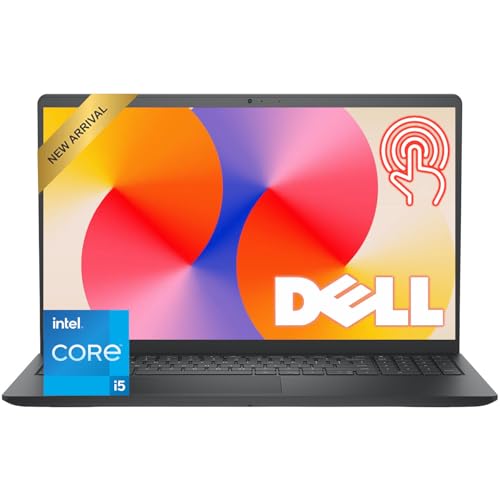
Dell 15.6 FHD Touch – the 8GB entry configuration
Entry Dell pick for light duties
- Processor: Intel Core i5-1334U, 13th Gen
- Graphics: Not stated in the listing title – verify with the manufacturer documentation
- Memory: 8GB RAM
- Storage: 512GB PCIe SSD
- Display: 15.6 inch FHD touchscreen
- Operating system: Windows 11
- Connectivity: Wi-Fi 6, HDMI, 1080p webcam, Copilot AI as listed
Every category needs its honest floor, and this Dell 15.6 is the touchscreen floor here: the same Core i5-1334U and the same FHD touchscreen as its siblings, paired with 8GB of RAM, the figure that defines both its price tier and its proper workload. Judged against light duties, coursework, web applications, documents, streaming, and video calls, it is a complete and likeable machine. Judged against a heavy multitasking stack, it will ask for patience, and this review job is to draw that line brightly rather than blur it.
Eight gigabytes in the current software climate is a discipline specification. One major application family at a time, a browser kept to a sane tab count, and cloud documents rather than a local everything, and the machine rewards the discipline with perfectly smooth service. Students whose work lives in a learning platform and a documents suite will never meet the ceiling; professionals running a dozen heavy applications will meet it before lunch.
The compensations are real. The 512GB PCIe SSD matches machines far above it in this roundup, so storage never joins memory as a complaint, the 1080p webcam is the better class of camera for classes and calls, and Copilot AI features mark a current software arrangement. Wi-Fi 6 and HDMI cover the classroom and the meeting room without adapters for the projector at least.
The touchscreen itself is identical in concept to the rest of the set: a convenience for scrolling, zooming, and tapping through material, mounted in a straightforward clamshell that travels between home, campus, and office without ceremony. Dell volume-line build means the ownership basics, chargers, support, and parts, are as painless as the category offers.
Buyers should read this configuration as the first rung, not the final answer. It suits a first laptop, a second household machine, a dedicated study or point-of-purpose device, and any role where the workload is known to be light and the budget is better spent elsewhere in life.
Its presence in the roundup also disciplines the other recommendations: the jump to 16GB, in the Pavilion and Inspiron 7440, or to 32GB in the DC15250, is the single most consequential upgrade this category offers, and this Dell is the baseline that proves it.
Within its tier, though, it is a coherent Dell with the right processor and the right screen, and coherence at the floor is worth more than a scattered specification with one glamorous figure and three quiet failures.
Choose it knowingly, for light work, and it will serve exactly as honestly as its specification reads.
A dedicated-role defence is worth making for this Dell. A laptop bought for one known job, the study desk, the reception counter, the household paperwork station, does not need headroom for jobs it will never meet, and the saving against the 16GB machines is real money redirected to a printer, a monitor, or a year of cloud storage. Matching specification to a fixed role is not underbuying; it is precision.
It also makes an unusually sensible second machine for a household whose primary computer is shared: homework and forms migrate to the Dell, the main machine stays free, and domestic peace is preserved for the price of the roundup’s lowest rung.
Strengths
- Same i5-1334U and FHD touchscreen as the pricier Dells in this set
- 512GB PCIe SSD matches the storage of higher configurations
- 1080p webcam suits classes and video calls well
Trade-offs
- 8GB RAM demands tab and application discipline from its owner
- Graphics are not stated in the title, so plan for light gaming only
- No convertible modes behind the touchscreen
Best for: a student seeking an affordable touchscreen Dell for coursework, documents, and streaming on a light daily stack
Not suited for: a professional seeking to run a dozen heavy applications at once, where the 32GB configuration above is the honest fit
For the entry Dell configuration, Check price on Amazon on this listing.
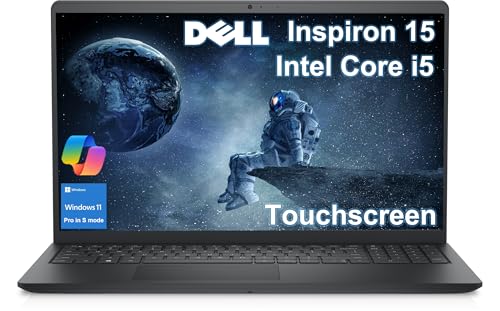
Dell Inspiron 15 3530 Touch – the customised all-rounder
Flexible-configuration pick
- Processor: Intel Core i5-1334U, 10 cores
- Graphics: Not stated in the listing title – verify with the manufacturer documentation
- Memory: 8GB, 16GB, or 32GB RAM as listed options
- Storage: 256GB, 512GB, or 1TB SSD as listed options
- Display: 15.6 inch FHD LED touchscreen
- Operating system: Windows 11 Home in S as listed
The Inspiron 15 3530 arrives with a listing that reads like a menu: memory in 8GB, 16GB, and 32GB forms, storage across 256GB, 512GB, and 1TB, all wrapped around the same Core i5-1334U and 15.6-inch FHD touchscreen. That menu is the review central fact, because this machine is not one configuration but a family, and the correct purchase inside it depends entirely on choosing the rung deliberately rather than accepting whichever variant a search result surfaces first.
The guidance from the rest of this roundup applies with full force: 16GB is the mainstream comfort point, 32GB is the longevity pick, and 8GB is the light-duty floor. Storage follows the same ladder, with 512GB as the sensible centre. A buyer who selects the 16GB and 512GB combination owns a machine effectively equivalent to the category balanced mainstream, while the top combination rivals the DC15250 memory with potentially larger storage.
The Inspiron line character is domestic versatility: a machine for business and students, as its listing says, with a webcam for calls, a full-size 15.6-inch LED touchscreen for documents and media, and Dell mainstream build and support behind it. Windows 11 Home in S, as listed, signals a configuration aimed at straightforward, store-app-friendly use, a detail buyers with legacy software should note and verify against their needs before ordering.
That S-mode note is the listing one genuine caution, and it is better surfaced here than discovered at setup. Buyers whose work depends on traditional desktop applications outside the store ecosystem should confirm the exact operating arrangement of the variant they choose, since listings spanning multiple configurations compress such details.
In every other respect the 3530 plays the category familiar, reliable tune: the i5 handles office and study stacks, the touchscreen adds its convenience layer, and the clamshell form travels without fuss. Inspiron ownership is deliberately unexciting, and for a family or small-business machine, unexciting is praise.
The model real virtue is fit. Few buyers have identical needs, and a configurable Inspiron lets a household buy the 32GB form for a parent working from home and the 16GB form for a student, inside one familiar model with shared chargers and shared habits.
Read the variant table carefully, choose memory first and storage second, and this Dell becomes whatever the roundup other fixed configurations cannot: precisely your size.
It is the tailor option in a rack of ready-made suits, worth the extra minute of reading it demands.
The variant menu has one more subtle virtue: it teaches the buyer the category. Reading the 3530’s options is a five-minute education in what memory and storage tiers do, and buyers who make that small study here tend to choose better in every later technology purchase. Dell has, perhaps accidentally, built the roundup’s best shopping lesson into a listing.
Shared-charger households should note the practical upside of staying inside one model family across members: one spare charger in a drawer serves every Inspiron in the house, and one set of habits, ports, and quirks covers them all.
Strengths
- Configurable memory and storage let buyers fit the machine precisely
- Core i5-1334U and FHD touchscreen match the category mainstream
- Inspiron familiarity means shared chargers and painless support
Trade-offs
- Listing spans several configurations, so the exact variant needs care
- Windows 11 Home in S as listed needs checking against legacy software
- Graphics are not stated in the title, keeping gaming light
Best for: a family seeking one familiar model in different memory sizes for different members under a single roof
Not suited for: a buyer seeking a single fixed specification with nothing to choose, where the fixed configurations elsewhere here read simpler
To choose your exact Inspiron variant, Check price on Amazon on the 3530 listing.

HP Pavilion x360 14 – the convertible for notes and sketches
Convertible pick for flexible postures
- Processor: Intel Core i5-1235U
- Graphics: Intel Iris Xe
- Memory: 8GB RAM
- Storage: 512GB PCIe SSD
- Display: 14 inch IPS touch, Full HD 1920×1080
- Operating system: Windows 11 Home
- Form factor: 2-in-1 convertible
The Pavilion x360 changes the conversation from specifications to posture. Its 14-inch touchscreen folds through a full circle of modes, laptop for writing, tent for watching and presenting, tablet for reading and annotating, and that flexibility is a genuine working feature for students marking up readings, teachers presenting from the front of a room, and anyone whose notes mix typing with handwriting and quick sketches. In a roundup of clamshells, it is the machine that bends, and bending turns out to matter.
The specification underneath is a generation older and a step lighter than the 15-inch machines: a Core i5-1235U, Intel Iris Xe graphics, and 8GB of RAM with a 512GB SSD. For its intended duties, notes, documents, browser work, media, and light creative tasks, that pairing is entirely adequate, and the Iris Xe is the more capable of the integrated graphics in this set, keeping light photo work and casual games comfortable. Heavy multitaskers should nonetheless hear the familiar 8GB counsel: this is a focused-work machine, not a dozen-applications machine.
Size is its second argument. Fourteen inches travels differently from fifteen: it fits smaller bags, smaller desks, and the tray tables and lecture-hall flip seats where student life actually happens. The Full HD IPS panel is crisp at this size, and the smaller footprint makes the tablet modes genuinely usable rather than theoretical, since a 14-inch tablet is holdable in a way a 15.6-inch one rarely is.
Windows 11 Home matches the consumer and student brief, and the Pavilion name brings the usual ecosystem comforts. Battery expectations belong to the portable class: a day of classes and study with the usual video-call tax, rather than a workstation plugged-in existence.
The convertible hinge is also a longevity question buyers should treat kindly: folding mechanisms reward owners who open machines by the centre of the lid and keep the hinge line free of desk debris. Treated so, the x360 party trick remains a trick for years.
Against the clamshells here, the trade is explicit: a generation of processor and a measure of memory exchanged for postures no clamshell can offer. Students in particular should weigh that trade by their note-taking habits rather than by benchmark charts, because a machine that fits how you study beats a faster one that fights it.
For pen-friendly workflows, reading-heavy degrees, and presenters who think on their feet, this is the roundup most characterful machine.
It proves the category second axis: after memory, form is the decision, and the x360 is the form made flesh.
The x360’s tent mode earns a specific household following: recipes in the kitchen, workouts in the living room, and sheet music or lyrics anywhere, all benefit from a screen that stands itself on a counter without a case or a prop. Those small domestic stages are where convertibles quietly outperform their specification sheets.
Its 14-inch tablet mode also suits the annotator’s commute: a marked-up chapter read on a train, stylus or finger, with the machine light enough to hold for the journey. The clamshells in this set can display the same chapter; they cannot be held the same way, and the difference is the product.
Strengths
- 2-in-1 hinge enables laptop, tent, and tablet postures for notes and presenting
- 14-inch size makes tablet modes genuinely holdable and travel easy
- Intel Iris Xe is the stronger integrated graphics option in this set
Trade-offs
- 8GB RAM suits focused work rather than heavy multitasking
- Core i5-1235U is a generation behind the 1334U machines
- Windows 11 Home rather than the Pro edition fitted elsewhere
Best for: a student seeking a convertible for handwritten notes, marked-up readings, and presentations across a campus day
Not suited for: a multitasker seeking memory for a heavy application stack, where the 32GB clamshell at the top of this roundup fits better
For the folding option, Check price on Amazon on the Pavilion x360 listing.

Dell Inspiron 14 7440 2-in-1 – the modern convertible
Modern convertible pick with DDR5
- Processor: Intel Core i5-1334U
- Graphics: Not stated in the listing title – verify with the manufacturer documentation
- Memory: 16GB DDR5
- Storage: 512GB SSD
- Display: 14 inch FHD+ touchscreen
- Operating system: Windows 11 Home
- Features: 1080p webcam, backlit keyboard, fingerprint reader as listed
The Inspiron 14 7440 takes the x360 convertible idea and rebuilds it with the current generation parts: the Core i5-1334U shared with the 15-inch Dells, 16GB of DDR5 rather than 8GB of anything, and a 14-inch FHD+ touchscreen whose taller aspect ratio suits documents and web pages better than the widescreen panels of older convertibles. It is the roundup answer to the reader who wants the folding postures without the older specification, and it makes that case convincingly.
The 16GB of DDR5 deserves emphasis, because it removes the convertible category usual compromise. Notes, documents, a browser stack, and a video call can coexist while the machine folds between modes, and the owner stops rationing applications as the price of flexibility. For students and hybrid workers alike, that combination, postures plus headroom, is the actual product being sold here.
The listed details complete a modern brief: a 1080p webcam for clean calls, a backlit keyboard for evening work, and a fingerprint reader that makes the constant unlock cycle of a shared-space worker painless. The listing comparative processor note is marketing garnish; the substance is a current i5, current memory, and a current feature set in a 14-inch 2-in-1 frame.
FHD+ resolution at 14 inches is sharp for text and kind to battery, and the touchscreen supports the annotation and presentation workflows that justify a convertible in the first place. Tent mode on a kitchen counter for a recipe or a video call, tablet mode for a marked-up PDF on a train, laptop mode for the essay: the 7440 cycles through a real day gracefully.
Windows 11 Home matches its student and home audience, and Dell Inspiron support ecosystem stands behind it. Storage at 512GB repeats the class standard, with the usual cloud overflow assumption for media-heavy owners.
Against the Pavilion x360, the Dell is the newer, roomier specification at the same concept; against the 15-inch clamshells, it trades screen size for postures and portability. Which trade is right depends, as this whole roundup keeps concluding, on how the machine will actually spend its days.
Hybrid workers who present, annotate, and travel in equal measure will find this the most complete single answer here, because it refuses to make them choose between the modern stack and the folding screen.
It closes the set as the convertible grown up: same idea, current parts, no apologies required.
The 7440’s FHD+ aspect ratio deserves its own applause, because documents are taller than they are wide. Web pages, essays, and PDFs all show more of themselves per screen on a taller panel, and the scrolling saved across a degree or a working year is measured in hours. Screen shape is a productivity specification that marketing rarely mentions and owners feel daily.
Its fingerprint reader similarly compounds: a convertible is opened and unlocked in more places, more often, than a desk clamshell, and removing the password ritual from each of those moments is a quality-of-life upgrade entirely out of proportion to its line in the specification.
Strengths
- Core i5-1334U with 16GB DDR5 removes the usual convertible compromise
- FHD+ touchscreen in a 14-inch 2-in-1 suits documents and travel
- Fingerprint reader, backlit keyboard, and 1080p webcam complete a modern brief
Trade-offs
- Graphics are not stated in the title, so gaming stays in the light category
- 14-inch screen gives up the 15.6-inch machines working area
- Windows 11 Home rather than Pro for managed business use
Best for: a hybrid worker seeking a current-generation convertible with memory headroom for presenting, annotating, and travelling
Not suited for: a desk-bound user seeking the largest screen for spreadsheet work, where the 15.6-inch clamshells above offer more room
For the modern convertible route, Check price on Amazon on the Inspiron 7440 listing.
Comparison table
| Model | Processor | Graphics | Memory | Storage | Display |
|---|---|---|---|---|---|
| Dell DC15250 | Intel Core i5-1334U | Intel UHD Graphics | 32GB RAM | 512GB SSD | 15.6″ FHD Touch |
| HP Pavilion 15.6 Touch | Intel Core i5-1334U | Not stated in title | 16GB RAM | 512GB SSD | 15.6″ FHD Touch |
| Dell 15.6 FHD Touch | Intel Core i5-1334U | Not stated in title | 8GB RAM | 512GB PCIe SSD | 15.6″ FHD Touch |
| Dell Inspiron 15 3530 | Intel Core i5-1334U | Not stated in title | 8GB / 16GB / 32GB options | 256GB / 512GB / 1TB options | 15.6″ FHD Touch |
| HP Pavilion x360 14 | Intel Core i5-1235U | Intel Iris Xe | 8GB RAM | 512GB PCIe SSD | 14″ FHD Touch 2-in-1 |
| Dell Inspiron 14 7440 | Intel Core i5-1334U | Not stated in title | 16GB DDR5 | 512GB SSD | 14″ FHD+ Touch 2-in-1 |
Should you choose a touchscreen clamshell or a 2-in-1 convertible?
Decide by watching your own hands for a day. If your touch use is scrolling, zooming, and the occasional tap while the laptop sits on a desk or lap, a clamshell delivers it with a sturdier hinge, a larger screen per pound, and no compromises anywhere else; four of the six machines here exist for exactly that pattern. If you annotate readings, sketch ideas, present standing up, or read in tablet posture, the convertible hinge stops being a novelty within the first week and becomes the way the machine is used.
Memory should be decided in the same sitting, because it cannot be revisited as easily as a posture preference. Count your heaviest simultaneous stack honestly: the 8GB machines serve focused, light work; 16GB is the mainstream comfort zone where most owners stop thinking about it; and the DC15250 32GB is the choice for people who keep everything open all the time and intend to keep the machine for years. Buy the tier your habits describe, not the tier your optimism describes.
Size follows from venue. The 15.6-inch screens reward desk and table work, documents side by side, spreadsheets with room to breathe, while the 14-inch convertibles reward movement: bags, trains, lecture seats, and kitchen counters. Households buying one shared machine usually land on the 15.6-inch clamshell; individuals buying their own daily companion increasingly land on the folding 14. Buyers wanting a thinner, premium take on portability altogether will find our aSUS Zenbook Laptops roundup a useful next read.
Getting the most from a touchscreen in everyday work
Touch earns its keep in small moments multiplied by hundreds. Scrolling a long report with a finger while the other hand holds coffee, pinching a map or a photograph to the exact detail under discussion, tapping through a slide deck while standing, signing a document in the convertible tablet mode: none of these needs touch, and all of them are faster with it. Owners who lean into those moments stop noticing the feature, which is the sign it has become infrastructure.
Settings and habits multiply the benefit. Enlarging touch targets, enabling the on-screen keyboard only where it helps, and keeping a microfibre cloth in the bag for the fingerprints that are the touchscreen one honest tax, all take minutes to arrange. Pen users on the convertibles should confirm pen compatibility and palm rejection behaviour for their exact model before building a note-taking workflow around them.
The trackpad and keyboard remain primary, and that is fine. The healthiest mental model is a laptop with three input methods ranked by task, not a tablet with an attached keyboard, and owners who adopt that model are consistently the ones still praising the touchscreen in year three.
School and workplace programmes change the buying maths in one more way worth naming. Where an institution issues the same model to a whole cohort, familiarity becomes support: students help each other, technicians stock one charger, and the odd failure is a swap rather than a saga. The Dell and HP names in this roundup dominate those programmes for exactly that reason, and a private buyer choosing the same models quietly inherits the same ecosystem of knowledge.
Environmental endurance in this class is better than its reputation. These are not ruggedised machines, but mainstream laptops from high-volume lines survive school bags, commutes, and kitchen tables for years when given a sleeve and a clean desk. The touchscreen adds one care rule, close the lid on an empty keyboard, since a pen or a crumb trapped against a touch panel writes its opinion permanently.
Sound and comfort details round out daily satisfaction: keyboards on these 15.6-inch chassis have room to breathe, trackpads are generously sized, and speakers serve calls and video adequately from a desk. None of it headlines a listing, and all of it decides whether the machine is liked in month six, which is why this guide keeps returning to the lived details over the laboratory ones.
Memory, explained for buyers who do not follow specifications
Memory, or RAM, is the desk surface of a computer: the processor is the worker, the storage is the filing cabinet, and memory is the space where open work actually lies. Every open application and browser tab takes desk space, and when the desk fills, the machine starts shuffling work to the filing cabinet and back, which is the slowdown every owner of an 8GB machine eventually recognises as their laptop ‘getting old when it is really just getting crowded.
That is why this roundup ranks memory above almost everything. The processors in these six machines differ by little for everyday work, while the difference between 8GB and 16GB of desk space is felt every single day, and 32GB simply removes the subject from conversation for years. Storage, by contrast, fills slowly and can be relieved with cloud space or an external drive; memory pressure arrives daily and can only be relieved by closing things or buying differently.
The practical translation is simple. Light, focused users can buy 8GB knowingly and happily. Everyone else should treat 16GB as the default, and heavy multitaskers, or anyone buying for a half-decade, should look hard at the 32GB Dell at the top of this list before looking anywhere else.
Care and feeding for this class is mercifully simple. Keep the touchscreen clean with a microfibre cloth and nothing harsher, let Windows updates land promptly since they carry the touch and power refinements these machines live on, and resist the bloatware accretion that slowly taxes an 8GB machine into feeling older than it is. A quarterly ten minutes spent removing forgotten auto-starting applications repays itself every single morning.
Accessory thinking is equally modest: a sleeve rather than a rugged case for most owners, a second charger for the room the machine migrates to, and, for the convertibles, a confirmed-compatible pen only if handwriting is truly part of the plan. The category’s charm is that it asks little; owners who keep the asks little in return get the longest service.
Finally, buy for the household’s real calendar, not its aspirational one. The laptop that attends every class, call, and couch session is the one specified for endurance and memory, and the six here were ranked by exactly that attendance record rather than by any laboratory number.
One more decision hides inside the size choice: external monitors. The 15.6-inch clamshells pair naturally with a desk monitor for a two-screen paperwork setup, while the 14-inch convertibles pair with one for a different reason, to become a desktop at home and a tablet on the road. Either way, a single cable dock turns any machine in this roundup into a desk workstation, and buyers planning that setup should confirm the port arrangement on their chosen listing before ordering the dock.
Timing a purchase in this category is refreshingly undramatic. Midrange lines update steadily rather than in leaps, and the configuration logic in this guide, memory first, form second, size third, survives model years intact. A buyer who internalises that order can shop any season’s shelf with confidence and will rarely be ambushed by a successor model.
Accessibility deserves a direct word, because touchscreens quietly serve it well. Larger touch targets, direct manipulation instead of pointer precision, and convertible postures that bring the screen closer all help owners whose hands find trackpads tiring or imprecise. For those buyers the touchscreen is not a convenience layer at all; it is the feature that makes the machine fully theirs, and the 2-in-1 models extend that welcome furthest.
Parents buying for younger students should weigh the same features from the other side: a touchscreen matches how children already expect screens to behave, the clamshells keep keyboards protected and posture sensible, and the mainstream names here carry the parental-control and durability ecosystem that school life demands. The 8GB Dell, honestly specced for school platforms, is a defensible family purchase rather than a compromise.
Small businesses sit between those worlds and should read the Pavilion’s Windows 11 Pro line with particular care, since it is the roundup’s easiest bridge into managed, work-ready deployment without leaving the mainstream price class. A reception machine, a training-room fleet, or a founder’s first company laptop all fit inside that one specification line.
Whatever the buyer’s world, the ritual that protects the purchase is the same: decide the memory tier in writing before browsing, because listings are arranged to blur exactly that figure, and the difference between a machine loved for five years and one cursed in the second is usually printed in a single number on the specification line.
Travel behaviour separates the set one final time. The 14-inch convertibles slip into personal-item bags and work on tray tables without elbowing a neighbour, while the 15.6-inch clamshells ask for a proper laptop bag and a real table, repaying both with screen room at the destination. Frequent flyers should let that geometry vote; desk workers should let it abstain.
Battery claims across the category deserve the same calm reading. A stated figure like the Pavilion’s 11 hours describes light, mixed use under test conditions, and real days with video calls, bright screens, and ageing cells will land below it. The practical question is not whether a claim is optimistic, they all are, but whether the machine’s class fits between your outlets, and every machine here fits an ordinary day of classes or office work.
Second-life thinking completes the value picture. A touchscreen midranger retired from primary duty becomes the kitchen machine, the guest-room machine, the child’s first machine, or the dedicated video-call station, roles where its screen and camera keep earning long after a faster successor takes the desk. Buying a recognised name with mainstream parts keeps those second lives easy to support.
And the touchscreen itself ages gracefully in those roles: a finger is the one input method every generation of a household already knows, which is why these machines, uniquely among laptops, get more welcoming as they pass down the family rather than less.
A brief word on colour and finish, the specification nobody lists and everybody lives with: mainstream machines in this class wear their years honestly, showing bag wear on corners and shine on palm rests, and owners who choose a sleeve and a desk mat extend the honeymoon considerably. None of the six here pretends to be jewellery, and that honesty is part of their value; they are tools priced to be used.
Setup day deserves ten deliberate minutes. Remove the trial software you will never open, set the browser as the default for your household’s accounts, pin the three applications that constitute ninety percent of use, and schedule backups to the cloud before the first document exists. Machines configured calmly on day one stay calm; machines configured in a hurry accumulate the hurry.
Then put the machine to its actual work for a fortnight before judging it, because touchscreen habits take that long to form and memory headroom takes that long to reveal itself across real weeks rather than first impressions.
One population remains unaddressed: the returning student, the adult learner fitting a course around a job and a family. For them the convertible’s evening postures and the clamshell’s desk stability both argue well, and the deciding factor is usually the bag: whatever is already carried daily should dictate the size, because a laptop left at home out of sheer bulk teaches nothing. The 14-inch Dell exists almost precisely for that diary.
Likewise the home educator, running a household classroom from the kitchen table, will find the tent modes and touchscreens of this set unexpectedly central: lessons presented standing, worksheets annotated by a child’s finger, and calls with tutors on a proper webcam. The category sounds modest until a household depends on it, at which point it becomes the most important computer in the building.
Before ordering, perform the simplest verification in this entire guide: read the chosen listing’s memory and storage figures aloud, slowly, and confirm they are the figures you decided on. Configurable families and lookalike model names conspire against hurried buyers, and ten seconds of reading is the whole defence. Then order, set the machine up calmly, and let a fortnight of real use deliver the verdict that matters.
Keep the packaging until the fortnight verdict is in, and photograph the serial label on day one; returns, warranties, and insurance all move faster when the paperwork survives independently of the machine it describes.
A spare charging cable in the bag and another at the desk costs little and ends the single most common midrange-laptop emergency, the forgotten charger on the morning of the important call.
Small preparations like these are the difference between a laptop that merely arrives and one that settles in.
Treat the first month as a listening exercise, and the machine will tell you plainly whether you chose well.
Good midrange buying is mostly this: attention, paid once, in the right places.
Choose once, choose calmly.
Common mistakes
- Choosing by processor generation alone when the memory figure beside it decides the daily experience
- Expecting a touchscreen clamshell to replace a drawing tablet, when its touch layer is built for navigation and annotation
- Buying the 8GB configuration for a household of heavy tab users and meeting the memory ceiling within a month
- Ignoring the operating system edition and S-mode details on configurable listings until setup day
- Treating convertible hinges roughly, opening by one corner and twisting the frame the mechanism depends on
Frequently asked questions
Is an i5 enough for office work and study in 2026?
Comfortably. The Core i5-1334U machines here handle documents, browsers, video calls, coursework, and light creative work without strain, and the limiting factor in this class is almost always memory rather than the processor, which is why the roundup ranks the 32GB and 16GB configurations as it does.
How much RAM should a touchscreen laptop have?
Sixteen gigabytes is the mainstream comfort point, fitted to the Pavilion and the Inspiron 7440 here. Eight gigabytes serves light, focused work, as the two entry picks show, and 32GB, unique to the DC15250 in this set, suits heavy multitaskers and long ownership.
What is the difference between the clamshells and the 2-in-1s here?
The four clamshells open like traditional laptops and offer touch on a fixed hinge, with larger 15.6-inch screens. The Pavilion x360 and Inspiron 7440 fold fully into tent and tablet modes at 14 inches, suiting annotation, presenting, and reading at the cost of screen area.
Can these laptops play games?
Light and older titles, yes, particularly on the x360 Iris Xe graphics; demanding modern games, no. Integrated graphics is the category standing compromise, and players should look at the discrete-graphics machines in our dual-use guide instead.
Final recommendation
Choose by memory first and form second and this category resolves itself: the DC15250 for the set-and-forget years, the Pavilion for the balanced household, the Inspiron 7440 for the modern convertible life, the x360 for the note-taker postures, the 3530 for a precisely fitted configuration, and the 8GB Dell for honestly light duties. Heavier creative or gaming ambitions point upmarket to machines like those among the laptops for Programmers and Gamers, but for the everyday centre of computing life, these six are the market thinking clearly.
Buy the desk space your habits need, keep a cloth in the bag for the screen, and a midrange touchscreen will quietly become the most-used computer in the house.


