Our Top Picks
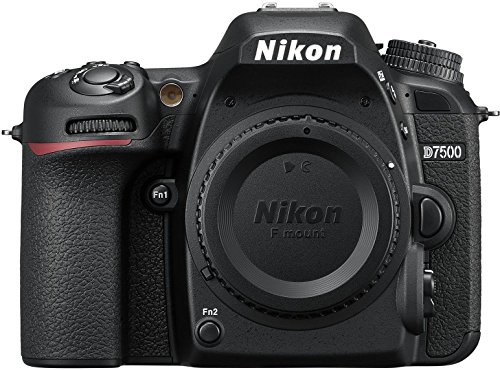 Nikon D7500 DX-Format Digital SLR Body3.2 x 2.9 x 5.3 x 4.1 inches5.4 x 4.1 x 2.9 inches1.66 poundsCheck on Amazon


What's inside
- What Bluetooth actually does inside a Nikon body
- How SnapBridge pairing works the first time
- Bluetooth and Wi-Fi are partners, not rivals
- Automatic transfer: the two-megapixel bargain
- Remote photography through the phone
- Location data and clock synchronisation
- Which Nikon ranges include the radio
- The hard limits: RAW files, video, and bulk work
- Battery life, standby drain, and storage habits
- When the link misbehaves: a calm troubleshooting order
- Choosing a Nikon body with Bluetooth in mind
- Workflows that suit the system well
- Security, sharing, and household considerations
- A closer look at the menus that control the link
- Phone-side settings that quietly decide success
- A practical checklist before buying or travelling
- How the link behaves across a working day
- Bluetooth versions and small accessories, in perspective
- Generations of SnapBridge: why older bodies feel different
- Settings worth changing on day one
- Frequently asked questions
- Check prices on Amazon
- Bringing the pieces together
As an Amazon Associate I earn from qualifying purchases. This post may contain affiliate links at no extra cost to you.
Bluetooth on a Nikon camera is not a smaller version of Wi-Fi, and treating it that way leads to most of the disappointment surrounding wireless photography. It is a low-energy radio designed to stay connected quietly for hours, passing small pieces of information between camera and phone while drawing very little power from either battery. Those small pieces matter more than their size suggests: a steady trickle of reduced-size pictures, a set of location coordinates, a corrected clock, and a shutter command sent from across a room.
Nikon calls the system built around this radio SnapBridge. The name covers both the mobile application and the behaviour of the camera itself, and understanding that partnership explains nearly everything in this guide. The camera holds the original files on its memory card at all times. The phone receives copies, coordinates, and control signals through a link that is meant to feel invisible once pairing is complete.
This article walks through the subject in the order a new owner encounters it. Early sections explain what the radio actually carries and how pairing works on the first attempt. Middle sections separate Bluetooth duties from Wi-Fi duties, describe automatic transfer in honest detail, and cover remote photography. Later sections map the feature across mirrorless, DSLR, and compact ranges, then close with limits, battery behaviour, troubleshooting, and a practical buying checklist.
What Bluetooth actually does inside a Nikon body
Every Nikon model discussed here uses Bluetooth Low Energy, often shortened to BLE in specification sheets. BLE differs from the classic Bluetooth used for audio streaming because it sends short bursts and then returns to sleep, rather than holding an open channel continuously. A burst might carry a single command, a location update, or a small image file, after which both devices idle again within milliseconds.
That burst-and-sleep pattern is the reason a paired camera can remain reachable throughout a long shooting day. A phone can wake the connection, ask whether new photographs exist, collect the copies waiting in the queue, and let the link rest again, all without the photographer opening a menu. Persistence, not speed, is the design goal, and every strength and weakness of the system follows from that choice.
Version numbers appear on specification sheets and deserve a brief explanation. Many Nikon bodies from the first SnapBridge generation carry Bluetooth 4.1, while later mirrorless releases moved to Bluetooth 5.0. The newer standard offers improved coexistence with other radios and modest efficiency gains, yet neither version turns the link into a bulk transfer pipe. A buyer comparing two bodies should treat the version as a minor detail, far less important than which transfer and remote features each model supports.
SnapBridge uses the persistent link for four distinct jobs. First, it can deliver reduced-size JPEG copies automatically as shooting continues. Second, it accepts location data from the phone and writes coordinates into image metadata. Third, it synchronises the camera clock with the phone clock, quietly correcting drift. Fourth, on supported models, it carries remote release commands, allowing the phone to fire the shutter without any cable attached.
Notice what is absent from that list. Full-resolution originals do not travel over this radio under normal automatic settings. Video clips do not travel over it either. Live view at full quality, where a model offers remote live view at all, belongs to Wi-Fi rather than Bluetooth. Holding those boundaries in mind from the start prevents the common mistake of judging the system by tasks it was never assigned.
How SnapBridge pairing works the first time
Pairing creates a remembered relationship between one camera and one phone, and the procedure follows the same broad shape across recent Nikon ranges. The photographer installs the SnapBridge application, enables Bluetooth on the phone, and then opens the connect-to-smart-device entry inside the camera setup menu. From there, the camera advertises itself, the application finds it, and both screens present matching prompts that the user confirms in sequence.
Mobile operating systems add one wrinkle that surprises many people. On Android in particular, Bluetooth scanning is tied to location permission, so the application asks for that permission before it can discover nearby cameras. Refusing the permission does not merely disable geotagging; it can prevent discovery altogether. Granting it during setup, then reviewing the setting afterwards, is the pragmatic route most owners follow.
Confirmation codes and name matching exist to stop accidental pairing with a stranger device in a crowded place. A wedding venue, a classroom, or a trade show floor may contain several Nikon bodies advertising at once, so checking that the model name on the phone matches the body in hand is worthwhile. Once confirmed, both devices store the pairing record, and later connections should form automatically whenever both radios are switched on.
Firmware on both sides influences how smooth this first meeting feels. Nikon has revised SnapBridge behaviour repeatedly through camera firmware updates and application releases, generally making reconnection faster and transfers more patient. Updating a newly purchased body before judging its wireless manners is sound practice, because a camera may have sat in a warehouse running software several revisions behind current releases.
Households that share one camera between two phones should expect deliberate handover rather than seamless switching. A body generally maintains one active smart-device pairing at a time, so changing the controlling phone means removing the old record and pairing again. That friction is mildly annoying at home, yet it also prevents two phones from competing for the same camera during an event, which would be far worse.
What a successful pairing looks like afterwards
After the initial setup, daily use should require almost no attention. The camera shows a Bluetooth icon when the link is active, the application reports the connected body by name, and transfers resume in the background when the pair come back into range. Walking away from the camera, into another room or down a street, breaks the link quietly; returning restores it without a fresh pairing ceremony.
When reconnection fails repeatedly, the usual cause is a stale record on one side. Deleting the camera from the phone Bluetooth settings, removing the smart device entry inside the camera menu, and pairing again from a clean slate resolves the majority of stubborn cases. Reinstalling the application alone rarely helps, because the pairing record lives partly in system settings outside the application itself.
Bluetooth and Wi-Fi are partners, not rivals
Most wireless Nikon bodies carry two radios, and the division of labour between them is consistent. Bluetooth maintains the relationship: it stays awake cheaply, exchanges small messages, and tells the other radio when heavier work is needed. Wi-Fi performs the heavy lifting: it moves large files, supports richer remote sessions, and then shuts down again because its power appetite is far greater.
Throughput explains the split in concrete terms. BLE was engineered for sensor readings, beacons, and modest payloads, so its practical transfer rate suits a two-megapixel JPEG far better than a forty-megapixel RAW file. Wi-Fi, even in its simplest camera implementation, moves data orders of magnitude faster, which is why a full-size download session feels brisk over Wi-Fi and would feel endless over Bluetooth.
Power consumption runs in the opposite direction. A Wi-Fi session held open for an afternoon will visibly drain both camera and phone, while a BLE link idling between bursts barely registers. Nikon therefore treats Wi-Fi as an on-demand guest: it appears when a photographer requests original files or a live remote view, completes that job, and disappears again, leaving Bluetooth to hold the fort.
Menu wording sometimes blurs this distinction, because a single wireless section may govern both radios and a single icon row reports their states. Buyers should read specification sheets carefully, checking each radio as a separate line item. A body described as wireless may offer Wi-Fi without Bluetooth, Bluetooth without Wi-Fi, or both together, and those combinations behave very differently in daily use.
Older Nikon models complicate the picture further. Some earlier DSLR bodies gained Wi-Fi through a small plug-in transmitter accessory rather than an internal radio, and some offered no Bluetooth at all. Anyone considering a used body for its wireless features should confirm the exact fitment for that model year, because mid-production revisions and regional variants occasionally differ.
A simple rule settles most questions in the field. If the task involves a trickle — small copies, coordinates, clock correction, a shutter tap — Bluetooth is almost certainly the carrier. If the task involves a flood — dozens of originals, a video file, a responsive live image — Wi-Fi or a card reader will carry it. Expecting either radio to do the other job leads straight to frustration.
Automatic transfer: the two-megapixel bargain
Automatic transfer is the feature most owners notice first, because photographs begin appearing on the phone without any deliberate export step. SnapBridge calls the background mode auto link on many models. When it is enabled, the camera prepares a reduced copy of each new JPEG, sized at roughly two megapixels, and sends that copy whenever the link is available.
Two megapixels sounds small, and deliberately so. A copy at that size is large enough to judge composition, share in a message, post to a social feed, or send to family during an event. It is not large enough for serious printing or aggressive cropping, and it is not meant to be. The full-resolution original remains on the memory card, untouched, waiting for a proper import at a computer later.
Colour and exposure in the phone copy follow the camera JPEG rendering, including the picture control and white balance chosen at capture. Photographers who shoot RAW only should check their model behaviour, because automatic copies generally derive from the JPEG side of a RAW-plus-JPEG pair, or from an embedded preview where the model supports that route. Shooting RAW plus a small JPEG is a common compromise for people who want both editing headroom and instant phone copies.
The queue behaves patiently rather than instantly, and understanding its rhythm prevents false alarms. A burst of twenty frames may arrive across several minutes. Transfers pause when the phone sleeps, when the application is closed by the operating system, or when the camera is busy writing a long burst to its card. Checking the transfer queue inside the application, before assuming a picture is lost, resolves nearly every apparent failure.
Marking pictures for deliberate sending
Automatic sending is not the only route. Photographers can mark individual frames on the camera, using the playback menu or a designated button depending on model, and those marked pictures join the transfer queue even when automatic sending is disabled. Marking suits anyone guarding phone storage or mobile data: a long day might produce eight hundred frames, of which perhaps thirty deserve a place on the phone.
Selective sending also protects privacy and battery. Rather than streaming every test frame, outtake, and near-duplicate across the link, the photographer reviews on the larger rear screen, marks the keepers, and lets only those travel. On many bodies, marking can happen during a quiet moment between sessions, and the marked set then transfers in one tidy batch when the phone reconnects.
If you shoot large travel zooms as well as interchangeable-lens bodies, our separate roundup at best 1 inch sensor travel zoom cameras explains how compact sensors trade reach against size for trips where one fixed lens must do everything.
Sending while the camera is switched off
Several Nikon models offer a send-while-off option, which allows queued transfers to finish after the power switch moves to off. The camera is not fully asleep in this state; it keeps the radio alive on a small standby draw until the queue empties. For an event photographer heading home, that behaviour is genuinely useful, because the phone gallery fills during the journey without further attention.
The same feature deserves a conscious decision rather than a default shrug. Leaving it enabled for weeks in a camera bag can nibble at the battery, so a body stored between assignments may greet its owner with less charge than expected. Many photographers enable the option during busy periods and disable it before longer storage, following the storage guidance in the manual supplied for their specific model.
Remote photography through the phone
Remote control arrives in two distinct tiers, and the gap between them maps directly onto the two radios. The simpler tier runs over Bluetooth alone: the phone acts as a wireless shutter release, firing the camera with an optional self-timer delay. No live image appears, because a live feed would exceed what the low-energy link can carry gracefully.
That simple release is more useful than it first appears. A photographer can join a group portrait instead of running back from a ten-second timer, trigger a tripod-mounted camera without touching it and introducing vibration, or work a camera positioned somewhere awkward — high on a monopod, low near the ground, or inside a hide — while standing a comfortable distance away.
The fuller tier adds live view, exposure adjustment, and touch focus, and it requires Wi-Fi to join the session on bodies that support it. SnapBridge typically starts from the established Bluetooth relationship, then raises the Wi-Fi connection for the remote session itself. When the session ends, Wi-Fi steps aside again. This handover is the clearest practical illustration of how the partnership between the radios is supposed to feel.
Delay deserves an honest mention. Even a healthy link introduces a small lag between tapping the phone screen and the shutter firing, so remote release suits static or slowly changing subjects far better than split-second action. A goalkeeper dive or a bird leaving a perch will usually be gone before a remote command lands. For ceremonies, products, interiors, landscapes, and posed groups, the lag is irrelevant.
Range follows radio physics rather than marketing numbers. In open space, a Bluetooth link commonly holds across a room or a small garden. Walls, metal structures, crowds of people, and other wireless traffic all shorten that distance. The connection icon on the camera display confirms whether the link remains alive, and checking it before an important frame is a habit worth building.
Nikon also sells dedicated Bluetooth remote accessories for several bodies, offering a physical shutter button with no screen at all. Photographers who dislike handling a phone at a tripod often prefer that single-purpose simplicity, especially during long landscape sessions in gloves or cold weather. The phone route remains more flexible, yet flexibility is not always the priority at dawn on a windy hillside.
Location data and clock synchronisation
Geotagging is the quiet benefit that only reveals its value years later. While the link is active, the phone supplies its current coordinates, and the camera writes latitude and longitude into the metadata of each photograph. An archive tagged this way becomes searchable by place: every picture from a particular coastline, city, or family home can be gathered in seconds long after the trip itself has faded from memory.
Accuracy depends on the phone rather than the camera. Outdoors with a clear view of the sky, a modern phone fixes its position precisely and updates it as the photographer moves. Indoors, in deep valleys, or among tall buildings, fixes grow rougher. SnapBridge settings on many models let the camera keep using the most recent coordinates for a period, which helps during brief indoor excursions but can mislabel pictures if a journey intervenes.
Privacy deserves a deliberate decision here. Coordinates travel with the file wherever a copy goes, including the reduced copies sent to the phone and onwards to anyone receiving them. Photographs taken at home, at a school, or at any sensitive location will carry that location unless geotagging is switched off or metadata is stripped before sharing. The menu toggle is easy to reach; the important part is remembering that the choice exists.
Clock synchronisation is less glamorous and arguably more useful for multi-camera work. A paired camera adopts the phone time, which keeps timestamps consistent between the camera, the phone gallery, and any second body paired the same way. Consistent timestamps make sequencing photographs from two cameras during a wedding or event dramatically easier when the sets are merged afterwards.
Neither service requires any attention once enabled, which is precisely the point of a persistent low-energy link. A Wi-Fi-only system would need a deliberate session for each update, and nobody would bother for the sake of a clock. Because Bluetooth is already there, sipping power in the background, these small services can simply happen continuously.
Which Nikon ranges include the radio
Mirrorless Z bodies
Within the Z system, Bluetooth is widespread across recent generations. The full-frame Z 5, Z 6II, and Z 7II include it alongside Wi-Fi, as do the flagship Z 8 and Z 9. The retro-styled Z f and Z fc carry it as well, and the APS-C Z 50, Z 50II, and Z 30 bring SnapBridge support to smaller bodies aimed at creators and travellers. Exact remote and transfer behaviour varies by firmware and release year, so the specification sheet for a specific body remains the deciding document.
Flagship models add refinements rather than a different philosophy. Their links reconnect quickly, their queues handle heavy event workloads patiently, and their menus expose more control over when Wi-Fi joins a session. Entry-level Z bodies keep the same core bargain — automatic small copies, geotagging, and remote release — with fewer refinements around the edges. For many photographers, that core bargain is the entire reason for wanting the radio.
Video-focused buyers should read the wireless section alongside the video specification, since moving footage still depends on Wi-Fi, cable, or card workflows regardless of body tier; readers comparing colour depth for hybrid work may also find best 10 bit cameras useful as a companion while weighing those bodies.
DSLR bodies from the transition era
Bluetooth arrived in the DSLR range during a transitional period, so fitment is patchier. Models including the D850, D780, D500, D7500, and D5600 families incorporated Bluetooth or SnapBridge support in some form, sometimes paired with built-in Wi-Fi and sometimes in a reduced implementation. Early SnapBridge DSLR releases leaned heavily on Bluetooth for transfers and drew criticism for slowness, a lesson that shaped the rebalanced approach taken by later designs.
Earlier flagship DSLR bodies generally relied on accessory transmitters for wireless work and should never be assumed to contain the radio. A used D850 and a used body from a few years earlier may look similar on a shelf while offering completely different wireless lives. Checking the exact model specification, rather than the badge or the price bracket, is the only reliable approach in this part of the market.
Compact COOLPIX models
Compact lines are the least predictable of all. Various COOLPIX models added Bluetooth for SnapBridge sharing, others offered Wi-Fi alone, and many offered no wireless features whatsoever. Model names repeat across years with different innards, which makes assumptions especially risky. Anyone buying a compact specifically for phone sharing should confirm Bluetooth on the specification sheet for that exact model and year before paying.
The hard limits: RAW files, video, and bulk work
RAW files sit outside the automatic Bluetooth flow. NEF originals are not converted into two-megapixel copies by the background system in the way JPEG frames are, and where a model offers RAW transfer at all, it does so over Wi-Fi as a deliberate session. File sizes in the tens of megabytes make that session a considered act rather than a background habit, and battery on both devices will notice a long queue of originals.
Photographers who edit RAW files on a phone or tablet should therefore plan around Wi-Fi sessions, a card reader attached to the mobile device, or a cable. Each route works well; what does not work is expecting the low-energy link to behave like a card reader left permanently plugged in. Planning the route before a trip, rather than discovering the boundary at an airport, saves real frustration.
Video exposes the bandwidth ceiling even faster. Even a short clip dwarfs a still photograph, so movie files are generally excluded from automatic transfer entirely. Moving footage usually means raising Wi-Fi on a supporting body, or simply importing from the card, which remains the fastest route for a full day of footage in any case. Bluetooth contributes nothing meaningful to a video workflow beyond remote start and stop on supporting models.
For hybrid shooters weighing audio monitoring alongside wireless habits, the detailed breakdown at best 1080p capable cameras with headphone and microphone jack covers a neighbouring set of bodies where headphone and microphone sockets, rather than radios, decide suitability.
Bulk transfer follows the same logic. Sending a whole card of full-size JPEG files over any camera wireless system is slower than using a decent card reader, and over Bluetooth it is not a realistic option at all. The wireless system earns its place by delivering a selected few pictures quickly and everything small continuously, not by replacing the import step at the end of a working day.
These boundaries are design choices rather than defects. A low-energy radio asked to move cinema-sized payloads would drain both batteries and still finish slowly, satisfying nobody. Reserving the channel for small, frequent exchanges keeps it dependable at the jobs where persistence matters more than throughput, which is the entire reasoning behind SnapBridge as a concept.
Battery life, standby drain, and storage habits
A persistent link costs some power, and honesty about that cost helps owners plan. A body left paired, with automatic transfer enabled, will generally show slightly faster standby drain than the same body with wireless fully disabled. The difference is modest across a single day of shooting, yet it accumulates across weeks of storage in a bag.
Shooters who use their camera daily rarely notice the trade, because the convenience of a filled phone gallery outweighs a small standby cost. Shooters who store a body between monthly assignments should consider disabling wireless, or removing the battery for longer storage, following the guidance printed for their model. Checking charge before an important job remains sensible regardless of wireless settings.
The phone side of the bargain deserves equal attention. A phone maintaining the link, supplying location fixes, and receiving copies through the day will use more power than an idle phone, particularly when location updates are frequent. Event photographers working long days often carry a small power bank for the phone as routinely as spare camera batteries, because the pair now functions as one system with two batteries to manage.
Send-while-off settings interact with storage habits in ways already described, and airplane mode or a full wireless disable offers a clean off switch for flights and long storage alike. None of this requires anxiety; it simply rewards a photographer who decides settings deliberately instead of inheriting whatever state the camera happened to ship in.
When the link misbehaves: a calm troubleshooting order
Most connection complaints trace back to the phone rather than the camera, and working through three checks in order restores most links. First, confirm the application is allowed to run in the background, because aggressive battery optimisation on many phones closes SnapBridge and silently halts transfers. Second, confirm permissions survived any operating system update, since updates occasionally revoke Bluetooth or location access. Third, check whether the pairing record itself has gone stale.
Stale records produce the strangest symptoms: the camera claims to be connected while the application sees nothing, or pairing prompts repeat endlessly. The remedy is thorough removal on both sides — delete the camera from the phone Bluetooth list, delete the smart device from the camera menu — followed by a fresh pairing. Half-measures, such as removing only one side, often preserve the corruption and waste an afternoon.
Environment matters too. A link that behaves at home may struggle in a stadium, a conference hall, or a busy railway station, where hundreds of radios compete in the same spectrum. Moving a few metres, holding the phone closer to the camera during a transfer, or simply waiting for a crowd to thin can succeed where menu-diving fails. Wireless patience is a genuine field skill with this system.
Firmware updates belong in this section as well, because Nikon has repeatedly improved reconnection speed and transfer patience through updates to both camera software and the application. A body bought second-hand may carry very old firmware. Updating it, carefully and on a full battery, should precede any conclusion that a particular model has poor wireless manners.
Finally, consider the memory card and the queue before blaming the radio. A camera busy writing a long burst, a nearly full card, or a queue containing hundreds of marked frames will all make transfers look broken when they are merely busy. Opening the queue view and watching one file complete usually reveals a healthy system working through a backlog at its own steady pace.
Choosing a Nikon body with Bluetooth in mind
Start by deciding which wireless jobs actually matter in your own routine. A family photographer who wants pictures on a phone during the day, with no laptop involved, needs automatic transfer and reliable reconnection above all else. A landscape photographer mainly needs a dependable remote release and may never enable automatic sending. A working event photographer needs queue patience, geotagging discipline, and a phone battery plan. The radio is the same; the priorities are not.
Next, confirm the complete wireless fitment rather than a single headline feature. Look for Bluetooth and Wi-Fi as separate lines, note the Bluetooth version without overweighting it, and check which remote modes the model supports. Specifications published by the maker settle these questions definitively, while retailer summaries occasionally compress them into a misleading single word such as wireless or connected.
Consider the phone you already own as part of the purchase. SnapBridge lives on both major mobile platforms, yet older phones with ageing Bluetooth hardware or neglected system updates can undermine an otherwise capable camera. A quick check that your handset runs a currently supported operating system version costs nothing and prevents a mismatched pairing of brand-new body and struggling phone.
Think also about how files will leave the camera at the end of a big day. If your routine already ends with a card reader and a computer, Bluetooth becomes a daytime convenience layered on top, which is its ideal role. If you hope wireless will replace the reader entirely, Wi-Fi fitment and transfer behaviour deserve far more scrutiny, and expectations should be set by file sizes rather than by hope.
Divers and snorkellers comparing sealed compacts against interchangeable-lens bodies might browse best 10 underwater cameras before deciding, since housings and depth ratings change the wireless conversation completely once a camera goes underwater, where radio signals barely travel at all.
Budget for the small accessories that make wireless life smoother. A spare battery matters more once standby drain enters the picture. A pocket power bank keeps the phone side of the system alive through long events. Neither purchase is exciting, and both prevent the specific failure mode of a healthy camera paired with a dead phone at the exact moment a picture needs sending.
Workflows that suit the system well
Family gatherings show the system at its best. Automatic copies reach the phone during the event itself, so relatives see photographs the same evening rather than weeks later, and the photographer still holds full-resolution originals for proper editing afterwards. The two-megapixel size, so limiting for print, is perfectly matched to how families actually share pictures with one another.
Travel rewards the same pattern at a slower tempo. A day of sightseeing produces a steady trickle of phone copies suitable for messages home, while geotags quietly record where each frame was made among unfamiliar streets. Back at the hotel, a card import gathers the originals, and the phone copies have already served their purpose as a diary and a backup of the highlights.
Real estate and inspection work benefit in a different way. Photographers documenting rooms, conditions, or completed jobs can mark selected frames on site and have them on the phone before leaving, ready to attach to a report or send to a client. The camera remains the tool of record, with originals archived, while the phone becomes the delivery channel for immediate communication.
Studio and product photography use the remote tier more than the transfer tier. Firing from the phone while adjusting a prop with the other hand, or reviewing a small copy instantly to confirm nothing embarrassing sits in the background, both fit the link comfortably. Tethered shooting to a computer remains the professional standard for high-volume studio work, yet for occasional product photographs the phone workflow is surprisingly capable.
Wildlife and landscape photographers tend to value restraint over speed. A Bluetooth remote release avoids touching a tripod on soft ground, geotags record the location of a hide or a viewpoint for a return visit, and automatic transfer can stay disabled entirely to save power during multi-day trips. The system adapts to that quieter pattern just as happily as it serves a busy wedding.
Security, sharing, and household considerations
A paired camera trusts its phone, so losing either device deserves a moment of thought. Removing pairing records from a sold or lost body, and deleting the camera entry from a phone being replaced, are simple hygiene steps that prevent a new owner or finder from browsing a transfer queue. The steps take a minute inside the same menus used for troubleshooting stale records.
Shared household cameras raise gentler questions. Because one active pairing dominates, families do well to agree which phone is the camera phone for a given trip, rather than re-pairing repeatedly and generating stale records. Children borrowing the camera can shoot freely without any phone involvement at all; the wireless system simply waits, unused, until the paired phone returns within range.
Location embedding intersects with sharing habits beyond the camera itself. Many messaging services strip metadata from photographs, while others preserve it, and behaviour changes between application versions. Anyone sending pictures from sensitive places should verify what their chosen service does with coordinates, or disable geotagging for those occasions, rather than assuming protection that may not exist.
A closer look at the menus that control the link
Wireless behaviour on a Nikon body is governed by a handful of menu entries, and learning their names repays the effort because manuals and support pages refer to them constantly. The setup menu holds the connect-to-smart-device area, where pairing begins and where paired devices can be forgotten. Nearby entries govern Bluetooth on or off, automatic transfer behaviour, location data, and whether sending continues after the camera powers down.
Airplane mode sits above all of these as a master switch. Enabling it silences every radio at once, which is the correct move for flights, for long storage, and for any venue where wireless transmission is restricted. Disabling it restores the previous settings rather than resetting them, so a photographer can silence a body for a ceremony and revive the link afterwards without repeating the pairing ceremony.
Some bodies also expose a network menu separate from the setup menu, particularly higher-tier mirrorless models with richer connectivity for professional workflows. Those menus may add options for connecting to computers, servers, or other cameras. The SnapBridge path remains the phone-shaped entry among them, and beginners should resist wandering into server settings that have nothing to do with a handset.
Playback menus carry the other half of the system. Marking pictures for transfer, reviewing which frames carry location data, and checking file information all happen there. A small icon beside a thumbnail usually confirms that a frame is queued or already sent. Learning to read those tiny icons turns guesswork about the queue into a glance.
Phone-side settings that quietly decide success
The camera receives most of the blame for wireless trouble, yet the phone holds at least half of the relevant settings. Beyond the permissions and battery optimisation already discussed, several quieter switches matter. The phone Bluetooth toggle itself must be on before the camera application opens, because enabling it afterwards sometimes leaves the application unaware that the radio became available.
VPN applications and aggressive security tools occasionally interfere with local device discovery, particularly on work phones managed by an employer. A camera that pairs instantly with a personal handset and never with a managed one is telling a clear story. Testing with a second, unmanaged phone is a legitimate diagnostic step before concluding that a body is faulty.
Storage on the phone sets a practical ceiling as well. Automatic copies are small individually, yet a holiday of heavy shooting can accumulate thousands of them alongside the phone own photographs and videos. Checking available space before a big event, and clearing obvious clutter, prevents the particular misery of a transfer queue stalling at ninety percent because the receiving device ran out of room.
Operating system updates deserve a routine of their own. After any major phone update, opening SnapBridge once, confirming permissions, and letting one test photograph transfer takes two minutes. Discovering a revoked permission during that calm moment beats discovering it beside a wedding cake. Photographers who treat the phone as part of the camera kit, maintained with the same regularity, experience far fewer wireless mysteries.
A practical checklist before buying or travelling
- Confirm both radios separately. Read the specification lines for Bluetooth and for Wi-Fi as individual entries, because a single vague wireless label can hide a missing radio.
- Match features to habits. Decide whether automatic copies, geotagging, remote live view, or merely a remote release will actually be used each week.
- Check the handset. Verify that your phone runs a supported system version and has spare storage for a growing gallery of transferred copies.
- Plan the originals route. Choose in advance whether full-size files will travel by Wi-Fi session, card reader, or cable at the end of each day.
- Pack for two batteries. Carry charging for the phone alongside camera batteries, since the paired system now depends on both devices staying alive.
- Update before judging. Bring camera firmware and the mobile application current, then repeat the pairing from clean records on both sides.
- Practise once at home. Run a dozen frames through automatic transfer, marked transfer, and remote release before any event where failure would matter.
None of these steps requires technical bravery. They require only the recognition that a wireless camera is a small system spanning two devices, two batteries, two sets of settings, and one radio link between them. Systems reward preparation in proportion to how many parts they contain, and this one contains more parts than its invisible link suggests.
How the link behaves across a working day
Picture a community sports day photographed on a mid-range Z body. At nine in the morning the camera pairs automatically as it leaves the bag, because the phone in a jacket pocket is already within range. The first team photograph reaches the phone before the teams leave the pitch, and an organiser shares it to the club page within the hour, using exactly the reduced size the background system chose to send.
By midday the photographer has marked perhaps forty frames among four hundred. The queue works through them during lunch, pausing whenever the phone sleeps and resuming whenever it wakes. Location data attached to each frame records which pitch hosted which match, a detail nobody needs today and everybody will appreciate when the season review is assembled in winter.
Evening brings the familiar division of labour. The card goes into a reader, originals land on a computer, and editing begins on full-resolution files with complete freedom. The phone copies, having done their daytime work of sharing and safeguarding highlights, become almost irrelevant. That arc — Bluetooth serving the day, the card serving the archive — is the healthiest relationship a photographer can have with this technology.
A contrasting day shows the limits just as clearly. A videographer recording long clips gains almost nothing from the link beyond an occasional remote start, and a studio photographer shooting tethered to a workstation gains nothing at all. Recognising when the system does not serve a particular job is as valuable as mastering it when it does, because no single feature deserves a place in every workflow.
Bluetooth versions and small accessories, in perspective
Specification sheets invite comparison, and Bluetooth version numbers are easy to compare badly. A body carrying Bluetooth 5.0 gains refinements in radio coexistence and efficiency over an otherwise similar body carrying version 4.1, yet neither figure predicts how a transfer queue feels on a busy afternoon. Queue design, firmware maturity, phone behaviour, and plain radio environment each matter more than the version digit, so buyers should rank that digit low among their deciding factors.
Accessories follow a similar pattern of modest, specific value. A dedicated Bluetooth remote suits photographers who fire from a tripod daily and dislike screens. A short cable in the bag rescues the rare day when wireless refuses to cooperate before a deadline. A card reader remains the unglamorous champion of every heavy import. None of these items replaces the built-in link; each simply covers one of its known edges, and owning the right cover turns a limitation into a minor footnote.
Generations of SnapBridge: why older bodies feel different
Early SnapBridge implementations asked Bluetooth to carry more than it comfortably could, and reviews from that period were often unkind. Transfers crept, reconnections faltered, and the idea gained a reputation that later, better-balanced systems have had to outlive. Anyone researching a second-hand body will encounter those older complaints and should date them carefully before applying them to current models.
The rebalancing that followed is the architecture described throughout this guide: Bluetooth keeps the relationship warm, Wi-Fi arrives for heavy work, and automatic copies shrink to a size the small radio handles gracefully. Firmware updates brought elements of that behaviour to some older bodies, though hardware limits mean the improvement varies. Two cameras carrying the same SnapBridge name may therefore behave quite differently across a five-year age gap.
Application design matured alongside the cameras. Modern versions present the transfer queue clearly, explain permission requests in plainer language, and recover from interrupted sessions with less drama. Keeping the application updated is as much a part of wireless maintenance as updating camera firmware, and neglecting either side leaves the partnership running on old assumptions.
Settings worth changing on day one
A short list of deliberate choices, made during the first evening with a new body, prevents most later annoyances. Decide whether automatic transfer runs always, runs only for marked pictures, or stays off entirely. Decide whether sending may continue after power-off. Confirm that location data flows from the phone if geotagging matters to you, and confirm clock synchronisation is enabled so timestamps stay honest.
Then make one test run under realistic conditions. Shoot a dozen frames around the house, watch them arrive on the phone, mark two for deliberate sending, and try the remote release from another room. Ten minutes of low-stakes practice reveals permission problems, queue behaviour, and range limits far better than discovering them during a birthday or a job.
Revisit those choices after a month of real use. Many photographers begin with everything enabled, then trim automatic sending once phone storage fills with test frames and near-duplicates. Others begin cautiously and enable more after trusting the queue. Neither direction is wrong; the settings exist so the system can match a personal rhythm rather than impose one.
Frequently asked questions
Can Bluetooth send my RAW files to a phone?
No, not through the automatic background system. RAW originals stay on the card for a Wi-Fi session, a reader, or a cable, depending on the model and the mobile device involved. Shooting RAW plus JPEG lets the JPEG side supply phone copies while the RAW side preserves full editing freedom for later work at a computer.
Why do my photographs arrive at reduced size?
Because the background system deliberately prepares copies of roughly two megapixels, sized for sharing and quick review. That reduction is what allows a low-energy radio to deliver them continuously without punishing either battery. Full-size JPEG transfer exists on many bodies as a manual Wi-Fi task, chosen per picture or per batch, rather than as the automatic default.
Does the camera need Wi-Fi for remote control?
A basic shutter release works over Bluetooth alone on supporting models. Live view, touch focus, and exposure control during a remote session need Wi-Fi, because a moving image is far more data than a shutter command. SnapBridge normally raises that connection automatically when a photographer opens the fuller remote mode, then lets it close afterwards.
Why does the application ask for location permission?
Mobile systems tie Bluetooth discovery to that permission, and the phone also needs it to supply coordinates for geotagging. Without the permission, pairing may fail before it begins, which confuses many new owners. Granting permission during setup and reviewing it later in system settings gives the photographer control without blocking the pairing process.
Will Bluetooth drain the battery overnight?
A paired body uses a small amount of standby power, and send-while-off activity adds a little more until its queue empties. Across one night the effect is minor for most users. Across weeks of storage it adds up, so disabling wireless or removing the battery before long storage remains the sensible habit recommended in model manuals.
Can two phones connect at the same time?
Not in the way most people hope. A body keeps one active smart-device relationship, so a second phone means a fresh pairing and the loss of the previous record. Households do best by nominating one handset per outing. Attempting to alternate phones daily generates exactly the stale-record problems described in the troubleshooting section above.
Check prices on Amazon
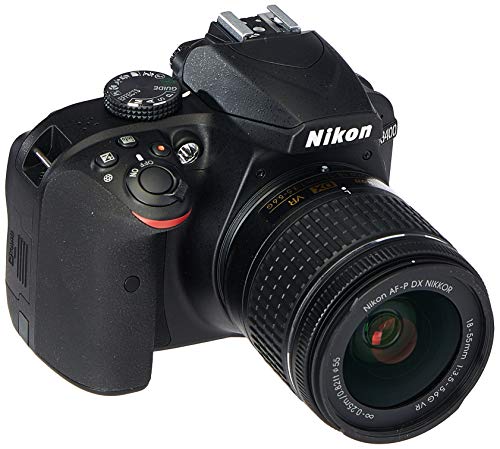
Live listings for the shortlist in this guide are pulled from Amazon below, so prices and availability are always current at the moment you look.



Bringing the pieces together
Judged as a file-transfer system, Bluetooth on a Nikon will always look limited, because moving files was never its main assignment. Judged as a companionship system — a quiet, persistent link that keeps a phone gallery supplied with shareable copies, stamps photographs with place and correct time, and offers a cable-free shutter release — it succeeds at precisely the tasks its designers chose. The photographers who enjoy SnapBridge are the ones who let each radio do its own job: Bluetooth for presence and small favours, Wi-Fi for weight, and the memory card for everything that truly matters.
This page contains affiliate links, and purchases made through those links may earn a commission that supports the work behind guides like this one, at no additional cost to the reader; recommendations here rest on specifications published by the maker and on documented feature behaviour, never on any obligation to a seller.
Carry the paired camera out tomorrow, let the small copies gather on your phone while the originals rest safely on the card, and you will understand this modest radio better in one ordinary day than in a month of reading about it.


