Our Top Picks
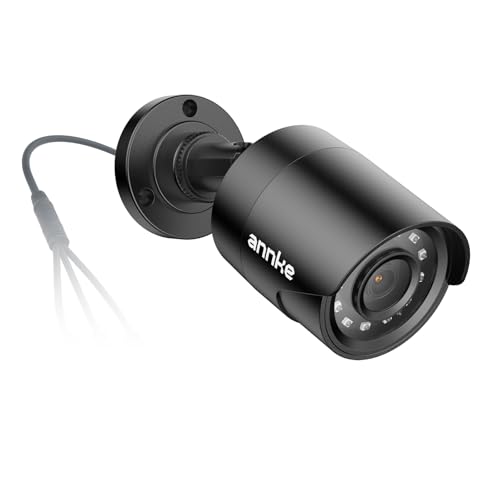 ANNKE 1080p Security Camera 4-in-1 CCTV Bullet Wired1 Count (Pack of 1)6.22 x 2.76 x 2.76 inchesCheck on Amazon
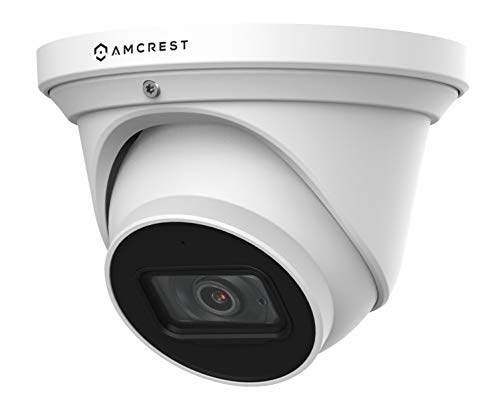
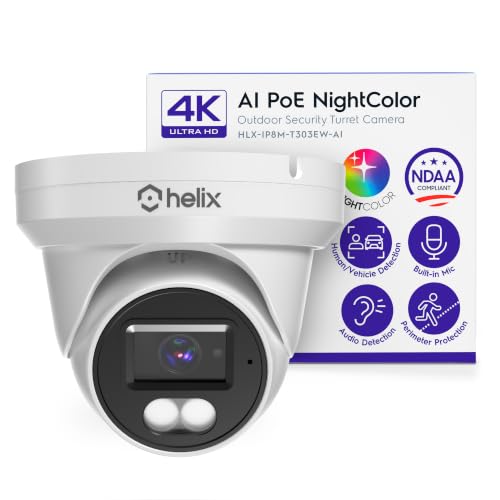
 Amcrest 5MP IP PoE AI Camera w/ 49ft5MP Bullet Camera7.59 x 2.77 x 2.61 inches1.7 poundsCheck on Amazon


What's inside
- Why a wired Amcrest camera still makes sense outdoors
- Bullet, dome and turret housings explained
- Resolution choices: 4K, 5MP and the case for restraint
- Running Ethernet outdoors: cable, power and distance
- Weatherproofing ratings and real climates
- Night vision: infrared reach, colour after dark and honest limits
- Recording options: NVR, local cards and hybrid setups
- Detection features: motion, zones and smarter alerts
- Wired versus wireless: an honest stability comparison
- Planning an installation step by step
- Network hygiene and account security
- Matching models to common scenarios
- Upkeep that keeps footage usable for years
- Questions buyers ask before drilling the first hole
- Decoding Amcrest model families without a spreadsheet
- Storage arithmetic: turning bitrates into days of footage
- Mounting hardware: the unglamorous half of picture quality
- Troubleshooting wired faults in a sensible order
- Privacy, neighbours and the law of the lens
- Buying a bundled kit versus assembling your own system
- A pre-purchase datasheet checklist
- Check prices on Amazon
- How the picture actually reaches your phone
As an Amazon Associate I earn from qualifying purchases. This post may contain affiliate links at no extra cost to you.
Outdoor surveillance works best when the camera stops being a gadget and starts behaving like infrastructure. That is the appeal of a wired Amcrest system. Each camera draws power through the same Ethernet cable that carries its video, records to a recorder sitting safely indoors, and keeps working when a wireless network gets crowded, a router reboots, or a storm knocks a signal down to almost nothing. There is no battery to recharge, no solar panel to angle toward the sun, and no monthly storage plan required just to review last night’s footage.
Amcrest has built a large share of its reputation on exactly this kind of hardware. The catalogue centres on Power over Ethernet models in bullet, dome and turret housings, with sensors ranging from 2 megapixels up to 4K-class 8 megapixel units, metal bodies rated for rain and dust, and recorders that store weeks of video on internal hard drives. The range can feel confusing at first glance because model numbers look similar while features differ in important ways, so this guide works through the decisions in the order a real installation raises them: housing style, resolution, cabling, weather resistance, night performance, storage and long-term upkeep.
Everything below rests on specifications published by the maker, networking standards anyone can verify, and widely documented installation practice. Where a figure comes from a datasheet, it is described as such, because laboratory infrared ranges and real backyard performance rarely match perfectly. A camera quoted with 98 feet of night vision will not identify a face at that distance on a foggy evening, and honest planning starts with that distinction.
Why a wired Amcrest camera still makes sense outdoors
A wired connection removes the two weakest links in outdoor monitoring: radio range and battery capacity. Ethernet delivers a steady stream at a fixed address on your network, unaffected by a neighbour’s new access point or a microwave oven leaking interference into the 2.4 GHz band. Uploads do not compete with video calls, game downloads or a house full of phones. When something happens in the driveway at 3 a.m., the recorder either captured it cleanly or it did not, and with cable the odds shift strongly toward captured.
Power delivery follows the IEEE 802.3af and 802.3at standards, commonly called PoE and PoE+. A standard 802.3af port supplies up to 15.4 watts at the switch, which comfortably covers a typical fixed Amcrest bullet or turret drawing somewhere between 5 and 10 watts with its infrared LEDs lit. Cameras with motorised zoom or long-range illuminators may ask for the higher 802.3at budget of 30 watts per port, so checking the switch specification against the hungriest camera on the run is a small step that prevents mysterious night-time dropouts.
There is also a quiet security argument. A camera on a cable cannot be deauthenticated off the network by a cheap jamming trick, and it does not broadcast a discoverable wireless identity. Physical access to the cable would be needed to interrupt it, and by then the lens has usually already recorded the approach. For a detached garage, a rental property or a small commercial yard, that resilience is often worth more than any single headline feature.
Bullet, dome and turret housings explained
Bullet cameras for obvious deterrence and reach
The bullet is the long, cylindrical housing most people picture when they imagine a security camera. Amcrest bullet models such as the 5MP and 4K families mount on a bracket that tilts and swivels, which makes aiming along a driveway, fence line or side path straightforward. Their shape leaves room for larger infrared arrays, so bullet versions frequently carry the longest quoted night ranges in the lineup, sometimes beyond 100 feet on datasheets for the bigger 4K units. Visibility is part of the point: a bullet announces itself, and that announcement alone redirects a good deal of opportunistic behaviour elsewhere.
Drawbacks follow from the same shape. A protruding bullet can be grabbed, struck or knocked out of alignment more easily than a low-profile housing, especially within arm’s reach above a door. Spiders also love the warm ledge beneath a bullet lens, and webs drifting across infrared light create glowing strands that trigger motion alerts all night. Mounting bullets higher, ideally 8 to 10 feet up, reduces both problems at once.
Dome cameras for discretion and tamper resistance
Dome models hide the lens behind a tinted or clear bubble, so an observer cannot easily tell which direction the camera faces. That uncertainty suits shopfronts, porches and office entrances, and the rounded shell sheds knocks without offering anything to grip. Amcrest vandal-resistant domes carry IK10 impact ratings on selected models, a standardised measure meaning the housing survives a 5 kilogram mass dropped from 400 millimetres. Under a soffit or porch ceiling, a dome blends into the architecture instead of dominating it.
The bubble brings maintenance duties. Condensation can fog the inside of a dome in humid climates if the desiccant pack is exhausted, and infrared light can reflect off a dirty bubble back into the lens, washing out night images. Keeping the cover clean and positioning the camera away from nearby walls that bounce IR light helps considerably. Domes also tend to offer a slightly narrower choice of lens angles than their bullet equivalents in this catalogue.
Turret cameras as the practical middle ground
Turret housings, sometimes called eyeball cameras, split the difference. The lens sits in a ball-and-socket mount inside a compact shell, so it can be aimed freely during installation and then locked down, without a bubble in front of the glass. Amcrest turret models have become popular for homes precisely because they avoid dome glare while staying far less conspicuous than a bullet. Their separate infrared LEDs sit beside the lens rather than around it, which reduces the halo effect that attracts insects toward the centre of the image.
For most houses, a sensible mix emerges: bullets watching long approaches where reach and deterrence matter, turrets under eaves covering doors and yards, and a dome only where tampering is a realistic concern. Mixing housings on one recorder is completely normal, since every model speaks the same network language once connected.
Resolution choices: 4K, 5MP and the case for restraint
Resolution determines how much detail survives digital zoom, and it is the specification buyers most often overspend on. A 4K Amcrest camera uses an 8 megapixel sensor producing 3840 by 2160 pixel frames. Spread across a wide 105-degree field of view, that density lets you crop into a recorded clip and still read a number plate at moderate distance or distinguish a face near a gate. On a 5MP model, typically 2592 by 1944 pixels, the same crop softens sooner, though the image remains perfectly serviceable for identifying people within a normal driveway length.
There is a genuine trade hiding underneath the megapixel race. Smaller pixels gather less light, so an 8 megapixel sensor of the same physical size usually performs slightly worse after dark than a good 5MP or even 2MP sensor with larger photosites. Manufacturers compensate with wider apertures, better processing and stronger illumination, yet physics keeps a vote. If a camera watches a short, well-defined area such as a front step, a modern 5MP turret will often deliver cleaner night footage than a 4K unit stretched across a broad lawn.
Frame rate and compression matter just as much in daily use. Most Amcrest outdoor models record their full resolution at 15 to 20 frames per second, with some 5MP versions reaching 25 or 30. Smooth motion helps when reviewing a fast-moving vehicle, while H.265 compression roughly halves storage and bandwidth compared with older H.264 at similar quality. Enabling H.265 across cameras and recorder keeps a modest hard drive useful for weeks rather than days, provided every device in the chain supports the codec, which current Amcrest recorders do.
Readers weighing the broader market before committing to one brand will find useful context in best 10 security ip cameras, where wired network cameras from several makers sit side by side. Coming back to Amcrest with that perspective usually clarifies whether its particular blend of price, ONVIF support and recorder software suits a given property.
Lens focal length and field of view
Many Amcrest outdoor models ship with a fixed 2.8 millimetre lens, yielding a horizontal view somewhere around 103 to 112 degrees depending on sensor size. That width covers a yard corner to corner from a single mounting point, at the cost of making distant subjects small. A 3.6 millimetre option narrows the scene and enlarges subjects modestly, while motorised varifocal models adjust between roughly 2.7 and 13.5 millimetres, letting an installer trade width for reach after the camera is already on the wall. Variants with a manual varifocal lens need a ladder visit for every adjustment, so motorised zoom earns its keep on high mounts.
Think in terms of pixels per foot at the target. Identification generally needs far more density than simple detection: noticing that someone crossed the garden requires little, recognising who it was requires a great deal. Placing a wide camera close to the choke point, the gate, the door, the till, beats mounting a high-resolution unit far away and hoping the crop will save the day.
Running Ethernet outdoors: cable, power and distance
Category 5e cable handles gigabit speeds and PoE comfortably for camera runs, while Category 6 adds thicker conductors, slightly better heat behaviour in bundles and headroom for future devices. Either way, outdoor sections demand jacket ratings meant for the environment. Standard indoor PVC becomes brittle under ultraviolet light within a few seasons, so exposed runs should use UV-resistant, outdoor-rated cable, and any buried section belongs in conduit or should use direct-burial cable with gel-filled cores that resist moisture ingress.
The Ethernet standard limits a single run to 100 metres, about 328 feet, including patch leads at both ends. Most homes never approach that ceiling, but barns, long driveways and commercial yards can. Beyond it, options include placing a weatherproof PoE switch at a midpoint building, using a PoE extender that repeats power and data for another segment, or bridging the gap with a point-to-point wireless link while keeping the camera itself wired to a local switch. Planning the route on paper first, counting door frames, attic access and wall penetrations, saves the frustration of a cable that ends six feet short.
Connectors, surge protection and neat terminations
Outdoor terminations fail more often than outdoor cameras. Water creeping into an RJ45 plug corrodes contacts until a camera starts dropping off the recorder at random intervals, usually during rain, which makes diagnosis miserable. Weatherproof couplers, dielectric grease on outdoor joints, drip loops that let water fall away before reaching the entry point, and junction boxes behind each mount all cost little and prevent most of these faults. Terminating to the T568B wiring pattern at both ends keeps everything standard for the next person who services the system.
Lightning deserves respect rather than fear. A camera on a metal pole at the far end of a garden is an inviting path for induced surges, and Ethernet surge protectors at both the camera end and the building entry are inexpensive insurance. Grounding those protectors properly is what makes them work; an ungrounded unit is decoration. Inside, a small uninterruptible power supply for the switch and recorder rides through brief outages and, just as importantly, shuts the system down gracefully during long ones, protecting the hard drive’s file system.
Weatherproofing ratings and real climates
Most wired Amcrest outdoor models carry an IP66 or IP67 ingress rating. The first digit, 6, means complete protection against dust entry. The second digit separates the two grades: 6 indicates resistance to powerful water jets from any direction, while 7 indicates the housing survives temporary immersion in up to one metre of water for thirty minutes under test conditions. For a camera under an eave or on a wall, either rating is ample, because neither will ever be submerged in normal service. IP67 becomes relevant for low mounts in flood-prone spots or where driven rain arrives horizontally for hours.
Temperature ranges on datasheets typically span from minus 30 degrees Celsius to plus 60, covering nearly every inhabited climate. Extreme cold affects a wired camera far less than a battery model, since mains-derived power does not sag the way lithium cells do in frost. Heat is the subtler enemy: a dark housing in direct desert sun can exceed its rating internally, so a small shade, a lighter mounting position or airflow around the body extends service life. Coastal owners should rinse salt deposits from housings a few times a year and favour models with metal bodies and well-sealed cable glands, because salt air attacks cheap finishes relentlessly.
Condensation inside a lens usually signals a failed seal or a camera opened during a humid installation. Leaving the housing closed, tightening cable glands properly and replacing the silica gel pack when a dome is serviced keeps the optical path clear. These unglamorous details decide whether a system still produces usable pictures in its fourth winter.
Night vision: infrared reach, colour after dark and honest limits
Nearly every model discussed here illuminates its scene with infrared LEDs around 850 nanometres, a wavelength that produces a faint red glow at the source and renders footage in monochrome. Datasheets quote ranges from about 98 feet on compact turrets to well beyond 150 feet on larger bullets with bigger arrays. Treat those numbers as detection distances under favourable conditions: a person in light clothing against dark foliage, on a clear night, within the central part of the beam. Halve the figure for a realistic identification range and the expectation will match the footage.
Reflections shorten effective range dramatically. A wall, fence or parked vehicle close to the lens bounces infrared back and forces the exposure down, dimming everything farther away. Angling the camera so nearby surfaces sit outside the immediate foreground, or moving it a foot along the wall, often transforms night quality more than upgrading the sensor would. Rain, fog and snow scatter infrared too, creating bright streaks and false motion events, which is why sensitivity settings that work in August need revisiting in November.
Full-colour night models and white-light LEDs
A growing corner of the Amcrest range uses large-aperture lenses and sensitive sensors paired with warm white LEDs, producing colour footage after dark instead of monochrome. Colour information, a red jacket, a silver hatchback, has genuine evidential value, and the visible light doubles as a deterrent. The trade is light pollution: neighbours may object to a bright lamp switching on at every passing cat, and some owners prefer the discretion of infrared. Models offering both modes, switching between infrared and white light based on detected activity, provide a reasonable compromise, though the transition itself can startle the very person being recorded, which is arguably the point.
Aperture figures help predict low-light behaviour before any of that. An f/1.4 or f/1.6 lens admits considerably more light than an f/2.0 design, and makers publish these numbers on specification pages, so comparing them across shortlisted models is a legitimate, verifiable exercise. Sensor size tells a similar story: a 1/2.7 inch sensor generally outperforms a 1/3 inch unit after dark, all else being equal.
Recording options: NVR, local cards and hybrid setups
The natural partner for wired Amcrest cameras is a network video recorder, a box whose rear panel often includes built-in PoE ports. Plug each camera into the recorder, and power, discovery and recording arrange themselves with minimal network knowledge. Amcrest recorders in the popular ranges support 8 or 16 channels, H.265 decoding, and one or two internal hard drive bays accepting surveillance-class drives of several terabytes. A 4 terabyte drive recording four 5MP cameras continuously at moderate bitrates holds roughly three to four weeks of footage, though motion-based recording stretches that considerably further.
Surveillance drives deserve their premium over desktop drives. They are engineered for continuous writing, multiple simultaneous streams and the vibration of a recorder chassis, with firmware that prioritises completing a write over error recovery pauses. A desktop drive in an NVR tends to announce itself through dropped frames long before it fails outright.
MicroSD cards as a safety net
Many Amcrest outdoor models include a microSD slot rated for cards up to 256 gigabytes on current versions. A card inside the camera serves two roles: backup recording if the network link or recorder fails, and primary storage for a single-camera installation without an NVR. High-endurance cards, designed for dash cameras and surveillance duty cycles, are the correct choice here, because a standard card under continuous overwriting wears out quickly. Review the slot’s location before mounting; on some housings the card sits behind a screwed panel that is easy to reach on a bench and miserable at the top of a ladder.
Software recording is the third path. Amcrest cameras output RTSP streams and support ONVIF profiles, so they integrate with popular third-party recording platforms running on a home server or NAS. That flexibility matters for owners who already run such a system, and it protects the investment if preferences change later. Checking ONVIF conformance on the specific model’s datasheet, rather than assuming it from the brand, avoids disappointment. For readers still deciding between resolutions at the recorder level, best 1080p security cameras shows how far a well-chosen lower-resolution system can go when budgets are tight.
Remote viewing and everyday software
The companion phone application provides live viewing, playback and push notifications once the recorder or cameras are linked to an account, and peer-to-peer connection codes simplify setup without manual router port forwarding. Avoid exposing a camera directly to the internet through forwarded ports; that practice has a long and unhappy history across the whole industry. A VPN into the home network, or the maker’s cloud relay, keeps remote access both convenient and defensible. Within the house, the recorder’s HDMI output to a spare monitor remains the fastest way to glance at every angle while cooking dinner.
Detection features: motion, zones and smarter alerts
Basic motion detection compares successive frames and reacts to changed pixels, which means swaying branches, headlight sweeps and heavy rain all qualify as motion. Every Amcrest interface provides the tools to tame this: sensitivity sliders, threshold settings and detection grids that exclude a busy road or a neighbour’s flag. Spending twenty minutes shaping those zones during installation repays itself in alerts that mean something. A notification stream full of false alarms trains its owner to ignore notifications entirely, at which point the system might as well not send any.
Higher-tier Amcrest models add intelligent video features, including tripwire and intrusion rules that trigger only when an object crosses a drawn line or enters a defined area, plus human and vehicle classification on the AI-designated lines. Filtering by shape dramatically cuts nuisance alerts from animals and weather. These capabilities live either in the camera firmware or the recorder depending on the pairing, so verifying that a chosen camera and NVR combination supports the specific feature, in the maker’s compatibility documentation, is a worthwhile pre-purchase step.
Audio deserves a mention. Selected outdoor models include a built-in microphone capturing sound on the same recording, subject to local laws that vary widely on audio interception. Two-way talk appears mainly on wireless models; most wired outdoor units are listen-only or silent. Checking the datasheet for a microphone, and disabling audio where regulations require it, keeps an installation on the right side of local rules.
Wired versus wireless: an honest stability comparison
Wireless cameras have improved enormously, and for a renter who cannot drill holes they may be the only option. Yet the physics of a shared radio medium has not changed. Each wireless camera competes for airtime, weakens with every wall between it and the access point, and depends on a battery or a conveniently placed outlet. A four-camera wireless setup streaming around the clock can consume a noticeable slice of a home network’s capacity, and its most distant member usually fails first, silently, until the owner checks the app.
A wired Amcrest installation inverts those weaknesses. Bandwidth is dedicated per cable, latency stays low and predictable, and power arrives with the data. The costs are front-loaded: a weekend of drilling, fishing cable through attics and sealing entry points. After that weekend, the system asks for almost nothing. Owners who compare total effort across five years, rather than across the first Saturday, frequently conclude that cable was the cheaper path in attention, which is the currency that actually runs out.
Hybrid layouts make sense on larger properties. Wire the cameras covering entrances, vehicles and valuables, where reliability matters most, then fill a distant garden corner with a wireless model whose occasional dropout is tolerable. Because Amcrest recorders accept a mixture of wired channels and compatible wireless additions on many configurations, the two approaches can share one timeline and one app. Surveying the wider wired category through best 1080p outdoor security cameras helps calibrate expectations for range and weather ratings before narrowing to specific housings.
Planning an installation step by step
Surveying the property and choosing positions
Walk the property at dusk, phone in hand, and photograph the view from each proposed mounting point at roughly the intended height. Those photographs reveal blind spots, backlight problems from street lamps, and the exact angle at which a number plate becomes readable. Entrances deserve priority, followed by vehicle parking, then perimeter approaches. Cameras should overlap slightly at important zones so one unit records a subject approaching the other, defeating the classic tactic of approaching a camera from directly beneath it.
Height involves compromise. Mount too low and the camera invites tampering while capturing the tops of heads; mount too high and faces shrink into hats and hoods. Eight to ten feet suits most residential walls, placing the lens above casual reach while keeping faces recognisable. Angling slightly downward across a path, rather than staring straight along it, yields longer facial exposure as people walk the diagonal.
Bench configuration before anything goes outside
Professionals configure cameras on a desk first, and amateurs should copy them. Connect each camera to the recorder or switch indoors, update firmware, set passwords, name every channel by location, adjust resolution and frame rate, format storage, and confirm remote viewing works. Discovering a faulty unit at ground level takes minutes; discovering it after the mount is sealed to a gable takes an afternoon. Label both ends of every cable run with its destination, using printed tags or a simple numbering scheme recorded in a notebook kept with the recorder.
- Unshielded outdoor-rated Cat5e or Cat6 cable, matched to sun and burial exposure
- A PoE switch or recorder ports with enough wattage for infrared at night
- Weatherproof junction boxes sized to hide connectors behind each mount
- Ethernet surge protectors where runs enter the building from outside
- High-endurance microSD cards if in-camera backup recording is planned
- A UPS sized to carry recorder and switch through short power cuts
- Silicone sealant and grommets for every wall penetration on the route
Network hygiene and account security
A camera system is only as trustworthy as its credentials. Change every default password during bench setup, use a unique passphrase stored in a password manager, and create separate viewer accounts for family members instead of sharing the administrator login. Amcrest publishes firmware updates that patch vulnerabilities and occasionally improve detection behaviour; applying them a few times a year, after reading the release notes, keeps the system current without courting the risk of being first to discover a buggy release.
Owners comfortable with router settings can isolate cameras on their own network segment or VLAN, allowing the recorder to reach them while preventing a compromised camera from wandering the rest of the home network. At minimum, disable universal plug and play on the router, avoid port forwarding to individual cameras, and rely on the app relay or a VPN for outside access. These steps apply to every brand, yet they are worth repeating in an Amcrest guide because the cameras’ rich feature set includes services, such as direct RTSP access, that should stay reachable only from inside the house.
Matching models to common scenarios
For a typical suburban home wanting four cameras and a recorder, the balanced configuration pairs 5MP turrets under the eaves with one 4K bullet watching the street approach. The turrets handle doors and yard with clean night images at sensible storage cost, while the single high-resolution unit gathers identifying detail where vehicles slow down. This mix keeps the hard drive retention near a month with motion recording and stays well within a mid-range switch’s power budget.
A small business or workshop usually needs the opposite emphasis: 4K coverage at entrances and tills, varifocal lenses to tighten views down aisles, and a 16-channel recorder leaving spare capacity for the camera everyone realises they needed a month later. Owners planning that scale should also glance at best 12 camera high definition security cameras to see how larger wired arrays are typically organised, then scale the principles down to their own channel count.
Farms and acreage push distance to the front. Standard bullets on outbuildings, a midpoint switch in the barn, surge protection on the long runs and possibly a varifocal model watching the gate from the house cover most needs. Where trenching is impossible, a wireless bridge feeding a small PoE switch at the remote building preserves the wired reliability for the final stretch, which is where it matters.
Upkeep that keeps footage usable for years
Twice a year, wipe each lens and housing with a microfibre cloth, clear spider webs from around the mount, and check that brackets have not loosened in storms. Review a minute of night footage from every camera during the same visit; failing infrared LEDs and fogged covers announce themselves there long before an incident exposes them. Confirm the recorder’s clock is correct, because timestamps underpin any clip’s credibility, and verify that the system synchronises with a network time server.
Hard drives wear quietly. Recorders report drive health in their storage menus, and a drive showing reallocated sectors or rising temperatures should be replaced on your schedule rather than its own. Keep the recorder’s vents dust-free and its cupboard ventilated, since heat shortens the life of every component inside. Finally, revisit detection zones after landscaping changes; the shrub that was knee-high at installation may now wave directly through the most sensitive part of the frame.
Questions buyers ask before drilling the first hole
Can these cameras work without an Amcrest recorder?
Yes, within limits. An in-camera microSD card supports a single standalone unit, and ONVIF or RTSP compatibility lets many models record to third-party software or a NAS. What disappears without the matching recorder is the tidy integration: unified playback, certain intelligent features managed centrally, and one throat to choke when support is needed. Plenty of owners start with cards, then add a recorder once a second camera joins the system.
Will a 4K camera overwhelm a home network?
A single 4K stream at sensible compression uses roughly 8 to 16 megabits per second, trivial for wired gigabit equipment. Traffic between cameras and a recorder with built-in PoE ports never touches the home network at all, because those ports form their own segment. Only remote viewing loads the internet connection, and the app automatically uses a lower-resolution sub-stream for that on most configurations.
How obvious should outdoor cameras be?
Opinions split, and the evidence leans toward visibility for deterrence at homes, balanced against discretion where vandalism is likely. A common pattern mounts obvious bullets at the perimeter and discreet turrets at doors, so a visitor notices surveillance early yet cannot easily disable the unit recording their face at the entrance. Either way, signage noting recording in progress satisfies legal expectations in many jurisdictions and strengthens the deterrent effect.
Choosing among wired Amcrest models ultimately comes down to matching three things: the housing to the mounting spot, the resolution to the distance involved, and the storage plan to how long footage must survive. Get those three right and the particular badge on the recorder matters far less than the care taken with cable routes and detection zones. A modest system installed thoughtfully will outperform an expensive one thrown at a wall, every single season it hangs there.
Decoding Amcrest model families without a spreadsheet
The naming scheme looks cryptic until its pattern clicks. Prefixes describe the product line, the number after the early letters usually signals megapixel class, and suffix letters hint at housing or feature set. In broad terms, the IP5M families denote 5 megapixel network cameras, IP8M points toward 8 megapixel 4K models, and the older IP2M and IP3M designations cover 1080p and 3 megapixel generations that still appear in existing installations. A B in the tail commonly marks a bullet, T a turret, D a dome and V a varifocal variant, although Amcrest has never treated the scheme as an absolute law, so the datasheet for the exact SKU remains the authority.
Feature tiers layer on top of that skeleton. Standard models cover fixed lenses, infrared night vision, motion detection and microSD backup, which is honestly everything a single house needs. Stepping upward adds motorised varifocal lenses, stronger infrared arrays, built-in microphones, alarm inputs on some bodies, and the intelligent detection rules described earlier. The AI-branded families concentrate the human and vehicle classification features, and pairing them with a recorder from the matching generation unlocks the full rule set in the recorder interface as well as in the camera itself.
Colour of housing sounds trivial until a white camera lands on a dark brick wall and draws every eye on the street. Many popular models ship in both white and black finishes with identical internals, so choosing the finish that matches the mounting surface is a free aesthetic upgrade. Likewise, some listings bundle a camera with a short patch lead or a mounting template while others assume professional installation; reading the box-contents section of a product page prevents a Saturday morning shortage of screws.
Storage arithmetic: turning bitrates into days of footage
Retention questions dissolve once bitrate enters the conversation. A camera’s bitrate, measured in megabits per second, describes how much data its stream writes continuously. Multiply that figure by 10.8 and you get a close estimate of gigabytes consumed per camera per day at constant recording. A 5MP stream tuned to 6 megabits per second therefore writes roughly 65 gigabytes daily, and four such cameras fill a 4 terabyte drive, about 3.6 terabytes usable, in close to two weeks of nonstop recording. Dropping each stream to 4 megabits extends the same drive toward three weeks, with a modest softening of fine detail in busy scenes.
Motion-based recording rewrites the maths entirely. A camera watching a quiet side path may record genuine activity for ninety minutes across a whole day, and event-only schedules stretch small drives across months. The risk is a missed beginning: pre-record buffers, which keep several seconds of footage from before the trigger moment, exist precisely to cover the subject walking into frame, so enabling a five to ten second buffer is cheap insurance paid in storage you will never miss. Hybrid schedules, continuous recording at a lower sub-stream quality plus full-quality event capture, are available on many recorder models and balance both concerns elegantly.
Bitrate control method matters too. Variable bitrate lets the encoder spend data on complex scenes, a windy tree canopy at dusk, and save it on static ones, while constant bitrate keeps network load predictable for large systems. For homes, variable with a sensible cap usually wins. Frame interval settings, often labelled I-frame or keyframe intervals, influence how cleanly playback scrubs; a two-second interval is a good default that keeps file sizes honest without turning seeking into a slideshow.
Mounting hardware: the unglamorous half of picture quality
A camera can only record what its mount lets it see, and mounts fail in predictable ways. Wall brackets included in the box suit flat, vertical surfaces, but soffit mounting often needs the camera rotated into a different orientation, which some housings handle through a three-axis gimbal and others resist stubbornly. Checking the axis adjustment range in the manual before purchase beats discovering a sideways image afterwards, although most recorder software can rotate a feed 90 or 180 degrees as a last resort, at the cost of wasted sensor area.
Junction boxes earn their modest price three times over. They swallow the bulky waterproof connector and spare cable loop that otherwise dangle beneath the mount, they give the housing a flat, sealed footing on uneven siding, and they let a future replacement camera reuse the same holes. Pole mounts and corner brackets solve the two classic problem positions, the freestanding post and the building corner where the interesting view wraps around two faces. Stainless fasteners, rather than the zinc screws in many kits, keep rust streaks off pale render in wet climates.
Cable entry discipline decides whether a mount stays dry. Always route the lead so gravity pulls water away from the entry gland, forming a small downward loop before the connector. Seal the top and sides of a wall-mounted box with silicone but leave the bottom edge open, a counterintuitive detail that lets any condensation escape instead of pooling inside. Experienced installers also photograph each mount before sealing it, creating a record of wire colours and connector positions that a future fault-finder will silently thank them for.
Troubleshooting wired faults in a sensible order
When a camera vanishes from the recorder, work from power outward. Confirm the switch or recorder port shows a link light, swap the patch lead for a known good one, then try the camera on a short cable indoors. A unit that wakes happily on the bench points the finger at the long run or its terminations, which is where the overwhelming majority of wired faults live. Re-terminating one corroded plug fixes more systems than any firmware update ever written.
Intermittent night-only dropouts tell a different story. Infrared LEDs raise power draw sharply after dark, and a marginal cable, a tired injector or an overloaded switch budget that coped all day may sag below the camera’s threshold at dusk. The signature is a camera that reboots in a loop from sunset onward. Measuring the switch’s total PoE budget against the summed night-time draw of every connected device, found on each datasheet, usually exposes the shortfall in minutes.
Picture faults have their own logic. A washed-out night image suggests infrared reflection from a nearby surface; a sharp daytime picture that softens after dark hints at a focus shift between visible and infrared light, which better lenses correct and cheap ones display. Ghosting on moving subjects at night usually traces back to slow shutter settings chosen to brighten the scene, a trade the camera makes automatically unless maximum shutter speed is capped in the exposure menu. Work through one variable at a time and keep notes, because changing three settings at once teaches nothing.
Privacy, neighbours and the law of the lens
Outdoor cameras inevitably see beyond their owner’s fence. Most jurisdictions permit recording of areas visible from public spaces, yet rules tighten around audio capture, deliberate aiming into a neighbour’s private rooms, and retention of footage of people unconnected to any incident. Practical courtesy travels well across legal systems: angle cameras to favour your own property, use the privacy-masking feature to block out a neighbour’s patio or a bedroom window, and mention the system to adjacent households before they discover it themselves. Many Amcrest models support several rectangular privacy zones drawn directly over the live view, and those zones are burned into the recording, not merely hidden on screen.
Footage requests arrive eventually, from police after an incident two doors down or from an insurer after a collision at the kerb. Knowing how to export a clip, with its timestamp intact, from the recorder to a USB drive is a skill worth rehearsing once while nothing urgent depends on it. Keep exported clips in a named folder with the date written plainly, and resist editing them; an unbroken original carries weight that a trimmed copy cannot.
Buying a bundled kit versus assembling your own system
Amcrest sells complete packages pairing several cameras with a recorder, pre-matched drives and short connection leads. Kits remove compatibility guesswork and usually cost less than the same parts bought separately, which makes them attractive for a first installation covering a standard house. Their compromises are uniformity and cable: every camera in a bundle is typically the same model, even though the front door and the back fence rarely need identical optics, and the included leads are fixed lengths that seldom match real cable routes.
Assembling a system piece by piece inverts those traits. You choose a turret for the porch, a varifocal bullet for the driveway and a recorder with empty channels for later, then cut bulk cable to exact lengths. The bill rises modestly, the planning burden rises more, and the result fits the property like a tailored suit rather than a rental. A middle path works well for many households: buy the kit for its recorder and baseline cameras, then add one specialised model for the hardest position, since spare channels on the recorder welcome it without complaint.
Whichever route you take, confirm the recorder’s channel count exceeds today’s camera count by at least two. Experience says additional angles suggest themselves within the first year, usually after an incident occurs just outside an existing frame. Confirm also that the recorder supports the full resolution of every camera attached; an older or entry-level unit may cap channels at 5MP and silently downscale a 4K addition, wasting the very detail it was bought for.
A pre-purchase datasheet checklist
Specification pages reward slow reading. Start with the sensor and lens pairing, noting sensor size, aperture and whether the quoted field of view is horizontal or diagonal, because diagonal figures flatter width considerably. Check the infrared range, then discount it as described earlier. Verify the ingress rating, the operating temperature band and the housing material, metal or plastic, since a plastic shell on a sun-baked south wall ages faster than its electronics.
Move next to power and connectivity. The datasheet states whether the camera accepts standard 802.3af, needs the higher 802.3at budget, or offers a 12-volt DC input as an alternative for runs fed from a local supply. Confirm ONVIF profile support and RTSP availability if any third-party software sits in your plans, and note the maximum microSD capacity, which varies between generations. Audio lines deserve one careful glance: microphone present, external audio input, or nothing at all.
Finish with the detection and recording features you actually intend to use, cross-checked against the recorder pairing. Intelligent rules sometimes require both ends of the link to support them, and a camera’s headline feature that the recorder cannot display becomes a tree falling in an empty forest. Warranty length and the maker’s published support channels close out the review; wired hardware is a long-term fixture, and a brand maintaining firmware downloads for older models years after release is telling you something valuable about its priorities.
When a wired Amcrest system is the wrong answer
Honesty requires naming the exceptions. A rented flat with a strict no-drilling lease, a temporary site office, or a single camera needed this week for a specific worry may all be served faster by a wireless model, accepting its compromises knowingly. Similarly, a property where the only camera position sits across a paved yard with no conduit and no permission to trench will fight a cable plan at every step. Recognising those cases does not weaken the wired argument; it simply reserves cable for the many situations where its permanence is precisely the benefit being bought.
Check prices on Amazon
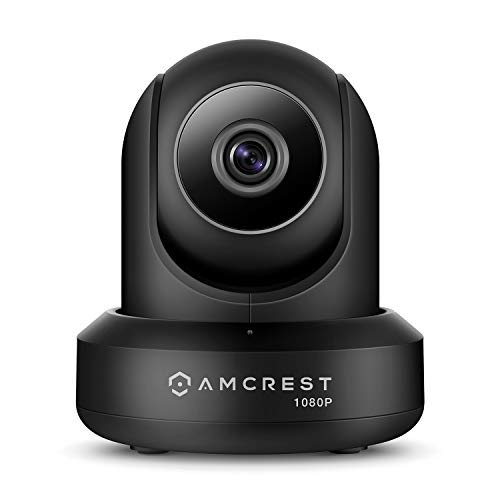
Live listings for the shortlist in this guide are pulled from Amazon below, so prices and availability are always current at the moment you look.


How the picture actually reaches your phone
Understanding the signal path demystifies most setup questions. The camera digitises its sensor output, encodes it as a main stream for recording and a lighter sub stream for quick viewing, then sends both across the cable to the recorder or network. The recorder writes the main stream to disk, serves live views to the local monitor, and brokers connections from the phone application when you check in from elsewhere. Nothing in that chain requires an internet connection for recording itself, which is why a wired system keeps documenting a storm that has knocked out the street’s broadband entirely.
That independence has a practical consequence for rural properties: place the recorder on a battery backup, and the system rides through the short outages that accompany heavy weather, capturing exactly the hours when an unattended property is most vulnerable. It also explains why playback from the recorder feels more authoritative than clips buffered in a camera; the recorder holds the continuous timeline, while in-camera cards hold a parallel copy that exists for redundancy rather than as the primary record.
Bandwidth inside the house remains modest throughout. Even a busy eight-camera installation recording to a recorder with integrated PoE ports generates almost no traffic on the main home network, because camera streams stay on the recorder’s own switch fabric. Only the single stream you are actively watching remotely crosses the router, and the application selects the sub stream for that unless you deliberately request full quality. Households with slow uplinks therefore lose nothing by choosing higher-resolution cameras for local recording, a point that surprises many first-time buyers who assumed resolution and internet speed were linked.
One last habit separates satisfied owners from frustrated ones: document the finished system. A single page noting each camera’s model, location, cable route, switch port, IP address and the date its firmware was last updated turns every future question into a lookup instead of an investigation. Store that page with the recorder, photograph the labelled cable ends, and keep the configuration export file the recorder offers in its maintenance menu. When a camera is eventually replaced, years from now, those notes will make the swap a twenty-minute errand rather than a weekend project, and they cost nothing but the few minutes taken to write them while the installation is still fresh in memory.
It also helps to walk the finished installation once with fresh eyes, standing where a stranger would stand, checking what each lens genuinely captures rather than what the plan assumed it would. Small aiming corrections made during that walk, a few degrees left here, a slight downward tilt there, routinely matter more than any specification difference debated during shopping.
Affiliate disclosure: this guide contains links to retailers, and purchases made through those links may earn a commission that supports the research behind articles like this one, at no additional cost to the reader. Recommendations here follow published specifications and documented features rather than any commercial arrangement, and no maker has reviewed or approved the contents before publication.
When the last cable is clipped neatly along the eave and the recorder’s screen settles into its quiet four-way grid, a wired Amcrest system simply becomes part of the house, watching the gate through rain, frost and heat while asking almost nothing in return.


