Our Top Picks
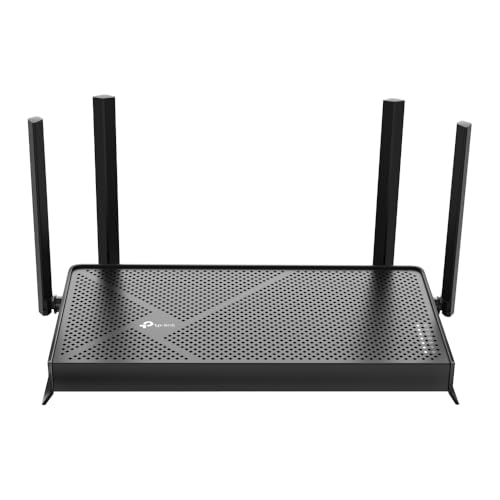
 TP-Link AC1900 Smart WiFi Router Dual Band RouterWi-Fi 5 AC19009.57 x 6.32 x 1.28 inches0.91 poundsCheck on Amazon

What's inside
- How townhome geometry shapes wireless coverage
- Mapping your home before choosing hardware
- One strong router in the middle, and when that is enough
- Mesh systems and the vertical townhome
- Backhaul: the hidden network behind the network
- Living with neighbors a wall away
- The provider gateway, bridge mode, and double routing
- Extenders, and their narrower role
- Guest networks, housemates, and rental realities
- Sizing the system to floors and habits
- A qualitative buying checklist by budget mindset
- Floor-by-floor placement, worked through in detail
- Wired devices, work corners, and hybrid layouts
- Managing the network once it is running
- Check prices on Amazon
- Reading the signs: congestion, distance, or the line itself
As an Amazon Associate I earn from qualifying purchases. This post may contain affiliate links at no extra cost to you.
As an Amazon Associate we earn from qualifying purchases. A townhome asks more of a wireless network than its footprint suggests, because the living space stacks upward instead of spreading outward, and every floor adds another ceiling, another run of ductwork, and another chance for a signal that looked strong in the hallway to fade behind a bedroom door.
Townhomes occupy an awkward middle ground in home networking. They are taller than most apartments and narrower than most detached houses, so coverage problems rarely look like simple distance problems. A router can be only thirty feet from a desk in a straight line and still deliver a weak connection, because that straight line passes through two floor assemblies, a stairwell wall, and a bathroom tiled on both sides. Understanding that geometry is the starting point for every sensible buying and placement decision that follows.
How townhome geometry shapes wireless coverage
A typical townhome rises two, three, or sometimes four levels above a garage or entry floor, with each level repeating a similar rectangle. Living space often sits on the middle floor, bedrooms climb to the top, and a finished basement or ground-floor office anchors the bottom. That vertical repetition means the network must serve a column of rooms rather than a flat map, and columns behave very differently from open floor plans when radio waves move through them.
Floor assemblies are the quiet obstacle. Joists, subfloor, finished ceilings, insulation, and sometimes radiant heating elements or metal duct runs sit between one level and the next. A signal traveling sideways through a single interior wall loses far less strength than one forced diagonally through a floor, which is why a router placed directly below a bedroom can still struggle to serve it well. Diagonal paths are longer through dense material, and they strike surfaces at angles that reflect energy away from the room you care about.
The stairwell cuts both ways. Open stairs and the void above them can act as a surprisingly useful channel, letting signal spill from one floor to the next with fewer obstructions than the surrounding structure allows. Closed stairwells with doors, storage tucked underneath, and turns at landings do the opposite. Walking your own stairs with a phone in hand, watching how calls and video behave at each landing, tells you more about your home than any coverage map printed on a box.
Party walls and the neighbor factor
Shared walls define townhome life, and they define townhome networking too. A party wall may be masonry, double-stud framing with dense insulation, or a fire-rated assembly that blocks sound reasonably well while still passing plenty of radio energy. Your neighbors on both sides run their own networks a few feet from yours, often with equipment supplied by the same providers, set to the same default channels, and placed against the same shared wall your router sits near. The result is a crowded radio environment stacked in three dimensions.
Detached houses enjoy distance as a natural buffer, since yards and driveways push neighboring networks farther away and weaken their signals before they reach your rooms. Apartments face crowding too, but their single-level layouts make placement simpler and coverage areas smaller. Townhomes combine apartment-like density with house-like height, which is exactly why advice written for either category alone tends to disappoint when applied here without adjustment.
Materials that quietly eat signal
Brick veneer, stone fireplaces, foil-backed insulation, metal lath in older plaster, and large mirrors all reflect or absorb wireless energy to varying degrees. Kitchens concentrate trouble: refrigerators, ovens, and metal cabinetry cluster on one wall, and microwave ovens operate in the same 2.4GHz neighborhood as older wireless traffic. Bathrooms add tile, porcelain, and plumbing runs. None of this makes good coverage impossible, but it does mean the center of a floor on paper is not always the center in radio terms.
Newer construction brings its own quirks. Low-emissivity window coatings can weaken signals passing through glass, structured wiring panels are often metal boxes tucked into closets that punish any radio placed inside them, and spray foam insulation changes how walls behave compared with older batt insulation. If your townhome was renovated, layers multiply: an original wall behind new drywall, tile over backer board, and flooring over old flooring all stack into a thicker barrier than the floor plan admits.
Mapping your home before choosing hardware
Start with a floor-by-floor inventory rather than a product list. Note where people actually work, study, stream, and play, and separate those places into must-cover rooms and nice-to-cover corners. A primary bedroom used as an office eight hours a day deserves priority over a guest room used twice a month. A nursery camera, a doorbell, and a garage opener each need modest but reliable connections, while a desk setup benefits from the strongest and steadiest link you can arrange.
Measure each floor honestly. Many townhome levels run between roughly five hundred and nine hundred square feet, but ceiling height, open-to-below spaces, and lofts change how that area behaves. Two floors of seven hundred square feet each, stacked tightly, can be harder to serve than a single ranch floor twice that size, because the challenge is vertical separation rather than raw area. Write the numbers down per floor instead of relying on the total figure from a listing.
Find the entry point for internet service. Cable, fiber, or fixed wireless equipment often lands in a basement utility area, a garage corner, or a ground-floor closet chosen for the installer convenience rather than your coverage. That entry point constrains everything unless you plan cabling to move the main router elsewhere. Knowing where service enters, where the wiring panel sits, and which rooms already have network or coaxial outlets will shape whether a single router, a wired backbone, or a wireless system makes the most sense.
A simple survey you can do in an evening
Place your current router where it normally lives, then walk every room with a phone or laptop and note where video calls stutter, where pages hesitate, and where connections drop entirely. Check the far corners of the top floor, the back of the ground floor, and any room separated from the router by both a floor and a bathroom or kitchen. Repeat the walk in the evening, when neighboring networks are busiest, because a layout that seems acceptable at midday can sag noticeably after dinner.
Pay attention to which band your device chooses in each spot. Modern clients steer themselves, sometimes clinging to a weakening 5GHz or 6GHz connection when a steadier 2.4GHz link would behave better, and sometimes doing the reverse. If problems concentrate on the higher bands at distance, your home is telling you that range through structure is the issue. If problems appear even nearby during busy hours, congestion from surrounding networks deserves more of the blame.
One strong router in the middle, and when that is enough
A single capable router remains the simplest and often the most satisfying answer for smaller townhomes, especially two-story homes where the main living level sits between the entry floor and the bedrooms. Simplicity brings real advantages: one device to configure, one set of firmware to keep current, no roaming decisions between nodes, and no backhaul traffic competing with your own devices. For a household whose demanding activities cluster on one or two floors, that simplicity can outperform a poorly placed multi-node system.
Placement decides whether the single-router plan works. Aim for the middle floor first, then for the middle of that floor, then for height: a shelf or wall mount at chest to ceiling height usually beats a cabinet floor or a spot behind a television. Keep the unit out in the open where air circulates, away from large metal objects, aquariums, and stacks of electronics that generate heat and interference. Even a move of a few feet, out of a corner and away from a party wall, can change results in the rooms above and below.
Antenna orientation matters more in a vertical home than in a flat one. Antennas radiate most strongly perpendicular to their length, so a mix of orientations, some vertical and some angled, spreads coverage across floors instead of concentrating it on one level. If your router has adjustable external antennas, resist lining them all up like a fence. Angle one or two to favor the floors above and below, and then re-check the rooms that struggled before you settle on a final arrangement.
Know the limits honestly. A lone router asked to cover three full floors plus a finished basement, through dense floor assemblies, with heavy use at both extremes, is being asked to do something physics resists. Signal may reach those extremes yet arrive too weak for stable video calls or fast transfers, and raising transmit power on paper does not change how well a distant phone can talk back. Client devices transmit more weakly than routers do, so a connection that looks present can still fail when the laptop tries to send.
Who should stop at a single router
Households with two main floors, moderate device counts, and workspaces near the center of the home often do beautifully with one strong unit and careful placement. So do renters who cannot run cable and whose lease discourages mounting multiple devices. If your survey shows only one or two weak corners rather than whole weak floors, a single router repositioned well, perhaps paired later with one targeted addition, usually beats ripping everything out and starting over with a larger system bought in frustration.
Mesh systems and the vertical townhome
Mesh systems replace one loud voice with several quieter ones placed closer to where people actually sit. For a three-story townhome, that distributed approach matches the architecture: a node per floor, staggered so each sits near the rooms it serves, can shorten every client connection and reduce the number of floor assemblies each link must cross. Readers comparing layouts will find a useful companion perspective in this overview of best mesh wifi 6 routers, especially on how node count and spacing interact.
Staggering is the detail many people miss. Stacking nodes directly above one another floor by floor looks tidy, yet it can leave the far ends of each level underserved while over-covering the column near the stairs. Offsetting each node toward the opposite end from the node below spreads coverage diagonally through the home and often improves both the node-to-node link and the reach into end bedrooms. Think of the nodes as stepping stones zigzagging upward rather than as a single vertical pole of signal.
More nodes is not automatically better. Each additional node adds management overhead, another power outlet claimed, and another radio chatting in an already crowded environment. In a narrow townhome, nodes placed too close together can cause clients to roam unnecessarily or cling oddly, and the system spends more effort coordinating itself. Two well-placed nodes frequently outperform three cramped ones, particularly when the middle floor hosts the main unit and only the top or ground floor needs reinforcement.
Roaming, band steering, and real behavior
Moving through a townhome means moving between floors constantly, so roaming quality shapes daily satisfaction more than peak speed in any one room. A call that drops on the stairs every time you carry laundry upward will sour you on a system whose benchmark numbers looked impressive. Look for systems that handle transitions gracefully and let you see, in their management interface, which node each device uses, because that visibility helps you spot a node placed a little too far from its neighbor.
Band steering deserves similar realism. Higher bands deliver faster, cleaner connections at short range and suit desks, televisions, and consoles near a node. The 2.4GHz band travels farther through structure and remains the workhorse for small smart-home devices scattered through walls and ceilings. A good system balances the two without forcing every device upward whenever a faint high-band signal exists. If a system lets you keep a separate network name for the lower band, that flexibility can rescue stubborn smart plugs and older gear.
Backhaul: the hidden network behind the network
Backhaul is the traffic between nodes, and in a townhome it competes directly with the vertical problem. Wireless backhaul must cross the same floors that challenged your clients, so node placement has to satisfy two jobs at once: serve nearby rooms and maintain a strong link to the next node. When that link weakens, every device beyond it suffers, even devices sitting close to their own node with an apparently excellent local signal.
Dedicated backhaul radios change that equation. A system with a separate band reserved for node-to-node traffic keeps client activity from eating the link that feeds it, which matters most on busy evenings when several floors stream and call at once. This is one place where tri-band designs earn their keep in tall homes, a point explored further in this guide to best 3 band routers and the trade-offs their extra radio brings.
Wired backhaul removes the contest entirely. When nodes connect by cable, each node devotes its full wireless capacity to clients, node placement stops depending on radio reach to the next node, and roaming behavior usually steadies. If your townhome has any usable cabling already in the walls, investigating it before buying hardware can transform what a modest system achieves, because the same nodes perform noticeably better when their backbone stops traveling through floors.
Ethernet runs along and inside walls
Many newer townhomes include structured wiring, sometimes labeled confusingly, sometimes terminated in a panel with ports that lead to outlets in living rooms and bedrooms. Plug a node into those outlets and the backbone becomes wired with almost no effort. Older homes may allow a single discreet run along a stairwell stringer, inside a closet stack, or behind baseboards, following the vertical path that closets and utility chases already take from floor to floor. One well-chosen run between the main floor and the top floor often delivers most of the benefit.
Where a full run is impractical, even a partial wired backbone helps. Wire the node that serves the busiest floor, leave a quieter floor wireless, and the overall system still gains stability where demand concentrates. Flat cables under rugs and adhesive raceways along trim look less elegant than hidden wiring, yet they serve renters and cautious owners who want the performance first and the permanence later, once the layout has proved itself through a few weeks of ordinary living.
MoCA and powerline as middle paths
Coaxial cable hides in many townhomes, installed for television service and often reaching exactly the rooms where a node would help. Adapters that carry network traffic over that coax can create a fast, steady backbone without opening walls, provided the splitters and wiring are in decent condition and any unused runs are handled sensibly. Because coax was designed to carry signals cleanly from room to room, it frequently outperforms improvised alternatives in these stacked homes.
Powerline adapters, which send data over electrical wiring, are the most variable option. Performance depends on circuit layout, breaker panels, and noisy appliances, and townhome wiring that crosses multiple circuits between floors can disappoint. Still, for a single stubborn link, such as feeding a ground-floor office from a middle-floor router, powerline can be worth trying with a realistic attitude: convenient when it works in your specific wiring, easy to abandon when it does not, and rarely the foundation for a whole-home plan.
Living with neighbors a wall away
Interference in a townhome is not an occasional nuisance; it is the permanent background condition. Networks from both adjoining homes, plus the units behind or across a narrow street, all compete for the same limited channels, and their activity peaks at the same hours yours does. Managing that crowding is less about finding an empty channel, which may not exist, and more about choosing the least-bad space and positioning your equipment so your own signal arrives stronger than the competition.
The 2.4GHz band suffers most because only a few of its channels avoid overlapping one another, and every nearby network, doorbell, and older device crowds into them. Overlap there does not merely slow things down politely; radios must wait, retry, and share airtime with strangers. Keeping your 2.4GHz network on one of the non-overlapping channels, and resisting extra-wide channel settings on that band, reduces the friction for your smallest devices even when the band stays busy.
Surveying channels without special gear
Most routers and many phone utilities can list nearby networks, their bands, and their relative strength from where you stand. Walk that survey through several rooms and floors rather than taking one reading beside the router, because the neighbor who barely registers downstairs may dominate the top-floor bedroom that shares their wall and floor line. Note which channels carry the strongest competing signals in the rooms you care about, then set your own channels to sit as far from those peaks as the band allows.
On the 5GHz and 6GHz bands, more channels exist and walls attenuate competing signals faster, so crowding usually eases. Wider channels deliver higher peak speeds but occupy more spectrum and invite more overlap with neighbors, which in a dense townhome row can backfire during busy hours. A moderately wide setting often produces steadier real-world behavior than the widest option, particularly for work calls and gaming, where consistency matters more than a headline number measured at 3 a.m.
Automatic channel selection is a reasonable starting point, yet it deserves a check after a few days rather than blind trust. Some systems survey only at startup, so a router rebooted at noon keeps a channel chosen for noon conditions into the evening peak. If your equipment allows scheduled optimization or a manual refresh, use it during the hours that actually trouble you, then leave the result alone long enough to judge it fairly instead of pursuing daily fluctuations.
Placement as an interference tool
Distance from the party wall is a tool in itself. A router pressed against a shared wall broadcasts generously into the neighboring home and listens just as generously to theirs. Moving your main unit toward the interior of your own floor, even by the width of a room, strengthens the ratio of your signal to theirs in your spaces. The same logic applies to nodes: a node serving an end bedroom may work better a few feet inside the room than mounted on the shared wall itself.
Furniture and structure can help when used deliberately. Bookcases, wardrobes, and masonry fireplaces on a party wall absorb some competing energy, while your own router placed on the open side of such mass enjoys a slightly quieter neighborhood. None of this replaces channel choices, but in homes where every channel shows occupants, these small physical advantages accumulate into noticeably calmer evenings, especially for the lower band that travels so readily through shared construction.
The provider gateway, bridge mode, and double routing
Many townhomes begin with a combined modem and router supplied by the provider, placed wherever the line enters. Adding your own router behind that box without adjusting either device creates two routers in sequence, each handing out addresses and translating traffic. That double layer can break port-dependent applications, confuse smart-home discovery between floors, and make troubleshooting miserable, because a problem may live in a box you forgot was still routing.
Bridge mode is the usual remedy. Setting the provider gateway to pass the connection through cleanly lets your own router own the network: one address scheme, one set of rules, one place to manage everything. Some gateways make this a single obvious setting, others hide it under advanced menus, and a few fiber installations use separate terminals that simplify the picture entirely. Whatever the arrangement, decide deliberately which box routes, and write that decision down for the day a reset restores defaults.
If bridge mode is unavailable or unreliable on your gateway, alternatives exist. Placing your router in the gateway exposed-host setting, or using your system in access-point mode behind the gateway, each preserves a single coherent network in different ways. Access-point mode suits homes where the gateway routing features are adequate and you mainly need better wireless coverage across floors; your own full router mode suits households wanting guest controls, parental settings, or more detailed visibility in one interface.
When the entry point fights the floor plan
Service entering in a basement corner or garage creates the classic townhome dilemma: the box must live where the line is, but the household lives two floors up. Long cable runs, wired backhaul to an upstairs main node, or moving the routing function while leaving the modem at the entry are all legitimate answers. What rarely works is leaving a wireless router in that corner and hoping its signal climbs through two floors of structure to reach bedrooms at the far end of the top level.
Heat and ventilation also argue against utility-corner placement. Routers tucked beside furnaces, water heaters, or inside closed metal wiring cabinets run hot and age early, and their radios perform poorly surrounded by the very equipment in those spaces. A modem can tolerate the utility area while a cable carries the connection to a router placed for people rather than pipes. Separating those two jobs is often the single most valuable change a townhome network receives.
Extenders, and their narrower role
Range extenders promise an easy fix, and occasionally they deliver one, but their limits deserve clarity before they join a townhome plan. A basic extender repeats what it hears, so placed where the signal is already weak, it faithfully repeats weakness, and on a single radio it halves the capacity available to everything passing through it. Used carelessly across floors, extenders multiply network names, confuse roaming, and create pockets of coverage that look present yet behave poorly under real load.
Their honest role is targeted: one room, one corner, one modest need. A home office in a converted garage, a camera over a back door, or a reading nook at the far end of the top floor may need nothing more than a nearby boost for light duties. For readers weighing that narrower job, this comparison of best ac1200 range extenders helps separate sensible expectations from wishful ones, and this look at best long range outdoor wifi extenders covers the separate problem of reaching patios, yards, and detached garages beyond the back wall.
Placement discipline makes or breaks an extender. Put it roughly halfway between the router and the weak area, where it still receives a strong, clean signal of its own, rather than in the dead spot itself. In a townhome that halfway point often sits near a stair landing or hallway, locations that serve the vertical layout well. Then give the extended network a few days of ordinary use before judging, and be willing to move the unit one outlet at a time; small shifts matter through floors.
Guest networks, housemates, and rental realities
Townhomes frequently host more complicated living arrangements than a single household: long-term guests, adult children between moves, housemates splitting costs, a rented lower level, or a short-term rental carved from one floor. Each arrangement raises the same networking question, which is how to share a connection generously without sharing everything attached to it. A guest network answers the first half; device isolation and sensible passwords answer the rest.
A proper guest network keeps visitors on the internet while keeping them away from your computers, storage drives, printers, and smart-home controls. Enable it when guests arrive rather than handing out the main password, and let the router isolate guest clients from one another as well when the setting exists. For housemates, consider whether shared devices like a living-room television need a middle arrangement, reachable by everyone, while personal machines stay on the main network behind their own protections.
Rental situations add courtesy and caution in equal measure. A tenant in a basement suite deserves a stable connection that does not expose their traffic to the household upstairs, and the household deserves the same in return. Separate network names per living unit, each with its own password, plus quality-of-service settings that keep one unit streaming habit from swallowing a work call in the other, turn a shared line into a workable arrangement rather than a recurring argument about who slowed whom.
Security habits that suit shared walls
Use current encryption on every network name you run, retire old compatibility modes that weaken it for a single aging device, and give the lower-band smart-home network the same respect as the main one. Change default administrator credentials, keep firmware current, and turn off remote management from outside the home unless you genuinely use it. In a row of homes, your network is visible to more strangers at close range than in almost any other housing type, so basics done consistently matter here more than exotic features.
Smart devices deserve a deliberate home. Bulbs, plugs, and cameras multiply quickly in a townhome, and isolating them on their own network name or the guest-style segment limits what a compromised gadget can reach. It also keeps their chatter off the network your laptop uses, and it makes the eventual password change painless, because reconnecting a household of computers is a different chore from reconnecting thirty small devices scattered through ceilings and outlets on three floors.
Sizing the system to floors and habits
Let floors, not marketing area figures, drive sizing. A two-story townhome with living space concentrated on both levels and a garage below often thrives with one strong router or a two-piece system. A three-story home with occupied rooms on every level generally wants coverage planned per floor, whether that means three nodes, two nodes plus wired help, or a central router with one carefully chosen addition. A four-level home, counting a finished basement in daily use, should be planned as two overlapping problems rather than one.
Household habits refine the count further. Simultaneous video calls on different floors are the sternest common examination, because they demand steady upstream performance everywhere at once. Streaming alone is more forgiving, gaming punishes inconsistency more than modest speed, and a household of phones and tablets browsing casually will forgive layouts that a pair of remote workers cannot. Match the system to the busiest ordinary hour of your week, not to the quietest and not to a theoretical maximum.
Capacity, streams, and honest expectations
Router specifications describe what a device can do under ideal conditions with ideal clients nearby. Your townhome offers neither, so treat those numbers as a rough ranking of capability rather than a promise. What matters more is how a system behaves with many devices spread through structure: whether it schedules busy airtime fairly, whether its processor keeps up when security features and parental controls are enabled, and whether performance sags when the household comes home and everything reconnects at once.
Newer wireless standards bring genuine benefits for dense housing, including better handling of many simultaneous small transmissions and improved behavior in crowded spectrum. Those benefits show up most when your phones, laptops, and other clients support the same standards, which argues for checking what your household actually owns before paying for capability nothing can use yet. A balanced purchase serves current devices well and leaves headroom for the next laptop or phone, without pursuing specifications aimed at homes nothing like yours.
A qualitative buying checklist by budget mindset
Think in tiers of intent rather than amounts. The restrained approach spends on placement and one good device: a capable single router, positioned properly, with channels set by hand and the provider gateway tamed into bridge mode. This tier suits two-story homes and patient households, and its secret is that the free improvements, placement, channels, and firmware, do much of the work that people often try to buy their way past.
The balanced approach adds distribution: a two or three piece system, ideally with a wired or dedicated path between nodes, sized to one node per occupied floor. This is the natural home of most three-story townhomes, and the checklist at this tier should emphasize backhaul quality, an informative management interface, guest controls, and a manufacturer with a steady record of firmware attention. Spend attention here on the backbone before spending anything on extra coverage pieces.
The ambitious approach invests in infrastructure: cabling or coax adapters that wire the backbone permanently, nodes or access points placed per floor, and a router chosen for capacity and control rather than raw wireless claims. Homes with multiple remote workers, a rented level, or heavy simultaneous use across four floors justify that effort, because the wiring keeps paying back through every future hardware change. Even at this tier, restraint in node count and care with channels beat simply adding more radios.
- Count occupied floors first, and plan coverage for each one deliberately.
- Decide the backbone, wireless, dedicated, coax, or cable, before choosing pieces.
- Confirm the system can run a guest network with client isolation.
- Check that channels and channel widths can be set manually.
- Look for per-device visibility so weak nodes and stubborn clients are easy to spot.
- Prefer a layout you can expand by one piece rather than replace entirely.
- Verify that firmware updates are automatic or painless enough that you will actually apply them.
Mistakes that townhome buyers repeat
Buying for a detached house is the most common error: choosing the single most powerful router available and expecting its signal to conquer three floors from a basement corner. The second error is the opposite panic, scattering nodes and extenders everywhere until the home has more radios than rooms and every device roams confusedly. A third is ignoring the gateway, leaving two routers layered and then blaming the new equipment for conflicts created by the old. Each mistake costs the same thing, a calm evening spent redoing work that a floor-by-floor plan would have prevented.
Floor-by-floor placement, worked through in detail
Consider the ground floor first, because it is the level most often neglected. Entry halls, garages converted to offices, laundry rooms with connected appliances, and a guest suite may all live down there, separated from a middle-floor router by the densest assembly in the house: the floor that also carries the main living room furniture, rugs, and foot traffic above it. If a ground-floor desk matters daily, plan coverage for it explicitly, either with a node placed near the stair foot or with a wired drop, rather than hoping spillover from above will suffice on call days.
The middle floor usually hosts the kitchen, dining space, and living room, which makes it the social center and the natural home for the main router or primary node. From there, distances to the floor above and the floor below are at their shortest, and the open-plan character of many main levels helps signal spread sideways before it must climb. Keep the main unit away from the kitchen end of that floor where possible, since appliances and metal surfaces cluster there, and favor a spot near the stair opening, where the void helps energy move between levels.
Top floors concentrate bedrooms, and bedrooms concentrate the devices people judge most harshly: phones on nightstands, tablets for reading, televisions, and increasingly a desk tucked into a primary suite. Nightstand height is low and often against a party wall, which is nearly the worst receiving position in the room. A node placed on a dresser or shelf toward the interior of the top floor, roughly above the stair landing rather than above the main router, frequently transforms those nightstand connections without any change in equipment tier.
Lofts and open-to-below designs rewrite these rules in a helpful direction. A double-height living space lets a main-floor router serve a loft almost as if they shared a level, and a node may be unnecessary up there even in a tall home. Conversely, a closed-off attic conversion with insulated knee walls can be the hardest room in the house to reach, despite sitting only a few feet above a well-served bedroom. Treat unusual architecture individually; the floor count alone never tells the whole story.
Stairs, landings, and hallways as network spaces
Hallways are underrated equipment locations. A node in an upstairs hallway sits close to several bedroom doors at once, avoids the metal and mirrors of bathrooms, and often has an outlet exactly where a small shelf or bracket can hold it. Landings offer the same advantage between floors. Because hallways carry little furniture, a device placed there also stays ventilated and undisturbed, unlike one balanced behind a television or buried in a media cabinet among warm electronics.
Doors matter more than people expect. A closed solid-core door costs a connection noticeably, a hollow door less so, and a door with a large glass panel something in between. If a home office sits behind a door that stays closed during calls, judge its connection with the door closed, and consider whether the node belongs inside that room rather than in the hallway outside it. The goal is to remove barriers from the paths your most demanding activities use, not to optimize for an empty house with every door open.
Wired devices, work corners, and hybrid layouts
Not every device needs wireless, and a townhome improves when its heaviest, stationary equipment leaves the airwaves. Televisions, desktop computers, game consoles, and network storage can often plug into a node or a small switch, freeing wireless capacity for the phones and laptops that genuinely move. Many mesh nodes offer one or two wired ports for exactly this purpose, and using them turns a node into a small connectivity hub for a desk or media corner rather than a radio alone.
A hybrid layout suits many homes better than purity in either direction. Wire what is easy and stationary, let wireless handle the rest, and place one node specifically to serve a work corner that sits far from the main unit. A printer shared by the household, a scanner, or a wired backup drive can live near whichever node has spare ports. This pragmatic mixing also lowers the pressure on the wireless backbone, because the biggest local transfers can travel over cable between a desk and storage on the same floor.
Video calls and gaming in a vertical home
Calls reveal weakness that speed readings hide, because they need steady performance in both directions, continuously, with no patience for retries. A townhome office on the top floor, served through two wireless hops and a contested backbone, may show fine download figures and still freeze whenever a housemate starts a large upload downstairs. Shortening that office to one hop, or wiring its node, usually fixes the call quality more completely than any settings change, which is why layout decisions deserve priority over menu exploration.
Gaming adds sensitivity to delay variation rather than raw throughput. A console near a node, or plugged into one, experiences a calmer connection than the same console reaching across two floors to the main router, even when both arrangements report similar headline speeds. Households with a serious player should treat that seat like a work desk: give it the shortest, least contested path available, keep its traffic off extenders where possible, and let less demanding devices absorb the compromises elsewhere in the home.
Managing the network once it is running
A townhome network benefits from light, regular attention rather than constant tinkering. Glance at the management interface every few weeks to see which devices connect where; a camera that has migrated to a distant node, or a laptop clinging to the ground-floor unit from a top-floor desk, explains mysteries that otherwise get blamed on the provider. Most systems let you nudge such behavior by moving a node slightly or restarting a stubborn client, small corrections that keep the original layout honest as furniture and habits shift.
Firmware updates deserve a routine. Enable automatic updates if you trust the arrangement, or pick a monthly moment to check manually, because updates quietly repair roaming quirks, security issues, and compatibility with new phones. Note what changed if behavior shifts afterward, and resist stacking other changes on the same day; when two variables move together, you learn nothing about either. A small notebook, physical or digital, recording placement, channels, and dates of changes becomes surprisingly valuable over a year of ownership.
When to change hardware and when to stop
Replace hardware when the layout is sound, the backbone is as good as the home allows, channels are sane, and problems persist across several devices and weeks. Keep hardware when the evidence points at placement, a single stubborn client, or the provider line itself, which a wired connection directly to the gateway can help isolate. Townhome owners sometimes cycle through three systems in a year while the router never leaves the basement corner that caused the trouble; the discipline is to exhaust the free variables first, in order, and to document each result before moving on.
There is also a point of genuine sufficiency worth recognizing. When calls hold on every floor, streams start promptly, the stairs no longer drop connections, and guests connect without a household consultation, the network is doing its job even if a reading in some corner looks modest. Pursuing the last corner of a guest room closet at the expense of stability elsewhere is a poor trade. A townhome network succeeds by being unremarkable everywhere it matters, day after day, through the busy hours it shares with every household along the row.
Check prices on Amazon
Live listings for the shortlist in this guide are pulled from Amazon below, so prices and availability are always current at the moment you look.



Reading the signs: congestion, distance, or the line itself
Not every slow evening is a coverage problem, and telling the causes apart saves both money and weekends. If devices near the router also stumble at the same hour, while the same devices fly at midday, suspect neighborhood congestion or the provider connection before blaming your layout. If only the far rooms suffer, at every hour equally, distance through structure is the likelier culprit. If one single device misbehaves everywhere while everything else behaves, the device itself, its age, its antenna, or its software, deserves suspicion first.
A wired comparison settles many arguments. Plug a laptop directly into the main router or gateway for an evening and use it for the activities that normally frustrate you. If the wired experience is calm while wireless struggles in the same room, your local network needs the attention. If the wired experience stumbles too, no router purchase will repair what arrives at the house, and the conversation belongs with the provider or with expectations about the service tier feeding a busy, tall household.
Small homes, tall habits: a few scenarios
A couple in a two-story townhome, working on the main floor and sleeping above it, usually needs the least: one router on the main floor near the stairs, channels chosen by hand, and perhaps a wired connection for the desk that hosts calls all day. Their guests and phones will forgive nearly everything else. Contrast that with a family of five in a three-story home, where two parents call from different floors while children stream and study; that household needs the distributed plan, a backbone worth trusting, and quality-of-service settings that protect calls when the network gets busy after school.
A townhome with a rented basement suite is a third pattern entirely. The suite needs its own network identity and a fair share of the connection, the main household needs privacy from the suite, and the entry point often sits in the suite itself, which complicates placement for everyone. In that pattern, running one cable upward to the main household router, or using coax for that climb, is worth real effort at the start, because every later frustration traces back to that shared entry arrangement and the compromises made around it on moving day.
Short-term rental hosts face a rotating cast of guests and devices, so simplicity and reset discipline dominate. A clearly labeled guest network, a router placed for the living areas guests actually use, and a laminated note with the network name spare them midnight messages. Their coverage priorities differ from a resident family: bedrooms and the patio matter, the home office corner does not exist, and durability of settings matters more than squeezing the last performance from a top-floor desk that nobody works at.
Outdoor edges and the back of the house
Many townhomes end in a small patio, a deck off the main floor, or a narrow yard with a shed, and coverage expectations now extend out there for cameras, speakers, and summer working. Interior routers reach those spaces unevenly because exterior walls are built to a tougher standard than interior partitions, with insulation, sheathing, and siding stacked against the signal. A node near the back wall inside the house is the first remedy; equipment intended for outdoor reach is the later one, considered only after the interior layout is settled and the back rooms themselves are well served.
Keeping a record of your own home
Every townhome row looks uniform from the street and behaves differently inside, which is why your own notes eventually outrank any general guide, including this one. Record which rooms struggled, which placement helped, which channels stayed calm in the evening, and which node each important device prefers. When a problem returns months later, after new furniture, a new neighbor, or a new work routine, that record turns a vague complaint into a comparison: something changed, and the notes say what the working arrangement looked like before it did. Keep the record with the router password and gateway details, update it when you move a node or change a setting, and future troubleshooting shrinks from an afternoon of guesswork to a short list of differences worth undoing one at a time, calmly, in the order they were made, with the household routines that depend on the network kept firmly in mind throughout the whole process.
Share that record with anyone else in the household who might reset equipment, because a well-meant factory reset by a helpful housemate can erase careful channel choices, guest settings, and placement notes in a single distracted minute on a busy morning, leaving everyone else to rediscover arrangements that had quietly worked for months without complaint.
Finally, judge any change over several ordinary days. Networks breathe with neighborhood activity, weather is irrelevant but weekends are not, and a layout that shines on a quiet Tuesday morning may falter on a rainy Sunday when every adjoining home streams at once. Adjust one variable at a time, placement, channel, or node position, and note the result, because methodical small steps converge on a good townhome network far more reliably than repeated wholesale replacements. When the top-floor call stays clear, the ground-floor desk stays steady, and the stairs stop being a dead zone, the column of rooms overhead will feel less like a signal obstacle course and more like the compact, well-connected home it was meant to be.