What's inside
- Key Takeaways
- Quick Picks
- How We Chose These Picks
- How Do the Six Picks Compare Side by Side?
- Which Tier of 17-Inch Laptop Fits Your Working Life?
- What Does Living With a 17-Inch Laptop Actually Involve?
- How Should You Shop the Older and Unlinked Machines Safely?
- Why Does Panel Quality Matter More at 17 Inches Than Any Other Size?
- What Battery Life Should You Realistically Expect From Each Tier?
- How Do Warranty and Support Differ Across This Guide’s Six Picks?
- When Is a Smaller Laptop the Right Answer Instead?
- How Should You Set Up a 17-Inch Laptop on Day One?
- Common Mistakes
- Final Recommendation
- Frequently Asked Questions
- Related Guides
As an Amazon Associate I earn from qualifying purchases. This post may contain affiliate links at no extra cost to you.
widgetverdict.com is reader-supported. When you buy through links on our site, we may earn an affiliate commission.
The four linked machines below lead to their Amazon listings, so check price on Amazon after you decide which tier of big laptop fits your life. This is our hub guide to the best 17 laptops currently worth your attention, and it begins with a truth the market keeps relearning: seventeen inches is no longer a size, it is several different products wearing the same diagonal. A featherweight LG gram 17 and a 2022 Alienware gaming flagship share a screen class and almost nothing else, not their buyers, not their batteries, not the bags they travel in. Treating them as rivals would be nonsense, so this guide is organised as a map of tiers, with each pick defending a distinct reason to go big.
Those tiers, in plain terms, are lightness, value, gaming and legacy flagship power, plus two prose-only machines that mark where the category has been and where prestige buyers still look. Four picks carry links from our verified pool. The Alienware is a 2022 model and we say so wherever it matters, because an older flagship at the right price is a legitimate purchase while the same machine sold as current would be a deception. The two unlinked picks, HP’s Envy 17 and Dell’s discontinued XPS 17, are here because any honest map of this territory includes them, and because buyers will meet both in the wild and deserve guidance when they do.
Read the guide by finding your tier first and your pick second. A spreadsheet analyst who buys the gaming tier will carry a power brick the size of a paperback to hold spreadsheets. A gamer who buys the value tier will watch frame rates sag and blame the category. The screen size is the easy part of this decision; everything below exists to make the harder parts visible before money changes hands.
Key Takeaways
- Seventeen-inch laptops split into clear tiers: ultralight, mainstream value, gaming, and workstation-grade flagships; pick the tier before the model.
- The LG gram 17 owns the lightness tier so completely that rivals have largely stopped contesting it.
- Mainstream value at this size means full HD screens and modest memory; the OmniBook 3 shows exactly what that buys and what it gives up.
- Gaming is the healthiest 17-inch tier, with current machines like the Nitro V 17 and older flagships like the Alienware X17 R2 serving different budgets.
- Two admired 17-inch lines, HP Envy 17 and Dell XPS 17, survive mainly through remaining stock and the used market, which changes how you should shop them.
Quick Picks
| Pick | Badge | Why it earns a slot |
|---|---|---|
| LG gram 17 | The lightness champion | A 17-inch WQXGA touch laptop with 32GB of memory that weighs less than most 14-inch machines. |
| Acer Nitro V 17 | Current gaming value | An RTX 5060 gaming laptop with a 17.3-inch FHD IPS screen and dual-fan cooling, per its listing. |
| HP OmniBook 3 17.3 | The mainstream anchor | A Core 5 machine with an FHD display that represents honest everyday value at this size. |
| Alienware X17 R2 | The 2022 flagship, labelled as such | A Core i9 and RTX 3070 Ti gaming flagship from 2022 with a 480Hz FHD panel, for buyers shopping its remaining stock knowingly. |
| HP Envy 17 | The polished all-rounder, unlinked | A premium consumer 17-incher buyers still encounter, discussed without a link. |
| Dell XPS 17 | The discontinued favourite | Dell’s departed flagship, now a used-market decision rather than a new purchase. |
How We Chose These Picks
A hub guide has a different duty from a specialist one. Instead of crowning a single winner, it must show the shape of the whole category accurately enough that a reader can locate themselves on it. We therefore chose one strong representative per tier from our verified pool, checked that each tier’s representative genuinely belongs to it, and added the two prose-only machines that complete the map. Any 17-inch guide that omits the XPS 17’s ghost or the Envy 17’s polish is describing a market that exists only in a retailer’s current catalogue, not the one buyers actually navigate.
Specification claims in this guide come from the verified listings and nowhere else. When the Nitro’s listing says dual-fan cooling and WiFi 6, we report exactly that and no invented temperatures. When the OmniBook’s listing says 8GB of memory, we print 8GB and then discuss honestly what 8GB means in 2026-era everyday computing, rather than quietly upgrading it in our prose. Readers forgive a modest specification; they do not forgive discovering it after delivery.
Age labelling received special care. The Alienware X17 R2 is a 2022 design, and its section treats it as one: still powerful, still striking, but a purchase to make with open eyes about remaining stock, battery age and the pace at which gaming hardware moves. The IdeaPad-class machines that anchor other guides in this batch play no part here, because a hub guide should showcase each tier at its most representative, not its cheapest.

LG gram 17 — The lightness champion
Every category has one product that rearranges the assumptions around it, and at 17 inches that product is the gram. LG’s achievement is easy to state and hard to overpraise: a 17.0-inch touchscreen IPS WQXGA display in a laptop light enough that picking it up with one hand provokes a double-take. This particular listing pairs that chassis with an Intel Ultra 9-288V processor, 32GB of LPDDR5X memory, a 1TB PCIe SSD and Intel Arc 140V graphics, running Windows 11 Pro with AI Copilot features and a backlit keyboard. Read as a whole, it is the specification of a flagship that happens to weigh almost nothing, rather than a light laptop with flagship pretensions.
The buyer for this machine is not mysterious. They work on documents, data, browsers and calls; they move between home, office and travel weekly; and they have learned that a laptop’s weight is paid every single day while its processing ceiling is reached perhaps twice a year. For that buyer the gram’s integrated graphics are not a compromise that matters, and its memory headroom matters constantly, because big-screen workers keep big numbers of things open. Thirty-two gigabytes is the quiet hero of this specification, the figure that will still feel generous when the machine is four years old.
The screen deserves its own paragraph because at this size the panel is the product. WQXGA resolution across 17 inches yields text with the crispness usually associated with much smaller, denser displays, and touch adds a directness that suits reviewing, annotating and presenting in small groups. Owners coming from a full HD 17-incher consistently describe the gram’s panel as the upgrade they feel most, ahead of the processor, ahead even of the weight, because the screen is the part of a laptop you actually look at for eight hours a day.
What the gram is not is a gaming machine or a bargain. Its price reflects engineering that competitors have not matched, and buyers who need discrete graphics should walk directly to the Nitro or the Alienware below without regret. Within its tier, though, the gram 17 has no linked rival in this guide because, at the time of writing, it has no real rival at all.
- Display: 17.0-inch touchscreen IPS WQXGA, per its verified listing
- Processor: Intel Ultra 9-288V, per its verified listing
- Memory and storage: 32GB LPDDR5X and 1TB PCIe SSD, per its verified listing
- Graphics: Intel Arc 140V integrated, per its verified listing
- Extras named in listing: AI Copilot features, backlit keyboard, Windows 11 Pro
Strengths
- Category-defining lightness makes the 17-inch size genuinely portable.
- 32GB of memory and a sharp WQXGA panel future-proof the everyday workload.
- Flagship processor tier means the lightness was not bought with slowness.
Trade-offs
- Integrated graphics exclude serious gaming and GPU rendering.
- The price sits far above mainstream 17-inch machines.
- Memory is fixed at purchase in this class of ultraportable design.
Best for: mobile professionals whose work is documents, data and calls, and who refuse to choose between screen size and a light bag.
Not suited for: gamers, or anyone whose software feeds on a discrete graphics card.

Acer Nitro V 17 — Current gaming value
The Nitro V 17 represents the gaming tier in its current, sensibly priced form. Its verified listing describes a 17.3-inch gaming laptop with an IPS FHD display, an NVIDIA GeForce RTX 5060 graphics card, 16GB of RAM and a 512GB SSD, with WiFi 6, Windows 11 Home and dual-fan cooling, in black, model ANV17-41-R8ML. Acer’s Nitro line has spent years as the recommendation for buyers who want real gaming hardware without paying flagship taxes, and the 17-inch version simply gives that formula a larger stage.
Size flatters gaming in ways benchmarks do not capture. A 17.3-inch panel holds a heads-up display, a minimap and the action simultaneously without crowding, and strategy and simulation titles, the genres that reward screen area most, feel transformed compared with a 15-inch machine. The FHD resolution pairs well with the RTX 5060’s realistic performance envelope, since the card can drive modern games at that resolution with settings that respect both visuals and frame rates, rather than straining after a sharper panel it cannot feed.
Dual-fan cooling, named in the listing, matters because gaming laptops live or die by sustained performance rather than first-minute benchmarks. A machine that holds its pace through a two-hour session beats a theoretically faster rival that throttles after twenty minutes, and Acer’s decision to advertise the cooling arrangement signals awareness of exactly that. We make no claims about temperatures or noise levels, because the listing offers none; what can be said is that the design intent is pointed at endurance.
The compromises are the tier’s usual ones. Five hundred and twelve gigabytes fills quickly when individual games occupy a tenth of it each, so budget for storage management or expansion in your plans. The chassis is a tool, not jewellery, and battery life away from the wall socket is measured in modest hours. None of that dents the Nitro’s position: it is the current-generation gaming answer at 17 inches for buyers who count value alongside frames.
- Display: 17.3-inch IPS FHD, per its verified listing
- Graphics: NVIDIA GeForce RTX 5060, per its verified listing
- Memory and storage: 16GB RAM and 512GB SSD, per its verified listing
- Cooling: dual-fan design, named in the listing
- Platform notes from listing: WiFi 6, Windows 11 Home, model ANV17-41-R8ML
Strengths
- Current-generation RTX graphics at a value-tier position in the range.
- The big FHD panel suits the card’s real performance and the genres that love space.
- Cooling designed for sustained sessions rather than short benchmark glory.
Trade-offs
- 512GB of storage disappears quickly under a modern game library.
- Portability is nominal; this is a desk machine that can move, not a traveller.
- Battery life is a backup feature, not a working mode.
Best for: gamers who play at a desk and want current hardware and a big screen without flagship pricing.
Not suited for: commuters, or players who demand the highest resolutions and settings.
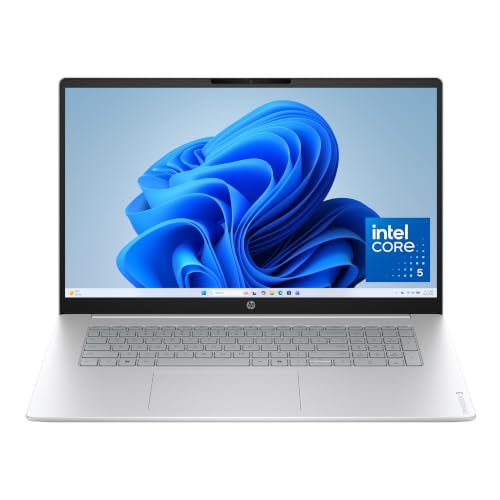
HP OmniBook 3 17.3 — The mainstream anchor
If the gram is what 17 inches can be and the Nitro is what it can play, the HP OmniBook 3 is what it usually is: the mainstream machine most buyers actually take home. Its verified listing describes a 17.3-inch laptop with an FHD display, an Intel Core 5 120U processor, 8GB of RAM, a 512GB SSD and Intel Graphics, running Windows 11 Home in Glacier Silver, model 17-dk0099nr. HP’s OmniBook branding now covers its mainstream consumer range, and this configuration is that range’s big-screen expression, aimed at home offices, family desks and students who want room to work.
Honesty about the 8GB memory figure is essential, because it defines the machine’s character. For browsing, documents, email, streaming and light photo handling, 8GB remains workable, especially with a fast SSD underneath. For heavy multitasking, large spreadsheets with many companion applications, or any creative workload, it is the first wall you will meet. Buyers should therefore read this pick as the right machine for a defined, moderate workload, not as a bargain version of the gram. The price difference between the two is not HP’s generosity or LG’s greed; it is the specification, made visible.
What the OmniBook gives that smaller mainstream laptops cannot is presence. A 17.3-inch FHD screen makes split-screen working genuinely practical on a single panel: document on the left, source material on the right, both legible without leaning in. For home workers whose desk cannot host an external monitor, that built-in breadth is the entire argument, and a strong one. The full-size layout that a chassis this wide accommodates also suits number-heavy work, a point accountants and administrators notice within the first hour.
Position it correctly and the OmniBook 3 is easy to recommend. It is the family and home-office anchor of this hub, the machine for a defined set of everyday tasks performed mostly in one place. Ask it to be a gaming rig, a video studio or a five-year heavy multitasker and you have misread the listing; ask it to be a big, clear, affordable window onto everyday computing and it answers well.
- Display: 17.3-inch FHD, per its verified listing
- Processor: Intel Core 5 120U, per its verified listing
- Memory and storage: 8GB RAM and 512GB SSD, per its verified listing
- Graphics: Intel Graphics integrated, per its verified listing
- Platform notes from listing: Windows 11 Home, Glacier Silver, model 17-dk0099nr
Strengths
- The most accessible route in this guide to a genuinely large screen.
- FHD panel and SSD storage keep everyday tasks feeling brisk.
- Wide chassis suits split-screen work and number-heavy layouts.
Trade-offs
- 8GB of memory caps multitasking ambitions from day one.
- Integrated graphics rule out gaming beyond the casual tier.
- Mainstream build and panel brightness will not flatter bright rooms.
Best for: home-office and family buyers with a moderate, well-defined everyday workload and no room for an external monitor.
Not suited for: heavy multitaskers, creators or gamers, all of whom should climb a tier.
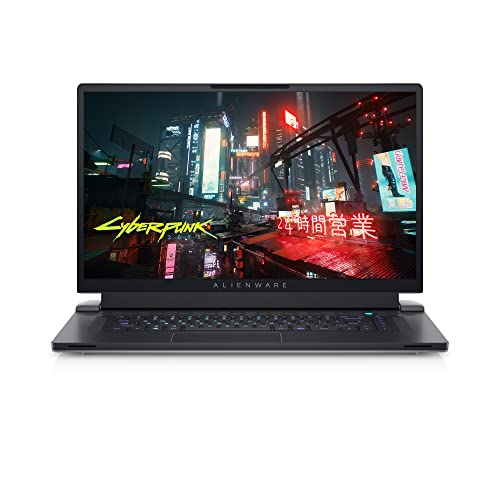
Alienware X17 R2 — The 2022 flagship, labelled as such
This pick requires the guide’s clearest label: the Alienware X17 R2 is a 2022 gaming flagship, and everything admirable and cautionary about it flows from that date. Its verified listing describes a 17.3-inch FHD display running at 480Hz with a 3ms response, an Intel Core i9-12900H processor, 16GB of RAM, a 1TB SSD and an NVIDIA GeForce RTX 3070 Ti with 8GB of GDDR6, plus USB-C, Killer Wi-Fi 6 and Windows 11 Home, finished in Lunar Light. In 2022 that was close to the fastest laptop configuration money could buy. Today it is a powerful older flagship whose remaining stock circulates at prices that can look startlingly attractive beside current flagships.
The case for buying it knowingly is real. The RTX 3070 Ti remains a capable gaming card at FHD, the i9 processor still handles demanding games and creative work, and that extraordinary 480Hz panel serves competitive players who prize motion clarity above resolution. Alienware’s build, cooling ambition and design presence also age better than most gaming laptops; an X17 R2 on a desk still looks like an event. For a buyer whose games are FHD-shaped and whose budget sits between the Nitro and a current flagship, the remaining X17 R2 stock occupies a genuine niche.
The cautions are equally specific. A 2022 machine has a 2022 battery that has spent years in a warehouse or a previous life, so treat endurance claims with scepticism and plan to work plugged in. Warranty and support horizons are shorter than a new machine’s. Newer graphics features that arrived with later RTX generations are absent, and the 16GB memory figure, generous in its day, is merely adequate now. None of this is hidden in our presentation, and the listing’s own details let you verify every figure we have quoted.
Buy the X17 R2 the way you would buy a low-mileage performance car from a previous generation: delighted by the capability per pound or dollar, clear-eyed about age, and only after confirming the specific unit’s condition and the seller’s terms. Buyers who need the newest platform should look at the Nitro’s current silicon or save toward a current flagship instead.
- Display: 17.3-inch FHD 480Hz 3ms, per its verified listing
- Processor: Intel Core i9-12900H, a 2022-generation flagship chip
- Memory and storage: 16GB RAM and 1TB SSD, per its verified listing
- Graphics: NVIDIA GeForce RTX 3070 Ti 8GB GDDR6, per its verified listing
- Platform notes from listing: USB-C, Killer Wi-Fi 6, Windows 11 Home, Lunar Light finish
Strengths
- Flagship-grade performance and build from 2022, often priced below current flagships.
- The 480Hz panel remains exceptional for competitive play.
- A full terabyte of storage suits a serious game library immediately.
Trade-offs
- It is a 2022 model; battery age and shorter support horizon come with the territory.
- Later-generation graphics features are absent by definition.
- Remaining stock varies, so the individual unit and seller need scrutiny.
Best for: value-hunting gamers who understand exactly what a 2022 flagship offers and what it cannot.
Not suited for: buyers who assume it is current, or who need a long warranty runway.
HP Envy 17 — The polished all-rounder, unlinked
The HP Envy 17 has spent years as the answer for buyers who wanted a big screen without a gaming aesthetic or an ultralight price. Envy is HP’s premium consumer line, and at 17 inches it has typically meant an aluminium build, a strong display for the class and a general air of a machine designed for a nice desk rather than a battlestation. We include it without a link because our verified pool holds no listing for it, and we therefore quote no specifications; Envy 17 configurations have varied widely across generations, from everyday processors to creator-grade options.
Shoppers will encounter the Envy 17 in remaining retail stock, in HP’s own outlet channels and on the used market, and the guidance differs by channel. Remaining new stock deserves comparison against the OmniBook 3 above: if the Envy’s configuration offers more memory and a better panel for a modest premium, its polish can be worth paying for. Used examples deserve the standard big-laptop checks, battery health above all, since a large premium machine with a tired battery becomes a desktop with delusions.
The Envy’s natural owner is the home-based professional or serious hobbyist whose work mixes documents, photographs and media, and who values how a machine looks and feels across years of daily contact. That owner should still read configurations carefully, because the Envy badge has covered a broad spread of capability, and the name alone guarantees the finish more reliably than the performance.
Within this hub, the Envy 17 marks the tier between mainstream and prestige: nicer than the OmniBook, heavier and less specialised than the gram, and increasingly a stock-and-used proposition rather than a headline current model. Knowing that is enough to shop it wisely.
- Position: HP’s premium consumer 17-inch line, above the mainstream OmniBook tier
- Configuration note: specifications vary widely by generation; no verified listing sits in our pool
- Shopping route: remaining stock, outlet channels and the used market
- Ownership note: battery health is the key check on any used example
- Character: aluminium polish aimed at home professionals and serious hobbyists
Strengths
- Premium finish and displays have consistently distinguished the line from mainstream rivals.
- Broad configuration history means a version exists for most everyday workloads.
- A big screen without gaming styling suits shared and professional spaces.
Trade-offs
- No verified listing here means no quoted specifications and no purchase link.
- The badge spans a wide capability range, so configuration homework is unavoidable.
- New availability is inconsistent, pushing many buyers toward used examples.
Best for: home professionals who value finish and screen quality and are willing to shop stock and used channels carefully.
Not suited for: buyers who want a single current configuration they can order without research.
Dell XPS 17 — The discontinued favourite
The Dell XPS 17 was, for several years, the 17-inch laptop reviewers reached for when they wanted to show what the size could be at its best: a compact aluminium chassis for its class, a tall sharp display, and creator-grade configurations. Dell has since discontinued the model, folding its large-screen ambitions into other lines, and that single fact reorganises how you should think about it. The XPS 17 is no longer a product you buy new in any normal sense; it is a reputation you encounter on the used and refurbished market, where good examples still command strong prices precisely because the reputation was earned.
We discuss it without a link and without quoted specifications, because our pool holds no verified listing and because XPS 17 configurations spanned a wide range across its production years. A used-market buyer should identify the exact generation and configuration, verify the display variant, and interrogate battery health with particular care, since these machines are now old enough that battery condition separates a bargain from a tethered disappointment. Keyboard, ports and cooling behaviour are worth hands-on checks wherever the channel allows.
Why include a discontinued machine in a current hub at all? Because readers shopping this category will meet the XPS 17 constantly, in listings, in recommendations written when it was current, and in the hands of colleagues who love theirs. A guide that pretends it does not exist leaves those readers to navigate its afterlife alone. The honest summary is that the XPS 17 remains a desirable used purchase for creators who find a well-kept example at a fair price, and a poor idea at any price that assumes it is still a supported current flagship.
Its departure also explains the shape of this whole guide. When Dell walked away from 17 inches, the category’s centre of gravity shifted toward LG’s lightness, Acer’s gaming value and HP’s mainstream breadth, which is exactly the map the other five picks draw.
- Status: discontinued by Dell; encountered through used and refurbished channels
- Configuration note: generations and options varied widely; none is quoted without a verified listing
- Shopping route: used market, where exact generation identification is essential
- Ownership note: battery condition is the decisive variable in any example’s value
- Legacy: its exit reshaped the current 17-inch market around other brands
Strengths
- A design and display reputation that still justifies used-market interest.
- Creator-oriented configurations suit photo and video work at a large size.
- Strong used supply means patient buyers can choose rather than settle.
Trade-offs
- Discontinued status ends new purchases, fresh warranties and long support horizons.
- Age makes battery and condition the dominant risks in any individual unit.
- Prices for good examples can approach current machines with full support.
Best for: creators who find a verified, well-kept example at a price that respects its age.
Not suited for: anyone who needs a new machine with a full warranty and years of support ahead.
How Do the Six Picks Compare Side by Side?
| Pick | Tier | Display (as listed) | Memory / storage (as listed) |
|---|---|---|---|
| LG gram 17 | Ultralight flagship | 17.0-inch WQXGA IPS touch | 32GB LPDDR5X / 1TB SSD |
| Acer Nitro V 17 | Current gaming value | 17.3-inch FHD IPS | 16GB / 512GB SSD |
| HP OmniBook 3 17.3 | Mainstream value | 17.3-inch FHD | 8GB / 512GB SSD |
| Alienware X17 R2 | 2022 gaming flagship | 17.3-inch FHD 480Hz 3ms | 16GB / 1TB SSD |
| HP Envy 17 | Premium consumer, stock and used | Not quoted; configurations vary by generation | Not quoted; no verified listing in our pool |
| Dell XPS 17 | Discontinued, used market | Not quoted; display variants differ by year | Not quoted; no verified listing in our pool |
The table’s most instructive row pairing is the gram against the OmniBook. Both are non-gaming 17-inch laptops for everyday work, yet the memory figures, 32GB against 8GB, and the panel resolutions describe machines for different decades of a buyer’s life. Neither is mispriced; they are answers to different questions about how long a laptop should serve and how hard it will be asked to work. The gaming rows tell a parallel story across time rather than money, with the Nitro’s current silicon facing the Alienware’s older flagship abundance.
Which Tier of 17-Inch Laptop Fits Your Working Life?
Start with movement. A laptop that travels weekly belongs in the ultralight tier or nowhere, because every other tier’s weight is a daily tax that compounds into avoidance; owners of heavy laptops unconsciously stop taking them to the places where they would be useful. A laptop that moves between two rooms in one house can belong to any tier, which is why desk-bound buyers enjoy the category’s best value. Be honest about which life you actually lead, not the one the product photographs suggest.
Continue with workload shape. Document, browser and spreadsheet work is served by every tier, so its buyers should choose on weight, screen and memory. Gaming divides the field absolutely, sending players to the Nitro or the Alienware and everyone else away from gaming compromises they do not need. Creative work with large files argues for memory and storage first, which in this guide means the gram’s 32GB for CPU-centred work or the gaming tiers’ discrete graphics for GPU-centred work.
Finish with time horizon. A machine expected to serve five or six years justifies flagship memory and build, because its cost divides across more years of satisfaction. A machine bought for a two-year project, a course of study or a child’s schooling should be bought closer to the OmniBook’s logic, where the specification matches the defined job and the savings stay in your pocket. Most buyer’s remorse in this category is a horizon error, not a product error.
What Does Living With a 17-Inch Laptop Actually Involve?
Bags come first, because many laptop bags that claim generosity stop at 16 inches. Measure your intended bag’s laptop compartment against the machine’s dimensions rather than trusting size labels, and if you travel by air, remember that a 17-inch laptop consumes a tray table entirely and asks economy seats for more room than they have. Owners who fly frequently with big laptops learn to work in short, intense bursts between flights rather than during them, or they defect to the gram’s lightness and accept its price as a travel tax refund.
At the desk, the size pays you back daily. A 17-inch screen reduces the window-shuffling that fragments attention on smaller panels, and it pairs naturally with a raised stand and external keyboard for proper posture. Heat and noise scale with tier: the gaming machines need ventilation space and will make their cooling audible under load, while the gram and OmniBook live quieter lives. Chargers scale too, from the gram’s modest adapter to gaming bricks that deserve their own sentence in your packing list.
Finally, consider the household dimension. A 17-inch laptop on a kitchen table is a shared surface as much as a personal computer, good for recipes, homework supervision and video calls with grandparents, and its sheer visibility means it gets used by everyone. Families often discover the big laptop becomes the house’s second television and first homework station, a role the mainstream OmniBook tier serves particularly well.
How Should You Shop the Older and Unlinked Machines Safely?
The Alienware, the Envy and the XPS in this guide all ask for used-or-stock shopping skills. Begin with identity: exact model, generation and configuration, confirmed from the seller’s documentation rather than the listing headline. Continue with the battery, asking for cycle information or health reports where the platform provides them, and pricing any example as if a battery replacement were already in the cart, because at these ages it frequently is.
Prefer channels with returns, and use the return window as a test bench. Run the machine through your real workload, check every port, listen to the fans under load, inspect the screen for uneven backlighting, and confirm the charger is the correct unit for the model. A seller confident in a good machine welcomes this scrutiny; resistance to it is information. Keep the same discipline with remaining new stock of older models, where the box may be sealed but the battery has still aged on the shelf.
Price against the present, not the past. An older flagship’s original launch price is irrelevant; its competition is today’s Nitro and today’s gram, and it should be priced as the sum of its remaining life and its specific advantages. When a used XPS 17 or X17 R2 costs nearly what a current machine costs, the current machine’s warranty and battery usually win the argument.
Why Does Panel Quality Matter More at 17 Inches Than Any Other Size?
A small mediocre screen can hide behind its size; a large mediocre screen displays its flaws at poster scale. At 17 inches, full HD resolution spreads its pixels across enough glass that individual text edges soften, which is why the gram’s WQXGA panel feels like a different category of object from the FHD panels elsewhere in this guide, even though all of them are perfectly serviceable. The honest hierarchy for most buyers runs: a sharp panel you look at all day beats a faster processor you notice twice a month. Readers who work with text, which is most readers, should weight the display accordingly.
Brightness and glare handling form the second half of panel quality, and they decide where the laptop can work. A dim panel in a bright kitchen or a sunlit office becomes a mirror with ambitions, while a brighter, well-coated screen keeps working. Listings in our pool rarely quantify brightness for these models, so we will not assign numbers; the practical advice is to favour the tiers known for stronger panels, the gram and the two prose-only premium machines, if your workspace is bright, and to treat a return window as your brightness test when buying the mainstream tier.
Refresh rate belongs to a different conversation. The Alienware’s 480Hz panel is a competitive gaming instrument, thrilling for its niche and irrelevant to a spreadsheet. The mainstream and ultralight panels refresh at conventional rates that suit office work completely. Confusing these virtues, paying for refresh you cannot use or sharpness you will not see, is how buyers overspend in this category while underspecifying the memory they needed all along.
What Battery Life Should You Realistically Expect From Each Tier?
Set your battery expectations by tier physics rather than by brochure optimism. The ultralight tier exists partly to sip power: efficient processors, integrated graphics and a design brief that assumes unplugged working, so the gram is the pick most likely to survive a working day away from a socket, though even it will shorten that day under video calls and high brightness. The mainstream OmniBook occupies the middle ground, adequate for a morning of meetings or an evening on the sofa, happiest within reach of its charger.
Gaming machines invert the relationship. Their processors and graphics cards are built to consume serious wattage when fed, and their batteries function as a bridge between sockets rather than a day’s supply. The Nitro should be planned as a desk machine that can relocate, and the Alienware, with a 2022 battery of unknown history, even more so. None of this is a defect; it is the tier’s physics, and the failure mode is only in the buyer’s expectations. A gamer who needs genuine all-day unplugged life does not need a better gaming laptop, they need a second, smaller machine or a different hobby schedule.
Charging habits can soften these realities. Keeping a charger at each regular location, the desk, the sofa, the office, removes the friction that makes battery limits feel larger than they are, and it costs less than the upgrade to a bigger-battery model usually would. For the older machines in this guide, a replacement battery, where the design and parts supply allow one, can reset the endurance clock entirely and deserves a place in the used-buying budget from the start.
How Do Warranty and Support Differ Across This Guide’s Six Picks?
New linked machines carry the simplest story: a manufacturer’s warranty, a return window, and support channels that recognise the model as current. That simplicity has real monetary value, especially for buyers who cannot troubleshoot their own hardware, and it is part of what the gram’s and the Nitro’s prices purchase. The OmniBook shares the same new-machine protections at its lower price, which is one of the mainstream tier’s underappreciated virtues.
Older and discontinued machines trade that simplicity away in slices. Remaining new stock of a 2022 flagship may still register a warranty, but its clock and the model’s support horizon are both shorter than a current model’s. Used Envy and XPS examples depend on whatever the seller offers, from proper refurbisher warranties to none at all, and the difference should move the price by a meaningful amount. A used machine with a credible one-year refurbisher warranty can be a better purchase than an identical machine without one at a slightly lower price, because the warranty converts unknown risks into a known cost.
Support also means parts and knowledge. Popular models accumulate repair guides, spare parts and forum wisdom, and the XPS 17 and X17 R2 both benefit from large owner communities that have documented their quirks thoroughly. Obscurity is the real support risk in this category, and none of the six picks here suffers from it, which is one more reason the hub contains famous names rather than exotic bargains.
When Is a Smaller Laptop the Right Answer Instead?
A hub guide earns trust by admitting the exits. If your work happens in transit, in aircraft seats, in lecture rows, in the gaps of a travelling day, a 17-inch laptop of any tier will spend its life slightly too large for its surroundings, and a good 14-inch machine will serve you better while costing less. The gram narrows that gap with its weight but cannot shrink its footprint, and footprint is what tray tables and café counters measure.
Similarly, if your desk already hosts a large external monitor, the laptop’s own screen demotes itself to a secondary surface, and paying a premium for 17 inches of secondary surface is poor arithmetic. In that setup the money belongs in memory, storage and a good dock, attached to whatever size of laptop travels best. Many of this hub’s readers will recognise themselves here, and for them the correct conclusion of a 17-inch guide is a smaller laptop bought without regret.
The buyers who remain after those exits are the ones this category truly serves: people whose main screen is the laptop itself, who work in one or two places, and who feel a smaller panel as a daily constraint rather than a theoretical one. For them, and the evidence of this guide suggests they are numerous, seventeen inches is not an indulgence. It is the size at which a laptop stops feeling like a compromise with a desktop and starts feeling like the whole computer.
One further exit deserves naming, because it tempts many shoppers at the research stage: the desktop itself. A fixed workstation with a large monitor delivers more power and screen per unit of money than any laptop here, and for a buyer who genuinely never moves their computer, portability is a feature purchased and never used. The laptop’s case rests on movement, even if that movement is only between rooms, floors and the occasional trip. Be certain you will use the hinge before paying for it.
How Should You Set Up a 17-Inch Laptop on Day One?
The first hour shapes the ownership experience more than any later optimisation. Begin with updates, all of them, while the machine is plugged in and you have no deadline, because a new or newly acquired laptop that updates itself mid-presentation teaches the wrong lesson about planning. Then remove the bundled software you will never open, not for performance theatre but because a clean machine is easier to understand when something later goes wrong.
Next, arrange the workspace the size deserves. Set the display scaling so text sits at a size your eyes can hold for hours, position the machine so its screen top is near eye level when you work at your main desk, and decide the external keyboard question now rather than after a month of hunched typing. Big laptops invite a settled, desk-like posture even on a kitchen table, and honouring that invitation early prevents the slow neck and wrist complaints that owners often misattribute to the machine’s weight.
Finish with the safety net: sign into your backup arrangement, confirm it is actually running, and record the machine’s serial number and purchase details somewhere that is not the machine itself. For the used and older picks in this guide, add a battery health check to the ritual and store the result, since it becomes your baseline for judging the machine’s condition a year from now. Day one is also when return windows are widest, so run your heaviest real task, your longest video call and your favourite game during the first week, while changing your mind is still a logistics exercise rather than a financial wound.
Common Mistakes
Comparing 17-inch laptops by screen size alone is the founding error of this category, because it treats a gram and a gaming flagship as substitutes. They share a diagonal and diverge in everything that determines daily satisfaction. Choose the tier first, always, and let the diagonal be the last thing you compare.
Ignoring memory because the processor sounds impressive strands buyers with fast chips waiting on full RAM. The OmniBook’s 8GB is the honest example in this guide: fine for its defined job, wrong for heavy multitasking, and not upgradable in most modern designs. Read the memory figure before the processor name and you will avoid the category’s most common disappointment.
Assuming an older flagship is either a scam or a steal, rather than a specific machine with a specific age, leads to both overpaying and missing genuine value. The X17 R2 rewards buyers who verify condition and price it against current alternatives. It punishes buyers who shop the badge.
Forgetting the bag, the charger and the desk completes the set. A 17-inch purchase is a small ecosystem, and the machine is only its largest member. Budget and measure for the whole ecosystem before the laptop arrives, not after.
Sound is the specification nobody compares and everybody hears. A 17-inch chassis gives speakers room to breathe, and the difference between the premium tiers and the mainstream tier is audible within one video call or one evening of streamed music. The gram and the two prose-only premium machines were designed for buyers who notice such things, while the OmniBook’s audio serves meetings adequately without aspiring further. If the laptop will double as a household media screen, and at this size it very often does, weigh that daily pleasure honestly against the specification-sheet virtues, because a machine that sounds thin will be quietly resented in a way a slightly slower processor never is.
Keyboards follow the same pattern of quiet daily consequence. The wide chassis of a 17-inch laptop allows full-size key spacing and, on many models, a numeric keypad, which data-entry and finance users experience as a genuine productivity feature rather than a bonus. Gaming tiers add their own keyboard priorities, travel and backlighting tuned for play. Whatever your tier, ten minutes of typing before purchase, or during the return window, tells you more than any review’s paragraph, including this one, because keyboards are judged by fingers, not by readers.
Storage follows a similar ageing curve to memory, and it is worth glancing back at the comparison table with fresh eyes: the gram and the Alienware arrive with a terabyte, the Nitro and the OmniBook with half that. A buyer whose photo library, game collection or project archive already fills a phone several times over should treat the smaller drives as a recurring chore rather than a saving, because external drives and cloud subscriptions quietly reclaim whatever the smaller specification appeared to save.
Webcams complete the trio of quietly decisive components. Every tier here can run a video call, yet the quality of camera, microphones and speakers together determines whether you sound like a professional or a weather report, and buyers whose work is substantially conducted on calls should test exactly that during the return window, in the room and lighting where calls actually happen.
Judge that call test by whether colleagues would notice anything at all; the best outcome is complete unremarkability, your voice and face arriving without comment, which is precisely what professional equipment is for.
Final Recommendation
For most readers of a hub guide, the decision resolves into one of three doors. If you travel with your laptop and work in documents and data, the LG gram 17 is the category’s defining machine and the one we would buy with our own money. If you game at a desk, choose between the Nitro V 17’s current platform and value, and the Alienware X17 R2’s older flagship abundance, based on whether newness or specification-per-price matters more to you, with the Alienware bought knowingly as a 2022 model. If you need a big, clear screen for everyday work in one place at the gentlest price, the OmniBook 3 is the honest anchor, provided its 8GB of memory matches your workload.
The Envy 17 and XPS 17 remain worth hunting through stock and used channels for buyers who value their particular polish and design, with battery diligence as the price of admission. Whichever door you choose, you are buying the tier as much as the machine, and choosing the tier correctly is what makes a 17-inch laptop feel, years later, like it was bought on purpose.
Frequently Asked Questions
Is a 17-inch laptop too big to travel with?
It depends entirely on tier. The gram 17 travels like a much smaller machine because weight, not diagonal, is what your shoulder measures. Gaming-tier 17-inchers travel like equipment, and most owners move them between desks rather than around the world. Match the tier to your itinerary and the size stops being a problem.
How much memory does a 17-inch laptop need?
For the everyday workloads the mainstream tier serves, 8GB works and 16GB is comfortable. For multitasking, creative work or a long ownership horizon, 16GB should be the floor and the gram’s 32GB shows where the ceiling of comfort sits. Memory cannot usually be added later in modern designs, so buy for the workload you expect in year three.
Are older flagship gaming laptops like the X17 R2 worth buying?
They can be, when the price reflects their 2022 origins, the individual unit’s battery and condition check out, and your games suit FHD performance. They are poor buys at prices that pretend they are current, or from sellers who resist inspection and returns.
Why did Dell discontinue the XPS 17, and does it matter?
Manufacturers consolidate lines for their own commercial reasons; what matters to you is the consequence, namely that the XPS 17 is now a used-market purchase with a finite support horizon. Well-kept examples remain desirable, but they should be priced and inspected as used machines, not as current flagships.
Which of these six is best for a home office with no external monitor?
The gram 17 if the budget allows, for its sharp WQXGA panel and memory headroom; the OmniBook 3 if it does not, accepting its 8GB ceiling. In both cases the 17-inch screen itself is doing the work an external monitor would otherwise do, which is precisely the scenario this size exists for.
How long should a 17-inch laptop last?
With care, the premium tiers should serve five years or more, and the gram’s generous memory extends its useful life specifically because memory is what ages first in everyday computing. Mainstream machines realistically serve three to four years of their defined workload. The older picks’ remaining life depends on their individual histories, which is why this guide keeps returning to battery and condition checks as the true measures of a used purchase.
Is 17 inches worth it for students?
For students who study in one place, a dorm desk or a family home, the size can be excellent value, and the OmniBook tier exists for exactly that budget logic. For students carrying a laptop across a campus all day, the weight and footprint argue for something smaller, or for the gram if the budget stretches improbably far. The honest variable is the daily carry, not the coursework.
Related Guides
If presenting is your big laptop’s main job, continue to our guide to 17-inch laptops for sales presentations. For a frank account of the budget floor, read our look at 17-inch laptops under $400. And brand loyalists should see our roundup of the best 17-inch Lenovo laptops for how one maker spans this size.
Related guides
- Best 15 Laptops Under $1000: Six 15-Inch Machines That Spend the Budget Honestly
- Best Resin Printers for Miniatures and D&D: Fine-Detail Machines from Elegoo, Anycubic and Phrozen
- Best 3D Mechanical Engineering Laptops: Certified Workstations for CAD and Simulation
- Best B-W LaserJet Printers: Six Monochrome Lasers for Black-and-White Work



[…] expansion in best 17-inch laptops with multiple screen interface, survey the class in best 17 laptops, and plan presentations with best 17 laptops for sales […]