What's inside
- Key Takeaways
- Quick Picks
- How We Chose These Picks
- How Does the Comparison Table Separate These Six?
- Why Does 1440p Suit Laptop GPUs Better Than 4K?
- Does Screen Size Change What This Resolution Feels Like?
- Which Panel Type Should You Choose: OLED or LCD?
- How Much Graphics Power Does This Resolution Actually Need?
- How Do You Verify a Panel Claim Before Paying?
- What Mistakes Do Buyers Make in This Category?
- Final Recommendation
- Frequently Asked Questions
- Related Guides
As an Amazon Associate I earn from qualifying purchases. This post may contain affiliate links at no extra cost to you.
widgetverdict.com is reader-supported. When you buy through links on our site, we may earn an affiliate commission.
Shopping for the best 1440p gaming laptops starts with a naming problem: almost nobody prints “1440p” on the box. Manufacturers call this resolution class WQXGA on 16:10 panels, QHD or QHD+ on 16:9 ones, and occasionally 2.5K in marketing copy, so the hunt is really about decoding panel names before it is about comparing hardware. Every linked pick below leads to its Amazon listing, where you can check price on Amazon and read the exact panel wording in the listing title — that title is the document this guide trusted, and it should be the one you trust at checkout too.
Buyers arriving here usually come from one of two directions. Some own a 1080p gaming laptop whose screen has begun to look soft next to a phone or a television, and they want the sharpness modern panels advertise without gambling on hardware that cannot feed it. Others are stepping down from a desktop with a 1440p monitor and refuse to accept a laptop screen that feels like a downgrade every time they travel. Both instincts point at the same shortlist, and both buyers should read the picks below with their desk habits in mind — how far the chair sits from the screen, how bright the room gets, how often the machine leaves the house.
The reason this resolution class has become the sweet spot of gaming laptops is arithmetic. A 2560-pixel-wide panel carries roughly 78 percent more pixels than a 1920-wide one, which is a jump your eyes register immediately in cockpit instruments, minimaps, distant terrain and anti-aliased edges — yet it asks far less of a mobile GPU than a 4K panel, which doubles the pixel load again. Modern mid-range graphics cards can drive this class at high settings with frame rates that still feel fast, especially with upscaling lending a hand, while 4K on a laptop so often becomes a choice between pretty and playable. At 1440p class, you no longer have to choose.
Screen size bends the experience in ways the resolution number hides. Spread across a 14-inch panel, these pixels produce a density so fine that individual pixels vanish at arm’s length; spread across a 16-inch panel, the same count gives you a larger working canvas where the sharpness reads as spaciousness instead. Both are legitimate pleasures, and the picks below span that range deliberately, from a compact OLED machine you can carry to a lecture to a full-size performance chassis built around a high-end Intel HX processor.
Consider also what this resolution does to the rest of the machine’s working life. These are not single-purpose toys; a laptop bought for evening gaming typically spends its days under documents, video calls, photo libraries and browser windows, and a 2560-wide panel improves every one of those hours. Text renders with a crispness that reduces eye fatigue across a long document, two windows sit side by side without either feeling amputated, and a timeline in a video editor shows more of the project at once. Buyers sometimes frame the sharper panel as a gaming luxury and then discover, six months in, that the workday benefits were the larger half of the value.
One honesty note before the picks themselves: two machines here are described without links. Their makers sell the relevant panels through configuration menus whose contents shift, and no single verified listing title pinned down the exact specification at the time of checking. They are included because a guide to this category that ignored them would be incomplete, but they are flagged as prose-only wherever they appear, and the same listing-title discipline applies when you shop them.
Key Takeaways
- Four linked picks state their high-resolution panels outright in verified listing titles: WQXGA on both Lenovos, QHD+ on the MSI Katana, and a 3K OLED on the ROG Zephyrus G14.
- Panel naming is the trap in this category — WQXGA, QHD+ and 3K all live in or above the 1440p class, and none of them is the same thing as plain FHD.
- The Katana 15 HX brings the strongest graphics card here, an RTX 5070, paired with 32GB of DDR5 memory.
- OLED appears twice in this guide, on the Legion 5a and the Zephyrus G14, and it changes dark-scene gaming more than any refresh-rate figure does.
- Both prose-only picks are configurator machines; their panels are options you select at order time rather than fixed specifications.
- Every linked pick pairs its panel with at least a terabyte of storage, because modern game installs punish smaller drives within the first year of ownership.
Quick Picks
| Pick | Badge | Why it is here |
|---|---|---|
| Lenovo Legion Pro 5 | Top Choice | A 16-inch WQXGA panel, Ryzen 9 muscle and an RTX 5060 in Lenovo’s serious gaming chassis. |
| MSI Katana 15 HX | Most Graphics Power | An RTX 5070 and a 165Hz QHD+ screen make this the frame-rate leader of the group. |
| Lenovo Legion 5a | OLED Standout | A 15.3-inch OLED WQXGA display at 165Hz with 32GB of memory in a mid-size frame. |
| ASUS ROG Zephyrus G14 | Most Portable | A 14-inch 3K OLED panel and RTX 5060 graphics in the laptop you can actually carry daily. |
| Razer Blade 16 | Prose Pick — Premium | Sold with a QHD+ OLED configuration whose exact listing varies, so it is covered without a link. |
| Alienware m16 R2 | Prose Pick — Configurator | Its QHD+ panel is an order-time option, which is why this guide describes it in prose. |
How We Chose These Picks
Resolution evidence came first, and it came from one source only: the verified listing title of each machine. A laptop entered the linked group only when its title named the panel class directly — WQXGA, QHD+, or a pixel count in that territory such as the Zephyrus G14’s 3K OLED. Machines widely sold with suitable panels but lacking a title that said so were demoted to prose, however famous the model line. That single rule explains the shape of this guide better than any benchmark could.
Graphics hardware was judged against the panel it must feed. Pushing 2560-wide gaming at high settings is a different job from driving a 1080p screen, so every linked pick carries a current-generation RTX 50-series card, and memory was weighed alongside it: 32GB machines earned credit for longevity in open-world titles and for the creator work these laptops so often double in. Storage mattered too, because modern game installs are enormous, and all four linked picks arrive with a terabyte drive in their verified titles.
Refresh rate was treated as a supporting actor rather than the headline. A 120Hz panel on the portable Zephyrus and 165Hz panels on the Katana and Legion 5a both clear the threshold where motion stops smearing in fast games, and beyond that threshold this guide cared more about panel type, brightness behaviour and the GPU’s ability to fill the frames on offer. A 240Hz badge married to a card that renders 90 frames per second is decoration, not performance.
Thermals and acoustics were weighed from the chassis outward. A specification is a promise a cooling system has to keep, and the guide favoured designs whose physical volume matches their hardware: full-size bodies for HX processors, and for the one deliberately compact machine — the Zephyrus G14 — a graphics tier chosen to live honestly inside a small enclosure. Manufacturer reputations for fan behaviour and surface temperatures informed these judgements qualitatively; no decibel figure is printed here because test conditions vary too much between sources for a single number to mean anything.
Port selection and everyday hardware received a pass as well. At this level buyers dock monitors, headsets, drives and capture gear, and a gaming laptop that skimps on ports exports its costs into dongles. The guide also noted which listings bundled genuinely useful extras — the Legion Pro 5’s port expander being the clearest example — while refusing to let bundled software subscriptions influence rankings.
Finally, the six were arranged to cover distinct buyers rather than to crown one winner six times: a big-screen performance machine, a maximum-graphics option, an OLED mid-sizer, a genuinely portable gaming laptop, and two premium configurator models for readers whose budgets and tastes run past what fixed listings offer.
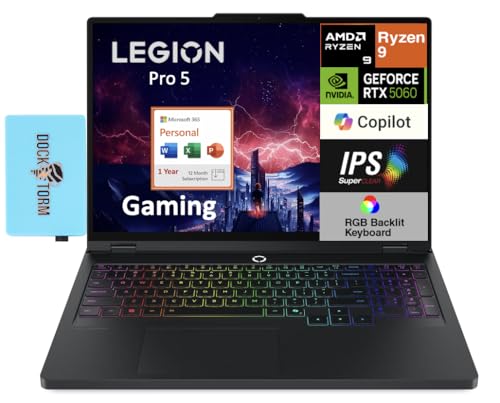
Lenovo Legion Pro 5 — Top Choice
Lenovo’s Legion Pro line is where the company stops apologising for size and builds the machine the specification sheet wants to be. This configuration pairs an AMD Ryzen 9 8945HX — a desktop-class HX processor with cores to spare for simulation games, strategy titles and the background chaos of Discord, recording software and a browser full of tabs — with an RTX 5060 and a 16-inch WQXGA panel. WQXGA at this size means 2560 across in a taller 16:10 frame, and that extra vertical room is quietly transformative: strategy interfaces breathe, RPG inventories stop crowding the view, and the same panel moonlights beautifully for documents and spreadsheets on workdays.
The RTX 5060 sits in the honest middle of this guide’s graphics range. It will not max every ray-traced showcase at native resolution without help, but with modern upscaling it holds high settings in the 1440p class with frame rates that feel properly quick, and in competitive titles it runs far past the point where the panel becomes the limit. The 16GB of DDR5 memory is the configuration’s one modest figure; it is adequate for gaming today, and buyers planning to keep the machine through several game generations should know the Pro chassis is built to be opened and serviced rather than sealed shut.
Connectivity and desk behaviour round out the package. A machine in this class typically anchors a small ecosystem — external storage, a headset, perhaps a capture device or a second display — and the Pro 5’s full-size port layout plus the bundled expander in this listing acknowledge that reality rather than fighting it. The keyboard has the travel and spacing for both gaming and long typing, and the whole design speaks of a laptop expected to be used hard daily rather than admired. Nothing here chases thinness records, and the guide counts that restraint as engineering honesty.
Cooling is the unglamorous reason this laptop tops the guide. HX processors and sustained GPU loads generate heat that thin chassis simply vent onto your fingers or throttle away; the Pro 5’s larger body gives its fans volume to work with, which translates into clock speeds that stay where they started during a long session instead of sagging in the third hour. The bundled extras in the listing — an office subscription and a USB port expander — are garnish, but the expander hints at how this machine gets used: parked on a desk, driving peripherals, behaving like a desktop that happens to fold.
Daily life with the Pro 5 has a particular rhythm worth describing. It boots into a machine that never feels like it is rationing anything: a game minimised behind a spreadsheet, a stream running on the panel while a download proceeds, peripherals hanging off the expander the listing bundles in. The keyboard deck has the depth for long sessions, the screen’s height means less scrolling through build guides and patch notes, and when the evening session starts, the same composure carries over — fans audible, certainly, but frame rates that do not wander as the hardware warms. It is the least surprising laptop in this guide, and that predictability is its luxury.
- Display: 16.0-inch WQXGA panel in a 16:10 frame
- Processor: AMD Ryzen 9 8945HX
- Graphics: NVIDIA GeForce RTX 5060, 8GB
- Memory: 16GB DDR5
- Storage: 1TB SSD
- Operating system: Windows 11 Home
Strengths
- Desktop-class Ryzen 9 HX power for CPU-heavy games and multitasking
- Large 16:10 WQXGA canvas that serves work as well as play
- Full-size chassis with the cooling volume sustained loads demand
Trade-offs
- 16GB of memory is the leanest allocation among the linked picks
- Size and weight make it a desk machine that travels, not a travel machine
- RTX 5060 leans on upscaling for the heaviest ray-traced titles at native resolution
Best for: players wanting one big-screen machine that handles demanding games and weekday workloads in the same stride.
Not suited for: daily commuting, lap gaming, or gram-counting backpack loads.

MSI Katana 15 HX — Most Graphics Power
MSI’s Katana line has always been the company’s argument that money should go to silicon before styling, and this 15 HX configuration is that argument at full volume. The listing title reads like a spec-sheet crescendo: an Intel Core i9-14900HX, an RTX 5070, 32GB of DDR5 memory, a terabyte NVMe drive, and a 15.6-inch QHD+ panel refreshing at 165Hz. Of the six machines in this guide, this is the one whose graphics card most plainly outruns its screen — and in the 1440p class, that headroom is exactly what longevity looks like.
QHD+ on a 15.6-inch panel is a dense, sharp canvas, and the RTX 5070 feeding it changes the conversation about settings. Where the RTX 5060 machines negotiate with ray tracing, the 5070 more often simply enables it, and the 165Hz refresh gives competitive players a panel that keeps pace when frame rates climb into the range where motion clarity separates winners from spectators. The i9-14900HX is frankly more processor than games require, which is another way of saying it will not be the component that ages first; streamers and editors who game on the same machine will feel that surplus daily.
The 32GB of memory deserves emphasis because it is the figure buyers most often undervalue at purchase and resent later. Open-world games with dense cities, modded installs, and a browser idling behind the game all draw from the same pool, and this Katana starts with twice the pool of most rivals in the guide. MSI dresses the machine plainly — black chassis, RGB keyboard, no theatrical light bars — and that plainness is the Katana identity: the budget visibly went into the parts list. The trade is real, though; a 15.6-inch HX machine with this cooling appetite is a laptop in the legal sense, happiest on a desk with its power brick close by.
There is a particular pleasure in a machine whose specification leaves nothing to apologise for, and the Katana delivers it at the moment of unboxing the first demanding title. Settings menus that on lesser hardware begin with compromises here begin at the top: textures at maximum because the memory pool allows it, ray tracing enabled because the graphics card absorbs it, resolution native because the pairing was designed for exactly this panel. Players upgrading from an older FHD laptop will feel the jump twice — once in pixel density, once in the disappearance of the settings anxiety that used to precede every new release. The Katana’s plain exterior makes that moment sweeter; nothing about its looks promised this much.
- Display: 15.6-inch QHD+ panel, 165Hz refresh
- Processor: Intel Core i9-14900HX
- Graphics: NVIDIA GeForce RTX 5070
- Memory: 32GB DDR5
- Storage: 1TB NVMe SSD
- Keyboard: RGB backlit
- Operating system: Windows 11 Home
Strengths
- RTX 5070 is the strongest graphics card in this guide
- 32GB of DDR5 removes memory from the worry list for years
- 165Hz QHD+ panel suits both cinematic and competitive play
Trade-offs
- HX-class hardware drinks power; battery gaming is a short session
- Plain chassis and gamer styling will not blend into a boardroom
- Fan noise under full load is the price of the performance on offer
Best for: players who set graphics sliders first and ask questions later, and who keep a laptop for many game generations.
Not suited for: quiet rooms, light bags, or long flights without a seat power outlet.

Lenovo Legion 5a — OLED Standout
Something changes the first time you play a dark game on OLED, and it is not subtle. Each pixel lights itself, so a cave is genuinely black rather than charcoal, a night sky holds its stars instead of washing them in backlight glow, and the torchlight in between lands with a contrast no LCD in this guide can reproduce. The Legion 5a builds that panel technology into a 15.3-inch WQXGA display running at 165Hz, then backs it with an RTX 5060, a Ryzen 7 250 processor and a specification sheet — 32GB of memory, a terabyte of storage — that reads like it belongs to a more expensive machine.
The 15.3-inch size is the interesting compromise. It trims the bulk of a 16-inch chassis while keeping a screen that feels expansive at desk distance, and the 16:10 WQXGA canvas keeps the productivity virtues of the taller aspect ratio. Ryzen efficiency helps the machine behave when it leaves the desk, and 32GB of memory means the multitasking habits of real life — game, voice chat, browser, recording — never force a triage. For players whose taste runs to atmospheric single-player games, horror, space sims and anything that lives in shadow, this panel is the argument that wins the guide.
Versatility is the Legion 5a’s quieter gift. The Ryzen platform sips power in light work, the screen’s colour behaviour flatters films and photo editing as much as games, and the mid-size chassis fits bags that the 16-inch Pro would bulge. A buyer whose week mixes lectures, office hours and evening raids gets a machine that never feels like the wrong tool in any of those rooms — and when the lights go down and a game leans into darkness, the panel reminds everyone present why it was chosen. That range, from seminar table to midnight dungeon, is rare at any specification level.
OLED ownership carries two honest footnotes. Brightness behaviour differs from LCD: these panels prioritise contrast and colour over searing full-screen brightness, so a sunlit room is not their favourite stage. And static interface elements left glowing for thousands of hours are the known long-term consideration of the technology, which modern panel management features work to mitigate. Neither footnote outweighs what the display does to a night-time game session; they simply belong in the decision, stated plainly, the way this guide states every pick’s limits.
Think of the games this panel flatters most and a pattern emerges: anything graded for mood. A stealth title where shadow is a mechanic rather than a backdrop. A space sim where the black between stars should be black. A horror game whose entire budget went into making one corridor frightening. On the Legion 5a those scenes render the way their art directors intended, while the 165Hz refresh and OLED’s near-instant pixel response keep fast motion from smearing the advantage away. Players whose libraries lean colourful and competitive will still enjoy it — but players whose libraries lean dark will understand within one evening why this pick exists.
- Display: 15.3-inch OLED WQXGA panel, 165Hz refresh
- Processor: AMD Ryzen 7 250
- Graphics: NVIDIA GeForce RTX 5060
- Memory: 32GB
- Storage: 1TB
- Finish: Eclipse Black
Strengths
- OLED contrast transforms dark scenes, horror and night flying
- 32GB of memory and 1TB storage match machines a class above
- 165Hz refresh keeps fast games fluid on a self-lit panel
Trade-offs
- OLED brightness behaviour suits controlled lighting better than glare
- Static HUD elements are a long-term care consideration for the panel type
- 15.3-inch screen gives up some canvas to the 16-inch Legion Pro
Best for: atmosphere-first players, horror and space-sim fans, and anyone who games in the evening under lamps rather than office glare.
Not suited for: bright sunlit rooms or desks where one static screen glows unchanged all day.
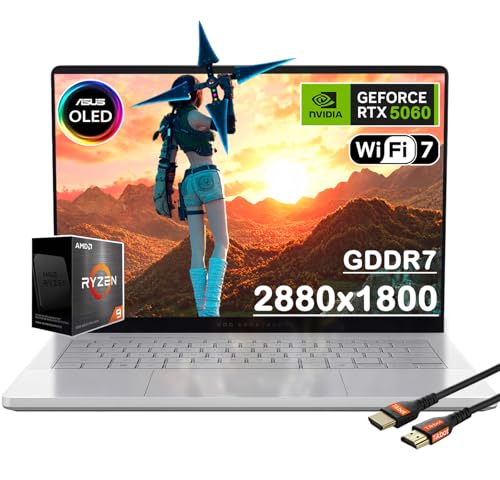
ASUS ROG Zephyrus G14 — Most Portable
Every other linked machine in this guide is a laptop you take somewhere when you must. The Zephyrus G14 is the one you take because you can. ASUS shrinks the formula to a 14-inch chassis, fits an OLED panel the listing describes as 3K — a step above the 1440p class this guide is organised around, at 120Hz — and still finds room for an RTX 5060 and a Ryzen 9 270. The result is the only machine here that genuinely competes with thin-and-light laptops for a place in an everyday bag while remaining, unmistakably, a gaming computer.
That 3K resolution deserves a sentence of its own. On a 14-inch screen the pixel density is so high that text, interfaces and fine game detail render with a smoothness usually associated with phones, and the GPU cost sits between the WQXGA machines and a true 4K panel. The RTX 5060 with upscaling handles this class well in current titles, and the 120Hz refresh keeps motion honest. Sixteen gigabytes of memory and a terabyte drive complete a configuration with no obvious apology in it.
Portability extracts its usual taxes. A compact chassis has less air to move, so sustained loads run warmer and louder relative to size than in the big Legion Pro, and the screen — for all its density — is still 14 inches, which some strategy and simulation players will find cramped without an external monitor at home. Many G14 owners live exactly that hybrid life: the laptop travels naked and docks at a desk. Judged on those terms, nothing else in this guide offers high-resolution OLED gaming in a machine this easy to forget you are carrying.
The G14 also rewrites what a travel day with a gaming laptop feels like. It slides into bags designed for ultrabooks, runs its Ryzen processor efficiently enough on battery for the non-gaming hours, and then — in a hotel room, on a train table, at a friend’s house — opens into a 3K OLED gaming screen that makes the day’s compromises forgettable. Creators have adopted this line for a reason as well: the same panel density and colour behaviour that flatter games flatter photo and video work, and the Ryzen 9 handles export queues without turning the process into an overnight event. It is the guide’s most complete small machine, priced in effort rather than in features given up.
- Display: 14-inch OLED 3K panel, 120Hz refresh
- Processor: AMD Ryzen 9 270
- Graphics: NVIDIA GeForce RTX 5060
- Memory: 16GB
- Storage: 1TB PCIe SSD
- Operating system: Windows 11 Home
Strengths
- Highest pixel density in the guide on a luminous OLED panel
- True everyday-carry size with real gaming hardware inside
- Ryzen 9 performance for the creator work that follows the gaming
Trade-offs
- 14-inch canvas feels small for sprawling strategy interfaces
- Compact cooling works harder and audibly under sustained load
- 120Hz is the lowest refresh figure among the linked picks
Best for: students, travellers and hybrid workers who game seriously but refuse to haul a desktop replacement.
Not suited for: large native canvases with no external monitor involved.
Razer Blade 16 — Prose Pick — Premium
Razer’s Blade 16 occupies the premium end of this category: a CNC-milled aluminium unibody, a QHD+ OLED configuration in its catalogue, and a price posture that has never pretended to be about value. It appears here without a link because Razer sells the model through configuration choices — panel and graphics combinations selected at order time — and the listing landscape for the exact QHD+ OLED build shifts too much for a single verified title to anchor to. What can be said qualitatively is that the Blade’s appeal is the fusion of a MacBook-grade enclosure with gaming hardware and that OLED panel option, a combination no other maker packages quite the same way.
Shoppers drawn to the Blade should interrogate the configuration page with the same discipline this guide applied to listing titles: confirm the panel line says QHD+ OLED rather than the higher-resolution or lower-resolution alternatives in the same model family, confirm the graphics tier, and treat the enclosure’s thinness as a known trade against sustained-load acoustics. Owners typically buy this machine knowingly — the premium purchases build quality, keyboard feel and a design that raises no eyebrows in a client meeting. Covered in prose, honestly labelled, it remains the aspirational reference point of the category.
Ownership of a Blade is partly an aesthetic decision and should be admitted as such. The machine sits on a desk the way good industrial design does — quietly improving the room — and its keyboard, trackpad and speakers are tuned to the standard of premium ultrabooks rather than gaming laptops. That polish is what the premium purchases, alongside the panel option that earns it a place in this guide. Buyers who measure value in frame rates alone will find the linked picks more persuasive, and this guide will not argue; buyers who have carried plasticky gaming laptops through airports for years tend to understand the Blade instantly.
- Display: QHD+ OLED offered as a configuration option
- Chassis: milled aluminium unibody, slim for the class
- Sales model: configuration chosen at order time
- Positioning: premium design-first gaming laptop
Strengths
- Enclosure quality and finish lead the entire category
- QHD+ OLED configuration matches this guide’s resolution brief
- Design passes in professional settings where gamer styling cannot
Trade-offs
- Premium pricing buys design as much as performance
- Slim chassis trades thermal headroom for elegance
- Configuration must be verified line by line at order time
Best for: professionals who game hard after hours and want one beautiful machine for both lives.
Not suited for: value calculations measured purely in frames per unit of currency.
Alienware m16 R2 — Prose Pick — Configurator
Dell’s Alienware m16 R2 is the traditionalist’s entry in this guide: a 16-inch gaming laptop from the oldest name in the business, sold with a QHD+ panel among its configuration options. Like the Razer, it is handled in prose because the panel is a choice made in Dell’s configurator rather than a fixed trait of every unit carrying the name, and no single listing title verified the exact build during this guide’s checks. The machine’s character is well established, though — a sturdy, unapologetically gaming-styled chassis with the cooling mass to sustain its hardware and a keyboard and port layout designed by people who expect the laptop to anchor a desk setup.
The m16 R2 makes sense for buyers who prefer ordering from the manufacturer with warranty and support bundled into one relationship, and who value a big-service-network machine over a marketplace listing. The configuration discipline is the whole game here: select the QHD+ panel option explicitly, because the same model name covers lesser screens, and confirm the graphics and memory lines before paying. Do that, and the Alienware delivers exactly the large-canvas 1440p-class experience this guide is about, wrapped in the most recognisable silhouette in gaming.
Alienware’s ownership experience leans on infrastructure the boutique brands cannot match. Dell’s support reach, warranty options and parts availability matter to buyers who keep machines for five years and live far from a service centre, and the configurator that complicates verification also lets a buyer balance the build — panel first, then graphics, then memory — inside one order with one accountable vendor. The m16 R2’s desk presence is substantial and its styling divides opinion, but as a route into a verified-by-you QHD+ configuration with a corporation standing behind it, the proposition is coherent and, for many households, reassuring.
- Display: QHD+ panel available as a configuration option
- Chassis: full-size 16-inch gaming design
- Sales model: manufacturer configurator
- Positioning: mainstream premium with vendor support
Strengths
- Large 16-inch canvas option in this resolution class
- Manufacturer warranty and support relationship
- Chassis mass supports sustained gaming loads
Trade-offs
- Panel quality depends entirely on the option selected
- Gaming-first styling is prominent and permanent
- Full-size footprint assumes a desk-centred life
Best for: direct manufacturer configuration, a big screen, and a support network behind the purchase.
Not suited for: one-click shopping for a fixed, verified specification.
How Does the Comparison Table Separate These Six?
| Pick | Panel (as verified or offered) | Graphics | Memory | Storage | Character |
|---|---|---|---|---|---|
| Lenovo Legion Pro 5 | 16.0″ WQXGA | RTX 5060 | 16GB DDR5 | 1TB SSD | Big-screen all-rounder |
| MSI Katana 15 HX | 15.6″ QHD+ 165Hz | RTX 5070 | 32GB DDR5 | 1TB NVMe SSD | Maximum silicon |
| Lenovo Legion 5a | 15.3″ OLED WQXGA 165Hz | RTX 5060 | 32GB | 1TB | OLED atmosphere |
| ASUS ROG Zephyrus G14 | 14″ OLED 3K 120Hz | RTX 5060 | 16GB | 1TB PCIe SSD | Portable OLED |
| Razer Blade 16 | QHD+ OLED (configuration) | Configuration-dependent | Configuration-dependent | Configuration-dependent | Premium unibody |
| Alienware m16 R2 | QHD+ (configuration) | Configuration-dependent | Configuration-dependent | Configuration-dependent | Vendor-configured 16″ |
Notice, too, what the table refuses to show: brightness figures, colour gamut percentages and response times, none of which appeared in the verified titles and none of which this guide will invent. Where panel behaviour mattered to a verdict — OLED contrast, LCD brightness behaviour — it is discussed qualitatively in the pick analyses, which is the honest register for information of that kind.
Read across the graphics column first, because it predicts how each machine will feel in three years: the Katana’s RTX 5070 holds the longest horizon, while the three RTX 5060 machines rely more on upscaling as titles grow heavier. Then read down the panel column and notice that every row clears the 1440p-class bar in a different dialect — WQXGA, QHD+, 3K — which is precisely why this guide insisted on title-level evidence. The two prose rows are honest blanks: their numbers live behind configurators, and any table that filled them in would be guessing.
Why Does 1440p Suit Laptop GPUs Better Than 4K?
Pixel counts scale brutally. A 4K panel asks a GPU to shade about 8.3 million pixels per frame; the 2560-wide class asks for roughly 3.7 to 4.1 million depending on aspect ratio. Laptop graphics cards operate inside strict power envelopes — the same card in a desktop, fed more wattage, is a different performer — so that two-to-one difference in pixel load is the difference between high settings with ray tracing and a negotiation. At 1440p class, current mid-range cards deliver the full visual menu in most titles, with upscaling technologies converting rendered frames upward so convincingly that the native-versus-upscaled debate matters less each generation.
Panel size completes the argument. On screens between 14 and 16 inches, viewed from laptop distances, the density of a 2560-wide panel already pushes individual pixels below the threshold of easy visibility for most eyes. The extra sharpness of 4K at this size buys diminishing returns while charging full price in frame rate, heat and battery. That is why so many manufacturers have converged on this class for their serious gaming lines, and why this guide treats it as the resolution to buy in a laptop rather than a compromise on the way to something else.
Does Screen Size Change What This Resolution Feels Like?
Enormously, and in opposite directions at the two ends of this guide. The Zephyrus G14’s 14-inch 3K panel packs its pixels so tightly that the image acquires an almost printed quality; interface text in strategy games stays legible at small sizes, and the whole screen can be taken in without eye travel, which competitive players prize. The Legion Pro 5’s 16-inch WQXGA spreads a similar pixel count across a far larger area, trading that density for immersion — worlds feel bigger, films fill more of your vision, and split-screen work becomes practical. Neither sensation is the premium one; they are different goods sold under one resolution label.
The middle sizes split the difference with their own logic. At 15.3 and 15.6 inches, the Katana and Legion 5a deliver density high enough that pixels disappear at normal seating distance while keeping the canvas large enough for a minimap, a chat window and the action to coexist. Buyers upgrading from an old 15.6-inch FHD laptop will find the same footprint suddenly holding far more game. When choosing, weigh your seating distance and your genre: the closer you sit and the denser your interfaces, the more the smaller, denser panels reward you; the more cinematic your library, the more the big canvas earns its bulk.
Aspect ratio adds a final wrinkle. The 16:10 panels in this guide — WQXGA is a 16:10 format — give games a slightly taller view and give documents and browsers noticeably more vertical room than 16:9. Some older titles letterbox imperfectly on 16:10, a quirk modern releases have largely outgrown. For a machine that works by day, the taller frame is a daily dividend; for a pure gaming rig, it is simply a shape the current generation of panels happens to favour.
Which Panel Type Should You Choose: OLED or LCD?
OLED earns its reputation in dark content. Self-lit pixels produce true blacks, effectively infinite contrast, and pixel response times so fast that motion blur nearly vanishes — qualities that flatter horror games, space sims, night driving and any title graded for shadow. The Legion 5a and Zephyrus G14 carry that banner in this guide. OLED’s costs are behavioural: full-screen brightness is more restrained than strong LCD panels, and static elements displayed for extreme cumulative hours are a wear consideration the technology manages but does not repeal.
LCD, in its modern high-refresh forms, counters with brightness, price efficiency and indifference to static content. The Katana’s 165Hz QHD+ LCD and the Legion Pro’s WQXGA panel suit bright rooms, mixed work-and-play use, and players whose games are colourful and fast rather than dark and slow. Neither technology wins in the abstract; the question is what your games look like and where your desk sits. Choose by your catalogue, not by the specification war.
How Much Graphics Power Does This Resolution Actually Need?
Genre decides more than brand loyalty does. Competitive shooters and esports titles are engineered to run on almost anything, and at this resolution they will flood a 165Hz panel on the RTX 5060 machines without breaking stride. Open-world and cinematic titles are the honest test: they reward the Katana’s RTX 5070 with higher settings and steadier frame pacing, while the 5060 machines trade a slider or two and lean on upscaling — a trade modern upscaling makes remarkably painless, since the rendered image at this density upscales cleanly.
Ray tracing redraws the line again. Full ray-traced lighting at native 2560-wide resolution is the heaviest mainstream workload in gaming, and even strong mobile cards treat it as a feature to sample rather than a default. The sensible buying frame is therefore not “can it ray-trace at native resolution forever” but “does the card hold my settings for the next several release cycles” — and by that frame, the guide’s spread from RTX 5060 to RTX 5070 maps neatly onto how long each buyer plans to keep the machine.
Physics, not hope, should set battery expectations. Driving millions of pixels at high refresh through a discrete GPU is the most power-hungry thing a laptop does, and every machine in this guide is at its best plugged in, where its power limits unlock fully. On battery, the sensible pattern is light gaming, older titles, or reduced refresh and settings — the panels remain sharp, the sessions simply shorten. Buyers who game mostly at one desk will never meet this limit; buyers who game in transit should weight the efficient Ryzen machines and the compact Zephyrus more heavily.
Memory on the graphics card matters quietly here too, since higher resolutions consume more of it for textures and frame buffers. Cards in this guide carry 8GB where the titles state it, which is the workable floor for this class today; players who mod games with high-resolution texture packs should weigh that figure alongside the headline GPU name, because texture pools are where ambition meets arithmetic.
How Do You Verify a Panel Claim Before Paying?
Begin with the listing title or configuration summary and find the panel line written out: a resolution name (WQXGA, QHD+, 3K) or explicit pixel dimensions. If the title says only the size and a marketing word, open the full specification section and look for the same information; if a configurator is involved, the panel must appear as a selected option in your order summary, not merely as an available option on the model page. Model families span multiple panels, and the photograph on the page proves nothing about which one is in the box.
Screenshots of an order confirmation are worth keeping until the machine has been checked, particularly for configurator purchases where the panel was one option among several on a long page. If the delivered unit’s native resolution disagrees with the confirmation, that screenshot converts an argument into a formality. It takes ten seconds at checkout and settles everything later.
Then cross-check the rest of the configuration in the same pass — graphics card, memory, storage — because the same model name also spans those. When the machine arrives, the display settings in the operating system will state the native resolution in plain numbers; confirm it matches what you ordered before the return window closes. This ten-minute discipline is the entire difference between buying a 1440p gaming laptop and buying a story about one.
What Mistakes Do Buyers Make in This Category?
Assuming the model name guarantees the panel is the recurring disaster. The same gaming line ships with FHD, QHD and sometimes 4K screens under one badge, at different prices, and a hurried purchase lands the wrong one. Close behind is the mirror error: paying for a 4K panel on a mid-range GPU and spending the machine’s life at reduced settings, having bought resolution the hardware cannot feed. A third mistake is reading refresh rate as a substitute for resolution — a 240Hz FHD screen is a fine esports tool, but it is not a 1440p laptop, and no refresh figure changes its pixel count.
Panel shopping by photograph is another quiet failure mode. Listing images show the glamour configuration of a model family — the OLED, the thin bezel, the premium lid — regardless of which configuration is actually being sold on that page, and the human eye cannot audit pixels from a render. The specification text is the only evidence; treat every image as decoration. A related trap is the open-box or renewed listing whose title inherits the flagship’s description while the unit inside carries the base panel, which is why the verification ritual matters even more for discounted units.
Memory gets neglected because it demos badly. Sixteen gigabytes feels fine in a shop and in most current games, yet the buyers who keep machines longest are the ones who either start with 32GB or confirm the chassis allows an upgrade. Finally, shoppers forget the desk: at this performance level, a cooling pad, a monitor arm or simply unobstructed vents are part of the real cost of ownership, and a machine suffocated on a duvet will throttle itself into a lesser laptop than the one reviewed.
One more error deserves naming because it is so easy to commit in a sale event: buying the previous generation’s flagship at a discount without checking its panel generation. Last year’s halo machine may carry an FHD screen or an early high-resolution panel with weaker brightness and colour than this year’s mid-range offerings. Generational progress in panels has been rapid, and a discounted badge is not the same thing as a discounted specification — the title check exposes the difference in seconds.
Final Recommendation
Start from the panel and let everything else follow. If one machine must be named, the Legion Pro 5 is the guide’s centre of gravity: a verified WQXGA screen at a size that flatters it, desktop-class processing, and a chassis that sustains what its specification promises. Players who think in settings sliders should take the Katana 15 HX and its RTX 5070; players who think in atmospheres should take the Legion 5a and its OLED; players who think in itineraries should take the Zephyrus G14 and stop carrying compromises. The two prose machines reward buyers willing to configure carefully with premium design and vendor support respectively.
Whichever name wins your shortlist, run the verification ritual before money moves: panel line, graphics line, memory line, storage line, all present in the title or the order summary. For a category defined by a number that manufacturers refuse to print plainly, the best 1440p gaming laptops are the ones whose paperwork proves the panel — and every linked pick above had that proof in its title.
A last word on timing: panel quality in this class is improving faster than graphics cards are, which argues for buying the screen generously and the GPU sensibly rather than the reverse. Screens are the component you cannot upgrade, cannot dock your way around at a café, and cannot stop noticing. Every pick above was chosen with that permanence in mind — get the panel right, confirm it in writing, and the rest of the machine will justify itself one session at a time.
Frequently Asked Questions
Do these laptops handle everyday work as well as gaming?
Better than most buyers expect. The taller 16:10 panels show more of a document or spreadsheet at once, the pixel density makes text rendering gentle on the eyes across long sessions, and the processors in this guide — HX-class chips and Ryzen 9 parts among them — are far beyond office requirements. The honest costs are weight, fan presence and battery life measured in hours rather than days; if your work is mobile and your gaming is occasional, the Zephyrus G14 is the pick shaped for that balance.
Is 1440p the same as QHD, WQXGA and 2.5K?
They are neighbouring names rather than one exact figure. QHD strictly means 2560×1440, WQXGA means 2560×1600 in a taller 16:10 frame, QHD+ usually denotes 2560×1600 or a slightly larger count, and 2.5K is loose marketing for the same territory. All of them belong to the class this guide covers; plain FHD at 1920×1080 does not.
Can an RTX 5060 laptop really game at this resolution?
Yes, with modern expectations set correctly. Current titles at high settings run well in this class, upscaling recovers substantial performance when a game is heavy, and competitive titles run far beyond panel refresh limits. The RTX 5070 in the Katana buys extra headroom and longer relevance, which is a longevity argument rather than a today argument.
Does OLED risk burn-in on a gaming laptop?
Modern OLED panels include pixel-shifting and refresh routines that manage the risk, and varied gaming content is relatively kind to them. The cautious pattern is to avoid leaving one static screen glowing for extreme hours daily, use the built-in panel care features, and let the taskbar hide. For typical gaming use, the contrast benefits arrive long before wear becomes the story.
Is a 3K panel better than the 1440p class for gaming?
It is sharper and more expensive in frame rate. The Zephyrus G14’s 3K OLED delivers remarkable density on a 14-inch screen, and its GPU handles the load with upscaling in heavy titles. Whether the extra pixels beat the WQXGA machines depends on eyesight, viewing distance and how much you value the portable chassis wrapped around them.
How much memory should a laptop in this class have?
Sixteen gigabytes runs today’s games; 32GB removes memory from every future calculation, helps heavily modded and simulation titles, and suits machines that also edit video or stream. Two picks here ship with 32GB in their verified titles, and that figure is one of the quiet separators in the comparison table.
Should I pair one of these laptops with an external monitor?
Many owners do, and the pairing logic is friendly: a 1440p-class laptop drives a 1440p external monitor at native resolution with no scaling awkwardness, and the laptop’s own panel becomes a second screen for chat, guides or monitoring tools. If a monitor is in your future, the internal panel still matters for every hour away from the desk — which, for most people, is most hours — so it should not be the line item sacrificed to fund the monitor.
How long will an RTX 5060 or 5070 laptop stay relevant at this resolution?
Relevance fades gradually rather than expiring. Expect current titles to run beautifully now, and future titles to ask for upscaling and selective settings reductions over the years — the 5070’s headroom delays each step of that negotiation, and the 32GB machines delay the memory side of it. A realistic horizon for this class is several years of high-quality play, longer for players whose libraries include the vast back catalogue of less demanding games.
Why are two picks in this guide not linked?
Because their high-resolution panels are configuration options rather than fixed specifications, and no single verified listing title confirmed the exact build at checking time. They are described qualitatively, without specification claims, and the guide’s verification steps explain how to confirm the panel on the manufacturer’s configuration page before ordering.
Related Guides
Refresh rate tells the other half of the gaming-panel story, and our guide to the best 144hz gaming laptops covers the fast end of that market. If processor class matters more than pixels, the best 15.6 i7 laptops roundup examines Intel’s workhorse tier in detail, and the broader best 15.6 inch laptops guide surveys the size class across every kind of buyer, from students counting pennies to creators counting pixels, with the same title-verification discipline applied to every linked machine in it.


