Our Top Picks
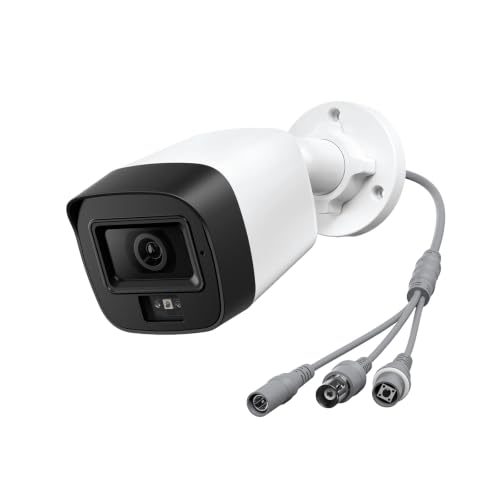
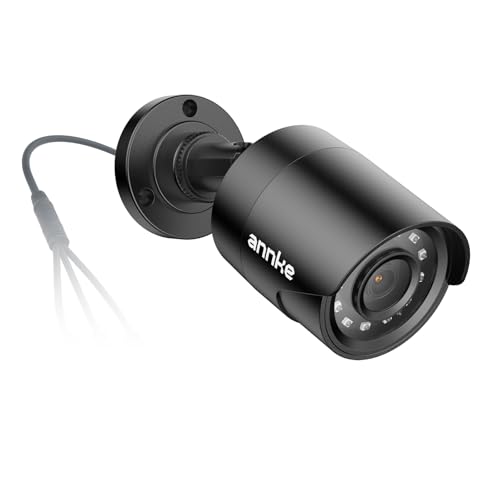 ANNKE 1080p Security Camera 4-in-1 CCTV Bullet Wired1 Count (Pack of 1)6.22 x 2.76 x 2.76 inchesCheck on Amazon
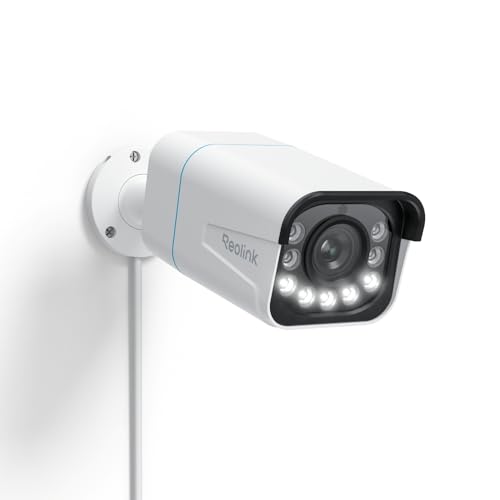 REOLINK PoE Security Camera RLC-811A 5X Optical Zoom1 Count (Pack of 1)11.4 x 4.7 x 5.5 inches1.8 poundsCheck on Amazon


What's inside
- Why Sound Changes What a Bullet Camera Can Do
- Microphones: Pickup Patterns, Gain, and Codecs
- Two-Way Talk and Audible Warnings
- PoE, HD-over-Coax, and WiFi: How the Sound Travels
- Weather Sealing, Impact Resistance, and Outdoor Durability
- Night Vision and Listening After Dark
- Recorders, ONVIF, and Audio Channels
- Storage and Bandwidth When Audio Is Enabled
- Recording Sound Responsibly: General Legal Principles
- Outdoor Installation: Mounting, Cabling, and Aiming
- Choosing Resolution, Lenses, and Supporting Features
- Matching an Audio Bullet to Common Positions
- When Sound Misbehaves: A Diagnostic Order
- Questions Owners Ask Before Enabling a Microphone
- How Far a Microphone Really Reaches
- Network Security and Power Continuity for Listening Cameras
- Maintenance Routines That Protect the Soundtrack
- Comparing Models on Paper Without Guesswork
- Living With the System: Habits, People, and Review
- Shared Entrances, Receptions, and Delivery Points
- Check prices on Amazon
- Sharing Recordings So They Remain Useful
As an Amazon Associate I earn from qualifying purchases. This post may contain affiliate links at no extra cost to you.
Why Sound Changes What a Bullet Camera Can Do
A bullet camera earns its name from the long, cylindrical housing that points in one fixed direction, and adding sound changes what that housing can do for a property owner. Video alone shows a figure crossing a driveway, while a microphone adds voices, impacts, breaking glass, and the direction a sound came from before anyone entered the frame. That extra channel helps distinguish a delivery driver calling out a greeting from an intruder quietly trying a side gate, because tone and wording carry context that motion cannot.
Sound also creates obligations, since recording conversations is regulated differently from recording silent video in many places, and the general principle is to check local rules before enabling audio. This guide works through microphone types, speakers for two-way talk, transmission choices, weather sealing, night vision, recorder compatibility, storage maths, and outdoor installation, all drawn from manufacturer documentation and published standards. Nothing in the following sections assumes a camera was handled on a bench; the comparisons rest on specification sheets, protocol documents, and aggregated owner reporting about how these systems behave once installed.
A useful starting point is deciding whether audio is a primary requirement or a bonus, because that decision shapes the recorder, the cable plan, and the network budget from the beginning. Retrofitting sound into a system built for silent video often costs more effort than choosing audio-capable hardware at the design stage, especially where recorders lack spare audio inputs.
Microphones: Pickup Patterns, Gain, and Codecs
A built-in microphone is usually a small electret or MEMS element hidden behind a pinhole or mesh port on the camera face or underside. Manufacturers rarely publish full frequency-response curves for surveillance microphones, so the sensitivity figure and any stated pickup distance deserve closer attention than marketing language. Omnidirectional elements dominate this category because a fixed bullet camera cannot turn toward a speaker, and a wide pickup pattern catches conversation across a porch or yard.
The trade-off is that an omnidirectional element also gathers wind, traffic, and rain noise with equal enthusiasm, which is why placement sheltered from direct airflow matters. Some housings position the microphone port facing downward so that driven rain cannot strike the membrane directly and so that dripping water does not pool over the opening. A foam or mesh windscreen is uncommon on sealed outdoor bullets, so installers often rely on mounting under an eave to calm the worst gusts.
Automatic gain control raises quiet speech toward a usable level, yet the same circuit lifts background hiss during pauses, producing the familiar pumping effect in quiet rooms and yards. Noise suppression algorithms in the camera firmware can soften steady sounds such as air conditioners, although aggressive settings may clip the first syllable of a sentence. Echo cancellation matters most when a speaker is fitted in the same housing, because the microphone sits only centimetres from the loudspeaker that is trying to talk over it.
Where a datasheet lists a signal-to-noise ratio for the audio path, a higher figure generally indicates cleaner speech against the electronic floor of the device. Audio sampling for surveillance commonly follows telephony-derived rates rather than music-recording rates, which is adequate for intelligible speech and for recognising alarms or impacts. Codecs such as G.711, G.726, and AAC appear across product lines, and the recorder or viewing software must support whichever codec the camera is set to emit.
Choosing a widely supported codec at setup avoids the frustrating case where video plays perfectly in an application while the soundtrack remains silent. A microphone specified only as built-in, with no sensitivity or codec information anywhere in the documentation, is a sign to look for a fuller datasheet before committing. External microphone inputs appear on a minority of bullet models, usually through a short pigtail lead, and they allow a separate microphone to be placed closer to a doorway or till point.
An external element needs its own power arrangement on many designs, either from the camera pigtail or from a small separate supply near the mounting point. Line-level and microphone-level inputs are not interchangeable, so matching the output type of an external microphone to the input type on the camera prevents distortion or near-silence.
- Microphone port sheltered from direct rain and prevailing wind
- Codec named in the datasheet and supported by the intended recorder
- Audio enable switch present per channel, not only globally
- Speaker fitted only where two-way talk has a genuine use
- Transport format confirmed to carry audio end to end
Two-Way Talk and Audible Warnings
Two-way talk adds a small loudspeaker to the housing so a person watching remotely can speak through the camera to whoever stands in front of it. The speaker in a sealed bullet is necessarily small, so its realistic job is short, clear phrases at conversational distance rather than announcements across a large yard. Manufacturer listings sometimes state speaker output in watts, and that figure is best read as a rough ceiling rather than a promise of clarity outdoors.
Wind, passing vehicles, and hard reflective walls all compete with a small driver, which is why two-way talk performs best at entrances where visitors naturally stand close. Half-duplex operation, where the channel behaves like a walkie-talkie, remains common because it sidesteps feedback problems in compact housings. Full-duplex designs allow both sides to speak at once, and they depend heavily on echo cancellation quality to stay intelligible.
Latency shapes the experience as much as loudness, because a delay of a second or more turns a greeting into overlapping fragments. That delay comes from encoding, network travel, buffering in the application, and decoding, so a wired camera on a local network usually feels more responsive than a distant cloud relay. A push-to-talk button in the viewing application is the normal control, and some platforms require the viewer to hold the button for the entire phrase.
Households often use the feature to speak to children arriving home, to instruct couriers where to leave parcels, or to tell a caller that someone is coming to the door. Commercial sites use it differently, challenging loiterers at a shuttered entrance or confirming an appointment before releasing a gate. A spoken challenge also creates a record, because the same microphone that hears the reply captures the exchange alongside the video.
Where a site has a staffed monitoring service, two-way audio can be part of a graded response that starts with observation and escalates only when a challenge is ignored. Speakers also enable audible warnings, where a siren tone or recorded message plays when motion rules trigger after hours. Automatic messages should be used sparingly, since neighbours quickly learn to ignore a camera that announces itself to every passer-by and passing cat.
Volume settings, where offered, should be set for the closest normal listener position rather than for the farthest corner of the yard.
best 1080p outdoor security cameras
PoE, HD-over-Coax, and WiFi: How the Sound Travels
Power over Ethernet carries data and power on one network cable, and for audio it simply means the sound travels as part of the same digital stream as the picture. A PoE bullet therefore needs no separate audio cable at all, provided the recorder channel and the camera firmware both have audio enabled. Analog high-definition over coaxial cable tells a different story, because classic analog audio does not automatically ride along with an HD-over-coax video signal.
Some HD-over-coax ecosystems support audio over the same coaxial run, but only when the camera, the recorder, and the selected video format all support that combination. Other analog installations add a separate twisted pair or a dedicated audio lead back to the recorder, which complicates an upgrade to an existing coaxial system. Before assuming an older coaxial recorder will accept sound, its manual should be checked for audio-over-coax support per channel and per resolution setting.
WiFi bullets send audio and video over the same wireless link, so a weak signal harms sound and picture together, often heard first as stuttering speech. Wireless audio dropouts tend to sound like chopped syllables, while wired dropouts are rare enough that they usually point to a configuration fault instead. A camera that stores to a local memory card records its audio track with the video file, which keeps sound available even when the live stream is only viewed occasionally.
Cellular-connected bullets exist at the margins of this category, and their limited uplink makes continuous audio more costly in data than short event clips. Fibre converters and media converters appear on long commercial runs, and they pass the network stream unchanged, so audio support depends on the endpoints rather than the link. Whatever the transport, the practical rule is identical: audio is a system feature, not a camera feature alone, and every device in the chain must agree to carry it.
Weather Sealing, Impact Resistance, and Outdoor Durability
Ingress protection ratings describe how well a sealed housing resists dust and water, and the two digits should be read separately rather than as a single score. An IP66 housing is dust-tight and withstands powerful water jets, which covers heavy rain and hose spray in ordinary outdoor mounting positions. An IP67 housing adds protection against temporary immersion, a margin that matters for low mounting points where standing water or flooding can reach the camera.
Neither rating says anything about impact resistance, so a separate IK rating is the figure to look for where vandal resistance is a stated requirement. An IK10 rating indicates the highest level in that impact scale, and it is more common on dome housings than on exposed bullet bodies. A bullet camera is inherently more reachable than a recessed dome because its body projects from the wall and its aim can be altered by a determined push.
Tamper detection in firmware can raise an alert when the view shifts suddenly or the lens is covered, which partly compensates for that physical exposure. The sunshield that slides over many bullet housings reduces glare and keeps rain off the front glass, and it should be left in its forward position outdoors. Condensation inside the front glass usually traces back to humid air sealed in during installation or to a compromised cable gland rather than to a cracked lens.
Many housings include a desiccant pack or a breathable membrane vent to equalise pressure without admitting liquid water. Cable entry is the weak point of most outdoor installations, so the network or coaxial connector should sit inside a weatherproof junction box or within the wall cavity. Drip loops in the cable run stop water tracking along the sheath into the connector, a simple detail that prevents a large share of outdoor failures.
Operating temperature ranges on datasheets describe survival and function at extremes, and a camera mounted in direct sun on a dark wall experiences heat well above ambient air temperature. Cold-start behaviour matters in continental winters, because some cameras need internal heaters or a warm-up period before the image stabiliser and infrared lamps settle. Ultraviolet exposure yellows cheaper plastic housings over several seasons, while powder-coated aluminium bodies generally keep their finish and their seal compression for longer.
Coastal installations add salt spray to the list of stresses, and manufacturers that publish corrosion guidance for marine environments are easier to specify there with confidence.
Night Vision and Listening After Dark
Infrared illumination lets a bullet camera record after dark, and the stated infrared range is measured in open conditions rather than through rain, fog, or a cluttered yard. Excess infrared reflecting off a nearby wall or soffit washes out the centre of the image, so aiming slightly away from close surfaces improves night pictures markedly. Smart infrared functions reduce lamp intensity when a subject approaches, preventing the white-out effect that erases facial detail at close range.
Audio becomes relatively more valuable at night, because a microphone is unaffected by darkness and can register footsteps, voices, and vehicle doors beyond the lit area. A camera that switches to night mode with an audible click from its infrared cut filter is normal, though that click will appear on its own recordings. Some models offer white-light illumination that supports colour recording after dark and doubles as a visible deterrent when triggered by motion.
White light changes neighbour relations more than infrared does, so its trigger area and duration should be configured conservatively. Starlight-class sensors with wide apertures gather more ambient light before the infrared lamps are needed, extending the period of colour recording at dusk. Wide dynamic range helps at entrances where a bright streetlight sits behind a visitor, keeping the face from becoming a silhouette.
Backlight and highlight compensation settings interact, and changing one without checking the other often moves the problem rather than solving it. For audio at night, the relevant specification is not sensitivity alone but how the gain control behaves when the environment falls quiet and the circuit raises its own noise.
Recorders, ONVIF, and Audio Channels
A network video recorder receives audio as part of each camera stream, and the channel settings normally include a separate enable box for the soundtrack. Many recorders ship with audio recording disabled by default, so a system can appear deaf until that setting is deliberately switched on. On analog and hybrid recorders, audio inputs may be limited to a subset of channels, frequently the first channel or the first few, regardless of how many cameras are attached.
That limitation surprises owners who fit audio cameras throughout a building and then discover only one position can ever record sound. RCA-style audio inputs on older recorders expect line-level signals from separate microphones, which is a different arrangement from audio embedded in a camera stream. ONVIF is the interoperability framework that lets cameras and recorders from different makers work together, and audio support sits in its profile definitions rather than being automatic.
Profile S covers streaming of video and audio, while later profiles refine recording, search, and metadata behaviour between devices. A camera and recorder can pair successfully for pictures while audio fails if one side implements the relevant profile features incompletely. Checking the ONVIF conformance listing for the exact model, rather than relying on a logo on the box, gives a firmer basis for mixed-brand planning.
Proprietary pairings between a camera and a recorder from the same maker usually expose the full audio feature set, including two-way talk through the recorder interface. Third-party viewing software may play live audio but omit it from playback, or play playback audio but not support talk-back, depending on its own implementation. Firmware updates on either device can change audio behaviour, so a system that gains or loses sound after an update should have its channel settings reviewed before hardware is blamed.
Time synchronisation matters for evidence, because audio and video recorded on the same device stay aligned, while separately recorded audio can drift against the picture. Export functions should be checked for whether they embed the soundtrack in the exported file or produce a silent clip, a distinction that matters when footage is shared with insurers or authorities. User permissions on a recorder can also gate audio, allowing some accounts to watch silently while others may listen and speak.
- Confirm the recorder exposes an audio toggle for the exact channel in use
- Check that the viewing application unmutes by choice rather than by accident
- Verify exported clips retain the soundtrack when downloaded
- Note whether audio recording can be scheduled separately from video
- Record the codec setting chosen so replacement cameras match it
Storage and Bandwidth When Audio Is Enabled
Adding audio increases storage consumption, but by a modest margin compared with the video track at typical surveillance bitrates. A single audio channel encoded at common surveillance rates adds a small, steady stream that accumulates to a noticeable total only across many cameras and many weeks. The honest way to plan capacity is to add the audio bitrate from the datasheet to the video bitrate for each channel before using any retention calculator.
Continuous recording preserves every sound, while motion-based recording may start after the first noise that should have triggered it, depending on pre-event buffering. Pre-event recording settings, which keep a few seconds of material before a trigger, are especially valuable for audio because speech often begins before movement crosses a detection zone. Audio-triggered recording exists on some platforms, starting a clip when sound exceeds a threshold, and it needs careful tuning near roads or workshops.
Variable bitrate video complicates retention estimates far more than the near-constant audio track does, so audio is rarely the reason a retention target is missed. Network bandwidth planning follows the same arithmetic: sum the combined audio and video bitrate for every camera that will stream simultaneously to the recorder or to viewers. Remote viewing of several cameras at once multiplies that load on the uplink, and audio adds its share to each stream opened.
Sub-stream configurations, which provide a lighter stream for phones, usually carry audio as well, and their settings deserve the same deliberate check as the main stream. Where retention rules require longer archives, reducing frame rate or resolution saves far more space than disabling sound, which is worth remembering before audio is sacrificed. RAID arrangements and surveillance-rated drives address reliability rather than capacity, and they protect the audio record exactly as they protect the pictures.
Recording Sound Responsibly: General Legal Principles
Rules about recording conversations differ widely between countries, between states or provinces within a country, and between workplaces and homes. In some places one participant in a conversation may consent to its recording, while elsewhere every participant must agree, and silent video is often treated more leniently than sound. This guide states only that general principle: audio recording is the legally sensitive part of a camera system, and local advice should be taken before it is enabled in areas where people expect privacy.
Cameras with microphones should never be aimed or placed so they gather sound from bathrooms, changing areas, or neighbouring homes where private conversation is expected. Employers face additional duties toward staff, commonly including informing employees that recording takes place and limiting where audio is captured. Signage that mentions recording, and specifically audio recording where it is active, is a common transparency measure for businesses open to the public.
Household systems raise a lighter but real version of the same question with guests, cleaners, and carers who may not know a microphone is live. A practical compromise used by many owners is to record audio at entrances and external areas while keeping interior cameras silent or absent. Retention and sharing of recordings carry their own obligations in many jurisdictions, particularly where recordings identify individuals.
Because this area changes and varies, product documentation cannot settle it, and neither can a buying guide; a short consultation with a local legal professional is the reliable route for commercial sites. Disabling audio in software is a genuine option on most systems, and owners who are uncertain can install capable hardware while leaving the microphone off until the position is clear.
Outdoor Installation: Mounting, Cabling, and Aiming
Mounting height balances facial detail, microphone reach, and vulnerability, with entrances usually served best by a position a little above head height and angled downward. A microphone at that height hears conversation at the door clearly while staying out of casual reach. Test the intended position conceptually against the sun path, because a camera facing low morning or evening sun loses picture quality regardless of its audio performance.
Solid fixings into masonry or framing matter more for bullets than for domes, since the projecting body acts as a lever in high winds. The aiming adjustment on most bullets uses a ball joint or a multi-axis bracket tightened by a single locking ring or screw, and it should be fully tightened once the view is set. A loose bracket drifts slowly, and the first symptom is often a changed soundtrack as the microphone turns toward a road or away from a door.
Running network cable outdoors calls for exterior-rated sheath that tolerates ultraviolet light, and indoor cable used outside typically cracks within a few seasons. Surge protection on long external runs is a sensible precaution in exposed locations, protecting both the camera and the recorder port it connects to. Power supplies for non-PoE cameras should be located indoors or in rated enclosures, since small plug-in adapters are rarely weatherproof themselves.
For coaxial upgrades, reusing sound existing cable is often practical, but connectors should be replaced and the run checked for water ingress at old joins. Labelling both ends of every run with the camera position saves substantial time when a channel later needs attention. A junction box behind the camera keeps the connector dry, hides the cable entry, and gives the installer room to form the drip loop described earlier.
Where a wall is rendered or clad, sealing the fixing holes prevents water entering the wall structure behind the mount. Vandal-prone positions benefit from conduit over exposed cable, because cutting the cable silences a camera as effectively as damaging the camera itself. After installation, each channel should be checked in playback rather than only in live view, since live audio can work while recorded audio remains disabled.
A spoken sentence at a known distance, played back and noted, gives the owner a reference for whether later changes have degraded the sound.
Choosing Resolution, Lenses, and Supporting Features
Resolution interacts with identification distance, and a higher pixel count mainly buys the ability to recognise detail farther from a fixed position. Lens focal length decides the width of the scene, with short lenses covering yards broadly and longer lenses concentrating detail on gates and driveways. A varifocal lens allows the field of view to be set during installation, which suits bullets aimed at a specific doorway or parking bay.
Motorised zoom lenses add remote adjustment, useful where a ladder visit is expensive or where the scene changes seasonally. Sensor size influences low-light performance alongside aperture, and both figures appear in fuller datasheets even when retail listings omit them. Frame rate requirements for entrances are modest, because people move slowly at doors, while vehicle areas benefit from higher rates to keep plates and motion crisp.
Compression choice changes both storage and compatibility, with newer codecs saving space where every device in the chain supports them. Smart detection features such as person and vehicle classification reduce false alerts, and they operate on the picture rather than the soundtrack on most models. A smaller set of cameras offers sound classification for events such as glass breaking or alarms, and its availability should be confirmed in documentation rather than assumed.
Power options deserve a final check, because a camera that supports both PoE and a separate low-voltage input gives the installer a fallback if a switch port is unavailable. Warranty length and the availability of firmware updates indicate how long a model is likely to remain secure and compatible with recorders. Published support for security standards, timely firmware releases, and a clear update mechanism matter because a camera is a network computer mounted outdoors.
Default passwords must be changed at installation, unused network services disabled, and remote access arranged through the recorder or a protected account rather than exposed ports.
Matching an Audio Bullet to Common Positions
A front-door bullet with two-way talk suits a household that receives parcels during working hours and wants to speak to couriers without opening the door. A driveway bullet with a microphone but no speaker suits an owner who wants context for night alerts without any intention of challenging visitors remotely. A workshop entrance benefits from audio because machinery sounds and impacts explain events that a wide picture alone leaves ambiguous.
A small retail unit gains most from audio at the till and entrance, subject to the workplace considerations already described, rather than across the whole shop floor. A rental property raises consent and privacy questions that should be settled with tenants in writing before any microphone is enabled, and many landlords choose silent exterior coverage instead. A rural home with a long drive may value a camera at the gate for sound and picture of arriving vehicles, linked back by a wired run or a wireless bridge.
A warehouse shutter door is a classic two-way talk position, letting staff confirm deliveries before opening a large and slow door. A car park camera generally gains little from a microphone high above the ground, because distance and traffic noise defeat speech pickup at that height. A school or clinic entrance requires particular care with audio, and many such sites record video only at public thresholds while keeping sound off entirely.
A home office window overlooking a side path is a quieter position where a sensitive microphone can register an attempted entry that a camera might only glimpse.
Worked Placement Notes From Specification Planning
For a porch camera above a parcel box, the microphone port faces downward away from driven rain, so a courier hears a short instruction clearly at normal conversational distance. For a gate camera facing a gravel drive, the speaker volume is set for a listener standing at the door, meaning playback retains the soundtrack instead of presenting a silent clip. For a garage camera watching a workbench apron, the cable enters through a sealed gland into a junction box, reducing the chance that a nearby strike damages the recorder as well. For a side-path camera beside a timber fence, the infrared lamps are angled clear of the nearest wall, a balance that suits a quiet residential street far better than maximum gain.
For a loading-bay camera over a roller shutter, the recorder channel has its audio toggle switched on deliberately, so a spoken phrase lines up with the movement seen on screen. For a garden-office camera near a gravel path, the lens is shaded by the sunshield through the afternoon, avoiding a second ladder visit when the first framing proves too wide. For a carport camera under a metal roof, the bracket lock is tightened after the final aiming check, keeping the system focused on the property it was installed to protect. For a farmyard camera on a barn gable, the surge protector sits at the building entry point, and the connector stays dry through winter storms rather than corroding slowly.
For a shopfront camera beneath a projecting sign, the detection zone excludes the public pavement beyond the gate, which preserves contrast on faces approaching from the west in the evening. For a rear-yard camera above a patio door, the sub-stream carries sound for phone viewing at night, so passing pedestrians do not generate a stream of recordings after dark. For a bin-store camera in a service alley, the gain is lowered until background hiss stops masking speech, giving the household confidence that the feature works before it is needed. For a stairwell camera covering an external flight, the talk-back button is checked from the application before handover, making later troubleshooting a comparison against notes rather than guesswork.
For a marina camera along a timber pontoon, the export routine is confirmed to keep the soundtrack in clips, so the light acts as a warning at the shutter rather than a nightly nuisance. For a stable camera facing a yard tap, the time source is synchronised so sound and picture stay aligned, which keeps speech at the entrance intelligible without raising the noise floor. For a workshop camera beside a compressor housing, the firmware version is recorded alongside the channel settings, preventing the bright halo that would otherwise erase detail near the wall. For a clinic entrance camera under a canopy, the drip loop is formed before the connector is seated, so the view and the pickup pattern remain where the installer left them.
For a school gate camera beside a bicycle rack, the varifocal lens is set once the parked vehicle position is known, letting a phone viewer hear a caller even when the main stream is closed. For a holiday-let camera over a parking court, the white-light trigger is limited to the hours after closing, which matters when a clip is later shared with an insurer after an incident. For a warehouse camera at a pedestrian door, the tamper alert is enabled because the body is within reach, because water tracking along the sheath is a common cause of early failure. For a petrol-station camera near an air pump, the privacy mask covers the neighbouring garden seating area, alerting the owner if the housing is struck or deliberately turned aside.
best hard drives for surveillance video
When Sound Misbehaves: A Diagnostic Order
If live view is silent, the first checks are the application mute state, the camera audio switch, and the recorder channel setting, in that order. If playback is silent while live view has sound, recording of the audio track is disabled or the export function is dropping the soundtrack. Distorted speech usually indicates a level mismatch on an external microphone, a codec the player cannot decode cleanly, or gain set so high that peaks clip.
Constant hiss points toward aggressive automatic gain in a quiet location, and lowering gain or repositioning away from reflective corners often improves it. Wind roar that masks speech calls for shelter, repositioning, or a change in the microphone direction rather than more gain. Feedback howl during two-way talk means the speaker and microphone are coupling, and reducing speaker volume or switching to push-to-talk half-duplex operation usually settles it.
Sound that arrives noticeably after the matching lip movement suggests heavy buffering or a transcoding step in the viewing path. Intermittent audio on a wireless camera tracks signal quality, and improving the link helps the soundtrack before any audio setting is touched. A channel that lost sound after a firmware update should have its settings reviewed, because updates occasionally reset audio options to defaults.
Where only the first channel of an analog recorder ever produces sound, the cause is usually the hardware audio-input limit described in the recorder section rather than a camera fault.
Questions Owners Ask Before Enabling a Microphone
Audio does not require a separate cable on a PoE camera, because the sound is data inside the same stream as the picture. Audio does require agreement across the system, meaning the camera, recorder, and viewing software must each support and enable it. A bullet housing is a reasonable shape for a microphone because its face can carry a protected port pointed at the scene, and a reasonable shape for a small speaker for the same reason.
Neither shape nor specification guarantees clarity at distance, and expectations should be set around conversation near the camera rather than across a field. Recording sound continuously rather than on motion triggers preserves the start of conversations, at a modest storage cost already covered in the storage section. Owners who later decide against audio can disable it in settings without removing the camera, which makes an audio-capable model a flexible rather than risky choice.
A system planned for sound from the outset, with the right recorder channels and cable plan, avoids nearly all of the disappointments described in this guide.
How Far a Microphone Really Reaches
The distance at which speech stays intelligible depends on how loudly people speak outdoors, on competing noise, and on microphone gain, and it shrinks quickly once any of those three turns unfavourable. A conversation at a front door a short distance from the housing is a realistic target for most built-in microphones in calm conditions. At twice that distance the same conversation may still be audible, yet individual words become harder to separate from the background.
Raising gain does not extend true range, because it amplifies competing noise by exactly the same amount as the voice it is meant to rescue. What gain changes is how the recording sits against the electronic noise of the device itself, which is why moderate gain in a well-chosen position beats maximum gain in a poor one. Hard surfaces around an entrance, such as brick, glass, and concrete, reflect speech back toward the microphone and can help pickup while adding a hollow colour to the sound.
A recessed porch acts almost like a small room, sheltering the microphone from wind and concentrating voices, which is one reason door positions often sound better than yard positions. Rain on a canopy or metal roof can overwhelm a microphone completely for the duration of a shower, and no setting fully corrects that physical reality. Owners judging a system should listen at the busiest time of day for that position, not only during a quiet evening check.
Alarms record clearly on almost any of these microphones because they are loud and sustained, which makes audio useful for confirming that an alarm actually sounded. Vehicle sounds carry information too: an engine starting, a door closing, and tyres on gravel each mark an arrival that a motion event alone may not explain. A single microphone cannot localise sound, and stereo microphones are essentially absent from this category, so direction must be inferred from the picture or from a second camera.
Network Security and Power Continuity for Listening Cameras
A network carrying camera audio deserves the same basic protections as any other network of listening devices, starting with unique administrator credentials on every unit. Firmware should be kept current, because camera updates frequently address security issues alongside feature changes. Remote viewing is safest through the manufacturer application with a protected account, or through a private network connection arranged by the installer, rather than through ports exposed to the open internet.
Strong account protection guards both the pictures and the soundtrack, and the soundtrack is arguably the more sensitive of the two. Guest access should be granted at the lowest level that serves its purpose, and listening or talk-back rights can often be withheld from view-only accounts. Retired cameras should be reset before disposal or resale so stored credentials and locally saved clips do not leave with the hardware.
A separate network segment for cameras is a common recommendation in commercial installations, limiting what a compromised device could reach. That separation also keeps camera traffic from contending with office traffic on the same path, which steadies both picture and sound. Battery backup for the recorder and the network switch keeps audio recording running through short power interruptions, when properties are arguably most vulnerable.
A camera powered through a backed-up PoE switch continues to listen during such an interruption, while a camera on a separate unprotected adapter stops at once. Planning power as a system rather than device by device is therefore part of planning audio that can be relied on.
Maintenance Routines That Protect the Soundtrack
Maintenance for an audio bullet is mostly the routine for any outdoor camera, with a few additions specific to the microphone port. The front glass should be cleaned with a soft cloth, and the microphone opening inspected for webs and debris that muffle pickup. Spiders favour the warmth around infrared lamps, and a web across the microphone port degrades sound before it visibly degrades the picture.
Seals and cable glands deserve an annual inspection, because a perished gasket admits the moisture that later appears as condensation and corrosion. After storm damage or building work, a short playback check confirms that both picture and sound survived the disturbance. Retention should be reviewed whenever cameras are added, since each new audio channel quietly consumes part of the archive period.
A simple written log of settings per channel turns future replacements into a copying exercise instead of a research project. When a camera is replaced, matching its codec, gain, and talk-back settings to that log keeps the system consistent for anyone reviewing footage later. Seasonal changes alter the soundscape as well as the light, with summer insects, winter storms, and leaf fall each changing what a microphone hears.
Audio trigger thresholds tuned in one season may need a small adjustment in another, particularly at exposed rural sites. Recordings kept for an incident should be labelled with date, time, and camera position noted separately, preserving their usefulness after the recorder overwrites its originals. Backups of important clips should include the audio track, and the export check described earlier in this guide confirms whether they do.
Comparing Models on Paper Without Guesswork
Comparing two otherwise similar bullets, the audio differences that matter most in documentation are the codec list, the presence of an external input, and whether talk-back operates in full or half duplex. A model that publishes microphone sensitivity and speaker output gives the buyer something concrete to compare, even where the conditions behind the figures differ between brands. A model that hides every audio figure behind a single feature bullet leaves the buyer guessing, and aggregated owner reports become the main evidence available.
Retail listings sometimes copy audio claims from a sibling model, so the manual for the exact variant is the document to trust when a feature is decisive. Bundle kits deserve particular care, because the cameras in a kit may support audio while the included recorder limits it to fewer channels. Conversely, a recorder with generous audio support paired with silent cameras is wasted capacity, which is why the two purchases should be planned together.
For self-installed systems, the safest sequence is to plan one audio position completely on paper, from microphone to playback, and then repeat that pattern for the remaining positions. That sequence prevents the common outcome of a building fully wired for pictures with sound available nowhere. Resources should be allocated to the recorder and cable infrastructure before marginal resolution increases, because those foundations decide whether audio works at all.
A modest-resolution camera with clear sound at a doorway often produces more useful evidence than a far sharper silent camera in the same position. The reverse holds in wide yards, where identification distance dominates and a microphone contributes little beyond ambient context. Knowing which of those two cases describes each position is the core judgement this guide has been building toward throughout its sections.
Living With the System: Habits, People, and Review
Entrance intercom habits offer a useful comparison, because a door entry system is engineered around a single known speaking position, while a camera microphone must cope with speakers anywhere in its field of view. That difference explains why camera audio rewards modest expectations and careful placement rather than headline specifications. A visitor who steps close and faces the housing will be understood; a visitor talking over a shoulder while walking away often will not, on any model in this class.
Owners who brief household members on that simple fact get more value from two-way talk than owners who buy a louder speaker. Children, couriers, and regular callers learn the position quickly once they have used it a few times. For commercial entrances, a small sign indicating that audio recording is in operation serves both transparency and behaviour, since people moderate their conduct when they know a record exists.
The deterrent effect of a spoken challenge is difficult to quantify from documents, yet aggregated reporting from monitored sites consistently treats it as the main practical benefit of a fitted speaker. A challenge also changes the legal and human character of an encounter, so staff using talk-back should be given plain guidance on tone and on when to withdraw and call for assistance instead. Recorded exchanges should be retained under the same policy as video, because a soundtrack can identify a person as clearly as a picture can.
Where a system serves a shared building, agreement between occupants about which positions carry microphones prevents most disputes before they begin. A written note of that agreement, kept with the system log, is a small effort that settles later arguments about what was decided. Accessibility deserves a mention as well, because captions are not a feature of surveillance audio and a household member who relies on visual information gains less from a microphone than others do.
Conversely, a member with limited sight may gain more from clear audio alerts and spoken descriptions of events than from additional resolution. Planning a system around the people who will actually review its footage, rather than around specifications alone, produces the most useful result in both cases. Finally, audio should be reviewed after the first month of use and the settings revisited, because real soundscapes differ from the ones imagined at the planning desk.
Positions that prove too noisy can be quietened by repositioning or by disabling the microphone, while quiet positions often repay a modest gain increase. That single review converts a specification-led installation into one fitted to the building it protects.
Shared Entrances, Receptions, and Delivery Points
Reception desks in small commercial buildings are a position where two-way talk earns its place daily rather than occasionally. A visitor can be greeted, identified, and directed without a member of staff leaving a task, and the exchange is recorded alongside the picture of the visit. Out-of-hours delivery points work similarly, with a driver able to confirm a drop and receive an instruction about a secure box or a side entrance.
Shared residential buildings add a layer of agreement, because a camera covering a communal entrance serves several households whose views on audio may differ. Agreeing the position and the purpose in a residents’ meeting, and minuting that decision, prevents the microphone from becoming a source of friction between neighbours. Letting agents managing several properties often standardise on silent communal coverage and reserve audio for single-occupancy entrances, a policy that trades a little context for a simpler relationship with tenants.
None of these arrangements changes the hardware decision very much, since the same camera can serve with its microphone enabled or disabled as policy evolves. That flexibility is a genuine argument for specifying audio-capable models even where the initial decision is to keep them silent.
Check prices on Amazon
Live listings for the shortlist in this guide are pulled from Amazon below, so prices and availability are always current at the moment you look.


Sharing Recordings So They Remain Useful
When a recording leaves the system, its usefulness depends on whether the recipient can play it without special software. Many recorders offer both a proprietary export, which preserves full quality and metadata, and a common-format export that plays anywhere at some cost to that extra information. Saving both versions for an important incident is a prudent habit, since the common format is convenient immediately and the proprietary version remains available if detail is questioned later.
A short written note accompanying any shared clip, stating the camera position, the date, and whether the recorder clock was checked, raises the value of the material considerably. Recipients such as insurers generally work from the soundtrack as readily as from the picture, so confirming that audio survived the export is worth the minute it takes before sending.
Disclosure: WidgetVerdict may earn a commission when readers buy through links on this page, at no additional cost to the reader. The research behind this guide is based on manufacturer specifications, published protocol and standards documentation, and aggregated user reports, rather than on any claim of having used the products described.
A bullet camera that hears as well as it sees turns a silent record of movement into an account of what was actually said and done at your door.


