What's inside
- Key Takeaways
- Quick Picks
- How We Chose These Picks
- Comparison
- Why Does the Computer-Free Path Matter So Much in Court?
- How Should an Advocate Rehearse an Exhibit Presentation?
- What Makes Exhibit Detail Legible on a Courtroom Screen?
- How Should Court Staff Set Up and Strike the Camera Between Sessions?
- What Should a Firm Consider When the Same Camera Serves Depositions and Trials?
- Common Mistakes
- What Is the Witness’s-Eye Test for a Courtroom Camera?
- Final Recommendation
- How Do Expert Witnesses Change the Camera’s Job?
- Frequently Asked Questions
- Related Guides
As an Amazon Associate I earn from qualifying purchases. This post may contain affiliate links at no extra cost to you.
widgetverdict.com is reader-supported. When you buy through links on our site, we may earn an affiliate commission.
A courtroom forgives almost nothing about presentation. The exhibit is small — a signature, a clause, a photograph’s corner, a serial number — the room is large, the audience includes people whose job is to doubt, and the technology must work the first time, in front of everyone, with no reboot and no apology. The best document cameras courtroom presenters can rely on share one architectural decision: they put the image on the room’s screen directly, over HDMI, without depending on a computer that might be asleep, updating, or logged into the wrong account. In a room where a witness is waiting and a judge is watching, the shortest path between the document and the display is not a convenience. It is the whole design brief.
Six cameras are compared here against that brief. IPEVO’s VZ-R Ultra leads with a 13MP sensor, 4K and an HDMI/USB dual mode that connects to interactive panels, televisions, monitors and projectors without a computer. Its sibling, the VZ-R, states the same dual-mode independence at 8MP. Elmo’s MX-P3 offers a 4K Ultra HD presenter from the maker whose name is woven into courtroom and classroom presenting alike, while the older Elmo TT-12ID brings a stated 96x total zoom and an interactive presenter’s pedigree. TreasLin’s 15MP camera adds HDMI and USB-C with a rotating head and LED light, and IPEVO’s VZ-X closes the list with three connectivity modes — Wi-Fi, HDMI and USB — for rooms whose displays are as modern as their proceedings are formal.
Two disciplines govern the reviews. First, nothing is claimed about recording, storage or evidence handling that a listing title does not state; a courtroom buyer must establish chain-of-custody and recording questions with the manufacturer documentation and the court’s own rules, not with a buying guide. Second, zoom and resolution figures are reported exactly as titles give them — total zoom where only a total is given, with no invented optical split — because an advocate’s credibility, once spent on a specification that turns out to be wrong, does not come back.
Key Takeaways
- HDMI output that works without a computer is the courtroom’s core requirement, and four picks state it directly: VZ-R Ultra, VZ-R, TreasLin and VZ-X.
- The IPEVO VZ-R Ultra states the fullest courtroom specification here: 13MP, 4K, and connection to interactive panels, TVs, monitors and projectors without a computer.
- The Elmo TT-12ID states 96x total optical and digital zoom with a 3.4MP CMOS sensor and HDMI input — a legacy interactive presenter whose zoom serves small exhibit detail.
- The TreasLin states the largest sensor figure, 15MP, over HDMI and USB-C, with multi-angle rotation and an LED light for exhibit surfaces.
- The IPEVO VZ-X adds Wi-Fi to HDMI and USB, suiting courtrooms whose displays are wireless or tablet-driven.
- The Elmo MX-P3’s title is terse — 4K Ultra HD visual presenter — so its review rests on that stated ground and directs detailed questions to the documentation.
Quick Picks
| Pick | Badge | Why it earns its place |
|---|---|---|
| IPEVO VZ-R Ultra | Computer-free 4K presenter | 13MP, 4K, HDMI/USB dual mode connecting to panels, TVs, monitors and projectors without a computer. |
| IPEVO VZ-R | Proven dual-mode independence | 8MP HDMI/USB camera for real-time projection and live demos, working with and without a computer. |
| Elmo MX-P3 | 4K presenter, minimal title | A 4K Ultra HD visual presenter and document camera from the category’s established presenting house. |
| Elmo TT-12ID | Legacy zoom for exhibit detail | 96x total optical and digital zoom, 3.4MP CMOS sensor and HDMI input in an interactive document camera. |
| TreasLin 15MP HDMI Document Camera | Big sensor, rotating head, light | 15MP over HDMI and USB-C with multi-angle rotation adjustment and an LED light. |
| IPEVO VZ-X | Three-mode connectivity | 8MP with Wi-Fi, HDMI and USB modes, working wirelessly with iOS, tvOS and Android. |
How We Chose These Picks
Courtroom presenting inverts the classroom’s priorities. In a classroom, the computer is the hub and the camera its peripheral; in a courtroom, the display is the hub and every additional device in the chain is a failure mode with an audience. Selection therefore weighted direct HDMI output — the camera driving the room’s screen, panel or projector on its own — above every other connection, and treated explicit without-a-computer operation, stated by both IPEVO VZ-R models, as the gold standard for the room where counsel’s laptop is busy being counsel’s laptop. USB modes were valued as the second path: for the hearing where the exhibit must also appear inside a video conference or a recording workstation, the dual-mode cameras cover both proceedings without a hardware change.
Resolution and zoom were read for the exhibit’s scale. Courtroom material runs small and consequential: the indented writing, the altered figure, the photograph’s detail on which a timeline turns. A 13MP or 15MP sensor states headroom for that detail at the screen; a stated total zoom, the TT-12ID’s 96x, states reach toward it — reported here as the title reports it, as a combined optical and digital figure, with the optical portion left to the documentation rather than guessed. The MX-P3’s 4K Ultra HD designation states its resolution class plainly and nothing more, and its review honours that economy.
Finally, selection considered the room’s other occupants. A courtroom camera is operated by advocates, clerks and expert witnesses, not by its owner; it is set up by court staff and struck between sessions; it may serve a hybrid hearing in the morning and a jury in the afternoon. Cameras whose titles promise simplicity of connection — direct to panels and projectors, wireless to modern displays, rotation and light for awkward exhibit surfaces — were preferred over cameras demanding a software estate. What no title here promises, and what this guide therefore never asserts, is anything about recording, archiving or evidence management: those are questions for the court’s own technology rules, and any presenter who needs them answered should put them to the manufacturer in writing before the first hearing, not discover them during it.

IPEVO VZ-R Ultra — Computer-free 4K presenter
The VZ-R Ultra’s title reads like a courtroom technology checklist answered line by line: an HDMI/USB dual-mode document camera at 13MP and 4K, for Mac, Windows and Chromebook, that connects to interactive flat panels, televisions, monitors and projectors without a computer. That final clause is the one the room cares about. The exhibit goes under the camera; the image goes to the screen; nothing between them needs a password, a driver or a prayer. For an advocate mid-cross-examination, the difference between that path and a laptop-mediated one is the difference between a demonstration and an interruption — and in a courtroom, interruptions are arguments the other side gets to make about you.
The stated sensor and resolution support the exhibit’s scale. Thirteen megapixels and 4K give the small print, the signature’s pressure marks and the photograph’s contested corner the headroom to survive enlargement on a courtroom display, while the dual mode preserves the second path for the hybrid hearing: USB to the computer when the exhibit must join a video proceeding or a workstation, HDMI when it must simply be seen. The title’s platform list — Mac, Windows, Chromebook — covers the machines counsel actually carry, in the mode where a computer is wanted at all.
What the title does not state, this review does not claim: no zoom figure, no microphone, no light, no recording capability. A courtroom buyer should treat those as documentation questions, particularly recording, which belongs to the court’s rules before it belongs to any camera. Judged on what it states, though, the VZ-R Ultra is the most completely courtroom-shaped specification in this guide — a high-resolution presenter whose defining virtue is the absence of everything between the document and the screen.
- Sensor stated: 13MP
- Resolution stated: 4K
- Modes stated: HDMI/USB dual mode; connects to IFPs, TVs, monitors and projectors without a computer
- Compatibility stated: Mac, Windows, Chromebook
- Zoom: Not stated in the listing title — verify with the manufacturer documentation
- Built-in microphone: Not stated in the listing title — verify with the manufacturer documentation
- Recording / storage: Not stated in the listing title — verify with the manufacturer documentation
Strengths
- Direct connection to the room’s display without a computer removes the commonest courtroom failure mode.
- 13MP and 4K give small exhibit detail headroom on large screens.
- Dual mode still covers computer-based and hybrid proceedings when they arise.
Trade-offs
- Zoom is unstated, so magnification of tiny detail rests on the documentation.
- No light is stated for exhibits with difficult surfaces.
- Recording questions must be settled with the documentation and the court’s rules, not the listing.
Best for: courtrooms and hearing rooms wanting a high-resolution presenter that drives the display directly, with no computer in the chain. Not suited for: proceedings whose central need is a stated zoom figure for extreme exhibit close-ups.
Examine the VZ-R Ultra’s current Amazon listing: check price on Amazon.
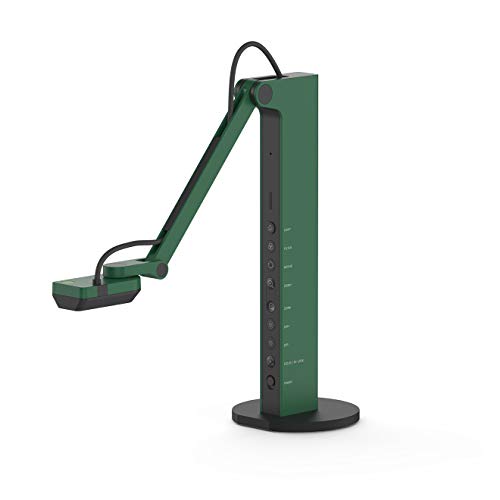
IPEVO VZ-R — Proven dual-mode independence
The original VZ-R states the same founding idea as its Ultra sibling in plainer figures: an HDMI/USB dual-mode 8MP visual communication tool for real-time projection, distance learning, web conferencing, video recording and live demos, working with and without a computer. In the courtroom, the phrase real-time projection is the operative one. The camera’s first job is not to record the exhibit but to show it — now, to the whole room, at the moment counsel’s argument reaches it — and a tool specified for real-time projection, independent of a computer, is specified for exactly the courtroom’s rhythm of punctual, unforgiving appearances.
Eight megapixels is the honest middleweight figure for document work: exhibits are overwhelmingly pages, photographs and objects at reading distance, and the VZ-R’s stated sensor covers that material on the room’s display without the Ultra’s headroom being missed in most proceedings. The dual mode’s second path — USB, with web conferencing and video recording among the stated uses — covers the hybrid hearing and the deposition room, where the exhibit must appear inside a call or a capture setup as well as on the wall. A camera that serves the jury trial on Monday and the remote deposition on Thursday, without a settings pilgrimage between them, earns a place in a practice’s small stock of trusted equipment.
The silences are the same family as its sibling’s: no zoom, no microphone, no light is stated, and the video recording named among its uses is a capability phrase, not an evidence-handling promise — any recording of proceedings follows the court’s rules and the documentation’s specifics, full stop. What the VZ-R offers the courtroom buyer is the architecture without the flagship figures: independence from the computer, real-time projection, and a second mode for the days the computer is invited. For smaller hearing rooms and chambers, that is frequently the whole requirement, stated cleanly.
- Sensor stated: 8MP
- Modes stated: HDMI/USB dual mode; works with and without a computer
- Uses stated: Real-time projection, distance learning, web conferencing, video recording, live demos
- Zoom: Not stated in the listing title — verify with the manufacturer documentation
- Built-in microphone: Not stated in the listing title — verify with the manufacturer documentation
- Built-in light: Not stated in the listing title — verify with the manufacturer documentation
Strengths
- Computer-free HDMI projection matches the courtroom’s need for a first-time, every-time image.
- USB mode with conferencing and recording uses covers hybrid hearings and depositions.
- An 8MP sensor covers the ordinary run of exhibits without flagship complexity.
Trade-offs
- Less resolution headroom than the Ultra for the smallest exhibit detail on the largest screens.
- Zoom, microphone and light are unstated documentation questions.
- Recording of proceedings remains governed by court rules, not by the camera’s use list.
Best for: hearing rooms, chambers and deposition suites wanting dual-mode independence at a midweight specification. Not suited for: the largest courtrooms, where the Ultra’s stated 4K headroom better serves the back row.
See the VZ-R as currently listed on Amazon: check price on Amazon.

Elmo MX-P3 — 4K presenter, minimal title
The MX-P3’s listing title is nine words long: Elmo MX-P3 4K Ultra HD visual presenter and document camera. A buying guide built on stated facts must take that brevity seriously, and this review does: what can be said from the title is that Elmo — the manufacturer whose presenters have stood in courtrooms and classrooms for decades — offers in the MX-P3 a 4K Ultra HD visual presenter. The resolution class is the courtroom’s language: 4K Ultra HD states the display standard the image is built for, in a room where the screen is the exhibit’s second life and softness reads as doubt. Everything beyond that sentence — connections, zoom, focus, computer-free operation — belongs to the manufacturer documentation, and a court buyer should obtain those answers in writing as part of procurement, exactly as they would for any equipment entering a formal room.
Why include a pick whose title says so little? Because procurement in formal settings runs on more than listings: it runs on the manufacturer’s documentation, the installed base, the service story and the room’s existing infrastructure, and Elmo’s name carries weight in precisely those ledgers. A court technology manager shortlisting presenters will have the MX-P3’s full specification from the manufacturer’s own materials; this guide’s role is narrower and is performed honestly — to place the model in the comparison on its stated ground, 4K Ultra HD presenting from the category’s established house, and to flag that the listing title alone cannot arbitrate the detailed questions the other picks answer in their titles.
The practical consequence for the buyer is a different purchasing motion. Where the VZ-R models can be substantially judged from their titles, the MX-P3 asks for a documentation-led evaluation: confirm the HDMI path, the computer-free behaviour, the zoom and the focus from Elmo’s materials, and test the unit against the room’s actual display before the first matter is listed. Courts and firms that already run Elmo presenters will find that motion familiar and the MX-P3’s 4K class a natural refresh of a trusted line. Buyers who need every answer inside the listing should look to the picks whose titles speak at length — and this guide has arranged them so the contrast is unmistakable.
- Resolution stated: 4K Ultra HD
- Type stated: Visual presenter and document camera
- Connections: Not stated in the listing title — verify with the manufacturer documentation
- Zoom: Not stated in the listing title — verify with the manufacturer documentation
- Computer-free operation: Not stated in the listing title — verify with the manufacturer documentation
- Focus type: Not stated in the listing title — verify with the manufacturer documentation
Strengths
- A stated 4K Ultra HD class matches modern courtroom displays.
- Elmo’s presenting pedigree suits documentation-led institutional procurement.
- The presenter’s minimalism promises a focused tool for the display task.
Trade-offs
- The listing title answers almost no detailed questions; procurement must run on manufacturer documentation.
- Computer-free operation — this guide’s core courtroom criterion — is not stated in the title.
- Comparison shoppers who judge by titles alone will underrate or overrate it; neither is safe.
Best for: courts and firms already invested in Elmo presenters, buying a 4K refresh through documentation-led procurement. Not suited for: procurement that requires the HDMI path and computer-free behaviour confirmed inside the listing itself.
Look at the MX-P3’s present Amazon listing: check price on Amazon.

Elmo TT-12ID — Legacy zoom for exhibit detail
The TT-12ID arrives from an earlier generation of interactive presenting, and its title preserves that era’s specification style: model 1349, an interactive document camera with 96x total optical and digital zoom, a 3.4MP CMOS image sensor and HDMI input, in white. The headline for the courtroom is the zoom. Ninety-six times total magnification — stated as a combined optical and digital figure, with the split left to the documentation — is reach aimed at the exhibit’s smallest consequential detail: the altered digit, the indented impression, the component’s marking, the photograph’s background figure on whom a timeline depends. An advocate does not zoom for spectacle; an advocate zooms because the case, at that moment, lives at that scale, and the camera either reaches it or the point is made in words alone.
Interactive, in this model’s title, describes its generation’s ambition: a presenter meant to sit inside a room’s display system, annotating and interacting rather than merely showing. The HDMI input stated in the title is worth reading precisely — it speaks of the camera’s place in a chain of sources, the room’s other devices passing through or alongside — and a buyer integrating the TT-12ID into an existing courtroom system should map that chain from the documentation, because legacy presenters reward exact integration and punish assumptions. The 3.4MP sensor is the era’s figure and the review states it without varnish: at full-screen page display it serves; its case rests on zoom and system fit, not on sensor headroom.
The procurement cautions for a legacy listing are part of this pick’s honest review. A model of this vintage asks its buyer to confirm current availability, support and compatibility with the room’s present displays before a matter depends on it, and to weigh the newer picks in this guide — whose titles state 4K classes and computer-free operation in current language — against the TT-12ID’s stated zoom and interactive pedigree. For the courtroom already running this generation of Elmo infrastructure, or the advocate whose exhibits live at high magnification, the TT-12ID’s stated figures still argue its case. For a green-field room, the argument must be made deliberately, with the documentation open.
- Zoom stated: 96x total optical + digital zoom (split not stated in the title)
- Sensor stated: 3.4MP CMOS
- Connection stated: HDMI input
- Type stated: Interactive document camera
- Computer-free operation: Not stated in the listing title — verify with the manufacturer documentation
- Built-in microphone: Not stated in the listing title — verify with the manufacturer documentation
- Recording / storage: Not stated in the listing title — verify with the manufacturer documentation
Strengths
- The stated 96x total zoom serves the smallest exhibit detail in this guide’s comparison.
- An interactive presenter’s design fits rooms with established display systems.
- Elmo’s installed-base familiarity eases adoption where the line is already in service.
Trade-offs
- The optical/digital split of the zoom is unstated; detail at full stretch rests on the documentation.
- The 3.4MP sensor is a legacy figure beside the 13MP and 15MP picks.
- A vintage listing demands availability and support confirmation before a matter relies on it.
Best for: courtrooms with existing Elmo infrastructure and exhibits that live at high magnification. Not suited for: a new room wanting current-generation resolution and computer-free operation stated in the listing.
Check the TT-12ID’s current listing on Amazon: check price on Amazon.

TreasLin 15MP HDMI Document Camera — Big sensor, rotating head, light
TreasLin’s camera brings the largest stated sensor in this guide — 15MP — over HDMI and USB-C, with multi-angle rotation adjustment and an LED light, in a title aimed at teachers and presenters rather than at courts. Its courtroom case must therefore be built carefully, from the stated parts that genuinely serve the room. The HDMI connection is the first: the exhibit reaches the display by the direct path this guide prizes. The sensor is the second: fifteen megapixels states detail headroom for the small print and the photograph’s corner. The rotation is the third, and in a courtroom it earns its keep on the exhibits that are not pages — the product at the centre of a dispute, the damaged component, the three-dimensional object whose relevant face is never the top one. A head that adjusts its angle shows the object as the witness describes it, from the witness’s side of the story.
The stated LED light answers the courtroom’s under-discussed enemy: the difficult surface. Glossy photographs glare, embossed seals hide in their own shadow, metallic exhibits mirror the room instead of showing their markings. A light attached to the camera, travelling with its viewpoint, gives the presenter a controllable answer at the moment the exhibit is under the lens, rather than a request to the room’s unchangeable ceiling lights. USB-C, the second stated connection, serves the modern counsel laptop when the exhibit must also enter a workstation or a hybrid proceeding.
The disciplines are stated as plainly as the virtues. No zoom is claimed in the title, so magnification beyond proximity and sensor headroom is a documentation question. No computer-free operation is stated in so many words; the HDMI path is stated, and its exact behaviour belongs to the documentation’s confirmation. And the camera’s own positioning — classroom presentations, art classes, online teaching — means a court buyer should verify every courtroom-specific requirement, recording above all, through the manufacturer and the court’s technology rules. Within those bounds, the TreasLin offers the exhibit-heavy practice a bright, high-resolution, angle-adjustable eye at the direct-HDMI path the room demands.
- Sensor stated: 15MP
- Connections stated: HDMI, USB-C
- Head stated: Multi-angle rotation adjustment
- Light stated: LED light
- Zoom: Not stated in the listing title — verify with the manufacturer documentation
- Computer-free operation: Not stated in the listing title — verify with the manufacturer documentation
- Recording / storage: Not stated in the listing title — verify with the manufacturer documentation
Strengths
- The 15MP sensor gives exhibit detail the most stated headroom here.
- Multi-angle rotation presents three-dimensional exhibits from the relevant face.
- A stated LED light tackles glare and shadow on difficult exhibit surfaces.
Trade-offs
- Zoom and computer-free behaviour are unstated and need documentation confirmation.
- Its positioning is educational, so courtroom-specific requirements must be verified individually.
- No microphone is stated for hybrid proceedings.
Best for: exhibit-heavy practice — objects, photographs and difficult surfaces — wanting HDMI, light and rotation in one camera. Not suited for: proceedings requiring stated recording or zoom capabilities from the listing itself.
Review TreasLin’s Amazon listing as it currently stands: check price on Amazon.
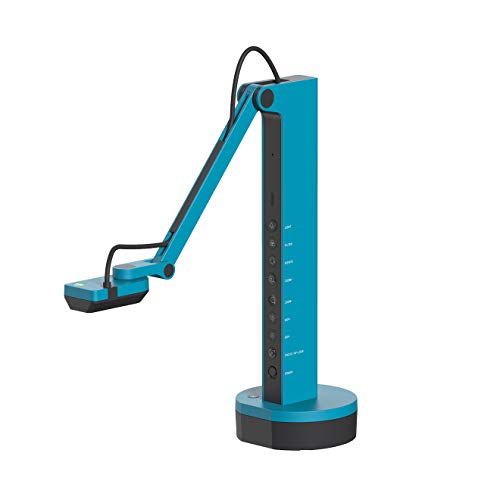
IPEVO VZ-X — Three-mode connectivity
The VZ-X closes the comparison by widening the definition of the direct path. Its title states a wireless 8MP document camera with three modes of connectivity — Wi-Fi, HDMI and USB — compatible with web conferencing software and working wirelessly with iOS, tvOS and Android. Courtrooms are modernising unevenly: one has a wired panel installed last year, the next runs its displays from an Apple TV, a third joins every hearing to a video platform by default. A camera stating all three modes walks into each of those rooms with a native answer, and the wireless mode carries a particular courtroom grace — the camera can stand at the witness’s side of the room, at the exhibits table, wherever the object actually is, while its image reaches the screen without a cable crossing the floor of a formal room.
Eight megapixels matches the VZ-R’s midweight figure and covers the ordinary exhibit run — pages, photographs, documents at reading distance — on the room’s display. The conferencing compatibility stated in the title serves the hybrid hearing directly: the same camera that shows the exhibit to the room can show it to the remote participant, which in modern practice is not an edge case but a standing feature of the list. For courts consolidating their technology after years of improvised hybrid arrangements, a three-mode camera is a consolidation device: one instrument, three proceedings, no cupboard of alternatives.
The cautions are the wireless era’s usual ones, stated without drama. Wireless modes inherit the network’s reliability, so the HDMI mode should be rehearsed as the standing fallback and the cable kept with the camera. No zoom, microphone or light is stated in the title. And the camera’s computer-free claim is not phrased as its VZ-R siblings phrase theirs; the HDMI mode is stated, and its precise behaviour is a documentation confirmation a court should obtain. Judged on its stated ground, the VZ-X is the connectivity maximalist of the group — the pick for the court whose rooms refuse to standardise, bought by the administrator who must serve them all.
- Sensor stated: 8MP
- Connectivity stated: Wi-Fi, HDMI and USB — three modes
- Wireless platforms stated: iOS, tvOS, Android
- Compatibility stated: Web conferencing software
- Zoom: Not stated in the listing title — verify with the manufacturer documentation
- Built-in microphone: Not stated in the listing title — verify with the manufacturer documentation
- Built-in light: Not stated in the listing title — verify with the manufacturer documentation
Strengths
- Three modes serve wired, wireless and conferencing courtrooms with one instrument.
- Wireless placement lets the camera stand at the exhibits table, not at a cable’s length.
- Conferencing compatibility covers the hybrid hearing as a standing case.
Trade-offs
- Wireless reliability is the building network’s, so HDMI must be rehearsed as fallback.
- Zoom, microphone and light are unstated documentation questions.
- Its breadth suits multi-room courts more than a single fixed room’s simpler needs.
Best for: courts and firms working across several rooms with mixed wired, wireless and hybrid setups. Not suited for: a single traditional courtroom wanting the simplest stated computer-free HDMI path.
Look over the VZ-X’s current Amazon listing: check price on Amazon.
Comparison
| Camera | Sensor / class stated | Direct display path | Zoom stated | Defining trait |
|---|---|---|---|---|
| IPEVO VZ-R Ultra | 13MP, 4K | HDMI to panels, TVs, monitors, projectors — without a computer | Not stated in title | Fullest stated courtroom specification |
| IPEVO VZ-R | 8MP | HDMI/USB dual mode, with or without a computer | Not stated in title | Real-time projection independence |
| Elmo MX-P3 | 4K Ultra HD | Not stated in title | Not stated in title | Established house, documentation-led buy |
| Elmo TT-12ID | 3.4MP CMOS | HDMI input | 96x total | Legacy interactive zoom presenter |
| TreasLin | 15MP | HDMI, USB-C | Not stated in title | Rotation and LED light for exhibits |
| IPEVO VZ-X | 8MP | Wi-Fi, HDMI, USB | Not stated in title | Three-mode connectivity maximalist |
The table’s second and third columns carry the courtroom argument. Direct display paths are stated richly by the IPEVO models and the TreasLin, partially by the legacy Elmo, and not at all by the MX-P3’s terse title — which is why that pick’s procurement must run on documentation. Zoom is stated once, as a total, by the TT-12ID. A buyer who reads those two columns against their own room — its display, its exhibits, its hybrid obligations — has effectively made the decision before reaching the recommendations.
Why Does the Computer-Free Path Matter So Much in Court?
Because every intermediary is a witness against reliability. A computer in the display chain brings its sleep settings, its updates, its notifications, its user’s other windows and its password policy into a room that has no patience for any of them. The failure is rarely dramatic; it is the ninety seconds of fumbling while a witness loses the thread, a jury watches counsel instead of the exhibit, and the demonstration’s authority evaporates. Cameras that drive the display directly — the VZ-R Ultra and VZ-R state it outright, the VZ-X and TreasLin state the HDMI path — reduce the chain to camera, cable, screen. What remains can be rehearsed, tested by court staff each morning, and trusted in the way courtroom equipment must be trusted: completely, or not at all.
There is a second, quieter reason: separation of roles. Counsel’s laptop holds counsel’s work — notes, authorities, the next document, privileged material one alt-tab away from the room’s screen. A display path that runs through that laptop risks the wrong window at the wrong moment, a mishap no advocate wants to explain. A camera with its own path to the screen keeps the exhibit’s channel and the advocate’s channel apart, and the discipline of that separation is worth as much as the reliability. Court technology managers increasingly specify exactly this architecture; the titles in this guide show the market answering in kind.
None of this banishes the computer. Hybrid hearings, recording workstations and digital exhibit management all legitimately involve one, and the dual-mode and three-mode picks here serve those proceedings through their USB and conferencing paths. The argument is about the default: the exhibit’s first appearance, in the room, before the people deciding, should travel the shortest stated path. Everything else is an addition to that foundation, not a substitute for it.
How Should an Advocate Rehearse an Exhibit Presentation?
In the room, on the room’s screen, with the actual exhibits — there is no substitute, and the rehearsal’s brevity is no excuse, because fifteen minutes in the real room retire more risk than an afternoon of assumptions. Work the list in order. Place each exhibit under the camera and check, from the furthest seat that matters, whether the detail the argument depends on is legible: the signature, the figure, the photograph’s corner. If it is not legible there, it is not an exhibit; it is a rumour, and the camera choice, the zoom or the seating of the demonstration must change before the hearing does the discovering. Note the camera’s position and the exhibit’s orientation for each item, on the exhibit list itself, so the performance can be repeated by muscle rather than by hope.
Rehearse the transitions, because hearings are lost in them. Practise the movement from exhibit to exhibit, from camera image to counsel’s face and back, until the screen is never showing the previous point while the voice has moved to the next. Where the camera offers modes — HDMI direct for the room, USB for the hybrid feed — rehearse the switch as part of the sequence, not as an improvisation. And rehearse the failure: the cable swapped, the fallback mode engaged, the exhibit shown from the printed copy while the technology recovers. An advocate who has rehearsed the failure performs it as a pause; an advocate who has not performs it as a collapse, and rooms can tell the difference.
Finally, agree the choreography with the room’s other professionals. The clerk, the court reporter, the judge’s own technology expectations — a short conversation before the matter begins aligns the camera’s use with the room’s procedure, including the questions this guide deliberately leaves to the court: what may be recorded, what must not be, and how exhibits shown on screen enter the record. The camera is the easy part of that conversation. Having it early is the professional part.
What Makes Exhibit Detail Legible on a Courtroom Screen?
Three factors, in the order a presenter can control them. First, the exhibit’s own presentation: flat where it should be flat, weighted at the corners if it curls, oriented as the argument will describe it, and lit without glare. The TreasLin’s stated LED light and rotating head address the third dimension of this problem — the object and the difficult surface — while the flat document asks mainly for stillness and an honest plane. Second, the camera’s resolution and focus at the working distance: the stated sensor figures in this guide, from the TT-12ID’s 3.4MP to the TreasLin’s 15MP, set ceilings that the working distance then spends. An exhibit framed to fill the screen spends its sensor wisely; an exhibit shown small in a wide frame wastes most of every camera here.
Third, the display itself, which no camera purchase can redeem. A courtroom screen that is too small, too dim or too far from the jury box will defeat a flagship camera, and a technology audit of the room should precede the camera decision: measure the furthest seat, read a page of small print on the existing display from it, and let that test set the resolution class the room actually needs. The VZ-R Ultra’s 4K and the MX-P3’s Ultra HD class earn their keep in the large, bright, modern room; in the small chambers, the VZ-R’s 8MP real-time projection may already exceed what the display can show. Buying the chain in that order — room, display, camera — is the unglamorous secret of courtrooms where the exhibits always seem to read clearly.
Zoom discipline completes the craft. Magnify to the detail the argument needs and no further: every step of enlargement, digital steps above all, spends the image’s steadiness and context, and a jury shown an abstract texture has been shown less than a jury shown the whole document with the detail indicated. The TT-12ID’s stated total zoom is a tool for reaching the indented line and the altered figure; its professional use is surgical, a movement in and a movement back out to the document’s whole geography, so the detail is always located in the evidence rather than floating free of it.
How Should Court Staff Set Up and Strike the Camera Between Sessions?
Courtrooms are shared stages with tight turnarounds, and the camera’s life between sessions decides its reliability inside them. The setup that serves justice is a checklist, not an improvisation: camera placed at its marked position on the exhibits table or lectern, cable run along its taped or channelled route where feet and formality cannot find it, display input confirmed, and one test page shown before the room fills. Marking the position matters more than it sounds — a camera replaced a hand’s width from its rehearsed place reframes every exhibit, and the advocate’s choreography, practised to the old frame, quietly misaligns. A small strip of tape and a line on the setup card preserve the geometry that the rehearsal earned.
Striking deserves the same deliberateness in reverse. Exhibits leave the camera’s field before the camera moves — a sequence that protects both the evidence and the equipment — cables are coiled rather than wound around arms, and the camera returns to its stored place with its lens protected. Where a camera serves several rooms, as the VZ-X’s three modes invite, the travelling kit should be as standardised as the camera: the HDMI cable of known length, the USB lead, the room cards for each court it visits. Court staff perform these routines under time pressure and public gaze; a routine that is written, brief and identical every time is the one that survives the list’s busiest day.
The morning check closes the system. Before the first matter, a member of staff shows the test page, confirms the image at the furthest seat, and notes any fault while there is still time to swap in the fallback — the second mode, the spare cable, the reserve camera. Courts already run such checks for recording and audio; extending the list by one line, the presenter’s image, costs a minute and buys the day. Technology in a courtroom is not trusted because it is new or expensive. It is trusted because it was checked, in the room, that morning.
What Should a Firm Consider When the Same Camera Serves Depositions and Trials?
The two proceedings share exhibits and differ in almost everything else. A deposition is a working room: smaller, recorded as a matter of course under the applicable rules, with the camera feeding a capture setup and remote participants as often as a wall screen. A trial is a theatre of record: larger, jury-facing, governed by the court’s own permissions for every image shown and kept. A camera serving both must therefore be fluent in two architectures — the USB and conferencing path for the deposition’s workstation, the direct HDMI path for the trial’s display — which is precisely the dual-mode and three-mode territory the IPEVO picks in this guide describe in their titles. The firm that buys one mode for two proceedings will spend the difference in adapters, workarounds and apologies.
Consistency is the second consideration, and it is about people rather than ports. Advocates who present from the same camera in deposition and at trial carry one set of habits into both rooms: the same framing instincts, the same transition choreography, the same knowledge of what the zoom will and will not forgive. That fluency is a genuine forensic asset — cross-examination exhibits land harder when the technology never enters the jury’s awareness — and it argues for standardising a practice’s presenting camera even across offices. The VZ-R family’s two tiers make a natural standard: the Ultra where the flagship room demands it, the VZ-R where it does not, with identical operating logic between them.
The third consideration is governance, and it outranks the other two. Each proceeding type carries its own rules about recording, retention and transmission of exhibits, and the camera’s settings and storage behaviour — whatever the manufacturer documentation establishes them to be — must be configured to the stricter room’s requirements by default, then relaxed only where a rule clearly permits. A firm should write that configuration down, once, as policy, rather than leaving it to be rediscovered by each advocate in each new room. The camera will do what it is told; the professional obligation is to have decided, in advance and in writing, what it should be told.
Common Mistakes
Routing the exhibit through a personal laptop by default. The laptop’s sleep, updates and notifications become the hearing’s problem, and its other windows become a confidentiality risk. A direct stated HDMI path exists precisely to keep the exhibit’s channel separate and reliable.
Claiming recording or storage capabilities the listing never stated. Proceedings are governed by the court’s rules, and a presenter’s assumptions about what a camera records, keeps or transmits can become a procedural incident. Establish every recording question with the manufacturer documentation and the court, in advance, in writing.
Buying resolution for a room whose display cannot use it. The screen, its size and its distance from the furthest seat set the legibility ceiling. Audit the room first; then choose the camera class that the room can actually honour.
Treating a legacy presenter’s zoom total as an optical figure. The TT-12ID states 96x total optical and digital zoom. The split matters for detail at full stretch, and the documentation — not the headline — is where a careful buyer confirms it.
Skipping the in-room rehearsal. Exhibits, screens and cameras conspire in ways no desk test predicts: glare at a certain hour, a seat further than remembered, a cable a metre short. Fifteen minutes in the actual room is the soundest preparation a presenter can make — paid for, notably, with time rather than money.
What Is the Witness’s-Eye Test for a Courtroom Camera?
Sit where the witness sits, and where the furthest juror sits, and look at the screen while someone else works the exhibits. From the witness box the question is recognition: does the document on screen match, instantly and unmistakably, the document the witness is being asked about — the same orientation, the same proportions, the whole page before any detail? From the jury box the question is legibility at the argument’s exact point: not whether the page is visible, but whether the figure, the date, the signature under discussion can be read without squinting or faith. A camera setup that passes both seats has earned its place in the room; a setup that passes only the advocate’s own view of the monitor has merely rehearsed its own confidence.
Run the test with the exhibits that frighten you — the faint carbon copy, the glossy photograph, the oversized plan that must be shown in sections — because those are the exhibits the other side is counting on the room to struggle with. The test costs an hour before the trial and returns certainty for its whole length, which is the exchange rate courtroom preparation always offers and advocates, pressed for time, always regret declining.
Final Recommendation
For the courtroom that wants one answer, the IPEVO VZ-R Ultra states it most completely: 13MP, 4K, and a direct connection to the room’s panels, televisions, monitors and projectors without a computer — the architecture this room demands, in the listing’s own words. The VZ-R beneath it serves smaller rooms with the same independence at 8MP. The Elmo MX-P3 is the documentation-led choice for Elmo houses refreshing to 4K; the TT-12ID remains the magnification pick, its stated 96x total zoom aimed at the smallest exhibit detail, bought with a legacy buyer’s eyes open. The TreasLin brings the largest sensor, light and rotation to object-heavy exhibits, and the VZ-X serves the multi-room, hybrid-era court with three modes of connection. Choose by the room’s display, the exhibits’ scale and the court’s own rules — in that order — and the technology will do the one thing courtroom technology must do: disappear, leaving only the evidence on the screen and the argument, undisturbed, in possession of the room it came, on the evidence alone, and on nothing else, to persuade.
How Do Expert Witnesses Change the Camera’s Job?
An expert’s exhibits are rarely pages. They are components, models, medical images printed large, damaged objects, mechanisms that must be turned in the hand while the explanation turns with them. The camera serving an expert must therefore tolerate a presenter who works three-dimensionally and narrates continuously — framing that forgives movement, a viewpoint that can be angled toward the object’s relevant face, and light that can be brought to bear on surfaces that were never designed to be photographed. Among these titles, the TreasLin’s stated rotation and LED light speak most directly to that brief, while the zoom of the TT-12ID serves the expert whose evidence is a detail inside a larger artefact. Brief the expert on the camera’s frame before the hearing, with the actual exhibits, exactly as counsel would rehearse: experts are fluent in their subject and deserve the same fluency in the instrument that will carry it to the room.
Frequently Asked Questions
Can a document camera record the proceedings?
This guide makes no such claim for any pick, because no listing title here establishes recording or storage behaviour in terms a court could rely on — one pick names video recording among its uses, which is not an evidence-handling specification. Recording in court is governed by the court’s rules and permissions; establish the camera’s exact behaviour from the manufacturer documentation and clear it with the court before any proceeding.
Why not simply use counsel’s laptop camera or a webcam?
Because the exhibit, not the advocate, is the subject. A document camera frames pages and objects at reading distance with the room’s display as its destination, and the dual-mode picks here drive that display directly. A webcam frames a face at arm’s length and routes everything through the computer — the wrong geometry and the wrong architecture for evidence.
How much zoom does exhibit work need?
Enough to make the decisive detail legible from the furthest seat, and no more. Most exhibits are pages shown whole; the zoom earns its place on the minority of details — indentations, alterations, markings — where the TT-12ID’s stated 96x total is aimed. Judge any zoom by its optical portion where the documentation states it, and rehearse the exact exhibits in the room.
Does the courtroom need 4K?
The room’s display decides. A large modern panel rewards the 4K class stated by the VZ-R Ultra and the MX-P3; a small or older display cannot show the difference, and an 8MP camera like the VZ-R will already exceed it. Audit the screen and the furthest seat before letting resolution lead the purchase.
What about hybrid hearings with remote participants?
The dual-mode picks serve them by design: HDMI for the room, USB for the computer that carries the call, with the VZ-X adding stated web-conferencing compatibility and a Wi-Fi mode. Rehearse the mode switch as part of the presentation, and confirm with the court how remote participants are to be shown exhibits under its procedure.
Is a legacy presenter like the TT-12ID a safe purchase?
It is a deliberate one. Its stated zoom and interactive pedigree remain relevant, particularly where Elmo infrastructure is installed, but a buyer should confirm availability, support and display compatibility for a model of its generation before a matter depends on it — and weigh the current-generation picks whose titles state their courtroom architecture in today’s terms. Treated as a considered renewal of an existing system, it is respectable; treated as an unquestioned default for a new room, it asks the buyer to skip homework the room will eventually set.
Related Guides
When the evidence shrinks below the scale a presenter can frame — fibres, components, coin and document microscopy — our comparison of digital microscope cameras covers the instruments built for that world. The inspection counterpart, reading buildings and plant rather than exhibits, is surveyed in our roundup of thermal cameras for the home. And for field work where heat signatures must be read outdoors and at distance, our guide to thermal imaging cameras for hunting completes the presenter’s wider toolkit. Each of those instruments answers to the same discipline this guide has applied to the courtroom itself: claim only what the evidence states, show it at the scale the room requires, and let the technology carry the material without ever becoming the story.


