What's inside
- Where to Buy These Drives
- Key Takeaways
- Quick Picks
- How Did We Choose These Picks?
- Which Best Fastest External Hard Drives Deserve a Closer Look?
- Why Are SSDs Faster, and Why Are They Not Picks Here?
- How Do RAID Modes Change What Fastest Means?
- What Actually Limits a Hard Drive’s Transfer Speed?
- How Do You Set Up a RAID Enclosure Properly on Day One?
- What Does a Working Week on Striped Storage Actually Feel Like?
- Where Should a Desktop Enclosure Live, and How Should It Be Treated?
- How Should a Duo and a Big Single Drive Work Together?
- What Should You Do When a Fast Enclosure Starts Feeling Slow?
- How Do You Plan the Successor to a Drive This Large?
- How Do the Six Picks Compare Side by Side?
- What Mistakes Do Buyers Keep Making?
- Final Recommendation
- Frequently Asked Questions
- Related Guides
As an Amazon Associate I earn from qualifying purchases. This post may contain affiliate links at no extra cost to you.
widgetverdict.com is reader-supported. When you buy through links on our site, we may earn an affiliate commission.
Where to Buy These Drives
The six desktop drives below are all sold on Amazon, and the links in the Quick Picks table and in each review heading go to the exact capacity of the model discussed. The My Book Duo range in particular spans several capacities in identical enclosures, so match the capacity in the listing title to the review you have just read before ordering, and keep the box until the drive is set up in the RAID mode you intend to use.
Fastest is a word that needs an honest frame before this guide can use it. The picks below answer the search for the best fastest external hard drives within the world of spinning hard drives: large desktop units, several of them dual-drive RAID enclosures, built for people moving terabytes who want that work done as quickly as mechanical storage allows. If sheer transfer speed is your only criterion and capacity is secondary, a solid-state drive is faster than anything here, and this guide will say so plainly rather than pretend otherwise.
Why, then, does a fastest-hard-drive guide exist? Because the workloads that move the most data, video production, backup of whole systems, media libraries measured in tens of terabytes, still run on hard drives for capacity reasons, and within that world speed differences are real and worth money. A dual-drive enclosure striping data across two mechanisms in RAID 0 moves large files markedly faster than a single drive, and that gap, multiplied across a working week of ingest and backup, is measured in hours.
Every linked pick below is therefore a genuine hard drive product: four My Book Duo or Thunderbolt Duo enclosures whose dual mechanisms allow RAID speed, and two very large single-drive My Book models included for buyers who need maximum capacity with respectable pace. Solid-state drives appear in this article only as a comparison point, never as a pick, because a guide that linked SSDs under a hard-drive title would be answering a question nobody asked.
Key Takeaways
- Every linked pick here is a spinning hard drive; SSDs are mentioned only to explain honestly where they are faster.
- Dual-drive RAID 0 striping is how hard drives go fastest, which is why the My Book Duo models lead this list.
- RAID 0 trades safety for speed: if either mechanism fails, the volume’s data goes with it, so backups remain essential.
- Interface speed is rarely the bottleneck for hard drives; the mechanisms themselves set the pace.
- Large single-drive My Book models trade peak speed for maximum capacity in one enclosure.
- Match the RAID mode to the job before filling the drive, because changing modes later means erasing it.
Quick Picks
| Pick | Badge | Why it earns a place |
|---|---|---|
| Western Digital 20TB My Book Duo Desktop RAID External Hard Drive HDD | Best balance of RAID speed and size | The 20TB Duo stripes two drives over USB 3.1 for the fastest hard-drive transfers in a sensibly sized enclosure. |
| Western Digital 24TB My Book Duo Desktop RAID External Hard Drive HDD | Best for larger striped archives | The 24TB Duo adds capacity to the same RAID formula for archives that outgrew the 20TB working volume. |
| WD 28TB My Book Duo Desktop RAID External Hard Drive HDD | Best maximum-capacity RAID pick | Twenty-eight terabytes is the largest Duo here, for libraries that measure themselves in tens of terabytes. |
| WD 8TB My Book Thunderbolt Duo Desktop RAID External Hard Drive | Best legacy Thunderbolt RAID option | The Thunderbolt Duo serves older Mac-based RAID setups whose interface and workflow are already built around it. |
| WD 16TB My Book Desktop External Hard Drive | Best single-drive capacity with backup software | The 16TB My Book trades striping for simplicity: one large volume, password protection, and backup software included. |
| WD 22TB My Book External Hard Drive | Best maximum single-drive capacity | The 22TB My Book is the largest single-drive pick, with device management and backup software for archive duty. |
How Did We Choose These Picks?
We began by defining fastest in the only way that survives contact with reality for hard drives: sustained transfer of large files, the workload of video ingest, system backup, and library copying. Small-file responsiveness will always belong to solid-state storage, and no enclosure design changes that, so this guide optimises openly for the big sequential work where hard drives still earn their living.
That definition put dual-drive enclosures at the top. The My Book Duo models stripe two mechanisms together in their RAID 0 mode, and the older Thunderbolt Duo does the same over its interface, which is why four of the six picks are Duos of different capacities and generations. Western Digital dominates this corner of the market, and the list reflects that dominance rather than manufacturing variety for its own sake.
The two single-drive My Book models earn their places on capacity. At 16TB and 22TB they hold libraries the Duos in this list cannot match at their price positions, and their pace, while a step behind striped enclosures, remains entirely respectable for backup and archive work. A fastest guide that ignored the capacity end would fail the buyers whose speed problem is actually a size problem repeated weekly.
We also set a rule for the whole article: no invented benchmark figures. Listings for these products emphasise capacity, RAID, and software rather than laboratory transfer numbers, so the reviews compare speed in the honest currencies of architecture, RAID mode, and workload fit. Where a number would be a guess, the review says what determines the result instead, which is more useful to a buyer anyway.
Which Best Fastest External Hard Drives Deserve a Closer Look?

Western Digital 20TB My Book Duo Desktop RAID External Hard Drive HDD — Best balance of RAID speed and size
The 20TB My Book Duo is the natural flagship of a fastest-hard-drives guide, because its speed comes from architecture rather than adjectives. Two mechanisms inside the enclosure can be striped in RAID 0, writing alternate pieces of every file across both drives, so large transfers proceed at roughly the combined pace of two drives instead of the pace of one. For video ingest, whole-system backups, and library moves, that is the difference between a task that fits in a lunch break and one that owns the afternoon.
Twenty terabytes in that striped configuration is a working professional’s volume: current projects, a deep media library, and backup space coexist without the weekly eviction conversations smaller drives impose. The enclosure connects over USB 3.1, which comfortably outruns what two hard drive mechanisms can supply, so the interface stays out of the way and the drives themselves set the pace, exactly as a hard-drive speed guide should arrange things.
The Duo also offers a mirrored RAID 1 mode, and choosing between the modes is the one decision buyers must make before filling it. RAID 0 is the speed this guide celebrates and it carries the honest cost: the volume depends on both mechanisms, so a single drive failure takes the whole array’s data. RAID 1 halves capacity and gives up the striping speed in exchange for a live copy. Neither is wrong; they are answers to different fears, and the backup rule survives both, because a mirrored enclosure can still be stolen, flooded, or deleted by mistake.
Password protection and auto backup software, both named in the listing, round out a package aimed at people whose data is their work. Set the enclosure up deliberately on day one: choose the RAID mode, format, run one real transfer of your largest typical project, and note how long it takes as your baseline. Every future slowdown will be judged against that number.
Buy the 20TB Duo for the fastest hard-drive workflow in this guide at a capacity that serves a studio or a serious home archive, and run it in RAID 0 only with a second copy of the irreplaceable material living somewhere else.
- Capacity: 20TB
- Model: WDBFBE0200JBK-NESN
- Configuration: desktop RAID enclosure, dual-drive
- Connection: USB 3.1
- Features per listing: password protection, auto backup software
Strengths
- Dual-drive RAID 0 striping leads hard-drive transfer pace
- 20TB serves professional projects and deep libraries
- USB 3.1 keeps the interface out of the drives’ way
Trade-offs
- RAID 0 means one mechanism’s failure loses the volume
- Desktop enclosure is mains-powered and stays put
- Mirrored mode halves the headline capacity
Best for: a video editor, photographer, or studio moving very large files daily who wants the fastest hard-drive transfers available here.
Not suited for: a buyer wanting a single box to be both fast and its own only backup, a combination RAID 0 explicitly does not offer.
Western Digital 24TB My Book Duo Desktop RAID External Hard Drive HDD — Best for larger striped archives
The 24TB My Book Duo is the 20TB model’s answer to a specific phone call: the archive has grown, the workflow works, and the only problem is room. It keeps the dual-drive RAID architecture that makes this line the fastest hard-drive option in the guide, and adds four terabytes of headroom, which in striped mode is four terabytes of fast working space rather than archive overflow on a slower drive.
That distinction matters more than the raw number suggests. Workflows degrade when the fast volume fills and projects spill onto whatever storage is handy, fragmenting the library across drives of different speeds. A striped volume sized with genuine headroom keeps the whole working set at the fast tier, and the 24TB is the size at which many studios stop having the spill conversation for a few years.
The RAID mode decision carries the same weight as in the 20TB review, amplified by the capacity. Twenty-four terabytes striped is a great deal of data depending on two mechanisms behaving, so the second-copy discipline is not a footnote for this model but its operating condition. In mirrored mode the enclosure becomes a 12TB volume with a live twin, a legitimate and calmer configuration for archives whose speed needs are modest and whose loss would be serious.
Password protection and the bundled auto backup software from the listing suit the model’s role as a studio fixture. This is not a drive that travels; it is the fast, capacious heart of a desk setup, and it should be installed, configured, and then left to be exactly that, with its baseline transfer test recorded and its backup partner arranged before the first real project lands on it.
Choose the 24TB when the 20TB’s arithmetic already looks tight on paper, when a team’s archive is growing on a predictable curve, or when mirrored mode’s halved capacity still clears your needs with room to spare.
- Capacity: 24TB
- Model: WDBFBE0240JBK-NESN
- Configuration: desktop RAID enclosure, dual-drive
- Connection: USB 3.1
- Features per listing: password protection, auto backup software
Strengths
- Same RAID speed architecture with deeper headroom
- Prevents fast-tier overflow onto slower drives
- Scales a studio workflow without redesigning it
Trade-offs
- Striped mode puts even more data behind two mechanisms
- Premium over the 20TB buys capacity only
- Mirroring reduces usable space to half the headline
Best for: a growing studio or archive whose striped working volume needs years of headroom rather than months.
Not suited for: a solo user whose library fits the 20TB comfortably and gains nothing from paying for empty space.
WD 28TB My Book Duo Desktop RAID External Hard Drive HDD — Best maximum-capacity RAID pick
The 28TB My Book Duo is the ceiling of this guide: the largest striped volume among the picks, built for libraries that have stopped being measured in projects and started being measured in years. Media archives, video production houses keeping every client’s history, and large personal collections that live on hard drives for cost reasons are its natural constituency, and for them the combination of RAID pace and this capacity in one enclosure is the entire argument.
At this scale, the speed story changes character. The question is rarely whether one file moves quickly; it is whether the weekly rhythm of ingest, backup, and archive verification completes inside the hours available. Striping keeps those bulk operations at the fast end of what hard drives can do, and the capacity means the rhythm is not interrupted by capacity management, which at 28TB is a genuine operational saving and not a luxury.
The mirrored alternative deserves its sentence at this size too: RAID 1 turns the enclosure into a very large volume with a live copy beside it, and for archives whose contents cannot be recreated, that configuration, plus an off-site copy of the crown jewels, is the professional arrangement. The speed-first RAID 0 mode remains available for working volumes whose contents are backed up elsewhere, and the enclosure’s flexibility to be either is its quiet strength.
Everything this guide has said about discipline applies at maximum strength. A 28TB volume concentrates more irreplaceable material than any other pick here, so its owner should be the most organised reader of this guide: labelled, baselined, backed up, and reviewed on a schedule. The drive rewards that owner with years of uneventful, capacious, comparatively swift service.
Buy it when the library’s size is a fact rather than a forecast, when bulk operations dominate your storage week, or when consolidating several ageing enclosures into one modern RAID unit simplifies a setup that has grown by accretion.
- Capacity: 28TB
- Model: WDBFBE0280JBK-NESN
- Configuration: desktop RAID enclosure, dual-drive
- Connection: USB 3.1
- Features per listing: password protection, auto backup software
Strengths
- Largest striped capacity in this guide
- Bulk operations stay at hard-drive speed at archive scale
- Can run mirrored when the archive matters more than pace
Trade-offs
- Highest commitment in the list in every sense
- Concentrates an exceptional amount of data in one enclosure
- Far beyond the needs of ordinary home libraries
Best for: a production archive or media library measured in tens of terabytes whose weekly bulk transfers need RAID pace.
Not suited for: a home user whose entire collection would rattle around in a tenth of the space and whose budget has better uses.

WD 8TB My Book Thunderbolt Duo Desktop RAID External Hard Drive — Best legacy Thunderbolt RAID option
The Thunderbolt Duo is the elder of this guide, an 8TB dual-drive RAID enclosure built around the Thunderbolt interface of its generation, and its place here is one of continuity. Studios and Mac-based workstations built around that connection still run productively, and for an owner whose machine, cables, and workflow already speak this Thunderbolt dialect, a matching enclosure extends a working system without redesigning it.
Its speed logic is the family’s logic: two mechanisms, configurable as a striped volume for pace or a mirrored one for a live copy, moving large files at the fast end of hard-drive capability. Eight terabytes is a working volume rather than an archive at modern file sizes, suited to current projects with the deep history living elsewhere, which is how the studios that still run these enclosures typically arrange themselves.
Buyers new to this category should read this review as a signpost rather than a destination. The USB 3.1 Duo models above are the current expression of the same idea, with larger capacities and the connection modern machines expect. The Thunderbolt Duo’s value is specific: it serves an installed base, and within that base it remains a coherent, RAID-capable, desktop hard drive enclosure rather than a museum piece.
That specificity cuts both ways, so the cautions are plain. Check that your machine’s Thunderbolt generation matches what this enclosure expects, because the connector’s history spans versions that look related and behave differently, and plan the purchase as an extension of an existing setup rather than the foundation of a new one. Foundations should be built from the current models in this guide.
Choose it to extend a Thunderbolt-era workstation, to match an existing Duo in a studio, or to keep a proven workflow running unchanged. Everyone building fresh should start at the top of this list.
- Capacity: 8TB
- Model: WDBUTV0080JSL-NESN
- Configuration: desktop RAID enclosure, dual-drive
- Connection: Thunderbolt, per listing
- Era: earlier-generation My Book Duo design
Strengths
- Dual-drive RAID in a Thunderbolt-native enclosure
- Extends older Mac studio setups without redesign
- Striped or mirrored modes like the wider Duo family
Trade-offs
- Earlier-generation design with 8TB ceiling
- Interface matching needs care across Thunderbolt versions
- New buyers are better served by the USB 3.1 models
Best for: an owner of a Thunderbolt-era workstation extending a working RAID setup in its native connection.
Not suited for: a buyer building a new desk today, whose machines expect the current USB connections of the models above.
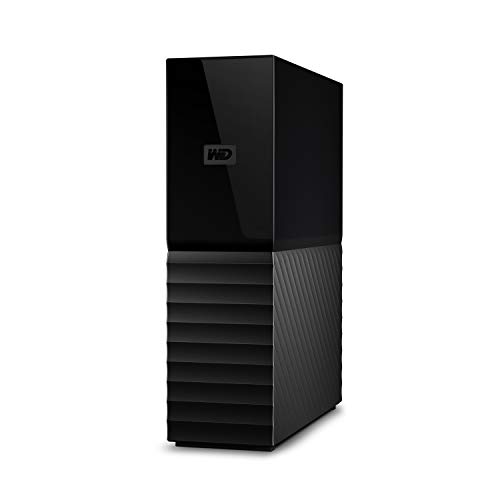
WD 16TB My Book Desktop External Hard Drive — Best single-drive capacity with backup software
The 16TB My Book is this guide’s first single-drive pick, and its inclusion is a deliberate act of honesty about what fastest means for many buyers. A single mechanism cannot match a striped pair for large transfers, but for the enormous class of work that is capacity-bound rather than speed-bound, nightly backups, media serving, archive consolidation, a vast single volume that transfers at ordinary hard-drive pace finishes the job while its owner sleeps, and finishes it for years without a capacity conversation.
Sixteen terabytes in one enclosure simplifies everything it touches. There is no RAID mode to choose, no striping risk to manage, and the listing’s password protection and backup software point the drive at its intended role from the first connection: the household or studio’s backup and archive anchor. Simplicity is a feature with operational value, especially in setups maintained by one busy person.
The speed expectation should be set precisely. Large files move at the pace of one desktop mechanism, which is respectable and unremarkable, and the USB 3.0 connection does not limit that pace, because hard drives reach their own ceiling well before the interface does. Buyers whose week involves daily multi-terabyte ingests belong in the Duo reviews above; buyers whose transfers are large but patient will never feel short-changed here.
There is also a cost-per-terabyte calm to this model. Single-drive enclosures are the economical way to buy capacity, and the money not spent on a second mechanism is, in this guide’s recurring advice, exactly the money that funds the off-site copy. A 16TB archive with a protected twin elsewhere is a safer system than a 20TB striped volume standing alone, whatever the speed table says.
Pick the 16TB My Book for backup and archive duty at serious scale, for media serving to a household, or as the consolidation target for a shelf of smaller drives. It is the tortoise of this guide, entered in a fastest contest on the strength of how much it carries while it walks.
- Capacity: 16TB
- Model: WDBBGB0160HBK-NESN
- Configuration: single-drive desktop enclosure
- Connection: USB 3.0
- Features per listing: password protection, backup software
Strengths
- 16TB in one simple, single-volume enclosure
- Password protection and backup software per listing
- Economical capacity for archives and nightly backups
Trade-offs
- Single mechanism cannot match RAID 0 transfer pace
- Desktop unit is mains-powered and stationary
- Huge single volume still needs its own backup elsewhere
Best for: a household or studio needing a very large, simple backup and archive anchor whose transfers run unattended.
Not suited for: an editor ingesting terabytes daily against deadlines, who needs the striped Duo models’ pace.

WD 22TB My Book External Hard Drive — Best maximum single-drive capacity
The 22TB My Book closes this guide at the capacity extreme of single-drive storage. Twenty-two terabytes in one enclosure, with password protection and the listing’s device management and backup software, is an archive instrument: the place a household’s or a small studio’s entire digital history can live, with the growth of years accommodated before the purchase rather than negotiated afterwards.
Its speed character matches the 16TB model’s honesty. One mechanism sets the pace, large transfers proceed at solid hard-drive rates, and the SuperSpeed USB connection named in the listing stays ahead of what the drive can deliver. For backup windows, archive writes, and media library duties, that pace is sufficient in the way a motorway cruiser is sufficient: not the fastest vehicle on the road, and entirely capable of crossing the country without drama.
Where this drive earns a fastest-guide place is in time measured across years rather than minutes. Consolidating a fragmented archive onto one 22TB volume ends the recurring labour of splitting libraries, hunting across drives, and re-copying collections during upgrades, and that saved labour dwarfs any transfer-rate difference in this list. Speed, for an archivist, is mostly the absence of repeated work.
The concentration warning reaches its peak here and will be stated without decoration: twenty-two terabytes is a life’s photographs, a business’s records, or a studio’s history on one mechanism, and no single mechanism deserves that trust alone. This drive should be bought alongside a plan, an off-site copy of the irreplaceable core at minimum, and its software should be configured to run the backups that make the archive a system rather than a pile.
Choose the 22TB when the archive’s size is the problem, when consolidation is overdue, or when you want the largest possible single volume as the foundation of a backed-up system. It is the biggest answer in this guide to the question the Duos answer with speed.
- Capacity: 22TB
- Configuration: single-drive desktop enclosure
- Connection: USB 3.0, SuperSpeed USB per listing
- Features per listing: password protection, device management and backup software
Strengths
- Largest single-drive capacity in this guide
- Device management and backup software per listing
- Consolidation ends years of fragmented archive labour
Trade-offs
- Single-drive pace trails every Duo in this list
- Maximum data concentration demands a serious backup plan
- Stationary, mains-powered desktop enclosure
Best for: an archivist consolidating a huge, fragmented library into one backed-up foundation volume.
Not suited for: a speed-first editor whose daily ingest needs striping and who should buy a Duo instead.
Why Are SSDs Faster, and Why Are They Not Picks Here?
The comparison deserves a clear explanation, because buyers deserve to know what they are trading. A solid-state drive stores data on flash memory with no moving parts, so it can fetch scattered small files almost instantly and sustain transfers well beyond any spinning mechanism. For booting systems, opening applications, and editing active projects, that advantage is large and real, and nothing in this guide disputes it.
Hard drives persist for one reason: capacity economics. At the sizes in this guide, sixteen to twenty-eight terabytes, hard drive storage costs a fraction of the solid-state equivalent, which is why archives, backups, and media libraries live on spinning disks even in studios that edit from SSDs. The professional pattern is both technologies in their places: solid-state for the work in hand, hard drives for the work in storage, and this guide serves the second half of that pattern.
That is why SSDs are discussed here but never linked as picks. The keyword asks for hard drives, the pool for this guide contains hard drives, and a fastest-hard-drive ranking that quietly substituted SSDs would mislead the very buyers it claims to help. Readers whose workload is speed-critical and capacity-light should buy an SSD with our blessing and this paragraph as their explanation of why it is not in the table.
How Do RAID Modes Change What Fastest Means?
A dual-drive enclosure offers two fundamentally different products inside one box, and understanding them matters more than any other decision in this guide. RAID 0, striping, writes alternate pieces of data across both mechanisms, so the pair behaves like one larger, faster drive. It is the configuration behind every speed claim in the Duo reviews, and its cost is absolute: the volume has no redundancy, and losing either mechanism loses the array.
RAID 1, mirroring, writes the same data to both mechanisms. Capacity halves, striping speed disappears, and in exchange the enclosure survives one mechanism’s failure with the data intact. For archives that cannot be recreated, mirroring plus an off-site copy is the professional pattern, and its speed, ordinary single-drive pace, is entirely adequate for backup and archive rhythms.
Many enclosures also offer a simple combined or independent mode, presenting the drives as one big volume or two separate ones. Neither adds speed or safety, and both have their uses for organisation. The rule that governs all of it: choose the mode before the data arrives, because switching modes erases the volume, and keep a copy elsewhere regardless of mode, because no RAID arrangement protects against theft, fire, deletion, or the enclosure itself failing.
What Actually Limits a Hard Drive’s Transfer Speed?
Buyers often blame the cable, but for hard drives the mechanism is the limit. A spinning drive reads data as it passes under the heads, and its sustained pace is set by platter density, rotation, and how full and fragmented the volume has become. Modern interfaces, USB 3.0 and beyond, carry data faster than any single hard drive mechanism can supply it, which is why the interface differences in this guide matter less than the architecture differences, and why striping two mechanisms is the one reliable way to go faster.
File size shapes the experience as much as hardware. A single huge video file streams at the drive’s best sustained pace, while a folder of ten thousand small files involves constant seeking and runs far slower on any spinning drive, which is precisely the workload where solid-state storage earns its premium. Buyers moving photo libraries should expect the small-file tax and judge these drives on the large-file work they are built for.
Fullness matters too. Hard drives read fastest on their outer tracks and slow as they fill toward the inner ones, and a volume kept nearly full also fragments the free space new files need. Leaving genuine headroom on a working volume, as the Duo reviews recommend, is therefore a speed practice as well as an organisational one, and it costs nothing but the discipline to size the drive honestly at purchase.
How Do You Set Up a RAID Enclosure Properly on Day One?
The setup hour decides how the next five years with a Duo will feel, so it deserves to be unhurried. Begin with the decision this guide keeps returning to: striped for speed, mirrored for a live copy, or independent volumes for organisation. Make it on paper first, based on where the second copy of the data will live, because once files land on the enclosure the decision hardens into a fact that only erasure can change.
Connect the enclosure directly to the computer rather than through a hub for the initial configuration and the first large transfer, because hubs and tired cables are the gremlins of desktop storage and the baseline you are about to measure should be clean. Use the manufacturer’s utility to set the RAID mode, format the volume for your operating system, and give the drive a name that states its mode and role, so that a future you, or a colleague, never has to guess whether the big black box is the fast one or the safe one.
Then run the baseline test with real material: copy your largest typical project or a full backup set, time it, and write the result on the label or in the setup note. That number becomes the enclosure’s normal, and every later judgement about whether the drive is slowing down, filling up, or being limited by a cable will be made against it rather than against a stranger’s benchmark on the internet.
Finish by configuring the unglamorous essentials the listings promise: the password protection, the automatic backup schedule if this enclosure is part of one, and the alert behaviour the software offers. An enclosure set up completely on day one tends to be left alone thereafter, which is exactly what desktop RAID should be: infrastructure, not a hobby.
What Does a Working Week on Striped Storage Actually Feel Like?
Abstract speed claims become concrete across a production week. Monday’s card ingest, the transfer every other task waits on, completes at striped pace and the edit starts while the coffee is still warm, rather than after a second cup and a apologetic scroll through email. The difference is not cinematic; it is the accumulation of twenty saved minutes across every day of the year, which is how professionals justify the Duo premium to themselves in the second year of ownership.
Backups change character too. A whole-system backup that fits inside the lunch hour, or the overnight window with hours to spare, is a backup that actually runs on schedule, and schedules are where data protection lives or dies. Studios discover that the real product of a fast enclosure is not speed but compliance: the routine finally costs little enough that nobody negotiates with it.
The archive rhythm benefits in the same quiet way. Verifying a library, re-copying a project set to the off-site drive, or consolidating a finished season onto the big single-drive My Book all involve moving terabytes, and striped pace turns each from a weekend project into an evening’s background task. Speed, at archive scale, is mostly the removal of reasons to postpone maintenance, and postponed maintenance is how archives quietly rot.
Where Should a Desktop Enclosure Live, and How Should It Be Treated?
Desktop enclosures are furniture-grade electronics with mechanical hearts, and their placement decides their lifespan more than their specifications do. Give the enclosure air on every side its vents ask for, keep it out of direct sun and away from radiators, and never stack other warm equipment on top of it, because a dual-drive box generates the heat of two mechanisms in one shell and sheds it through the surfaces owners love to cover with notebooks.
Vibration and knocks matter even for drives that never travel. A desk that gets bumped, a shelf shared with a subwoofer, or an enclosure perched at a desk edge are all slow-motion hazards for spinning mechanisms at work. Place the enclosure on a stable surface with its cable slack arranged so that a tug pulls the plug rather than the box, and treat the occasional desk earthquake with the same seriousness the rugged-drive guide gives to drops.
Power deserves a final word. Desktop enclosures run for years on their supplied adapters, and a surge-protected outlet or a small uninterruptible supply for the workstation is cheap protection for a volume holding tens of terabytes. A power cut mid-write is survivable almost always, and the qualifier in that sentence is why careful studios spend the small money to remove it.
How Should a Duo and a Big Single Drive Work Together?
The most capable setups in this category use both architectures in this guide, each where it belongs. The striped Duo holds the living work: current projects, the active library, everything whose transfer speed is felt daily. The big single-drive My Book holds the settled work: finished projects, the deep archive, and the backup of the Duo itself. Data flows one way as it ages, from fast and exposed to capacious and calm, and each drive’s weaknesses are covered by the other’s position in the system.
That pairing also resolves the RAID 0 dilemma elegantly. Striping’s lack of redundancy stops being frightening when the volume’s contents are mirrored nightly to the archive drive by the backup software both listings describe. The working volume can fail on a Tuesday; the archive holds Monday night’s state, and the studio loses hours rather than history. Speed and safety stop competing the moment they are assigned to different boxes.
Size the pair by flow rather than by symmetry. The Duo needs to hold the active set with headroom; the archive needs to hold everything the Duo will ever send it, plus the rest of the collection, which is why the archive is usually the larger of the two and why this guide’s 22TB single drive exists. Buyers building the pair in stages should start with the Duo if speed is the pain, or the archive if capacity is, and complete the system as the budget allows.
What Should You Do When a Fast Enclosure Starts Feeling Slow?
Enclosures rarely lose speed dramatically; they accumulate small handicaps, and the diagnosis order matters. First, check fullness against the guidance in this guide, because a volume past ninety percent is a volume operating in its slowest territory, and freeing space or expanding is the correct remedy rather than a replacement. Second, check the connection: a cable swapped during a desk tidy, a move from a direct port to a hub, or a port shared with other busy devices can all quietly tax transfers that once ran clean.
Third, consult your baseline. The setup-day timing recorded on the label tells you whether the drive has actually slowed or whether your files have simply grown, a distinction owners otherwise settle by anxiety. If a real slowdown is confirmed, check the enclosure’s health reporting through its utility, confirm backups are current before anything else, and treat any accompanying new sounds as the escalation signal they are in every category of this guide’s family.
Most of the time the answer is housekeeping: space, cables, and a volume that needs its finished projects moved to the archive where they belong. The striped enclosure is a working tool with a working rhythm, and restoring the rhythm restores the speed, which is a more satisfying diagnosis than a failing drive and a far more common one.
How Do You Plan the Successor to a Drive This Large?
Enclosures at this scale outlive the computers they were bought for, so their owners should expect a migration rather than a replacement crisis. When the Duo eventually fills or ages into retirement, its successor will be configured first, striped or mirrored as the workflow then requires, and the contents copied across in one deliberate operation measured in hours, which is precisely the kind of transfer these enclosures are fastest at. Planning that day at purchase, by keeping the archive drive’s headroom in mind, turns a future emergency into a scheduled afternoon.
Keep the retired enclosure rather than discarding it thoughtlessly. A previous-generation Duo in mirrored mode makes a respectable secondary backup target, and even an enclosure retired from front-line duty holds value as the cold copy of a finished era, provided its contents are wiped or kept with the same care as any drive full of history. The label habit this guide prescribes, mode, role, install date, baseline timing, is what makes those later decisions easy, because the box itself will tell the next owner, who is usually a future you, everything it has forgotten.
And keep the paperwork of scale: a one-page note of what lives where, which volume is striped and which is safe, and where the off-site copy sits. At twenty-eight terabytes, memory is not an inventory system, and the note is the cheapest component in the entire setup and the one whose absence would be felt first.
That note should also record the one number this category runs on: how long the weekly bulk work actually takes. Ingest, backup, archive verification, each timed once a quarter, gives the studio an early-warning system for everything from a filling volume to a tiring cable, because time is the metric every user of a fastest drive truly cares about, whatever the specifications promised. When the numbers drift, the cause is findable; when nobody records them, every slowdown is a rumour argued about rather than a fact acted on.
Review the whole arrangement annually, on the same occasion as the health checks this guide recommends for every drive family. Roles drift as libraries grow and machines change, and a system designed for twenty terabytes behaves differently at twenty-five. Ten deliberate minutes a year keeps the fastest drives in this guide fast in the only sense that finally matters: the work moves, the backups run, and nobody in the studio thinks about storage at all.
That state, storage nobody has to think about, is the real finish line of the fastest category. It is reached not by the largest benchmark but by the combination this guide has built piece by piece: striped pace where the work is alive, capacious calm where it rests, a second copy standing outside both, and an owner whose few habits, labelling, baselining, reviewing, keep the machinery honest. Buy the enclosure that fits your place in that system, and the speed will take care of itself for years.
Start that system this week rather than at the next capacity crisis, because every element of it, the enclosure, the archive partner, the baseline, the note, is easier to establish while the library still fits comfortably and the transfers still finish inside an evening. Systems built calmly behave calmly; systems assembled in a panic at ninety-nine percent capacity carry the panic forward into every backup they ever run.
Calm, in the end, is what the fastest drives in this guide are actually selling: the transfers finish, the week keeps its shape, and the library grows without drama in the background of the real work.
Choose the size that keeps it that way for the next several years, not merely the next several months, and the purchase will still look wise when the library has doubled.
That long view is the difference between buying an enclosure and building a storage system, and every pick in this guide was chosen to reward the second of those ambitions.
Doubling a library is not a hypothetical in this category; it is the normal experience of everyone who keeps one.
How Do the Six Picks Compare Side by Side?
| Pick | Capacity | Interface | Standout trait |
|---|---|---|---|
| Western Digital 20TB My Book Duo Desktop RAID External Hard Drive HDD | 20TB | USB 3.1 | RAID striping, balanced flagship |
| Western Digital 24TB My Book Duo Desktop RAID External Hard Drive HDD | 24TB | USB 3.1 | RAID striping, deeper headroom |
| WD 28TB My Book Duo Desktop RAID External Hard Drive HDD | 28TB | USB 3.1 | RAID striping, maximum Duo capacity |
| WD 8TB My Book Thunderbolt Duo Desktop RAID External Hard Drive | 8TB | Thunderbolt | Legacy Thunderbolt RAID enclosure |
| WD 16TB My Book Desktop External Hard Drive | 16TB | USB 3.0 | Single-drive backup anchor |
| WD 22TB My Book External Hard Drive | 22TB | USB 3.0 SuperSpeed | Largest single-drive archive |
What Mistakes Do Buyers Keep Making?
Running RAID 0 without a backup is the defining mistake of this category, committed by buyers who heard the speed half of the striping story. A striped volume depends on both mechanisms, so its failure exposure is doubled while its data protection is zero. Every Duo review in this guide repeats the condition because the products’ speed is real and so is the trade, and the two facts must travel together.
Confusing interface numbers with drive speed sends money in the wrong direction. A faster-sounding connection cannot make a mechanism spin data past its heads any quicker, and buyers who upgrade enclosures for the interface while keeping single-drive expectations will measure no difference that matters. Architecture, striping, and workload fit decide hard-drive pace; the cable merely has to keep up, and in this guide it always does.
Buying capacity with no headroom undermines the speed the buyer paid for. A striped volume at ninety-five percent capacity slows, fragments, and forces the overflow habits that fragment the wider workflow. The faster purchase is often the larger one, not because its mechanisms differ, but because it stays in its best operating region for years instead of months.
Finally, treating any of these enclosures as the archive and the backup in one object repeats the oldest error in storage at the largest scale yet. Twenty-eight terabytes of unmirrored, uncopied data is not a system; it is a single point of failure with a marketing name. The drives here are excellent. Use them inside an arrangement that deserves them.
Final Recommendation
For pure hard-drive pace, the My Book Duo line is the answer, with the 20TB as the balanced flagship, the 24TB for growing studios, and the 28TB for archives at full scale, while the Thunderbolt Duo extends the setups built around its interface. The single-drive My Book models close the list for buyers whose real requirement is a vast, simple volume, the 16TB for backup duty and the 22TB for consolidation at the extreme.
Speed in storage is ultimately about time you do not spend waiting, copying, or reorganising, so choose the enclosure whose architecture matches your working week, configure its RAID mode before the first file lands, keep the second copy this guide insists on, and let the big transfers finish while you get on with the work they were delaying.
Frequently Asked Questions
Are these hard drives faster than an SSD?
No, and this guide says so openly. Solid-state drives are faster in both sustained transfers and small-file responsiveness. These hard drives are the fastest route within spinning storage, chosen because their capacities, up to 28TB in a striped enclosure, serve archives and backups that solid-state pricing cannot reasonably hold. The two technologies solve different halves of the storage problem.
What does RAID 0 actually do for speed?
It stripes each file across both mechanisms in the enclosure, so the pair reads and writes in parallel and large transfers proceed substantially faster than a single drive can manage. The trade is that the volume has no redundancy: if either mechanism fails, the array’s data is lost, which is why RAID 0 must always run with a separate backup.
Should I choose RAID 0 or RAID 1 in a My Book Duo?
Choose RAID 0 for a working volume whose contents are backed up elsewhere and whose speed you will use daily. Choose RAID 1 when the enclosure holds material that cannot be recreated and you value a live copy over pace and capacity. Many owners run a Duo in RAID 0 for work and keep the archive on a separate large drive, getting both benefits in different places.
Will a faster USB connection make my current hard drive quicker?
Almost certainly not in any way you would measure. Hard drive mechanisms reach their own transfer ceiling well below what modern USB connections carry, so the interface is rarely the bottleneck. Architecture changes, striping two drives, or moving active work to solid-state storage are the changes that produce real speed differences.
How full should I keep a large desktop drive?
Leave genuine headroom, ideally keeping a working volume below roughly eighty to ninety percent, because hard drives slow toward their inner tracks and fragment free space as they fill. An archive volume can run fuller than a working one, but the habit of buying a size up, as this guide recommends, protects both speed and sanity.
Can I change the RAID mode later without losing data?
No. Changing modes reinitialises the volume and erases it, so the mode must be chosen at setup, before the first real files land. If you later need a different mode, copy everything off first, verify the copies, reconfigure, and copy back, treating the operation with the same care as a drive replacement.
Related Guides
Keep researching with Best DVR Hard Drives for Round-the-Clock Recording Best External Hard Drives for Photographers Who Need Field Backup Best Desktop SATA Hard Drives for Everyday PCs and Upgrades.


