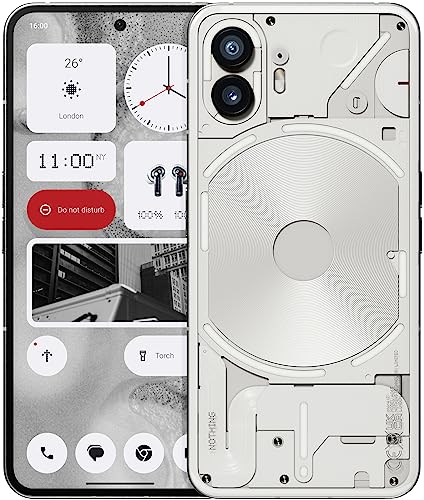
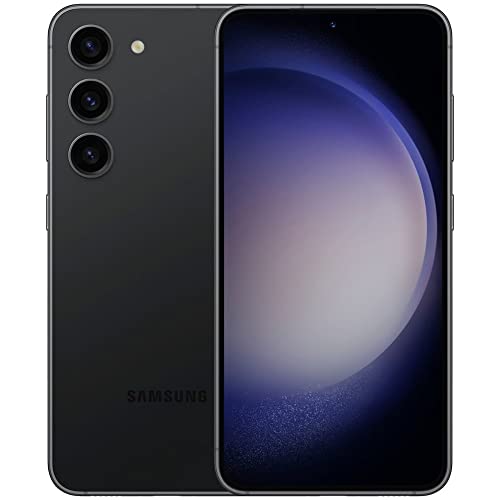
Our Top Picks
 Rogue R67S Unlocked 4G LTE Smartphone for T-Mobile6.78 x 3.13 x 0.39 inches0.5 poundsCheck on Amazon
 Samsung Galaxy A16 4G LTE 128GB+4GB SM-A165F/DS Factory3.07 x 0.31 x 6.47 inches0.4 poundsCheck on Amazon


What's inside
- What stock Android actually means in practice
- Why clean software matters more when hardware is modest
- Updates, patches, and the honest value of a promise
- Bloatware: counting what arrives before you do
- Performance you can feel, not just measure
- The display: where modest money should go first
- Battery life under ordinary, unglamorous loads
- Camera expectations set at the right height
- Build quality, handling, and the things brochures skip
- Connectivity that matches how you actually live
- Setting up a clean phone so it stays clean
- Who a stock phone in this tier suits, and who it does not
- A practical checklist before you commit
- Living with the phone in year two and beyond
- Myths worth retiring before you shop
- Making the final call with confidence
- Accessibility and everyday ease that rarely gets reviewed
- Security habits the phone cannot do for you
- Environmental and wallet sense in buying less, better
- Check prices on Amazon
- How to read a specification sheet without being misled
As an Amazon Associate I earn from qualifying purchases. This post may contain affiliate links at no extra cost to you.
Choosing a phone in the entry-level tier below the market’s budget ceiling is an exercise in priorities. Money is tight by definition in this segment, hardware margins are thin, and every maker has to decide where the limited engineering effort goes. Some pour it into extra camera lenses that add little, oversized spec-sheet numbers, or layers of decorative software. Others keep the experience close to the platform as its designers intended, with a clean interface, few preinstalled extras, and a clearer promise about updates. That second path is what people mean by stock Android, and at this end of the market it can matter more than any single hardware headline, because software touches everything you do with the device from the moment you unlock it in the morning.
This guide looks at how to judge a near-stock phone in the entry-level tier on the things that shape daily life: how quickly it receives security patches, how much clutter arrives in the box, whether the processor and memory feel adequate after a year rather than a week, how the battery behaves under ordinary messaging and browsing loads, and what camera results are realistic when the hardware budget is small. There are no shortcuts here, and no single model suits everyone. What you can do is learn which compromises are harmless, which ones quietly compound over time, and which questions to ask before you commit to a device you may keep for several years.
What stock Android actually means in practice
Stock Android, in everyday conversation, describes software that stays close to the open platform’s original design: the settings layout follows the familiar structure, the notification shade behaves predictably, the app drawer is a simple alphabetical grid, and the home screen is not crowded with duplicate services competing for your attention. It does not mean the phone is literally untouched by its maker. Every manufacturer adds drivers, camera tuning, radio work, and small utilities. The distinction is one of restraint. A near-stock build adds what the hardware needs and stops there, instead of rebuilding the interface into a separate ecosystem with its own gallery, browser, store, and account prompts layered over the standard ones.
That restraint shows up in small moments that repeat hundreds of times. Unlocking the phone does not trigger a carousel of promoted content. Opening settings does not require learning a second vocabulary for ordinary functions like battery usage or display timeout. Searching for an app does not surface sponsored placements above your own installed programs. None of these details photographs well or fills a comparison table, yet together they decide whether a modest phone feels calm and legible or busy and faintly adversarial. In the entry-level tier, where processors have less spare capacity, avoiding that extra weight is not merely an aesthetic preference. It is a performance decision as well.
It also helps to separate stock software from the lightweight editions designed for very constrained hardware. Those reduced editions strip features to fit tiny memory footprints, and they serve a purpose, but they are a different proposition from a full, clean build on capable entry hardware. When you shop this segment, read the software description carefully. A full near-stock experience should include the complete set of platform features you would expect, regular patch commitments stated in plain language, and no suggestion that core functions have been trimmed away to make room for promotional additions. Clarity in that description is itself a useful signal about how the maker thinks.
Why clean software matters more when hardware is modest
On a flagship device, a heavy interface can hide behind abundant processing power and generous memory. Animations stay smooth because there is headroom to burn. In the entry-level tier below the market’s budget ceiling, there is no such cushion. Every background service, duplicated app, and decorative effect competes for the same limited resources that your messaging app, browser, and maps need. A clean build leaves more of the machine for you. That is why two phones with near-identical chips can feel strikingly different in the hand: one spends its budget of cycles on your tasks, while the other spends a share of it maintaining its own ornamentation before you have done anything at all.
Storage tells a similar story. Entry-level phones ship with modest internal space, and the system partition claims its portion before you take a single photo. A lean software build leaves more room for your music, offline maps, downloaded lectures, and the photo library that grows relentlessly month after month. A bloated build can consume a surprising fraction of the device on day one, then add caches and bundled content on top. When space runs low, everything suffers: updates fail to install, apps stutter while swapping data, and the camera may refuse to save at the worst possible moment. Choosing clean software is, in part, choosing to keep your own storage for your own life.
There is a learning cost to consider too. Many buyers in this segment are purchasing a first smartphone, replacing a very old handset, or buying for a parent who wants technology to stay out of the way. A familiar, uncluttered interface shortens the adjustment period. Instructions found in general help articles match what appears on screen. Family members who own different brands can still talk each other through a settings change because the underlying structure is shared. That common language is an underrated benefit, and it disappears when every maker rearranges the furniture. For readers comparing broadly across the segment, our overview of best 10 android phones shows how widely software philosophies vary even among otherwise similar handsets.
Updates, patches, and the honest value of a promise
Security patches are the least glamorous part of phone ownership and among the most important. Vulnerabilities are discovered continuously, and a phone that stops receiving fixes becomes progressively harder to recommend for banking, work accounts, or anything involving personal documents. In the entry-level tier, update support varies enormously. Some makers state a clear window of monthly or quarterly patches and a number of major platform upgrades. Others say nothing at all, which usually means the device will be left close to the software it shipped with. Treat a written commitment as a core specification, equal in weight to the screen or the battery, because it determines how long the phone remains safe to rely on.
Major version upgrades matter for a different reason: features and compatibility. Apps gradually raise their minimum requirements, and services occasionally drop older platform versions. A phone that receives one or two genuine upgrades buys itself extra years of compatibility with the tools people actually use, from payment apps to school platforms to workplace logins. Speed of delivery matters as well. Near-stock devices have historically received updates sooner because there is less custom interface work to redo and retest with each release. When a maker modifies every screen, every update becomes a small redevelopment project, and entry-level models tend to fall to the back of that queue.
Before buying, verify the promise rather than assuming it. Look for the update policy on the maker’s own product documentation, note whether the stated window begins at launch or at your purchase date, and check how long the model has already been on sale. A phone released some time ago may have consumed part of its support window sitting on a shelf. Also consider how updates arrive: a clean build usually presents them as a simple notification with a clear changelog, not buried inside a proprietary hub surrounded by promotions. The calmer that process feels, the more likely owners are to install patches promptly, which is where the real protection comes from.
Bloatware: counting what arrives before you do
Bloatware is a blunt word for a spectrum of additions: third-party apps installed under commercial deals, duplicate tools that mirror built-in functions, games you never asked for, and services that create accounts in the background. Some can be uninstalled, some can only be disabled, and some resist both. In the entry-level tier the cost is not abstract. Each unwanted app takes storage, may request permissions, may run background tasks, and adds one more icon to wade past. A near-stock phone’s defining virtue is how little of this you will find. Ideally the box contains the platform essentials, the maker’s camera and support tools, and very little else competing for your attention.
Learn to audit a phone quickly when you handle one in a store or read a thorough hands-on account. Count the preinstalled third-party apps. Open the app drawer and look for duplicates: two browsers, two galleries, two file managers, two stores. Check whether promotional notifications are enabled by default and whether the lock screen or home screen carries a content feed you cannot switch off. Try disabling an unwanted app and see whether the system allows it. These five minutes reveal more about long-term software manners than any benchmark. A maker that respects your drawer on day one is more likely to respect your notification shade in month eighteen.
There is also a privacy dimension that deserves plain statement. Every additional preinstalled service is another set of terms, another data policy, and another potential source of prompts asking you to sign in, sync, or share. Reducing that surface does not make a phone private in any absolute sense, but it does mean fewer relationships to manage and fewer defaults to audit. For buyers setting up a device for a teenager or an older relative, that simplicity has practical value: the fewer accounts and feeds in play, the easier it is to explain what the phone is doing and why. Clean software is partly a usability choice and partly a housekeeping one.
Performance you can feel, not just measure
Entry-level processors have improved steadily, and for the core workload of calls, messaging, browsing, email, video, and light photography, a well-chosen current chip paired with clean software is entirely adequate. The problems appear at the edges: switching rapidly between several apps, loading heavy web pages with dense advertising, editing a long video, or playing demanding games at high settings. Judge a phone in this tier by the smoothness of ordinary transitions rather than peak benchmark figures. Does the keyboard appear instantly? Does the camera open before the moment passes? Does scrolling a long article stay even, or does it hitch every few seconds while background processes compete for attention?
Memory plays a quieter but decisive role. More working memory means the phone can keep your browser tabs, chat threads, and music player resident instead of reloading them each time you return. Reloads are where modest phones feel slow, because every reopened app repeats its startup work and often its network requests too. Be wary of marketing that inflates memory figures by counting borrowed storage as if it were the real thing. Virtual expansion can help in narrow circumstances, but it is slower than genuine memory and adds wear to the storage. Prefer the honest configuration, and favour a clean software build, which typically idles with more memory free than a heavily layered one on identical hardware.
Storage speed deserves a mention because it shapes everything from app installs to photo browsing. Faster storage standards make a perceptible difference in how snappy a modest phone feels, particularly as it fills up. If a listing in this tier specifies a modern storage type, treat that as a meaningful plus rather than fine print. Pair that thinking with your own habits: a reader who keeps years of photos on the device should prioritise capacity and simple backup options, while someone who streams everything can trade capacity for speed or a better screen. Readers weighing network and memory trade-offs together may find best 8gb ram smartphones useful as a reference for how memory tiers are usually positioned.
The display: where modest money should go first
You look at the screen for every single interaction, so in a constrained budget it deserves first claim on your attention. Resolution matters less than the headline suggests at typical phone sizes; a sharp enough panel with good contrast and honest colour will please you more than a nominally higher resolution paired with dim output and washed tones. Brightness is the specification to interrogate. A phone used outdoors for navigation, deliveries, farming, fieldwork, or simply reading messages in daylight needs a panel that stays legible under a bright sky. If hands-on accounts describe squinting outside, believe them, and weigh that more heavily than laboratory numbers quoted without context.
Refresh rate has filtered down into this tier and brings a genuine, if modest, pleasure: scrolling feels steadier and animations look calmer. It is worth having when it does not cost you battery endurance or brightness to get it. What matters more for most people is touch response and the quality of the glass and oleophobic coating, because a screen that registers taps reliably and wipes clean easily feels premium in a way spec sheets rarely capture. Also check the basics that marketing omits: whether the panel dims low enough for comfortable night reading without harsh flicker, and whether automatic brightness behaves sensibly instead of hunting up and down in mixed light.
Size is a personal decision with ergonomic consequences. Larger panels suit video, documents, and ageing eyes, while smaller bodies fit pockets and one-handed use on crowded transport. In this tier, bezels are thicker and bodies are chunkier than expensive phones, which is fine; what you want is balance. Hold the phone if you can, reach for the notification shade, and type a sentence. A clean software build helps here too, because gesture navigation and one-handed modes in the standard platform are well practised and predictable, rather than reinvented with slightly different rules that you must relearn every time you change brands.
Battery life under ordinary, unglamorous loads
Battery claims in this segment are usually framed around capacity, but endurance is a system property. The processor’s efficiency, the screen’s brightness habits, the radio’s behaviour on weak signals, and the software’s discipline about background work all shape the result. This is another arena where a near-stock build quietly earns its keep: fewer bundled services waking the device, fewer feeds refreshing themselves, and fewer duplicate sync engines all translate into a phone that sips rather than gulps while it sits in your pocket. When you read endurance reports, value mixed-use accounts over video-loop records, because your day is a mixture and the loop is not.
Think in terms of your worst day, not your average one. A long commute with navigation, a day of travel with boarding passes and constant signal hunting, a work shift where the phone doubles as a hotspot: these are the days that decide whether a battery is big enough. If your routine includes any of them, favour the model with the stronger endurance reputation even at the cost of a slimmer body or a flashier extra. Also consider charging behaviour. Modest wired charging that is reliable and cool is preferable to headline speeds that heat the battery, and a standard connector shared with your other devices simplifies life more than proprietary schemes ever will.
Long-term battery health is the part buyers forget until year two. Batteries age with heat and with time spent sitting full. Software that offers a sensible charge-limit or overnight adaptive charging option helps, and clean builds tend to expose those platform features plainly rather than burying them. Your own habits matter too: avoid leaving the phone baking on a dashboard, and do not panic about occasional full charges, which are harmless in normal use. A phone in this tier that still holds a comfortable day of charge in its third year has repaid its software discipline many times over, and that longevity is a real saving compared with replacing a tired device early.
Camera expectations set at the right height
Camera marketing in the entry-level tier leans on lens counts and large sensor numbers, but honest expectations serve you better. A single well-tuned main camera with competent processing will produce more pleasing daylight photographs than a cluster of token auxiliary lenses with tiny sensors and fixed focus. Portraits of family, documents for school or office, market stalls, pets, and the general visual diary of a life: a good main camera handles all of these respectably. Where results will fall short is predictable: dim restaurants, fast-moving children indoors, distant subjects that demand real zoom, and night scenes with mixed neon and shadow. Knowing those limits in advance prevents disappointment and wasted money chasing numbers.
Software processing is half the photograph, which is why the stock philosophy cuts both ways here. A restrained maker may rely on straightforward processing that looks natural but does less rescue work in poor light, while heavier rivals apply aggressive sharpening and saturation that some people love and others find garish. Look at full-size sample images from reviewers who shoot ordinary scenes, not only curated landscapes. Check skin tones, foliage, and white walls for strange colour casts. Check how the camera handles a backlit face. And test the shutter behaviour in accounts you trust: a camera that opens quickly and shoots without lag is worth more at a family gathering than a marginally sharper lens on a sluggish app.
Video in this tier is best treated as a documentation tool. Stabilisation is limited, microphones are basic, and low-light footage gets noisy quickly. For school projects, quick clips for relatives, and recording a leaking pipe for a landlord, it is perfectly serviceable. Front cameras follow the same pattern: adequate for video calls in decent light, flattering to no one in a dark room. If your life genuinely revolves around content creation, this whole segment will frustrate you regardless of software philosophy, and saving longer for a higher tier is the honest advice. For everyone else, judge the main camera, ignore the lens-count theatre, and move on to the factors that affect you daily.
Build quality, handling, and the things brochures skip
Entry-level phones are plastic phones, and there is no shame in that. Modern polycarbonate bodies shrug off drops that would crack glass, weigh less in the pocket, and allow colours that glass sandwiches rarely attempt. What separates a good plastic phone from a flimsy one is fit and rigidity: seams that meet evenly, buttons that click without wobble, a frame that does not creak when you grip it, and a back that does not feel hollow when you tap it. These are judgements your hands make in seconds, which is why handling a display unit, or ordering from somewhere with a sane returns policy, beats studying photographs of the device at dramatic angles.
Water and dust resistance is uncommon in this tier, and honest listings will not pretend otherwise. A basic splash-resistant design or internal sealing against everyday accidents is a welcome bonus, but do not treat any phone here as a pool companion. More relevant for most buyers is repairability. Ask whether the local service network stocks screens and batteries for the model, and whether independent shops in your area will touch it. A clean, popular, simply constructed phone tends to be cheaper to keep alive after a cracked screen, and that matters when the whole point of the segment is value stretched over years rather than novelty enjoyed for months.
Small hardware kindnesses add up. A fingerprint reader placed where your finger naturally lands, whether in the power button or under the display, speeds every unlock. A headphone socket, where present, keeps older wired earphones in service and helps anyone who listens on long journeys without wanting another battery to charge. Expandable storage, when offered, lets a modest phone grow with your photo library instead of forcing a replacement. None of these features is fashionable, and makers quietly remove them even from inexpensive models, so check the actual specification of the exact variant you are buying rather than assuming last year’s conveniences survived.
Connectivity that matches how you actually live
Network support sounds dull until it fails you. Confirm that the phone covers the bands your carrier uses, especially if you are importing a model or buying a variant intended for another region. In many markets this tier is where fifth-generation support becomes common, and for buyers in areas with good coverage it can extend the useful life of the device. Elsewhere, a solid fourth-generation phone with excellent reception may serve better than a newer-network model that compromises elsewhere. Our comparison notes in best 4g android phones walk through that trade-off for readers whose local coverage is still firmly in the older generation’s territory.
Dual-SIM support remains essential for people juggling a work line and a personal number, or pairing a cheap data plan with a long-held primary number. Check how the tray is arranged: some phones force a choice between a second SIM and a memory card, which is a real compromise if you wanted both. Wi-Fi quality also deserves a glance, since a phone that holds a weak home signal reliably will feel faster than a nominally quicker chip attached to a flaky radio. Call quality, unfashionable as it is to mention, still matters; read user reports about earpiece clarity and microphone performance in wind, particularly if you take calls outdoors for work.
Location accuracy rounds out the connectivity picture. Delivery riders, drivers, hikers, and anyone navigating an unfamiliar city on foot depends on positioning that locks quickly and holds steady between tall buildings. Most current entry-level phones handle this well, but the combination of a clean software build and a decent radio helps, because there are fewer background restrictions fighting the navigation app for resources. If you rely on offline maps, remember that they consume storage, which circles back to the earlier point about lean software leaving more room for the data your life actually needs. Connectivity is a chain, and the software is one of its links.
Setting up a clean phone so it stays clean
The first hour with a new phone shapes the next three years. During setup, decline optional extras calmly and one screen at a time: extra stores, content feeds, trial services, and duplicate assistants can nearly always be skipped, and skipping them is easier than removing them later. Sign in with the account you intend to keep, because migrating a library of purchases and backups between accounts is a chore nobody enjoys. Restore only what you need from an old device. Bringing across years of forgotten apps recreates the clutter you bought a clean phone to escape, and each restored app is another permission set to review.
Once the home screen appears, spend ten deliberate minutes on housekeeping. Uninstall or disable anything you do not recognise and do not want. Review which apps may send notifications, and be strict: messaging, calls, banking alerts, and calendar reminders earn their place, while shopping and entertainment apps can usually wait silently until you open them. Check the default apps for browser, messaging, and launcher so the phone behaves the way you expect when you tap a link in an email. Set up automatic backups while the thought is fresh, including photos, because the best backup is the one that was running before the phone met the pavement.
Finish by arranging the phone for the person who will actually use it. If that is you, place the four or five apps you open constantly within thumb reach and let the drawer hold the rest. If the phone is for a parent, enlarge the text, pin the dialler and camera, add emergency contacts, and practise one video call together before you leave. A stock interface makes this coaching easier because the screens you describe over the phone later will match the screens they see. That predictability is a form of after-sales support you provide yourself, and it is one of the strongest practical arguments for choosing the uncluttered path in this segment.
Who a stock phone in this tier suits, and who it does not
This kind of phone suits the pragmatist: someone who wants messaging, browsing, banking, photography for the family album, and media playback to work smoothly for years, without the device demanding attention for its own sake. It suits students whose budgets are strict and whose previous phones died from neglectful software support rather than broken hardware. It suits older users who value a legible, stable interface, and it suits anyone buying a reliable second phone for work, travel, or a glovebox. In each case the appeal is the same: the phone spends its limited resources on your priorities and stays predictable while doing so.
It suits you less well if your pleasures are specific and demanding. Mobile gamers chasing high frame rates in heavy titles will hit the ceiling of entry hardware quickly, no matter how clean the software is. Photography enthusiasts who shoot in difficult light will find the cameras honest but limited. Buyers who genuinely enjoy deep customisation, themed interfaces, and maker-specific feature labs may find a restrained build austere rather than calm. And if your carrier or employer requires particular bundled services, a different model may integrate more smoothly. Naming these mismatches is not a criticism of the phones; it is how you avoid buying a good device for the wrong life.
There is also a middle group worth addressing: people who like the idea of clean software but worry they will miss something. In practice, the standard platform now includes most features that were once maker exclusives, from screen recording to rich notification controls to flexible dark themes. What you give up is mostly duplication and decoration. What you gain is an update cadence and a clarity that compound over the ownership period. If you remain torn, the tiebreaker is time. A heavily customised phone impresses in the shop; a clean phone impresses in the third year, when it still receives patches, still has storage free, and still feels like itself.
A practical checklist before you commit
Start with the software facts, because they are the hardest to change after purchase. Confirm the update commitment in writing from the maker, including how many major upgrades and how long patches continue. Confirm the phone launches on a recent platform version rather than one already ageing. Count the preinstalled third-party apps from a hands-on account or a display unit, and verify that the ones you dislike can be removed or disabled. If a seller cannot answer these questions, treat that silence as information. Makers who are proud of their software support tend to print it clearly, and retailers who know their stock can usually find the answer quickly.
Move next to the hardware you will touch daily. The screen should be bright enough for your outdoor life, the body should sit comfortably in your hand and pocket, and the fingerprint reader should work without contortions. Check that storage is sufficient for your photo habits with room to spare, and prefer faster storage and honest memory figures over inflated virtual claims. Battery endurance reports from mixed-use testing should match your worst day with margin. If expandable storage, a headphone socket, or dual-SIM flexibility matters to you, verify the exact variant offers it, because regional versions of the same model differ in ways that listings do not always make obvious.
Finally, consider the ownership ecosystem around the phone. Is there a service centre within reach, and do local shops stock its screens and batteries? Does the maker sell simple cases and protectors for it, or will you be hunting imports? If you plan to buy unlocked and choose your carrier freely, the guidance in best affordable unlocked android phones explains the flexibility that route gives you in this tier. Add up these practicalities before you fall for any single specification. Phones are owned in the real world of cracked glass, lost chargers, and changing networks, and the best entry-level purchase is the one that survives that world gracefully.
Living with the phone in year two and beyond
The second year is where software philosophy sends its invoice or pays its dividend. A clean phone that has received steady patches and one major upgrade still feels familiar and secure; its owner has not had to relearn the interface or abandon an app that dropped support. Storage pressure is the main creeping problem, as photo libraries and chat media accumulate. A quarterly tidy helps: clear the downloads folder, review which apps hoard cached video, and move large files to a computer or card. Because the system itself started lean, these small habits are enough, whereas a phone that began bloated often needs drastic measures by the same age.
Performance drift has similar roots. Every phone slows a little as apps grow heavier, but a device that began with fewer background tenants has further to fall before the slowdown bothers you. If your phone does start to feel tired in year three, the honest remedies are mundane: remove the apps you stopped using, restart it occasionally, keep a reasonable slice of storage free, and install the updates you may have postponed. A factory reset, with a verified backup in place, restores most of the original responsiveness on a clean build precisely because there is so little maker software to reinstall itself and begin the clutter cycle again.
Resale and hand-me-down value follow from the same story. A patched, legible, uncluttered phone is easy to pass to a younger sibling, a parent, or a colleague, because the next owner inherits a device that still behaves like the platform they may already know. Wipe it properly, remove your accounts, and include the charger you no longer need. Entry-level phones rarely command much money second-hand, but their usefulness as a family spare is considerable, and usefulness is the currency this segment trades in. Longevity, not novelty, is the return on a careful purchase here, and clean software is longevity’s most reliable ingredient.
Myths worth retiring before you shop
The first myth says that a restrained interface means a featureless phone. In reality the standard platform has absorbed most everyday conveniences over the years, and what remains exclusive to heavy skins is often a variation rather than an invention. The second myth claims that more preinstalled apps mean more value. Value you did not choose, cannot remove, and must step around daily is not value; it is rent charged in storage and attention. The third myth holds that entry-level phones are disposable by nature. Some are, usually because their software support ends early, which is exactly the failure a careful buyer in this tier can screen for and avoid.
A fourth myth deserves attention because it flatters everyone: that benchmark scores settle arguments. Scores measure brief peaks under controlled conditions, while ownership is a long average of small interactions, weak signals, hot afternoons, and nearly full storage. A phone with a modest score and disciplined software routinely feels better in that average than a higher scorer weighed down by its own interface. The final myth is that updates are a luxury for expensive phones. The opposite is closer to the truth. Flagship buyers replace their devices frequently, so support windows matter less to them; it is the buyer stretching a modest phone across four years who needs every promised patch to arrive.
Retiring these myths clarifies the decision rather than complicating it. You are not hunting for a hidden flagship hiding in the entry-level tier below the market’s budget ceiling, because no such creature exists. You are choosing which limitations you can live with happily and which you cannot. Limited gaming power is livable for most people. Limited camera reach is livable. Limited software support is not livable if you bank, work, and store your life on the device, because it shortens the phone’s safe lifespan no matter how pleasant its first months were. Rank your deal-breakers in that order and the right shortlist usually assembles itself.
Making the final call with confidence
Bring the decision down to a short written list before you look at any more listings. Write the update window you require, the storage you need, the screen brightness your outdoor life demands, and the two or three hardware kindnesses you refuse to surrender, whether that is expandable storage, a headphone socket, or a fingerprint reader in the button. Then measure every candidate against that list and let the list, not the marketing, do the eliminating. Phones that survive it are all defensible choices, and among them you may safely follow smaller preferences: a colour you enjoy, a brand your local shop supports, a body shape your hand prefers.
Resist the last-minute upsell fog that gathers at the point of purchase. Extra lenses, decorative software bundles, and inflated memory claims will all be pressed on you as reasons to stretch. Some stretches are wise: paying a little more within the tier for a longer update commitment or genuinely faster storage buys years, not minutes, of satisfaction. Others merely buy a longer specification list. The distinction is whether the upgrade improves your ordinary Tuesday or only the unboxing. A stock phone in this segment is, at heart, a bet on ordinary Tuesdays, repeated reliably for years, and that is precisely the bet most owners need their money to make.
Buy from a channel that gives you a short window to live with the device and return it if your hands disagree with your research. Use that window honestly: load your real apps, take your real commute, shoot your real family in your real kitchen light, and watch how the battery ends a real day. If the phone passes your life rather than a reviewer’s test bench, keep it with confidence and stop reading comparison articles. The search has done its job. What remains is the quiet pleasure of a tool that stays out of your way, which is the entire promise this kind of phone makes.
For the buyer standing in a crowded shop with two near-identical boxes in hand, the deciding question is simple enough to whisper: which of these will still feel honest, patched, and uncluttered on a rainy evening three winters from now?
Accessibility and everyday ease that rarely gets reviewed
Review coverage tends to chase novelty, yet for many owners the most valuable software qualities are accessibility settings that work exactly as documented. Text scaling that reflows screens gracefully, magnification gestures, captions for media, hearing-aid compatibility, and high-contrast options all live in the standard platform’s settings, and a near-stock build presents them where general guides say they should be. If you are buying for someone with low vision, unsteady hands, or hearing loss, that predictability is not a minor convenience. It determines whether help articles, clinic handouts, and family instructions remain useful or become useless because a maker rearranged the menus.
Ease also includes the small mercies of daily interaction. A stock-style phone handles notification grouping in a consistent way, so a flood of group-chat messages collapses into one tidy bundle instead of burying a bank alert. Bedtime and focus modes follow the platform’s familiar rules, silencing the noise without hiding alarms. The share sheet, the permission prompts, and the photo picker behave the same across apps, which builds a kind of muscle memory that makes the whole device feel faster than its processor. None of this will appear in an advertisement, and all of it will appear in your daily experience of owning the thing.
Parents setting up a phone for a child benefit from the same standardisation. The platform’s family controls, app timers, and content filters are documented extensively in plain language, and a clean build does not insert a competing parental dashboard with its own account and upsells. You can approve downloads, set a bedtime schedule, and review usage from your own phone without learning a second system. For households managing several modest devices at once, that shared grammar across brands is a genuine relief: the instructions you learn on one handset mostly transfer to the next, even when the logos on the backs differ.
Security habits the phone cannot do for you
A patched phone is a strong foundation, but your habits complete the structure. Use a proper screen lock, because the fingerprint reader and PIN protect everything behind them, from photo libraries to payment confirmations. Review app permissions a few times a year with a sceptical eye: a torch app has no business reading your contacts, and a game does not need your precise location around the clock. A clean interface makes this audit easier because the permissions screens are the standard ones, labelled consistently, without extra layers of maker-specific toggles muddying which switch actually governs what.
Be equally deliberate about what you install. The safest app catalogue is the official one, and sideloading files from random websites is how modest phones acquire the very clutter and risk their owners bought clean software to avoid. Keep the browser updated, treat unexpected text messages claiming to be delivery firms or banks with suspicion, and turn on the platform’s built-in protections for scanning and safe browsing rather than disabling them when a website complains. Two-step verification on your main accounts matters more than any single phone feature, because accounts outlive devices and a stolen password travels further than a stolen handset.
Backups belong in this conversation because security includes surviving your own accidents. A phone that is dropped in a river should cost you a device, not your photographs of the last three years. Confirm that photo backup is genuinely running by opening the backup service and checking the date of the most recent successful run, not merely that a toggle appears switched on. Export anything irreplaceable, such as voice recordings of family members or scans of documents, to a second location as well. These habits take twenty minutes to establish on a clean phone, and they quietly convert potential disasters into mere inconveniences for the rest of the ownership period.
Environmental and wallet sense in buying less, better
There is a straightforward sustainability argument for this category done well. The greenest phone is usually the one already manufactured, and the second greenest is the modest new phone that stays useful for four years instead of two. Software support is the hinge of that equation, because hardware in this tier is generally durable enough to outlast its patches. Every additional year a patched, legible phone remains in service is a year its materials are not replaced, its purchase cost is spread thinner, and its eventual replacement can be planned rather than forced by an app that suddenly refuses to run.
The wallet arithmetic mirrors the environmental one. A slightly more careful purchase inside the tier, favouring update length, storage headroom, and a screen you can read outdoors, tends to cost less across four years than a cheaper-feeling purchase replaced early. Add the avoided accessories churn, the case and charger that carry over, and the hand-me-down value to a relative, and the careful choice pulls further ahead. This is why this guide keeps returning to longevity over spectacle. In the entry-level tier below the market’s budget ceiling, the specification that saves you the most money is rarely printed largest on the box, and it is very often the software commitment printed smallest.
When the phone finally does reach the end of its road, a clean device exits gracefully. Back it up, sign out of every account, encrypt and reset it, and remove your cards and SIM. A handset that received its patches to the end can serve someone else as a media player, a child’s first supervised device, or a dedicated navigation unit without exposing your data or theirs to unnecessary risk. If it is truly finished, use the maker’s or retailer’s recycling route rather than a drawer. Even the end of the story is easier when the software stayed orderly, which feels like a fitting last argument for choosing calm over clutter.
Check prices on Amazon
Live listings for the shortlist in this guide are pulled from Amazon below, so prices and availability are always current at the moment you look.


How to read a specification sheet without being misled
Specification sheets in this tier are written to emphasise whatever a maker did well and bury whatever it skipped, so read them adversarially. If the update policy is absent, assume it is short. If memory is described with a large combined figure, find the genuine hardware number hiding beneath the virtual addition. If the camera section lists many lenses, look for the main sensor’s details and sample images, and let the auxiliary lenses earn your attention only if evidence says they deserve it. If battery capacity is trumpeted but charging and endurance go unmentioned, suspect that the lived experience is less impressive than the single number suggests.
Cross-check every claim that matters against a second source, ideally a reviewer who bought or borrowed the phone and used it with their own SIM for a week. Listings go stale, regional variants differ, and software updates occasionally change features after launch. A short search for the model’s known annoyances is worth more than an hour admiring its highlights, because annoyances are what you will meet daily. Pay particular attention to recurring complaints about notification delays, aggressive app killing, or advertisement-like prompts, since those behaviours reveal a maker’s software culture more honestly than any keynote promise about user experience.
Finally, remember what the sheet cannot tell you at all: how the phone will be supported in its third year, whether your local shop can repair it, and whether its interface will still feel calm when your storage is nearly full and your apps have grown heavier. Those answers come from the maker’s track record, the service network around you, and the software philosophy this guide has described. Weigh them accordingly, and the modest phone you choose stands a fine chance of being remembered not as a compromise you endured, but as the sensible little workhorse that quietly outlasted flashier rivals on your shelf.
One last habit separates satisfied owners from frustrated ones in this segment: they judge the phone against the job they bought it for, not against devices costing several times as much in somebody else’s pocket. A handset that handles your messages, maps, photographs, banking, and evening reading without fuss, that patches itself quietly, and that asks little attention in return has succeeded completely by the only measure that matters. Hold every candidate to that humane standard during your search, forgive the limitations that never touch your routine, refuse the ones that do, and you will find that the entry-level tier contains genuinely likeable phones for people who value calm software over confetti.
Keep that standard pinned somewhere visible while you browse, because listings are engineered to make you forget it within minutes, and the calm phone you actually need will rarely shout loudest from the page.
Related guides
- Best Affordable Android Phones: Value Measured Across Four Years
- Best 3rd Party Android Phones: Six Challenger Picks Beyond Samsung and Google
- Best 6 Inch Android Phones: Six Compacts Compared by Grip, Camera and Support
- Best Ad On Mic for Android Phones: Six Add-On Microphones That Transform Phone Audio