Our Top Picks




What's inside
As an Amazon Associate I earn from qualifying purchases. This post may contain affiliate links at no extra cost to you.
A projector only shows its best side when the picture actually reaches it cleanly. In a living room that can mean a laptop balanced on a coffee table because the HDMI cable will not stretch to a ceiling mount. In a classroom it can mean a teacher tethered to a podium at the front while students wait at the back. In a meeting room it can mean a presenter crouched beside a wall plate, swapping cables with the next speaker and losing the thread of the discussion. A wireless adaptor for a projector removes that single awkward link. Instead of running a long cable across a floor, through a wall, or over a ceiling, you connect a small transmitter to the source, a receiver to the projector, and let a radio link carry the video and audio between them.
This guide compares eight wireless options built around that job. Some are full transmitter and receiver kits designed for longer extender runs, rated in their listings at distances from 164 feet to 400 feet. Some decode a 4K input and output 1080P to the display. Some are casting adapters made for a single ecosystem, such as an iPhone or iPad sending its screen to a projector through AirPlay. One is a USB-C kit shaped around travel and hotel televisions as much as home use, and one uses a magnetic USB-C transmitter from a well-known accessories brand. They are not interchangeable, and treating them as if they were is the fastest way to buy the wrong one. A kit that suits a fixed home theater may be overkill for a borrowed classroom projector, while a compact phone dongle that is perfect for a quick slideshow may have no place in a permanent installation.
Our approach here is comparative and document-based. This article is written from the perspective of a home-theater and AV research desk comparing published listings and spec sheets side by side, checking what each product title actually states about range, bands, decoding, output, and source compatibility, and then mapping those stated facts onto the rooms where projectors are really used. This guide is built from published listings, specifications, and documentation rather than from personal use of the units, so every claim below is tied either to wording in a product listing or to a general truth about how wireless HDMI and screen casting work as categories. Some links in this guide point to Amazon and the site may earn a commission if you buy through them, at no added cost to you. As an Amazon Associate we earn from qualifying purchases. That relationship does not change which distinctions matter here: range, resolution handling, band, latency behavior, and whether a kit needs your existing Wi-Fi network at all.
How wireless HDMI works for a projector
Most of the products in this guide fall into one of two families, and the difference between them shapes everything else. The first family is the dedicated transmitter and receiver pair, often shortened to TX and RX. The transmitter plugs into the source device: a laptop, a PC, a TV box, or in one case listed here, a satellite TV feed. The receiver plugs into the display side: the projector, or a monitor or television standing in for one. The two units form their own direct wireless link, send the HDMI signal across the room, and reconstruct it at the other end. Because the pair is purpose-built, these kits are the ones that advertise long extender distances, dual-band operation, and features such as LED displays that show link status at a glance.
The second family is the casting adapter or dongle. Instead of a matched pair, you get a single receiver-side device that plugs into the projector and listens for a stream sent by a phone, tablet, or computer using a casting protocol the source already supports. The iPhone and iPad adapter in this guide works that way, using AirPlay screen mirroring for iOS devices. Casting adapters are usually smaller, cheaper to carry, and quicker to understand, but they tie you to the ecosystem and the apps they support. A dongle described as iOS only, not for Android, means exactly that: it is a deliberate, single-platform tool, not a universal receiver.
Decode resolution is not output resolution
Several listings in this guide use a two-part phrasing that deserves a careful read: 4K decode with 1080P output. Those are two different steps. Decoding describes what the receiver can accept and process on the incoming side. Output describes what it actually sends to the projector. A kit that decodes 4K and outputs 1080P at 60Hz can accept a 4K source signal without refusing it or forcing you to reconfigure the source, and it then delivers a 1080P picture that matches the native resolution of a very large share of projectors in homes, classrooms, and meeting rooms. That is a sensible pairing, not a compromise hidden in fine print, provided your projector is a 1080P model.
The mismatch only becomes a problem when the display at the end of the chain is genuinely a 4K projector and you expect a 4K picture on screen. In that case a 1080P output ceiling is a real ceiling, no matter how large the decode figure looks in the product name. Conversely, if your projector is 1080P, a 4K output claim would add nothing visible, because the projector would scale the signal down anyway. The honest way to shop is to match the output figure to your projector first, and treat the decode figure as a statement about source flexibility second.
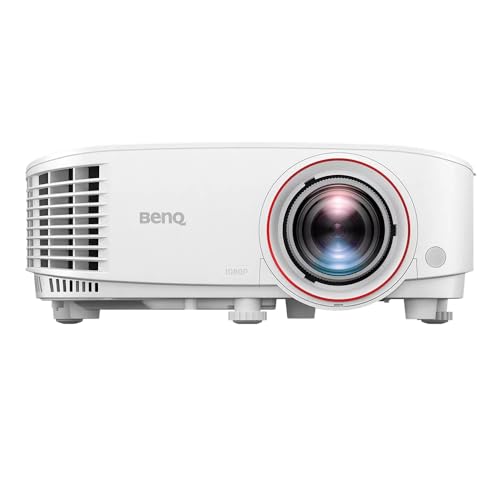
best 1080p home theatre projectors
That matching exercise is easier when you know the projector you are feeding. A 1080P home theater projector and a wireless kit with 1080P output are a natural pair for film nights, while a data projector in a bright classroom cares less about the last increment of resolution and more about a stable link and legible text.
Why two bands are better than one
Most of the extender kits here describe dual-band operation, using 5.8G or 5GHz together with 2.4G. As a general category truth, the two bands behave differently. The 2.4G band tends to travel farther and pass through obstacles more forgivingly, but it shares spectrum with a crowded set of household devices and older Wi-Fi networks. The 5G and 5.8G bands generally offer more room and cleaner throughput for video, at the cost of being somewhat less tolerant of distance and obstruction. A dual-band kit can lean on the strengths of each, and in a projector setup that flexibility is useful because projectors are rarely placed in ideal spots. They sit on ceilings, behind sofas, at the back of halls, and above cupboards, often with people, furniture, and walls between them and the source.
Range figures need the same careful reading as resolution figures. When a listing states 328 feet, 360 feet, or 400 feet, that figure describes the rated link distance under the conditions the maker assumes, which for wireless video are typically open and unobstructed. Real rooms shorten real links. Walls, metal shelving, and human bodies all absorb signal, and a ceiling-mounted projector at the back of a long classroom is a different proposition from a tabletop projector twelve feet from a laptop. Treat the headline range as headroom rather than as a promise. A kit rated well beyond your actual room length gives the link margin to absorb the obstacles your room contains, and that margin is the practical reason to prefer a longer-rated kit for a fixed installation.
Plug and play, and what it does and does not mean
Nearly every listing in this guide uses some form of the phrase plug and play. In this category that generally means the transmitter and receiver are paired from the factory, recognise each other when powered, and need no software installation, no driver, and no account before a picture appears. Several listings also stress that no Wi-Fi network is needed, which matters in hotels, schools, and offices where joining a local network can be slow, restricted, or simply not allowed for a guest device. A self-contained link sidesteps captive portals and network passwords entirely.
Buying criteria for projector setups
Start with the room, not the product. Measure, even roughly, the distance between where the source will sit and where the projector is, then add the detours the signal cannot take. A straight line across an open room is the easy case. A signal that must leave a cupboard, cross a hall, and reach a projector mounted high on the opposite wall is working harder, and the rated range you need grows accordingly. For a typical living room or a single classroom, even the shortest-rated kit in this guide, at 164 feet or 165 feet, offers headroom far beyond the physical distance. For a large hall, a house of worship, a warehouse presentation space, or an outdoor screening arrangement, the 328-foot, 360-foot, and 400-foot kits exist precisely because those rooms exist.
Next, name your sources honestly. A household may want a laptop for film nights, a TV box for broadcast sport, and a phone for showing photos, all through the same projector. A kit whose listing names PC, laptop, and TV box as sources covers that pattern directly. A teacher may only ever present from one laptop, in which case source breadth matters less than a fast, repeatable connection at the start of a lesson. A traveller may care most about a phone and a hotel television. The product sections below repeat each listing’s stated sources for this reason: compatibility with the devices you actually own is the first filter, and no range figure compensates for a source the kit does not accept.
best 1080 short throw projectors
Resolution matching comes third, following the decode and output logic above. Confirm your projector’s native resolution, then confirm the kit’s stated output. Add frame rate where a listing states it: 1080P at 60Hz, stated by the first and seventh products in this guide, is the comfortable target for smooth motion in sport and gaming-adjacent use, and it matches what most 1080P projectors accept natively. For slides, documents, and most streamed drama, the difference is less visible, but there is no downside to a kit that states the fuller specification plainly.
Latency is the criterion listings talk about least and gamers notice most. Wireless video always involves some processing: the signal is encoded, transmitted, and decoded, and that takes time. Some listings in this guide address the point head-on with wording such as zero-lag, while others say nothing about it. As a general truth, presentation, film, and television content tolerate small delays easily because audio and video travel together and the viewer has no controller in hand. Interactive use is less forgiving. If fast-twitch gaming through a projector is your main plan, weigh latency wording heavily and keep expectations calibrated; if your plan is film, lessons, and meetings, it is a secondary concern.
The eight wireless adaptors, product by product
The order below follows the order of the shortlist, not a ranking from best to worst, because the right choice depends on the room and the sources described above. Each section sticks to what the product listing states, then places that stated specification in the projector contexts where it matters most.
1. 2026 New Wireless HDMI Transmitter and Receiver, 360FT/110M Extender
This kit presents itself as a long-range extender with a clear, modern specification. Its listing states a 360-foot, or 110-metre, link distance, 4K decoding, and a 1080P output at 60Hz, which is the fuller version of the decode-versus-output pairing explained earlier: flexible on the way in, matched to a 1080P projector on the way out, and explicit about frame rate. It also states an LED display, a detail that earns its place in a projector setup because a receiver tucked beside a ceiling-mounted projector is hard to inspect closely. A readable status display lets you confirm the link from a distance instead of climbing up to check a tiny indicator.
The stated bands are 5.8G plus 2.4G, the dual-band combination that gives a link both reach and cleaner high-throughput spectrum to work with. The stated sources are a PC, a laptop, and a TV box, sending video and audio to a monitor, and the same receiver-side logic applies when that display is a projector instead. The listing describes the kit as plug and play, so the intended routine is connection and power rather than configuration. For a home theater where the sources live in a rack at the front and the projector hangs at the back, this combination of long rated range, a status display, and a stated 60Hz output makes it one of the more installation-friendly options in the group. For a classroom, the same range provides margin for a room where the teacher’s desk and the projector are at opposite ends, and where the link must survive a room full of students between them.
2. Wireless HDMI Transmitter and Receiver 328ft/100m Extender, 1080P Output
The second kit is rated a step shorter, at 328 feet or 100 metres, and it phrases its resolution handling as ultra HD 4K decode input with 1080P output. That is the same sensible pairing in different words: accept a higher-resolution source, deliver the 1080P picture a mainstream projector wants. Its listing adds the word portable, which separates it from purely fixed installations. A portable extender with this much rated range suits a presenter, trainer, or community group that sets up in different rooms and cannot predict the distance or the obstacles in the next one.
Its stated bands are 2.4G and 5.8G, again dual-band, and its stated sources are a PC, a projector-side setup, and a TV box, sending video and audio to a monitor. Read that source list in the direction that matters for this guide: the source sits at one end, the display at the other, and where a listing names a monitor the receiver will serve a projector in the same role. The listing also states an LED display, giving this kit the same at-a-glance link confirmation as the first model, and describes it as plug and play. For a school or office that shares one kit among several rooms, portability plus a display plus generous range is a coherent package: carry it in, connect it, confirm the link on the display, and present.
3. Wireless HDMI Adapter for iPhone iPad, iOS Only, AirPlay Mirroring
This adapter is the clearest specialist in the guide, and its listing is admirably blunt about its limits. It is for iPhone and iPad, it is iOS only, and it is not for Android. Within that boundary it offers AirPlay screen mirroring to a TV, monitor, or projector, described as a plug and play iShare iOS display dongle, with support for YouTube and TikTok named in the listing and an HD 1080P picture. There is no transmitter to plug into a source because the phone or tablet itself is the transmitter, using a protocol it already speaks.
That shape suits a particular kind of projector use extremely well. A teacher with an iPad can mirror a lesson, an app demonstration, or a marked-up document without returning to a desk. A family can put photos and short videos from an iPhone onto a big projected image without moving files anywhere. A speaker who builds slides on an iPad can travel with a dongle instead of a kit. The same shape is the wrong choice for a mixed household or a workplace where Android phones and Windows laptops also need to present, and the listing’s honesty about that is a feature. Buy it for an iOS-centred life and it removes cables entirely; buy it hoping it will stretch to other platforms and it cannot. It is also the natural reminder that casting and extender kits solve different problems, even though both end with a picture on a projector.
Casual content is where a mirroring dongle earns its keep most visibly, because the source material already lives on the phone. A film night built around a phone’s apps, a slideshow of holiday pictures, or a shared look at a social video all start on a small screen that a projector can make communal, and a single-purpose adapter keeps that handover to one step.
4. Wireless HDMI Transmitter and Receiver 400FT/120M Extender, LDS Antenna
The fourth kit carries the longest rated range in this guide: 400 feet, or 120 metres, described as an ultra HD decode extender with 4K decode. Its listing spends more words on antennas than any other here, naming an LDS high-power antenna and a satellite antenna, together with dynamic EQ, and dual-band operation at 5.8G plus 2.4G. Antenna design is not decoration on a wireless extender. It is the part of the hardware that determines how well a link holds at distance and through a difficult room, so a listing that foregrounds antenna technology is making a claim about exactly the situations where lesser links fade: long halls, separated buildings on the same site, and large venues.
The stated source in its title is satellite TV, sending audio as part of a plug and play audio and video link. That framing points it toward viewers whose projector serves as the big screen for broadcast content, and toward venues where the receiver position is fixed far from the screen. In a home theater context, the practical reading is headroom: a kit rated at 400 feet is not being bought because a living room is 400 feet long, but because a rating that high leaves enormous margin for walls, floors, and furniture in a shorter run. In a large classroom block, a village hall, or a place of worship, the rating may be used much more literally. Either way, this is the kit in the group whose listing leans hardest into distance and signal hardware, and it should be shortlisted on that basis when range is the dominant problem.
5. Lulaven iShare Pro 2026 Wireless HDMI Transmitter and Receiver Kit, USB-C
The Lulaven iShare Pro takes the matched-pair idea and rebuilds it around USB-C. Its listing states USB-C connection for iPhone 15, 16, and 17, iPad, and MacBook, which covers the recent Apple devices that have moved to that port. It states that no Wi-Fi is needed, and it names hotel TV and travel use directly, which is a revealing priority: hotels are where network logins are most annoying and where a self-contained link is most valuable. A traveller who wants a laptop or phone picture on the room’s large screen, or a presenter who carries a small projector, gets a kit designed around being away from a familiar network.
Two further stated details set it apart. The first is HDCP 2.2, named together with Netflix and Disney Plus, which speaks to protected streaming content and whether it can travel across the link through a supported path. The second is the phrase zero-lag, the only explicit latency claim of that strength in this group, paired with plug and play operation. Neither phrase should be stretched beyond what it says, but both address questions buyers genuinely ask before a trip or a film night. For projector use, picture a portable projector in a rented apartment, a holiday home, or a training venue: a USB-C source in one hand, a receiver at the projector, no network to join, and protected streaming named in the specification rather than left to chance. That is a distinct brief, and this kit is the one in the guide written for it.
6. Wireless HDMI Transmitter and Receiver 4K Kit, 165FT/50M Presentation Equipment
The sixth kit describes itself in the language of the meeting room. Its listing calls it a full HD 4K wireless presentation equipment HDMI adapter, a plug and play streaming media kit, with a rated range of 165 feet or 50 metres. Its stated sources are the broadest list in this guide: laptop, dongle, PC, and smart phone, sending to an HDTV or projector. That breadth is the point. A presentation space does not control who walks in or what they carry, and a kit that names phones alongside laptops and PCs is aimed at rooms where the next presenter is unknown.
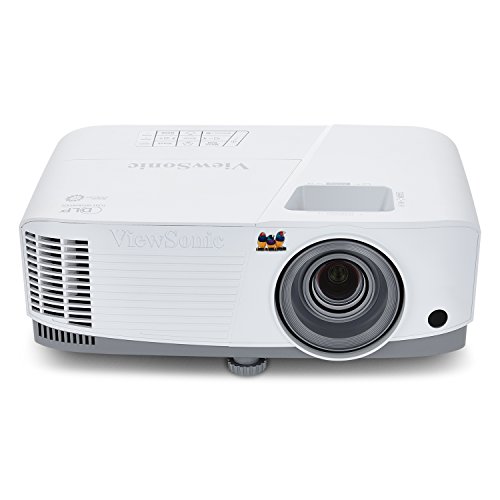
best 1080p business projectors
Business use also rewards predictability over spectacle. A kit that a visitor can connect without installing anything, in a room where the projector is already mounted and the table is already full, saves the first five minutes of every meeting. Multiplied across a school term or a quarter of client presentations, those saved minutes and avoided cable swaps are the real return on a presentation-focused kit.
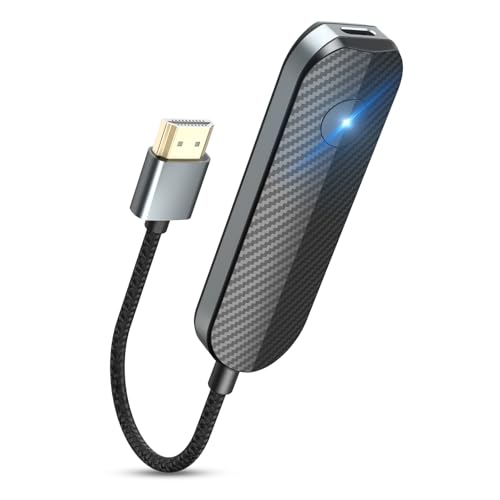
7. UGREEN Magnetic Wireless USB C Transmitter and HDMI Receiver, 164FT/50M
UGREEN’s entry is the most physically distinctive listing here. It pairs a magnetic wireless USB-C transmitter with an HDMI receiver, rated at 164 feet or 50 metres, with a stated 1080P output at 60Hz and 5.8GHz operation for video and audio. The stated sources are iPhone, PC, MacBook, laptop, and tablet, sending to a TV, monitor, or projector, which is a wide modern list unified by one idea: the transmitter connects over USB-C to the devices people now carry, and the magnetic design is the listing’s answer to keeping that transmitter attached and tidy rather than dangling from a port.
8. Upgraded Wireless HDMI Transmitter and Receiver 328FT/100M, Plug and Play
The final kit returns to the long-range extender pattern, rated at 328 feet or 100 metres, and described as upgraded. Its resolution wording states 4K decode with 1080P output, the pairing that suits a 1080P projector while accepting a higher-resolution source. Its bands are stated as 2.4G and 5GHz, dual-band like most of the extender kits here, though note the higher band is phrased as 5GHz in this listing rather than 5.8G. In practice both wordings place the link in the higher, cleaner part of the spectrum alongside the familiar lower band, and the honest approach is simply to record each listing’s own wording, as this guide has done.
Its stated sources are a laptop, PC, projector-side equipment, and TV box, sending video and audio to a monitor, and its operation is described as plug and play. That makes it a direct alternative to the second kit in this guide, which shares the 328-foot rating, and the choice between them comes down to the secondary details each listing foregrounds: this one leads with its upgraded positioning and 5GHz phrasing, while the earlier model leads with portability and an LED display. For a fixed home theater or a long classroom where 100 metres of rated range gives the link room to breathe, either belongs on the shortlist, and the deciding factors will be the display-side features and the exact sources you need to connect.
Comparison table
The table below gathers only the facts stated in each listing, in each listing’s own terms, so you can compare like with like. Where a listing does not state a figure, the table says so rather than filling the gap.
| Product | Stated range | Resolution wording | Bands | Stated sources | Notable stated feature |
|---|---|---|---|---|---|
| 2026 New Wireless HDMI Transmitter and Receiver | 360FT / 110M | 4K decode, 1080P at 60Hz output | 5.8G + 2.4G | PC, laptop, TV box | LED display |
| Wireless HDMI Transmitter and Receiver 328ft Extender | 328ft / 100m | Ultra HD 4K decode input, 1080P output | 2.4G / 5.8G | PC, projector, TV box | Portable, LED display |
| Wireless HDMI Adapter for iPhone iPad | Not stated in title | HD 1080P | AirPlay casting | iPhone, iPad, iOS only | Screen mirroring dongle, YouTube and TikTok named |
| Wireless HDMI Transmitter and Receiver 400FT Extender | 400FT / 120M | Ultra HD decode, 4K decode | 5.8G + 2.4G dual-band | Satellite TV | LDS high-power antenna, dynamic EQ |
| Lulaven iShare Pro 2026 Kit | Not stated in title | Not stated in title | No WiFi needed | iPhone 15/16/17, iPad, MacBook via USB-C | HDCP 2.2, Netflix and Disney Plus named, zero-lag |
| Wireless HDMI Transmitter and Receiver 4K Kit | 165FT / 50M | Full HD 4K kit wording | Not stated in title | Laptop, dongle, PC, smart phone | Presentation equipment positioning |
| UGREEN Magnetic Wireless USB C Kit | 164FT / 50M | 1080P at 60Hz | 5.8GHz | iPhone, PC, MacBook, laptop, tablet | Magnetic USB-C transmitter |
| Upgraded Wireless HDMI Transmitter and Receiver | 328FT / 100M | 4K decode, 1080P output | 2.4G / 5GHz | Laptop, PC, projector, TV box | Upgraded extender positioning |
Setting up a wireless link with a projector
Setup follows a consistent order across the TX and RX kits in this guide. Connect the receiver to the projector’s HDMI input first, and give it power. Connect the transmitter to the source, and give it power if its design requires it. Switch the projector to the correct HDMI input, then start the source. A factory-paired kit should find its other half and present a picture without menus getting in the way. Do this first with the source and projector close together and in the same room, even if the final positions are far apart. Confirming a picture at short range separates a pairing or input problem from a distance or obstacle problem, and that separation saves a great deal of wandering around with a ladder.
Once a picture exists, move to the final positions and check again. With a ceiling mount, secure the receiver so it is not hanging by its cable, route its power neatly, and make sure nothing blocks the projector’s vents or remote sensor. Check that the projector remote still works from the seats, since a receiver or its cabling placed carelessly can cover the sensor. Then sit where viewers will sit and look at the content you actually show. Text from a presentation should be legible at the back of the room. A film scene should hold together without the picture breaking up when people move around, since bodies crossing a wireless link are a normal part of a room in use and a link with healthy margin absorbs them.
For casting adapters, the order differs slightly. Connect the dongle to the projector, power it, select its input, and then start the mirror from the source device, choosing the adapter from the casting or AirPlay menu the device presents. Keep the phone or tablet reasonably close for that first connection, and remember that a mirroring session shows what the device shows, including notifications, so a quick pass through notification settings before a lesson or a meeting is worthwhile. For USB-C kits, confirm the source device’s USB-C port supports video output in the way the kit expects, because USB-C ports vary across devices and generations, and a port that only charges cannot send a picture no matter how good the kit is.
Frequently asked questions
Will a wireless adaptor work with any projector?
Any projector with an HDMI input can sit at the receiving end of the kits and adapters in this guide, because the receiver presents a standard HDMI connection to the projector. The constraints live at the other end and in the middle: whether the kit accepts your source device and its port or platform, whether its stated output matches your projector’s native resolution, and whether its rated range leaves enough margin for your room. Check those three points and projector compatibility largely takes care of itself.
Does 4K decode mean the projector shows a 4K picture?
Not by itself. Decode describes the signal the kit can accept and process, while output describes what it sends to the projector. Several kits here decode 4K and output 1080P, which suits a 1080P projector perfectly and means a 4K source does not need reconfiguring. A genuine 4K picture on screen requires a kit whose output is 4K and a projector whose native resolution is 4K, together.
Do these kits need a Wi-Fi network?
The dedicated transmitter and receiver kits form their own direct link, and several listings state that no Wi-Fi is needed, including the USB-C travel kit. That makes them usable in hotels, schools, and offices where joining a network is impractical. Casting works differently: an AirPlay adapter relies on the casting path between the Apple device and the dongle, so follow that product’s own documentation for its connection requirements rather than assuming it behaves like a paired extender kit.
How far will the link really reach indoors?
Short of the headline figure, in almost every real room. Rated distances such as 328 feet, 360 feet, and 400 feet assume favourable, open conditions. Walls, floors, metal furniture, and people shorten a link. The practical approach is to buy margin: choose a kit rated well beyond your room’s actual source-to-projector distance, position the units with as clear a path as the room allows, and treat the headline number as headroom that obstacles will spend.
Can one kit serve a laptop, a phone, and a TV box?
Some listings name several source types, and the presentation kit here names laptop, dongle, PC, and smart phone, while others name a PC, laptop, and TV box together. In practice a transmitter connects to one source at a time, so serving several sources means moving the transmitter between them or choosing the kit whose stated sources match the devices you rotate most. A household that mostly presents from one laptop and occasionally from a phone should weight the laptop connection first.
Is a casting dongle or an extender kit better for a classroom?
It depends on who teaches in it. A classroom built around teacher iPads is well served by the iOS AirPlay adapter, which mirrors a tablet in one step. A classroom where different teachers arrive with different laptops is better served by a plug and play extender kit with broad source support and enough rated range for the room, because it asks nothing of the presenter’s platform beyond a port. Shared spaces reward the more universal tool; single-ecosystem spaces can enjoy the simpler one.
Check prices on Amazon
Live listings for the shortlist in this guide are pulled from Amazon below, so prices and availability are always current at the moment you look.


Closing thoughts
A wireless adaptor is a small purchase that changes how a projector feels to use. The cable it replaces was never just a cable: it was the reason the laptop lived in the wrong place, the reason presenters swapped seats, and the reason a ceiling-mounted projector stayed awkward to feed. Choosing well comes down to a short, honest list. Match the kit to your sources first, including their ports and platforms. Match its stated output to your projector’s native resolution, and read decode figures as source flexibility rather than as picture quality. Buy range as margin for your real room, not as a contest. Then let the secondary features decide: an LED display for a mount you cannot reach, a magnetic USB-C transmitter for a tidy modern desk, HDCP wording for protected streaming on the road, portability for a kit that serves many rooms, or antenna emphasis for a link that genuinely has to travel.
On those terms, the eight options here divide cleanly. The 360-foot and 400-foot extenders suit fixed installations and large spaces. The two 328-foot kits offer long-range flexibility with different secondary strengths. The presentation kit and the UGREEN magnetic kit cover the shorter distances of meeting rooms and home offices with broad, modern source support. The Lulaven USB-C kit is the traveller’s answer, built around hotel screens and protected streaming. The iOS adapter is the specialist for an Apple-centred life. Any of them, matched honestly to its room, will do the one job this whole category exists to do: put the picture on the big screen, and let everyone in the room stop thinking about the cable that is no longer there.