What's inside
- Key Takeaways
- Quick Picks
- How We Chose These Picks
- Comparison
- Why Does Laser Light Change Projector Ownership So Much?
- How Should You Compare Brightness Figures Between These Titles?
- Does a Laser Projector Still Need a Dark Room?
- Which Laser Pick Suits Gaming Best?
- How Do You Install a Ceiling-Mounted Laser Projector Safely?
- What Does a Hybrid Light Engine Mean on the NEBULA?
- How Should Businesses Budget a Laser Projector Differently?
- What Happens to a Laser Projector After Five Years?
- How Do You Clean and Care for a Laser Projector?
- Should a Venue Choose Laser or the Brightest Lamp Machine Available?
- How Does 360-Degree Projection Open Up Installation Options?
- What Should You Check Before Ordering Any Laser Projector?
- How Does Laser Light Affect Colour Over Time?
- Common Mistakes
- Final Recommendation
- Frequently Asked Questions
- Related Guides
As an Amazon Associate I earn from qualifying purchases. This post may contain affiliate links at no extra cost to you.
widgetverdict.com is reader-supported. When you buy through links on our site, we may earn an affiliate commission.
The appeal behind the best affordable laser projectors is easy to state and hard to overstate: no lamp to replace, no warm-up ceremony, no brightness quietly draining away across the seasons. Laser light switches on at full intent and switches off without a cooling ritual, and for households that project several nights a week that rhythm changes the machine from an event into an appliance. The six below reach that promise at the affordable end of the laser class, and they differ sharply in almost everything else.
Resolution is where this guide insists on precision. One pick below, ViewSonic’s LS740HD, is a 1080p machine — its title says 1080P in plain letters — sitting among 4K models, and it earns its place through a stated 5500 lumens aimed at big, bright venues rather than through pixel count. Another, Epson’s Pro EX11000, is also Full HD and aimed at business rooms. Laser describes the light source, never the resolution, and any ranking that blurs that distinction misleads from its first paragraph.
Light-source lifetime should be understood in ownership terms rather than laboratory ones. A laser engine removes the lamp line from the household budget entirely: no spare part, no hour counter governing whether a film feels worth starting, no dim final season before a replacement restores the picture. That freedom, repeated across years of evenings, is the real product being sold here, with the picture itself as its delivery mechanism.
Each pick’s name above opens its Amazon listing — use that page to check price on Amazon and verify the complete specification firsthand. This guide credits only facts printed in listing titles: brightness where stated, refresh figures where stated, the NEBULA Cosmos 4K SE’s hybrid light engine described as its title describes it. Where a title keeps a figure to itself, the spec boxes below record that silence instead of borrowing a number from a neighbouring model.
One more distinction organises everything below: some of these machines are destinations, bolted into a room’s life for years, while one is deliberately a traveller. Installation permanence changes what a buyer should value — calibration tools and contrast for the fixtures, self-containment and forgiveness for the traveller — and the reviews keep that axis visible alongside the resolution labels.
Brightness claims in this category span an enormous range — from a portable’s stated 1800 ANSI lumens to a venue machine’s 5500 — and the spread is not a league table. Each figure was chosen by its maker for a room, and the reviews below keep naming those rooms, because a lumen only means something once a wall, a window and a seating distance have been attached to it.
Key Takeaways
- Laser light removes lamp replacements and warm-up rituals; judge these six by room and resolution after that shared freedom is granted.
- The ViewSonic LS740HD is a 1080p projector, stated plainly in its title, and its case rests on a stated 5500 lumens for large bright spaces.
- Epson’s Pro EX11000 is also 1080p, a business-leaning laser with a stated 4600 lumens, Miracast and a built-in 16W speaker.
- The NEBULA Cosmos 4K SE uses a hybrid light engine per its title, pairing 1800 ANSI lumens with Google TV and a portable 200-inch ambition.
- Epson’s LS6000 states 3400 lumens, up to 120Hz and ALLM, making it the gaming-aware step within Epson’s laser home line here.
- The LS11000 returns as this guide’s premium reference: motorised lens work and a stated 1.2 million to one dynamic contrast.
Quick Picks
| Pick | Badge | Why it earns its place |
|---|---|---|
| Optoma UHZ36 4K Laser Projector | The quiet 4K laser for a settled film room | A 4K UHD laser home theatre projector in black, carrying HDR in its title and no streaming platform at all. |
| ViewSonic LS740HD | The 1080p brightness specialist — not a 4K model | A Full HD laser projector stating 5500 lumens, optical zoom, keystone and corner adjustment, with golf simulation, classroom and auditorium use named. |
| Epson Home Cinema LS11000 4K Laser | The premium laser reference | 4K PRO-UHD laser with HDR10+, a stated 2500 lumens, 1.2 million to one dynamic contrast, motorised lens shift and focus, and 120Hz. |
| Epson Home Cinema LS6000 4K Laser | Epson laser with gaming awareness | A 4K HDR laser stating 3400 lumens of colour and white brightness, 0.8 million to one dynamic contrast, up to 120Hz, ALLM and two HDMI ports. |
| Epson Pro EX11000 | The business laser with a speaker that counts | A Full HD 1080p wireless laser stating 4600 lumens, Miracast, two HDMI ports, USB power and a built-in 16W speaker for business use. |
| Nebula Cosmos 4K SE | The portable hybrid-light 4K | A portable 4K projector stating 1800 ANSI lumens, NebulaMaster and HybridBeam image systems, Google TV and a 200-inch screen ambition. |
How We Chose These Picks
Eligibility began with the light source itself: a candidate’s own title had to name laser, because this guide exists for buyers escaping lamp economics. That single filter reshaped the class, admitting a 1080p venue machine and a business model alongside 4K home models, which is exactly the honesty the category needs — laser is a light-source decision that cuts across resolutions, room types and price bands.
We then separated the six by the room each title describes. Golf simulation, classrooms and auditoriums appear in one title; business in another; portability and a 200-inch claim in a third. Those venue words are evidence, and the reviews below treat them as such, because a projector bought for a bright hall and judged by cinema standards would be failed by the wrong examination.
Brightness figures were compared only within their stated dialects and always against room size. A stated 5500 lumens aimed at an auditorium and 1800 ANSI lumens aimed at a portable home setup are not rivals; they are answers to different questions. Ranking them against each other would punish each machine for succeeding at its own assignment.
Gaming evidence was credited where titles printed it: ALLM and an up-to-120Hz figure on the LS6000, a 120Hz figure inside the LS11000’s cinema-led title. The remaining picks make no gaming claims in their titles, so their reviews discuss responsiveness only in the general terms their makers chose to publish. Silence was recorded, never filled.
Finally, smart platforms were weighed as a convenience with a lifespan. Google TV inside the NEBULA simplifies every session and ages on a software schedule; the platform-free models depend on sources the household controls. Both arrangements appear below, labelled plainly, so a buyer can choose which kind of ageing they prefer to manage.
We also recorded what each title chose not to claim, because restraint is evidence too. A home machine silent on gaming, a business machine silent on HDR, a portable silent on contrast figures — each silence marks a boundary its maker accepted. Reviews that respect those boundaries protect buyers from expecting a machine to be quietly brilliant at a job its own maker never mentioned.
Portability was scored as a genuine engineering axis rather than a lifestyle garnish. A projector designed to move must survive being aimed by eye, focused quickly and packed without ceremony, and the Cosmos 4K SE’s title — portable in its first line, Google TV inside, a generous maximum image — shows a maker who designed for that rhythm deliberately.
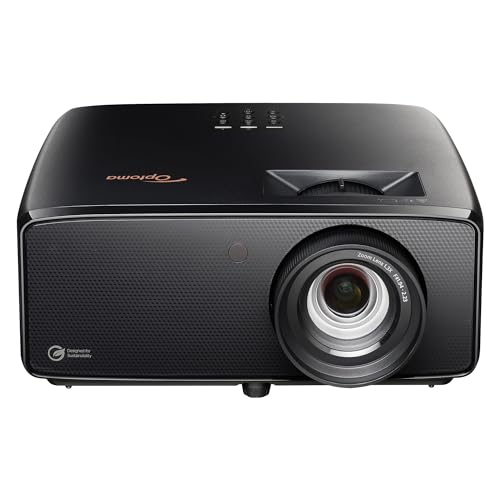
Optoma UHZ36 4K Laser Projector — The quiet 4K laser for a settled film room
Within a laser-only guide, the UHZ36 represents the traditional home theatre shape of the idea: a fixed machine, a dark room, a 4K UHD claim and laser light keeping that picture consistent across years. Its title is the shortest here, and its brevity is itself information. Optoma is selling a picture engine to people who already own sources, sound and seating, and who want the projector to disappear into the routine of film nights.
Laser light suits that routine particularly well because film households accumulate hours in long, immersive sessions. A double feature, a series finale and a Sunday matinee can stack three hundred lamp hours into a month on a lamp machine’s counter; on this Optoma the same month costs nothing but electricity and attention. The psychological difference is real: owners stop rationing the big screen for special occasions.
HDR is named in the title without a format attached, so this review credits support and advises format-sensitive buyers to confirm details on the listing. The absence of a brightness figure in the title deserves the same calm treatment: check the listing’s committed number, compare it against your screen size and room darkness, and let the room arbitrate. Dedicated dark rooms ask remarkably little brightness of any projector.
Black casing and home theatre wording complete a portrait of a machine meant to hang or sit unobtrusively while films provide the colour. There is no speaker claim to lean on and no app platform to learn, which will read as purity to enthusiasts and as homework to families. The review’s verdict therefore splits cleanly along household type rather than along picture quality.
Consider the UHZ36 the laser class’s argument that focus is a feature. Every design decision visible in its title points at one job, and households whose evenings match that job will not miss the talents it declined to buy. Households whose evenings wander between games, streaming and sport should keep reading, because several machines below were built by people expecting exactly that wander.
Resale logic favours this kind of focus as well. A used buyer searching for a laser 4K home theatre machine understands the UHZ36’s proposition in one line, and machines with a single clear job tend to find their second homes quickly. Versatility impresses in a showroom; clarity impresses in a listing, and clarity is what this Optoma trades in.
Programming a film society season on the UHZ36 illustrates its steadiness: week after week, the opening frame looks like the opening frame of the first screening, and nobody recalibrates between a silent classic and a new release. Consistency that complete disappears from conversation, which is where a projector belongs.
- Resolution claim: 4K UHD, per listing title
- Light source: laser
- HDR: stated in listing title
- Streaming platform: not stated in listing title
- Brightness figure: not stated in listing title
Strengths
- Laser consistency across years of film nights
- 4K UHD claim in a home theatre design
- No platform inside to age or slow
Trade-offs
- Title states no brightness figure
- Sound and streaming must come from the room
- Short title leaves conditions to confirm on listing
Best for: film households with a settled dark room and their own sources and sound.
Not suited for: venue buyers needing printed brightness for a bright hall.

ViewSonic LS740HD — The 1080p brightness specialist — not a 4K model
Let the label be unmistakable before anything else: the LS740HD is a 1080p projector. Its title prints 1080P beside the word laser, and this guide repeats that fact wherever the model appears, because a buyer skimming a laser round-up could easily assume 4K throughout. What the ViewSonic offers instead of pixels is power — a stated 5500 lumens — aimed at rooms where darkness is not available and screen sizes run large.
The venues named in its title sketch its working life: golf simulation, classroom, auditorium, ceiling mount, 360-degree projection. That is the vocabulary of installation professionals, not film enthusiasts. In those spaces, legibility defeats delicacy every time: a bright, honest Full HD image that a hundred people can read outperforms a dimmer 4K picture that only the front rows can follow, and the LS740HD is engineered for the hundred.
Optical zoom, keystone and corner adjustment form its placement toolkit, and corner adjustment in particular signals odd mounting positions — a projector tucked where architecture allows rather than where geometry prefers. Combined with quick setup language, the title describes a machine designed to be installed by somebody with a ladder, a timetable and another room waiting, then left to work without ceremony.
Laser light multiplies the value in such venues, because a hall projector that needs lamp changes needs scaffolding, scheduling and a budget line every time. Removing that cycle from an auditorium or a school’s maintenance calendar is worth more than a resolution step the audience cannot perceive from the back rows. The LS740HD’s buyer is purchasing uptime as much as image.
Home buyers are not excluded, but they should enter with clear eyes. A bright barn, a golf simulator in a garage, a village hall film society — these domestic-adjacent uses match the machine’s talents beautifully. A blacked-out cinema room chasing shadow detail should choose elsewhere in this guide, where contrast rather than lumens leads the design brief.
Schools should budget the LS740HD as infrastructure rather than equipment. Once mounted and aligned, it asks nothing of teachers beyond a remote, and its laser light keeps the hundredth lesson as bright as the first. That invisibility is the highest compliment venue technology can earn, and it is designed into this ViewSonic’s specification from the lumens upward.
Golf simulation deserves its own mention, because a simulator bay is bright, dusty and used in short bursts all day. Instant-on laser light matches that rhythm perfectly, sparing the machine the lamp strikes that stop-start use inflicts, while the stated brightness keeps a virtual fairway readable under bay lighting.
- Resolution: 1080p Full HD — NOT 4K
- Light source: laser
- Brightness: 5500 lumens, per title
- Lens tools: optical zoom, keystone, corner adjustment
- Named uses: golf simulation, classroom, auditorium
- Mounting: ceiling mount and 360 projection stated
Strengths
- Stated 5500 lumens for large bright venues
- Corner adjustment forgives awkward mounts
- Laser light removes lamp visits to high ceilings
Trade-offs
- 1080p in a guide where rivals claim 4K
- Venue tuning, not cinema tuning
- Home theatre buyers pay for unused brightness
Best for: schools, halls, simulators and bright venues needing a big legible picture.
Not suited for: dark-room film purists, whose currency is contrast rather than lumens.

Epson Home Cinema LS11000 4K Laser — The premium laser reference
Returning from the previous guide’s ceiling role, the LS11000 anchors this laser selection as its premium reference, and the label step-up applies here with equal force. Its title assembles the enthusiast’s checklist in one breath: laser light behind 3-chip 3LCD, 4K PRO-UHD pixel shifting, HDR10+, 2500 lumens stated for both colour and white brightness, dynamic contrast quoted at 1.2 million to one, motorised lens shift and focus, and a 120Hz figure for good measure.
Motorised lens work changes installation from carpentry to calibration. Once the machine hangs where it hangs, focus and image position are refined from the sofa with a remote, in increments fine enough to satisfy a perfectionist with a test pattern and an evening to spare. In rooms where the projector lives beyond arm’s reach, that refinement is not indulgence; it is the only practical route to a perfectly squared picture.
The stated dynamic contrast figure explains the machine’s dark-room confidence. Laser engines can modulate light output scene by scene, and a cinema room with treated walls gives that modulation somewhere to show itself. Night scenes hold depth instead of flattening into grey, and HDR10+ content gains the dynamic handling its metadata exists to provide. This is the laser advantage expressed as picture quality rather than as maintenance savings.
Ownership horizon completes the case. A buyer installing this Epson is typically furnishing a room expected to serve for many years, across source upgrades and seating changes, with the projector as the constant. Laser light removes the recurring lamp decision from that horizon, and the absence of a built-in streaming platform removes the software ageing that dates smart machines. The LS11000 is built to be forgotten about, nightly, for a very long time.
Its presence in an affordable guide is a measuring device, not a recommendation to stretch. Readers whose budgets end lower should use it to identify which features they are surrendering — motorised lens work first, then contrast ambition — and confirm those surrenders do not touch their room’s actual evenings. Readers whose budgets reach it will find the laser class’s most complete home statement in this guide.
A decade-shaped purchase also changes how a buyer should read reviews, including this one. Features that seem minor across a weekend — motorised focus drift correction, a remote that reaches a ceiling machine reliably — compound across years into the difference between a room that stays perfect and one that slowly slips. The LS11000 is priced for people who think in that compounding.
Screen pairing for the LS11000 should be equally deliberate. A quality fixed screen with a neutral surface lets its contrast figure show, whereas a wrinkled portable screen would tax exactly the shadow gradations its buyer paid to see. Match the surface to the engine and the room completes the specification.
- Resolution claim: 4K PRO-UHD (pixel-shifted)
- Light source: laser
- Technology: 3-chip 3LCD
- Brightness: 2500 lumens colour and white, per title
- Contrast: 1.2 million to one dynamic, per title
- Lens: motorised shift and focus stated
- Refresh: 120Hz stated in title
Strengths
- Motorised lens calibration from the sofa
- Stated high dynamic contrast for dark rooms
- Laser light with no platform inside to age
Trade-offs
- Premium positioning within an affordable guide
- Pixel-shifted rather than native 4K construction
- Capability wasted in bright casual rooms
Best for: dedicated cinema rooms being installed once for a long service life.
Not suited for: casual rooms, where its calibration talents would never be exercised.

Epson Home Cinema LS6000 4K Laser — Epson laser with gaming awareness
The LS6000 occupies the most interesting middle ground in this guide: unmistakably an Epson home cinema laser, yet carrying gaming vocabulary that its LS11000 sibling keeps in the background. Its title states 3400 lumens of colour and white brightness, a dynamic contrast of 0.8 million to one, refresh up to 120Hz, ALLM and two HDMI ports. Read together, those figures describe a living-room flagship rather than a dedicated-room specialist.
ALLM deserves translation for film-first readers: auto low latency mode lets a connected console tell the projector to switch into its fastest behaviour automatically, then release it back to cinema processing when the film starts. That small automation removes the menu diving that otherwise greets every change of evening. For mixed households, it is the difference between gaming features that exist and gaming features that actually get used.
Brightness at a stated 3400 lumens, quoted for colour as well as white, suits rooms that refuse to become caves. Family living spaces with lamps, homework and conversation happening at the edges of a film need exactly this kind of output, and 3LCD’s colour behaviour keeps bright scenes saturated rather than bleached. The LS6000’s design centre sits in that sociable light, not in a blacked-out basement.
Two HDMI ports sound modest until a household counts its sources: console, streamer, disc player and soundbar return channels compete quickly. A title that prints its port count invites that arithmetic before purchase, which is the honest way to shop. Buyers needing more should plan a receiver or switch into the budget rather than discovering the shortage on installation weekend.
Against the LS11000, the surrender list is short and specific: motorised lens work and the higher contrast figure. Against the venue and portable picks, the LS6000 offers the most complete living-room argument here. Households wanting one laser machine to host films respectably and games willingly, in a room that stays a living room, will find this Epson’s balance difficult to argue with.
Evenings reveal the LS6000’s balance best. A film at eight with lamps low, a console at ten with friends arriving, a Sunday match with curtains open — one machine covers the rotation without a mode lecture before each. Households whose projector must be several things before bedtime will recognise their own schedule in this Epson’s title.
Soundbars pair naturally with the LS6000’s living-room brief, and its two HDMI ports make that pairing a planning exercise rather than a surprise. Map console, streamer and audio before the machine arrives and installation becomes an afternoon instead of a saga of swapped cables and revised settings.
- Resolution claim: 4K, per listing title
- Light source: laser
- Technology: 3-chip 3LCD
- Brightness: 3400 lumens colour and white, per title
- Contrast: 0.8 million to one dynamic, per title
- Gaming: up to 120Hz and ALLM stated
- Inputs: 2 HDMI ports stated
Strengths
- ALLM automates the film-to-game switch
- Stated 3400 lumens suits sociable rooms
- Laser light with Epson home cinema tuning
Trade-offs
- No motorised lens claims in its title
- Two HDMI ports may need a switch for big racks
- No streaming platform named in its title
Best for: living rooms splitting evenings between films and console play.
Not suited for: dedicated dark rooms, which should weigh the LS11000’s contrast first.
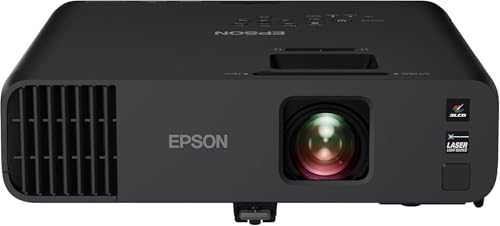
Epson Pro EX11000 — The business laser with a speaker that counts
Epson’s Pro EX11000 brings the laser argument into the working week. Its title is unambiguously commercial: Full HD 1080p, wireless laser projection, a stated 4600 lumens of colour and white brightness, Miracast, two HDMI ports, USB power and a built-in 16W speaker, all framed for business. This is a machine for rooms where presentations cannot wait for darkness, and where the projector’s reliability is part of the company’s competence in visitors’ eyes.
Wireless casting via Miracast answers the meeting room’s oldest friction: whose laptop, which cable, which adapter. A presenter walking in with a phone or laptop and sharing a screen without a cable ceremony keeps meetings starting on time, and the stated USB power hints at the peripheral flexibility road warriors exploit. Two HDMI ports keep a room PC and a guest machine connected simultaneously, ending the mid-meeting swap.
The 16W speaker figure matters more in this class than any home speaker claim elsewhere in the guide. Boardrooms and training rooms routinely rely on projector audio for video calls and clips, and a speaker specified in the title suggests Epson engineered for speech intelligibility at room scale. Buyers outfitting a space for hybrid meetings should still test call audio in their own room, but the printed figure is a serious starting point.
Laser light in a business setting is an facilities decision as much as an image one. No lamp inventory, no mid-quarter dimming before a client visit, no maintenance visit booked around a board meeting. The EX11000’s total cost story writes itself across a three-year facilities plan, which is precisely the document its buyer will use to justify it.
Home buyers occasionally eye business lasers for bright living rooms, and the brightness here would indeed cope. But the tuning priorities — legibility, casting, speech — differ from cinema priorities, and its title claims no HDR or home theatre intent. Buy it for a workplace, a classroom-adjacent training space or a community venue, and it is in its element; buy it for film nights and the mismatch is yours, not Epson’s.
Training managers should note the confidence a specified speaker creates. Sessions no longer begin with a hunt for a portable speaker and its charger, because the room’s projector carries speech by design. Small frictions like that decide whether staff actually use a room’s technology or quietly book the other room instead.
Community halls borrowing the EX11000 pattern should note how casting changes who can present. A visiting speaker with only a phone can still share photographs and figures, which quietly raises the quality of every meeting the hall hosts, without the hall buying a single extra box.
- Resolution: Full HD 1080p
- Light source: laser
- Brightness: 4600 lumens colour and white, per title
- Wireless: Miracast stated
- Inputs: 2 HDMI ports, USB power stated
- Sound: built-in 16W speaker stated
- Framing: business use, per title
Strengths
- Miracast ends the meeting-room cable ceremony
- Stated 4600 lumens for lit working rooms
- A 16W speaker specified for speech at scale
Trade-offs
- 1080p resolution in a partly 4K guide
- No HDR or home theatre claims in title
- Business tuning prioritises legibility over cinema mood
Best for: offices, training rooms and venues presenting in lit spaces daily.
Not suited for: home cinema rooms, whose evenings need HDR and contrast first.

Nebula Cosmos 4K SE — The portable hybrid-light 4K
The Cosmos 4K SE is this guide’s traveller, and its title names the technology that makes it interesting: a hybrid light engine, described there as HybridBeam, working with NebulaMaster image processing. Hybrid in this context means the light source blends technologies rather than following the single-laser pattern of its companions here, and the honest way to judge it is by the portable 4K role its title claims, not by forcing it into a laser-purist definition it never adopted.
Portability reshapes every other specification. A stated 1800 ANSI lumens is modest beside the venue ViewSonic’s figure, yet the Cosmos is built for rooms a person can darken — a bedroom tonight, a rental’s living room next month, a garden wall in summer. Within those spaces, 1800 ANSI lumens feeding a sensibly sized image produces exactly the relaxed big-screen evenings portable buyers are shopping for.
Google TV is built in, so the machine carries its entertainment with it: no streamer to pack, no laptop to tether, no account to sign into on borrowed hardware. For a projector whose life happens across addresses, that self-containment is not a convenience but the core design. Set it down, join the Wi-Fi, and the evening exists. The stated 200-inch maximum should be read as headroom; portable happiness usually lives at half that size.
Gaming, home and office all appear in its title’s closing words, and that breadth suits the renter and the hybrid worker particularly: presentation by day in a bright flat, film by night, console when friends visit. A dedicated room would justify a fixed specialist instead, but households without a dedicated room are precisely the audience a portable 4K exists to serve.
The trade is permanence. A portable machine is re-aimed, re-focused and re-levelled at every venue, and its sound and brightness are sized for flexibility rather than for a treated room’s absolutes. Buyers who accept that rhythm gain a projector that follows their life around; buyers who want a picture perfected once and never touched again should choose a fixed name from earlier in this guide.
Renters will appreciate one more Cosmos trait: it leaves no trace. No mount holes, no cable runs, no landlord conversation — the entire cinema arrives in a bag and departs in one. For a generation furnishing homes it does not own, that reversibility is not a footnote but the feature the purchase is built around.
Garden evenings test the Cosmos’s stated figures kindly: at dusk, with a modest image and neighbours gathered, 1800 ANSI lumens feels ample, and Google TV supplies the film without a laptop balanced on a chair. Portability judged by evenings like that is portability that matters.
- Resolution claim: 4K, per listing title
- Light engine: hybrid, described as HybridBeam in title
- Brightness: 1800 ANSI lumens, per title
- Image system: NebulaMaster stated
- Streaming: Google TV built in
- Maximum image: 200 inches stated
- Form: portable, per title
Strengths
- Hybrid light engine in a portable 4K body
- Google TV makes every venue self-contained
- Follows renters and hybrid workers between rooms
Trade-offs
- Stated brightness sized for darken-able rooms
- Re-aiming at every venue is the portable tax
- Not a pure single-laser design like its companions
Best for: renters and movers wanting 4K evenings without a permanent installation.
Not suited for: fixed cinema rooms, which gain nothing from portability they never use.
Comparison
| Pick | Headline facts from its listing title | Room it suits first |
|---|---|---|
| Optoma UHZ36 4K Laser Projector | 4K UHD, laser, HDR stated | A settled home theatre room |
| ViewSonic LS740HD | 1080p Full HD, laser, 5500 lumens, corner adjustment | A classroom, auditorium or simulator space |
| Epson Home Cinema LS11000 4K Laser | 4K PRO-UHD laser, 2500 lumens, HDR10+, motorised lens, 120Hz | A treated, dedicated cinema room |
| Epson Home Cinema LS6000 4K Laser | 4K laser, 3400 lumens, up to 120Hz, ALLM, 2x HDMI | A bright family living room |
| Epson Pro EX11000 | 1080p laser, 4600 lumens, Miracast, 16W speaker, business framing | A boardroom or training space |
| Nebula Cosmos 4K SE | 4K hybrid light engine, 1800 ANSI lumens, Google TV, portable | Any room that can be darkened tonight |
Why Does Laser Light Change Projector Ownership So Much?
A lamp is a consumable with a visible decline: brightness ebbs across its life until a replacement restores it, and the owner tracks hours like a service interval. Laser light removes that entire subplot. Output stays consistent, switch-on is immediate, and the machine can be used for a twenty-minute episode without the guilt of spending a lamp strike on it. Behaviour changes when the meter disappears.
The economics follow the behaviour. Heavy households — daily sport, series, games, children’s films — extract the laser premium back in avoided lamps and unbought brightness. Light users should run their own arithmetic honestly, because a projector used twice a month may never consume the lamp hours that make laser the cheaper road. This guide favours laser as a class, while respecting that arithmetic.
How Should You Compare Brightness Figures Between These Titles?
Three dialects appear across these six titles: plain lumens on the Epsons and ViewSonic, ANSI lumens on the NEBULA, and silence from the Optoma. Plain and ANSI figures are not interchangeable currencies, and a careful buyer compares within a dialect or leans on room logic instead. Venue machines state big numbers because their rooms are big and lit; portable machines state smaller ones because their rooms are neither.
Screen size converts brightness into experience. The same output that feels generous at one hundred inches feels stretched at one hundred fifty, which is why maximum-image claims should be read as limits rather than targets. Choose the image size your room’s seating actually wants, then ask whether the stated figure can feed it in your light conditions.
Does a Laser Projector Still Need a Dark Room?
Laser light does not repeal the physics of projection: any light falling on the screen that did not come from the projector lifts blacks and dilutes colour. What brightness buys is tolerance. The LS740HD’s stated 5500 lumens can hold a legible picture in a lit hall where a dimmer machine would surrender, yet even it looks richer when the venue dims what it can.
Home buyers should therefore plan light control as part of the purchase, whatever the badge. Curtains on the offending window, a screen wall away from direct sun, and seating that does not face a bright doorway each return more visible quality than a specification step upward. Laser projectors reward such rooms for longer, because their output does not fade while the room stays prepared.
Which Laser Pick Suits Gaming Best?
Only two titles here print gaming machinery: the LS6000 with ALLM and up to 120Hz, and the LS11000 with its 120Hz figure inside a cinema-led specification. ALLM is the more practical gift for mixed rooms, because it automates the latency switch when a console wakes. Competitive players should still confirm lag figures on the listings, since neither title prints an input lag number.
Casual players have wider freedom. The portable Cosmos carries gaming in its title’s closing words and travels to wherever friends gather, while the bright venue machines can host party games on enormous images in lit rooms. Match the pick to the social shape of your gaming — solitary and serious, or crowded and cheerful — before chasing figures.
How Do You Install a Ceiling-Mounted Laser Projector Safely?
Begin with the mount’s rating and the ceiling’s structure, not with the projector. A laser machine may hang for a decade without a lamp visit, which makes the mount a long-term structural decision: fix into joists or rated anchors, route power properly, and leave airflow clearance on every side the manual specifies. The LS740HD’s corner adjustment exists for mounts that architecture forced off-centre.
Align with a test pattern after the machine warms, focus at the final image size, and record the lens settings before declaring the job done. Safety cables are cheap insurance on any overhead installation. Households uncomfortable with any step should hire the hour of a local installer; a decade of perfect geometry repays that hour many times over.
What Does a Hybrid Light Engine Mean on the NEBULA?
The Cosmos 4K SE’s title describes its light source as a hybrid system under the name HybridBeam, rather than as a single laser type. Hybrid engines blend light technologies to balance colour, brightness and cost inside a portable body. The practical reading for a buyer is simple: judge this machine by its stated output and its portable role, and do not assume its light behaves identically to the pure laser designs around it.
That distinction is information, not indictment. Portable projectors live under size, heat and power constraints that fixed machines never meet, and hybrid light is one legitimate answer to those constraints. What matters is that the title names the approach openly, letting a buyer compare philosophies with eyes open rather than discovering a definition after delivery.
How Should Businesses Budget a Laser Projector Differently?
A business case counts downtime as a cost, which is where laser earns its premium fastest. The Pro EX11000’s buyer should model three years of meetings: lamp replacements avoided, maintenance visits unscheduled, brightness still at specification when the important client arrives. Against that ledger, the purchase figure is only the first line, and often not the decisive one.
Facilities details belong in the same document: casting standards the staff’s devices actually support, port counts against the room’s fixed sources, and speaker output against the room’s size and call habits. The EX11000’s title answers each of those in print — Miracast, two HDMI, USB power, 16W speaker — which is why business buyers can shortlist it from a title alone more confidently than most models allow.
What Happens to a Laser Projector After Five Years?
The honest answer is that the ownership story stays boring, which is the point. Output remains close to its early character, start-up stays instant, and the maintenance calendar holds little beyond dusting vents and perhaps a filter check where the design has one. Sources and screens will likely change around the machine before the machine asks anything of its owner.
Planning should therefore focus on the replaceable partners: cables rated for future sources, a mount that tolerates a successor’s weight, and a screen size the room will still want. Laser projectors invite that long view because they remove the one component whose decline used to set the replacement timetable for the whole installation.
How Do You Clean and Care for a Laser Projector?
Care is mostly environmental. Keep vents unobstructed, dust the room’s surfaces before the machine inhales them, and clean the lens only with the tools and patience the manual prescribes. Venue machines mounted high benefit from a scheduled wipe during holidays, when ladders are already out and audiences are absent.
Power quality deserves a thought in permanent installations: a surge protector costs little against a decade of service. Beyond that, laser ownership asks remarkably little, and households accustomed to lamp rituals — cool-down waits, hour logs, spare bulbs — may need a season to trust how little attention the machine wants.
Should a Venue Choose Laser or the Brightest Lamp Machine Available?
On specification alone a lamp machine can sometimes match a laser’s opening brightness for less commitment, and for a rarely used room that arithmetic can win. Venues, however, rarely stay rarely used: timetables expand into every bright hour the machine can serve, and each added hour spends lamp life while adding maintenance to somebody’s calendar.
The deciding factor is usually access. A projector above a stage, a hall ceiling or a simulator bay costs real money and planning to reach, so a light source that postpones that visit for years changes the total picture completely. Laser wins venues not by being fashionable but by making the ladder a stranger.
How Does 360-Degree Projection Open Up Installation Options?
The LS740HD’s title mentions 360 projection, meaning the machine can be oriented in ways lamp-era installers avoided: tilted toward unusual surfaces, mounted to serve floors or angled displays, and used in exhibition layouts where the screen is not a polite rectangle on a wall. Creative venues and simulators exploit that freedom regularly.
Home readers should not dismiss the feature as irrelevant. Unusual rooms — lofts with sloped ceilings, barns, studios — often defeat conventional mounting, and a machine tolerant of orientation turns an impossible room into a merely interesting one. Installation flexibility is a picture feature, because a picture that cannot be mounted cannot be watched.
What Should You Check Before Ordering Any Laser Projector?
Confirm the resolution in the title first, because this category hides 1080p machines inside 4K conversations more often than any other. Then note the brightness dialect, the lens tools named, and whether a streaming platform is built in or expected from your own sources. Four facts, read literally, prevent nearly every disappointment this class produces.
Measure the room before the machine ships: throw distance available, screen size intended, ceiling structure if mounting, and the windows that will fight the picture at your usual viewing hour. A laser projector is a long commitment, and an hour with a tape measure protects that commitment better than a week of reading after delivery.
How Does Laser Light Affect Colour Over Time?
Lamp ageing shifts colour as it dims, which is why long-serving lamp projectors drift away from their calibrated character. Laser engines hold their spectral behaviour far more steadily, so a picture balanced at installation tends to remain the picture the household knows. For venues projecting brand colours and schools projecting teaching material, that steadiness carries practical weight beyond cinema pleasure.
None of this makes a laser machine maintenance-free in the absolute sense; dust, heat and time still exist. It means the largest single source of drift has been removed from the system, and the remaining care is the kind any careful owner already gives electronics they expect to keep.
Common Mistakes
Assuming every laser projector is a 4K projector leads the error list, and this guide contains the counterexamples in its own ranks: the LS740HD and the Pro EX11000 are Full HD machines whose laser light serves brightness and uptime. A buyer who orders on the laser badge alone and discovers 1080p on delivery has been failed by their own skimming, because both titles print their resolution plainly.
Comparing brightness across dialects without noticing them comes next. ANSI lumens, plain lumens and ISO-style figures elsewhere in the market are measured under different rules, and treating them as one currency manufactures winners and losers that the rooms themselves would not recognise. Compare within a dialect, or compare by trialling in the room that matters.
Mounting a laser projector as casually as a lamp model wastes the technology’s gift. A machine that may not need touching for years deserves a mount, power route and alignment worthy of that timespan. Wobbly brackets and extension leads draped across ceilings convert a decade-long appliance into a recurring weekend chore.
Businesses err by buying home theatre projectors for meeting rooms, seduced by resolution claims, then discovering dim pictures under office lighting and no casting story for guests. The reverse error — a business machine bought for cinema — disappoints more quietly. Titles in this guide declare their rooms openly; believing them is the cheapest research a buyer can do.
Finally, neglecting sound in portable setups recurs constantly. A projector that travels meets rooms with no audio infrastructure at all, so plan the speaker story — built-in, Bluetooth or a small powered speaker in the bag — before the first garden screening, not during it, while guests hold drinks and the opening scene waits.
A subtler mistake is installing a laser projector behind glass or in a sealed cabinet for tidiness, then wondering about fan noise and shutdowns. Laser engines still breathe. Ventilation drawn on the plan from the start keeps a decade-long machine cool, quiet and unaware that its cupboard was ever a temptation.
Treating a portable laser-class machine like a fixture causes a different frustration: owners tire of re-aiming a projector they secretly wanted to install once. If the machine will live in one room for years, buy the fixture and mount it; portability you never use is weight, cost and compromise carried for a journey that never happens.
Final Recommendation
The laser decision itself is the easy part: consistent light, instant readiness and no lamp ledger. The real choice is which room’s version of that freedom to buy. Venue and installation buyers should take the LS740HD’s stated 5500 lumens and corner adjustment without hesitation, while businesses presenting daily will find the Pro EX11000’s casting, ports and speaker specified exactly for their week.
Home buyers divide by room discipline. Dedicated cinema spaces belong to the LS11000’s motorised, contrast-led argument; sociable living rooms to the LS6000’s brighter, ALLM-aware balance; settled film rooms on a tighter commitment to the UHZ36’s focused UHD laser pitch. Life without a fixed room belongs to the Cosmos 4K SE and its hybrid portability. Choose the room first, honestly, and the laser follows it home.
Whichever name a buyer circles, the discipline that protects the purchase is the same one this guide applied: believe titles literally, match the machine to a named room, and let laser light do the one job it promises — staying bright, starting instantly and never sending its owner shopping for a lamp.
Readers torn between two names should ask which regret they would rather risk: paying for brightness a dark room never needs, or lacking brightness a bright room demands daily. That single question, answered in the actual room at the actual viewing hour, resolves most laser shortlists more honestly than any specification table can.
Set the room up once, properly, whichever name arrives: a surface worth the light, ventilation the engine can breathe through, and sources matched to the ports the title promised. Laser projectors repay that single careful weekend with years of evenings that begin at full brightness the moment somebody says the words film night.
A laser projector also changes how a household treats weekday viewing, because a half-hour episode no longer feels like spending a consumable. Installers quietly favour laser machines for high mounts, since every avoided lamp visit is a ladder that never has to be climbed. Colour stability across years is the benefit owners mention last and value most, once skin tones stop drifting with lamp age. A spare remote battery remains the only consumable most laser owners will ever buy for their projector. Rooms with projectors that start instantly simply get used more, which is the most honest metric in this entire category.
Frequently Asked Questions
Is the ViewSonic LS740HD a 4K projector?
No. Its title states 1080P Full HD, and this guide labels it as a 1080p model in its heading, spec box and verdict. Its case rests on a stated 5500 lumens and installation tools for bright, large venues.
Do laser projectors ever need their light source replaced?
Laser ownership removes the lamp replacement cycle that defines lamp projectors, and with it the spare-part drawer, the hour counter anxiety and the dim final season before a swap. That is the class’s central promise: consistent output and no lamp line in the budget, which is why this guide discusses lifetime in ownership terms rather than in laboratory hours.
What is the difference between the LS6000 and LS11000?
Their titles draw the line: the LS6000 states 3400 lumens, up to 120Hz and ALLM for mixed living-room use, while the LS11000 states 2500 lumens, a higher dynamic contrast figure and motorised lens shift and focus for dedicated rooms.
Can the NEBULA Cosmos 4K SE replace a fixed projector?
For households without a dedicated room, its portable 4K design, Google TV and stated 1800 ANSI lumens cover films, games and office use across addresses. A treated cinema room will still prefer a fixed specialist from this guide.
Which of these suits a classroom or hall?
Two titles name such venues directly: the ViewSonic LS740HD lists classroom and auditorium use with 5500 lumens, and the Epson Pro EX11000 targets business spaces with 4600 lumens, Miracast and a 16W speaker.
Are the brightness figures here comparable to each other?
Only cautiously. The titles mix plain lumens and ANSI lumens, which are measured differently, and one title states no figure at all. Compare within a dialect and against your own room’s size and light.
Related Guides
Laser light connects naturally to the neighbouring guides in this series. The basement projectors for controlled-light rooms collection explores what contrast does once brightness stops being scarce, the battery projectors judged by stated runtime round-up covers machines that leave the mains behind entirely, and the bedroom mini projectors with honest resolution labels guide shrinks the whole idea down to bedside scale.


[…] next reads in this series are: start with our guide to affordable 4K projectors, continue to our guide to affordable laser projectors, and finish with our guide to basement […]
[…] hunting rarely stops at resolution. Our companion round-up of affordable laser projectors for lamp-free ownership widens the light-source argument, the basement projectors built for dark rooms guide takes contrast […]