What's inside
- Key Takeaways
- Quick Picks
- How We Chose These Picks
- Comparison
- Why Do Contrast and Black Levels Matter More Than Lumens Downstairs?
- How Should You Treat Basement Walls and Ceilings for Projection?
- What Screen Size Suits a Typical Basement?
- How Do You Wire a Basement Cinema Cleanly?
- What Sound Setup Does a Basement Cinema Deserve?
- How Does a Basement Projector Handle Gaming Weekends?
- What Maintenance Does a Basement Projector Need?
- How Do You Stop a Basement Projector From Disturbing the House?
- When Should a Basement Buyer Choose Laser Over Lamp?
- How Should Seating Be Arranged in a Basement Cinema?
- What Projector Upgrades Should a Basement Owner Plan Next?
- How Do You Test a Basement Projector in the First Week?
- Should a Basement Cinema Use a Fixed Screen or a Retractable One?
- How Does a Projector Change the Way a Basement Gets Used?
- Common Mistakes
- Final Recommendation
- Frequently Asked Questions
- Related Guides
As an Amazon Associate I earn from qualifying purchases. This post may contain affiliate links at no extra cost to you.
widgetverdict.com is reader-supported. When you buy through links on our site, we may earn an affiliate commission.
A basement changes the projector question completely, and the best basement projectors are the ones designed for that change. Downstairs, the sun is negotiated away by architecture: small windows, deep walls, evenings that begin whenever the household says so. In controlled light, raw brightness stops being the headline and contrast takes its place, because black levels are what a dark room actually reveals. A projector that looks heroic in a bright showroom can look washed and grey down here, while a contrast-led machine becomes cinematic.
All six picks below come from Epson’s home cinema family except one laser Optoma, and that concentration is itself a finding: the basement is 3LCD heartland, where colour brightness and shadow handling matter more than portability or apps. Five of the six claim 4K PRO-UHD pixel shifting; one, the Home Cinema 980, is an honest 1080p machine whose role is to serve smaller basement screens and tighter commitments without pretending otherwise.
Walls and ceilings deserve a warning before any model names. Pale paint reflects projected light back onto the screen, lifting blacks no projector can defend against, and a white basement ceiling is the most common reason a good machine disappoints downstairs. Darkening even the wall behind the screen and the first stretch of ceiling returns more contrast than a model step upward, so this guide treats paint as part of the projector budget from the first page.
Linked names lead to the Amazon listings, where you can check price on Amazon and read full seller specifications. Only facts printed in listing titles are credited below: the 5050UB’s stated 2600 lumens and advanced pixel-shift processing, the 2350’s stated 2800 lumens and Android TV, the LS11000’s laser engine and motorised lens. Where a title withholds a figure, the spec box records the silence, and the review argues from role instead.
This guide therefore reads a little differently from a living-room round-up. Brightness figures are noted where titles state them and then politely set aside, while contrast language, processing language and installation permanence take the front seats. Readers furnishing a bright room should borrow the machines’ names but not this guide’s ranking logic, which belongs downstairs and stays there.
Key Takeaways
- In a basement’s controlled light, contrast and black levels outrank raw lumens; the Epson 5050UB is this guide’s contrast-first pick.
- Five picks use Epson’s 4K PRO-UHD pixel shifting; the Home Cinema 980 is a plainly labelled 1080p alternative for smaller screens.
- Pale walls and ceilings wash out any projector downstairs — darkening the screen wall buys contrast no specification can.
- The Home Cinema 2350 is the sociable basement pick: Android TV built in, a stated 2800 lumens, HDR10 and HLG, plus Bluetooth sound options.
- The LS11000 brings laser light and motorised lens work to the basement, suiting a permanent mount in a treated room.
- The Optoma UHZ36 is the lone non-Epson here, a 4K UHD laser for buyers who want lamp-free light in a fixed downstairs setup.
Quick Picks
| Pick | Badge | Why it earns its place |
|---|---|---|
| Epson Home Cinema 3800 4K PRO-UHD | The balanced basement all-rounder | A 3-chip 3LCD projector pairing 4K PRO-UHD pixel shifting with HDR technology, tuned for film-first rooms. |
| Epson Home Cinema 2350 4K PRO-UHD | The streaming basement den pick | Android TV inside a 4K PRO-UHD 3LCD machine stating 2800 lumens, HDR10 and HLG, low latency, a 10 W speaker and Bluetooth. |
| Epson Home Cinema 980 1080p | The honest 1080p basement starter | A 3-chip 3LCD 1080p movie projector, plainly labelled, for smaller basement screens and first installations. |
| Epson Home Cinema 5050UB | The contrast-first basement choice | A 4K PRO-UHD 3LCD projector stating 2600 lumens and advanced pixel-shift processing, built for home theatre movie projection. |
| Epson Home Cinema LS11000 4K Laser | The permanent-install laser ceiling | Laser 4K PRO-UHD with HDR10+, a stated 2500 lumens, 1.2 million to one dynamic contrast, motorised lens shift and focus, and 120Hz. |
| Optoma UHZ36 4K Laser Projector | The laser alternative to the Epson pattern | A 4K UHD laser home theatre projector in black with HDR in its title, for display-first basement setups. |
How We Chose These Picks
Eligibility required a home cinema identity in the listing title itself, because basement projection is a cinema discipline: long sessions, controlled light, sound that matters. Business and venue machines with heroic brightness were excluded deliberately, since their legibility-first tuning flattens exactly the shadow detail a basement exists to reveal. Every pick below calls itself a home cinema or home theatre projector in its own words.
Contrast evidence led the scoring, even where titles express it indirectly. Advanced pixel-shift processing on the 5050UB, a stated dynamic contrast figure on the LS11000, and HDR technology across the range all speak to how a machine handles the dark scenes basements showcase. A title’s silence on brightness, common here, troubled us less than it would upstairs, because a treated basement asks little of lumens.
Placement permanence was weighted heavily. Basements get installed once: a mount, a screen, seating that never moves. Motorised lens adjustment, generous zoom and shift therefore earned real marks, while portability earned none. The one streaming-led pick survives because basement dens often double as guest and games spaces, where a self-contained machine earns its keep between film nights.
Sound was considered as room infrastructure. Only one title here prints a speaker figure, so most of these machines assume the soundbar or receiver a basement cinema deserves. That assumption is honest rather than lacking: downstairs, where walls contain noise instead of leaking it to bedrooms, proper sound is half the cinema, and a projector’s tiny speaker should never be its plan.
Finally, we favoured lines with depth. Five Epsons from one family might look like a narrow field, yet their internal differences — streaming against cinema purity, 1080p against shifted 4K, lamp against laser at the range’s edge — map the real decisions a basement buyer faces. The Optoma stands as the control sample proving the family’s dominance is earned rather than assumed.
We also considered the second life of each machine. Basement projectors frequently inherit a household’s most loyal audience and outlast two televisions, so serviceability, brand depth and a title that describes the machine accurately all weighed in. A projector bought for a decade should come from a line that expects to be asked for parts in year eight.
Brightness was deliberately scored last among the picture criteria, an inversion of the usual round-up that this room justifies completely. Downstairs, the machine with the most lumens rarely wins the evening; the machine whose shadows stay layered does, and every ranking decision below follows that single conviction.

Epson Home Cinema 3800 4K PRO-UHD — The balanced basement all-rounder
The 3800 leads this basement list because it balances the room’s competing demands without specialising itself into a corner. Its 4K PRO-UHD system shifts 3LCD chips to place 4K-class detail on the wall, and in a dark basement that detail reads beautifully: stone textures in a fantasy epic, rain on a night street, the stitching on a costume that television compression usually erases. Detail is the basement’s reward for darkness, and this machine collects it.
HDR technology, stated plainly in the title, matters downstairs more than upstairs. With ambient light banished, tone mapping decisions become visible: highlights in a lantern-lit scene either hold their gradation or blow into white, and shadows either keep their secrets or flatten into murk. The 3800’s cinema tuning treats those decisions carefully, which is why film households keep choosing this model as the room’s centrepiece.
The 3-chip design keeps colour and white brightness in step, so a basement sports night — the room’s second job in many houses — holds its saturation under the same settings that flatter films. Owners rarely touch the menus between content types once the machine is dialled in, and that set-and-forget character suits a room whose furniture, screen and seating were all arranged once and never revisited.
No streaming platform appears in its title, and no gaming figures either, so the basement it suits best already owns its sources: a disc player for the collection that matters, a streamer for the week’s series, a receiver knitting the sound together. The 3800 is a display in the classical sense, and a treated basement is the one room where classical displays still make complete sense.
Against its own siblings below, the 3800’s argument is proportion. It asks less commitment than the step-up LS11000, offers more cinema intent than the streaming-led 2350, and presents the pixel-shifted picture that the 1080p 980 cannot. Basements being furnished for a decade of film nights will find that proportion difficult to beat without spending into a different tier entirely.
Rewatching a beloved film is the 3800’s home fixture. Familiar scenes reveal the shifted detail gradually — a background extra’s expression, weather in a window — and the picture feels renewed without feeling altered. Projectors that refresh a collection this way tend to stay in the room for a very long time.
Den owners should also weigh how the 2350 handles photographs and home video, the den’s unscheduled content. A family archive afternoon needs no cinema ceremony: stream the album, raise the lamp, gather round. Machines that make such afternoons effortless get used for them, and usage is the only honest scoreboard.
Sport deserves a sentence in the 3800’s basement life, because a downstairs room with a big picture becomes the house’s venue for finals and title fights. The same colour steadiness that flatters film keeps kits and pitches honest, and guests who came for the match leave talking about the room.
- Resolution claim: 4K PRO-UHD (pixel-shifted)
- Technology: 3-chip 3LCD
- HDR: HDR technology stated in listing title
- Streaming platform: not stated in listing title
- Brightness figure: not stated in listing title
Strengths
- Pixel-shifted detail rewards dark-room seating distances
- 3LCD colour stays saturated across films and sport
- Cinema-first tuning suits a permanent basement install
Trade-offs
- No built-in streaming named in its title
- No gaming figures printed in its title
- Brightness figure absent from its title
Best for: film-first basements with their own player, streamer and sound system.
Not suited for: den-style basements wanting one self-contained box for everything.

Epson Home Cinema 2350 4K PRO-UHD — The streaming basement den pick
Many basements are not cinemas; they are dens — part film room, part games cave, part overflow lounge when guests stay. The 2350 is built for that basement. Android TV lives inside its cabinet per the title, so the projector alone can start a film, a series or a streamed match without waking the rack of equipment a cinema room maintains. For a den, that independence is the feature everything else hangs from.
Its stated 2800 lumens of colour and white brightness gives the den flexibility a treated cinema never needs. Basement dens keep a lamp on for the card table, open the door to a lit hallway, host children who fear total darkness. A picture that survives those compromises with its colour intact serves the room’s real evenings better than a contrast specialist sulking under a table lamp’s glow.
HDR10 and HLG are both named in the title, matching the formats streamed and broadcast content actually arrives in, and low latency is claimed for the gaming sessions dens inevitably host. A 10 W speaker starts the sound story, and Bluetooth extends it to a portable speaker placed near the seating when film night deserves more. Each convenience is printed, checkable and aimed at the same sociable room.
The honest cost is platform ageing: Android TV will slow across years in a way a dumb display never does. Den owners usually accept that trade cheerfully, because dens refresh their gadgets often and value tonight’s simplicity over a decade’s purity. Cinema purists furnishing a permanent theatre should read the 3800 and 5050UB reviews before choosing this one’s convenience.
Families converting a basement in stages will find the 2350 the easiest first step: projector, wall, sofa, film night — tonight, with nothing else purchased. Screens, sound and blackout can follow across birthdays and budgets while the machine keeps serving. Few projectors in this guide forgive an unfinished room so gracefully, and unfinished rooms are where most basements honestly live.
A child’s first big-screen film is often a basement 980’s finest hour. The picture is large, the room is forgiving, and nobody is guarding an expensive flagship from popcorn and excitement. Starting a family’s projection life at this level builds the audience that later justifies every upgrade.
Ceiling height flatters the 5050UB in a way brochures never mention: low basement ceilings place the audience closer to the image’s vertical centre, where its contrast and processing look their absolute best. The room’s supposed limitation becomes the machine’s stage.
A den’s projector also becomes its karaoke screen, its photo wall and its video-call backdrop, and the 2350’s self-contained nature suits every one of those unplanned roles. Versatility is sometimes dismissed as the opposite of quality; in a den, versatility is the quality the room actually consumes.
- Resolution claim: 4K PRO-UHD (pixel-shifted)
- Technology: 3-chip 3LCD
- Brightness: 2800 lumens colour and white, per title
- Streaming: Android TV built in
- HDR: HDR10 and HLG named in title
- Sound: 10 W speaker, Bluetooth stated
Strengths
- Android TV makes the den self-contained
- Stated brightness tolerates lamps and open doors
- Bluetooth lets sound grow beyond the built-in speaker
Trade-offs
- Built-in platform ages on a software schedule
- Den versatility trades against cinema purity
- Pixel-shifted rather than native 4K construction
Best for: multi-use basement dens mixing films, games, guests and streamed sport.
Not suited for: single-purpose cinema basements with a full rack already installed.

Epson Home Cinema 980 1080p — The honest 1080p basement starter
The Home Cinema 980’s title is the shortest in this guide and among the most honest: a 3-chip 3LCD 1080p movie projector. No shifting vocabulary, no 4K adjacency, just a resolution stated plainly and a purpose stated plainly. In a basement with a modest screen — the size a low ceiling and a narrow room often dictate — that plainness can be exactly the right purchase, because 1080p at modest sizes remains a thoroughly enjoyable picture.
Screen size is the lens through which to judge it. Pixel structure that would show on a vast wall disappears at the diagonals smaller basements support, especially from seating pushed close by the room’s shape. A household whose basement fits a screen in the smaller range buys nothing visible by paying for shifted 4K, and the money saved funds the screen, the mount and the soundbar that transform the room more than pixels would.
The 3LCD engine still matters at this level. Colour behaviour from three chips keeps animated films vivid for the children who will claim this basement on Saturday mornings, and keeps sport watchable when the den lighting stays up. The 980 is a movie projector by its own title’s declaration, and its tuning follows that declaration rather than chasing office legibility or gaming figures it never mentions.
First installations teach lessons that expensive machines punish: throw distances misjudged, screens mounted a hand’s width off, seating moved twice before it settles. A starter machine forgives that education. When the room finally matures — darker paint, bigger screen, permanent seating — the household upgrades with knowledge instead of guesses, and the 980 retires to a bedroom or a relative’s house with its dignity intact.
Buyers should nonetheless enter clear-eyed: this is the guide’s resolution floor, and large-screen ambitions will outgrow it. If the basement plan already includes a wide screen and close seating, step directly to a PRO-UHD sibling and skip the intermediate chapter. The 980 serves the room it fits; it was never meant to serve every room.
Owners of step-up machines often report a subtle behavioural change: they stop browsing projector reviews. The LS11000’s combination of laser steadiness and motorised precision closes the subject, and the household’s attention returns to films, which is the outcome every piece of buying advice in this guide is secretly aimed at.
For the UHZ36, the basement’s darkness forgives its title’s missing brightness figure more completely than any other room could. What remains is the clean proposition — UHD claim, laser light, no distractions — and in a room built for concentration, clean propositions tend to win.
Grandparents’ film afternoons reveal another 980 virtue: nothing about it intimidates. One remote, one picture, no platform menus to get lost inside. A machine the whole extended family can operate unaided earns a kind of value no specification table records.
- Resolution: 1080p, stated plainly in title
- Technology: 3-chip 3LCD
- Framing: movie projector, per title
- HDR: not stated in listing title
- Brightness figure: not stated in listing title
Strengths
- Plainly labelled 1080p with 3LCD colour
- Right-sized for smaller basement screens
- Forgiving first step into basement projection
Trade-offs
- Resolution floor of this guide
- Large screens will outgrow it
- Title states no HDR or brightness figures
Best for: smaller basement rooms and first installations on a sensible screen size.
Not suited for: wide-screen basements with close seating, which should start with PRO-UHD.
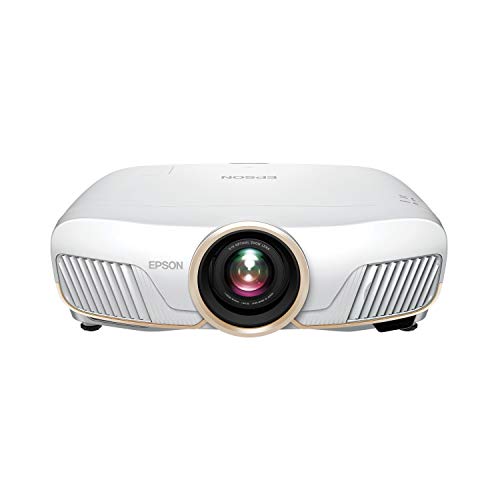
Epson Home Cinema 5050UB — The contrast-first basement choice
If one machine in this guide was designed by somebody thinking about basements, it is the 5050UB. Its title pairs 4K PRO-UHD with advanced pixel-shift processing and a stated 2600 lumens of colour and white brightness, and its reputation inside Epson’s line is built on contrast: the depth of its blacks, the gradation of its shadows, the way a night scene holds layers instead of collapsing into a single grey. Dark rooms are where that engineering shows, and basements are the darkest rooms most houses own.
Advanced pixel-shift processing deserves attention because shifting quality varies. How completely and cleanly the chips move determines how close the result sits to a native 4K impression, and Epson reserves its most developed processing language for this tier of its range. On the large screens a basement cinema justifies, that processing polish is visible in exactly the fine textures — hair, fabric, stone — that close seating examines.
The stated 2600 lumens will look modest beside brighter rivals until the room is considered. A treated basement needs no more; surplus brightness in darkness can even work against black levels by lighting the room’s surfaces. The 5050UB’s figure is sized for its intended environment with unusual honesty, and buyers should read it as a design decision rather than a shortfall to apologise for.
HDR with a named technology lineage completes the cinema brief: this machine exists for the film collection, for the Friday premiere ritual, for the household that dims the house and silences phones. It claims no streaming platform and no gaming figures in its title, and that abstinence is coherent — every part of its budget visibly went toward the picture a dark room rewards.
The condition attached is the room itself. Pale walls, a white ceiling and a beige carpet will tax this projector’s contrast exactly as they tax any other, and its talents deserve the dark screen wall and ceiling treatment this guide recommends for every basement. Give the 5050UB the room it was built for, and it returns the most cinema-shaped evenings available at this end of Epson’s range.
Double features are the 5050UB’s natural habitat, because its picture asks so little of the audience’s forgiveness that attention survives two films intact. Lesser contrast tires the eye across a long evening in ways viewers feel as restlessness without naming the cause.
- Resolution claim: 4K PRO-UHD with advanced pixel-shift processing
- Technology: 3-chip 3LCD
- Brightness: 2600 lumens colour and white, per title
- HDR: stated in listing title
- Framing: home theatre movie projection
Strengths
- Contrast-first design for controlled light
- Advanced pixel-shift processing at this tier
- Brightness honestly sized for dark rooms
Trade-offs
- Talents wasted in pale, reflective rooms
- No streaming platform named in its title
- No gaming figures printed in its title
Best for: treated basement cinemas where film nights are the room’s main event.
Not suited for: bright multi-use dens, whose lamps would fight its contrast-led design.

Epson Home Cinema LS11000 4K Laser — The permanent-install laser ceiling
The LS11000 is what a basement becomes when the household stops experimenting. Laser light behind 3-chip 3LCD, 4K PRO-UHD shifting, HDR10+, a stated 2500 lumens of colour and white brightness, dynamic contrast quoted at 1.2 million to one, motorised lens shift and focus, and a 120Hz figure — its title reads like the minutes of every lesson a projector owner learns across two lesser machines, answered in advance.
Motorised lens control finds its natural home in a basement, where the projector typically hangs from a low ceiling beyond casual reach and the screen never moves again. Focus and shift refined from the sofa, in fine increments, turn alignment into a one-evening ceremony instead of a recurring negotiation with a stepladder. In a room used in darkness, that precision also protects safety: nobody should be climbing in the dark to nudge a lens.
Laser light’s basement virtue is consistency across a heavy calendar. Cinema rooms accumulate hours faster than any other room in the house — films, series, sport, gaming weekends — and a light source that neither dims nor demands replacement keeps the room’s picture at its installed character for years. The stated dynamic contrast figure gives that consistency something cinematic to preserve, particularly in the night scenes basements showcase.
The 120Hz figure opens the door to gaming without redecorating the room around it, so a basement that begins as a cinema can absorb a console generation later without apology. HDR10+ similarly future-proofs the film side for libraries collected in that format. Step-up machines earn their place by answering tomorrow’s questions early, and this title answers several in a single sentence.
None of which converts it into a bargain, and this guide labels it as the premium step-up here as firmly as anywhere. Its buyer is furnishing a room with a decade in mind, likely alongside a fixed screen, treated walls and real sound. For that buyer, the LS11000 is not the expensive option; it is the option that ends the shopping. Everyone else should admire it as the ceiling and choose below it with clear eyes.
A basement bar fridge, a popcorn shelf and the LS11000’s instant laser readiness compose a particular kind of hospitality: the room is always thirty seconds from a screening. Hosts feel that readiness as confidence, and guests feel it as magic.
- Resolution claim: 4K PRO-UHD (pixel-shifted)
- Light source: laser
- Technology: 3-chip 3LCD
- Brightness: 2500 lumens colour and white, per title
- Contrast: 1.2 million to one dynamic, per title
- Lens: motorised shift and focus stated
- Refresh: 120Hz stated in title
Strengths
- Motorised lens suits a permanent ceiling mount
- Laser consistency for a heavy viewing calendar
- Stated dynamic contrast for dark-room depth
Trade-offs
- Premium step-up, not a value pick
- Over-specified for a casual den
- Pixel-shifted rather than native 4K construction
Best for: permanent basement cinemas installed once for a decade of evenings.
Not suited for: rented or evolving basements, whose rooms may change before it pays back.
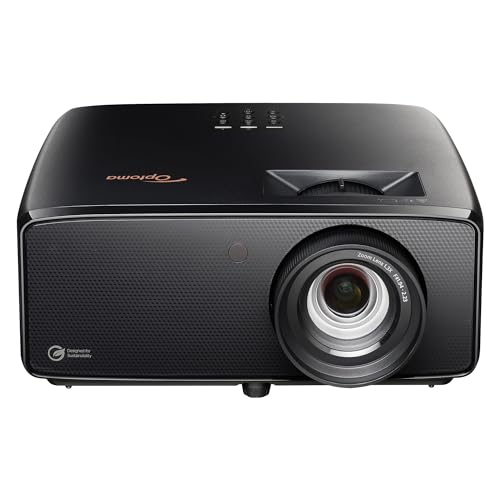
Optoma UHZ36 4K Laser Projector — The laser alternative to the Epson pattern
Every guide benefits from a control sample, and the UHZ36 is this one’s: the only machine here outside Epson’s family, offering a 4K UHD claim with laser light in a black home theatre body. Its presence tests whether the Epson pattern — shifted 4K, 3LCD colour, cinema tuning — wins the basement on merit or merely by accumulation. For some buyers, it will not win, and the Optoma’s directness is the reason.
The UHD wording is the first divergence. Where the Epsons shift, Optoma’s title claims UHD plainly, and buyers who prefer that construction story will find this the guide’s only door to it among the laser picks. Combined with laser light’s consistency, the UHZ36 suits a film household that wants a set-and-forget picture engine and already trusts its own sources and sound completely.
HDR is named without a format, brightness is not stated in the title, and no speaker or platform is advertised — a specification style that reads as confidence in a single job. Basement buyers should confirm the brightness figure on the listing against their screen size, though a treated basement’s modest demands forgive a wide range of outputs. The machine’s silence about convenience features is total, so the room must supply everything else.
Installation rhythm favours permanence here too. Laser light rewards a mount-and-forget life, and a basement ceiling offers exactly that: fixed position, fixed screen, cables run once through the joist space. The UHZ36 will not travel to the garden or the spare room, and its buyer should not ask it to. Within its one room, it simply works, evening after evening, at installed brightness.
Choose it when the household’s taste runs to the Optoma’s plainer claim and laser steadiness, and when the basement’s infrastructure — player, streamer, receiver, screen — already exists or is already budgeted. Choose an Epson when built-in streaming, stated figures or the family’s depth matter more. Either way, the basement gets a machine designed for darkness rather than adapted to it.
Neighbourhood film clubs suit the UHZ36’s temperament, since a club needs reliability more than novelty. The same picture, at the same brightness, for the fortieth screening as for the first — that is the entire promise, and laser light is how it gets kept.
- Resolution claim: 4K UHD, per listing title
- Light source: laser
- HDR: stated in listing title
- Streaming platform: not stated in listing title
- Brightness figure: not stated in listing title
Strengths
- Plain UHD claim with laser consistency
- Display-first design suits an existing rack
- Black home theatre body for a fixed mount
Trade-offs
- Title states no brightness figure
- No streaming or speaker claims in title
- Single-room machine with no portable ambitions
Best for: basements with full source and sound infrastructure already in place.
Not suited for: households expecting the projector itself to stream and speak.
Comparison
| Pick | Headline facts from its listing title | Room it suits first |
|---|---|---|
| Epson Home Cinema 3800 4K PRO-UHD | 4K PRO-UHD pixel shifting, 3-chip 3LCD, HDR technology | A treated basement cinema corner |
| Epson Home Cinema 2350 4K PRO-UHD | 4K PRO-UHD, Android TV, 2800 lumens, HDR10/HLG, Bluetooth | A basement den with lamps and life in it |
| Epson Home Cinema 980 1080p | 1080p, 3-chip 3LCD, movie projector framing | A compact basement with a modest screen |
| Epson Home Cinema 5050UB | 4K PRO-UHD, advanced pixel shifting, 2600 lumens, HDR | A darkened, paint-treated basement cinema |
| Epson Home Cinema LS11000 4K Laser | 4K PRO-UHD laser, 2500 lumens, HDR10+, motorised lens, 120Hz | A permanent, treated basement cinema |
| Optoma UHZ36 4K Laser Projector | 4K UHD, laser, HDR stated | A fixed basement theatre with its own rack |
Why Do Contrast and Black Levels Matter More Than Lumens Downstairs?
A projected black is never darker than the light already in the room, so upstairs the ambient glow sets a floor under every image and brightness becomes the weapon against it. A basement removes that floor. Suddenly the projector’s own contrast — its ability to keep a shadow at three distinct depths of dark — becomes the visible frontier, and machines diverge dramatically exactly where showrooms could not reveal it.
This is why the 5050UB’s contrast-first design and the LS11000’s stated dynamic contrast figure lead their reviews, while raw brightness figures receive modest attention. Buyers furnishing a basement should audition night scenes, not noon scenes: a candlelit dinner, a submarine interior, a forest at dusk. The machine that keeps those scenes layered is the machine the room will love in year three.
How Should You Treat Basement Walls and Ceilings for Projection?
Start with the screen wall itself: a deep, matte colour there absorbs the light that would otherwise bounce back and grey the image. Extend the treatment across the first portion of ceiling, because the ceiling is the surface closest to the screen’s top edge and the worst reflector in most basements. Even a single dark band transforms perceived contrast on every projector in this guide.
Carpet and soft furnishings help twice, swallowing reflections and sound alike. Households unwilling to repaint can hang dark fabric panels or curtains along the screen wall for a reversible version of the same physics. What matters is breaking the white box. A basement cinema is built from darkness as much as from equipment, and darkness is the cheapest component in the entire room.
What Screen Size Suits a Typical Basement?
Basement ceilings sit lower than living-room ones, and that single fact caps screen height before width becomes an issue. Measure the ceiling, subtract the mount and centre-speaker space, and let the resulting height choose the diagonal. Many excellent basement cinemas live at sizes that would look modest in a showroom and feel enormous from a sofa three metres away.
Seating distance completes the arithmetic. Pixel-shifted picks hold their detail closer than the 1080p 980, so a PRO-UHD machine permits either a larger screen or nearer seating in the same room. Decide which luxury the household prefers — immersion or intimacy — and buy the combination that delivers it, rather than maximising diagonal as an abstract score.
How Do You Wire a Basement Cinema Cleanly?
Run cables while the room is still a building site in spirit: power to the mount point, a generously rated HDMI run to the equipment position, and speaker cable before skirting boards settle. Basements forgive surface trunking better than living rooms do, but joist-space runs are cleaner and safer. Leave a pull cord in any conduit for the cable standard nobody has invented yet.
Ventilation and access deserve equal planning. A projector sealed into a decorative box will cook its own electronics and amplify its fan through the enclosure. Open-backed hush boxes, or simple open mounting, keep air moving. Finally, place the equipment rack where its lights and fan noise sit outside the audience’s peripheral attention, because a cinema’s magic leaks away through a blinking rack beside the screen.
What Sound Setup Does a Basement Cinema Deserve?
Only one title in this guide prints a speaker, so the class assumes external sound, and a basement justifies honouring that assumption properly. Contained walls let a soundbar or a modest speaker set play at cinema levels without disturbing bedrooms above — the one room in the house where volume is a feature rather than a negotiation. Even a careful two-channel setup transforms these pictures.
Placement beats expenditure. Keep the main speakers near screen height and equidistant from the main seat, angle them toward the listeners, and let the room’s carpet and sofas tame reflections. Dialogue clarity, not bass heroics, is what guests will praise, so centre the mix on voices and let effects support them. The projector supplies the window; sound decides whether the audience believes the world beyond it.
How Does a Basement Projector Handle Gaming Weekends?
Dens and cinemas alike eventually host a console, and the titles here divide honestly on the subject. The 2350 claims low latency in print, the LS11000 states a 120Hz figure, and the remaining picks make no gaming claims at all. Casual and co-operative play will feel fine on any of them; competitive players should choose by the printed evidence and confirm lag figures on the listings.
Room layout matters as much as electronics. Games want seating nearer the screen, light low but not absent, and floor space for the players who stand. A basement arranged with a movable front row — beanbags before the fixed sofa — serves film nights and gaming weekends from the same projector without compromising either, which is how most real basements actually earn their keep.
What Maintenance Does a Basement Projector Need?
Basements add one enemy living rooms lack: damp. A dehumidifier or at least a humidity check protects every electronic in the room, projectors included, and a machine should never be mounted where a pipe’s condensation can find it. Dust behaves differently downstairs too, settling from ceiling voids, so filter checks belong on a seasonal rhythm rather than an annual one.
Lamp models add their hour counters to that rhythm, while the two laser picks simply continue. Whatever the light source, keep vents clear of the storage boxes basements accumulate, and resist stacking anything on a warm machine. A projector’s worst basement enemy is not time but the room’s second job as the house’s overflow cupboard.
How Do You Stop a Basement Projector From Disturbing the House?
Sound travels upward through joists more readily than through walls, so a basement cinema’s volume discipline is mostly structural. Seating-platform isolation, a rug under the subwoofer and speakers aimed at the audience rather than the ceiling all reduce the thump that reaches bedrooms. Late-night modes on the receiver finish the job electronically.
Light discipline is simpler: a door that closes, a hallway bulb on a warm setting, and blackout material over the small windows most basements have. The goal is a room that can hold a midnight screening while the house above sleeps undisturbed, which is precisely the social contract that makes a basement cinema sustainable in a family home.
When Should a Basement Buyer Choose Laser Over Lamp?
Count the room’s weekly hours honestly. A cinema hosting films, series, sport and games can accumulate lamp life at a pace that makes replacement a yearly conversation, and at that pace laser’s consistency and freedom quickly justify themselves. The LS11000 and UHZ36 exist in this guide for exactly that household.
A basement used for a Friday film and little else spends lamp life slowly enough that the lamp picks’ lower commitment stays rational for years. The 5050UB’s contrast, in particular, should not be surrendered to a laser preference the calendar does not support. Let the room’s diary, not fashion, choose the light source.
How Should Seating Be Arranged in a Basement Cinema?
Place the main seats where the screen fills a comfortable field of view without demanding head movement, then check that every seat can see the screen’s bottom edge over the row in front. Basements often force a single row, which simplifies everything: one perfect distance, shared by the household’s favourite chairs, with the projector’s throw calculated to that line.
Leave walking space behind the seating rather than in front of it, and keep the equipment rack out of the audience’s sightline. A room arranged this way feels intentional even before the lights drop, and intention is half of what separates a cinema from a television that happens to be large.
What Projector Upgrades Should a Basement Owner Plan Next?
After the projector, the screen returns the largest visible improvement, followed by sound, followed by light control refined further — darker paint carried further, blackout made complete. That order surprises buyers who expect electronics to lead, yet a basement’s picture is a system, and its weakest component is rarely the one with a model number.
Resist upgrading the projector itself until the room has finished changing. Each room improvement re-ranks the machines: contrast picks gain from darker paint, brightness picks gain from bigger screens. Households that finish the room first discover their projector was better than they thought, or learn exactly which successor the finished room deserves.
How Do You Test a Basement Projector in the First Week?
Choose scenes with darkness in them and watch them at the room’s real seating distance, lights set exactly as a normal evening sets them. A projector can impress with a bright cartoon while failing the night scenes that basement viewing is actually made of, so the audition material should match the room’s diet from the first night.
Check geometry from every seat, listen for fan behaviour during the quietest scene you own, and confirm the remote reaches the machine from the back row. Small annoyances found inside the return window are information; the same annoyances found in month three are just the room’s permanent character, so test promptly and decide honestly.
Should a Basement Cinema Use a Fixed Screen or a Retractable One?
A fixed screen stays flat, framed and ready, and in a dedicated basement that readiness is worth the wall it occupies. Retractable screens serve rooms that must return to another purpose — a playroom by day, a guest room on weekends — and good ones stay admirably flat, though never quite as effortlessly as a fixed frame.
Let the room’s second job decide. A basement that is only a cinema should fix its screen and enjoy the permanence; a basement with a double life should retract gracefully and accept the small ritual. Either way, a real screen surface outperforms the painted wall experiments that precede it in most households’ histories.
How Does a Projector Change the Way a Basement Gets Used?
Households consistently report the same surprise after installation: the basement stops being storage with a sofa and becomes the destination room of the house. Film nights migrate downstairs, then sport follows, then ordinary Tuesday series episodes, because a big picture in a dark, cool room flatters everything it shows. The projector does not just serve the room’s evenings; it reorganises them.
That reorganisation is the true return on the purchase, and it argues for choosing the machine the room’s majority evenings deserve rather than the machine that wins a specification argument. A basement used six nights a week forgives a generous budget quickly, because cost per evening collapses when the room never sits dark and empty.
Common Mistakes
Leaving the basement white ranks as the costliest error in this entire category. A pale room reflects the picture back onto itself until blacks turn to charcoal-grey, and owners then blame projectors for a crime committed by paint. Darken the screen wall and ceiling first, judge machines second, and several arguments about contrast resolve themselves before a single box is opened.
Oversizing the screen for a low ceiling follows closely. A picture whose top edge kisses the ceiling and whose bottom edge hides behind the front row’s heads serves nobody, however impressive its diagonal reads in a listing. Basements reward proportion: a screen the whole audience can see, at a brightness the machine can sustain, beats a mural that only the middle seat enjoys.
Forgetting the sound budget while maximising the picture budget produces the familiar lopsided cinema: a wall of image whispering through a tiny speaker. Basements are the one space where sound can be done properly without neighbour diplomacy, so starving it is a double waste. Reserve real money for audio and the projector’s picture finally has a partner worthy of it.
Mounting before measuring throw distance remains the classic installation own goal. Ceiling joists, bulkheads and support posts all conspire to place mounts where architecture prefers rather than where optics require, and a projector fixed a metre too close cannot be argued into a bigger picture. Measure twice, check the model’s zoom range against the room, and only then drill.
Finally, treating the basement like a cinema on day one and a storage room by month six quietly ruins more setups than any equipment failure. Boxes migrate toward the screen wall, a bike leans into the throw path, and the room’s darkness fills with clutter. Protect the room’s purpose and the projector keeps the audience it was installed for.
Ignoring humidity controls closes the list of basement-specific errors. A beautiful cinema built under a damp ceiling will grow mould behind the screen and corrosion inside its electronics with complete impartiality. Solve the room’s moisture before solving its picture, because no projector warranty was ever written to cover a swamp.
One quieter error is placing the screen on the wall that happens to be empty rather than the wall the room’s shape prefers. Posts, doors and the staircase all vote in that decision, and ignoring their votes produces off-centre seating and a projector aimed like a compromise. Walk the room, sit in imaginary chairs, and let the geometry speak before the drill does.
Final Recommendation
Furnish the room before finalising the machine and the shortlist nearly chooses itself. A treated, film-first basement belongs to the 5050UB’s contrast-led picture, or to the LS11000 when permanence, laser consistency and motorised calibration justify the step-up. A balanced cinema that also hosts sport and series sits happily with the 3800, while the UHZ36 serves households preferring a plain UHD laser claim feeding an existing rack.
Dens and evolving rooms take the other doors: the 2350’s built-in Android TV and stated brightness forgive lamps, guests and unfinished paint, and the 980 starts smaller basements honestly at 1080p. Paint the screen wall dark whichever name arrives, budget sound as a partner rather than an afterthought, and the basement becomes the room the whole house migrates toward when evening comes.
One last basement truth: the room rewards patience more than any other in the house. Paint dries, seating settles, sound finds its level, and a projector chosen for the room’s real character becomes part of the architecture. Choose for the basement you will actually sit in, and it will repay the honesty every single evening.
If the choice still feels tangled, simplify it to one question: will this room’s lights be off and its door closed for most screenings? Yes answers point toward contrast and permanence; no answers point toward the den picks and their forgiving brightness. The basement already knows which room it is — the buyer only has to agree with it.
Bring a tape measure, a paint swatch and one honest evening’s diary of how the room gets used. Those three humble documents will choose among these six more reliably than any showroom visit, because a basement cinema is not bought — it is composed, one dark, quiet, deliberate decision at a time.
Darken the wall, seat the audience, feed the machine a film it deserves, and the basement will make the argument no review can: this is where the house watches now. The six names above simply decide whose engineering gets to host that argument, and each of them, in the right downstairs room, hosts it beautifully.
A basement cinema earns its keep on the first rainy weekend, when the whole household descends and nobody checks the weather again until Monday. Seat the audience before choosing the screen, because the back row’s eyes are the true specification every projector must satisfy. Dark paint on a basement ceiling feels brave for one weekend and obvious forever after. The best basement sessions share one trait: nobody mentions the equipment until the credits finish. A kettle and a mini fridge downstairs have ended more intermissions than any pause button ever will.
Frequently Asked Questions
Which basement pick has the best black levels?
The guide’s contrast-first choice is the Epson 5050UB, whose title pairs advanced pixel-shift processing with home theatre movie intent and whose design centres on shadow depth. The LS11000 states a dynamic contrast figure of 1.2 million to one for buyers weighing the step-up.
Is 1080p enough for a basement projector?
On the smaller screens many basements fit, the Home Cinema 980’s plainly labelled 1080p picture remains thoroughly enjoyable, particularly from sensible seating distances. Larger screens with closer seating justify the PRO-UHD picks above it.
Do basement projectors need high brightness?
Controlled light lowers the requirement considerably. The stated figures here — 2600 lumens on the 5050UB, 2800 on the 2350, 2500 on the LS11000 — are sized for dark rooms, and surplus brightness can even work against black levels downstairs.
Can I use a basement projector for gaming?
The 2350 claims low latency in its title and the LS11000 states 120Hz, so those two carry the guide’s gaming evidence. The other titles make no gaming claims, though casual play remains possible on any of them.
Should I paint my basement before buying a projector?
Paint the screen wall and the first stretch of ceiling dark before judging any machine, yes. Pale surfaces reflect the picture back onto itself and wash out contrast that no projector in this guide can restore by specification alone. A single weekend with a roller routinely returns more visible quality than stepping up an entire model tier, and it makes whichever projector you choose look like the version of itself the brochures promised.
Which pick needs no lamp changes?
Two titles name laser light: the Epson LS11000 and the Optoma UHZ36. The remaining four are lamp-era designs whose ownership includes eventual lamp replacement, a known cost their lower commitment offsets.
Related Guides
The basement is one stop on a longer tour of the house. Buyers weighing light sources should read the battery projectors for evenings away from the mains next, then the bedroom mini projectors with honest resolution labels for the smallest room in the house, and finally the boardroom projectors built for lit-room presentations, which solve the opposite problem from the basement entirely.


