What's inside
- Key Takeaways
- Quick Picks
- How We Chose These Picks
- Comparison
- How Bright Is Bright Enough for a Lit Boardroom?
- WXGA or 1080p: Which Resolution Does Your Content Need?
- How Do You Stop the Guest-Laptop Problem?
- Where Should a Boardroom Projector Be Mounted?
- What Should a Boardroom Buyer Check in the First Month?
- How Do Projectors Fit a Hybrid Meeting Room?
- How Do You Specify a Projector for a Whole Office Floor?
- What Does RS232 Control Actually Buy a Meeting Room?
- How Should a Boardroom Handle Screens, Blinds and Lights Together?
- What Training Do Staff Actually Need for a Meeting Room?
- How Long Should a Boardroom Projector Last, and What Ends Its Life?
- What Should the Screen Itself Be in a Lit Meeting Room?
- How Do You Run a Boardroom Pilot Before a Fleet Purchase?
- Why Do Boardrooms Keep VGA Alive?
- Common Mistakes
- Final Recommendation
- Frequently Asked Questions
- Related Guides
As an Amazon Associate I earn from qualifying purchases. This post may contain affiliate links at no extra cost to you.
widgetverdict.com is reader-supported. When you buy through links on our site, we may earn an affiliate commission.
The best boardroom projectors are judged by a standard no home theatre would recognise: a spreadsheet must be legible from the far end of the table at two in the afternoon, with the blinds open and the ceiling lights on. Ambient light is not the enemy in a meeting room; it is the working condition, because people take notes, read faces and glance at printed pages while the screen glows. Brightness for that light, text clarity for that content, and connections for whoever walks in next — those are the boardroom’s entire creed, and this guide applies it without a whisper of cinema romanticism.
Five of the six picks are WXGA machines and one is a 1080p wireless flagship of the class, and that distribution teaches the category’s central trade. WXGA’s widescreen shape matches laptops and holds more spreadsheet columns than old square formats, while 1080p sharpens small text further for rooms whose work is dense with figures. Every pick states 4000 lumens or more of brightness in its title, because a boardroom machine that cannot fight the lights is furniture, not equipment.
The six divide by maker into three Epsons, two ViewSonics and a BenQ, and by mounting problem into standard-throw machines and one short-throw specialist, ViewSonic’s PS502W, whose stated 0.5 throw exists for the small rooms where a standard projector would put the presenter inside the beam. That single specification reorganises a small boardroom completely, and its review treats it with the seriousness small rooms deserve.
For each model below, its linked name takes you straight to the Amazon listing — check price on Amazon there and confirm the full specification before shortlisting it. Only title facts are credited below: lumens as each title states them, the EX7280’s stated 16000:1 contrast, the BenQ’s stated 20000:1 contrast and three-year warranty, the EX9270’s AirPlay and Miracast casting, the PA503W’s 120Hz and low-latency language. No home-theatre claims are made for any of them, because none of their titles make any.
There is deliberately no home framing anywhere in what follows. These machines were not built to show films, their titles do not claim cinema virtues, and judging them by black levels would be as unfair as judging a cinema projector by spreadsheet legibility. Each is graded against the lit room, the shared document and the arriving guest — the boardroom’s own examinations, which are quite hard enough.
Key Takeaways
- Boardroom brightness is a working condition: every pick states at least 4000 lumens for rooms used with lights on and blinds open.
- Five picks are WXGA and one, the Epson Pro EX9270, is 1080p — the resolution choice is really a text-density choice for spreadsheets and figures.
- The ViewSonic PS502W states a 0.5 short throw, solving the small room where a presenter would otherwise stand in the beam.
- Casting divides the class: the EX9270 states AirPlay and Miracast streaming from phone or laptop, ending the cable negotiation.
- Contrast figures appear on two titles — 16000:1 on the Epson EX7280, 20000:1 on the BenQ MW560C — and matter for chart legibility, not cinema mood.
- The BenQ MW560C states a three-year warranty in its title, a facilities-grade detail the other titles leave to their listings.
Quick Picks
| Pick | Badge | Why it earns its place |
|---|---|---|
| Epson EX3290 | The straightforward 4000-lumen workhorse | A widescreen WXGA 3LCD projector stating 4000 lumens of colour and white brightness, a built-in speaker and two HDMI ports. |
| Epson Pro EX9270 | The 1080p wireless flagship of the class | A wireless 1080p business projector stating 4100 lumens, a built-in speaker, AirPlay and Miracast streaming, two HDMI ports and 1.6x zoom. |
| Epson Pro EX7280 | The contrast-stated WXGA alternative | A WXGA 3LCD business projector stating 4000 lumens, a built-in speaker, HDMI and a 16000:1 contrast ratio for business and conference rooms. |
| ViewSonic PA503W | The DLP alternative with ceiling-mount manners | A 4000-lumen WXGA DLP projector stating vertical keystone, optical zoom, 120Hz, low latency, VGA and USB, framed for classroom, business and presentation. |
| ViewSonic PS502W | The short-throw answer for small rooms | A WXGA short-throw projector stating 4000 lumens, a 0.5 throw, dual HDMI, vertical keystone, VGA, RS232, USB and a speaker, for business, classroom and conference rooms. |
| BenQ MW560C | The warranty-forward meeting-room BenQ | A WXGA business projector stating 4000 lumens, 20000:1 contrast, HDMI and VGA, auto keystone and SmartEco technology, with a three-year warranty in its title. |
How We Chose These Picks
Eligibility required a business or conference identity in the listing title itself, because boardroom projection is a professional discipline with its own priorities. Home theatre models with fine contrast were excluded however lovely their pictures, since a machine tuned for dark-room film will surrender under office lighting, and a meeting cannot be rescheduled around a projector’s feelings.
Brightness was scored as the entry ticket, not the ranking. Every pick clears a stated 4000 lumens, so the ranking was decided by what surrounds that figure: casting for guests, zoom for installers, throw for small rooms, ports for the room’s fixed sources, and a speaker for the video calls that now begin half of all meetings. A boardroom buys an ecosystem of small reliabilities, and titles that itemised theirs earned trust.
Text legibility was treated as the picture-quality metric of the class. WXGA against 1080p is therefore argued as a density question — how small can the spreadsheet’s figures shrink before the back row squints — rather than as a cinema question about detail in faces. The one 1080p pick leads on that metric, and its review says so without pretending the WXGA machines are illegible; they are the class’s sensible standard.
Installation realities completed the scoring: ceiling mounting, keystone correction for imperfect positions, zoom ranges that forgive a mount placed where the joists allowed, and control connections like RS232 for rooms run by building systems. Boardrooms are installed by facilities teams on ladders at weekends, and a projector that respects that crew earns a longer, quieter life.
Finally, we weighted the guest experience. A boardroom projector serves strangers weekly — clients, candidates, auditors — whose laptops and phones arrive unannounced. Two HDMI ports, wireless casting and a speaker that carries a call are therefore not conveniences but the room’s hospitality, and the picks below are ranked partly by how gracefully they receive a visitor.
We also noted what each title declined to claim, since restraint in a business specification is a professional courtesy. A machine silent on casting is not hiding a flaw; it is describing a wired room honestly. Reviews that respect those boundaries let a facilities manager trust the claims that are printed, which is the foundation every procurement decision stands on.
Speaker claims were weighed for the call era specifically. A stated built-in speaker is not about films or celebration videos; it is about whether the far office’s voices arrive intelligibly at the far end of the table, and titles that print the feature were credited for understanding what their rooms actually do all day.

Epson EX3290 — The straightforward 4000-lumen workhorse
The EX3290 is the boardroom class in its most honest uniform: WXGA widescreen projection from a 3-chip 3LCD engine, a stated 4000 lumens of both colour and white brightness, a built-in speaker and two HDMI ports. Nothing in its title reaches for glamour, and that restraint is precisely its qualification. A meeting room needs a machine that starts, connects and reads clearly every single day, and the EX3290’s specification is that requirement translated into a product.
Stating colour and white brightness separately, both at 4000, is the Epson habit this guide keeps praising because it predicts the boardroom’s actual test. A pie chart’s segments, a brand’s colours on a pitch deck, a map’s shaded regions — these live or die by colour brightness, not by the white figure alone. A machine that commits to both numbers in its title can be planned around with unusual confidence.
Two HDMI ports cover the room’s standard population: a fixed room computer and a guest’s laptop, both connected, switching by remote rather than by cable surgery under the table. The built-in speaker carries video-call voices and presentation clips at meeting scale. Neither feature will headline a brochure, and together they decide whether the room’s technology is noticed at all — the highest state boardroom equipment can achieve.
WXGA resolution sets the legibility envelope: comfortable for documents, decks and dashboards at boardroom distances, with small spreadsheet text as the known frontier. Rooms whose work is dominated by dense financial models should read the EX9270’s review before settling, because its 1080p canvas was built for exactly that density. Rooms presenting the usual mixture of slides, video and discussion will find the EX3290’s canvas entirely sufficient.
Choose it as the default installation for a standard meeting room: bright enough for the lights, connected enough for the guests, specified plainly enough for a facilities manager to approve without a second meeting about the meeting room. In a category full of specialised answers, the straightforward workhorse remains the most purchased shape of correct.
Training days reveal the EX3290’s steadiness best, because a full day of varied presenters tests connections and legibility more than any single meeting can. A machine that simply continues, presenter after presenter, becomes the room’s trusted furniture, which is the destiny its specification was written for.
Boardrooms also double as interview rooms, and the EX9270’s wireless grace flatters candidates and panels alike: a portfolio appears without a cable ceremony, and the conversation stays human. Equipment that removes awkwardness from hiring is doing cultural work beyond its job description.
A spare lamp-era habit dies hard in rooms like the EX3290’s: nobody needs to dim the house lights for the picture’s sake, so note-taking and eye contact survive the presentation. That social brightness is the entire reason the class exists.
- Resolution: WXGA widescreen, per title
- Technology: 3-chip 3LCD
- Brightness: 4000 lumens colour and white, per title
- Sound: built-in speaker stated
- Inputs: 2 HDMI ports stated
Strengths
- Both colour and white brightness stated at 4000
- Two HDMI ports end the cable swap
- Plainly specified for facilities approval
Trade-offs
- WXGA density is the class standard, not its peak
- No wireless casting claimed in its title
- No zoom figure printed in its title
Best for: standard meeting rooms presenting slides, video and discussion daily.
Not suited for: dense-spreadsheet rooms, which should weigh the 1080p EX9270 first.

Epson Pro EX9270 — The 1080p wireless flagship of the class
The EX9270 leads this guide’s ambitions because its title solves the boardroom’s two oldest problems at once: small text and guest cables. Its 1080p resolution sharpens the figures a WXGA canvas softens, and its wireless streaming — AirPlay and Miracast named outright — lets a phone or laptop share a screen without the adapter drawer being emptied onto the table. Meetings start when the people arrive, which is the entire point of the room.
A stated 4100 lumens of colour and white brightness keeps the picture authoritative under office lighting, and the Pro prefix in its name signals Epson’s business tier intent. The audience for that intent is the room where the dense work happens: financial reviews, engineering drawings, data dashboards, the presentations where the back row’s ability to read a footnote decides whether the meeting needs a second meeting.
The stated 1.6x zoom is the installer’s line in the title, and it deserves more respect than glamour features get. A generous zoom range lets the mount go where the ceiling allows — clear of the light fittings, the air-conditioning and the sprinkler — while the image still lands exactly on the screen. Rooms are built by architecture first and by optics second, and a 1.6x zoom is how optics negotiates the peace.
Two HDMI ports stand behind the wireless story for the sources that should stay wired: the room computer, the video-conference unit, the document camera. A built-in speaker carries calls. Taken together, the title describes the most completely specified boardroom machine in this guide, and its review’s only caution is proportionality — a small huddle room will never spend half of what this Epson offers.
Buy it for the room the company shows its clients and its auditors, the room whose calendar is booked by the work that matters most. The EX9270’s premium within this class buys legibility, wireless grace and installation forgiveness in a single machine, and boardrooms that host consequential meetings will recover that premium in started-on-time hours within a quarter.
Design reviews are the EX7280’s home fixture, where shaded iterations of the same drawing must be distinguishable from the back row. Its stated contrast earns its keep in precisely those sessions, turning a specification line into a decision the room can actually make together.
Older buildings forgive the PA503W’s legacy ports weekly, because listed-building boardrooms and long-serving room computers speak VGA as a first language. A projector that meets the building where it stands avoids a rewiring project disguised as an equipment purchase.
Video calls flatter the EX9270 twice over, because the far office sees a bright, sharp shared screen while the near office reads the returning faces clearly. Hybrid quality is a two-way street, and this Epson drives both directions.
- Resolution: 1080p Full HD, per title
- Technology: 3-chip 3LCD
- Brightness: 4100 lumens colour and white, per title
- Wireless: AirPlay and Miracast streaming stated
- Lens: 1.6x zoom stated
- Inputs: 2 HDMI ports stated
- Sound: built-in speaker stated
Strengths
- 1080p canvas for dense figures and drawings
- AirPlay and Miracast end the guest-cable ritual
- 1.6x zoom forgives real ceiling architecture
Trade-offs
- Most expensive intent in this guide
- Over-specified for small huddle rooms
- Wireless depends on the building’s network manners
Best for: client-facing boardrooms running dense documents and daily video calls.
Not suited for: small huddle rooms, whose walls never test its resolution or zoom.

Epson Pro EX7280 — The contrast-stated WXGA alternative
The EX7280’s title adds one figure its EX3290 sibling omits: a contrast ratio stated at 16000:1. In a boardroom that number should be read in the class’s own dialect — not as cinema depth, but as chart discipline. Contrast is what keeps a pale gridline visible, a light-grey forecast bar distinct from the white slide behind it, and a presenter’s annotations readable from the door. A maker who prints the figure invites the legibility conversation, and this Epson survives it well.
Beyond that contrast figure, the EX7280 sticks to the class’s dependable core: WXGA widescreen from a 3-chip 3LCD engine, a stated 4000 lumens of colour and white brightness, a built-in speaker and HDMI connection, framed explicitly for business and conference rooms. That framing matters to a facilities buyer, because it promises the machine’s menus, modes and warranty conversations all assume a working room rather than a cinema.
Against the EX3290, the choice is a study in which unstated things a buyer values. The 3290 prints its second HDMI port; the 7280 prints its contrast figure. Rooms with two fixed sources should weigh the port; rooms whose decks lean on subtle charts and shaded data should weigh the contrast. Neither Epson is the other’s upgrade — they are two honest emphases wearing similar uniforms, and this guide ranks them as alternatives rather than as a ladder.
Colour brightness stated at the full 4000 keeps the EX7280’s charts honest under lights, since coloured data is where dim colour performance first betrays a business projector. A red-versus-green performance chart that both rows can distinguish is not a cosmetic concern in a room where decisions follow the colours. The 3LCD engine’s matched colour and white output is the quiet engineering behind that everyday reliability.
Choose the EX7280 when the room’s work is visual data — dashboards, forecasts, design reviews — and when one well-chosen HDMI path covers the room’s sources, perhaps through a switch the facilities team controls. It is the data-presenter’s Epson in a guide full of worthy generalists, and its stated contrast is the tell.
Huddle rooms are where the PS502W’s geometry becomes culture: four people, one wall, no ceremony, and a picture that appears without anyone standing in it. Companies that standardise small rooms on short throw discover their ad-hoc meetings start faster than their scheduled ones.
Fleet buyers should note how the MW560C’s title reads like a tender response — every line an answer to a procurement question. Machines specified that way tend to arrive with their paperwork equally orderly, which is its own form of reliability.
Quarterly reviews are the EX7280’s proving ground, when a year of shaded bars must be compared at a glance. Rooms that live on such comparisons should treat its printed contrast as a job requirement rather than a statistic.
- Resolution: WXGA widescreen, per title
- Technology: 3-chip 3LCD
- Brightness: 4000 lumens colour and white, per title
- Contrast: 16000:1 stated in title
- Sound: built-in speaker stated
- Framing: business and conference room, per title
Strengths
- Contrast figure printed for chart legibility
- Matched colour and white brightness at 4000
- Business framing through its whole specification
Trade-offs
- Port count left less explicit than its sibling’s
- WXGA density ceiling applies as elsewhere
- No casting claimed in its title
Best for: data-heavy meeting rooms presenting charts, dashboards and forecasts.
Not suited for: rooms juggling several fixed sources without a switch in place.

ViewSonic PA503W — The DLP alternative with ceiling-mount manners
The PA503W brings the DLP alternative into a 3LCD-heavy guide, and its title is a facilities manager’s checklist: 4000 lumens of WXGA brightness, vertical keystone, optical zoom, VGA and USB connections, ceiling-mount intent, and a spread of named venues — classroom, business, presentation, large screen. ViewSonic sells this machine the way it will actually be bought, by the people who install and maintain rooms, and the title’s vocabulary honours that audience completely.
Optical zoom plus vertical keystone compose its placement story: the mount lands where the ceiling permits, the zoom sizes the image to the screen, and the keystone squares what the angle imposed. In real buildings, where light fittings and beams outrank projectors in the ceiling’s democracy, that combination is the difference between an installation finished in a morning and one that becomes a saga of brackets and compromises.
The legacy connections deserve their sentence. VGA in a modern title looks antique until the guest arrives with the laptop that only has it, or the room’s older fixed source demands it; USB similarly serves the presentation habits of a decade of visiting speakers. A boardroom projector’s port panel is a history of every guest it has ever hosted, and the PA503W’s panel remembers more of them than most.
Its title also prints 120Hz and low-latency language, unusual in a business specification and best read as responsiveness headroom rather than as a gaming invitation. Interactive presentations, fast annotation and video material all benefit from a machine that keeps up, and a training room running simulations will find those figures more relevant than a cinema ever would.
Choose the ViewSonic when the building is old, the sources are varied, the ceiling is opinionated and the budget answers to a facilities spreadsheet. It is the pragmatic professional’s pick in this guide: less interested in impressing a shortlist, more interested in still working, brightly and squarely, in its fifth year of Mondays.
Ceiling height argues for the PA503W in period rooms, where a long drop tube and a forgiving zoom turn architectural drama into a morning’s work. Installers keep such models in their vans for a reason.
- Resolution: WXGA, per title
- Technology: DLP
- Brightness: 4000 lumens stated
- Lens tools: optical zoom, vertical keystone
- Refresh: 120Hz and low latency stated
- Inputs: HDMI, VGA, USB stated
- Mounting: ceiling mount framed in title
Strengths
- Legacy VGA beside modern HDMI
- Zoom and keystone forgive real ceilings
- DLP alternative in a 3LCD-heavy class
Trade-offs
- No casting claimed in its title
- Contrast figure absent from its title
- Business breadth includes classroom tuning compromises
Best for: mixed-source buildings and training rooms with opinionated ceilings.
Not suited for: wireless-first rooms, whose guests expect to cast without cables.

ViewSonic PS502W — The short-throw answer for small rooms
Small boardrooms break standard projectors in a specific way: the room is too short for the throw, so the machine ends up on the table, its fan in the meeting’s ear and its beam interrupted by every presenter who stands. The PS502W exists for that room. Its title states a 0.5 short throw — a big picture from roughly half the usual distance — which lets the machine sit close to the wall, above or below the screen, while the presenter works the room without casting a shadow puppet across the quarterly figures.
A stated 4000 lumens keeps that close picture authoritative under the lights small rooms never switch off. Short throw also changes the light’s geometry kindly: a steep angle means less of the image is lost to the glare patterns that plague table-mounted machines, and the audience’s sightlines stay under the beam instead of through it. The small room stops feeling like a compromise and starts feeling designed.
Dual HDMI, VGA, USB and a speaker cover the guest-and-fixed-source population, while RS232 in the title speaks to the building itself: rooms integrated into control systems, where a panel by the door wakes the projector, the blinds and the call unit together. That single control port separates a projector that joins a smart room from one that merely visits it, and facilities teams notice its presence immediately.
Vertical keystone handles the imperfect shelf or mount a short-throw position often involves. What the title does not claim is zoom-led flexibility of the standard machines’ kind, because short-throw geometry is its own discipline: position is destiny, so measure the wall, the screen size and the exact perch before ordering. A short-throw machine placed by guesswork punishes the guesser more completely than any other kind here.
Choose it when the room is small, the table is close to the wall, and presenters move while they talk. In that room — which describes a large fraction of the world’s actual meeting spaces — the PS502W is not the specialised alternative. It is the only pick in this guide whose geometry truly fits, and geometry, like gravity, does not negotiate.
A short-throw machine also protects the screen itself, because presenters stop touching and pointing at a surface their bodies no longer cross. Small rooms keep their equipment longer when geometry keeps hands off it.
- Resolution: WXGA, per title
- Throw: 0.5 short throw stated
- Brightness: 4000 lumens stated
- Inputs: dual HDMI, VGA, USB stated
- Control: RS232 stated
- Sound: speaker stated
- Keystone: vertical keystone stated
Strengths
- 0.5 throw frees presenters from the beam
- RS232 joins building control systems
- Stated 4000 lumens for lights-on small rooms
Trade-offs
- Placement is destiny; measuring is mandatory
- No casting claimed in its title
- Short-throw geometry suits one room shape only
Best for: small boardrooms and classrooms where presenters stand close to the screen.
Not suited for: large rooms, whose distances waste its short-throw design entirely.

BenQ MW560C — The warranty-forward meeting-room BenQ
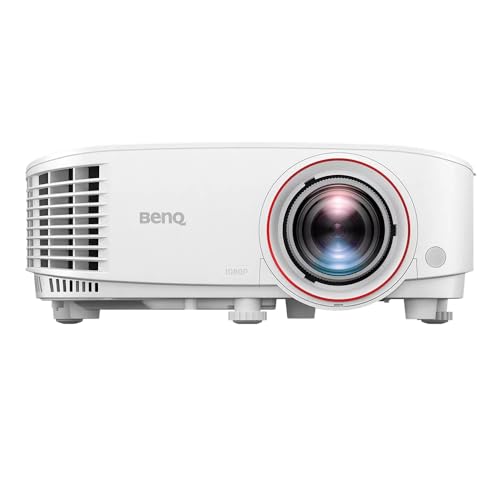
BenQ’s MW560C closes the guide with the boardroom virtue nobody photographs: a warranty printed in the title. Three years of cover, stated beside 4000 lumens of WXGA brightness, a 20000:1 contrast figure, HDMI and VGA, auto keystone and SmartEco technology, composes a proposition aimed at organisations that buy equipment the way they buy insurance — by reading what happens when something goes wrong, before admiring what happens when everything goes right.
The stated 20000:1 contrast is the highest figure printed in this guide, and it should be read in the boardroom dialect established earlier: chart discipline, annotation clarity, the separation of a pale trend line from a white slide. BenQ’s business line has built its reputation on exactly that legibility, and a title willing to print its contrast invites the data-heavy rooms to shortlist it beside the EX7280, whose stated figure it exceeds on paper.
SmartEco technology, named in the title, speaks to the running-cost ledger: power management that trims consumption and stretches component life when the room’s content allows. Facilities teams modelling a fleet of rooms across years will find that line item more persuasive than any single performance figure, because a projector’s purchase price is merely the first invoice it ever generates.
Auto keystone keeps setup honest in rooms where the machine moves between positions or sits on a shelf rather than a mount, squaring the picture without a menu expedition. HDMI and VGA cover the modern and legacy guest population between them. Nothing in the title reaches for wireless glamour, and a buyer whose guests cast from phones should weigh the EX9270’s AirPlay and Miracast before choosing this BenQ’s warranty-led virtues.
Choose the MW560C when the purchasing decision runs through procurement: stated contrast for the data rooms, stated warranty for the risk register, power economy for the running-cost model, and meeting-room readiness declared in the title’s own closing words. It is the grown-up purchase in this guide, and grown-up purchases are how boardrooms stay equipped without drama.
Energy reporting gives SmartEco a second audience: the sustainability officer counting the estate’s consumption. A projector that trims its appetite automatically, room by room, becomes a line in a report somebody is proud to file.
- Resolution: WXGA, per title
- Brightness: 4000 lumens stated
- Contrast: 20000:1 stated in title
- Inputs: HDMI and VGA stated
- Keystone: auto keystone stated
- Power: SmartEco technology stated
- Warranty: 3 years stated in title
Strengths
- Three-year warranty printed in its title
- Highest stated contrast figure in this guide
- SmartEco speaks to fleet running costs
Trade-offs
- No wireless casting claimed in its title
- Brightness stated without a colour/white split
- Zoom figure absent from its title
Best for: procurement-led organisations equipping meeting rooms for years.
Not suited for: casting-first rooms, whose guests arrive expecting wireless sharing.
Comparison
| Pick | Headline facts from its listing title | Room it suits first |
|---|---|---|
| Epson EX3290 | WXGA, 3LCD, 4000 lumens colour and white, 2x HDMI, speaker | A standard boardroom with lights on |
| Epson Pro EX9270 | 1080p, 4100 lumens, AirPlay/Miracast, 1.6x zoom, 2x HDMI | The main boardroom, lights fully on |
| Epson Pro EX7280 | WXGA, 4000 lumens, 16000:1 contrast stated, speaker | A conference room built around shared data |
| ViewSonic PA503W | WXGA DLP, 4000 lumens, optical zoom, VGA and USB, 120Hz | A classroom-style training or meeting space |
| ViewSonic PS502W | WXGA, 0.5 short throw, 4000 lumens, dual HDMI, RS232 | A small meeting room with a close table |
| BenQ MW560C | WXGA, 4000 lumens, 20000:1 contrast, SmartEco, 3-year warranty | A meeting room bought through procurement |
How Bright Is Bright Enough for a Lit Boardroom?
Begin with the room’s worst hour, not its average one: mid-afternoon sun through the blinds, every ceiling panel lit, a pale slide on screen. A stated 4000 lumens, the floor across this entire guide, exists because that hour is the boardroom’s defining test. Machines below it can look splendid in a darkened demo and feeble in the meeting that matters, which is why this class’s titles all clear the same bar.
Screen size spends brightness just as it does at home, so a large room should pair its lumens with a disciplined image size rather than the largest the wall accepts. Gain-rated screens help in lit rooms by returning more of the projector’s light to the audience. The goal is not a bright picture in the showroom sense; it is a legible one from the worst seat at the worst hour.
WXGA or 1080p: Which Resolution Does Your Content Need?
Read your own decks before reading any specification. Slides built from headlines, charts and photographs sit comfortably on WXGA, whose widescreen shape matches the laptops feeding it. Work built from spreadsheets, code, drawings and dense tables benefits from the EX9270’s 1080p canvas, where small figures keep their edges at the back of the room. The resolution question is a content question wearing a hardware costume.
Viewing distance referees the borderline cases. A long room pushes the back row into the zone where 1080p’s extra density pays; a small room’s audience sits close enough that WXGA’s pixels never become the limiting factor — the PS502W’s geometry matters more there than any pixel count. Measure the room, open the deck, and the choice usually makes itself.
How Do You Stop the Guest-Laptop Problem?
Every boardroom knows the five lost minutes: the visitor’s laptop, the wrong cable, the adapter in somebody else’s bag. The defences are layered. Two HDMI ports keep the room’s own sources permanently connected. Wireless casting — AirPlay and Miracast on the EX9270 — removes the cable for the devices that support it. Legacy VGA, retained on the ViewSonic and BenQ picks, covers the machine nobody expected.
A facilities detail completes the defence: leave the room’s cables tethered, labelled and long enough to reach every seat, and put the switching where a guest can find it without a manual. Technology that requires the host to perform expertise in front of a client has failed at hospitality, whatever its specifications say, and the picks here were ranked partly on that test.
Where Should a Boardroom Projector Be Mounted?
The ceiling remains the professional answer: the beam clears heads, the machine clears the table, and the fan’s noise rises away from the conversation. Mount within the zoom range’s comfort, centred on the screen, clear of lights and air-conditioning, with power and signal run properly rather than hopefully. The PA503W’s zoom and keystone exist for ceilings that refuse to cooperate with the ideal position.
Small rooms rewrite the answer around throw. The PS502W’s stated 0.5 short throw lets a shelf or close ceiling position fill the screen while the presenter stands in front of the beam’s origin rather than inside it. Whichever geometry the room demands, fix the screen position first and derive the mount from it; projectors forgive many things, but not being asked to fill a screen from the wrong wall.
What Should a Boardroom Buyer Check in the First Month?
Run the room’s real calendar through the machine: the dense spreadsheet review, the client pitch, the video call with the other office, the training session with the lights half down. Check legibility from the worst seat during each, listen to the speaker carry a call, and time how long a guest needs to get a screen shared. Those four observations are the purchase’s true specification sheet.
Log the small frictions while the return window stands open — a port shortfall, a remote that confuses visitors, a fan audible in the quiet room. Boardroom equipment lives for years, and a friction tolerated in month one becomes the room’s permanent reputation. Facilities teams that audition as rigorously as they procure end up with rooms nobody complains about, which is the whole objective.
How Do Projectors Fit a Hybrid Meeting Room?
The hybrid room’s projector serves two audiences at once: the people at the table and the faces on the call. That dual duty raises the value of a built-in speaker that carries voices clearly, a picture bright enough to share the wall with a video grid, and connections that let the conference unit stay permanently attached while guests come and go on the second port or the wireless path.
Camera sightlines join the planning: the screen the room watches is also the backdrop the far end sees, so glare and washed colours degrade the company’s face in both directions. A stated colour-brightness figure, as the Epsons print, predicts that performance honestly. Hybrid rooms should therefore weigh the same titles as lit boardrooms, with the call’s audio given a full vote.
How Do You Specify a Projector for a Whole Office Floor?
Standardise by room type rather than by enthusiasm: one model for standard rooms, one for the flagship, one short-throw for the small rooms, and spares that match. A floor running three known machines can be supported by one facilities conversation, while a floor of nine individual bargains generates nine manuals, nine remotes and nine kinds of Monday-morning failure.
The titles in this guide map onto that standardisation neatly because each declares its room. Procurement documents should copy that honesty: name the room, state the worst hour, list the sources, and let the specification follow. Offices that buy projectors the way they buy chairs — by room, in families — stop having projector problems as a category.
What Does RS232 Control Actually Buy a Meeting Room?
RS232 is the language building systems use to boss equipment around: one panel by the door wakes the projector, lowers the screen, sets the blinds and starts the call. The PS502W’s title prints the port because integrated rooms are its natural habitat, and a projector without control language in such a room becomes the one device the panel cannot reach — operated by hand, forever, like a guest who never learned the house rules.
Smaller installations can ignore the port entirely, which is why most titles here omit it. Its presence is a signal about the room a machine expects to join, and signals like that, read across a whole title, are how shortlists should be built before a single price is compared.
How Should a Boardroom Handle Screens, Blinds and Lights Together?
Treat the three as one system bought in one conversation. A gain screen returns light to the audience, blinds discipline the sun’s worst angles, and lighting scenes give presenters a half-light that serves both faces and picture. A projector specified after those decisions can be chosen calmly; one specified before them must fight physics that a blind would have settled for a tenth of the cost.
The order matters because each element shrinks the next one’s job. Rooms that fix their light first discover that the class’s stated 4000-lumen floor is suddenly generous, that WXGA reads beautifully, and that the budget has room left for the second HDMI cable run and the tethered adapters that make guests feel expected.
What Training Do Staff Actually Need for a Meeting Room?
Less than vendors fear and more than facilities hope: five minutes on switching sources, five on sharing wirelessly where it exists, and a laminated card that answers the three failures every room eventually has. The projector that needs a course is the wrong projector; the room that offers no card at all will generate the same support call forever, whatever machine hangs in it.
Include the guest’s perspective in that training. Staff who have practised arriving as a visitor — wrong laptop, no cable, two minutes to present — specify and set up rooms differently afterwards, because they have felt the five lost minutes from the other side of the table.
How Long Should a Boardroom Projector Last, and What Ends Its Life?
In calendar terms, a well-specified boardroom machine should serve across several laptop generations, because its job — brightness, legibility, connection — changes slowly. What usually ends its life is not the picture but the ports: a new connection standard arrives, the room’s sources migrate, and the projector becomes the oldest interface in the building. Port breadth and casting are therefore longevity features, not conveniences.
Facilities teams extend that life by treating the projector as infrastructure: filters cleaned on a schedule, firmware considered when the conference system changes, and a spare unit of the same model held for the flagship room. Standardisation, argued earlier in this guide, is what makes such care affordable across a whole floor of rooms.
What Should the Screen Itself Be in a Lit Meeting Room?
A matte white surface remains the safe default, sized for the furthest seat’s reading rather than the wall’s vanity. Ambient-light-rejecting surfaces exist for rooms whose windows cannot be disciplined, and they earn their cost exactly there; in a controllable room they add expense without an enemy to fight. Let the room’s worst window, honestly assessed, choose between them.
Frame and placement carry the rest: a fixed screen stays flat and bordered, which helps perceived contrast under lights, and its bottom edge should clear the heads of seated viewers from every chair. A screen installed to those simple rules makes every projector in this guide look like the version of itself the brochure promised.
How Do You Run a Boardroom Pilot Before a Fleet Purchase?
Install one candidate in the hardest room — the sunniest, the smallest or the most booked — and let a month of real meetings examine it. Collect the complaints that matter: legibility grumbles from the back seats, connection fumbles timed in minutes, call audio that made people repeat themselves. A pilot judged on that evidence predicts a fleet’s life far better than any demonstration day.
Then standardise without sentimentality. The pilot’s winner, in its room-type variants, becomes the floor’s family, and the facilities team stocks one remote type, one filter type and one set of answers. Organisations that pilot honestly rarely regret their fleets, because the building itself cast the deciding vote.
Why Do Boardrooms Keep VGA Alive?
Because buildings outlive laptops. Fixed room systems, older document cameras, industrial and medical guests, and the long tail of corporate hardware all still speak VGA, and a boardroom’s duty is to receive whoever the calendar sends. The ViewSonic and BenQ titles that retain the port are not nostalgic; they are describing the actual population of machines that will ever be carried through their doors.
The port will retire eventually, room by room, as the last legacy sources leave service. Until that day, a projector that keeps the socket is practising hospitality in its most literal form — nothing a guest brings is turned away — and hospitality, in a room built for visitors, is a specification.
Common Mistakes
Buying a home theatre projector for the boardroom leads the error list, and it happens whenever a buyer shops by resolution glamour. A cinema machine under office lights produces a grey, apologetic picture, its contrast engineered for a darkness the meeting room will never provide. The titles in this guide declare their rooms openly; a buyer who believes them avoids the most expensive mismatch in the category.
Undersizing brightness for the room’s worst hour follows. A machine that charms during a darkened demonstration will fail the sunny afternoon review with the board watching, and first impressions of equipment harden into permanent verdicts. Specify for the brightest meeting the room will host, or budget the blinds that change that meeting’s physics.
Ignoring the guest population is the quietest costly error. A projector with one occupied port and no casting story taxes every visitor five minutes and a measure of dignity, multiplied by every meeting the room will ever hold. Ports and wireless are not specifications on a list; they are the room’s manners, printed in a title for anyone who reads it as such.
Mounting by eye and keystoning by hope produces the trapezoid that haunts a thousand meeting rooms, quietly taxing the company’s professionalism in front of every client. Measure the throw, centre the mount, use zoom before keystone, and let keystone finish the last degree rather than carry the whole correction. Geometry is the cheapest credibility a room can buy.
Finally, forgetting sound until the first video call. Half of modern meetings include remote voices, and a projector whose speaker cannot carry them forces a scramble for a conference phone while clients listen to the furniture being moved. Titles here that state a speaker deserve their credit; rooms should test call audio in the first week, not discover it in the first negotiation.
Specifying one heroic projector for the flagship room and whatever remains for every other room inverts a building’s actual usage, since the small rooms host more meetings than the flagship ever will. Equip the many small rooms properly — short throw where walls are close, honest brightness everywhere — and the building’s daily experience improves more than any flagship could achieve alone.
One more classic deserves recording: placing the projector’s remote in a drawer known only to one assistant. Rooms should keep the remote tethered at the table, labelled, with spare batteries in the same place, because a boardroom’s technology is only ever as available as its smallest plastic component.
Final Recommendation
Equip by room, as this guide has argued throughout. The standard boardroom starts with the EX3290’s plain 4000-lumen competence or the EX7280’s contrast-stated variant for data-heavy decks. The flagship room — client-facing, dense with figures, full of guests — belongs to the EX9270, whose 1080p canvas, casting and zoom answer the boardroom’s three oldest complaints in one title.
Special rooms take their specialists: the PS502W wherever the walls are close and presenters move, the PA503W wherever ceilings and legacy sources complicate the install, and the MW560C wherever procurement wants contrast, economy and a printed warranty in a single line. Whichever name is chosen, mount it properly, feed it two sources, and test it with the room’s real calendar — a boardroom projector succeeds by being forgotten, meeting after meeting, for years.
A last facilities truth: the boardroom projector is the only display in the building whose audience includes the company’s clients, candidates and auditors. Buy the machine whose title answers your room’s actual questions, install it like infrastructure, and it will represent the organisation competently for years without ever asking to be noticed.
If the decision must be made in one meeting, make it with the room’s calendar open on the table. Count the dense documents, the guests, the calls and the small-room squeezes in a typical month, and the correct name among these six will usually be the one whose title has been answering that calendar all along.
Install it once, label its cables, teach the room in five minutes, and then let the machine disappear into the building’s competence. That disappearance — meeting after meeting, guest after guest, quarter after quarter — is the boardroom projector’s definition of excellence, and every pick above was chosen for its ability to achieve it.
Bring the room’s measurements, its calendar and its guest list to the decision, and leave cinema thinking at the door. The boardroom rewards exactly what its titles advertise — brightness, legibility, connection and uptime — and a machine chosen on those terms will still be serving long after the meeting that approved it has been forgotten by everyone who attended.
A boardroom projector’s finest compliment is a year of meetings in which nobody mentioned it once. Legibility is a form of respect for the people at the far end of the table. The meeting that starts on time forgives the equipment almost anything else. A labelled cable on the table has saved more presentations than any single feature in this guide. Rooms remember their technology the way guests remember a host: by how little friction it caused.
Frequently Asked Questions
Is WXGA enough for presentations?
For slides, charts, video calls and general discussion, yes — WXGA is the class’s working standard and matches the widescreen shape of the laptops feeding it. Rooms dominated by spreadsheets, engineering drawings or dense data tables should consider the 1080p Epson Pro EX9270 for its sharper small text at distance.
How many lumens does a boardroom need?
Every pick here states at least 4000 lumens, which this guide treats as the lit-room floor for reliable legibility. Larger screens and sunnier rooms argue for staying at or above that figure, sizing the image with discipline, and treating blinds as part of the projection system rather than as decoration.
What does a 0.5 short throw mean?
The ViewSonic PS502W can fill its screen from roughly half the distance a standard-throw machine needs, letting it sit close to the wall so presenters can move freely without entering the beam — the defining everyday problem of small meeting rooms everywhere.
Can guests present without cables?
On the Epson Pro EX9270, whose title states AirPlay and Miracast streaming from phone or laptop, yes, provided the building network cooperates. The other picks rely on their HDMI and legacy ports, so check each title’s connection story carefully against your own visitors’ presenting habits before deciding.
DLP or 3LCD for a meeting room?
Both technologies appear here honestly and serve real rooms well: ViewSonic’s PA503W flies the DLP flag, while the Epsons state colour and white brightness separately from their 3LCD engines. For colour-critical decks, the stated colour-brightness figures are the evidence to plan around.
Which pick states its warranty?
The BenQ MW560C prints a three-year warranty directly in its title, alongside its stated contrast figure and SmartEco technology. Other models’ warranty terms should be confirmed on their listings before procurement signs anything on the organisation’s behalf.
Related Guides
The boardroom completes this series of rooms, and its neighbours handle the floors beyond the office. The all-around mega tank printers for every home and office job guide equips the desk the projector presents to, the Brother tank printers with honestly attributed ink claims round-up covers the second printer brand most offices shortlist, and the Epson EcoTank printers ranked by job collection finishes the print room properly.


[…] rooms lead naturally to the rest of the series. The boardroom projectors built for lit-room presentations guide covers the opposite extreme of brightness and legibility, the all-around mega tank printers […]