What's inside
- Where to Buy
- Key Takeaways
- Quick Picks
- How We Chose These Picks
- Comparison
- How to Choose a 4K Curved Monitor
- Is WQHD Close Enough to 4K, or Is That a Marketing Shortcut?
- What Does a 4K Curved Monitor Ask of Your Graphics Card?
- Should You Choose OLED, VA or Something Else at 4K?
- How Should You Set Up Windows and Text Scaling at 4K?
- What Should You Check When a 4K Curved Monitor Arrives?
- How Long Will a 4K Curved Monitor Stay Current?
- Common Mistakes When Buying a 4K Curved Monitor
- Final Recommendation
- Frequently Asked Questions
- Related Guides
As an Amazon Associate I earn from qualifying purchases. This post may contain affiliate links at no extra cost to you.
widgetverdict.com is reader-supported. When you buy through links on our site, we may earn an affiliate commission.
Where to Buy
Each screen below links to its Amazon listing. The Samsung 37-inch Odyssey G7 opens the field — see the current price on Amazon on its page. The flagship Samsung 57-inch Odyssey Neo G9 and the Acer Predator X32 sit at the specialist end, and both listings carry today’s figure. Desk-sized 4K begins with the CRUA 32-inch and the Gawfolk 32-inch; compare their Amazon pages side by side. The Samsung 40-inch Odyssey G7 WUHD closes the list — verify its price on the listing against the code LS40FG75DENXZA before ordering.
The best 4k curved computer monitors begin with a vocabulary problem, and this guide solves it before selling anything. “4K” on a curved monitor can mean three different grids. True 4K UHD is 3840×2160, and four picks here carry it. WUHD is 5120×2160 — an ultrawide grid with 4K’s vertical height and half again its width — and the 40-inch Samsung Odyssey G7 carries that. Dual 4K is the 57-inch Neo G9’s party trick: two UHD panels’ worth of pixels in one 32:9 canvas. Anything labelled WQHD, including the popular 3440×1440 ultrawides, is not 4K at all, however the marketing leans, and no WQHD screen appears in this guide.
That taxonomy is not pedantry; it decides what your computer must do. A 3840×2160 panel at high refresh is already a flagship workload. The WUHD screen asks roughly a third more again, and the Neo G9 asks for double, which is why its title specifies DisplayPort 2.1 — the connection generation built to carry that flood. Buyers should read each review below with their graphics card in mind, because at these resolutions the card, not the monitor, is usually the honest ceiling.
Panel notes, stated once. The Acer Predator X32 is a QD-OLED, named as such in its title, and the CRUA states VA in its title; the Samsung and Gawfolk titles stay silent on panel type, and their spec boxes record the silence. Nothing here is an IPS claim, and curved 4K remains a VA-and-OLED market. Every figure in the reviews comes from the listing title of the exact model, with gaps printed in the standard not-stated wording rather than filled from a sibling’s specification.
Key Takeaways
- Four picks are true 4K UHD at 3840×2160: the Samsung G7 37-inch, the Acer Predator X32, the CRUA and the Gawfolk.
- The Samsung 40-inch Odyssey G7 is WUHD — 5120×2160 — which is wider than UHD, not a step down from it.
- The 57-inch Neo G9 is Dual 4K across a 32:9 frame, with DisplayPort 2.1, Quantum Mini-LED and a 1000R curve in its title.
- The Acer X32 is the response-time outlier: QD-OLED at 240Hz with a 0.03ms claim and both FreeSync Premium and G-Sync Compatible named.
- Refresh spans the full market: 60Hz on the Gawfolk office screen to 240Hz on the Neo G9 and the Acer.
- Only the Acer states a curve radius among the smaller picks — 1700R; the CRUA and Gawfolk state 1500R, and both Samsung G7 titles leave radius unstated.
Quick Picks
| Pick | Badge | Why it earns a place |
|---|---|---|
| Samsung 37-inch Odyssey G7 (G75F) 4K | Big UHD gaming canvas | 4K UHD at 165Hz with DisplayHDR 600 and FreeSync Premium Pro on a 37-inch curve. |
| Samsung 57-inch Odyssey Neo G9 (G95NC) | Dual 4K flagship | Two UHD panels in one 32:9 screen, 240Hz, Quantum Mini-LED, DisplayHDR 1000. |
| Acer Predator X32 Curved 4K QD-OLED | OLED speed and colour | 3840×2160 QD-OLED at 240Hz, 0.03ms, DCI-P3 99% and USB-C 65W. |
| CRUA 32-inch 4K UHD 160Hz Curved Gaming Monitor | Fast VA all-rounder | A stated VA panel at 3840×2160 and 160Hz, with speakers and a wall mount. |
| Gawfolk 32 Inch 4K Curved Monitor | Calm UHD office screen | 3840×2160 at 60Hz with speakers, FreeSync and flicker-free billing. |
| Samsung 40-inch Odyssey G7 WUHD | The WUHD middle path | 5120×2160 at 180Hz with DisplayHDR 600 — wider than UHD, kinder than Dual 4K. |
How We Chose These Picks
Selection began with the definition, enforced without exceptions: a pick had to carry a 4K-class grid in its own title — UHD, WUHD or Dual 4K — which excluded several excellent WQHD ultrawides that lesser guides happily mislabel. What remained was then spread across the category’s real shapes: two desk-sized 32-inch screens, a 37-inch gaming canvas, a 40-inch ultrawide, and the 57-inch flagship that functions as furniture. A second 57-inch-class screen and a 49-inch DQHD model were both cut; DQHD is a fine grid, but it is not a 4K grid, and this guide’s first promise is its taxonomy.
Title verification ran as strictly here as anywhere in the batch. Figures printed in a title are quoted; figures absent are recorded as absent, which is why the Samsung G7 pair carry not-stated lines for curve radius and the Neo G9’s numeric grid is described through its own Dual 4K wording rather than numerals its title never prints. Where a brief industry term needed defining — WUHD as 5120×2160, Dual 4K as two UHD canvases — the definition is given once, in the open, as editorial explanation rather than smuggled into a spec box as if Samsung had printed it.
Refresh rate was judged against resolution with unusual severity, because 4K is where ceilings go to be exposed. A 240Hz claim at 3840×2160 describes a workload only the strongest current graphics cards sustain in demanding games, and the reviews say so model by model. The 60Hz Gawfolk was kept deliberately: a large share of 4K curved buyers want a sharp, calm screen for documents, photographs and film, and for them the honest pick is the one that spends its budget on the grid rather than on a rate their work will never call.
Finally, every pick had to survive the desk test. Curved 4K screens are wide, deep and heavy, and the two Samsungs above 40 inches are room decisions as much as purchases. The guide keeps the 32-inch pair prominent for that reason: they are the sizes at which 4K curvature fits an ordinary desk, an ordinary chair and an ordinary doorway, and most readers’ right answer lives at that end of the list.
Samsung 37-inch Odyssey G7 (G75F) 4K — Big UHD gaming canvas
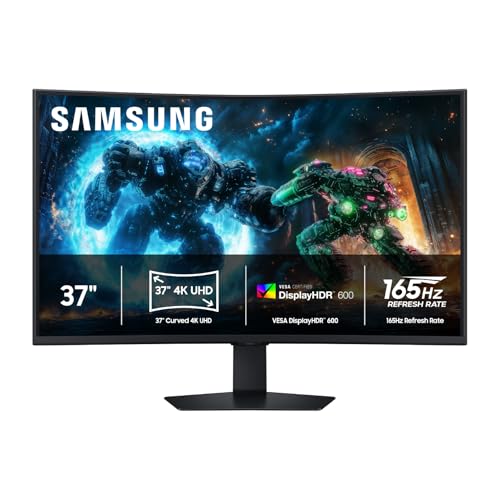
Thirty-seven inches is the size 4K gaming was waiting for: large enough that the UHD grid’s fineness reads as presence rather than density, small enough to remain a monitor rather than a television with ambitions. Samsung’s Odyssey G7 in this size runs its 4K UHD panel at 165Hz with a 1ms GtG response claim, VESA DisplayHDR 600 and AMD FreeSync Premium Pro, under the model code LS37FG75DENXZA. The specification describes a screen for players who want scenery and speed in the same frame — open-world games rendered at a resolution where distant detail survives, refreshed fast enough that panning across that detail stays clean.
The 165Hz figure deserves its practical footnote. At 3840×2160, sustaining rates anywhere near that ceiling in modern titles takes a genuinely strong graphics card and, in many games, upscaling assistance. Owners of mid-range hardware will settle lower — and should know that a UHD panel at a smooth 90 to 120 frames still looks magnificent, because the grid itself is doing half the visual work. Buy this Samsung for the canvas and the HDR tier; treat the ceiling as headroom the next card can grow into, which is the healthiest relationship any buyer can have with a refresh figure.
Two silences are printed plainly. The title states no curve radius for this G7, and it names no panel type, so both lines in the spec box carry the standard not-stated wording. On a screen whose entire identity is its bend, the missing radius is a listing-page errand: confirm it against LS37FG75DENXZA before ordering if the tightness of the wrap is a deciding factor for your desk. The absence changes nothing about the panel’s gaming brief; it simply marks where this guide’s evidence ends and the listing’s begins.
Suits the single-screen gaming desk best — the player retiring both a monitor and any thought of a TV, who sits centred, plays cinematic titles, and wants the desk’s one screen to be unambiguously the good one. Text workers will find the UHD grid luxurious for documents as well, though the work-first picks in our wider curved guide wear that brief more cheaply. Shared viewing, as with every curved panel here, belongs to the centre seat alone.
Ownership at this size has a rhythm worth anticipating. A 37-inch curved screen dominates a desk the way a piano dominates a room: everything else arranges itself around it, speakers migrate, lamps move, and the chair acquires a fixed address. Buyers who embrace that arrangement describe the G7 as the end of monitor shopping for years. Buyers who wanted a screen that shares the desk politely should look at the 32-inch pair below, where 4K arrives without annexing the furniture.
- Size and resolution: 37 inches, 4K UHD 3840×2160
- Refresh rate: 165Hz
- Response: 1ms (GtG)
- HDR and sync: VESA DisplayHDR 600, AMD FreeSync Premium Pro
- Series: Odyssey G7 (G75F)
- Model code: LS37FG75DENXZA
- Curve radius: Not stated in the listing title — verify with the manufacturer documentation
- Panel type: Not stated in the listing title — verify with the manufacturer documentation
Strengths
- True UHD resolution on a gaming-sized 37-inch canvas.
- DisplayHDR 600 gives HDR games real brightness headroom.
- 165Hz with FreeSync Premium Pro covers fast and cinematic play.
Trade-offs
- Approaching 165Hz at UHD demands a strong graphics card.
- No curve radius appears in the title.
- Thirty-seven curved inches annex most of an ordinary desk.
Best for: a single-screen gaming desk built around cinematic titles at UHD. Not suited for: a shared or shallow desk, where thirty-seven curved inches would crowd out everything else the surface must hold.

Samsung 57-inch Odyssey Neo G9 (G95NC) — Dual 4K flagship
The Neo G9 is less a monitor than a merger: two 4K UHD panels fused into one 57-inch, 32:9 canvas, which Samsung’s title calls Dual 4K UHD outright. Around that grid sit the flagship’s full entourage — a 1000R curve, the tightest radius in this guide, 240Hz refresh with a 1ms claim, DisplayPort 2.1 to carry the data, Quantum Mini-LED backlighting, DisplayHDR 1000 and AMD FreeSync Premium Pro, under the code LS57CG952NNXZA. Every one of those phrases is load-bearing. Remove the Mini-LED and the HDR tier falls; remove DP 2.1 and the grid starves; remove the 1000R bend and the edges of a 57-inch screen would sit in a different climate from its centre.
Driving it is the purchase’s true price, and the review will not soften it. Dual 4K is roughly eight million more pixels than UHD — double the flagship workload that already humbles strong cards at the G7’s size. Racing and flight simulation, the genres this screen exists for, are comparatively kind, and upscaling technologies close much of the remaining gap; but a buyer should arrive with flagship hardware or a flagship plan, because a Neo G9 fed by a modest card is a cathedral lit by a candle. The screen will still be glorious for work — two full UHD workspaces, bezel-free — yet its gaming ceiling is the reason it exists.
The productivity case deserves equal billing, since many of these panels will spend their weekdays in offices of one. A timeline editor, a trader, a developer with three projects open: the 32:9 canvas holds a main workspace at the centre and two supporting ones at the flanks, all at UHD fineness, all at one focus distance thanks to the curve. Against two separate 4K monitors, the Neo G9 trades their redundancy for seamlessness and a single stand, a single calibration, a single cable run — a trade that desk minimalists make gladly and IT departments make nervously.
Logistics are part of the specification at this size. The box is furniture-sized, the panel is a two-person lift, the desk must be deep and unshakeable, and the doorway deserves measuring before the order rather than during it. The title does not print the numeric grid — Dual 4K is its wording — so the spec box describes the resolution in the title’s own terms. Buyers who clear the practical hurdles describe this screen the way converts describe anything: as the purchase that reorganised the room around itself, permanently, and to the room’s benefit.
Suits the dedicated rig and the maximalist workstation. It does not suit a first monitor, a rented room with a wobbly desk, or a household where the screen must sometimes be a television for two. Within its brief, though, it has no rival in this guide and few in the market: it is the only pick that is literally two of the thing the guide is about, joined at a 1000R bend, and judged as that — rather than as an oversized ordinary monitor — it earns its flagship billing without a single inflated word.
- Size and format: 57 inches, 32:9
- Resolution class: Dual 4K UHD (per listing title)
- Curve radius: 1000R
- Refresh rate: 240Hz
- Response: 1ms
- Backlight: Quantum Mini-LED
- HDR and sync: DisplayHDR 1000, AMD FreeSync Premium Pro
- Connection: DisplayPort 2.1
- Model code: LS57CG952NNXZA
Strengths
- Two UHD workspaces in one seamless, bezel-free canvas.
- DisplayHDR 1000 with Quantum Mini-LED is the guide’s HDR peak.
- DisplayPort 2.1 gives the huge grid the bandwidth it requires.
Trade-offs
- Dual 4K at high rates demands flagship graphics hardware.
- The size and weight make it a two-person, deep-desk installation.
- 16:9 content sits in the centre of a very wide frame.
Best for: simulator rigs and maximalist workstations replacing two 4K monitors. Not suited for: a modest graphics card or a shallow desk, either of which would leave this flagship performing far beneath the specification its buyer paid for.

Acer Predator X32 Curved 4K QD-OLED — OLED speed and colour
The Acer Predator X32 is the technologist’s pick, and its title reads like a checklist written by an engineer who refused to be edited. A 31.5-inch curved panel — 32 inches in the headline rounding — with a true 4K 3840×2160 QD-OLED grid at 240Hz, a 0.03ms response claim that only OLED can print with a straight face, DCI-P3 99% colour, HDR400, a 1700R curve and an ergonomic stand. Connectivity is the fullest in this guide: two HDMI 2.1 ports, two DisplayPorts, and USB-C with 65W power delivery, so the same screen can host a gaming PC, a console and a charging laptop without a single cable changing hands.
Sync diplomacy is the quiet headline. The title names both AMD FreeSync Premium and NVIDIA G-Sync Compatible, which frees the buyer from the usual vow of allegiance — whichever card the next upgrade brings, this panel already speaks its language. For a screen bought to outlive two graphics cards, that bilingualism is a genuine longevity feature, and it pairs with the QD-OLED’s intrinsic virtues: per-pixel light control, effectively instant response, and dark scenes that stay dark in a way backlit panels describe but rarely deliver.
OLED ownership carries its own honest paragraph. A QD-OLED’s picture is its argument, and its care requirements — varied content, the panel’s own maintenance routines — are the terms of that argument, familiar to anyone who has owned the technology in a television. Buyers whose screen will display one static interface for twelve hours a day, every day, should weigh the backlit picks in this guide with that usage in mind. Buyers whose screen lives a varied life of games, films and documents are the audience this panel was drawn for, and for them the 0.03ms figure is not a party trick: motion clarity at 240Hz on OLED is the current summit of the category.
Suits the enthusiast desk best — the owner who reads spec sheets for pleasure, keeps flagship hardware, and wants one screen that flatters a PC, a console and a laptop equally. The 1700R curve is the gentlest among the gaming picks here, which widens its tolerance for mixed work; the Ergo Stand removes the arm question that haunts its rivals. Against the Samsung G7, the Acer trades five inches and an HDR tier for OLED response, wider stated colour and that USB-C cable; against the Neo G9 it trades spectacle for sanity. It is the guide’s most complete single screen, and it knows it.
Consider, finally, the photograph test. A DCI-P3 99% claim on an OLED panel means the evening’s photo editing happens on the same screen as the afternoon’s game, with blacks that make both look expensive. Creative work at a professional colour-critical level still belongs to dedicated reference displays, but the hobbyist-to-prosumer band — the people who shoot, edit and play in one chair — will find this the only pick in the guide that never asks them to change seats for a different kind of looking.
- Size and resolution: 31.5 inches, Curved 4K 3840×2160
- Panel type: QD-OLED (stated in the listing title)
- Refresh rate: 240Hz
- Response: 0.03ms
- Colour: DCI-P3 99%
- HDR: HDR400
- Sync: AMD FreeSync Premium, NVIDIA G-Sync Compatible
- Inputs: 2xHDMI 2.1, 2xDP, USB-C 65W
- Curve radius: 1700R
- Stand: Ergo Stand
Strengths
- QD-OLED response and contrast are the category’s summit.
- Both major sync families are named — no card allegiance required.
- USB-C 65W plus five video inputs make it the connectivity leader.
Trade-offs
- OLED care routines suit varied content better than static all-day interfaces.
- HDR400 is a lower tier than the Samsung picks’ HDR 600 and 1000.
- 240Hz at UHD still asks flagship work of the graphics card.
Best for: an enthusiast desk hosting a PC, a console and a laptop on one OLED screen. Not suited for: a workstation showing one static interface all day, where a backlit panel’s indifference to content variety is the safer engineering choice.

CRUA 32-inch 4K UHD 160Hz Curved Gaming Monitor — Fast VA all-rounder
CRUA’s 32-inch entry is the everyman of this guide: a stated VA panel — the title says 3840×2160 VA outright — at a 160Hz refresh rate on a 1500R curve, with AMD FreeSync, 120% sRGB colour claims, built-in speakers, HDMI 2.1 and DP 1.4 inputs, and a 75x75mm wall mount printed in the title. That is a remarkably complete sentence for the tier. Most value 4K panels make the buyer choose between speed, speakers and mounting; CRUA’s title simply lists all three and moves on.
The 160Hz figure is well aimed. At UHD, it sits at the upper edge of what strong-but-not-flagship graphics cards can approach in lighter titles, and it transforms desktop motion compared with the 60Hz office default. The workload honesty from this guide’s introduction still applies — demanding games will live below the ceiling — but the CRUA’s ceiling is at least a plausible address, unlike the 240Hz figures that decorate screens twice its ambition. FreeSync’s presence in the title keeps the rates below the ceiling tear-free, which is where most hours will actually be spent.
The 75×75 wall mount deserves its own note, because the pattern differs from the common 100×100 and the title’s precision saves a real headache: a buyer with an existing 100mm arm learns from the listing itself that an adapter or a different arm is needed, rather than learning it with the panel in their hands. Built-in speakers complete the domestic picture, carrying calls, streams and casual game audio without extra hardware — at 32 inches, the size where a monitor most often doubles as the room’s television, that inclusion earns its keep weekly.
Suits the one-screen household best: a gaming PC that also does the workday, films in the evening, perhaps a console on the second input, all at a resolution that makes text genuinely pleasant. Against the Gawfolk below, the CRUA is the same size and grid with the gaming brief switched on — more than double the refresh, a sync technology named, a mount specified. Against the Acer, it concedes OLED’s magic and keeps a backlit panel’s indifference to static content. It is the pick for the reader who wants 4K curved to be simple, and mostly succeeds.
Second-act planning favours it as well. A 32-inch UHD screen with speakers and a wall mount can retire to a bedroom, a kitchen-adjacent desk or a relative’s first computer without a single accessory purchase, and its undemanding care — no OLED routines, no exotic inputs — suits every one of those futures. Value panels are often bought as temporary; the ones specified this completely tend to become permanent by accumulation of small adequacies, and the CRUA’s title reads like a bid for exactly that fate.
- Size and resolution: 32 inches, 4K UHD 3840×2160
- Panel type: VA (stated in the listing title)
- Curve radius: 1500R
- Refresh rate: 160Hz
- Sync: AMD FreeSync
- Colour: 120% sRGB
- Audio: built-in speakers
- Inputs: HDMI 2.1, DP 1.4
- Mounting: 75x75mm wall mount
Strengths
- A stated VA panel removes the panel-type guesswork entirely.
- 160Hz is a ceiling strong hardware can genuinely approach at UHD.
- Speakers and a specified wall mount complete the household package.
Trade-offs
- The 75×75 mount pattern needs an adapter for 100mm arms.
- No USB-C is claimed for laptop charging.
- Demanding games will still run below the 160Hz ceiling.
Best for: a one-screen household mixing gaming, work and evening films at UHD. Not suited for: an owner of a 100×100 arm who refuses adapters, since this panel’s stated mount pattern is 75x75mm.

Gawfolk 32 Inch 4K Curved Monitor — Calm UHD office screen
The Gawfolk is the pick that proves this guide is not a refresh-rate auction. Its title offers a 32-inch 4K curved screen at 60Hz — UHD 3840×2160 printed in full, a 1500R bend, built-in speakers, FreeSync, flicker-free billing, HDMI and DP inputs, and wall mountability — aimed, in its own words, at home office, gaming and entertainment, in that order. For the buyer whose 4K ambition is about text that looks like print, photographs that hold their detail, and documents that stop shimmering at the edges, 60Hz is not a compromise. It is the correct specification, bought without paying for a ceiling the work never calls.
Pixel density is the argument, and at 32 inches UHD delivers it generously: this grid packs roughly forty percent more fineness than the same size at QHD, and the difference is visible in every paragraph, spreadsheet cell and photo thumbnail the day contains. The curve at 1500R keeps the wide canvas at one reading distance, flicker-free backlighting addresses the long-hour complaint that actually empties offices, and the speakers mean the morning’s calls need no headset archaeology. As an office specification, it is coherent in a way faster screens often are not.
FreeSync’s inclusion at 60Hz is worth a sentence, because it looks like a gaming feature on a work screen. Its real job here is insurance: casual games, emulated classics and the occasional lunchtime title all run tear-free, and the screen never becomes the reason a household needs a second, faster panel for light play. Buyers whose evenings are competitive should not be talked into this monitor by that sentence — the CRUA above exists for them — but buyers whose evenings are films and the odd gentle game will find the Gawfolk’s priorities match their own with unusual precision.
The title’s silences are the ordinary ones: no panel type is named, no HDR tier is claimed, and the wall mount is described as mountable without a pattern, so arm buyers confirm the fitting on the listing page. None of these gaps undermines the brief. A calm UHD screen for a home office is judged on its grid, its backlight manners and its speakers, and on those three the title is complete.
Suits the document-and-photograph desk best, and the household that wants one beautiful screen for work and evening viewing without a gaming tax. It is also, quietly, the easiest recommendation in this guide to give a non-technical buyer: the numbers it prints are the numbers its work uses, nothing in it needs configuring to justify itself, and its pleasures — sharp text, calm light, a wide gentle arc — begin at first switch-on rather than after a weekend of settings. Some purchases reward expertise; this one rewards the desk.
- Size and resolution: 32 inches, UHD 3840×2160
- Curve radius: 1500R
- Refresh rate: 60Hz
- Sync: FreeSync
- Backlight: flicker-free
- Audio: built-in speakers
- Inputs: HDMI, DP
- Mounting: wall mountable
- Panel type: Not stated in the listing title — verify with the manufacturer documentation
Strengths
- True UHD fineness for text and photographs at a desk-friendly size.
- Flicker-free billing and speakers suit long office days.
- Nothing in the specification needs configuring to justify itself.
Trade-offs
- 60Hz is a work rate; competitive players should buy the CRUA instead.
- No HDR tier is claimed in the listing title.
- The wall-mount pattern is not specified in the listing title.
Best for: a home office built on documents, photographs and evening films. Not suited for: a competitive gaming desk, because 60Hz leaves the CRUA’s and Acer’s rates entirely unchallenged.

Samsung 40-inch Odyssey G7 WUHD — The WUHD middle path
The second Samsung G7 in this guide is the taxonomy lesson made physical. Its title says WUHD, and WUHD means 5120×2160: the height of a 4K UHD panel with the width stretched into 21:9 ultrawide territory. That grid is the connoisseur’s compromise — UHD fineness for text, ultrawide width for timelines and games, and a total pixel count roughly a third beyond UHD rather than the Neo G9’s double. Samsung runs it at 180Hz with a 1ms GtG claim, VESA DisplayHDR 600 and AMD FreeSync Premium Pro, under the code LS40FG75DENXZA, dated 2025.
For working readers, this may be the most intelligent grid in the guide. A 40-inch WUHD screen holds a document at print-like density in the centre and two supporting windows at the flanks, all without the scaling compromises that 1440p ultrawides impose on small text. For players, the width fills peripheral vision in racing and simulation titles while the card’s burden stays within sight of the UHD workload the G7 37-inch already demands. It is the only pick here that refuses to choose between the work argument and the play argument, and the refusal is engineered rather than rhetorical.
The cautions are the format’s own. Some games and streaming services treat 5120×2160 as an exotic — expect the occasional letterbox, the occasional settings expedition — and the title, like its 37-inch sibling’s, states no curve radius and no panel type, leaving both to the listing page and the spec box’s standard wording. The 180Hz ceiling at this grid is a strong card’s assignment, though a more forgiving one than Dual 4K’s.
Suits the hybrid professional-player best: the desk where a spreadsheet and a simulator share the week and neither is a hobby. Against the 37-inch G7, the WUHD trades a little vertical familiarity for a great deal of width; against the Neo G9, it trades spectacle for a workload a single strong card can actually carry. Buyers who have read this guide’s taxonomy and found themselves nodding at the middle definition have found their monitor — the WUHD G7 is the pick the vocabulary lesson was preparing them to understand.
Longevity thinking closes its case. WUHD’s grid matches the direction content and interfaces are travelling — wider, finer, single-canvas — and a 40-inch screen with this density will still look modern when today’s UHD desks feel narrow. The G7’s gaming specification gives it a second life in the evenings of every year it serves, and its size, while commanding, stops short of the Neo G9’s furniture annexation. Of the three Samsungs here, this is the one most likely to be described by its owner, five years on, as the screen that ended the search.
- Size and format: 40 inches, WUHD ultrawide
- Resolution: WUHD 5120×2160
- Refresh rate: 180Hz
- Response: 1ms (GtG)
- HDR and sync: VESA DisplayHDR 600, AMD FreeSync Premium Pro
- Series: Odyssey G7 (G75F), 2025
- Model code: LS40FG75DENXZA
- Curve radius: Not stated in the listing title — verify with the manufacturer documentation
- Panel type: Not stated in the listing title — verify with the manufacturer documentation
Strengths
- WUHD width with UHD fineness is the guide’s smartest grid.
- 180Hz and DisplayHDR 600 keep the gaming brief fully serious.
- The workload stays within a single strong card’s reach.
Trade-offs
- Some games and services treat 5120×2160 as an exotic resolution.
- The title leaves the curve radius unprinted.
- Forty inches still demands a deep, wide desk.
Best for: a hybrid desk splitting its week between dense documents and wide games. Not suited for: a buyer who wants every source to fill the screen without exception, because 5120×2160 will letterbox some content that plain UHD would not.
Comparison
| Pick | Grid | Curve | Refresh | Notable from title |
|---|---|---|---|---|
| Samsung Odyssey G7 37-inch | 4K UHD 3840×2160 | Not stated in the listing title | 165Hz | DisplayHDR 600, FreeSync Premium Pro |
| Samsung Odyssey Neo G9 57-inch | Dual 4K UHD, 32:9 | 1000R | 240Hz | Quantum Mini-LED, DisplayHDR 1000, DP 2.1 |
| Acer Predator X32 | 3840×2160 QD-OLED | 1700R | 240Hz | 0.03ms, DCI-P3 99%, USB-C 65W |
| CRUA 32-inch | 3840×2160 VA | 1500R | 160Hz | Speakers, 75×75 wall mount, FreeSync |
| Gawfolk 32-inch | 3840×2160 | 1500R | 60Hz | Speakers, flicker-free, wall mountable |
| Samsung Odyssey G7 40-inch | WUHD 5120×2160 | Not stated in the listing title | 180Hz | DisplayHDR 600, FreeSync Premium Pro |
The grid column is this guide in one view: four UHD screens for ordinary desks and extraordinary ones, one WUHD for the width-minded, one Dual 4K for the committed. Refresh climbs with ambition and workload together, which is the honest shape of the category — there is no row here where a huge grid and a huge rate come cheaply, in money or in graphics hardware, and any table that suggests otherwise is selling something.
Note the two not-stated curve cells, both Samsung G7 models. A guide willing to print a taxonomy should also print its evidence, and the evidence is that Samsung’s G7 titles sell size, grid, rate and HDR while leaving the radius to the listing page. Confirm it there, against the model code, if the bend’s tightness is one of your deciding factors.
How to Choose a 4K Curved Monitor
Choose the grid before the brand, because the grid is the workload, the desk and the next five years in one decision. UHD at 32 inches is the balanced purchase — fine text, sane demands, ordinary furniture. UHD at 37 inches is the gaming canvas. WUHD at 40 is the hybrid’s grid, wider and heavier. Dual 4K is a rig and a room, not a monitor. Buyers who start from the grid find the rest of the decision short; buyers who start from a badge spend the guide re-deriving it.
Next, interrogate your graphics card with unusual honesty. Note what it sustains at 3840×2160 in the games you actually play, with upscaling settings you actually accept. That number is your refresh budget, and it should embarrass several ceilings in this guide into their proper place as headroom. A screen whose ceiling you reach in two titles and admire in the rest is a fine purchase; a screen bought because its ceiling sounded decisive is an expensive lesson in the difference between a monitor’s specification and a system’s.
Panel technology is the third decision, and here it is a three-way fork. QD-OLED, in the Acer, offers the summit of response and contrast with care routines as its terms. VA, stated in the CRUA and the market’s default elsewhere, offers strong contrast and indifference to static content. The unstated panels — both Samsung G7s and the Gawfolk — should be bought for their grids and rates, with the panel confirmed on the listing page if its type matters to your work. Nobody should drift into an OLED or away from one by accident.
Finish with the physical audit this category always demands: desk depth for the arc, width for the frame, a stand or mount rated for the weight, light controlled against reflections, and a cable — DisplayPort 2.1 on the Neo G9 above all — that can actually carry the grid at the rate. A 4K curved monitor is the most capable screen most desks will ever host, and the audit is the difference between hosting it and negotiating with it.
Is WQHD Close Enough to 4K, or Is That a Marketing Shortcut?
It is a shortcut, and a measurable one. WQHD’s 3440×1440 grid holds about five million pixels; UHD holds about eight and a quarter million. The ultrawide’s width is real and genuinely useful — our 34-inch guide recommends those screens warmly for window work — but width is not fineness, and text on a WQHD panel is rendered with visibly fewer pixels per character than the same text on any pick in this guide. Calling WQHD “almost 4K” confuses the two virtues a screen can have, and buyers who need the fineness will feel the substitution every day.
The honest framing is that the categories serve different masters. WQHD ultrawides serve width-hungry work at a workload ordinary hardware enjoys. This guide’s grids serve density — documents like print, photographs with their detail intact, games with scenery that survives distance. WUHD, the 40-inch Samsung’s grid, is the one genuine bridge: WQHD’s shape at UHD’s height, which is why it earns its own name rather than borrowing 4K’s.
What Does a 4K Curved Monitor Ask of Your Graphics Card?
Arithmetic, mostly. UHD is four times the pixels of 1080p, so frame rates divide accordingly at matched settings; WUHD multiplies the UHD burden by about a third; Dual 4K doubles it. Modern upscaling — the render-at-less, display-at-more technologies both card makers ship — recovers a large share of that arithmetic and is, in practice, how most owners of these screens game on them. A buyer planning a 4K curved purchase should budget the card and the screen as one system, because together they are one purchase.
For work, the demands collapse to something friendlier. Desktops, documents, photographs and video at these grids run comfortably on modest modern graphics, integrated or otherwise, and the Gawfolk’s entire existence is proof that 4K curvature is not a gaming tax on office buyers. The card question is therefore really a gaming question: players must match ceiling to hardware, while everyone else should simply confirm their machine can output the grid at all — and enjoy fineness that no refresh figure can imitate.
Should You Choose OLED, VA or Something Else at 4K?
Start from your content’s variety. A screen whose day mixes games, films, documents and browsing in rotation is living the life OLED rewards, and the Acer’s response and contrast will make that life look expensive. A screen that will hold one bright static interface for most of its hours — a trading layout, a control dashboard, a single application at full brightness — is asking a backlit panel’s indifference to content, and the VA picks here offer it without maintenance rituals.
Then weigh the secondary virtues honestly. OLED’s HDR is per-pixel and its blacks are absolute; VA’s HDR, especially the Neo G9’s Mini-LED implementation at DisplayHDR 1000, reaches brightness territories OLED does not contest. Colour claims favour the Acer’s stated DCI-P3 99%, while mounting, speakers and price-tier sanity scatter across the backlit field. There is no panel winner at 4K, only a match between a technology’s terms and a desk’s habits — and the titles in this guide, unusually, give buyers enough stated fact to make the match deliberately.
How Should You Set Up Windows and Text Scaling at 4K?
Resolution this fine changes the first hour with the screen. At 32 inches, UHD text at one-hundred-percent scaling is small enough that most people settle between 125 and 150 percent, trading some of the grid’s vastness for characters their eyes can live with — and the trade is worth making without guilt, because even scaled, the rendering is finer than a lesser grid’s. Give the setting a week before judging it; eyes calibrated by a 1080p decade routinely over-shrink on day one and creep back up by day five.
Arrangement follows the same centre-out logic as any curved desk: the main document or game holds the middle, where the arc and your posture agree, and reference material takes the flanks. At UHD densities the flanks can hold genuinely useful windows rather than decorative ones — a full second document at readable size on a 37- or 40-inch pick — which is the quiet productivity revolution of this category. Calls belong in the centre for the camera’s sake, with the document demoted sideways for the duration, and games belong wherever the graphics card can feed them at a rate the panel respects.
What Should You Check When a 4K Curved Monitor Arrives?
Verify the grid first: open the operating system’s display panel and confirm the machine is actually sending 3840×2160 — or 5120×2160 to the WUHD pick — because cables, ports and defaults conspire to deliver less, silently, more often than any other fault in this category. Confirm the refresh rate in the same place and again in the monitor’s own menu, since the two disagree cheerfully until told otherwise. A 4K screen running at a lesser grid because of an old cable is the most common and most correctable disappointment in the entire market.
Then judge the picture with your own material. A dark film scene for backlight or OLED behaviour across the arc, a bright document for glare from your room’s real lights, a photograph with a horizon for the curve’s treatment of straight lines, and text in the far corners for focus distance from your actual chair. Save the picture settings once satisfied, keep the packaging through the first week, and remember that a screen of this class is a five-year fixture: an hour of verification at the start is the cheapest quality control it will ever receive.
How Long Will a 4K Curved Monitor Stay Current?
Longer than almost anything else in the system, because resolution ages slowly and these grids sit at the top of the current stack. A UHD panel bought today will still be a fully respectable screen when its third computer arrives; the WUHD and Dual 4K picks are, if anything, ahead of the content that will eventually fill them. What dates a monitor is rarely its grid — it is its connections, which is why the Acer’s five-input generosity and the Neo G9’s DisplayPort 2.1 matter as longevity features rather than specification garnish.
The refresh ceiling ages fastest of all, and buyers should hold it the most loosely. Rates that headline this year become the next cycle’s baseline, and a screen purchased for its grid, its panel and its fit will survive that drift with its dignity intact, while a screen purchased for a ceiling it could never feed was obsolete on arrival. Buy the fineness you will look at for five years, treat the rate as a bonus matched to today’s card, and let the future’s ceilings arrive in their own time — your desk will be ready for them precisely because the canvas underneath never stopped being right.
Common Mistakes When Buying a 4K Curved Monitor
Accepting WQHD as “basically 4K”. It is a different, smaller grid with a different virtue. Buy width knowingly from the ultrawide guides, or fineness knowingly here — never one believing it is the other.
Pairing a flagship grid with a modest card. Dual 4K and 240Hz UHD are system purchases. The screen will outwait the card, but the years between are paid in settings menus.
Skipping the cable audit. The Neo G9’s DisplayPort 2.1 exists because lesser connections cannot carry its grid at its rate. The cable in the drawer is part of the specification whether you planned it or not.
Ignoring the doorway. The 57-inch panel is a two-person lift in a furniture-sized box. Measure the route from street to desk before the order, not during the delivery.
Assuming a panel type nobody stated. Only the Acer and the CRUA name their panels here. If OLED or VA identity matters to your work, confirm the others on their listing pages rather than inheriting an assumption from the category.
Final Recommendation
The 32-inch pair is where most readers should land and choose by temperament: the CRUA for the household that games, the Gawfolk for the desk that reads. Enthusiasts with flagship hardware and varied content should take the Acer Predator X32 — it is the most complete screen in the guide — while cinematic gamers with room to spare will find the 37-inch Odyssey G7 the natural centre of a one-screen setup. The WUHD 40-inch G7 is the connoisseur’s answer for the hybrid desk, and the Neo G9 stands beyond recommendation in the usual sense: it is a commitment, and the committed will know.
If this guide leaves one habit behind, let it be grid literacy: say the numbers — 3840×2160, 5120×2160, dual UHD — before you say the badge, and match them to the card you own and the desk you measured, because a 4K curved monitor bought in that order stops being a leap of faith and becomes what its price always promised, the last screen the room will ask for.
A note on sequencing, because this category punishes reversed decisions. Measure the desk and audit the card first, fall in love second. The readers who reverse that order end up with a flagship grid idling at a fraction of itself behind an undersized desk, or a 32-inch jewel lost on a surface built for the Neo G9. Every pick above is the correct answer to a specific combination of room and hardware; the recommendations in this guide work when the combination is described honestly before the badge is chosen, and the taxonomy at the top exists to make that description possible in one sentence.
Frequently Asked Questions
Is 4K worth it on a 32-inch monitor?
For text and photographs, emphatically yes: UHD at 32 inches renders type at print-like fineness that QHD cannot match, and the difference is visible in every document. For gaming, the worth depends on the card feeding it — the grid is four times 1080p’s workload — and on viewing distance, since the fineness advantage fades as the chair retreats. Desk-distance workers gain the most.
What is the difference between WUHD and 4K UHD?
Width. Both grids are 2160 pixels tall; UHD is 3840 wide in a 16:9 frame, while WUHD stretches to 5120 in a 21:9 ultrawide. The 40-inch Samsung in this guide carries WUHD, which suits wide timelines and games while keeping UHD’s text fineness. Neither is a lesser version of the other — they are different shapes for different desks.
Can a curved 4K monitor replace a television?
The larger picks come close for a single viewer: the 37-inch G7 and the 40-inch WUHD model fill a centred seat with a cinema-grade picture, and the Neo G9 exceeds most televisions in width. The limits are shared viewing — a curve has one best seat — and the living-room inputs and tuners monitors do not carry. For a desk that doubles as a personal cinema, yes; for a family sofa, a television remains the right tool.
Do I need DisplayPort 2.1 for 4K?
For ordinary UHD at mainstream rates, no — the connections on the smaller picks here carry their grids comfortably. DisplayPort 2.1 becomes necessary at the extremes, which is why the Neo G9’s title specifies it: Dual 4K at 240Hz is a flood only that generation carries at full specification. Match the cable to the pick, and verify the rate after setup in both the operating system and the panel’s own menu.
Why do both Samsung G7 titles omit the curve radius?
Because manufacturers choose which figures headline a title, and Samsung’s G7 titles headline size, grid, refresh and HDR. The radius exists — these are curved monitors — but it is a listing-page fact for these models, and this guide records it as not stated in the title rather than borrowing a figure from another G7 variant. Confirm it against the model code if the bend’s tightness decides your purchase.
Does a 4K curved monitor need a special desk?
Only in the ways size always demands: depth enough for the arc to sit at a comfortable distance, width for the frame, and sturdiness for the weight — the 57-inch Neo G9 needs all three in furniture quantities. The 32-inch pair ask nothing a normal desk cannot give. Measure the room’s route as well as the desk itself; the largest box in this guide will not turn every corner a hallway offers.
Should I wait for the next generation of 4K curved monitors?
Only if your current screen is failing you in a way a successor generation specifically promises to fix. Grids at this level are mature, connections are current, and the desk in front of you has work to do this year. The history of this category says each generation improves the ceilings — rates, HDR tiers — while the canvas underneath changes slowly, and the canvas is what you will actually live with daily.
Related Guides
Readers whose panel question is technology rather than resolution should continue to the best curved ips monitors, where the IPS-titled few are separated from the VA flagships before assuming any curved screen’s panel. Budgets that balk at flagship grids will find the small end of the curve honestly priced in the best curved gaming monitors under 200 dollars, the budget shelf of curved gaming. And once the monitor is chosen, the photographs it displays deserve a printer to match — see the best dedicated photo printers for turning a 4K screen’s images into prints.


