What's inside
- Where to Buy
- Key Takeaways
- Quick Picks
- How We Chose These Picks
- Comparison
- How to Choose a Budget Curved Gaming Monitor
- Why Is Every Budget Curved Monitor 1080p?
- How Much Refresh Rate Does a Budget Gaming Setup Really Use?
- What Should You Check Before Ordering a Budget Variant?
- How Should You Set Up a Budget Curved Gaming Desk?
- What Happens When the Budget Screen Becomes the Second Screen?
- Should You Buy the Extended Spec or the Complete Package on This Shelf?
- Common Mistakes When Buying a Budget Curved Gaming Monitor
- Final Recommendation
- Frequently Asked Questions
- Related Guides
As an Amazon Associate I earn from qualifying purchases. This post may contain affiliate links at no extra cost to you.
widgetverdict.com is reader-supported. When you buy through links on our site, we may earn an affiliate commission.
Where to Buy
This guide covers a budget shelf, and budget shelves move: listings drift in and out of the under-200-dollars band with sales, coupons and stock, so no pick below carries a printed price — each name links to its Amazon listing, where the live figure lives. Start with the Sceptre Curved 24-inch for the small desk, then check the SANSUI 24-inch 160Hz page beside it. The 27-inch field opens with the Samsung Essential S3 listing, continues to the Sceptre Prime 100Hz and the SANSUI 27-inch 240Hz, and closes with the Sceptre 27-inch 100Hz — compare the live figures on the day you buy, because on this shelf the day matters.
The best curved gaming monitors under 200 dollars live on the most honest shelf in the monitor market, because the budget forces the truth: at this level every screen is a 1080p panel, every curve is a comfort-and-immersion feature rather than a luxury, and the competition is fought over refresh rate, ports and completeness instead of exotic panel technology. Six monitors make this guide — two compact 24-inch screens and four 27-inch ones — and between them they cover the whole budget argument, from the Samsung that behaves like an office monitor with gaming manners to the SANSUI that somehow fits a 240Hz claim into the band.
A word about the band itself, because it shapes how to shop here. Prices on this shelf are restless: a model can sit inside the under-200-dollars territory for a season, step outside it during a stock shortage, and return with the next promotion. That is why this guide prints no price for any pick and instead treats the band as a neighbourhood rather than a fence. Every pick below was listed in that neighbourhood when the guide was assembled; the listing page, checked on your buying day, is the only authority on whether it still is, and the reviews are written to remain true on either side of the line — a good budget monitor at a slightly higher figure is still a good budget monitor, judged by the same stated facts.
Verification discipline matters more here, not less. Budget families are where manufacturers revise variants most aggressively, and two of these six picks are Sceptre 27-inch 100Hz models with near-identical names and different series codes, ports and colour claims. Every specification below comes from the listing title of the exact model, gaps are printed in the standard not-stated wording, and the series code in each review is the string to match in the cart. On a shelf where names repeat, the code is the product.
Key Takeaways
- The SANSUI 27-inch is the shelf’s speed flagship: a 240Hz claim at 1080p with FreeSync, HDR and a 4000:1 contrast figure.
- The Samsung Essential S3 is the gentle outlier — an 1800R curve at 100Hz with eye-comfort features, from the biggest name on the shelf.
- Two Sceptre 27-inch 100Hz variants share a headline; the Prime adds DisplayPort and 100% sRGB, the other adds VGA and a confirmed VESA wall mount.
- Built-in speakers appear in both Sceptre 27-inch titles and the 24-inch Sceptre; the SANSUI and Samsung titles claim none.
- The 24-inch Sceptre’s title never states a refresh rate — the spec box records the silence rather than inheriting one from its siblings.
- Every pick is 1080p and 1500R except the Samsung at 1800R: at this budget, the argument is refresh and completeness, not resolution.
Quick Picks
| Pick | Badge | Why it earns a place |
|---|---|---|
| Sceptre Curved 24-inch Gaming Monitor | Small-desk starter | 1080p on a 1500R bend with two HDMI ports, VGA, speakers and VESA mounting in the title. |
| SANSUI 24 Inch Curved 160Hz Gaming Monitor | Compact speed | 160Hz on a stated Fast VA panel, with FreeSync, HDR and an HDMI cable included. |
| Samsung 27-inch Essential S3 (S36GD) | Gentle all-rounder | An 1800R curve, 100Hz and advanced eye comfort from Samsung’s mainstream line. |
| Sceptre Curved 27-inch Prime Gaming Monitor 100Hz | Port-complete 27 | DisplayPort joins twin HDMI at 100Hz, with 100% sRGB and speakers. |
| SANSUI 27 Inch Curved Gaming Monitor 240Hz | The shelf’s ceiling | 240Hz at 1080p with 130% sRGB, crosshair features and low blue light. |
| Sceptre Curved 27-inch Gaming Monitor 100Hz | Household completeness | VGA for the old PC, VESA wall mounting and speakers beside the 100Hz headline. |
How We Chose These Picks
The first filter was the band itself: candidates had to be curved gaming monitors listed in the under-200-dollars neighbourhood, verified against their own listings, with the understanding printed above that the neighbourhood’s borders move. The second filter was duplication, applied ruthlessly — this shelf is crowded with rebadged sameness, and the six survivors each hold a distinct brief: small-desk starter, compact speed, gentle all-rounder, port-complete, outright speed, household completeness. A seventh candidate that merely repeated a brief at a different badge lost its place.
Title verification did the rest, and on this shelf it earns its keep weekly. Budget titles are where layered refresh figures, inherited specifications and variant drift breed fastest, so every claim below is quoted from the exact listing title and every absence is recorded as an absence. The 24-inch Sceptre’s unstated refresh rate is the emblematic case: the model is widely assumed to share its siblings’ figures, and this guide prints the gap instead, because a budget buyer deserves the same evidentiary standard as a flagship buyer — arguably a stricter one, since the budget buyer’s margin for a mistaken purchase is thinner.
Refresh rate was weighed against the machines this shelf actually serves. Budget gaming monitors are fed by budget and mid-range PCs, older consoles and laptops, and at 1080p those sources can genuinely reach the rates printed here — which makes this the one category where the ceiling figures are mostly honest addresses rather than aspirations. The reviews still distinguish the calm 100Hz screens from the 240Hz flagship, because a rate only matters where a card or console exists to mint it, and they say plainly which source each screen presumes.
Completeness was the final criterion, because on this shelf the monitor is usually the desk’s only screen and often its only speakers. Ports for the second machine, a mount for the small desk, audio that exists — these unglamorous lines decide budget ownership more than any gamut figure, and the picks were ranked with that arithmetic in view. The result is a guide where the cheapest-feeling specification, the port list, gets read as carefully as the refresh rate.

Sceptre Curved 24-inch Gaming Monitor (C248W-1920RN) — Small-desk starter
The smallest screen in this guide is also its longest-serving design, and on the budget shelf that is a credential rather than an apology. Sceptre’s 24-inch curve runs 1080p on a 1500R bend — a radius that at this size simply rounds the panel toward a close viewer — with colour coverage stated at 98% sRGB, and a connection set that embarrasses larger rivals: two HDMI inputs, a VGA port, built-in speakers, and VESA wall mounting confirmed in the title itself. For a dorm desk, a bedroom corner or a child’s first battlestation, that is the complete sentence: everything plugs in, everything makes sound, and the panel can leave the desk entirely and float on the wall when space gets serious.
Full HD at 24 inches is the resolution’s happiest home. The pixel density that looks coarse across a 27- or 32-inch panel reads properly sharp here, so text, homework and browsing all survive on the same screen that games at night — a dual citizenship the bigger budget picks claim less convincingly. The curve’s contribution at this size is modest and honest: a sense of wrap in racing and simulation titles, and edges that sit at a friendlier distance during long sessions, rather than any transformation of the picture.
The title’s silence must be printed in the open, because this guide’s readers deserve it in the review and not just the spec box: no refresh rate is stated for this model. The panel is a gaming monitor by name and by family, and its listing page carries the current revision’s figure, but the title itself does not print one, so no figure is claimed here. Buyers for whom the rate is the deciding fact should confirm it against the C248W-1920RN series code before ordering — and should weigh how much the rest of this unusually complete package compensates for the one number it withholds.
Suits the compact and the inherited desk best. The VGA socket keeps an older family PC in service as a second source, the mount serves the wall of a small room, and the speakers mean a starter setup needs no second purchase to make noise. As a second monitor beside a larger main screen it is equally fluent — chat, streams and reference material on a curved side panel that accepts every cable in the drawer. Budget guides often apologise for their smallest pick; this one is, on completeness per inch, arguably the best-engineered purchase on the page.
Longevity closes the argument. A design that has sold for years carries a deep public record of ownership — its habits, its failure modes, its menu quirks all documented by the crowd — and a starter monitor benefits from that record more than from novelty. When the desk eventually upgrades, this Sceptre retires to second-screen or second-room duty without an accessory hunt, because it was specified for exactly the mixed, inherited, multi-machine reality that second screens live in.
- Size and resolution: 24 inches, 1080p
- Curve radius: R1500
- Colour: 98% sRGB
- Inputs: HDMI x2, VGA
- Mounting and audio: VESA wall mount, built-in speakers
- Series: C248W-1920RN
- Refresh rate: Not stated in the listing title — verify with the manufacturer documentation
- Panel type: Not stated in the listing title — verify with the manufacturer documentation
Strengths
- VESA mounting is confirmed in the title — rare on this shelf.
- Three inputs and speakers make it a complete starter package.
- 1080p stays genuinely sharp at 24 inches.
Trade-offs
- The refresh rate is not printed in the listing title.
- Twenty-four inches is small for split-window work.
- The design predates USB-C entirely.
Best for: dorm desks, bedroom setups and second-screen duty where space rules the decision. Not suited for: a buyer whose first question is the refresh rate, since this title leaves that figure for the listing page to confirm.

SANSUI 24 Inch Curved 160Hz Gaming Monitor (ES-G24C1L) — Compact speed
SANSUI’s 24-inch entry answers the question its Sceptre neighbour leaves open, and answers it in the headline: 160Hz, on a 1500R curved panel at FHD 1080P, with MPRT 1ms response, a stated Fast VA panel — one of only two titles on this shelf that name their panel type — FreeSync, HDR and a 3000:1 contrast ratio. The port list runs HDMI 2.0 and DP 1.4 with VESA support, and the box includes an HDMI cable, a small mercy that saves the classic first-evening discovery that the drawer cable cannot carry the rate the box promised.
Compact speed is a coherent philosophy rather than a compromise. At 24 inches and 1080p, a modest graphics card holds very high frame rates in competitive titles without negotiation, the tight pixel pitch keeps the picture crisp at the close distance small desks enforce, and the 1500R bend wraps a meaningful share of peripheral vision precisely because the viewer sits near. Players building a first esports corner on a strict shelf budget will find this combination — small, fast, sharp, complete — aimed at them with unusual precision.
The supporting figures hold up under the guide’s reading. A 3000:1 contrast claim suits the dark scenes of the genres this screen serves, FreeSync keeps sub-ceiling frame rates tear-free, and HDR is present as a title claim without a tier — noted as such, neither inflated nor dismissed. The title names no speakers, so the desk’s audio plan is the buyer’s own, and on a gaming corner that usually means the headset was already the plan.
Suits the competitive starter best: the player whose room is small, whose card is mid-range, and whose genres reward frame rate over canvas. Against the 24-inch Sceptre, the exchange is explicit — SANSUI offers the stated rate and panel, Sceptre offers the mount, the speakers and the third input — and a buyer can choose between them on facts rather than vibes, which is all a budget guide can ever really arrange. Chosen on those facts, the SANSUI is the shelf’s purest small gaming instrument.
There is also a growth path built into its completeness. The DisplayPort connection and VESA support mean this panel can migrate — onto an arm when the desk upgrades, beside a larger main screen when the rig grows — without becoming the bottleneck of the next setup. Budget purchases are often dead ends bought twice; a small fast screen with modern ports and a mount is a component, and components get kept.
- Size and resolution: 24 inches, FHD 1080P
- Panel type: Fast VA (stated in the listing title)
- Curve radius: 1500R
- Refresh rate: 160Hz
- Response: MPRT 1ms
- Contrast and HDR: 3000:1, HDR
- Sync: FreeSync
- Inputs: HDMI 2.0, DP 1.4 (HDMI cable included)
- Mounting: VESA support
Strengths
- 160Hz at 24 inches is speed a modest card can actually feed.
- The panel type is stated — Fast VA, no guessing.
- An HDMI cable is included in the box.
Trade-offs
- Speakers are not mentioned in the listing title.
- Twenty-four inches limits split-screen and shared viewing.
- No legacy VGA input for older machines.
Best for: a first competitive gaming corner in a small room. Not suited for: a household desk that needs built-in audio, because this title claims no speakers and the Sceptres below exist for that desk.

Samsung 27-inch Essential S3 (S36GD) — Gentle all-rounder
Samsung’s Essential S3 brings a different temperament to the budget shelf: calm. Its curve is the gentlest here at 1800R, its refresh rate a mainstream 100Hz, and its title spends its remaining words on Game Mode and Advanced Eye Comfort rather than on speed theatre — with inputs of HDMI and a D-sub port, the legacy connection under its engineering name, under the model code LS27D36DGANXZA. On a shelf of gaming exclamation, this is the screen for the buyer whose monitor works a day job: documents, browsing and video calls from nine to five, games in the evening at a rate that flatters casual and mid-core play.
The 100Hz figure is the shelf’s most honest number, in the sense that every plausible source can deliver it. A laptop, an older desktop, a console — all of them mint 100 frames at 1080p without breaking a sweat, so the Samsung’s buyer actually receives the specification on the box, every day, which is more than the flagship ceilings elsewhere in our guides can promise their owners. Combined with the eye-comfort billing, the package describes the budget screen least likely to be regretted by a non-gaming household member, a constituency budget guides ignore at their peril.
Game Mode deserves its measured sentence: it is a picture preset, named in the title without a response-time or sync claim attached, and this review treats it as such. No FreeSync is claimed, no speakers are mentioned, and the spec box records both silences. The Samsung’s case does not need them. It rests on the maker’s mainstream line, the gentle geometry that suits shared desks and straight-lined work, and a refresh rate pitched exactly at the level mixed households use.
Suits the family and study desk best — the screen that must survive a working week and a homework evening before it is allowed to be a gaming monitor, and whose second viewer, reading from the side chair, benefits from the calmest bend on the shelf. Competitive players should take the SANSUI below and never look back; everyone else should notice that the biggest name in monitors chose this specification, at this size, for the mainstream, and that mainstream is a description of most desks rather than an insult to them.
Support horizons close the argument. A mainstream Samsung panel carries the deepest bench of documentation and parts knowledge on this shelf, and a household that keeps screens for many years is buying that bench as surely as it is buying the glass. Budget purchases are often framed as temporary; the S3 is the pick most likely to still be the family screen, in some room, when the faster panels here have been replaced twice.
- Size and format: 27 inches, FHD
- Curve radius: 1800R
- Refresh rate: 100Hz
- Features: Game Mode, Advanced Eye Comfort
- Inputs: HDMI, D-sub
- Model code: LS27D36DGANXZA
- Panel type: Not stated in the listing title — verify with the manufacturer documentation
- Adaptive sync: Not stated in the listing title — verify with the manufacturer documentation
Strengths
- The 1800R curve is the gentlest on the shelf for shared desks.
- 100Hz is a rate every source in the house can deliver.
- The D-sub port keeps older PCs connected without adapters.
Trade-offs
- No sync technology is claimed in the listing title.
- Speakers are not mentioned in the listing title.
- Competitive players will outgrow 100Hz quickly.
Best for: a mixed household desk where work and school outrank gaming hours. Not suited for: competitive players, for whom the SANSUI’s 240Hz claim on this same shelf is the obvious address.

Sceptre Curved 27-inch Prime Gaming Monitor 100Hz (C275W-FW100T) — Port-complete 27
The first of this guide’s twin Sceptres earns its Prime badge on connectivity. Its title specifies a 1500R curve at 100Hz with two HDMI inputs and a DisplayPort — the port its sibling below omits — a 1ms claim, 100% sRGB colour coverage and built-in speakers, in the C275W-FW100T series dated 2025. DisplayPort is the meaningful line in that list: it is the connection gaming PCs speak most fluently, the one that carries a panel’s full specification without negotiation, and its presence separates this variant from the household model beneath it more decisively than any shared headline suggests.
The 100% sRGB figure is the second separator. Full stated coverage of the standard colour space gives this screen a sideline in photo-adjacent work — family archives, content for social feeds, the household’s creative hobbies — that its 98% sibling claims only approximately. Neither figure turns a budget panel into a reference display, and the review will not pretend otherwise; but between two near-identical listings, the fuller claim is a real, stated difference, and stated differences are the only kind this guide trades in.
Read against the Samsung, the Prime is the gamer’s version of the same calm idea: same 100Hz comfort rate, but with the PC-first port, the response claim and the speakers the Samsung’s title never mentions. Read against its own sibling, it is the variant for the desk whose machines are modern — a gaming PC on DisplayPort, a console on HDMI, no legacy iron requiring a VGA socket, and no wall mount in the plan, since this title, unlike its sibling’s, confirms no VESA fitting.
Suits the single modern gaming desk best: one PC, one console, speakers included, colour coverage complete. Buyers should perform the variant ritual this family demands — match C275W-FW100T in the cart, character for character — because the sibling below shares the headline, the size and the rate while differing in exactly the ports and claims that decide between them. The ritual takes ninety seconds and is the difference between the monitor reviewed here and a near-namesake with a different brief.
Ownership of the Prime has a quiet completeness to it. Nothing needs adding: not speakers, not an adapter for the PC, not a second screen for the console’s turn. Budget setups fail socially when each device needs a negotiation; this variant’s port list is a small peace treaty among the machines that share it, and peace treaties, on a desk that must serve every evening, are worth more than a spec-sheet duel won by a sibling with a different surname in its series code.
- Size: 27 inches, curved
- Curve radius: 1500R
- Refresh rate: 100Hz
- Response: 1ms
- Colour: 100% sRGB
- Inputs: HDMI X2, DisplayPort
- Audio: built-in speakers
- Series: C275W-FW100T, Machine Black, 2025
- Panel type: Not stated in the listing title — verify with the manufacturer documentation
Strengths
- DisplayPort gives the gaming PC its full-spec connection.
- 100% sRGB is the fullest colour claim among the 100Hz picks.
- Speakers are built in — the complete one-box desk.
Trade-offs
- No VGA input for legacy machines.
- VESA mounting is not confirmed in the listing title.
- Its name collides with a near-identical sibling variant.
Best for: a modern gaming desk with a PC on DisplayPort and a console on HDMI. Not suited for: a household keeping an older VGA-only PC in service, because this variant drops the legacy port its sibling keeps.

SANSUI 27 Inch Curved Gaming Monitor 240Hz — The shelf’s ceiling
Every budget shelf has one product that makes shoppers check the listing twice, and here it is the refresh rate: 240Hz, at 27 inches, on a 1500R curve, in the under-200-dollars neighbourhood. SANSUI’s title supports the headline with a gamer’s full vocabulary — 1ms response, FHD 1080P, FreeSync, 130% sRGB coverage, HDR, low blue light, a 4000:1 contrast ratio, and the genre furniture of a crosshair overlay and a black-level adjustment, across HDMI and DP ports. Read as printed, it is the fastest specification this budget can state, and the guide’s job is neither to inflate it nor to apologise for it, but to place its conditions in plain view.
The conditions are about the source, as always. Two hundred and forty frames at 1080p is a real workload — a mid-range gaming PC reaches it in competitive titles with settings negotiated, older hardware visits it only in light games, and consoles live far below it. The buyer this screen presumes owns the PC first and the monitor second, which is the correct order of operations on this shelf: audit the card’s actual output in your own games, and if the sustained figures live anywhere near this ceiling, the SANSUI converts them into motion clarity that screens half its speed cannot imitate. If they live near 100, the 100Hz picks above will show you the same picture your card is making, and the difference belongs in your pocket.
The supporting claims keep the panel honest company. A 4000:1 contrast figure is the strongest on this shelf and suits the dark scenes where budget panels usually wash out; the crosshair and black-level features speak directly to shooter players, the constituency the whole specification addresses; low blue light acknowledges the homework hours. No speakers are claimed and no mount is confirmed in the title, so both join the listing-page checklist — the ordinary budget arithmetic, stated rather than hidden.
Suits the competitive player on a budget best, and it is not a close call: this is the only pick here whose ceiling their hardware might actually chase. It also suits the upgrader’s timeline — a screen whose rate a future card can grow into, bought at the shelf where growing room is cheapest. Buyers whose sources are a console and a laptop should let the Samsung and the Sceptres divide their money instead; a ceiling nobody can reach is not a feature, and this guide’s respect for its readers includes telling them when the flagship is not for them.
One more virtue deserves naming: ambition at this tier disciplines the whole shelf. A 240Hz claim with FreeSync and a stated contrast figure, sitting in the budget neighbourhood, is the reason the calmer picks here are as complete as they are — competition travels downward. Whether or not this SANSUI is your purchase, its existence in the band is part of why your purchase, whichever it is, will be better specified than the same money bought three years ago.
- Size and resolution: 27 inches, FHD 1080P
- Curve radius: 1500R
- Refresh rate: 240Hz
- Response: 1ms
- Colour and contrast: 130% sRGB, 4000:1
- Sync and HDR: FreeSync, HDR
- Features: crosshair, black level, low blue light
- Inputs: HDMI, DP ports
- Panel type: Not stated in the listing title — verify with the manufacturer documentation
Strengths
- 240Hz is the fastest claim on the budget shelf.
- 4000:1 contrast and 130% sRGB lead the shelf’s supporting figures.
- Shooter-focused features — crosshair, black level — are named outright.
Trade-offs
- Reaching 240Hz takes a capable PC; consoles will never visit it.
- Speakers are not mentioned in the listing title.
- Mounting is not confirmed in the listing title.
Best for: a competitive PC player whose card sustains very high frame rates at 1080p. Not suited for: a console-and-laptop household, whose sources cannot approach the ceiling they would be paying for.
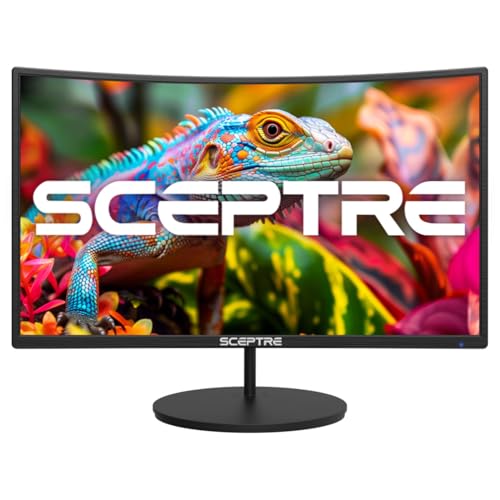
Sceptre Curved 27-inch Gaming Monitor 100Hz (C275W-1920RN) — Household completeness
The second twin closes the guide, and its differences from the Prime above are the review. This variant — C275W-1920RN series, dated 2026 in its title — keeps the 100Hz rate, the 1080p grid and the R1500 bend, states 98% sRGB where its sibling states 100%, and then diverges on the household axis entirely: two HDMI inputs plus a VGA port instead of DisplayPort, built-in speakers, and VESA wall mounting confirmed in the title. Where the Prime is a gaming desk’s monitor, this one is a house’s monitor, specified for the machines a family actually owns across two decades of purchases.
The VGA socket is the emblem. It looks like an antique beside the SANSUI’s DisplayPort, and it is the reason this screen can serve the inherited desktop, the workshop PC and the child’s first computer without a converter hunt — the second-life fluency that decides real household value long after the first desk is forgotten. The wall mount compounds it: a screen that can leave the desk for the wall adapts to rooms as they change, and on the budget shelf, adaptability is the closest thing to luxury.
Against the Samsung, its calm rival at the same rate, the exchange is brand versus furniture: Samsung offers the gentler 1800R bend, the eye-comfort billing and the mainstream name; this Sceptre offers the speakers, the third input and the mount, the things a household touches weekly. Neither is the other’s lesser version. They are the same calm specification wearing two different theories of what a budget screen is for, and the buyer’s household — its machines, its rooms, its second viewers — knows which theory it lives by.
Suits the mixed household best, and the buyer furnishing a first desk from a mixture of new and inherited hardware. The variant ritual applies with full force: this model and the Prime share a headline, a size and a rate, so the cart must be checked for C275W-1920RN before money moves. Sceptre’s family naming is the shelf’s standing hazard, and these two reviews exist as a pair precisely so that no reader of this guide falls into it with their eyes open.
Think of this pick as the shelf’s insurance policy. Whatever the next five years bring the household — a new console, an old PC pressed back into service, a room rearranged, a desk downsized to a wall — this screen has an answer already printed in its title. Budget monitors are usually bought for the desk that exists; the ones remembered fondly are the ones that also fit the desks that followed, and completeness of this kind is how a budget panel earns a long life instead of a short one.
- Size and resolution: 27 inches, 1080p
- Curve radius: R1500
- Refresh rate: 100Hz
- Colour: 98% sRGB
- Inputs: HDMI x2, VGA
- Mounting and audio: VESA wall mount, built-in speakers
- Series: C275W-1920RN, Machine Black, 2026
- Panel type: Not stated in the listing title — verify with the manufacturer documentation
Strengths
- VGA keeps inherited machines in service without adapters.
- VESA wall mounting is confirmed in the title.
- Speakers complete the no-extra-purchases household package.
Trade-offs
- No DisplayPort for the gaming PC’s preferred connection.
- 98% sRGB trails its Prime sibling’s full-coverage claim.
- Its headline is shared with a near-identical variant.
Best for: a mixed household desk spanning new consoles and inherited PCs. Not suited for: a gaming PC owner who wants DisplayPort’s full-spec connection, because this variant trades that port for VGA and a wall mount.
Comparison
| Pick | Size / Grid | Curve | Refresh | Notable from title |
|---|---|---|---|---|
| Sceptre 24-inch C248W-1920RN | 24″ / 1080p | R1500 | Not stated in the listing title | VESA mount, HDMI x2 + VGA, speakers |
| SANSUI 24-inch ES-G24C1L | 24″ / FHD 1080P | 1500R | 160Hz | Fast VA panel, FreeSync, cable included |
| Samsung Essential S3 | 27″ / FHD | 1800R | 100Hz | Game Mode, Advanced Eye Comfort, D-sub |
| Sceptre Prime C275W-FW100T | 27″ / curved | 1500R | 100Hz | DisplayPort, 100% sRGB, speakers |
| SANSUI 27-inch 240Hz | 27″ / FHD 1080P | 1500R | 240Hz | 130% sRGB, 4000:1, crosshair |
| Sceptre C275W-1920RN | 27″ / 1080p | R1500 | 100Hz | VESA wall mount, VGA, speakers |
The table’s lesson is that this shelf competes on everything except resolution. One grid, two sizes, three philosophies: the completeness twins from Sceptre, the speed pair from SANSUI, and Samsung’s calm. A reader who chooses by the notable column — ports, mounts, speakers, panel claims — will choose better than a reader who chooses by the refresh column alone, because on this shelf the notable column is where the years of ownership actually live.
The one not-stated cell is printed deliberately. The 24-inch Sceptre’s refresh rate is the figure its whole family is assumed to share, and this guide declines the assumption in the table exactly as in the review. Confirm it on the listing page, against the series code, if it decides your purchase — the ninety seconds that errand takes is the cheapest diligence on the shelf.
How to Choose a Budget Curved Gaming Monitor
Begin with the band’s own rule: verify the live figure on the day, and judge the monitor by facts that do not move. Prices on this shelf drift with promotions and stock, so the durable decision is the specification — which screen, in which variant, with which ports — made from titles rather than from a number that may have changed since breakfast. A pick that is right at the top of the band is usually still right a little above it, and a pick that is wrong is wrong at any figure; choose the screen first and let the day’s listing confirm the neighbourhood.
Size comes second, and at this budget it is a room question. Twenty-four inches suits the small desk, the close seat and the second screen; twenty-seven suits the main desk and the shared household, at the cost of a coarser picture for text. Both sizes run the same grid, so the choice is purely about distance and company — sit close or share widely, and the size names itself.
Refresh third, audited against your sources. Consoles and ordinary laptops mint around 100 frames at this grid; mid-range PCs mint far more in competitive titles. The 100Hz trio exists for the first group and serves it completely; the SANSUI pair exists for the second. The most common budget error is buying the second group’s ceiling for the first group’s hardware, and it is an error of arithmetic, not taste — count your frames before you count a monitor’s.
Finish with the completeness inventory, where this shelf is won and lost: speakers or a plan for sound, a mount or the desk space to not need one, a port for every machine including the old one, and the exact series code matched in the cart. A budget monitor is the desk’s only screen and often its only speaker; the inventory is not a footnote to the purchase, it is the purchase, wearing its least glamorous clothes.
Why Is Every Budget Curved Monitor 1080p?
Because the arithmetic of the shelf demands it. A finer grid costs panel money and then demands graphics money to feed it, and a curved QHD screen that stayed inside this band would have to surrender the refresh rate, the ports or the build that make it a gaming monitor at all. Manufacturers have collectively decided — correctly, for their buyers — that at this level the money belongs in motion and completeness rather than density, and the result is a shelf where 1080p is not a limitation to apologise for but the enabling choice behind everything else in the titles.
The buyer’s side of the bargain is distance discipline. Full HD is sharp at 24 inches, acceptable at 27 at a normal seat, and the wrong grid entirely for a desk whose day is fine text — those readers should save toward the QHD class in our 27-inch guide rather than stretch this shelf past its design. Within its design, though, 1080p is why a modest PC can hold 160 frames on the SANSUI and why the whole household’s hardware can drive every screen here. Density is a virtue; so is a rate your machine can reach.
How Much Refresh Rate Does a Budget Gaming Setup Really Use?
Work it out from your own library, as this guide keeps advising, because the answer is personal arithmetic. Load your most-played game at 1080p on your current settings and watch the sustained frame counter in a busy scene rather than a menu. That figure is your real ceiling as a player. Consoles simplify the audit — their output at this grid lives in the neighbourhood the 100Hz picks were built for — while PC players will find their number somewhere on the road between the Sceptres’ calm and the SANSUI’s ambition.
Then remember the chain: the cable must carry the rate, the port must offer it, and the operating system must be told to use it. Budget setups are the most likely to be discovered running at a default 60Hz months after purchase, because nobody in the price tier performs the thirty-second check. Open the display settings, set the rate, confirm it in the panel’s menu — on this shelf, that free procedure is worth more than the difference between half the models in this guide.
What Should You Check Before Ordering a Budget Variant?
The series code, first and always. This shelf’s families — Sceptre’s C275W line above all — sell variants whose names are identical twins and whose ports, colour claims and mounts differ in exactly the details that decide between them. Match the code in the review to the code in the cart character for character, then re-read the cart listing’s title once, slowly, the way you would read a contract you are about to sign, because that is what it is.
Then check the moving parts of the transaction itself: the live figure on the day, since this band breathes; the cable in your drawer, since a fast panel fed by a slow cable is a slow panel; and the return window, since a curved screen’s fit — the bow of its lines, the tolerance of its second viewer — is a thing a household learns across its first week rather than its first evening. Budget buying rewards the methodical out of all proportion to the money involved, because the method is free.
How Should You Set Up a Budget Curved Gaming Desk?
The setup is free, which on this shelf makes it the highest-value section of the guide. Seat first: centre the panel on your chair, put its middle at or just below eye level, and tilt it square to your eyes, because a curved screen aimed at your chest wastes the geometry that justified it. Distance follows size — an arm’s length flatters both the 24-inch pair and the 27-inch field — and a stack of books is a legitimate riser while the budget recovers from the monitor itself.
Light and cables finish the job. An arc collects reflections from more angles than flat glass, so keep windows and bright lamps behind the panel rather than behind you, and check the result at the hour you actually play. Then perform the shelf’s sacred thirty seconds: set the refresh rate in the operating system’s display settings, confirm the panel’s own menu agrees, and plug each source into the port its title brags about. More budget performance is lost to a default setting and a tired cable than to any difference between the six screens above, and recovering it costs nothing but attention.
What Happens When the Budget Screen Becomes the Second Screen?
It happens to nearly all of them, and the picks divide by how gracefully they accept promotion’s opposite. A second screen’s virtues are the unglamorous ones this guide kept weighing: ports for whatever machine arrives next, speakers so the side screen can hold the call or the stream, a mount so it can float where the main screen’s stand cannot go. The Sceptre pair, with their VGA sockets and confirmed or claimable mounting, were almost designed in anticipation of the demotion; the SANSUIs retire as luxurious high-rate side panels for the rig that replaced them.
Planning for that future is the budget buyer’s quiet edge. A screen bought only for today’s desk gets sold or shelved at the upgrade; a screen bought with a second act in view — a child’s desk, a workshop, a side position — keeps paying its purchase back for years after the main chair has moved on. On a shelf where every figure is scrutinised, the longest figure of all is the service life, and completeness is what buys it.
Should You Buy the Extended Spec or the Complete Package on This Shelf?
Budget buyers face the shelf’s central fork in its purest form: one specification extended — the SANSUI’s rate, the Samsung’s brand — or a package completed, in the Sceptres’ ports, speakers and mounts. The fork is decided by the desk’s other contents. A setup that already owns speakers, a soundbar or a headset habit, and whose machines are modern, gains nothing from completeness it duplicates, and should buy the extended figure its hardware can use. A setup that owns nothing but the screen itself gains everything from the package, because each included feature is a second purchase deferred.
Count the deferred purchases honestly and the fork usually resolves itself. Speakers, a mount, an adapter for the old PC, a cable that can carry the rate — priced together, they can rival the gap between this shelf and the one above it, which is precisely how budget purchases stop being budget. The complete package is not the cautious choice; on a bare desk it is the cheaper one, and the extended specification is the luxury. Know which desk is yours before the shelf decides for you.
Common Mistakes When Buying a Budget Curved Gaming Monitor
Chasing a printed price instead of a specification. Figures on this shelf move weekly. Choose the model by its title’s facts and verify the day’s figure on the listing, rather than letting a promotion choose your monitor for you.
Buying the flagship ceiling for console hardware. A 240Hz panel fed by a console is a 100Hz experience wearing a bigger number. Match the rate to the source you own.
Confusing the twin Sceptres. The Prime and the household variant share a headline, a size and a rate while differing in ports, colour and mounting. The series code in the cart is the only reliable witness.
Assuming a refresh rate the title never printed. The 24-inch Sceptre’s silence is the shelf’s standing lesson. Figures a title omits are listing-page errands, not inheritances from sibling models.
Forgetting sound until the first evening. Three of these six titles claim no speakers. If the desk has no other audio, the Sceptres’ built-in speakers are not a detail — they are the second purchase you did not have to make.
Final Recommendation
Most budget desks should start with the twins and pick their household: the Sceptre Prime for the modern PC-and-console setup that wants DisplayPort and full colour coverage, the C275W-1920RN variant for the house with an older PC, a wall and no speakers. Competitive players with a capable card should skip both and take the SANSUI 240Hz, the shelf’s one true ceiling, while small rooms should take its 24-inch 160Hz sibling and enjoy the sharpest picture on the page. The Samsung Essential S3 remains the calm recommendation for the desk that works all week, and the little 24-inch Sceptre is the starter and second screen that completeness built.
Shop this shelf the way it deserves: choose by title, verify by code, check the figure on the day, and let your own hardware’s frame counter — not a headline — set the ceiling you pay for, because a budget curved monitor chosen on those terms is not a compromise at all, just a good screen that happened to cost what this shelf charges.
A final note on timing, offered because this shelf tempts its opposite errors: panic-buying a promotion and waiting forever for one. The models here are revised often and restocked in waves, and the specification you have chosen matters more than the week you choose it in. Decide the screen by its title, verify the variant by its code, and then let the day’s listing speak for the figure — a good budget monitor bought on an ordinary Tuesday serves exactly as long as the same monitor bought at the bottom of a sale, and the desk gets its screen a season sooner.
Frequently Asked Questions
Why does this guide not print the price of each monitor?
Because on this shelf the figure is a weather report: listings move in and out of the under-200-dollars band with promotions and stock, and a printed price would be wrong in a way that misleads rather than informs. The guide’s discipline is to verify each pick’s facts from its title — which do not move — and to send the price question to the listing page, where the live answer lives on the day you buy.
Is a curved monitor worth it at 24 inches?
At the close distance small desks enforce, yes in a modest way: the 1500R bend rounds the panel toward the viewer, wraps racing and simulation titles a little further into peripheral vision, and costs nothing in picture quality for the centre seat. It is a comfort feature at this size rather than a transformation, and both 24-inch picks here are worth their places on completeness and speed respectively, with the curve as a genuine but junior partner.
Can these monitors run a console properly?
Yes — all six are 16:9 1080p panels with HDMI, the console’s native habitat, and the SANSUI 24-inch even includes the cable. Console output will live at the rates consoles produce, which suits the 100Hz picks exactly; the faster panels simply wait, unbothered, with headroom the console never calls. The Sceptre Prime’s twin HDMI ports make console-plus-PC households particularly easy to wire.
What is the difference between the two Sceptre 27-inch 100Hz models?
Ports, colour and mounting. The Prime (C275W-FW100T) offers DisplayPort beside its HDMI pair, claims 100% sRGB and names no mount. The household variant (C275W-1920RN) trades DisplayPort for VGA, claims 98% sRGB and confirms a VESA wall mount. Same headline, same rate, different desks — which is why both reviews insist on matching the series code in the cart.
Do budget curved monitors work for school and office work?
Comfortably, with one caveat about text at 27 inches, where 1080p shows its grain at close range. The Samsung Essential S3 is built for exactly that mixed life, and the 24-inch picks keep text sharp by size. Buyers whose days are documents first and games second should weight the Samsung and the small Sceptres; buyers whose days are games first have the SANSUIs waiting.
How long should a budget curved monitor last?
Years, if the purchase was complete: the panel technologies here are mature, the grids are undemanding, and the failure points of budget ownership are almost never the glass — they are the missing port, the absent mount, the specification that forced a replacement. Buy the variant whose title covers your machines and your room, and this shelf’s screens routinely outlast the computers that first fed them, migrating to second desks as this guide’s second-screen section describes.
Related Guides
A finished gaming desk usually grows a second habit — printing the screenshots, posters and photographs the screen keeps showing — and the shelf for that starts with the best dedicated photo printers for serious home printing. Smaller rooms and smaller formats are served by the best portable photo printers for phone pictures and compact desks. And for the full-size artwork a gaming room’s walls eventually demand, finish with the best large format professional photo printers, from fine art to poster work.


