What's inside
- Key Takeaways
- Quick Picks
- How Did We Choose for a Class This Small?
- Why Did 2560 × 1600 Nearly Disappear?
- How Do the Six Options Actually Compare?
- How Do You Recreate the 16:10 Feel on a Modern Screen?
- What Mistakes Do 2560 × 1600 Hunters Make?
- Which Workflows Actually Feel the Extra 160 Rows?
- How Should You Handle Colour on the Two Genuine Dells?
- What Should a Second-Hand 16:10 Buyer Inspect?
- What About the Smaller 16:10 Relatives?
- How Do You Set Up a 30-Inch 16:10 Desk?
- Will 16:10 Ever Return to the Desktop?
- How Does 2560 × 1600 Compare With Dual Screens and Ultrawides?
- What Is Living With Each Option Actually Like?
- What Should You Do When Your Old 2560 × 1600 Screen Dies?
- Why Does This Class Inspire Such Loyalty?
- How Should You Read a Listing in This Class?
- How Sharp Is 2560 × 1600 Next to a Modern 4K Screen?
- Final Recommendation
- Frequently Asked Questions
- Related Guides
As an Amazon Associate I earn from qualifying purchases. This post may contain affiliate links at no extra cost to you.
widgetverdict.com is reader-supported. When you buy through links on our site, we may earn an affiliate commission.
Where to buy: two picks below link to verified Amazon listings. The other four are covered in prose only, on purpose — read the next paragraph before you decide that is a shortcoming.
Here is the honest opening most roundups of the best 2560×1600 monitors will not give you: this resolution class is nearly extinct, and any guide that presents you with six shiny current models to choose between is inventing a market that does not exist. A 2560 × 1600 panel means a 30-inch screen in the old 16:10 aspect ratio — taller than the 16:9 widescreens that conquered the industry — and panel makers have essentially stopped cutting that glass. What remains, verifiably buyable today, is a short list headed by one current Dell UltraSharp and one legacy Dell professional model that refuses to die. So this guide does something more useful than padding: it covers the two real 2560 × 1600 monitors properly, then maps the nearest honest alternatives — clearly labelled with their real resolutions — for buyers whose underlying need is vertical space rather than this exact pixel count.
Why does anyone still hunt for 16:10 at 30 inches? Because those extra 160 rows over a 1440p screen are not a rounding error to the people who notice them. They are eleven more lines of code without scrolling, a photograph’s full frame with toolbars still visible, a spreadsheet whose totals stay on screen while you edit its middle. Writers, developers, photo editors and data workers built their habits around this shape for two decades, and the industry’s move to 16:9 — driven by television panel economics, not by what desk workers preferred — left them a workspace shorter than the one they had. This guide is for them, and it refuses to lie to them: nothing below that is labelled 2560 × 1600 is anything other than 2560 × 1600.
Key Takeaways
- Only two genuine, verifiable 2560 × 1600 monitors anchor this guide: the current Dell UltraSharp U3023E and the legacy Dell UP3017.
- The U3023E is the buy for most loyalists: modern IPS, USB-C hub connectivity and 16:10 space in a supported, current product.
- The UP3017 is a legacy professional panel — excellent colour pedigree, older connectivity; buy it knowingly, as a connoisseur buys a classic.
- Every alternative in this guide is 16:9, 21:9 or 3:2-family and is labelled with its true resolution; none is a 2560 × 1600 panel in disguise.
- If your real need is vertical room, a 4K 27-inch or a 5K screen run at a comfortable scaling can serve it — with more pixels, differently arranged.
- Do not pay a rarity premium for dead stock of discontinued 16:10 models without checking panel age and warranty status first.
Quick Picks
| Pick | Badge | Why it earns its place |
|---|---|---|
| Dell UltraSharp U3023E | The living 16:10 flagship | The one current-production 2560 × 1600 monitor with a modern hub, IPS Black-class contrast and full ergonomics. |
| Dell UP3017 | The legacy professional | A PremierColor-era 30-inch 16:10 panel with superb colour pedigree and older, honest limitations. |
| Apple Studio Display (prose only) | The 5K escape route | A 27-inch 5120 × 2880 16:9 screen whose sheer pixel count returns the vertical room 16:10 loyalists miss. |
| LG UltraFine 5K 27MD5KL-B (prose only) | The other 5K door | Another 5120 × 2880 16:9 option, Thunderbolt-led, for Mac-centred desks weighing the same trade. |
| Dell UltraSharp U4025QW (prose only) | The ultrawide answer | A 40-inch 5120 × 2160 21:9 screen: not taller per inch, but a different, wider settlement of the same space problem. |
| Samsung ViewFinity S9 (prose only) | The 5K all-in-one desk | A 27-inch 5120 × 2880 16:9 panel with a camera and smart features for the video-call-heavy desk. |
How Did We Choose for a Class This Small?
Normally a roundup starts with thirty candidates and cuts. This one started with a census: every monitor we could verify as a genuine 2560 × 1600 product with a live, checkable listing. The census returned two names, both Dell, and the guide is built around that fact rather than in denial of it. Older 16:10 panels from other makers surface occasionally as marketplace dead stock with unclear provenance, unknown panel hours and warranties that expired during a previous decade’s news cycle; recommending them as if they were current products would be a disservice dressed as thoroughness, so they are discussed as a category in the mistakes section instead of listed as picks.
The four alternatives were chosen by a stricter rule than usual: each must answer the same underlying need — more usable vertical workspace than a commodity 1440p screen — by a different mechanism, and each must be labelled with its true resolution and aspect ratio wherever it appears in this guide. Two use 5K pixel density at 27 inches, one uses ultrawide width at 40 inches, one packages 5K with a communication-focused feature set. If you finish this guide and buy one of the alternatives, you will do so knowing exactly what you traded: the 16:10 shape itself, in exchange for availability, modern connectivity and pixel counts the old shape never reached.
One more methodological note, because readers of this particular guide tend to check our work — rightly. Every resolution figure in this article is stated in its long form, width by height, at first mention and in the comparison table, and every alternative’s aspect ratio travels with its name in the Quick Picks table as well. That redundancy is deliberate. In a class where a single digit’s difference separates the genuine article from the market’s most common mislabel, a guide cannot afford a casual sentence, and neither can its readers. If you quote this guide to a seller, quote the table.
Why Did 2560 × 1600 Nearly Disappear?
Panel economics, not user preference, killed it. Display glass is cut from large mother sheets, and the television industry’s volumes made 16:9 the shape those sheets were optimised for; every 16:10 monitor panel was a smaller, costlier run competing for the same factories. Through the 2010s the professional market that sustained 30-inch 16:10 — prepress, CAD, high-end photo work — either accepted 4K 16:9 with scaling or moved to 27-inch high-density panels, and one by one the 2560 × 1600 lines were discontinued. Dell, whose UltraSharp and PremierColor lines had defined the category, kept a single standard-bearer alive in updated form, which is why this guide’s genuine list is a Dell list. Understanding that history matters practically: it means spare parts, firmware attention and resale liquidity all concentrate in the surviving model, and it means the second-hand market for the discontinued ones is a hobbyist market, with hobbyist risks.
There is a second, quieter reason the class persists in search traffic long after it faded from shelves: laptops kept 16:10 alive. When premium laptops returned to 16:10 and 3:2 screens in the 2020s, a generation of users relearned how good the taller shape feels for documents, then went looking for a desktop monitor to match — and found this guide’s short census waiting for them. The demand is real; the supply is two monitors and a set of honest compromises. Anyone who tells you otherwise is selling something, possibly literally a relabelled 16:9 panel, which brings us to the picks themselves.
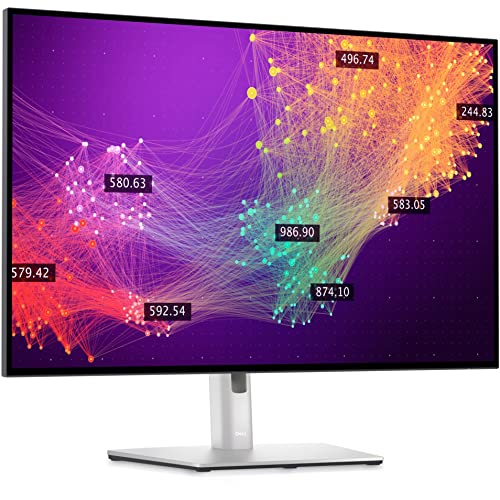
Dell UltraSharp U3023E — The living 16:10 flagship
The U3023E is the answer to the only question that matters in this class: can I still buy a proper 2560 × 1600 monitor, new, supported, from a maker who will answer the phone? Yes — this one. Its 30-inch IPS panel delivers the full 2560 × 1600 in 16:10, with the contrast improvements of Dell’s IPS Black generation giving dark scenes and shadow detail a depth older 16:10 panels could not manage, and colour coverage aimed squarely at the sRGB and DCI-P3 working spaces its audience lives in. This is not a nostalgia product with a modern badge; the panel technology inside it is contemporary, and side by side with a surviving 2012-era 30-inch screen the difference in contrast and uniformity is obvious within one photograph.
Around the panel, Dell built the hub monitor its professional line is known for: USB-C connectivity with power delivery for a laptop, a spread of USB ports that turn the screen into the desk’s docking point, DisplayPort and HDMI for the desktop machine, and a stand with the full height, tilt, swivel and pivot repertoire. Pivot deserves a footnote at 30 inches 16:10 — rotated, this becomes a towering portrait display for documents and code, a party trick few desks can physically accommodate but long-form readers will attempt anyway. The honest limitations are the class’s own: 60Hz-class refresh behaviour, because this panel was built for accuracy rather than play, and a price that reflects being the last of a line rather than one of a crowd. For the 16:10 loyalist, neither is a surprise, and the first is barely a compromise. This is the monitor the census exists to point at.
- Panel: 30-inch IPS, 2560 × 1600, 16:10
- Colour: wide sRGB / DCI-P3-class coverage, IPS Black contrast
- Connectivity: USB-C with power delivery, USB hub, DisplayPort, HDMI
- Stand: height, tilt, swivel and pivot
- Status: current production — the class’s standard-bearer
Strengths
- The genuine article: full 2560 × 1600, new and supported.
- Modern hub connectivity ends the dongle era for laptop users.
- Contemporary panel contrast shames the surviving antiques.
Trade-offs
- Work-first refresh behaviour; competitive gamers should shop elsewhere.
- Priced like the last of a line, because it is one.
- At 30 inches it needs a desk with real depth to sit at a comfortable distance.
Best for: 16:10 loyalists — developers, editors, writers, data workers — who want the shape back without buying an antique. Not suited for: high-refresh gamers, or anyone whose “vertical space” need would actually be met cheaper by a 4K screen and scaling.

Dell UP3017 — The legacy professional
Everything about the UP3017 must be read with its age in the room, so let us put it there plainly: this is a legacy model from Dell’s PremierColor line, a previous generation’s professional flagship, still circulating through listings years after its era. In its day the UP3017 was a serious instrument — a 30-inch 2560 × 1600 IPS panel with PremierColor calibration ambitions, very wide colour coverage reaching across Adobe RGB territory, and the build quality of a line sold to studios rather than to households. That colour pedigree is the entire reason it remains interesting: for a photo or print workflow that values the 16:10 frame and wide gamut, a healthy UP3017 still shows images beautifully, and its 2560 × 1600 canvas frames a full photograph with toolbars in a way 16:9 panels keep failing to imitate.
The legacy half of the ledger is equally real. Connectivity belongs to its period — DisplayPort, HDMI and USB of its generation, without the single-cable USB-C docking the U3023E offers — and any individual unit’s history matters: panels age, backlights dim and shift, and a listing’s condition deserves the scrutiny you would give a used lens. Buy it the way you would buy a classic camera: because you specifically want this instrument, from a seller whose returns policy protects you, after checking brightness uniformity and colour behaviour in your first week. Bought that way, it is a connoisseur’s route into genuine 2560 × 1600 at a gentler commitment than the flagship. Bought casually, as if it were a current product with a current product’s guarantees, it is the one pick in this guide that can disappoint — not because the panel was ever less than excellent, but because time is a specification too.
- Panel: 30-inch IPS, 2560 × 1600, 16:10
- Colour: PremierColor pedigree, very wide gamut coverage
- Connectivity: DisplayPort, HDMI, USB of its generation
- Status: legacy model — inspect condition and returns carefully
- Stand: full professional adjustment for its era
Strengths
- Genuine 2560 × 1600 with a colour pedigree few panels ever earned.
- The 16:10 frame suits photo and print work beautifully.
- Professional build from Dell’s studio line.
Trade-offs
- Legacy connectivity: no modern USB-C docking story.
- Individual unit age and backlight history vary — buy protected.
- Support and firmware attention belong to a finished era.
Best for: colour-led buyers who specifically want this classic instrument and will inspect it like one. Not suited for: anyone who wants set-and-forget modern ownership — that buyer belongs with the U3023E above.
Apple Studio Display (prose only) — The 5K escape route
Label first, as promised: the Studio Display is a 27-inch 16:9 monitor with a 5120 × 2880 resolution. It is not a 2560 × 1600 monitor, and it appears here because of arithmetic, not resemblance. Run at its customary scaled setting, it presents a workspace with the same logical width class a 1440p or 1600p user knows, but rendered with twice the pixel density — and, crucially for this guide’s audience, it returns vertical room that a 27-inch 1440p 16:9 screen cannot: more lines of text, more photograph, more timeline, all pin-sharp. For the 16:10 loyalist whose loyalty is really to vertical space and clarity rather than to a spec-sheet line, this is the most respectable exit from a dying class.
The Studio Display’s own character is well known: a superbly built aluminium enclosure, reference-class colour behaviour for its ecosystem, a camera and speaker system that embarrass most monitor accessories, and a famously opinionated approach to stands and ports that you accept as the price of admission. It is a Mac-centred product in spirit even where it technically serves other machines. We cover it in prose only, so consider this a direction to research rather than a listing to click: if your desk is Apple-led and your 16:10 grief is really about height and sharpness, this 16:9 5K screen is the alternative most likely to end the grief — by giving you more pixels in every direction and asking you to surrender only the shape itself.
- Panel: 27-inch, 5120 × 2880, 16:9 — not 2560 × 1600
- Character: high-density scaled workspace, reference colour
- Extras: built-in camera, speakers and microphone array
- Ecosystem: Mac-centred
- Availability: covered in prose only in this guide
Strengths
- Pixel density makes text and images look printed, not displayed.
- Scaled workspace restores the vertical room 16:10 users miss.
- Build and integrated peripherals are best-in-class.
Trade-offs
- It is 16:9: the shape you loved is surrendered, not preserved.
- Stand flexibility is limited and famously an options conversation.
- Commitment pricing for a monitor, by any measure.
Best for: Mac-led desks whose real need is vertical room and clarity, ready to trade the 16:10 shape for 5K density. Not suited for: shape absolutists — for you, only the two Dells above are honest answers.
LG UltraFine 5K 27MD5KL-B (prose only) — The other 5K door
Same label discipline: the UltraFine 5K is a 27-inch 16:9 monitor at 5120 × 2880, not a 2560 × 1600 panel. It reaches this guide by the same arithmetic as the Studio Display — a high-density scaled workspace that restores vertical room — but it arrives with a different personality. LG built this line in close partnership with the Mac ecosystem, around Thunderbolt connectivity that carries the image, the peripherals and the laptop’s power in one cable, with a downstream port chain that made it the default external screen for a generation of MacBook desks. Where the Studio Display is a piece of furniture-grade industrial design, the UltraFine is a tool: plainer in the hand, equally serious on the retina.
For the cross-platform curious it also carries a small historical footnote worth knowing — versions of this line have served Windows machines at reduced grace, with settings control tied to the host ecosystem, so a Windows-led desk should research the current revision’s behaviour carefully before treating it as a neutral choice. For the Mac-led desk that finds the Studio Display’s pricing or stand philosophy hard to swallow, though, the UltraFine remains the other legitimate 5K door out of the 16:10 dilemma: same pixel argument, different compromises, and a longer track record as the working photographer’s external screen than almost any alternative in this guide.
- Panel: 27-inch, 5120 × 2880, 16:9 — not 2560 × 1600
- Connectivity: Thunderbolt-led single-cable docking
- Character: photographer’s tool, plainer finish than the Studio Display
- Ecosystem: Mac-first; Windows buyers should verify current behaviour
- Availability: covered in prose only in this guide
Strengths
- 5K density with a proven photographer’s track record.
- Thunderbolt docking simplifies a laptop desk completely.
- The pragmatic alternative when the Studio Display’s terms annoy you.
Trade-offs
- 16:9 shape, again — the trade is the same one, differently dressed.
- Settings and features are happiest inside the Mac ecosystem.
- Design and materials are functional rather than luxurious.
Best for: Mac-based photographers and developers who want the 5K workspace without the Studio Display’s particular terms. Not suited for: Windows-led desks, or anyone still hoping the shape survives — it does not, here.
Dell UltraSharp U4025QW (prose only) — The ultrawide answer
The label, once more, in full: the U4025QW is a 40-inch curved ultrawide at 5120 × 2160, a 21:9 aspect ratio. It is included because some of the people searching for 2560 × 1600 are not shape loyalists at all — they are space hunters, and width is a legitimate answer to the same hunger. This panel keeps the 2160 vertical rows of a 4K screen and stretches the horizontal canvas until two full working windows sit side by side without a bezel between them, which quietly abolishes the dual-monitor compromise that many 16:10 veterans adopted when their 30-inch screens died. Dell wraps it in the UltraSharp line’s hub treatment, with Thunderbolt docking and a wired-network generation of connectivity that turns the monitor into the desk’s centre of operations.
Be clear about what it does not do: per inch, it is no taller than any 4K screen, and its curved 21:9 frame is a different working posture — panoramic rather than pagelike. Writers who think in pages may find the width distracting; analysts, video editors and anyone whose work is fundamentally a timeline or a wall of columns will feel immediately at home. It is also a substantial object that demands a substantial desk and a substantial commitment, which is why it sits in this guide as a considered alternative rather than a casual suggestion. If the death of your old 2560 × 1600 screen is the moment you redesign the whole desk around one big canvas, this is the redesign with the strongest professional pedigree — labelled, honestly, as a change of shape rather than a preservation of it.
- Panel: 40-inch curved, 5120 × 2160, 21:9 — not 2560 × 1600
- Workspace: two full windows, no centre bezel
- Connectivity: Thunderbolt hub generation, wired networking
- Posture: panoramic, timeline-friendly
- Availability: covered in prose only in this guide
Strengths
- Ends the dual-monitor bezel problem in one panel.
- Professional hub connectivity is the class’s best.
- 2160 rows keep text dense and sharp across the width.
Trade-offs
- Width is not height: page-thinkers gain less than timeline-thinkers.
- Desk depth and budget requirements are both serious.
- The curve is a taste some buyers never acquire.
Best for: analysts, editors and multitaskers ready to replace two screens with one panoramic professional canvas. Not suited for: page-shaped workers, small desks, or anyone shopping for a like-for-like 16:10 replacement.
Samsung ViewFinity S9 (prose only) — The 5K all-in-one desk
Final label of the six: the ViewFinity S9 is a 27-inch 16:9 monitor at 5120 × 2880. Not 2560 × 1600 — a 5K alternative, included because its answer to the space question comes bundled with an answer to a second modern question: why does a desk full of technology still join video calls through a grainy afterthought? Samsung built the S9 around a high-resolution panel with matte anti-glare treatment, a built-in 4K-class camera, and smart-TV-style features that let the screen stream and present without the computer awake. For the consultant, teacher or remote worker whose day is half documents and half calls, that integration is not a gimmick stack; it is the desk simplified.
Against the other 5K doors in this guide, the S9’s colour ambitions are creator-facing and its ergonomics are modern, while its smart features will either delight you or strike you as a television’s habits colonising a monitor, depending on temperament. Windows users often find it the most natural of the 5K alternatives, since it was not designed inside one ecosystem’s assumptions. It remains, like every alternative here, a surrender of the 16:10 shape in exchange for density and modernity — but for the buyer who realises their attachment was to a calm, spacious, high-quality desk rather than to one pixel count, the S9 packages that calm with the fewest extra boxes on the desk.
- Panel: 27-inch, 5120 × 2880, 16:9 — not 2560 × 1600
- Extras: built-in high-resolution camera, smart streaming features
- Finish: matte anti-glare for bright rooms
- Ecosystem: comfortable on Windows-led desks
- Availability: covered in prose only in this guide
Strengths
- 5K workspace plus a proper camera in one object.
- Matte panel suits bright, window-lit rooms.
- Smart features let it present and stream unaided.
Trade-offs
- The shape trade applies here too: 16:9, not 16:10.
- Smart-platform habits in a monitor divide opinion.
- Creator colour ambitions stop short of the Dells’ studio lineage.
Best for: call-heavy remote professionals who want the 5K workspace and the camera in a single, tidy purchase. Not suited for: purists who want a monitor to be only a monitor — or only 16:10.
How Do the Six Options Actually Compare?
| Option | True resolution | Aspect | Size | Relationship to 2560 × 1600 |
|---|---|---|---|---|
| Dell UltraSharp U3023E | 2560 × 1600 | 16:10 | 30″ | The genuine current article |
| Dell UP3017 | 2560 × 1600 | 16:10 | 30″ | The genuine legacy article |
| Apple Studio Display | 5120 × 2880 | 16:9 | 27″ | Alternative: density instead of shape |
| LG UltraFine 5K | 5120 × 2880 | 16:9 | 27″ | Alternative: density instead of shape |
| Dell U4025QW | 5120 × 2160 | 21:9 | 40″ | Alternative: width instead of shape |
| Samsung ViewFinity S9 | 5120 × 2880 | 16:9 | 27″ | Alternative: density plus integration |
Keep this table open while you shop anywhere else. If another guide or listing shows you a “2560 × 1600” monitor whose row in a table like this one would read 2560 × 1440, you are looking at the single most common mislabel in this corner of the market: 1440p wearing 1600’s name, because the numbers look similar to a hurried copywriter and the taller panel sounds better in a headline. The resolution is printed in the operating system’s display settings within ten seconds of plugging any monitor in, and it is the one specification that cannot be argued with after purchase — so verify it there, during the return window, on any screen that claims this class.
How Do You Recreate the 16:10 Feel on a Modern Screen?
If you take one of the 5K alternatives, scaling is where the old feel is rebuilt. On a 27-inch 5120 × 2880 panel, choose the scaled mode that presents a workspace in the 2560-wide logical class: the desktop gains the familiar proportions, every element is rendered with double the pixels behind it, and text takes on the printed quality that makes ex-16:10 users go quiet for a moment. Resist the native-resolution temptation — icons and text at one-to-one on a 5K 27-inch are a young eye’s flex, not a workspace — and resist equally the largest-text modes, which give back the very vertical room you bought the density to win.
Window habits complete the recreation. The 16:10 veterans’ real loss was never a number; it was the ability to keep a document’s whole argument on screen while annotating it. On a high-density 16:9 screen, that translates to disciplined vertical habits: toolbars collapsed to icons, browser chrome tamed, documents at a zoom that uses the height rather than admiring it. On the ultrawide alternative, the equivalent discipline is horizontal — two anchored windows, no drifting pile. And on either genuine Dell, the setup ritual is simpler: set the refresh and colour space correctly, calibrate if your work is colour-critical, and enjoy the unfashionable pleasure of a screen shaped like the paper your work imitates.
What Mistakes Do 2560 × 1600 Hunters Make?
The expensive mistake is paying new-product money for discontinued dead stock without new-product protections. Unopened boxes of long-discontinued 16:10 panels circulate at collector prices, but a panel that sat in a warehouse for years carries a backlight that has aged on the shelf and a warranty conversation that starts with the manufacture date, not your receipt. The second mistake is the mirror image: dismissing the UP3017-class legacy route entirely and overpaying for rarity elsewhere, when a protected, inspectable legacy purchase from a reputable seller is a rational way into the genuine shape. The third is accepting a 2560 × 1440 panel as “basically the same” without doing the row arithmetic — 160 rows is roughly eleven lines of text, every hour of every day, and if that difference did not matter to you, you were never really shopping for this class.
The fourth mistake is subtler: assuming the shape must be preserved at any cost, when the underlying need — vertical room, calm text, a full page — can now be met better by density. Loyalty to a specification is not a workflow. The buyers who end happiest in this class are the ones who name their actual need precisely, then choose between the two genuine Dells and the labelled alternatives with their eyes open about which need each one serves.
Which Workflows Actually Feel the Extra 160 Rows?
Software development is the clearest case, because code is read vertically and written in long unbroken stretches. Eleven extra lines is a function that stays whole on screen, a diff whose context survives, a stack trace you can read without the scroll that loses your place. Developers who moved from 16:10 to 1440p screens describe the change with unusual bitterness for a specification, and it is not nostalgia: it is the daily friction of a workspace that shows less of the thing being reasoned about. The same arithmetic governs legal and academic writing, where a page-shaped document on a 16:10 screen shows more of its own argument, and financial modelling, where the totals row staying visible while you edit assumptions is the difference between checking and guessing.
Photography makes the case geometrically. A 3:2 camera frame displayed on a 16:9 screen leaves the editing interface to fight for the remaining strips; on a 16:10 screen the frame breathes, with toolbars above and below instead of amputated at the sides. Print layout is the extreme version — the page is taller than it is wide, the screen finally agrees — and it is no accident that the UP3017’s PremierColor line was marketed to exactly that workflow. Where the extra rows do not matter is equally worth stating: video timelines run horizontally, most games render for 16:9 first, and media consumption treats the extra height as letterbox waiting to happen. The shape is a tool for page-shaped work, and page-shaped work is most of what offices do all day.
How Should You Handle Colour on the Two Genuine Dells?
Both genuine picks come from colour-serious lines, but they ask different things of their owners. The U3023E arrives with contemporary factory calibration habits and modern colour-space handling: set it to the working space your pipeline uses — sRGB for web and general office output, DCI-P3 for video-facing work — and verify with a colorimeter if the output leaves the building. The UP3017 belongs to the generation that expected its owner to calibrate personally and periodically; its wide gamut is an asset only when managed, because an unmanaged wide-gamut panel makes ordinary sRGB content look sunburned. If you buy the legacy Dell, budget the hour and the instrument to profile it in its first week, and re-profile as the backlight ages; that ritual is part of the ownership the price assumes.
One discipline serves both: keep the panel at a brightness your room’s light justifies, because colour judgements made on an over-bright screen in a dim room are wrong in a consistent, expensive direction. Print workers should soft-proof under the lighting the print will be judged in, and everyone should treat the first calibration as the start of ownership rather than an optional ceremony. These are professional panels in the old sense — they reward an owner who participates — and that, more than any port difference, is what separates them from the set-and-forget alternatives elsewhere in this guide.
What Should a Second-Hand 16:10 Buyer Inspect?
Because the legacy route runs through used and old-stock listings, it deserves its own checklist. First, panel hours and provenance: ask directly, and treat evasion as an answer. Second, backlight behaviour: display a full white screen and look for yellowing or uneven patches, then a mid-grey for uniformity, then black in a dark room for bleed that has grown with age. Third, colour: a wide-gamut panel of this era should still saturate convincingly; a washed unit is a tired unit. Fourth, the stand and inputs — cycle every port you intend to use during the return window, not after it. Fifth, the paperwork: original purchase evidence and any remaining warranty change the rational price more than cosmetic condition does.
Price discipline follows from the census at the top of this guide. A legacy 16:10 panel is worth a fair price for a good example of a discontinued instrument; it is not worth a scarcity ransom that approaches the current U3023E, because at that altitude the rational purchase is the new monitor with the modern panel and the live warranty. Set your ceiling before you start browsing the listings, inspect like a sceptic, and remember that the class’s whole tragedy is scarcity — do not let a seller convert your awareness of that scarcity into their margin.
What About the Smaller 16:10 Relatives?
An honest guide should acknowledge the cousins. The 16:10 shape survives in smaller desktop panels at 1920 × 1200, mostly 24-inch business monitors, and in a thriving laptop market. Those screens are genuinely 16:10 and genuinely pleasant for documents, and a buyer whose need is the shape at a modest size and budget may be served by one — but they are not 2560 × 1600 monitors, they do not offer this class’s canvas, and including them as picks in a guide with this title would repeat, in miniature, the mislabelling this guide exists to correct. They are mentioned here so the omission is a decision you can see, not a gap you have to guess at. The same applies to portable 16:10 travel monitors: delightful accessories, different product, not this guide.
There is also a historical shelf worth one sentence: the great 30-inch 16:10 panels of the 2000s and 2010s, from several makers, defined professional desktops for a decade, and their surviving units are the dead stock the mistakes section warns about. Honour them by understanding what they were; do not honour them by paying 2026 money for 2013 glass without protections.
How Do You Set Up a 30-Inch 16:10 Desk?
Depth is the first negotiation. A 30-inch screen at a shallow desk distance fills peripheral vision in a way that makes the edges — where menus and palettes live — a head-turn away; sixty to eighty centimetres of viewing distance is the comfortable band, and a wall mount or a desk arm that pushes the panel back is often the enabling purchase. Height follows the usual rule, top of the screen near eye level, but at this size the rule matters more because the tall frame punishes a low placement with a permanent slight nod. If you pivot the U3023E to portrait, check the ceiling of your setup honestly: the rotated panel is a tower, the stand’s rotation arc needs clearance, and your neck will vote on the experiment within a day.
Cabling a hub-generation 16:10 desk is one of ownership’s quiet pleasures: one USB-C lead to the laptop, the desktop on DisplayPort, peripherals into the monitor’s ports, and the desk surface stays clear enough to show why you wanted the tall screen in the first place. On the legacy UP3017 the same tidiness takes a dock’s help, which is a fair summary of the two picks’ whole relationship — same shape, same canvas, different decade of infrastructure around it.
Will 16:10 Ever Return to the Desktop?
The laptop market’s revival of taller screens proves the preference never died, and panel makers have shown they can cut 16:10 glass profitably at laptop volumes. A desktop revival would need a maker to believe the professional niche will pay professional prices at scale — which is, in effect, the bet Dell’s surviving UltraSharp already represents. The likelier future is the one this guide’s alternatives describe: density replacing shape, with 5K and beyond giving every workflow more rows than 1600 ever did, arranged in a 16:9 frame. If that future disappoints you, you are this guide’s reader, and the correct response is not to wait for a revival that may never ship — it is to buy the genuine article while a current one still exists, and to keep it for the decade it was built to serve.
How Does 2560 × 1600 Compare With Dual Screens and Ultrawides?
The dual-monitor answer to vertical hunger is two 1440p screens, and it deserves respect: total pixels exceed the old 30-inch, each screen is cheap and replaceable, and one can pivot to portrait for a genuinely tall document column. What it costs is the centre of your desk — the bezel sits exactly where a single screen puts the middle of your document — plus the small daily taxes of window management across a seam. The single 16:10 panel’s argument was always continuity: one unbroken page-shaped canvas, centred on the reader. Buyers who think in documents tend to prefer the continuity; buyers who think in parallel streams — document here, reference there, call in the corner — are honestly better served by the pair, and this guide’s ultrawide alternative exists for the stream-thinkers who want the pair’s width without the seam.
Against the 34-inch 3440 × 1440 ultrawide, the comparison sharpens: the ultrawide offers more total width and a gaming-friendly shape, but fewer vertical rows than 1600 and a panoramic posture that page-shaped work finds wasteful. Neither is the other’s upgrade. They are different answers that diverged when the industry chose width, and the persistence of searches for the taller, older answer is the market’s minority report — small, articulate, and, as the census at the top of this guide shows, increasingly expensive to satisfy with genuine hardware.
What Is Living With Each Option Actually Like?
With the U3023E, the first week feels like a homecoming that has been renovated: the shape is the one your hands remember, but the contrast is deeper, the dock is one cable, and the old compromises about connectivity have quietly left the building. Its owners’ most common report is that they stopped thinking about monitors again — the highest praise a professional tool can earn. With the UP3017, ownership has a hobbyist’s texture: the calibration ritual, the satisfaction of a classic instrument performing, the awareness that you are keeping something alive. Owners who wanted that texture are delighted; owners who expected an appliance are the ones who write the disappointed reviews, which is why this guide works so hard to separate the two expectations before money moves.
The 5K alternatives produce a different diary. Studio Display and UltraFine owners describe the first day as a sharpness event — text like print — and the first month as a slow forgetting of the old shape, because the scaled workspace quietly supplies the rows they mourned. ViewFinity S9 owners add the call-quality chapter: colleagues asking what changed, the camera no longer an apology. The ultrawide owner’s diary is about the seam that is not there and the timeline that finally fits. None of these diaries is the 16:10 diary. Each is a good life after a clear-eyed trade, which is the most this class can honestly offer in the present tense.
What Should You Do When Your Old 2560 × 1600 Screen Dies?
This guide’s most common reader, if search behaviour is any guide, is not shopping idly: their 30-inch 16:10 monitor has just flickered its last, and they have arrived expecting a shelf of replacements that no longer exists. For that reader, the decision tree is short and worth stating plainly. If the work is page-shaped and the budget allows one serious purchase, the U3023E is the like-for-like successor and the grieving period is short. If the budget does not allow it this quarter, a protected legacy purchase — inspected with the checklist above — is a legitimate bridge, not a compromise to be ashamed of. And if the death of the old screen coincides with a desk redesign you have been postponing anyway, that is the moment the 5K and ultrawide alternatives stop being alternatives and become the plan.
One practical warning for the newly bereaved: do not let urgency push you into the mislabelled listings. A failed monitor creates exactly the haste that “1600-class” 1440p listings are designed to harvest. Take the extra day, read the manufacturer’s own specification page for any candidate, and let the resolution line — not the headline — make the decision. Your old screen served you for a decade by being exactly what it claimed to be; its replacement should be held to the same standard.
Why Does This Class Inspire Such Loyalty?
Because it was designed around the work rather than around the television supply chain, and its users can tell. The 16:10 professional screen belonged to the era when a monitor was a capital purchase, calibrated, warranted and expected to outlast the computer beneath it, and the two Dells in this guide carry that era’s DNA in their stands, their panels and their paperwork. Modern alternatives are better by many measures — sharper, brighter, more connected — and yet the shape question persists, because shape is the one specification that describes the work itself rather than the technology delivering it. A page is taller than it is wide. A screen that admits that will always have its loyalists, and a guide that respects them enough to tell them the truth about their class — two genuine monitors, four labelled alternatives, no inventions — is the least the subject deserves.
How Should You Read a Listing in This Class?
Slowly, and from the specification table outward. In this class the headline is the least reliable sentence on the page: it may carry the class name, a rounded size, or a resolution borrowed from a sibling model. The manufacturer’s own specification — native resolution, aspect ratio, panel size — is the document of record, and any listing that cannot be matched to it should be treated as unverified, however professional the photography looks. Check the model number character by character, because this class contains near-identical names separated by one digit and one entire resolution. Confirm which revision of a legacy model is being sold, what the returns window actually covers, and whether the warranty is the manufacturer’s or a marketplace promise; those three answers separate a protected purchase from a story you will tell later.
Finally, price the listing against the census, not against its own claims. The genuine current article sets the ceiling for what any legacy unit should cost, and the labelled alternatives set the opportunity cost of the whole decision. A seller asking flagship money for an uninspected legacy panel is asking you to fund their optimism. Decline politely, keep the two honest doors in view — the current Dell, or a protected legacy purchase at a legacy price — and remember that in a class this small, patience is not a delay in the purchase. It is the purchase, done properly.
How Sharp Is 2560 × 1600 Next to a Modern 4K Screen?
Put the numbers side by side and the class’s position becomes clear. The 30-inch 16:10 panel resolves about 101 pixels per inch — respectable in its era, and still perfectly serviceable for documents at a normal desk distance, but visibly softer than anything this guide’s modern alternatives offer. A 27-inch 4K screen works at roughly 163 pixels per inch, and the 5K escape routes climb higher still, which is why text on those panels looks printed rather than rendered. The honest conclusion cuts both ways. If your loyalty to 2560 × 1600 is about the shape — the tall canvas, the extra rows, the page-like proportions — a genuine Dell still delivers exactly that shape, and no modern panel in this guide can. If your loyalty is really about calm, dense, effortless text, the sharpness contest was settled years ago, and the scaled 5K route gives you more of what you actually loved about the old screen than the old screen itself now can.
Final Recommendation
If you want 2560 × 1600 — the shape, the rows, the real thing — buy the Dell UltraSharp U3023E and stop apologising for preferring it; it is current, it is excellent, and it is the class’s legitimate heir. If you find a UP3017 in verified condition under a protective returns policy and your work is colour-led, it remains a connoisseur’s bargain in the genuine shape. And if your honest need turns out to be vertical room rather than this exact pixel count, take a 5K alternative with the label understood and enjoy a sharper decade than 16:10 could ever have given you. What you should not do is buy a mislabelled 1440p panel at a 1600 premium and spend years faintly wondering why the screen feels shorter than the one it replaced — now you know exactly why it would. Small classes reward clear-eyed buyers, and this one, more than any other in the monitor market, separates the readers of specification tables from the readers of headlines. Be the first kind, and whichever of the two honest doors you walk through, the screen on your desk will be the screen you meant to buy.
Frequently Asked Questions
Are any new 2560 × 1600 monitors still being made?
Effectively, the Dell UltraSharp U3023E is the class’s surviving current model, which is why it anchors this guide. Other makers’ 30-inch 16:10 lines were discontinued years ago; units you encounter are legacy stock or second-hand, and should be priced, inspected and warrantied as such rather than as current products.
Is the Dell UP3017 too old to buy?
Not categorically — but it is a legacy purchase and must be made like one. Its panel and colour pedigree were professional-grade, yet any individual unit’s backlight age and condition are unknown until inspected. Buy only with a real returns window, test uniformity and brightness in the first week, and walk away from sellers who describe it as if it were a current model.
What is the closest modern alternative to 2560 × 1600?
A 27-inch 5K monitor run at a 2560-wide scaled setting is the closest experience: familiar workspace proportions, greater vertical room than 1440p, and far higher sharpness. It is a 16:9 screen, so the shape differs, but for most document, code and photo work the felt experience — calm, dense, spacious text — is the true successor to what 16:10 provided.
Why do some listings call 2560 × 1440 monitors “1600 class”?
Sloppy copy, inherited spec sheets and occasional deliberate vagueness. The two resolutions differ by 160 rows — about eleven lines of text — and the panels are different glass. Always confirm the native resolution in the manufacturer’s specification, and verify it in your operating system’s display settings during the return window after any purchase in this class.
Is 16:10 better than 16:9 for office work?
For page-shaped work — documents, code, spreadsheets, photo frames — the extra vertical rows are a genuine, daily advantage, which is why this class retains its loyalists. For video, gaming and timeline work, 16:9 and wider shapes use their pixels better. The honest answer is that the shapes serve different work, and the market’s verdict for 16:9 was an economic one, not an ergonomic refutation of 16:10.
Can I game on the U3023E?
You can play on it, and slower-paced and strategy titles look splendid on the tall canvas, but its refresh behaviour is work-first and competitive players will feel the difference against the gaming panels in our other guides. Buy it as the professional screen it is, and let gaming be its hobby rather than its job.
What should I check on an old UP3017’s ports and panel before the return window closes?
Treat the first week as an inspection, not an unboxing. Connect through DisplayPort first and confirm the panel reports its full native 2560 × 1600 in your operating system’s display settings — a unit that will only offer lower modes may have a tired input board. Then try each remaining port you might ever use, including the USB hub, because ports fail individually on panels of this age and a dead one is a legitimate reason to return the unit. For the panel itself, run full-screen white, grey and black images: look for yellowing that varies across the surface, brightness that cannot reach a comfortable working level, and backlight bleed that intrudes into dark content. Finish with an hour of your real work. A good example passes all of this without drama; a unit that fails any single check goes back, because in a class this small the next example is a search away, not a generation away.
Related Guides
For neighbouring workspaces, see our guide to the best 27 computer monitors with 4K, the best 27 and up computer monitors and the best 25 inch computer monitors.



[…] the neighbouring sizes and speeds, see our guide to the best 27 inch monitors, the best 27 gaming monitors and the best 27 and up computer […]