What's inside
- Where to Buy
- Key Takeaways
- Quick Picks
- How We Chose These Picks
- Comparison
- How to Choose a Convertible in the 13-Inch Class
- Does a 14-Inch Chromebook Belong in a 13-Inch Guide?
- Which of These Machines Actually Suits Pen Work?
- How Much Processor Does a Small Convertible Really Need?
- How Long Should a Convertible in This Class Last?
- What Does Tent Mode Actually Get Used For?
- Common Mistakes When Buying a Small Convertible
- Final Recommendation
- Frequently Asked Questions
- Related Guides
As an Amazon Associate I earn from qualifying purchases. This post may contain affiliate links at no extra cost to you.
[SITE_DOMAIN] is reader-supported. When you buy through links on our site, we may earn an affiliate commission.
Where to Buy
Six Amazon listings carry this shortlist, and each one rewards a different first click. Open the ASUS ROG Flow Z13 page when raw speed is the question, because its title promises a specification nothing else here approaches. The Lenovo ThinkPad L13 Yoga G5 listing is the business reader’s stop, with its security hardware spelled out in the title itself. Shoppers who care about the screen above all else should land on the Samsung Galaxy Book3 360 and its AMOLED panel. The Dell 13.3 2-in-1 page suits anyone comparing previous-generation business hardware on value. Chrome OS readers have two stops: the Lenovo Chromebook 2-in-1 at fourteen inches and the Acer Chromebook Spin 314, whose matte Gorilla Glass screen is described in unusual detail for its class.
Size honesty comes first in this guide, because the best convertible 13 laptops on sale today do not all measure thirteen inches. The class as it actually exists spans 13.3 to 14 inches: four of the six picks sit at 13.3 or 13.4 inches, and the two Chromebooks stretch to a full 14 inches, which makes them the large members of the group rather than impostors within it. That spread matters less than it sounds. A 14-inch convertible is still a machine that folds flat on a train tray and disappears into a small bag, and it buys its extra screen area with a wider keyboard deck. What changes across the group is not really the footprint — it is the intent. This shortlist runs from a gaming tablet with a desktop-class chip to school-ready Chromebooks, and the fold is almost the only thing they share.
Hold that thought while reading, because a convertible hinge is a means, not a merit. In this size class the fold earns its keep in specific moments: propping the screen in tent mode for a recipe or a boarding-gate film, flattening the machine to annotate a document with a pen, presenting to one person across a café table without a keyboard acting as a fence. A 13-inch-class screen is small enough that tablet mode stays genuinely usable in the hands for reading and markup, unlike the 16-inch convertibles that only make sense folded on a desk. If none of those moments occur in your week, a conventional laptop at the same money will usually offer more power or more battery. If they occur daily, nothing else substitutes.
The six machines below were chosen to map the real territory. At the top sits the ROG Flow Z13, a detachable-style gaming convertible whose chip and screen read like a dare. Two business Windows machines — the ThinkPad L13 Yoga G5 and the Dell Latitude-series 2-in-1 — cover managed work with fingerprint readers, infrared cameras and Thunderbolt on the Lenovo. Samsung’s Galaxy Book3 360 brings the only AMOLED panel. Then the two 14-inch Chromebooks close the list at the simple, durable end: fewer moving parts in the software, modest memory, and screens that still fold all the way back. Each review states plainly where its machine’s specification stops, because at this size every gram and every port is a decision someone made on your behalf.
One more framing thought before the shortlist itself. Small convertibles sit at the intersection of two product families that both compromise: tablets give up keyboards and desktop software, laptops give up touch-first postures. The machines below succeed when they refuse to be judged as failed versions of either. The Flow Z13 is a computer first that happens to flatten; the Chromebooks are browsers first that happen to type. Readers who keep each machine’s primary identity in view while reading its review will find the verdicts easier to agree or disagree with — and disagreement, arrived at honestly, is a successful outcome for a guide, because it means the reader knows their own brief better than the headline did.
Key Takeaways
- The class really spans 13.3 to 14 inches: the two Chromebooks are 14-inch machines and are labelled as the large members throughout this guide.
- The ROG Flow Z13 is the outlier on power — a Ryzen AI MAX+ 395 with 32GB of memory and a 2.5K 180Hz touch display in a 13.4-inch convertible body.
- The ThinkPad L13 Yoga G5 carries the fullest business kit in its title: Thunderbolt 4, infrared webcam, fingerprint reader and Windows 11 Pro.
- The Galaxy Book3 360 is the only AMOLED screen here, and its title is silent on pen inclusion and ports.
- Chromebook memory is the dividing line at the low end: 4GB on the Lenovo against 8GB of LPDDR5 on the Acer Spin 314.
- Pen support is not confirmed by most of these titles; where a title stays silent, the spec box says so instead of guessing.
Quick Picks
| Pick | Badge | Why it earns a place |
|---|---|---|
| ASUS ROG Flow Z13 | The power outlier | A 13.4-inch 2.5K 180Hz Nebula touch display over a Ryzen AI MAX+ 395, 32GB of memory and a 1TB SSD. |
| Lenovo ThinkPad L13 Yoga G5 | The managed-work pick | 13.3-inch FHD+ touch, Ultra 5 125U, Thunderbolt 4, IR webcam and fingerprint reader under Windows 11 Pro. |
| Samsung Galaxy Book3 360 | The screen pick | A 13.3-inch FHD AMOLED touch panel with a Core i7-1360P, 16GB of memory and a 512GB SSD. |
| Dell 13.3 2-in-1 | The value business route | Previous-generation Latitude-series hardware with a Core i5-1335U, 16GB DDR5 and a 1080p IR webcam. |
| Lenovo Chromebook 2-in-1 14 | The simple 14-inch fold | A 14-inch WUXGA IPS touch Chromebook on an Intel N150 with Gemini and 128GB of UFS storage. |
| Acer Chromebook Spin 314 | The hard-wearing Chromebook | Core i3-N305 power, a matte Gorilla Glass WUXGA screen, 8GB LPDDR5 and Wi-Fi 6E. |
How We Chose These Picks
A small convertible lives or dies by three things: whether the hinge mechanism suits the body size, whether the specification inside is honest for the work the fold implies, and whether the listing title tells the truth about what is actually being sold. We read every title as a contract. Where a title names its chip, memory type, storage, ports and camera, the review can reason from evidence. Where a title goes quiet — on pen inclusion, on weight, on battery — the review marks the gap rather than filling it with catalogue knowledge, because two configurations of the same model can differ in exactly those silent places.
Balance across the class mattered as much as individual merit. A guide containing six premium Windows machines would misrepresent a size class where Chromebooks do much of the real work in schools and homes, so the two 14-inch Chromebooks earned their places on the strength of their screens and their honesty about modest internals. Equally, the ROG Flow Z13 stays in despite being a gaming machine, because its 13.4-inch convertible format is precisely what some readers are hunting: tablet flexibility without surrendering performance. Business readers are served twice over, by a current ThinkPad Yoga and a previous-generation Dell, since the gap between those two listings is itself useful information about how this market prices age.
One rule governed every inclusion: the fold must be central to the machine’s identity, stated in its title as a 2-in-1, a convertible, a Yoga, a Spin or a 360. Ordinary touchscreen laptops that merely lean back were left out. Within that rule we favoured titles that disclose the details a buyer cannot see in a photograph — memory type, webcam resolution, port standards — and we treated silence as a cost to be reported, not a detail to be smoothed over.

ASUS ROG Flow Z13 — A gaming tablet that out-muscles the class
Nothing else in this guide reads like the Flow Z13’s title, and the machine knows it. The chip is an AMD Ryzen AI MAX+ 395, a part built for serious graphics work, paired with 32GB of memory and a 1TB SSD. The screen is a 13.4-inch ROG Nebula touch panel at 2.5K resolution with a 180Hz refresh rate and a 3ms response figure printed in the title. In a size class where most titles apologise for their compromises, this one lists specifications the way a desktop replacement would. The convertible format here is not a hinge in the usual sense — the Flow line works as a tablet-style body — so the fold-away flexibility is about propping, carrying and presenting a very fast screen rather than typing on a tent of keys.
Who does that serve? The player or creator whose work and games travel in the same bag, and who wants one 13.4-inch surface to be both the monitor and the machine. Video editors cutting on location, students in engineering-adjacent courses, and anyone whose idea of tablet mode involves a demanding application rather than a reading app will feel the difference that 32GB of memory and that processor make every single day. The 180Hz panel is not decoration either: fast motion stays legible in games, and pen strokes and scrolling track with a smoothness that 60Hz convertibles cannot imitate.
Restraint is required in two places. The title says nothing about a pen being included, nothing about battery capacity, and nothing about weight — three silences that matter enormously in a machine meant to be carried and held. A specification this muscular in a body this small also implies active cooling and a power appetite that the title does not discuss. Treat the listing as a performance promise, and verify the carrying details in the manufacturer’s documentation before assuming it behaves like the featherweight Chromebooks further down this page. Readers ready to check the current configuration and its asking figure can look over the Flow Z13 listing on Amazon, where the exact build on sale is the one that counts.
- Display: 13.4-inch 2.5K ROG Nebula touchscreen, 180Hz, 3ms
- Processor: AMD Ryzen AI MAX+ 395
- Memory: 32GB RAM
- Storage: 1TB SSD
- Pen included: Not stated in the listing title — verify with the manufacturer documentation
- Battery capacity: Not stated in the listing title — verify with the manufacturer documentation
Strengths
- The Ryzen AI MAX+ 395 and 32GB of memory sit far above anything else in this size class.
- A 2.5K 180Hz touch panel gives games and fast pen work a fluidity the 60Hz picks cannot match.
- 1TB of SSD storage removes the space anxiety that follows creative work.
Trade-offs
- The title is silent on weight, battery and pen inclusion — all three need outside confirmation.
- Performance of this order in a tablet body implies cooling noise under sustained load.
- Its specification overshoots ordinary convertible duties by a wide and costly margin.
Best for: a travelling gamer or editor who will actually use a 180Hz 2.5K panel and 32GB of memory in a 13.4-inch convertible. Not suited for: a buying decision that depends on an included pen or an all-day battery figure, because the listing title states neither.
Consider also how this ASUS behaves as the household’s shared fast screen. A 13.4-inch panel at 2.5K is dense enough that text stays crisp at tablet distance, so the same body that runs a demanding game at a desk becomes a genuinely pleasant reading and browsing surface on a stand in the kitchen. The convertible claim in the title is doing quiet work there: this is a machine designed to be repositioned constantly, propped at angles a clamped laptop cannot reach. Owners who split their week between a desk, a sofa and a departure lounge will feel that design intent daily, and it partly excuses the specification’s excess — the power is not only for play, it is what keeps every repositioning worthwhile, because the screen never becomes the slow part of the experience.

Lenovo ThinkPad L13 Yoga G5 — The business fold, fully specified
Lenovo’s title for the L13 Yoga G5 reads like a procurement checklist, and that is a compliment. A 13.3-inch FHD+ touchscreen, an Intel Core Ultra 5 125U described as a 12-core part, 16GB of DDR5 memory and a 512GB SSD form the core. Around that core the title stacks the hardware managed work actually asks for: an infrared webcam and a fingerprint reader for sign-in, Thunderbolt 4 for docks and fast peripherals, and Windows 11 Pro as the operating system. The word Lightweight appears too, which in a ThinkPad context is a claim the line has historically been careful with. The Yoga hinge folds the machine through laptop, tent and tablet postures, so the same device presents in a meeting room and annotates in a site cabin.
The audience is the professional whose laptop is issued, audited or expensed — or the self-employed equivalent who buys like an IT department. The dual sign-in options matter on shared desks and client sites; Thunderbolt 4 matters the moment a single-cable dock enters the picture; the Pro edition of Windows matters for the management and security policies that the Home edition omits. None of that is glamorous, and all of it is the difference between a machine that slots into a working life and one that generates exceptions.
What the title withholds is the pen story and the panel’s finer details. Yoga machines are pen-friendly as a family, but this listing does not state that a pen is included, and the honest entry in the spec box below records that silence. Brightness and colour coverage are likewise unprinted. Those gaps are worth one trip to Lenovo’s documentation, not a reason to dismiss the most completely specified business convertible in this guide. If the checklist matches your own, the L13 Yoga G5 listing on Amazon is where the current unit’s configuration can be confirmed line by line.
- Display: 13.3-inch FHD+ touchscreen
- Processor: Intel Core Ultra 5 125U, 12-core as described in the title
- Memory: 16GB DDR5
- Storage: 512GB SSD
- Sign-in: IR webcam and fingerprint reader
- Ports: Thunderbolt 4
- Operating system: Windows 11 Pro
- Pen included: Not stated in the listing title — verify with the manufacturer documentation
Strengths
- Thunderbolt 4 plus dual biometric sign-in is the fullest business kit in this guide.
- 16GB of DDR5 and a 512GB SSD are sized for real multitasking, not brochure work.
- Windows 11 Pro suits managed, policy-driven working environments.
Trade-offs
- Pen inclusion is unstated, so annotators may face a separate pen purchase.
- Panel brightness and colour figures are absent from the title.
- The Ultra 5 is a efficiency-minded chip; sustained heavy compute is not its brief.
Best for: a professional who needs Thunderbolt 4 docking, fingerprint and IR sign-in, and Windows 11 Pro in a 13.3-inch folding body. Not suited for: an annotator ordering on the assumption that a pen ships in the box, since the title never says one does.
Daily life with the L13 Yoga is shaped by small courtesies its title enumerates. The infrared webcam signs you in as you sit down; the fingerprint reader covers the moments when the camera is obscured or the light is poor; Thunderbolt 4 means the desk at home and the desk at work can both be one cable. The FHD+ resolution, slightly taller than plain full HD, returns a few extra lines to every document and spreadsheet, which compounds across a working year. None of these details photographs well, and all of them are why business lines persist: the machine is specified by people who issue hundreds of them and hear about every omission. A solo buyer borrowing that specification inherits the diligence without paying for the procurement department.
Samsung Galaxy Book3 360 — The AMOLED argument at 13.3 inches
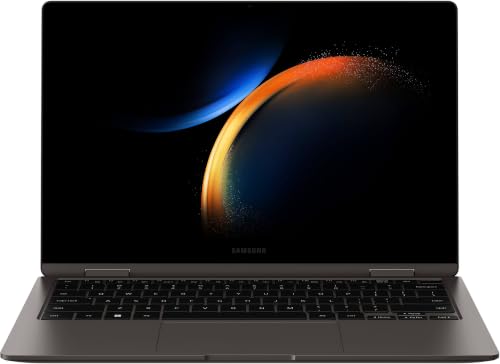
Samsung builds this machine around one component and says so in the first line of its title: a 13.3-inch FHD AMOLED touch screen. AMOLED changes the daily experience of a small convertible in ways a specification table understates — blacks that are truly off, contrast that makes text sit crisply on the page, and colour that flatters photography and film. Folded into tablet mode for reading or markup, that panel is the reason to buy this machine over its neighbours. Behind the screen sits an Intel 13th-generation Evo Core i7-1360P with 16GB of memory and a 512GB SSD, a combination with headroom for years of ordinary and moderately demanding work, finished in graphite.
The reader this suits is the screen-led buyer: the writer who reads drafts in tablet mode, the photographer reviewing shots on location, the traveller who watches downloaded films on a tray table in tent mode. For those uses the panel is not a luxury line item; it is the tool itself. The Evo platform branding also signals that Intel certified the design against responsiveness and battery behaviour targets, which is more assurance than most titles in this guide offer about life away from a socket — though the title prints no battery figure of its own, and the spec box records that.
Frustration arrives in what Samsung chose not to print. No port list appears in the title at all, no pen statement, no webcam detail, no weight. Galaxy Book machines are known for slimness, but slimness is exactly the trait that decides how many legacy ports survive, and a buyer with a desk full of USB-A peripherals or an HDMI habit needs the documentation, not an assumption. The machine’s case rests on its screen and its processor, which are strong; its unknowns are simply more numerous than the ThinkPad’s. Screen-first shoppers can open the Galaxy Book3 360 listing on Amazon to weigh the current configuration against that AMOLED panel.
- Display: 13.3-inch FHD AMOLED touch screen
- Processor: Intel 13th Gen Evo Core i7-1360P
- Memory: 16GB
- Storage: 512GB SSD
- Ports: Not stated in the listing title — verify with the manufacturer documentation
- Pen included: Not stated in the listing title — verify with the manufacturer documentation
- Battery figure: Not stated in the listing title — verify with the manufacturer documentation
Strengths
- The only AMOLED panel in the guide, and it transforms tablet-mode reading and film.
- A Core i7-1360P with 16GB of memory gives the screen a processor worthy of it.
- Evo platform certification speaks to responsiveness and battery behaviour.
Trade-offs
- The title omits ports, pen and webcam entirely — the longest silence list here.
- FHD resolution on an AMOLED is pleasing but not the sharpest in the guide.
- Nothing in the title addresses docking or business management features.
Best for: a reader, reviewer or film-watcher who ranks a 13.3-inch AMOLED touch panel above every other line in the specification. Not suited for: a dock-dependent desk setup that needs a specific port — HDMI or USB-A, say — confirmed from the listing alone, because the title names no ports whatsoever.
There is a viewing-angle argument for AMOLED in a convertible that fixed laptops never face. A folding screen spends its life tilted, tented and flattened, seen from above, below and across — precisely the positions where lesser panel technologies wash out or shift colour. AMOLED holds its contrast and saturation through those angles, so the Galaxy Book’s screen is not merely prettier at a desk; it stays truthful in the postures the hinge exists for. Writers reviewing their own pages in tablet mode and presenters tenting the screen for a two-person meeting both benefit. Samsung’s panel choice, in other words, is matched to the form factor rather than pasted onto it, and that coherence is the strongest thing this review can say.

Dell 13.3 2-in-1 — Previous-generation Latitude value
Dell’s listing is unusually candid about what this machine is: a 13.3-inch FHD touchscreen 2-in-1 from the Latitude series, described in parentheses as the previous generation of Dell Pro. That candour is the pitch. Business hardware one generation back tends to keep everything that made it good — the build, the keyboard lineage, the serviceability thinking — while its price position softens. The specification supports the story: an Intel Core i5-1335U, which Dell’s own title notes outperforms the i7-1255U, 16GB of DDR5 memory, a 512GB SSD, a 1080p infrared webcam and Windows 11 Pro, with a long battery life claim printed in the title itself.
This is the pick for the deliberate value hunter inside the business category: the small firm equipping three desks, the contractor who wants Pro-edition Windows and an IR camera without paying for the newest silicon, the home worker whose employer reimburses a fixed amount. The 1080p webcam deserves its own sentence, because most titles in this guide either stay silent on the camera or settle for less; a full HD infrared camera improves every call and every sign-in, every day, in a way a faster chip does not.
The cautions are generational. The title names no Thunderbolt port, so single-cable docking cannot be assumed, and no pen statement appears either. Previous-generation stock also means the specific unit’s warranty and battery history deserve a careful read of the listing terms before ordering. None of that erases the arithmetic: this is 16GB of DDR5, half a terabyte of storage and a proper webcam in a folding Latitude body. Value-led business buyers can check the Dell 13.3 listing on Amazon to see how the current stock is configured and warranted.
- Display: 13.3-inch FHD touchscreen, 2-in-1
- Processor: Intel Core i5-1335U
- Memory: 16GB DDR5 RAM
- Storage: 512GB SSD
- Webcam: 1080p IR webcam
- Series: Latitude series, previous generation Dell Pro
- Operating system: Windows 11 Pro
- Thunderbolt: Not stated in the listing title — verify with the manufacturer documentation
Strengths
- A 1080p IR webcam outclasses the camera provision of most rivals here.
- 16GB DDR5 and 512GB SSD match the current ThinkPad’s core figures.
- Previous-generation positioning makes business build quality cheaper to reach.
Trade-offs
- No Thunderbolt is named, so dock buyers must verify before committing.
- Previous-generation stock asks for care over warranty terms.
- The title’s pen silence leaves annotators guessing again.
Best for: a small business or contractor who wants Latitude build, a 1080p IR webcam and Windows 11 Pro without paying for the newest processor generation. Not suited for: a desk built around a single Thunderbolt dock cable, because no Thunderbolt port is stated in the title.
The Latitude lineage carries one more practical virtue the title gestures at with its long battery life claim: these machines were designed for fleets, which means parts, documentation and repair knowledge circulate widely and stay available for years. A previous-generation business laptop is often easier to keep alive in year four than a fashionable consumer model from the current season, because the fleet aftermarket exists. For a buyer intending to run this Dell until it genuinely wears out — the financially and environmentally sound plan — that ecosystem is worth real money, and it softens the risk that the phrase previous generation tends to trigger. Check the individual listing’s warranty terms, by all means, but know that the platform underneath them is one of the most documented in the industry.
Lenovo Chromebook 2-in-1 14 — The large member, kept simple
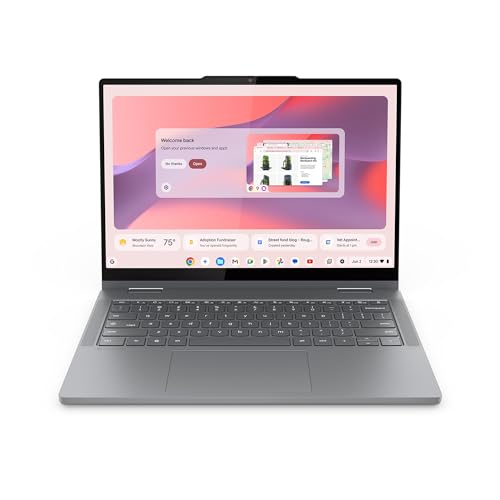
Here is the first of the two 14-inch machines, and it should be read as the class’s roomy, simple end rather than a failed 13-incher. Lenovo’s title leads with lightness and with Google Gemini, then gives the hardware plainly: an Intel N150 processor, a 14-inch WUXGA IPS touchscreen, 4GB of memory, 128GB of UFS storage and integrated Intel graphics, in Luna Grey. The WUXGA panel is a genuine bright spot — that resolution at 14 inches is sharper than the screens on many Windows machines costing considerably more, and IPS keeps it readable at the odd angles tent and tablet modes produce.
Chrome OS defines both the appeal and the ceiling. For the household whose computing is a browser, a set of Android apps and a school or office web suite, this machine starts fast, updates itself, resists most malware by design and folds into a kitchen-counter recipe screen or a sofa reading tablet without ceremony. Students carrying it between classes get a bigger, sharper display than the size class usually offers. Gemini’s presence in the title signals Google’s AI assistance is part of the package, woven into the writing and summarising tools such users actually touch.
The ceiling is the 4GB of memory, and it should not be talked around. Four gigabytes in a modern browser means tab discipline: a dozen heavy tabs plus a video call will test it, and there is no upgrade path worth planning around. The N150 is an efficiency chip for light work, and 128GB of UFS storage assumes a cloud-centred life. Within those fences, the machine is coherent and honest. Readers who live inside them can view the Lenovo Chromebook listing on Amazon to confirm the configuration on offer.
- Display: 14-inch WUXGA IPS touchscreen
- Processor: Intel N150 CPU
- Memory: 4GB RAM
- Storage: 128GB UFS storage
- Graphics: Integrated Intel Graphics
- Software note: Google Gemini named in the title
- Colour: Luna Grey
Strengths
- A WUXGA IPS panel at 14 inches is the sharpest Chromebook screen in this guide.
- Chrome OS keeps setup, updates and security nearly effortless.
- The larger body buys a roomier keyboard deck than the 13.3-inch picks.
Trade-offs
- 4GB of memory imposes real tab discipline in a modern browser.
- The N150 is a light-duty processor with no headroom for heavy local apps.
- 128GB of UFS storage assumes files live in the cloud.
Best for: a student or household whose work is browser-based and who wants a 14-inch WUXGA touch panel that folds flat. Not suited for: workloads keeping twenty-plus heavy tabs and a video call open at once, because 4GB of memory is the stated ceiling.
Set the Lenovo beside a typical school-issue Chromebook and its choices sharpen. The WUXGA resolution is the headline, but the UFS storage deserves a nod too: it is a step above the slowest eMMC found in bargain machines, so the system feels less reluctant when opening large documents or restoring a session full of tabs. The Luna Grey finish and lightweight billing suit a bag-carried life. Where the machine asks for understanding is in expectations of longevity: Chrome OS devices receive updates for a fixed window set by the platform, and a 4GB machine will feel that window’s end sooner in spirit than in security. As a three-to-four-year school and household companion with a beautiful screen, though, its priorities are correctly ordered.

Acer Chromebook Spin 314 — Gorilla Glass and the better memory figure
Acer’s Spin 314 is the second 14-inch Chromebook here, and its title works harder than Lenovo’s. The processor is an Intel Core i3-N305, a clear step above the N-series chips that usually power this category. The 14-inch WUXGA IPS display is protected by Corning Gorilla Glass and finished matte — a pairing aimed squarely at glare-filled classrooms, bright kitchens and commuter trains, where glossy screens turn into mirrors. Memory is 8GB of LPDDR5, double the Lenovo’s figure, with 128GB of eMMC storage, Wi-Fi 6E and an FHD webcam rounding out a title that reads like it was written by someone expecting scrutiny.
The Spin name is Acer’s convertible line, and the 360-degree hinge implied by the convertible label turns this into the Chromebook most likely to survive — and serve — a school bag. The matte Gorilla Glass deserves emphasis: in tablet mode the screen is the surface fingers, pens and desk edges meet, and a hardened, low-glare panel is the difference between a machine that still looks right in year three and one that does not. The FHD webcam likewise lifts it above the class norm for calls and remote lessons.
Its limits are the category’s limits. Chrome OS still fences out Windows applications, the 128GB of eMMC is neither large nor fast by SSD standards, and the title names no pen in the box. But judged inside its own brief — a durable folding Chromebook with a proper screen, proper memory and modern Wi-Fi — this is the most completely argued listing of the two. Families and schools comparing the pair can open the Spin 314 listing on Amazon to check the configuration currently shipping.
- Display: 14-inch WUXGA IPS touch, Corning Gorilla Glass, matte
- Processor: Intel Core i3-N305
- Memory: 8GB LPDDR5
- Storage: 128GB eMMC
- Wireless: Wi-Fi 6E
- Webcam: FHD webcam
- Operating system: Chrome OS
- Pen included: Not stated in the listing title — verify with the manufacturer documentation
Strengths
- Matte Gorilla Glass over a WUXGA panel is built for bright rooms and rough bags.
- 8GB of LPDDR5 doubles the Lenovo Chromebook’s memory figure.
- The Core i3-N305 and Wi-Fi 6E are a class above typical Chromebook internals.
Trade-offs
- 128GB of eMMC storage is modest and slower than a true SSD.
- Chrome OS still excludes Windows-only applications entirely.
- No pen is stated as included for a screen that invites one.
Best for: a student or family needing a folding Chromebook whose matte Gorilla Glass screen and 8GB of memory survive bright rooms and busy browser sessions. Not suited for: coursework or work requiring a Windows application, because Chrome OS cannot run one at all.
Acer’s positioning against its Lenovo rival deserves one more pass, because the two Chromebooks will be cross-shopped constantly. The Spin costs its buyer nothing in screen quality — same WUXGA class, same 14 inches — and adds the matte Gorilla Glass finish, the stronger i3-N305 processor, double the memory and faster Wi-Fi. The Lenovo counters with UFS storage and a slightly cleaner simplicity. On the evidence of the titles alone, the Acer is the more future-proof purchase for a browser-heavy life, since memory is the resource Chrome OS consumes fastest as web applications grow. The Lenovo remains the pick where the absolute floor of cost and complexity is the deciding voice in the room.
Servicing and support form a final selection layer that titles reveal only indirectly. The ThinkPad and Latitude names carry business support structures behind them; the Galaxy Book and the Chromebooks lean on consumer channels; the Flow Z13 sits in ASUS’s gaming line, with the community knowledge that accumulates around popular performance models. None of this should outrank screen, memory or operating system in the decision, but between two otherwise equal picks, the one whose documentation, drivers and parts are easiest to find in three years is the one that will still be earning its place then.
Comparison
| Pick | Screen | Processor | Memory / Storage | Defining trait |
|---|---|---|---|---|
| ASUS ROG Flow Z13 | 13.4-inch 2.5K 180Hz touch | Ryzen AI MAX+ 395 | 32GB / 1TB SSD | Desktop-class power in a tablet body |
| ThinkPad L13 Yoga G5 | 13.3-inch FHD+ touch | Core Ultra 5 125U | 16GB DDR5 / 512GB SSD | Thunderbolt 4 and dual biometrics |
| Galaxy Book3 360 | 13.3-inch FHD AMOLED touch | Core i7-1360P | 16GB / 512GB SSD | The only AMOLED panel |
| Dell 13.3 2-in-1 | 13.3-inch FHD touch | Core i5-1335U | 16GB DDR5 / 512GB SSD | 1080p IR webcam, previous generation |
| Lenovo Chromebook 14 | 14-inch WUXGA IPS touch | Intel N150 | 4GB / 128GB UFS | Sharp screen, simplest software |
| Acer Spin 314 | 14-inch WUXGA IPS Gorilla Glass | Core i3-N305 | 8GB LPDDR5 / 128GB eMMC | Matte hardened screen, Wi-Fi 6E |
How to Choose a Convertible in the 13-Inch Class
Start with the fold’s job in your actual week. Write down the moments you expect to use tent, presentation or tablet posture — annotating documents, presenting across a small table, reading in an armchair, propping a recipe or a film. If the list is long, the hinge is a working tool and deserves budget. If the list is two items and both are speculative, redirect the money toward memory and storage in a conventional laptop and revisit convertibles next time.
Next, separate the class by operating system before comparing anything else, because the split is absolute. Chrome OS machines — the Lenovo and Acer here — are superb inside a browser and a set of web or Android applications, and useless outside it. Windows machines carry the full application world and its management overhead with it. Shoppers who blur this line buy the wrong machine no matter how good the screen is. Within Windows, decide whether your desk life involves a dock: if it does, Thunderbolt, stated outright in the ThinkPad’s title, moves from luxury to requirement.
Memory is the third decision and the least forgiving, since small convertibles rarely allow upgrades. Treat 16GB as the working standard for Windows multitasking, 8GB as the Chromebook comfort line, and 4GB as a commitment to tab discipline. Storage follows the same logic: 512GB suits a local-files life, while 128GB in the Chromebooks presumes the cloud holds your archive. Finally, chase down every silence in the title of the machine you favour — pen inclusion, weight, battery figure, port list — in the manufacturer’s documentation, and let what you find there, not the photograph, close the sale.
Weight deserves a deliberate check of its own, because the titles in this guide are almost uniformly silent about it and the difference between a convertible you carry without thinking and one you leave behind is measured in a few hundred grams. A 13-inch-class machine should disappear into a daily bag; if the manufacturer’s documentation for your favoured pick reports a figure that makes you hesitate, believe the hesitation. The same applies to the charger, which travels too and is never in the headline weight. Small convertibles are bought for motion, and their specifications should be audited for motion — dimensions, weight, charger size, and the battery figure that decides whether the charger can stay home for a day trip.
Does a 14-Inch Chromebook Belong in a 13-Inch Guide?
Yes, and pretending otherwise would mislead more than it clarified. Manufacturers build convertibles to screen sizes that panel factories supply, and the current supply clusters at 13.3 and 14 inches, so a guide that excluded the 14-inch machines would exclude most of the affordable end of the class and both Chromebooks worth recommending. The honest approach is the one taken here: state the real span in the introduction, label the larger machines wherever they appear, and let readers judge whether the extra fraction of an inch matters against a sharper panel or a lower price. For most bags and most desks, it will not; for a truly minimal carry, the 13.3-inch picks are waiting above.
Which of These Machines Actually Suits Pen Work?
Pen work divides into two questions that listings constantly blur: does the screen accept a pen, and does a pen come in the box? The titles in this guide mostly answer neither. The ThinkPad carries the Yoga name, the Galaxy Book carries Samsung’s pen heritage, and the Flow Z13’s fast panel would flatter a stylus — but heritage is not a specification, and this guide refuses to convert it into one. The practical route is to shortlist by screen and processor first, then verify pen support and pen inclusion for your exact configuration in the manufacturer’s documentation before ordering. A reader for whom the pen is the entire point should also read the dedicated stylus guide linked below, where pen evidence is the entry requirement rather than a footnote.
Displays repay one extra moment of attention in this class, because the screen is the part you will look at for the machine’s entire life. Resolution decides text sharpness — the Chromebooks’ WUXGA and the Flow Z13’s 2.5K lead here — while panel technology decides character: the Galaxy Book’s AMOLED for contrast, the Acer’s matte finish for bright rooms, the ThinkPad and Dell’s business panels for steady, glare-managed work. A convertible’s screen also works at stranger angles than a laptop’s, so the IPS and AMOLED picks hold a real advantage over any panel that shifts colour off-axis. When two finalists remain, choose by the screen you will stare at, not the benchmark you will run twice.
How Much Processor Does a Small Convertible Really Need?
Less than the marketing suggests, and more than the cheapest listings imply. Browser work, documents, calls and media run happily on the modern efficiency chips in the Dell and the ThinkPad, and even the Chromebooks’ smaller processors keep pace inside their operating system’s limits. The case for the Flow Z13’s muscle or the Galaxy Book’s i7 is not everyday speed — it is a specific workload: games, video timelines, large datasets, virtual machines, or a determination to keep the machine for many years as software grows heavier. Name your heaviest weekly task, and buy for that. Everything above it is insurance; everything below it is regret scheduled in advance.
How Long Should a Convertible in This Class Last?
Plan on the hinge outliving the specification. The folding mechanisms in these established lines are engineered for years of daily repositioning, so the realistic lifespan question is about the internals: memory headroom, storage space and operating-system support. The Windows machines with 16GB start with the longest runway, and the previous-generation Dell trades a year of that runway for its value. The Chromebooks follow Google’s update window for their platform, which buyers should look up by model before ordering, since it fixes the date after which the machine stops receiving system updates regardless of its physical health. Buying the pick whose support window and memory both outlast your intended ownership is the quiet skill this whole category rewards.
What Does Tent Mode Actually Get Used For?
Sceptics dismiss tent mode until a specific week teaches them otherwise. It is the posture of the kitchen counter during a recipe, the hotel desk during a film, the cramped train table during a download-and-watch commute, and the one-to-one meeting where the screen must face a client while the keyboard faces away. It is also the posture that keeps a convertible useful on surfaces too small or too messy for a laptop base. Readers who recognise two or more of those scenes from their own month have their answer about the hinge’s value; readers who recognise none should save their money with a clear conscience and buy the stronger fixed laptop instead.
Common Mistakes When Buying a Small Convertible
One recurring error is buying the fold and never folding. The hinge adds cost and weight to every machine in this guide, and a buyer whose screen never passes a normal working angle has paid that tax for nothing; be honest about your habits before the specification seduces you. A related misjudgement is assuming tablet mode scales: at 13.3 inches it works in the hands, but the 14-inch machines are lap-and-table tablets, and expecting sofa reading from them leads to tired arms and returns.
Another is reading a famous line name as a pen promise. Yoga, Spin and 360 all describe hinges; none of them, in these titles, states that a pen is included, and the price of discovering that at unboxing is a second order and a week’s delay. Memory shortfalls cause the quietest misery: the 4GB Chromebook is a fine machine inside its limits and a frustrating one outside them, and no setting changes that arithmetic. Finally, shoppers overlook the previous-generation option’s fine print — the Dell here is excellent value, but stock of that kind deserves a careful read of warranty terms before the order, not after a fault appears.
A note on ordering discipline, earned from every category this site covers: the configuration in the listing is the product, not the model name. Memory and storage vary within a single model line, and a title as detailed as these six are still describes one specific build. Before paying, match the listing’s chip, memory and storage against the figures quoted in the review you relied on, and walk away from a mismatch however attractive the headline looks. That thirty-second check prevents the most common disappointment in this entire class — receiving a lesser build of the right machine.
Final Recommendation
Match the machine to the fold’s job and the choice mostly makes itself. Business readers should start with the ThinkPad L13 Yoga G5, whose title promises the complete managed-work kit, and consider the Dell when its previous-generation value outweighs the newest silicon. Screen-led buyers belong with the Galaxy Book3 360 and its AMOLED panel; power-led buyers with the Flow Z13, having first verified its unstated carrying details. Households and students served by the browser should choose between the two 14-inch Chromebooks on memory and screen finish — the Acer’s 8GB and matte Gorilla Glass make it the safer long-term companion, the Lenovo’s simplicity its charm. A small convertible bought with open eyes about size, silence and software will be folded with pleasure for years; one bought from a photograph will be a laptop with an expensive hinge.
Battery expectations deserve plain words to close the guidance. None of these six titles prints a capacity figure, and only the Dell even claims long battery life in words, so endurance comparisons between these machines cannot be drawn from listing evidence — they must come from the manufacturers’ documentation and from reviews of the exact configuration. As a rule of the class, the Chromebooks and the efficiency-chipped Windows machines are built for the longest unplugged days, while the Flow Z13’s performance hardware implies a charger kept within reach. Decide how many hours your longest untethered day truly runs, then verify your finalist against that number rather than against a rival’s marketing.
Frequently Asked Questions
Are these laptops really 13 inches?
Not exactly, and the guide says so from the start. Four picks measure 13.3 or 13.4 inches and the two Chromebooks measure 14 inches, which is the real span of the current class. The difference shows up as a slightly larger bag footprint and a roomier keyboard on the 14-inch pair, not as a different category of machine.
Do any of these convertibles include a pen?
None of the six listing titles states that a pen is included. Several of the lines are pen-capable as families, but capability and inclusion are separate facts, so verify both for your exact configuration in the manufacturer’s documentation before ordering — and budget for a pen if annotation is central to your plans.
Is a Chromebook convertible enough for school or office work?
For work that lives in a browser, a web office suite and Android applications, yes — both Chromebooks here add sharp WUXGA touchscreens that fold flat for reading and markup. The moment a course or employer requires a specific Windows application, the answer changes completely, and a Windows pick from this guide is the correct route.
Which pick handles games best?
The ROG Flow Z13, by a wide margin: its Ryzen AI MAX+ 395, 32GB of memory and 180Hz 2.5K panel are gaming specifications that happen to live in a 13.4-inch convertible. The other Windows picks run lighter and older titles through integrated graphics; the Chromebooks are not gaming machines in any local sense.
What should I verify before ordering any of these?
Whatever the title leaves silent for your chosen pick: pen inclusion, port selection, weight and battery figures are the recurring gaps in this guide. One session with the manufacturer’s documentation for the exact configuration converts those unknowns into facts while the decision is still reversible.
Should I choose the Dell or the ThinkPad for business use?
Choose the ThinkPad when Thunderbolt 4 docking, the current processor generation and the fullest stated security kit matter, since its title promises all three outright. Choose the Dell when the budget is fixed and its 1080p IR webcam, 16GB of DDR5 and previous-generation value answer the brief — accepting that Thunderbolt goes unverified and the warranty terms deserve a careful read first.
Can a 13-inch convertible replace a separate tablet?
For reading, markup, media and light touch applications, yes — that consolidation is the form factor’s founding promise, and the 13.3-inch picks here are light enough in spirit to honour it. Dedicated tablets still win on app ecosystems built purely for touch and on sheer hand-held weight, so readers whose tablet use is hours of hand-held reading should weigh the documentation’s weight figure before consolidating.
Is the Flow Z13 too much machine for ordinary convertible use?
For email, documents and browsing, unquestionably — its processor and memory were specified for games and heavy creative work, and ordinary duties will never trouble them. The purchase only makes sense when a demanding workload shares the bag with the convertible duties; otherwise the ThinkPad or the Galaxy Book delivers the same folding experience with money left over.
Related Guides
Pen-led readers should continue to the best convertible laptops with stylus support, where pen evidence leads the judging before comparing these folding screens. Shoppers watching the budget will find the lower end mapped in the best inexpensive convertible laptops, Chromebooks included, while artists and annotators are served by the best convertible tablet laptops for artists and their pen-first machines.