What's inside
- Key Takeaways
- Quick Picks
- How Did We Choose These 11×17 Inkjet Printers?
- What Should You Know About Ink, Paper and Speed Before Choosing?
- How Do the Six Picks Compare Side by Side?
- What Can You Actually Do with an 11 by 17 Sheet?
- How Should You Set Up Paper, Trays and Drivers for Wide Work?
- How Do the Ink Systems Here Change What a Tabloid Page Costs?
- How Do You Print a Folded Tabloid Booklet Without Wasting a Ream?
- What Are the Common Mistakes When Buying a Tabloid Inkjet?
- Which Wide-Format Jobs Should Still Go to a Print Shop?
- How Should You House and Feed a Machine This Wide?
- Final Recommendation
- Frequently Asked Questions
- Related Guides
As an Amazon Associate I earn from qualifying purchases. This post may contain affiliate links at no extra cost to you.
widgetverdict.com is reader-supported. When you buy through links on our site, we may earn an affiliate commission.
Where to buy: all six machines below carry verified Amazon links and every one of them genuinely prints an 11 by 17 inch sheet — no size inflation, no scanner measurements dressed up as print sizes.
Tabloid is the sheet that changes what a home or small office can make for itself. Fold an 11 by 17 page once and you hold a letter-size booklet; leave it flat and a spreadsheet stops squinting, a floor plan becomes readable across a desk, and a school concert programme looks like an event rather than a photocopy. The best 11×17 inkjet printers are the realistic way to own that sheet, because inkjet paper paths scale to wide formats at desktop prices in a way laser mechanisms never have. Every machine in this guide accepts tabloid stock as ordinary work, and most reach further, to 13 by 19 inches — the size the photo world calls Super B — which gives tabloid printing useful headroom for borders and bleed.
The six picks divide by temperament rather than by size, since size is the entry ticket they all hold. Two are office all-in-ones with wide scanners and feeders, built for the practice that prints plans and scans them back. One is a print-only wide workhorse for volume. One is an office machine with unusually frugal ink economics. And two are professional photo printers that treat tabloid as a modest sheet on the way to 17-inch exhibition work, included because a great many tabloid searches are really photographers and designers looking for a big, beautiful page. Read for your workload, not for the headline: the cheapest way to print a tabloid text page and the best way to print a tabloid photograph are different machines wearing the same size badge.
A word about running costs before the picks, because wide sheets multiply everything. An 11 by 17 page carries twice the area of a letter page, and a colour-heavy tabloid — a poster’s background, a presentation’s full-bleed chart — drinks ink in proportion. Machines here answer that arithmetic differently: big cartridges, tank-adjacent ink systems, or photo inks sold in small bottles at gallery prices. The pick sections state each machine’s ink character plainly, because at this size the second year of ownership costs more than the first day, and it is decided by the cartridge system you choose now.
One more constituency finds its way to this category every autumn: parents and teachers facing the school project season, when a poster is due, a science fair board needs its centrepiece, and the family printer’s letter tray suddenly feels like a betrayal. For them the office all-in-ones are the sweet spot — wide enough for the project, ordinary enough for the homework that follows it for the next five years. The professional photo machines would be a splendid overreaction; the print-only workhorse strands them without a scanner for the permission slips. It is a useful reminder that in this category the best machine is rarely the most capable one. It is the one whose second and third jobs — the scanning, the everyday letters, the occasional photograph — match the household or office that actually surrounds it, long after the wide sheet that justified the purchase has become a monthly pleasure rather than a daily event.
Key Takeaways
- Every pick genuinely prints 11 by 17 inches; most extend to 13 by 19, and the two professional photo models reach 17 inches wide.
- Wide scanners matter as much as wide printing — two picks scan and copy tabloid originals, not just output them.
- Ink economics diverge sharply at this size: office models with large cartridges cost a fraction per tabloid page of gallery photo printers.
- Pigment office inks survive highlighters and damp fingers; dye photo inks trade that toughness for colour depth on glossy stock.
- Automatic two-sided printing at tabloid size is not universal — check the pick, not the category, before assuming it.
- Paper handling decides daily happiness: dual trays let letter and tabloid stock live in the machine together.
Quick Picks
| Pick | Badge | Why it earns its place |
|---|---|---|
| Epson WorkForce Pro WF-7840 | Best all-round tabloid office machine | Prints and scans 11 by 17, feeds it automatically, and carries 500 sheets across two trays. |
| Epson WorkForce Pro WF-7310 | Print-only wide workhorse | Skips the scanner entirely and puts the money into a fast, capacious tabloid print engine. |
| Brother INKvestment MFC-J6960DW | Frugal tabloid all-in-one | Brother’s high-capacity ink system trims the per-page cost that makes wide printing expensive. |
| Epson Expression Photo HD XP-15000 | Photo-leaning tabloid all-rounder | Six-colour photo printing to 13 by 19 in a body that still scans and copies for the home office. |
| Epson SureColor P900 | Professional 17-inch photo printer | Gallery-grade pigment printing where tabloid is a small sheet and quality is the entire point. |
| Canon imagePROGRAF PRO-1100 | Canon’s 17-inch flagship photo printer | Deep pigment ink set and meticulous colour for photographers printing big, slowly and beautifully. |
How Did We Choose These 11×17 Inkjet Printers?
Size came first and was verified, not assumed: a pick had to print a full 11 by 17 sheet from a normal tray or rear feed as a documented capability, and its stated maximum — 13 by 19 for the office machines, 17 inches for the professional photo pair — is printed in each section. We excluded the many wide-on-paper machines whose wide claim rests on a scanner bed or a banner mode measured in feet of roll paper rather than cut tabloid sheets. Beyond size, we weighted the things tabloid owners actually live with: whether the scanner and feeder match the print width, whether letter and tabloid stock can coexist in separate trays, what the ink system costs across a heavy colour page, and whether duplex printing survives at full size or quietly shrinks to letter.
We also insisted on spread. A guide that listed six office all-in-ones would serve the architect and abandon the photographer; a guide of six photo printers would do the reverse. The final list therefore spans the three real tabloid constituencies — document offices, mixed home offices, and image-makers — and each pick section names its constituency in the verdict lines, so a reader printing engineering markups never has to wonder whether a gallery printer’s virtues apply to them. They do not, and the guide says so each time.

Epson WorkForce Pro WF-7840 — Best all-round tabloid office machine — prints up to 13 × 19 in
This is the machine the tabloid category revolves around: a wide-format all-in-one that prints 11 by 17 as routine work, scans originals of the same size through a proper document feeder, copies them without reduction, and holds 500 sheets across two trays so letter and tabloid stock can live side by side. For the small architecture practice, the school office or the estate agency whose documents genuinely are wide, the WF-7840 collapses what used to be a print-shop errand into a walk across the room. Its pigment inks produce text that survives highlighters and the occasional damp thumb, and its print speeds at letter size are brisk enough that it never feels like a specialist moonlighting as an everyday printer.
The ownership details hold up under scrutiny. Automatic two-sided printing works at full size, the feeder takes a respectable stack of tabloid originals, and the control experience — a large touchscreen, sane menus — respects the staff member who did not choose to become a print technician. Ink comes in high-capacity cartridges whose yields suit an office rhythm; a tabloid page of drawings costs real money in ink, as every wide page does, but the per-page figure stays in office territory rather than gallery territory. If one machine in this guide had to be the default answer for a document-led tabloid buyer, this is it.
Its compromises are those of its class. It is a large, heavy box that claims a worktop rather than a shelf, and like every inkjet it prefers regular work to long holidays — a fortnight idle is fine, a summer is an invitation to cleaning cycles. Photo output on glossy stock is competent rather than stirring; the photo specialists later in this list exist because of that sentence. But as the complete tabloid office instrument — print, scan, copy, fax, duplex, dual trays — nothing else here assembles the whole toolkit in one chassis.
A final practical note concerns its scanner, which quietly becomes the office’s archive department. Tabloid originals that previously went to a copy shop for digitising now feed through at full size, and the resulting files — plans, signed wide forms, artwork — are cleaner than any phone photograph of a big sheet ever manages. Offices that bought the machine for printing frequently report, a year later, that the wide scanner is the feature they would surrender last, because it retired a whole category of errand from the working week.
- Print technology: pigment inkjet, 4 colours
- Maximum print size: 13 × 19 in; full 11 × 17 tabloid
- Functions: print, scan, copy, fax — wide-format scanner and feeder
- Automatic two-sided printing: yes
- Paper capacity: 500 sheets, dual trays
- Connectivity: Wi-Fi, Ethernet, USB
Strengths
- Prints, scans and copies genuine tabloid in one machine
- Dual trays keep letter and tabloid stock loaded together
- Pigment text survives highlighters and handling
Trade-offs
- Large, heavy footprint demands a worktop, not a shelf
- Inkjet that dislikes months of idleness
- Photo printing is competent, not gallery-grade
Best for: small firms, schools and agencies whose wide documents flow in both directions — printed, marked up, scanned back — every week.
Not suited for: photographers chasing exhibition quality, and offices so idle that any inkjet would clog between jobs.

Epson WorkForce Pro WF-7310 — Print-only wide workhorse — prints up to 13 × 19 in
Strip the scanner, the feeder and the fax from a wide office printer and what remains is this: a single-function tabloid engine that spends its entire budget on the paper path. The WF-7310 prints up to 13 by 19 inches, feeds from a 500-sheet capacity across its trays, duplexes automatically, and moves letter-size work at a pace that embarrasses all-in-ones costing more. For the workstation that already has a scanner it likes — or a network where scanning happens centrally — paying again for a mediocre scanner bolted to a good printer makes no sense, and this machine is the correction.
Print-only machines live a particular life in real offices: they become the designated wide printer, the one the drawings queue points at, while smaller devices handle the scanning and copying traffic. The WF-7310 suits that role down to its drivers, which handle custom sizes cleanly, and its rear feed, which takes the heavy card and odd stock that tray mechanisms resent. Its pigment inks keep site documents legible after a rainy walk across a yard, a small virtue that site engineers notice and office reviewers rarely mention.
The obvious trade is the missing scanner, and it is worth stating who feels it: nobody with a phone-scanning habit for receipts, everybody who regularly copies a tabloid original, because a letter-size scanner elsewhere in the office cannot help them. Buy this printer as part of a system — wide printing here, scanning there — and it is the sharpest value in the guide. Buy it as your only machine and its missing lid will introduce itself within the month.
Studios that pair this printer with a good desktop scanner often end up with a better system than a single all-in-one provides: each device does one job at full competence, and when the scanner ages out, the printer’s investment survives untouched. That modular logic, unfashionable as it is, explains this machine’s loyal following among print-led small businesses that think in systems rather than in single purchases.
- Print technology: pigment inkjet, 4 colours
- Maximum print size: 13 × 19 in; full 11 × 17 tabloid
- Functions: print only — no scanner or copier
- Automatic two-sided printing: yes
- Paper capacity: 500 sheets with rear feed for heavy stock
- Connectivity: Wi-Fi, Ethernet, USB
Strengths
- Entire budget spent on the wide print engine, not a bolted-on scanner
- Fast letter output and high capacity for a designated wide printer
- Rear feed handles card and awkward stock gracefully
Trade-offs
- No scanning or copying at any size
- Still a large chassis despite the single function
- Ink costs follow office pigment economics — fine for documents, not free
Best for: offices and studios with scanning handled elsewhere that need a dedicated, capacious tabloid print engine.
Not suited for: anyone whose only printer this would be, especially if copying wide originals is part of the week.
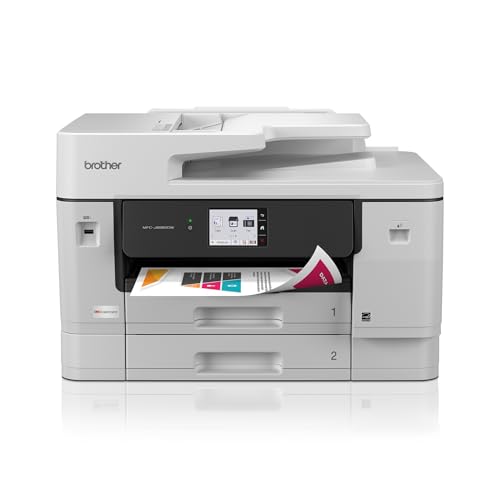
Brother INKvestment MFC-J6960DW — Frugal tabloid all-in-one — prints 11 × 17 in
Brother’s INKvestment idea is an answer to the wide-format cost problem stated in this guide’s introduction: if tabloid pages drink ink, build a machine whose ink arrives in high-capacity cartridges at a gentler price per page. The MFC-J6960DW prints a full 11 by 17 sheet, scans and copies, carries a colour touchscreen that office staff operate without a manual, and wraps it in Brother’s characteristic plain-spoken build — nothing glitters, everything works. For a charity office, a parish hall or a small business that prints wide material weekly and watches its consumables budget monthly, the arithmetic is the argument.
In practice the machine feels like Brother’s letter-size office range stretched honestly to tabloid: the feeder and scanner bed accept the wide originals, the trays adjust without the flimsy protest of cheaper mechanisms, and the print quality on documents — the dense text, the ruled tables, the occasional colour chart — is clean and businesslike. Wireless setup follows Brother’s mature routine, and the machine behaves on a mixed network of laptops and phones with less drama than most.
Where it yields to the Epson WF-7840 is in refinement at the extremes: maximum size stops at tabloid rather than stretching to 13 by 19, so buyers wanting Super B headroom should look up the list, and heavy colour coverage pages emerge a touch less vividly than the Epson’s pigment best. Neither point dents its proposition. It is the tabloid all-in-one for buyers who count pages, and there are more of those buyers than any other kind.
Brother’s support ecosystem is part of the value here: firmware, drivers and cartridge supply for its office range are maintained with a steadiness that budget brands rarely match, and a machine bought for a five-year stint is more likely to complete it without an orphaned driver or a vanished cartridge line. For a parish or charity office run by volunteers, that predictability can matter more than a rival’s extra inch of paper width.
- Print technology: inkjet with high-capacity INKvestment cartridges
- Maximum print size: 11 × 17 in tabloid
- Functions: print, scan, copy, fax
- Automatic two-sided printing: yes
- Display: colour touchscreen
- Connectivity: Wi-Fi, Ethernet, USB
Strengths
- Ink system engineered to soften wide-format running costs
- Full tabloid scanning and copying in an all-in-one
- Straightforward controls and dependable network behaviour
Trade-offs
- Maximum size is tabloid — no 13 × 19 headroom
- Heavy colour pages a shade less vivid than the Epson rival
- Photo printing is office-grade, not enthusiast-grade
Best for: budget-watching small offices that print and copy tabloid weekly and feel every cartridge invoice.
Not suited for: buyers needing 13 by 19 output, and photographers, whose standards this office machine never claimed to meet.

Epson Expression Photo HD XP-15000 — Photo-leaning tabloid all-rounder — prints up to 13 × 19 in
Most tabloid printers are office machines that tolerate photographs; this one is a photo printer that tolerates office work, and the difference shows in the first print. Six colours — including red and grey inks that widen skin tones and steady monochrome — lay down images on glossy and fine-art stock up to 13 by 19 inches with a depth no four-colour office engine approaches. Yet the XP-15000 still scans, copies and handles the household’s documents without complaint, which makes it the natural tabloid choice for the home where the wide sheets are family photographs, portfolio pages and craft projects rather than contracts.
Its physical manners suit that home role. The body is noticeably more compact than the office wides here, the paper path takes thicker media through a rear feed for the card and art papers that creative work demands, and borderless printing at full size turns a tabloid sheet into a frame-ready print with no white margin to trim. A crafter printing 12 by 12 scrapbook pages will find the custom-size handling straightforward, with room to spare on every edge.
The trade-offs are the photo printer’s eternal pair: speed and ink. Documents emerge at a stroll compared with the WorkForce machines, and six-colour ink sets cost more per page than any office cartridge in this guide — the price of that colour depth, paid willingly by its intended owner and resented by anyone who bought it to print invoices. Judge it as an image machine that can do documents, never the reverse, and it is one of the most likeable printers here.
Crafters should note the custom-size handling in particular: the driver accepts user-defined dimensions without complaint, which is what makes odd craft sizes — the 12 by 12 scrapbook page, the long banner strip, the oversized card — routine rather than a wrestling match with fixed presets. Combined with the rear feed’s appetite for card stock, it is the most craft-friendly paper path in this guide.
- Print technology: 6-colour dye inkjet (Claria Photo HD family)
- Maximum print size: 13 × 19 in, borderless
- Functions: print, scan, copy
- Automatic two-sided printing: yes, for documents
- Media: rear feed for thick and fine-art stock
- Connectivity: Wi-Fi, Ethernet, USB
Strengths
- Six-colour output gives tabloid photographs real depth and subtlety
- Borderless wide printing for frame-ready results
- Compact body and thick-media feed suit creative home use
Trade-offs
- Slow document pace beside the office machines
- Six-colour ink costs more per page than office cartridges
- Scanner is letter-size — wide originals cannot be copied
Best for: photographers, crafters and creative households whose tabloid sheets are images first and documents second.
Not suited for: document offices needing wide scanning, fast text and cheap pages.
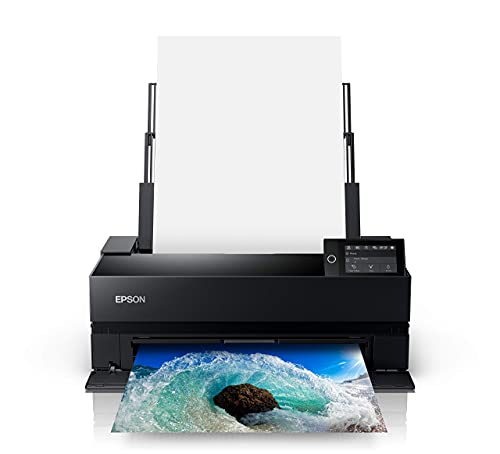
Epson SureColor P900 — Professional 17-inch photo printer — tabloid is its small size
The P900 reframes this entire guide: to a professional photo printer, 11 by 17 is not the achievement but the warm-up. This machine prints to 17 inches wide on sheet and roll media, lays down a ten-colour pigment ink set with a dedicated channel arrangement that deepens blacks on both glossy and matte papers, and produces prints intended to be sold, exhibited and archived. Photographers buy it for the matte black density that makes a moody landscape hold together and for colour accuracy they can profile once and trust for a year of editions.
Daily operation is calmer than its professional ancestors: a large touchscreen, a lit paper path you can inspect mid-load, and roll handling that does not require an engineering temperament. It is still a deliberate machine — prints take the time great prints take, ink arrives in cartridges priced like the professional consumable they are, and the printer rewards a colour-managed workflow with a calibrated screen rather than forgiving a laptop’s guesses. Within a photographer’s studio those are not flaws; they are the terms of the craft, stated honestly.
What the P900 will not do is office work. There is no scanner, no feeder, no fax, and printing a page of email on it would be a category error with an invoice attached. It appears in this guide because a real share of tabloid searching is done by photographers whose actual ambition is a 16 by 20 on the wall, and for them the honest advice is to skip the office machines entirely and buy the instrument built for the work.
Roll media deserves its own sentence: a panoramic photograph printed at its natural proportions, rather than cropped to a sheet’s compromise, is the moment many owners feel the machine justified itself entirely. Tabloid may be what brought them to this category, but the panorama is the print they show visitors, and the one that ends arguments about whether the studio needed a 17-inch machine.
- Print technology: 10-colour pigment inkjet (UltraChrome PRO10 family)
- Maximum print size: 17 in wide, sheet and roll media
- Functions: print only
- Borderless printing: yes, at standard photo sizes
- Media: fine-art, matte, glossy and roll stock
- Connectivity: Wi-Fi, Ethernet, USB
Strengths
- Gallery and archive-grade pigment output at up to 17 inches
- Exceptional black density on matte and glossy papers alike
- Roll media support for panoramic and long prints
Trade-offs
- Print-only — no scanning, copying or office functions
- Professional ink pricing per cartridge
- Rewards a calibrated, colour-managed workflow; not a casual machine
Best for: serious photographers printing editions, exhibitions and client work where tabloid is a stepping stone to 17-inch prints.
Not suited for: offices of any description, and anyone whose wide printing is documents rather than images.

Canon imagePROGRAF PRO-1100 — Canon’s 17-inch flagship — tabloid and well beyond
Canon’s PRO-1100 is the other professional answer in this guide, and choosing between it and the Epson P900 is one of photography’s genuine coin-flips — both print to 17 inches, both use pigment ink sets of exhibition quality, both will outclass anything a casual observer can distinguish without a loupe. The Canon’s character leans toward richness: its ink system, with a chroma optimiser coat that evens gloss on lustre papers, produces prints with a particular depth on glossy and semi-gloss media, and its colour rendering flatters portraiture and saturated landscape work.
The machine’s manners are flagship-grade throughout — a clear display, careful paper handling for delicate fine-art sheets, and vacuum feed that keeps heavy stock flat through the print zone, which matters at 17 inches where a warped corner ruins an expensive sheet. Like the Epson, it asks for a managed workflow and repays it; like the Epson, its cartridges are professional consumables with professional pricing, and a tabloid test print costs more than an office machine’s entire weekly output. Photographers budget for that as the cost of the medium, the way film photographers once budgeted for paper.
Office buyers should pass it by without a second glance — there is no scanner and no document pretension anywhere in its design. Its place here mirrors the P900’s: a substantial share of 11 by 17 searching is really the first step of a photographic ambition, and those readers are best served by being shown the top of the stairs. If your wide sheets carry images you care about at exhibition level, this and the Epson are the guide’s real destination; the office machines above are for everyone else.
Portrait photographers in particular praise the way the chroma optimiser settles skin tones on lustre paper — no patchy difference in gloss where a face meets its background, the flaw that betrays lesser prints under gallery lighting. It is a subtle virtue, invisible in any specification table, and exactly the kind that decides between two otherwise excellent machines when a photographer’s living depends on the surface of the print.
- Print technology: pigment inkjet with chroma optimiser (LUCIA PRO II family)
- Maximum print size: 17 in wide
- Functions: print only
- Media: fine-art, glossy, lustre and heavy stock with vacuum feed
- Borderless printing: yes, at standard photo sizes
- Connectivity: Wi-Fi, Ethernet, USB
Strengths
- Superb gloss and lustre rendering with even, deep finish
- Vacuum feed keeps heavy fine-art sheets flat and safe
- Flagship colour that flatters portraits and saturated scenes
Trade-offs
- Print-only, with no office functions whatsoever
- Professional cartridge pricing makes casual printing expensive
- Large, heavy chassis demands a permanent studio home
Best for: photographers printing for exhibition and sale at up to 17 inches, especially on glossy and lustre media.
Not suited for: document offices, and anyone printing wide sheets of text, plans or spreadsheets.
What Should You Know About Ink, Paper and Speed Before Choosing?
Ink first, because at tabloid size it dominates the second-year budget. Every cartridge machine in this guide charges for coverage: a tabloid page of dense colour can consume several times the ink of a text page, and a run of fifty posters is a cartridge event, not a rounding error. Offices whose wide output is mostly line work, spreadsheets and text will find cartridge costs perfectly tolerable. Anyone whose wide output is mostly photography or full-bleed graphics should either accept the running costs of the wide machines with open eyes or split the workflow — documents in-house, exhibition colour at a lab — rather than discovering the arithmetic mid-project.
Paper is the second budget line buyers forget. Tabloid stock in ordinary office weights is affordable, but the moment a project calls for heavy matte, glossy or card-weight sheets, per-sheet costs climb steeply and the rear feed becomes mandatory equipment rather than a convenience. Buy paper in the weight the job needs and no heavier: overweight stock fed through a front tray is the leading cause of the skew and multi-sheet feeds that give wide printing a bad name. Keep a small stock of each weight you actually use, labelled, rather than a heroic variety that ages in a cupboard.
Speed claims deserve translation. Manufacturers quote pages per minute at letter size in draft modes; a tabloid page at presentable quality takes substantially longer, and a borderless 13 by 19 print longer still. For plan sets and bulletins this rarely matters — the run finishes while coffee brews — but a same-day hundred-copy programme run should be timed on one real proof copy before promising a deadline. Build the habit of timing your own typical job on your own machine in its first week, and you will never be ambushed by a print queue again.
Connectivity and drivers are the unglamorous deciding layer. Every linked pick here offers Wi-Fi and USB, and the business models add Ethernet, which remains the most reliable way to serve a shared wide printer in a busy office. Before buying, confirm your main applications can set tabloid page sizes natively; a few older programs cap their page setup at legal and will fight a wide printer no matter how capable the hardware is. That ten-minute software check has saved more tabloid purchases than any specification on this page.
How Do the Six Picks Compare Side by Side?
| Pick | Maximum size | Scans tabloid? | Duplex | Ink character | Best role |
|---|---|---|---|---|---|
| Epson WorkForce Pro WF-7840 | 13 × 19 in | Yes | Yes | Office pigment, high-capacity | Complete tabloid office |
| Epson WorkForce Pro WF-7310 | 13 × 19 in | No scanner | Yes | Office pigment, high-capacity | Dedicated wide print engine |
| Brother MFC-J6960DW | 11 × 17 in | Yes | Yes | High-capacity INKvestment | Frugal tabloid all-in-one |
| Epson XP-15000 | 13 × 19 in | Letter only | Yes | 6-colour photo dye | Creative home tabloid |
| Epson SureColor P900 | 17 in wide | No scanner | Manual workflow | 10-colour pro pigment | Exhibition photo printing |
| Canon imagePROGRAF PRO-1100 | 17 in wide | No scanner | Manual workflow | Pro pigment + chroma optimiser | Flagship photo printing |
The scanner column is the one first-time tabloid buyers most often skip, and it splits the list cleanly: the two office all-in-ones copy a wide original at full size, the Brother matches them at tabloid, and the three image-led machines either scan only letter or do not scan at all. Printing wide is half the workflow in most offices; buy the column, not just the headline size.
What Can You Actually Do with an 11 by 17 Sheet?
Start with the fold. A tabloid sheet folded in half becomes a four-page letter booklet — the church bulletin, the school programme, the wedding order of service, the small business’s price list that looks designed rather than assembled. Folded the other way in thirds it becomes an oversized brochure. Flat, it is the spreadsheet printed at a size where the finance meeting stops passing a single copy hand to hand, the Gantt chart that survives being pinned to a site cabin wall, the family tree that fits three generations without a magnifier, and the sewing or woodworking pattern printed at true scale. Crafters live on this sheet too: a 12 by 12 scrapbook page sits on it with margin to spare, and calendar and poster projects that letter paper forces into tiles emerge in one piece.
The sheet also changes proofing. Designers and marketers who proof letter-size layouts at tabloid see them at 100 percent with bleed and trim marks visible — the page as the press will see it — and architects mark up drawings at a scale where a doorway is distinguishable from a window. None of these uses requires daily volume. They require the capability to exist in the building on the day it is needed, which is precisely the case for owning one wide machine rather than renting the capability from a print shop by the errand.
How Should You Set Up Paper, Trays and Drivers for Wide Work?
Give tabloid a permanent home. On the dual-tray office machines, dedicate the second tray to 11 by 17 stock with its guides set and its size registered, so wide jobs never begin with a colleague feeding sheets one at a time through a bypass slot while a queue forms. Keep letter in the first tray and set the driver to select by document size; then a mixed afternoon — letters, then a plan, then letters again — flows without anyone touching the machine. On single-tray and rear-feed machines, store tabloid stock flat beside the printer in its wrapper, because a wide sheet that has curled in a leaning stack will misfeed in every printer ever built and be blamed on all of them.
Build named presets for the three jobs you actually repeat: tabloid booklet, tabloid flat, and letter everyday. Each preset fixes size, orientation, duplex behaviour and paper source, so the monthly programme does not depend on anyone remembering which dialogue box hides the booklet setting. Print one proof of any wide job before the run — a tabloid proof costs a sheet and some ink, while a tabloid mistake costs twenty — and check the proof for the classic wide-format errors: content scaled to fit a smaller size by a helpful driver, duplex pages flipped on the wrong edge, and margins that ate the page numbers. Wide printing rewards this small ceremony more than any other kind, because every error is printed twice as large.
How Do the Ink Systems Here Change What a Tabloid Page Costs?
Three different ink philosophies share this list, and at tabloid size their differences stop being academic. The office pigment machines — both Epsons and, in its own way, the Brother with its high-capacity cartridges — treat ink as a utility: cartridges are large, yields are quoted in thousands of letter pages, and a tabloid document page lands at a cost an office can absorb daily. Pigment particles sit on the paper surface rather than soaking in, which is why their text shrugs off a highlighter and why a plan print can survive a damp site visit. For any reader whose wide pages are mostly lines, words and charts, this is the economics to buy, and the difference between the Epson and Brother approaches is one of degree — cartridge size and yield — rather than of kind.
The XP-15000’s six-colour dye set answers a different question. Dye inks dissolve into glossy coatings and produce the saturated, continuous-tone colour that photographs want, and the extra red and grey channels buy subtlety in skin and sky that four office colours cannot reach. The cost is literal: more channels, smaller cartridges, and a per-page figure that assumes the page is worth it. A household printing a dozen beloved photographs a month will never notice; an office printing colour handouts by the hundred would notice within a week. The professional pair take the logic to its conclusion — pigment sets of ten or more inks, including multiple blacks for matte and glossy media, in cartridges priced as studio consumables. Their cost per tabloid print is the highest here by a wide margin, and their owners regard it the way a carpenter regards good timber: as the material the work is made from, not an overhead to minimise.
The practical lesson is to cost your own page before choosing a camp. Take the document or image you print most at tabloid size, estimate its coverage honestly — a spreadsheet might cover a tenth of the sheet, a poster nearly all of it — and multiply a month of those pages by each system’s realistic yield. Buyers who run that small calculation choose correctly almost every time. Buyers who compare only machine prices discover that in wide-format printing, the printer is the down payment and the ink is the mortgage.
How Do You Print a Folded Tabloid Booklet Without Wasting a Ream?
Booklet work is where tabloid earns its keep, and it has a correct sequence. Start in the application, not the printer driver: most word processors and every publishing program can impose a document into booklet order, reordering pages so that when the printed sheets are folded, page two follows page one instead of facing it. Set the document size to tabloid landscape, the output to duplex with flipping on the short edge — the setting that keeps the reverse side upright after the fold — and print exactly one copy first. Fold that copy, number its pages in pencil, and check the order against your intention before the run begins. Every booklet error ever made is visible in a single folded proof and expensive in a run of fifty.
Paper choice decides whether the folded result feels like a programme or a pamphlet fighting back. A smooth stock in the mid-weight range folds cleanly without cracking along the spine; heavy card resists the fold and springs open on the table, while the lightest copy paper shows the reverse side’s text through the sheet. If the booklet will be stapled, a long-arm or saddle stapler reaches the spine of a folded tabloid sheet — an ordinary desk stapler does not, a fact many offices learn at the worst possible moment. Score heavier sheets along the fold with a blunt edge before folding, and the spine stays crisp instead of creasing like a map.
Finally, respect the grain. Paper has a grain direction, and a tabloid sheet folded across its grain folds reluctantly and cracks its surface fibres; folded with the grain, it lies flat and keeps its edge. If a batch of stock fights every fold, the paper — not the printer, not the operator — is usually the explanation, and rotating your stock choice for booklet work specifically is a normal professional habit. None of this requires talent. It requires printing one proof, folding it, and believing what it tells you.
What Are the Common Mistakes When Buying a Tabloid Inkjet?
The first is buying print width and forgetting scan width. An office that prints plans usually receives plans too, and a letter-size scanner turns every incoming tabloid original into a reduced photocopy or a two-pass jigsaw. The second is underestimating ink at scale: a colour tabloid page can consume several times the ink of a letter page, and buyers who priced ownership from letter-size cost figures meet the truth at the second cartridge set. Cost your real wide pages, not the manufacturer’s letter-size yields. The third mistake is housing: these are wide, deep machines that need rear clearance for their paper paths and a surface that does not wobble, and the buyer who measures only the desk’s width discovers the rest on delivery day.
Two more mistakes are quieter. Owners let wide inkjets sleep for months — inkjets of every size prefer regular small jobs, and a wide machine woken after a season may spend its first morning cleaning nozzles with the ink you bought for printing. And buyers feed tabloid stock through machines in the wrong grain direction or from trays whose weight limit they never checked, then conclude the printer jams. Wide paper is a material with opinions; the manual’s loading instructions, read once, prevent a year of superstition.
Which Wide-Format Jobs Should Still Go to a Print Shop?
Owning tabloid capability does not make every tabloid job an in-house job, and knowing the boundary keeps a wide printer a bargain instead of a burden. Anything requiring finishing beyond a fold — saddle stitching in real quantity, trimming to a bleed edge, lamination, binding — belongs to a shop whose machines were built for it; the desktop produces excellent sheets and stops there. Very long runs argue the same way: a thousand tabloid posters will consume an office inkjet’s week and its ink budget at a per-sheet cost a shop’s press laughs at. And one-off giant colour coverage, the full-bleed banner for a single event, often costs less ordered than printed at home once the ink arithmetic is done honestly.
What stays home is everything urgent, iterative or confidential: the drawing revised at four and needed at five, the programme whose names change until the morning of the concert, the client document that should not sit in a shop’s inbox. That division — shop for finished volume, home for living documents — is how experienced offices actually use wide printers, and it is worth adopting from the first week rather than learning it from an exhausted cartridge. The machine in the corner is not a print shop replacement. It is something better for its proper work: a capability with no queue, no courier and no closing time.
How Should You House and Feed a Machine This Wide?
Wide printers fail socially before they fail mechanically: they are exiled to wobbling side tables, fed curled paper, and starved of the small regular jobs that keep inkjets healthy, then blamed for the consequences. Give the machine a rigid, level surface with clearance behind it — rear feeds and duplex paths on several picks need room the spec sheet’s footprint does not confess — and keep it within reach of the people who use it, because a printer that requires a journey gets used in batches, and batches are how nozzles dry. A wide machine near the desk prints a single plan the moment it is ready; the same machine in a distant cupboard prints twenty plans on Friday, badly, in a temper.
Feeding discipline is the second half. Store tabloid and 13 by 19 stock flat, in its wrapper, off the floor; fan and align a stack before loading rather than trusting the tray to civilise it; and never mix sizes in a single tray stack, because the first misfeed will be a letter sheet hiding inside tabloid and it will choose the deadline as its moment. Run one small colour job a week through any of these machines — a photograph, a chart, a test page you actually inspect — and the ink system stays exercised and honest. These are not rituals. They are the difference between the wide printer offices praise and the wide printer offices apologise for, and they cost nothing but attention.
It is worth pausing, finally, on who should not buy wide at all, because this guide would rather lose a sale than make a mismatch. If your wide need is a single annual event, a print shop will fold, finish and deliver it for less than a cartridge set. If your desk cannot give a machine of this width a stable home, the capability will be resented every day it is not used and unavailable the one day it is — wide printers stored in cupboards are the category’s saddest sight. And if your documents are wide only because a spreadsheet’s print settings say so, an afternoon spent setting print areas and scaling may retire the whole requirement. Buy the sheet because your work is wide, not because a settings dialogue once suggested it might be.
Final Recommendation
For most readers the answer is the Epson WorkForce Pro WF-7840: it prints and scans the full tabloid sheet, carries both everyday sizes at once, and keeps its ink economics in office territory. Choose the Brother MFC-J6960DW when the cartridge budget is the loudest voice in the room, and the WF-7310 when scanning already lives elsewhere and pure wide printing is the job. If your tabloid sheets are images — photographs, portfolio pages, craft work — step past the office machines entirely: the XP-15000 for the creative household, and the SureColor P900 or Canon PRO-1100 when the prints are the product. The best 11×17 inkjet printers reward buyers who know which of those people they are; the sheet is the same size for everyone, and everything else about the right machine follows from what you put on it.
Frequently Asked Questions
Is 11 by 17 the same as tabloid and Super B?
Tabloid is exactly 11 by 17 inches. Super B is larger — 13 by 19 inches — and several picks here print it, which gives tabloid work headroom for borders and full-bleed designs. Ledger is the same sheet as tabloid rotated, 17 by 11 in landscape terms; the paper is identical, only the orientation language differs.
Can these printers scan an 11 by 17 original at full size?
Some can and some cannot, and the comparison table above marks each pick. The Epson WF-7840 and Brother MFC-J6960DW scan and copy tabloid originals; the XP-15000 scans letter only despite printing wide; the WF-7310, P900 and PRO-1100 have no scanner at all. If wide originals arrive in your office, this specification matters as much as print size.
How expensive is a colour tabloid page to print?
It depends on coverage more than on the machine. A tabloid page of line drawings or text costs modestly on the office machines, whose high-capacity cartridges spread ink costs well. A full-bleed colour poster can cost several times a letter page, and on the professional photo printers a single large print is a deliberate expense. Estimate from your own typical page, not from letter-size yield figures.
Do all of these print on both sides of a tabloid sheet automatically?
No. The office machines — WF-7840, WF-7310 and the Brother — duplex automatically. The photo-led machines treat two-sided work differently, and the professional pair are effectively single-sided instruments for fine-art media, much of which is coated on one face only. If duplexed tabloid documents are your core job, stay with the office picks.
What paper should I buy for tabloid printing?
For documents, a smooth 24 lb or heavier tabloid stock keeps duplex pages from showing through and feels substantial folded into booklets. For photographs, match the paper to the ink: glossy and lustre for the dye and chroma-optimised machines, matte fine-art for pigment landscapes. Buy one small pack of any new stock and proof it before committing to a ream.
Will a tabloid printer still handle my everyday letter printing well?
The office all-in-ones and the print-only WF-7310 are genuinely good letter printers — fast, capacious and cheap to run — so one wide machine can serve as the office’s only machine. The professional photo pair cannot: they are slow, costly instruments for images. The XP-15000 sits between, handling household documents happily at a gentler pace.
How do I check a tabloid printer before committing to a long run?
Print one complete test sheet first and inspect it at arm’s length and then closely: look for banding across solid colour areas, a drifting margin on any side, and text that softens toward the corners. Confirm the driver shows the tabloid size you loaded rather than a letter default scaled up, and check the tray guides grip the stack snugly. Only then send the full run, and glance at the first few sheets as they land, because a fault caught on sheet three costs almost nothing compared with the same fault discovered on sheet forty.
Related Guides
Keep exploring with our companion guides: best 11×17 color laser printers, best 13×19 photo printers and best 12 x 12 photo printers.



[…] exploring with our companion guides: best 11×17 inkjet printers, best 2-sided printers and best 13×19 photo […]